Session 5 Network Design with Routing
DNS servers convert web addresses to IP addresses. This process is called Name resolution Reverse name resolution is the process of conversion of IP addresses to IP addresses DNS servers accept iterative and recursive queries A zone is a contiguous part of the DNS namespace Resource records are part of zonal databases that contain web addresses and their equivalent IP address Multiple DNS servers are useful for d ivision of load amongst various DNS servers Active directory integrated zones  secure the dynamically updated DNS zones automatically Review
Objectives Explain routing and its features Explain Static and Dynamic Routing Explain Routing Protocol Communications Identify the requirements for a Routed Network Design Identify methods to secure the Routed Network Troubleshoot TCP/IP Routing
Designing a Routing Network Consider the following while designed a routing network: Determine the requirements of the network Identify the features of the Routing and Remote Access (RRA)  Integrate RRA with other networking services Locate the router Decide the number of hosts Identify the protocols supported Identify security needs
Routing and Remote Access Service (RRAS) Features of RRAS: Provides an invisible internal network to the Internet  Provides support for IP and IPX/SPX routing protocols  Prevents traffic from the internal network segments, the Internet, and other networks  Routing and Remote Access provides support for many protocols
Choosing WAN Topology The different types of topologies are: Mesh Topology – Connects more than two sites Ring Topology – Connects each site to its adjacent site to form a closed loop Star Topology – Connects multiple WAN connections to a single site that acts like a hub
Selecting WAN Technology The different types of technologies that a WAN connection can use to connect the Internet are: Leased Telephone Lines Dial-on Demand Connections  Frame Relay Virtual Private Network (VPN)
Static Routing Decreases dynamic protocol traffic Increases security by restricting the routing table information Manual updates of routing tables becomes less time consuming Information in the Routing table does not change often Demand dial interface and a default route is added.
Dynamic Routing Helps routers to communicate with each other and share the information in their routing table Helps routers to compensate if a router or WAN fails Prevents the traffic from getting forwarded to the failed router instead it is passed from a different route
Routing Information Protocol (RIP) Automatic updates the routing table Minimizes time spent on manual updating Changes Routing table information continuously  Used by the other routers in the network Creates auto static entries using Routing and Remote Access and Demand Dial Used when the total number of routers is less than 14
Securing the routed Network Measures to prevent unauthorized access: Identify the users who require remote access  Identify the levels of remote access for the users  Identify the applications to be used by the users
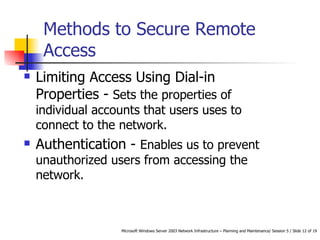
Methods to Secure Remote Access  Limiting Access Using Dial-in Properties -  Sets the properties of individual accounts that users uses to connect to the network.  Authentication -  Enables us to prevent unauthorized users from accessing the network.
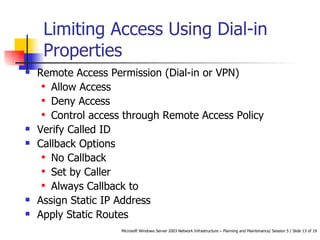
Limiting Access Using Dial-in Properties Remote Access Permission (Dial-in or VPN)  Allow Access  Deny Access  Control access through Remote Access Policy  Verify Called ID  Callback Options No Callback  Set by Caller  Always Callback to  Assign Static IP Address  Apply Static Routes
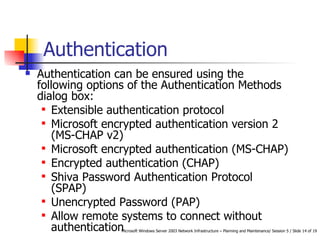
Authentication Authentication can be ensured using the following options of the Authentication Methods dialog box: Extensible authentication protocol  Microsoft encrypted authentication version 2 (MS-CHAP v2)  Microsoft encrypted authentication (MS-CHAP)  Encrypted authentication (CHAP)  Shiva Password Authentication Protocol (SPAP)  Unencrypted Password (PAP)  Allow remote systems to connect without authentication
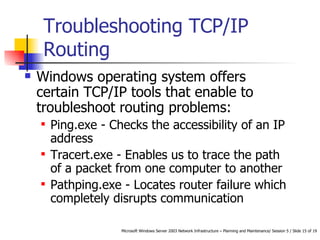
Troubleshooting TCP/IP Routing Windows operating system offers certain TCP/IP tools that enable to troubleshoot routing problems:  Ping.exe - Checks the accessibility of an IP address  Tracert.exe - Enables us to trace the path of a packet from one computer to another  Pathping.exe - Locates router failure which completely disrupts communication
Troubleshooting RRA Configuration Check whether the Routing and Remote Access service is functioning  Check whether routing is enabled  Check the TCP/IP configuration settings  Verify the IP addresses of the router interfaces
Summary Features offered by routing are Internal network invisibility Existing network integration Internet and internal network traffic restriction The different types of topologies are: Mesh Topology Ring Topology Star Topology The different types of  WAN technologies are: Leased Telephone Lines Dial-on Demand Connections  Frame Relay Virtual Private Network (VPN)
Summary Contd… Encryption and authentication add more security through Routing and Remote Access Static and dynamic routing are the two types of routing strategies  Methods of authentication Extensible Authentication Protocol (EAP) Microsoft Encrypted Authentication version 2 (Microsoft-CHAP v2) Microsoft Encrypted Authentication (MS-CHAP) Encrypted Authentication (CHAP) Shiva Password Authentication Protocol (SPAP) Unencrypted Password (PAP) Allow Remote Systems to Connect Without Authentication
Summary Contd… Windows operating system offers certain TCP/IP tools that enable to troubleshoot routing problems:  Ping.exe Tracert.exe Pathping.exe

Session 5 Tp 5

  • 1.
    Session 5 NetworkDesign with Routing
  • 2.
    DNS servers convertweb addresses to IP addresses. This process is called Name resolution Reverse name resolution is the process of conversion of IP addresses to IP addresses DNS servers accept iterative and recursive queries A zone is a contiguous part of the DNS namespace Resource records are part of zonal databases that contain web addresses and their equivalent IP address Multiple DNS servers are useful for d ivision of load amongst various DNS servers Active directory integrated zones secure the dynamically updated DNS zones automatically Review
  • 3.
    Objectives Explain routingand its features Explain Static and Dynamic Routing Explain Routing Protocol Communications Identify the requirements for a Routed Network Design Identify methods to secure the Routed Network Troubleshoot TCP/IP Routing
  • 4.
    Designing a RoutingNetwork Consider the following while designed a routing network: Determine the requirements of the network Identify the features of the Routing and Remote Access (RRA) Integrate RRA with other networking services Locate the router Decide the number of hosts Identify the protocols supported Identify security needs
  • 5.
    Routing and RemoteAccess Service (RRAS) Features of RRAS: Provides an invisible internal network to the Internet Provides support for IP and IPX/SPX routing protocols Prevents traffic from the internal network segments, the Internet, and other networks Routing and Remote Access provides support for many protocols
  • 6.
    Choosing WAN TopologyThe different types of topologies are: Mesh Topology – Connects more than two sites Ring Topology – Connects each site to its adjacent site to form a closed loop Star Topology – Connects multiple WAN connections to a single site that acts like a hub
  • 7.
    Selecting WAN TechnologyThe different types of technologies that a WAN connection can use to connect the Internet are: Leased Telephone Lines Dial-on Demand Connections Frame Relay Virtual Private Network (VPN)
  • 8.
    Static Routing Decreasesdynamic protocol traffic Increases security by restricting the routing table information Manual updates of routing tables becomes less time consuming Information in the Routing table does not change often Demand dial interface and a default route is added.
  • 9.
    Dynamic Routing Helpsrouters to communicate with each other and share the information in their routing table Helps routers to compensate if a router or WAN fails Prevents the traffic from getting forwarded to the failed router instead it is passed from a different route
  • 10.
    Routing Information Protocol(RIP) Automatic updates the routing table Minimizes time spent on manual updating Changes Routing table information continuously Used by the other routers in the network Creates auto static entries using Routing and Remote Access and Demand Dial Used when the total number of routers is less than 14
  • 11.
    Securing the routedNetwork Measures to prevent unauthorized access: Identify the users who require remote access Identify the levels of remote access for the users Identify the applications to be used by the users
  • 12.
    Methods to SecureRemote Access Limiting Access Using Dial-in Properties - Sets the properties of individual accounts that users uses to connect to the network. Authentication - Enables us to prevent unauthorized users from accessing the network.
  • 13.
    Limiting Access UsingDial-in Properties Remote Access Permission (Dial-in or VPN) Allow Access Deny Access Control access through Remote Access Policy Verify Called ID Callback Options No Callback Set by Caller Always Callback to Assign Static IP Address Apply Static Routes
  • 14.
    Authentication Authentication canbe ensured using the following options of the Authentication Methods dialog box: Extensible authentication protocol Microsoft encrypted authentication version 2 (MS-CHAP v2) Microsoft encrypted authentication (MS-CHAP) Encrypted authentication (CHAP) Shiva Password Authentication Protocol (SPAP) Unencrypted Password (PAP) Allow remote systems to connect without authentication
  • 15.
    Troubleshooting TCP/IP RoutingWindows operating system offers certain TCP/IP tools that enable to troubleshoot routing problems: Ping.exe - Checks the accessibility of an IP address Tracert.exe - Enables us to trace the path of a packet from one computer to another Pathping.exe - Locates router failure which completely disrupts communication
  • 16.
    Troubleshooting RRA ConfigurationCheck whether the Routing and Remote Access service is functioning Check whether routing is enabled Check the TCP/IP configuration settings Verify the IP addresses of the router interfaces
  • 17.
    Summary Features offeredby routing are Internal network invisibility Existing network integration Internet and internal network traffic restriction The different types of topologies are: Mesh Topology Ring Topology Star Topology The different types of WAN technologies are: Leased Telephone Lines Dial-on Demand Connections Frame Relay Virtual Private Network (VPN)
  • 18.
    Summary Contd… Encryptionand authentication add more security through Routing and Remote Access Static and dynamic routing are the two types of routing strategies Methods of authentication Extensible Authentication Protocol (EAP) Microsoft Encrypted Authentication version 2 (Microsoft-CHAP v2) Microsoft Encrypted Authentication (MS-CHAP) Encrypted Authentication (CHAP) Shiva Password Authentication Protocol (SPAP) Unencrypted Password (PAP) Allow Remote Systems to Connect Without Authentication
  • 19.
    Summary Contd… Windowsoperating system offers certain TCP/IP tools that enable to troubleshoot routing problems: Ping.exe Tracert.exe Pathping.exe