SEQUENCE DIAGRAMS &
COMMUNICATION DIAGRAMS
By,
D. B. Naga Muruga,
Dept of Mechanical Engineering
Sriram Engineering College
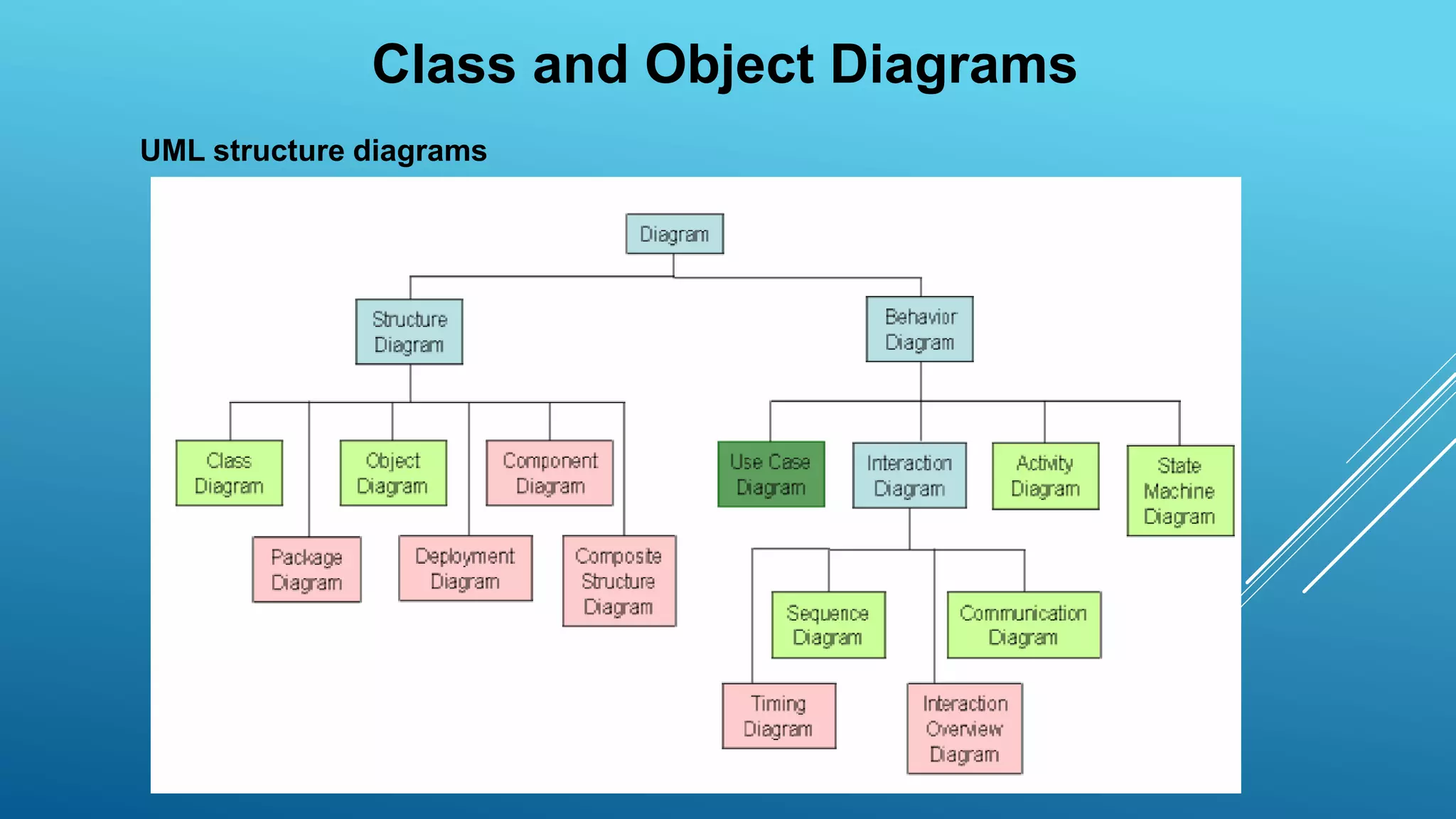
Class and Object Diagrams
UML structure diagrams
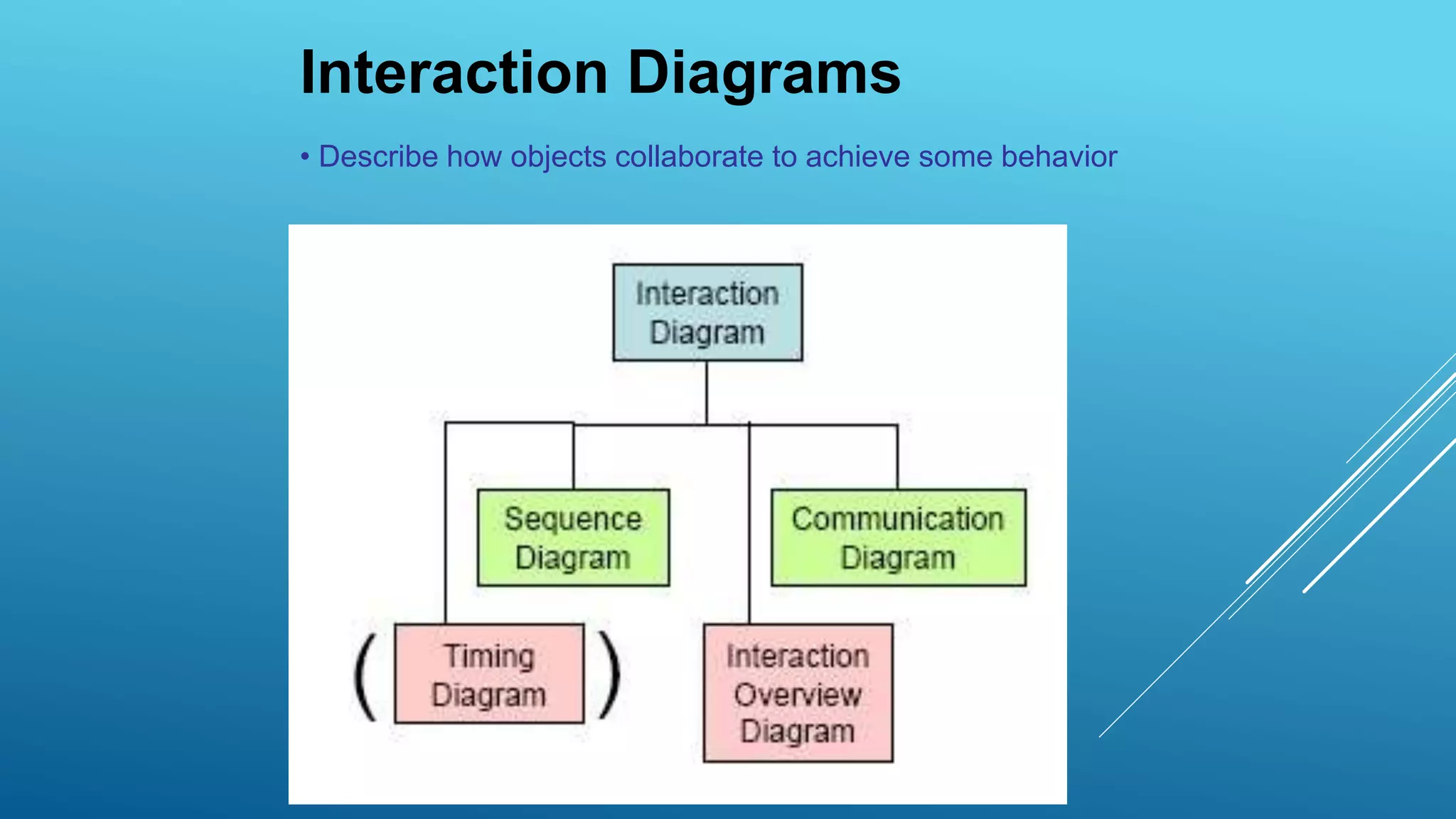
Interaction Diagrams
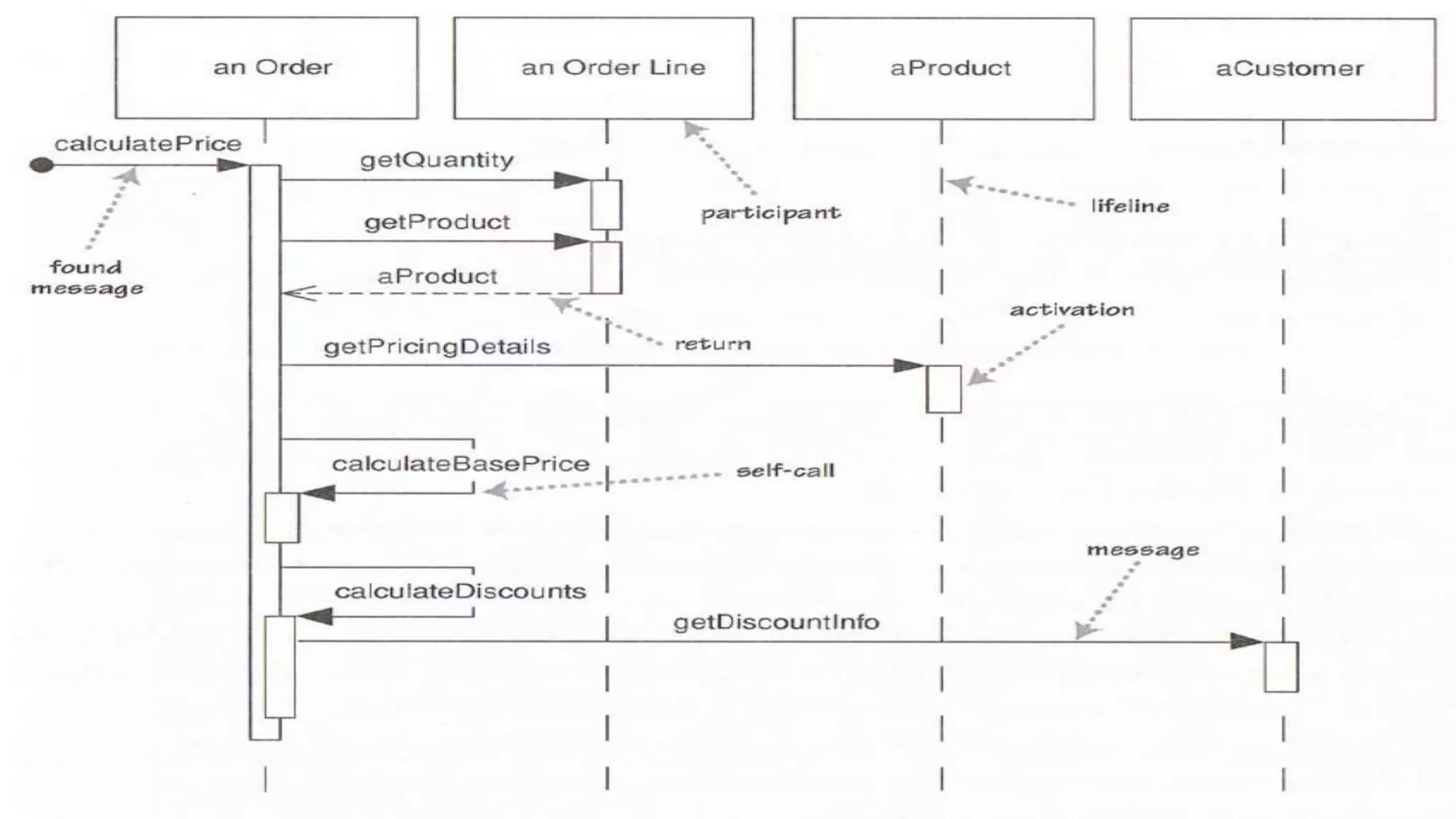
• Describe how objects collaborate to achieve some behavior
Consider a use case
• We have an order
• We are going to calculate its price
• Order needs to look at all its line items
– determine price of line item based on the pricing rules of its
product
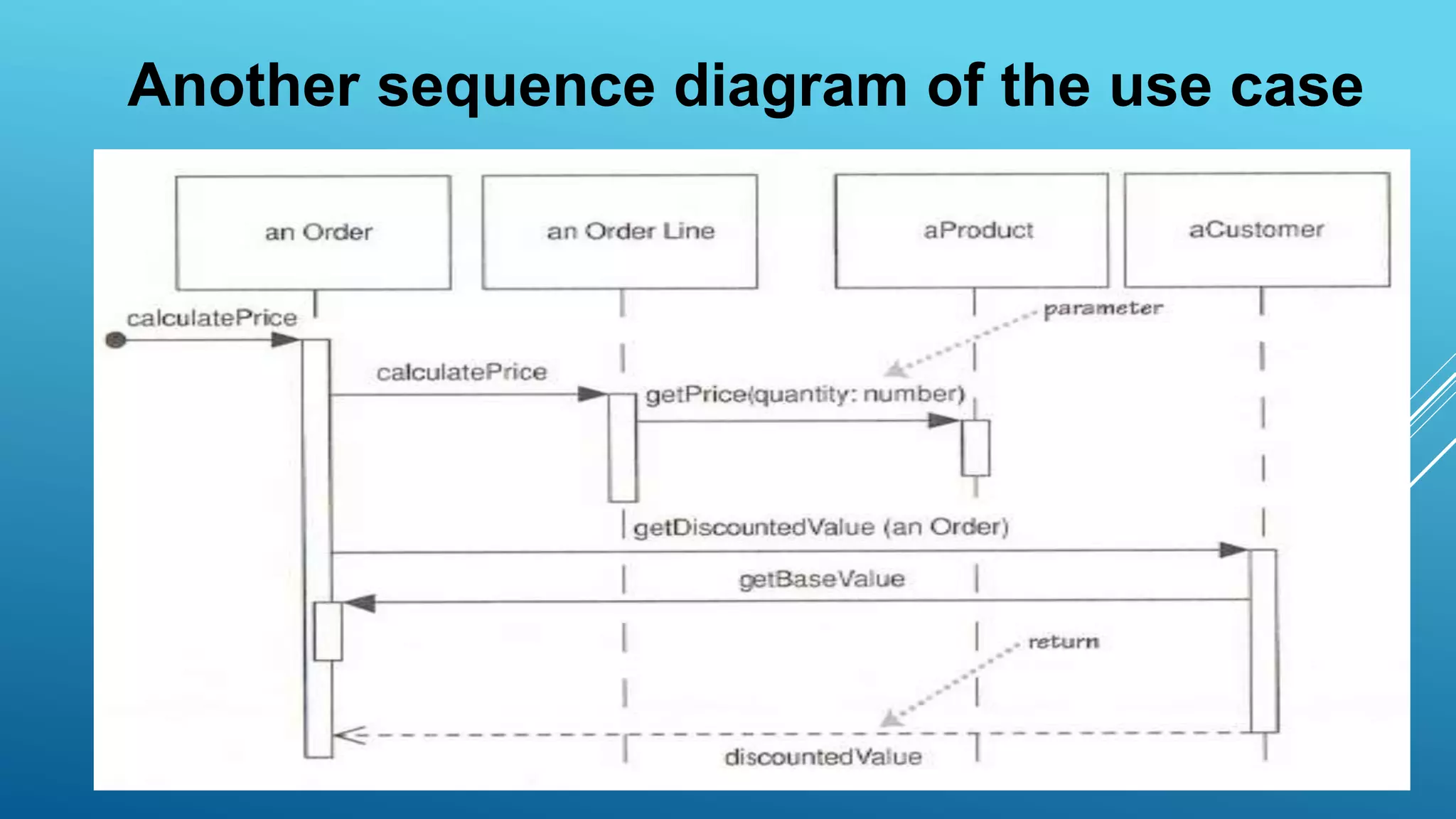
Another sequence diagram of the use case
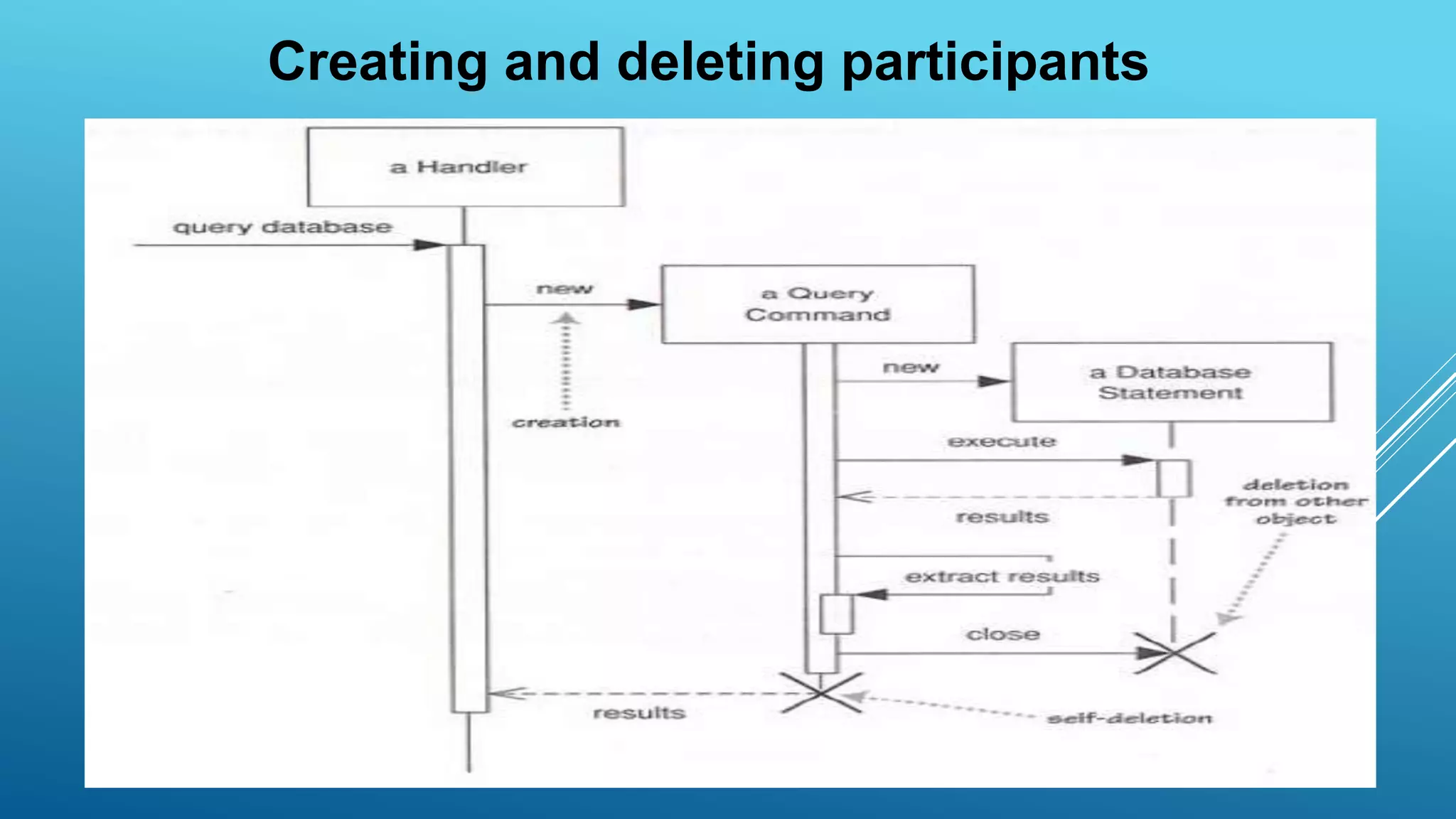
Creating and deleting participants
Interaction Frames
• Sequence diagrams are not suitable for
showing complex control flow
• Instead use
– pseudocode
– activity diagrams
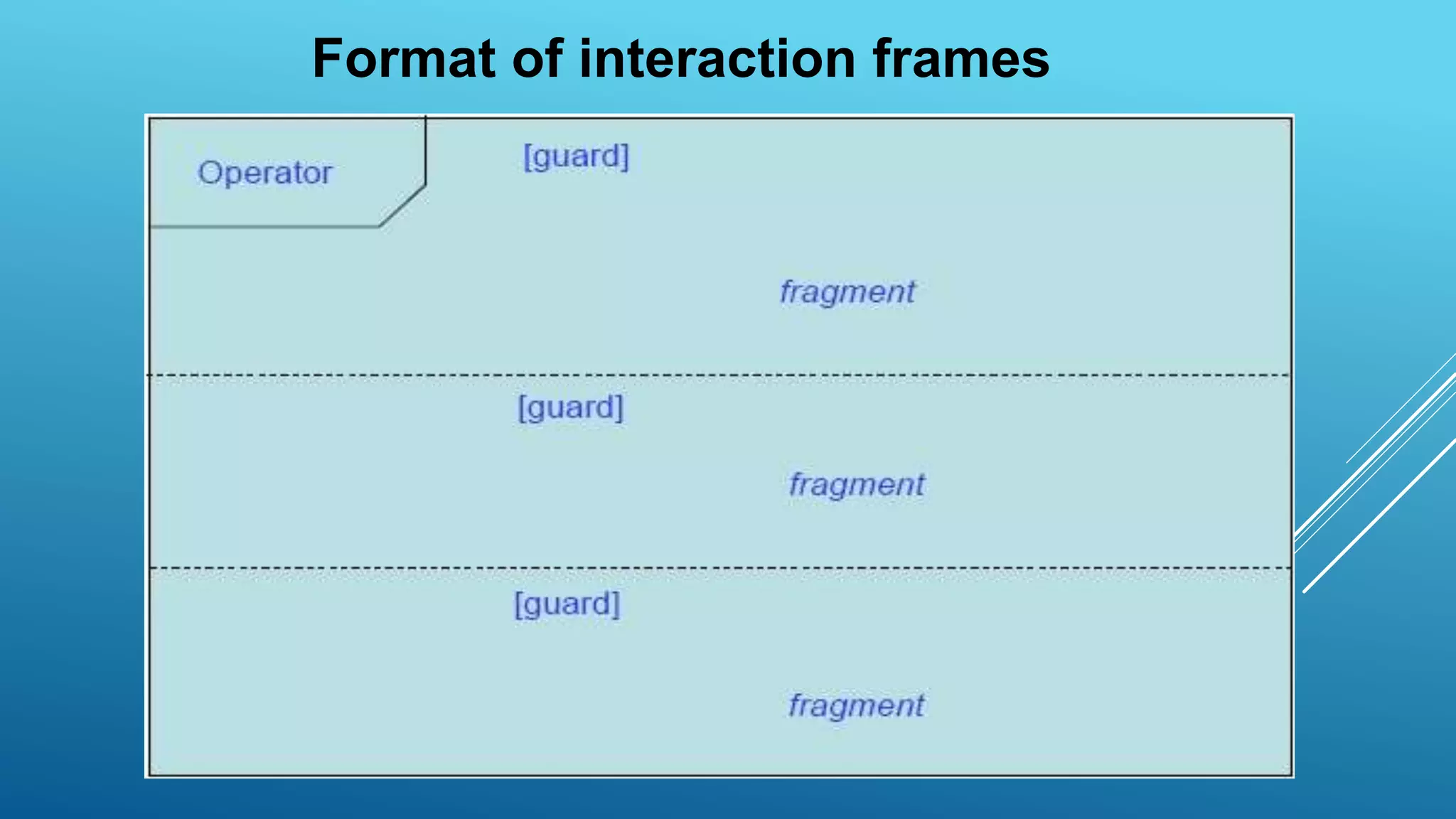
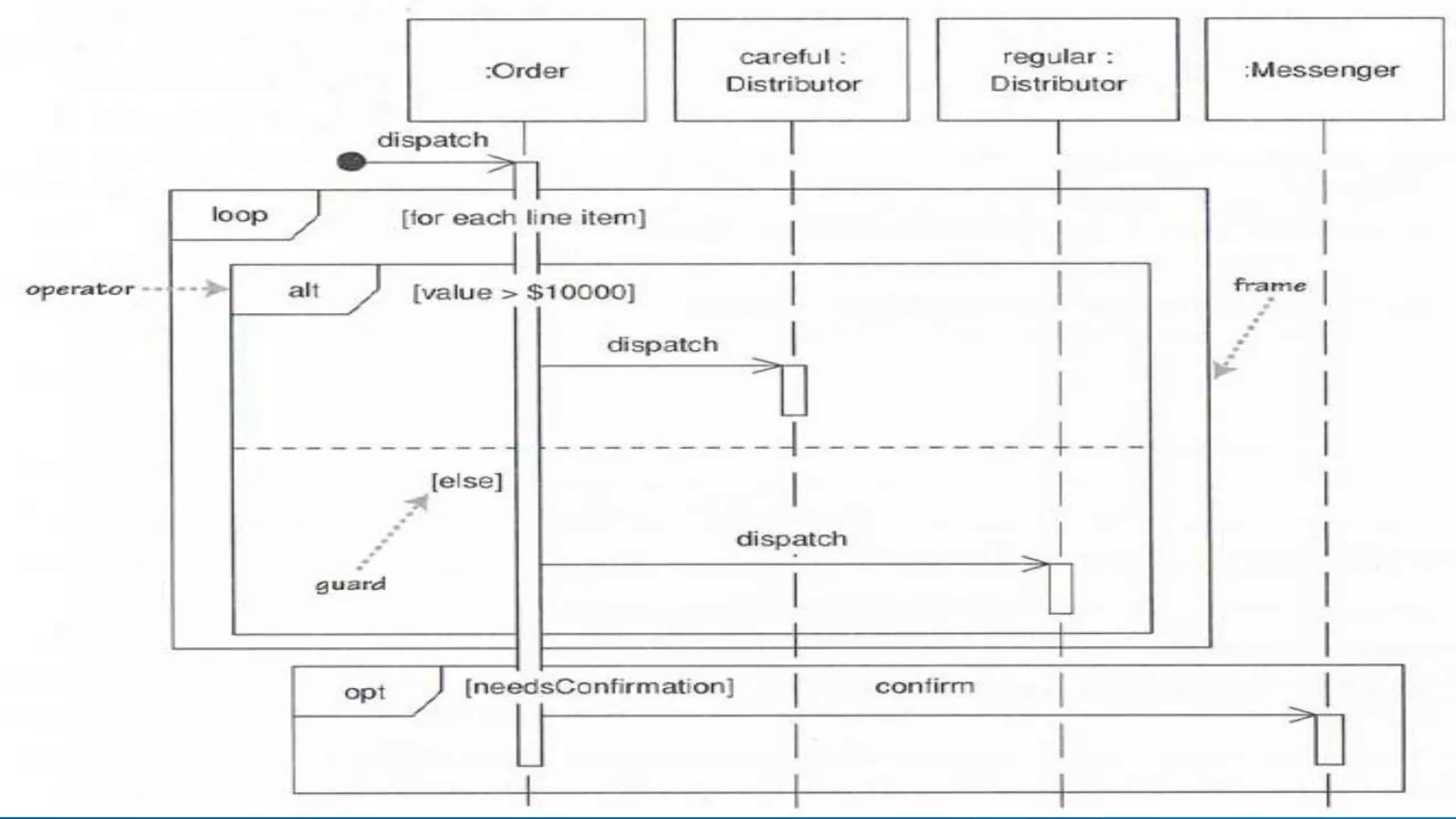
• Use interaction frames to describe simple
control logic
Format of interaction frames
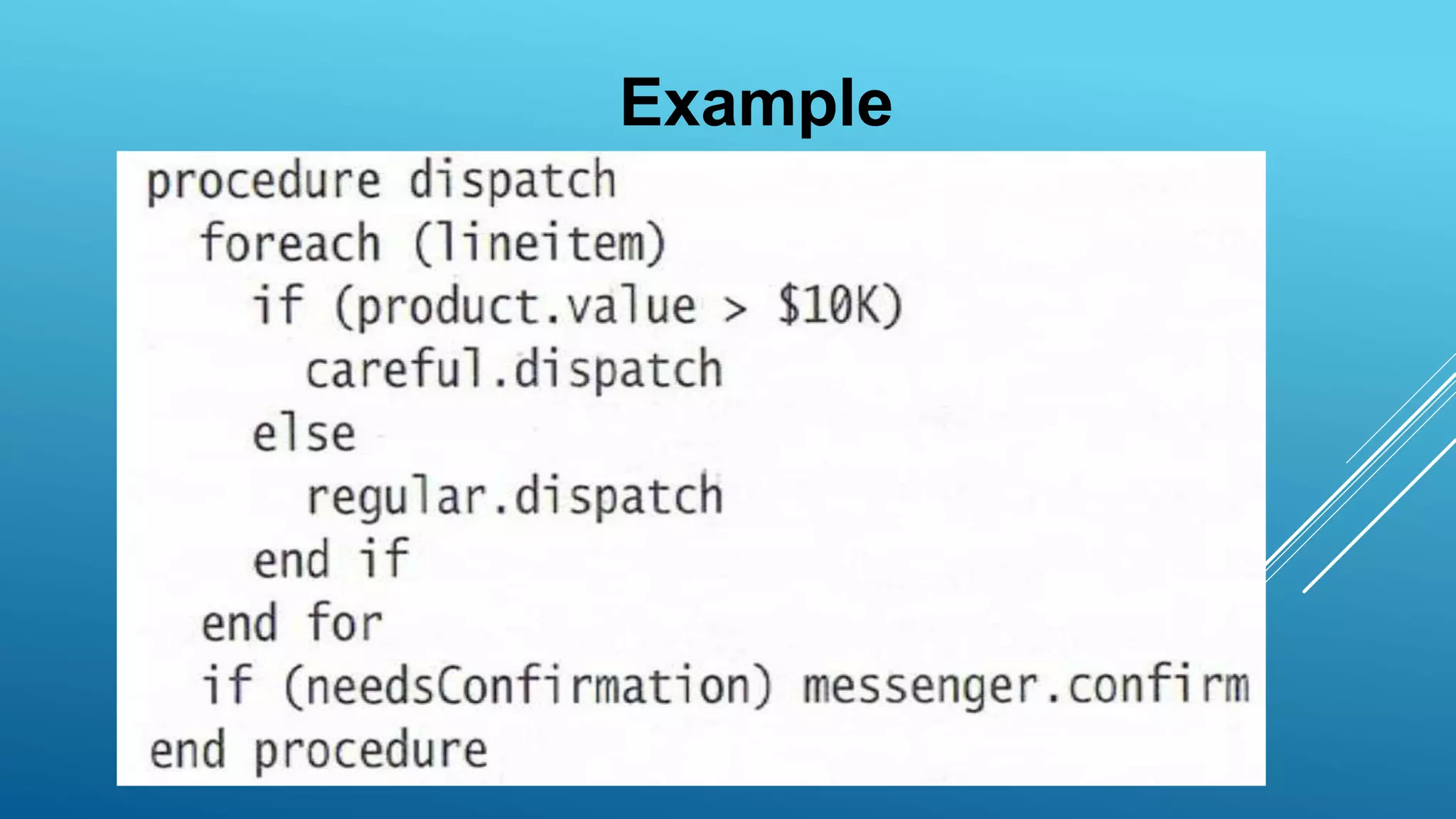
Example
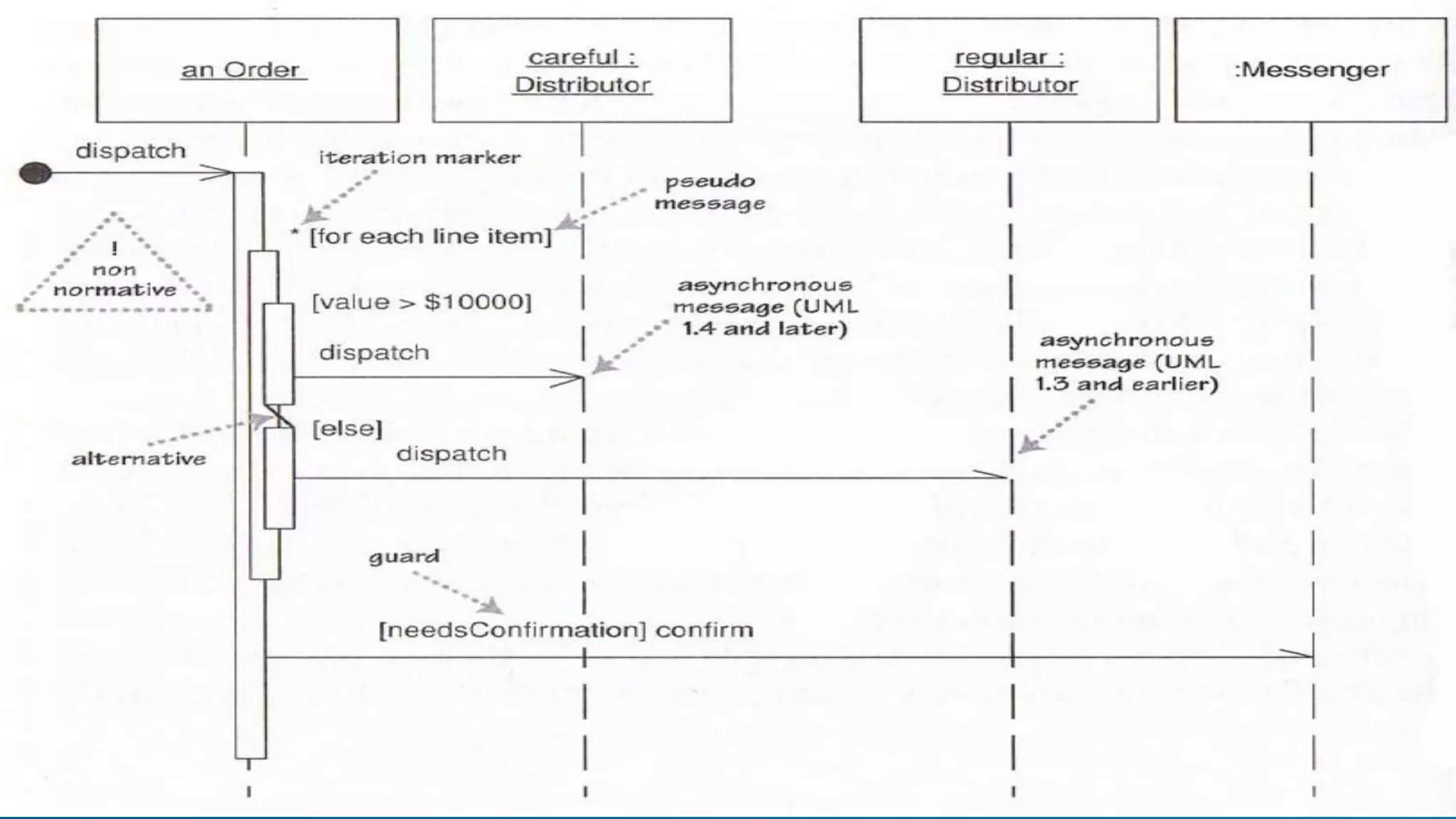
Control logic in UML 1
• Iteration marker (*) on message
– iteration basis given in “[]”
• Guards
– message conditions in “[]”
• Problem: only works on a single message
– Solution: use self-call by a pseudo message
to show scope
Synchronous and Asynchronous
messages
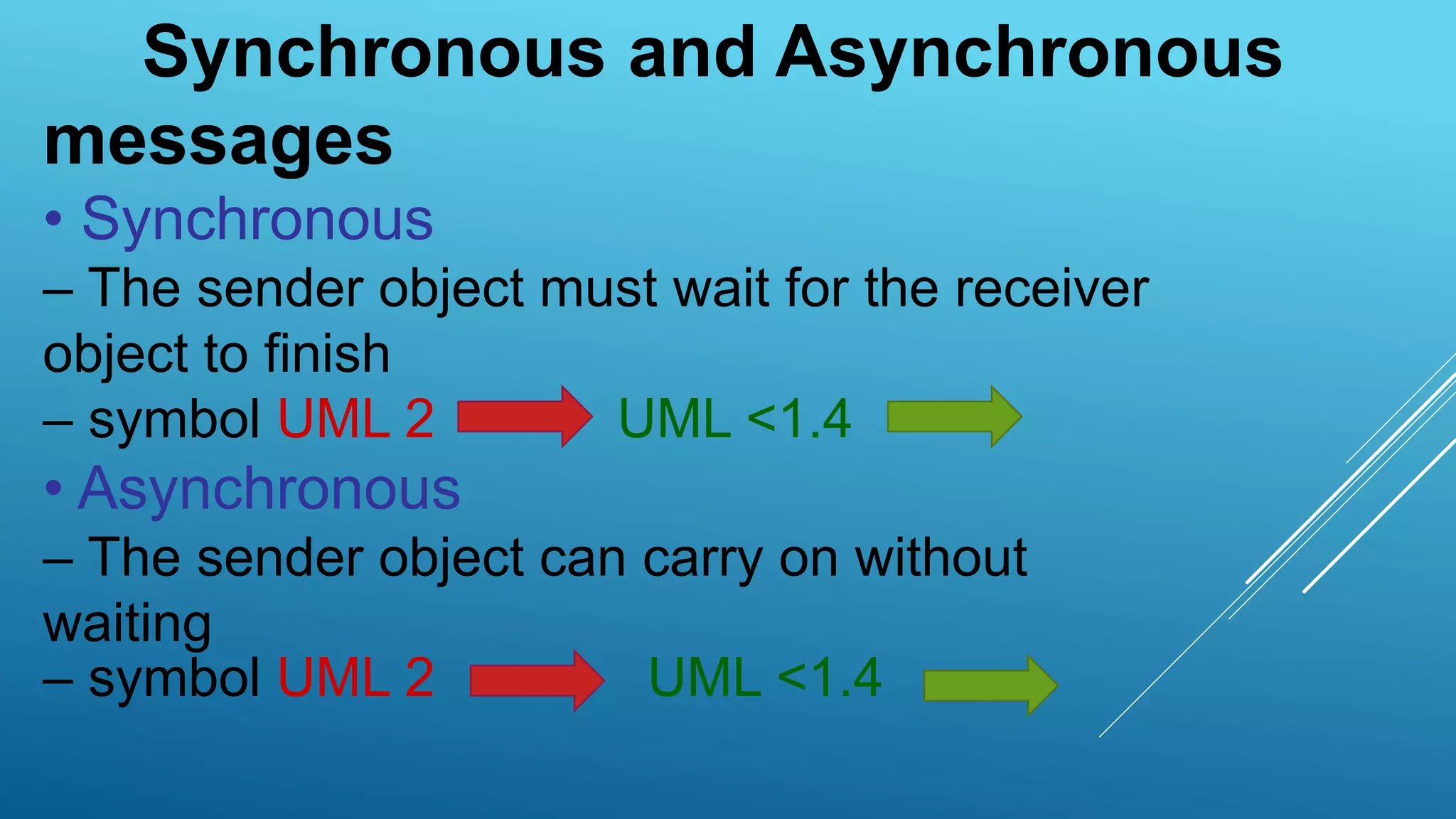
• Synchronous
– The sender object must wait for the receiver
object to finish
– symbol UML 2 UML <1.4
• Asynchronous
– The sender object can carry on without
waiting
– symbol UML 2 UML <1.4
Communication Diagrams
• Focus on the data links between objects
• Communication diagrams are graphs
– Nodes: Objects
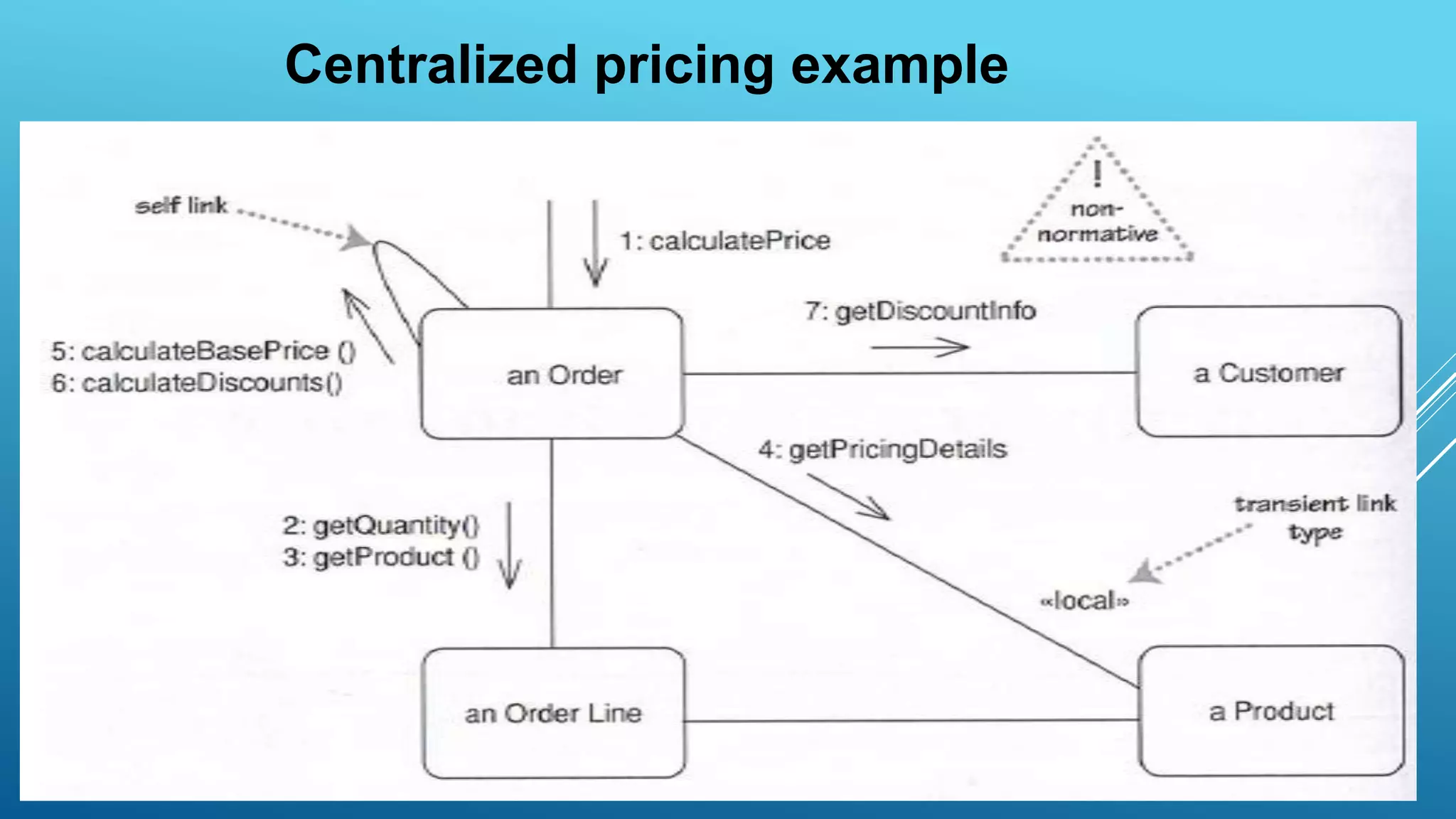
– Edges: Association and transient links
messages are arrows on links
• Communication sequence given by
numbering scheme
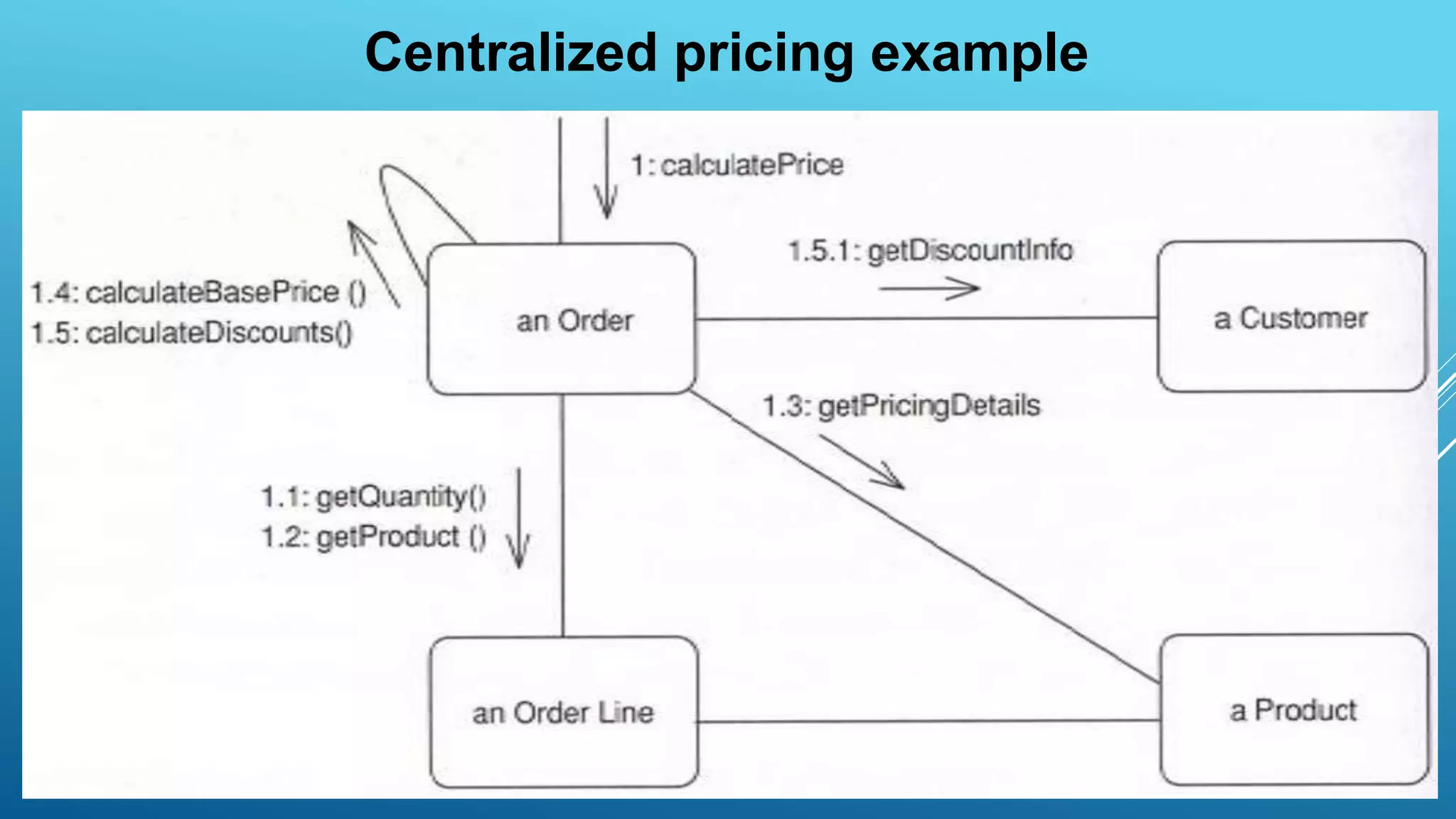
Centralized pricing example
Other conventions
• You can show several computations in one
diagram
– 1.1, 1.2.1, 1.2.2, 1.3, …
– 2.1, 2.2, 2.3.1, 2.3.2,…
• You can use letters to indicate different threads
– A1.1, A1.2.1, A1.2.2,…
– B1.1, B1.2.1, B1.2.2,…
• You can use iteration markers “*” and guards []
to show control logic, but no complete constructs
• A matter of personal taste
• Sequence diagrams better when you want
to emphasize sequence of calls
• Communication diagrams better when you
want to emphasize links
How to choose between sequence
and communication diagrams
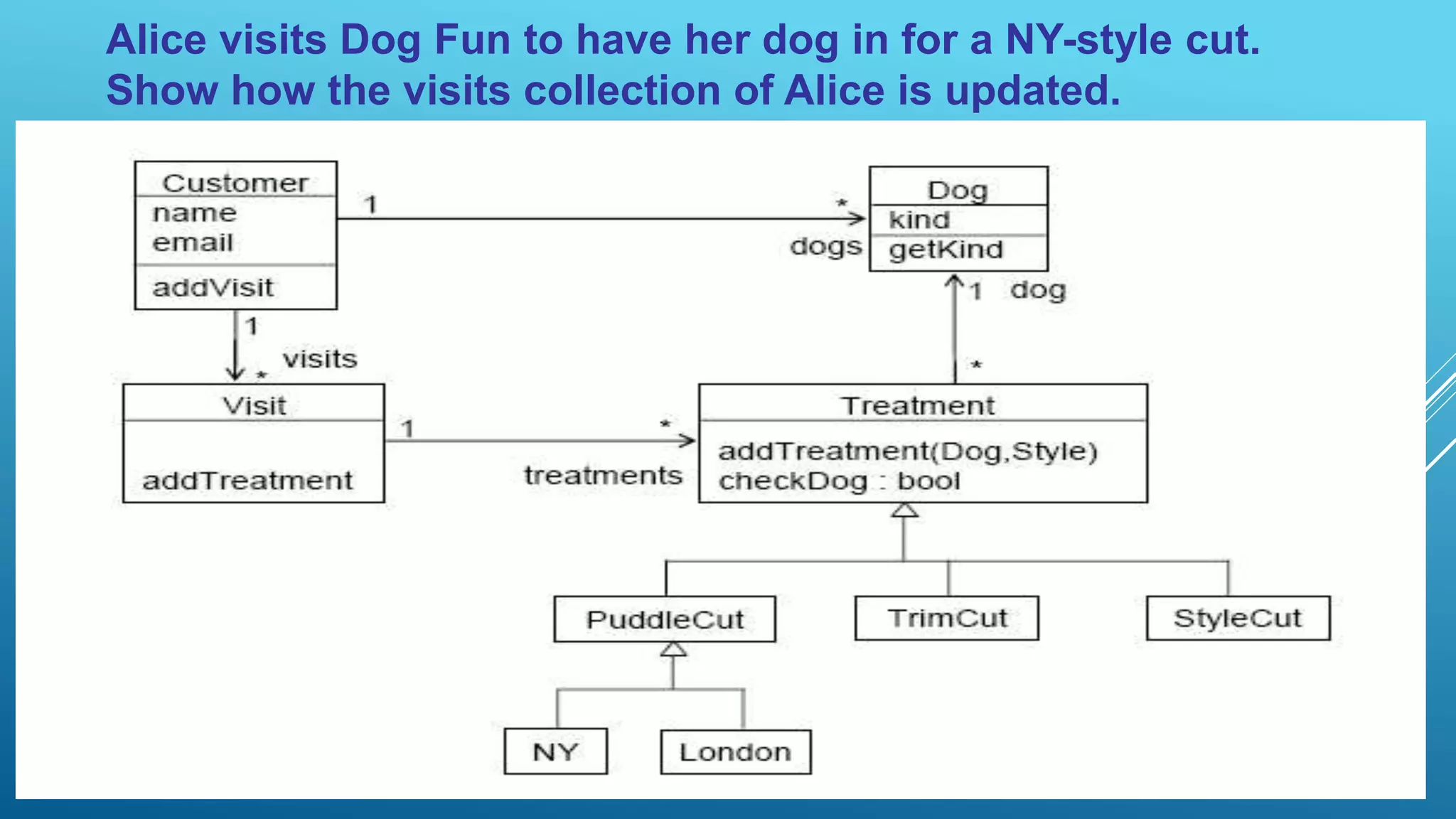
Dog Fun
• Each customer has one or more dogs
• I keep track of the customers’ kind of dogs and email so I can send them greetings at
Christmas and new offers
[if they want]. I also keep track of how much they have spent
• The system helps me compute how much the customer should pay for the treatments
of the dogs the customer
brings
• A treatment starts with a wash that has a fixed cost of 10$ no matter what kind of dog
• Then there are three kinds of ways to continue a
treatment:
1. puddle-cut which can be NY-style to $100 or London to $50
(London style may include coloring for an extra $10) [I decline to puddle cut a dog that’s not a puddle]
2. trim-cut for $30, or
3. style-cut for $40
• Some of my costumers get a discount of some percent, but not all
Alice visits Dog Fun to have her dog in for a NY-style cut.
Show how the visits collection of Alice is updated.
Sequence diagrams  & communication diagrams

Sequence diagrams & communication diagrams

  • 1.
    SEQUENCE DIAGRAMS & COMMUNICATIONDIAGRAMS By, D. B. Naga Muruga, Dept of Mechanical Engineering Sriram Engineering College
  • 2.
    Class and ObjectDiagrams UML structure diagrams
  • 3.
    Interaction Diagrams • Describehow objects collaborate to achieve some behavior
  • 4.
    Consider a usecase • We have an order • We are going to calculate its price • Order needs to look at all its line items – determine price of line item based on the pricing rules of its product
  • 6.
    Another sequence diagramof the use case
  • 7.
  • 8.
    Interaction Frames • Sequencediagrams are not suitable for showing complex control flow • Instead use – pseudocode – activity diagrams • Use interaction frames to describe simple control logic
  • 9.
  • 10.
  • 12.
    Control logic inUML 1 • Iteration marker (*) on message – iteration basis given in “[]” • Guards – message conditions in “[]” • Problem: only works on a single message – Solution: use self-call by a pseudo message to show scope
  • 14.
    Synchronous and Asynchronous messages •Synchronous – The sender object must wait for the receiver object to finish – symbol UML 2 UML <1.4 • Asynchronous – The sender object can carry on without waiting – symbol UML 2 UML <1.4
  • 15.
    Communication Diagrams • Focuson the data links between objects • Communication diagrams are graphs – Nodes: Objects – Edges: Association and transient links messages are arrows on links • Communication sequence given by numbering scheme
  • 16.
  • 17.
  • 18.
    Other conventions • Youcan show several computations in one diagram – 1.1, 1.2.1, 1.2.2, 1.3, … – 2.1, 2.2, 2.3.1, 2.3.2,… • You can use letters to indicate different threads – A1.1, A1.2.1, A1.2.2,… – B1.1, B1.2.1, B1.2.2,… • You can use iteration markers “*” and guards [] to show control logic, but no complete constructs
  • 19.
    • A matterof personal taste • Sequence diagrams better when you want to emphasize sequence of calls • Communication diagrams better when you want to emphasize links How to choose between sequence and communication diagrams
  • 20.
    Dog Fun • Eachcustomer has one or more dogs • I keep track of the customers’ kind of dogs and email so I can send them greetings at Christmas and new offers [if they want]. I also keep track of how much they have spent • The system helps me compute how much the customer should pay for the treatments of the dogs the customer brings • A treatment starts with a wash that has a fixed cost of 10$ no matter what kind of dog • Then there are three kinds of ways to continue a treatment: 1. puddle-cut which can be NY-style to $100 or London to $50 (London style may include coloring for an extra $10) [I decline to puddle cut a dog that’s not a puddle] 2. trim-cut for $30, or 3. style-cut for $40 • Some of my costumers get a discount of some percent, but not all
  • 21.
    Alice visits DogFun to have her dog in for a NY-style cut. Show how the visits collection of Alice is updated.