








SEO Seminar
for the San Francisco Chamber of Commerce
for the sf chamber

SEO Seminar
•	 SEO is…

•	 History of Google Search

•	 Lies and Bad Practices

•	 When to Think About SEO

•	 How to Do SEO Yourself

•	 Recommended Resources

•	 Summary
overview


SEO is…
seo is…

What is SEO?
•	 Yes, it stands for Search Engine Optimization.

•	 But what is it?
seo is…

SEO is not…
•	 Submitting websites to search engines.

•	 Manipulating search engine results to provide a more favorable listing for
   a specific website.

•	 Getting ranked for certain keywords.
seo is…

SEO is…
…the process of taking a page built by humans and making it easily
consumable for both other humans and for search engine robots.


                       Definition from SEOmoz
seo is…

Motives
•	 The search engine wants to deliver webpages that help the user.

•	 The user is looking for pages that are relevant and useful to them.
seo is…

The Human Factor
“Even though this guide’s title contains the words “search engine”, we’d like
to say that you should base your optimization decisions first and foremost on
what’s best for the visitors of your site. They’re the main consumers of your
content and are using search engines to find your work.”

– Google’s Search Engine Optimization Starter Guide.


                          Image from Google
seo is…

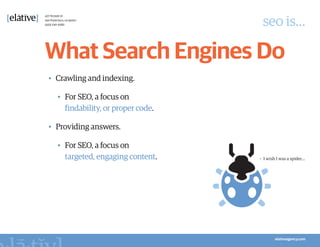
What Search Engines Do
•	 Crawling and indexing.

  •	 For SEO, a focus on
     findability, or proper code.

•	 Providing answers.

  •	 For SEO, a focus on
     targeted, engaging content.    •	 I wish I was a spider…
seo is…

Why SEO?
•	 In February 2011, Google said they had 2 billion+ searches per day.

•	 80% of searchers click on organic results, while 20% click on paid results.


                          Image from Google
seo is…

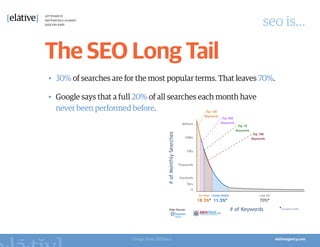
The SEO Long Tail
•	 30% of searches are for the most popular terms. That leaves 70%.

•	 Google says that a full 20% of all searches each month have
   never been performed before.


                         Image from SEOmoz
seo is…

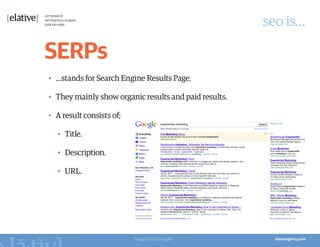
SERPs
•	 …stands for Search Engine Results Page.

•	 They mainly show organic results and paid results.

•	 A result consists of;

   •	 Title.

   •	 Description.

   •	 URL.


                           Image from Google
overview


History of Google Search
history of google search

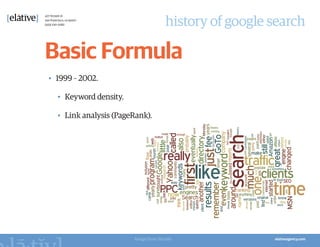
Basic Formula
•	 1999 – 2002.

  •	 Keyword density.

  •	 Link analysis (PageRank).


                        Image from Wordle
history of google search

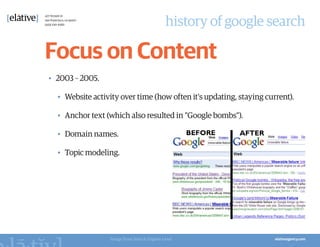
Focus on Content
•	 2003 – 2005.

  •	 Website activity over time (how often it's updating, staying current).

  •	 Anchor text (which also resulted in "Google bombs").

  •	 Domain names.

  •	 Topic modeling.


                  Image from Search Engine Land
history of google search

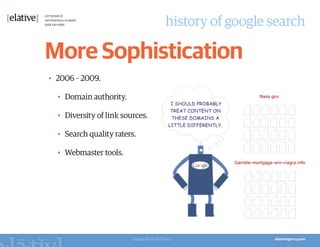
More Sophistication
•	 2006 – 2009.

  •	 Domain authority.

  •	 Diversity of link sources.

  •	 Search quality raters.

  •	 Webmaster tools.


                          Image from SEOmoz
history of google search

Social Media
•	 2009 – 2011.

  •	 What people are saying.

  •	 …but also who's saying it.

  •	 Entity associations
     (recognizing types of content and anticipating searcher's needs).
history of google search

Useful and Trustworthy
•	 Google's Panda update to solve problems;

  •	 Shallow-content sites (a.k.a. content farm).

  •	 Shady link building practices.

•	 Solution involved asking:

  •	 Do you consider this site
     to be authoritative?

  •	 Would you be comfortable
     giving this site your credit card?


                         Image from HubPages
history of google search

Evolution of SERPs
•	 Old Google SERPs.


                       Image from Google
history of google search

Evolution of SERPs
•	 Google SERPs today.


                         Images from Google
history of google search

Evolution of SERPs
•	 Google SERPs tomorrow.


                       Image from Google
overview


Lies and Bad Practices
lies and bad practices

Search Engine
Submissions
•	 In the late 90's, it used to be part of the optimization process.

•	 Since 2001, it's become virtually useless.
lies and bad practices

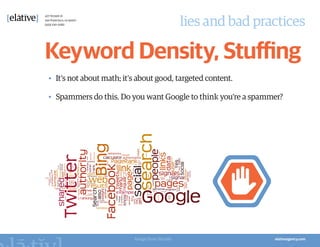
Keyword Density, Stuffing
•	 It’s not about math; it’s about good, targeted content.

•	 Spammers do this. Do you want Google to think you’re a spammer?


                           Image from Wordle
lies and bad practices

Focusing on Optimization
•	 …instead of what to optimize.

  •	 The research is the most important and critical part.

•	 An analogy;

  •	 Optimization is like executing
     on a business plan.

  •	 Keyword Research is about coming up
     with the business plan.
lies and bad practices

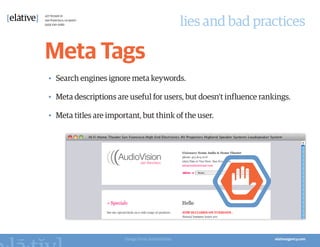
Meta Tags
•	 Search engines ignore meta keywords.

•	 Meta descriptions are useful for users, but doesn’t influence rankings.

•	 Meta titles are important, but think of the user.


                        Image from AudioVision
lies and bad practices

Manipulative Links
•	 Reciprocal links.

   •	 Scheming to link to each other.

•	 Incestuous links.

   •	 Creating websites just to build up link juice.

•	 Paid links.

   •	 Buying your way to success.
lies and bad practices

Cloaking
•	 ...is when you deceive a search engine
   by showing them different content
   than what your users see.

•	 But, there are white hat cloaking techniques.

  •	 Friendly URLs.

  •	 Allowing Google to see content
     behind logins / paywalls.
lies and bad practices

Paid Search
•	 Has no influence on organic results.

•	 But it is a great research tool.

   •	 …and it can complement your organic SEO strategy.
lies and bad practices

Guarantees
•	 No one knows the exact algorithm for search engines.

•	 It’s like Coke, but even more complex and secretive.
overview


When to Think About SEO
when to think about seo

When to do SEO?
•	 Before you build a website.

•	 In fact, before you even think about your website.
when to think about seo

If you do SEO after you
build your website…
•	 …it’s like trying to rethink the concept of your home after you’ve done a
   complete renovation.


                        Image from Lineal Inc.
when to think about seo

Why do SEO so early on?
 •	 Research messaging.

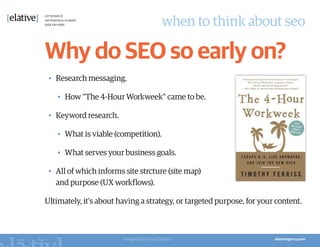
   •	 How "The 4-Hour Workweek" came to be.

 •	 Keyword research.

   •	 What is viable (competition).

   •	 What serves your business goals.

 •	 All of which informs site strcture (site map)
    and purpose (UX workflows).

Ultimately, it’s about having a strategy, or targeted purpose, for your content.


                        Image from Pinar Tarhan
when to think about seo

All the Time
•	 On an ongoing basis, test and improve.

  •	 No, you can't just build your website and forget about it.

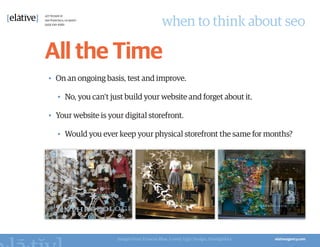
•	 Your website is your digital storefront.

  •	 Would you ever keep your physical storefront the same for months?


                     Images from Frances Blue, Lovely Ugly Design, Smudgtikka
overview


How to Do SEO Yourself
how to do seo yourself

Be Exceptional
•	 Good isn’t good enough; make your content great.


                        Image from SEOmoz
how to do seo yourself

Don’t “Look” Like a
Content Farm
•	 Delight your visitors with phenomenal design and usability.


                 Images from HubPages, WiseGeek
how to do seo yourself

Don't Keep 'Em Guessing
•	 For any given page, make sure it's clear to the visitor what the page is
   about, and what they're supposed to do on the page.


                 Images from HubPages, Tennessee
how to do seo yourself

Keyword Research
•	 Research.

   •	 Look at competitors and utilize Google's auto-suggestions.

•	 Test.

   •	 Run Adwords to find what works & to estimate traffic volume.

•	 Analyze.

   •	 Keyword data for balance of competitiveness versus search volume.

•	 Strategize.

   •	 Which keywords to target for which pages of your site.
how to do seo yourself

Code Optimization
•	 Watch out for “classic” SEO tactics.

  •	 Such as those mentioned in the "Lies and Bad Practices" section.

•	 Let search engines see what your users see.

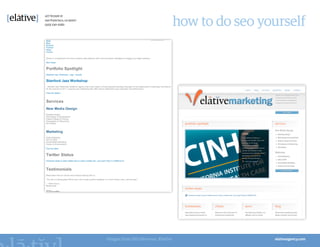
  •	 Use SEO Browser.

•	 Make search engine tools and protocols work for you.

  •	 Analytics, Webmaster Tools, http://loads.in, http://wasitup.com.
how to do seo yourself


Images from SEO Browser, Elative
how to do seo yourself

The Power of Links
•	 Take advantage of new opportunities.

•	 Embrace all of inbound marketing.
how to do seo yourself

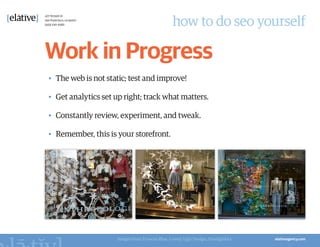
Work in Progress
•	 The web is not static; test and improve!

•	 Get analytics set up right; track what matters.

•	 Constantly review, experiment, and tweak.

•	 Remember, this is your storefront.


                     Images from Frances Blue, Lovely Ugly Design, Smudgtikka
overview


Recommended Resources
recommended resources

Google
•	 Straight from the horses mouth!

•	 However, they tend to be conservative and coy to protect against people
   trying to game the system.

  •	 http://www.google.com/webmasters/docs/search-engine-optimization-
     starter-guide.pdf

  •	 http://www.google.com/webmasters/edu/quickstartguide/index.html

  •	 http://www.google.com/intl/en/websiteoptimizer

  •	 http://www.google.com/adwords/pdf/hc/growing_adwords_en.pdf

  •	 http://adwords.google.com
recommended resources

SEO Browser
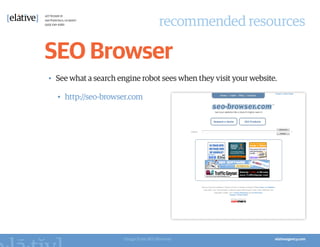
•	 See what a search engine robot sees when they visit your website.

  •	 http://seo-browser.com


                      Image from SEO Browser
recommended resources

SEOmoz
•	 Lots of great information, research, and insights updated constantly.

•	 They also have an SEO software tool.

  •	 http://www.seomoz.org/learn-seo

  •	 http://www.seomoz.org/beginners-guide-to-seo

  •	 http://www.seomoz.org/blog


                         Image from SEOmoz
recommended resources

Raven
•	 An SEO software tool, competitor to SEOmoz.

  •	 http://raventools.com


                         Image from Raven
recommended resources

Don't Make Me Think
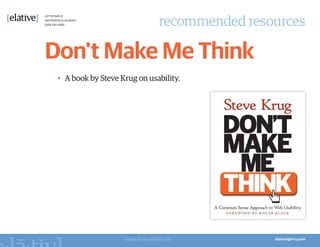
 •	 A book by Steve Krug on usability.


                     Image from mfinley.com
overview


Summary
summary

Definition
•	 SEO is the process of taking a page built by humans and making it easily
   consumable for both other humans and for search engine robots.


                      Definition from SEOmoz
summary

Content
•	 SEO is about creating great, purposeful content for people.


                     Image from New York Times
summary

User Experience
•	 SEO depends upon great design and usability. Delight your visitors.


             Image from Dunnellon Historical Society
summary

Investment
•	 SEO takes a lot of time, thought and care, especially for keyword research
   and building/joining communities.

•	 There are no shortcuts.
summary

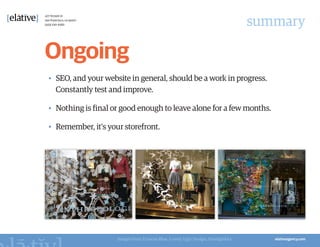
Ongoing
•	 SEO, and your website in general, should be a work in progress.
   Constantly test and improve.

•	 Nothing is final or good enough to leave alone for a few months.

•	 Remember, it's your storefront.


                     Images from Frances Blue, Lovely Ugly Design, Smudgtikka
overview


Questions?
overview


Thank You.
http://www.slideshare.net/elative

SEO Seminar for SF Chamber

  • 1.
    SEO Seminar for theSan Francisco Chamber of Commerce
  • 2.
    for the sfchamber SEO Seminar • SEO is… • History of Google Search • Lies and Bad Practices • When to Think About SEO • How to Do SEO Yourself • Recommended Resources • Summary
  • 3.
  • 4.
    seo is… What isSEO? • Yes, it stands for Search Engine Optimization. • But what is it?
  • 5.
    seo is… SEO isnot… • Submitting websites to search engines. • Manipulating search engine results to provide a more favorable listing for a specific website. • Getting ranked for certain keywords.
  • 6.
    seo is… SEO is… …theprocess of taking a page built by humans and making it easily consumable for both other humans and for search engine robots. Definition from SEOmoz
  • 7.
    seo is… Motives • Thesearch engine wants to deliver webpages that help the user. • The user is looking for pages that are relevant and useful to them.
  • 8.
    seo is… The HumanFactor “Even though this guide’s title contains the words “search engine”, we’d like to say that you should base your optimization decisions first and foremost on what’s best for the visitors of your site. They’re the main consumers of your content and are using search engines to find your work.” – Google’s Search Engine Optimization Starter Guide. Image from Google
  • 9.
    seo is… What SearchEngines Do • Crawling and indexing. • For SEO, a focus on findability, or proper code. • Providing answers. • For SEO, a focus on targeted, engaging content. • I wish I was a spider…
  • 10.
    seo is… Why SEO? • In February 2011, Google said they had 2 billion+ searches per day. • 80% of searchers click on organic results, while 20% click on paid results. Image from Google
  • 11.
    seo is… The SEOLong Tail • 30% of searches are for the most popular terms. That leaves 70%. • Google says that a full 20% of all searches each month have never been performed before. Image from SEOmoz
  • 12.
    seo is… SERPs • …standsfor Search Engine Results Page. • They mainly show organic results and paid results. • A result consists of; • Title. • Description. • URL. Image from Google
  • 13.
  • 14.
    history of googlesearch Basic Formula • 1999 – 2002. • Keyword density. • Link analysis (PageRank). Image from Wordle
  • 15.
    history of googlesearch Focus on Content • 2003 – 2005. • Website activity over time (how often it's updating, staying current). • Anchor text (which also resulted in "Google bombs"). • Domain names. • Topic modeling. Image from Search Engine Land
  • 16.
    history of googlesearch More Sophistication • 2006 – 2009. • Domain authority. • Diversity of link sources. • Search quality raters. • Webmaster tools. Image from SEOmoz
  • 17.
    history of googlesearch Social Media • 2009 – 2011. • What people are saying. • …but also who's saying it. • Entity associations (recognizing types of content and anticipating searcher's needs).
  • 18.
    history of googlesearch Useful and Trustworthy • Google's Panda update to solve problems; • Shallow-content sites (a.k.a. content farm). • Shady link building practices. • Solution involved asking: • Do you consider this site to be authoritative? • Would you be comfortable giving this site your credit card? Image from HubPages
  • 19.
    history of googlesearch Evolution of SERPs • Old Google SERPs. Image from Google
  • 20.
    history of googlesearch Evolution of SERPs • Google SERPs today. Images from Google
  • 21.
    history of googlesearch Evolution of SERPs • Google SERPs tomorrow. Image from Google
  • 22.
  • 23.
    lies and badpractices Search Engine Submissions • In the late 90's, it used to be part of the optimization process. • Since 2001, it's become virtually useless.
  • 24.
    lies and badpractices Keyword Density, Stuffing • It’s not about math; it’s about good, targeted content. • Spammers do this. Do you want Google to think you’re a spammer? Image from Wordle
  • 25.
    lies and badpractices Focusing on Optimization • …instead of what to optimize. • The research is the most important and critical part. • An analogy; • Optimization is like executing on a business plan. • Keyword Research is about coming up with the business plan.
  • 26.
    lies and badpractices Meta Tags • Search engines ignore meta keywords. • Meta descriptions are useful for users, but doesn’t influence rankings. • Meta titles are important, but think of the user. Image from AudioVision
  • 27.
    lies and badpractices Manipulative Links • Reciprocal links. • Scheming to link to each other. • Incestuous links. • Creating websites just to build up link juice. • Paid links. • Buying your way to success.
  • 28.
    lies and badpractices Cloaking • ...is when you deceive a search engine by showing them different content than what your users see. • But, there are white hat cloaking techniques. • Friendly URLs. • Allowing Google to see content behind logins / paywalls.
  • 29.
    lies and badpractices Paid Search • Has no influence on organic results. • But it is a great research tool. • …and it can complement your organic SEO strategy.
  • 30.
    lies and badpractices Guarantees • No one knows the exact algorithm for search engines. • It’s like Coke, but even more complex and secretive.
  • 31.
  • 32.
    when to thinkabout seo When to do SEO? • Before you build a website. • In fact, before you even think about your website.
  • 33.
    when to thinkabout seo If you do SEO after you build your website… • …it’s like trying to rethink the concept of your home after you’ve done a complete renovation. Image from Lineal Inc.
  • 34.
    when to thinkabout seo Why do SEO so early on? • Research messaging. • How "The 4-Hour Workweek" came to be. • Keyword research. • What is viable (competition). • What serves your business goals. • All of which informs site strcture (site map) and purpose (UX workflows). Ultimately, it’s about having a strategy, or targeted purpose, for your content. Image from Pinar Tarhan
  • 35.
    when to thinkabout seo All the Time • On an ongoing basis, test and improve. • No, you can't just build your website and forget about it. • Your website is your digital storefront. • Would you ever keep your physical storefront the same for months? Images from Frances Blue, Lovely Ugly Design, Smudgtikka
  • 36.
    overview How to DoSEO Yourself
  • 37.
    how to doseo yourself Be Exceptional • Good isn’t good enough; make your content great. Image from SEOmoz
  • 38.
    how to doseo yourself Don’t “Look” Like a Content Farm • Delight your visitors with phenomenal design and usability. Images from HubPages, WiseGeek
  • 39.
    how to doseo yourself Don't Keep 'Em Guessing • For any given page, make sure it's clear to the visitor what the page is about, and what they're supposed to do on the page. Images from HubPages, Tennessee
  • 40.
    how to doseo yourself Keyword Research • Research. • Look at competitors and utilize Google's auto-suggestions. • Test. • Run Adwords to find what works & to estimate traffic volume. • Analyze. • Keyword data for balance of competitiveness versus search volume. • Strategize. • Which keywords to target for which pages of your site.
  • 41.
    how to doseo yourself Code Optimization • Watch out for “classic” SEO tactics. • Such as those mentioned in the "Lies and Bad Practices" section. • Let search engines see what your users see. • Use SEO Browser. • Make search engine tools and protocols work for you. • Analytics, Webmaster Tools, http://loads.in, http://wasitup.com.
  • 42.
    how to doseo yourself Images from SEO Browser, Elative
  • 43.
    how to doseo yourself The Power of Links • Take advantage of new opportunities. • Embrace all of inbound marketing.
  • 44.
    how to doseo yourself Work in Progress • The web is not static; test and improve! • Get analytics set up right; track what matters. • Constantly review, experiment, and tweak. • Remember, this is your storefront. Images from Frances Blue, Lovely Ugly Design, Smudgtikka
  • 45.
  • 46.
    recommended resources Google • Straightfrom the horses mouth! • However, they tend to be conservative and coy to protect against people trying to game the system. • http://www.google.com/webmasters/docs/search-engine-optimization- starter-guide.pdf • http://www.google.com/webmasters/edu/quickstartguide/index.html • http://www.google.com/intl/en/websiteoptimizer • http://www.google.com/adwords/pdf/hc/growing_adwords_en.pdf • http://adwords.google.com
  • 47.
    recommended resources SEO Browser • See what a search engine robot sees when they visit your website. • http://seo-browser.com Image from SEO Browser
  • 48.
    recommended resources SEOmoz • Lotsof great information, research, and insights updated constantly. • They also have an SEO software tool. • http://www.seomoz.org/learn-seo • http://www.seomoz.org/beginners-guide-to-seo • http://www.seomoz.org/blog Image from SEOmoz
  • 49.
    recommended resources Raven • AnSEO software tool, competitor to SEOmoz. • http://raventools.com Image from Raven
  • 50.
    recommended resources Don't MakeMe Think • A book by Steve Krug on usability. Image from mfinley.com
  • 51.
  • 52.
    summary Definition • SEO isthe process of taking a page built by humans and making it easily consumable for both other humans and for search engine robots. Definition from SEOmoz
  • 53.
    summary Content • SEO isabout creating great, purposeful content for people. Image from New York Times
  • 54.
    summary User Experience • SEOdepends upon great design and usability. Delight your visitors. Image from Dunnellon Historical Society
  • 55.
    summary Investment • SEO takesa lot of time, thought and care, especially for keyword research and building/joining communities. • There are no shortcuts.
  • 56.
    summary Ongoing • SEO, andyour website in general, should be a work in progress. Constantly test and improve. • Nothing is final or good enough to leave alone for a few months. • Remember, it's your storefront. Images from Frances Blue, Lovely Ugly Design, Smudgtikka
  • 57.
  • 58.