Selfish Accessibility
Presented by Adrian Roselli for Buffalo Unconference
About Adrian Roselli
• Co-written four books.
• Technical editor
for two books.
• Written over fifty
articles, most recently
for .net Magazine and
Web Standards Sherpa.
Great bedtime reading!
About Adrian Roselli
• Member of W3C HTML Working Group, W3C
Accessibility Task Force, five W3C Community
Groups.
• Building for the web since 1994.
• Founder, owner at Algonquin Studios
(AlgonquinStudios.com).
• Learn more at AdrianRoselli.com.
• Avoid on Twitter @aardrian.
I warned you.
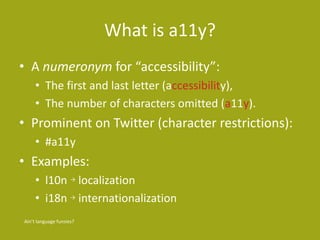
What is a11y?
• A numeronym for “accessibility”:
• The first and last letter (accessibility),
• The number of characters omitted (a11y).
• Prominent on Twitter (character restrictions):
• #a11y
• Examples:
• l10n → localization
• i18n → internationalization
Ain’t language funsies?
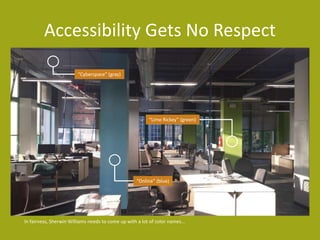
Accessibility Gets No Respect
In fairness, Sherwin Williams needs to come up with a lot of color names...
“Cyberspace” (gray)
“Online” (blue)
“Lime Rickey” (green)
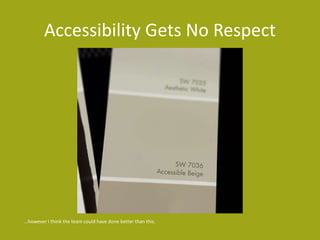
Accessibility Gets No Respect
…however I think the team could have done better than this.
What We’ll Cover
• Boring Statistics
• Be Selfish
• Basic Tests
• Questions (ongoing!)
Work with me, people.
Boring Statistics
1 of 5 sections.
Any Disability
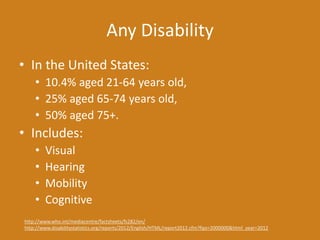
• In the United States:
• 10.4% aged 21-64 years old,
• 25% aged 65-74 years old,
• 50% aged 75+.
• Includes:
• Visual
• Hearing
• Mobility
• Cognitive
http://www.who.int/mediacentre/factsheets/fs282/en/
http://www.disabilitystatistics.org/reports/2012/English/HTML/report2012.cfm?fips=2000000&html_year=2012
Vision Impairments
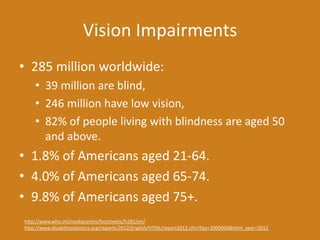
• 285 million worldwide:
• 39 million are blind,
• 246 million have low vision,
• 82% of people living with blindness are aged 50
and above.
• 1.8% of Americans aged 21-64.
• 4.0% of Americans aged 65-74.
• 9.8% of Americans aged 75+.
http://www.who.int/mediacentre/factsheets/fs282/en/
http://www.disabilitystatistics.org/reports/2012/English/HTML/report2012.cfm?fips=2000000&html_year=2012
Hearing Impairments
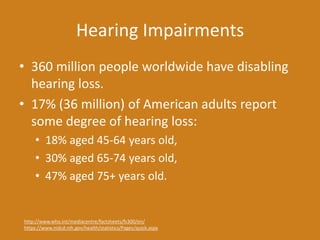
• 360 million people worldwide have disabling
hearing loss.
• 17% (36 million) of American adults report
some degree of hearing loss:
• 18% aged 45-64 years old,
• 30% aged 65-74 years old,
• 47% aged 75+ years old.
http://www.who.int/mediacentre/factsheets/fs300/en/
https://www.nidcd.nih.gov/health/statistics/Pages/quick.aspx
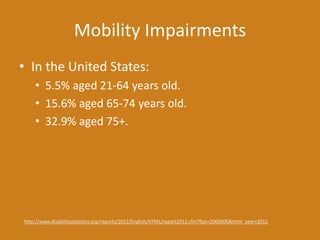
Mobility Impairments
• In the United States:
• 5.5% aged 21-64 years old.
• 15.6% aged 65-74 years old.
• 32.9% aged 75+.
http://www.disabilitystatistics.org/reports/2012/English/HTML/report2012.cfm?fips=2000000&html_year=2012
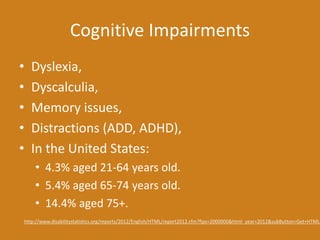
Cognitive Impairments
• Dyslexia,
• Dyscalculia,
• Memory issues,
• Distractions (ADD, ADHD),
• In the United States:
• 4.3% aged 21-64 years old.
• 5.4% aged 65-74 years old.
• 14.4% aged 75+.
http://www.disabilitystatistics.org/reports/2012/English/HTML/report2012.cfm?fips=2000000&html_year=2012&subButton=Get+HTML
Be Selfish
2 of 5 sections.
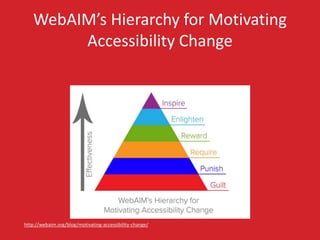
WebAIM’s Hierarchy for Motivating
Accessibility Change
http://webaim.org/blog/motivating-accessibility-change/
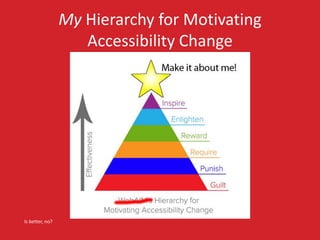
My Hierarchy for Motivating
Accessibility Change
Is better, no?
Getting Older
• Affects (nearly) everyone,
• Carries risks and side effects,
• Is not for the young.
I’m still experimenting with it.
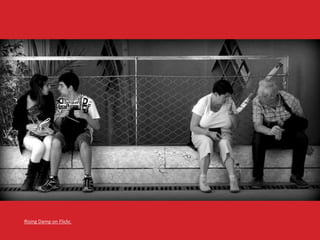
Rising Damp on Flickr.
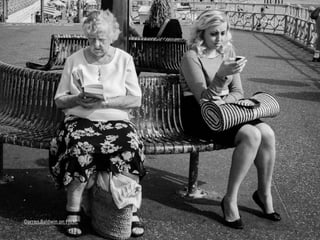
Darren Baldwin on Flickr.
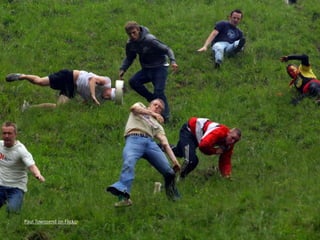
Accidents
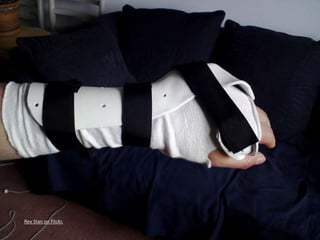
• Broken limbs,
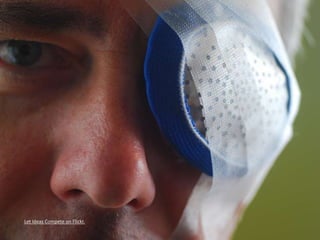
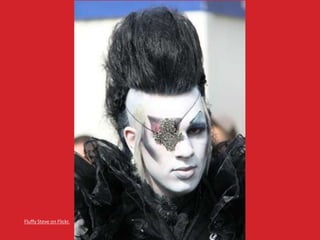
• Eye injuries,
• Hearing injuries,
• Head trauma.
All of these have happened to me, multiple times.
Rev Stan on Flickr.
Let Ideas Compete on Flickr.
Fluffy Steve on Flickr.
Paul Townsend on Flickr.
But I’m Invincible!
• Multi-tasking,
• Sunlight,
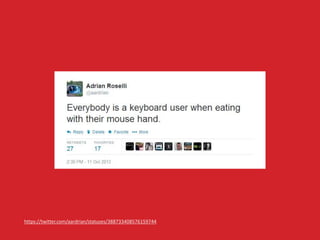
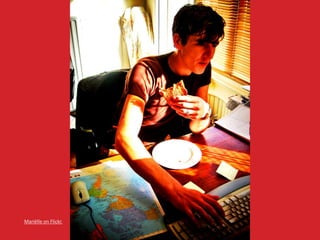
• Eating at your desk,
• No headphones handy,
• Content is not in your native language.
The sun is trying to kill me.
https://twitter.com/aardrian/statuses/388733408576159744
Mariëlle on Flickr.
barockschloss on Flickr.
Seb on Flickr.
A.Davy on Flickr.
Steve Rhodes on Flickr.
SuperFantastic on Flickr.
World Bank Photo Collection on Flickr.
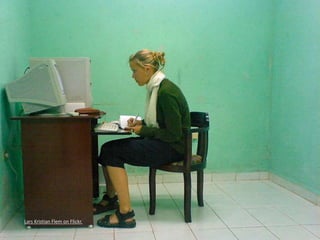
Lars Kristian Flem on Flickr.
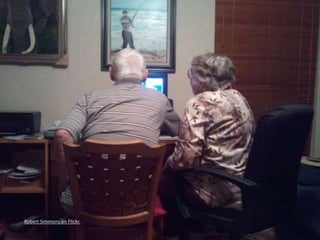
Tech Support
• Think of your family!
• Think of your time spent helping them!
• Think of the wasted holidays!
This is why we hate the holidays.
Robert Simmons on Flickr.
The Message
• Supporting accessibility now helps to serve
future you.
Do or do not.
The Message
• Supporting accessibility now helps to serve
future you.
• Supporting accessibility now helps injured
you, encumbered you.
There is no try.
The Message
• Supporting accessibility now helps to serve
future you.
• Supporting accessibility now helps injured
you, encumbered you.
• Getting younger developers to buy in helps
future you – if you teach them well.
Always pass on what you have learned.
Checklist
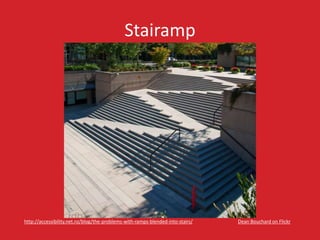
• Accessibility is not a checklist.
http://accessibility.net.nz/blog/the-problems-with-ramps-blended-into-stairs/
Stairamp
Dean Bouchard on Flickrhttp://accessibility.net.nz/blog/the-problems-with-ramps-blended-into-stairs/
Checklist
• Accessibility is not a checklist.
• Accessibility is an ongoing process.
https://twitter.com/vavroom/status/571092086365261824
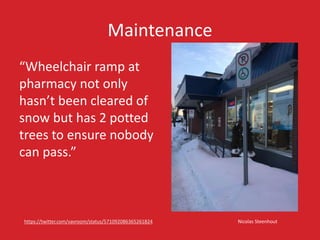
Maintenance
Nicolas Steenhouthttps://twitter.com/vavroom/status/571092086365261824
“Wheelchair ramp at
pharmacy not only
hasn’t been cleared of
snow but has 2 potted
trees to ensure nobody
can pass.”
Basic Tests
4 of 5 sections.
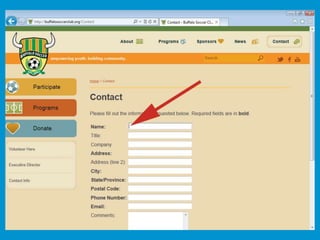
Click on Field Labels
• When you click label text next to a text box,
does the cursor appear in the field?
• When you click label text next to a radio /
checkbox, does it get toggled?
• When you click label text next to a select
menu, does it get focus?
http://www.karlgroves.com/2013/09/05/the-6-simplest-web-accessibility-tests-anyone-can-do/
Unplug Your Mouse
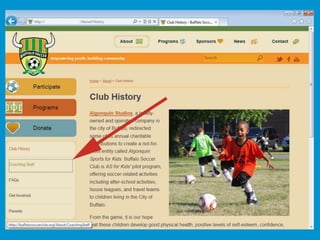
• Turn off your trackpad, stick, trackball, etc.
• Can you interact with all controls (links,
menus, forms) with only the keyboard?
• Can you tell which item has focus?
• Does the tab order match your expectation?
http://www.karlgroves.com/2013/09/05/the-6-simplest-web-accessibility-tests-anyone-can-do/
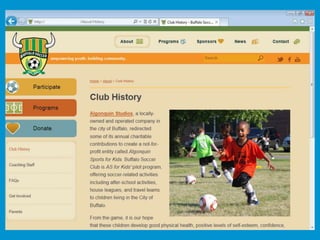
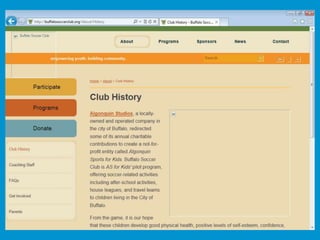
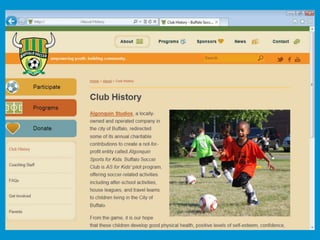
Turn off Images
• Can you still make sense of the page?
• Is content missing?
• Can you still use the site?
• Is your alt text useful?
http://www.karlgroves.com/2013/09/05/the-6-simplest-web-accessibility-tests-anyone-can-do/
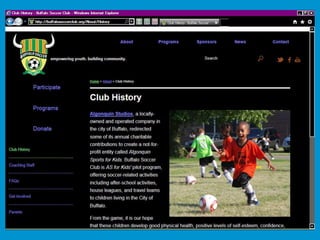
Turn on High Contrast Mode
• Windows only.
• Left ALT + left SHIFT + PRINT SCREEN
• Background images and colors are replaced.
• Text colors are replaced.
• Does this make your site unusable?
http://www.karlgroves.com/2013/09/05/the-6-simplest-web-accessibility-tests-anyone-can-do/
http://blog.adrianroselli.com/2012/08/css-background-images-high-contrast-mode.html
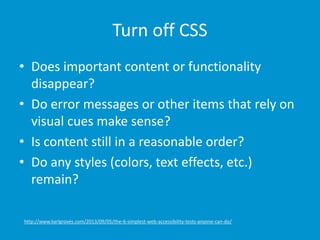
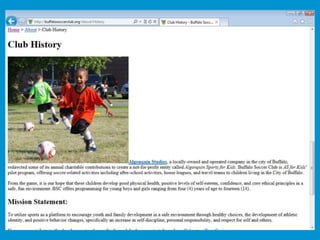
Turn off CSS
• Does important content or functionality
disappear?
• Do error messages or other items that rely on
visual cues make sense?
• Is content still in a reasonable order?
• Do any styles (colors, text effects, etc.)
remain?
http://www.karlgroves.com/2013/09/05/the-6-simplest-web-accessibility-tests-anyone-can-do/
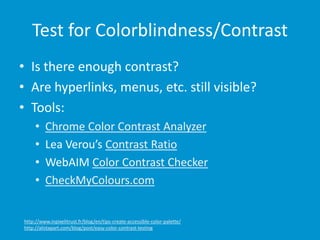
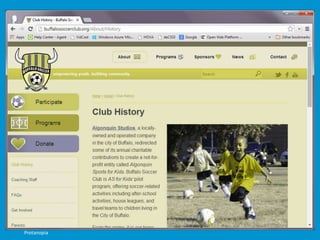
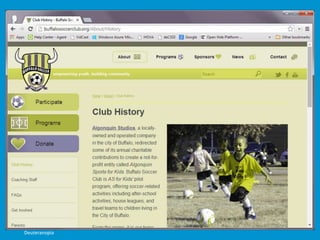
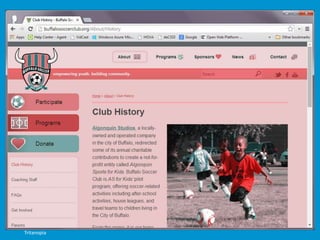
Test for Colorblindness/Contrast
• Is there enough contrast?
• Are hyperlinks, menus, etc. still visible?
• Tools:
• Chrome Color Contrast Analyzer
• Lea Verou’s Contrast Ratio
• WebAIM Color Contrast Checker
• CheckMyColours.com
http://www.inpixelitrust.fr/blog/en/tips-create-accessible-color-palette/
http://alistapart.com/blog/post/easy-color-contrast-testing
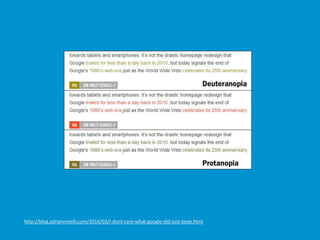
Protanopia
Deuteranopia
Tritanopia
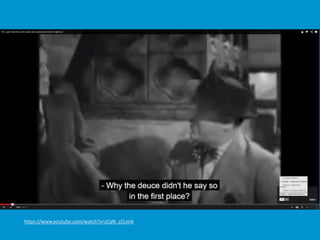
Look for Captions & Transcripts
• Do video/audio clips have text alternatives?
• Are links to closed-captions or transcripts built
into the player or separate text links?
• Is there an audio description available?
• Tools:
• Media Access Australia YouTube captioning tutorial,
Vimeo captioning tutorial,
• Tiffany Brown’s WebVTT tutorial,
• DIY Resources for Closed Captioning and Transcription
from 3 Play Media.
http://webaim.org/techniques/captions/
https://www.youtube.com/watch?v=zCqN_cCLnnk
Hyperlinks!
• Is there any “click here,” “more,” “link to…”?
http://www.sitepoint.com/15-rules-making-accessible-links/
Hyperlinks!
• Is there any “click here,” “more,” “link to…”?
• Are you using all-caps, URLs, emoticons?
http://www.sitepoint.com/15-rules-making-accessible-links/
Hyperlinks!
• Is there any “click here,” “more,” “link to…”?
• Are you using all-caps, URLs, emoticons?
• Do you warn before opening new windows?
http://www.sitepoint.com/15-rules-making-accessible-links/
Hyperlinks!
• Is there any “click here,” “more,” “link to…”?
• Are you using all-caps, URLs, emoticons?
• Do you warn before opening new windows?
• Do links to downloads provide helpful info?
http://www.sitepoint.com/15-rules-making-accessible-links/
Hyperlinks!
• Is there any “click here,” “more,” “link to…”?
• Are you using all-caps, URLs, emoticons?
• Do you warn before opening new windows?
• Do links to downloads provide helpful info?
• Are you using pagination links?
http://www.sitepoint.com/15-rules-making-accessible-links/
Hyperlinks!
• Is there any “click here,” “more,” “link to…”?
• Are you using all-caps, URLs, emoticons?
• Do you warn before opening new windows?
• Do links to downloads provide helpful info?
• Are you using pagination links?
• Are your links underlined (or otherwise obvious)?
http://www.sitepoint.com/15-rules-making-accessible-links/
Hyperlinks!
• Is there any “click here,” “more,” “link to…”?
• Are you using all-caps, URLs, emoticons?
• Do you warn before opening new windows?
• Do links to downloads provide helpful info?
• Are you using pagination links?
• Are your links underlined (or otherwise obvious)?
• Is there alt text for image links?
http://www.sitepoint.com/15-rules-making-accessible-links/
Hyperlinks!
• Is there any “click here,” “more,” “link to…”?
• Are you using all-caps, URLs, emoticons?
• Do you warn before opening new windows?
• Do links to downloads provide helpful info?
• Are you using pagination links?
• Are your links underlined (or otherwise obvious)?
• Is there alt text for image links?
• Is the link text consistent?
http://www.sitepoint.com/15-rules-making-accessible-links/
http://blog.adrianroselli.com/2014/03/i-dont-care-what-google-did-just-keep.html
Questions
This isn’t a section, you should have been asking all along.
Resources
• Web Accessibility and Older People:
Meeting the Needs of Ageing Web Users
http://www.w3.org/WAI/older-users/Overview.php
• Easy Checks - A First Review of Web Accessibility
http://www.w3.org/WAI/eval/preliminary
• How People with Disabilities Use the Web:
Overview
http://www.w3.org/WAI/intro/people-use-
web/Overview.html
In addition to the gems I’ve sprinkled throughout.
Resources
• 2.11 ARIA Role, State, and Property Quick
Reference
http://www.w3.org/TR/aria-in-html/#aria-role-
state-and-property-quick-reference
• 2.12 Definitions of States and Properties (all
aria-* attributes)
http://www.w3.org/TR/aria-in-html/#definitions-of-
states-and-properties-all-aria--attributes
In addition to the gems I’ve sprinkled throughout.
Resources
• a11yTips
http://dboudreau.tumblr.com/
• Designing For The Elderly: Ways Older People Use
Digital Technology Differently
http://www.smashingmagazine.com/2015/02/05/designing-
digital-technology-for-the-elderly/
• How to Write User Stories for Web Accessibility
http://www.interactiveaccessibility.com/blog/how-write-
user-stories-accessibility-requirements
• Book Excerpt: A Web for Everyone
http://uxmag.com/articles/book-excerpt-a-web-for-everyone
In addition to the gems I’ve sprinkled throughout.
Selfish Accessibility
Presented by Adrian Roselli for Buffalo Unconference
My thanks and apologies.
Slides from this talk will be available at rosel.li/BufUnconf

Selfish accessibility: 2015 Buffalo Unconference

  • 1.
    Selfish Accessibility Presented byAdrian Roselli for Buffalo Unconference
  • 2.
    About Adrian Roselli •Co-written four books. • Technical editor for two books. • Written over fifty articles, most recently for .net Magazine and Web Standards Sherpa. Great bedtime reading!
  • 3.
    About Adrian Roselli •Member of W3C HTML Working Group, W3C Accessibility Task Force, five W3C Community Groups. • Building for the web since 1994. • Founder, owner at Algonquin Studios (AlgonquinStudios.com). • Learn more at AdrianRoselli.com. • Avoid on Twitter @aardrian. I warned you.
  • 4.
    What is a11y? •A numeronym for “accessibility”: • The first and last letter (accessibility), • The number of characters omitted (a11y). • Prominent on Twitter (character restrictions): • #a11y • Examples: • l10n → localization • i18n → internationalization Ain’t language funsies?
  • 5.
    Accessibility Gets NoRespect In fairness, Sherwin Williams needs to come up with a lot of color names... “Cyberspace” (gray) “Online” (blue) “Lime Rickey” (green)
  • 6.
    Accessibility Gets NoRespect …however I think the team could have done better than this.
  • 7.
    What We’ll Cover •Boring Statistics • Be Selfish • Basic Tests • Questions (ongoing!) Work with me, people.
  • 8.
  • 9.
    Any Disability • Inthe United States: • 10.4% aged 21-64 years old, • 25% aged 65-74 years old, • 50% aged 75+. • Includes: • Visual • Hearing • Mobility • Cognitive http://www.who.int/mediacentre/factsheets/fs282/en/ http://www.disabilitystatistics.org/reports/2012/English/HTML/report2012.cfm?fips=2000000&html_year=2012
  • 10.
    Vision Impairments • 285million worldwide: • 39 million are blind, • 246 million have low vision, • 82% of people living with blindness are aged 50 and above. • 1.8% of Americans aged 21-64. • 4.0% of Americans aged 65-74. • 9.8% of Americans aged 75+. http://www.who.int/mediacentre/factsheets/fs282/en/ http://www.disabilitystatistics.org/reports/2012/English/HTML/report2012.cfm?fips=2000000&html_year=2012
  • 11.
    Hearing Impairments • 360million people worldwide have disabling hearing loss. • 17% (36 million) of American adults report some degree of hearing loss: • 18% aged 45-64 years old, • 30% aged 65-74 years old, • 47% aged 75+ years old. http://www.who.int/mediacentre/factsheets/fs300/en/ https://www.nidcd.nih.gov/health/statistics/Pages/quick.aspx
  • 12.
    Mobility Impairments • Inthe United States: • 5.5% aged 21-64 years old. • 15.6% aged 65-74 years old. • 32.9% aged 75+. http://www.disabilitystatistics.org/reports/2012/English/HTML/report2012.cfm?fips=2000000&html_year=2012
  • 13.
    Cognitive Impairments • Dyslexia, •Dyscalculia, • Memory issues, • Distractions (ADD, ADHD), • In the United States: • 4.3% aged 21-64 years old. • 5.4% aged 65-74 years old. • 14.4% aged 75+. http://www.disabilitystatistics.org/reports/2012/English/HTML/report2012.cfm?fips=2000000&html_year=2012&subButton=Get+HTML
  • 14.
    Be Selfish 2 of5 sections.
  • 15.
    WebAIM’s Hierarchy forMotivating Accessibility Change http://webaim.org/blog/motivating-accessibility-change/
  • 16.
    My Hierarchy forMotivating Accessibility Change Is better, no?
  • 17.
    Getting Older • Affects(nearly) everyone, • Carries risks and side effects, • Is not for the young. I’m still experimenting with it.
  • 18.
  • 19.
  • 20.
    Accidents • Broken limbs, •Eye injuries, • Hearing injuries, • Head trauma. All of these have happened to me, multiple times.
  • 21.
    Rev Stan onFlickr.
  • 22.
  • 23.
  • 24.
  • 25.
    But I’m Invincible! •Multi-tasking, • Sunlight, • Eating at your desk, • No headphones handy, • Content is not in your native language. The sun is trying to kill me.
  • 26.
  • 27.
  • 28.
  • 29.
  • 30.
  • 31.
  • 32.
  • 33.
    World Bank PhotoCollection on Flickr.
  • 34.
  • 35.
    Tech Support • Thinkof your family! • Think of your time spent helping them! • Think of the wasted holidays! This is why we hate the holidays.
  • 36.
  • 37.
    The Message • Supportingaccessibility now helps to serve future you. Do or do not.
  • 38.
    The Message • Supportingaccessibility now helps to serve future you. • Supporting accessibility now helps injured you, encumbered you. There is no try.
  • 39.
    The Message • Supportingaccessibility now helps to serve future you. • Supporting accessibility now helps injured you, encumbered you. • Getting younger developers to buy in helps future you – if you teach them well. Always pass on what you have learned.
  • 40.
    Checklist • Accessibility isnot a checklist. http://accessibility.net.nz/blog/the-problems-with-ramps-blended-into-stairs/
  • 41.
    Stairamp Dean Bouchard onFlickrhttp://accessibility.net.nz/blog/the-problems-with-ramps-blended-into-stairs/
  • 42.
    Checklist • Accessibility isnot a checklist. • Accessibility is an ongoing process. https://twitter.com/vavroom/status/571092086365261824
  • 43.
    Maintenance Nicolas Steenhouthttps://twitter.com/vavroom/status/571092086365261824 “Wheelchair rampat pharmacy not only hasn’t been cleared of snow but has 2 potted trees to ensure nobody can pass.”
  • 44.
    Basic Tests 4 of5 sections.
  • 45.
    Click on FieldLabels • When you click label text next to a text box, does the cursor appear in the field? • When you click label text next to a radio / checkbox, does it get toggled? • When you click label text next to a select menu, does it get focus? http://www.karlgroves.com/2013/09/05/the-6-simplest-web-accessibility-tests-anyone-can-do/
  • 47.
    Unplug Your Mouse •Turn off your trackpad, stick, trackball, etc. • Can you interact with all controls (links, menus, forms) with only the keyboard? • Can you tell which item has focus? • Does the tab order match your expectation? http://www.karlgroves.com/2013/09/05/the-6-simplest-web-accessibility-tests-anyone-can-do/
  • 49.
    Turn off Images •Can you still make sense of the page? • Is content missing? • Can you still use the site? • Is your alt text useful? http://www.karlgroves.com/2013/09/05/the-6-simplest-web-accessibility-tests-anyone-can-do/
  • 52.
    Turn on HighContrast Mode • Windows only. • Left ALT + left SHIFT + PRINT SCREEN • Background images and colors are replaced. • Text colors are replaced. • Does this make your site unusable? http://www.karlgroves.com/2013/09/05/the-6-simplest-web-accessibility-tests-anyone-can-do/ http://blog.adrianroselli.com/2012/08/css-background-images-high-contrast-mode.html
  • 55.
    Turn off CSS •Does important content or functionality disappear? • Do error messages or other items that rely on visual cues make sense? • Is content still in a reasonable order? • Do any styles (colors, text effects, etc.) remain? http://www.karlgroves.com/2013/09/05/the-6-simplest-web-accessibility-tests-anyone-can-do/
  • 57.
    Test for Colorblindness/Contrast •Is there enough contrast? • Are hyperlinks, menus, etc. still visible? • Tools: • Chrome Color Contrast Analyzer • Lea Verou’s Contrast Ratio • WebAIM Color Contrast Checker • CheckMyColours.com http://www.inpixelitrust.fr/blog/en/tips-create-accessible-color-palette/ http://alistapart.com/blog/post/easy-color-contrast-testing
  • 58.
  • 59.
  • 60.
  • 61.
    Look for Captions& Transcripts • Do video/audio clips have text alternatives? • Are links to closed-captions or transcripts built into the player or separate text links? • Is there an audio description available? • Tools: • Media Access Australia YouTube captioning tutorial, Vimeo captioning tutorial, • Tiffany Brown’s WebVTT tutorial, • DIY Resources for Closed Captioning and Transcription from 3 Play Media. http://webaim.org/techniques/captions/
  • 62.
  • 63.
    Hyperlinks! • Is thereany “click here,” “more,” “link to…”? http://www.sitepoint.com/15-rules-making-accessible-links/
  • 64.
    Hyperlinks! • Is thereany “click here,” “more,” “link to…”? • Are you using all-caps, URLs, emoticons? http://www.sitepoint.com/15-rules-making-accessible-links/
  • 65.
    Hyperlinks! • Is thereany “click here,” “more,” “link to…”? • Are you using all-caps, URLs, emoticons? • Do you warn before opening new windows? http://www.sitepoint.com/15-rules-making-accessible-links/
  • 66.
    Hyperlinks! • Is thereany “click here,” “more,” “link to…”? • Are you using all-caps, URLs, emoticons? • Do you warn before opening new windows? • Do links to downloads provide helpful info? http://www.sitepoint.com/15-rules-making-accessible-links/
  • 67.
    Hyperlinks! • Is thereany “click here,” “more,” “link to…”? • Are you using all-caps, URLs, emoticons? • Do you warn before opening new windows? • Do links to downloads provide helpful info? • Are you using pagination links? http://www.sitepoint.com/15-rules-making-accessible-links/
  • 68.
    Hyperlinks! • Is thereany “click here,” “more,” “link to…”? • Are you using all-caps, URLs, emoticons? • Do you warn before opening new windows? • Do links to downloads provide helpful info? • Are you using pagination links? • Are your links underlined (or otherwise obvious)? http://www.sitepoint.com/15-rules-making-accessible-links/
  • 69.
    Hyperlinks! • Is thereany “click here,” “more,” “link to…”? • Are you using all-caps, URLs, emoticons? • Do you warn before opening new windows? • Do links to downloads provide helpful info? • Are you using pagination links? • Are your links underlined (or otherwise obvious)? • Is there alt text for image links? http://www.sitepoint.com/15-rules-making-accessible-links/
  • 70.
    Hyperlinks! • Is thereany “click here,” “more,” “link to…”? • Are you using all-caps, URLs, emoticons? • Do you warn before opening new windows? • Do links to downloads provide helpful info? • Are you using pagination links? • Are your links underlined (or otherwise obvious)? • Is there alt text for image links? • Is the link text consistent? http://www.sitepoint.com/15-rules-making-accessible-links/
  • 71.
  • 72.
    Questions This isn’t asection, you should have been asking all along.
  • 73.
    Resources • Web Accessibilityand Older People: Meeting the Needs of Ageing Web Users http://www.w3.org/WAI/older-users/Overview.php • Easy Checks - A First Review of Web Accessibility http://www.w3.org/WAI/eval/preliminary • How People with Disabilities Use the Web: Overview http://www.w3.org/WAI/intro/people-use- web/Overview.html In addition to the gems I’ve sprinkled throughout.
  • 74.
    Resources • 2.11 ARIARole, State, and Property Quick Reference http://www.w3.org/TR/aria-in-html/#aria-role- state-and-property-quick-reference • 2.12 Definitions of States and Properties (all aria-* attributes) http://www.w3.org/TR/aria-in-html/#definitions-of- states-and-properties-all-aria--attributes In addition to the gems I’ve sprinkled throughout.
  • 75.
    Resources • a11yTips http://dboudreau.tumblr.com/ • DesigningFor The Elderly: Ways Older People Use Digital Technology Differently http://www.smashingmagazine.com/2015/02/05/designing- digital-technology-for-the-elderly/ • How to Write User Stories for Web Accessibility http://www.interactiveaccessibility.com/blog/how-write- user-stories-accessibility-requirements • Book Excerpt: A Web for Everyone http://uxmag.com/articles/book-excerpt-a-web-for-everyone In addition to the gems I’ve sprinkled throughout.
  • 76.
    Selfish Accessibility Presented byAdrian Roselli for Buffalo Unconference My thanks and apologies. Slides from this talk will be available at rosel.li/BufUnconf