Fringe Accessibility Techniques
(That Probably Shouldn’t Be)
Presented by Adrian Roselli for Portland Accessibility and User Experience Meetup
Slides from this talk will be available at rosel.li/pdxux
• I’ve written some stuff,
• Member of W3C,
• Building for the web since
1993,
• Learn more at
AdrianRoselli.com,
• Avoid on Twitter
@aardrian.
About Adrian Roselli
What We’ll Cover
• Common(?) Techniques
• The (not really) Fringe
• Key Takeaways
Work with me, people.
Common(?) Techniques
1 of 3 sections.
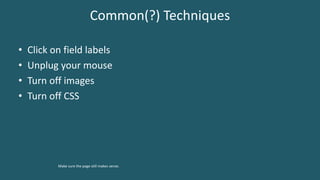
Common(?) Techniques
• Click on field labels
Make sure the corresponding field gets focus.
Common(?) Techniques
• Click on field labels
• Unplug your mouse
Make sure you can still use the page / application.
Common(?) Techniques
• Click on field labels
• Unplug your mouse
• Turn off images
Make sure no important content has disappeared.
Common(?) Techniques
• Click on field labels
• Unplug your mouse
• Turn off images
• Turn off CSS
Make sure the page still makes sense.
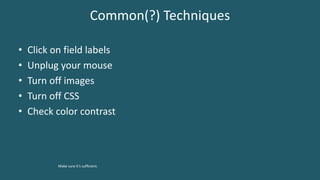
Common(?) Techniques
• Click on field labels
• Unplug your mouse
• Turn off images
• Turn off CSS
• Check color contrast
Make sure it’s sufficient.
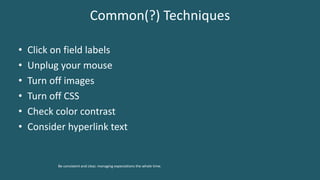
Common(?) Techniques
• Click on field labels
• Unplug your mouse
• Turn off images
• Turn off CSS
• Check color contrast
• Consider hyperlink text
Be consistent and clear, managing expectations the whole time.
The (not really) Fringe
2 of 3 sections.
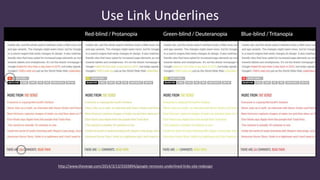
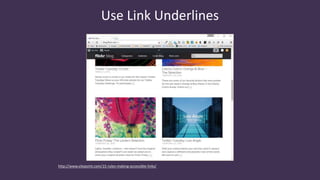
Use Link Underlines
http://www.theverge.com/2014/3/13/5503894/google-removes-underlined-links-site-redesign
http://www.sitepoint.com/15-rules-making-accessible-links/
Use Link Underlines
Use Link Underlines
• You are not Google:
• Users know Google’s layout,
• Users probably don’t visit your site daily.
• Relying on color alone will not suffice (WCAG 1.4.1 [A], 1.4.3 [AA]),
• Necessary contrast values:
• 4.5:1 between text and its background for copy,
• 3:1 between text and its background for larger text,
• 3:1 between surrounding text and a hyperlink, plus an additional visual cue
(G183).
http://adrianroselli.com/2014/03/i-dont-care-what-google-did-just-keep.html
http://adrianroselli.com/2016/06/on-link-underlines.html
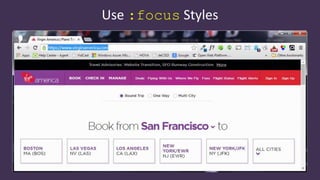
Use :focus Styles
Use :focus Styles
• Particularly if you removed link underlines,
• Everywhere you have :hover, add :focus,
• Look for :focus{outline:none;} in libraries:
• If you find it, remove it.
• Easy to test with the tab key.
http://adrianroselli.com/2014/06/keep-focus-outline.html
Avoid Default Focus Styles
Firefox
Avoid Default Focus Styles
Edge
Avoid Default Focus Styles
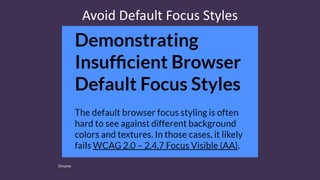
Chrome
Avoid Default Focus Styles
• Edge and Firefox use dotted lines,
• WebKit browsers use blue line,
• WebKit browsers do not scale the style with the page,
• There is no guarantee they will be visible on all backgrounds,
• Consider WCAG 2.4.7 Focus Visible.
http://adrianroselli.com/2017/02/avoid-default-browser-focus-styles.html
Use <h#> Wisely
Use <h#> Wisely
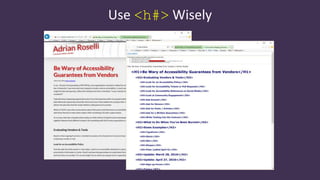
• Use only one <h1> per page,
• Don’t skip heading levels,
• Use appropriate nesting,
• There is no Document Outline Algorithm:
• Don’t use <h1> within every new <section> nor <article>,
• Multiple <h1>s will not help your SEO.
http://adrianroselli.com/2013/12/the-truth-about-truth-about-multiple-h1.html
http://adrianroselli.com/2016/08/there-is-no-document-outline-algorithm.html
Use Only One <main> per Page
Modified version of Hixie’s image at https://github.com/whatwg/html/issues/100#issuecomment-138620240
Use Only One <main> per Page
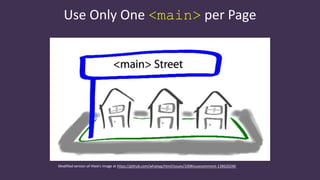
• <main> maps directly to role="main",
• AT users expect one main content block, may miss subsequent
<main>s,
• AT doesn’t expose that there are multiples,
• Can erode trust in landmark navigation.
http://adrianroselli.com/2015/09/use-only-one-main-on-a-page.html
Don’t Use tabindex > 0
https://www.digitalgov.gov/2014/11/17/user-experience-impossible-the-line-between-accessibility-and-usability/
Don’t Use tabindex > 0
https://www.digitalgov.gov/2014/11/17/user-experience-impossible-the-line-between-accessibility-and-usability/
Don’t Use tabindex > 0
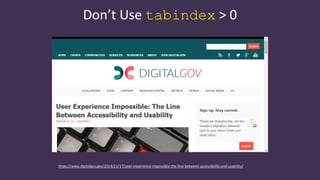
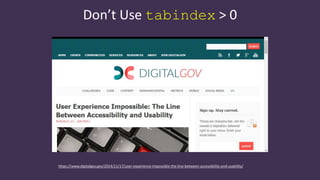
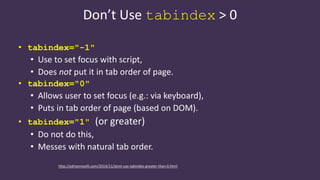
• tabindex="-1"
• Use to set focus with script,
• Does not put it in tab order of page.
• tabindex="0"
• Allows user to set focus (e.g.: via keyboard),
• Puts in tab order of page (based on DOM).
• tabindex="1" (or greater)
• Do not do this,
• Messes with natural tab order.
http://adrianroselli.com/2014/11/dont-use-tabindex-greater-than-0.html
Maybe Use tabindex=0
http://adrianroselli.com/2016/02/keyboard-and-overflow.html
Maybe Use tabindex=0
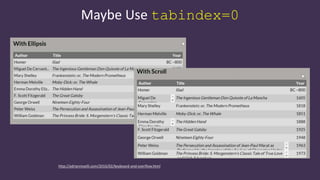
• Do you have scrolling content boxes?
• Keyboard users probably cannot access it.
• Do you have content that expands on hover?
• Keyboard users probably cannot access it.
• A technique (for large, important blocks):
• <div role="region" aria-label="[if appropriate]"|aria-
labelledby="[if appropriate]" tabindex="0">
http://adrianroselli.com/2016/02/keyboard-and-overflow.html
<button>, <input>, or <a>
http://adrianroselli.com/2016/01/links-buttons-submits-and-divs-oh-hell.html
<button>, <input>, or <a>
http://adrianroselli.com/2016/01/links-buttons-submits-and-divs-oh-hell.html
<button>, <input>, or <a>
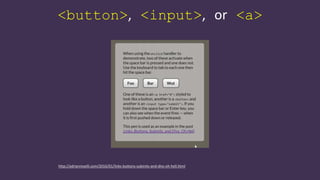
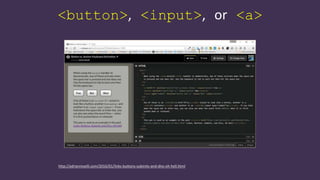
• Don’t use a <div> nor <span>.
• Does the control take me to another URL?
• Use an <a href>.
• Note: does not fire on space-bar.
• Does the control change something on the current page?
• Use a <button>.
• Does the control submit form fields?
• Use an <input type="submit"> or <button type="submit">.
http://adrianroselli.com/2016/01/links-buttons-submits-and-divs-oh-hell.html
Be Wary of Nesting Roles
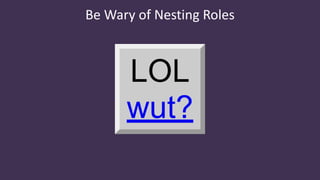
• Just as you do not put <a href> in <button>,
• Do not nest an interactive control in another,
• Pay attention to polyfills, libraries that turn <div>s into
buttons via ARIA,
• Or ones that use tabindex.
http://adrianroselli.com/2016/12/be-wary-of-nesting-roles.html
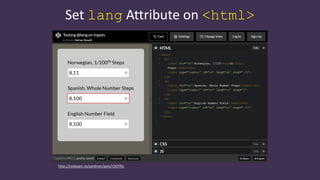
Set lang Attribute on <html>
http://codepen.io/aardrian/pen/rOGYNL
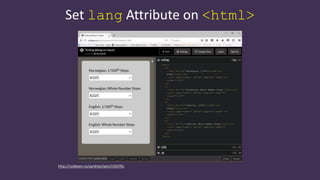
Set lang Attribute on <html>
http://codepen.io/aardrian/pen/rOGYNL
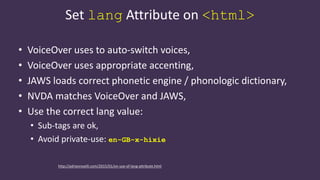
Set lang Attribute on <html>
• VoiceOver uses to auto-switch voices,
• VoiceOver uses appropriate accenting,
• JAWS loads correct phonetic engine / phonologic dictionary,
• NVDA matches VoiceOver and JAWS,
• Use the correct lang value:
• Sub-tags are ok,
• Avoid private-use: en-GB-x-hixie
http://adrianroselli.com/2015/01/on-use-of-lang-attribute.html
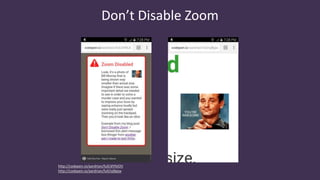
Don’t Disable Zoom
http://codepen.io/aardrian/full/dYNJOV
http://codepen.io/aardrian/full/ojBpjw
Don’t Disable Zoom
• Allow users on mobile to zoom in,
• Look in <meta name="viewport"> for this:
• minimum-scale=1.0
• maximum-scale=1.0
• user-scalable=no
• Look in @-ms-viewport {} for this:
• zoom:1.0
• Grab your boss/client, shout “Enhance!”
http://adrianroselli.com/2015/10/dont-disable-zoom.html
Use Captions/Subtitles
https://www.youtube.com/watch?v=V592VMJeXc8
Use Captions/Subtitles
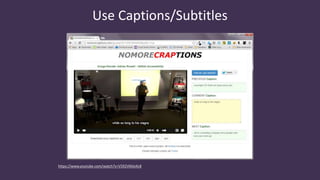
• Everybody uses them:
• Working in public, in bed, at home,
• Surfing in public, in bed, at work.
• Should include audio descriptions,
• Should include speaker identification,
• Review auto-captions (“craptions”):
• NoMoreCraptions.com
http://adrianroselli.com/2013/11/captions-in-everyday-use.html
Use Captions/Subtitles
• Do video/audio clips have text alternatives?
• Are links to closed-captions or transcripts built into the player or
separate text links?
• Is there an audio description available?
• Tools:
• Media Access Australia YouTube captioning tutorial, Vimeo captioning
tutorial,
• Tiffany Brown’s WebVTT tutorial,
• DIY Resources for Closed Captioning and Transcription from 3 Play Media.
http://webaim.org/techniques/captions/
Test in Windows High Contrast Mode
http://buffalosoccerclub.org/About
Test in Windows High Contrast Mode
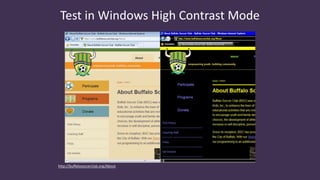
• It removes CSS background images,
• This has changed in Edge 14 / Win10 Anniv. Update,
• about:flags > Render backgrounds in high contrast
• Colors defined in your CSS are overridden,
• To activate:
• Left ALT + left SHIFT + PRINT SCREEN
• Media queries:
• -ms-high-contrast: active
• -ms-high-contrast: black-on-white
• -ms-high-contrast: white-on-black
http://adrianroselli.com/2012/08/css-background-images-high-contrast-mode.html
Avoid Infinite Scroll
http://www.pewresearch.org/category/publications/
Avoid Infinite Scroll
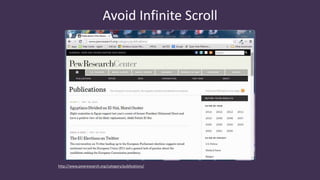
• Makes it impossible to access some content:
• Footer,
• Sidebar links.
• Destroys the back button,
• Makes it impossible to share a URL to specific “page” of results,
• Makes it impossible to jump ahead several “pages” of results,
• Can overwhelm AT users, less powerful devices.
http://adrianroselli.com/2014/05/so-you-think-you-built-good-infinite.html
http://adrianroselli.com/2015/05/for-infinite-scroll-bounce-rate-is.html
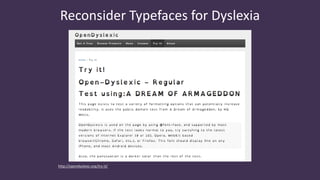
Reconsider Typefaces for Dyslexia
http://opendyslexic.org/try-it/
Reconsider Typefaces for Dyslexia
• Use good typography rules:
• Avoid justified text,
• Use generous line spacing / leading,
• Use generous letter spacing,
• Avoid italics,
• Generally use sans serif faces,
• Use larger text,
• Use good contrast,
• Use clear, concise writing.
http://adrianroselli.com/2015/03/typefaces-for-dyslexia.html
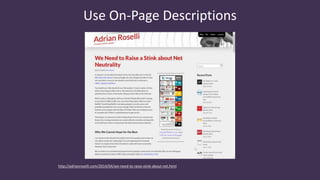
Use On-Page Descriptions
http://adrianroselli.com/2014/04/we-need-to-raise-stink-about-net.html
Use On-Page Descriptions
• Not just for longdesc or aria-describedat, but any long
description technique,
• Use an in-page anchor,
• Don’t link to another page without reason:
• Consider burden of loading a new page,
• Consider burden of re-loading original page.
• Based on results of latest WebAIM screen reader survey
results.
http://adrianroselli.com/2015/09/use-on-page-image-descriptions.html
Not All Screen Reader Users…
http://adrianroselli.com/2017/02/not-all-screen-reader-users-are-blind.html
Not All Screen Reader Users…
http://adrianroselli.com/2017/02/not-all-screen-reader-users-are-blind.html
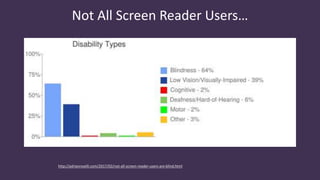
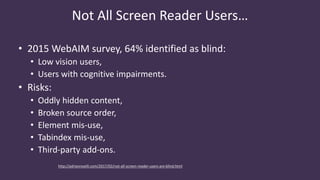
• 2015 WebAIM survey, 64% identified as blind:
• Low vision users,
• Users with cognitive impairments.
• Risks:
• Oddly hidden content,
• Broken source order,
• Element mis-use,
• Tabindex mis-use,
• Third-party add-ons.
Source Order Matters
http://codepen.io/aardrian/full/MavVeb/
Firefox
Chrome
Source Order Matters
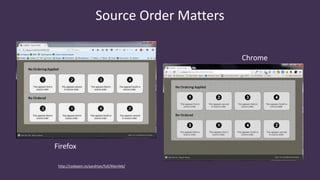
• CSS techniques allow visual order to break from DOM order:
• Floats,
• Absolute positioning,
• Flexbox (see 5.4.1 of ED for a11y note),
• Grid (read Rachel Andrew on subgrid).
• WCAG 1.3.2 and 2.4.3 describe meaningful sequence and tab
order matching visual flow,
• Different behavior among different browsers.
http://adrianroselli.com/2015/09/source-order-matters.html
http://200ok.nl/a11y-flexbox/
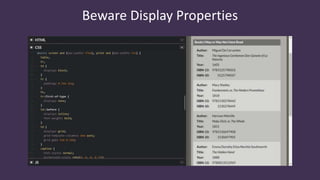
Beware Display Properties
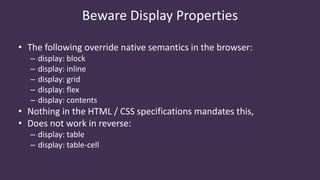
• The following override native semantics in the browser:
– display: block
– display: inline
– display: grid
– display: flex
– display: contents
• Nothing in the HTML / CSS specifications mandates this,
• Does not work in reverse:
– display: table
– display: table-cell
Beware Display Properties
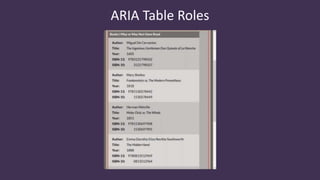
ARIA Table Roles
ARIA Table Roles
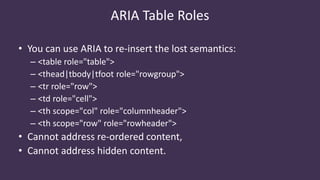
• You can use ARIA to re-insert the lost semantics:
– <table role="table">
– <thead|tbody|tfoot role="rowgroup">
– <tr role="row">
– <td role="cell">
– <th scope="col" role="columnheader">
– <th scope="row" role="rowheader">
• Cannot address re-ordered content,
• Cannot address hidden content.
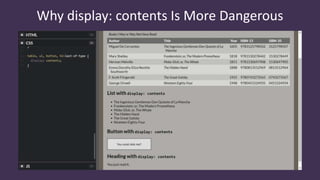
Why display: contents Is More Dangerous
• Yanks an element from the accessibility tree,
• You cannot add it back to the accessibility tree with ARIA,
– You can give it an accessible name and properties,
– But these are not passed to screen readers,
• Browsers do not hand the information off,
• If used as a poor-dev’s CSS reset:
– Will hide elements from assistive technology,
– Will hide semantics from assistive technology.
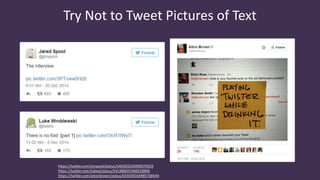
Try Not to Tweet Pictures of Text
https://twitter.com/jmspool/status/546303256990076929
https://twitter.com/lukew/status/541986091960528896
https://twitter.com/altonbrown/status/653030164985708544
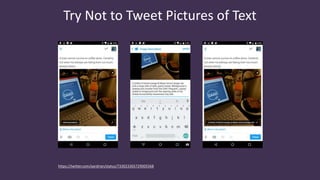
Try Not to Tweet Pictures of Text
https://twitter.com/aardrian/status/733023365729005568
Try Not to Tweet Pictures of Text
• Twitter has finally added alternative text,
• Must be using iOS/Android app, full web site, some third-party
apps (Easy Chirp),
• Maybe also make your own:
• Reply to own tweet with alternative text,
• Link to a tweet and provide alternative text,
• Link to long-form alternative text.
http://adrianroselli.com/2016/03/twitter-has-alt-text-with-some-caveats.html
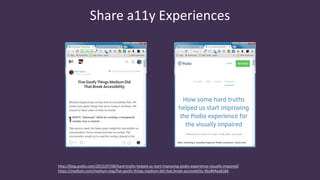
Share a11y Experiences
http://blog.podio.com/2015/07/08/hard-truths-helped-us-start-improving-podio-experience-visually-impaired/
https://medium.com/medium-eng/five-goofy-things-medium-did-that-break-accessibility-3bc804ae818d
Share a11y Experiences
• We’re all trying to do what we can,
• Don’t attack those who don’t know what they don’t know,
• Someone may find something you never considered,
• You may get feedback on something you never considered.
http://adrianroselli.com/2015/07/lets-share-more-accessibility-experiences.html
Key Takeaways
3 of 3 sections.
≠ Checklist
• Accessibility is not a checklist.
No matter how pretty that checklist looks now how many items you get to check.
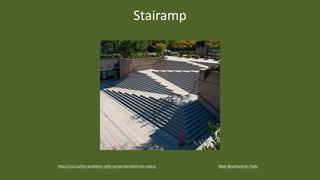
Stairamp
Dean Bouchard on Flickrhttp://incl.ca/the-problems-with-ramps-blended-into-stairs/
= Process
• Accessibility is not a checklist.
• Accessibility is an ongoing process.
You know, kinda like all software.
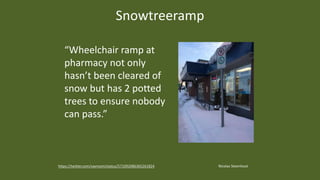
Snowtreeramp
Nicolas Steenhouthttps://twitter.com/vavroom/status/571092086365261824
“Wheelchair ramp at
pharmacy not only
hasn’t been cleared of
snow but has 2 potted
trees to ensure nobody
can pass.”
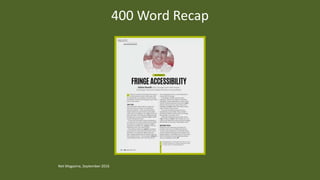
Net Magazine, September 2016
400 Word Recap
Fringe Accessibility Techniques
(That Probably Shouldn’t Be)
Presented by Adrian Roselli for Portland Accessibility and User Experience Meetup
Slides from this talk will be available at rosel.li/pdxux

Fringe Accessibility — Portland UX

  • 1.
    Fringe Accessibility Techniques (ThatProbably Shouldn’t Be) Presented by Adrian Roselli for Portland Accessibility and User Experience Meetup Slides from this talk will be available at rosel.li/pdxux
  • 2.
    • I’ve writtensome stuff, • Member of W3C, • Building for the web since 1993, • Learn more at AdrianRoselli.com, • Avoid on Twitter @aardrian. About Adrian Roselli
  • 3.
    What We’ll Cover •Common(?) Techniques • The (not really) Fringe • Key Takeaways Work with me, people.
  • 4.
  • 5.
    Common(?) Techniques • Clickon field labels Make sure the corresponding field gets focus.
  • 6.
    Common(?) Techniques • Clickon field labels • Unplug your mouse Make sure you can still use the page / application.
  • 7.
    Common(?) Techniques • Clickon field labels • Unplug your mouse • Turn off images Make sure no important content has disappeared.
  • 8.
    Common(?) Techniques • Clickon field labels • Unplug your mouse • Turn off images • Turn off CSS Make sure the page still makes sense.
  • 9.
    Common(?) Techniques • Clickon field labels • Unplug your mouse • Turn off images • Turn off CSS • Check color contrast Make sure it’s sufficient.
  • 10.
    Common(?) Techniques • Clickon field labels • Unplug your mouse • Turn off images • Turn off CSS • Check color contrast • Consider hyperlink text Be consistent and clear, managing expectations the whole time.
  • 11.
    The (not really)Fringe 2 of 3 sections.
  • 12.
  • 13.
  • 14.
    Use Link Underlines •You are not Google: • Users know Google’s layout, • Users probably don’t visit your site daily. • Relying on color alone will not suffice (WCAG 1.4.1 [A], 1.4.3 [AA]), • Necessary contrast values: • 4.5:1 between text and its background for copy, • 3:1 between text and its background for larger text, • 3:1 between surrounding text and a hyperlink, plus an additional visual cue (G183). http://adrianroselli.com/2014/03/i-dont-care-what-google-did-just-keep.html http://adrianroselli.com/2016/06/on-link-underlines.html
  • 15.
  • 16.
    Use :focus Styles •Particularly if you removed link underlines, • Everywhere you have :hover, add :focus, • Look for :focus{outline:none;} in libraries: • If you find it, remove it. • Easy to test with the tab key. http://adrianroselli.com/2014/06/keep-focus-outline.html
  • 17.
    Avoid Default FocusStyles Firefox
  • 18.
  • 19.
    Avoid Default FocusStyles Chrome
  • 20.
    Avoid Default FocusStyles • Edge and Firefox use dotted lines, • WebKit browsers use blue line, • WebKit browsers do not scale the style with the page, • There is no guarantee they will be visible on all backgrounds, • Consider WCAG 2.4.7 Focus Visible. http://adrianroselli.com/2017/02/avoid-default-browser-focus-styles.html
  • 21.
  • 22.
    Use <h#> Wisely •Use only one <h1> per page, • Don’t skip heading levels, • Use appropriate nesting, • There is no Document Outline Algorithm: • Don’t use <h1> within every new <section> nor <article>, • Multiple <h1>s will not help your SEO. http://adrianroselli.com/2013/12/the-truth-about-truth-about-multiple-h1.html http://adrianroselli.com/2016/08/there-is-no-document-outline-algorithm.html
  • 23.
    Use Only One<main> per Page Modified version of Hixie’s image at https://github.com/whatwg/html/issues/100#issuecomment-138620240
  • 24.
    Use Only One<main> per Page • <main> maps directly to role="main", • AT users expect one main content block, may miss subsequent <main>s, • AT doesn’t expose that there are multiples, • Can erode trust in landmark navigation. http://adrianroselli.com/2015/09/use-only-one-main-on-a-page.html
  • 25.
    Don’t Use tabindex> 0 https://www.digitalgov.gov/2014/11/17/user-experience-impossible-the-line-between-accessibility-and-usability/
  • 26.
    Don’t Use tabindex> 0 https://www.digitalgov.gov/2014/11/17/user-experience-impossible-the-line-between-accessibility-and-usability/
  • 27.
    Don’t Use tabindex> 0 • tabindex="-1" • Use to set focus with script, • Does not put it in tab order of page. • tabindex="0" • Allows user to set focus (e.g.: via keyboard), • Puts in tab order of page (based on DOM). • tabindex="1" (or greater) • Do not do this, • Messes with natural tab order. http://adrianroselli.com/2014/11/dont-use-tabindex-greater-than-0.html
  • 28.
  • 29.
    Maybe Use tabindex=0 •Do you have scrolling content boxes? • Keyboard users probably cannot access it. • Do you have content that expands on hover? • Keyboard users probably cannot access it. • A technique (for large, important blocks): • <div role="region" aria-label="[if appropriate]"|aria- labelledby="[if appropriate]" tabindex="0"> http://adrianroselli.com/2016/02/keyboard-and-overflow.html
  • 30.
    <button>, <input>, or<a> http://adrianroselli.com/2016/01/links-buttons-submits-and-divs-oh-hell.html
  • 31.
    <button>, <input>, or<a> http://adrianroselli.com/2016/01/links-buttons-submits-and-divs-oh-hell.html
  • 32.
    <button>, <input>, or<a> • Don’t use a <div> nor <span>. • Does the control take me to another URL? • Use an <a href>. • Note: does not fire on space-bar. • Does the control change something on the current page? • Use a <button>. • Does the control submit form fields? • Use an <input type="submit"> or <button type="submit">. http://adrianroselli.com/2016/01/links-buttons-submits-and-divs-oh-hell.html
  • 33.
    Be Wary ofNesting Roles
  • 34.
    Be Wary ofNesting Roles
  • 35.
    Be Wary ofNesting Roles • Just as you do not put <a href> in <button>, • Do not nest an interactive control in another, • Pay attention to polyfills, libraries that turn <div>s into buttons via ARIA, • Or ones that use tabindex. http://adrianroselli.com/2016/12/be-wary-of-nesting-roles.html
  • 36.
    Set lang Attributeon <html> http://codepen.io/aardrian/pen/rOGYNL
  • 37.
    Set lang Attributeon <html> http://codepen.io/aardrian/pen/rOGYNL
  • 38.
    Set lang Attributeon <html> • VoiceOver uses to auto-switch voices, • VoiceOver uses appropriate accenting, • JAWS loads correct phonetic engine / phonologic dictionary, • NVDA matches VoiceOver and JAWS, • Use the correct lang value: • Sub-tags are ok, • Avoid private-use: en-GB-x-hixie http://adrianroselli.com/2015/01/on-use-of-lang-attribute.html
  • 39.
  • 40.
    Don’t Disable Zoom •Allow users on mobile to zoom in, • Look in <meta name="viewport"> for this: • minimum-scale=1.0 • maximum-scale=1.0 • user-scalable=no • Look in @-ms-viewport {} for this: • zoom:1.0 • Grab your boss/client, shout “Enhance!” http://adrianroselli.com/2015/10/dont-disable-zoom.html
  • 41.
  • 42.
    Use Captions/Subtitles • Everybodyuses them: • Working in public, in bed, at home, • Surfing in public, in bed, at work. • Should include audio descriptions, • Should include speaker identification, • Review auto-captions (“craptions”): • NoMoreCraptions.com http://adrianroselli.com/2013/11/captions-in-everyday-use.html
  • 43.
    Use Captions/Subtitles • Dovideo/audio clips have text alternatives? • Are links to closed-captions or transcripts built into the player or separate text links? • Is there an audio description available? • Tools: • Media Access Australia YouTube captioning tutorial, Vimeo captioning tutorial, • Tiffany Brown’s WebVTT tutorial, • DIY Resources for Closed Captioning and Transcription from 3 Play Media. http://webaim.org/techniques/captions/
  • 44.
    Test in WindowsHigh Contrast Mode http://buffalosoccerclub.org/About
  • 45.
    Test in WindowsHigh Contrast Mode • It removes CSS background images, • This has changed in Edge 14 / Win10 Anniv. Update, • about:flags > Render backgrounds in high contrast • Colors defined in your CSS are overridden, • To activate: • Left ALT + left SHIFT + PRINT SCREEN • Media queries: • -ms-high-contrast: active • -ms-high-contrast: black-on-white • -ms-high-contrast: white-on-black http://adrianroselli.com/2012/08/css-background-images-high-contrast-mode.html
  • 46.
  • 47.
    Avoid Infinite Scroll •Makes it impossible to access some content: • Footer, • Sidebar links. • Destroys the back button, • Makes it impossible to share a URL to specific “page” of results, • Makes it impossible to jump ahead several “pages” of results, • Can overwhelm AT users, less powerful devices. http://adrianroselli.com/2014/05/so-you-think-you-built-good-infinite.html http://adrianroselli.com/2015/05/for-infinite-scroll-bounce-rate-is.html
  • 48.
    Reconsider Typefaces forDyslexia http://opendyslexic.org/try-it/
  • 49.
    Reconsider Typefaces forDyslexia • Use good typography rules: • Avoid justified text, • Use generous line spacing / leading, • Use generous letter spacing, • Avoid italics, • Generally use sans serif faces, • Use larger text, • Use good contrast, • Use clear, concise writing. http://adrianroselli.com/2015/03/typefaces-for-dyslexia.html
  • 50.
  • 51.
    Use On-Page Descriptions •Not just for longdesc or aria-describedat, but any long description technique, • Use an in-page anchor, • Don’t link to another page without reason: • Consider burden of loading a new page, • Consider burden of re-loading original page. • Based on results of latest WebAIM screen reader survey results. http://adrianroselli.com/2015/09/use-on-page-image-descriptions.html
  • 52.
    Not All ScreenReader Users… http://adrianroselli.com/2017/02/not-all-screen-reader-users-are-blind.html
  • 53.
    Not All ScreenReader Users… http://adrianroselli.com/2017/02/not-all-screen-reader-users-are-blind.html • 2015 WebAIM survey, 64% identified as blind: • Low vision users, • Users with cognitive impairments. • Risks: • Oddly hidden content, • Broken source order, • Element mis-use, • Tabindex mis-use, • Third-party add-ons.
  • 54.
  • 55.
    Source Order Matters •CSS techniques allow visual order to break from DOM order: • Floats, • Absolute positioning, • Flexbox (see 5.4.1 of ED for a11y note), • Grid (read Rachel Andrew on subgrid). • WCAG 1.3.2 and 2.4.3 describe meaningful sequence and tab order matching visual flow, • Different behavior among different browsers. http://adrianroselli.com/2015/09/source-order-matters.html http://200ok.nl/a11y-flexbox/
  • 56.
  • 57.
    • The followingoverride native semantics in the browser: – display: block – display: inline – display: grid – display: flex – display: contents • Nothing in the HTML / CSS specifications mandates this, • Does not work in reverse: – display: table – display: table-cell Beware Display Properties
  • 58.
  • 59.
    ARIA Table Roles •You can use ARIA to re-insert the lost semantics: – <table role="table"> – <thead|tbody|tfoot role="rowgroup"> – <tr role="row"> – <td role="cell"> – <th scope="col" role="columnheader"> – <th scope="row" role="rowheader"> • Cannot address re-ordered content, • Cannot address hidden content.
  • 60.
    Why display: contentsIs More Dangerous
  • 61.
    Why display: contentsIs More Dangerous • Yanks an element from the accessibility tree, • You cannot add it back to the accessibility tree with ARIA, – You can give it an accessible name and properties, – But these are not passed to screen readers, • Browsers do not hand the information off, • If used as a poor-dev’s CSS reset: – Will hide elements from assistive technology, – Will hide semantics from assistive technology.
  • 62.
    Try Not toTweet Pictures of Text https://twitter.com/jmspool/status/546303256990076929 https://twitter.com/lukew/status/541986091960528896 https://twitter.com/altonbrown/status/653030164985708544
  • 63.
    Try Not toTweet Pictures of Text https://twitter.com/aardrian/status/733023365729005568
  • 64.
    Try Not toTweet Pictures of Text • Twitter has finally added alternative text, • Must be using iOS/Android app, full web site, some third-party apps (Easy Chirp), • Maybe also make your own: • Reply to own tweet with alternative text, • Link to a tweet and provide alternative text, • Link to long-form alternative text. http://adrianroselli.com/2016/03/twitter-has-alt-text-with-some-caveats.html
  • 65.
  • 66.
    Share a11y Experiences •We’re all trying to do what we can, • Don’t attack those who don’t know what they don’t know, • Someone may find something you never considered, • You may get feedback on something you never considered. http://adrianroselli.com/2015/07/lets-share-more-accessibility-experiences.html
  • 67.
    Key Takeaways 3 of3 sections.
  • 68.
    ≠ Checklist • Accessibilityis not a checklist. No matter how pretty that checklist looks now how many items you get to check.
  • 69.
    Stairamp Dean Bouchard onFlickrhttp://incl.ca/the-problems-with-ramps-blended-into-stairs/
  • 70.
    = Process • Accessibilityis not a checklist. • Accessibility is an ongoing process. You know, kinda like all software.
  • 71.
    Snowtreeramp Nicolas Steenhouthttps://twitter.com/vavroom/status/571092086365261824 “Wheelchair rampat pharmacy not only hasn’t been cleared of snow but has 2 potted trees to ensure nobody can pass.”
  • 72.
    Net Magazine, September2016 400 Word Recap
  • 73.
    Fringe Accessibility Techniques (ThatProbably Shouldn’t Be) Presented by Adrian Roselli for Portland Accessibility and User Experience Meetup Slides from this talk will be available at rosel.li/pdxux

Editor's Notes

  • #58 CSS as implemented in browsers today can remove semantics, Conversely, you can not add it back with CSS
  • #59 Using NVDA with Firefox Hit T to get to the table Using Ctrl + Alt + arrow keys to navigate the table Announces column headings as I change columns Tells me when at the edge