Pavel Minařík
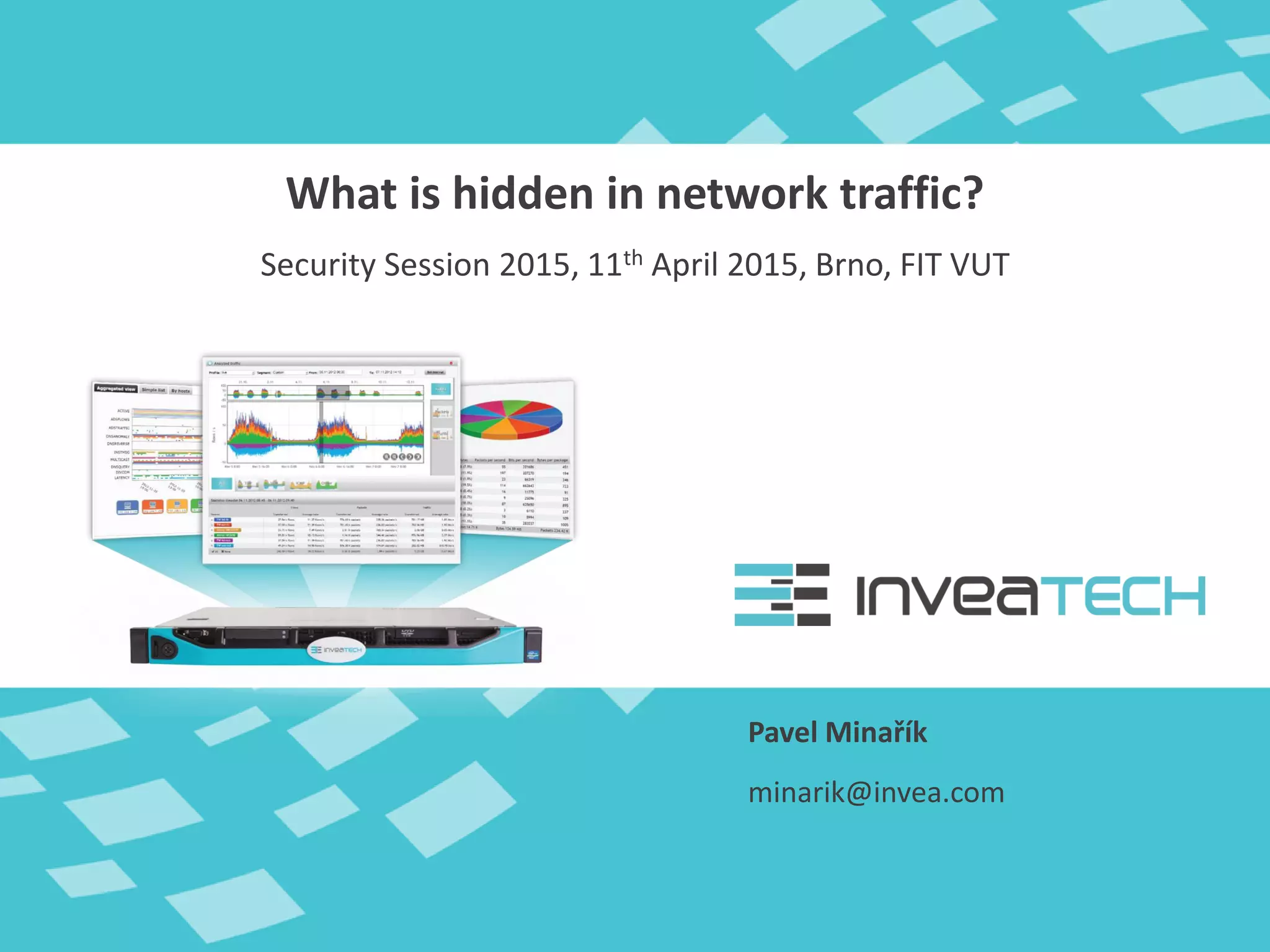
What is hidden in network traffic?
Security Session 2015, 11th April 2015, Brno, FIT VUT
minarik@invea.com
• Traditional monitoring
 Availability of services and network components
 SNMP polling (interfaces, resources)
 100+ tools and solutions on commercial and open
sources basis (Cacti, Zabbix, Nagios, …)
• Next-generation monitoring
 Traffic visibility on various network layers
 Detection of security and operational issues
 Network/Application performance monitoring
 Full packet capture for troubleshooting
Monitoring Tools
Monitoring Tools
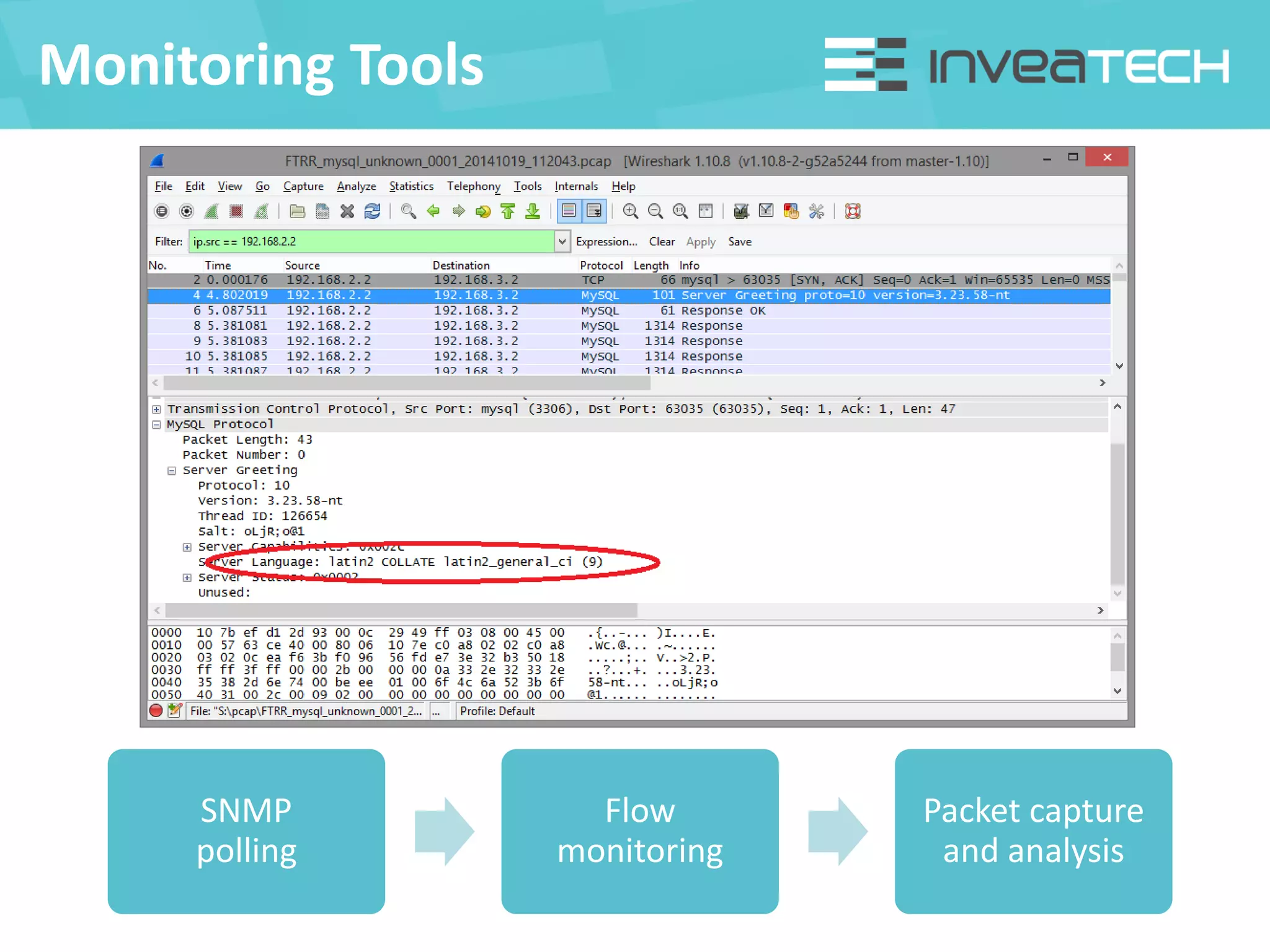
SNMP
polling
Flow
monitoring
Packet capture
and analysis
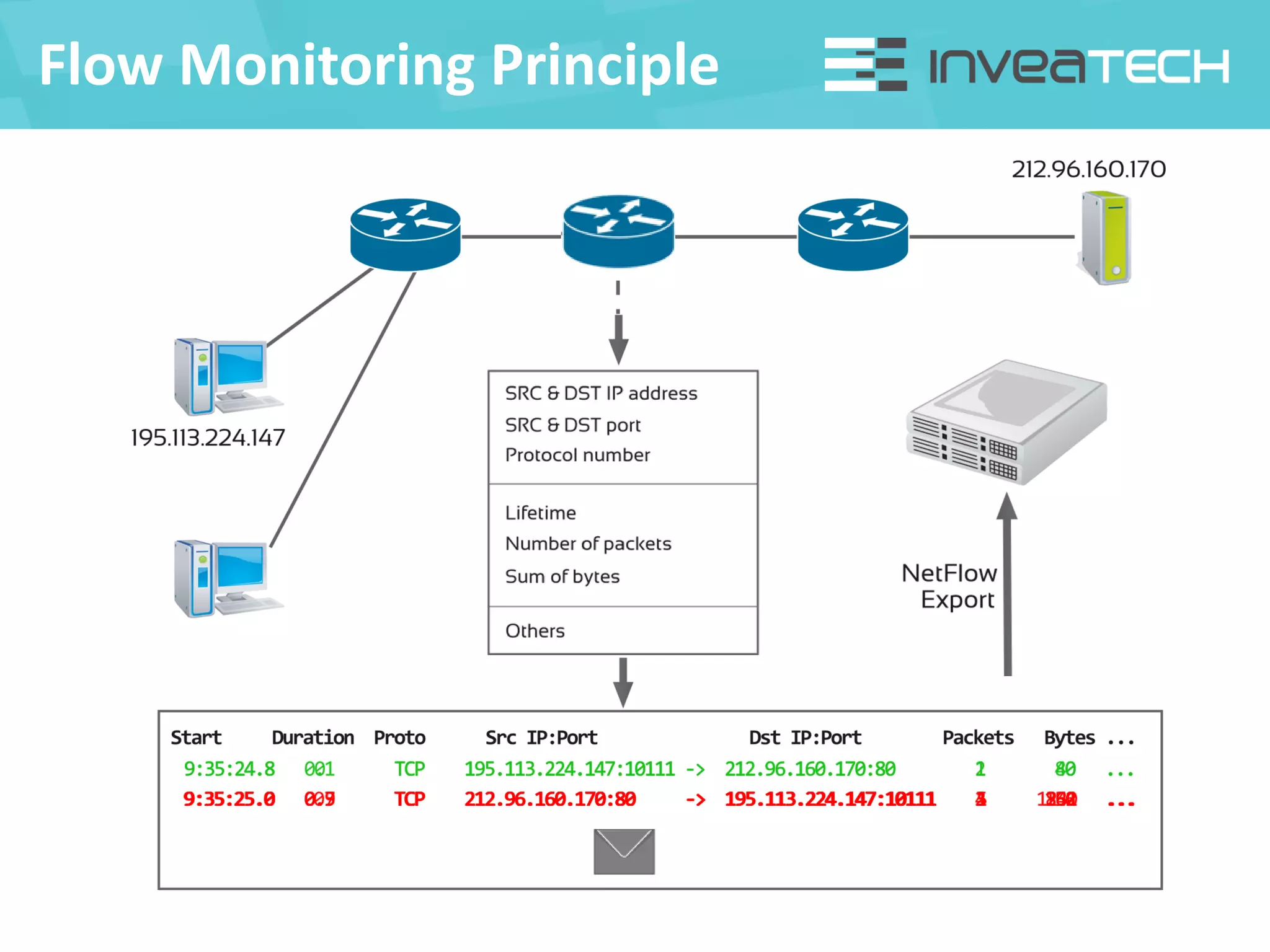
Flow Monitoring Principle
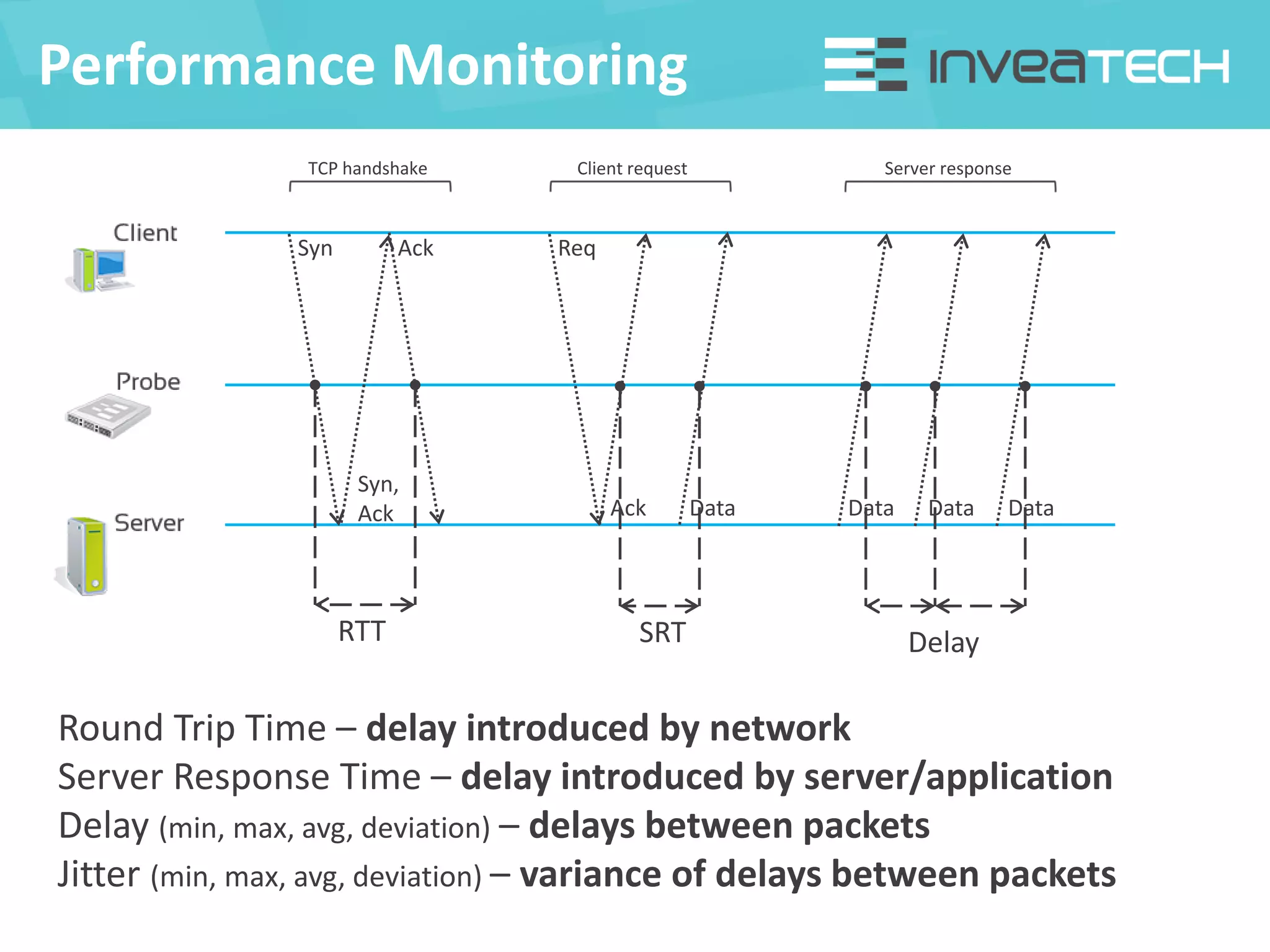
Performance Monitoring
Syn
Syn,
Ack
Ack
RTT
TCP handshake
Req
Ack Data
Client request
SRT
Server response
Data Data Data
Delay
Round Trip Time – delay introduced by network
Server Response Time – delay introduced by server/application
Delay (min, max, avg, deviation) – delays between packets
Jitter (min, max, avg, deviation) – variance of delays between packets
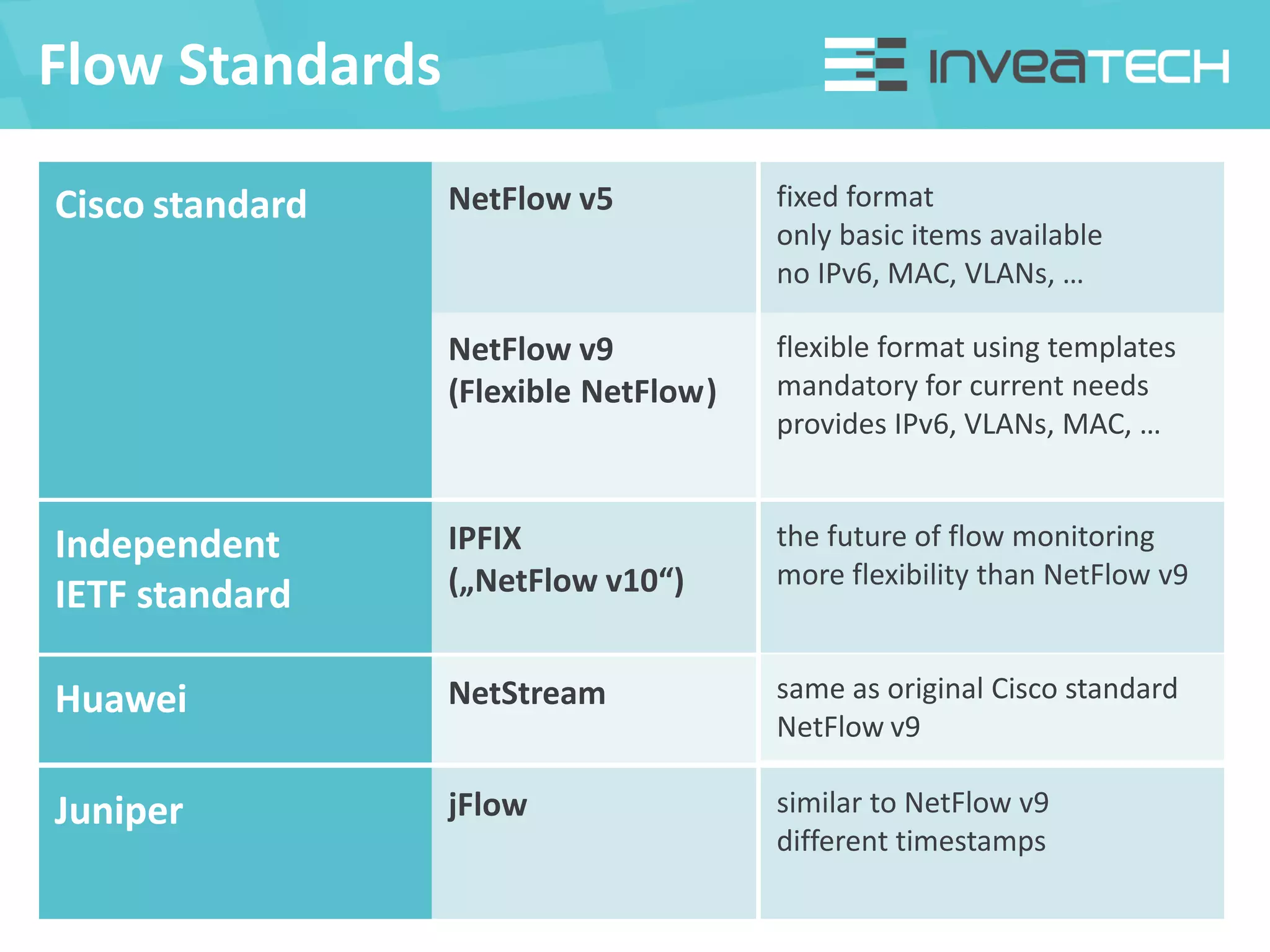
Flow Standards
Cisco standard NetFlow v5
NetFlow v9
(Flexible NetFlow)
fixed format
only basic items available
no IPv6, MAC, VLANs, …
flexible format using templates
mandatory for current needs
provides IPv6, VLANs, MAC, …
Independent
IETF standard
IPFIX
(„NetFlow v10“)
the future of flow monitoring
more flexibility than NetFlow v9
Huawei NetStream same as original Cisco standard
NetFlow v9
Juniper jFlow similar to NetFlow v9
different timestamps
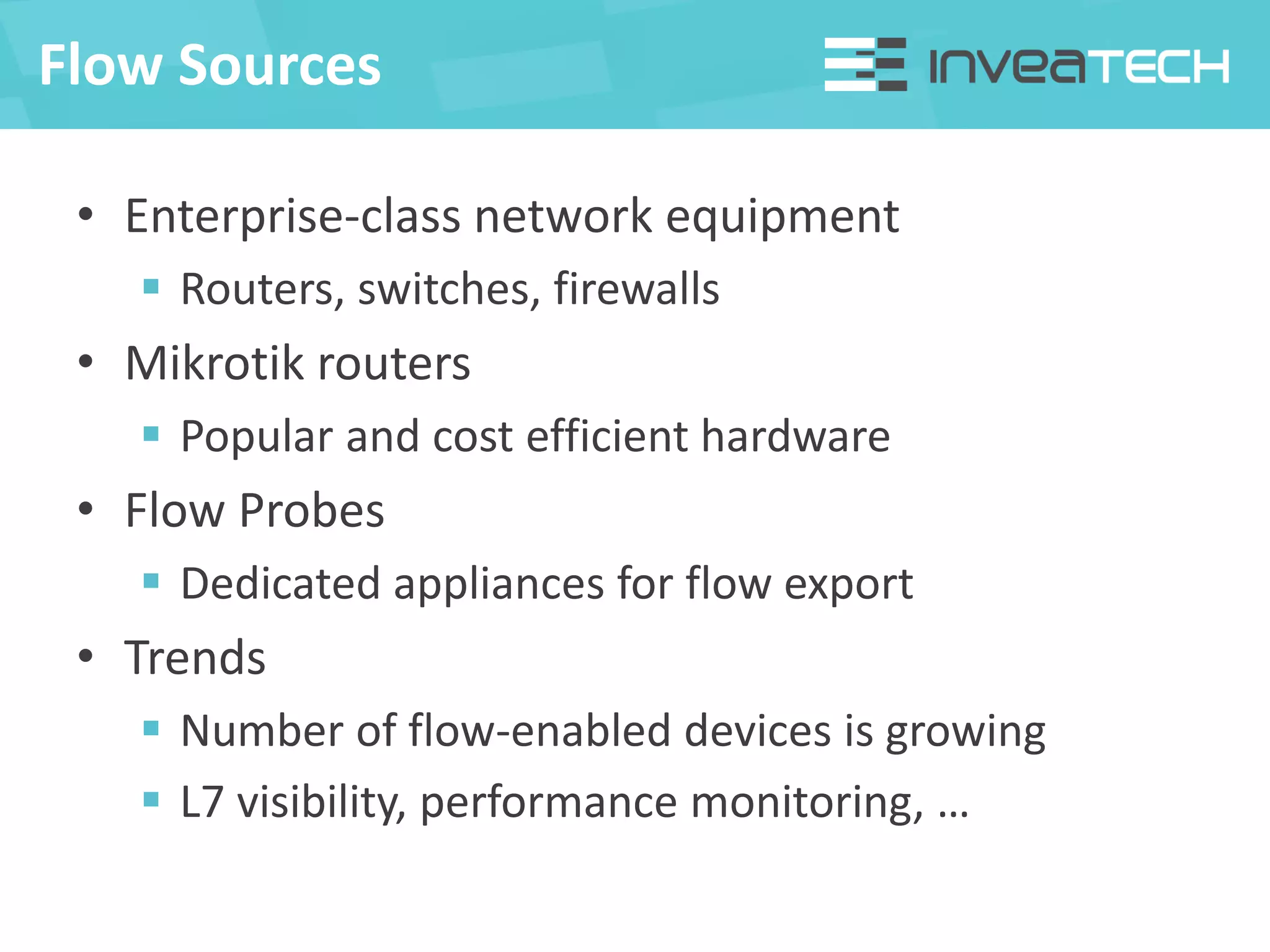
Flow Sources
• Enterprise-class network equipment
 Routers, switches, firewalls
• Mikrotik routers
 Popular and cost efficient hardware
• Flow Probes
 Dedicated appliances for flow export
• Trends
 Number of flow-enabled devices is growing
 L7 visibility, performance monitoring, …
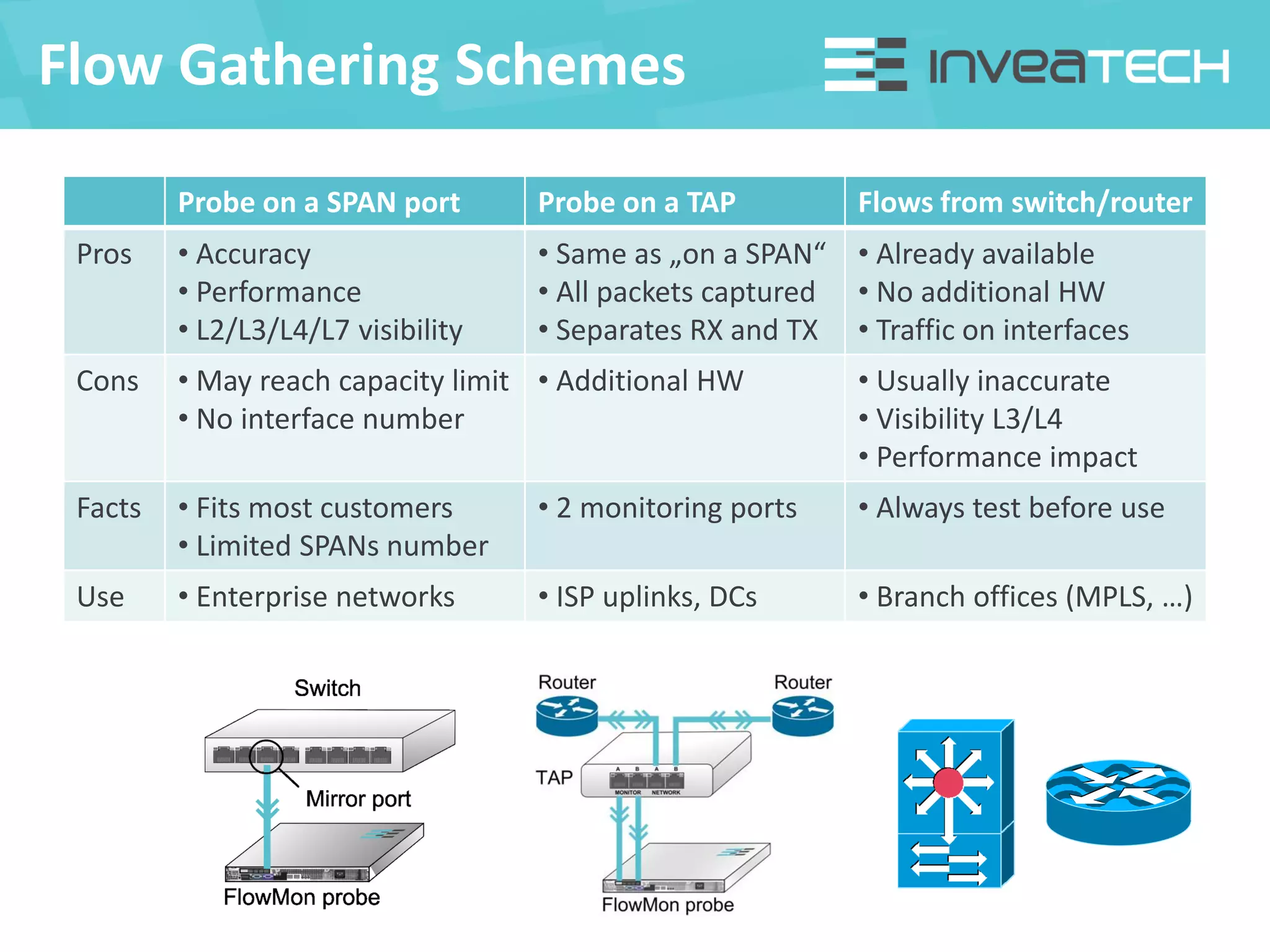
Flow Gathering Schemes
Probe on a SPAN port Probe on a TAP Flows from switch/router
Pros • Accuracy
• Performance
• L2/L3/L4/L7 visibility
• Same as „on a SPAN“
• All packets captured
• Separates RX and TX
• Already available
• No additional HW
• Traffic on interfaces
Cons • May reach capacity limit
• No interface number
• Additional HW • Usually inaccurate
• Visibility L3/L4
• Performance impact
Facts • Fits most customers
• Limited SPANs number
• 2 monitoring ports • Always test before use
Use • Enterprise networks • ISP uplinks, DCs • Branch offices (MPLS, …)
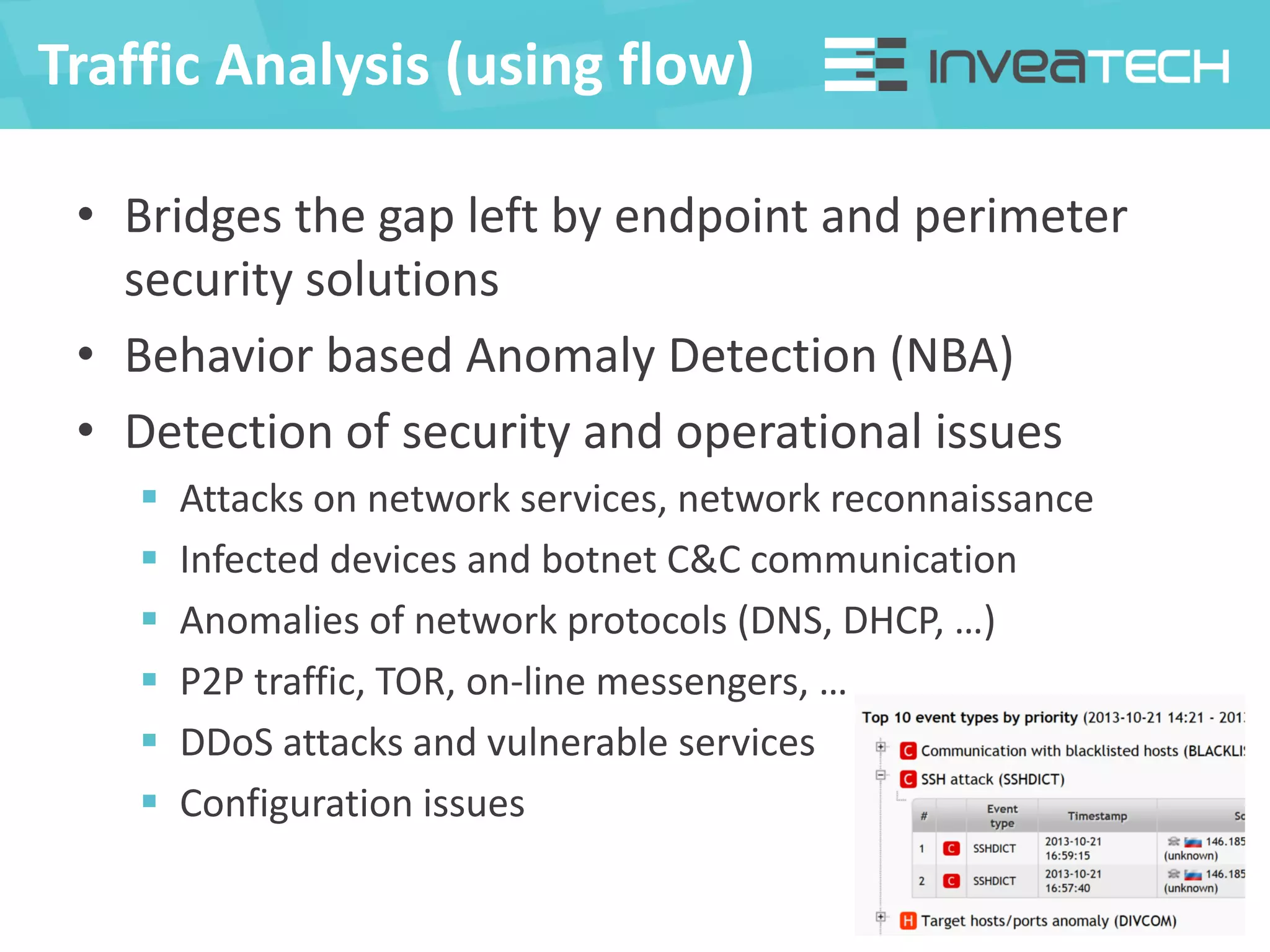
Traffic Analysis (using flow)
• Bridges the gap left by endpoint and perimeter
security solutions
• Behavior based Anomaly Detection (NBA)
• Detection of security and operational issues
 Attacks on network services, network reconnaissance
 Infected devices and botnet C&C communication
 Anomalies of network protocols (DNS, DHCP, …)
 P2P traffic, TOR, on-line messengers, …
 DDoS attacks and vulnerable services
 Configuration issues
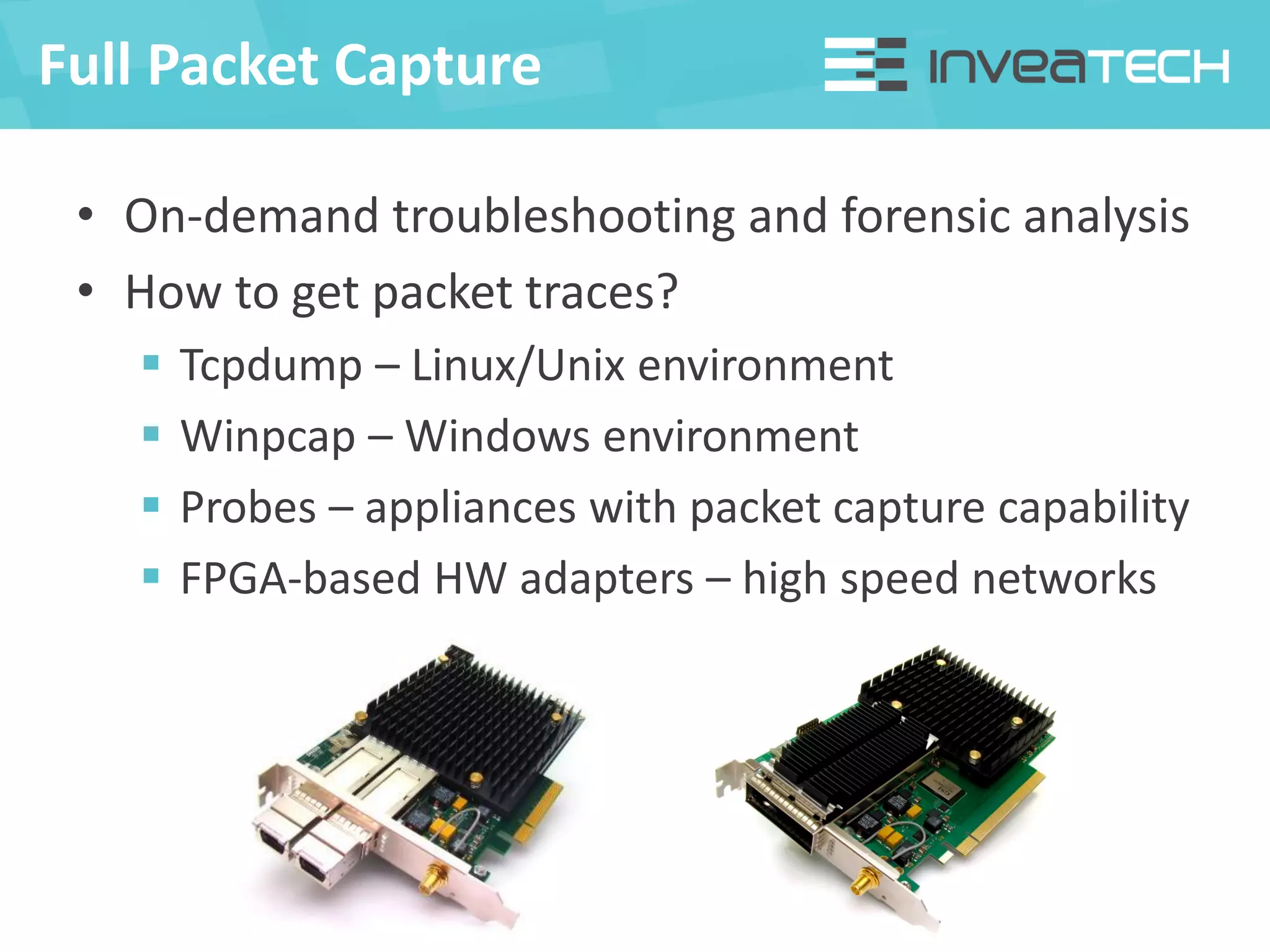
Full Packet Capture
• On-demand troubleshooting and forensic analysis
• How to get packet traces?
 Tcpdump – Linux/Unix environment
 Winpcap – Windows environment
 Probes – appliances with packet capture capability
 FPGA-based HW adapters – high speed networks
Packet Analysis
• Analysis of packet traces (PCAP files)
• Software tools (commercial + open source)
• Wireshark as de facto standards with large
community support
 Support of hundreds of protocols
 Powerful filters, statistics, reconstruction, etc.
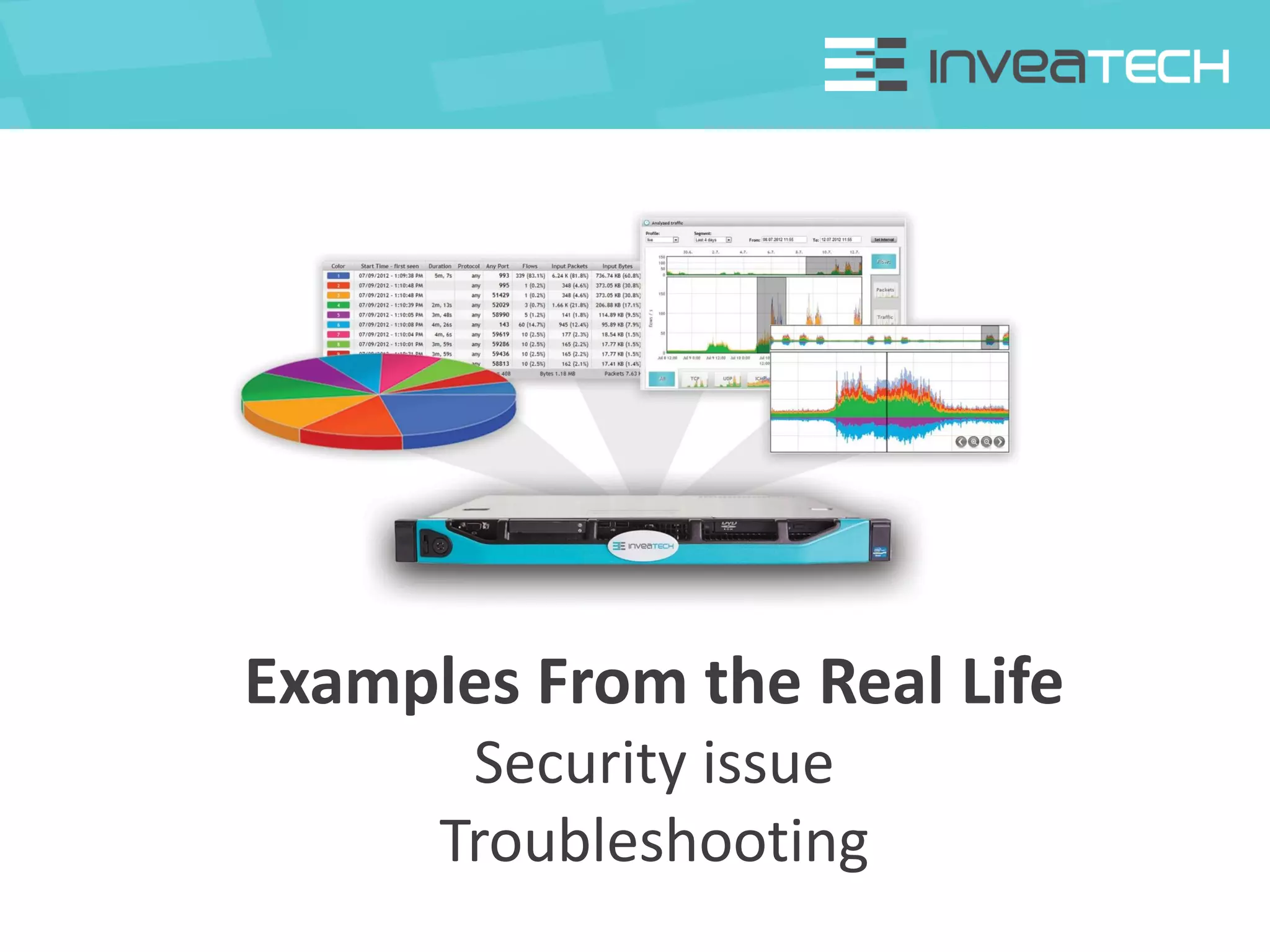
Examples From the Real Life
Security issue
Troubleshooting
Security Issue
FlowMon © INVEA-TECH 2013
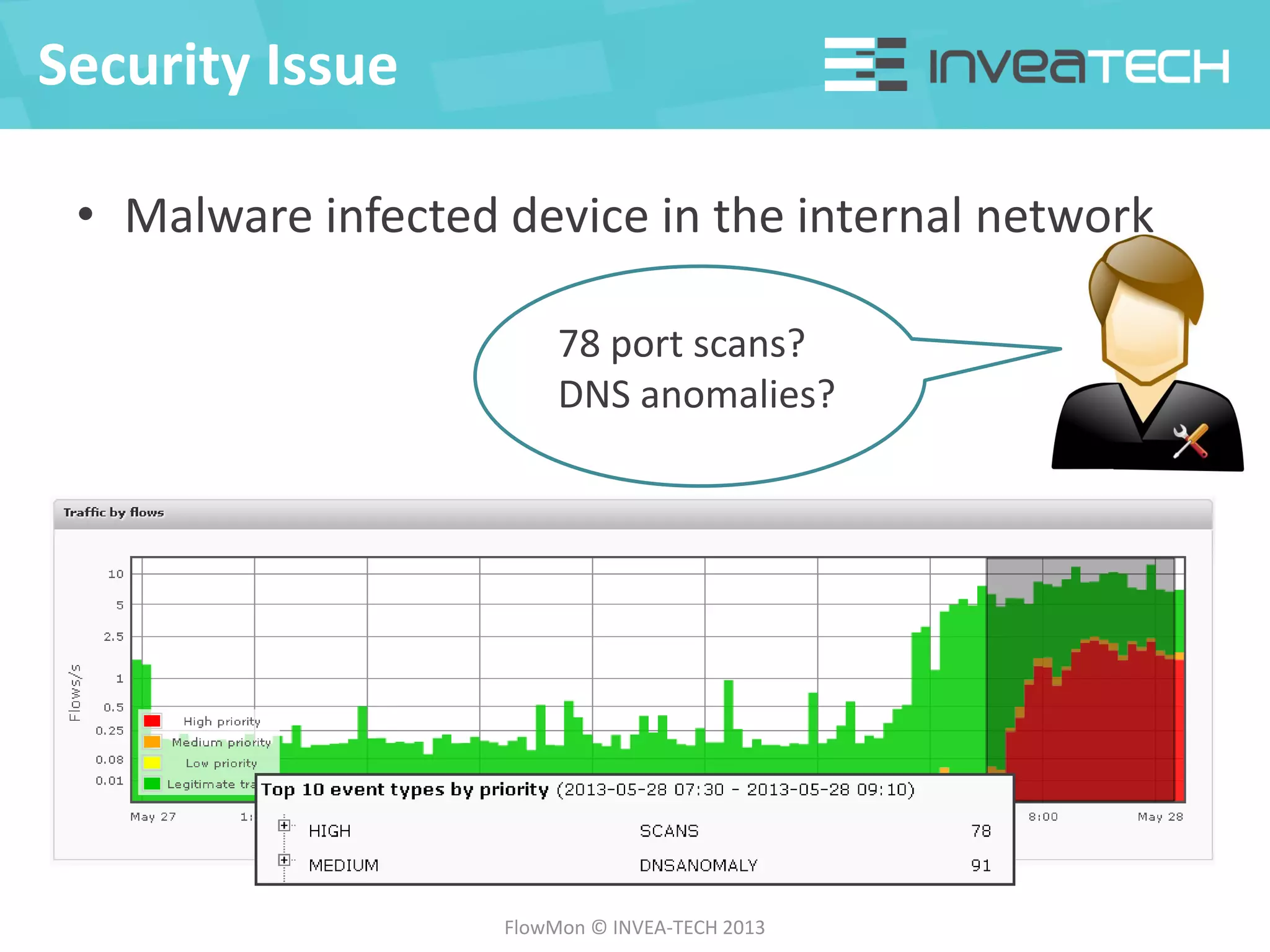
78 port scans?
DNS anomalies?
• Malware infected device in the internal network
Security Issue
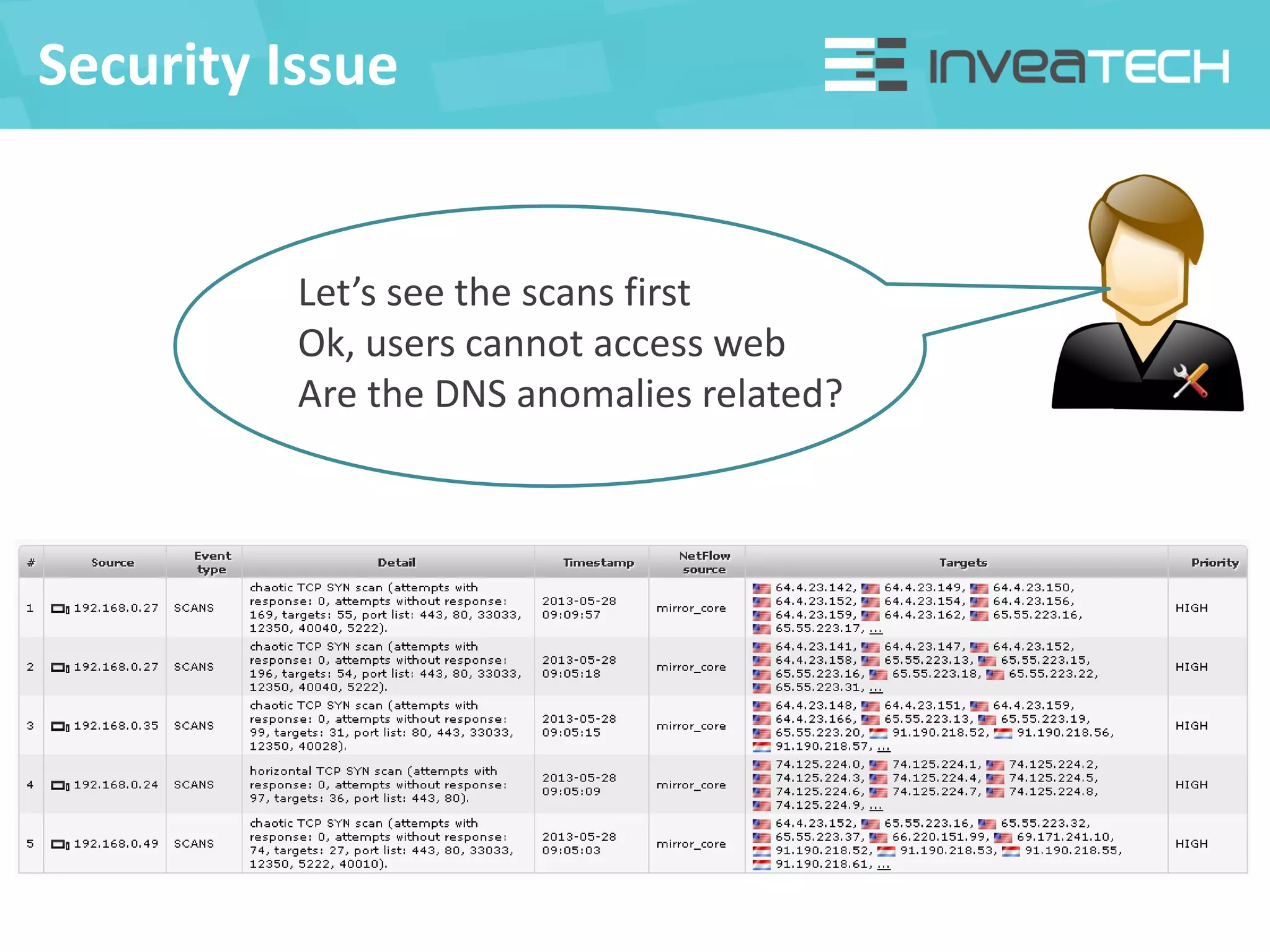
Let’s see the scans first
Ok, users cannot access web
Are the DNS anomalies related?
Security Issue
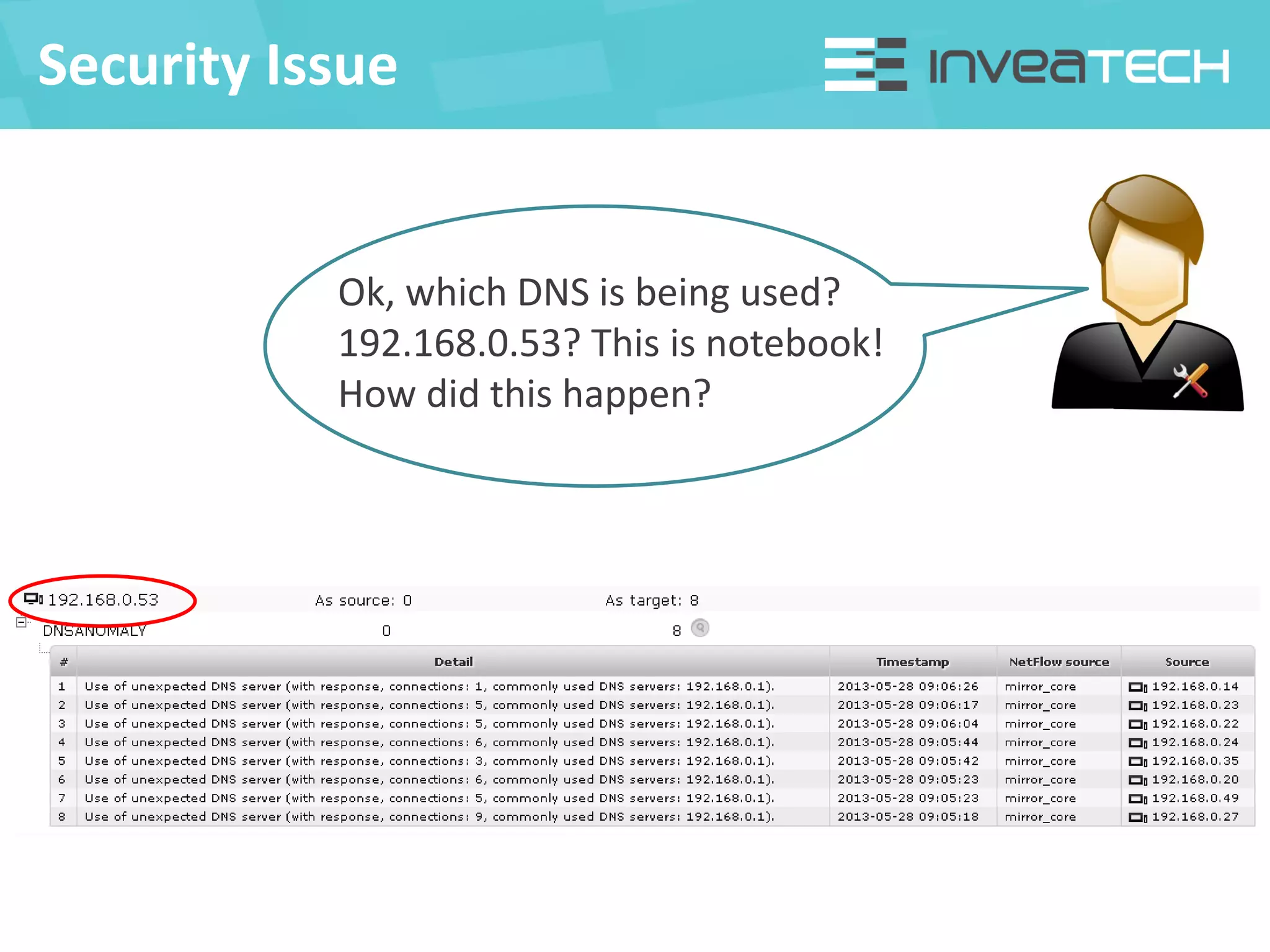
Ok, which DNS is being used?
192.168.0.53? This is notebook!
How did this happen?
Security Issue
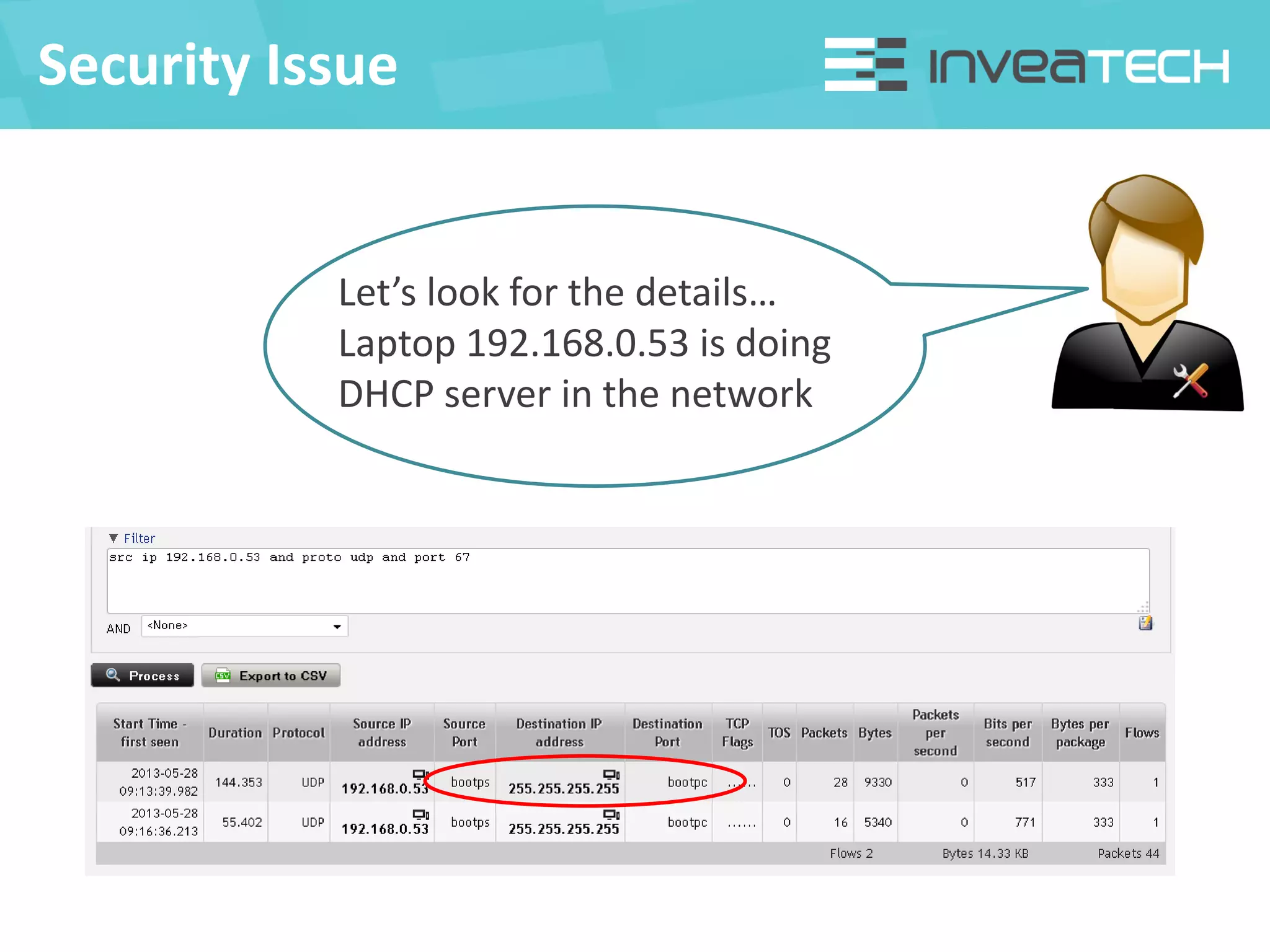
Let’s look for the details…
Laptop 192.168.0.53 is doing
DHCP server in the network
Security Issue
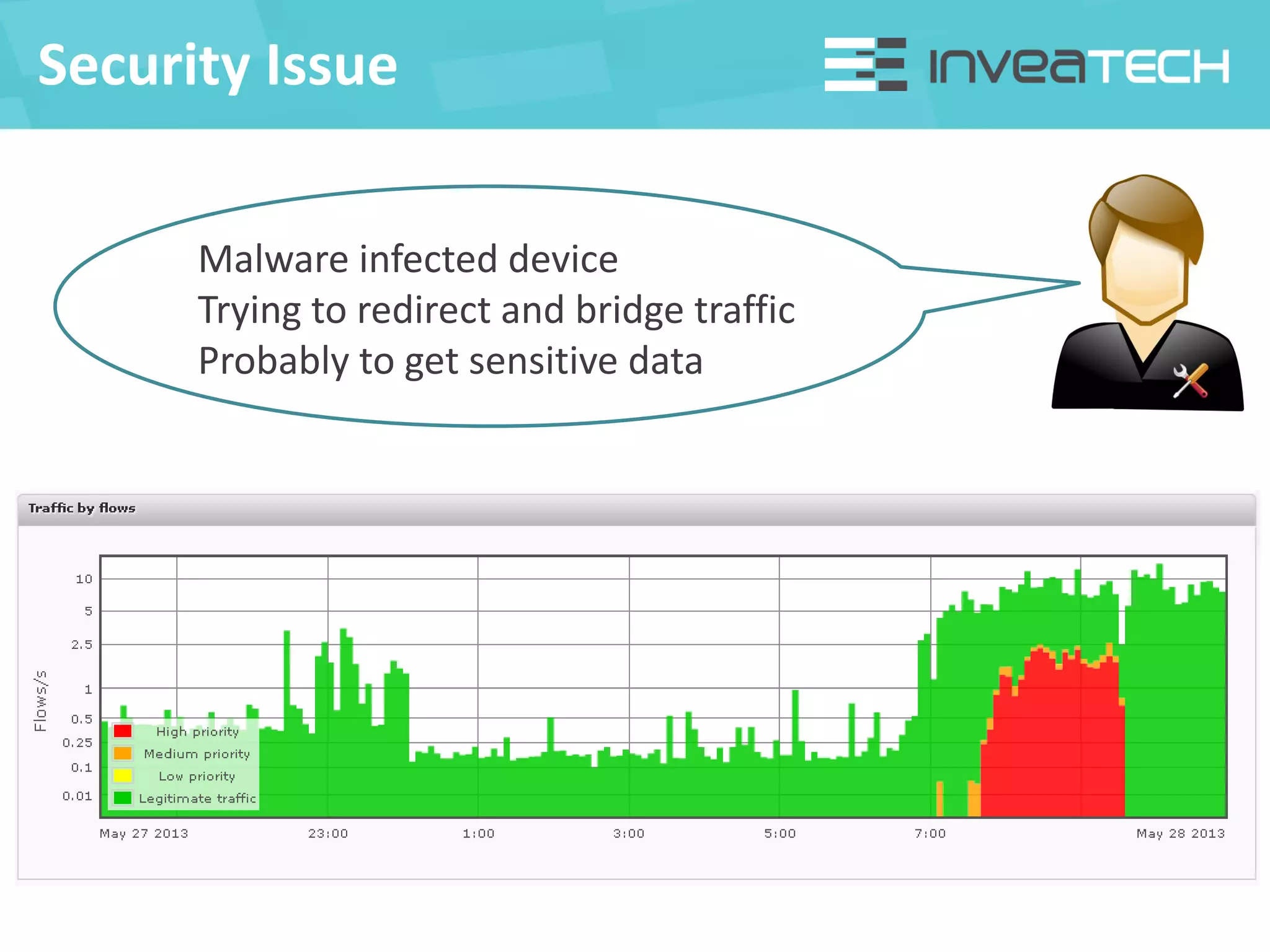
Malware infected device
Trying to redirect and bridge traffic
Probably to get sensitive data
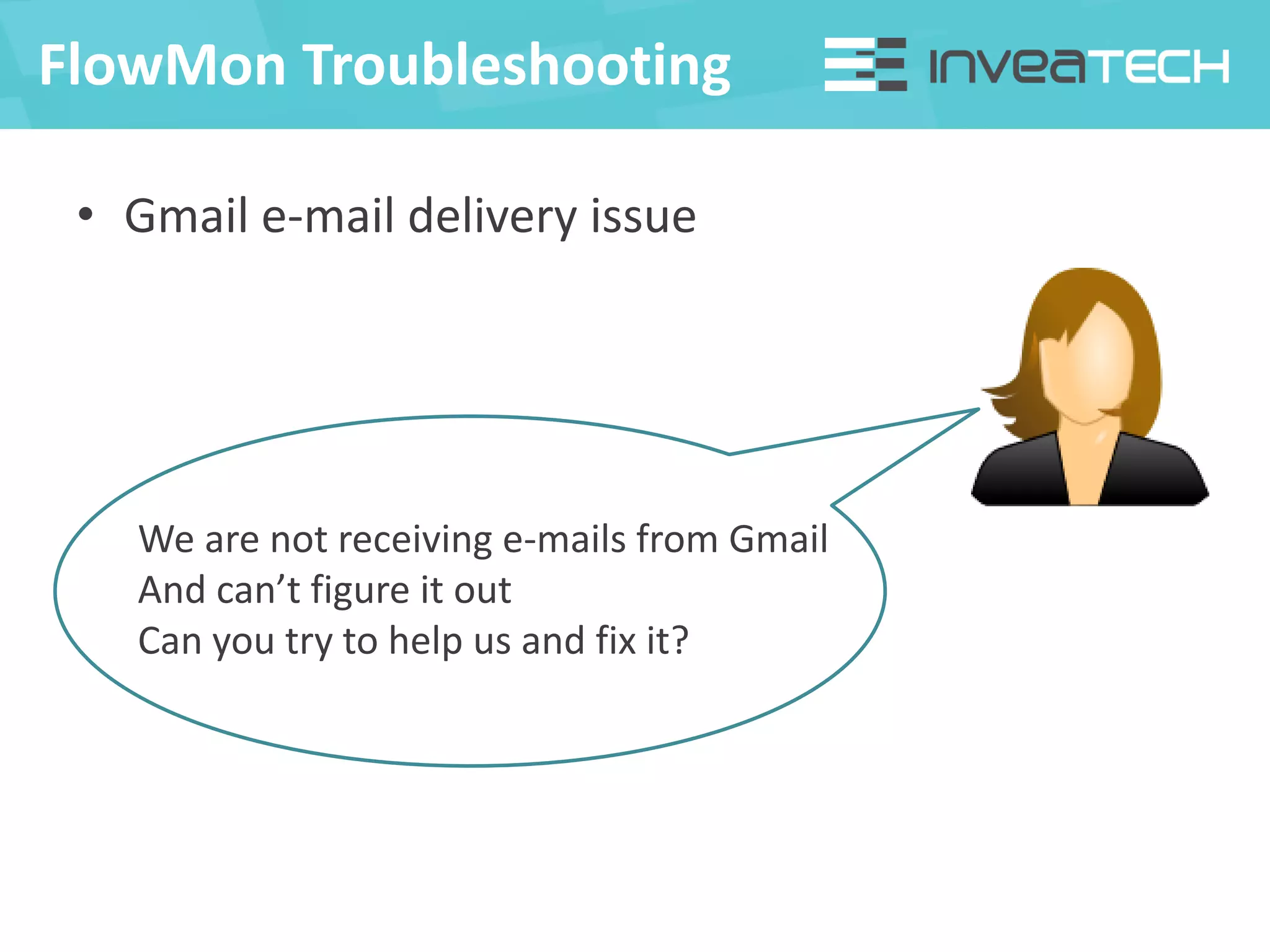
• Gmail e-mail delivery issue
FlowMon Troubleshooting
We are not receiving e-mails from Gmail
And can’t figure it out
Can you try to help us and fix it?
FlowMon Troubleshooting
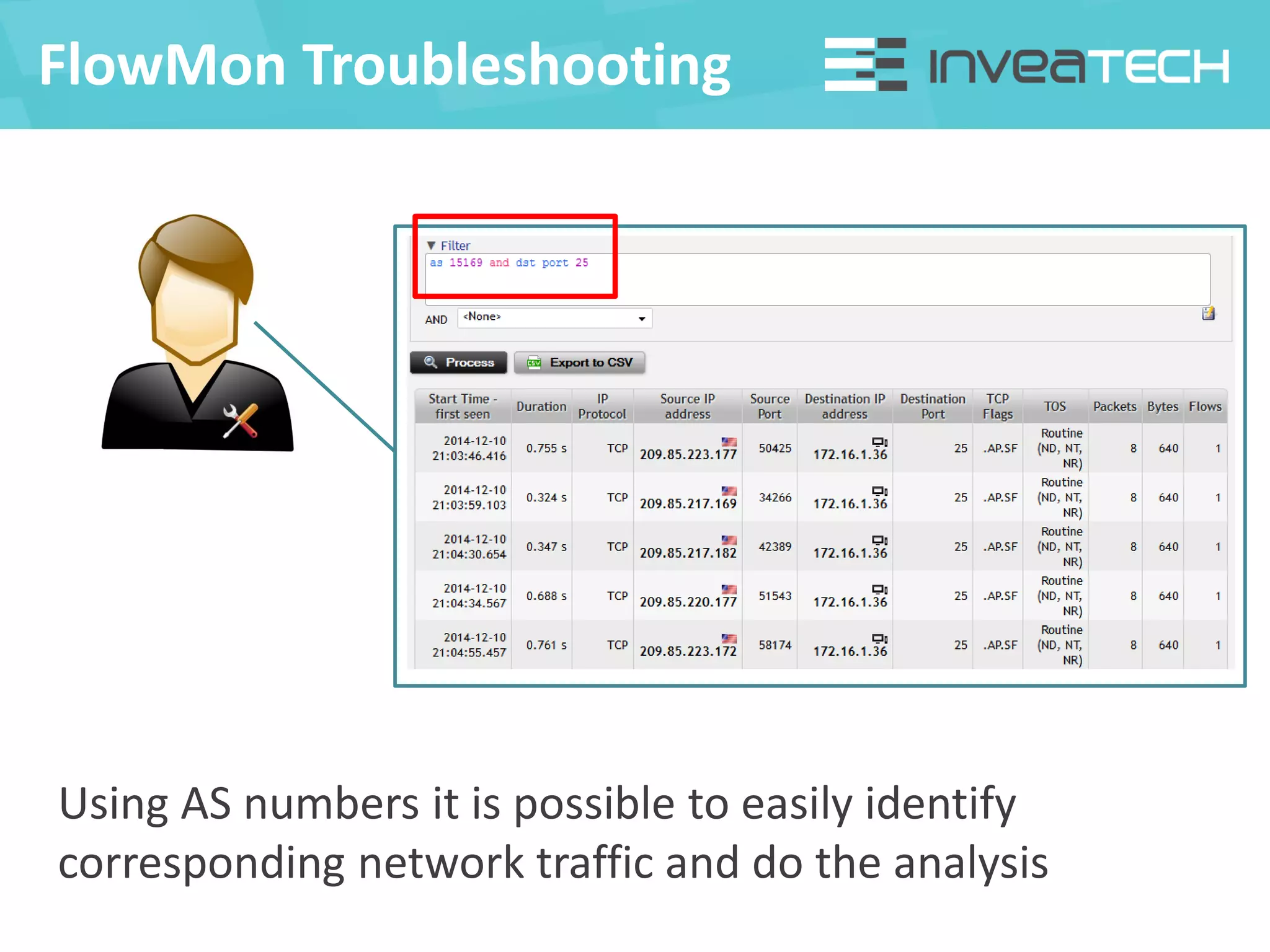
Using AS numbers it is possible to easily identify
corresponding network traffic and do the analysis
FlowMon Troubleshooting
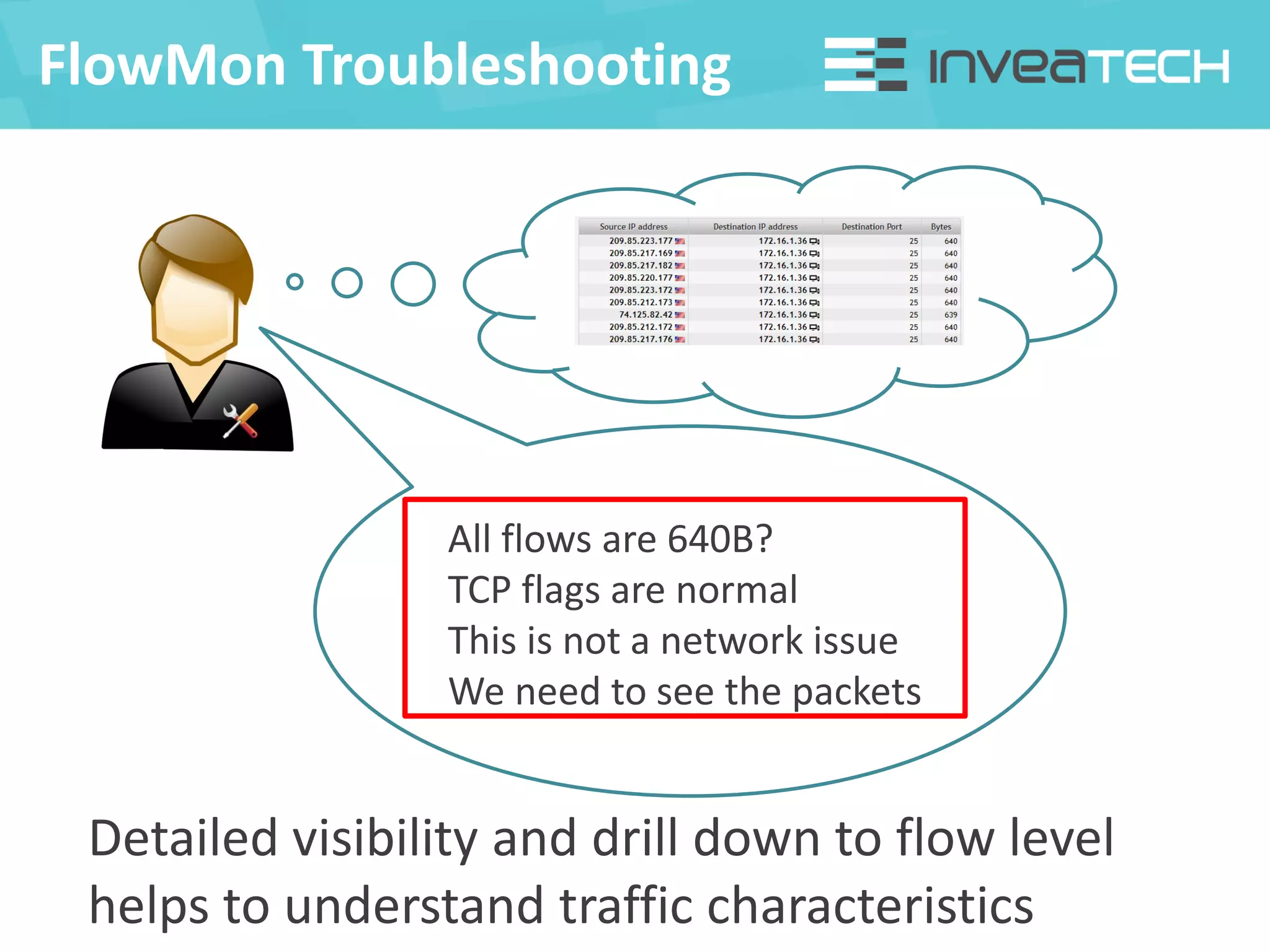
All flows are 640B?
TCP flags are normal
This is not a network issue
We need to see the packets
Detailed visibility and drill down to flow level
helps to understand traffic characteristics
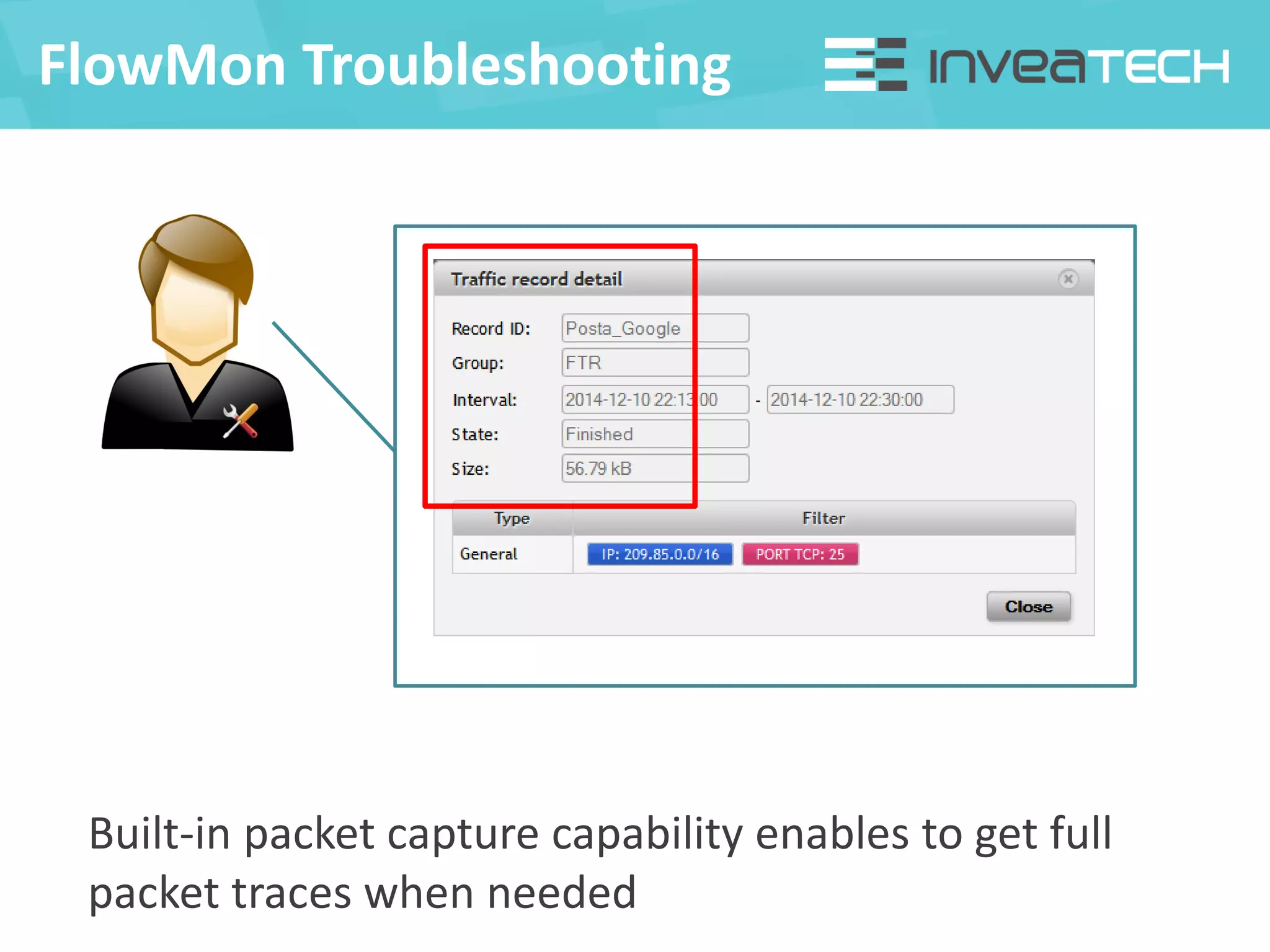
FlowMon Troubleshooting
Built-in packet capture capability enables to get full
packet traces when needed
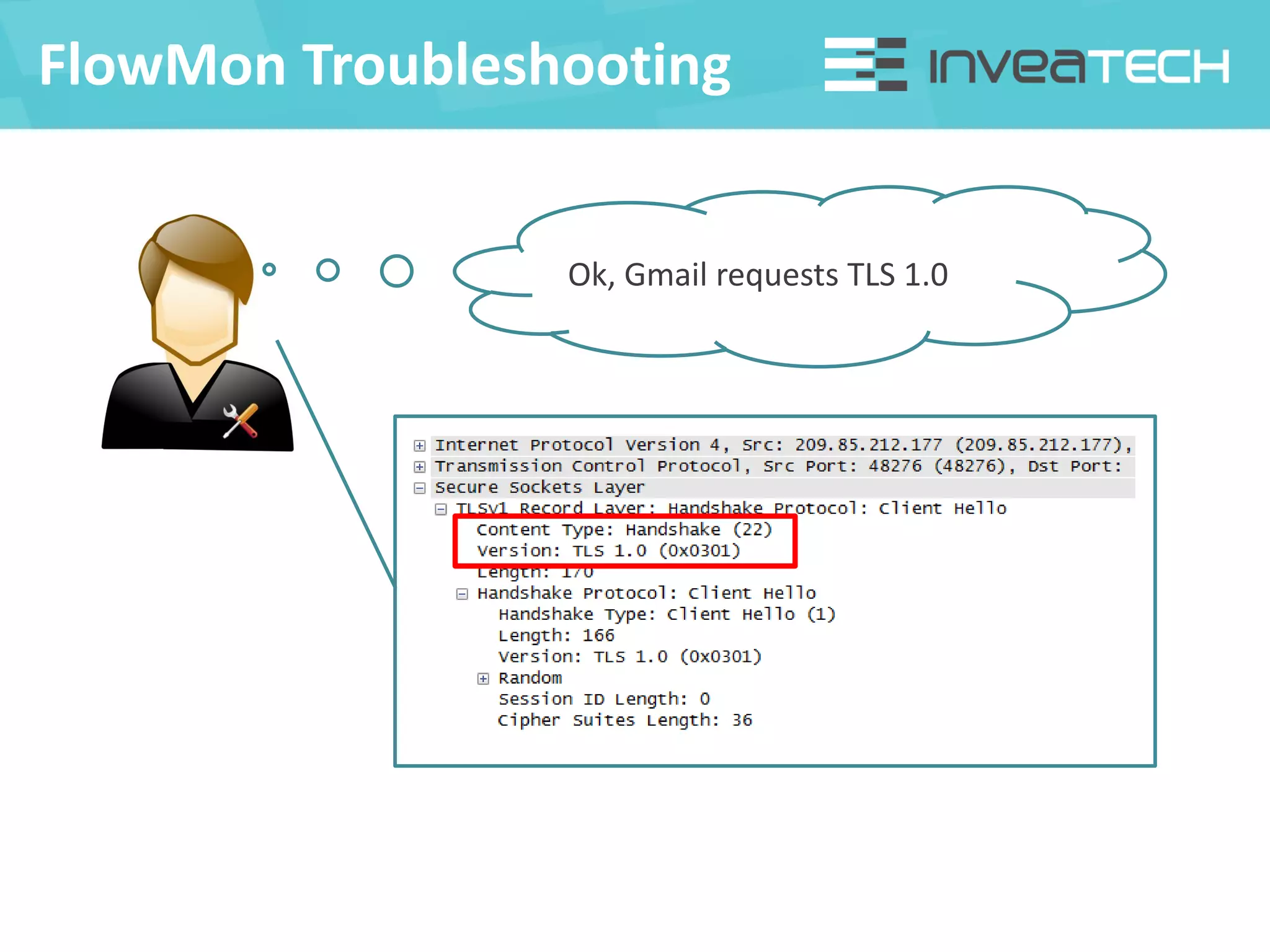
FlowMon Troubleshooting
Ok, Gmail requests TLS 1.0
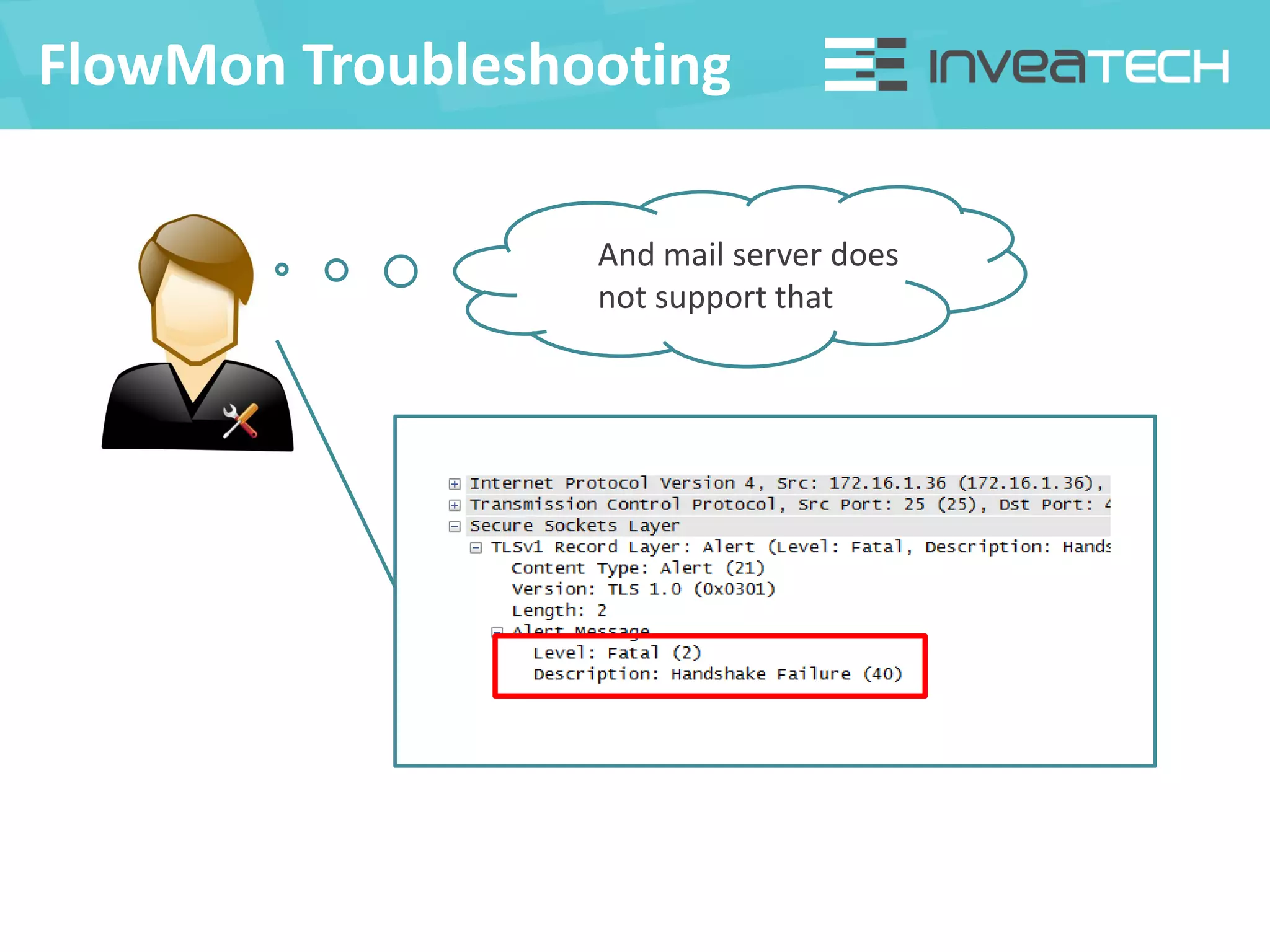
FlowMon Troubleshooting
And mail server does
not support that
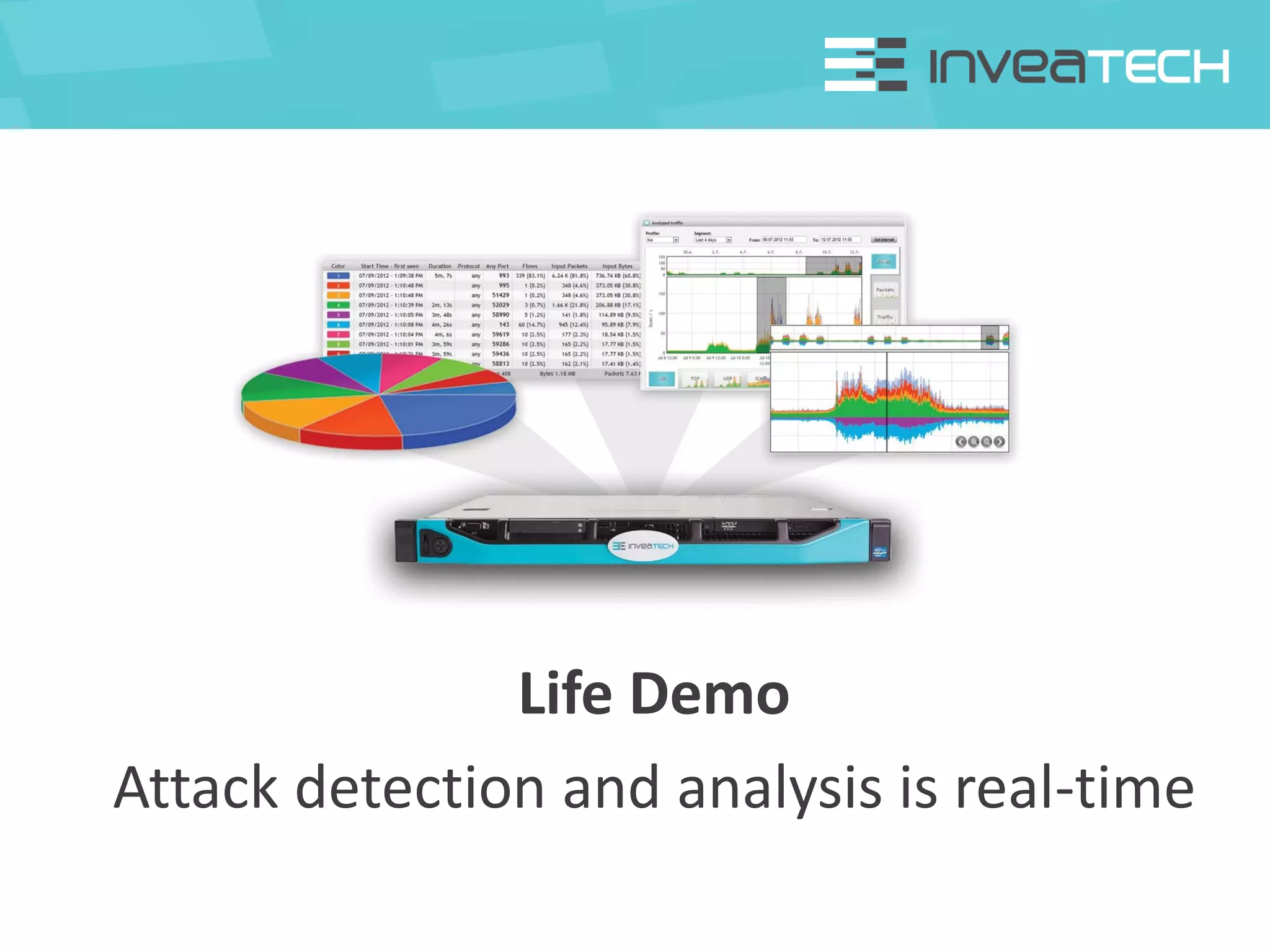
Life Demo
Attack detection and analysis is real-time
Life Demo
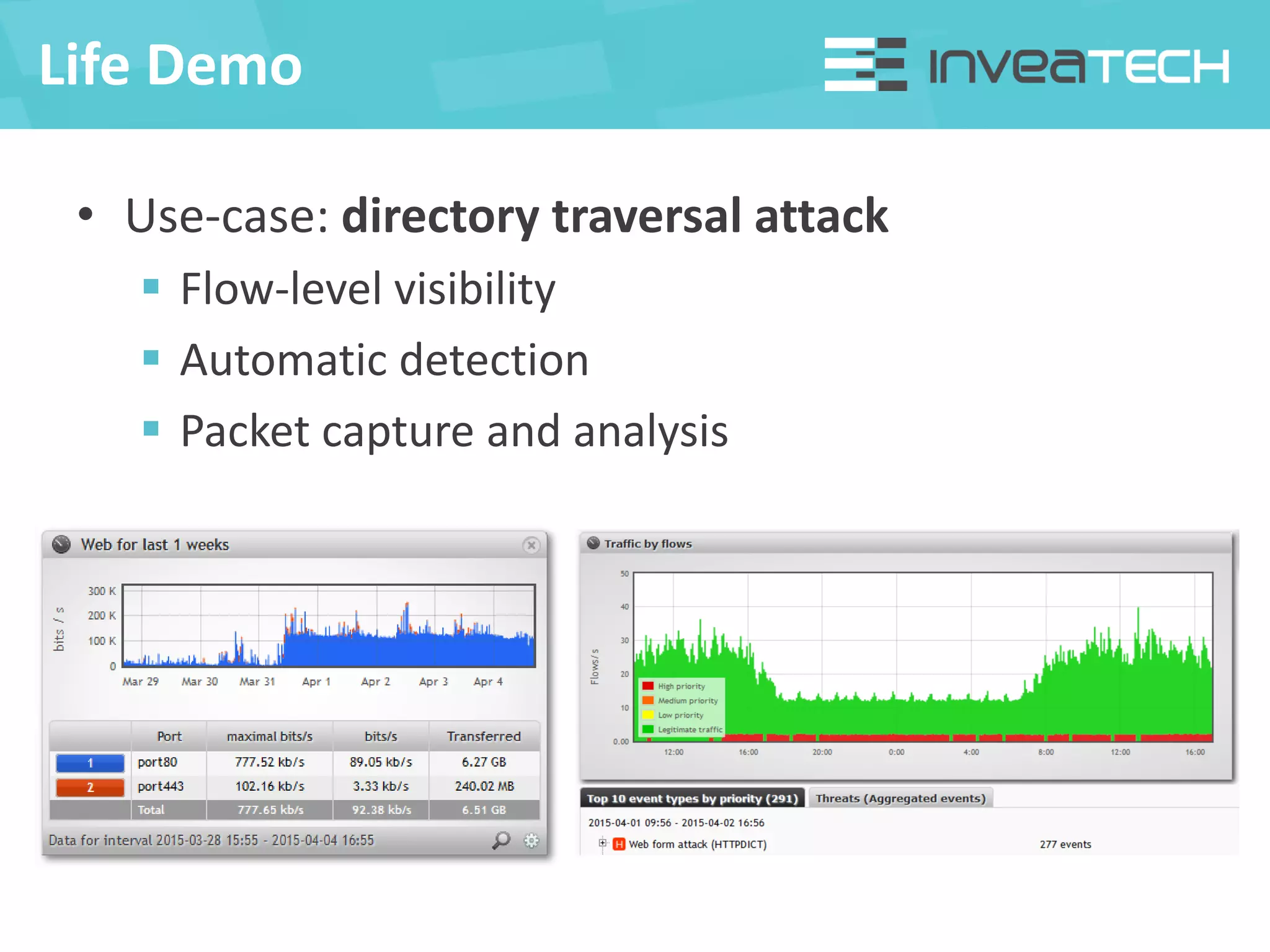
• Use-case: directory traversal attack
 Flow-level visibility
 Automatic detection
 Packet capture and analysis
INVEA-TECH a.s.
U Vodárny 2965/2
616 00 Brno
Czech Republic
www.invea-tech.com
High-Speed Networking Technology Partner
Questions?
Pavel Minařík
minarik@invea.com
+420 733 713 703

Co se skrývá v datovém provozu? - Pavel Minařík

  • 1.
    Pavel Minařík What ishidden in network traffic? Security Session 2015, 11th April 2015, Brno, FIT VUT minarik@invea.com
  • 2.
    • Traditional monitoring Availability of services and network components  SNMP polling (interfaces, resources)  100+ tools and solutions on commercial and open sources basis (Cacti, Zabbix, Nagios, …) • Next-generation monitoring  Traffic visibility on various network layers  Detection of security and operational issues  Network/Application performance monitoring  Full packet capture for troubleshooting Monitoring Tools
  • 3.
  • 4.
  • 5.
    Performance Monitoring Syn Syn, Ack Ack RTT TCP handshake Req AckData Client request SRT Server response Data Data Data Delay Round Trip Time – delay introduced by network Server Response Time – delay introduced by server/application Delay (min, max, avg, deviation) – delays between packets Jitter (min, max, avg, deviation) – variance of delays between packets
  • 6.
    Flow Standards Cisco standardNetFlow v5 NetFlow v9 (Flexible NetFlow) fixed format only basic items available no IPv6, MAC, VLANs, … flexible format using templates mandatory for current needs provides IPv6, VLANs, MAC, … Independent IETF standard IPFIX („NetFlow v10“) the future of flow monitoring more flexibility than NetFlow v9 Huawei NetStream same as original Cisco standard NetFlow v9 Juniper jFlow similar to NetFlow v9 different timestamps
  • 7.
    Flow Sources • Enterprise-classnetwork equipment  Routers, switches, firewalls • Mikrotik routers  Popular and cost efficient hardware • Flow Probes  Dedicated appliances for flow export • Trends  Number of flow-enabled devices is growing  L7 visibility, performance monitoring, …
  • 8.
    Flow Gathering Schemes Probeon a SPAN port Probe on a TAP Flows from switch/router Pros • Accuracy • Performance • L2/L3/L4/L7 visibility • Same as „on a SPAN“ • All packets captured • Separates RX and TX • Already available • No additional HW • Traffic on interfaces Cons • May reach capacity limit • No interface number • Additional HW • Usually inaccurate • Visibility L3/L4 • Performance impact Facts • Fits most customers • Limited SPANs number • 2 monitoring ports • Always test before use Use • Enterprise networks • ISP uplinks, DCs • Branch offices (MPLS, …)
  • 9.
    Traffic Analysis (usingflow) • Bridges the gap left by endpoint and perimeter security solutions • Behavior based Anomaly Detection (NBA) • Detection of security and operational issues  Attacks on network services, network reconnaissance  Infected devices and botnet C&C communication  Anomalies of network protocols (DNS, DHCP, …)  P2P traffic, TOR, on-line messengers, …  DDoS attacks and vulnerable services  Configuration issues
  • 10.
    Full Packet Capture •On-demand troubleshooting and forensic analysis • How to get packet traces?  Tcpdump – Linux/Unix environment  Winpcap – Windows environment  Probes – appliances with packet capture capability  FPGA-based HW adapters – high speed networks
  • 11.
    Packet Analysis • Analysisof packet traces (PCAP files) • Software tools (commercial + open source) • Wireshark as de facto standards with large community support  Support of hundreds of protocols  Powerful filters, statistics, reconstruction, etc.
  • 12.
    Examples From theReal Life Security issue Troubleshooting
  • 13.
    Security Issue FlowMon ©INVEA-TECH 2013 78 port scans? DNS anomalies? • Malware infected device in the internal network
  • 14.
    Security Issue Let’s seethe scans first Ok, users cannot access web Are the DNS anomalies related?
  • 15.
    Security Issue Ok, whichDNS is being used? 192.168.0.53? This is notebook! How did this happen?
  • 16.
    Security Issue Let’s lookfor the details… Laptop 192.168.0.53 is doing DHCP server in the network
  • 17.
    Security Issue Malware infecteddevice Trying to redirect and bridge traffic Probably to get sensitive data
  • 18.
    • Gmail e-maildelivery issue FlowMon Troubleshooting We are not receiving e-mails from Gmail And can’t figure it out Can you try to help us and fix it?
  • 19.
    FlowMon Troubleshooting Using ASnumbers it is possible to easily identify corresponding network traffic and do the analysis
  • 20.
    FlowMon Troubleshooting All flowsare 640B? TCP flags are normal This is not a network issue We need to see the packets Detailed visibility and drill down to flow level helps to understand traffic characteristics
  • 21.
    FlowMon Troubleshooting Built-in packetcapture capability enables to get full packet traces when needed
  • 22.
  • 23.
    FlowMon Troubleshooting And mailserver does not support that
  • 24.
    Life Demo Attack detectionand analysis is real-time
  • 25.
    Life Demo • Use-case:directory traversal attack  Flow-level visibility  Automatic detection  Packet capture and analysis
  • 26.
    INVEA-TECH a.s. U Vodárny2965/2 616 00 Brno Czech Republic www.invea-tech.com High-Speed Networking Technology Partner Questions? Pavel Minařík minarik@invea.com +420 733 713 703