CONFIDENTIAL
10 Things Not To Do With WordPress
What I have learnt the hard way :(
Ricky Blacker
Sales Engineer
CONFIDENTIAL2
About Me
ME
CONFIDENTIAL3
About Me
CONFIDENTIAL4
About Me
CONFIDENTIAL5
What To Expect
● Beginner focussed
● I will explain some basic functionality and tips
that often get overlooked or forgotten
● Will give some best practices
● Try not to be too boring
CONFIDENTIAL
So Let’s Get Started!
CONFIDENTIAL
1 - Don’t Use “admin” As Your
Username
CONFIDENTIAL8
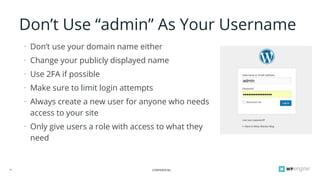
Don’t Use “admin” As Your Username
⁃ Don’t use your domain name either
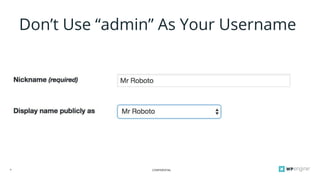
⁃ Change your publicly displayed name
⁃ Use 2FA if possible
⁃ Make sure to limit login attempts
⁃ Always create a new user for anyone who needs
access to your site
⁃ Only give users a role with access to what they
need
CONFIDENTIAL9
Don’t Use “admin” As Your Username
CONFIDENTIAL
2 - Don’t Use Weird Permalinks
CONFIDENTIAL11
Don’t Use Weird Permalinks
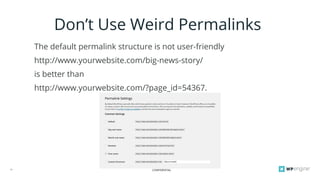
The default permalink structure is not user-friendly
http://www.yourwebsite.com/big-news-story/
is better than
http://www.yourwebsite.com/?page_id=54367.
CONFIDENTIAL
3 - Don’t Forget To Enable
Search Engines
CONFIDENTIAL13
Don’t Forget To Enable Search Engines
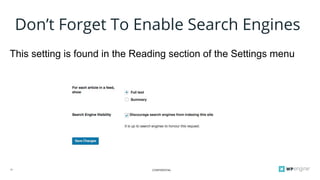
This setting is found in the Reading section of the Settings menu
CONFIDENTIAL
4 - Don’t Edit PHP from the
Theme/Plugin Editor
CONFIDENTIAL15
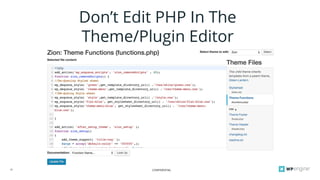
Don’t Edit PHP In The
Theme/Plugin Editor
CONFIDENTIAL16
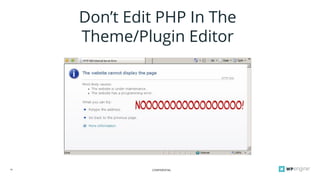
Don’t Edit PHP In The
Theme/Plugin Editor
CONFIDENTIAL
5 - Don’t Alter “Parent” Theme
Files
CONFIDENTIAL18
Don’t Alter “Parent” Theme Files
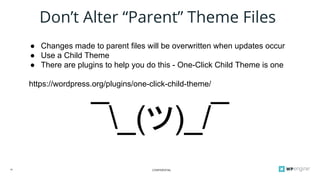
● Changes made to parent files will be overwritten when updates occur
● Use a Child Theme
● There are plugins to help you do this - One-Click Child Theme is one
https://wordpress.org/plugins/one-click-child-theme/
¯_(ツ)_/¯
CONFIDENTIAL
6 - Don’t Forget To Back Up
Regularly
CONFIDENTIAL20
Don’t Forget To Back Up Regularly
● Do not attempt an update without a recent backup
● Do not make major changes to your site without a backup
● Test your backup method before disaster strikes
CONFIDENTIAL
7 - Don’t Load Images Bigger
Than Needed
CONFIDENTIAL22
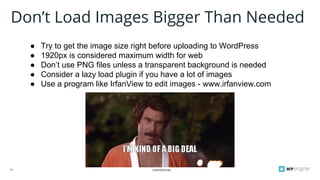
Don’t Load Images Bigger Than Needed
● Try to get the image size right before uploading to WordPress
● 1920px is considered maximum width for web
● Don’t use PNG files unless a transparent background is needed
● Consider a lazy load plugin if you have a lot of images
● Use a program like IrfanView to edit images - www.irfanview.com
CONFIDENTIAL
8 - Don’t Add Site Functionality
From Themes
CONFIDENTIAL24
Don’t Add Site Functionality From
Themes
● Try to use plugins rather than the theme to add functionality wherever
possible, this will help to separate design from function
● This will make it easier to “break up” with your theme
● This is not always possible
CONFIDENTIAL
9 - Don’t Forget To Add A
Favicon
CONFIDENTIAL26
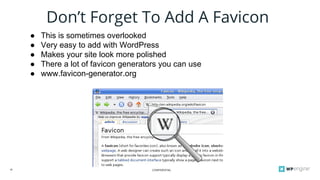
Don’t Forget To Add A Favicon
● This is sometimes overlooked
● Very easy to add with WordPress
● Makes your site look more polished
● There a lot of favicon generators you can use
● www.favicon-generator.org
CONFIDENTIAL
10 - Don’t Use An Image To
Display Important Text
CONFIDENTIAL28
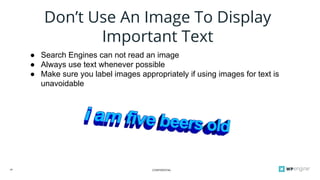
Don’t Use An Image To Display
Important Text
● Search Engines can not read an image
● Always use text whenever possible
● Make sure you label images appropriately if using images for text is
unavoidable
CONFIDENTIAL29
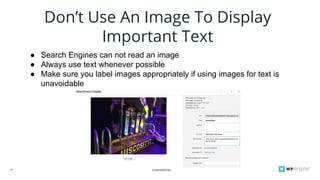
Don’t Use An Image To Display
Important Text
● Search Engines can not read an image
● Always use text whenever possible
● Make sure you label images appropriately if using images for text is
unavoidable
CONFIDENTIAL
THANK YOU
Ricky Blacker
ricky.blacker@wpengine.com

10 things Not To Do With WordPress