
D E M Y S T I F Y I N G A C C E S S I B L E W E B S I T E S
BEST PRACTICES
@nancythanki
“The power of the Web is in its universality.
Access by everyone regardless of disability is
an essential aspect.”
– T I M B E R N E R S -
L E E
W 3 C D I R E C T O R
A N D I N V E N T O R
O F T H E W O R L D
W I D E W E B
U N C O N V E N T I O N O F T H E R I G H T S O F P E R S O N S W I T H
D I S A B I L I T I E S
Article 21: Freedom of expression and opinion, and access to information
States Parties shall take all appropriate measures to ensure that persons with disabilities can exercise the right to
freedom of expression and opinion, including the freedom to seek, receive and impart information and ideas on an
equal basis with others and through all forms of communication of their choice, as defined in article 2 of the present
Convention, including by:
(a) Providing information intended for the general public to persons with disabilities in accessible formats
and technologies appropriate to different kinds of disabilities in a timely manner and without additional
cost;
(b) Accepting and facilitating the use of sign languages, Braille, augmentative and alternative
communication, and all other accessible means, modes and formats of communication of their choice by
persons with disabilities in official interactions;
(c) Urging private entities that provide services to the general public, including through the Internet, to
provide information and services in accessible and usable formats for persons with disabilities;
(d) Encouraging the mass media, including providers of information through the Internet, to make their
services accessible to persons with disabilities;
(e) Recognizing and promoting the use of sign languages.
aka the UN recognizes Web accessibility as a basic human right
it is essential that the Web be accessible in order to provide
equal access and equal opportunity to people with disabilities
potential clients + worldwide users
=
equal unprecedented access to information and equal
opportunity
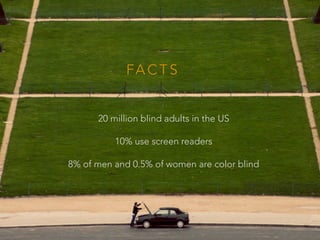
20 million blind adults in the US
10% use screen readers
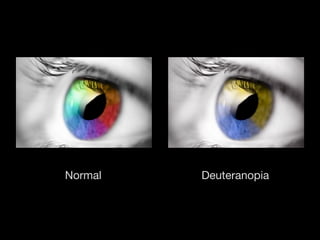
8% of men and 0.5% of women are color blind
FA C T S
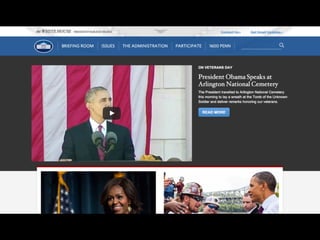
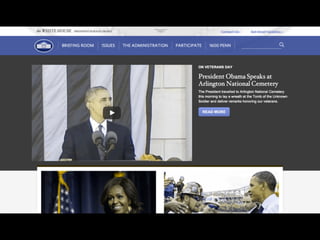
DeuteranopiaNormal
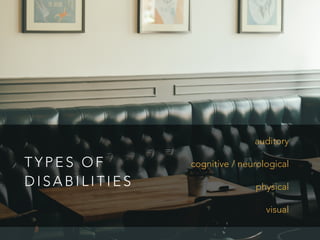
T Y P E S O F
D I S A B I L I T I E S
auditory
cognitive / neurological
physical
visual
A S S I S T I V E
T E C H N O L O G Y
braille display
screen reader
text-to-speech
voice browser
voice recognition
keyboard navigation
S C R E E N
R E A D E R S
nvaccess’ NVDA reader (Microsoft Windows XP or later)
Chrome Vox
Mozilla’s Fangs Screen Reader Emulator
Apple’s VoiceOver
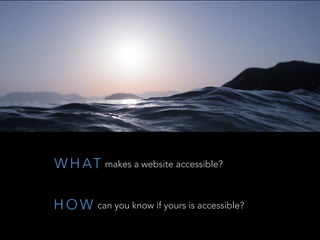
W H AT makes a website accessible?
H O W can you know if yours is accessible?
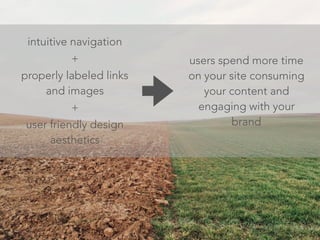
users spend more time
on your site consuming
your content and
engaging with your
brand
intuitive navigation
+
properly labeled links
and images
+
user friendly design
aesthetics
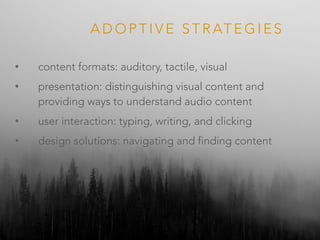
A D O P T I V E S T R AT E G I E S
• content formats: auditory, tactile, visual
• presentation: distinguishing visual content and
providing ways to understand audio content
• user interaction: typing, writing, and clicking
• design solutions: navigating and finding content
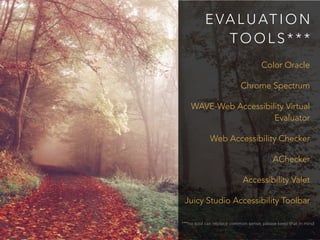
E VA L U AT I O N
T O O L S * * *
Color Oracle
Chrome Spectrum
WAVE-Web Accessibility Virtual
Evaluator
Web Accessibility Checker
AChecker
Accessibility Valet
Juicy Studio Accessibility Toolbar
***no tool can replace common sense; please keep that in mind
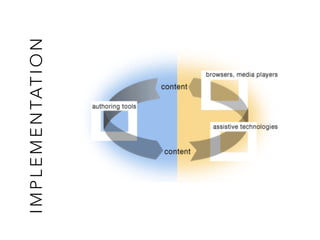
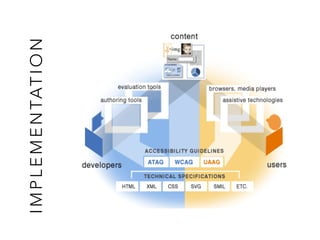
IMPLEMENTATION
IMPLEMENTATION
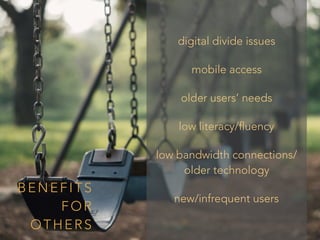
digital divide issues
mobile access
older users’ needs
low literacy/fluency
low bandwidth connections/
older technology
new/infrequent users
BENEFITS
FOR
OTHERS
W H AT ’ S I N
I T F O R
M E ?
D O E S I T M AT T E R H O W
A C C E S S I B L E Y O U R
C O N T E N T I S I F N O B O D Y
E V E R F I N D S I T ?
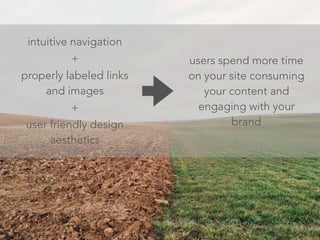
users spend more time
on your site consuming
your content and
engaging with your
brand
intuitive navigation
+
properly labeled links
and images
+
user friendly design
aesthetics
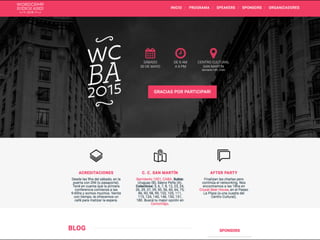
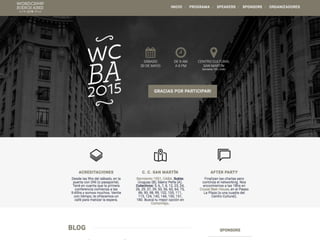
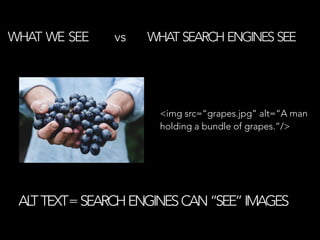
WHAT WE SEE vs WHAT SEARCH ENGINES SEE
ALTTEXT=SEARCHENGINESCAN“SEE”IMAGES
<img src=“grapes.jpg” alt=“A man
holding a bundle of grapes.”/>
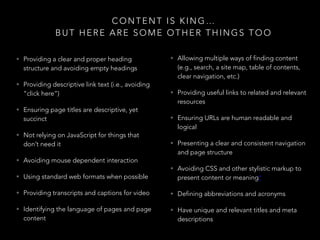
CONTENT IS KING…
BUT HERE ARE SOME OTHER THINGS TOO
• Providing a clear and proper heading
structure and avoiding empty headings
• Providing descriptive link text (i.e., avoiding
“click here”)
• Ensuring page titles are descriptive, yet
succinct
• Not relying on JavaScript for things that
don’t need it
• Avoiding mouse dependent interaction
• Using standard web formats when possible
• Providing transcripts and captions for video
• Identifying the language of pages and page
content
• Allowing multiple ways of finding content
(e.g., search, a site map, table of contents,
clear navigation, etc.)
• Providing useful links to related and relevant
resources
• Ensuring URLs are human readable and
logical
• Presenting a clear and consistent navigation
and page structure
• Avoiding CSS and other stylistic markup to
present content or meaning*
• Defining abbreviations and acronyms
• Have unique and relevant titles and meta
descriptions
R E S O U R C E S T O C O N S I D E R
• WebAIM: web accessibility in mind: http://webaim.org/intro/
• Web Accessibility Initiative (WAI): http://www.w3.org/WAI/
• WAI Resources: http://www.w3.org/WAI/Resources/
• Quicktips: http://www.w3.org/WAI/quicktips/
• Implementation Plan for Web Accessibility: http://www.w3.org/WAI/impl/Overview
• Web Content Accessibility Guidelines: http://www.w3.org/WAI/intro/wcag.php
• Web Accessibility Evaluation Tools: Overview: http://www.w3.org/WAI/ER/tools/
• Accessibility Evaluation Resources: http://www.w3.org/WAI/eval/Overview.html
• Easy Checks - A First Review of Web Accessibility: http://www.w3.org/WAI/eval/preliminary
• Complete list of web accessibility evaluation tools: http://www.w3.org/WAI/ER/tools/complete
• Web Standards Project: http://www.webstandards.org/learn/faq/
n a n c y t h a n k i . c o m
@ n a n c y t h a n k i

Demystifying Accessible Websites - WCUS 2015

  • 1.
    D E MY S T I F Y I N G A C C E S S I B L E W E B S I T E S BEST PRACTICES @nancythanki
  • 13.
    “The power ofthe Web is in its universality. Access by everyone regardless of disability is an essential aspect.” – T I M B E R N E R S - L E E W 3 C D I R E C T O R A N D I N V E N T O R O F T H E W O R L D W I D E W E B
  • 14.
    U N CO N V E N T I O N O F T H E R I G H T S O F P E R S O N S W I T H D I S A B I L I T I E S Article 21: Freedom of expression and opinion, and access to information States Parties shall take all appropriate measures to ensure that persons with disabilities can exercise the right to freedom of expression and opinion, including the freedom to seek, receive and impart information and ideas on an equal basis with others and through all forms of communication of their choice, as defined in article 2 of the present Convention, including by: (a) Providing information intended for the general public to persons with disabilities in accessible formats and technologies appropriate to different kinds of disabilities in a timely manner and without additional cost; (b) Accepting and facilitating the use of sign languages, Braille, augmentative and alternative communication, and all other accessible means, modes and formats of communication of their choice by persons with disabilities in official interactions; (c) Urging private entities that provide services to the general public, including through the Internet, to provide information and services in accessible and usable formats for persons with disabilities; (d) Encouraging the mass media, including providers of information through the Internet, to make their services accessible to persons with disabilities; (e) Recognizing and promoting the use of sign languages. aka the UN recognizes Web accessibility as a basic human right it is essential that the Web be accessible in order to provide equal access and equal opportunity to people with disabilities
  • 15.
    potential clients +worldwide users = equal unprecedented access to information and equal opportunity
  • 16.
    20 million blindadults in the US 10% use screen readers 8% of men and 0.5% of women are color blind FA C T S
  • 17.
  • 18.
    T Y PE S O F D I S A B I L I T I E S auditory cognitive / neurological physical visual
  • 19.
    A S SI S T I V E T E C H N O L O G Y braille display screen reader text-to-speech voice browser voice recognition keyboard navigation
  • 20.
    S C RE E N R E A D E R S nvaccess’ NVDA reader (Microsoft Windows XP or later) Chrome Vox Mozilla’s Fangs Screen Reader Emulator Apple’s VoiceOver
  • 21.
    W H ATmakes a website accessible? H O W can you know if yours is accessible?
  • 22.
    users spend moretime on your site consuming your content and engaging with your brand intuitive navigation + properly labeled links and images + user friendly design aesthetics
  • 23.
    A D OP T I V E S T R AT E G I E S • content formats: auditory, tactile, visual • presentation: distinguishing visual content and providing ways to understand audio content • user interaction: typing, writing, and clicking • design solutions: navigating and finding content
  • 24.
    E VA LU AT I O N T O O L S * * * Color Oracle Chrome Spectrum WAVE-Web Accessibility Virtual Evaluator Web Accessibility Checker AChecker Accessibility Valet Juicy Studio Accessibility Toolbar ***no tool can replace common sense; please keep that in mind
  • 25.
  • 26.
  • 27.
    digital divide issues mobileaccess older users’ needs low literacy/fluency low bandwidth connections/ older technology new/infrequent users BENEFITS FOR OTHERS
  • 28.
    W H AT’ S I N I T F O R M E ?
  • 29.
    D O ES I T M AT T E R H O W A C C E S S I B L E Y O U R C O N T E N T I S I F N O B O D Y E V E R F I N D S I T ?
  • 30.
    users spend moretime on your site consuming your content and engaging with your brand intuitive navigation + properly labeled links and images + user friendly design aesthetics
  • 31.
    WHAT WE SEEvs WHAT SEARCH ENGINES SEE ALTTEXT=SEARCHENGINESCAN“SEE”IMAGES <img src=“grapes.jpg” alt=“A man holding a bundle of grapes.”/>
  • 32.
    CONTENT IS KING… BUTHERE ARE SOME OTHER THINGS TOO • Providing a clear and proper heading structure and avoiding empty headings • Providing descriptive link text (i.e., avoiding “click here”) • Ensuring page titles are descriptive, yet succinct • Not relying on JavaScript for things that don’t need it • Avoiding mouse dependent interaction • Using standard web formats when possible • Providing transcripts and captions for video • Identifying the language of pages and page content • Allowing multiple ways of finding content (e.g., search, a site map, table of contents, clear navigation, etc.) • Providing useful links to related and relevant resources • Ensuring URLs are human readable and logical • Presenting a clear and consistent navigation and page structure • Avoiding CSS and other stylistic markup to present content or meaning* • Defining abbreviations and acronyms • Have unique and relevant titles and meta descriptions
  • 33.
    R E SO U R C E S T O C O N S I D E R • WebAIM: web accessibility in mind: http://webaim.org/intro/ • Web Accessibility Initiative (WAI): http://www.w3.org/WAI/ • WAI Resources: http://www.w3.org/WAI/Resources/ • Quicktips: http://www.w3.org/WAI/quicktips/ • Implementation Plan for Web Accessibility: http://www.w3.org/WAI/impl/Overview • Web Content Accessibility Guidelines: http://www.w3.org/WAI/intro/wcag.php • Web Accessibility Evaluation Tools: Overview: http://www.w3.org/WAI/ER/tools/ • Accessibility Evaluation Resources: http://www.w3.org/WAI/eval/Overview.html • Easy Checks - A First Review of Web Accessibility: http://www.w3.org/WAI/eval/preliminary • Complete list of web accessibility evaluation tools: http://www.w3.org/WAI/ER/tools/complete • Web Standards Project: http://www.webstandards.org/learn/faq/
  • 35.
    n a nc y t h a n k i . c o m @ n a n c y t h a n k i