







What’s new?
A few takeaways
100 million
monthly active users of
SharePoint in the cloud
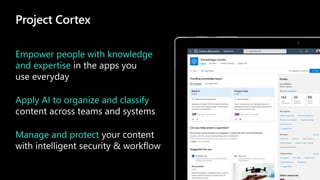
Project Cortex
Empower people with knowledge
and expertise
Apply AI to organize and classify
Manage and protect
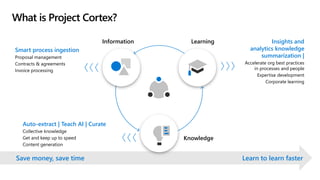
What is Project Cortex?
Smart process ingestion
Proposal management
Contracts & agreements
Invoice processing
Save money, save time Learn to learn faster
Information Learning
Knowledge
Insights and
analytics knowledge
summarization |
Accelerate org best practices
in processes and people
Expertise development
Corporate learning
Auto-extract | Teach AI | Curate
Collective knowledge
Get and keep up to speed
Content generation
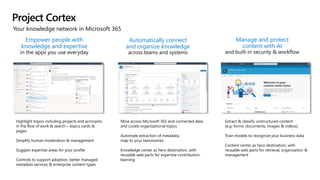
Your knowledge network in Microsoft 365
Project Cortex
Empower people with
knowledge and expertise
Automatically connect
and organize knowledge
Manage and protect
content with AI
Extract & classify unstructured content
(e.g. forms, documents, images & videos)
Train models to recognize your business data
Content center as hero destination, with
reusable web parts for retrieval, organization &
management
Mine across Microsoft 365 and connected data
and curate organizational topics
Automate extraction of metadata,
map to your taxonomies
Knowledge center as hero destination, with
reusable web parts for expertise contribution,
learning
Highlight topics including projects and acronyms
in the flow of work & search – topics cards &
pages
Simplify human moderation & management
Suggest expertise areas for your profile
Controls to support adoption, better managed
metadata services & enterprise content types
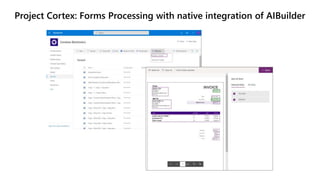
Project Cortex: Forms Processing with native integration of AIBuilder
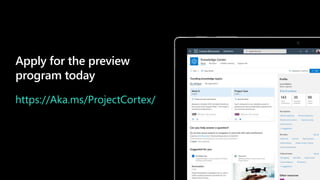
Apply for the preview
program today
https://Aka.ms/ProjectCortex/
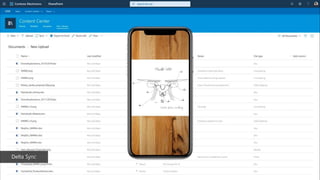
Delta Sync
Get inspired
Discover the intelligent
intranet in Microsoft 365
lookbook.microsoft.com
SharePoint
look book
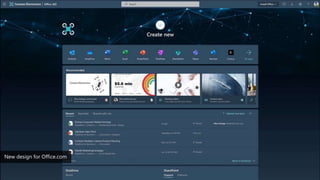
New design for Office.com
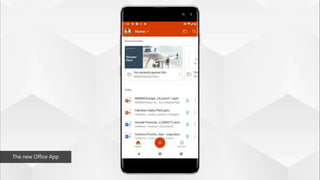
Introducing the new Office mobile appThe new Office App
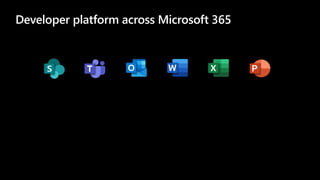
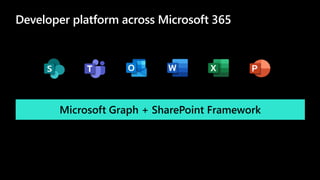
Developer platform across Microsoft 365
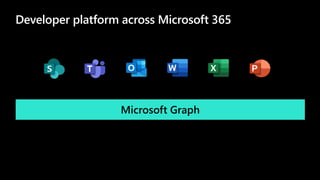
Microsoft Graph
Developer platform across Microsoft 365
Microsoft Graph + SharePoint Framework
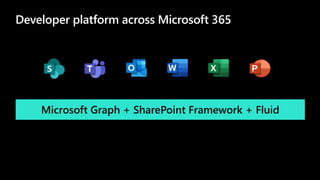
Developer platform across Microsoft 365
Microsoft Graph + SharePoint Framework + Fluid
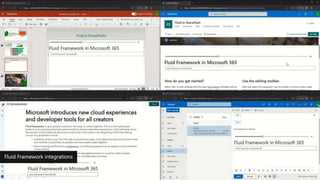
Fluid Framework integrations
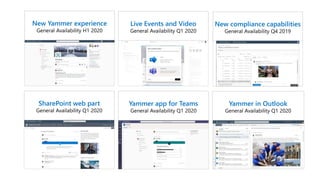
New Yammer experience
SharePoint web part Yammer app for Teams Yammer in Outlook
Live Events and Video New compliance capabilities
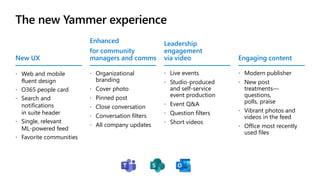
The new Yammer experience
New UX
 Web and mobile
fluent design
 O365 people card
 Search and
notifications
in suite header
 Single, relevant
ML-powered feed
 Favorite communities
Enhanced
for community
managers and comms
 Organizational
branding
 Cover photo
 Pinned post
 Close conversation
 Conversation filters
 All company updates
Leadership
engagement
via video
 Live events
 Studio-produced
and self-service
event production
 Event Q&A
 Question filters
 Short videos
Engaging content
 Modern publisher
 New post
treatments—
questions,
polls, praise
 Vibrant photos and
videos in the feed
 Office most recently
used files
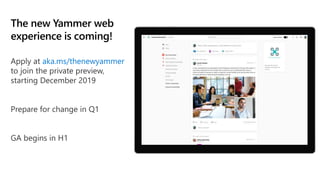
The new Yammer web
experience is coming!
aka.ms/thenewyammer
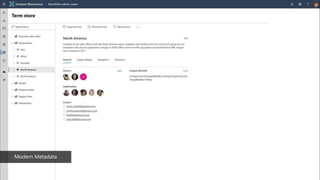
Introducing modern taxonomy adminModern Metadata
What’s new?
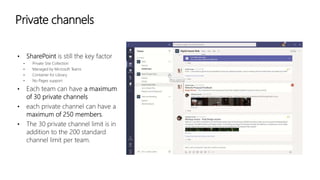
Private channels
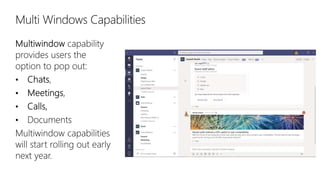
Multi Windows Capabilities
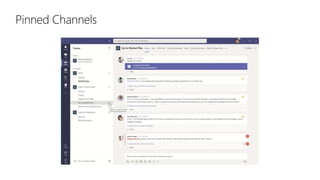
Pinned Channels
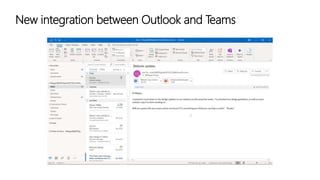
New integration between Outlook and Teams
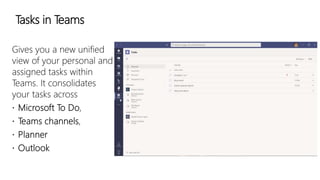
Tasks in Teams
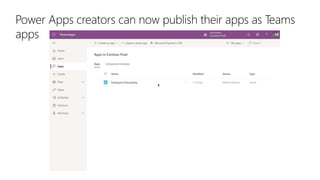
Power Apps creators can now publish their apps as Teams
apps
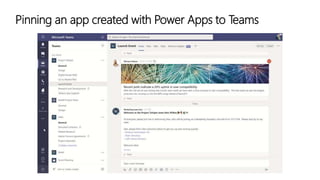
Pinning an app created with Power Apps to Teams
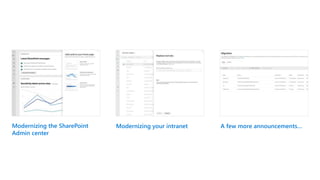
Modernizing your intranet
Modernizing the SharePoint
Admin center
Modernizing your intranet A few more announcements…
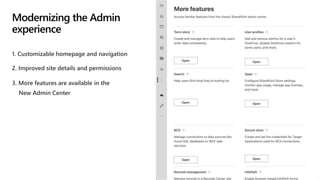
1. Customizable homepage and navigation
2. Improved site details and permissions
Modernizing the Admin
experience
3. More features are available in the
New Admin Center
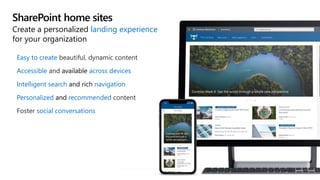
SharePoint home sites
Easy to create
Accessible available across devices
Intelligent search and rich navigation
Personalized and recommended
social conversations
Create a personalized landing experience
for your organization
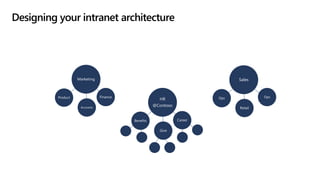
Designing your intranet architecture
HR
@Contoso
Marketing Sales
Career
Give
Benefits
Finance
Accounts
Product
Retail
Ops Ops
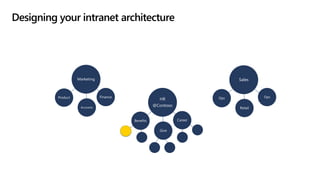
Designing your intranet architecture
HR
@Contoso
Marketing Sales
Career
Give
Benefits
Finance
Accounts
Product
Retail
Ops Ops
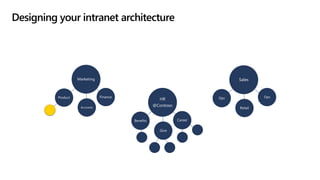
Designing your intranet architecture
HR
@Contoso
Marketing Sales
Career
Give
Benefits
Finance
Accounts
Product
Retail
Ops Ops
Designing your intranet architecture
HR
@Contoso
Marketing Sales
Career
Give
Benefits
Finance
Accounts
Product
Retail
Ops Ops
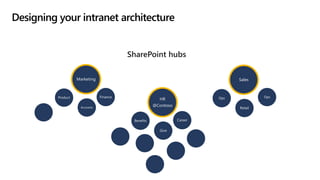
SharePoint hubs
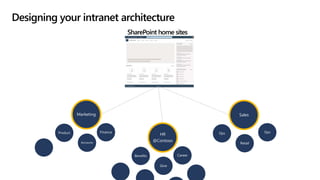
Designing your intranet architecture
SharePoint home sites
HR
@Contoso
Marketing Sales
Career
Give
Benefits
Finance
Accounts
Product
Retail
Ops Ops
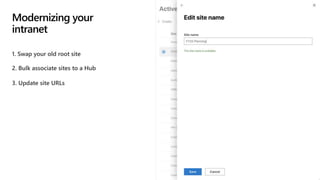
1. Swap your old root site
2. Bulk associate sites to a Hub
Modernizing your
intranet
3. Update site URLs
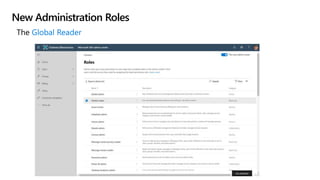
New Administration Roles
The
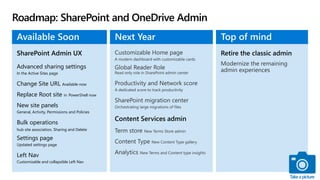
Roadmap: SharePoint and OneDrive Admin
Advanced sharing settings
In the Active Sites page
Change Site URL Available now
Replace Root site in PowerShell now
New site panels
General, Activity, Permissions and Policies
Bulk operations
hub site association, Sharing and Delete
Settings page
Updated settings page
Left Nav
Customizable and collapsible Left Nav
Available Soon Next Year Top of mind
Takeapicture
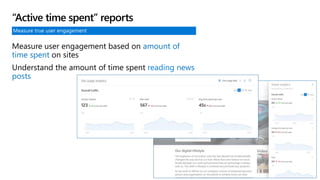
Measure true user engagement
Measure user engagement based on amount of
time spent on sites
Understand the amount of time spent reading news
posts
“Active time spent” reports
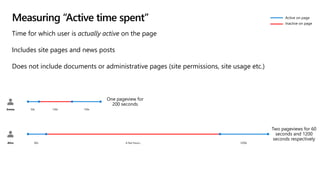
Measuring “Active time spent”
Time for which user is actually active on the page
Includes site pages and news posts
Does not include documents or administrative pages (site permissions, site usage etc.)
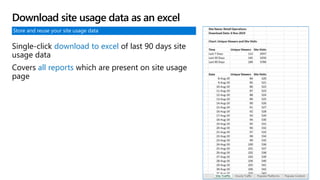
Store and reuse your site usage data
Single-click download to excel of last 90 days site
usage data
Covers all reports which are present on site usage
page
Download site usage data as an excel
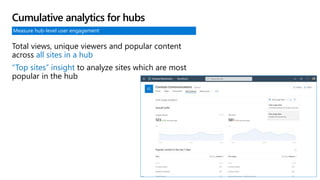
Measure hub-level user engagement
Total views, unique viewers and popular content
across all sites in a hub
“Top sites” insight to analyze sites which are most
popular in the hub
Cumulative analytics for hubs
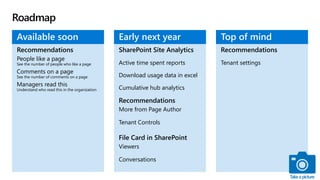
Roadmap
Recommendations
People like a page
See the number of people who like a page
Comments on a page
See the number of comments on a page
Managers read this
Understand who read this in the organization
Active time spent reports
Download usage data in excel
Cumulative hub analytics
More from Page Author
Tenant Controls
Viewers
Conversations
Available soon Early next year
Tenant settings
Top of mind
Takeapicture
How does it work?
Before you start making
hubs sites, let's recap the
three things hub sites
give you:
Shared navigation and
brand
Roll-up of content and
search
A home destination for
the hub
HUB Sites
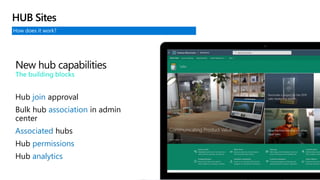
How does it work?
HUB Sites
New hub capabilities
The building blocks
Hub join approval
Bulk hub association in admin
center
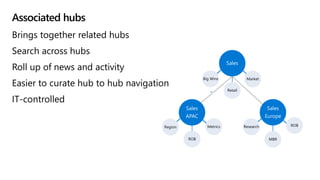
Associated hubs
Hub permissions
Hub analytics
Associated hubs
Brings together related hubs
Search across hubs
Roll up of news and activity
Easier to curate hub to hub navigation
IT-controlled
Market
Retail
Big Wins
Sales
Sales
APAC
Sales
Europe
Metrics
ROB
Region ROB
MBR
Research
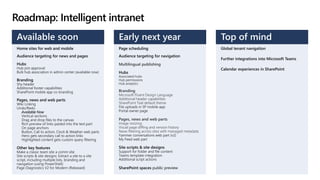
Roadmap: Intelligent intranet
Home sites for web and mobile
Audience targeting for news and pages
Hubs
Hub join approval
Bulk hub association in admin center (available now)
Branding
Shy header
Additional footer capabilities
SharePoint mobile app co-branding
Pages, news and web parts
Wiki Linking
Undo/Redo
Available Now
Vertical sections
Drag and drop files to the canvas
Rich preview of links pasted into the text part
On page anchors
Button, Call to action, Clock & Weather web parts
Hero gets secondary call to action links
Highlighted content gets custom query filtering
Other key features
Make a classic team site a comm site
Site scripts & site designs: Extract a site to a site
script, including multiple lists, branding and
navigation (using PowerShell)
Page Diagnostics V2 for Modern (Released)
Page scheduling
Audience targeting for navigation
Hubs
Associated hubs
Hub permissions
Hub analytics
Additional header capabilities
SharePoint Teal default theme
File uploads in SP mobile app
Portal owner page
Yammer conversations web part (v2)
My Feed web part
Site scripts & site designs
Support for folder and file content
Teams template integration
Additional script actions
SharePoint spaces public preview
Available soon Early next year
Global tenant navigation
Further integrations into Microsoft Teams
Calendar experiences in SharePoint
Top of mind
What’s new?
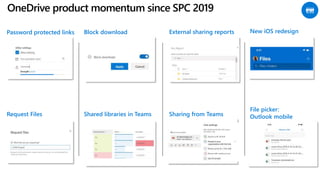
Password protected links Block download External sharing reports
Shared libraries in TeamsRequest Files Sharing from Teams
OneDrive product momentum since SPC 2019
New iOS redesign
File picker:
Outlook mobile
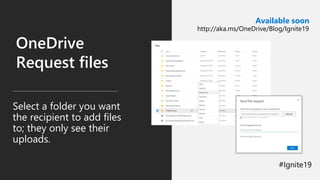
OneDrive
Request files
Select a folder you want
the recipient to add files
to; they only see their
uploads.
Available soon
http://aka.ms/OneDrive/Blog/Ignite19
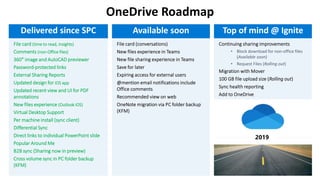
OneDrive Roadmap
File card (time to read, insights)
Comments (non-Office files)
360° image and AutoCAD previewer
Password-protected links
External Sharing Reports
Updated design for iOS app
Updated recent view and UI for PDF
annotations
New files experience (Outlook iOS)
Virtual Desktop Support
Per machine install (sync client)
Differential Sync
Direct links to individual PowerPoint slide
Popular Around Me
B2B sync (Sharing now in preview)
Cross volume sync in PC folder backup
(KFM)
Delivered since SPC Available soon Top of mind @ Ignite
What’s new?
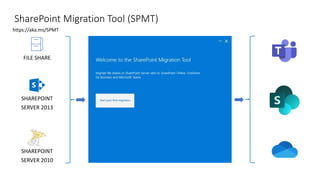
SharePoint Migration Tool (SPMT)
SHAREPOINT
SERVER 2013
SHAREPOINT
SERVER 2010
https://aka.ms/SPMT
FILE SHARE
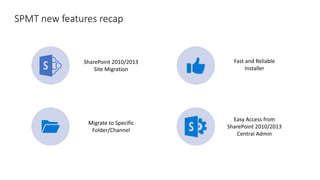
SPMT new features recap
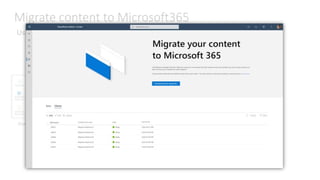
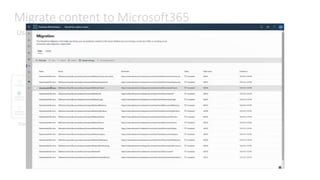
Migrate content to Microsoft365
Using the new and
SharePointMigrationTool(SPMT)
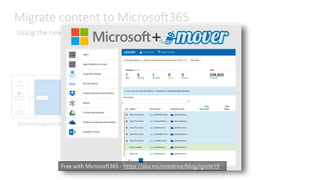
Migrate content to Microsoft365
Using the new and
SharePointMigrationTool(SPMT)
Migrate content to Microsoft365
Using the new and
SharePointMigrationTool(SPMT) ThenewMigrationCenter
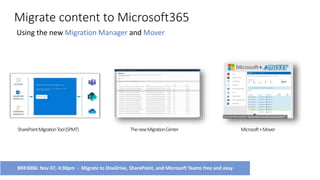
Migrate content to Microsoft365
Using the new and
SharePointMigrationTool(SPMT) ThenewMigrationCenter Microsoft+Mover
BRK3006: Nov 07, 4:30pm - Migrate to OneDrive, SharePoint, and Microsoft Teams free and easy
Start your cloud migrations today
Cloud storage migration into
Microsoft 365 from Box, Dropbox,
Google Drive, Egnyte, …
Fast, secure cloud-based solution
Now a free service for
Microsoft 365 customers
Initially North American customers,
then worldwide soon
+
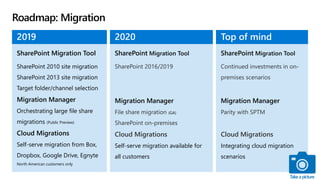
Roadmap: Migration
SharePoint 2010 site migration
SharePoint 2013 site migration
Orchestrating large file share
migrations (Public Preview)
Self-serve migration from Box,
Dropbox, Google Drive, Egnyte
North American customers only
(GA)
Self-serve migration available for
all customers
2019 2020
Integrating cloud migration
scenarios
Top of mind
Takeapicture
Gracias
Merci
Ευχαριστώ

Microsoft Ignite 2019 News & Announcements

  • 1.
  • 2.
  • 3.
    100 million monthly activeusers of SharePoint in the cloud
  • 4.
    Project Cortex Empower peoplewith knowledge and expertise Apply AI to organize and classify Manage and protect
  • 6.
    What is ProjectCortex? Smart process ingestion Proposal management Contracts & agreements Invoice processing Save money, save time Learn to learn faster Information Learning Knowledge Insights and analytics knowledge summarization | Accelerate org best practices in processes and people Expertise development Corporate learning Auto-extract | Teach AI | Curate Collective knowledge Get and keep up to speed Content generation
  • 7.
    Your knowledge networkin Microsoft 365 Project Cortex Empower people with knowledge and expertise Automatically connect and organize knowledge Manage and protect content with AI Extract & classify unstructured content (e.g. forms, documents, images & videos) Train models to recognize your business data Content center as hero destination, with reusable web parts for retrieval, organization & management Mine across Microsoft 365 and connected data and curate organizational topics Automate extraction of metadata, map to your taxonomies Knowledge center as hero destination, with reusable web parts for expertise contribution, learning Highlight topics including projects and acronyms in the flow of work & search – topics cards & pages Simplify human moderation & management Suggest expertise areas for your profile Controls to support adoption, better managed metadata services & enterprise content types
  • 8.
    Project Cortex: FormsProcessing with native integration of AIBuilder
  • 9.
    Apply for thepreview program today https://Aka.ms/ProjectCortex/
  • 10.
  • 11.
    Get inspired Discover theintelligent intranet in Microsoft 365 lookbook.microsoft.com SharePoint look book
  • 12.
    New design forOffice.com
  • 13.
    Introducing the newOffice mobile appThe new Office App
  • 14.
  • 15.
    Developer platform acrossMicrosoft 365 Microsoft Graph
  • 16.
    Developer platform acrossMicrosoft 365 Microsoft Graph + SharePoint Framework
  • 17.
    Developer platform acrossMicrosoft 365 Microsoft Graph + SharePoint Framework + Fluid
  • 18.
  • 20.
    New Yammer experience SharePointweb part Yammer app for Teams Yammer in Outlook Live Events and Video New compliance capabilities
  • 21.
    The new Yammerexperience New UX  Web and mobile fluent design  O365 people card  Search and notifications in suite header  Single, relevant ML-powered feed  Favorite communities Enhanced for community managers and comms  Organizational branding  Cover photo  Pinned post  Close conversation  Conversation filters  All company updates Leadership engagement via video  Live events  Studio-produced and self-service event production  Event Q&A  Question filters  Short videos Engaging content  Modern publisher  New post treatments— questions, polls, praise  Vibrant photos and videos in the feed  Office most recently used files
  • 22.
    The new Yammerweb experience is coming! aka.ms/thenewyammer
  • 23.
    Introducing modern taxonomyadminModern Metadata
  • 24.
  • 25.
  • 26.
  • 27.
  • 28.
    New integration betweenOutlook and Teams
  • 29.
  • 30.
    Power Apps creatorscan now publish their apps as Teams apps
  • 31.
    Pinning an appcreated with Power Apps to Teams
  • 32.
  • 33.
    Modernizing the SharePoint Admincenter Modernizing your intranet A few more announcements…
  • 34.
    1. Customizable homepageand navigation 2. Improved site details and permissions Modernizing the Admin experience 3. More features are available in the New Admin Center
  • 35.
    SharePoint home sites Easyto create Accessible available across devices Intelligent search and rich navigation Personalized and recommended social conversations Create a personalized landing experience for your organization
  • 36.
    Designing your intranetarchitecture HR @Contoso Marketing Sales Career Give Benefits Finance Accounts Product Retail Ops Ops
  • 37.
    Designing your intranetarchitecture HR @Contoso Marketing Sales Career Give Benefits Finance Accounts Product Retail Ops Ops
  • 38.
    Designing your intranetarchitecture HR @Contoso Marketing Sales Career Give Benefits Finance Accounts Product Retail Ops Ops
  • 39.
    Designing your intranetarchitecture HR @Contoso Marketing Sales Career Give Benefits Finance Accounts Product Retail Ops Ops SharePoint hubs
  • 40.
    Designing your intranetarchitecture SharePoint home sites HR @Contoso Marketing Sales Career Give Benefits Finance Accounts Product Retail Ops Ops
  • 41.
    1. Swap yourold root site 2. Bulk associate sites to a Hub Modernizing your intranet 3. Update site URLs
  • 42.
  • 43.
    Roadmap: SharePoint andOneDrive Admin Advanced sharing settings In the Active Sites page Change Site URL Available now Replace Root site in PowerShell now New site panels General, Activity, Permissions and Policies Bulk operations hub site association, Sharing and Delete Settings page Updated settings page Left Nav Customizable and collapsible Left Nav Available Soon Next Year Top of mind Takeapicture
  • 44.
    Measure true userengagement Measure user engagement based on amount of time spent on sites Understand the amount of time spent reading news posts “Active time spent” reports
  • 45.
    Measuring “Active timespent” Time for which user is actually active on the page Includes site pages and news posts Does not include documents or administrative pages (site permissions, site usage etc.)
  • 46.
    Store and reuseyour site usage data Single-click download to excel of last 90 days site usage data Covers all reports which are present on site usage page Download site usage data as an excel
  • 47.
    Measure hub-level userengagement Total views, unique viewers and popular content across all sites in a hub “Top sites” insight to analyze sites which are most popular in the hub Cumulative analytics for hubs
  • 48.
    Roadmap Recommendations People like apage See the number of people who like a page Comments on a page See the number of comments on a page Managers read this Understand who read this in the organization Active time spent reports Download usage data in excel Cumulative hub analytics More from Page Author Tenant Controls Viewers Conversations Available soon Early next year Tenant settings Top of mind Takeapicture
  • 49.
    How does itwork? Before you start making hubs sites, let's recap the three things hub sites give you: Shared navigation and brand Roll-up of content and search A home destination for the hub HUB Sites
  • 50.
    How does itwork? HUB Sites New hub capabilities The building blocks Hub join approval Bulk hub association in admin center Associated hubs Hub permissions Hub analytics
  • 51.
    Associated hubs Brings togetherrelated hubs Search across hubs Roll up of news and activity Easier to curate hub to hub navigation IT-controlled Market Retail Big Wins Sales Sales APAC Sales Europe Metrics ROB Region ROB MBR Research
  • 52.
    Roadmap: Intelligent intranet Homesites for web and mobile Audience targeting for news and pages Hubs Hub join approval Bulk hub association in admin center (available now) Branding Shy header Additional footer capabilities SharePoint mobile app co-branding Pages, news and web parts Wiki Linking Undo/Redo Available Now Vertical sections Drag and drop files to the canvas Rich preview of links pasted into the text part On page anchors Button, Call to action, Clock & Weather web parts Hero gets secondary call to action links Highlighted content gets custom query filtering Other key features Make a classic team site a comm site Site scripts & site designs: Extract a site to a site script, including multiple lists, branding and navigation (using PowerShell) Page Diagnostics V2 for Modern (Released) Page scheduling Audience targeting for navigation Hubs Associated hubs Hub permissions Hub analytics Additional header capabilities SharePoint Teal default theme File uploads in SP mobile app Portal owner page Yammer conversations web part (v2) My Feed web part Site scripts & site designs Support for folder and file content Teams template integration Additional script actions SharePoint spaces public preview Available soon Early next year Global tenant navigation Further integrations into Microsoft Teams Calendar experiences in SharePoint Top of mind
  • 53.
  • 54.
    Password protected linksBlock download External sharing reports Shared libraries in TeamsRequest Files Sharing from Teams OneDrive product momentum since SPC 2019 New iOS redesign File picker: Outlook mobile
  • 55.
    OneDrive Request files Select afolder you want the recipient to add files to; they only see their uploads. Available soon http://aka.ms/OneDrive/Blog/Ignite19
  • 56.
    OneDrive Roadmap File card(time to read, insights) Comments (non-Office files) 360° image and AutoCAD previewer Password-protected links External Sharing Reports Updated design for iOS app Updated recent view and UI for PDF annotations New files experience (Outlook iOS) Virtual Desktop Support Per machine install (sync client) Differential Sync Direct links to individual PowerPoint slide Popular Around Me B2B sync (Sharing now in preview) Cross volume sync in PC folder backup (KFM) Delivered since SPC Available soon Top of mind @ Ignite
  • 57.
  • 58.
    SharePoint Migration Tool(SPMT) SHAREPOINT SERVER 2013 SHAREPOINT SERVER 2010 https://aka.ms/SPMT FILE SHARE
  • 59.
  • 60.
    Migrate content toMicrosoft365 Using the new and SharePointMigrationTool(SPMT)
  • 61.
    Migrate content toMicrosoft365 Using the new and SharePointMigrationTool(SPMT)
  • 62.
    Migrate content toMicrosoft365 Using the new and SharePointMigrationTool(SPMT) ThenewMigrationCenter
  • 63.
    Migrate content toMicrosoft365 Using the new and SharePointMigrationTool(SPMT) ThenewMigrationCenter Microsoft+Mover BRK3006: Nov 07, 4:30pm - Migrate to OneDrive, SharePoint, and Microsoft Teams free and easy
  • 64.
    Start your cloudmigrations today Cloud storage migration into Microsoft 365 from Box, Dropbox, Google Drive, Egnyte, … Fast, secure cloud-based solution Now a free service for Microsoft 365 customers Initially North American customers, then worldwide soon +
  • 65.
    Roadmap: Migration SharePoint 2010site migration SharePoint 2013 site migration Orchestrating large file share migrations (Public Preview) Self-serve migration from Box, Dropbox, Google Drive, Egnyte North American customers only (GA) Self-serve migration available for all customers 2019 2020 Integrating cloud migration scenarios Top of mind Takeapicture
  • 66.

Editor's Notes