Scale Big With Docker

February 2014—Docker 0.8.0
Outline
●

Why should I care?

●

The container metaphor

●

Very quick demo

●

Working with Docker

●

Building images

●

Docker future
Outline
●

Why should I care?

●

The container metaphor

●

Very quick demo

●

Working with Docker

●

Building images

●

Docker future
Deploy everything
●

webapps

●

backends

●

SQL, NoSQL

●

big data

●

message queues

●

… and more
Deploy almost everywhere
●

Linux servers

●

VMs or bare metal

●

Any distro

●

Kernel 3.8 (or RHEL 2.6.32)
Deploy reliably & consistently
●

If it works locally, it will work on the server

●

With exactly the same behavior

●

Regardless of versions

●

Regardless of distros

●

Regardless of dependencies
Deploy easily
●

Don't learn a new CM tool

●

Reuse components and recipes

●

Don't install anything fancy locally
(One single local VM to handle all your apps)
Deploy at scale
●

Build once

●

Deploy anywhere

●

Deploy quickly
–
–

Docker runtime itself is lightweight

–
●

Images are lightweight
Fast start/stop times

Manage Docker with its REST API
Outline
●

Why should I care?

●

The container metaphor

●

Very quick demo

●

Working with Docker

●

Building images

●

Docker future
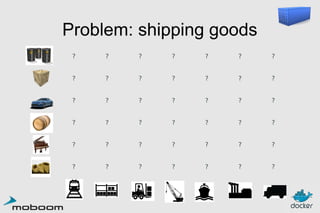
Problem: shipping goods
?

?

?

?

?

?

?

?

?

?

?

?

?

?

?

?

?

?

?

?

?

?

?

?

?

?

?

?

?

?

?

?

?

?

?

?

?

?

?

?

?

?
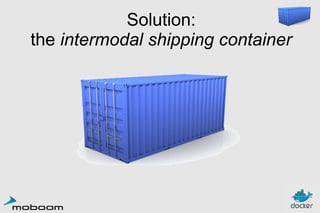
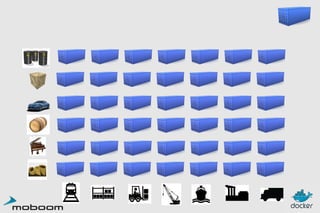
Solution:
the intermodal shipping container
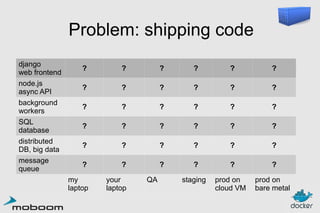
Problem: shipping code
django
web frontend
node.js
async API
background
workers
SQL
database
distributed
DB, big data
message
queue

?

?

?

?

?

?

?

?

?

?

?

?

?

?

?

?

?

?

?

?

?

?

?

?

?

?

?

?

?

?

?

?

?

?

?

?

my
laptop

your
laptop

staging

prod on
cloud VM

prod on
bare metal

QA
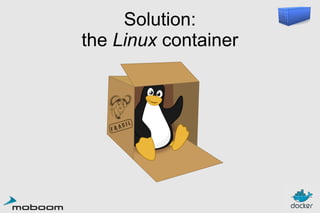
Solution:
the Linux container
High level approach:
it's a lightweight VM
●

I can SSH into it

●

I have root access

●

I can apt-get/yum install packages

●

I don't see the host system (or other containers)

« Machine Container »
Low level approach:
it's chroot on steroids
●

I can run a single program

●

container = isolated process(es)

●

share kernel with host

●

no device emulation → no overhead

« Application Container »
Outline
●

Why should I care?

●

The container metaphor

●

Very quick demo

●

Working with Docker

●

Building images

●

Docker future
Outline
●

Why should I care?

●

The container metaphor

●

Very quick demo

●

Working with Docker

●

Building images

●

Docker future
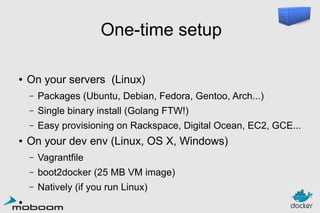
One-time setup
●

On your servers (Linux)
–
–

Single binary install (Golang FTW!)

–
●

Packages (Ubuntu, Debian, Fedora, Gentoo, Arch...)
Easy provisioning on Rackspace, Digital Ocean, EC2, GCE...

On your dev env (Linux, OS X, Windows)
–
–

boot2docker (25 MB VM image)

–
●

Vagrantfile
Natively (if you run Linux)
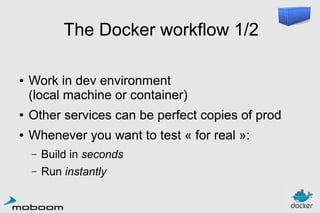
The Docker workflow 1/2
●

Work in dev environment
(local machine or container)

●

Other services can be perfect copies of prod

●

Whenever you want to test « for real »:
–

Build in seconds

–

Run instantly
The Docker workflow 2/2
●

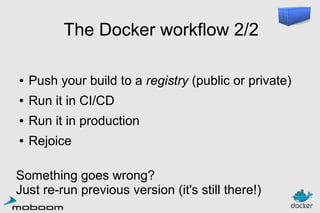
Push your build to a registry (public or private)

●

Run it in CI/CD

●

Run it in production

●

Rejoice

Something goes wrong?
Just re-run previous version (it's still there!)
I'm starting a new project!
●

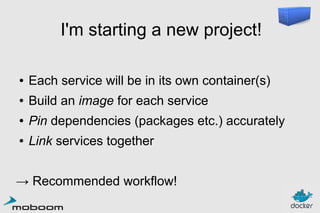
Each service will be in its own container(s)

●

Build an image for each service

●

Pin dependencies (packages etc.) accurately

●

Link services together

→ Recommended workflow!
I'm Dockerizing some code!
●
●

●

●

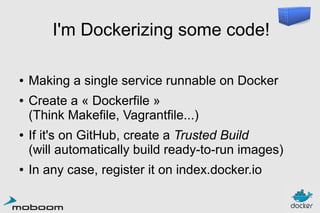
Making a single service runnable on Docker
Create a « Dockerfile »
(Think Makefile, Vagrantfile...)
If it's on GitHub, create a Trusted Build
(will automatically build ready-to-run images)
In any case, register it on index.docker.io
I'm migrating to Docker!
●

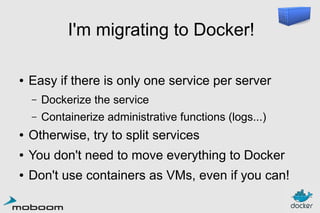
Easy if there is only one service per server
–

Dockerize the service

–

Containerize administrative functions (logs...)

●

Otherwise, try to split services

●

You don't need to move everything to Docker

●

Don't use containers as VMs, even if you can!
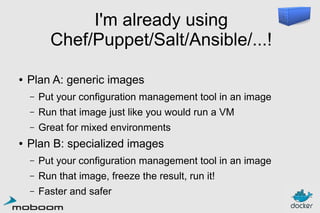
I'm already using
Chef/Puppet/Salt/Ansible/...!
●

Plan A: generic images
–
–

Run that image just like you would run a VM

–
●

Put your configuration management tool in an image
Great for mixed environments

Plan B: specialized images
–

Put your configuration management tool in an image

–

Run that image, freeze the result, run it!

–

Faster and safer
Outline
●

Why should I care?

●

The container metaphor

●

Very quick demo

●

Working with Docker

●

Building images

●

Docker future
Authoring images
with run/commit
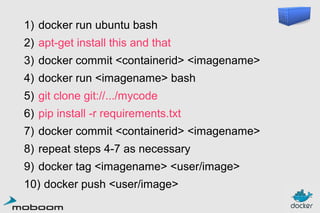
1) docker run ubuntu bash
2) apt-get install this and that
3) docker commit <containerid> <imagename>
4) docker run <imagename> bash
5) git clone git://.../mycode
6) pip install -r requirements.txt
7) docker commit <containerid> <imagename>
8) repeat steps 4-7 as necessary
9) docker tag <imagename> <user/image>
10) docker push <user/image>
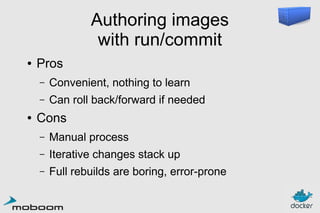
Authoring images
with run/commit
●

Pros
–
–

●

Convenient, nothing to learn
Can roll back/forward if needed

Cons
–

Manual process

–

Iterative changes stack up

–

Full rebuilds are boring, error-prone
Authoring images
with a Dockerfile
FROM ubuntu
RUN
RUN
RUN
RUN
RUN

apt-get
apt-get
apt-get
apt-get
apt-get

-y update
install -y
install -y
install -y
install -y

g++
erlang-dev erlang-manpages erlang-base-hipe ...
libmozjs185-dev libicu-dev libtool ...
make wget

RUN wget http://.../apache-couchdb-1.3.1.tar.gz | tar -C /tmp -zxfRUN cd /tmp/apache-couchdb-* && ./configure && make install
RUN printf "[httpd]nport = 8101nbind_address = 0.0.0.0" >
/usr/local/etc/couchdb/local.d/docker.ini

EXPOSE 8101
CMD ["/usr/local/bin/couchdb"]

docker build -t jpetazzo/couchdb .
Authoring images
with a Dockerfile
●

Almost nothing to learn

●

Rebuilds are easy

●

Caching system makes rebuilds faster

●

Single file to define the whole environment!
Outline
●

Why should I care?

●

The container metaphor

●

Very quick demo

●

Working with Docker

●

Building images

●

Docker future
Docker: the community
●

Docker: >330 contributors

●

Docker inc.: <20 engineers

●

latest milestone (0.8): >120 contributors

●

~50% of all commits by external contributors

●

GitHub repository: >1400 forks

...and counting!
Coming Soon
●

Network acceleration

●

Container-specific metrics

●

Consolidated logging

●

Plugins (compute backends...)

Those things are already possible,
but will soon be part of the core.
Docker 1.0
●

Multi-arch, multi-OS

●

Stable control API

●

Stable plugin API

●

Resiliency

●

Signature

●

Clustering
Thank you! Questions?
http://docker.io/
http://docker.com/
https://github.com/dotcloud/docker
@docker
@jpetazzo

Scale Big With Docker — Moboom 2014

  • 1.
    Scale Big WithDocker February 2014—Docker 0.8.0
  • 2.
    Outline ● Why should Icare? ● The container metaphor ● Very quick demo ● Working with Docker ● Building images ● Docker future
  • 3.
    Outline ● Why should Icare? ● The container metaphor ● Very quick demo ● Working with Docker ● Building images ● Docker future
  • 4.
  • 5.
    Deploy almost everywhere ● Linuxservers ● VMs or bare metal ● Any distro ● Kernel 3.8 (or RHEL 2.6.32)
  • 6.
    Deploy reliably &consistently ● If it works locally, it will work on the server ● With exactly the same behavior ● Regardless of versions ● Regardless of distros ● Regardless of dependencies
  • 7.
    Deploy easily ● Don't learna new CM tool ● Reuse components and recipes ● Don't install anything fancy locally (One single local VM to handle all your apps)
  • 8.
    Deploy at scale ● Buildonce ● Deploy anywhere ● Deploy quickly – – Docker runtime itself is lightweight – ● Images are lightweight Fast start/stop times Manage Docker with its REST API
  • 9.
    Outline ● Why should Icare? ● The container metaphor ● Very quick demo ● Working with Docker ● Building images ● Docker future
  • 10.
  • 11.
  • 13.
    Problem: shipping code django webfrontend node.js async API background workers SQL database distributed DB, big data message queue ? ? ? ? ? ? ? ? ? ? ? ? ? ? ? ? ? ? ? ? ? ? ? ? ? ? ? ? ? ? ? ? ? ? ? ? my laptop your laptop staging prod on cloud VM prod on bare metal QA
  • 14.
  • 15.
    High level approach: it'sa lightweight VM ● I can SSH into it ● I have root access ● I can apt-get/yum install packages ● I don't see the host system (or other containers) « Machine Container »
  • 16.
    Low level approach: it'schroot on steroids ● I can run a single program ● container = isolated process(es) ● share kernel with host ● no device emulation → no overhead « Application Container »
  • 17.
    Outline ● Why should Icare? ● The container metaphor ● Very quick demo ● Working with Docker ● Building images ● Docker future
  • 19.
    Outline ● Why should Icare? ● The container metaphor ● Very quick demo ● Working with Docker ● Building images ● Docker future
  • 20.
    One-time setup ● On yourservers (Linux) – – Single binary install (Golang FTW!) – ● Packages (Ubuntu, Debian, Fedora, Gentoo, Arch...) Easy provisioning on Rackspace, Digital Ocean, EC2, GCE... On your dev env (Linux, OS X, Windows) – – boot2docker (25 MB VM image) – ● Vagrantfile Natively (if you run Linux)
  • 21.
    The Docker workflow1/2 ● Work in dev environment (local machine or container) ● Other services can be perfect copies of prod ● Whenever you want to test « for real »: – Build in seconds – Run instantly
  • 22.
    The Docker workflow2/2 ● Push your build to a registry (public or private) ● Run it in CI/CD ● Run it in production ● Rejoice Something goes wrong? Just re-run previous version (it's still there!)
  • 23.
    I'm starting anew project! ● Each service will be in its own container(s) ● Build an image for each service ● Pin dependencies (packages etc.) accurately ● Link services together → Recommended workflow!
  • 24.
    I'm Dockerizing somecode! ● ● ● ● Making a single service runnable on Docker Create a « Dockerfile » (Think Makefile, Vagrantfile...) If it's on GitHub, create a Trusted Build (will automatically build ready-to-run images) In any case, register it on index.docker.io
  • 25.
    I'm migrating toDocker! ● Easy if there is only one service per server – Dockerize the service – Containerize administrative functions (logs...) ● Otherwise, try to split services ● You don't need to move everything to Docker ● Don't use containers as VMs, even if you can!
  • 26.
    I'm already using Chef/Puppet/Salt/Ansible/...! ● PlanA: generic images – – Run that image just like you would run a VM – ● Put your configuration management tool in an image Great for mixed environments Plan B: specialized images – Put your configuration management tool in an image – Run that image, freeze the result, run it! – Faster and safer
  • 27.
    Outline ● Why should Icare? ● The container metaphor ● Very quick demo ● Working with Docker ● Building images ● Docker future
  • 28.
  • 29.
    1) docker runubuntu bash 2) apt-get install this and that 3) docker commit <containerid> <imagename> 4) docker run <imagename> bash 5) git clone git://.../mycode 6) pip install -r requirements.txt 7) docker commit <containerid> <imagename> 8) repeat steps 4-7 as necessary 9) docker tag <imagename> <user/image> 10) docker push <user/image>
  • 30.
    Authoring images with run/commit ● Pros – – ● Convenient,nothing to learn Can roll back/forward if needed Cons – Manual process – Iterative changes stack up – Full rebuilds are boring, error-prone
  • 31.
  • 32.
    FROM ubuntu RUN RUN RUN RUN RUN apt-get apt-get apt-get apt-get apt-get -y update install-y install -y install -y install -y g++ erlang-dev erlang-manpages erlang-base-hipe ... libmozjs185-dev libicu-dev libtool ... make wget RUN wget http://.../apache-couchdb-1.3.1.tar.gz | tar -C /tmp -zxfRUN cd /tmp/apache-couchdb-* && ./configure && make install RUN printf "[httpd]nport = 8101nbind_address = 0.0.0.0" > /usr/local/etc/couchdb/local.d/docker.ini EXPOSE 8101 CMD ["/usr/local/bin/couchdb"] docker build -t jpetazzo/couchdb .
  • 33.
    Authoring images with aDockerfile ● Almost nothing to learn ● Rebuilds are easy ● Caching system makes rebuilds faster ● Single file to define the whole environment!
  • 34.
    Outline ● Why should Icare? ● The container metaphor ● Very quick demo ● Working with Docker ● Building images ● Docker future
  • 35.
    Docker: the community ● Docker:>330 contributors ● Docker inc.: <20 engineers ● latest milestone (0.8): >120 contributors ● ~50% of all commits by external contributors ● GitHub repository: >1400 forks ...and counting!
  • 36.
    Coming Soon ● Network acceleration ● Container-specificmetrics ● Consolidated logging ● Plugins (compute backends...) Those things are already possible, but will soon be part of the core.
  • 37.
    Docker 1.0 ● Multi-arch, multi-OS ● Stablecontrol API ● Stable plugin API ● Resiliency ● Signature ● Clustering
  • 38.