Docker for developers
#drupalday2015
Paolo Mainardi (@paolomainardi)
● CTO @sparkfabrik
● Drupal developer
● Docker enthusiast (dropdock.io, dockerhub@paolomainardi)
● Twin of @stefanomainardi
● Linux and open source lover (ildn.net)
Let’s start with
questions
● You read the online tutorial
● You installed docker locally
● You are using for development
● You are using on production
Raise your hands if
Outlines
● What is Docker and why it is important to know it.
● What a container is and how to use it.
● Developing PHP applications using Docker.
● Tips and tricks on real world usage.
● To make your local development and build workflow faster, more efficient, and
more lightweight.
○ If it works on my machine, it will work in production
○ No more dependency hell, different versions of PHP with their own
libraries, Mysql or Mariadb, Redis or Memcache, Sass or Less
compilers, NPM etc.etc.
○ Consistent development environment, same operating system, same
libraries, no matter the host operating system you are running.
○ Easy way to replicate production environment.
○ Concentrate on code, instead to (re)build the infrastructure your
application needs.
Ok, what can I use Docker for ?
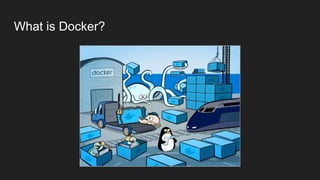
What is Docker?
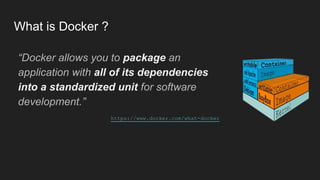
What is Docker ?
“Docker allows you to package an
application with all of its dependencies
into a standardized unit for software
development.”
https://www.docker.com/what-docker
How it is made Docker ?
● It relies on standard linux kernel features only (cgroups, namespaces,
capabilities ecc.)
● Static compiled binary based on golang, no extra moving parts.
● It natively runs on every linux distro and on mac/windows too thanks to
boot2docker vm. (https://www.docker.com/docker-toolbox)
● Fast and lightweight, no added overhead.
● Security by process isolation.
● Open container initiative also baked by Docker inc. (https://www.
opencontainers.org)
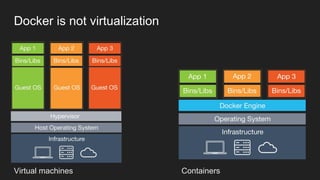
Virtual machines Containers
Docker is not virtualization
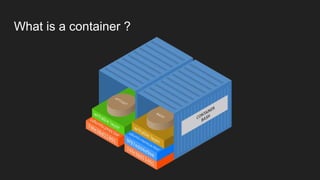
What is a container ?
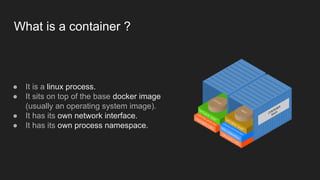
● It is a linux process.
● It sits on top of the base docker image
(usually an operating system image).
● It has its own network interface.
● It has its own process namespace.
Demo time
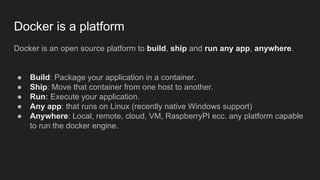
Docker is a platform
Docker is an open source platform to build, ship and run any app, anywhere.
● Build: Package your application in a container.
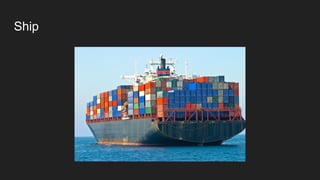
● Ship: Move that container from one host to another.
● Run: Execute your application.
● Any app: that runs on Linux (recently native Windows support)
● Anywhere: Local, remote, cloud, VM, RaspberryPI ecc. any platform capable
to run the docker engine.
Build: Dockerfiles
A “Dockerfile” is a text document that contains all the
commands to assemble a docker image in a programmatic
and reproducible way.
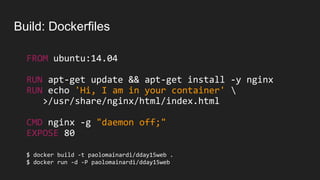
Build: Dockerfiles
FROM ubuntu:14.04
RUN apt-get update && apt-get install -y nginx
RUN echo 'Hi, I am in your container' 
>/usr/share/nginx/html/index.html
CMD nginx -g "daemon off;"
EXPOSE 80
$ docker build -t paolomainardi/dday15web .
$ docker run -d -P paolomainardi/dday15web
BUILD DEMO
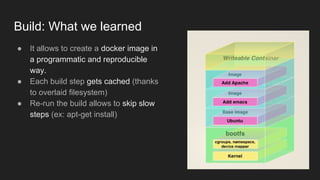
Build: What we learned
● It allows to create a docker image in
a programmatic and reproducible
way.
● Each build step gets cached (thanks
to overlaid filesystem)
● Re-run the build allows to skip slow
steps (ex: apt-get install)
Ship
Ship: Dockerhub
● git pull
● git push
Ship: Dockerhub
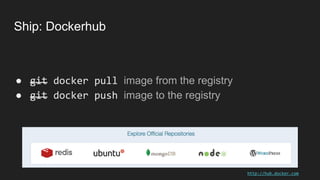
● git docker pull image from the registry
● git docker push image to the registry
http://hub.docker.com
SHIP TO DOCKERHUB DEMO
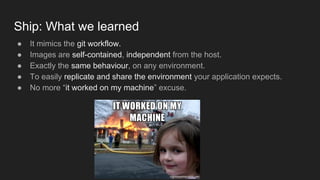
Ship: What we learned
● It mimics the git workflow.
● Images are self-contained, independent from the host.
● Exactly the same behaviour, on any environment.
● To easily replicate and share the environment your application expects.
● No more “it worked on my machine” excuse.
Run
docker run is-lightning-fast
RUN DEMO
Run: What we learned
● Execution is fast and lightweight.
● There is no overhead, they are just normal OS running processes.
● Containers are isolated.
Any app, anywhere
● If it works on Linux, it works on Docker.
● Not just for command-line apps
○ Chrome-in-docker
○ Firefox-in-docker
○ VPN-in-docker
○ etc…follow this repo to see crazy things: https://github.com/jfrazelle/dockerfiles
● Every linux host that run Linux 3.8+ x86_64 kernel
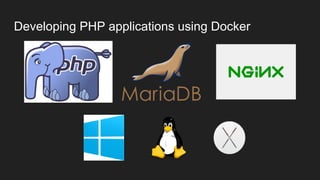
Developing PHP applications using Docker
Docker Compose to rule them all
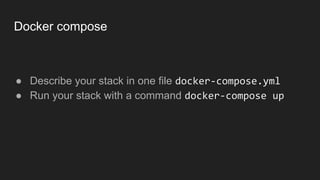
Docker compose
● Describe your stack in one file docker-compose.yml
● Run your stack with a command docker-compose up
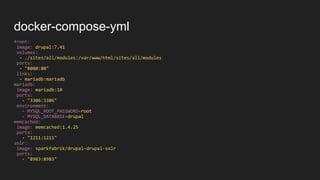
front:
image: drupal:7.41
volumes:
- ./sites/all/modules:/var/www/html/sites/all/modules
ports:
- "8080:80"
links:
- mariadb:mariadb
mariadb:
image: mariadb:10
ports:
- "3306:3306"
environment:
- MYSQL_ROOT_PASSWORD=root
- MYSQL_DATABASE=drupal
memcached:
image: memcached:1.4.25
ports:
- "1211:1211"
solr:
image: sparkfabrik/drupal-drupal-solr
ports:
- "8983:8983"
docker-compose-yml
DOCKER COMPOSE DEMO
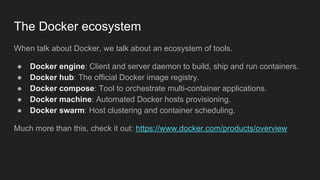
The Docker ecosystem
When talk about Docker, we talk about an ecosystem of tools.
● Docker engine: Client and server daemon to build, ship and run containers.
● Docker hub: The official Docker image registry.
● Docker compose: Tool to orchestrate multi-container applications.
● Docker machine: Automated Docker hosts provisioning.
● Docker swarm: Host clustering and container scheduling.
Much more than this, check it out: https://www.docker.com/products/overview
Docker for developers

Docker for developers

  • 2.
  • 3.
    Paolo Mainardi (@paolomainardi) ●CTO @sparkfabrik ● Drupal developer ● Docker enthusiast (dropdock.io, dockerhub@paolomainardi) ● Twin of @stefanomainardi ● Linux and open source lover (ildn.net)
  • 4.
  • 5.
    ● You readthe online tutorial ● You installed docker locally ● You are using for development ● You are using on production Raise your hands if
  • 6.
    Outlines ● What isDocker and why it is important to know it. ● What a container is and how to use it. ● Developing PHP applications using Docker. ● Tips and tricks on real world usage.
  • 7.
    ● To makeyour local development and build workflow faster, more efficient, and more lightweight. ○ If it works on my machine, it will work in production ○ No more dependency hell, different versions of PHP with their own libraries, Mysql or Mariadb, Redis or Memcache, Sass or Less compilers, NPM etc.etc. ○ Consistent development environment, same operating system, same libraries, no matter the host operating system you are running. ○ Easy way to replicate production environment. ○ Concentrate on code, instead to (re)build the infrastructure your application needs. Ok, what can I use Docker for ?
  • 8.
  • 9.
    What is Docker? “Docker allows you to package an application with all of its dependencies into a standardized unit for software development.” https://www.docker.com/what-docker
  • 10.
    How it ismade Docker ? ● It relies on standard linux kernel features only (cgroups, namespaces, capabilities ecc.) ● Static compiled binary based on golang, no extra moving parts. ● It natively runs on every linux distro and on mac/windows too thanks to boot2docker vm. (https://www.docker.com/docker-toolbox) ● Fast and lightweight, no added overhead. ● Security by process isolation. ● Open container initiative also baked by Docker inc. (https://www. opencontainers.org)
  • 11.
  • 12.
    What is acontainer ?
  • 13.
    What is acontainer ? ● It is a linux process. ● It sits on top of the base docker image (usually an operating system image). ● It has its own network interface. ● It has its own process namespace.
  • 14.
  • 15.
    Docker is aplatform Docker is an open source platform to build, ship and run any app, anywhere. ● Build: Package your application in a container. ● Ship: Move that container from one host to another. ● Run: Execute your application. ● Any app: that runs on Linux (recently native Windows support) ● Anywhere: Local, remote, cloud, VM, RaspberryPI ecc. any platform capable to run the docker engine.
  • 16.
    Build: Dockerfiles A “Dockerfile”is a text document that contains all the commands to assemble a docker image in a programmatic and reproducible way.
  • 17.
    Build: Dockerfiles FROM ubuntu:14.04 RUNapt-get update && apt-get install -y nginx RUN echo 'Hi, I am in your container' >/usr/share/nginx/html/index.html CMD nginx -g "daemon off;" EXPOSE 80 $ docker build -t paolomainardi/dday15web . $ docker run -d -P paolomainardi/dday15web
  • 18.
  • 19.
    Build: What welearned ● It allows to create a docker image in a programmatic and reproducible way. ● Each build step gets cached (thanks to overlaid filesystem) ● Re-run the build allows to skip slow steps (ex: apt-get install)
  • 20.
  • 21.
    Ship: Dockerhub ● gitpull ● git push
  • 22.
    Ship: Dockerhub ● gitdocker pull image from the registry ● git docker push image to the registry http://hub.docker.com
  • 23.
  • 24.
    Ship: What welearned ● It mimics the git workflow. ● Images are self-contained, independent from the host. ● Exactly the same behaviour, on any environment. ● To easily replicate and share the environment your application expects. ● No more “it worked on my machine” excuse.
  • 25.
  • 26.
  • 27.
    Run: What welearned ● Execution is fast and lightweight. ● There is no overhead, they are just normal OS running processes. ● Containers are isolated.
  • 28.
    Any app, anywhere ●If it works on Linux, it works on Docker. ● Not just for command-line apps ○ Chrome-in-docker ○ Firefox-in-docker ○ VPN-in-docker ○ etc…follow this repo to see crazy things: https://github.com/jfrazelle/dockerfiles ● Every linux host that run Linux 3.8+ x86_64 kernel
  • 29.
  • 30.
  • 31.
  • 32.
    Docker Compose torule them all
  • 33.
    Docker compose ● Describeyour stack in one file docker-compose.yml ● Run your stack with a command docker-compose up
  • 34.
    front: image: drupal:7.41 volumes: - ./sites/all/modules:/var/www/html/sites/all/modules ports: -"8080:80" links: - mariadb:mariadb mariadb: image: mariadb:10 ports: - "3306:3306" environment: - MYSQL_ROOT_PASSWORD=root - MYSQL_DATABASE=drupal memcached: image: memcached:1.4.25 ports: - "1211:1211" solr: image: sparkfabrik/drupal-drupal-solr ports: - "8983:8983" docker-compose-yml
  • 35.
  • 36.
    The Docker ecosystem Whentalk about Docker, we talk about an ecosystem of tools. ● Docker engine: Client and server daemon to build, ship and run containers. ● Docker hub: The official Docker image registry. ● Docker compose: Tool to orchestrate multi-container applications. ● Docker machine: Automated Docker hosts provisioning. ● Docker swarm: Host clustering and container scheduling. Much more than this, check it out: https://www.docker.com/products/overview