Virtualisation
I don’t know much about it,
but I know enough to think it’s
the future of web development.
The Problem
… Even if you do find documentation, it’s inaccurate, out of date, and
incomplete. You copy some files here and there. You install a
programming language or two. You run a random shell script. You
fiddle with environment variables. [...] of course, some of the
requirements from one project conflict with the requirements of
another project. Before you know it, you’re spending hours reading
about RVM and RBEnv so you can run multiple versions of Ruby,
you’re fighting with strange errors with C header files…
“
”Yevgeniy (Jim) Brikman - Atomic Squirrel
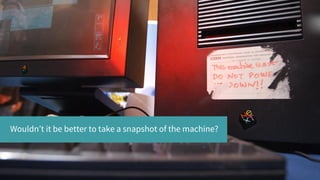
Wouldn’t it be better to take a snapshot of the machine?
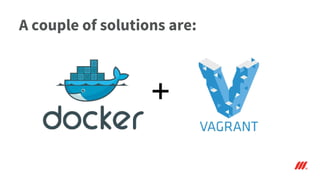
A couple of solutions are:
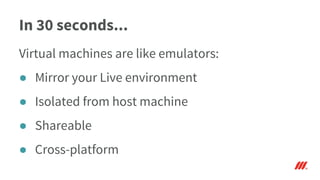
In 30 seconds...
Virtual machines are like emulators:
● Mirror your Live environment
● Isolated from host machine
● Shareable
● Cross-platform
Vagrant Docker
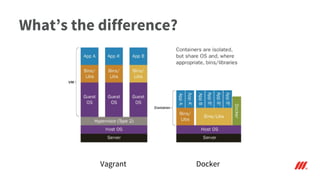
What’s the difference?
How does it all work?
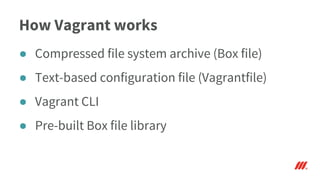
How Vagrant works
● Compressed file system archive (Box file)
● Text-based configuration file (Vagrantfile)
● Vagrant CLI
● Pre-built Box file library
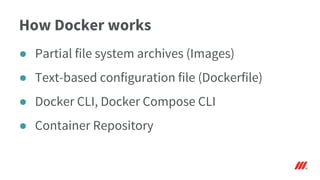
How Docker works
● Partial file system archives (Images)
● Text-based configuration file (Dockerfile)
● Docker CLI, Docker Compose CLI
● Container Repository
Caveat Emptor
Caveat Emptor
Similarities
● Virtual machines running in VMware
● Can easily mean working with huge binary files
● Multiple machines with networking
● Local and remote environments
● Existing repositories of starter images
Differences
● Docker uses incremental images in builds
● Multi-machine setup in Docker is easier
● Docker advises it is ‘Not Production ready’
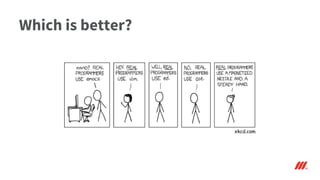
Which is better?
xkcd.com
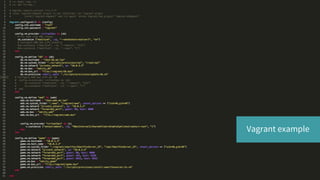
Vagrant example .
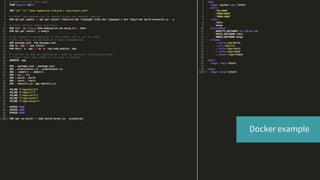
Docker example .
Where can Virtual Machines take us?
What VMs could mean
● Death to ‘It works on my machine’
● Say ‘No!’ to intangible dependencies
● Banish the OS incompatibilities
● Minimise setup and onboarding times
The Moon Shot
● The same Virtual Machine images in use on
Local, Dev, Live and everything in-between
● Scalable Solution
Questions?

Virtualisation - Vagrant and Docker

  • 1.
    Virtualisation I don’t knowmuch about it, but I know enough to think it’s the future of web development.
  • 2.
    The Problem … Evenif you do find documentation, it’s inaccurate, out of date, and incomplete. You copy some files here and there. You install a programming language or two. You run a random shell script. You fiddle with environment variables. [...] of course, some of the requirements from one project conflict with the requirements of another project. Before you know it, you’re spending hours reading about RVM and RBEnv so you can run multiple versions of Ruby, you’re fighting with strange errors with C header files… “ ”Yevgeniy (Jim) Brikman - Atomic Squirrel
  • 3.
    Wouldn’t it bebetter to take a snapshot of the machine?
  • 4.
    A couple ofsolutions are:
  • 5.
    In 30 seconds... Virtualmachines are like emulators: ● Mirror your Live environment ● Isolated from host machine ● Shareable ● Cross-platform
  • 6.
  • 7.
    How does itall work?
  • 8.
    How Vagrant works ●Compressed file system archive (Box file) ● Text-based configuration file (Vagrantfile) ● Vagrant CLI ● Pre-built Box file library
  • 9.
    How Docker works ●Partial file system archives (Images) ● Text-based configuration file (Dockerfile) ● Docker CLI, Docker Compose CLI ● Container Repository
  • 10.
  • 11.
  • 12.
    Similarities ● Virtual machinesrunning in VMware ● Can easily mean working with huge binary files ● Multiple machines with networking ● Local and remote environments ● Existing repositories of starter images
  • 13.
    Differences ● Docker usesincremental images in builds ● Multi-machine setup in Docker is easier ● Docker advises it is ‘Not Production ready’
  • 14.
  • 15.
  • 16.
  • 17.
    Where can VirtualMachines take us?
  • 18.
    What VMs couldmean ● Death to ‘It works on my machine’ ● Say ‘No!’ to intangible dependencies ● Banish the OS incompatibilities ● Minimise setup and onboarding times
  • 19.
    The Moon Shot ●The same Virtual Machine images in use on Local, Dev, Live and everything in-between ● Scalable Solution
  • 20.