Downloaded 11 times


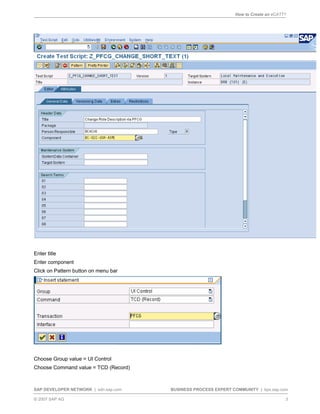
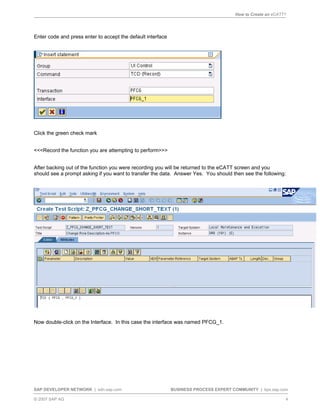
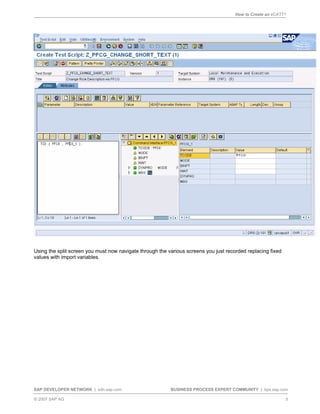
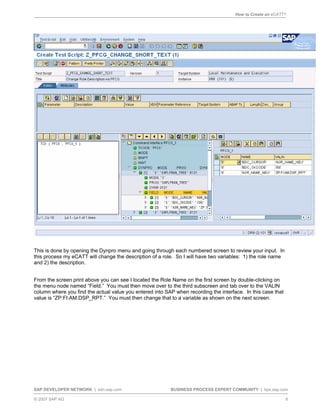
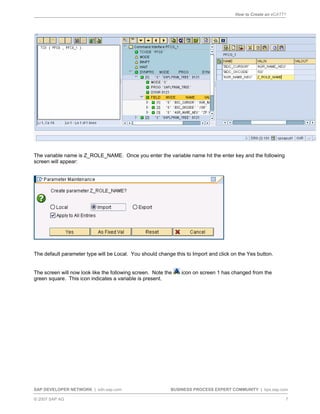
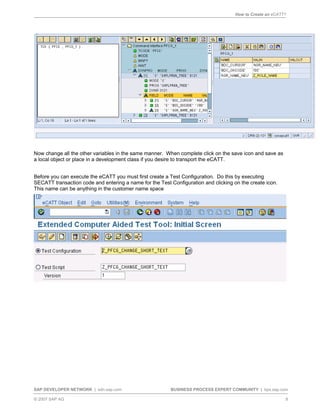
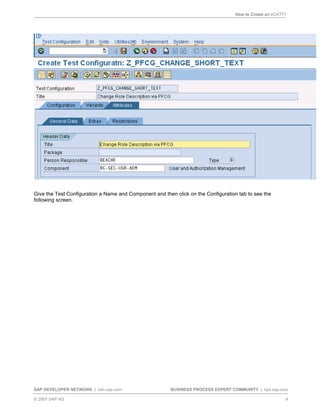
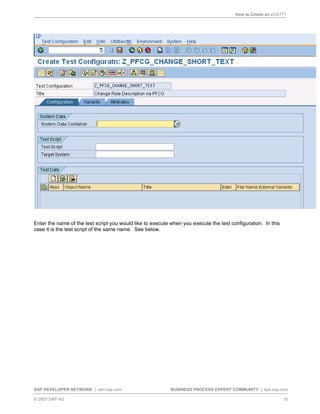
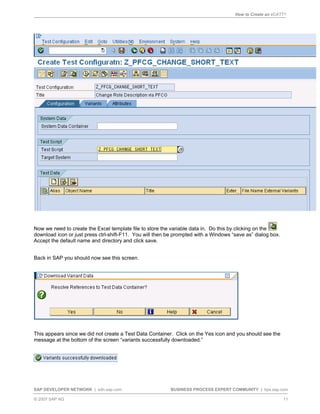
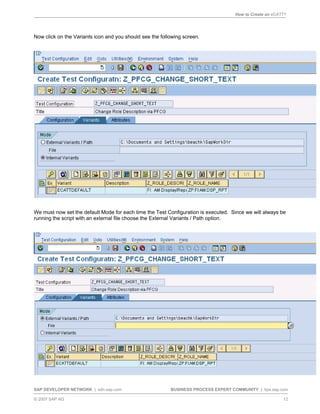
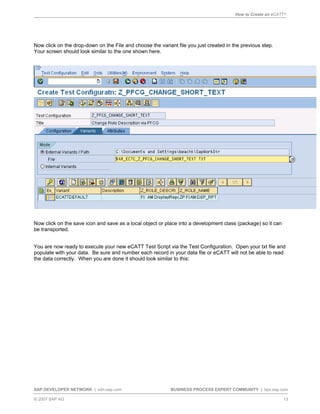
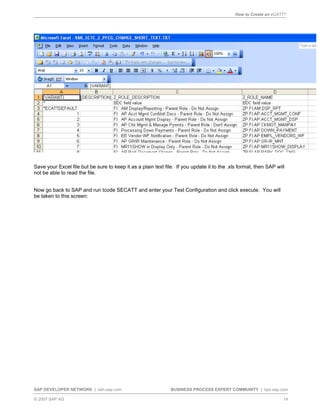
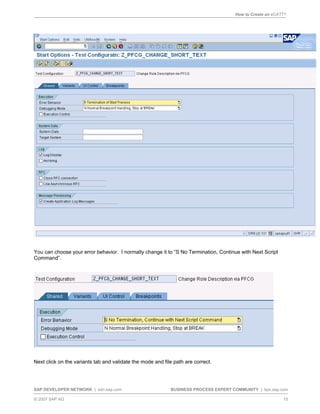
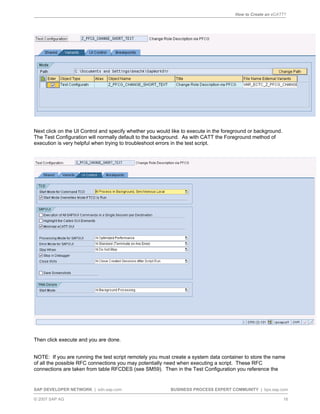

This document provides a step-by-step guide to creating an eCATT (electronic Computer Aided Test Tool) script in SAP ECC version 5 and above. It describes how to record a test script using the SAP GUI, replace fixed values with import variables, create a test configuration to execute the script, and populate an external Excel file with test data to run the script. The guide explains each step in the process to create a basic eCATT script that can be used by beginners for testing in SAP systems.


