
SAP Product costing Calculation With Components - Skillstek
The document provides an overview of SAP product costing, highlighting its importance, core components, and prerequisites. It explains the significance of master data, cost component structure, costing variants, and cost estimates in creating accurate cost calculations for manufactured goods. Additionally, it details the steps needed to implement product costing in SAP, including activating necessary modules and managing relevant data.
SAP Product costing Calculation With Components - Skillstek
1.
SAP Product CostCalculation with
Components – Product Costing
By Pradeep Hota
S/4HANA Finance Consultant
Skillstek
2.
What is SAPProduct Costing?
• Product Costing in SAP is a core module that relies on the correct setup of
master data in logistics modules to create cost estimates.
• These cost estimates help plan and analyze costs and their different
components.
3.
Intro - ProductCosting Process
• The result of using product costing is a standard price that you can release
to the material master.
• You can use this price for at least one period for the inventory valuation of
those manufactured goods.
• In order to use Product Costing and create cost estimates with quantity
structure, you need to activate Material Management and Production
Planning Modules.
4.
Backbones of SAPProduct Costing
• Product Cost Controlling
• Product Cost Planning
• Cost Object Controlling
• Master Data
• Unit Cost Estimate
• Costing Sheet
• CostingVariant
• Material Ledger
5.
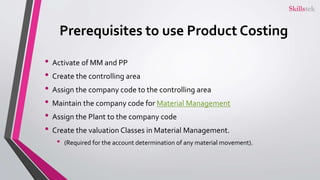
Prerequisites to useProduct Costing
• Activate of MM and PP
• Create the controlling area
• Assign the company code to the controlling area
• Maintain the company code for Material Management
• Assign the Plant to the company code
• Create the valuation Classes in Material Management.
• (Required for the account determination of any material movement).
6.
Why should youknow Product Costing?
• Product Costing in SAP is the most important part of SAP Controlling.
• To know the controlling, you certainly know Product Costing.
• To make career in SAP Management Accounting,
• To upgrade your S/4HANA Finance profile with controlling knowledge
• To gain expertise on product costing in SAP for Project implementations.
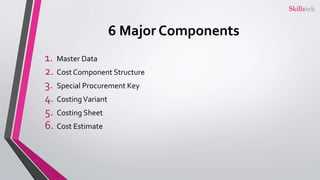
6 Major Components
1.Master Data
2. Cost Component Structure
3. Special Procurement Key
4. CostingVariant
5. Costing Sheet
6. Cost Estimate
9.
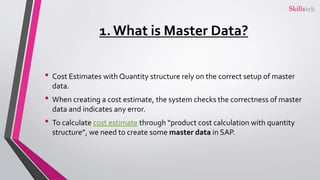
1. What isMaster Data?
• Cost Estimates with Quantity structure rely on the correct setup of master
data.
• When creating a cost estimate, the system checks the correctness of master
data and indicates any error.
• To calculate cost estimate through “product cost calculation with quantity
structure”, we need to create some master data in SAP.
10.
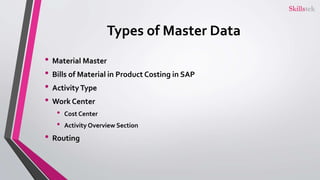
Types of MasterData
• Material Master
• Bills of Material in Product Costing in SAP
• ActivityType
• Work Center
• Cost Center
• Activity Overview Section
• Routing
11.
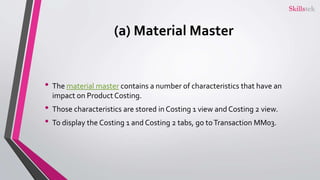
(a) Material Master
•The material master contains a number of characteristics that have an
impact on Product Costing.
• Those characteristics are stored in Costing 1 view and Costing 2 view.
• To display the Costing 1 and Costing 2 tabs, go toTransaction MM03.
12.
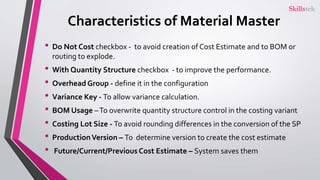
Characteristics of MaterialMaster
• Do Not Cost checkbox - to avoid creation of Cost Estimate and to BOM or
routing to explode.
• With Quantity Structure checkbox - to improve the performance.
• Overhead Group - define it in the configuration
• Variance Key - To allow variance calculation.
• BOM Usage –To overwrite quantity structure control in the costing variant
• Costing Lot Size - To avoid rounding differences in the conversion of the SP
• ProductionVersion – To determine version to create the cost estimate
• Future/Current/Previous Cost Estimate – System saves them
13.
(b) Bills ofMaterial
• BOM contains the materials that you require for the production and their
respective quantities.
• You can display BOMs withTransaction CS03.
• You can maintain the BOMs on the material level and plant level.
• BOM type defines the usage of the BOM.
• BOM has a header that you can see by clicking the top hat icon.
• In the header, you can see the base quantity of the product for which you created
the BOM is created.
• In the BOM, you see different items that represent the materials required for the
production of the header material and their quantities.
14.
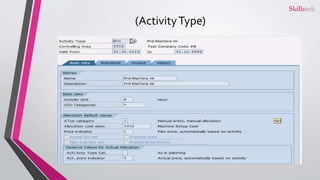
(c) ActivityType
• Theactivity type is used to assess activities in production such as personnel
hours or machine hours.
• We plan the price of the activity type on the cost center and activity type
levels.
• We maintain the activity types in the routing/recipe and the cost center to
the work center/resource.
• You need to coordinate with production to know the units they use for the
activities.
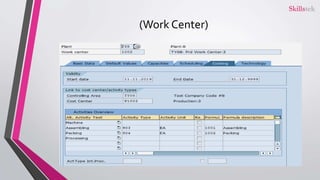
(d) Work Center
•The work center in Production Planning or in the Process Industry module
represents the place where you do the work.
• You can display the work center withTransaction CR03.
• Additionally, both the work center and the resource-display have a Costing
tab.
17.
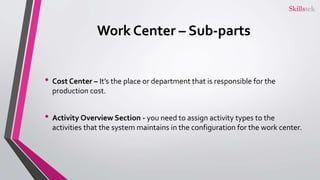
Work Center –Sub-parts
• Cost Center – It’s the place or department that is responsible for the
production cost.
• Activity Overview Section - you need to assign activity types to the
activities that the system maintains in the configuration for the work center.
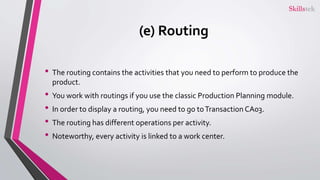
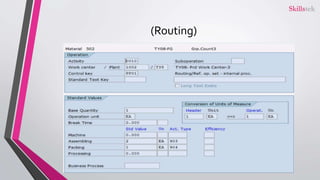
(e) Routing
• Therouting contains the activities that you need to perform to produce the
product.
• You work with routings if you use the classic Production Planning module.
• In order to display a routing, you need to go toTransaction CA03.
• The routing has different operations per activity.
• Noteworthy, every activity is linked to a work center.
2. What isCost Component Structure?
• Cost component splits break down the cost of a material, process, or activity
type.
• It determines which costs you should consider in the cost component split.
• It is used to analyze the product cost in and Profitability Analysis.
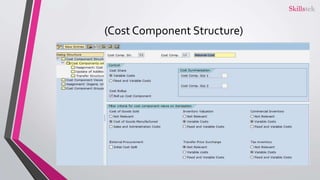
• Every cost component has a detailed view.
• The details view defines in section control where only variable costs or fixed
and variable costs are shown in the cost estimate.
• The variable costs depend on the activity type in the manufacturing process.
3. What isSpecial Procurement Key?
• The system maintains the special procurement key in the material master in
the Costing 1 view.
• You can use the special procurement key to access cost estimates in another
plant.
• For example, if you produce materials in Plant A but sell them from Plant B,
you can display the costing in Plant B with the special procurement key.
• That too without creating all the master data that is required for the costing
in Plant B.
24.
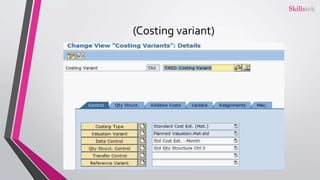
4. What isCostingVariant?
• To create a cost estimate, you need to first create a costing variant.
• You can create different costing variants for different purposes.
• The costing variant determines the following main things:
• How we can evaluate the cost estimate
• Which master data we need to evaluate (e.g., which BOM usage)
• Where we can release the price (e.g., standard price, plan price, etc.)
25.
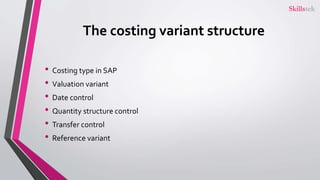
The costing variantstructure
• Costing type in SAP
• Valuation variant
• Date control
• Quantity structure control
• Transfer control
• Reference variant
5. What isCosting Sheet?
• To apply overhead rates such as overhead costs in the costing, you need to
create a costing sheet in SAP application.The costing sheet contains three
components: calculation base, overhead rates, and credits.
28.
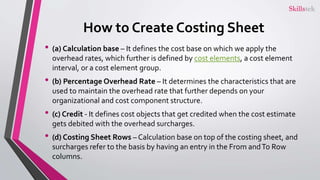
How to CreateCosting Sheet
• (a) Calculation base – It defines the cost base on which we apply the
overhead rates, which further is defined by cost elements, a cost element
interval, or a cost element group.
• (b) Percentage Overhead Rate – It determines the characteristics that are
used to maintain the overhead rate that further depends on your
organizational and cost component structure.
• (c) Credit - It defines cost objects that get credited when the cost estimate
gets debited with the overhead surcharges.
• (d) Costing Sheet Rows – Calculation base on top of the costing sheet, and
surcharges refer to the basis by having an entry in the From andTo Row
columns.
29.
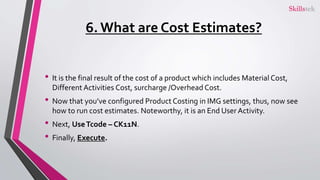
6. What areCost Estimates?
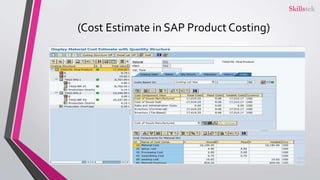
• It is the final result of the cost of a product which includes Material Cost,
Different Activities Cost, surcharge /Overhead Cost.
• Now that you’ve configured Product Costing in IMG settings, thus, now see
how to run cost estimates. Noteworthy, it is an End User Activity.
• Next, UseTcode – CK11N.
• Finally, Execute.
Product Costing Scenarios–The EndNote
• This whole process of Product Cost calculation that is explained is the
scenario of Product Costing in SAP Controlling.
• It involves the calculation of the cost of production by using production
order (manufacturing order).
• If the production order converted into complete status then we can
calculate the variance.
• If it is there in the pending status, then in that current period we will
calculateWIP.
• Hence those who look for SAP product Costing Scenarios, must understand
that its the calculation that they need to learn here.