Presented by:
Session ID
PeopleSoft Forms and Approval
Builder
Steven Canter
Director, Global Service Delivery
Smart ERP Solutions
Steve.Canter@SmartERP.com
1
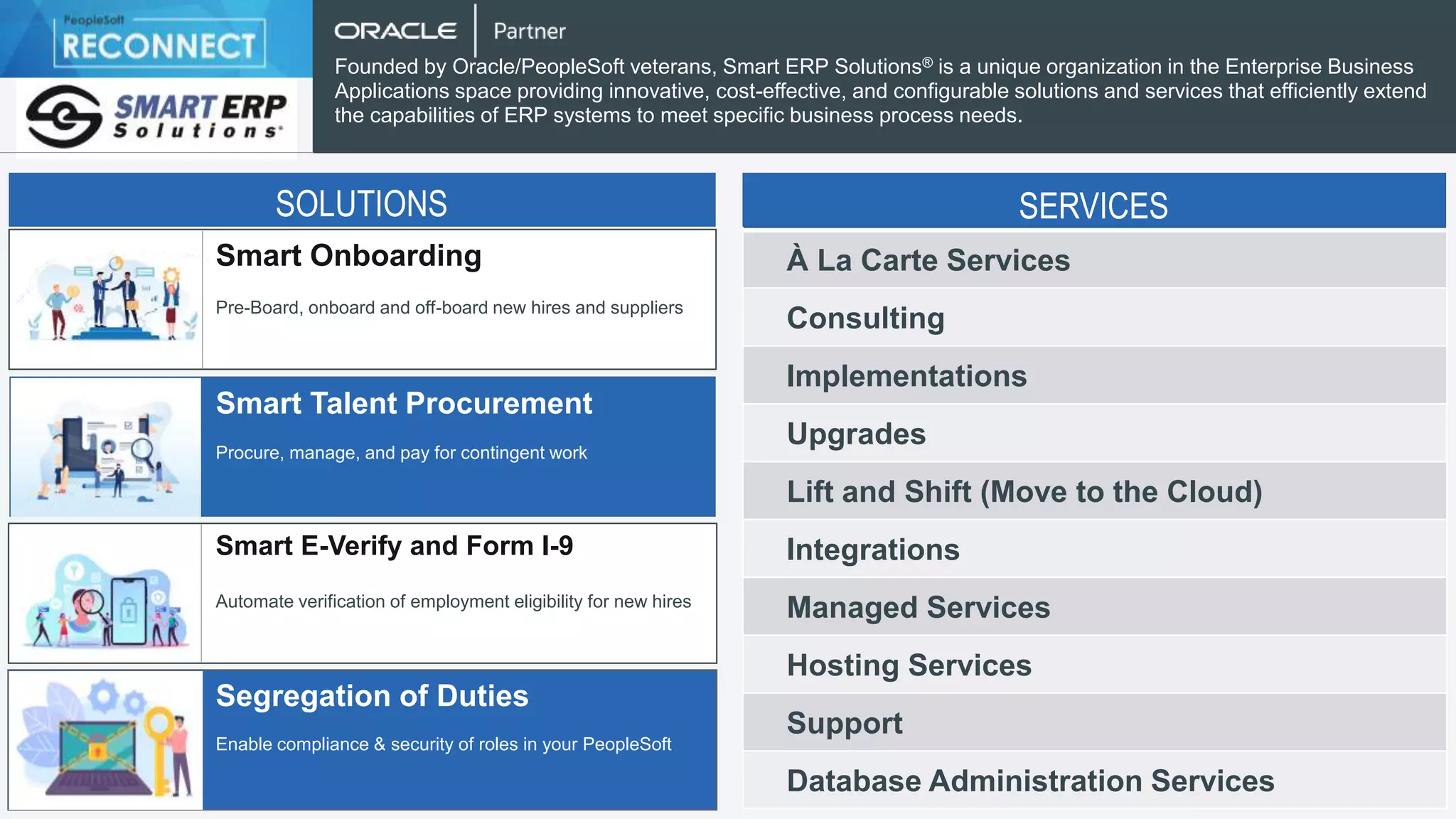
Smart Onboarding
Smart Talent Procurement
Smart E-Verify and Form I-9
Segregation of Duties
Pre-Board, onboard and off-board new hires and suppliers
Procure, manage, and pay for contingent work
Automate verification of employment eligibility for new hires
Enable compliance & security of roles in your PeopleSoft
Founded by Oracle/PeopleSoft veterans, Smart ERP Solutions® is a unique organization in the Enterprise Business
Applications space providing innovative, cost-effective, and configurable solutions and services that efficiently extend
the capabilities of ERP systems to meet specific business process needs.
SOLUTIONS
À La Carte Services
Consulting
Implementations
Upgrades
Lift and Shift (Move to the Cloud)
Integrations
Managed Services
Hosting Services
Support
Database Administration Services
SERVICES
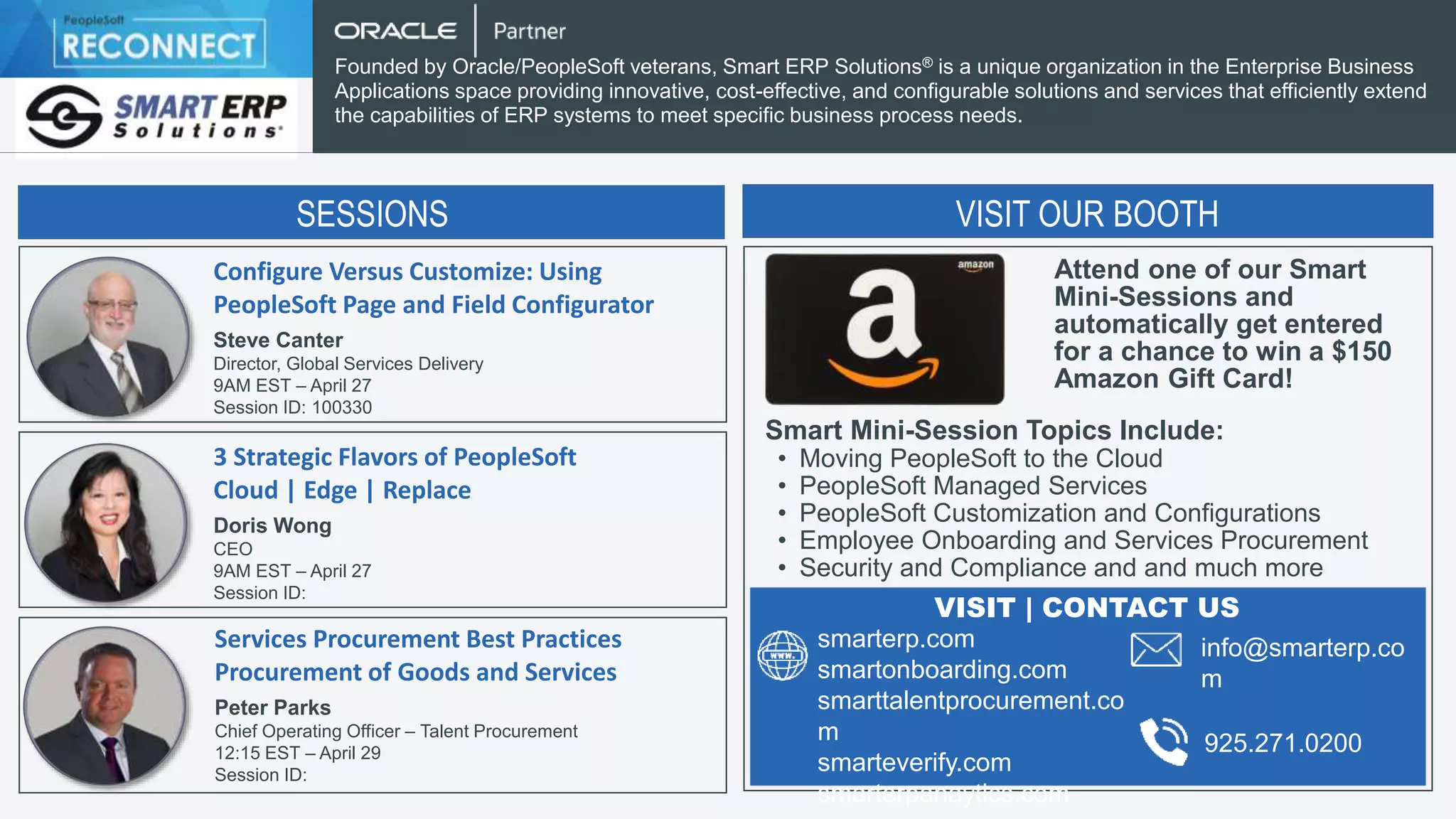
Configure Versus Customize: Using
PeopleSoft Page and Field Configurator
Steve Canter
Director, Global Services Delivery
9AM EST – April 27
Session ID: 100330
Founded by Oracle/PeopleSoft veterans, Smart ERP Solutions® is a unique organization in the Enterprise Business
Applications space providing innovative, cost-effective, and configurable solutions and services that efficiently extend
the capabilities of ERP systems to meet specific business process needs.
3 Strategic Flavors of PeopleSoft
Cloud | Edge | Replace
Doris Wong
CEO
9AM EST – April 27
Session ID:
Services Procurement Best Practices
Procurement of Goods and Services
Peter Parks
Chief Operating Officer – Talent Procurement
12:15 EST – April 29
Session ID:
SESSIONS SESSIONS
VISIT OUR BOOTH
Attend one of our Smart
Mini-Sessions and
automatically get entered
for a chance to win a $150
Amazon Gift Card!
Smart Mini-Session Topics Include:
• Moving PeopleSoft to the Cloud
• PeopleSoft Managed Services
• PeopleSoft Customization and Configurations
• Employee Onboarding and Services Procurement
• Security and Compliance and and much more
smarterp.com
smartonboarding.com
smarttalentprocurement.co
m
smarteverify.com
smarterpanaytics.com
VISIT | CONTACT US
info@smarterp.co
m
925.271.0200
What is the Forms and Approval Builder?
• Enables organizations to replace paper forms and emails with
electronic forms
• Forms are configuration by business analysts – no writing of code
required
• Forms are enabled for approval workflow
• Developers can map data collected on forms to PeopleSoft Component
Interface to allow form data to be copied to a PeopleSoft transaction.
PeopleSoft RECONNECT Envision 4
Why Use Forms and Approval Builder?
• Does your organization have paper-based or Excel-based forms that
must be filled out?
• Do you have things that need to be circulated for approvals outside of
standard PeopleSoft transactions?
• Are there simple PeopleSoft transactions for which you desire
approvals where there is no standard workflow?
• Do you have a need for a document repository of forms?
• Do you need to maintain an audit trail of forms approval history?
PeopleSoft RECONNECT Envision 5
Key Features
• Both Classic and Fluid Versions Available (features vary slightly between them)
• Forms can be designed with both data fields and text information.
• Form Instructions can be included
• Forms can contain various types of data including Date, Yes/No, Text,
etc.
• Prompts can be defined to constrain entry of fields to only valid values
• Support is provided for attachments to forms
• Form access is controlled by Role
PeopleSoft RECONNECT Envision 6
Sample Business Cases
• Permission to bring in a temporary worker
• Request for employee payment outside of normal expenses (Example:
tuition reimbursement)
• Requirement for computer or office equipment for an employee
• Request to add new master data configuration (Examples: Carrier ID,
Commodity Code, Item Group, etc.)
PeopleSoft RECONNECT Envision 7
Example of Use Case with Fluid
• All managers in the company have the ability make a request for a
capital expenditure
• All requests must be circulated for approval before the expenditure can
be made
• Many people that might have the need to make a capital expenditure
request are not regular PeopleSoft users
• The Forms and Approval Builder will be used to create a form and
workflow for these requests
PeopleSoft RECONNECT Envision 8
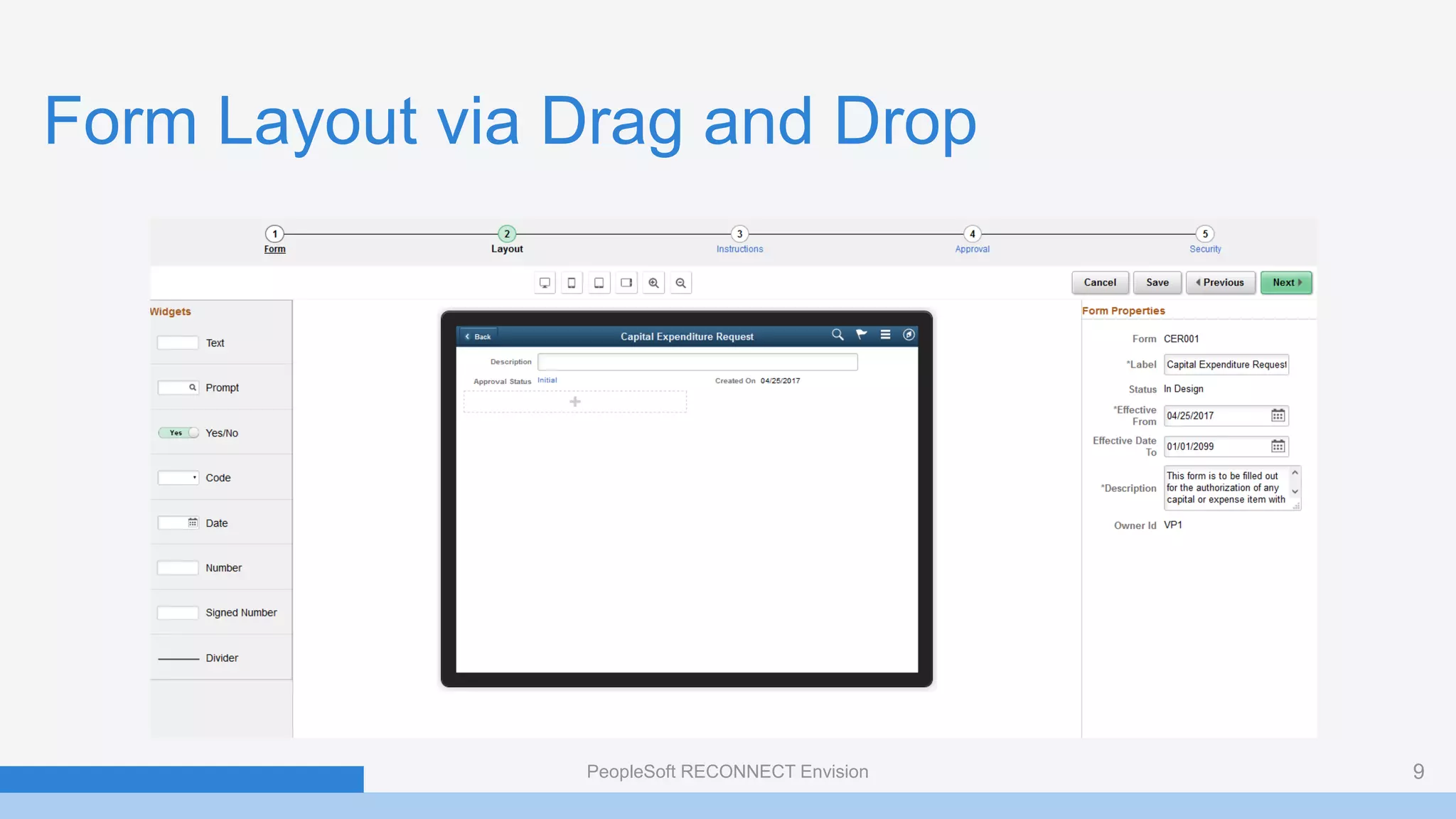
Form Layout via Drag and Drop
PeopleSoft RECONNECT Envision 9
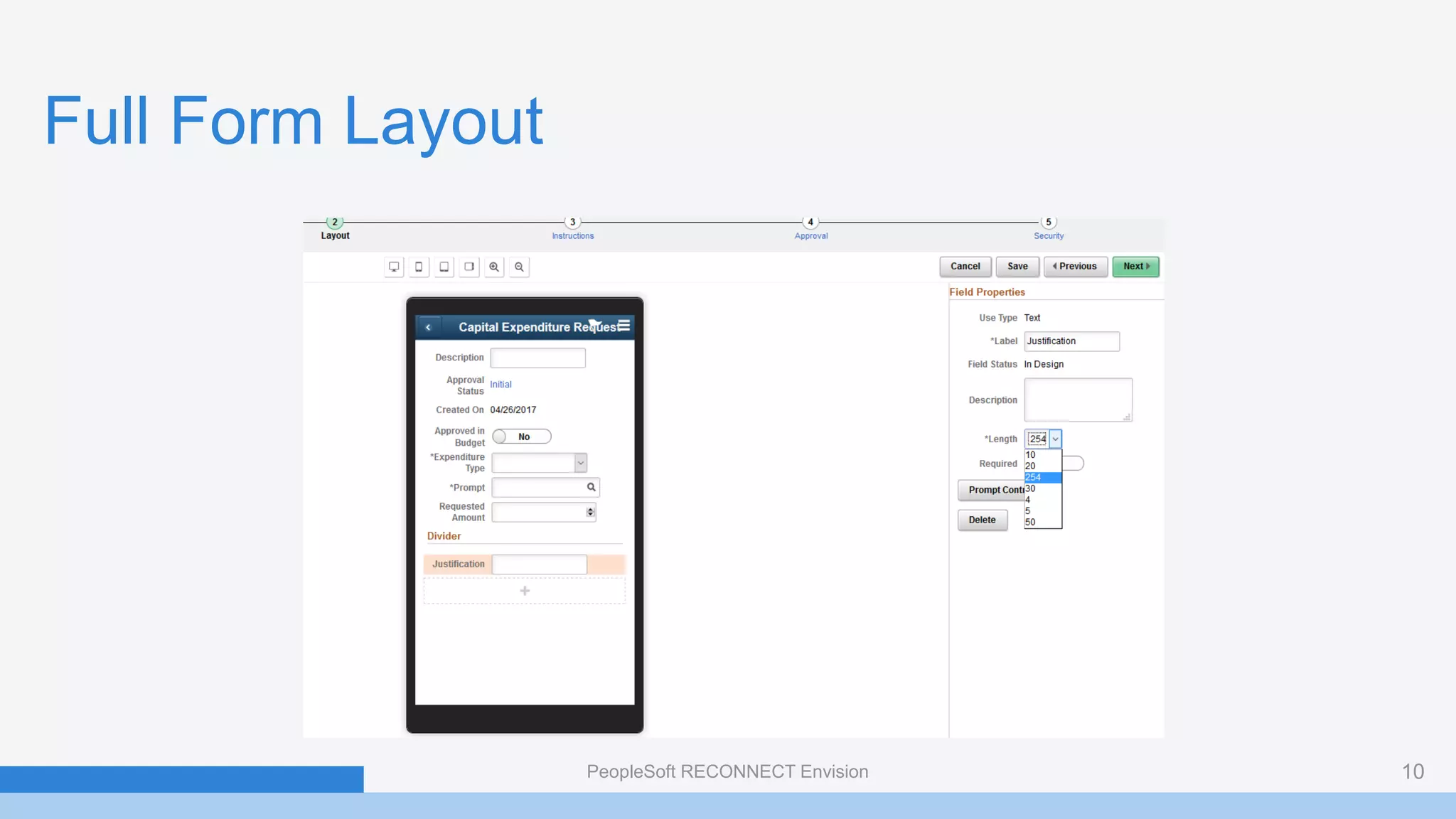
Full Form Layout
PeopleSoft RECONNECT Envision 10
Linking to Component Interface
• Commodity Codes are used on Bills of Lading to group and identify
products for freight rating and insurance purposes
• Commodity Codes in PeopleSoft often correspond to Freight Classes
• Items are assigned a Commodity Code
• For this example, we want to create a form that will allow a user to
request the addition of a new Commodity Code and then for that code
to be automatically added to PeopleSoft when approved
PeopleSoft RECONNECT Envision 11
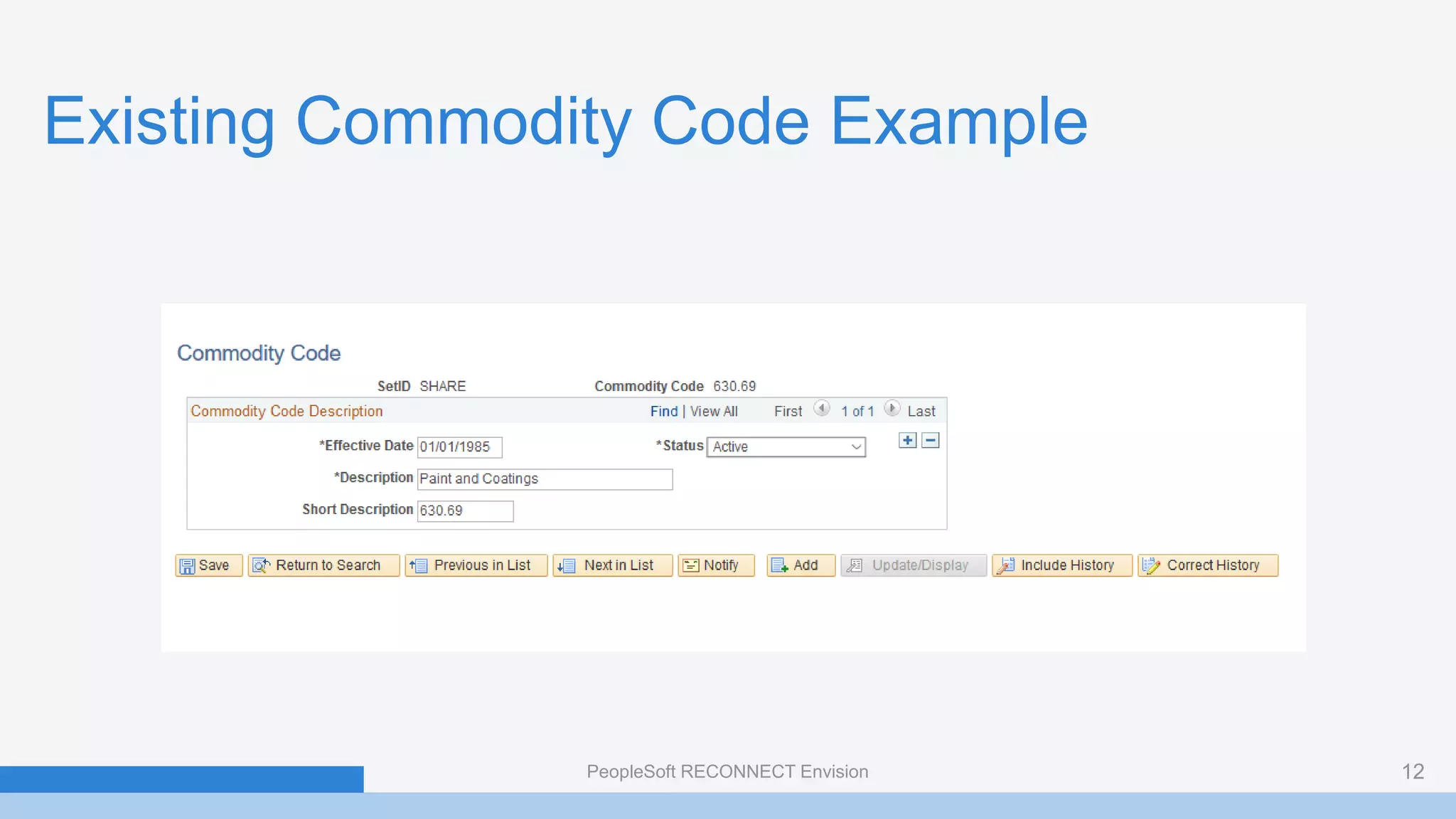
Existing Commodity Code Example
PeopleSoft RECONNECT Envision 12
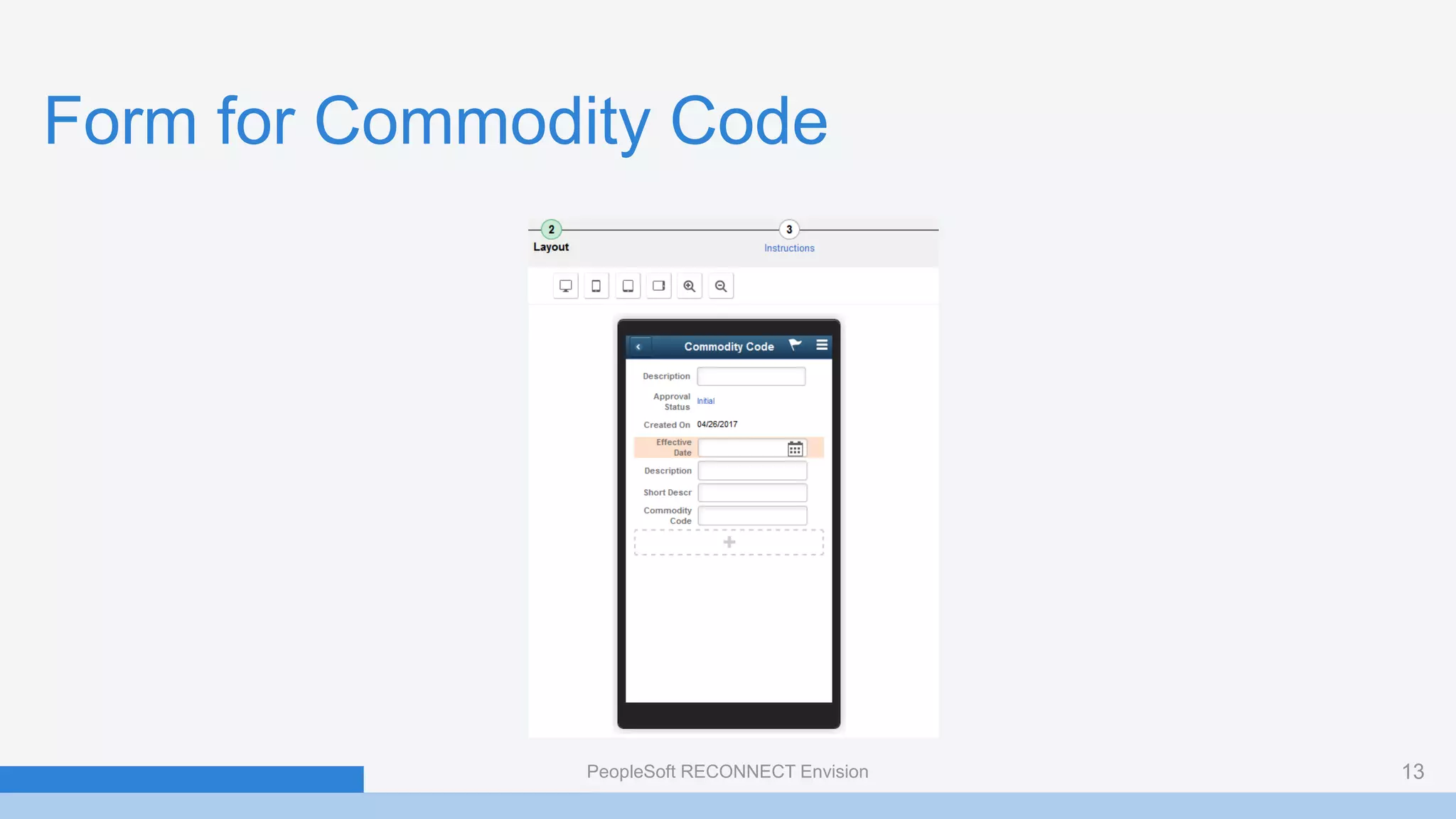
Form for Commodity Code
PeopleSoft RECONNECT Envision 13
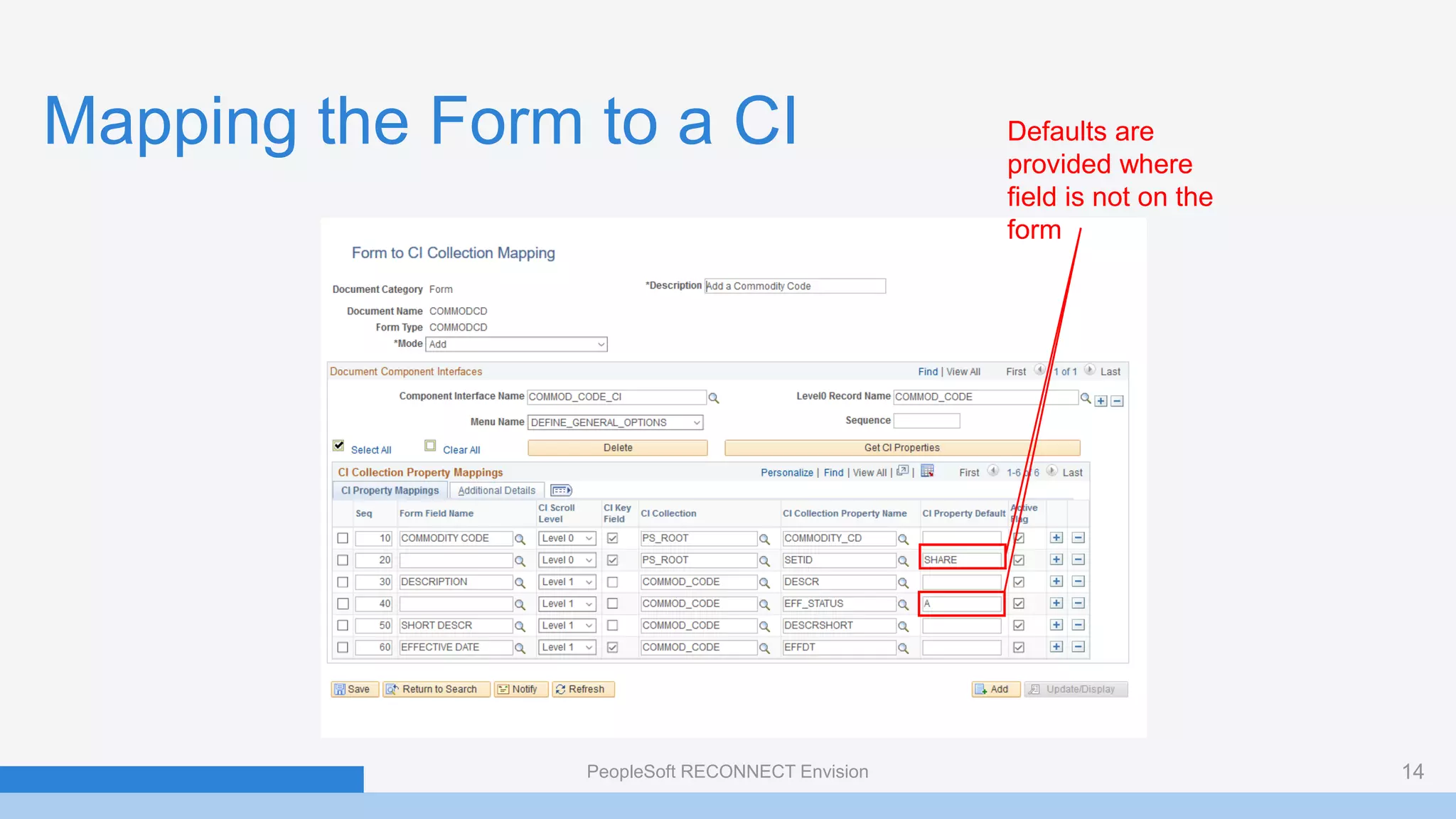
Mapping the Form to a CI
PeopleSoft RECONNECT Envision 14
Defaults are
provided where
field is not on the
form
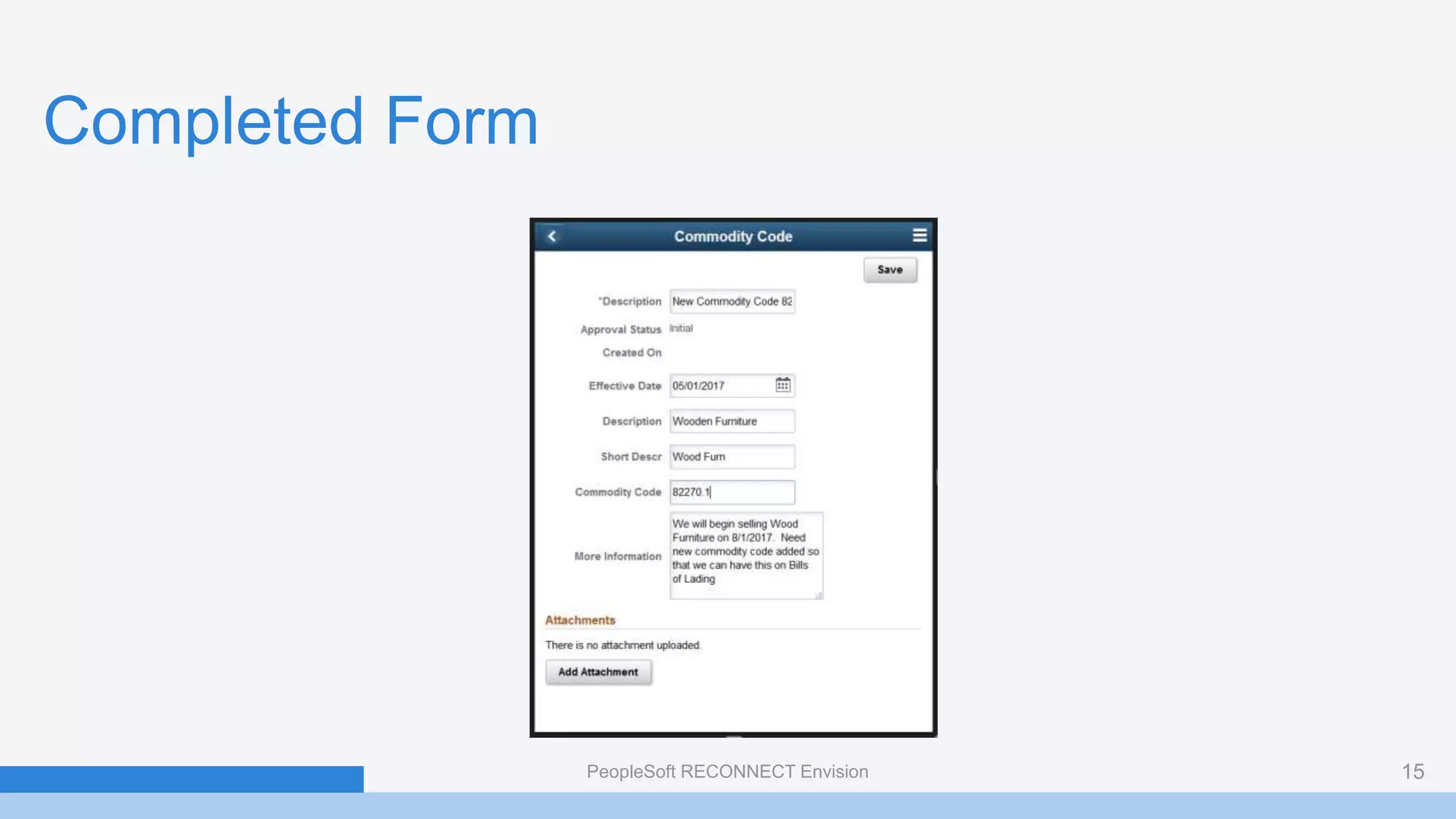
Completed Form
PeopleSoft RECONNECT Envision 15
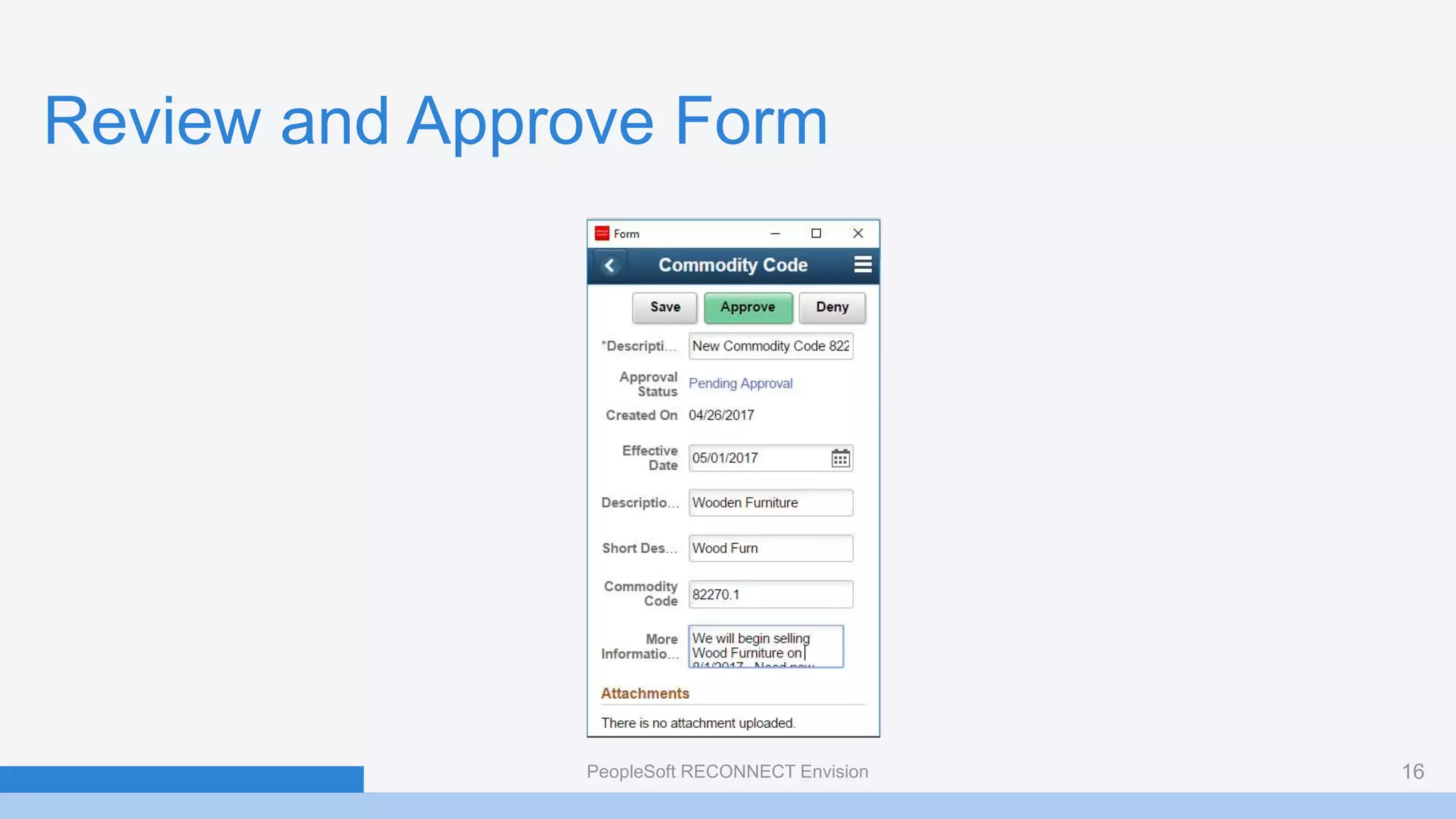
Review and Approve Form
PeopleSoft RECONNECT Envision 16
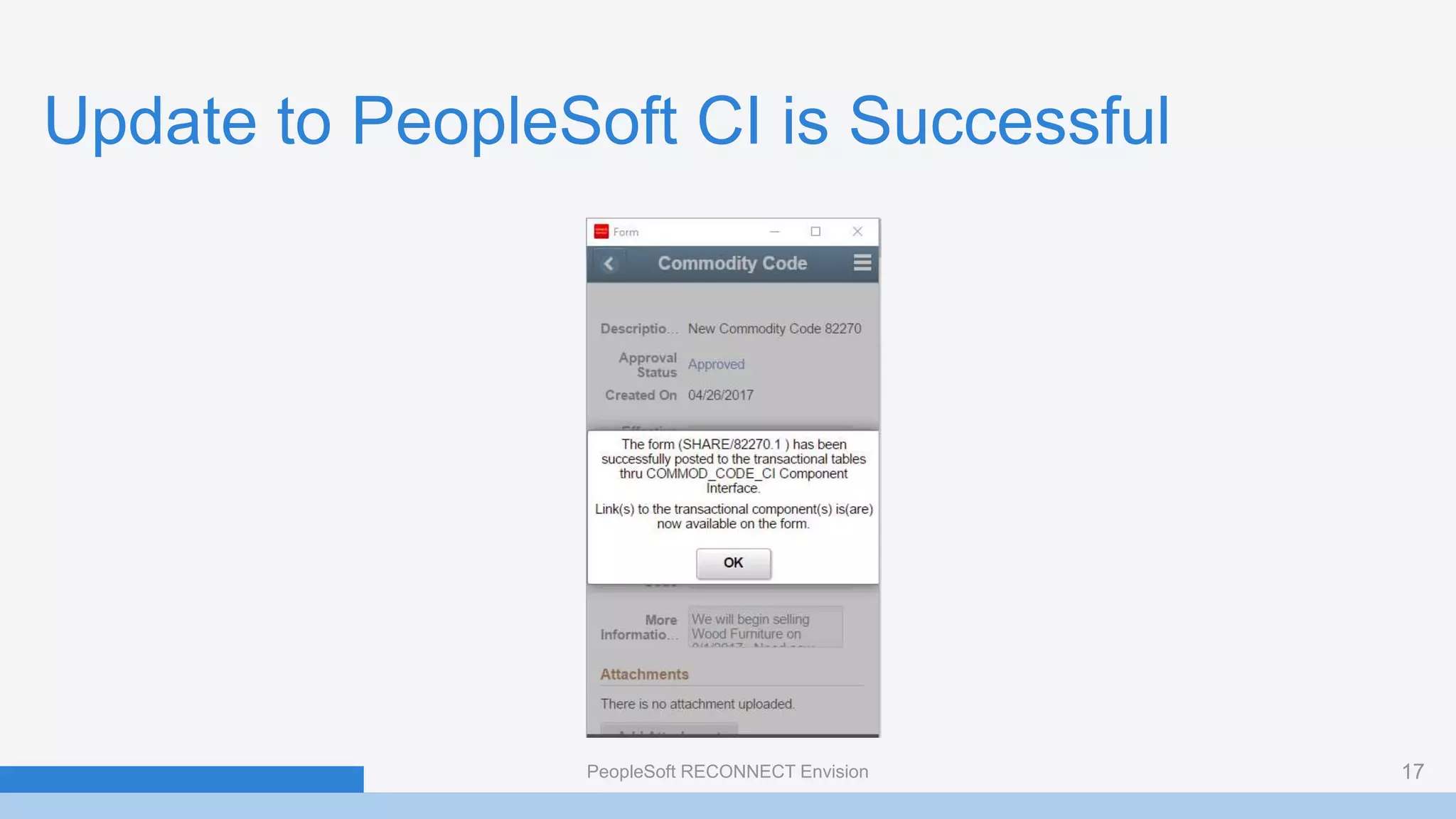
Update to PeopleSoft CI is Successful
PeopleSoft RECONNECT Envision 17
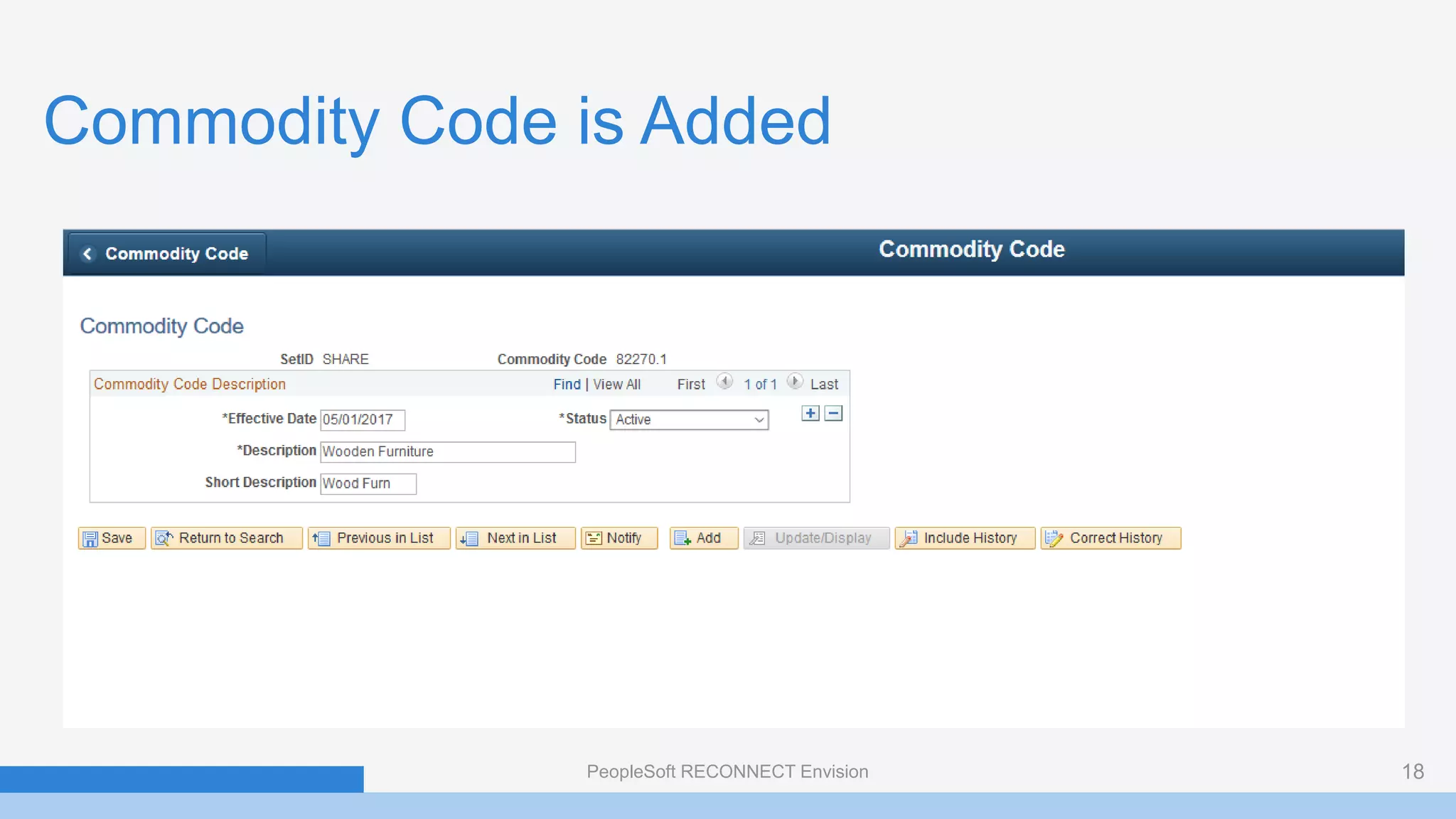
Commodity Code is Added
PeopleSoft RECONNECT Envision 18
Wrap Up
• Use Forms and Approval Builder when you have simple paper-based or
email forms that need circulation for approval
• Useful for simple PeopleSoft transactions, particularly for set-up and
configuration steps that don’t have delivered approval workflow
• Most things can be done by a Business Analyst. Developer may be
needed for CI work or migration of forms between environments
• Worth trying out in your organization – but don’t set expectations too
high
PeopleSoft RECONNECT Envision 19
Contact me:
Session ID:
Steven Canter
Director, Global Service Delivery
Smart ERP Solutions
Steve.Canter@SmartERP.com

Convert manual paper-based business processes into automated paperless

  • 1.
    Presented by: Session ID PeopleSoftForms and Approval Builder Steven Canter Director, Global Service Delivery Smart ERP Solutions Steve.Canter@SmartERP.com 1
  • 2.
    Smart Onboarding Smart TalentProcurement Smart E-Verify and Form I-9 Segregation of Duties Pre-Board, onboard and off-board new hires and suppliers Procure, manage, and pay for contingent work Automate verification of employment eligibility for new hires Enable compliance & security of roles in your PeopleSoft Founded by Oracle/PeopleSoft veterans, Smart ERP Solutions® is a unique organization in the Enterprise Business Applications space providing innovative, cost-effective, and configurable solutions and services that efficiently extend the capabilities of ERP systems to meet specific business process needs. SOLUTIONS À La Carte Services Consulting Implementations Upgrades Lift and Shift (Move to the Cloud) Integrations Managed Services Hosting Services Support Database Administration Services SERVICES
  • 3.
    Configure Versus Customize:Using PeopleSoft Page and Field Configurator Steve Canter Director, Global Services Delivery 9AM EST – April 27 Session ID: 100330 Founded by Oracle/PeopleSoft veterans, Smart ERP Solutions® is a unique organization in the Enterprise Business Applications space providing innovative, cost-effective, and configurable solutions and services that efficiently extend the capabilities of ERP systems to meet specific business process needs. 3 Strategic Flavors of PeopleSoft Cloud | Edge | Replace Doris Wong CEO 9AM EST – April 27 Session ID: Services Procurement Best Practices Procurement of Goods and Services Peter Parks Chief Operating Officer – Talent Procurement 12:15 EST – April 29 Session ID: SESSIONS SESSIONS VISIT OUR BOOTH Attend one of our Smart Mini-Sessions and automatically get entered for a chance to win a $150 Amazon Gift Card! Smart Mini-Session Topics Include: • Moving PeopleSoft to the Cloud • PeopleSoft Managed Services • PeopleSoft Customization and Configurations • Employee Onboarding and Services Procurement • Security and Compliance and and much more smarterp.com smartonboarding.com smarttalentprocurement.co m smarteverify.com smarterpanaytics.com VISIT | CONTACT US info@smarterp.co m 925.271.0200
  • 4.
    What is theForms and Approval Builder? • Enables organizations to replace paper forms and emails with electronic forms • Forms are configuration by business analysts – no writing of code required • Forms are enabled for approval workflow • Developers can map data collected on forms to PeopleSoft Component Interface to allow form data to be copied to a PeopleSoft transaction. PeopleSoft RECONNECT Envision 4
  • 5.
    Why Use Formsand Approval Builder? • Does your organization have paper-based or Excel-based forms that must be filled out? • Do you have things that need to be circulated for approvals outside of standard PeopleSoft transactions? • Are there simple PeopleSoft transactions for which you desire approvals where there is no standard workflow? • Do you have a need for a document repository of forms? • Do you need to maintain an audit trail of forms approval history? PeopleSoft RECONNECT Envision 5
  • 6.
    Key Features • BothClassic and Fluid Versions Available (features vary slightly between them) • Forms can be designed with both data fields and text information. • Form Instructions can be included • Forms can contain various types of data including Date, Yes/No, Text, etc. • Prompts can be defined to constrain entry of fields to only valid values • Support is provided for attachments to forms • Form access is controlled by Role PeopleSoft RECONNECT Envision 6
  • 7.
    Sample Business Cases •Permission to bring in a temporary worker • Request for employee payment outside of normal expenses (Example: tuition reimbursement) • Requirement for computer or office equipment for an employee • Request to add new master data configuration (Examples: Carrier ID, Commodity Code, Item Group, etc.) PeopleSoft RECONNECT Envision 7
  • 8.
    Example of UseCase with Fluid • All managers in the company have the ability make a request for a capital expenditure • All requests must be circulated for approval before the expenditure can be made • Many people that might have the need to make a capital expenditure request are not regular PeopleSoft users • The Forms and Approval Builder will be used to create a form and workflow for these requests PeopleSoft RECONNECT Envision 8
  • 9.
    Form Layout viaDrag and Drop PeopleSoft RECONNECT Envision 9
  • 10.
    Full Form Layout PeopleSoftRECONNECT Envision 10
  • 11.
    Linking to ComponentInterface • Commodity Codes are used on Bills of Lading to group and identify products for freight rating and insurance purposes • Commodity Codes in PeopleSoft often correspond to Freight Classes • Items are assigned a Commodity Code • For this example, we want to create a form that will allow a user to request the addition of a new Commodity Code and then for that code to be automatically added to PeopleSoft when approved PeopleSoft RECONNECT Envision 11
  • 12.
    Existing Commodity CodeExample PeopleSoft RECONNECT Envision 12
  • 13.
    Form for CommodityCode PeopleSoft RECONNECT Envision 13
  • 14.
    Mapping the Formto a CI PeopleSoft RECONNECT Envision 14 Defaults are provided where field is not on the form
  • 15.
  • 16.
    Review and ApproveForm PeopleSoft RECONNECT Envision 16
  • 17.
    Update to PeopleSoftCI is Successful PeopleSoft RECONNECT Envision 17
  • 18.
    Commodity Code isAdded PeopleSoft RECONNECT Envision 18
  • 19.
    Wrap Up • UseForms and Approval Builder when you have simple paper-based or email forms that need circulation for approval • Useful for simple PeopleSoft transactions, particularly for set-up and configuration steps that don’t have delivered approval workflow • Most things can be done by a Business Analyst. Developer may be needed for CI work or migration of forms between environments • Worth trying out in your organization – but don’t set expectations too high PeopleSoft RECONNECT Envision 19
  • 20.
    Contact me: Session ID: StevenCanter Director, Global Service Delivery Smart ERP Solutions Steve.Canter@SmartERP.com