Running an Efficient Service Desk
by René Verhagen and Manfred van der Sluijs
Agenda







Introduction NetServe
Our Service Desk
How we use Autotask
Smart features (at least we think they are smart..)
Recap
Question and Answer
René
CEO - NetServe
Founder
Certified Consulting Partner

NetServe BV
Introduction

Manfred
Manager Operations - NetServe
AutoTask Administrator

Certified Consulting Partner
About NetServe








NetServe BV | The Netherlands | Rotterdam Area
Founded in 1997, MSP since 2008
Services-only
Annual turnover EUR 1M
MSP contracts cover 85% of running costs
Autotask customer since July 2009
N-Able customer since July 2010
Our Service Desk
General Service Desk
• Primary Service Desk
• Contract customers
• Break-Fix customers

Co-managed Service Desk
• NetServe acts as the primary responsible Service Desk
• Customer uses Taskfire

Co-Managed Service Desk
• Customer acts as the primary responsible Service Desk
• Customer uses Taskfire
Our Services Desk (cont’d)
 Two dedicated technical engineers
 All engineers are ITIL foundation V2 / V3 certified
 NetServe Service Desk Processes are ITIL based:
* Incident Management
* Change Management
* Release Management
* Configuration Management
 ITIL does not dictate Service Desk processes, but offers best
practices.
Service Desk, according to ITIL
 “The Service Desk acts as the central point of contact
between service providers and users on a day to day
basis.”
 “It is also a focal point for reporting incidents and for
service requests.”
 “It can also provide an interface, for other service
management activities. (such as problem, configuration,
release and continuity management)”
source: www.itil.org.uk
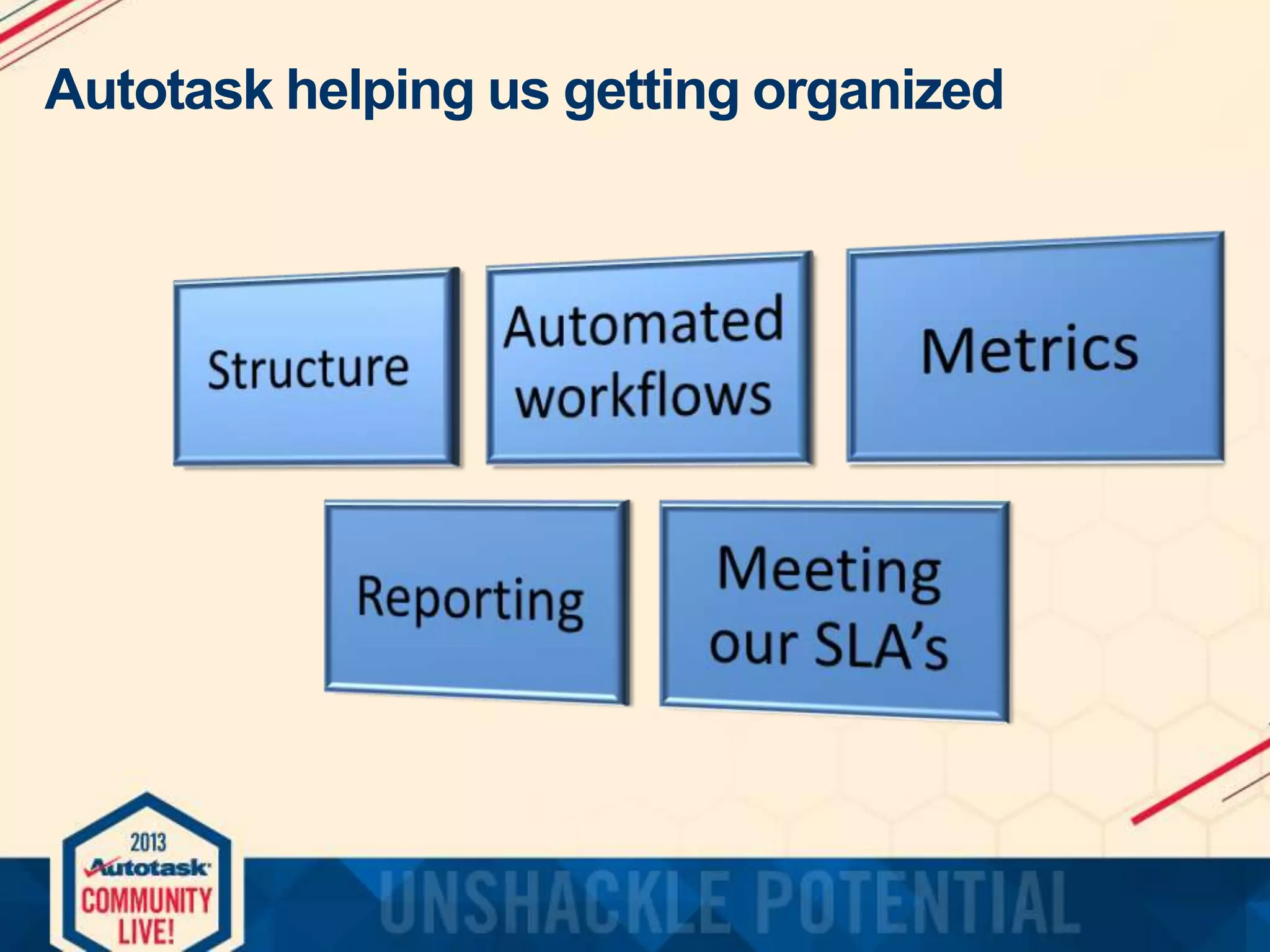
Autotask helping us getting organized
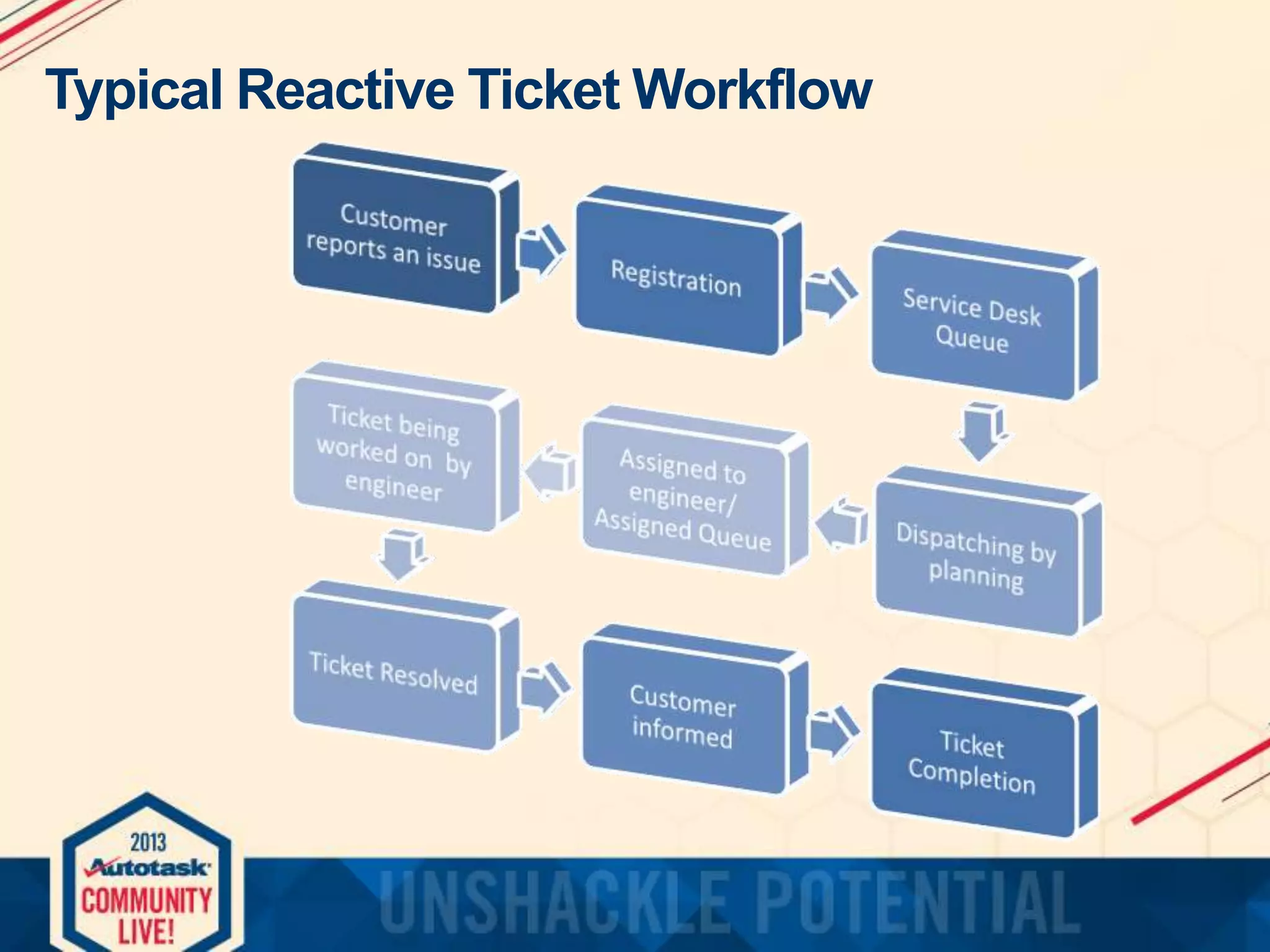
Typical Reactive Ticket Workflow
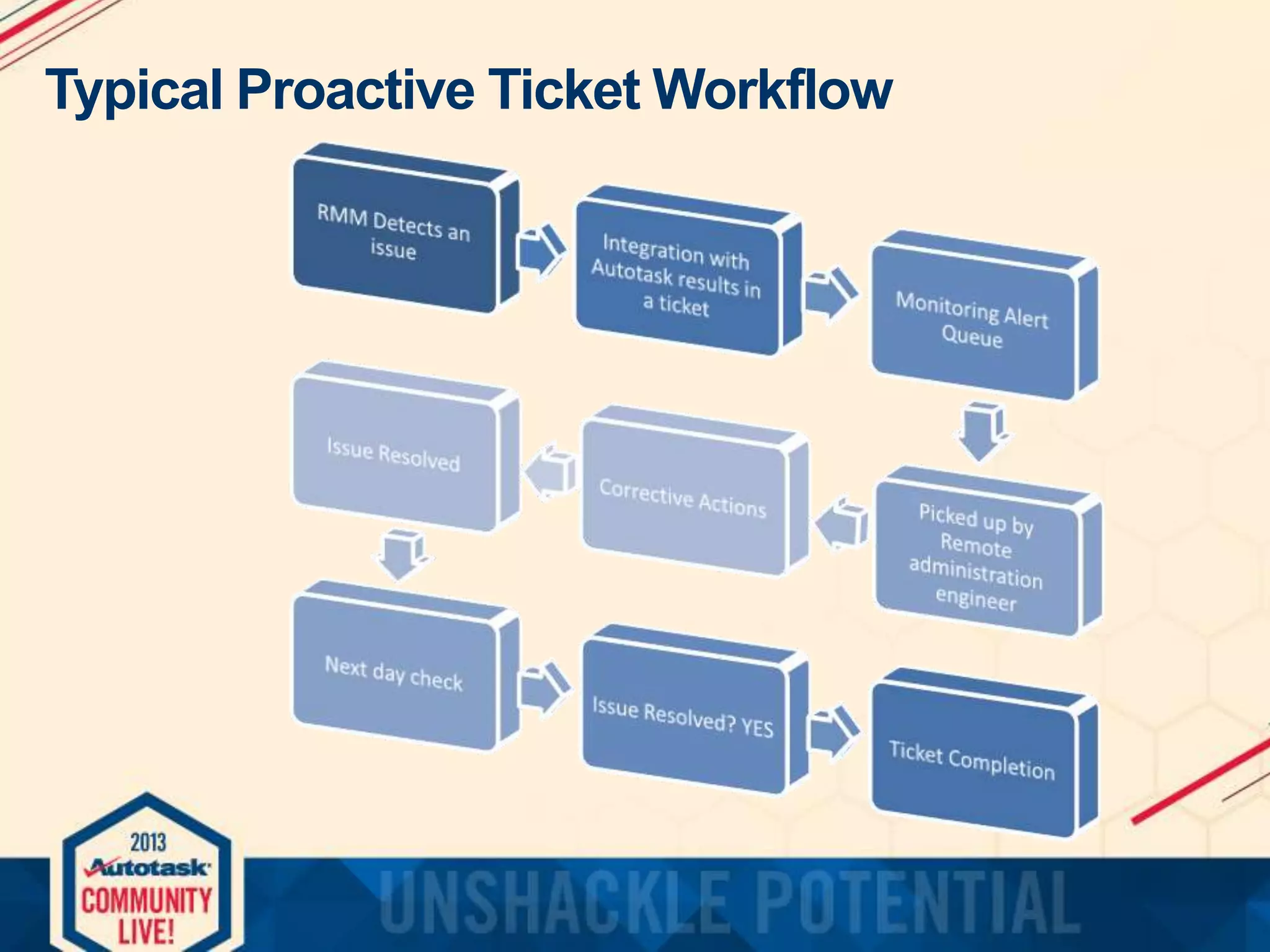
Typical Proactive Ticket Workflow
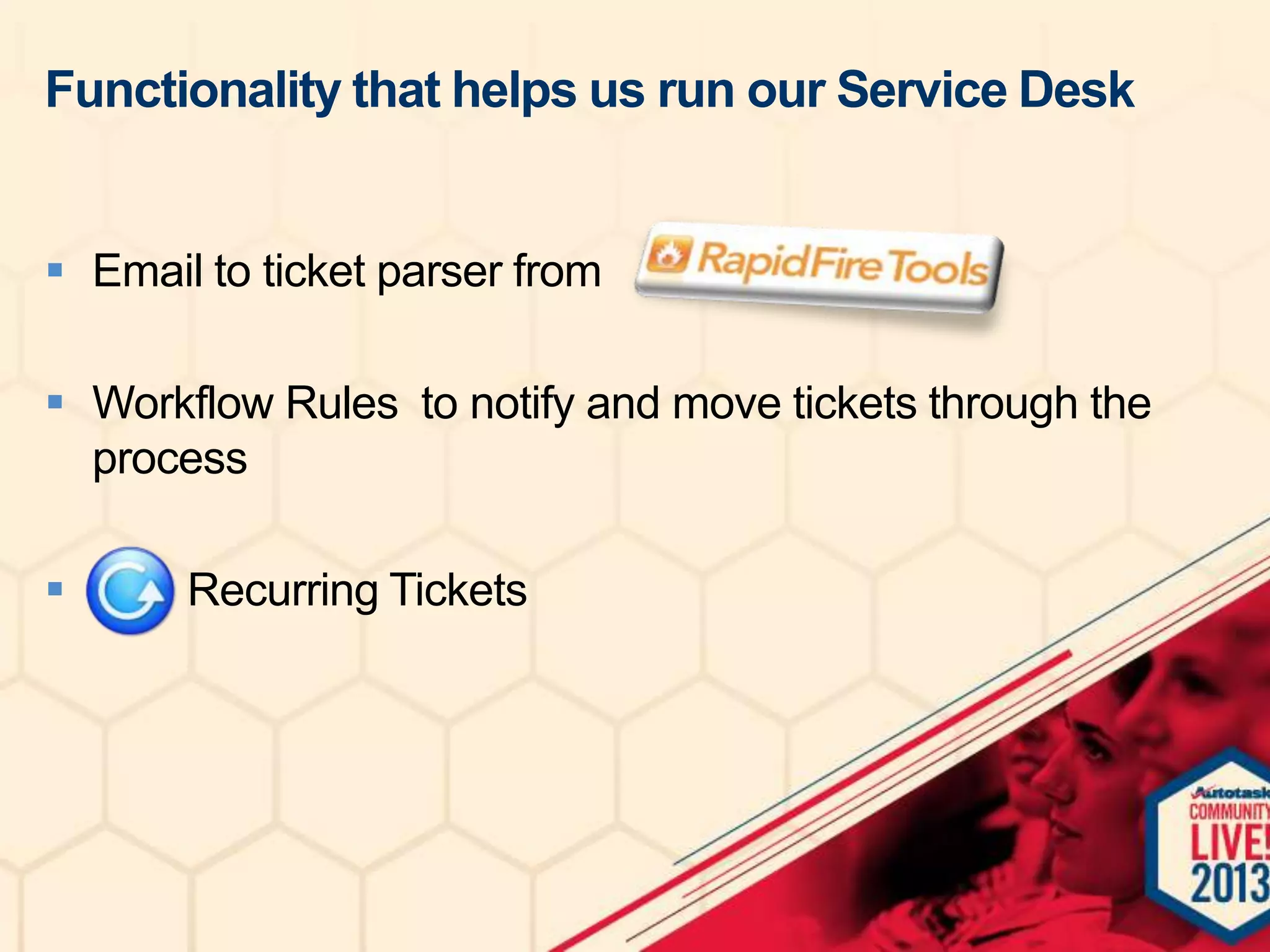
Functionality that helps us run our Service Desk
 Email to ticket parser from
 Workflow Rules to notify and move tickets through the
process


Recurring Tickets
Functionality that helps us run our Service Desk
 Internal & External Reporting
 We use a combination Live Reports and Pivot Tables
(Excel)
 Extensive use of scheduled reports
 Integration with N-Able for:
- Monitoring Alerts
- Keeping our CMDB up to date (Discovery Wizard)
 Configuration Management is extremely
important to us. Without solid information from
it we would be blind!
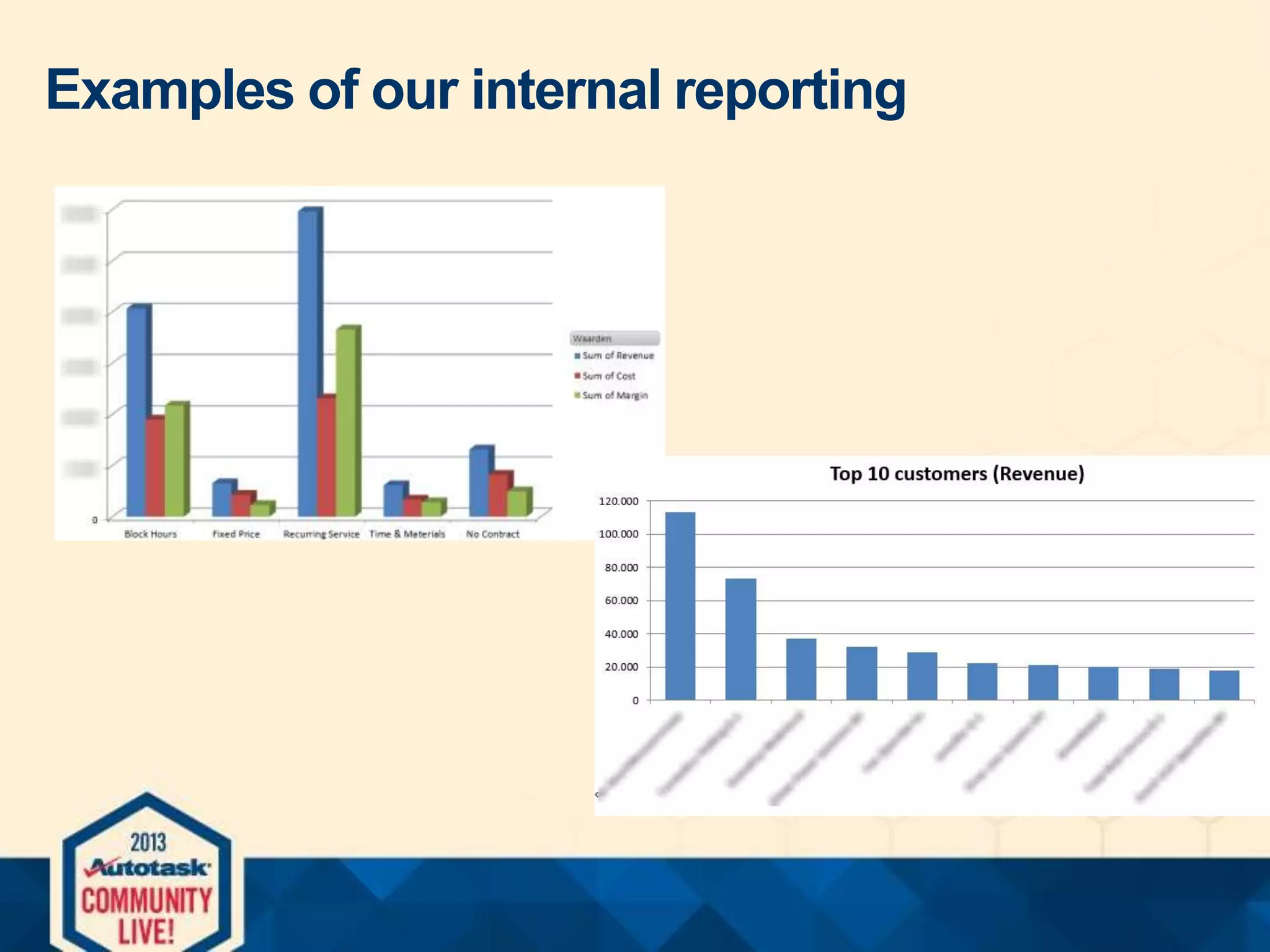
Examples of our internal reporting
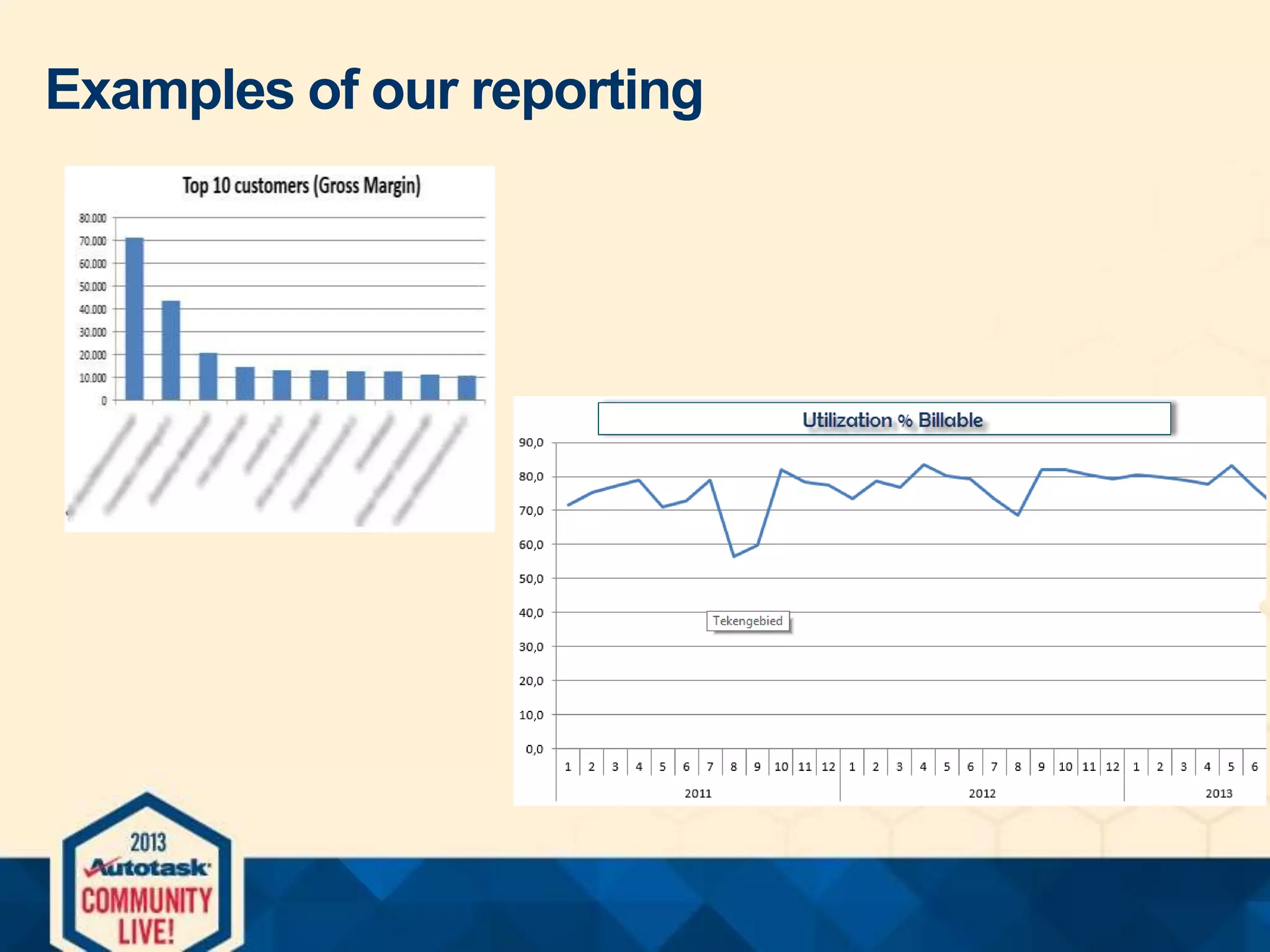
Examples of our reporting
Smart Features that improve efficiency
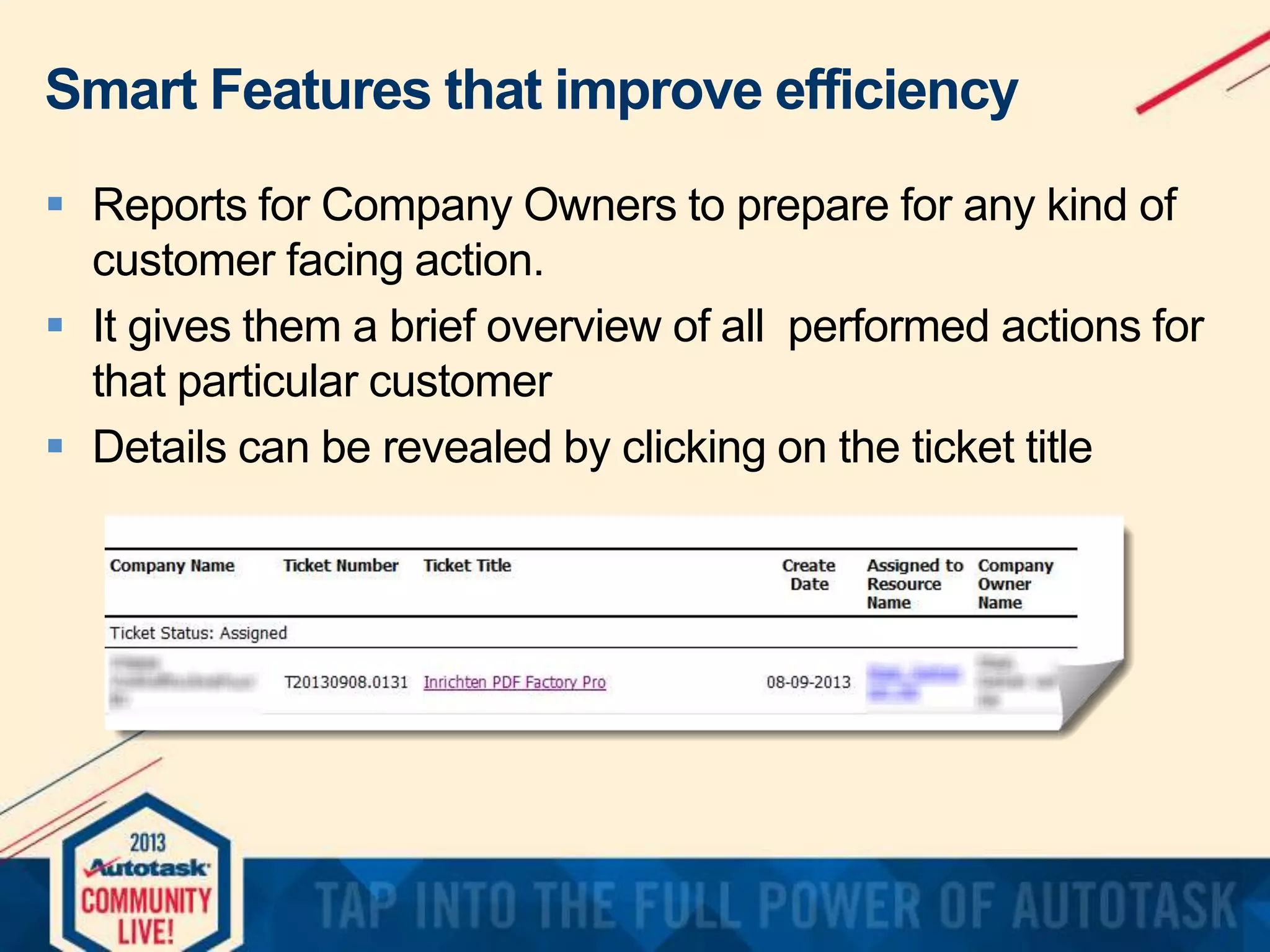
 Reports for Company Owners to prepare for any kind of
customer facing action.
 It gives them a brief overview of all performed actions for
that particular customer
 Details can be revealed by clicking on the ticket title
Smart Features that improve efficiency
 Email notifications when worked hours exceed set
threshold.
 Notification (email) when worked hours > 2
 We contact the customer upon notification to discuss the
situation and the expected time needed to solve the issue
 This prevents discussions with the customer at the time of
invoicing
Smart Features that improve efficiency

 Daily scheduled report for tickets with status “waiting
customer” and “waiting vendor” and last activity > x days.
 Customers and vendors in this list will be reminded to
prevent delay in the resolution of the issue.
Smart Features that improve efficiency
 Currently we use a third party dashboard tool (developed
by a dutch Autotask customer)
 It gives us an overview of daily metrics like amount of
received tickets, amount of closed tickets, average
duration, etc.
 Autotask recently developed their own dashboard service.
(for more information contact your Autotask rep)
Smart Features that improve efficiency
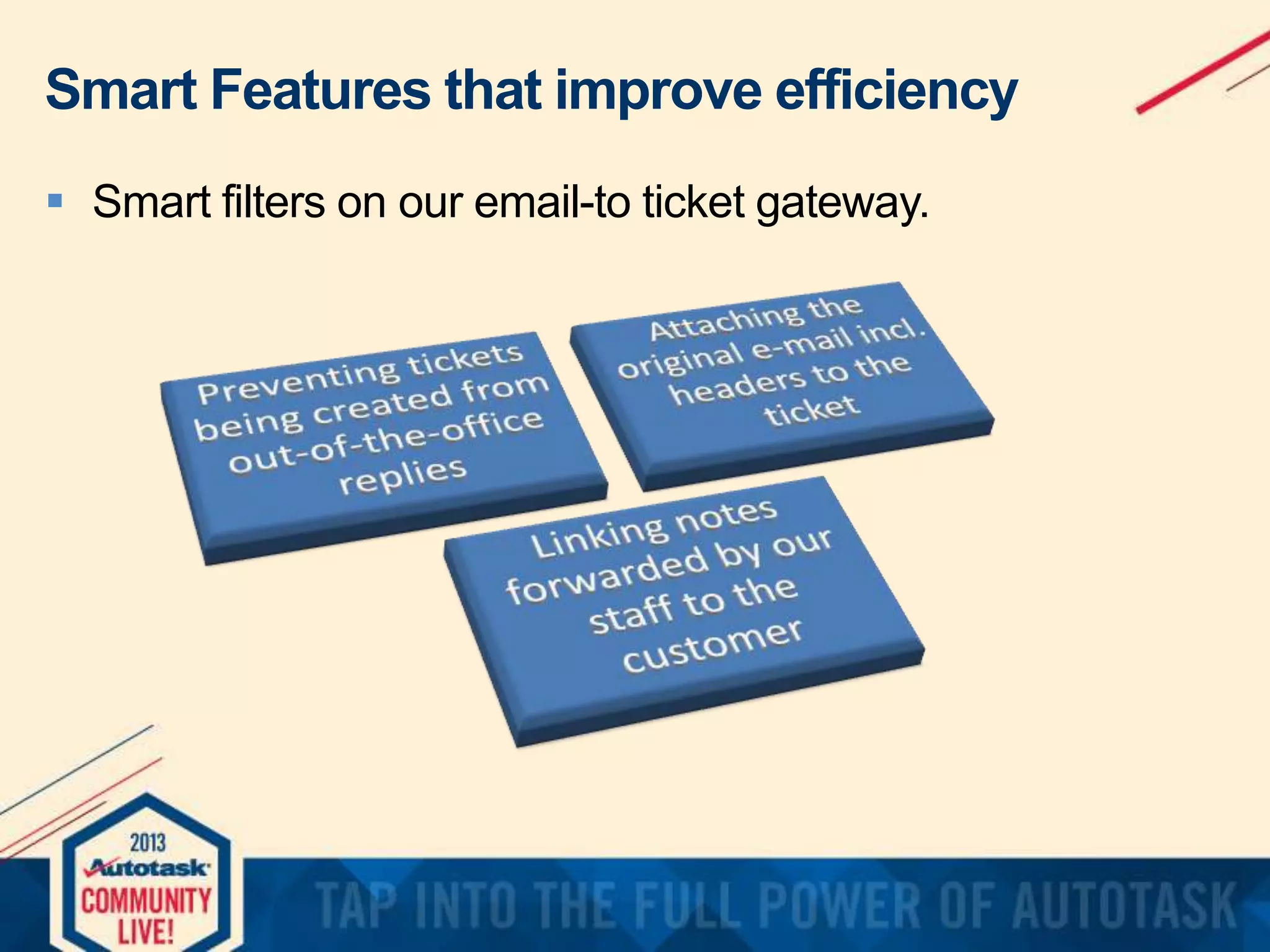
 Smart filters on our email-to ticket gateway.
Smart Features that improve efficiency
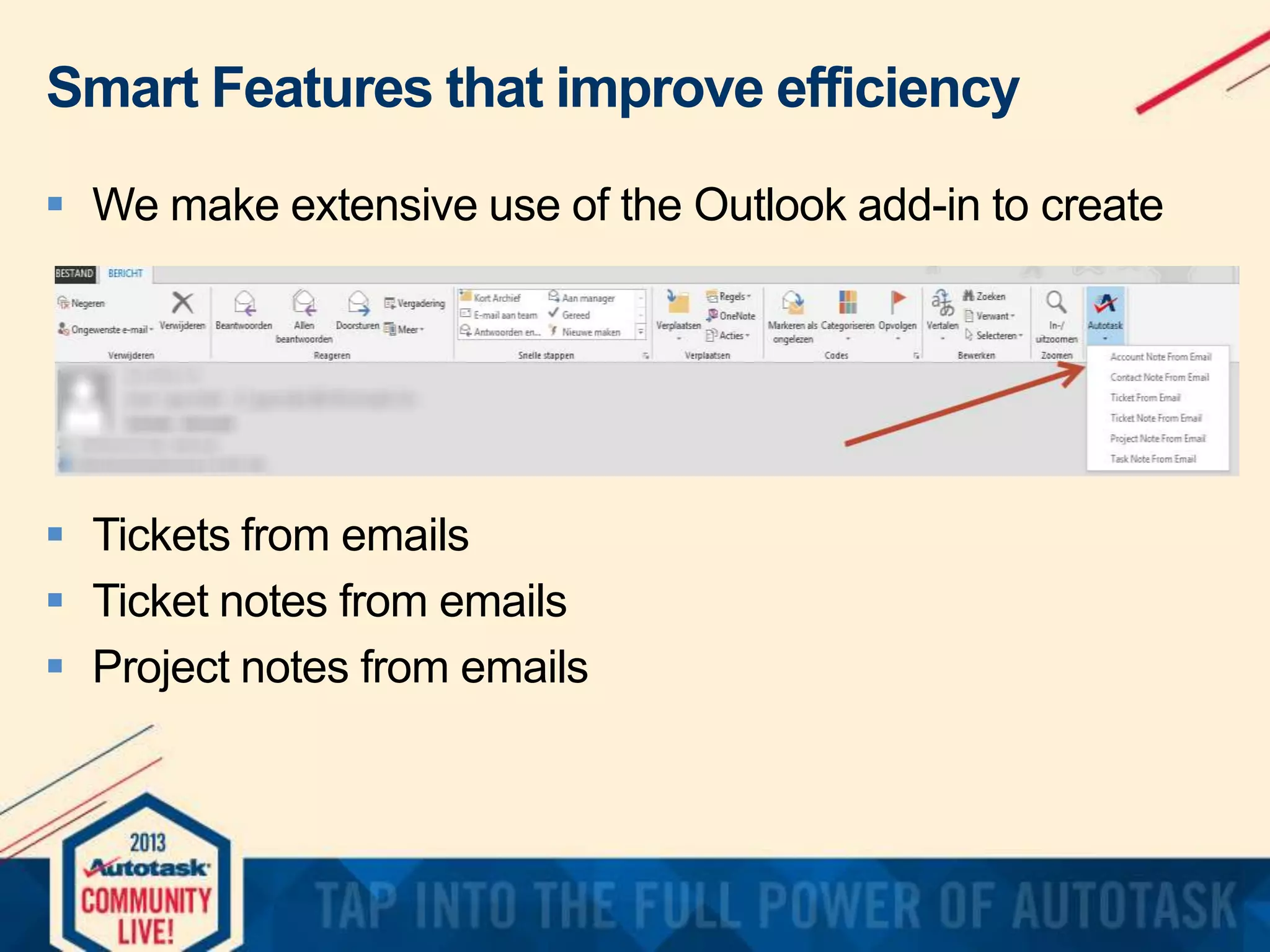
 We make extensive use of the Outlook add-in to create

 Tickets from emails
 Ticket notes from emails
 Project notes from emails
Smart Features that improve efficiency
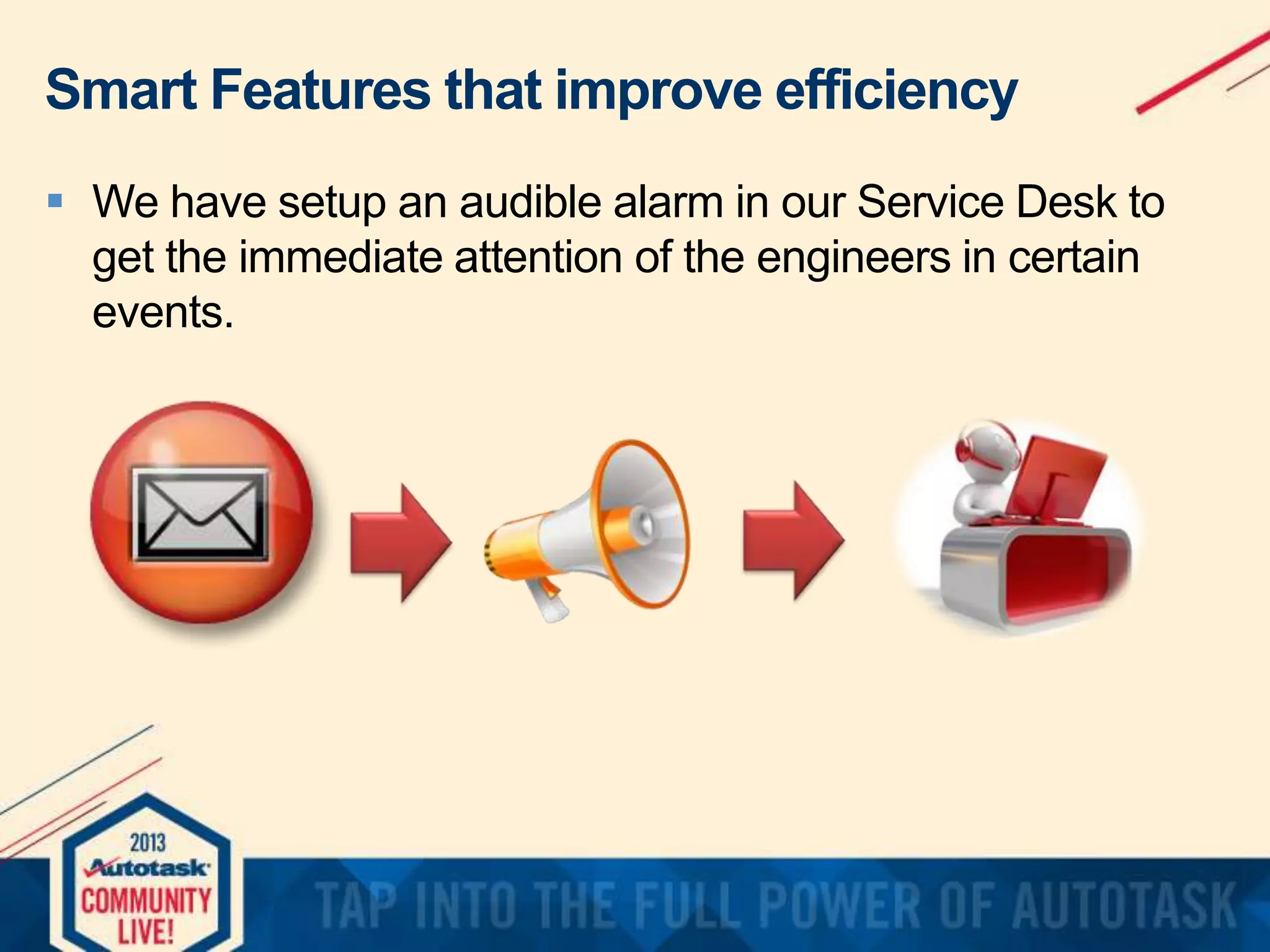
 We have setup an audible alarm in our Service Desk to
get the immediate attention of the engineers in certain
events.
Improvements that we are working on
 Even in the system of a CCP is room for improvement

 A few of the improvements we are working on:
 Developing a smarter way to deal with the “note added”
status
 Implementing “ticket created notification” and survey upon
completing tickets
 Invoicing from Autotask using Invoice Templates
(October Release)

Running an Efficient Service Desk

  • 1.
    Running an EfficientService Desk by René Verhagen and Manfred van der Sluijs
  • 2.
    Agenda       Introduction NetServe Our ServiceDesk How we use Autotask Smart features (at least we think they are smart..) Recap Question and Answer
  • 3.
    René CEO - NetServe Founder CertifiedConsulting Partner NetServe BV Introduction Manfred Manager Operations - NetServe AutoTask Administrator Certified Consulting Partner
  • 4.
    About NetServe        NetServe BV| The Netherlands | Rotterdam Area Founded in 1997, MSP since 2008 Services-only Annual turnover EUR 1M MSP contracts cover 85% of running costs Autotask customer since July 2009 N-Able customer since July 2010
  • 6.
    Our Service Desk GeneralService Desk • Primary Service Desk • Contract customers • Break-Fix customers Co-managed Service Desk • NetServe acts as the primary responsible Service Desk • Customer uses Taskfire Co-Managed Service Desk • Customer acts as the primary responsible Service Desk • Customer uses Taskfire
  • 7.
    Our Services Desk(cont’d)  Two dedicated technical engineers  All engineers are ITIL foundation V2 / V3 certified  NetServe Service Desk Processes are ITIL based: * Incident Management * Change Management * Release Management * Configuration Management  ITIL does not dictate Service Desk processes, but offers best practices.
  • 8.
    Service Desk, accordingto ITIL  “The Service Desk acts as the central point of contact between service providers and users on a day to day basis.”  “It is also a focal point for reporting incidents and for service requests.”  “It can also provide an interface, for other service management activities. (such as problem, configuration, release and continuity management)” source: www.itil.org.uk
  • 9.
    Autotask helping usgetting organized
  • 10.
  • 11.
  • 12.
    Functionality that helpsus run our Service Desk  Email to ticket parser from  Workflow Rules to notify and move tickets through the process  Recurring Tickets
  • 13.
    Functionality that helpsus run our Service Desk  Internal & External Reporting  We use a combination Live Reports and Pivot Tables (Excel)  Extensive use of scheduled reports  Integration with N-Able for: - Monitoring Alerts - Keeping our CMDB up to date (Discovery Wizard)  Configuration Management is extremely important to us. Without solid information from it we would be blind!
  • 14.
    Examples of ourinternal reporting
  • 15.
    Examples of ourreporting
  • 16.
    Smart Features thatimprove efficiency  Reports for Company Owners to prepare for any kind of customer facing action.  It gives them a brief overview of all performed actions for that particular customer  Details can be revealed by clicking on the ticket title
  • 17.
    Smart Features thatimprove efficiency  Email notifications when worked hours exceed set threshold.  Notification (email) when worked hours > 2  We contact the customer upon notification to discuss the situation and the expected time needed to solve the issue  This prevents discussions with the customer at the time of invoicing
  • 18.
    Smart Features thatimprove efficiency  Daily scheduled report for tickets with status “waiting customer” and “waiting vendor” and last activity > x days.  Customers and vendors in this list will be reminded to prevent delay in the resolution of the issue.
  • 19.
    Smart Features thatimprove efficiency  Currently we use a third party dashboard tool (developed by a dutch Autotask customer)  It gives us an overview of daily metrics like amount of received tickets, amount of closed tickets, average duration, etc.  Autotask recently developed their own dashboard service. (for more information contact your Autotask rep)
  • 20.
    Smart Features thatimprove efficiency  Smart filters on our email-to ticket gateway.
  • 21.
    Smart Features thatimprove efficiency  We make extensive use of the Outlook add-in to create  Tickets from emails  Ticket notes from emails  Project notes from emails
  • 22.
    Smart Features thatimprove efficiency  We have setup an audible alarm in our Service Desk to get the immediate attention of the engineers in certain events.
  • 23.
    Improvements that weare working on  Even in the system of a CCP is room for improvement  A few of the improvements we are working on:  Developing a smarter way to deal with the “note added” status  Implementing “ticket created notification” and survey upon completing tickets  Invoicing from Autotask using Invoice Templates (October Release)