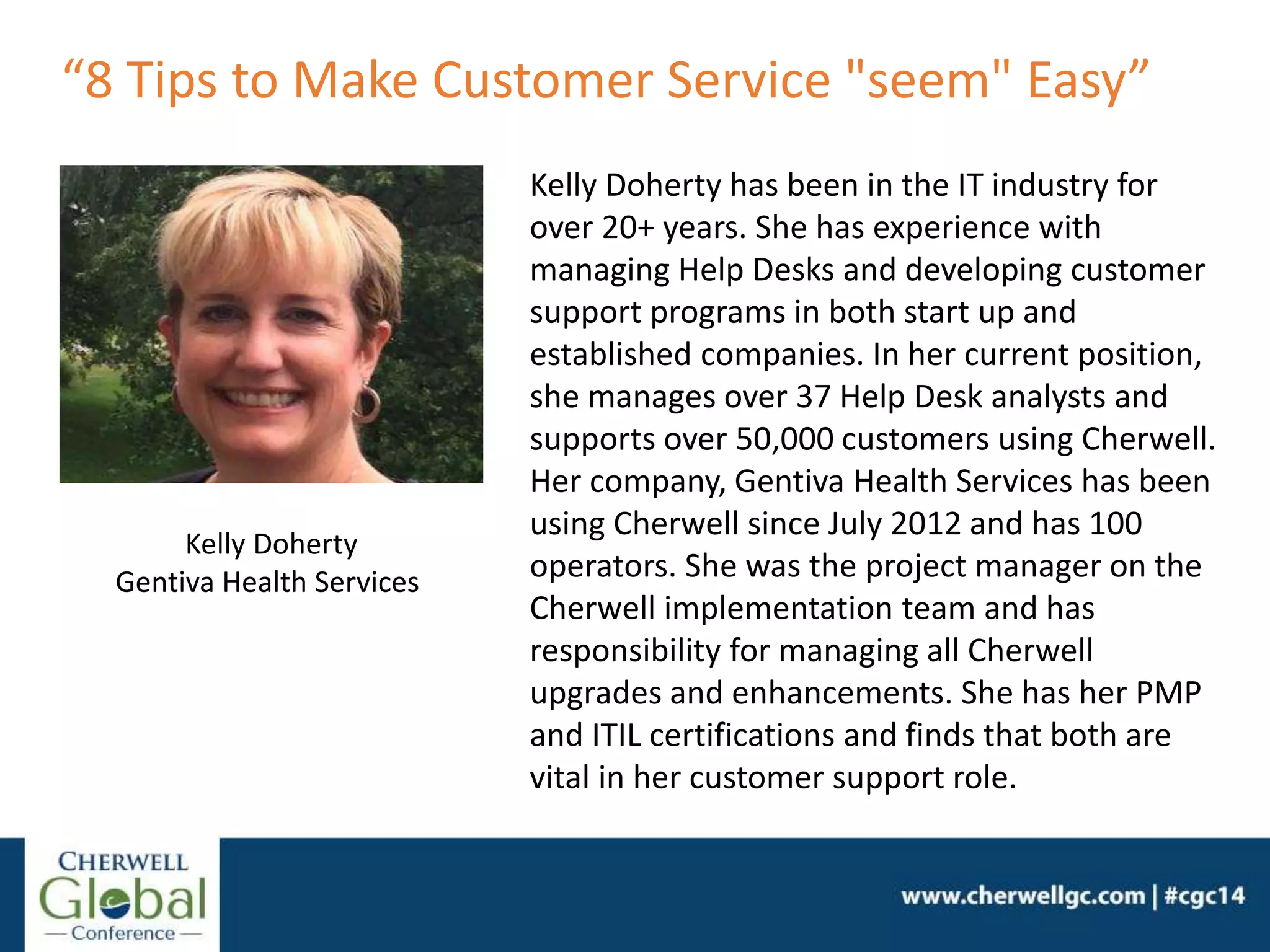
Kelly Doherty
Gentiva Health Services
Kelly Doherty has been in the IT industry for
over 20+ years. She has experience with
managing Help Desks and developing customer
support programs in both start up and
established companies. In her current position,
she manages over 37 Help Desk analysts and
supports over 50,000 customers using Cherwell.
Her company, Gentiva Health Services has been
using Cherwell since July 2012 and has 100
operators. She was the project manager on the
Cherwell implementation team and has
responsibility for managing all Cherwell
upgrades and enhancements. She has her PMP
and ITIL certifications and finds that both are
vital in her customer support role.
“8 Tips to Make Customer Service "seem" Easy”
Using your Cherwell system to make
customer service “seem” easy
8 tips to
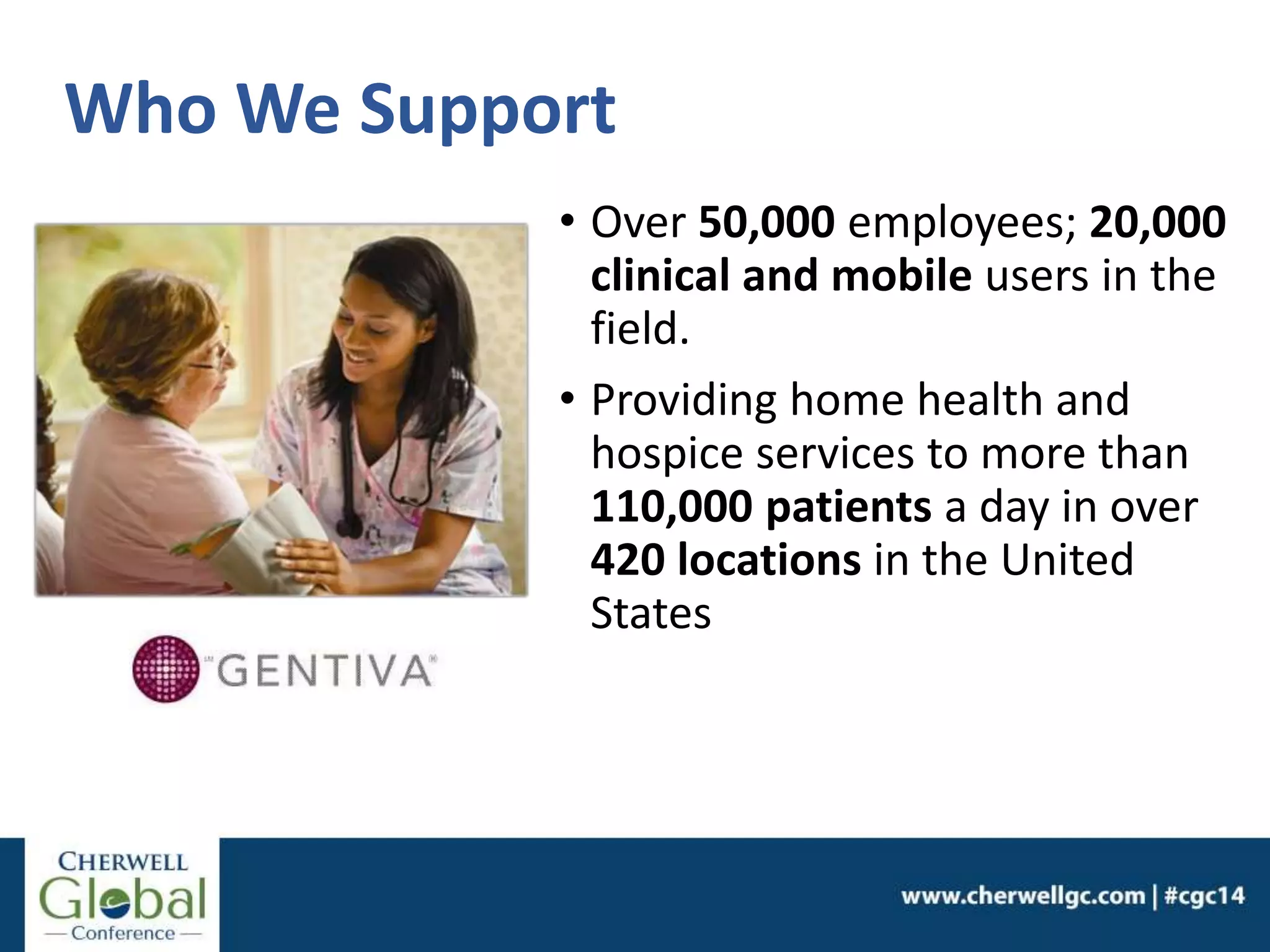
Who We Support
• Over 50,000 employees; 20,000
clinical and mobile users in the
field.
• Providing home health and
hospice services to more than
110,000 patients a day in over
420 locations in the United
States
Our Journey…one year ago
Gentiva was growing and
changing quickly.
• Employees count from 15,000
to 50,000 overnight.
• Applications grew from 100 to
over 250.
• Deployed new technology:
cellular iPads to clinical
staff: 0 to 14,000 in 13
weeks.
4 Key Challenges
1. Hire additional Help Desk
support staff (8 to 35).
2. Fast training for new staff.
3. Current ITSM tool was
not flexible and costly to
expand.
4. Support new systems and
requests quickly and
seamlessly.
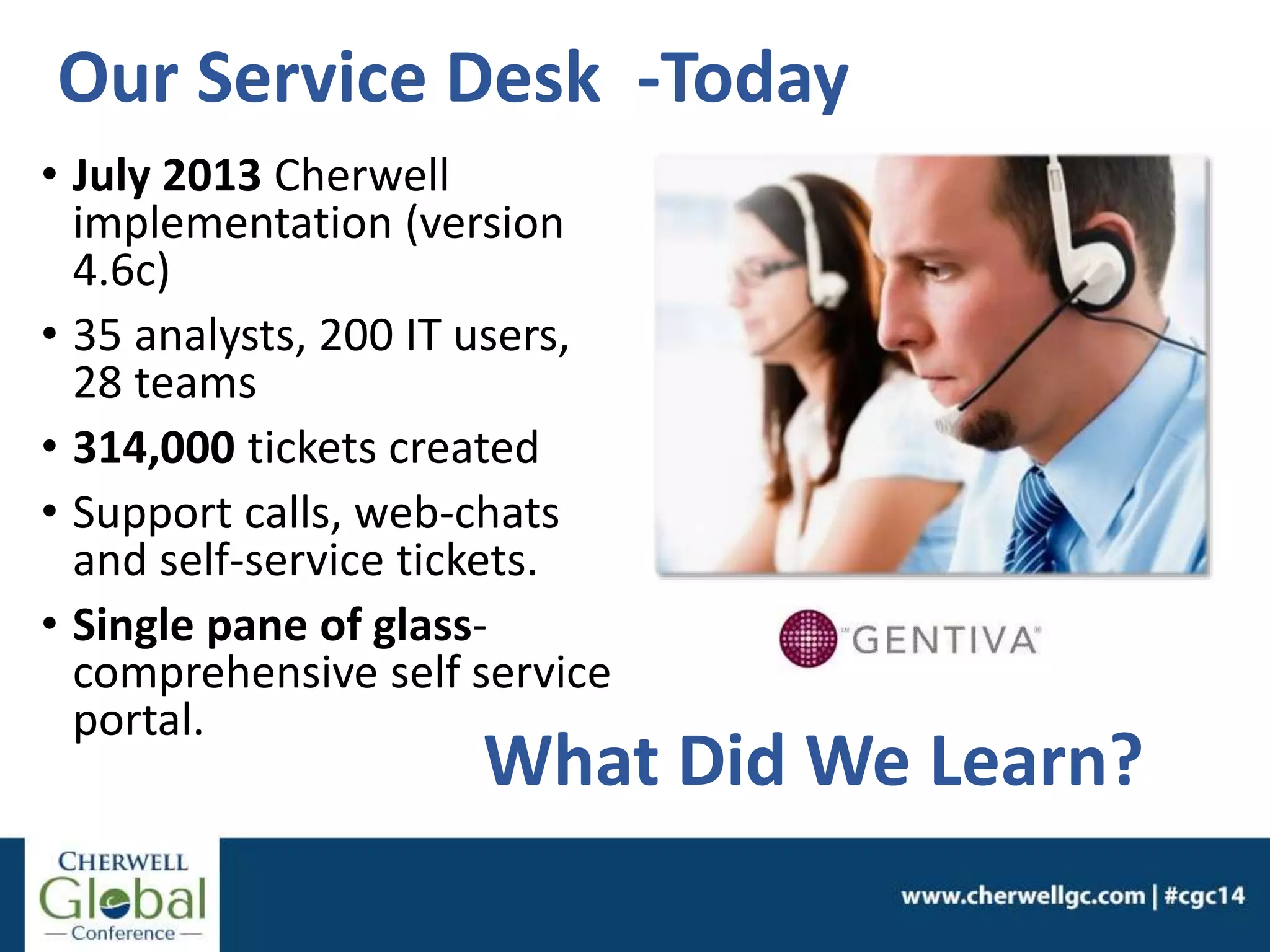
Our Service Desk -Today
• July 2013 Cherwell
implementation (version
4.6c)
• 35 analysts, 200 IT users,
28 teams
• 314,000 tickets created
• Support calls, web-chats
and self-service tickets.
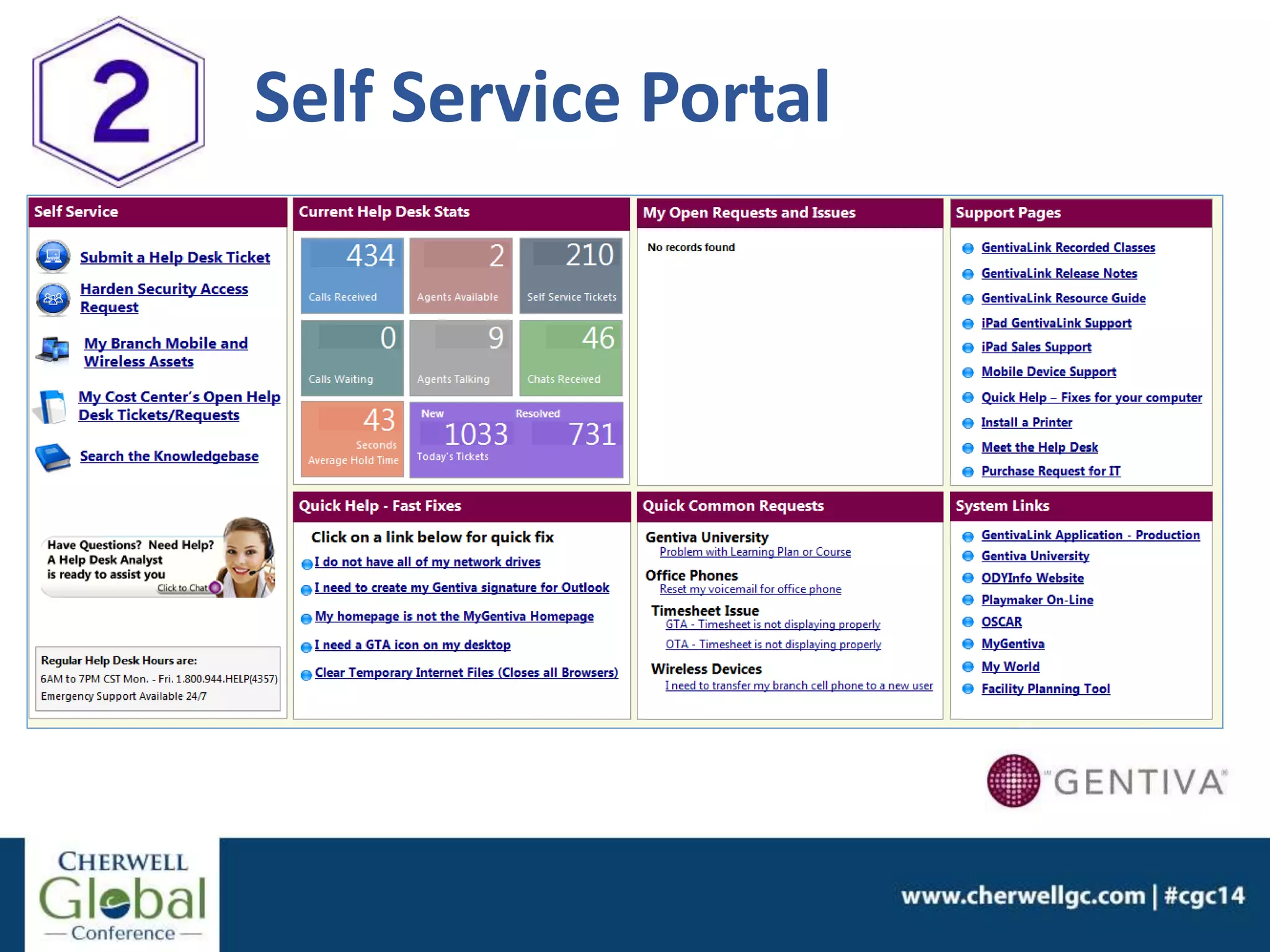
• Single pane of glass-
comprehensive self service
portal.
What Did We Learn?
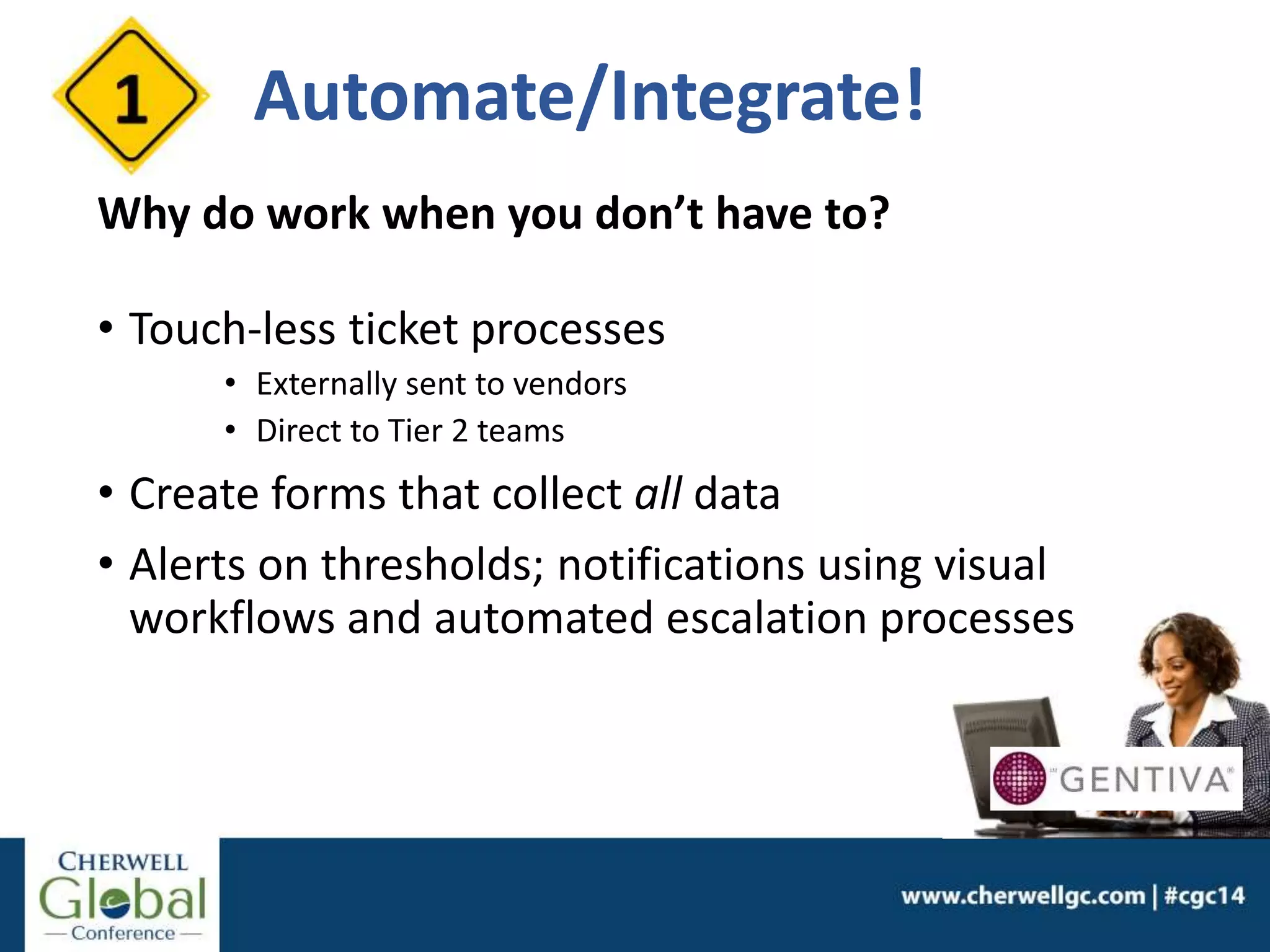
Automate/Integrate!
Why do work when you don’t have to?
• Touch-less ticket processes
• Externally sent to vendors
• Direct to Tier 2 teams
• Create forms that collect all data
• Alerts on thresholds; notifications using visual
workflows and automated escalation processes
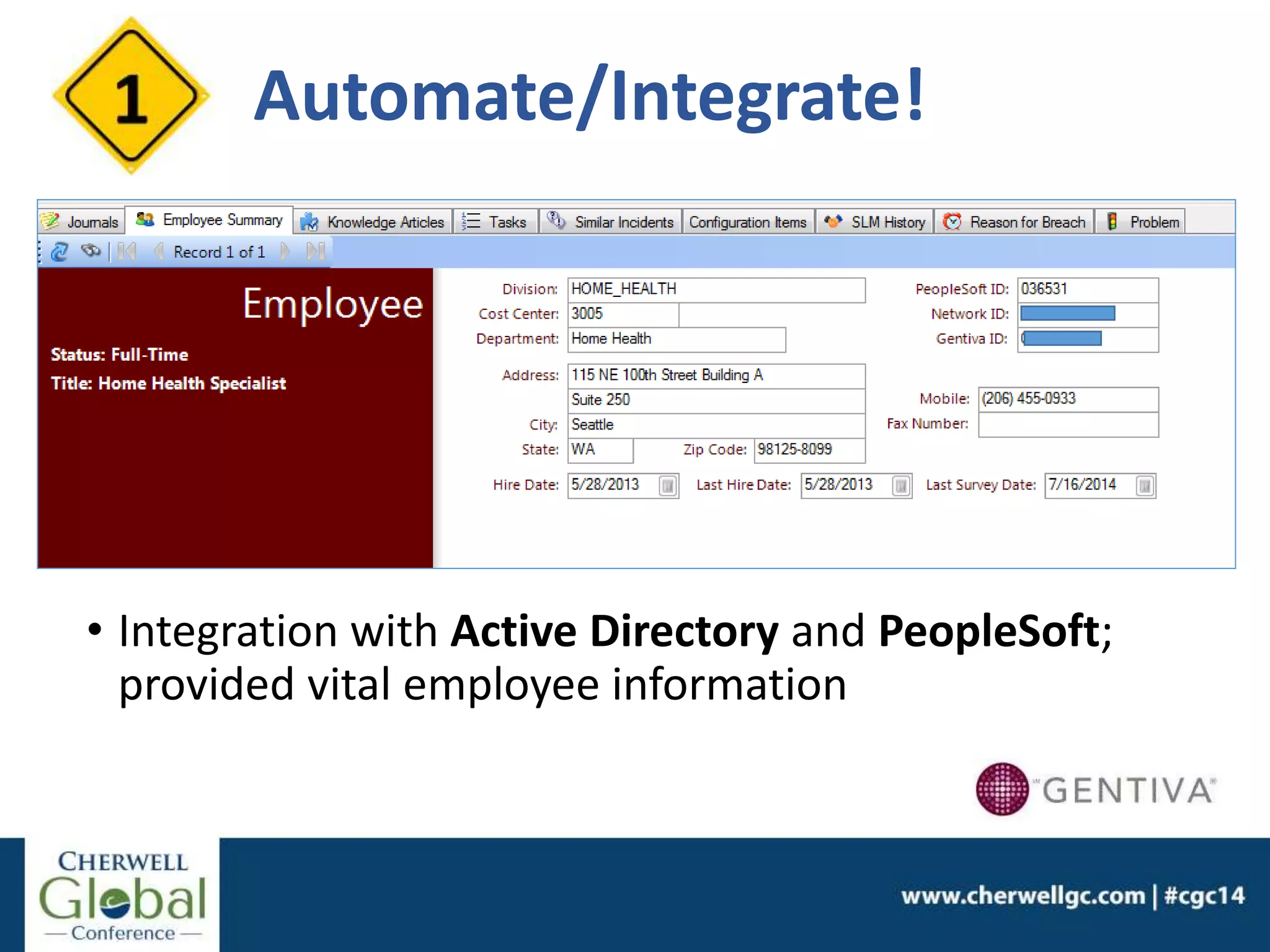
• Integration with Active Directory and PeopleSoft;
provided vital employee information
Automate/Integrate!
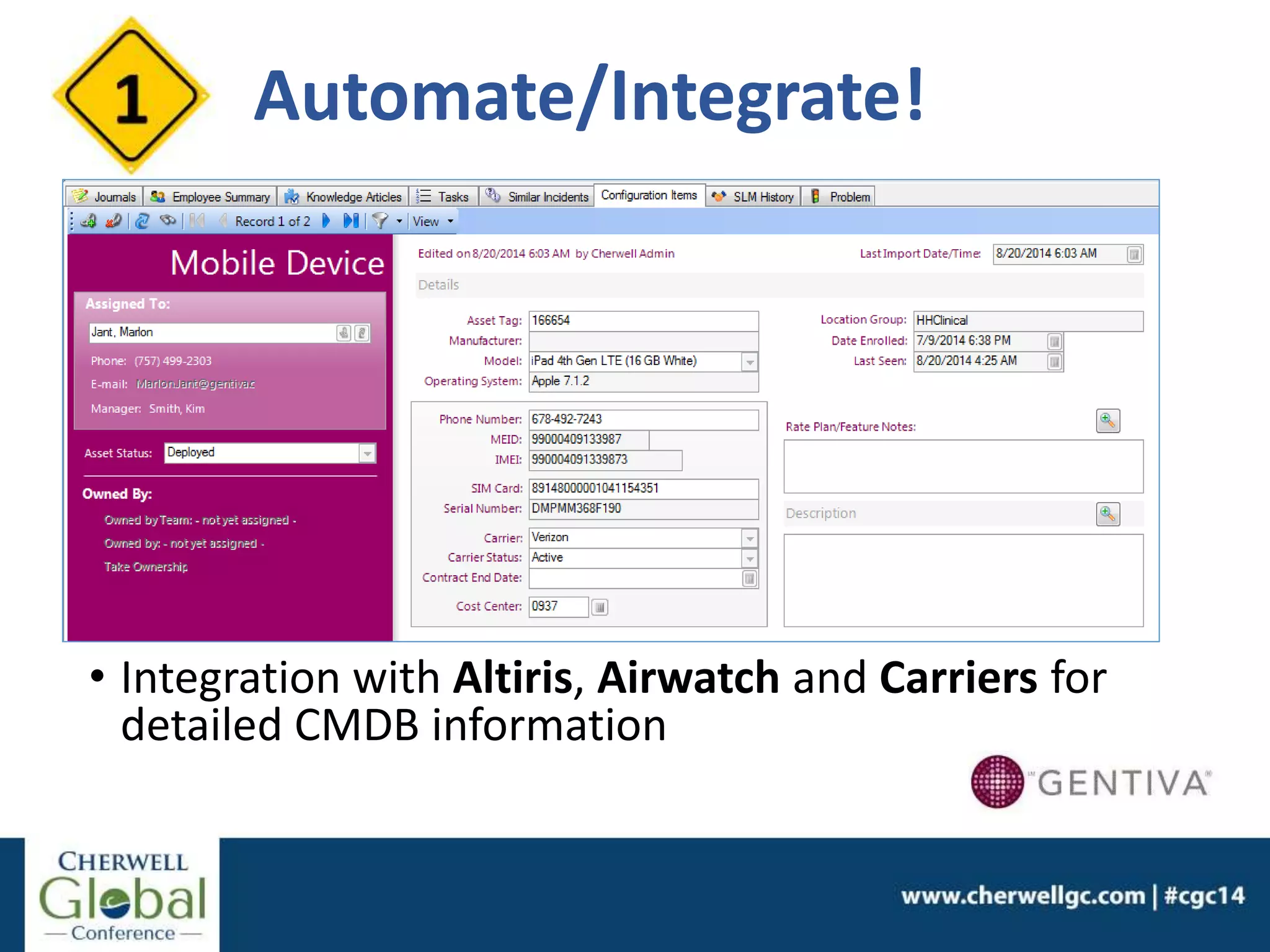
• Integration with Altiris, Airwatch and Carriers for
detailed CMDB information
Automate/Integrate!
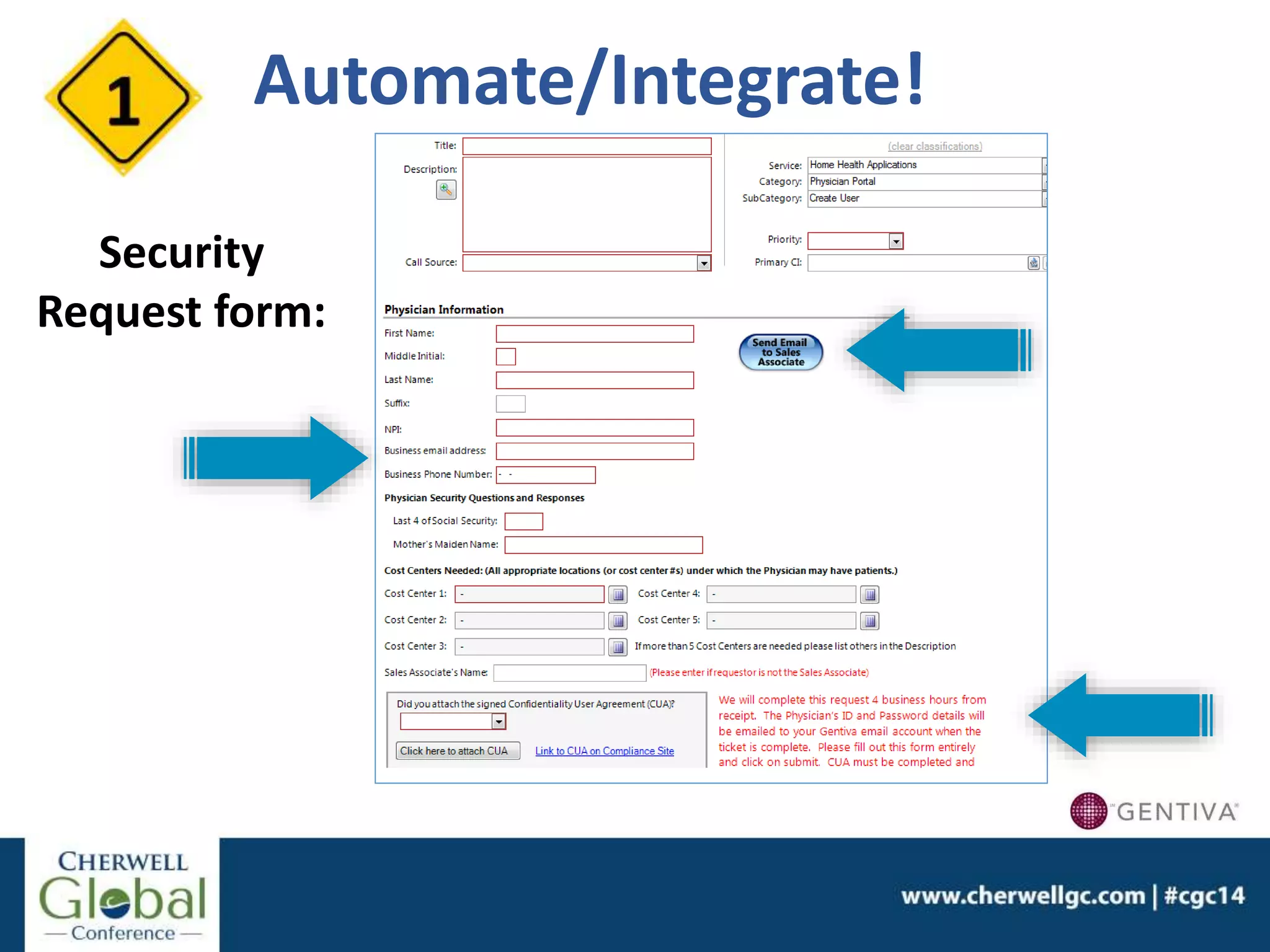
Security
Request form:
Automate/Integrate!
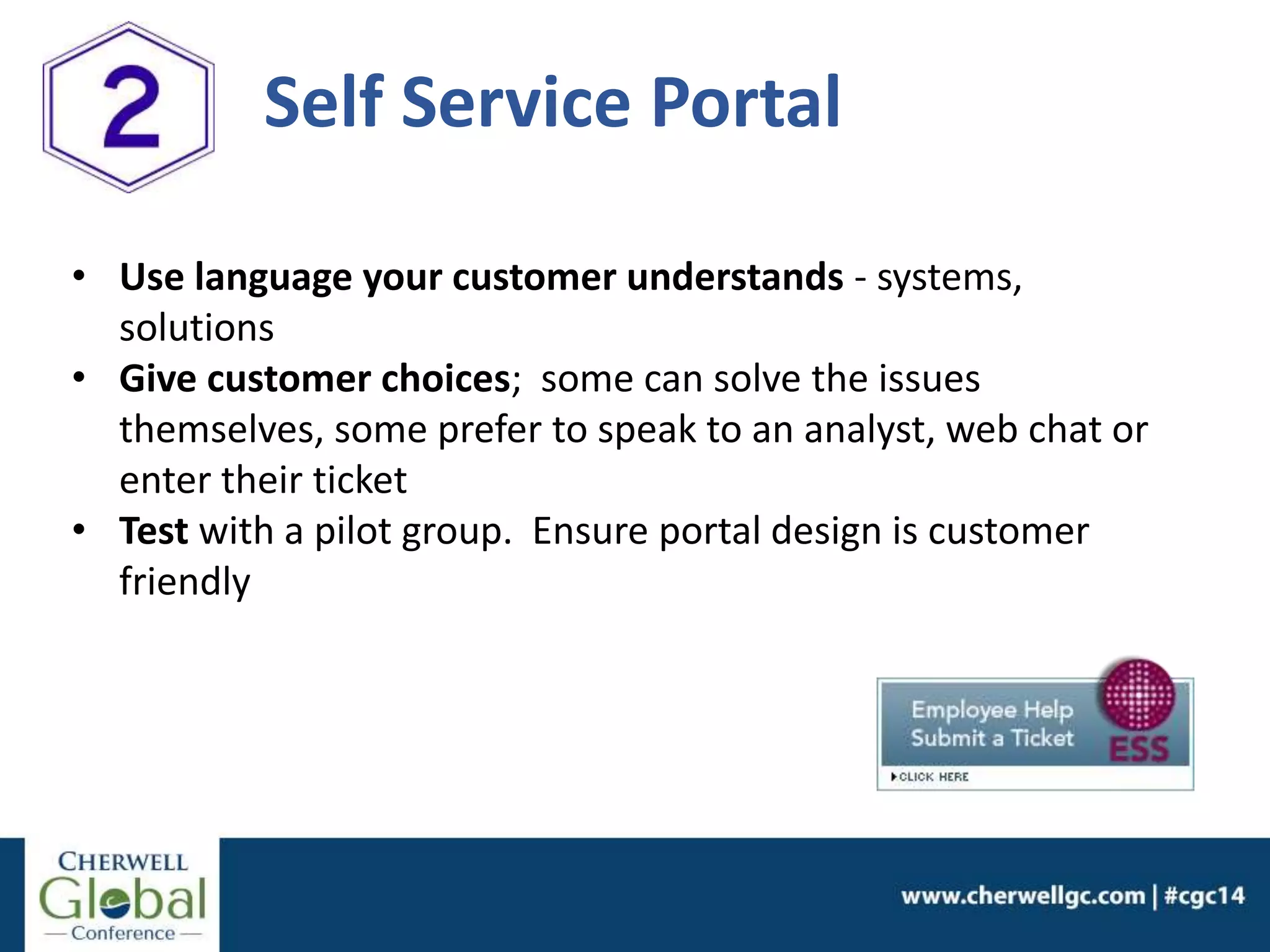
• Use language your customer understands - systems,
solutions
• Give customer choices; some can solve the issues
themselves, some prefer to speak to an analyst, web chat or
enter their ticket
• Test with a pilot group. Ensure portal design is customer
friendly
Self Service Portal
Self Service Portal
Knowledge is valuable
Your team has valuable knowledge. Harvest
information and make it useable
• Team participation
• Incent team; make it an important part of their job
• Set up standards for KB articles
• Begin where you need the most help
Most complicated processes/issues
Most important (audit/compliance) process adherence
• Use multiple tools for knowledge libraries
• Put knowledge steps in form for complicated
requests/issues
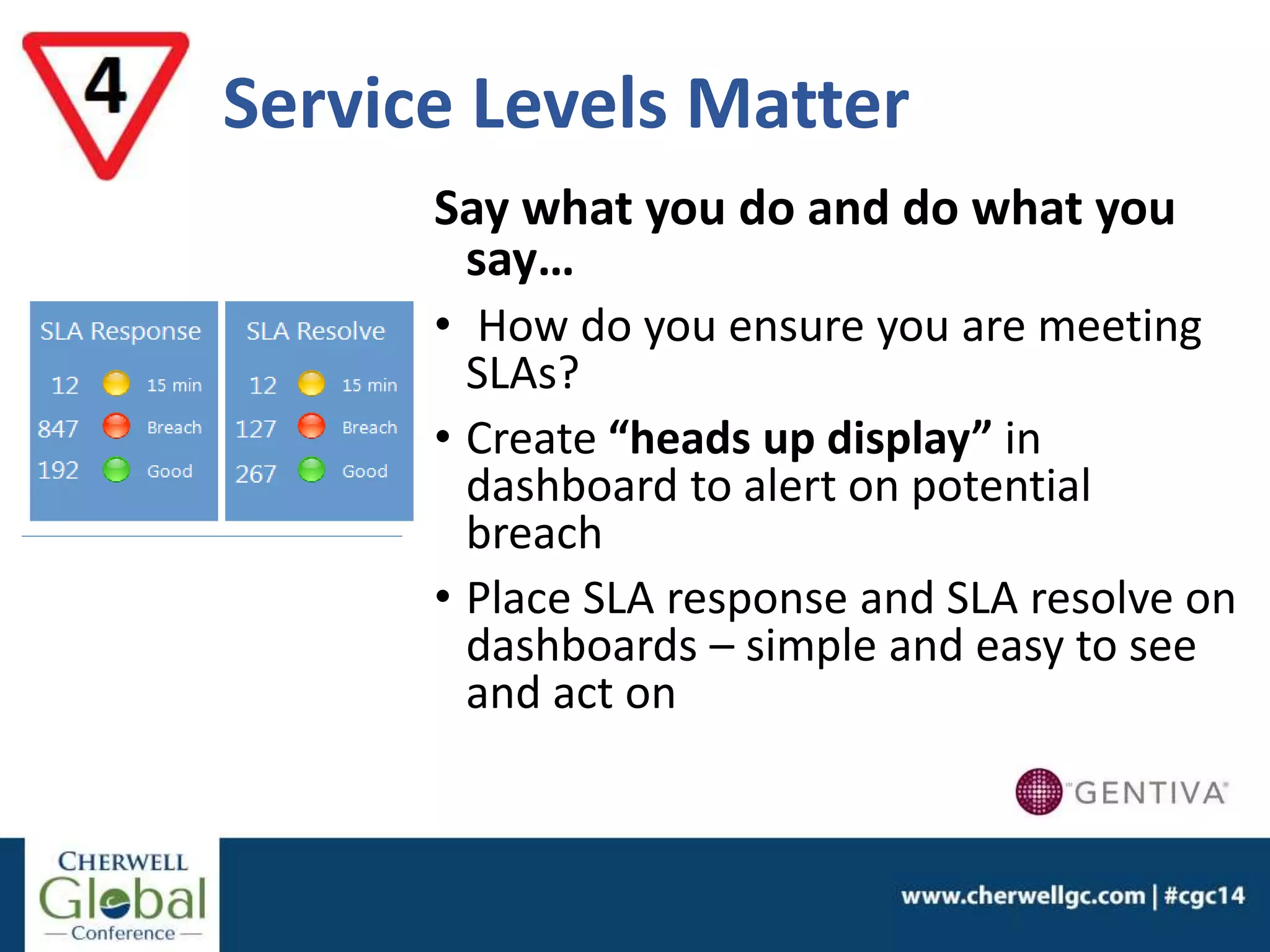
Service Levels Matter
Say what you do and do what you
say…
• How do you ensure you are meeting
SLAs?
• Create “heads up display” in
dashboard to alert on potential
breach
• Place SLA response and SLA resolve on
dashboards – simple and easy to see
and act on
Heads up Display
Service Levels Matter
Customer Feedback
Bad service is almost always a result of being out of
touch with your customer
Surveys are a great tool to stay in touch with your
customers, but…
1. Keep surveys simple, short and to the point
2. Don’t inundate customers with surveys.
3. Incent a response… What’s in it for me?
4. Give customers options to request a call
5. Quickly handle negative surveys/complaints
6. Get CIO buy-in on your approach; send
reports/updates
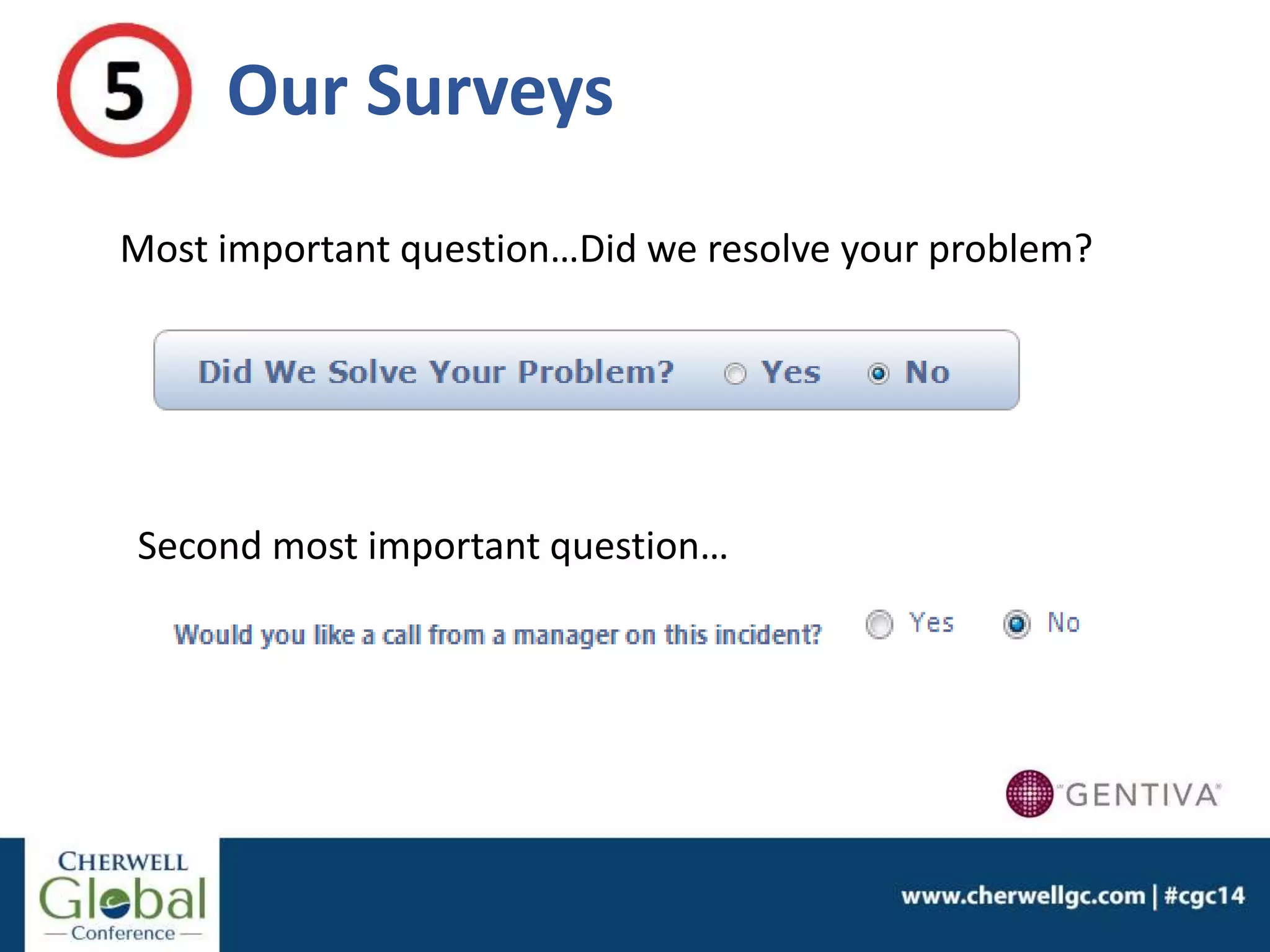
Our Surveys
Most important question…Did we resolve your problem?
Second most important question…
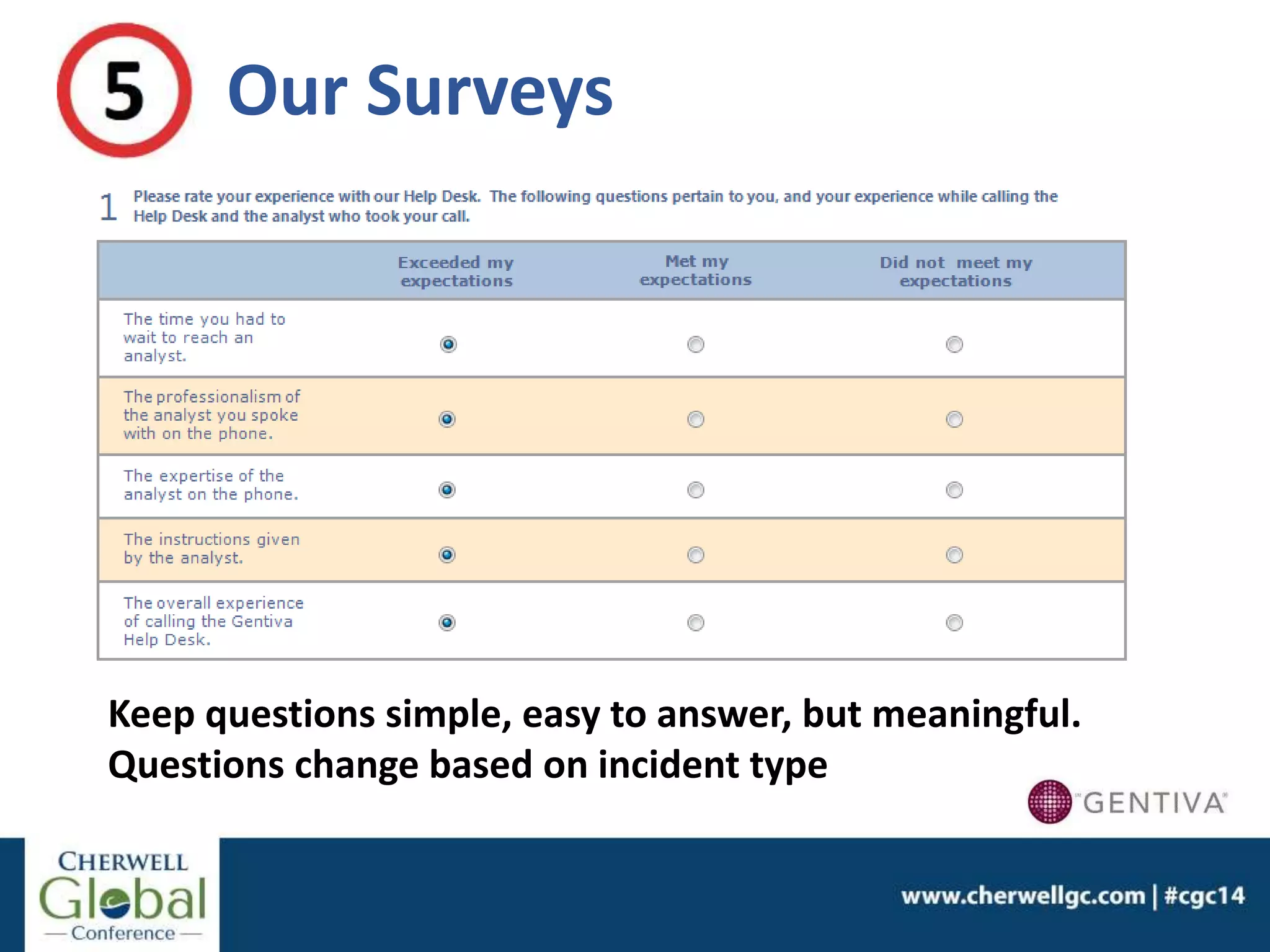
Keep questions simple, easy to answer, but meaningful.
Questions change based on incident type
Our Surveys
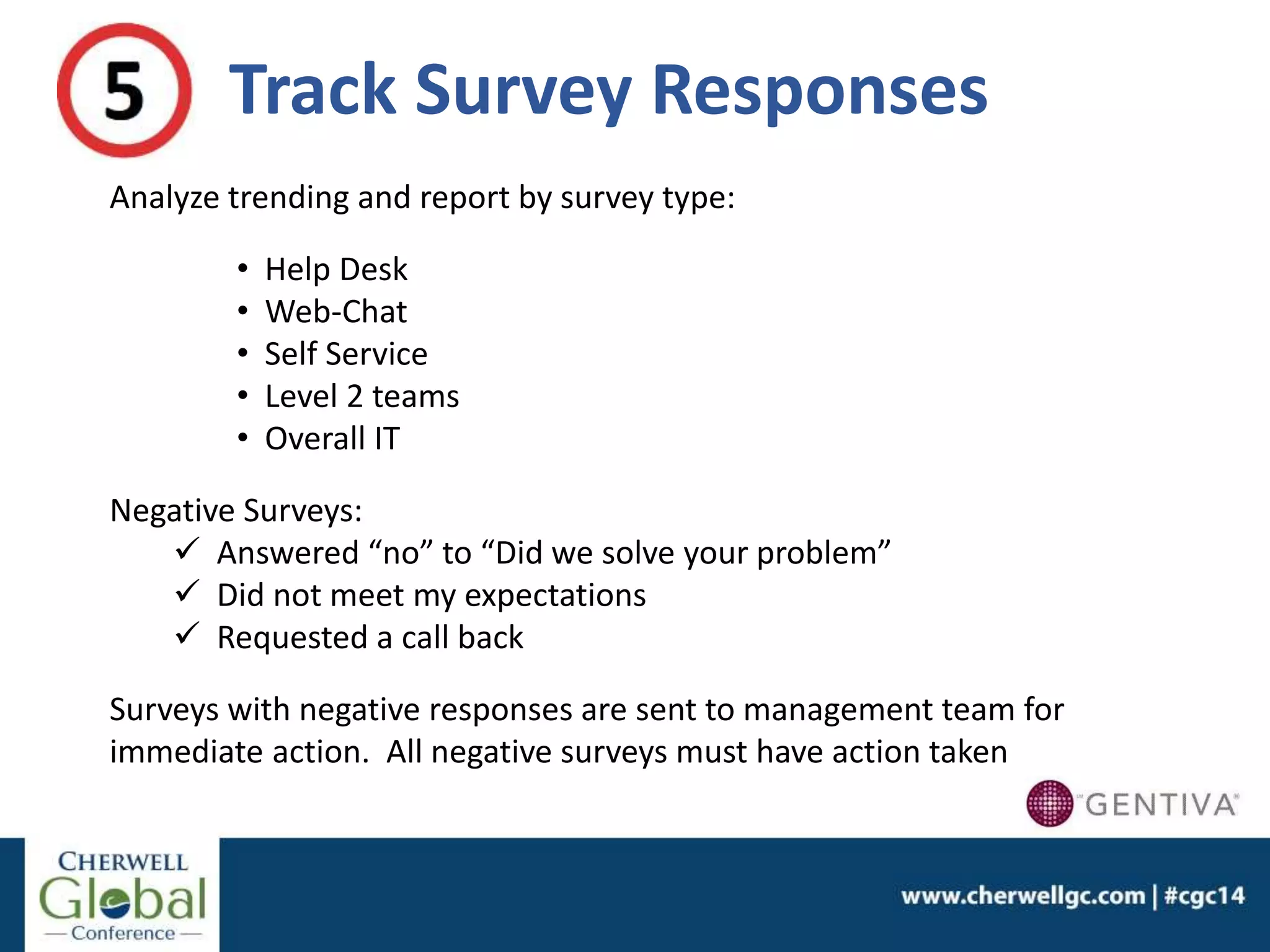
Track Survey Responses
Analyze trending and report by survey type:
• Help Desk
• Web-Chat
• Self Service
• Level 2 teams
• Overall IT
Negative Surveys:
 Answered “no” to “Did we solve your problem”
 Did not meet my expectations
 Requested a call back
Surveys with negative responses are sent to management team for
immediate action. All negative surveys must have action taken
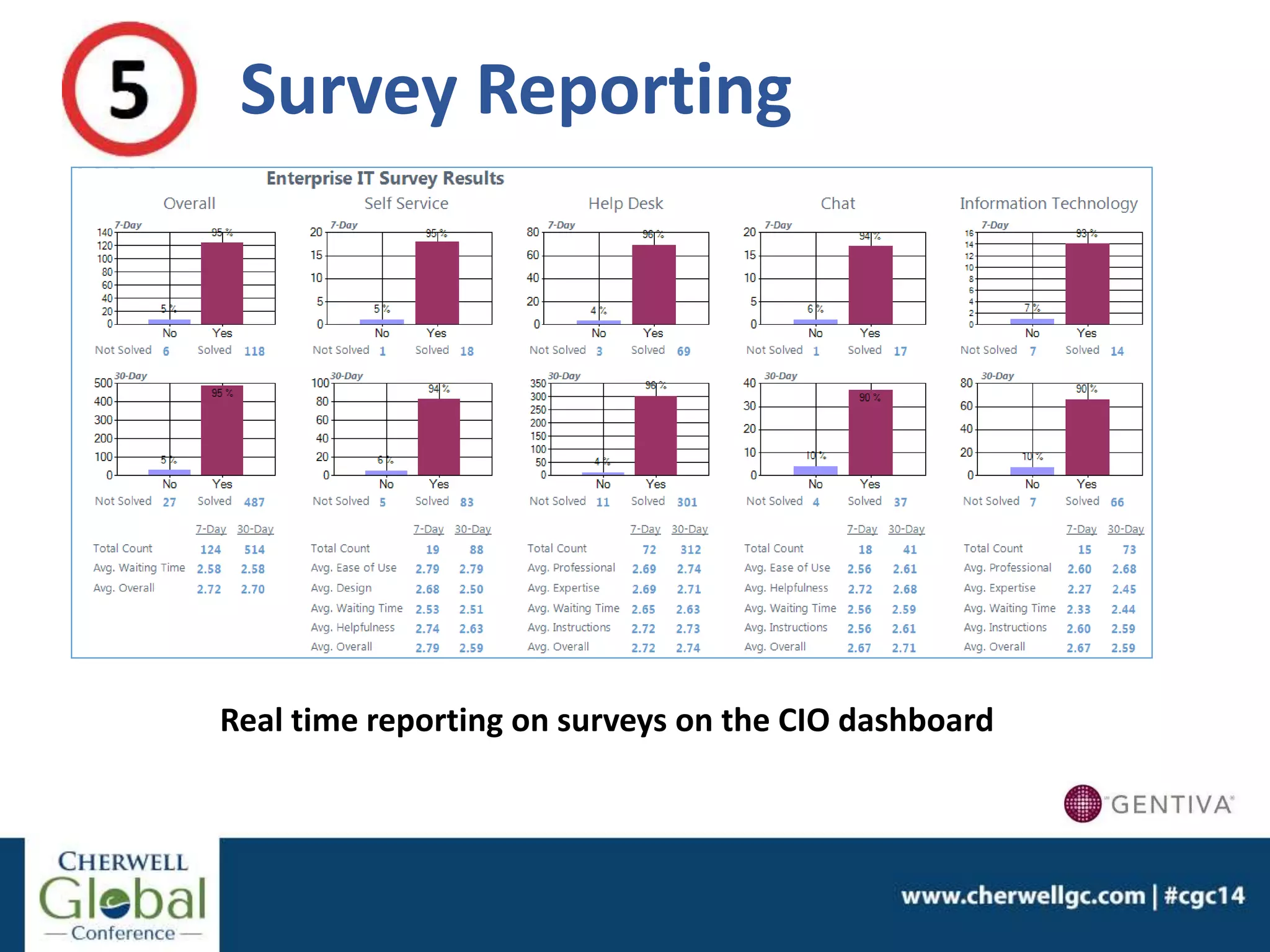
Survey Reporting
Real time reporting on surveys on the CIO dashboard
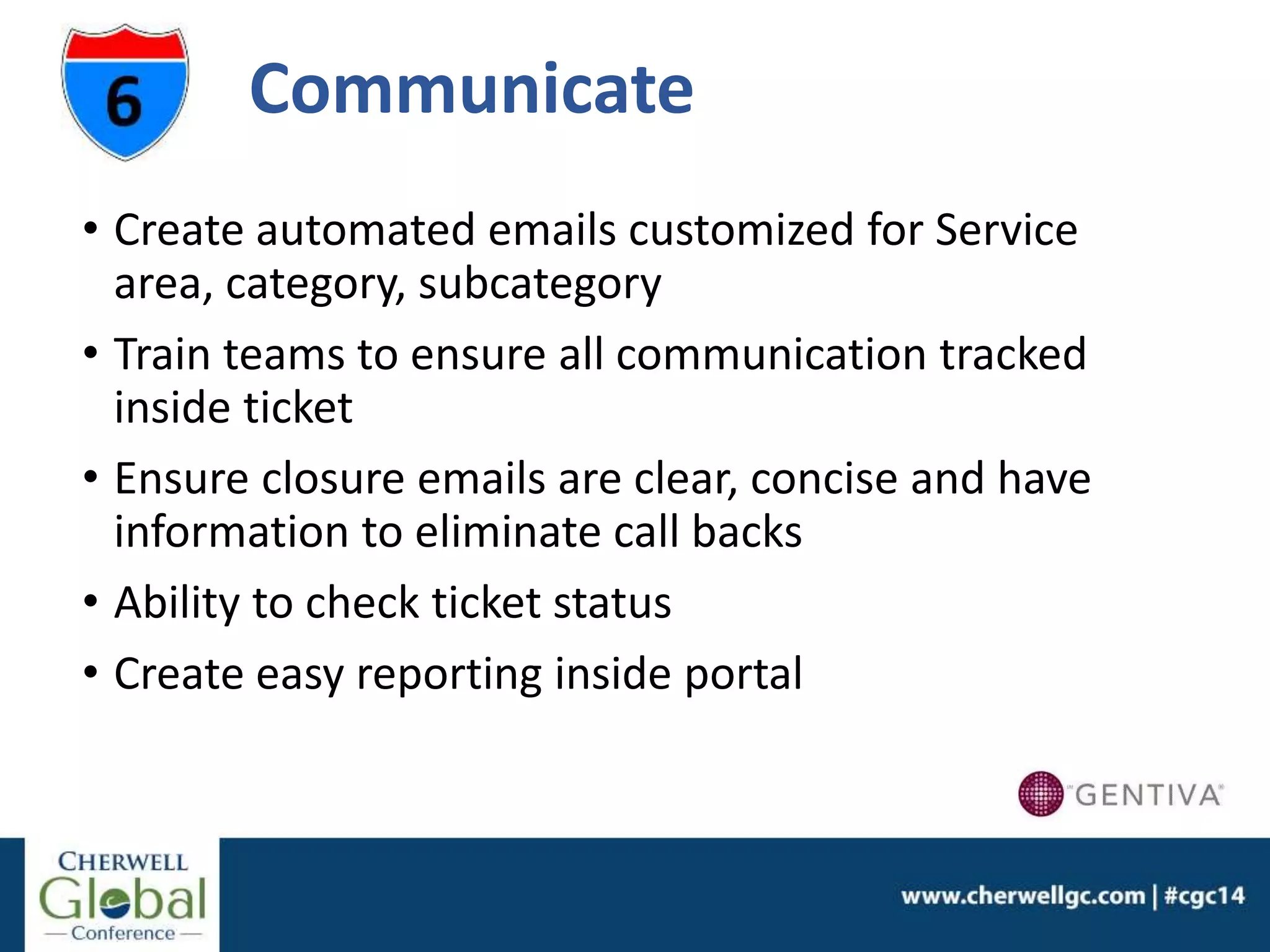
Communicate
• Create automated emails customized for Service
area, category, subcategory
• Train teams to ensure all communication tracked
inside ticket
• Ensure closure emails are clear, concise and have
information to eliminate call backs
• Ability to check ticket status
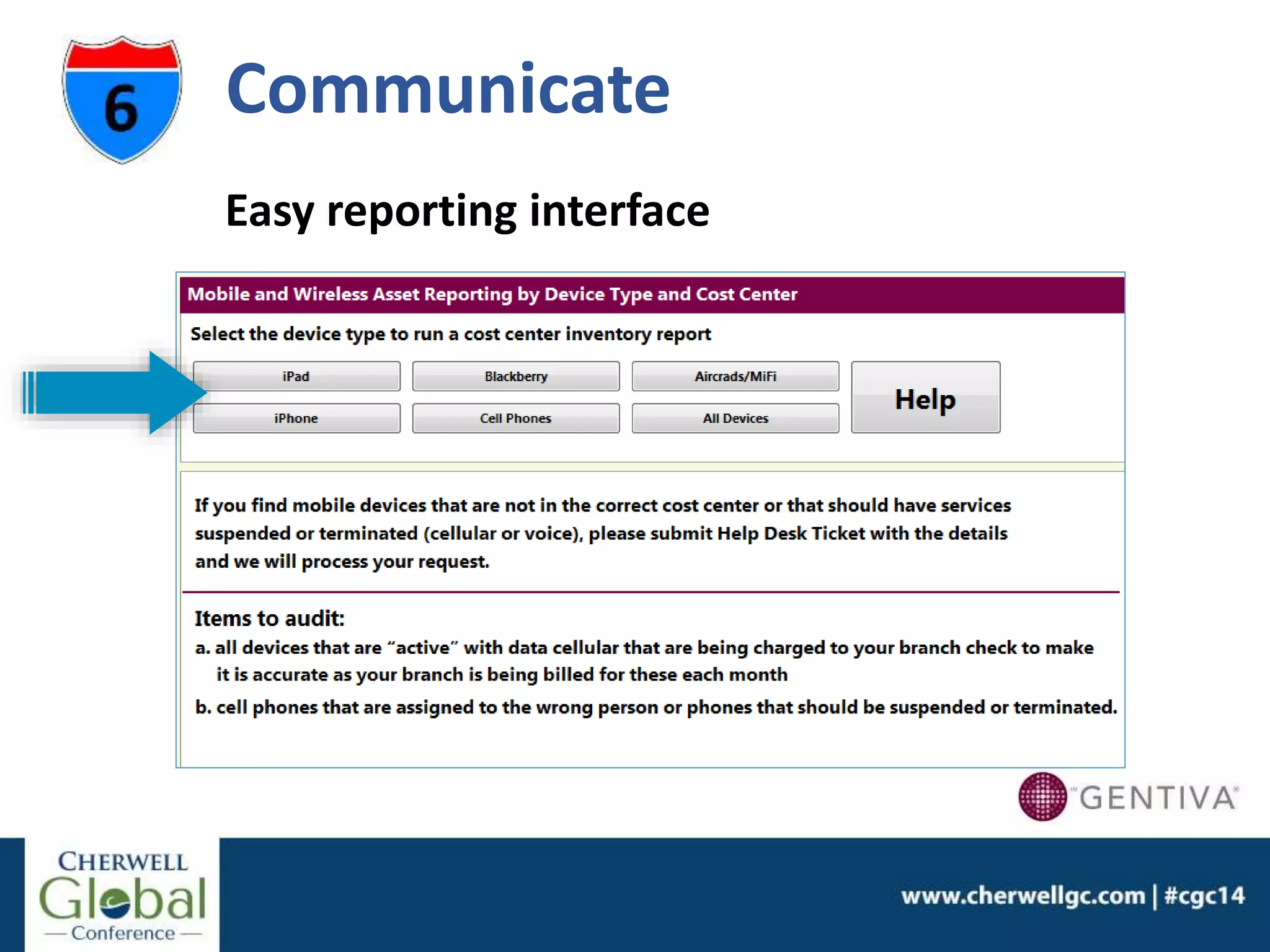
• Create easy reporting inside portal
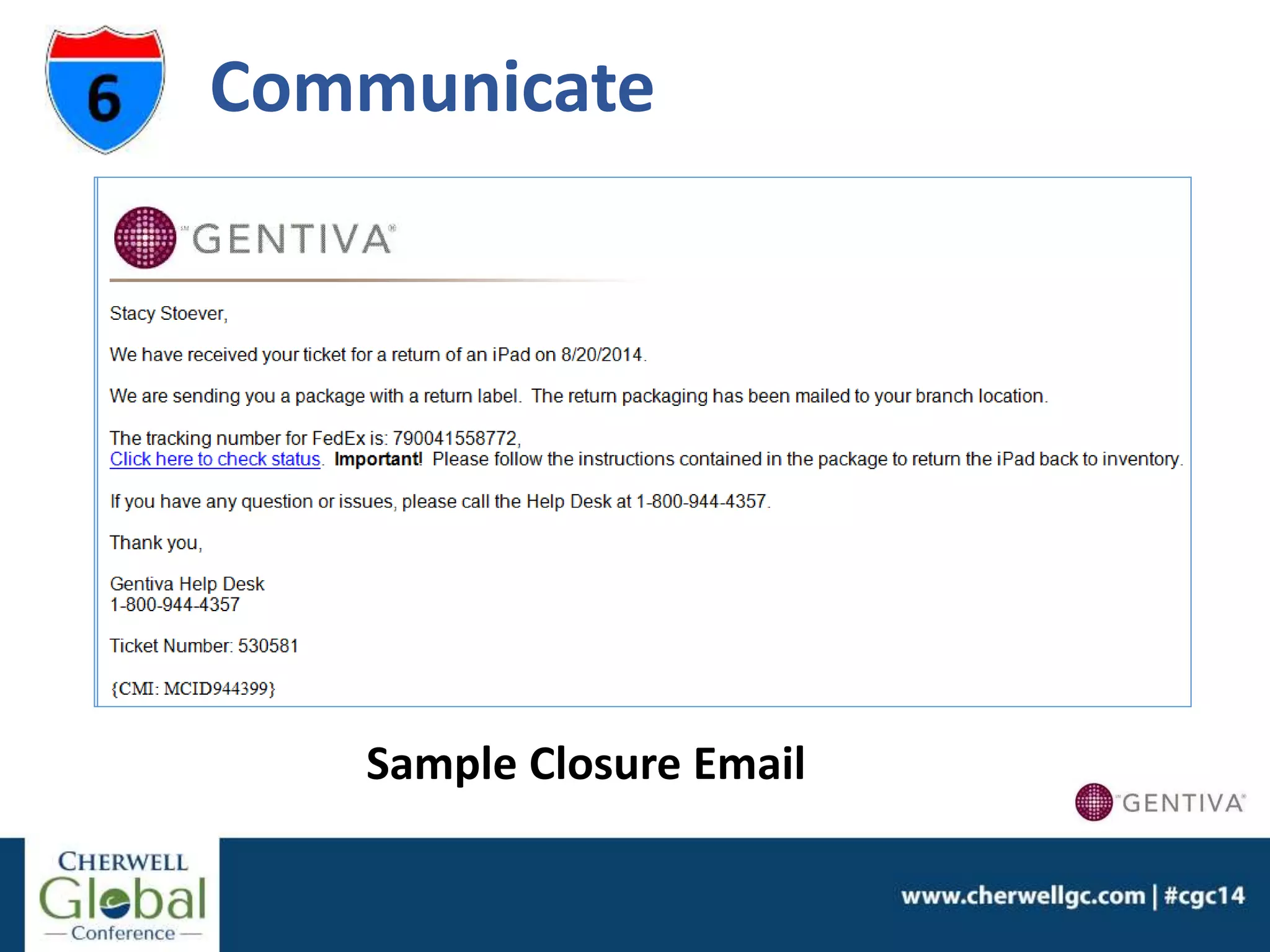
Communicate
Sample Closure Email
Easy reporting interface
Communicate
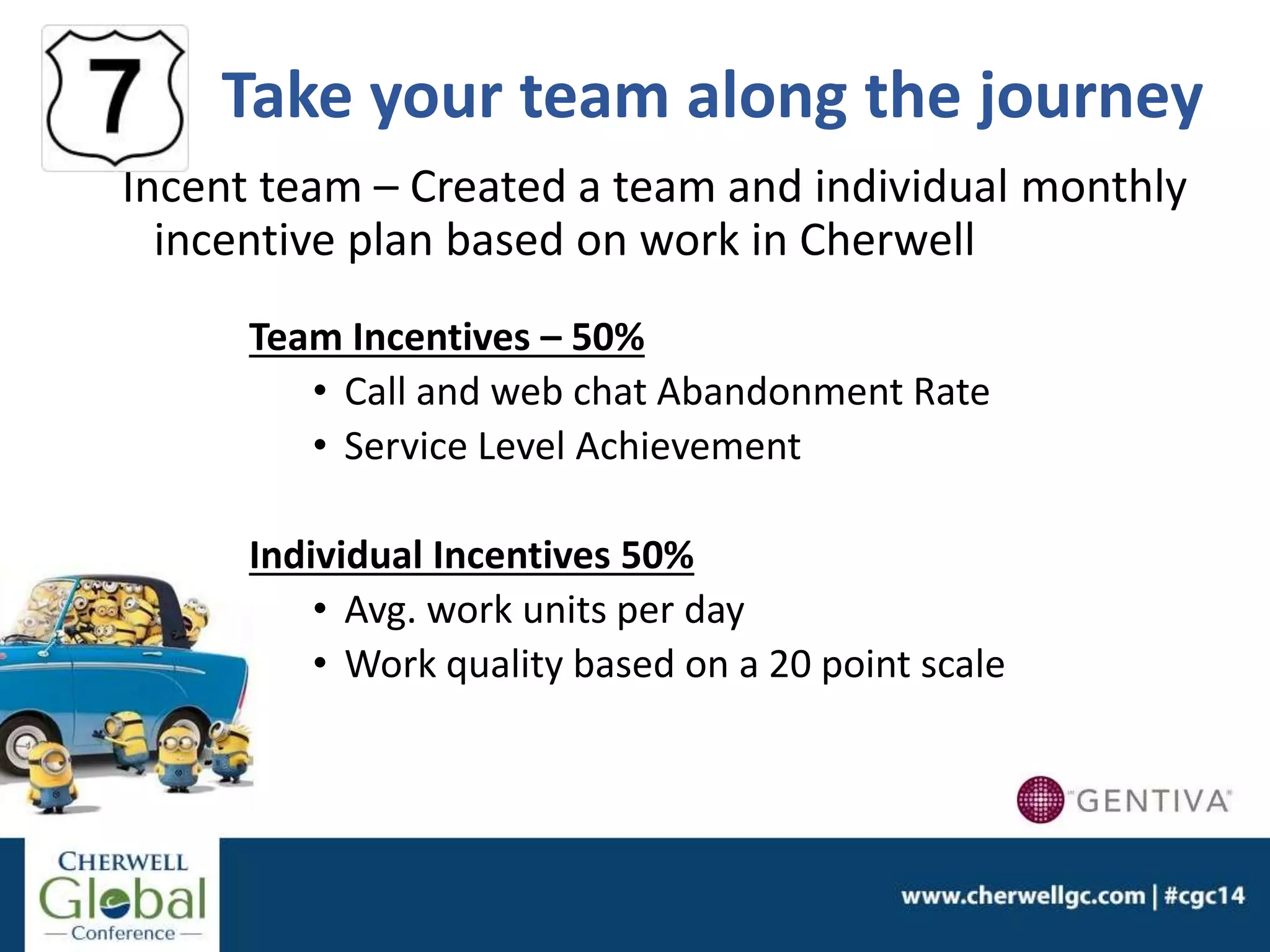
Take your team along the journey
Incent team – Created a team and individual monthly
incentive plan based on work in Cherwell
Team Incentives – 50%
• Call and web chat Abandonment Rate
• Service Level Achievement
Individual Incentives 50%
• Avg. work units per day
• Work quality based on a 20 point scale
Keep Improving
Since July 2013 we have implemented:
• Security request forms with automated approval
routing
• Process to purchase mobile phones, iPads and iPad
accessories with approval routing. Sends to 3rd party
suppliers
• Asset Management Module for our wireless and
desktop assets
• Added functionality for teams outside of IT:
• Human Resources (Benefits)
• Payroll
• Finance (Accounts Payable)
The Journey never stops
Projects planned for our Cherwell system:
• Replace Facility Management Tool
• iCherwell mobile tool for tier 2 engineers and
senior management
• Self Service Portal and integration with our IDM
solution
• Change Management
• Problem Management
1. Automate/Integrate – try NOT to do work
2. Self Service Portal – single pane of glass
3. Knowledge is valuable… collect it and use it
4. Service levels matter so do expectations
5. Find out how you are “really” doing; take action on
findings
6. Communicate with your customers
7. Bring your team along for the ride
8. Keep improving and evolving
8 tips to
Cherwell is our Easy Button!
Questions?
Thank you for attending this session.
Please complete an Evaluation Form.

8 Tips To Make Customer Service “Seem” Easy

  • 1.
    Kelly Doherty Gentiva HealthServices Kelly Doherty has been in the IT industry for over 20+ years. She has experience with managing Help Desks and developing customer support programs in both start up and established companies. In her current position, she manages over 37 Help Desk analysts and supports over 50,000 customers using Cherwell. Her company, Gentiva Health Services has been using Cherwell since July 2012 and has 100 operators. She was the project manager on the Cherwell implementation team and has responsibility for managing all Cherwell upgrades and enhancements. She has her PMP and ITIL certifications and finds that both are vital in her customer support role. “8 Tips to Make Customer Service "seem" Easy”
  • 2.
    Using your Cherwellsystem to make customer service “seem” easy 8 tips to
  • 3.
    Who We Support •Over 50,000 employees; 20,000 clinical and mobile users in the field. • Providing home health and hospice services to more than 110,000 patients a day in over 420 locations in the United States
  • 4.
    Our Journey…one yearago Gentiva was growing and changing quickly. • Employees count from 15,000 to 50,000 overnight. • Applications grew from 100 to over 250. • Deployed new technology: cellular iPads to clinical staff: 0 to 14,000 in 13 weeks. 4 Key Challenges 1. Hire additional Help Desk support staff (8 to 35). 2. Fast training for new staff. 3. Current ITSM tool was not flexible and costly to expand. 4. Support new systems and requests quickly and seamlessly.
  • 5.
    Our Service Desk-Today • July 2013 Cherwell implementation (version 4.6c) • 35 analysts, 200 IT users, 28 teams • 314,000 tickets created • Support calls, web-chats and self-service tickets. • Single pane of glass- comprehensive self service portal. What Did We Learn?
  • 6.
    Automate/Integrate! Why do workwhen you don’t have to? • Touch-less ticket processes • Externally sent to vendors • Direct to Tier 2 teams • Create forms that collect all data • Alerts on thresholds; notifications using visual workflows and automated escalation processes
  • 7.
    • Integration withActive Directory and PeopleSoft; provided vital employee information Automate/Integrate!
  • 8.
    • Integration withAltiris, Airwatch and Carriers for detailed CMDB information Automate/Integrate!
  • 9.
  • 10.
    • Use languageyour customer understands - systems, solutions • Give customer choices; some can solve the issues themselves, some prefer to speak to an analyst, web chat or enter their ticket • Test with a pilot group. Ensure portal design is customer friendly Self Service Portal
  • 11.
  • 12.
    Knowledge is valuable Yourteam has valuable knowledge. Harvest information and make it useable • Team participation • Incent team; make it an important part of their job • Set up standards for KB articles • Begin where you need the most help Most complicated processes/issues Most important (audit/compliance) process adherence • Use multiple tools for knowledge libraries • Put knowledge steps in form for complicated requests/issues
  • 13.
    Service Levels Matter Saywhat you do and do what you say… • How do you ensure you are meeting SLAs? • Create “heads up display” in dashboard to alert on potential breach • Place SLA response and SLA resolve on dashboards – simple and easy to see and act on
  • 14.
  • 15.
    Customer Feedback Bad serviceis almost always a result of being out of touch with your customer Surveys are a great tool to stay in touch with your customers, but… 1. Keep surveys simple, short and to the point 2. Don’t inundate customers with surveys. 3. Incent a response… What’s in it for me? 4. Give customers options to request a call 5. Quickly handle negative surveys/complaints 6. Get CIO buy-in on your approach; send reports/updates
  • 16.
    Our Surveys Most importantquestion…Did we resolve your problem? Second most important question…
  • 17.
    Keep questions simple,easy to answer, but meaningful. Questions change based on incident type Our Surveys
  • 18.
    Track Survey Responses Analyzetrending and report by survey type: • Help Desk • Web-Chat • Self Service • Level 2 teams • Overall IT Negative Surveys:  Answered “no” to “Did we solve your problem”  Did not meet my expectations  Requested a call back Surveys with negative responses are sent to management team for immediate action. All negative surveys must have action taken
  • 19.
    Survey Reporting Real timereporting on surveys on the CIO dashboard
  • 20.
    Communicate • Create automatedemails customized for Service area, category, subcategory • Train teams to ensure all communication tracked inside ticket • Ensure closure emails are clear, concise and have information to eliminate call backs • Ability to check ticket status • Create easy reporting inside portal
  • 21.
  • 22.
  • 23.
    Take your teamalong the journey Incent team – Created a team and individual monthly incentive plan based on work in Cherwell Team Incentives – 50% • Call and web chat Abandonment Rate • Service Level Achievement Individual Incentives 50% • Avg. work units per day • Work quality based on a 20 point scale
  • 24.
    Keep Improving Since July2013 we have implemented: • Security request forms with automated approval routing • Process to purchase mobile phones, iPads and iPad accessories with approval routing. Sends to 3rd party suppliers • Asset Management Module for our wireless and desktop assets • Added functionality for teams outside of IT: • Human Resources (Benefits) • Payroll • Finance (Accounts Payable)
  • 25.
    The Journey neverstops Projects planned for our Cherwell system: • Replace Facility Management Tool • iCherwell mobile tool for tier 2 engineers and senior management • Self Service Portal and integration with our IDM solution • Change Management • Problem Management
  • 26.
    1. Automate/Integrate –try NOT to do work 2. Self Service Portal – single pane of glass 3. Knowledge is valuable… collect it and use it 4. Service levels matter so do expectations 5. Find out how you are “really” doing; take action on findings 6. Communicate with your customers 7. Bring your team along for the ride 8. Keep improving and evolving 8 tips to
  • 27.
    Cherwell is ourEasy Button! Questions?
  • 28.
    Thank you forattending this session. Please complete an Evaluation Form.