D O N N A J A C O B S , M B A
I T S E N I O R D I R E C T O R
C O M P U T E R O P E R A T I O N S
I N F O R M A T I O N S Y S T E M S A N D C O M P U T I N G
A N D R E H A R R I S
O P E R A T I O N S M A N A G E R
P R O V I D E R D E S K
I N F O R M A T I O N S Y S T E M S A N D C O M P U T I N G
Introduction to ITIL:
A Framework for IT Service Management
What is ITIL?
 Information Technology Infrastructure Library.
 Provides a best practice framework for identifying,
planning, delivering, improving, and supporting IT
services (i.e., IT Service Management).
 Enables IT organizations to deliver services that satisfy
the business’ needs and are aligned with the business’
goals.
 The ITIL framework describes the “what” a service
provider must do, not the “how”.
 ITIL recognizes that industry, maturity level, size, and other factors
differ for every organization.
 Part of ITIL’s success is due to it being “vendor neutral”. It can be
implemented within any IT organization.
Benefits of ITIL
 Proven, widely used framework
 Provides a common business language for IT organizations
 Creates a communication path between IT organization and
the business
 Enables the collection of valuable information about service
provided by an organization
 Aligns IT services to the needs and goals of the business
 Provides a structured approach to launching and maintaining
IT services
 Provides a proactive management plan for assessing
operational health, predictability, and accountability for all IT
services
 Provides a method to engage staff towards a common goal
IT Service Management (ITSM) Lifecycle
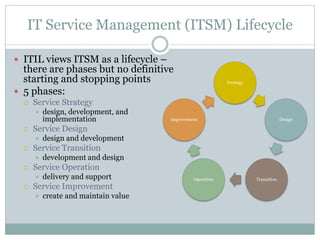
 ITIL views ITSM as a lifecycle –
there are phases but no definitive
starting and stopping points
 5 phases:
 Service Strategy
 design, development, and
implementation
 Service Design
 design and development
 Service Transition
 development and design
 Service Operation
 delivery and support
 Service Improvement
 create and maintain value
Strategy
Design
TransitionOperation
Improvement
Case Study
ISC Provider Desk
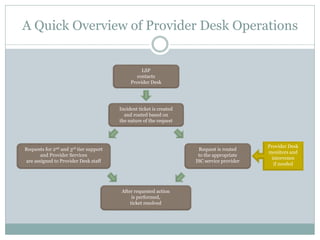
A Quick Overview of Provider Desk Operations
Provider Desk
monitors and
intervenes
if needed
LSP
contacts
Provider Desk
Incident ticket is created
and routed based on
the nature of the request
After requested action
is performed,
ticket resolved
Requests for 2nd and 3rd tier support
and Provider Services
are assigned to Provider Desk staff
Request is routed
to the appropriate
ISC service provider
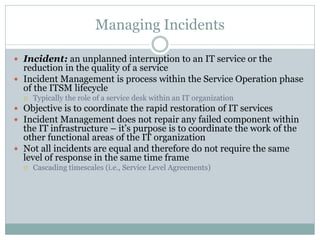
Managing Incidents
 Incident: an unplanned interruption to an IT service or the
reduction in the quality of a service
 Incident Management is process within the Service Operation phase
of the ITSM lifecycle
 Typically the role of a service desk within an IT organization
 Objective is to coordinate the rapid restoration of IT services
 Incident Management does not repair any failed component within
the IT infrastructure – it’s purpose is to coordinate the work of the
other functional areas of the IT organization
 Not all incidents are equal and therefore do not require the same
level of response in the same time frame
 Cascading timescales (i.e., Service Level Agreements)
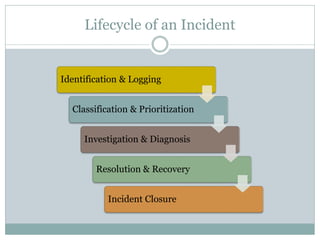
Lifecycle of an Incident
Identification & Logging
Classification & Prioritization
Investigation & Diagnosis
Resolution & Recovery
Incident Closure
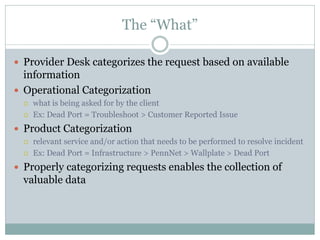
The “What”
 Provider Desk categorizes the request based on available
information
 Operational Categorization
 what is being asked for by the client
 Ex: Dead Port = Troubleshoot > Customer Reported Issue
 Product Categorization
 relevant service and/or action that needs to be performed to resolve incident
 Ex: Dead Port = Infrastructure > PennNet > Wallplate > Dead Port
 Properly categorizing requests enables the collection of
valuable data
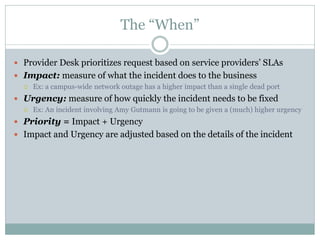
The “When”
 Provider Desk prioritizes request based on service providers’ SLAs
 Impact: measure of what the incident does to the business
 Ex: a campus-wide network outage has a higher impact than a single dead port
 Urgency: measure of how quickly the incident needs to be fixed
 Ex: An incident involving Amy Gutmann is going to be given a (much) higher urgency
 Priority = Impact + Urgency
 Impact and Urgency are adjusted based on the details of the incident
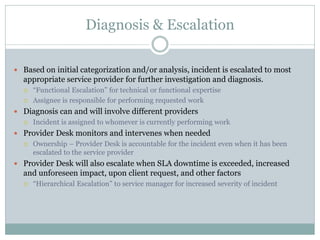
Diagnosis & Escalation
 Based on initial categorization and/or analysis, incident is escalated to most
appropriate service provider for further investigation and diagnosis.
 “Functional Escalation” for technical or functional expertise
 Assignee is responsible for performing requested work
 Diagnosis can and will involve different providers
 Incident is assigned to whomever is currently performing work
 Provider Desk monitors and intervenes when needed
 Ownership – Provider Desk is accountable for the incident even when it has been
escalated to the service provider
 Provider Desk will also escalate when SLA downtime is exceeded, increased
and unforeseen impact, upon client request, and other factors
 “Hierarchical Escalation” to service manager for increased severity of incident
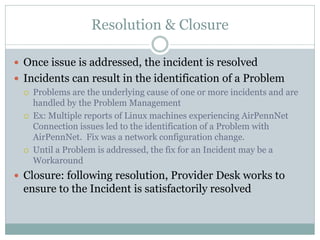
Resolution & Closure
 Once issue is addressed, the incident is resolved
 Incidents can result in the identification of a Problem
 Problems are the underlying cause of one or more incidents and are
handled by the Problem Management
 Ex: Multiple reports of Linux machines experiencing AirPennNet
Connection issues led to the identification of a Problem with
AirPennNet. Fix was a network configuration change.
 Until a Problem is addressed, the fix for an Incident may be a
Workaround
 Closure: following resolution, Provider Desk works to
ensure to the Incident is satisfactorily resolved
How ITIL Helps Us
 Metrics, metrics, metrics
 Better data leads to more valuable information
 Helps us measure our performance and optimize operations
 Helps to identify actions Provider Desk needs to perform based on
industry standards as defined by ITIL
 Clearly defined roles and responsibilities
 Facilitates partnerships and communications with service providers
 We’re speaking the same language, working in the same process
 Enables efficient and effective incident management which minimizes
impact of IT service failure
 Enables us to be proactive, not just reactive
 Better service, better customer satisfaction
Case Study
ISC Computer Operations
Setting the Stage
 Be honest with yourself about “current state”.
 Outline a strategic vision for the organization.
 Understand budgetary implications.
 Obtain Senior Management support for the program.
 Know your resources.
 Develop a tactical (execution) plan.
 Prepare for cultural change…and resistance to it.
 Measure the benefits
Understand the Current State
 University standard toolset is available for Incident Management,
but internal use is minimal.
 Crystal Reporting is the reporting tool of choice.
…For Computer Operations in 2004
 Incidents are not logged.
 No quantifiable trending data is available.
 No metrics for recurring incidents are available.
 Changes are logged via spreadsheet.
 Work volume is an approximation.
 Turnaround time for requests can be up to two weeks.
Reassess the Organizational Structure and Change It
 Problem Management
 Change Management
 Asset Management
 Metrics and Reporting
 IT Audit/Quality Management
You must….
 Assess if you have the right people with the right (or potential to grow) skill
sets.
 Educate the staff so they are comfortable with the ITIL methodology.
 Organize the functions as a team.
 Know what the business problem is that you’re trying to solve.
 Invest time to support your staff and guide the transition.
 Provide clear performance goals as incentive for employees to invest in the
strategy.
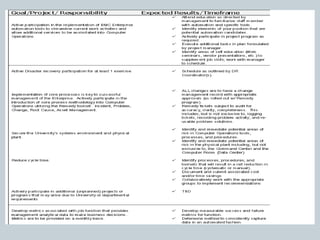
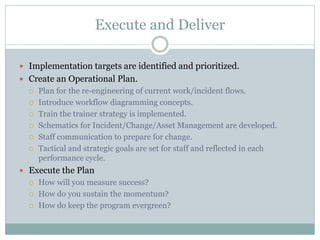
Execute and Deliver
 Implementation targets are identified and prioritized.
 Create an Operational Plan.
 Plan for the re-engineering of current work/incident flows.
 Introduce workflow diagramming concepts.
 Train the trainer strategy is implemented.
 Schematics for Incident/Change/Asset Management are developed.
 Staff communication to prepare for change.
 Tactical and strategic goals are set for staff and reflected in each
performance cycle.
 Execute the Plan
 How will you measure success?
 How do you sustain the momentum?
 How do keep the program evergreen?
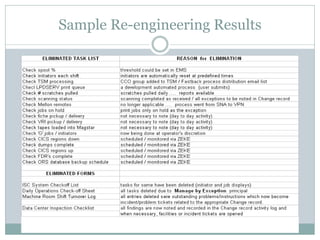
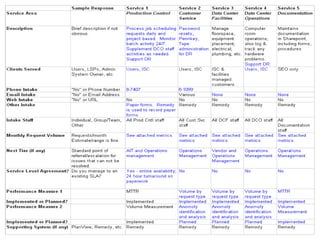
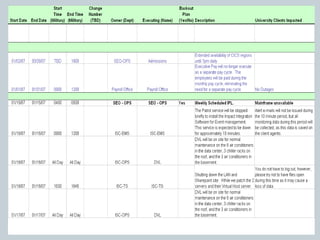
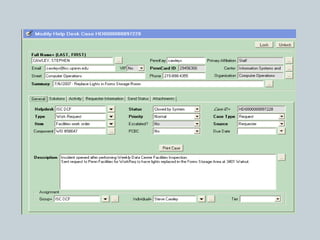
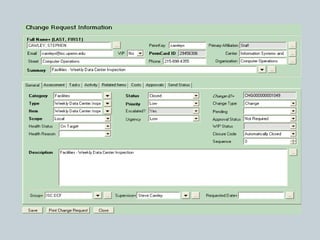
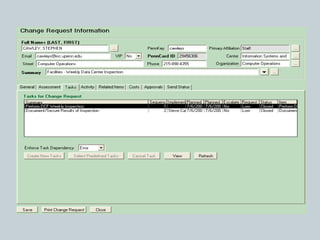
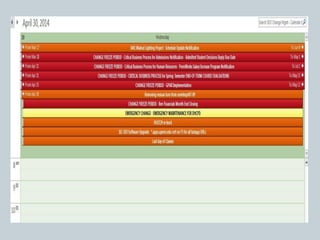
Sample Re-engineering Results
21
22
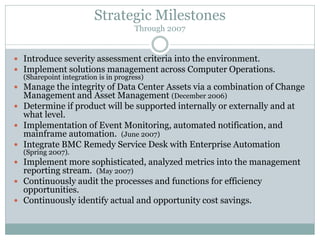
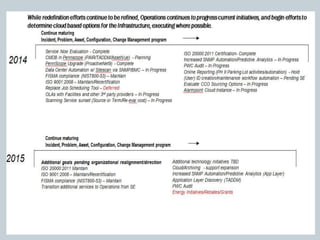
Strategic Milestones
Through 2007
 Introduce severity assessment criteria into the environment.
 Implement solutions management across Computer Operations.
(Sharepoint integration is in progress)
 Manage the integrity of Data Center Assets via a combination of Change
Management and Asset Management (December 2006)
 Determine if product will be supported internally or externally and at
what level.
 Implementation of Event Monitoring, automated notification, and
mainframe automation. (June 2007)
 Integrate BMC Remedy Service Desk with Enterprise Automation
(Spring 2007).
 Implement more sophisticated, analyzed metrics into the management
reporting stream. (May 2007)
 Continuously audit the processes and functions for efficiency
opportunities.
 Continuously identify actual and opportunity cost savings.
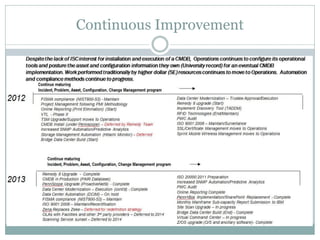
Continuous Improvement
Final Thoughts
 Implementing ITIL is not for the faint of heart.
 Begin with the building blocks of ITIL.
 Formulate an ITIL steering committee.
 Develop each of the disciplines separately, then integrate.
 Be prepared to uncover your deficiencies (and deal with them).
 Continuously audit the processes and functions for efficiency
opportunities.
 Evolution is the key – this program never officially “ends” – annual
strategic planning is necessary; operational plans assessed quarterly.
Questions?
Donna Jacobs, MBA
IT Senior Director
Computer Operations
Information Systems and Computing
manleydm@isc.upenn.edu
(215) 898-8864
Andre Harris
Operations Manager
Provider Desk
Information Systems and Computing
harris2@isc.upenn.edu
(215) 746-1411

Overview to itil

  • 1.
    D O NN A J A C O B S , M B A I T S E N I O R D I R E C T O R C O M P U T E R O P E R A T I O N S I N F O R M A T I O N S Y S T E M S A N D C O M P U T I N G A N D R E H A R R I S O P E R A T I O N S M A N A G E R P R O V I D E R D E S K I N F O R M A T I O N S Y S T E M S A N D C O M P U T I N G Introduction to ITIL: A Framework for IT Service Management
  • 2.
    What is ITIL? Information Technology Infrastructure Library.  Provides a best practice framework for identifying, planning, delivering, improving, and supporting IT services (i.e., IT Service Management).  Enables IT organizations to deliver services that satisfy the business’ needs and are aligned with the business’ goals.  The ITIL framework describes the “what” a service provider must do, not the “how”.  ITIL recognizes that industry, maturity level, size, and other factors differ for every organization.  Part of ITIL’s success is due to it being “vendor neutral”. It can be implemented within any IT organization.
  • 3.
    Benefits of ITIL Proven, widely used framework  Provides a common business language for IT organizations  Creates a communication path between IT organization and the business  Enables the collection of valuable information about service provided by an organization  Aligns IT services to the needs and goals of the business  Provides a structured approach to launching and maintaining IT services  Provides a proactive management plan for assessing operational health, predictability, and accountability for all IT services  Provides a method to engage staff towards a common goal
  • 4.
    IT Service Management(ITSM) Lifecycle  ITIL views ITSM as a lifecycle – there are phases but no definitive starting and stopping points  5 phases:  Service Strategy  design, development, and implementation  Service Design  design and development  Service Transition  development and design  Service Operation  delivery and support  Service Improvement  create and maintain value Strategy Design TransitionOperation Improvement
  • 5.
  • 6.
    A Quick Overviewof Provider Desk Operations Provider Desk monitors and intervenes if needed LSP contacts Provider Desk Incident ticket is created and routed based on the nature of the request After requested action is performed, ticket resolved Requests for 2nd and 3rd tier support and Provider Services are assigned to Provider Desk staff Request is routed to the appropriate ISC service provider
  • 7.
    Managing Incidents  Incident:an unplanned interruption to an IT service or the reduction in the quality of a service  Incident Management is process within the Service Operation phase of the ITSM lifecycle  Typically the role of a service desk within an IT organization  Objective is to coordinate the rapid restoration of IT services  Incident Management does not repair any failed component within the IT infrastructure – it’s purpose is to coordinate the work of the other functional areas of the IT organization  Not all incidents are equal and therefore do not require the same level of response in the same time frame  Cascading timescales (i.e., Service Level Agreements)
  • 8.
    Lifecycle of anIncident Identification & Logging Classification & Prioritization Investigation & Diagnosis Resolution & Recovery Incident Closure
  • 9.
    The “What”  ProviderDesk categorizes the request based on available information  Operational Categorization  what is being asked for by the client  Ex: Dead Port = Troubleshoot > Customer Reported Issue  Product Categorization  relevant service and/or action that needs to be performed to resolve incident  Ex: Dead Port = Infrastructure > PennNet > Wallplate > Dead Port  Properly categorizing requests enables the collection of valuable data
  • 10.
    The “When”  ProviderDesk prioritizes request based on service providers’ SLAs  Impact: measure of what the incident does to the business  Ex: a campus-wide network outage has a higher impact than a single dead port  Urgency: measure of how quickly the incident needs to be fixed  Ex: An incident involving Amy Gutmann is going to be given a (much) higher urgency  Priority = Impact + Urgency  Impact and Urgency are adjusted based on the details of the incident
  • 11.
    Diagnosis & Escalation Based on initial categorization and/or analysis, incident is escalated to most appropriate service provider for further investigation and diagnosis.  “Functional Escalation” for technical or functional expertise  Assignee is responsible for performing requested work  Diagnosis can and will involve different providers  Incident is assigned to whomever is currently performing work  Provider Desk monitors and intervenes when needed  Ownership – Provider Desk is accountable for the incident even when it has been escalated to the service provider  Provider Desk will also escalate when SLA downtime is exceeded, increased and unforeseen impact, upon client request, and other factors  “Hierarchical Escalation” to service manager for increased severity of incident
  • 12.
    Resolution & Closure Once issue is addressed, the incident is resolved  Incidents can result in the identification of a Problem  Problems are the underlying cause of one or more incidents and are handled by the Problem Management  Ex: Multiple reports of Linux machines experiencing AirPennNet Connection issues led to the identification of a Problem with AirPennNet. Fix was a network configuration change.  Until a Problem is addressed, the fix for an Incident may be a Workaround  Closure: following resolution, Provider Desk works to ensure to the Incident is satisfactorily resolved
  • 13.
    How ITIL HelpsUs  Metrics, metrics, metrics  Better data leads to more valuable information  Helps us measure our performance and optimize operations  Helps to identify actions Provider Desk needs to perform based on industry standards as defined by ITIL  Clearly defined roles and responsibilities  Facilitates partnerships and communications with service providers  We’re speaking the same language, working in the same process  Enables efficient and effective incident management which minimizes impact of IT service failure  Enables us to be proactive, not just reactive  Better service, better customer satisfaction
  • 14.
  • 15.
    Setting the Stage Be honest with yourself about “current state”.  Outline a strategic vision for the organization.  Understand budgetary implications.  Obtain Senior Management support for the program.  Know your resources.  Develop a tactical (execution) plan.  Prepare for cultural change…and resistance to it.  Measure the benefits
  • 16.
    Understand the CurrentState  University standard toolset is available for Incident Management, but internal use is minimal.  Crystal Reporting is the reporting tool of choice. …For Computer Operations in 2004  Incidents are not logged.  No quantifiable trending data is available.  No metrics for recurring incidents are available.  Changes are logged via spreadsheet.  Work volume is an approximation.  Turnaround time for requests can be up to two weeks.
  • 17.
    Reassess the OrganizationalStructure and Change It  Problem Management  Change Management  Asset Management  Metrics and Reporting  IT Audit/Quality Management You must….  Assess if you have the right people with the right (or potential to grow) skill sets.  Educate the staff so they are comfortable with the ITIL methodology.  Organize the functions as a team.  Know what the business problem is that you’re trying to solve.  Invest time to support your staff and guide the transition.  Provide clear performance goals as incentive for employees to invest in the strategy.
  • 19.
    Execute and Deliver Implementation targets are identified and prioritized.  Create an Operational Plan.  Plan for the re-engineering of current work/incident flows.  Introduce workflow diagramming concepts.  Train the trainer strategy is implemented.  Schematics for Incident/Change/Asset Management are developed.  Staff communication to prepare for change.  Tactical and strategic goals are set for staff and reflected in each performance cycle.  Execute the Plan  How will you measure success?  How do you sustain the momentum?  How do keep the program evergreen?
  • 20.
  • 21.
  • 22.
  • 27.
    Strategic Milestones Through 2007 Introduce severity assessment criteria into the environment.  Implement solutions management across Computer Operations. (Sharepoint integration is in progress)  Manage the integrity of Data Center Assets via a combination of Change Management and Asset Management (December 2006)  Determine if product will be supported internally or externally and at what level.  Implementation of Event Monitoring, automated notification, and mainframe automation. (June 2007)  Integrate BMC Remedy Service Desk with Enterprise Automation (Spring 2007).  Implement more sophisticated, analyzed metrics into the management reporting stream. (May 2007)  Continuously audit the processes and functions for efficiency opportunities.  Continuously identify actual and opportunity cost savings.
  • 28.
  • 30.
    Final Thoughts  ImplementingITIL is not for the faint of heart.  Begin with the building blocks of ITIL.  Formulate an ITIL steering committee.  Develop each of the disciplines separately, then integrate.  Be prepared to uncover your deficiencies (and deal with them).  Continuously audit the processes and functions for efficiency opportunities.  Evolution is the key – this program never officially “ends” – annual strategic planning is necessary; operational plans assessed quarterly.
  • 31.
    Questions? Donna Jacobs, MBA ITSenior Director Computer Operations Information Systems and Computing manleydm@isc.upenn.edu (215) 898-8864 Andre Harris Operations Manager Provider Desk Information Systems and Computing harris2@isc.upenn.edu (215) 746-1411