New Procurement Workflows
Communication and Control from Quoting to Billing
Melissa Hockenberry
Sr. Trainer
Autotask Corporation
#CommLive
Agenda






Definitions
Overview
Configuration
Process
Definitions
Procurement:
The process of acquiring or obtaining items to fill the
requirements of a sales order or cost.
An add-on that provides a streamlined process to approve,
purchase, and receive cost items in inventory; generate
and track cost items from quotes; and fulfill customer
orders.
Inventory:
An optional module that allows you to manage product
inventory from within Autotask.
Definitions
Sales Order:
An electronic record that tracks quote details, notes, tickets,
purchase orders and the status of quote item costs for a
closed opportunity. Created when you run the Close
Opportunity Wizard.

Note: This is the only way to create a Sales Order.
Purchase Order:
A document soliciting goods or services from a vendor.
Agenda






Definitions
Overview
Configuration
Process
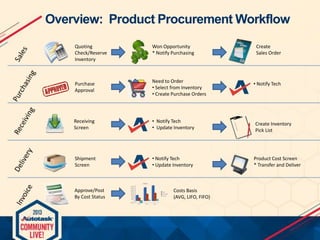
Overview: Product Procurement Workflow
Quoting
Check/Reserve
Inventory

Won Opportunity
* Notify Purchasing

Purchase
Approval

Need to Order
• Select from Inventory
• Create Purchase Orders

Receiving
Screen

• Notify Tech
• Update Inventory

Create Inventory
Pick List

Shipment
Screen

• Notify Tech
• Update Inventory

Product Cost Screen
* Transfer and Deliver

Approve/Post
By Cost Status

Costs Basis
(AVG, LIFO, FIFO)

Create
Sales Order

• Notify Tech
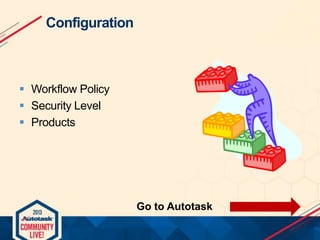
Configuration

 Workflow Policy
 Security Level
 Products

Go to Autotask
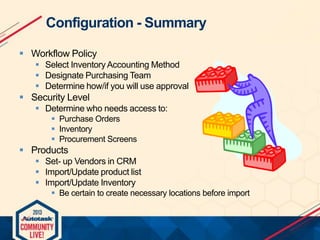
Configuration - Summary
 Workflow Policy
 Select Inventory Accounting Method
 Designate Purchasing Team
 Determine how/if you will use approval

 Security Level
 Determine who needs access to:
 Purchase Orders
 Inventory
 Procurement Screens

 Products
 Set- up Vendors in CRM
 Import/Update product list
 Import/Update Inventory
 Be certain to create necessary locations before import
Process

 Customer calls for new server quote after a discussion
you had during visit
 They need three additional tablets for new salespeople
 They want to know one tablet will be delivered when they
sign
Process
In Autotask:
 Create Quote
 Check and reserve inventory

 Win Opportunity
 Automatically notify purchasing

 Review sales order
 Review post sale ticket
Go to Autotask
Process - Recap
 Create Quote
 Use it to reserve items to close the deal

 Win Opportunity
 Sales Order create
 Purchasing team notified

 Review Sales Order
 Use this document to manage the process and communicate

 Review Post Sale Ticket
 Use this to track procurement time
 Add Work Type for “Purchasing/Procurement”
Process - Continued








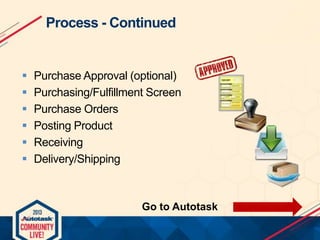
Purchase Approval (optional)
Purchasing/Fulfillment Screen
Purchase Orders
Posting Product
Receiving
Delivery/Shipping

Go to Autotask
Process- Recap
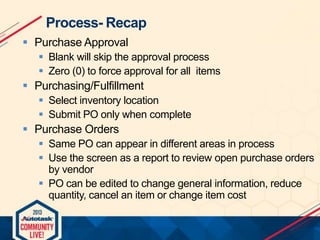
 Purchase Approval
 Blank will skip the approval process
 Zero (0) to force approval for all items

 Purchasing/Fulfillment
 Select inventory location
 Submit PO only when complete

 Purchase Orders
 Same PO can appear in different areas in process
 Use the screen as a report to review open purchase orders
by vendor
 PO can be edited to change general information, reduce
quantity, cancel an item or change item cost
Process- Recap
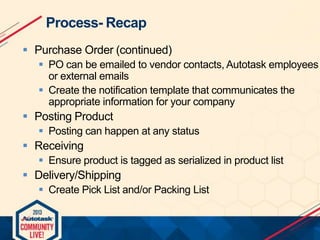
 Purchase Order (continued)
 PO can be emailed to vendor contacts, Autotask employees
or external emails
 Create the notification template that communicates the
appropriate information for your company

 Posting Product
 Posting can happen at any status

 Receiving
 Ensure product is tagged as serialized in product list

 Delivery/Shipping
 Create Pick List and/or Packing List

New Procurement Workflows: Communication and Control from Quoting to Billing

  • 1.
    New Procurement Workflows Communicationand Control from Quoting to Billing Melissa Hockenberry Sr. Trainer Autotask Corporation #CommLive
  • 2.
  • 3.
    Definitions Procurement: The process ofacquiring or obtaining items to fill the requirements of a sales order or cost. An add-on that provides a streamlined process to approve, purchase, and receive cost items in inventory; generate and track cost items from quotes; and fulfill customer orders. Inventory: An optional module that allows you to manage product inventory from within Autotask.
  • 4.
    Definitions Sales Order: An electronicrecord that tracks quote details, notes, tickets, purchase orders and the status of quote item costs for a closed opportunity. Created when you run the Close Opportunity Wizard. Note: This is the only way to create a Sales Order. Purchase Order: A document soliciting goods or services from a vendor.
  • 5.
  • 6.
    Overview: Product ProcurementWorkflow Quoting Check/Reserve Inventory Won Opportunity * Notify Purchasing Purchase Approval Need to Order • Select from Inventory • Create Purchase Orders Receiving Screen • Notify Tech • Update Inventory Create Inventory Pick List Shipment Screen • Notify Tech • Update Inventory Product Cost Screen * Transfer and Deliver Approve/Post By Cost Status Costs Basis (AVG, LIFO, FIFO) Create Sales Order • Notify Tech
  • 7.
    Configuration  Workflow Policy Security Level  Products Go to Autotask
  • 8.
    Configuration - Summary Workflow Policy  Select Inventory Accounting Method  Designate Purchasing Team  Determine how/if you will use approval  Security Level  Determine who needs access to:  Purchase Orders  Inventory  Procurement Screens  Products  Set- up Vendors in CRM  Import/Update product list  Import/Update Inventory  Be certain to create necessary locations before import
  • 9.
    Process  Customer callsfor new server quote after a discussion you had during visit  They need three additional tablets for new salespeople  They want to know one tablet will be delivered when they sign
  • 10.
    Process In Autotask:  CreateQuote  Check and reserve inventory  Win Opportunity  Automatically notify purchasing  Review sales order  Review post sale ticket Go to Autotask
  • 11.
    Process - Recap Create Quote  Use it to reserve items to close the deal  Win Opportunity  Sales Order create  Purchasing team notified  Review Sales Order  Use this document to manage the process and communicate  Review Post Sale Ticket  Use this to track procurement time  Add Work Type for “Purchasing/Procurement”
  • 12.
    Process - Continued       PurchaseApproval (optional) Purchasing/Fulfillment Screen Purchase Orders Posting Product Receiving Delivery/Shipping Go to Autotask
  • 13.
    Process- Recap  PurchaseApproval  Blank will skip the approval process  Zero (0) to force approval for all items  Purchasing/Fulfillment  Select inventory location  Submit PO only when complete  Purchase Orders  Same PO can appear in different areas in process  Use the screen as a report to review open purchase orders by vendor  PO can be edited to change general information, reduce quantity, cancel an item or change item cost
  • 14.
    Process- Recap  PurchaseOrder (continued)  PO can be emailed to vendor contacts, Autotask employees or external emails  Create the notification template that communicates the appropriate information for your company  Posting Product  Posting can happen at any status  Receiving  Ensure product is tagged as serialized in product list  Delivery/Shipping  Create Pick List and/or Packing List