Hosting Ruby Web
Apps
Lessons learned from 8 years of
Overview
• System architecture
• Initial setup & deploy
• Keep it running and moving forward
Michael Reinsch
michael@doorkeeper.jp
@mreinsch
Next Weekend!
startupweekend.jp/swtokyo-personal-cloud/
Michael Reinsch
michael@doorkeeper.jp
@mreinsch
Build a community through your events.
DB
(psql)
memcache
nginx
unicorn
unicornRails App
(unicorn)
job worker
MTA
(postfix)
Contenders
Contenders
Contenders
Contenders
Contenders
Please Note
• Not an exhaustive list of all hosting providers

(it’s not even everyone we’ve been using)
• Moving targets
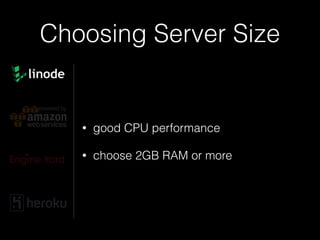
Choosing Server Size
www.flickr.com/photos/jonrb/7864016624
Choosing Server Size
• good CPU performance
• choose 2GB RAM or more
Choosing Server Size
• 1 ECU/core is a bit frustrating
• 2 ECU/core is OK
• >2 ECU/core is better
Choosing Server Size
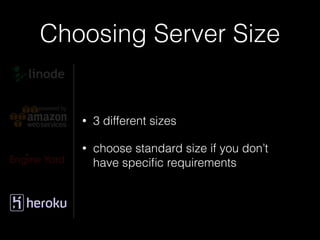
• 3 different sizes
• choose standard size if you don’t
have specific requirements
Hardware Failures
How can we make things robust?
www.flickr.com/photos/doegox/4551458930
Hardware Failures
“We’re trying to prevent failures, please
make backups for worst case”
!
• provides load balancer
• fault tolerant setup example:

2 web instances + 2 DB instances
• need to configure DB replication and
failover yourself
Hardware Failures
“Failures will happen, build your infrastructure
so they won’t impact you”
• provides load balancer (ELB)
• provides managed DB instances (RDS)
• replication support (not for psql yet)
• DB snapshots (can’t download though)
• fault tolerant setup example: 

2 web instances + multi-AZ RDS
Hardware Failures
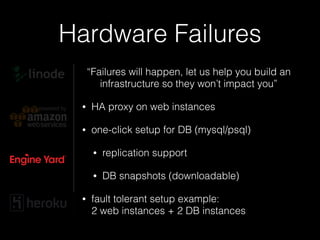
“Failures will happen, let us help you build an
infrastructure so they won’t impact you”
• HA proxy on web instances
• one-click setup for DB (mysql/psql)
• replication support
• DB snapshots (downloadable)
• fault tolerant setup example:

2 web instances + 2 DB instances
Hardware Failures
“You don’t need to worry about failures”
!
!
• everything managed
• fault tolerant setup example:

2 dynos + premium DB (psql)
Initial Setup & Deploy
www.flickr.com/photos/thedailyenglishshow/6013713229
Initial Setup & Deploy
• manual setup feasible:
• install OS, ruby (rvm), libs, DB
• setup nginx
Initial Setup & Deploy
• let’s choose Capistrano for deploying
• Capistrano config goes into source
repository
• Initial deploy:
cap deploy:setup

cap deploy:cold
Initial Setup & Deploy
• let’s choose OpsWorks
• based on chef, provides predefined
set of recipes
• more high level than Cloud Formation,
more flexible than Elastic Beanstalk
Initial Setup & Deploy
• initial deploy:
• create stack
• define layers
• create instances
• create app
• deploy
Initial Setup & Deploy
• define base layer
• assign it to all instances
• use it for any common recipes like
creating swap, NewRelic, ...
Tip
Initial Setup & Deploy
• you need to handle asset compilation
• use deploy hook:
Tip
# deploy/before_migrate.rb
!
rails_env = new_resource.environment["RAILS_ENV"]
Chef::Log.info("Precompiling assets for RAILS_ENV=#{rails_env}...")
!
execute "rake assets:precompile" do
cwd release_path
command "bundle exec rake assets:precompile"
environment "RAILS_ENV" => rails_env
end
!
!
Initial Setup & Deploy
• provides toolchain based on chef
• initial deploy:
• create an application
• select environment layout
• add plugins (NewRelic, ...)
• deploy
Initial Setup & Deploy
Heroku comes with its’ own toolchain:
heroku create my-awesome-app

heroku addons:add …

git remote add heroku …

git push heroku master
What you’ll probably also
need
• App configuration 

(for secrets and endpoints)
• Sending email
• Job queue
App Configuration
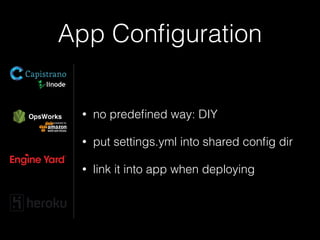
• no predefined way: DIY
• put settings.yml into shared config dir
• link it into app when deploying
App Configuration
• uses environment variables
heroku config:add MY_SECRET=topsecret

heroku config
• in your code:
ENV[‘MY_SECRET’]
Sending Email
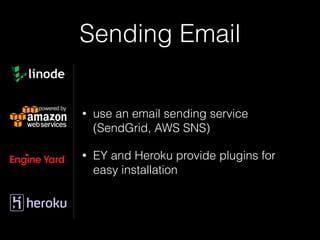
• use an email sending service

(SendGrid, AWS SNS)
• EY and Heroku provide plugins for
easy installation
Sending Email Yourself
• reverse IP lookup
• port 25 is restricted
• make sure your IP isn’t blacklisted
Job Queue
• DIY
• define custom layer in OpsWorks,
need to get 3rd party recipe
Job Queue
• sample recipes are provided
• worker instances
Job Queue
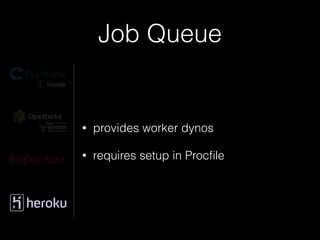
• provides worker dynos
• requires setup in Procfile
Background
mailer
• use database transaction to atomically create
mailer job and related data
• rollback if something goes wrong
• reduces request response time
• job can retry sending email
Tip
Up and running :-)
Continuous Deployment
www.flickr.com/photos/layos/3743880081
Continuous Deployment
• keep deploys cheap
• automate deploy
• easy deployment trigger
• good test coverage - use CI
• use rolling / zero downtime deploy
Continuous Deployment
• deploy command:
git pull

cap deploy
• unicorn for rolling deploy
Continuous Deployment
• unicorn is configured for rolling
deploys
• deploy command:
aws --region=‘us-east-1’

opsworks create-deployment

--stack-id=‘<STACK_UUID>’

--app-id=‘<APP_UUID>’

--instance-ids=‘[“<INSTANCE_UUID>”]’

--command='{"Name": "deploy"}
Continuous Deployment
gem 'aws-sdk'
gem 'parseconfig'
!
PRODUCTION_APP_ID = "09afbde1-322b-4816-a1e9-xxxxxxxxxxxx"
!
config = ParseConfig.new(File.expand_path("~/.aws/config"))
AWS.config(
:access_key_id => config['default']['aws_access_key_id'],
:secret_access_key => config['default']['aws_secret_access_key'])
!
@ops = AWS::OpsWorks.new.client
@ops_app = @ops.describe_apps(app_ids: [PRODUCTION_APP_ID])[:apps].first
@ops_stack = @ops.describe_stack_summary(stack_id: @ops_app[:stack_id])[:stack_summary]
@ops_inst = @ops.describe_instances(stack_id: @ops_app[:stack_id])[:instances]
@ops_inst_ids = @ops_instances.map do |instance|
instance[:instance_id] if instance[:status] == 'online'
end.compact
!
puts "Deploying #{@ops_app[:name]} to #{@ops_stack[:name]}"
!
deploy_options = {
command: { name:' deploy' },
comment: "deploy from #{Socket.gethostname}",
stack_id: @ops_app[:stack_id],
app_id: @ops_app[:app_id],
instance_ids: @ops_inst_ids }
@ops.create_deployment deploy_options
!
!
or some simple ruby script:
Continuous Deployment
• deploy command:
ey deploy
• in config/ey.yml:
maintenance_on_migrate: false
Continuous Deployment
• deploy command:
git pull

git push heroku master
• no-downtime deploys experimental:
heroku labs:enable -a myapp preboot
Continuous Deployment
• “fork” in code
• on/off switch for features
• slow rollout of new features
Tip
Rolling Deploys with!
Database Migrations
www.flickr.com/photos/edwardshousemovers/6704586649
Rolling Deploys with
Database Migrations
orchestrated deployment flow:
1. copy code, keep old version
2. run migrations
3. switch to new code
➜ one-step deployments
Rolling Deploys with
Database Migrations
• asynchronous deployment flow
• two-step deployment
1. deploy old code + DB migrations

(one instance only)
2. deploy new code

(all instances)
Rolling Deploys with
Database Migrations
• migrations are run via:
heroku run rake db:migrate
• two-step deployment
1. deploy old code + DB migrations
2. deploy new code
Down for!
Maintenance
www.flickr.com/photos/metrolibraryarchive/4128611963
Down for Maintenance
• Maintenance page done right:
• include contact and progress info

(use 3rd party service like Twitter)
• serve page with 503 error code
• use asset host or inline all assets
Tip
Down for Maintenance
• add ‘capistrano-maintenance’ gem
• configure nginx
• then:
cap maintenance:enable
server { // nginx server config
!
location @maintenance {
rewrite ^(.*)$ /system/maintenance.html last;
break;
}
if (-f $document_root/system/maintenance.html) { return 503; }
!
error_page 503 @maintenance;
Down for Maintenance
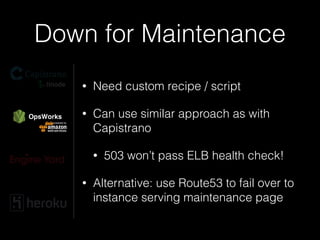
• Need custom recipe / script
• Can use similar approach as with
Capistrano
• 503 won’t pass ELB health check!
• Alternative: use Route53 to fail over to
instance serving maintenance page
Down for Maintenance
• Part of the platform:
ey web disable
heroku maintenance:on
Getting Support
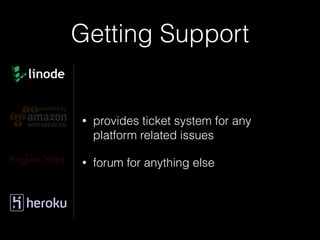
Getting Support
• provides ticket system for any
platform related issues
• forum for anything else
Getting Support
• forums for everything
• access to tickets only available if
certain health checks fail
Getting Support
• tickets for everything
• provides even hosting related help on
application level
• “extension of your team”
Conclusion
• there is no silver bullet
• a lot depends on your app
• be ready to get your hands dirty
• your production environment is your
app
• balance ops / dev
Thank you!
Contact:
Michael Reinsch

michael@doorkeeper.jp

@mreinsch
Questions?
More awesome events:
• ijaws.doorkeeper.jp
• Startup Weekend Tokyo Personal Cloud

Hosting Ruby Web Apps