Immutable infrastructure with
Packer, Ansible and Terraform
@michaelpeacock
@michaelpeacock
• Consultant CTO and software engineer
• Technical director of packagedby – SaaS product development
company
• Co-founder & CTO of Tutexa – online software for tuition agencies
• Co-organiser of PHPNE
The problem
• SSH access to production servers
• Patches and other things applied manually
• Debugging and hotfixes resulting in live production tweaks
• A lack of confidence in what exactly is on the production server
https://martinfowler.com/bliki/SnowflakeServer.html
https://unsplash.com/photos/YDf47DVRq08
Servers are not pets.
https://unsplash.com/photos/T-0EW-SEbsE
They are cattle.
https://unsplash.com/photos/dOElUitX2Do
Is this still a problem? Even with IaC?
• Yes.
Immutable infrastructure
• Servers are immutable
• Configuration changes and code changes cannot be applied to them
• Deployments need to be new servers or brand new server “images”
• Confidence in exactly what is running on the machines
The solution
https://unsplash.com/photos/H-VOl4y64bw
Other instances of immutable infrastructure
• Containers & Kubernetes
Why did I use this approach?
• Inherited some self-hosted software with an enterprise licence
• Comprised of:
• Lots of inter-connected server software dependencies
• Configuration files which contain server information, authorized domain
names, etc, and which needs to change regularly
• License keys
• Server software (binary)
• Server scripts and crontab configurations
• All of which needed to run on the same server
Ansible, Packer & Terraform
• Just a flavour
Ansible
• Infrastructure as Code
• Provisioner
• Configures the software installed on your servers
Packer
• Creates the server images
Terraform
• Manages cloud infrastructure
How it all fits together
https://unsplash.com/photos/3y1zF4hIPCg
Sample project
• Web server
• Some PHP code
• AWS
Installing ansible
• Installed via package managers on *nix systems
• Installed via pip on MacOS
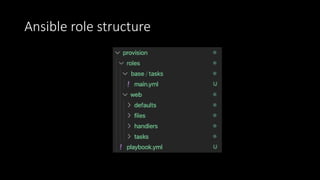
Ansible basics
• YAML
• Roles
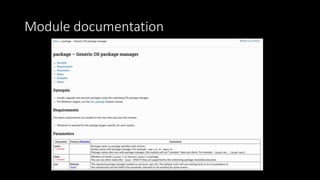
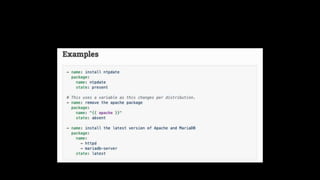
• Modules
• Supports clever things like overrides, variables, etc
• Runs sequentially
• Lots of built in modules for key tasks: file management, package
installation, working with specific services, user management, etc
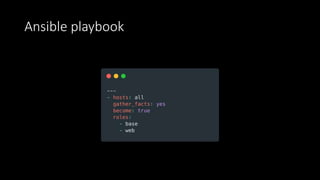
Ansible playbook
Ansible role structure
Module documentation
Ansible code walk through
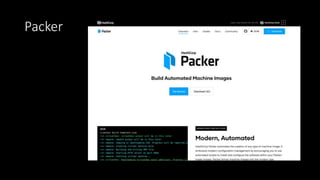
Packer
Packer: Install
• Pre-compiled binary (add to your path)
• Homebrew (MacOS)
• Chocolatey (Windows)
• Built in package managers (Linux)
• Compile it (Go)
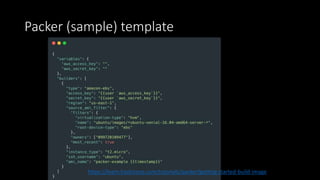
Packer (sample) template
https://learn.hashicorp.com/tutorials/packer/getting-started-build-image
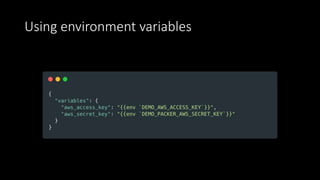
Using environment variables
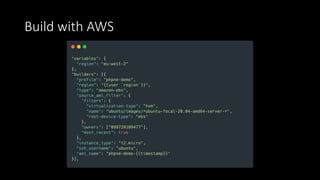
Packer builders
https://unsplash.com/photos/Pj4je7OjrME
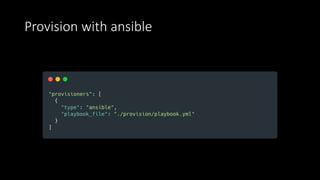
Packer provisioners
https://unsplash.com/photos/CuDoRFyTkAQ
Provision with ansible
Build with AWS
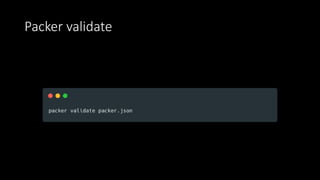
Packer validate
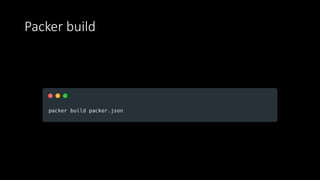
Packer build
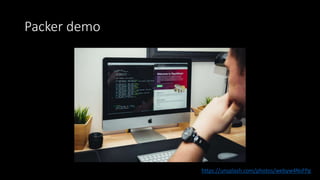
Packer demo
https://unsplash.com/photos/webyw4NsFPg
Terraform
Terraform Basics
• Declarative
• Works out dependencies
• Key requirements:
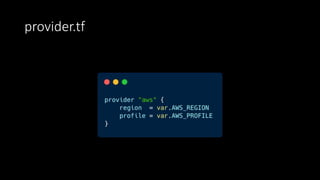
• Provider
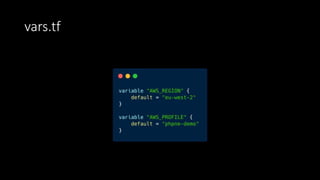
• Variables
• Resources
Terraform: Concepts
• Providers
• State
• Locking
• Remote execution
• HCL
vars.tf
provider.tf
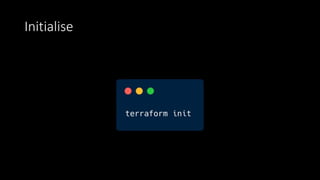
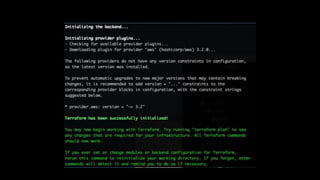
Initialise
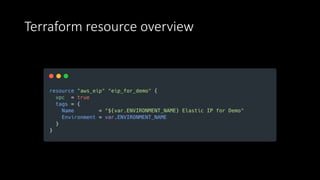
Terraform resource overview
Terraform code walk through
Terraform plan
https://unsplash.com/photos/WahfNoqbYnM
Terraform apply
https://unsplash.com/photos/GJao3ZTX9gU
Let’s make a change
Terraform destroy
https://unsplash.com/photos/RCqWp1AsJO8
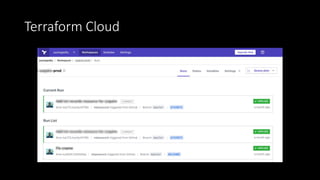
Terraform Cloud
Immutable infrastructure: Caveats
• Logs
• User uploads
• Database / persistence store
• Cache
• Downtime
Summary
https://github.com/mkpeacock/phpne-immutable-infrastructure-code

Immutable Infrastructure with Packer Ansible and Terraform

Editor's Notes

  • #5 Snowflake servers: each one is unique, slightly different
  • #8 Animation reveals Yes. Even with Infrastructure as Code, the risk is different servers might get different versions from the same code Shadow services running: “well we also needed socket.io”
  • #10 Server images. When you visit your cloud provider of choice, normally one of the first steps is to select an image to start with e.g. Ubuntu. You then install your dependencies on top of this. With this solution, we will create our own server imags with our dependencies, and with our code already deployed.
  • #11 Containers and Kubernetes – these tend to be immutable as when you do a new deploy, it rolls out new containers and destroys the existing ones. However, sometimes we might have something that can’t be containerized (e.g. needing a known internal IP address, licencing restrictions, etc)
  • #13 Ansible, packer and terraform are huge topics in their own right, so this talk is just going to give a flavor of them and how they can be used together.
  • #14 Ansible works really well for this approach to immutable infrastructure because it runs on one machine, but connects to the machine being provisioned, so it doesn’t leave artifacts lying around. Unlike things like Puppet, it doesn’t poll for new changes (which would make our infrastructure mutable). Puppet and so on can be ran in a one off mode, but I like the fact this leaves our provisioned machines clean – something that is ideal if we are creating server images.
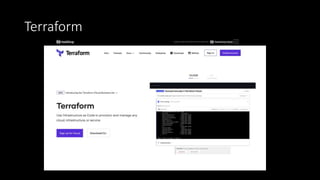
  • #16 Works with multiple cloud providers to provision resources such as servers, load balancers, DNS and so on. It isn’t cloud agnostic and doesn’t let you move from one provider to another (a common mis-conception), but does let you manage resources across providers. With terraform you can quickly spin up new resources, or create a copy of your environment. It supports workspaces which let you deploy the code to different environments and know which changes need to be applied to which.
  • #28 Variables can be plucked from environment variables too (next slide)
  • #30 Create machines & generate images Builders are available for lots of cloud providers: AWS, Digital Ocean, Google, Azure, Docker, Alibaba, Linode, Virtualbox, etc
  • #31 Lots of available provisioners, including ansible (local and remote), chef, puppet, salt, shell, custom and other options
  • #39 Explain how state needs to be kept in sync, isn’t versioned because it represents current state.
  • #45 How resources link together. Referencing them. Documentation. Etc.
  • #46 Explain what terraform plan does. Creates an execution plan, refreshes to see what the current environment is compared to the current state
  • #50 Can be used to manage state, and store it centrally. Can do plans and runs remotely. Allows for integration with CI or build process. Also means environment variables and other variables can be stored here, developers can create infrastructure code, but not have access to those variables. Workspaces allow you to have separate states for the same set of TF code.
  • #51 The usual for most modern projects using load balancers or containers. One particular thing to be aware of is downtime – if you are removing resources and then re-creating them, this results in downtime. Ideally, you would be deploying to servers in an auto-scaling group, and you would either introduce new ones before removing the old ones or you would ensure there is always one server running at any one time.
  • #52 Immutable infrastructure gives you confidence in exactly what you have running. This particular approach lets you build parity between your development and production environments, using the same ansible configuration across them both. The shift to immutable infrastructure brings with it a number of considerations, such as handling logging, user uploads, and so on – very similar to the considerations with containers, auto-scaling, etc.