Moving Windows
      to the Cloud

        March 10, 2011
      Watch the video of this webinar


1
Your Panel Today
 Presenting:
  Rafael H. Saavedra, Vice President of Engineering, RightScale
  Raphael Simon, Sr. Software Architect, RightScale
  Chris Horne, Director, Product Marketing, RightScale


 Q&A Line:
  John Newton, Account Manager, RightScale
  Alex Pop, Tech Support Lead, RightScale


Please use the questions window to ask questions any time!
2
Agenda
     Windows in the Cloud vs Datacenter
     Challenges with Windows in the Cloud
     Consistent Windows Images - RightImages
     Scripting Windows Servers - ServerTemplates
     Orchestrating Windows Deployments - RightLink
     Demonstration
     How to Get Started

Please use the questions window to ask questions any time!


3
What’s Different in the Cloud vs. DataCenter
• Windows Licensing
     • You don't bring your own Windows licenses to the Cloud. You use
       those of AWS, RAX, etc. and the license is included in the hourly rate.


• Dynamic IP Addresses
     • All servers have a private IP address and a public one NATed. The
       private one is not sticky when the server is stopped or relaunched.


• Preserve Data outside Ephemeral Instances
     • Servers are now ephemeral (and disposable). Information stored in
       databases, application code, static content, session data, etc. should
       be stored in volumes (~EBS) and file stores (~S3, Cloudfiles, Gluster).


 4
What’s Different in the Cloud vs. DataCenter
• Storage Backed Servers
     • Storage backed servers are installed on a persistent volume and can
       be stopped and restarted. When stopped you just pay for storage.
       Snapshot the volume to back it up.


• Cloud Servers should be Scripted and Automated
     • A cloud paradigm shift is to replace thick, opaque images with
       transparent, automated, built-to-order servers. Less MMC and more
       appcmd or Powershell. GUI interactive installed apps can be pre-
       bundled but at the cost of flexibility.


• Some legacy apps with special hardware requirements
  sometimes don't translate well
     • e.g. USB licensing dongles
 5
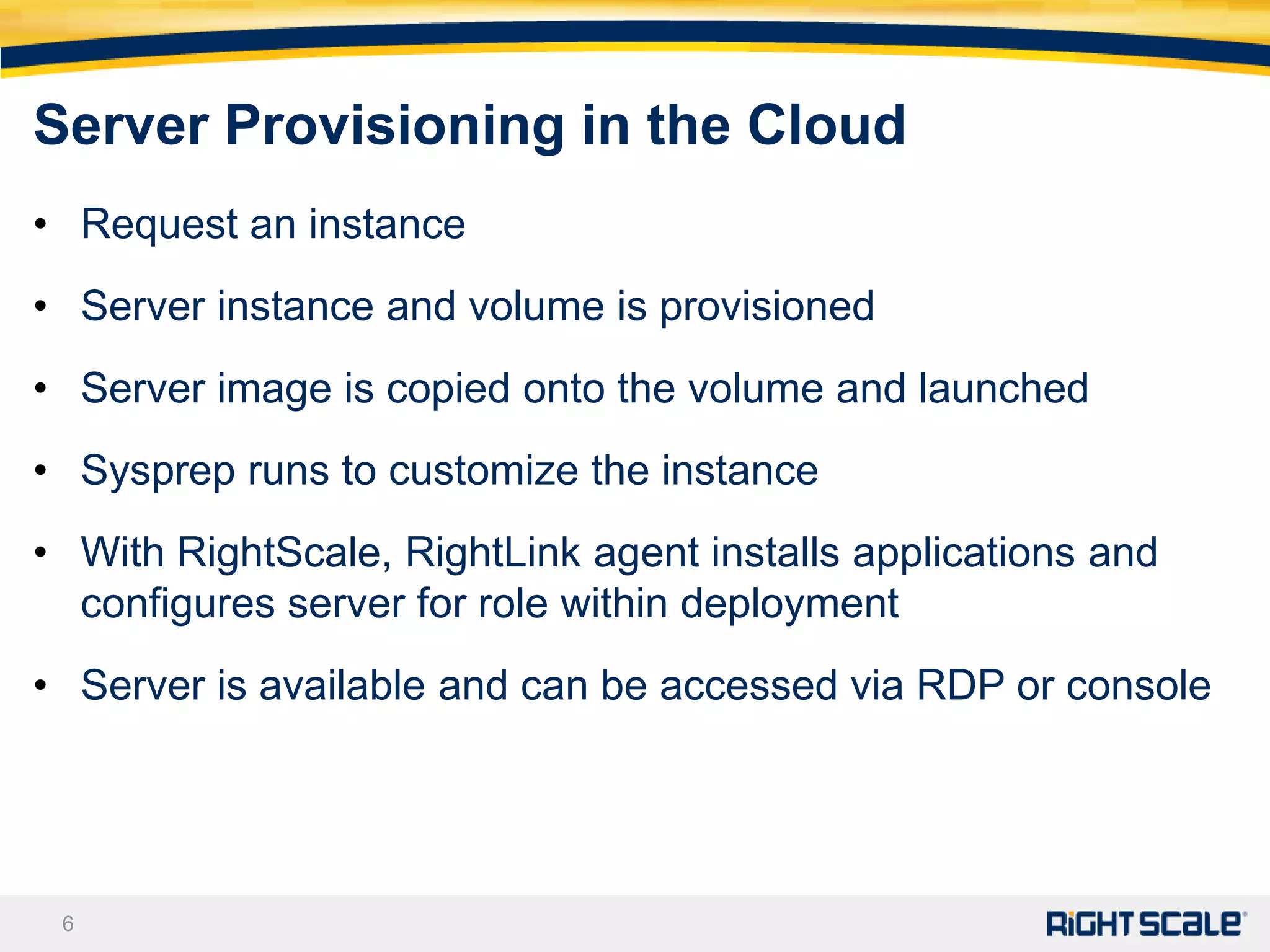
Server Provisioning in the Cloud
• Request an instance
• Server instance and volume is provisioned
• Server image is copied onto the volume and launched
• Sysprep runs to customize the instance
• With RightScale, RightLink agent installs applications and
  configures server for role within deployment
• Server is available and can be accessed via RDP or console


 6
Challenges with Windows in the Cloud
• Image configurations vary widely (inconsistent)
     • They do not follow best practices
     • They use root partition for everything
• They pre-install all required software (inflexible)
     • Bake in license
     • Custom configuration
     • Long development iterations
• There’s no consistent automation (manual)
     • Trust relationships are hard-coded
     • Ad-hoc, manual orchestration

 7
Challenges with Windows in the Cloud
• Image configurations vary widely (inconsistent)
     • They do not follow best practices
     • They use root partition for everything
• They pre-install all required software (inflexible)
     • Bake in license
     • Custom configuration
     • Long development iterations
• There’s no consistent automation (manual)
     • Trust relationships are hard-coded
     • Ad-hoc, manual orchestration

 8
MultiCloud Windows RightImages
• Use consistent settings
     • Across regions and clouds
     • Firewall and file sharing settings are consistent
     • SQL Server, ASP.NET, etc. installations are consistent
• Follow best practices
     • Use a bigger root partition (80GB)
     • Use volumes for database files
• Are a work in progress. Continuously improving.


 9
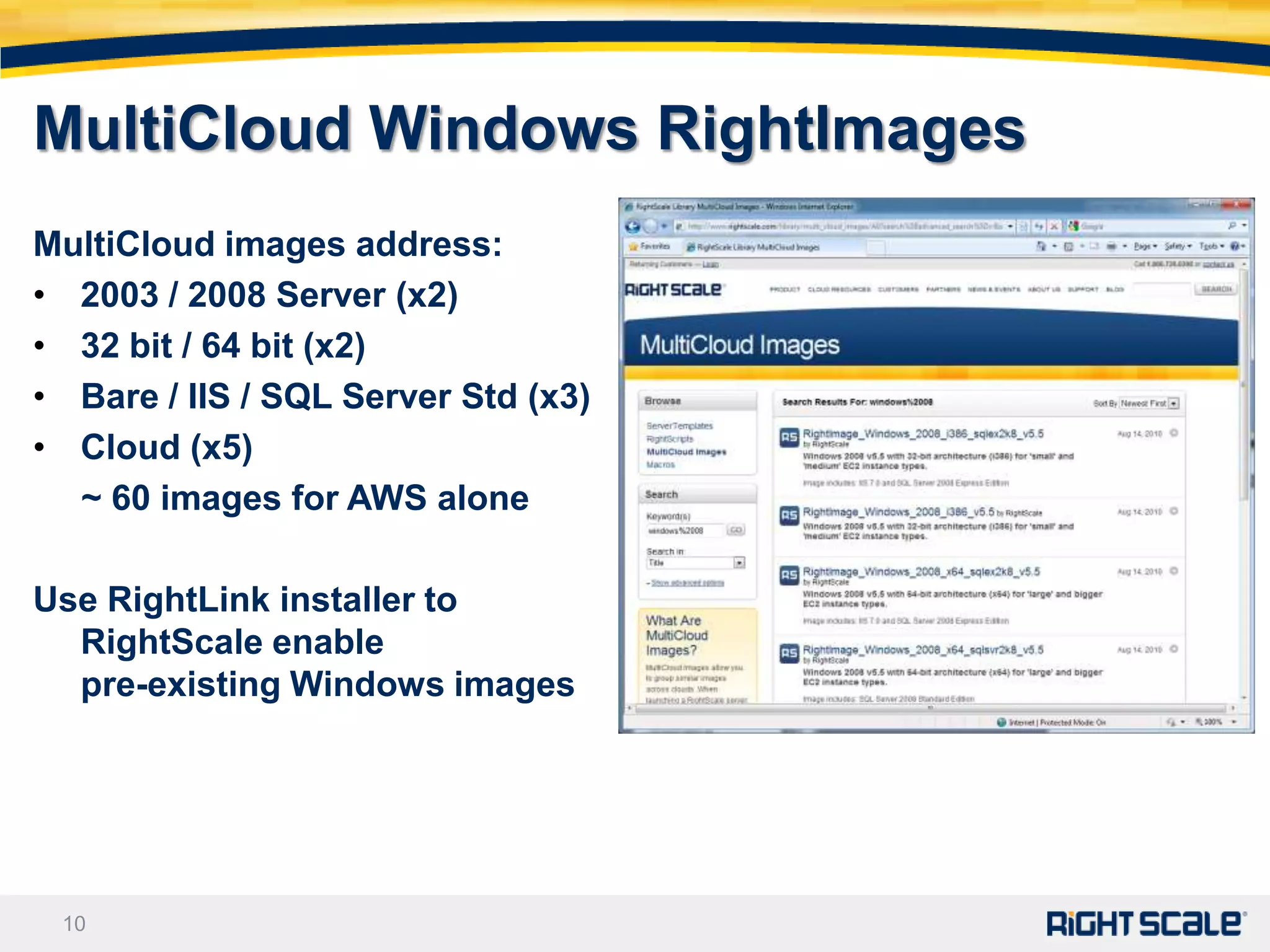
MultiCloud Windows RightImages
MultiCloud images address:
• 2003 / 2008 Server (x2)
• 32 bit / 64 bit (x2)
• Bare / IIS / SQL Server Std (x3)
• Cloud (x5)
  ~ 60 images for AWS alone

Use RightLink installer to
  RightScale enable
  pre-existing Windows images


 10
Challenges with Windows in the Cloud
• Image configurations vary widely (inconsistent)
      • They do not follow best practices
      • They use root partition for everything
• They pre-install all required software (inflexible)
      • Bake in license
      • Custom configuration
      • Long development iterations
• There’s no consistent automation (manual)
      • Trust relationships are hard-coded
      • Ad-hoc, manual orchestration

 11
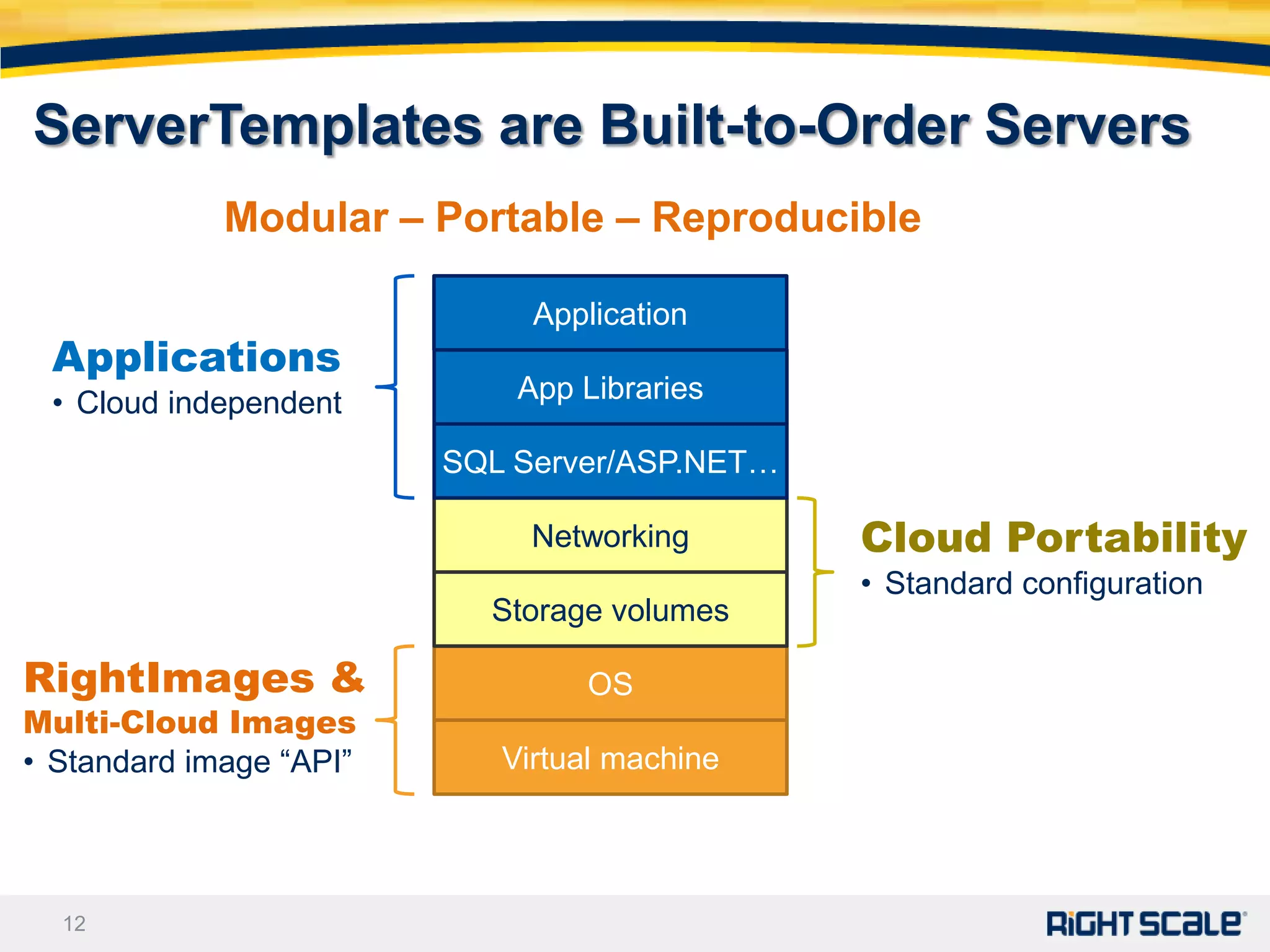
ServerTemplates are Built-to-Order Servers
             Modular – Portable – Reproducible

                              Application
 Applications
 • Cloud independent         App Libraries

                         SQL Server/ASP.NET…

                              Networking       Cloud Portability
                                               • Standard configuration
                           Storage volumes

RightImages &                    OS
Multi-Cloud Images
• Standard image “API”      Virtual machine


  12
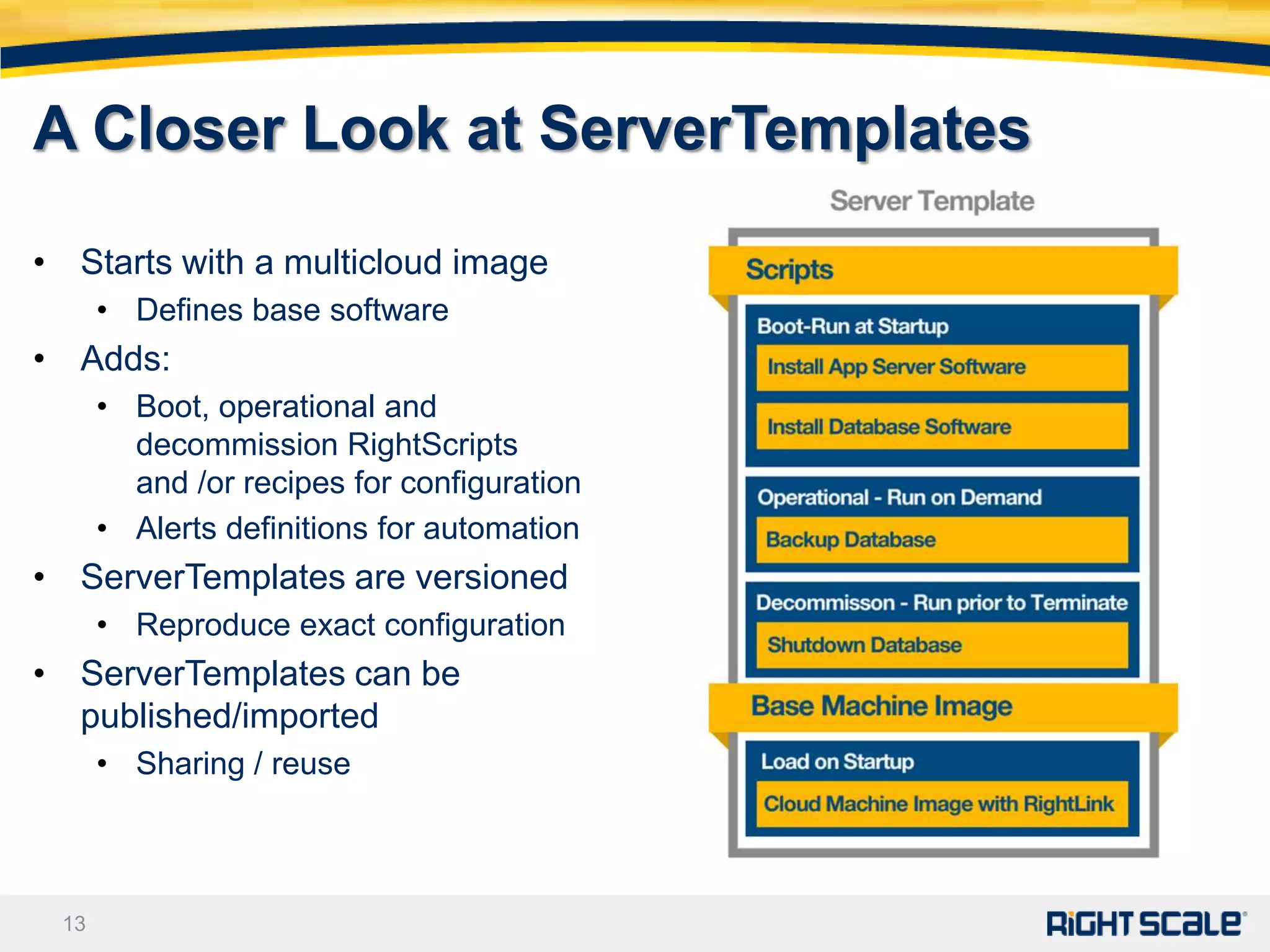
A Closer Look at ServerTemplates

• Starts with a multicloud image
      • Defines base software
• Adds:
      • Boot, operational and
        decommission RightScripts
        and /or recipes for configuration
      • Alerts definitions for automation
• ServerTemplates are versioned
      • Reproduce exact configuration
• ServerTemplates can be
  published/imported
      • Sharing / reuse


 13
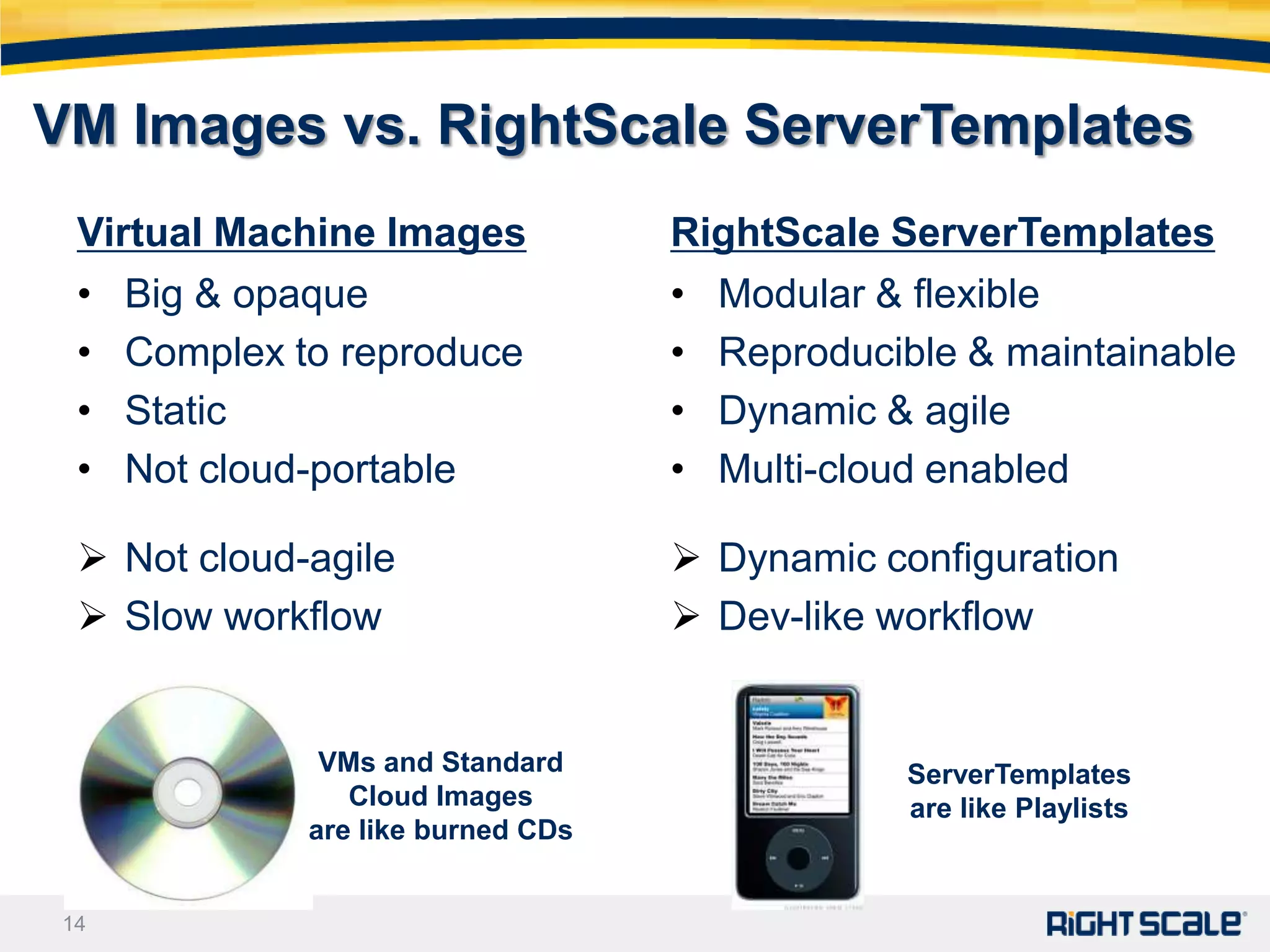
VM Images vs. RightScale ServerTemplates
  Virtual Machine Images             RightScale ServerTemplates
  •   Big & opaque                   •   Modular & flexible
  •   Complex to reproduce           •   Reproducible & maintainable
  •   Static                         •   Dynamic & agile
  •   Not cloud-portable             •   Multi-cloud enabled

   Not cloud-agile                   Dynamic configuration
   Slow workflow                     Dev-like workflow


                VMs and Standard                  ServerTemplates
                  Cloud Images                    are like Playlists
               are like burned CDs


 14
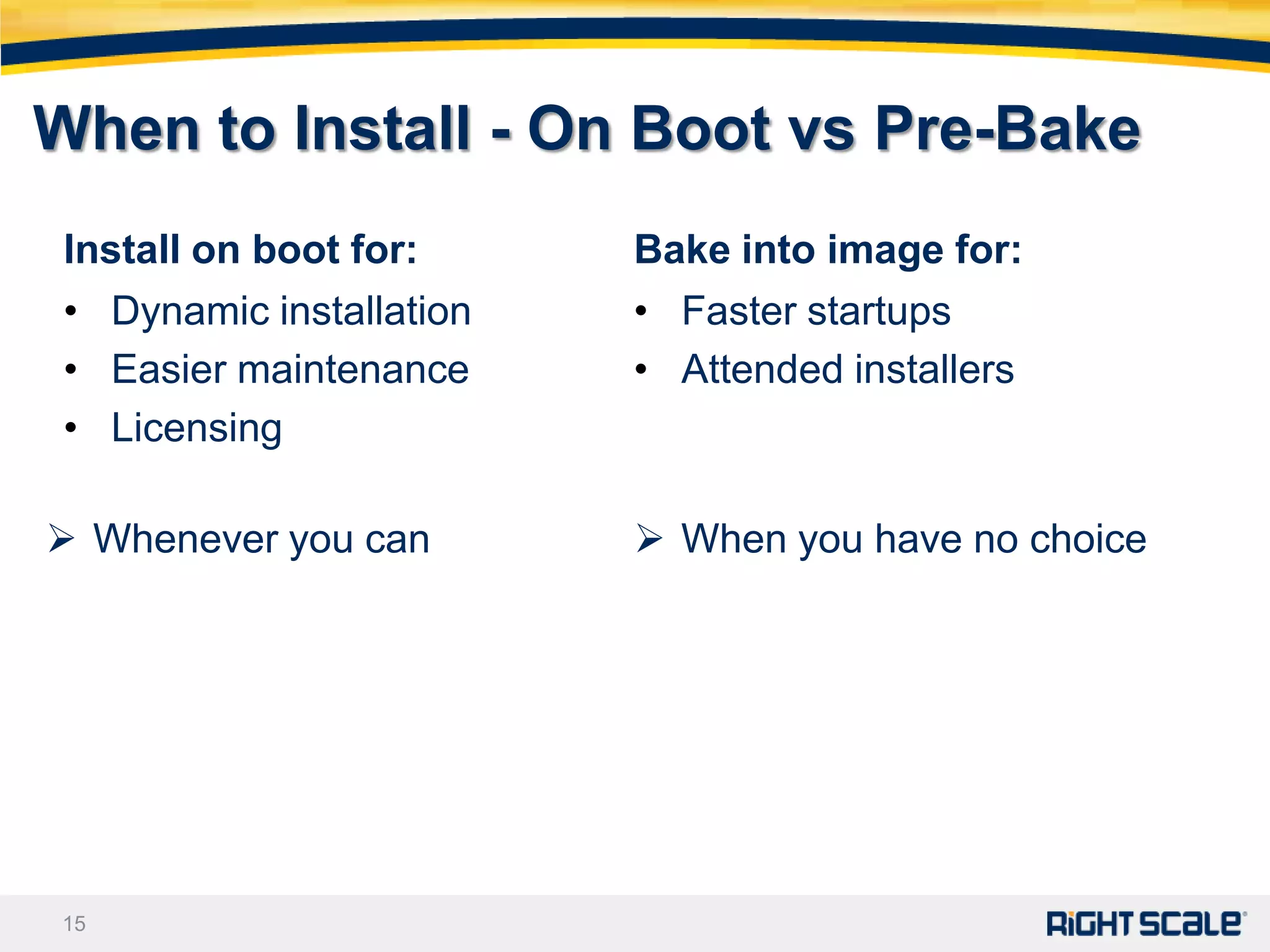
When to Install - On Boot vs Pre-Bake
 Install on boot for:     Bake into image for:
 • Dynamic installation   • Faster startups
 • Easier maintenance     • Attended installers
 • Licensing

 Whenever you can         When you have no choice


15
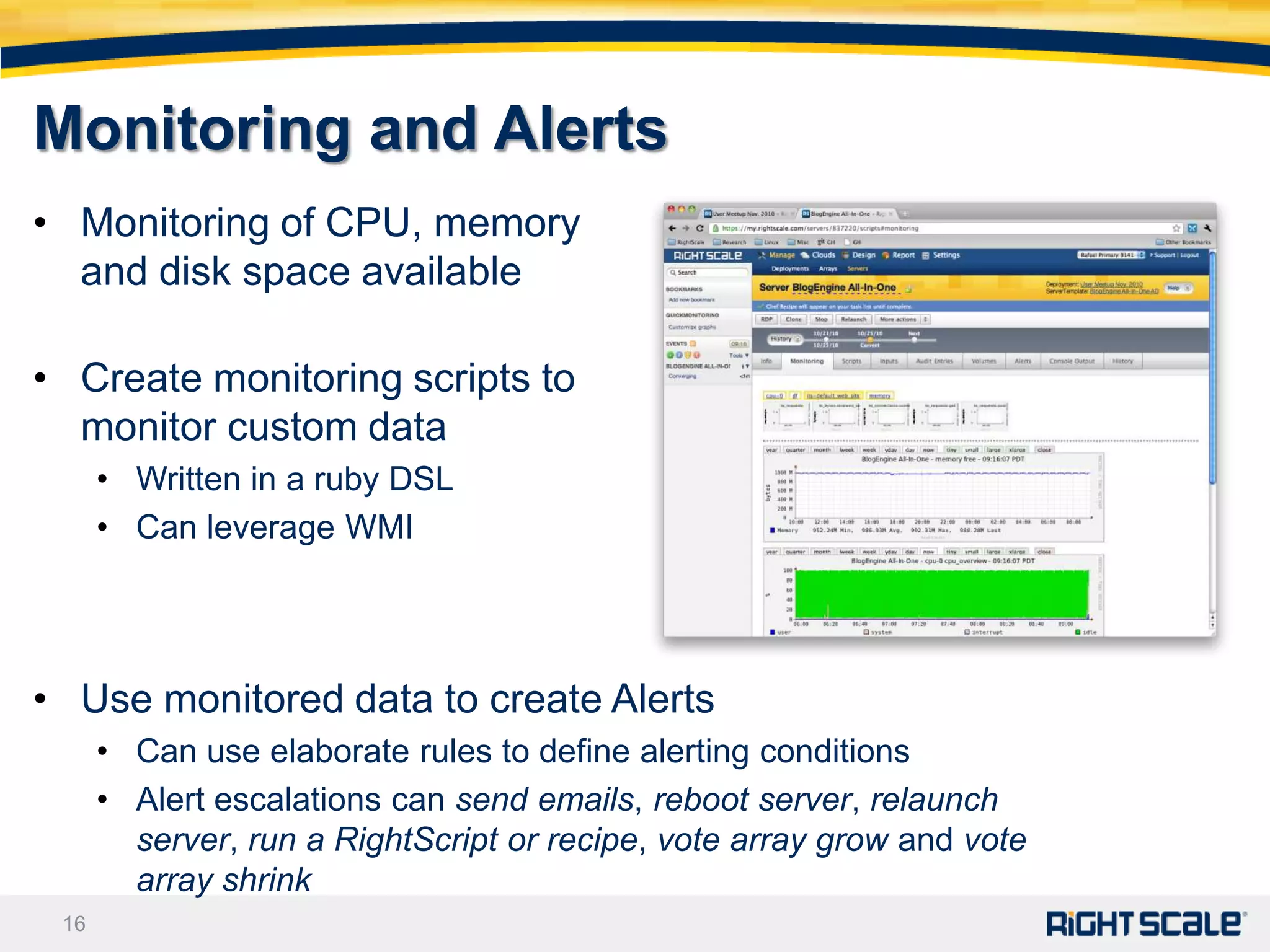
Monitoring and Alerts
• Monitoring of CPU, memory
  and disk space available

• Create monitoring scripts to
  monitor custom data
      • Written in a ruby DSL
      • Can leverage WMI


• Use monitored data to create Alerts
      • Can use elaborate rules to define alerting conditions
      • Alert escalations can send emails, reboot server, relaunch
        server, run a RightScript or recipe, vote array grow and vote
        array shrink
 16
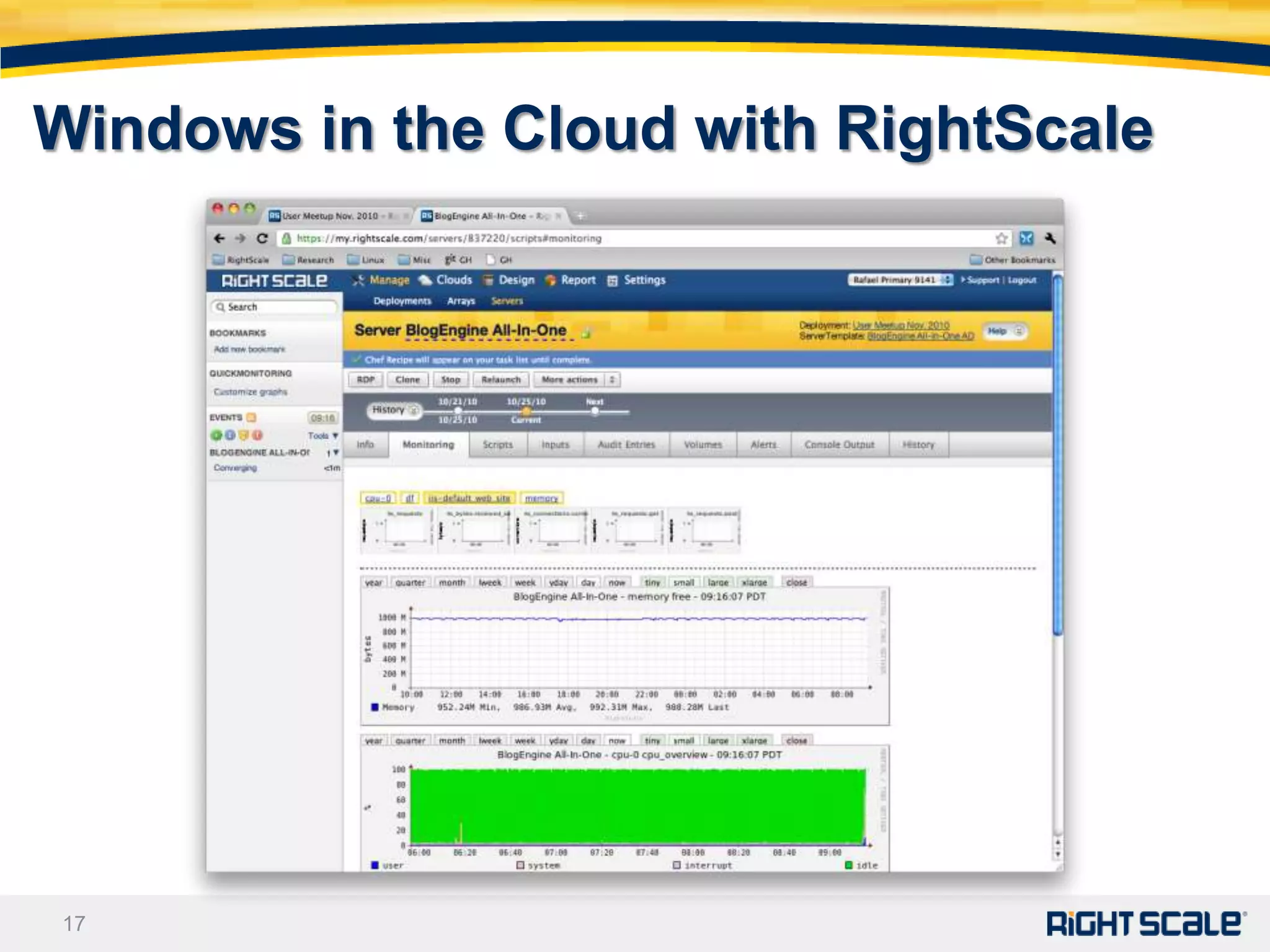
Windows in the Cloud with RightScale


17
Windows Server Configuration with
RightScripts and / or Chef
•    Windows servers can be configured using RightScripts and/or Chef recipes
•    RightScripts on Windows are written in PowerShell
         •   Straight PowerShell with full access to Windows subsystems
         •   Easy to setup but can become hard to maintain over time
•    Chef recipes are written using a simple language focused around managing
     resources.
         •   Resources represent a software or OS resource that needs to be configured e.g. a file, a
             service, IIS etc.
         •   Chef provides an extra layer of abstraction on top of PowerShell
         •   Comes with many predefined resources; custom resources can be implemented on top
             of PowerShell
         •   Example Chef Recipe to upload a file to S3:
             aws_s3 "upload to s3" do
               access_key_id     node[:aws][:access_key_id]
               secret_access_key node[:aws][:secret_access_key]
               s3_bucket         node[:s3][:bucket]
               file_path         node[:s3][:file_path]
               action :put
    18
             end
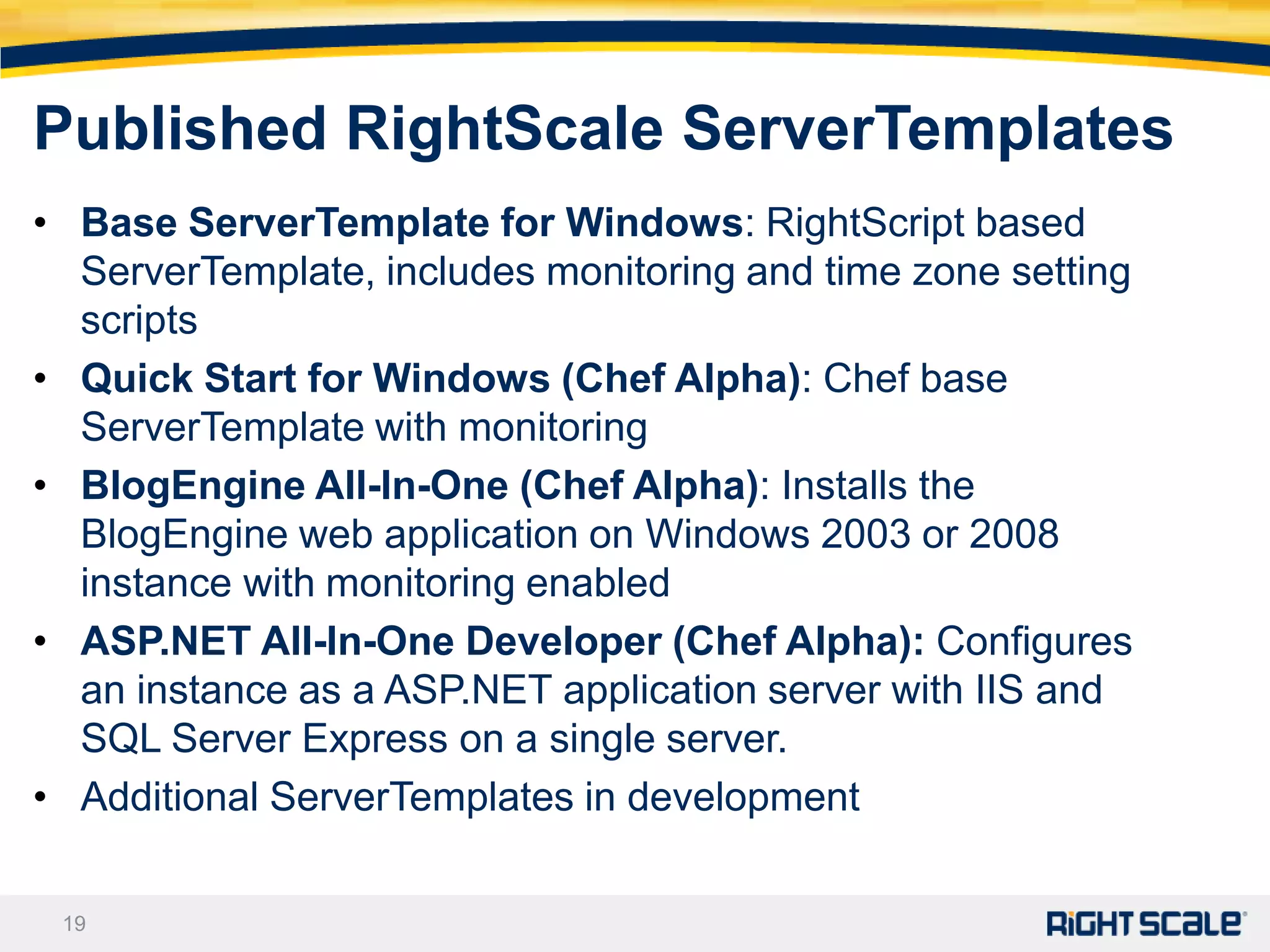
Published RightScale ServerTemplates
• Base ServerTemplate for Windows: RightScript based
  ServerTemplate, includes monitoring and time zone setting
  scripts
• Quick Start for Windows (Chef Alpha): Chef base
  ServerTemplate with monitoring
• BlogEngine All-In-One (Chef Alpha): Installs the
  BlogEngine web application on Windows 2003 or 2008
  instance with monitoring enabled
• ASP.NET All-In-One Developer (Chef Alpha): Configures
  an instance as a ASP.NET application server with IIS and
  SQL Server Express on a single server.
• Additional ServerTemplates in development

 19
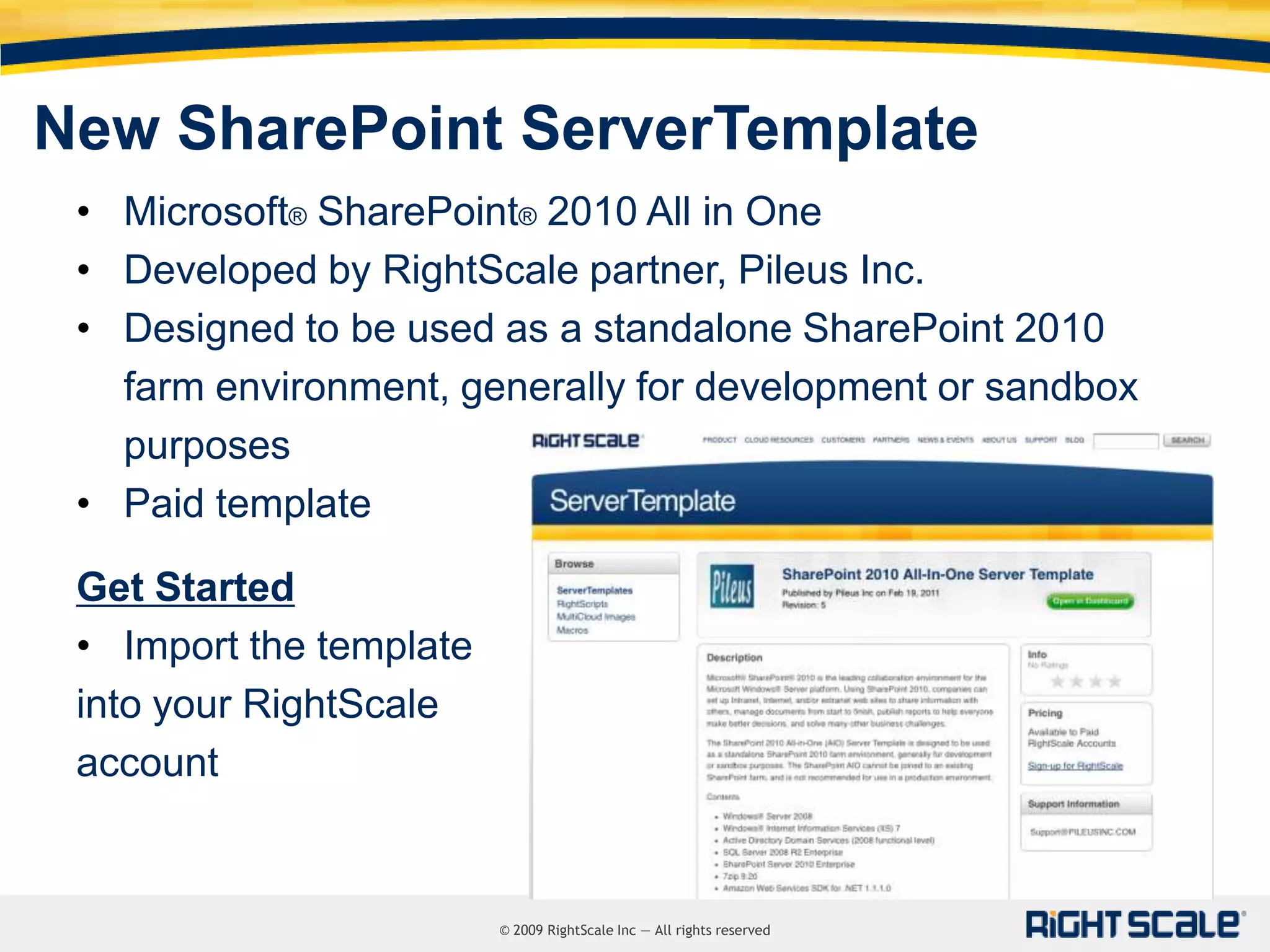
New SharePoint ServerTemplate
 • Microsoft® SharePoint® 2010 All in One
 • Developed by RightScale partner, Pileus Inc.
 • Designed to be used as a standalone SharePoint 2010
   farm environment, generally for development or sandbox
   purposes
 • Paid template

 Get Started
 • Import the template
 into your RightScale
 account


                         © 2009 RightScale Inc — All rights reserved
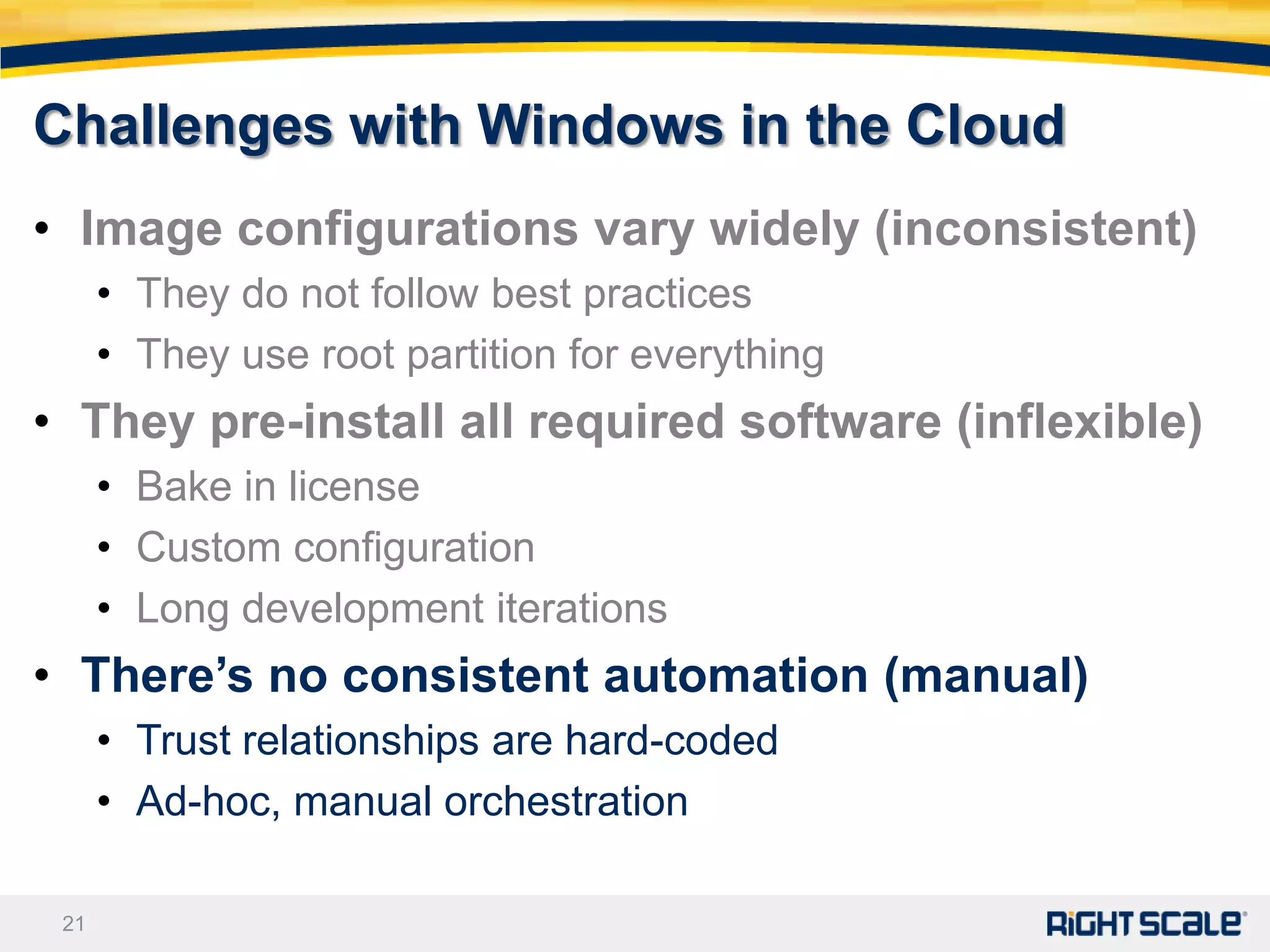
Challenges with Windows in the Cloud
• Image configurations vary widely (inconsistent)
      • They do not follow best practices
      • They use root partition for everything
• They pre-install all required software (inflexible)
      • Bake in license
      • Custom configuration
      • Long development iterations
• There’s no consistent automation (manual)
      • Trust relationships are hard-coded
      • Ad-hoc, manual orchestration

 21
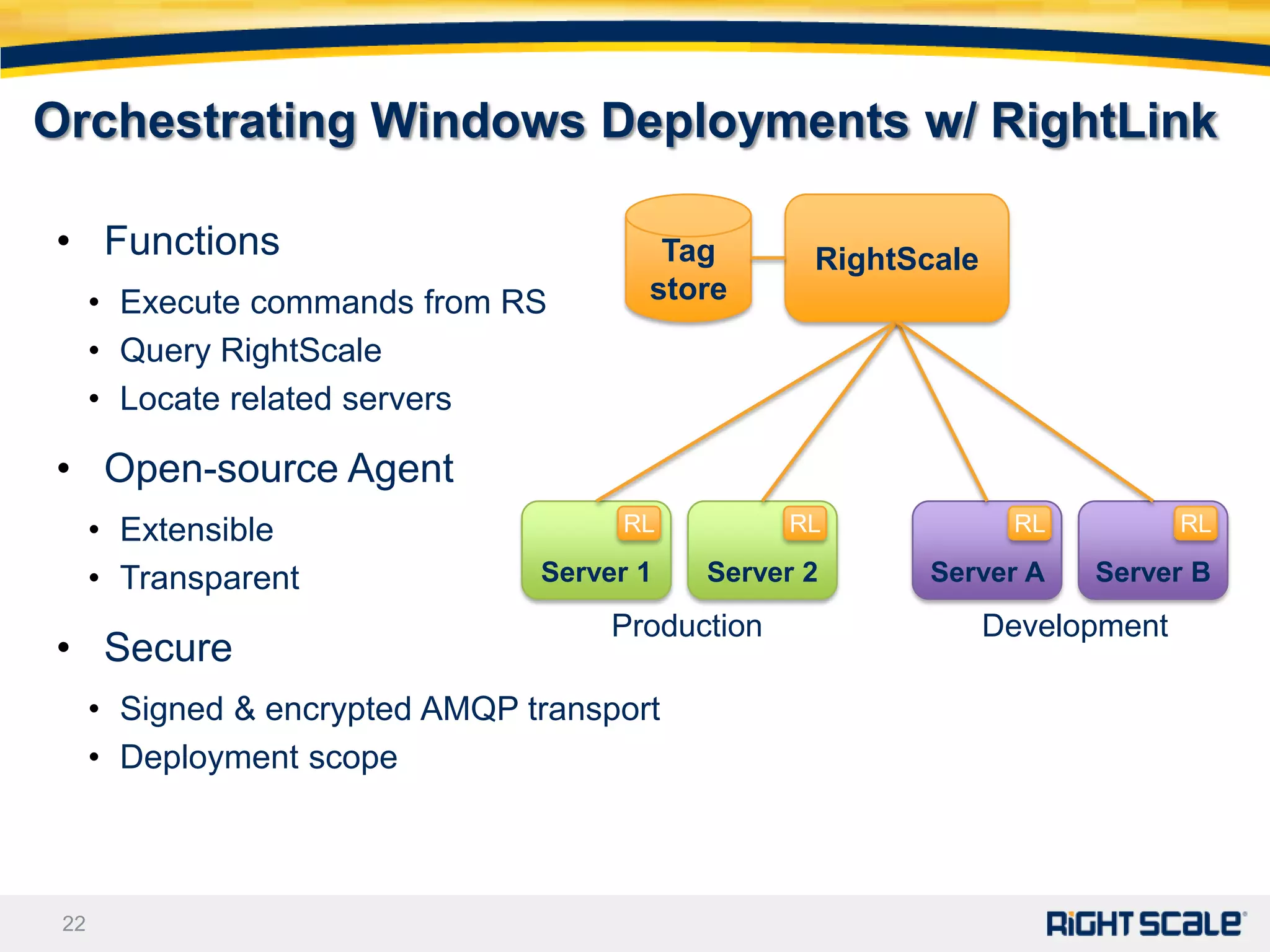
Orchestrating Windows Deployments w/ RightLink

• Functions                              Tag        RightScale
      • Execute commands from RS        store
      • Query RightScale
      • Locate related servers

• Open-source Agent
      • Extensible                    RL           RL             RL           RL

      • Transparent              Server 1   Server 2       Server A    Server B
                                      Production                 Development
• Secure
      • Signed & encrypted AMQP transport
      • Deployment scope


 22
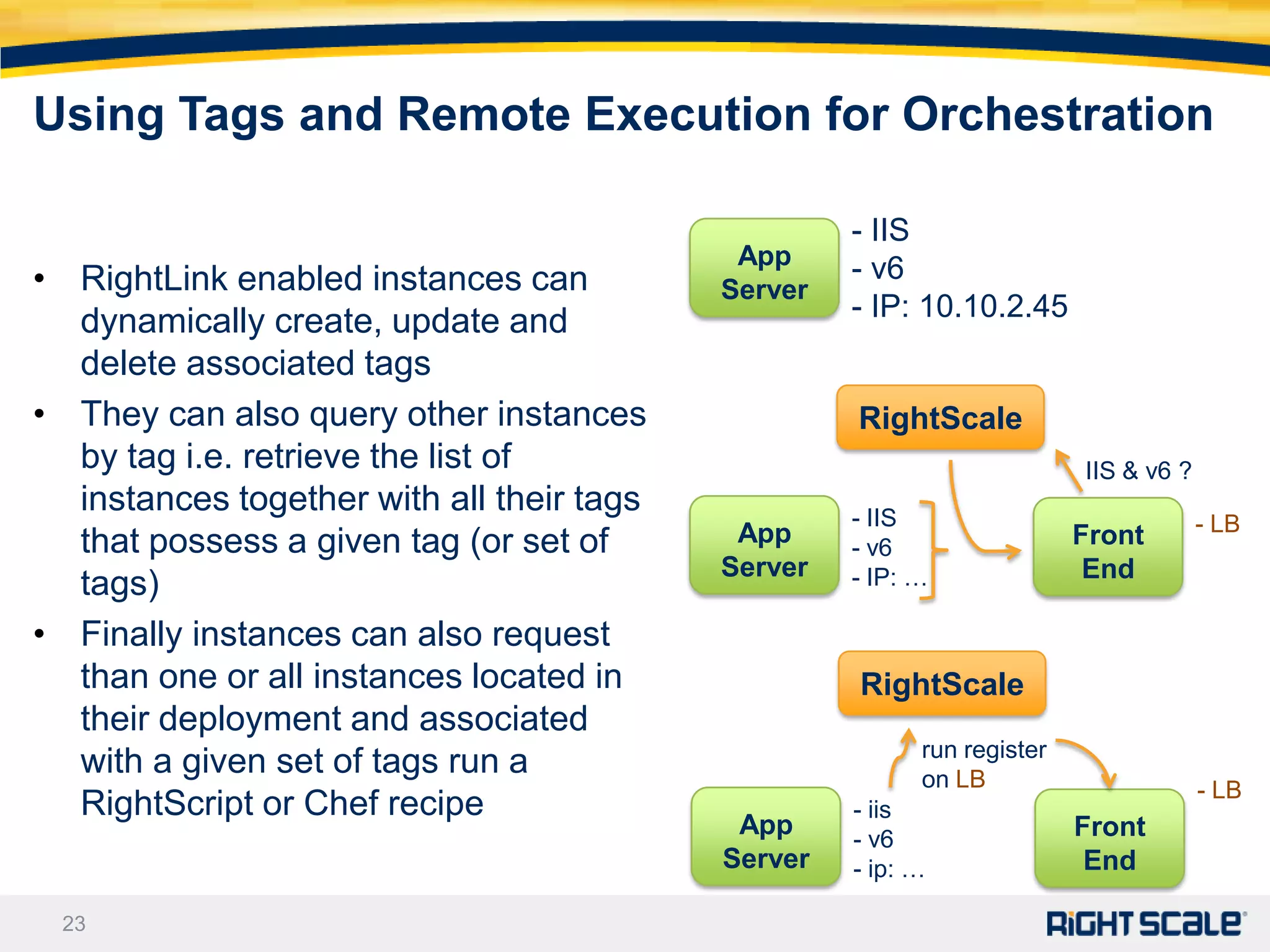
Using Tags and Remote Execution for Orchestration

                                                    - IIS
                                            App     - v6
• RightLink enabled instances can          Server
  dynamically create, update and                    - IP: 10.10.2.45
  delete associated tags
• They can also query other instances               RightScale
  by tag i.e. retrieve the list of                                       IIS & v6 ?
  instances together with all their tags            - IIS
                                            App                          Front        - LB
  that possess a given tag (or set of               - v6
                                           Server   - IP: …               End
  tags)
• Finally instances can also request
  than one or all instances located in              RightScale
  their deployment and associated
                                                          run register
  with a given set of tags run a                          on LB                       - LB
  RightScript or Chef recipe                        - iis
                                            App     - v6                 Front
                                           Server   - ip: …               End

 23
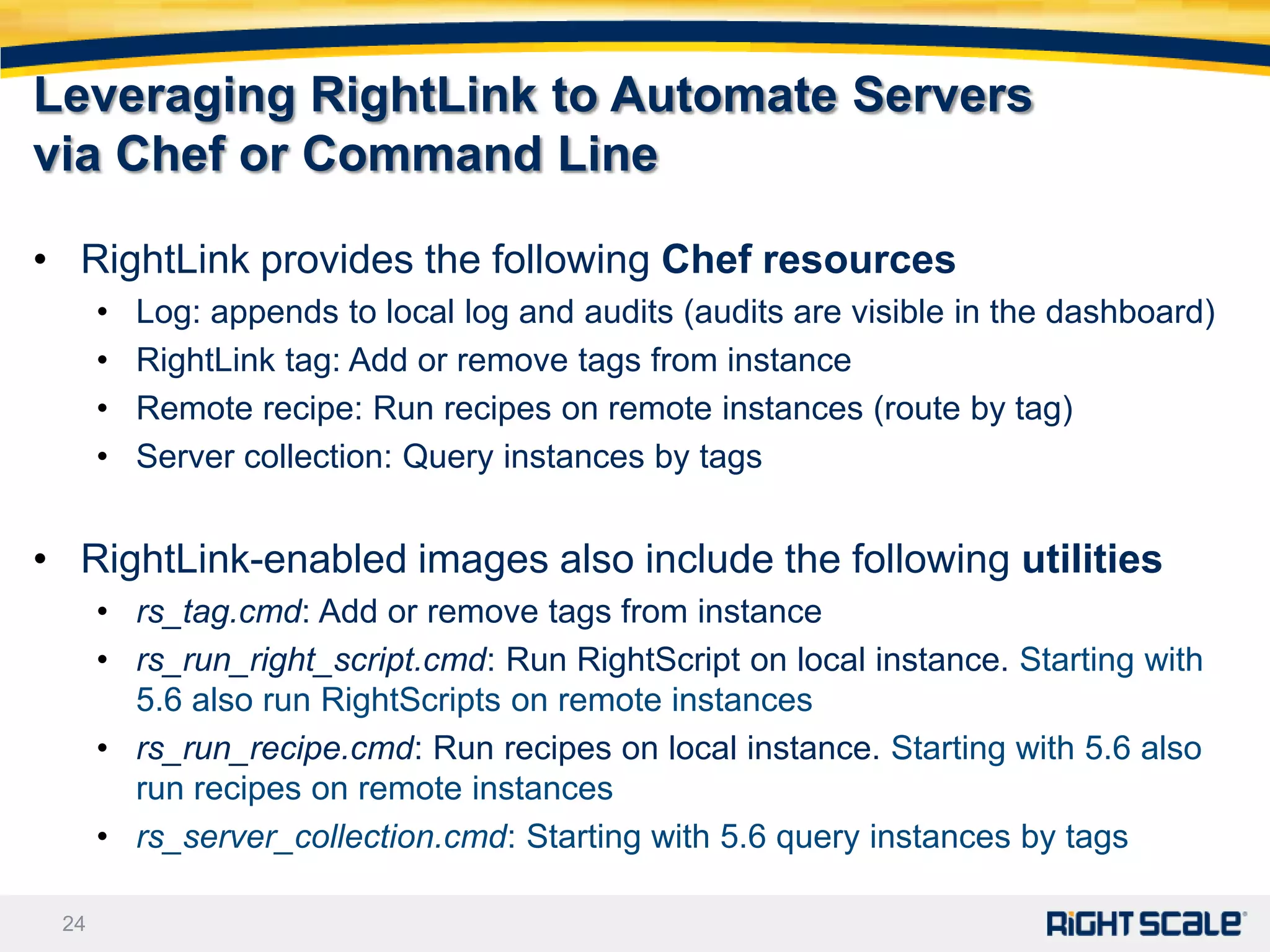
Leveraging RightLink to Automate Servers
via Chef or Command Line

• RightLink provides the following Chef resources
      •   Log: appends to local log and audits (audits are visible in the dashboard)
      •   RightLink tag: Add or remove tags from instance
      •   Remote recipe: Run recipes on remote instances (route by tag)
      •   Server collection: Query instances by tags


• RightLink-enabled images also include the following utilities
      • rs_tag.cmd: Add or remove tags from instance
      • rs_run_right_script.cmd: Run RightScript on local instance. Starting with
        5.6 also run RightScripts on remote instances
      • rs_run_recipe.cmd: Run recipes on local instance. Starting with 5.6 also
        run recipes on remote instances
      • rs_server_collection.cmd: Starting with 5.6 query instances by tags

 24
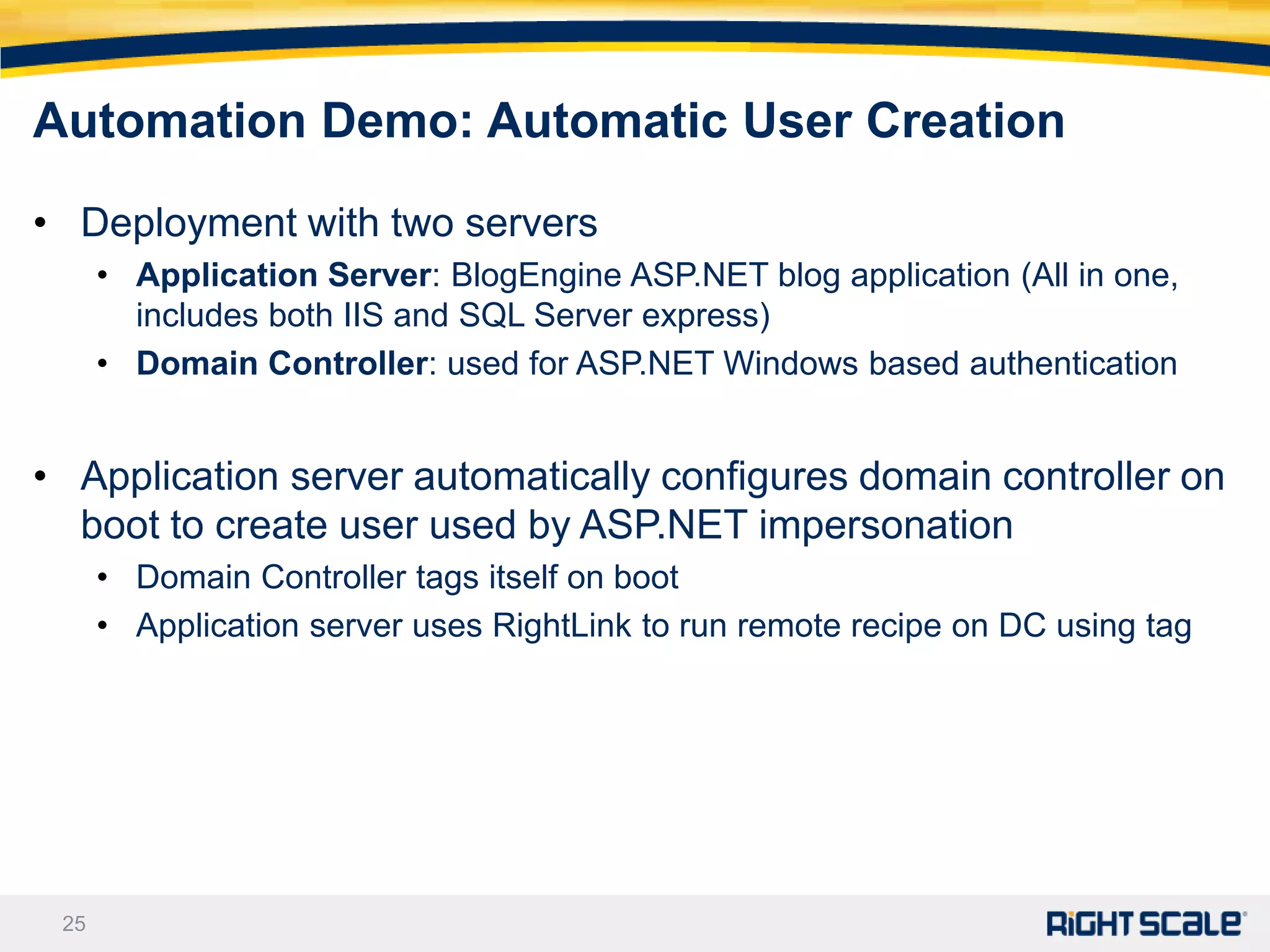
Automation Demo: Automatic User Creation

• Deployment with two servers
      • Application Server: BlogEngine ASP.NET blog application (All in one,
        includes both IIS and SQL Server express)
      • Domain Controller: used for ASP.NET Windows based authentication


• Application server automatically configures domain controller on
  boot to create user used by ASP.NET impersonation
      • Domain Controller tags itself on boot
      • Application server uses RightLink to run remote recipe on DC using tag


 25
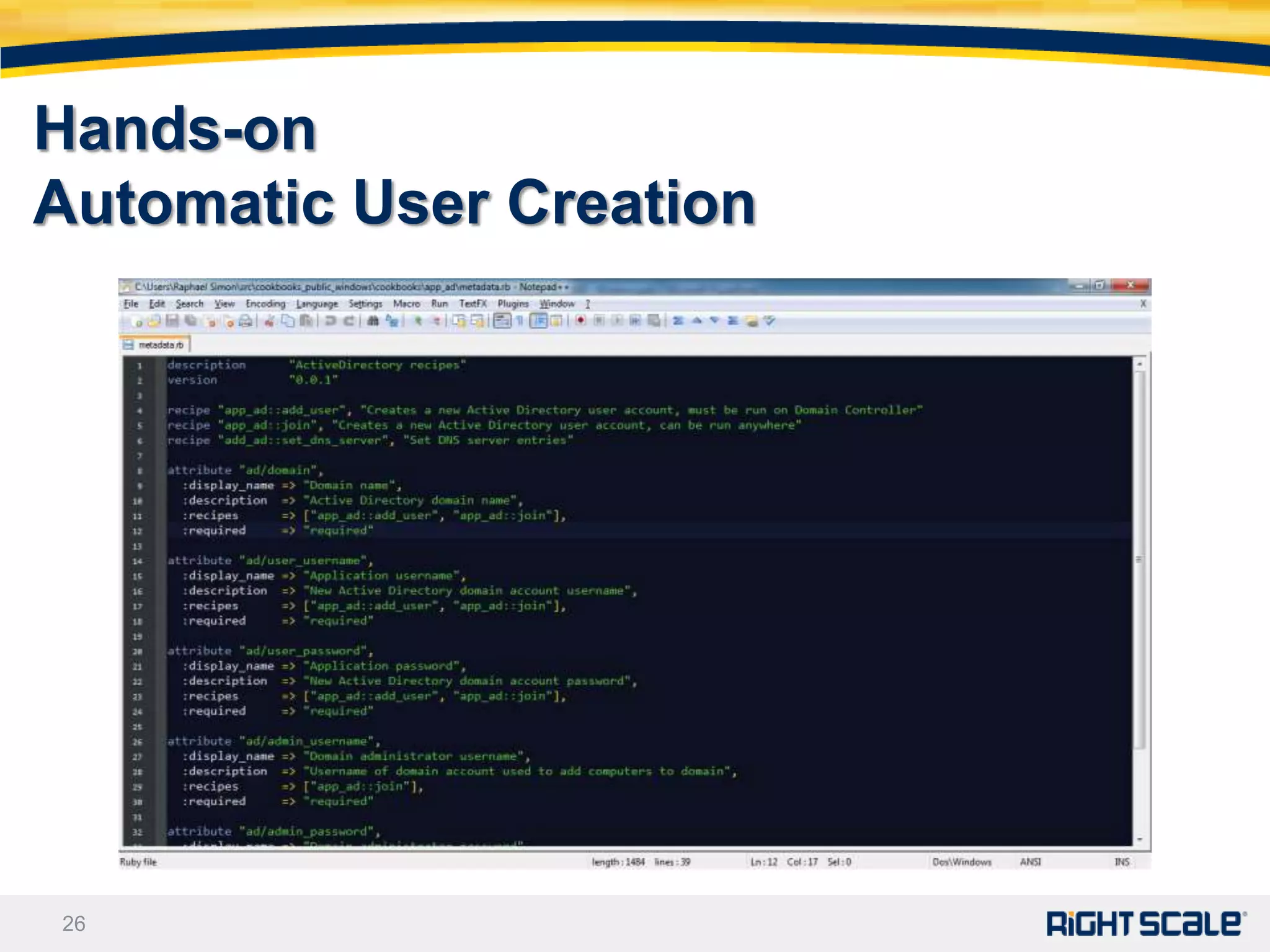
Hands-on
Automatic User Creation


26
Getting Started and Q&A
• 1) Script install of applications on ServerTemplate
• 2) RightLink enable existing Windows images


• Have a project and ready to get started?
      • Contact us at sales@rightscale.com or (866) 720-0208

• Need to learn more?
      • Cloud Webinars: www.RightScale.com/webinars

      • Cloud White Papers: www.RightScale.com/whitepapers


 27
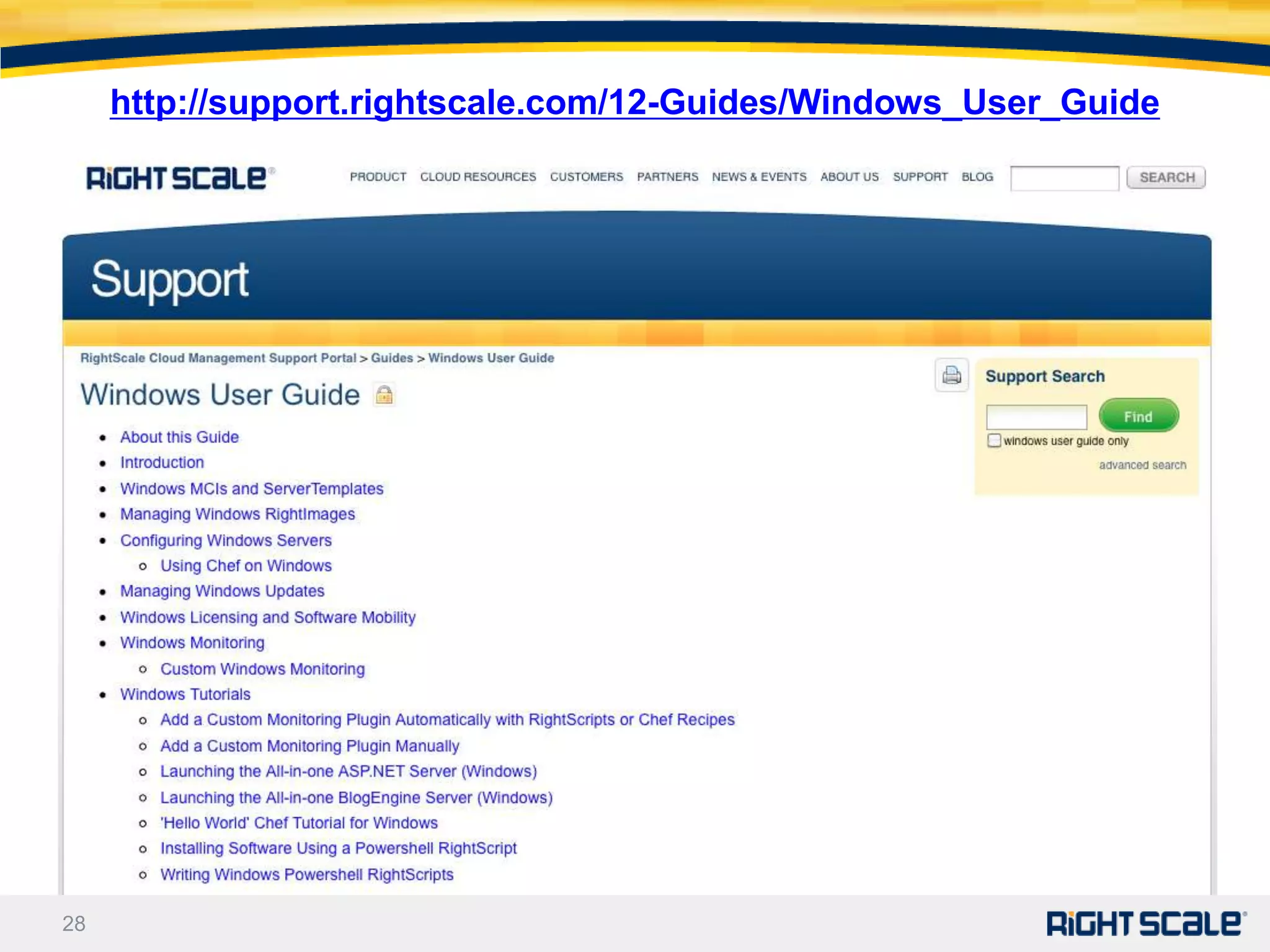
http://support.rightscale.com/12-Guides/Windows_User_Guide


28
Thank You!


29
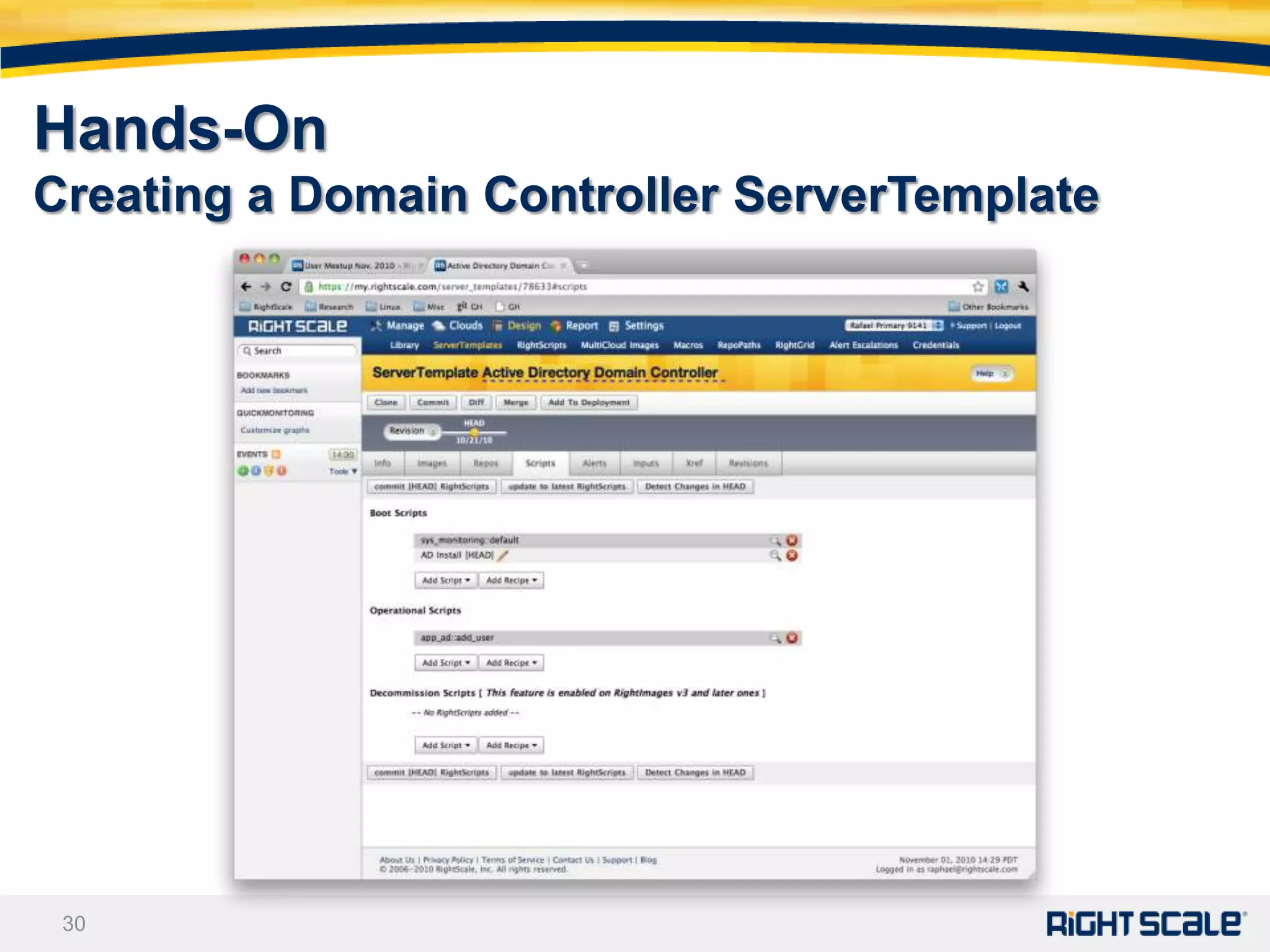
Hands-On
Creating a Domain Controller ServerTemplate


 30
Windows Best Practices
• License keys registration
      • Install software on boot: License key is an input that is used to generate
        the answer file
      • Bake software into image: Write Powershell script which registers key on
        boot


• System updates management
      • Updates disabled by default
      • Cherry-pick updates, test, sysprep & bundle (use provided RightScript)
      • Roll new image


 31

Moving Windows Applications to the Cloud

  • 1.
    Moving Windows to the Cloud March 10, 2011 Watch the video of this webinar 1
  • 2.
    Your Panel Today Presenting:  Rafael H. Saavedra, Vice President of Engineering, RightScale  Raphael Simon, Sr. Software Architect, RightScale  Chris Horne, Director, Product Marketing, RightScale Q&A Line:  John Newton, Account Manager, RightScale  Alex Pop, Tech Support Lead, RightScale Please use the questions window to ask questions any time! 2
  • 3.
    Agenda  Windows in the Cloud vs Datacenter  Challenges with Windows in the Cloud  Consistent Windows Images - RightImages  Scripting Windows Servers - ServerTemplates  Orchestrating Windows Deployments - RightLink  Demonstration  How to Get Started Please use the questions window to ask questions any time! 3
  • 4.
    What’s Different inthe Cloud vs. DataCenter • Windows Licensing • You don't bring your own Windows licenses to the Cloud. You use those of AWS, RAX, etc. and the license is included in the hourly rate. • Dynamic IP Addresses • All servers have a private IP address and a public one NATed. The private one is not sticky when the server is stopped or relaunched. • Preserve Data outside Ephemeral Instances • Servers are now ephemeral (and disposable). Information stored in databases, application code, static content, session data, etc. should be stored in volumes (~EBS) and file stores (~S3, Cloudfiles, Gluster). 4
  • 5.
    What’s Different inthe Cloud vs. DataCenter • Storage Backed Servers • Storage backed servers are installed on a persistent volume and can be stopped and restarted. When stopped you just pay for storage. Snapshot the volume to back it up. • Cloud Servers should be Scripted and Automated • A cloud paradigm shift is to replace thick, opaque images with transparent, automated, built-to-order servers. Less MMC and more appcmd or Powershell. GUI interactive installed apps can be pre- bundled but at the cost of flexibility. • Some legacy apps with special hardware requirements sometimes don't translate well • e.g. USB licensing dongles 5
  • 6.
    Server Provisioning inthe Cloud • Request an instance • Server instance and volume is provisioned • Server image is copied onto the volume and launched • Sysprep runs to customize the instance • With RightScale, RightLink agent installs applications and configures server for role within deployment • Server is available and can be accessed via RDP or console 6
  • 7.
    Challenges with Windowsin the Cloud • Image configurations vary widely (inconsistent) • They do not follow best practices • They use root partition for everything • They pre-install all required software (inflexible) • Bake in license • Custom configuration • Long development iterations • There’s no consistent automation (manual) • Trust relationships are hard-coded • Ad-hoc, manual orchestration 7
  • 8.
    Challenges with Windowsin the Cloud • Image configurations vary widely (inconsistent) • They do not follow best practices • They use root partition for everything • They pre-install all required software (inflexible) • Bake in license • Custom configuration • Long development iterations • There’s no consistent automation (manual) • Trust relationships are hard-coded • Ad-hoc, manual orchestration 8
  • 9.
    MultiCloud Windows RightImages •Use consistent settings • Across regions and clouds • Firewall and file sharing settings are consistent • SQL Server, ASP.NET, etc. installations are consistent • Follow best practices • Use a bigger root partition (80GB) • Use volumes for database files • Are a work in progress. Continuously improving. 9
  • 10.
    MultiCloud Windows RightImages MultiCloudimages address: • 2003 / 2008 Server (x2) • 32 bit / 64 bit (x2) • Bare / IIS / SQL Server Std (x3) • Cloud (x5) ~ 60 images for AWS alone Use RightLink installer to RightScale enable pre-existing Windows images 10
  • 11.
    Challenges with Windowsin the Cloud • Image configurations vary widely (inconsistent) • They do not follow best practices • They use root partition for everything • They pre-install all required software (inflexible) • Bake in license • Custom configuration • Long development iterations • There’s no consistent automation (manual) • Trust relationships are hard-coded • Ad-hoc, manual orchestration 11
  • 12.
    ServerTemplates are Built-to-OrderServers Modular – Portable – Reproducible Application Applications • Cloud independent App Libraries SQL Server/ASP.NET… Networking Cloud Portability • Standard configuration Storage volumes RightImages & OS Multi-Cloud Images • Standard image “API” Virtual machine 12
  • 13.
    A Closer Lookat ServerTemplates • Starts with a multicloud image • Defines base software • Adds: • Boot, operational and decommission RightScripts and /or recipes for configuration • Alerts definitions for automation • ServerTemplates are versioned • Reproduce exact configuration • ServerTemplates can be published/imported • Sharing / reuse 13
  • 14.
    VM Images vs.RightScale ServerTemplates Virtual Machine Images RightScale ServerTemplates • Big & opaque • Modular & flexible • Complex to reproduce • Reproducible & maintainable • Static • Dynamic & agile • Not cloud-portable • Multi-cloud enabled  Not cloud-agile  Dynamic configuration  Slow workflow  Dev-like workflow VMs and Standard ServerTemplates Cloud Images are like Playlists are like burned CDs 14
  • 15.
    When to Install- On Boot vs Pre-Bake Install on boot for: Bake into image for: • Dynamic installation • Faster startups • Easier maintenance • Attended installers • Licensing  Whenever you can  When you have no choice 15
  • 16.
    Monitoring and Alerts •Monitoring of CPU, memory and disk space available • Create monitoring scripts to monitor custom data • Written in a ruby DSL • Can leverage WMI • Use monitored data to create Alerts • Can use elaborate rules to define alerting conditions • Alert escalations can send emails, reboot server, relaunch server, run a RightScript or recipe, vote array grow and vote array shrink 16
  • 17.
    Windows in theCloud with RightScale 17
  • 18.
    Windows Server Configurationwith RightScripts and / or Chef • Windows servers can be configured using RightScripts and/or Chef recipes • RightScripts on Windows are written in PowerShell • Straight PowerShell with full access to Windows subsystems • Easy to setup but can become hard to maintain over time • Chef recipes are written using a simple language focused around managing resources. • Resources represent a software or OS resource that needs to be configured e.g. a file, a service, IIS etc. • Chef provides an extra layer of abstraction on top of PowerShell • Comes with many predefined resources; custom resources can be implemented on top of PowerShell • Example Chef Recipe to upload a file to S3: aws_s3 "upload to s3" do access_key_id node[:aws][:access_key_id] secret_access_key node[:aws][:secret_access_key] s3_bucket node[:s3][:bucket] file_path node[:s3][:file_path] action :put 18 end
  • 19.
    Published RightScale ServerTemplates •Base ServerTemplate for Windows: RightScript based ServerTemplate, includes monitoring and time zone setting scripts • Quick Start for Windows (Chef Alpha): Chef base ServerTemplate with monitoring • BlogEngine All-In-One (Chef Alpha): Installs the BlogEngine web application on Windows 2003 or 2008 instance with monitoring enabled • ASP.NET All-In-One Developer (Chef Alpha): Configures an instance as a ASP.NET application server with IIS and SQL Server Express on a single server. • Additional ServerTemplates in development 19
  • 20.
    New SharePoint ServerTemplate • Microsoft® SharePoint® 2010 All in One • Developed by RightScale partner, Pileus Inc. • Designed to be used as a standalone SharePoint 2010 farm environment, generally for development or sandbox purposes • Paid template Get Started • Import the template into your RightScale account © 2009 RightScale Inc — All rights reserved
  • 21.
    Challenges with Windowsin the Cloud • Image configurations vary widely (inconsistent) • They do not follow best practices • They use root partition for everything • They pre-install all required software (inflexible) • Bake in license • Custom configuration • Long development iterations • There’s no consistent automation (manual) • Trust relationships are hard-coded • Ad-hoc, manual orchestration 21
  • 22.
    Orchestrating Windows Deploymentsw/ RightLink • Functions Tag RightScale • Execute commands from RS store • Query RightScale • Locate related servers • Open-source Agent • Extensible RL RL RL RL • Transparent Server 1 Server 2 Server A Server B Production Development • Secure • Signed & encrypted AMQP transport • Deployment scope 22
  • 23.
    Using Tags andRemote Execution for Orchestration - IIS App - v6 • RightLink enabled instances can Server dynamically create, update and - IP: 10.10.2.45 delete associated tags • They can also query other instances RightScale by tag i.e. retrieve the list of IIS & v6 ? instances together with all their tags - IIS App Front - LB that possess a given tag (or set of - v6 Server - IP: … End tags) • Finally instances can also request than one or all instances located in RightScale their deployment and associated run register with a given set of tags run a on LB - LB RightScript or Chef recipe - iis App - v6 Front Server - ip: … End 23
  • 24.
    Leveraging RightLink toAutomate Servers via Chef or Command Line • RightLink provides the following Chef resources • Log: appends to local log and audits (audits are visible in the dashboard) • RightLink tag: Add or remove tags from instance • Remote recipe: Run recipes on remote instances (route by tag) • Server collection: Query instances by tags • RightLink-enabled images also include the following utilities • rs_tag.cmd: Add or remove tags from instance • rs_run_right_script.cmd: Run RightScript on local instance. Starting with 5.6 also run RightScripts on remote instances • rs_run_recipe.cmd: Run recipes on local instance. Starting with 5.6 also run recipes on remote instances • rs_server_collection.cmd: Starting with 5.6 query instances by tags 24
  • 25.
    Automation Demo: AutomaticUser Creation • Deployment with two servers • Application Server: BlogEngine ASP.NET blog application (All in one, includes both IIS and SQL Server express) • Domain Controller: used for ASP.NET Windows based authentication • Application server automatically configures domain controller on boot to create user used by ASP.NET impersonation • Domain Controller tags itself on boot • Application server uses RightLink to run remote recipe on DC using tag 25
  • 26.
  • 27.
    Getting Started andQ&A • 1) Script install of applications on ServerTemplate • 2) RightLink enable existing Windows images • Have a project and ready to get started? • Contact us at sales@rightscale.com or (866) 720-0208 • Need to learn more? • Cloud Webinars: www.RightScale.com/webinars • Cloud White Papers: www.RightScale.com/whitepapers 27
  • 28.
  • 29.
  • 30.
    Hands-On Creating a DomainController ServerTemplate 30
  • 31.
    Windows Best Practices •License keys registration • Install software on boot: License key is an input that is used to generate the answer file • Bake software into image: Write Powershell script which registers key on boot • System updates management • Updates disabled by default • Cherry-pick updates, test, sysprep & bundle (use provided RightScript) • Roll new image 31