DISTRIBUTED AUTOMATION
SELENIUM GRID / AWS / AUTOSCALING
1
WHAT DO IT GET?
• Distributed Automation(Selenium Grid / AWS / Autoscale)
• DA will phenomenally shorten the UI automation run time
• Faster feedback cycle
• Fewer Jenkins jobs to run automation, instead of few
hundreds
• Cost effective and reliable
• Enables Continuous Integration / Continuous
Deployment
2
AGENDA
• Setting up
• Making the Grid stable
• Grid topologies
• Cost saving
• Reporting / Dashboard
3
PROBLEM DESCRIPTION
• UI automation pipe line takes around 3.5 hours to
run.
• Above issue is multiplied by ~250 checkins per day
4
PROBLEM DESCRIPTION
• Each team owning over 10+ Jenkins job to run
automation, increasing the number of jobs to few
hundreds
• Not having a system to run vast amount of UI
automation reliably, fast and scalable in a cost
effective way is a blocker for CI/CD
5
SOLUTION
• To be able to run all UI automation
scenarios within the time taken by the
longest test case
• Cost effective, scalable and reliable
• Teams focussing on automation
• Note: This is not about cross browser test coverage rather using grid for
parallel test execution
6
SETTING UP
• SeleniumPlugin / SeleniumGridScaler
• RemoteParameterized plugin
7
TECHNOLOGIES / TOOLS USED
8
SETTING UP
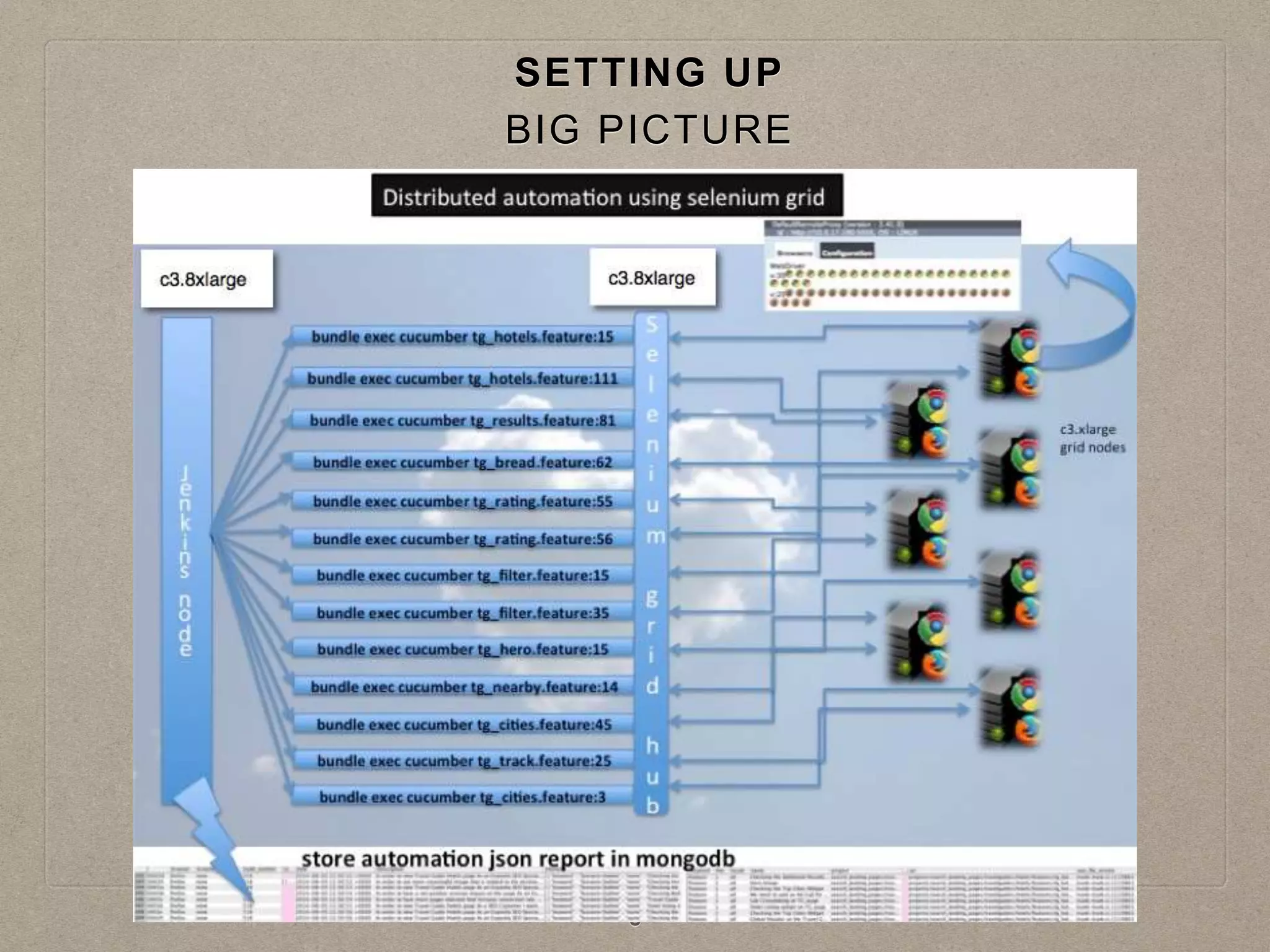
BIG PICTURE
SETTING UP
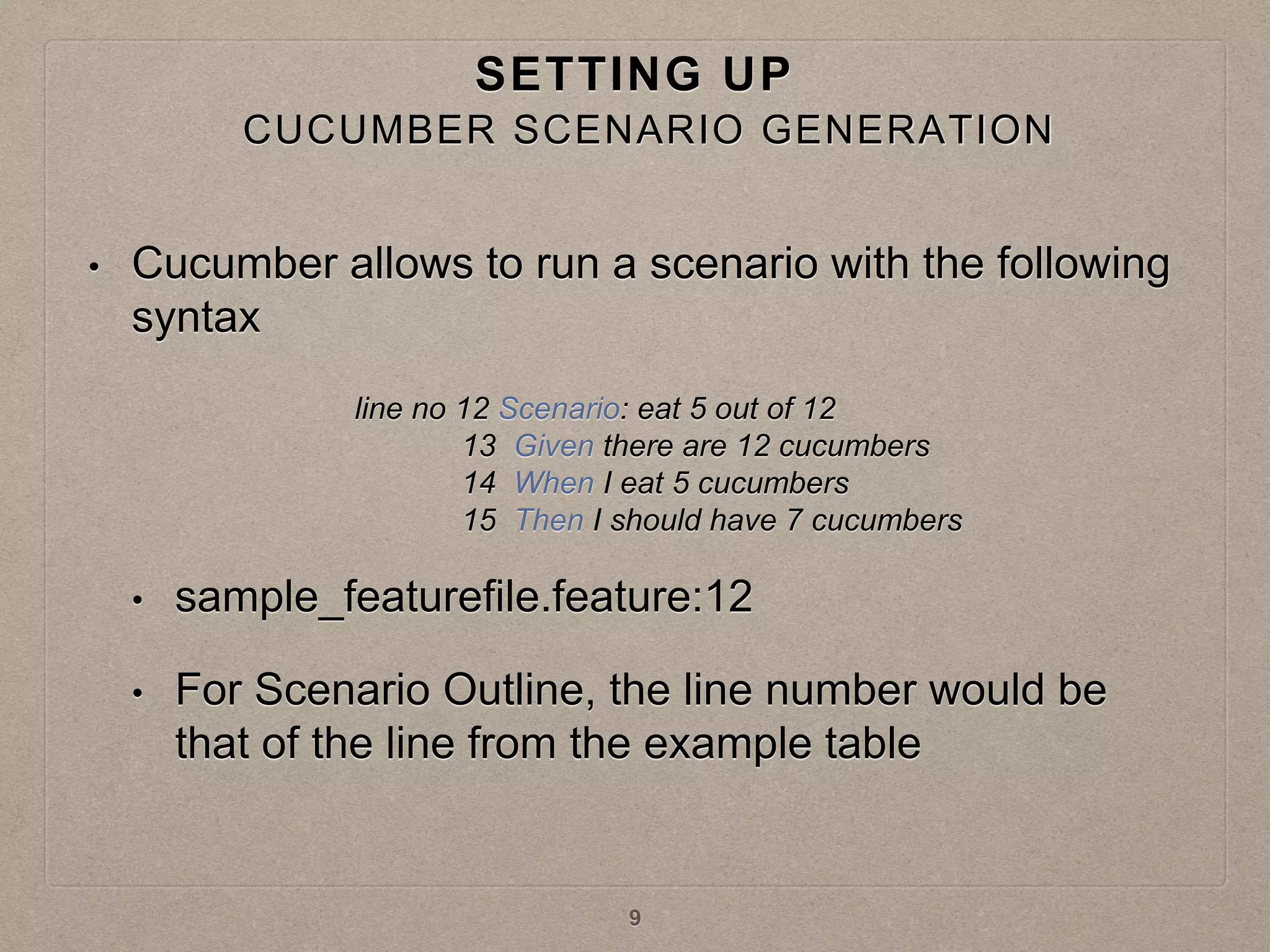
• Cucumber allows to run a scenario with the following
syntax
• sample_featurefile.feature:12
• For Scenario Outline, the line number would be
that of the line from the example table
line no 12 Scenario: eat 5 out of 12
13 Given there are 12 cucumbers
14 When I eat 5 cucumbers
15 Then I should have 7 cucumbers
9
CUCUMBER SCENARIO GENERATION
SETTING UP
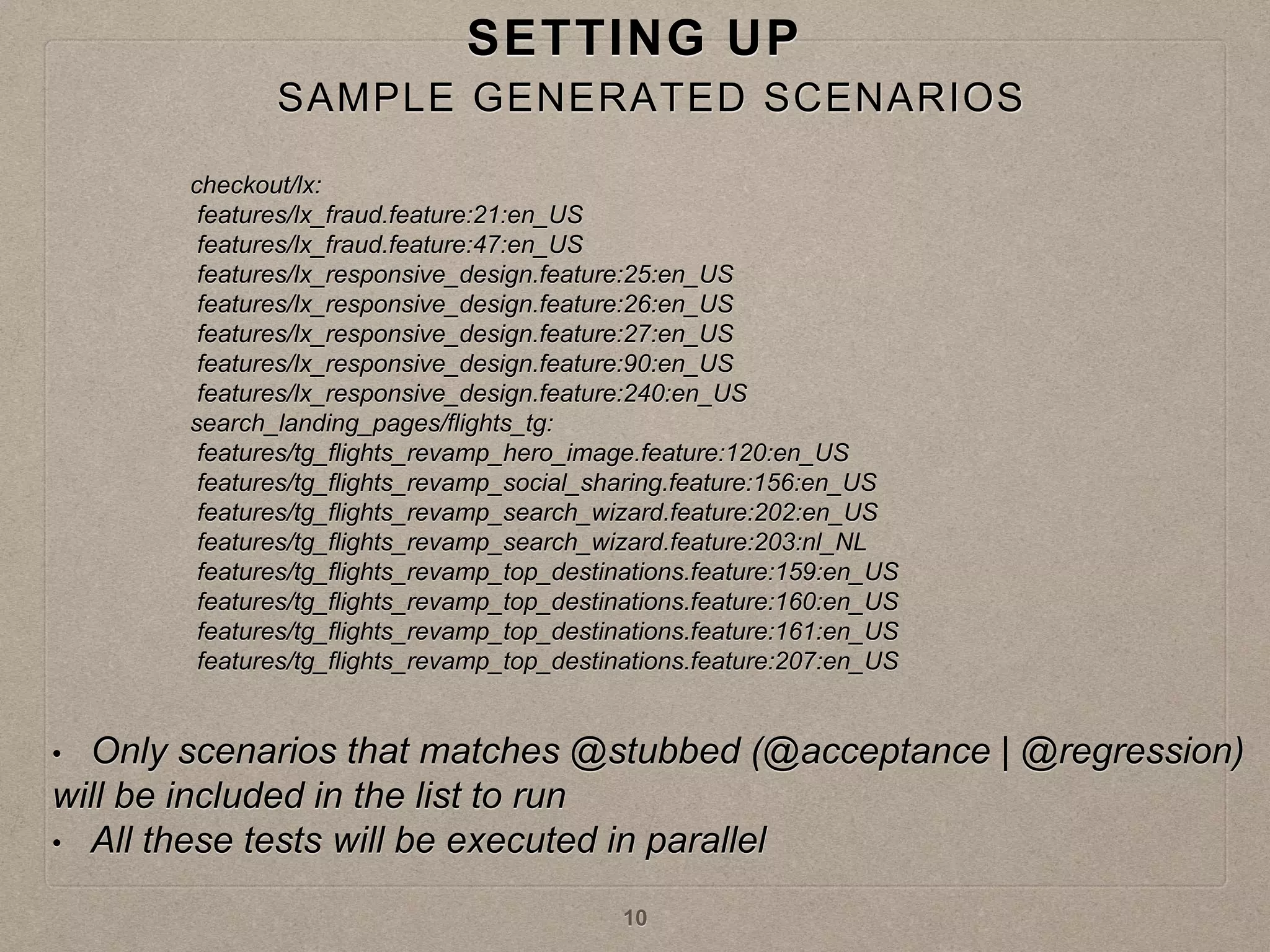
checkout/lx:
features/lx_fraud.feature:21:en_US
features/lx_fraud.feature:47:en_US
features/lx_responsive_design.feature:25:en_US
features/lx_responsive_design.feature:26:en_US
features/lx_responsive_design.feature:27:en_US
features/lx_responsive_design.feature:90:en_US
features/lx_responsive_design.feature:240:en_US
search_landing_pages/flights_tg:
features/tg_flights_revamp_hero_image.feature:120:en_US
features/tg_flights_revamp_social_sharing.feature:156:en_US
features/tg_flights_revamp_search_wizard.feature:202:en_US
features/tg_flights_revamp_search_wizard.feature:203:nl_NL
features/tg_flights_revamp_top_destinations.feature:159:en_US
features/tg_flights_revamp_top_destinations.feature:160:en_US
features/tg_flights_revamp_top_destinations.feature:161:en_US
features/tg_flights_revamp_top_destinations.feature:207:en_US
• Only scenarios that matches @stubbed (@acceptance | @regression)
will be included in the list to run
• All these tests will be executed in parallel
10
SAMPLE GENERATED SCENARIOS
SETTING UP
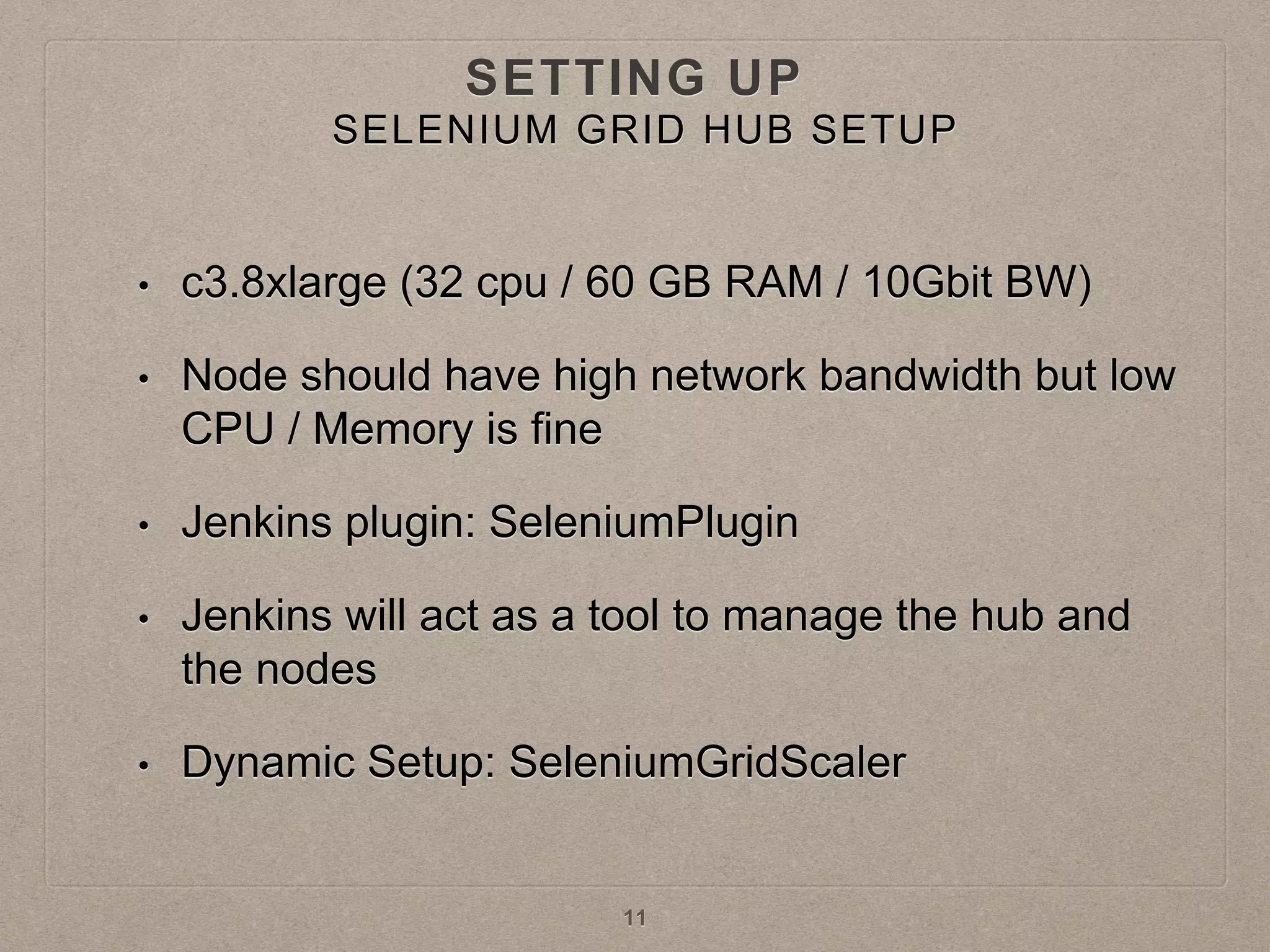
• c3.8xlarge (32 cpu / 60 GB RAM / 10Gbit BW)
• Node should have high network bandwidth but low
CPU / Memory is fine
• Jenkins plugin: SeleniumPlugin
• Jenkins will act as a tool to manage the hub and
the nodes
• Dynamic Setup: SeleniumGridScaler
11
SELENIUM GRID HUB SETUP
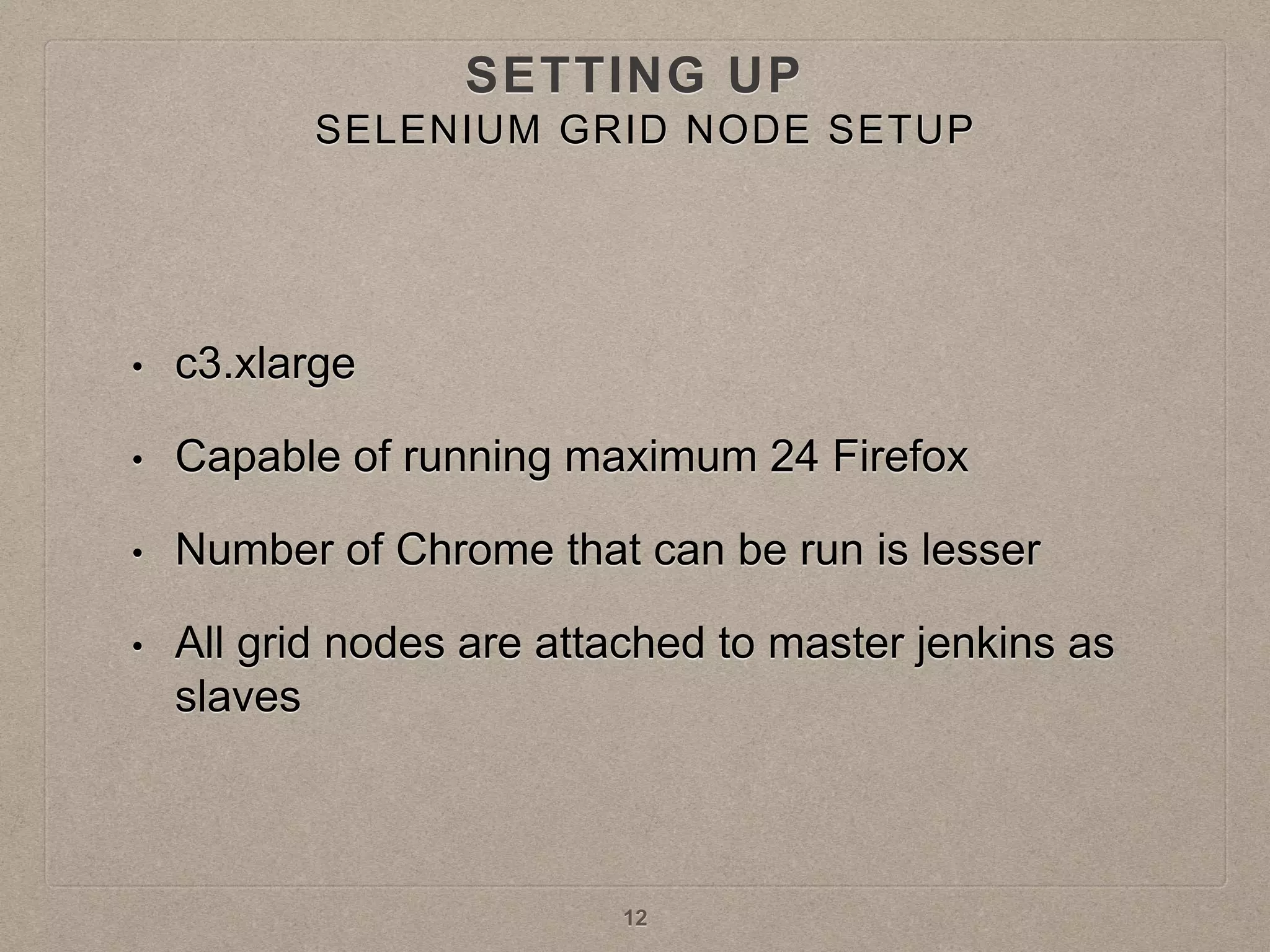
• c3.xlarge
• Capable of running maximum 24 Firefox
• Number of Chrome that can be run is lesser
• All grid nodes are attached to master jenkins as
slaves
12
SETTING UP
SELENIUM GRID NODE SETUP
MAKING THE GRID STABLE
• Timeouts
• “timeout”:240000(ms)
• “browserTimeout”:290(s)
• Browser timeout has to be bigger than ‘timeout’ and
‘webDriver’ timeout
INFO: Grid Hub started on port 4444 with args: -timeout 240000
-browserTimeout 290 -host x.x.x.x
TIMEOUTS
13
• If browser instance hangs (for any reason what so ever), it will take
3hrs (http client socket timeout) for the particular slot to become free.
• This timeouts the Jenkins job
• Solution:
• Fix the particular test scenario causing this issue
• Add a cronjob to kill any browser instances that is running for more
than 10mins.
• Make this as part of your Chef knife plugin
• Ref: selenium repo, PR: 227
MAKING THE GRID STABLE
TIMEOUTS
14
• Grid setup should be in the same AWS subnet
• Using multiple subnets will result in lots of
FORWARDING_TO_NODE_FAILED errors
MAKING THE GRID STABLE
AWS - SUBNET
15
• Subnet you are using should have enough free IP
addresses
• It will be a blocker for autoscaling the grid nodes
MAKING THE GRID STABLE
AWS - IP ADDRESS
16
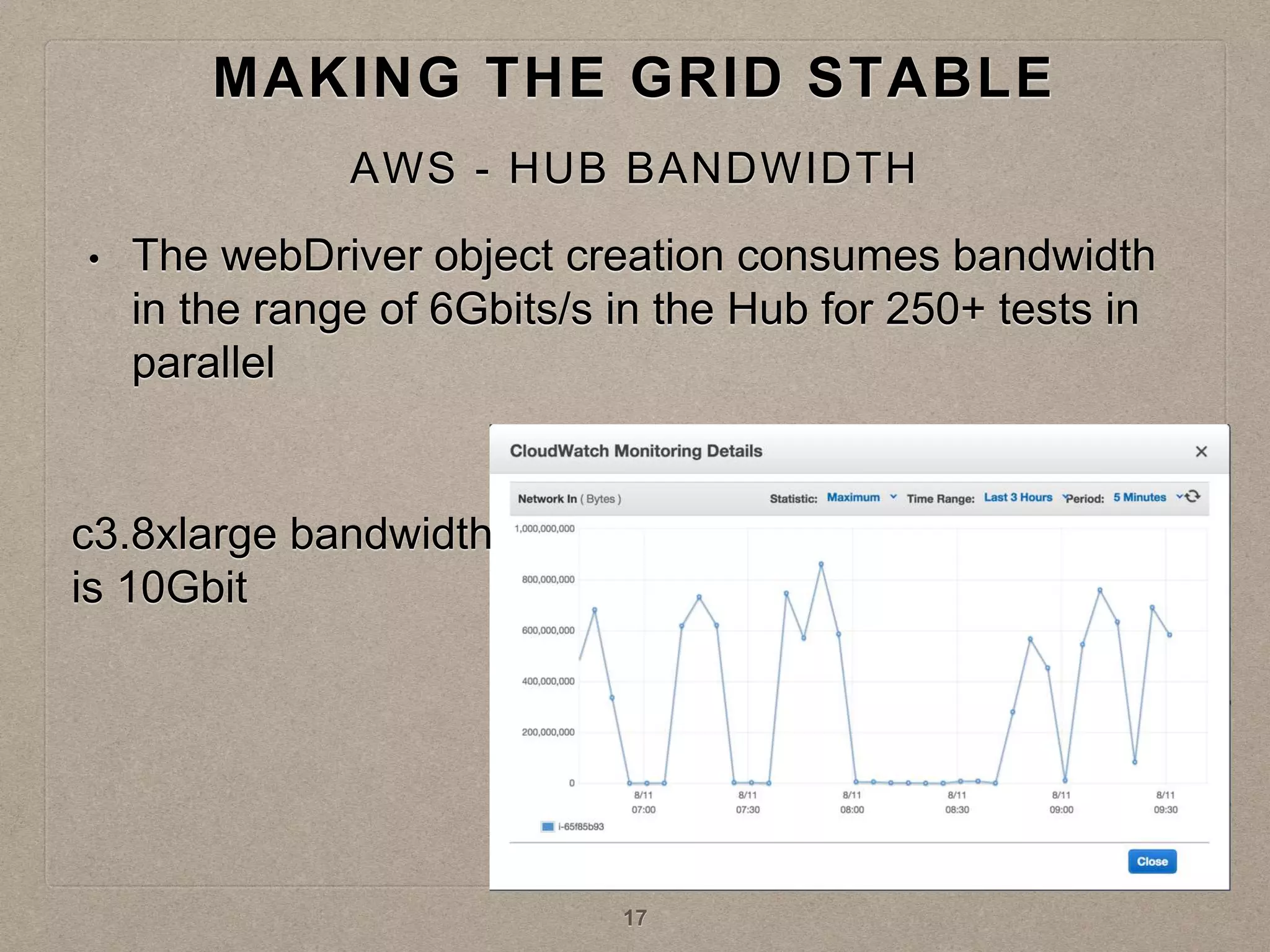
• The webDriver object creation consumes bandwidth
in the range of 6Gbits/s in the Hub for 250+ tests in
parallel
MAKING THE GRID STABLE
AWS - HUB BANDWIDTH
c3.8xlarge bandwidth
is 10Gbit
17
• Fine tune your
• -Xms
• -Xmx
• -DPOOL_MAX
MAKING THE GRID STABLE
AWS - HUB / NODE MEMORY
18
• HUB becomes unstable after running thousands of
tests
• Automate restarting of Hub
MAKING THE GRID STABLE
AWS - RESTARTING HUB
19
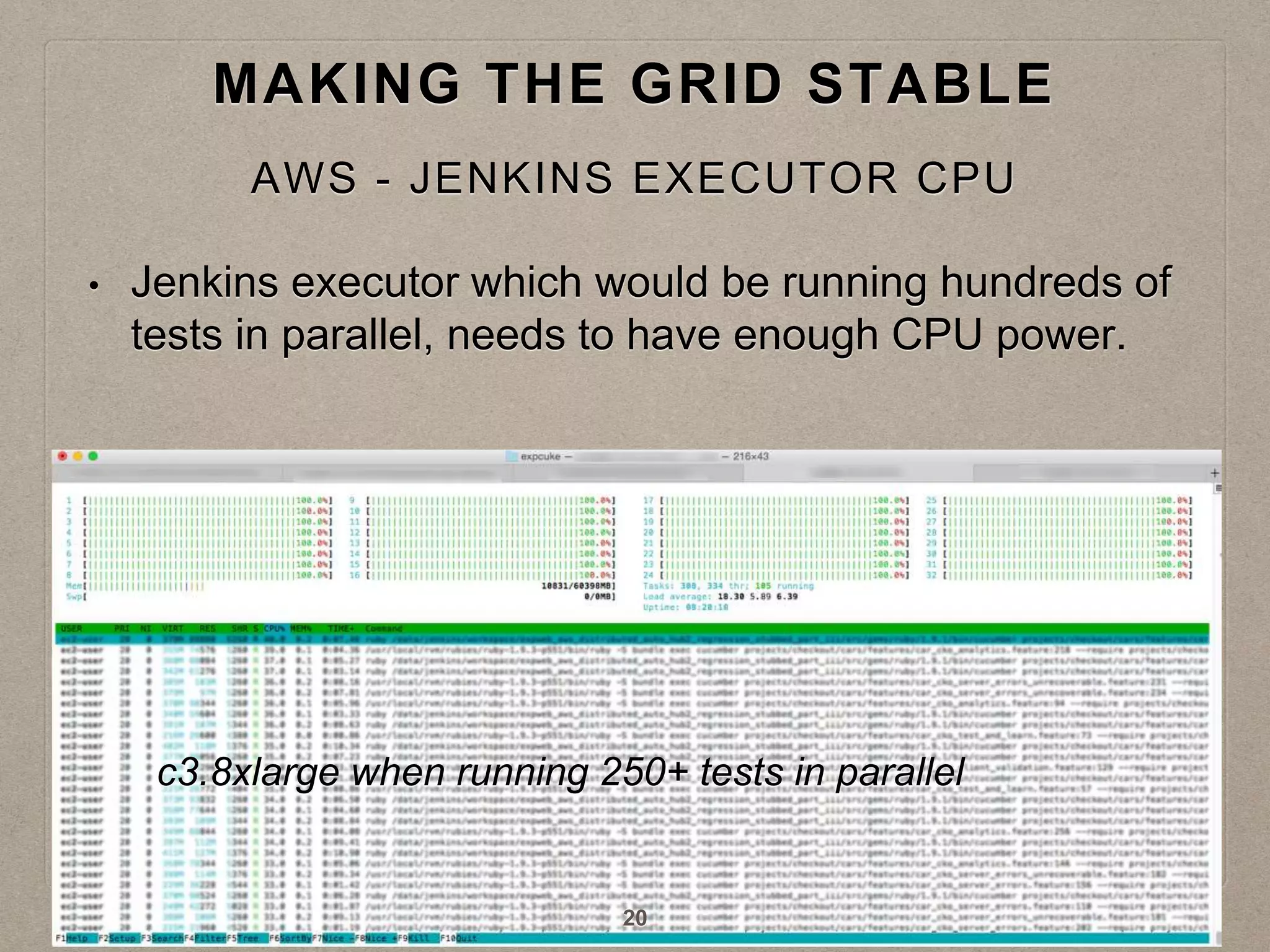
• Jenkins executor which would be running hundreds of
tests in parallel, needs to have enough CPU power.
MAKING THE GRID STABLE
AWS - JENKINS EXECUTOR CPU
c3.8xlarge when running 250+ tests in parallel
20
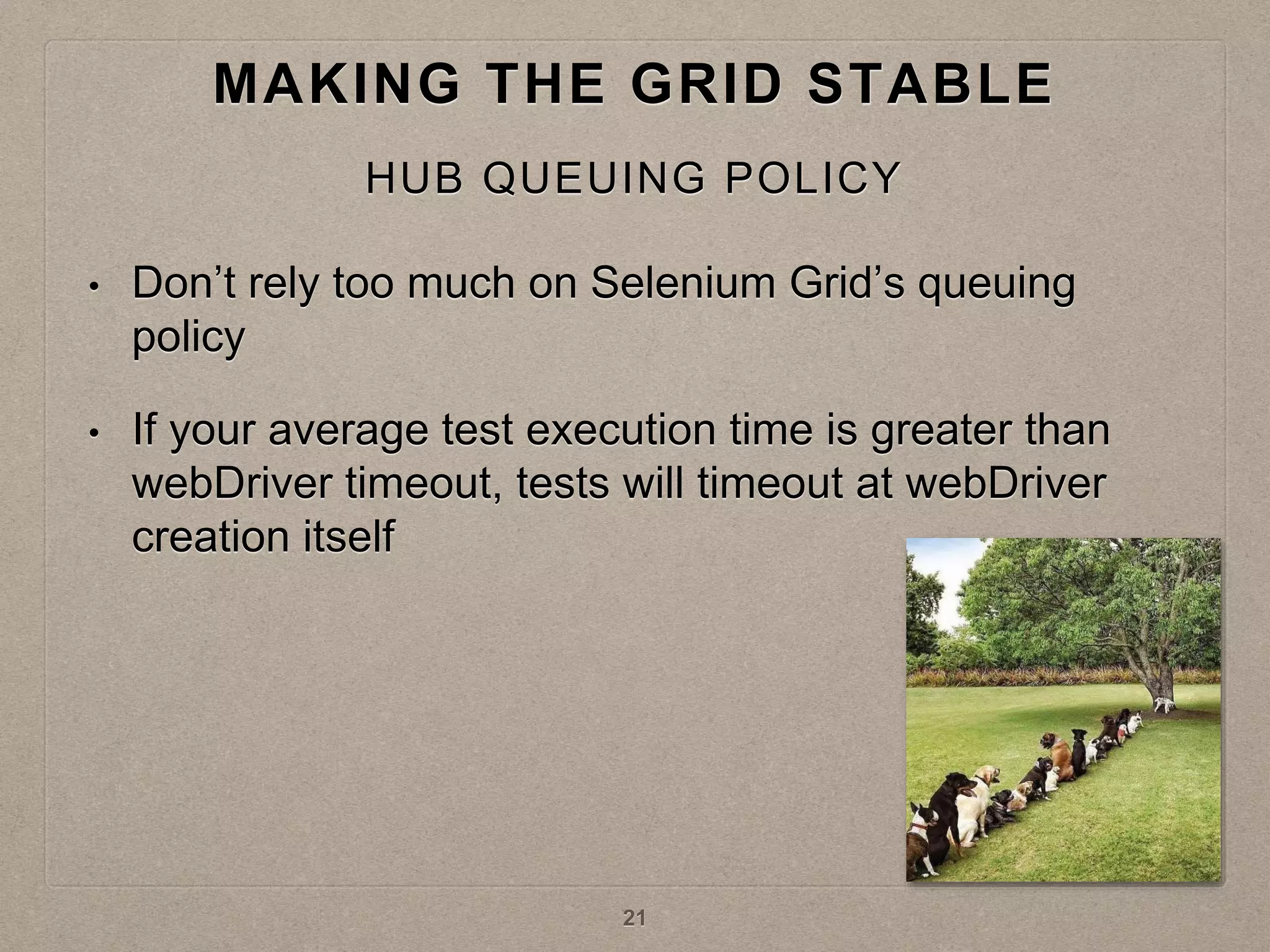
• Don’t rely too much on Selenium Grid’s queuing
policy
• If your average test execution time is greater than
webDriver timeout, tests will timeout at webDriver
creation itself
MAKING THE GRID STABLE
HUB QUEUING POLICY
21
• Running tests in parallel increases the throughput
your test server receives
• Scale your test server
• Similarly scale the services if any
MAKING THE GRID STABLE
SCALE THE TEST INFRASTRUCTURE
22
GRID TOPOLOGIES
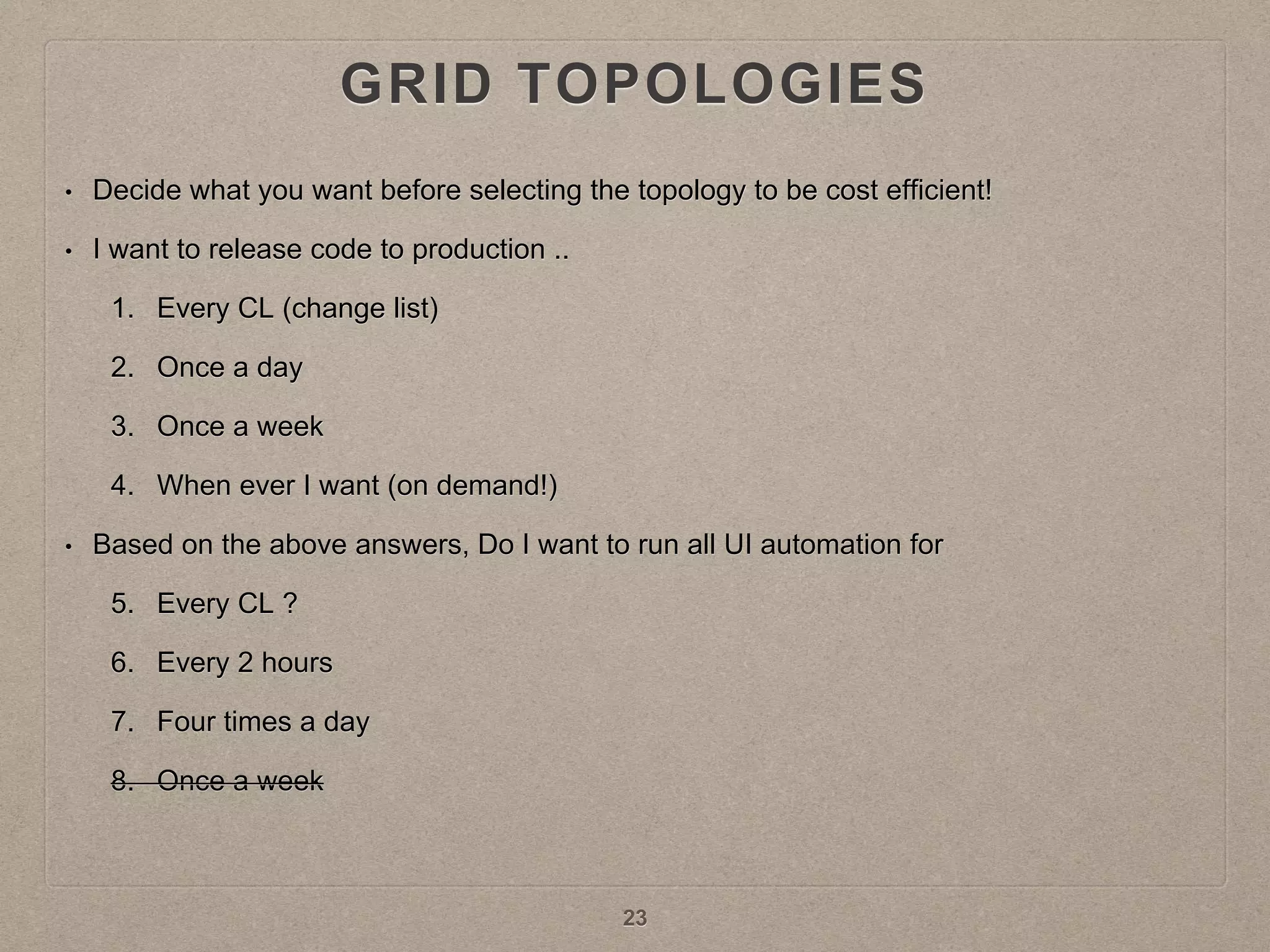
• Decide what you want before selecting the topology to be cost efficient!
• I want to release code to production ..
1. Every CL (change list)
2. Once a day
3. Once a week
4. When ever I want (on demand!)
• Based on the above answers, Do I want to run all UI automation for
5. Every CL ?
6. Every 2 hours
7. Four times a day
8. Once a week
23
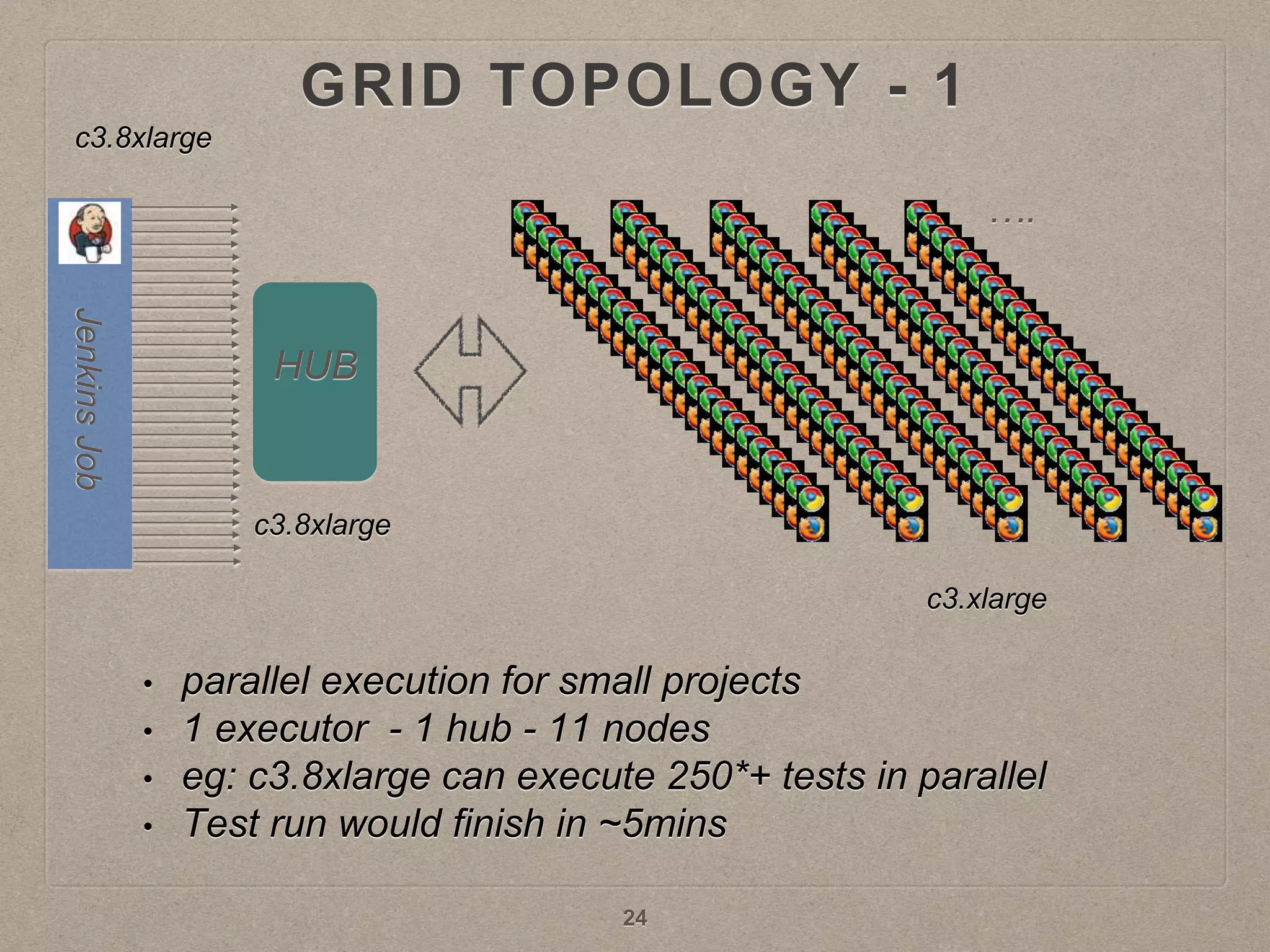
GRID TOPOLOGY - 1
HUB
• parallel execution for small projects
• 1 executor - 1 hub - 11 nodes
• eg: c3.8xlarge can execute 250*+ tests in parallel
• Test run would finish in ~5mins
c3.8xlarge
c3.8xlarge
c3.xlarge
24
….
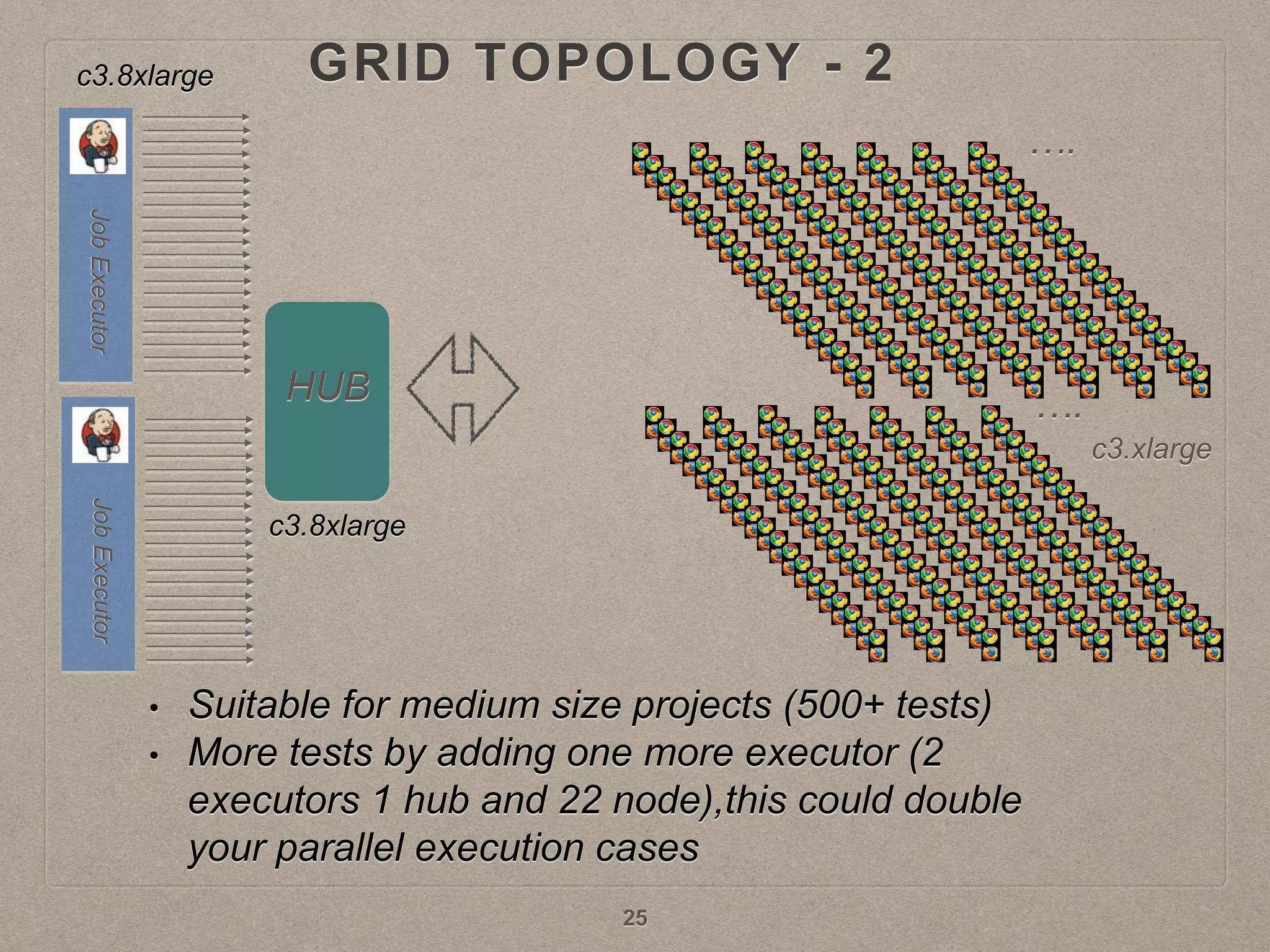
GRID TOPOLOGY - 2
HUB
• Suitable for medium size projects (500+ tests)
• More tests by adding one more executor (2
executors 1 hub and 22 node),this could double
your parallel execution cases
c3.8xlarge
c3.8xlarge
c3.xlarge
25
….
….
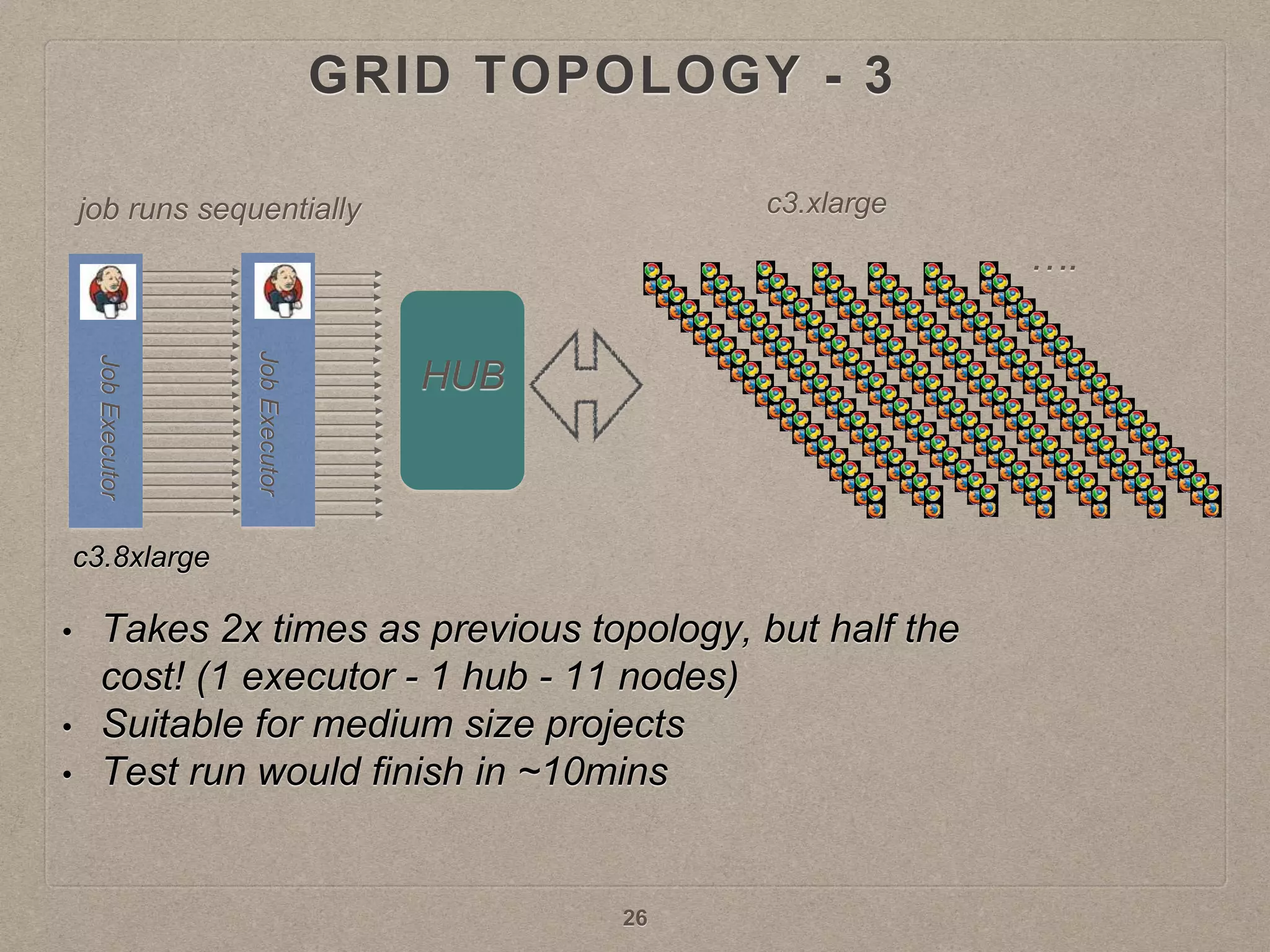
GRID TOPOLOGY - 3
HUB
• Takes 2x times as previous topology, but half the
cost! (1 executor - 1 hub - 11 nodes)
• Suitable for medium size projects
• Test run would finish in ~10mins
c3.8xlarge
c3.xlargejob runs sequentially
26
….
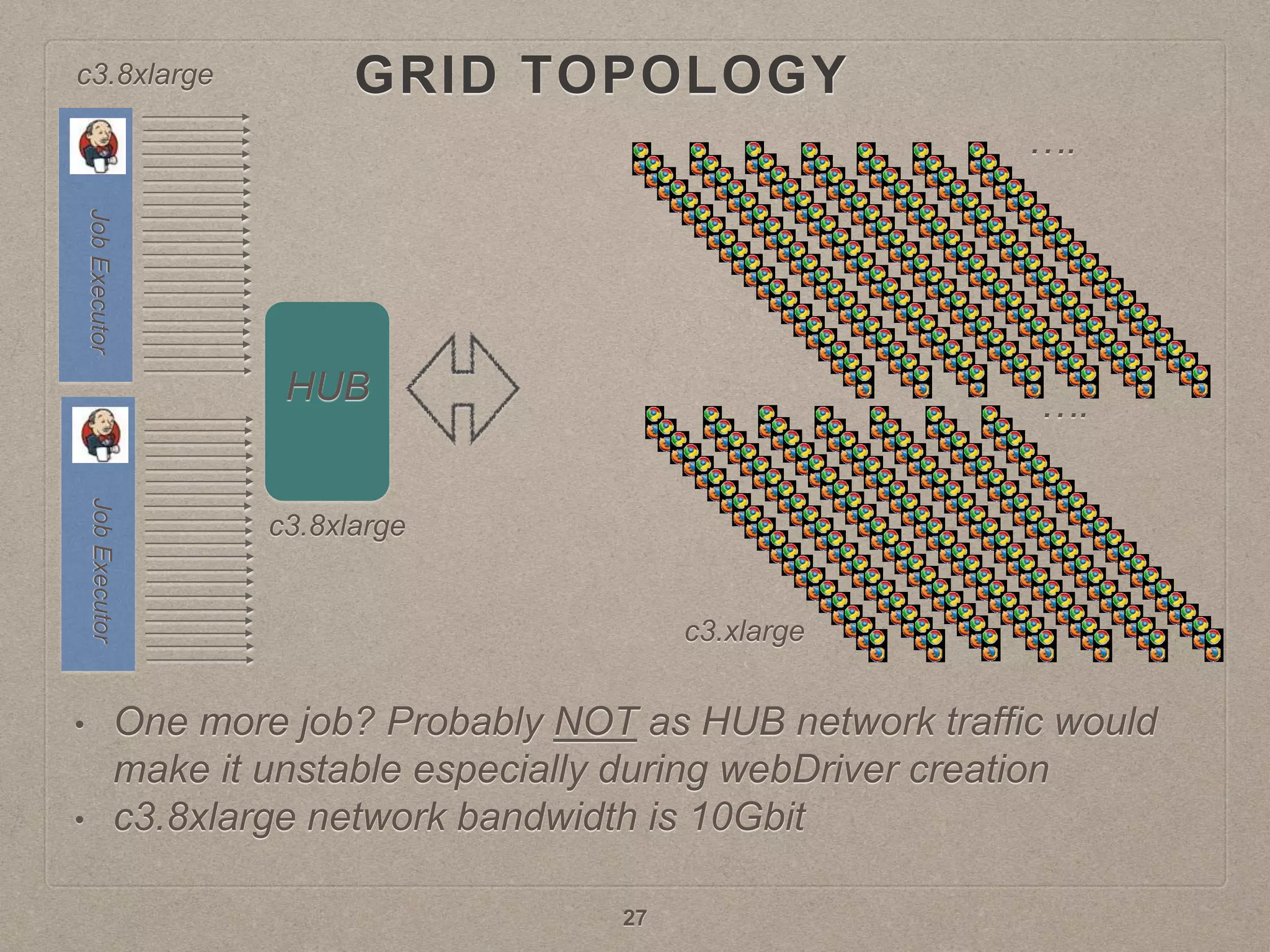
GRID TOPOLOGY
HUB
• One more job? Probably NOT as HUB network traffic would
make it unstable especially during webDriver creation
• c3.8xlarge network bandwidth is 10Gbit
c3.8xlarge
c3.8xlarge
c3.xlarge
27
….
….
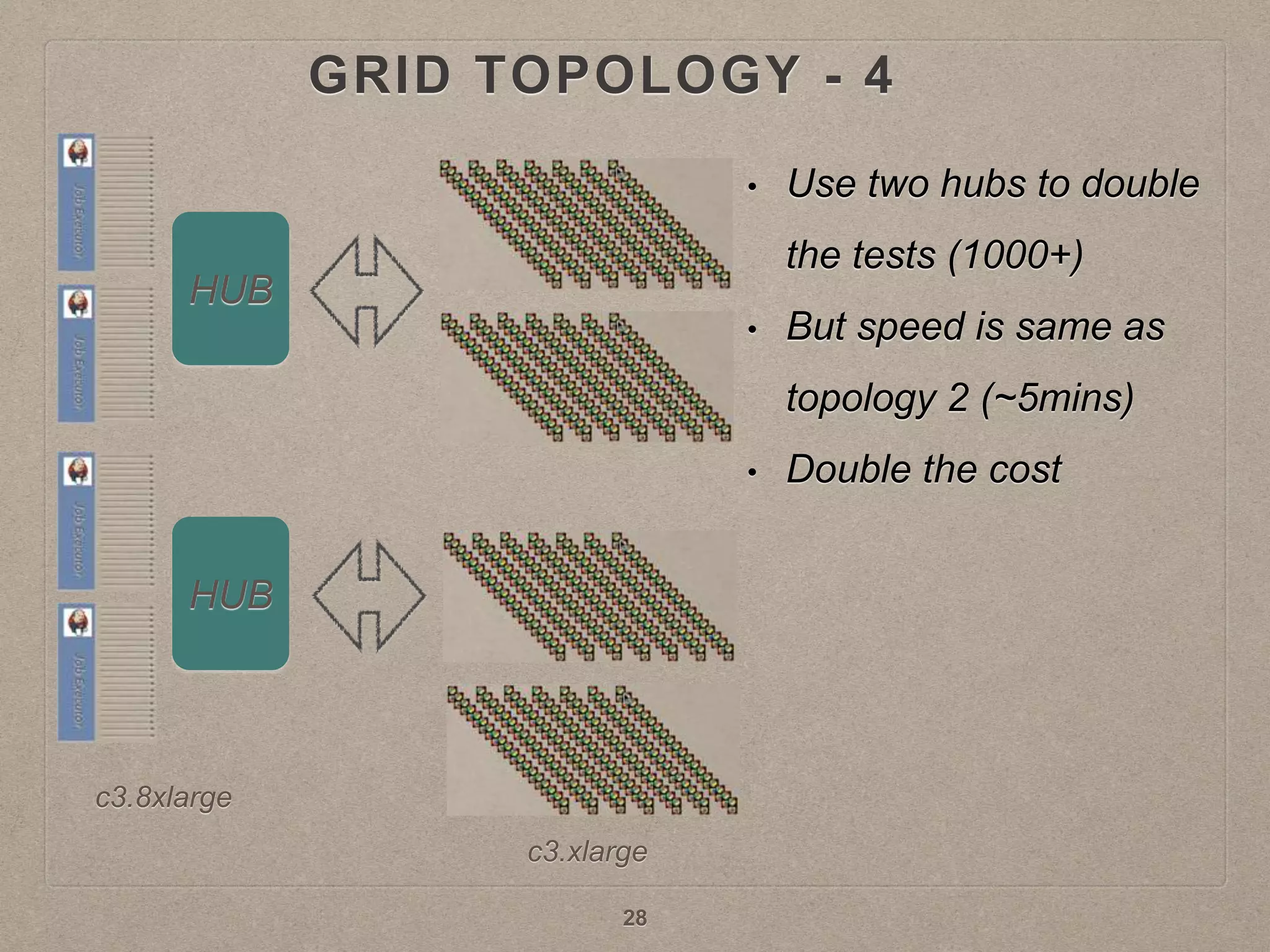
GRID TOPOLOGY - 4
HUB
HUB
• Use two hubs to double
the tests (1000+)
• But speed is same as
topology 2 (~5mins)
• Double the cost
c3.8xlarge
c3.xlarge
28
COST SAVING
• Optimal use of the grid nodes
• Stopping nodes when not in use
• Autoscale Jenkins executors
• Autoscaling of the grid nodes
• Reducing UI test cases
29
OPTIMAL USE OF GRID NODES
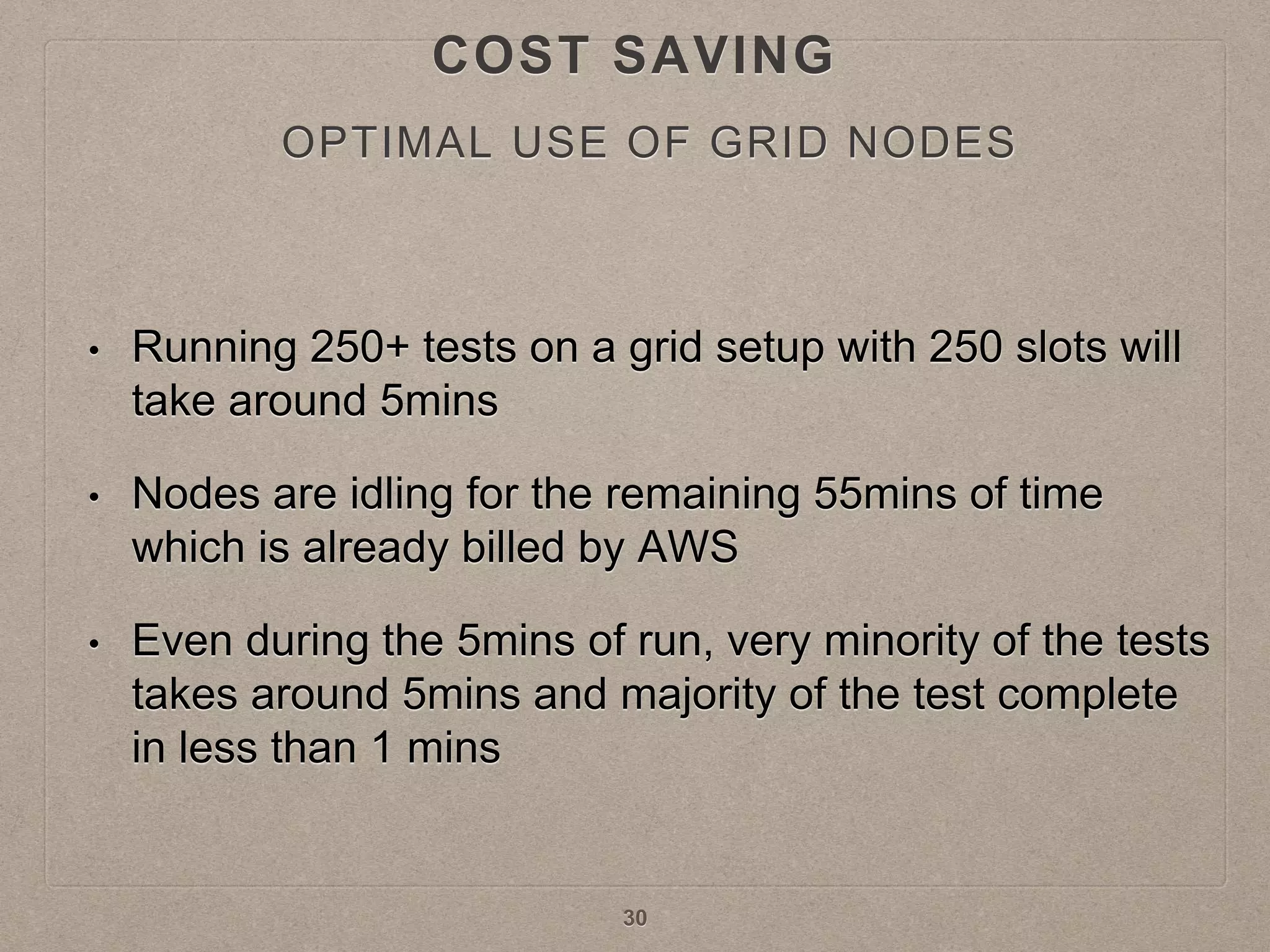
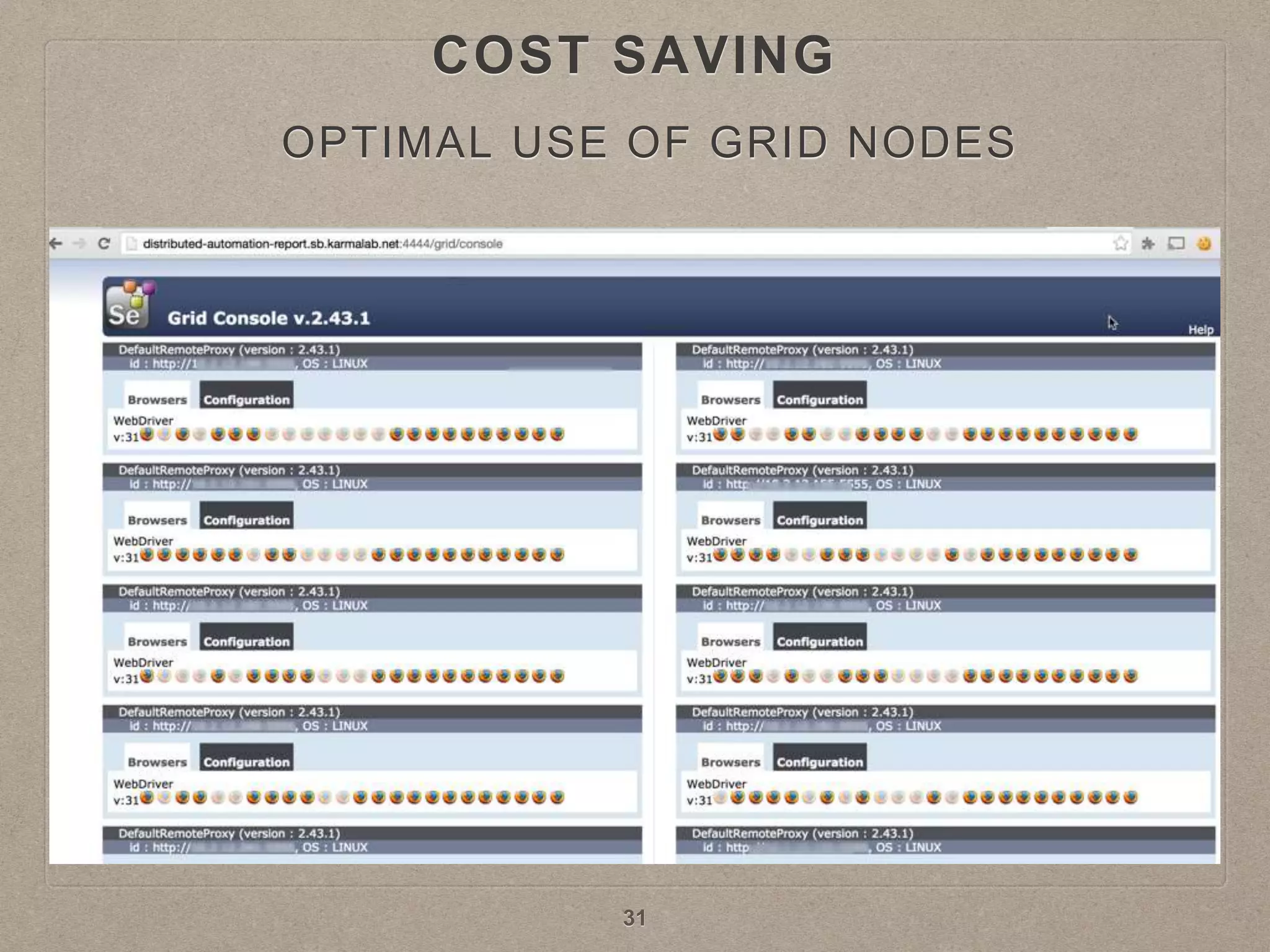
• Running 250+ tests on a grid setup with 250 slots will
take around 5mins
• Nodes are idling for the remaining 55mins of time
which is already billed by AWS
• Even during the 5mins of run, very minority of the tests
takes around 5mins and majority of the test complete
in less than 1 mins
30
COST SAVING
31
OPTIMAL USE OF GRID NODES
COST SAVING
• On a c3.8xlarge 250 tests can be run at one go
before all 32 CPU reach 100%
• Start 250 cases
• Then between every 50 seconds, start 100 tests in
batch, repeat this until all tests are executed
• Fine tune the delay according to your observation
32
BATCH PROCESSING
COST SAVING
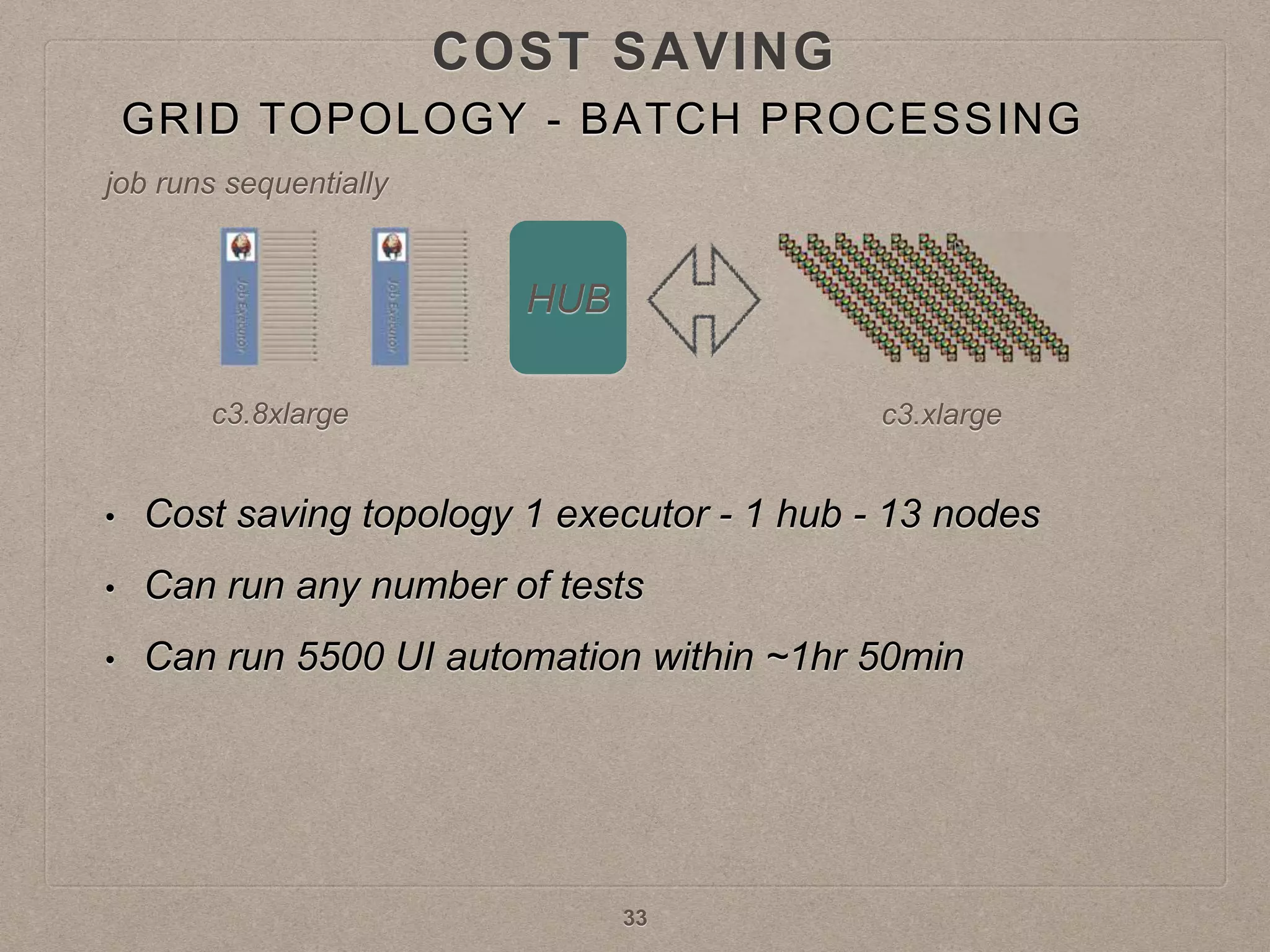
GRID TOPOLOGY - BATCH PROCESSING
HUB
• Cost saving topology 1 executor - 1 hub - 13 nodes
• Can run any number of tests
• Can run 5500 UI automation within ~1hr 50min
job runs sequentially
c3.8xlarge c3.xlarge
33
COST SAVING
COMPARING AWS COST TO DATA CENTRE
• 1 Medium box (~$8000 / per month)
• 1 Large box (~$10000 / per month)
• 1 VM (~$2000 / per month)
• Total AWS cost for Batch Processing Topology
• ~$800 / month
34
COST SAVING
STOPPING NODES WHEN NOT IN USE
• When nodes are stopped AWS charges only for the
EBS volume which is few cents a month
35
COST SAVING
AUTOSCALING OF GRID NODES
• SeleniumGridScaler autoscales the grid nodes
• It creates AWS nodes on demand based on a
configuration file and the number of tests to run
• It also acts as the hub
• node is a preconfigured AMI
36
COST SAVING
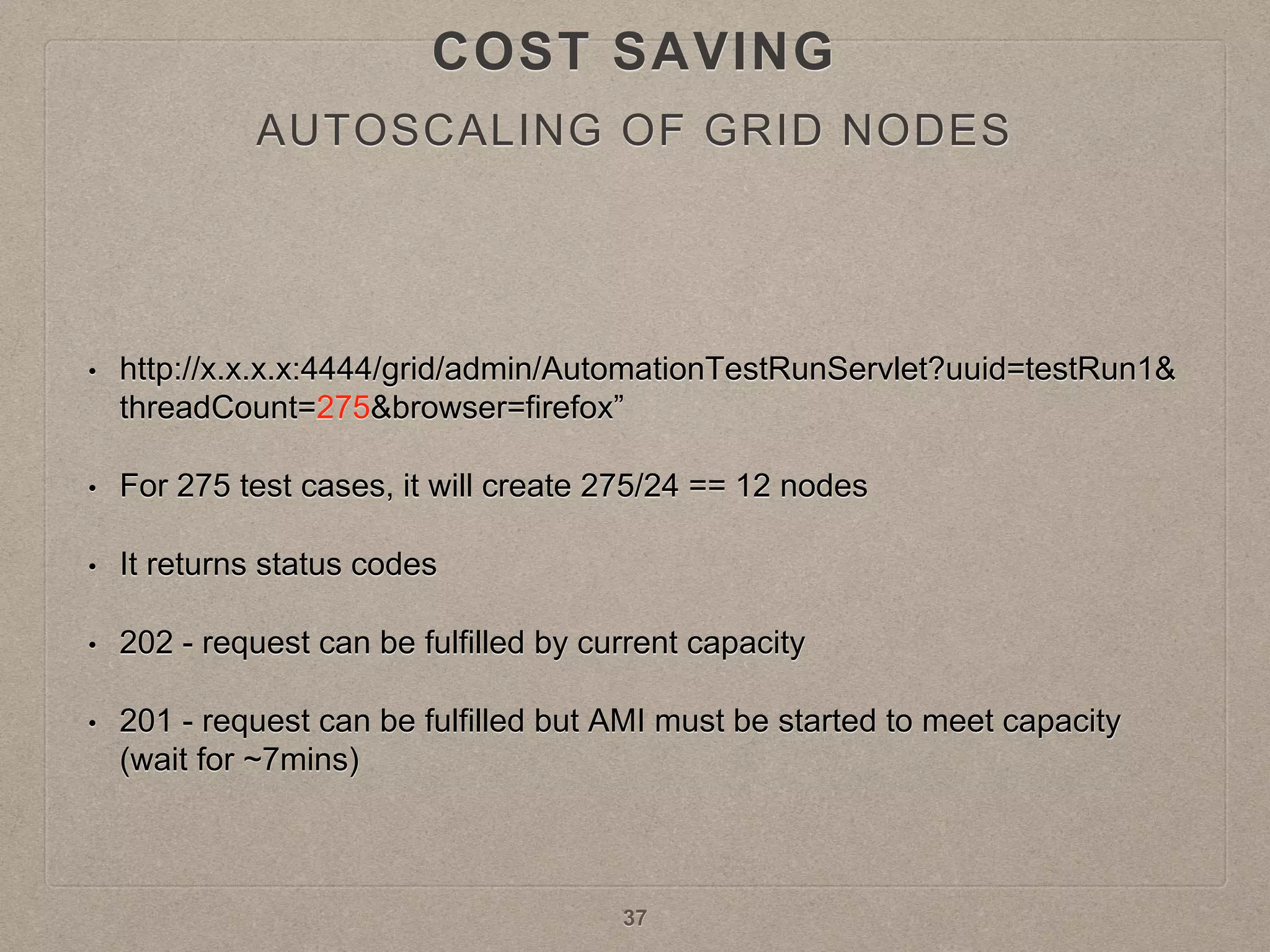
• http://x.x.x.x:4444/grid/admin/AutomationTestRunServlet?uuid=testRun1&
threadCount=275&browser=firefox”
• For 275 test cases, it will create 275/24 == 12 nodes
• It returns status codes
• 202 - request can be fulfilled by current capacity
• 201 - request can be fulfilled but AMI must be started to meet capacity
(wait for ~7mins)
37
AUTOSCALING OF GRID NODES
COST SAVING
REDUCING UI TESTS
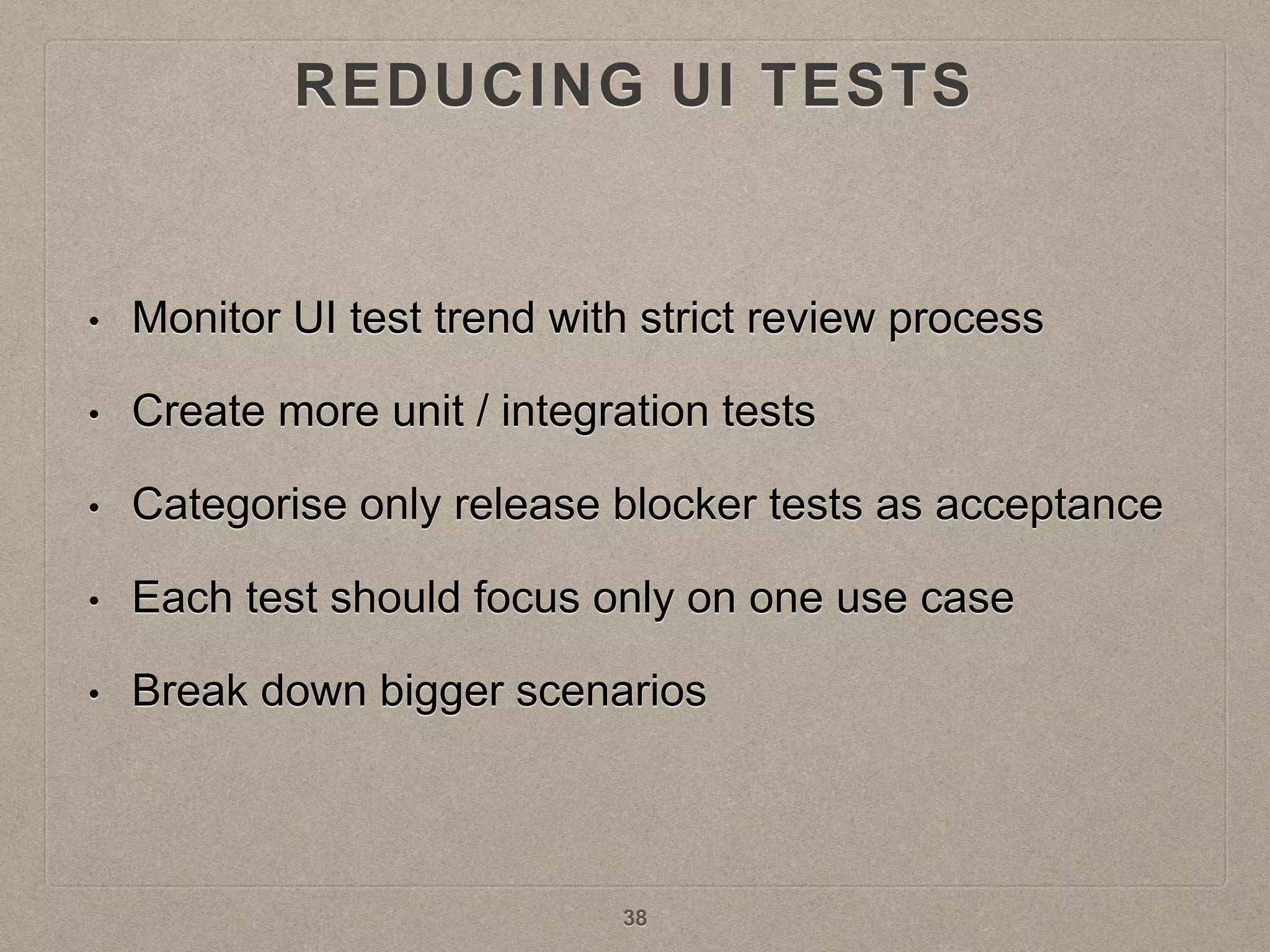
• Monitor UI test trend with strict review process
• Create more unit / integration tests
• Categorise only release blocker tests as acceptance
• Each test should focus only on one use case
• Break down bigger scenarios
38
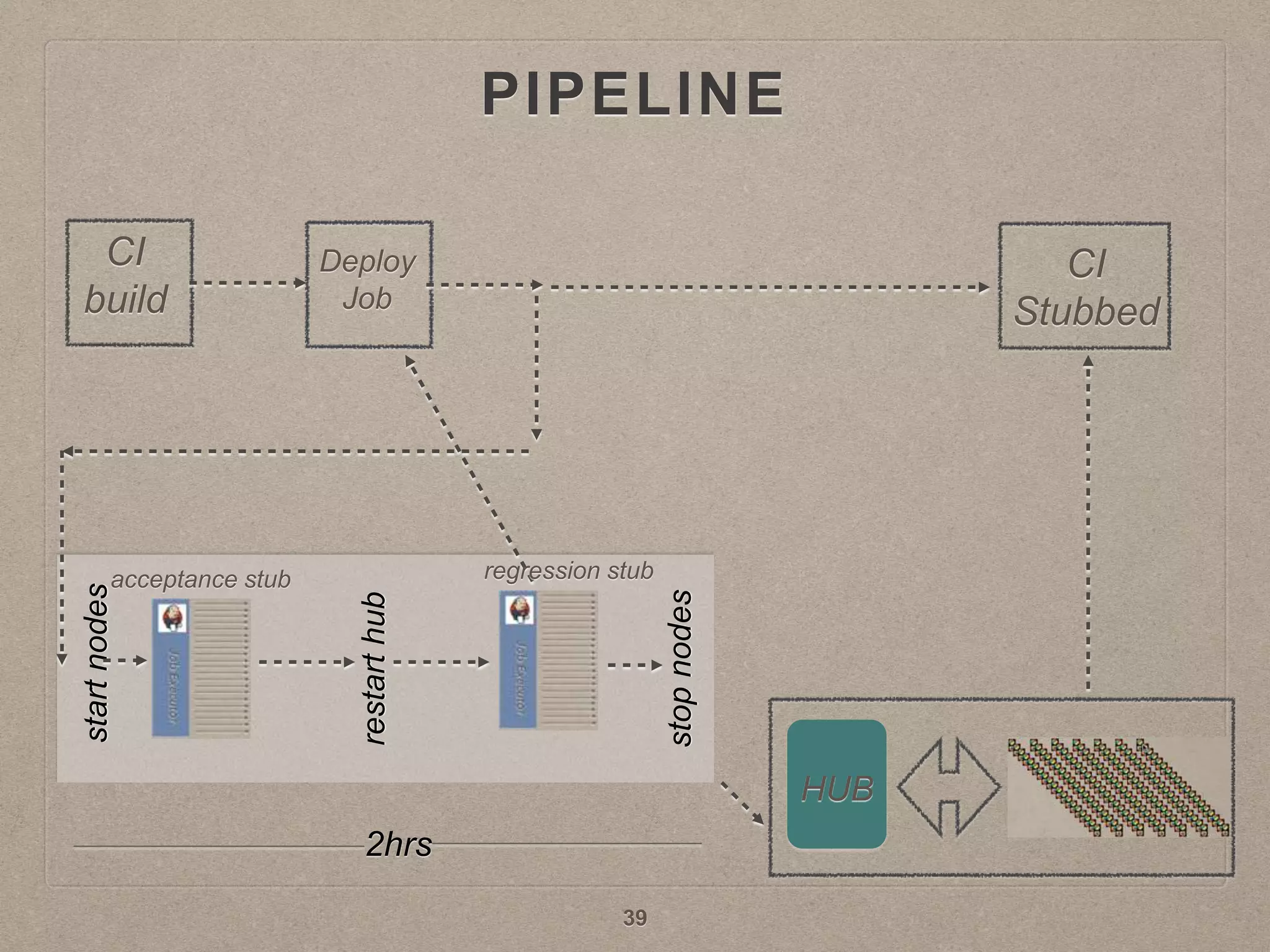
PIPELINE
HUB
CI
build
Deploy
Job
CI
Stubbed
acceptance stub regression stub
restarthub
startnodes
stopnodes
2hrs
39
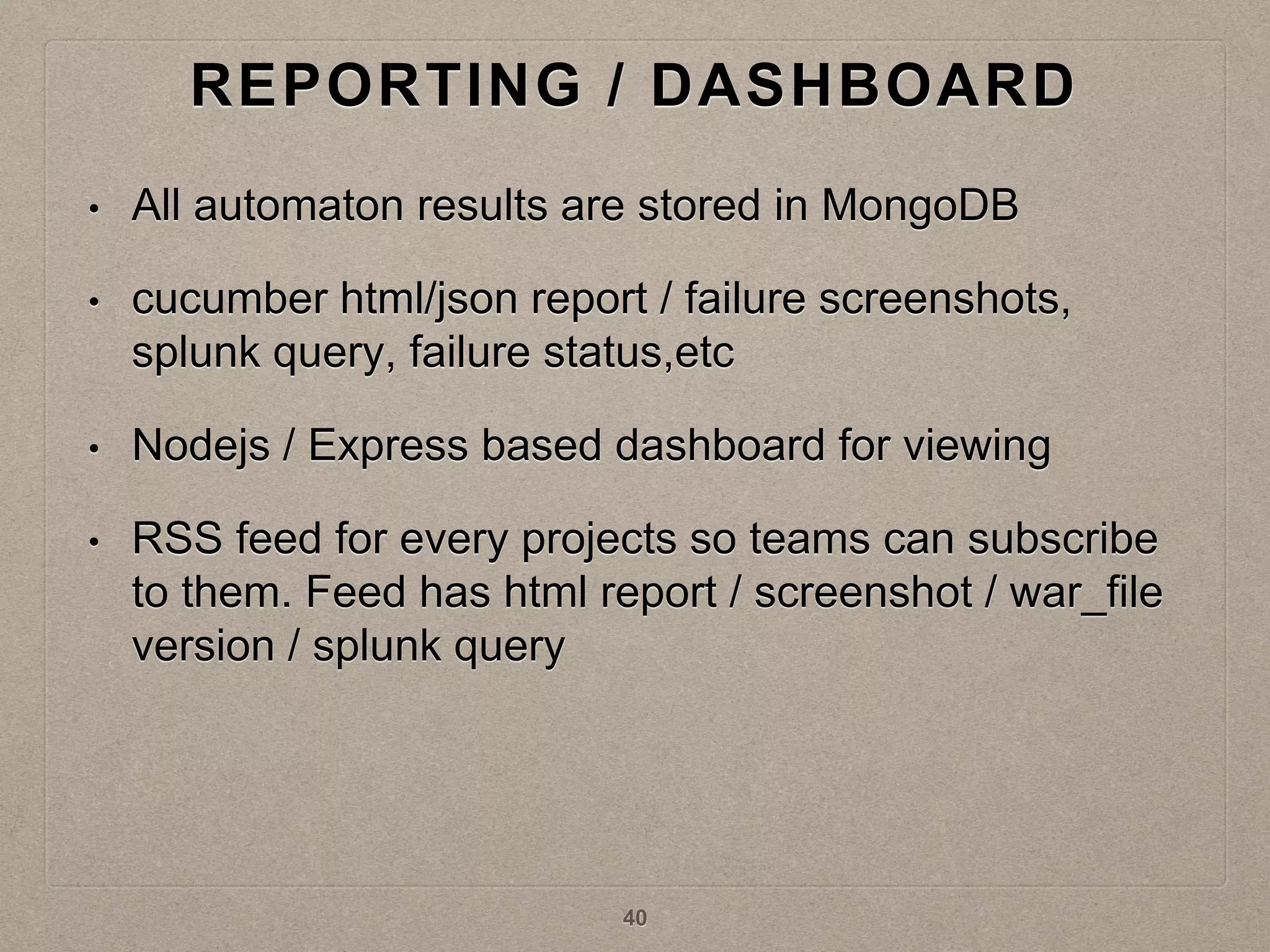
REPORTING / DASHBOARD
• All automaton results are stored in MongoDB
• cucumber html/json report / failure screenshots,
splunk query, failure status,etc
• Nodejs / Express based dashboard for viewing
• RSS feed for every projects so teams can subscribe
to them. Feed has html report / screenshot / war_file
version / splunk query
40
QUESTIONS
41

Distributed automation sel_conf_2015

  • 1.
  • 2.
    WHAT DO ITGET? • Distributed Automation(Selenium Grid / AWS / Autoscale) • DA will phenomenally shorten the UI automation run time • Faster feedback cycle • Fewer Jenkins jobs to run automation, instead of few hundreds • Cost effective and reliable • Enables Continuous Integration / Continuous Deployment 2
  • 3.
    AGENDA • Setting up •Making the Grid stable • Grid topologies • Cost saving • Reporting / Dashboard 3
  • 4.
    PROBLEM DESCRIPTION • UIautomation pipe line takes around 3.5 hours to run. • Above issue is multiplied by ~250 checkins per day 4
  • 5.
    PROBLEM DESCRIPTION • Eachteam owning over 10+ Jenkins job to run automation, increasing the number of jobs to few hundreds • Not having a system to run vast amount of UI automation reliably, fast and scalable in a cost effective way is a blocker for CI/CD 5
  • 6.
    SOLUTION • To beable to run all UI automation scenarios within the time taken by the longest test case • Cost effective, scalable and reliable • Teams focussing on automation • Note: This is not about cross browser test coverage rather using grid for parallel test execution 6
  • 7.
    SETTING UP • SeleniumPlugin/ SeleniumGridScaler • RemoteParameterized plugin 7 TECHNOLOGIES / TOOLS USED
  • 8.
  • 9.
    SETTING UP • Cucumberallows to run a scenario with the following syntax • sample_featurefile.feature:12 • For Scenario Outline, the line number would be that of the line from the example table line no 12 Scenario: eat 5 out of 12 13 Given there are 12 cucumbers 14 When I eat 5 cucumbers 15 Then I should have 7 cucumbers 9 CUCUMBER SCENARIO GENERATION
  • 10.
    SETTING UP checkout/lx: features/lx_fraud.feature:21:en_US features/lx_fraud.feature:47:en_US features/lx_responsive_design.feature:25:en_US features/lx_responsive_design.feature:26:en_US features/lx_responsive_design.feature:27:en_US features/lx_responsive_design.feature:90:en_US features/lx_responsive_design.feature:240:en_US search_landing_pages/flights_tg: features/tg_flights_revamp_hero_image.feature:120:en_US features/tg_flights_revamp_social_sharing.feature:156:en_US features/tg_flights_revamp_search_wizard.feature:202:en_US features/tg_flights_revamp_search_wizard.feature:203:nl_NL features/tg_flights_revamp_top_destinations.feature:159:en_US features/tg_flights_revamp_top_destinations.feature:160:en_US features/tg_flights_revamp_top_destinations.feature:161:en_US features/tg_flights_revamp_top_destinations.feature:207:en_US • Onlyscenarios that matches @stubbed (@acceptance | @regression) will be included in the list to run • All these tests will be executed in parallel 10 SAMPLE GENERATED SCENARIOS
  • 11.
    SETTING UP • c3.8xlarge(32 cpu / 60 GB RAM / 10Gbit BW) • Node should have high network bandwidth but low CPU / Memory is fine • Jenkins plugin: SeleniumPlugin • Jenkins will act as a tool to manage the hub and the nodes • Dynamic Setup: SeleniumGridScaler 11 SELENIUM GRID HUB SETUP
  • 12.
    • c3.xlarge • Capableof running maximum 24 Firefox • Number of Chrome that can be run is lesser • All grid nodes are attached to master jenkins as slaves 12 SETTING UP SELENIUM GRID NODE SETUP
  • 13.
    MAKING THE GRIDSTABLE • Timeouts • “timeout”:240000(ms) • “browserTimeout”:290(s) • Browser timeout has to be bigger than ‘timeout’ and ‘webDriver’ timeout INFO: Grid Hub started on port 4444 with args: -timeout 240000 -browserTimeout 290 -host x.x.x.x TIMEOUTS 13
  • 14.
    • If browserinstance hangs (for any reason what so ever), it will take 3hrs (http client socket timeout) for the particular slot to become free. • This timeouts the Jenkins job • Solution: • Fix the particular test scenario causing this issue • Add a cronjob to kill any browser instances that is running for more than 10mins. • Make this as part of your Chef knife plugin • Ref: selenium repo, PR: 227 MAKING THE GRID STABLE TIMEOUTS 14
  • 15.
    • Grid setupshould be in the same AWS subnet • Using multiple subnets will result in lots of FORWARDING_TO_NODE_FAILED errors MAKING THE GRID STABLE AWS - SUBNET 15
  • 16.
    • Subnet youare using should have enough free IP addresses • It will be a blocker for autoscaling the grid nodes MAKING THE GRID STABLE AWS - IP ADDRESS 16
  • 17.
    • The webDriverobject creation consumes bandwidth in the range of 6Gbits/s in the Hub for 250+ tests in parallel MAKING THE GRID STABLE AWS - HUB BANDWIDTH c3.8xlarge bandwidth is 10Gbit 17
  • 18.
    • Fine tuneyour • -Xms • -Xmx • -DPOOL_MAX MAKING THE GRID STABLE AWS - HUB / NODE MEMORY 18
  • 19.
    • HUB becomesunstable after running thousands of tests • Automate restarting of Hub MAKING THE GRID STABLE AWS - RESTARTING HUB 19
  • 20.
    • Jenkins executorwhich would be running hundreds of tests in parallel, needs to have enough CPU power. MAKING THE GRID STABLE AWS - JENKINS EXECUTOR CPU c3.8xlarge when running 250+ tests in parallel 20
  • 21.
    • Don’t relytoo much on Selenium Grid’s queuing policy • If your average test execution time is greater than webDriver timeout, tests will timeout at webDriver creation itself MAKING THE GRID STABLE HUB QUEUING POLICY 21
  • 22.
    • Running testsin parallel increases the throughput your test server receives • Scale your test server • Similarly scale the services if any MAKING THE GRID STABLE SCALE THE TEST INFRASTRUCTURE 22
  • 23.
    GRID TOPOLOGIES • Decidewhat you want before selecting the topology to be cost efficient! • I want to release code to production .. 1. Every CL (change list) 2. Once a day 3. Once a week 4. When ever I want (on demand!) • Based on the above answers, Do I want to run all UI automation for 5. Every CL ? 6. Every 2 hours 7. Four times a day 8. Once a week 23
  • 24.
    GRID TOPOLOGY -1 HUB • parallel execution for small projects • 1 executor - 1 hub - 11 nodes • eg: c3.8xlarge can execute 250*+ tests in parallel • Test run would finish in ~5mins c3.8xlarge c3.8xlarge c3.xlarge 24 ….
  • 25.
    GRID TOPOLOGY -2 HUB • Suitable for medium size projects (500+ tests) • More tests by adding one more executor (2 executors 1 hub and 22 node),this could double your parallel execution cases c3.8xlarge c3.8xlarge c3.xlarge 25 …. ….
  • 26.
    GRID TOPOLOGY -3 HUB • Takes 2x times as previous topology, but half the cost! (1 executor - 1 hub - 11 nodes) • Suitable for medium size projects • Test run would finish in ~10mins c3.8xlarge c3.xlargejob runs sequentially 26 ….
  • 27.
    GRID TOPOLOGY HUB • Onemore job? Probably NOT as HUB network traffic would make it unstable especially during webDriver creation • c3.8xlarge network bandwidth is 10Gbit c3.8xlarge c3.8xlarge c3.xlarge 27 …. ….
  • 28.
    GRID TOPOLOGY -4 HUB HUB • Use two hubs to double the tests (1000+) • But speed is same as topology 2 (~5mins) • Double the cost c3.8xlarge c3.xlarge 28
  • 29.
    COST SAVING • Optimaluse of the grid nodes • Stopping nodes when not in use • Autoscale Jenkins executors • Autoscaling of the grid nodes • Reducing UI test cases 29
  • 30.
    OPTIMAL USE OFGRID NODES • Running 250+ tests on a grid setup with 250 slots will take around 5mins • Nodes are idling for the remaining 55mins of time which is already billed by AWS • Even during the 5mins of run, very minority of the tests takes around 5mins and majority of the test complete in less than 1 mins 30 COST SAVING
  • 31.
    31 OPTIMAL USE OFGRID NODES COST SAVING
  • 32.
    • On ac3.8xlarge 250 tests can be run at one go before all 32 CPU reach 100% • Start 250 cases • Then between every 50 seconds, start 100 tests in batch, repeat this until all tests are executed • Fine tune the delay according to your observation 32 BATCH PROCESSING COST SAVING
  • 33.
    GRID TOPOLOGY -BATCH PROCESSING HUB • Cost saving topology 1 executor - 1 hub - 13 nodes • Can run any number of tests • Can run 5500 UI automation within ~1hr 50min job runs sequentially c3.8xlarge c3.xlarge 33 COST SAVING
  • 34.
    COMPARING AWS COSTTO DATA CENTRE • 1 Medium box (~$8000 / per month) • 1 Large box (~$10000 / per month) • 1 VM (~$2000 / per month) • Total AWS cost for Batch Processing Topology • ~$800 / month 34 COST SAVING
  • 35.
    STOPPING NODES WHENNOT IN USE • When nodes are stopped AWS charges only for the EBS volume which is few cents a month 35 COST SAVING
  • 36.
    AUTOSCALING OF GRIDNODES • SeleniumGridScaler autoscales the grid nodes • It creates AWS nodes on demand based on a configuration file and the number of tests to run • It also acts as the hub • node is a preconfigured AMI 36 COST SAVING
  • 37.
    • http://x.x.x.x:4444/grid/admin/AutomationTestRunServlet?uuid=testRun1& threadCount=275&browser=firefox” • For275 test cases, it will create 275/24 == 12 nodes • It returns status codes • 202 - request can be fulfilled by current capacity • 201 - request can be fulfilled but AMI must be started to meet capacity (wait for ~7mins) 37 AUTOSCALING OF GRID NODES COST SAVING
  • 38.
    REDUCING UI TESTS •Monitor UI test trend with strict review process • Create more unit / integration tests • Categorise only release blocker tests as acceptance • Each test should focus only on one use case • Break down bigger scenarios 38
  • 39.
  • 40.
    REPORTING / DASHBOARD •All automaton results are stored in MongoDB • cucumber html/json report / failure screenshots, splunk query, failure status,etc • Nodejs / Express based dashboard for viewing • RSS feed for every projects so teams can subscribe to them. Feed has html report / screenshot / war_file version / splunk query 40
  • 41.