onefourseven
The computing curriculum… 
Purpose of study 
A high-quality computing education equips pupils to use computational thinking and 
creativity to understand and change the world. Computing has deep links with 
mathematics, science and design and technology, and provides insights into both natural 
and artificial systems. The core of computing is computer science, in which pupils are 
taught the principles of information and computation, how digital systems work and how to 
put this knowledge to use through programming. Building on this knowledge and 
understanding, pupils are equipped to use information technology to create programs, 
systems and a range of content. Computing also ensures that pupils become digitally 
literate – able to use, and express themselves and develop their ideas through, information 
and communication technology – at a level suitable for the future workplace and as 
active participants in a digital world.
and… 
Aims 
The national curriculum for computing aims to ensure that all pupils: 
• can understand and apply the fundamental principles and concepts of computer science, 
including abstraction, logic, algorithms and data representation 
• can analyse problems in computational terms, and have repeated practical experience of 
writing computer programs in order to solve such problems 
• can evaluate and apply information technology, including new or unfamiliar technologies, 
analytically to solve problems 
• are responsible, competent, confident and creative users of information and communication 
technology
Attainment targets and levels have been replaced
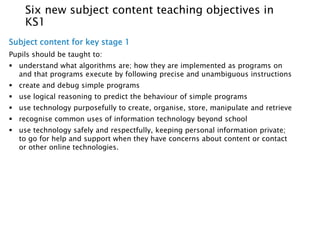
Six new subject content teaching objectives in 
KS1 
Subject content for key stage 1 
Pupils should be taught to: 
 understand what algorithms are; how they are implemented as programs on 
and that programs execute by following precise and unambiguous instructions 
 create and debug simple programs 
 use logical reasoning to predict the behaviour of simple programs 
 use technology purposefully to create, organise, store, manipulate and retrieve 
 recognise common uses of information technology beyond school 
 use technology safely and respectfully, keeping personal information private; 
to go for help and support when they have concerns about content or contact 
or other online technologies.
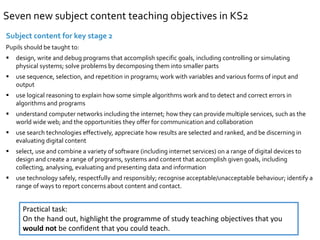
Seven new subject content teaching objectives in KS2 
Subject content for key stage 2 
Pupils should be taught to: 
 design, write and debug programs that accomplish specific goals, including controlling or simulating 
physical systems; solve problems by decomposing them into smaller parts 
 use sequence, selection, and repetition in programs; work with variables and various forms of input and 
output 
 use logical reasoning to explain how some simple algorithms work and to detect and correct errors in 
algorithms and programs 
 understand computer networks including the internet; how they can provide multiple services, such as the 
world wide web; and the opportunities they offer for communication and collaboration 
 use search technologies effectively, appreciate how results are selected and ranked, and be discerning in 
evaluating digital content 
 select, use and combine a variety of software (including internet services) on a range of digital devices to 
design and create a range of programs, systems and content that accomplish given goals, including 
collecting, analysing, evaluating and presenting data and information 
 use technology safely, respectfully and responsibly; recognise acceptable/unacceptable behaviour; identify a 
range of ways to report concerns about content and contact. 
Practical task: 
On the hand out, highlight the programme of study teaching objectives that you 
would not be confident that you could teach.
What’s new… 
computer science 
online behaviour and e-safety 
information technology and 
computer networks (KS2) 
everything else
What’s new… 
computer science 
online behaviour and e-safety 
information technology and 
computer networks (KS2) 
everything else 
computer science 
computer science
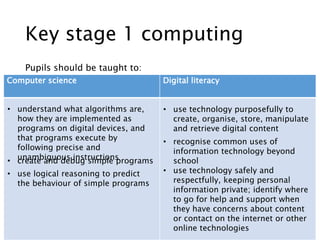
Key stage 1 computing 
Pupils should be taught to: 
Computer science Digital literacy 
• understand what algorithms are, 
how they are implemented as 
programs on digital devices, and 
that programs execute by 
following precise and 
unambiguous instructions • create and debug simple programs 
• use logical reasoning to predict 
the behaviour of simple programs 
• use technology purposefully to 
create, organise, store, manipulate 
and retrieve digital content 
• recognise common uses of 
information technology beyond 
school 
• use technology safely and 
respectfully, keeping personal 
information private; identify where 
to go for help and support when 
they have concerns about content 
or contact on the internet or other 
online technologies
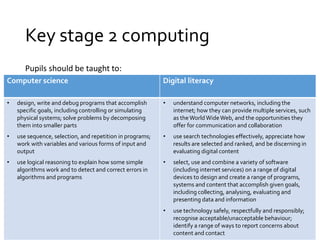
Key stage 2 computing 
Pupils should be taught to: 
Computer science Digital literacy 
• design, write and debug programs that accomplish 
specific goals, including controlling or simulating 
physical systems; solve problems by decomposing 
them into smaller parts 
• use sequence, selection, and repetition in programs; 
work with variables and various forms of input and 
output 
• use logical reasoning to explain how some simple 
algorithms work and to detect and correct errors in 
algorithms and programs 
• understand computer networks, including the 
internet; how they can provide multiple services, such 
as the World Wide Web, and the opportunities they 
offer for communication and collaboration 
• use search technologies effectively, appreciate how 
results are selected and ranked, and be discerning in 
evaluating digital content 
• select, use and combine a variety of software 
(including internet services) on a range of digital 
devices to design and create a range of programs, 
systems and content that accomplish given goals, 
including collecting, analysing, evaluating and 
presenting data and information 
• use technology safely, respectfully and responsibly; 
recognise acceptable/unacceptable behaviour; 
identify a range of ways to report concerns about 
content and contact
KS1 computing PoS 
Computer science 
Computational thinking 
• use logical reasoning to predict the behaviour of 
simple programs 
Programming 
Coding 
Digital literacy 
Using software applications 
Technical understanding 
Online communication and social awareness 
• understand what algorithms are, how they are 
implemented as programs on digital devices, and 
that programs execute by following precise and 
unambiguous instructions 
• create and debug simple programs 
• use technology purposefully to create, organise, 
store, manipulate and retrieve digital content 
• recognise common uses of information technology 
beyond school 
• use technology safely and respectfully, keeping 
personal information private; identify where to go 
for help and support when they have concerns 
about content or contact on the internet or other 
online technologies
KS2 computing PoS 
Computer science 
Computational thinking 
• use logical reasoning to explain how some simple algorithms 
work… 
• solve problems by decomposing them into smaller parts 
Programming 
Coding 
Digital literacy 
Using software applications 
Technical understanding 
Online communication and social awareness 
• use sequence, selection, and repetition in programs; work 
with variables and various forms of input and output 
• Design write and debug programs that accomplish specific 
goals, including controlling or simulating physical systems; 
• …[and to] …detect and correct errors in algorithms and 
programs 
• select, use and combine a variety of software (including 
internet services) on a range of digital devices to design and 
create a range of programs, systems and content that 
accomplish given goals, including collecting, analysing, 
evaluating and presenting data and information 
• understand computer networks, including the internet; how 
they can provide multiple services, such as the World Wide 
Web, and the opportunities they offer for communication 
and collaboration 
• use search technologies effectively, appreciate how results are 
selected and ranked, and be discerning in evaluating digital 
content 
• use technology safely, respectfully and responsibly; 
recognise acceptable/unacceptable behaviour; identify a 
range of ways to report concerns about content and contact
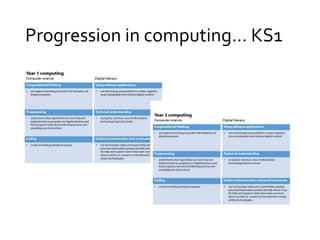
Progression in computing… KS1
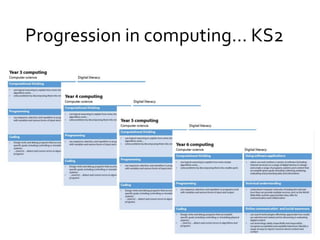
Progression in computing… KS2
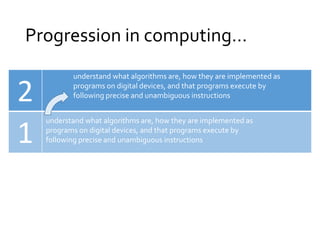
Progression in computing… 
2 
1 
understand what algorithms are, how they are implemented as 
programs on digital devices, and that programs execute by 
following precise and unambiguous instructions 
understand what algorithms are, how they are implemented as 
programs on digital devices, and that programs execute by 
following precise and unambiguous instructions
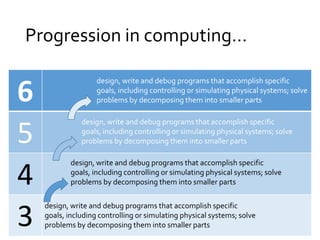
Progression in computing… 
6 
5 
4 
3 design, write and debug programs that accomplish specific 
design, write and debug programs that accomplish specific 
goals, including controlling or simulating physical systems; solve 
problems by decomposing them into smaller parts 
design, write and debug programs that accomplish specific 
goals, including controlling or simulating physical systems; solve 
problems by decomposing them into smaller parts 
design, write and debug programs that accomplish specific 
goals, including controlling or simulating physical systems; solve 
problems by decomposing them into smaller parts 
goals, including controlling or simulating physical systems; solve 
problems by decomposing them into smaller parts
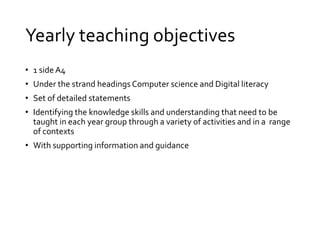
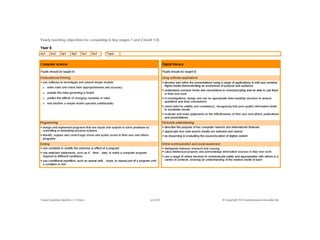
Yearly teaching objectives 
• 1 side A4 
• Under the strand headings Computer science and Digital literacy 
• Set of detailed statements 
• Identifying the knowledge skills and understanding that need to be 
taught in each year group through a variety of activities and in a range 
of contexts 
• With supporting information and guidance
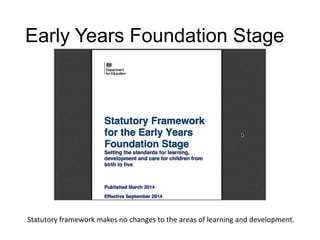
Early Years Foundation Stage 
Statutory framework makes no changes to the areas of learning and development.
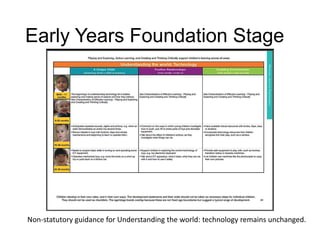
Early Years Foundation Stage 
Non-statutory guidance for Understanding the world: technology remains unchanged.
Early Years Foundation Stage 
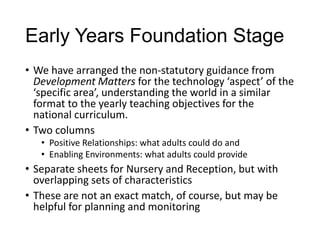
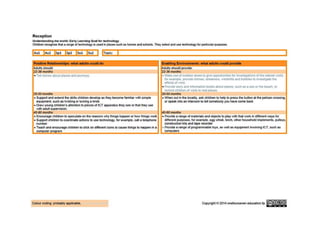
• We have arranged the non-statutory guidance from 
Development Matters for the technology ‘aspect’ of the 
‘specific area’, understanding the world in a similar 
format to the yearly teaching objectives for the 
national curriculum. 
• Two columns 
• Positive Relationships: what adults could do and 
• Enabling Environments: what adults could provide 
• Separate sheets for Nursery and Reception, but with 
overlapping sets of characteristics 
• These are not an exact match, of course, but may be 
helpful for planning and monitoring
Possible uses 
The yearly teaching objectives could be used 
• as a planning tool and for subject monitoring 
• for staff skills audit and subsequent professional 
development 
• as an assessment tool 
Practical task: 
On the hand out, highlight the programme of study teaching objectives that you 
would be confident that you could teach.

Computing from ict (inc eyfs)

  • 1.
  • 2.
    The computing curriculum… Purpose of study A high-quality computing education equips pupils to use computational thinking and creativity to understand and change the world. Computing has deep links with mathematics, science and design and technology, and provides insights into both natural and artificial systems. The core of computing is computer science, in which pupils are taught the principles of information and computation, how digital systems work and how to put this knowledge to use through programming. Building on this knowledge and understanding, pupils are equipped to use information technology to create programs, systems and a range of content. Computing also ensures that pupils become digitally literate – able to use, and express themselves and develop their ideas through, information and communication technology – at a level suitable for the future workplace and as active participants in a digital world.
  • 3.
    and… Aims Thenational curriculum for computing aims to ensure that all pupils: • can understand and apply the fundamental principles and concepts of computer science, including abstraction, logic, algorithms and data representation • can analyse problems in computational terms, and have repeated practical experience of writing computer programs in order to solve such problems • can evaluate and apply information technology, including new or unfamiliar technologies, analytically to solve problems • are responsible, competent, confident and creative users of information and communication technology
  • 4.
    Attainment targets andlevels have been replaced
  • 5.
    Six new subjectcontent teaching objectives in KS1 Subject content for key stage 1 Pupils should be taught to:  understand what algorithms are; how they are implemented as programs on and that programs execute by following precise and unambiguous instructions  create and debug simple programs  use logical reasoning to predict the behaviour of simple programs  use technology purposefully to create, organise, store, manipulate and retrieve  recognise common uses of information technology beyond school  use technology safely and respectfully, keeping personal information private; to go for help and support when they have concerns about content or contact or other online technologies.
  • 6.
    Seven new subjectcontent teaching objectives in KS2 Subject content for key stage 2 Pupils should be taught to:  design, write and debug programs that accomplish specific goals, including controlling or simulating physical systems; solve problems by decomposing them into smaller parts  use sequence, selection, and repetition in programs; work with variables and various forms of input and output  use logical reasoning to explain how some simple algorithms work and to detect and correct errors in algorithms and programs  understand computer networks including the internet; how they can provide multiple services, such as the world wide web; and the opportunities they offer for communication and collaboration  use search technologies effectively, appreciate how results are selected and ranked, and be discerning in evaluating digital content  select, use and combine a variety of software (including internet services) on a range of digital devices to design and create a range of programs, systems and content that accomplish given goals, including collecting, analysing, evaluating and presenting data and information  use technology safely, respectfully and responsibly; recognise acceptable/unacceptable behaviour; identify a range of ways to report concerns about content and contact. Practical task: On the hand out, highlight the programme of study teaching objectives that you would not be confident that you could teach.
  • 7.
    What’s new… computerscience online behaviour and e-safety information technology and computer networks (KS2) everything else
  • 8.
    What’s new… computerscience online behaviour and e-safety information technology and computer networks (KS2) everything else computer science computer science
  • 9.
    Key stage 1computing Pupils should be taught to: Computer science Digital literacy • understand what algorithms are, how they are implemented as programs on digital devices, and that programs execute by following precise and unambiguous instructions • create and debug simple programs • use logical reasoning to predict the behaviour of simple programs • use technology purposefully to create, organise, store, manipulate and retrieve digital content • recognise common uses of information technology beyond school • use technology safely and respectfully, keeping personal information private; identify where to go for help and support when they have concerns about content or contact on the internet or other online technologies
  • 10.
    Key stage 2computing Pupils should be taught to: Computer science Digital literacy • design, write and debug programs that accomplish specific goals, including controlling or simulating physical systems; solve problems by decomposing them into smaller parts • use sequence, selection, and repetition in programs; work with variables and various forms of input and output • use logical reasoning to explain how some simple algorithms work and to detect and correct errors in algorithms and programs • understand computer networks, including the internet; how they can provide multiple services, such as the World Wide Web, and the opportunities they offer for communication and collaboration • use search technologies effectively, appreciate how results are selected and ranked, and be discerning in evaluating digital content • select, use and combine a variety of software (including internet services) on a range of digital devices to design and create a range of programs, systems and content that accomplish given goals, including collecting, analysing, evaluating and presenting data and information • use technology safely, respectfully and responsibly; recognise acceptable/unacceptable behaviour; identify a range of ways to report concerns about content and contact
  • 11.
    KS1 computing PoS Computer science Computational thinking • use logical reasoning to predict the behaviour of simple programs Programming Coding Digital literacy Using software applications Technical understanding Online communication and social awareness • understand what algorithms are, how they are implemented as programs on digital devices, and that programs execute by following precise and unambiguous instructions • create and debug simple programs • use technology purposefully to create, organise, store, manipulate and retrieve digital content • recognise common uses of information technology beyond school • use technology safely and respectfully, keeping personal information private; identify where to go for help and support when they have concerns about content or contact on the internet or other online technologies
  • 12.
    KS2 computing PoS Computer science Computational thinking • use logical reasoning to explain how some simple algorithms work… • solve problems by decomposing them into smaller parts Programming Coding Digital literacy Using software applications Technical understanding Online communication and social awareness • use sequence, selection, and repetition in programs; work with variables and various forms of input and output • Design write and debug programs that accomplish specific goals, including controlling or simulating physical systems; • …[and to] …detect and correct errors in algorithms and programs • select, use and combine a variety of software (including internet services) on a range of digital devices to design and create a range of programs, systems and content that accomplish given goals, including collecting, analysing, evaluating and presenting data and information • understand computer networks, including the internet; how they can provide multiple services, such as the World Wide Web, and the opportunities they offer for communication and collaboration • use search technologies effectively, appreciate how results are selected and ranked, and be discerning in evaluating digital content • use technology safely, respectfully and responsibly; recognise acceptable/unacceptable behaviour; identify a range of ways to report concerns about content and contact
  • 13.
  • 14.
  • 15.
    Progression in computing… 2 1 understand what algorithms are, how they are implemented as programs on digital devices, and that programs execute by following precise and unambiguous instructions understand what algorithms are, how they are implemented as programs on digital devices, and that programs execute by following precise and unambiguous instructions
  • 16.
    Progression in computing… 6 5 4 3 design, write and debug programs that accomplish specific design, write and debug programs that accomplish specific goals, including controlling or simulating physical systems; solve problems by decomposing them into smaller parts design, write and debug programs that accomplish specific goals, including controlling or simulating physical systems; solve problems by decomposing them into smaller parts design, write and debug programs that accomplish specific goals, including controlling or simulating physical systems; solve problems by decomposing them into smaller parts goals, including controlling or simulating physical systems; solve problems by decomposing them into smaller parts
  • 17.
    Yearly teaching objectives • 1 side A4 • Under the strand headings Computer science and Digital literacy • Set of detailed statements • Identifying the knowledge skills and understanding that need to be taught in each year group through a variety of activities and in a range of contexts • With supporting information and guidance
  • 19.
    Early Years FoundationStage Statutory framework makes no changes to the areas of learning and development.
  • 20.
    Early Years FoundationStage Non-statutory guidance for Understanding the world: technology remains unchanged.
  • 21.
    Early Years FoundationStage • We have arranged the non-statutory guidance from Development Matters for the technology ‘aspect’ of the ‘specific area’, understanding the world in a similar format to the yearly teaching objectives for the national curriculum. • Two columns • Positive Relationships: what adults could do and • Enabling Environments: what adults could provide • Separate sheets for Nursery and Reception, but with overlapping sets of characteristics • These are not an exact match, of course, but may be helpful for planning and monitoring
  • 23.
    Possible uses Theyearly teaching objectives could be used • as a planning tool and for subject monitoring • for staff skills audit and subsequent professional development • as an assessment tool Practical task: On the hand out, highlight the programme of study teaching objectives that you would be confident that you could teach.

Editor's Notes

  • #3 What we have now is a new computing curriculum, a much briefer and more succinct document, containing two new sections, sections that are common across all subjects in the new National curriculum. The first, the “Purpose of study”, outlines the a rationale for computing which identifies its relevancy to the learner and their future life in the work place.
  • #4 The second, the “Aims”, an abstract that identifies the nature of the learning and what pupils should achieve through the study of computing.
  • #5 The attainment target for ICT set out the knowledge, skills and understanding that pupils of different abilities and maturities are expected to have by the end of each key stage has been removed. The eight level descriptions describing the types and range of performance that pupils should characteristically demonstrate in Years 1, 2 , 4 and 6 have been replaced by a single statement “By the end of each key stage, pupils are expected to know, apply and understand the matters, skills and processes specified in the relevant programme of study.”
  • #6 Six new subject content teaching objectives in Key stage 1
  • #7 Seven new subject content teaching objectives in Key stage 2
  • #10 The first three teaching objectives in both the key stage 1 and key stage 2 computing programmes of study reflect the new subject priority and are explicitly about teaching computer science. This means that in key stage 1, half the teaching objectives, and in key stage 2, 3 out of the 7 teaching objectives, are focussed on computer science representing a significant change of emphasis from the old ICT curriculum
  • #11 The first three teaching objectives in both the key stage 1 and key stage 2 computing programmes of study reflect the new subject priority and are explicitly about teaching computer science. This means that in key stage 1, half the teaching objectives, and in key stage 2, 3 out of the 7 teaching objectives, are focussed on computer science representing a significant change of emphasis from the old ICT curriculum