RESPONSIVE
WEB DESIGN
MARCH 2016
INTRO
AUSTIN WALKER
Senior UX Designer at Credera
AUSTIN WALKER
Dad at Home
CHALLENGE
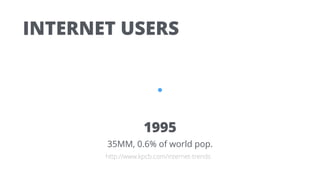
INTERNET USERS
1995
35MM, 0.6% of world pop.
http://www.kpcb.com/internet-trends
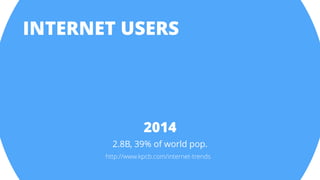
INTERNET USERS
2014
2.8B, 39% of world pop.
http://www.kpcb.com/internet-trends
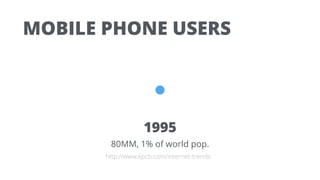
MOBILE PHONE USERS
1995
80MM, 1% of world pop.
http://www.kpcb.com/internet-trends
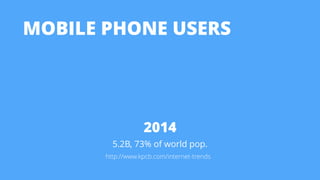
MOBILE PHONE USERS
2014
5.2B, 73% of world pop.
http://www.kpcb.com/internet-trends
THAT WAS IN 2012
THAT WAS IN 2012
at a small web conference
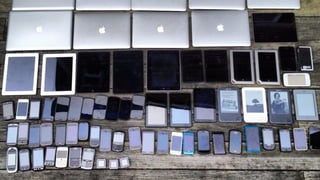
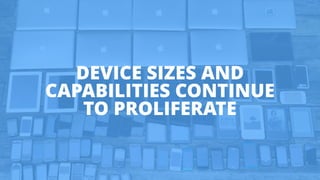
DEVICE SIZES AND
CAPABILITIES CONTINUE
TO PROLIFERATE
HOW SHOULD WE DELIVER
OUR VALUE TO PEOPLE
ON DIFFERENT DEVICES?
POSSIBLE
SOLUTIONS
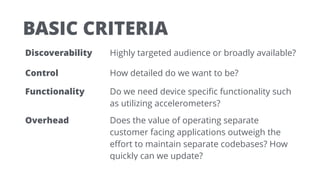
BASIC CRITERIA
Discoverability Highly targeted audience or broadly available?
Control How detailed do we want to be?
Functionality Do we need device specific functionality such
as utilizing accelerometers?
Overhead Does the value of operating separate
customer facing applications outweigh the
effort to maintain separate codebases? How
quickly can we update?
POSSIBLE SOLUTIONS
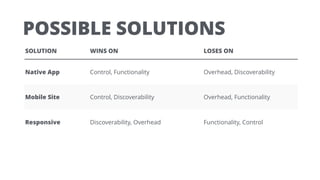
SOLUTION WINS ON LOSES ON
Native App Control, Functionality Overhead, Discoverability
Mobile Site Control, Discoverability Overhead, Functionality
Responsive Discoverability, Overhead Functionality, Control
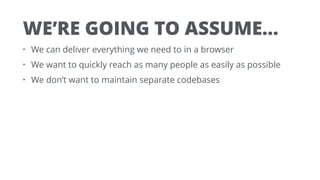
WE’RE GOING TO ASSUME…
• We can deliver everything we need to in a browser
• We want to quickly reach as many people as easily as possible
• We don’t want to maintain separate codebases
WE DECIDED TO BUILD A
RESPONSIVE WEBSITE
WE DECIDED TO BUILD A
RESPONSIVE WEBSITE
Surprise!
BUILDING
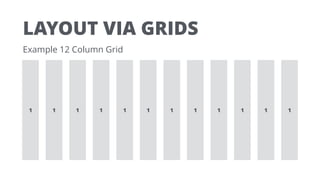
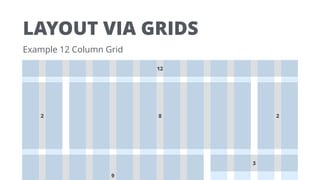
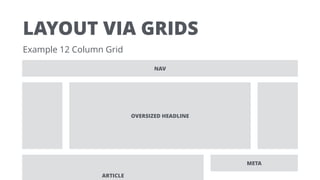
LAYOUT VIA GRIDS
1 1 1 1 1 1 1 1 1 1 1 1
Example 12 Column Grid
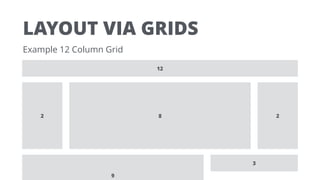
LAYOUT VIA GRIDS
Example 12 Column Grid
9
3
12
82 2
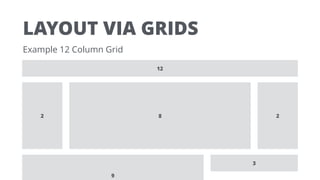
LAYOUT VIA GRIDS
Example 12 Column Grid
9
3
12
82 2
LAYOUT VIA GRIDS
Example 12 Column Grid
9
3
12
82 2
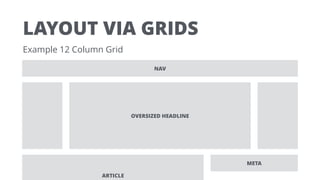
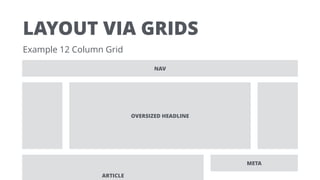
LAYOUT VIA GRIDS
Example 12 Column Grid
ARTICLE
META
NAV
OVERSIZED HEADLINE
LAYOUT VIA GRIDS
Example 12 Column Grid
ARTICLE
META
NAV
OVERSIZED HEADLINE
LAYOUT VIA GRIDS
Example 12 Column Grid
ARTICLE
META
NAV
OVERSIZED HEADLINE
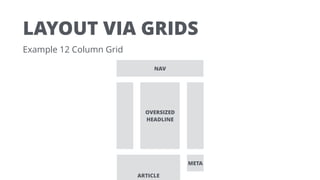
LAYOUT VIA GRIDS
Example 12 Column Grid
ARTICLE
META
NAV
OVERSIZED
HEADLINE
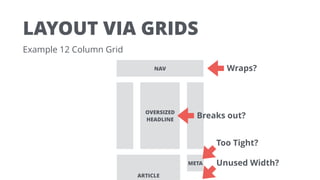
LAYOUT VIA GRIDS
Example 12 Column Grid
ARTICLE
META
NAV
OVERSIZED
HEADLINE
Too Tight?
Breaks out?
Unused Width?
Wraps?
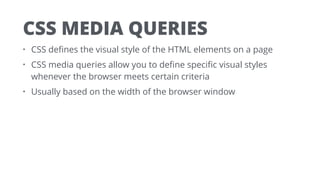
CSS MEDIA QUERIES
• CSS defines the visual style of the HTML elements on a page
• CSS media queries allow you to define specific visual styles
whenever the browser meets certain criteria
• Usually based on the width of the browser window
CSS MEDIA QUERIES
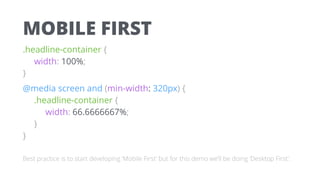
Mobile First For screens larger than X, apply these styles…
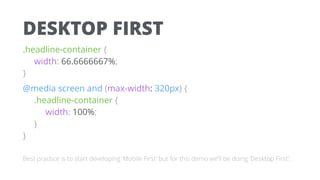
Desktop First For screens smaller than Y, apply these styles…
MOBILE FIRST
.headline-container {

width: 100%;

}
@media screen and (min-width: 320px) {

.headline-container {

width: 66.6666667%;

}

}
Best practice is to start developing ‘Mobile First’ but for this demo we’ll be doing ‘Desktop First’.
DESKTOP FIRST
.headline-container {

width: 66.6666667%;

}
@media screen and (max-width: 320px) {

.headline-container {

width: 100%;

}

}
Best practice is to start developing ‘Mobile First’ but for this demo we’ll be doing ‘Desktop First’.
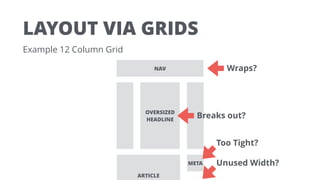
LAYOUT VIA GRIDS
Example 12 Column Grid
ARTICLE
META
NAV
OVERSIZED
HEADLINE
Too Tight?
Breaks out?
Unused Width?
Wraps?
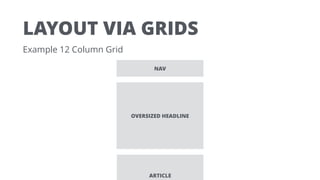
LAYOUT VIA GRIDS
Example 12 Column Grid
ARTICLE
NAV
OVERSIZED HEADLINE
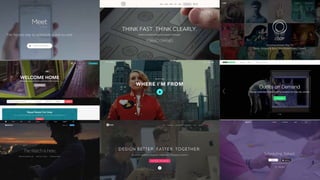
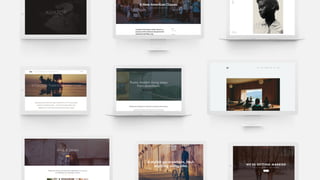
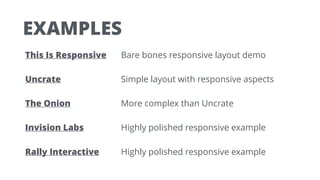
EXAMPLES
This Is Responsive Bare bones responsive layout demo
Uncrate Simple layout with responsive aspects
The Onion More complex than Uncrate
Invision Labs Highly polished responsive example
Rally Interactive Highly polished responsive example
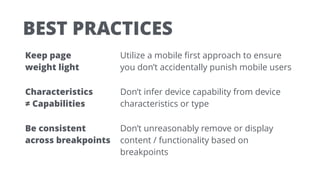
BEST PRACTICES
Keep page 

weight light
Utilize a mobile first approach to ensure
you don’t accidentally punish mobile users
Characteristics 

≠ Capabilities
Don’t infer device capability from device
characteristics or type
Be consistent 

across breakpoints
Don’t unreasonably remove or display
content / functionality based on
breakpoints
ADVANCED
RESPONSIVE
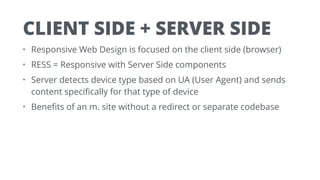
CLIENT SIDE + SERVER SIDE
• Responsive Web Design is focused on the client side (browser)
• RESS = Responsive with Server Side components
• Server detects device type based on UA (User Agent) and sends
content specifically for that type of device
• Benefits of an m. site without a redirect or separate codebase
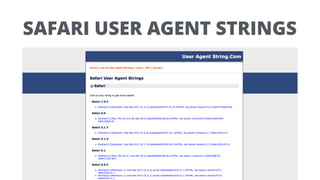
SAFARI USER AGENT STRINGS
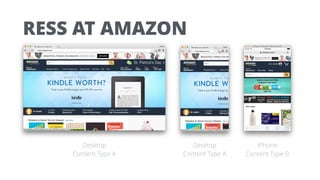
RESS AT AMAZON
Desktop
Content Type A
Desktop
Content Type A
iPhone
Content Type B
LATEST
DEVELOPMENTS
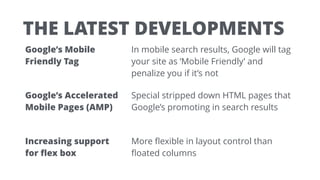
THE LATEST DEVELOPMENTS
Google’s Mobile
Friendly Tag
In mobile search results, Google will tag
your site as ‘Mobile Friendly’ and
penalize you if it’s not
Google’s Accelerated
Mobile Pages (AMP)
Special stripped down HTML pages that
Google’s promoting in search results
Increasing support 

for flex box
More flexible in layout control than
floated columns
WRAP UP
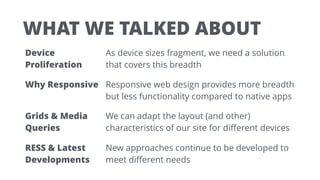
WHAT WE TALKED ABOUT
Device
Proliferation
As device sizes fragment, we need a solution
that covers this breadth
Why Responsive Responsive web design provides more breadth
but less functionality compared to native apps
Grids & Media
Queries
We can adapt the layout (and other)
characteristics of our site for different devices
RESS & Latest
Developments
New approaches continue to be developed to
meet different needs
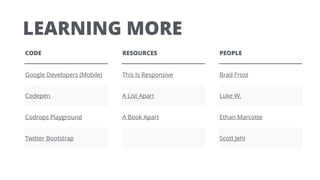
LEARNING MORE
CODE
Google Developers (Mobile)
Codepen
Codrops Playground
Twitter Bootstrap
RESOURCES
This Is Responsive
A List Apart
A Book Apart
PEOPLE
Brad Frost
Luke W.
Ethan Marcotte
Scott Jehl
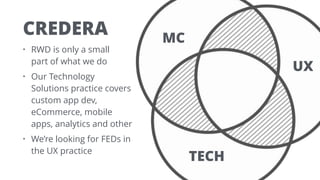
• RWD is only a small 

part of what we do
• Our Technology

Solutions practice covers

custom app dev,

eCommerce, mobile

apps, analytics and other
• We’re looking for FEDs in

the UX practice
CREDERA MC
UX
TECH
AUSTIN WALKER
Senior UX Designer at Credera
awalker@credera.com
credera.com/careers ▪ ux.credera.com ▪ awalker@credera.com

Responsive Web Design Basics

  • 1.
  • 2.
  • 3.
    AUSTIN WALKER Senior UXDesigner at Credera
  • 4.
  • 8.
  • 9.
    INTERNET USERS 1995 35MM, 0.6%of world pop. http://www.kpcb.com/internet-trends
  • 10.
    INTERNET USERS 2014 2.8B, 39%of world pop. http://www.kpcb.com/internet-trends
  • 11.
    MOBILE PHONE USERS 1995 80MM,1% of world pop. http://www.kpcb.com/internet-trends
  • 12.
    MOBILE PHONE USERS 2014 5.2B,73% of world pop. http://www.kpcb.com/internet-trends
  • 14.
  • 15.
    THAT WAS IN2012 at a small web conference
  • 16.
    DEVICE SIZES AND CAPABILITIESCONTINUE TO PROLIFERATE
  • 17.
    HOW SHOULD WEDELIVER OUR VALUE TO PEOPLE ON DIFFERENT DEVICES?
  • 18.
  • 19.
    BASIC CRITERIA Discoverability Highlytargeted audience or broadly available? Control How detailed do we want to be? Functionality Do we need device specific functionality such as utilizing accelerometers? Overhead Does the value of operating separate customer facing applications outweigh the effort to maintain separate codebases? How quickly can we update?
  • 20.
    POSSIBLE SOLUTIONS SOLUTION WINSON LOSES ON Native App Control, Functionality Overhead, Discoverability Mobile Site Control, Discoverability Overhead, Functionality Responsive Discoverability, Overhead Functionality, Control
  • 21.
    WE’RE GOING TOASSUME… • We can deliver everything we need to in a browser • We want to quickly reach as many people as easily as possible • We don’t want to maintain separate codebases
  • 22.
    WE DECIDED TOBUILD A RESPONSIVE WEBSITE
  • 23.
    WE DECIDED TOBUILD A RESPONSIVE WEBSITE Surprise!
  • 24.
  • 25.
    LAYOUT VIA GRIDS 11 1 1 1 1 1 1 1 1 1 1 Example 12 Column Grid
  • 26.
    LAYOUT VIA GRIDS Example12 Column Grid 9 3 12 82 2
  • 27.
    LAYOUT VIA GRIDS Example12 Column Grid 9 3 12 82 2
  • 28.
    LAYOUT VIA GRIDS Example12 Column Grid 9 3 12 82 2
  • 29.
    LAYOUT VIA GRIDS Example12 Column Grid ARTICLE META NAV OVERSIZED HEADLINE
  • 32.
    LAYOUT VIA GRIDS Example12 Column Grid ARTICLE META NAV OVERSIZED HEADLINE
  • 34.
    LAYOUT VIA GRIDS Example12 Column Grid ARTICLE META NAV OVERSIZED HEADLINE
  • 35.
    LAYOUT VIA GRIDS Example12 Column Grid ARTICLE META NAV OVERSIZED HEADLINE
  • 36.
    LAYOUT VIA GRIDS Example12 Column Grid ARTICLE META NAV OVERSIZED HEADLINE Too Tight? Breaks out? Unused Width? Wraps?
  • 37.
    CSS MEDIA QUERIES •CSS defines the visual style of the HTML elements on a page • CSS media queries allow you to define specific visual styles whenever the browser meets certain criteria • Usually based on the width of the browser window
  • 38.
    CSS MEDIA QUERIES MobileFirst For screens larger than X, apply these styles… Desktop First For screens smaller than Y, apply these styles…
  • 39.
    MOBILE FIRST .headline-container {
 width:100%;
 } @media screen and (min-width: 320px) {
 .headline-container {
 width: 66.6666667%;
 }
 } Best practice is to start developing ‘Mobile First’ but for this demo we’ll be doing ‘Desktop First’.
  • 40.
    DESKTOP FIRST .headline-container {
 width:66.6666667%;
 } @media screen and (max-width: 320px) {
 .headline-container {
 width: 100%;
 }
 } Best practice is to start developing ‘Mobile First’ but for this demo we’ll be doing ‘Desktop First’.
  • 41.
    LAYOUT VIA GRIDS Example12 Column Grid ARTICLE META NAV OVERSIZED HEADLINE Too Tight? Breaks out? Unused Width? Wraps?
  • 42.
    LAYOUT VIA GRIDS Example12 Column Grid ARTICLE NAV OVERSIZED HEADLINE
  • 43.
    EXAMPLES This Is ResponsiveBare bones responsive layout demo Uncrate Simple layout with responsive aspects The Onion More complex than Uncrate Invision Labs Highly polished responsive example Rally Interactive Highly polished responsive example
  • 44.
    BEST PRACTICES Keep page
 weight light Utilize a mobile first approach to ensure you don’t accidentally punish mobile users Characteristics 
 ≠ Capabilities Don’t infer device capability from device characteristics or type Be consistent 
 across breakpoints Don’t unreasonably remove or display content / functionality based on breakpoints
  • 45.
  • 46.
    CLIENT SIDE +SERVER SIDE • Responsive Web Design is focused on the client side (browser) • RESS = Responsive with Server Side components • Server detects device type based on UA (User Agent) and sends content specifically for that type of device • Benefits of an m. site without a redirect or separate codebase
  • 47.
  • 49.
    RESS AT AMAZON Desktop ContentType A Desktop Content Type A iPhone Content Type B
  • 50.
  • 51.
    THE LATEST DEVELOPMENTS Google’sMobile Friendly Tag In mobile search results, Google will tag your site as ‘Mobile Friendly’ and penalize you if it’s not Google’s Accelerated Mobile Pages (AMP) Special stripped down HTML pages that Google’s promoting in search results Increasing support 
 for flex box More flexible in layout control than floated columns
  • 52.
  • 53.
    WHAT WE TALKEDABOUT Device Proliferation As device sizes fragment, we need a solution that covers this breadth Why Responsive Responsive web design provides more breadth but less functionality compared to native apps Grids & Media Queries We can adapt the layout (and other) characteristics of our site for different devices RESS & Latest Developments New approaches continue to be developed to meet different needs
  • 54.
    LEARNING MORE CODE Google Developers(Mobile) Codepen Codrops Playground Twitter Bootstrap RESOURCES This Is Responsive A List Apart A Book Apart PEOPLE Brad Frost Luke W. Ethan Marcotte Scott Jehl
  • 55.
    • RWD isonly a small 
 part of what we do • Our Technology
 Solutions practice covers
 custom app dev,
 eCommerce, mobile
 apps, analytics and other • We’re looking for FEDs in
 the UX practice CREDERA MC UX TECH
  • 57.
    AUSTIN WALKER Senior UXDesigner at Credera awalker@credera.com
  • 58.