1
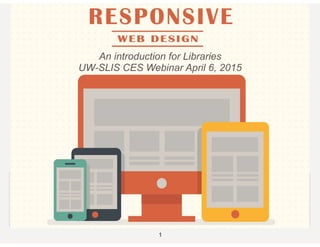
An introduction for Libraries
UW-SLIS CES Webinar April 6, 2015
TODAY’S AGENDA
• What is Responsive Web Design?
• Definition & History
• How do I DO Responsive Web Design?
• Tips & Tricks & Jargon
• Where do I go to learn more about Responsive Web
Design?
• Resources, Bibliography, SLIS/CES web course
2
WHAT IS RESPONSIVE WEB
DESIGN?
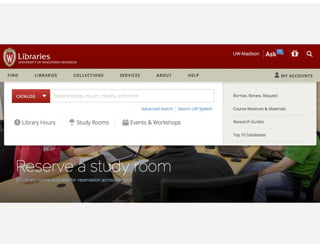
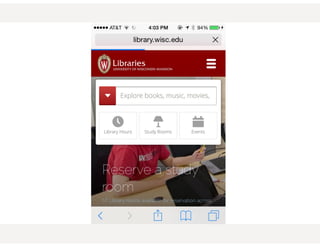
• Responsive web design (RWD) is an approach to web design aimed at
crafting sites to provide an optimal viewing experience—easy reading and
navigation with a minimum of resizing, panning, and scrolling—across a wide
range of devices (from desktop computer monitors to mobile phones).
[Wikipedia, the free encyclopedia]
3
WHAT IS RESPONSIVE WEB
DESIGN?
• Responsive web design (RWD) is an approach to web design aimed at
crafting sites to provide an optimal viewing experience—easy reading and
navigation with a minimum of resizing, panning, and scrolling—across a wide
range of devices (from desktop computer monitors to mobile phones).
[Wikipedia, the free encyclopedia]
“adapts the layout to the viewing environment by using fluid,
proportion-based grids”
3
WHAT IS RESPONSIVE WEB
DESIGN?
• Responsive web design (RWD) is an approach to web design aimed at
crafting sites to provide an optimal viewing experience—easy reading and
navigation with a minimum of resizing, panning, and scrolling—across a wide
range of devices (from desktop computer monitors to mobile phones).
[Wikipedia, the free encyclopedia]
“adapts the layout to the viewing environment by using fluid,
proportion-based grids”
“flexible images”
3
WHAT IS RESPONSIVE WEB
DESIGN?
• Responsive web design (RWD) is an approach to web design aimed at
crafting sites to provide an optimal viewing experience—easy reading and
navigation with a minimum of resizing, panning, and scrolling—across a wide
range of devices (from desktop computer monitors to mobile phones).
[Wikipedia, the free encyclopedia]
“adapts the layout to the viewing environment by using fluid,
proportion-based grids”
“flexible images”
“CSS3 Media Queries”
3
WHAT IS RESPONSIVE WEB
DESIGN?
• Responsive web design (RWD) is an approach to web design aimed at
crafting sites to provide an optimal viewing experience—easy reading and
navigation with a minimum of resizing, panning, and scrolling—across a wide
range of devices (from desktop computer monitors to mobile phones).
[Wikipedia, the free encyclopedia]
“adapts the layout to the viewing environment by using fluid,
proportion-based grids”
“flexible images”
“CSS3 Media Queries”
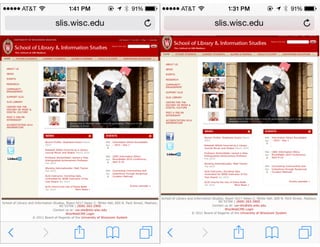
<meta name=“viewport" content="width=device-width">
3
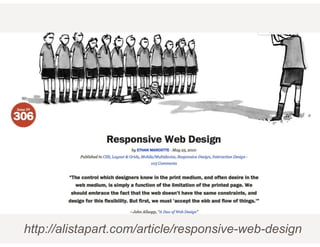
http://alistapart.com/article/responsive-web-design
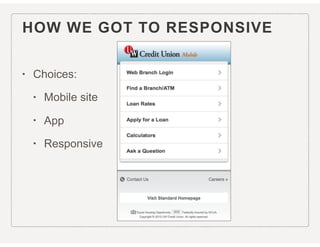
HOW WE GOT TO RESPONSIVE
• Choices:
• Mobile site
• App
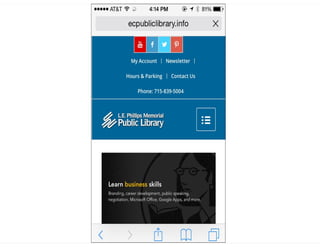
• Responsive
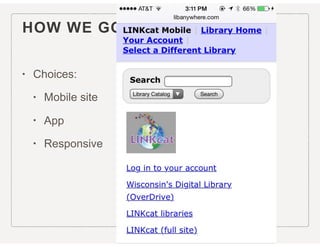
HOW WE GOT TO RESPONSIVE
• Choices:
• Mobile site
• App
• Responsive
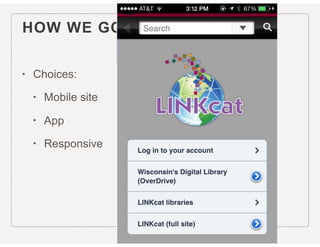
HOW WE GOT TO RESPONSIVE
• Choices:
• Mobile site
• App
• Responsive
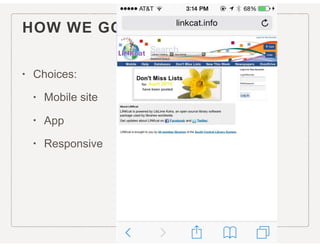
HOW WE GOT TO RESPONSIVE
• Choices:
• Mobile site
• App
• Responsive
HOW WE GOT TO RESPONSIVE
• Choices:
• Mobile site
• App
• Responsive
VIEWPORT META 

TAG
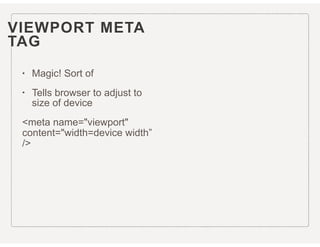
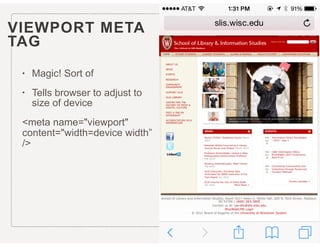
• Magic! Sort of
• Tells browser to adjust to
size of device
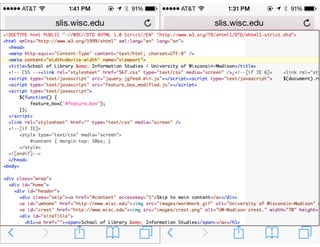
<meta name="viewport"
content="width=device width”
/>
VIEWPORT META 

TAG
• Magic! Sort of
• Tells browser to adjust to
size of device
<meta name="viewport"
content="width=device width”
/>
VIEWPORT META 

TAG
• Magic! Sort of
• Tells browser to adjust to
size of device
<meta name="viewport"
content="width=device width”
/>
VIEWPORT META 

TAG
• Magic! Sort of
• Tells browser to adjust to
size of device
<meta name="viewport"
content="width=device width”
/>
FLUID LAYOUTS
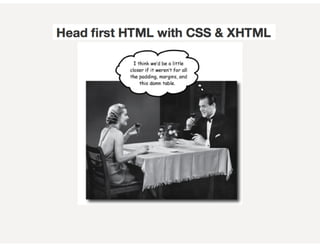
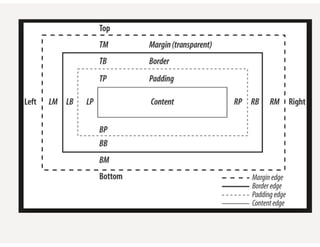
• Escaping the CSS box model!
<div id=”outerwrap">
<div id="header">
<div id=“bodycontent”>
<div id="footer">
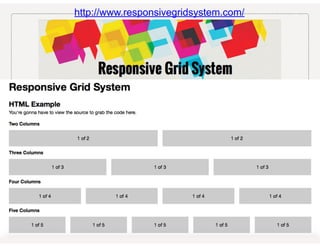
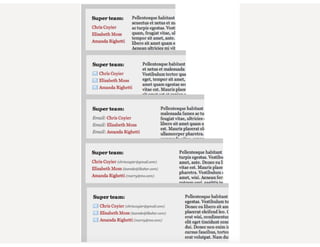
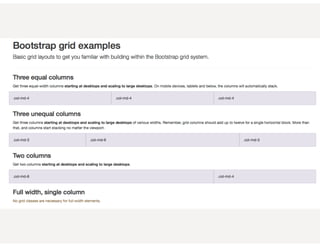
• Grid
• Makes content columns swing below each other to fit on
smaller, narrower, screen
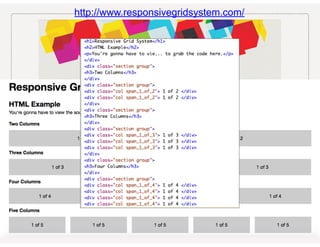
http://www.responsivegridsystem.com/
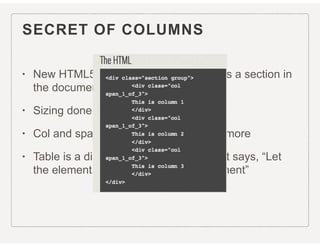
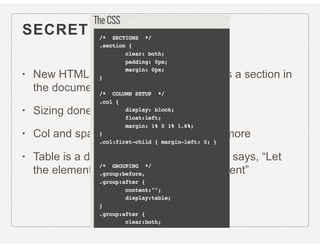
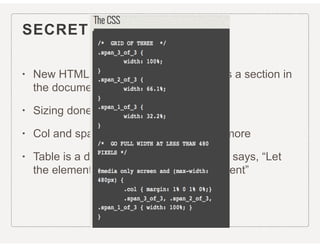
SECRET OF COLUMNS
• New HTML5 element <section> Defines a section in
the document
• Sizing done in CSS
• Col and span aren’t only for tables anymore
• Table is a display property in CSS3 that says, “Let
the element behave like a <table> element”
SECRET OF COLUMNS
• New HTML5 element <section> Defines a section in
the document
• Sizing done in CSS
• Col and span aren’t only for tables anymore
• Table is a display property in CSS3 that says, “Let
the element behave like a <table> element”
SECRET OF COLUMNS
• New HTML5 element <section> Defines a section in
the document
• Sizing done in CSS
• Col and span aren’t only for tables anymore
• Table is a display property in CSS3 that says, “Let
the element behave like a <table> element”
SECRET OF COLUMNS
• New HTML5 element <section> Defines a section in
the document
• Sizing done in CSS
• Col and span aren’t only for tables anymore
• Table is a display property in CSS3 that says, “Let
the element behave like a <table> element”
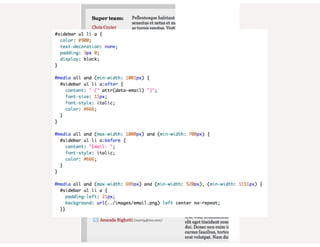
CSS3 MEDIA QUERIES
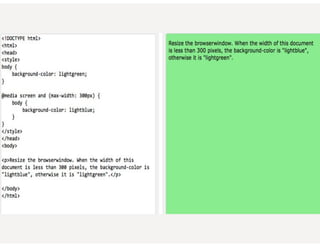
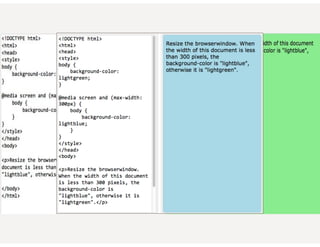
• Used to mostly be screen or print
• Hide nav when printing
@media print { #navigation { display: none; } }.
• [W3Schools] Media queries look at the capability of the device, and
can be used to check many things, such as:
• width and height of the browser window
• width and height of the device
• orientation (is the tablet/phone in landscape or portrait mode?)
• Resolution
• You can also have different stylesheets for different media
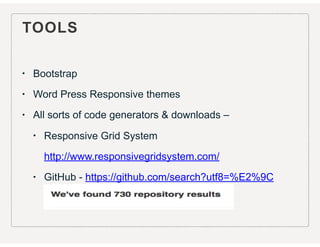
TOOLS
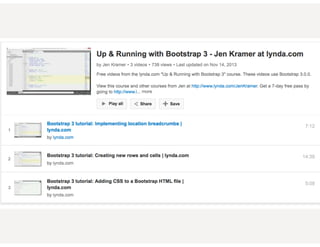
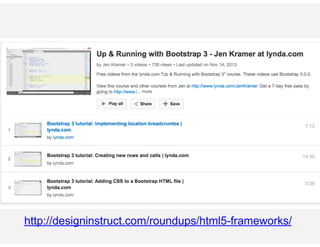
• Bootstrap
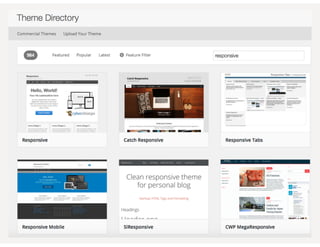
• Word Press Responsive themes
• All sorts of code generators & downloads –
• Responsive Grid System
http://www.responsivegridsystem.com/
• GitHub - https://github.com/search?utf8=%E2%9C
%93&q=responsive+web+design
TOOLS
• Bootstrap
• Word Press Responsive themes
• All sorts of code generators & downloads –
• Responsive Grid System
http://www.responsivegridsystem.com/
• GitHub - https://github.com/search?utf8=%E2%9C
%93&q=responsive+web+design
http://designinstruct.com/roundups/html5-frameworks/
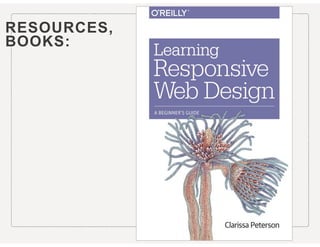
RESOURCES,

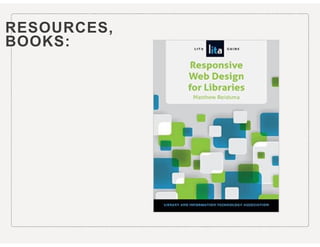
BOOKS:
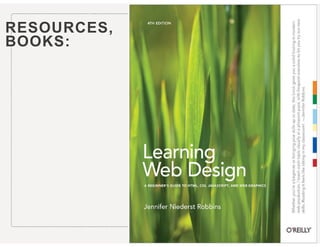
RESOURCES,

BOOKS:
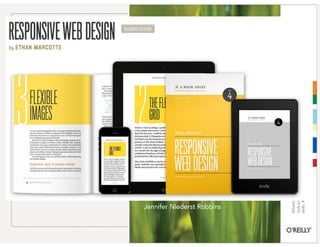
RESOURCES,

BOOKS:
RESOURCES,

BOOKS:
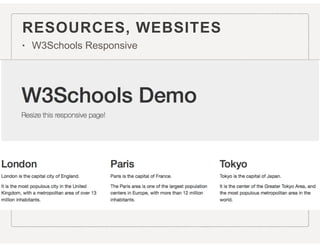
RESOURCES, WEBSITES
• W3Schools Responsive
http://www.w3schools.com/
html/html_responsive.asp
RESOURCES, WEBSITES
• W3Schools Responsive
http://www.w3schools.com/
html/html_responsive.asp
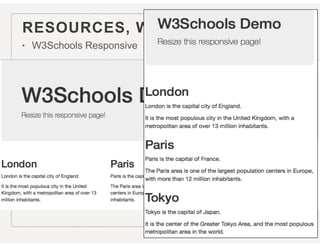
RESOURCES, WEBSITES
• W3Schools Responsive
http://www.w3schools.com/
html/html_responsive.asp
EVEN MORE -
• A List Apart - http://alistapart.com/
• Content Strategy for the Web – 2nd ed. 2012 book,
Kristina Halvorson http://contentstrategy.com/
• usability.gov http://www.usability.gov/what-and-why/
content-strategy.html
• CES web course "Designing Mobile & Responsive
Experiences” starts June 1 http://www.slis.wisc.edu/
continueed-DesignMobile.htm
THANK YOU! QUESTIONS?
“But that kind of design thinking
doesn’t need to be our default.
Now more than ever, we’re
designing work meant to be viewed
along a gradient of different
experiences. Responsive web
design offers us a way forward,
finally allowing us to “design for the
ebb and flow of things.” Ethan
Marcotte

Responsive Web Design

  • 1.
    1 An introduction forLibraries UW-SLIS CES Webinar April 6, 2015
  • 2.
    TODAY’S AGENDA • Whatis Responsive Web Design? • Definition & History • How do I DO Responsive Web Design? • Tips & Tricks & Jargon • Where do I go to learn more about Responsive Web Design? • Resources, Bibliography, SLIS/CES web course 2
  • 3.
    WHAT IS RESPONSIVEWEB DESIGN? • Responsive web design (RWD) is an approach to web design aimed at crafting sites to provide an optimal viewing experience—easy reading and navigation with a minimum of resizing, panning, and scrolling—across a wide range of devices (from desktop computer monitors to mobile phones). [Wikipedia, the free encyclopedia] 3
  • 4.
    WHAT IS RESPONSIVEWEB DESIGN? • Responsive web design (RWD) is an approach to web design aimed at crafting sites to provide an optimal viewing experience—easy reading and navigation with a minimum of resizing, panning, and scrolling—across a wide range of devices (from desktop computer monitors to mobile phones). [Wikipedia, the free encyclopedia] “adapts the layout to the viewing environment by using fluid, proportion-based grids” 3
  • 5.
    WHAT IS RESPONSIVEWEB DESIGN? • Responsive web design (RWD) is an approach to web design aimed at crafting sites to provide an optimal viewing experience—easy reading and navigation with a minimum of resizing, panning, and scrolling—across a wide range of devices (from desktop computer monitors to mobile phones). [Wikipedia, the free encyclopedia] “adapts the layout to the viewing environment by using fluid, proportion-based grids” “flexible images” 3
  • 6.
    WHAT IS RESPONSIVEWEB DESIGN? • Responsive web design (RWD) is an approach to web design aimed at crafting sites to provide an optimal viewing experience—easy reading and navigation with a minimum of resizing, panning, and scrolling—across a wide range of devices (from desktop computer monitors to mobile phones). [Wikipedia, the free encyclopedia] “adapts the layout to the viewing environment by using fluid, proportion-based grids” “flexible images” “CSS3 Media Queries” 3
  • 7.
    WHAT IS RESPONSIVEWEB DESIGN? • Responsive web design (RWD) is an approach to web design aimed at crafting sites to provide an optimal viewing experience—easy reading and navigation with a minimum of resizing, panning, and scrolling—across a wide range of devices (from desktop computer monitors to mobile phones). [Wikipedia, the free encyclopedia] “adapts the layout to the viewing environment by using fluid, proportion-based grids” “flexible images” “CSS3 Media Queries” <meta name=“viewport" content="width=device-width"> 3
  • 8.
  • 9.
    HOW WE GOTTO RESPONSIVE • Choices: • Mobile site • App • Responsive
  • 10.
    HOW WE GOTTO RESPONSIVE • Choices: • Mobile site • App • Responsive
  • 11.
    HOW WE GOTTO RESPONSIVE • Choices: • Mobile site • App • Responsive
  • 12.
    HOW WE GOTTO RESPONSIVE • Choices: • Mobile site • App • Responsive
  • 13.
    HOW WE GOTTO RESPONSIVE • Choices: • Mobile site • App • Responsive
  • 16.
    VIEWPORT META 
 TAG •Magic! Sort of • Tells browser to adjust to size of device <meta name="viewport" content="width=device width” />
  • 17.
    VIEWPORT META 
 TAG •Magic! Sort of • Tells browser to adjust to size of device <meta name="viewport" content="width=device width” />
  • 18.
    VIEWPORT META 
 TAG •Magic! Sort of • Tells browser to adjust to size of device <meta name="viewport" content="width=device width” />
  • 19.
    VIEWPORT META 
 TAG •Magic! Sort of • Tells browser to adjust to size of device <meta name="viewport" content="width=device width” />
  • 22.
    FLUID LAYOUTS • Escapingthe CSS box model! <div id=”outerwrap"> <div id="header"> <div id=“bodycontent”> <div id="footer"> • Grid • Makes content columns swing below each other to fit on smaller, narrower, screen
  • 23.
  • 24.
  • 25.
    SECRET OF COLUMNS •New HTML5 element <section> Defines a section in the document • Sizing done in CSS • Col and span aren’t only for tables anymore • Table is a display property in CSS3 that says, “Let the element behave like a <table> element”
  • 26.
    SECRET OF COLUMNS •New HTML5 element <section> Defines a section in the document • Sizing done in CSS • Col and span aren’t only for tables anymore • Table is a display property in CSS3 that says, “Let the element behave like a <table> element”
  • 27.
    SECRET OF COLUMNS •New HTML5 element <section> Defines a section in the document • Sizing done in CSS • Col and span aren’t only for tables anymore • Table is a display property in CSS3 that says, “Let the element behave like a <table> element”
  • 28.
    SECRET OF COLUMNS •New HTML5 element <section> Defines a section in the document • Sizing done in CSS • Col and span aren’t only for tables anymore • Table is a display property in CSS3 that says, “Let the element behave like a <table> element”
  • 32.
    CSS3 MEDIA QUERIES •Used to mostly be screen or print • Hide nav when printing @media print { #navigation { display: none; } }. • [W3Schools] Media queries look at the capability of the device, and can be used to check many things, such as: • width and height of the browser window • width and height of the device • orientation (is the tablet/phone in landscape or portrait mode?) • Resolution • You can also have different stylesheets for different media
  • 44.
    TOOLS • Bootstrap • WordPress Responsive themes • All sorts of code generators & downloads – • Responsive Grid System http://www.responsivegridsystem.com/ • GitHub - https://github.com/search?utf8=%E2%9C %93&q=responsive+web+design
  • 45.
    TOOLS • Bootstrap • WordPress Responsive themes • All sorts of code generators & downloads – • Responsive Grid System http://www.responsivegridsystem.com/ • GitHub - https://github.com/search?utf8=%E2%9C %93&q=responsive+web+design
  • 49.
  • 53.
  • 54.
  • 55.
  • 56.
  • 57.
    RESOURCES, WEBSITES • W3SchoolsResponsive http://www.w3schools.com/ html/html_responsive.asp
  • 58.
    RESOURCES, WEBSITES • W3SchoolsResponsive http://www.w3schools.com/ html/html_responsive.asp
  • 59.
    RESOURCES, WEBSITES • W3SchoolsResponsive http://www.w3schools.com/ html/html_responsive.asp
  • 60.
    EVEN MORE - •A List Apart - http://alistapart.com/ • Content Strategy for the Web – 2nd ed. 2012 book, Kristina Halvorson http://contentstrategy.com/ • usability.gov http://www.usability.gov/what-and-why/ content-strategy.html • CES web course "Designing Mobile & Responsive Experiences” starts June 1 http://www.slis.wisc.edu/ continueed-DesignMobile.htm
  • 61.
    THANK YOU! QUESTIONS? “Butthat kind of design thinking doesn’t need to be our default. Now more than ever, we’re designing work meant to be viewed along a gradient of different experiences. Responsive web design offers us a way forward, finally allowing us to “design for the ebb and flow of things.” Ethan Marcotte