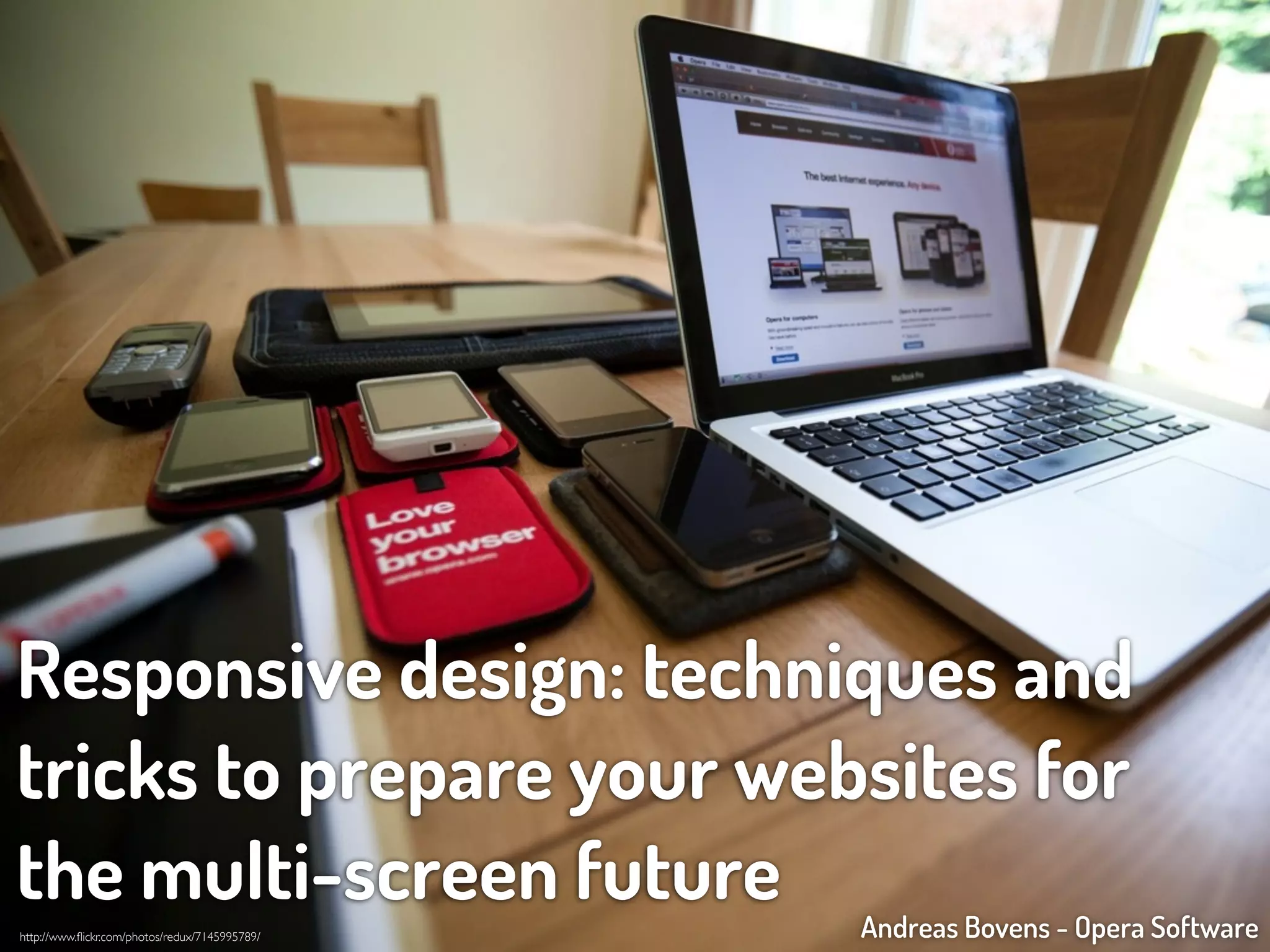
Responsive design: techniques and
tricks to prepare your websites for
the multi-screen future                         Andreas Bovens - Opera Software
http://www.flickr.com/photos/redux/7145995789/
Responsive design: techniques and
tricks to prepare your websites for
the multi-screen future                         Andreas Bovens - Opera Software
http://www.flickr.com/photos/redux/7145995789/
@andreasbovens
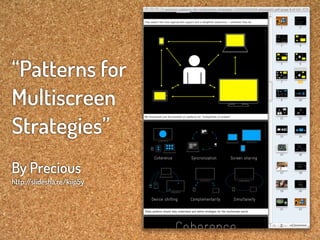
“Patterns for
Multiscreen
Strategies”
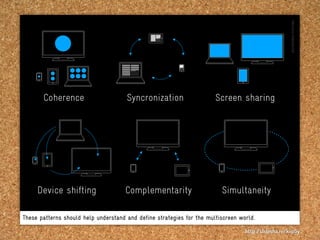
                                  Coherence                      Syncronization                   Screen sharing


By Precious
http:/
     /slidesha.re/kiip5y

                                Device shifting                 Complementarity                     Simultaneity

                           These patterns should help understand and define strategies for the multiscreen world.
Coherence                      Syncronization                   Screen sharing


     Device shifting                 Complementarity                     Simultaneity

These patterns should help understand and define strategies for the multiscreen world.

                                                                                  http:/
                                                                                       /slidesha.re/kiip5y
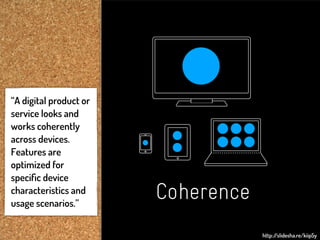
“A digital product or
service looks and
works coherently
across devices.
Features are
optimized for
specific device
characteristics and
usage scenarios.”
                        Coherence
                                    http:/
                                         /slidesha.re/kiip5y
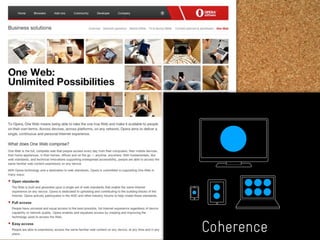
Coherence
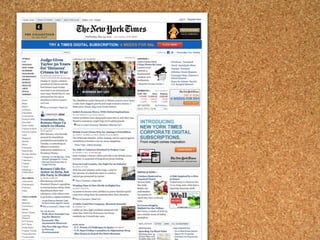
        http://slidesha.re/kiip5y
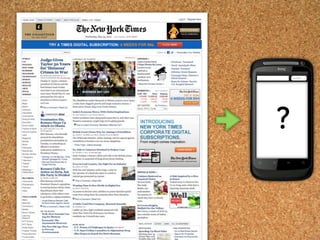
?
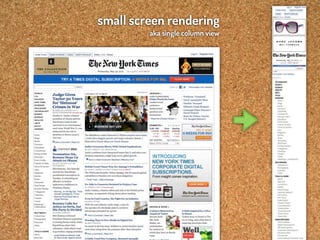
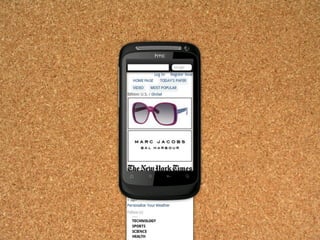
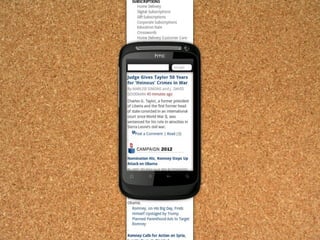
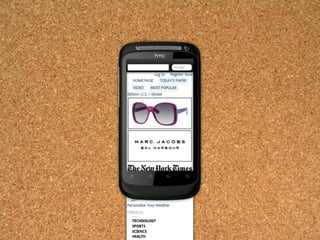
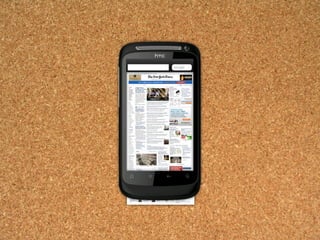
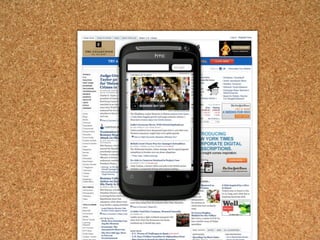
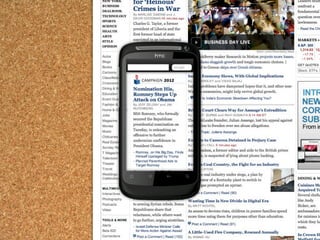
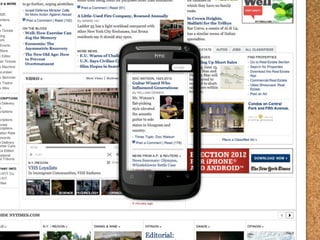
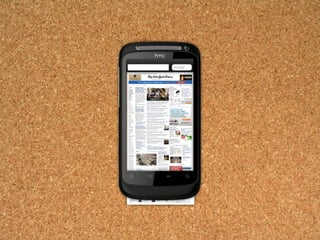
small screen rendering
         aka single column view
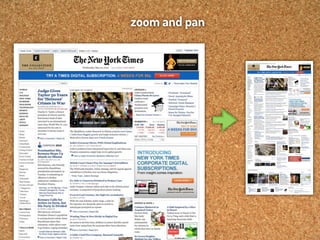
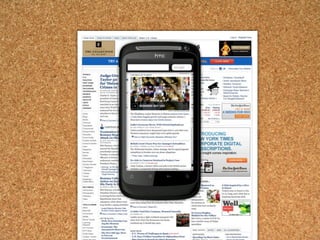
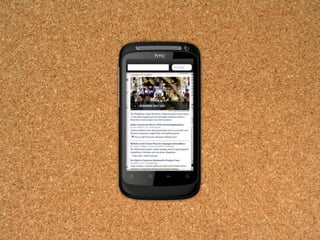
zoom and pan
“Nice, but how can we control
this zooming behavior?”
Let’s talk about the
viewport mechanism
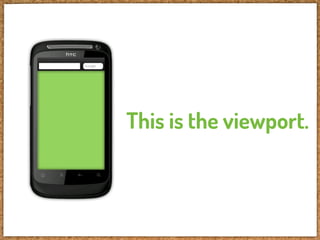
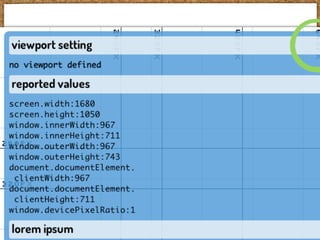
This is the viewport.
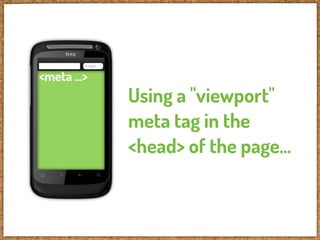
<meta ...>
             Using a "viewport"
             meta tag in the
             <head> of the page...
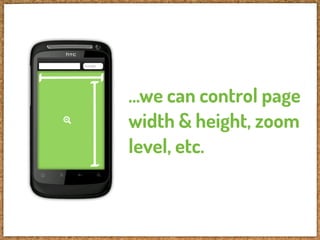
...we can control page
width & height, zoom
level, etc.
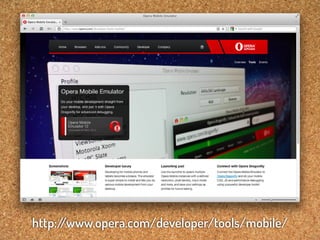
This works in:


with some exceptions ;-)
http:/
     /www.opera.com/developer/tools/mobile/
HVGA portrait
HVGA portrait
HVGA portrait
HVGA portrait
HVGA portrait
HVGA portrait
HVGA portrait
HVGA portrait
HVGA portrait
HVGA portrait
HVGA portrait


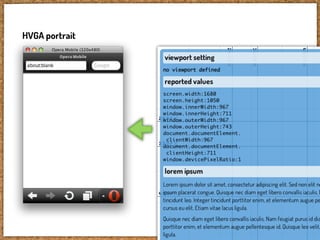
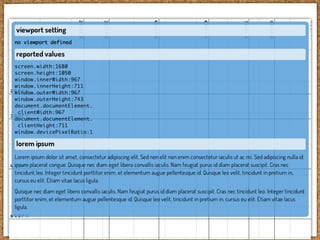
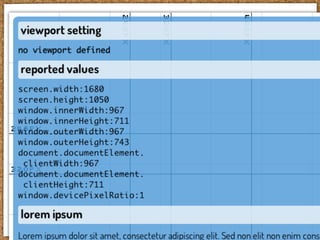
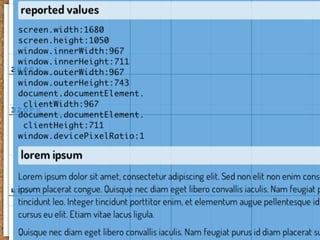
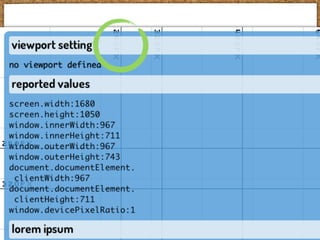
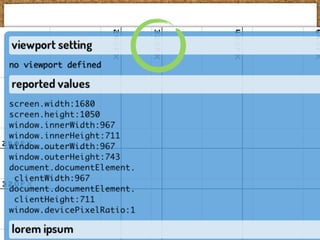
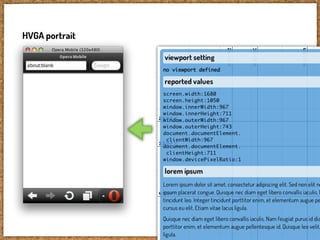
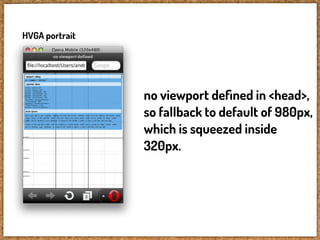
                no viewport defined in <head>,
                so fallback to default of 980px,
                which is squeezed inside
                320px.
HVGA portrait


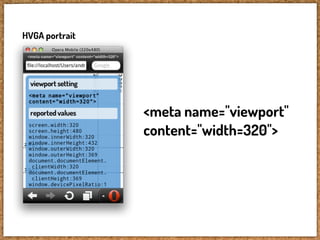
                <meta name="viewport"
                content="width=320">
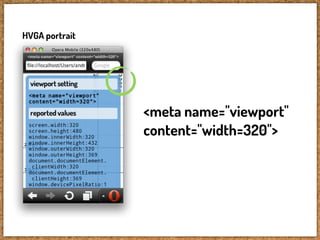
HVGA portrait


                <meta name="viewport"
                content="width=320">
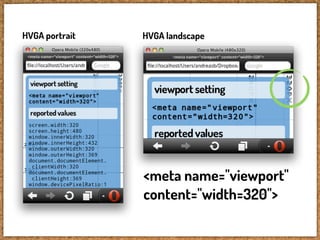
HVGA portrait   HVGA landscape


                <meta name="viewport"
                content="width=320">
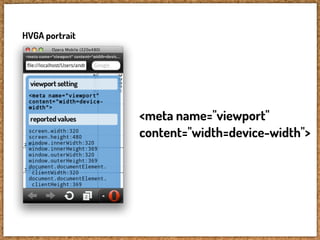
HVGA portrait


                <meta name="viewport"
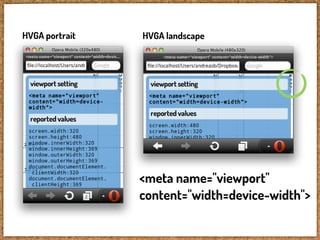
                content="width=device-width">
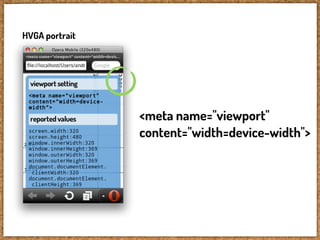
HVGA portrait


                <meta name="viewport"
                content="width=device-width">
HVGA portrait   HVGA landscape


                <meta name="viewport"
                content="width=device-width">
HVGA landscape   HVGA landscape


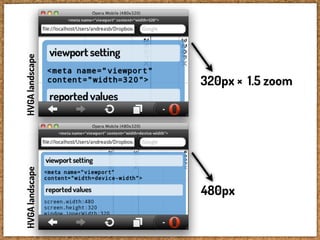
      480px
                       320px × 1.5 zoom
HVGA portrait


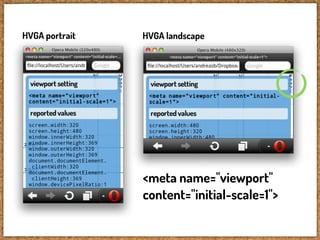
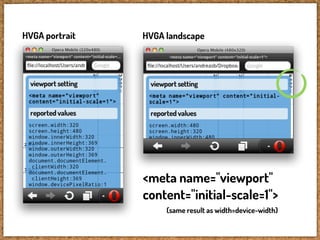
                <meta name="viewport"
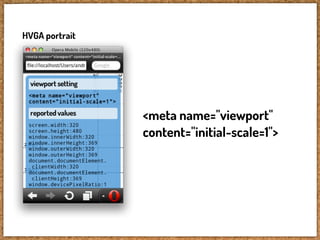
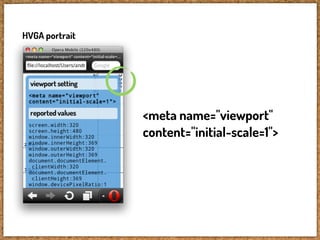
                content="initial-scale=1">
HVGA portrait


                <meta name="viewport"
                content="initial-scale=1">
HVGA portrait   HVGA landscape


                <meta name="viewport"
                content="initial-scale=1">
HVGA portrait   HVGA landscape


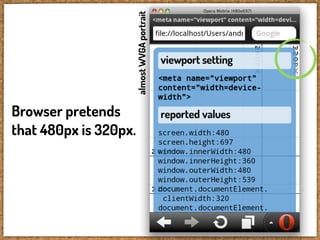
                <meta name="viewport"
                content="initial-scale=1">
                     (same result as width=device-width)
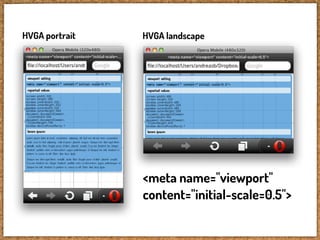
HVGA portrait   HVGA landscape


                <meta name="viewport"
                content="initial-scale=0.5">
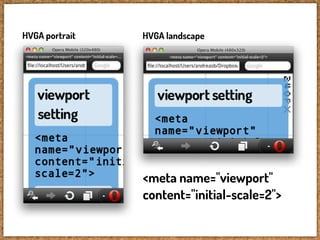
HVGA portrait   HVGA landscape


                <meta name="viewport"
                content="initial-scale=2">
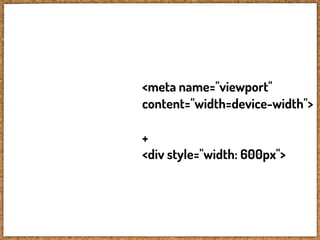
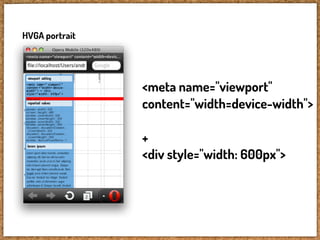
<meta name="viewport"
content="width=device-width">

+
<div style="width: 600px">
HVGA portrait


                <meta name="viewport"
                content="width=device-width">

                +
                <div style="width: 600px">
HVGA portrait


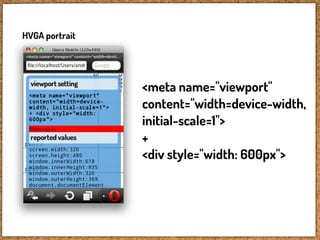
                <meta name="viewport"
                content="width=device-width,
                initial-scale=1">
                +
                <div style="width: 600px">
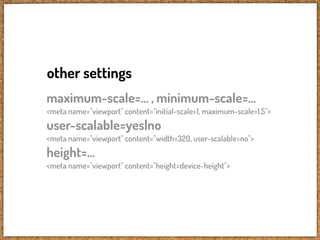
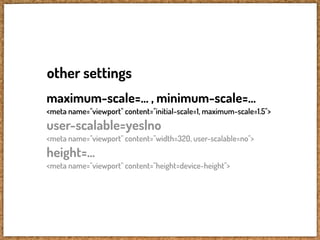
other settings
maximum-scale=... , minimum-scale=...
<meta name="viewport" content="initial-scale=1, maximum-scale=1.5">
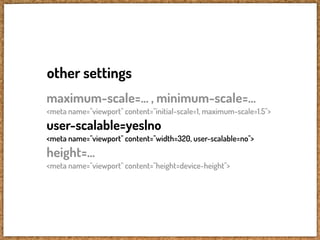
user-scalable=yes|no
<meta name="viewport" content="width=320, user-scalable=no">
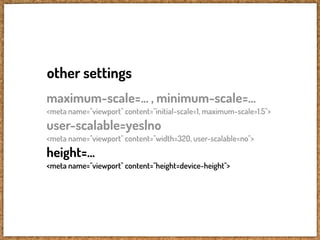
height=...
<meta name="viewport" content="height=device-height">
other settings
maximum-scale=... , minimum-scale=...
<meta name="viewport" content="initial-scale=1, maximum-scale=1.5">
user-scalable=yes|no
<meta name="viewport" content="width=320, user-scalable=no">
height=...
<meta name="viewport" content="height=device-height">
other settings
maximum-scale=... , minimum-scale=...
<meta name="viewport" content="initial-scale=1, maximum-scale=1.5">
user-scalable=yes|no
<meta name="viewport" content="width=320, user-scalable=no">
height=...
<meta name="viewport" content="height=device-height">
other settings
maximum-scale=... , minimum-scale=...
<meta name="viewport" content="initial-scale=1, maximum-scale=1.5">
user-scalable=yes|no
<meta name="viewport" content="width=320, user-scalable=no">
height=...
<meta name="viewport" content="height=device-height">
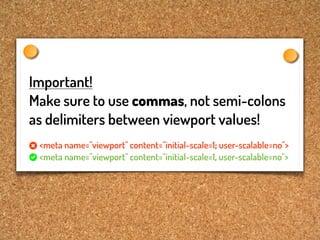
Important!
Make sure to use commas, not semi-colons
as delimiters between viewport values!
 <meta name="viewport" content="initial-scale=1; user-scalable=no">
 <meta name="viewport" content="initial-scale=1, user-scalable=no">
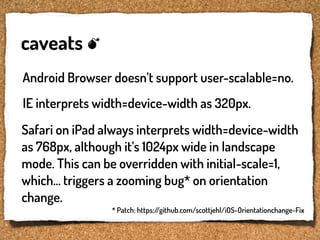
caveats
Android Browser doesn’t support user-scalable=no.
IE interprets width=device-width as 320px.
Safari on iPad always interprets width=device-width
as 768px, although it’s 1024px wide in landscape
mode. This can be overridden with initial-scale=1,
which... triggers a zooming bug* on orientation
change.
                * Patch: https:/
                               /github.com/scottjehl/iOS-Orientationchange-Fix
http://www.flickr.com/photos/33284937@N04/4771132618/
So, how to use this?
Sniff for mobile
browsers maybe?
So, how to use this?
Sniff for mobile
browsers maybe?
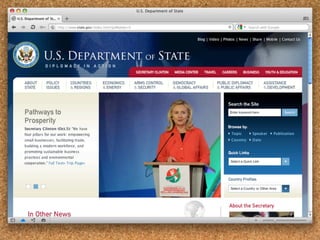
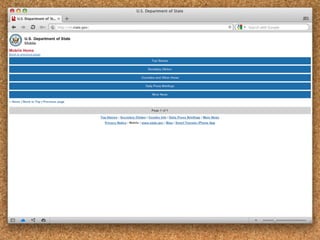
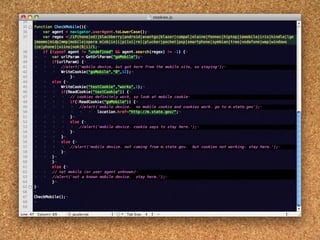
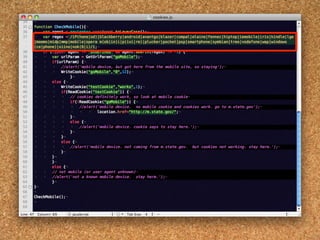
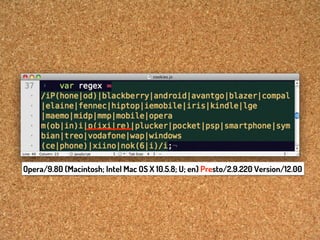
Better don’t sniff.
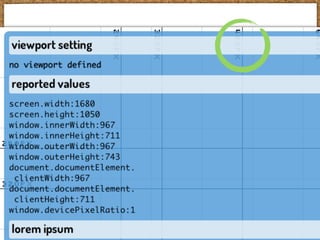
Opera/9.80 (Macintosh; Intel Mac OS X 10.5.8; U; en) Presto/2.9.220 Version/12.00
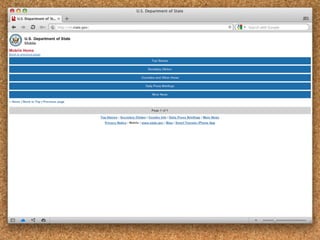
So, avoid sniffing,
but if you really have to,
provide a way for users
to make corrections,
and remember their
preference.
So, avoid sniffing,
but if you really have to*,
provide a way for users
to make corrections,
and remember their
preference.
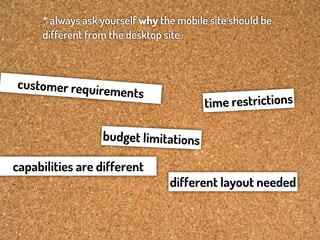
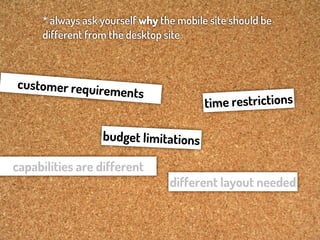
* always ask yourself why the mobile site should be
different from the desktop site
* always ask yourself why the mobile site should be
     different from the desktop site


customer requir
                  ements
                                         tim e restrictions

                  budget limitations

capabilities are different
                                 different layout needed
* always ask yourself why the mobile site should be
     different from the desktop site


customer requir
                  ements
                                         tim e restrictions

                  budget limitations

capabilities are different
                                 different layout needed
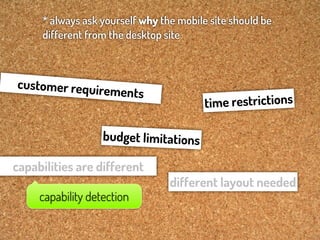
* always ask yourself why the mobile site should be
     different from the desktop site


customer requir
                   ements
                                         tim e restrictions

                   budget limitations

capabilities are different
                                 different layout needed
     capability detection
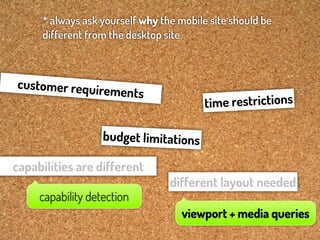
* always ask yourself why the mobile site should be
     different from the desktop site


customer requir
                   ements
                                         tim e restrictions

                   budget limitations

capabilities are different
                                 different layout needed
     capability detection
                                    viewport + media queries
Let’s talk about media queries
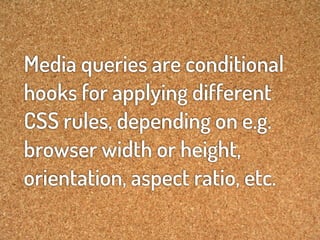
Media queries are conditional
hooks for applying different
CSS rules, depending on e.g.
browser width or height,
orientation, aspect ratio, etc.
Differently said, media queries
allow you to optimize your site
layout for all kinds of form factors.


                            Via http://mediaqueri.es/
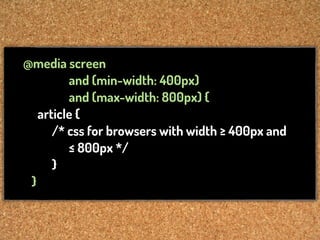
@media screen
         and (min-width: 400px)
         and (max-width: 800px) {
   article {
      /* css for browsers with width ≥ 400px and
         ≤ 800px */
      }
 }
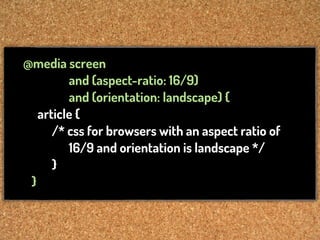
@media screen
         and (aspect-ratio: 16/9)
         and (orientation: landscape) {
   article {
      /* css for browsers with an aspect ratio of
         16/9 and orientation is landscape */
      }
 }
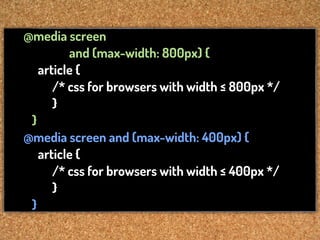
@media screen
         and (max-width: 800px) {
   article {
      /* css for browsers with width ≤ 800px */
      }
 }
@media screen and (max-width: 400px) {
   article {
      /* css for browsers with width ≤ 400px */
      }
 }
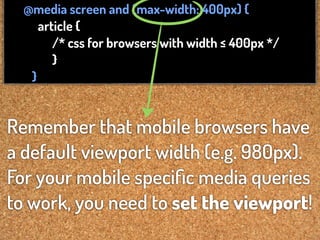
@media screen and (max-width: 400px) {
     article {
        /* css for browsers with width ≤ 400px */
        }
   }


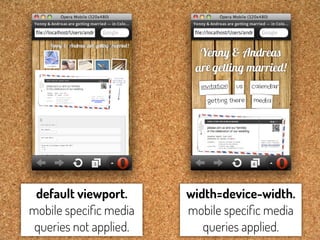
Remember that mobile browsers have
a default viewport width (e.g. 980px).
For your mobile specific media queries
to work, you need to set the viewport!
default viewport.      width=device-width.
mobile specific media    mobile specific media
 queries not applied.      queries applied.
The viewport and media queries
combo allows you to create
just one responsive site
that works everywhere.
Q: What do I start with, desktop or mobile?

A: Do mobile first, and build up your desktop
styles from there.
Q: Which devices, screen sizes should I design for?

A: All of them! Use content breakpoints, instead of
device breakpoints and you’ll get a long way.
http:/
     /www.flickr.com/photos/33284937@N04/5445675024/
Dealing with
high-PPI “Retina” screens
A pixel is not what it seems.
Thus far, we’ve talked about
pixels in terms of “CSS pixels”.
One CSS pixel can be multiple
device pixels.
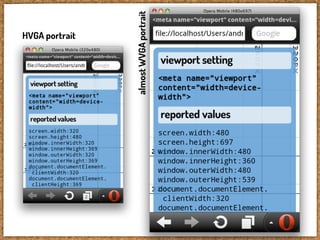
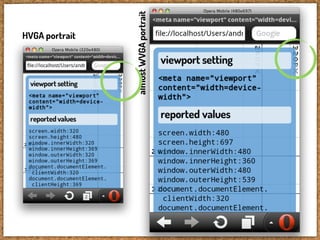
HVGA portrait


almost WVGA portrait
HVGA portrait


almost WVGA portrait
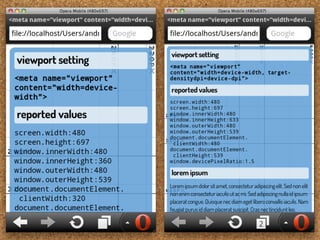
Browser pretends
that 480px is 320px.
In most scenarios, you won’t
have to worry about this.
It just works.
However, if you want to
control PPI related stuff,
these are the things you can do:
almost WVGA portrait
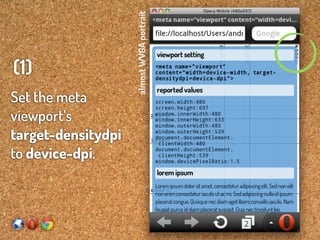
(1)
Set the meta
viewport’s
target-densitydpi
to device-dpi.
almost WVGA portrait
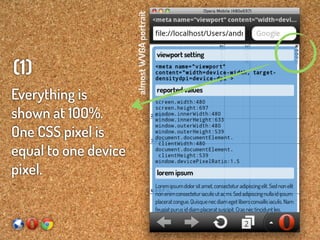
(1)
Everything is
shown at 100%.
One CSS pixel is
equal to one device
pixel.
almost WVGA portrait
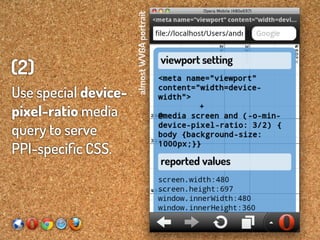
(2)
Use special device-
pixel-ratio media
query to serve
PPI-specific CSS.
almost WVGA portrait
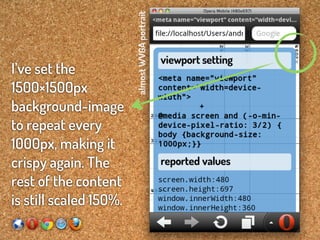
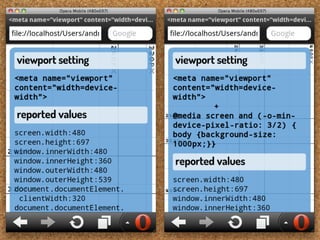
I’ve set the
1500×1500px
background-image
to repeat every
1000px, making it
crispy again. The
rest of the content
is still scaled 150%.
caveats

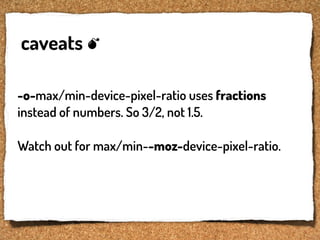
-o-max/min-device-pixel-ratio uses fractions
instead of numbers. So 3/2, not 1.5.

Watch out for max/min--moz-device-pixel-ratio.
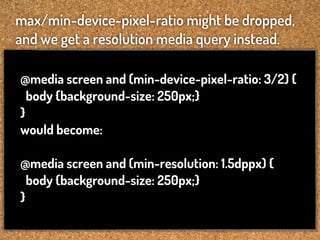
max/min-device-pixel-ratio might be dropped,
and we get a resolution media query instead.

@media screen and (min-device-pixel-ratio: 3/2) {
  body {background-size: 250px;}
}
would become:

@media screen and (min-resolution: 1.5dppx) {
  body {background-size: 250px;}
}
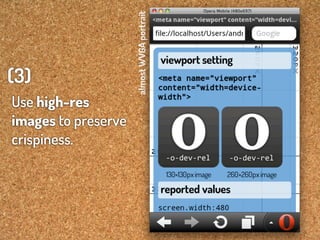
almost WVGA portrait
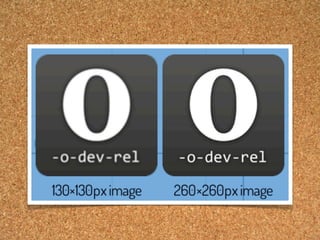
(3)
Use high-res
images to preserve
crispiness.
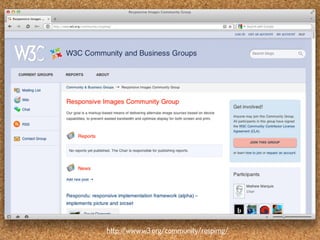
http:/
     /www.w3.org/community/respimg/
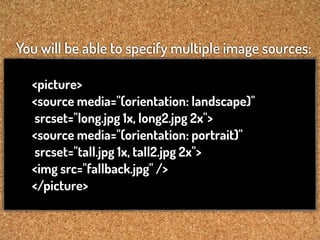
You will be able to specify multiple image sources:

  <picture>
  <source media="(orientation: landscape)"
  srcset="long.jpg 1x, long2.jpg 2x">
  <source media="(orientation: portrait)"
  srcset="tall.jpg 1x, tall2.jpg 2x">
  <img src="fallback.jpg" />
  </picture>
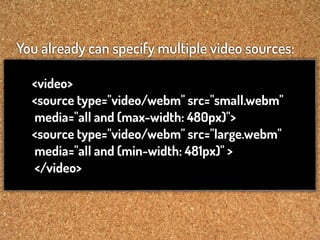
You already can specify multiple video sources:

  <video>
  <source type="video/webm" src="small.webm"
  media="all and (max-width: 480px)">
  <source type="video/webm" src="large.webm"
  media="all and (min-width: 481px)" >
  </video>
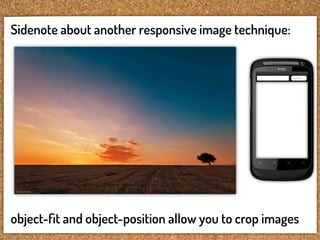
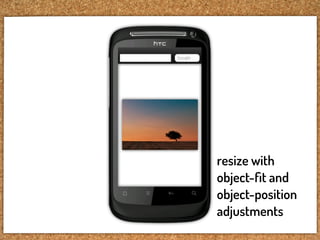
Sidenote about another responsive image technique:


object-fit and object-position allow you to crop images
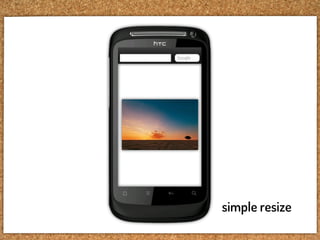
simple resize
resize with
object-fit and
object-position
adjustments
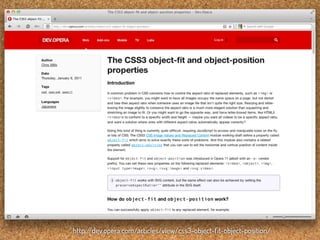
http:/
     /dev.opera.com/articles/view/css3-object-fit-object-position/
http://www.flickr.com/photos/33284937@N04/5588693890/
Why do all this viewport
stuff with <meta> tags?
Isn’t this something for CSS?
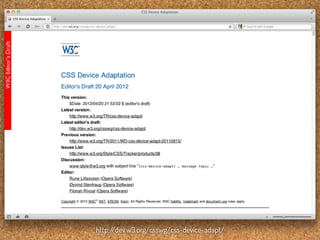
http:/
     /dev.w3.org/csswg/css-device-adapt/
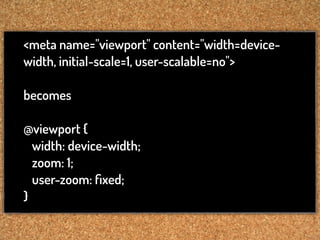
<meta name="viewport" content="width=device-
width, initial-scale=1, user-scalable=no">

becomes

@viewport {
  width: device-width;
  zoom: 1;
  user-zoom: fixed;
}
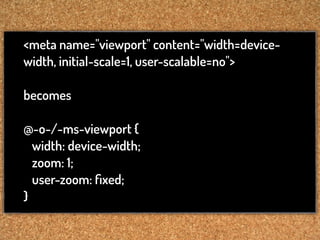
<meta name="viewport" content="width=device-
width, initial-scale=1, user-scalable=no">

becomes

@-o-/-ms-viewport {
  width: device-width;
  zoom: 1;
  user-zoom: fixed;
}
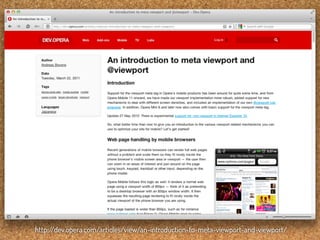
http:/
     /dev.opera.com/articles/view/an-introduction-to-meta-viewport-and-viewport/
Responsive design: techniques and
tricks to prepare your websites for
the multi-screen future                         Andreas Bovens - Opera Software
http://www.flickr.com/photos/redux/7145995789/
Responsive design: techniques and
tricks to prepare your websites for
the multi-screen future nt
                   prese                        Andreas Bovens - Opera Software
http://www.flickr.com/photos/redux/7145995789/
Thank you!
                                              @andreasbovens


Dosis font: http:/
                 /www.impallari.com/dosis
Glyphicons: http:/
                 /glyphicons.com/glyphicons-licenses/
Corkboard background: http:/
                           /psd.tutsplus.com/freebies/texture/corkboard-texture-pack/

Responsive design: techniques and tricks to prepare your websites for the multi-screen future

  • 1.
    Responsive design: techniquesand tricks to prepare your websites for the multi-screen future Andreas Bovens - Opera Software http://www.flickr.com/photos/redux/7145995789/
  • 2.
    Responsive design: techniquesand tricks to prepare your websites for the multi-screen future Andreas Bovens - Opera Software http://www.flickr.com/photos/redux/7145995789/
  • 3.
  • 4.
    “Patterns for Multiscreen Strategies” Coherence Syncronization Screen sharing By Precious http:/ /slidesha.re/kiip5y Device shifting Complementarity Simultaneity These patterns should help understand and define strategies for the multiscreen world.
  • 5.
    Coherence Syncronization Screen sharing Device shifting Complementarity Simultaneity These patterns should help understand and define strategies for the multiscreen world. http:/ /slidesha.re/kiip5y
  • 6.
    “A digital productor service looks and works coherently across devices. Features are optimized for specific device characteristics and usage scenarios.” Coherence http:/ /slidesha.re/kiip5y
  • 7.
    Coherence http://slidesha.re/kiip5y
  • 9.
  • 10.
    small screen rendering aka single column view
  • 14.
  • 22.
    “Nice, but howcan we control this zooming behavior?”
  • 23.
    Let’s talk aboutthe viewport mechanism
  • 24.
    This is theviewport.
  • 25.
    <meta ...> Using a "viewport" meta tag in the <head> of the page...
  • 26.
    ...we can controlpage width & height, zoom level, etc.
  • 29.
    This works in: withsome exceptions ;-)
  • 30.
    http:/ /www.opera.com/developer/tools/mobile/
  • 31.
  • 32.
  • 33.
  • 34.
  • 35.
  • 36.
  • 37.
  • 38.
  • 39.
  • 40.
  • 41.
    HVGA portrait no viewport defined in <head>, so fallback to default of 980px, which is squeezed inside 320px.
  • 42.
    HVGA portrait <meta name="viewport" content="width=320">
  • 43.
    HVGA portrait <meta name="viewport" content="width=320">
  • 44.
    HVGA portrait HVGA landscape <meta name="viewport" content="width=320">
  • 45.
    HVGA portrait <meta name="viewport" content="width=device-width">
  • 46.
    HVGA portrait <meta name="viewport" content="width=device-width">
  • 47.
    HVGA portrait HVGA landscape <meta name="viewport" content="width=device-width">
  • 48.
    HVGA landscape HVGA landscape 480px 320px × 1.5 zoom
  • 49.
    HVGA portrait <meta name="viewport" content="initial-scale=1">
  • 50.
    HVGA portrait <meta name="viewport" content="initial-scale=1">
  • 51.
    HVGA portrait HVGA landscape <meta name="viewport" content="initial-scale=1">
  • 52.
    HVGA portrait HVGA landscape <meta name="viewport" content="initial-scale=1"> (same result as width=device-width)
  • 53.
    HVGA portrait HVGA landscape <meta name="viewport" content="initial-scale=0.5">
  • 54.
    HVGA portrait HVGA landscape <meta name="viewport" content="initial-scale=2">
  • 55.
  • 56.
    HVGA portrait <meta name="viewport" content="width=device-width"> + <div style="width: 600px">
  • 57.
    HVGA portrait <meta name="viewport" content="width=device-width, initial-scale=1"> + <div style="width: 600px">
  • 58.
    other settings maximum-scale=... ,minimum-scale=... <meta name="viewport" content="initial-scale=1, maximum-scale=1.5"> user-scalable=yes|no <meta name="viewport" content="width=320, user-scalable=no"> height=... <meta name="viewport" content="height=device-height">
  • 59.
    other settings maximum-scale=... ,minimum-scale=... <meta name="viewport" content="initial-scale=1, maximum-scale=1.5"> user-scalable=yes|no <meta name="viewport" content="width=320, user-scalable=no"> height=... <meta name="viewport" content="height=device-height">
  • 60.
    other settings maximum-scale=... ,minimum-scale=... <meta name="viewport" content="initial-scale=1, maximum-scale=1.5"> user-scalable=yes|no <meta name="viewport" content="width=320, user-scalable=no"> height=... <meta name="viewport" content="height=device-height">
  • 61.
    other settings maximum-scale=... ,minimum-scale=... <meta name="viewport" content="initial-scale=1, maximum-scale=1.5"> user-scalable=yes|no <meta name="viewport" content="width=320, user-scalable=no"> height=... <meta name="viewport" content="height=device-height">
  • 62.
    Important! Make sure touse commas, not semi-colons as delimiters between viewport values! <meta name="viewport" content="initial-scale=1; user-scalable=no"> <meta name="viewport" content="initial-scale=1, user-scalable=no">
  • 63.
    caveats Android Browser doesn’tsupport user-scalable=no. IE interprets width=device-width as 320px. Safari on iPad always interprets width=device-width as 768px, although it’s 1024px wide in landscape mode. This can be overridden with initial-scale=1, which... triggers a zooming bug* on orientation change. * Patch: https:/ /github.com/scottjehl/iOS-Orientationchange-Fix
  • 64.
  • 65.
    So, how touse this? Sniff for mobile browsers maybe?
  • 66.
    So, how touse this? Sniff for mobile browsers maybe? Better don’t sniff.
  • 74.
    Opera/9.80 (Macintosh; IntelMac OS X 10.5.8; U; en) Presto/2.9.220 Version/12.00

  • 80.
    So, avoid sniffing, butif you really have to, provide a way for users to make corrections, and remember their preference.
  • 81.
    So, avoid sniffing, butif you really have to*, provide a way for users to make corrections, and remember their preference. * always ask yourself why the mobile site should be different from the desktop site
  • 82.
    * always askyourself why the mobile site should be different from the desktop site customer requir ements tim e restrictions budget limitations capabilities are different different layout needed
  • 83.
    * always askyourself why the mobile site should be different from the desktop site customer requir ements tim e restrictions budget limitations capabilities are different different layout needed
  • 84.
    * always askyourself why the mobile site should be different from the desktop site customer requir ements tim e restrictions budget limitations capabilities are different different layout needed capability detection
  • 85.
    * always askyourself why the mobile site should be different from the desktop site customer requir ements tim e restrictions budget limitations capabilities are different different layout needed capability detection viewport + media queries
  • 86.
    Let’s talk aboutmedia queries
  • 87.
    Media queries areconditional hooks for applying different CSS rules, depending on e.g. browser width or height, orientation, aspect ratio, etc.
  • 88.
    Differently said, mediaqueries allow you to optimize your site layout for all kinds of form factors. Via http://mediaqueri.es/
  • 89.
    @media screen and (min-width: 400px) and (max-width: 800px) { article { /* css for browsers with width ≥ 400px and ≤ 800px */ } }
  • 90.
    @media screen and (aspect-ratio: 16/9) and (orientation: landscape) { article { /* css for browsers with an aspect ratio of 16/9 and orientation is landscape */ } }
  • 91.
    @media screen and (max-width: 800px) { article { /* css for browsers with width ≤ 800px */ } } @media screen and (max-width: 400px) { article { /* css for browsers with width ≤ 400px */ } }
  • 92.
    @media screen and(max-width: 400px) { article { /* css for browsers with width ≤ 400px */ } } Remember that mobile browsers have a default viewport width (e.g. 980px). For your mobile specific media queries to work, you need to set the viewport!
  • 94.
    default viewport. width=device-width. mobile specific media mobile specific media queries not applied. queries applied.
  • 95.
    The viewport andmedia queries combo allows you to create just one responsive site that works everywhere.
  • 96.
    Q: What doI start with, desktop or mobile? A: Do mobile first, and build up your desktop styles from there.
  • 97.
    Q: Which devices,screen sizes should I design for? A: All of them! Use content breakpoints, instead of device breakpoints and you’ll get a long way.
  • 98.
    http:/ /www.flickr.com/photos/33284937@N04/5445675024/
  • 99.
  • 100.
    A pixel isnot what it seems. Thus far, we’ve talked about pixels in terms of “CSS pixels”. One CSS pixel can be multiple device pixels.
  • 101.
  • 102.
  • 103.
    almost WVGA portrait Browserpretends that 480px is 320px.
  • 104.
    In most scenarios,you won’t have to worry about this. It just works.
  • 105.
    However, if youwant to control PPI related stuff, these are the things you can do:
  • 106.
    almost WVGA portrait (1) Setthe meta viewport’s target-densitydpi to device-dpi.
  • 107.
    almost WVGA portrait (1) Everythingis shown at 100%. One CSS pixel is equal to one device pixel.
  • 109.
    almost WVGA portrait (2) Usespecial device- pixel-ratio media query to serve PPI-specific CSS.
  • 110.
    almost WVGA portrait I’veset the 1500×1500px background-image to repeat every 1000px, making it crispy again. The rest of the content is still scaled 150%.
  • 112.
    caveats -o-max/min-device-pixel-ratio uses fractions insteadof numbers. So 3/2, not 1.5. Watch out for max/min--moz-device-pixel-ratio.
  • 113.
    max/min-device-pixel-ratio might bedropped, and we get a resolution media query instead. @media screen and (min-device-pixel-ratio: 3/2) { body {background-size: 250px;} } would become: @media screen and (min-resolution: 1.5dppx) { body {background-size: 250px;} }
  • 114.
    almost WVGA portrait (3) Usehigh-res images to preserve crispiness.
  • 116.
    http:/ /www.w3.org/community/respimg/
  • 117.
    You will beable to specify multiple image sources: <picture> <source media="(orientation: landscape)" srcset="long.jpg 1x, long2.jpg 2x"> <source media="(orientation: portrait)" srcset="tall.jpg 1x, tall2.jpg 2x"> <img src="fallback.jpg" /> </picture>
  • 118.
    You already canspecify multiple video sources: <video> <source type="video/webm" src="small.webm" media="all and (max-width: 480px)"> <source type="video/webm" src="large.webm" media="all and (min-width: 481px)" > </video>
  • 119.
    Sidenote about anotherresponsive image technique: object-fit and object-position allow you to crop images
  • 120.
  • 121.
  • 122.
    http:/ /dev.opera.com/articles/view/css3-object-fit-object-position/
  • 123.
  • 124.
    Why do allthis viewport stuff with <meta> tags? Isn’t this something for CSS?
  • 125.
    http:/ /dev.w3.org/csswg/css-device-adapt/
  • 126.
    <meta name="viewport" content="width=device- width,initial-scale=1, user-scalable=no"> becomes @viewport { width: device-width; zoom: 1; user-zoom: fixed; }
  • 127.
    <meta name="viewport" content="width=device- width,initial-scale=1, user-scalable=no"> becomes @-o-/-ms-viewport { width: device-width; zoom: 1; user-zoom: fixed; }
  • 128.
    http:/ /dev.opera.com/articles/view/an-introduction-to-meta-viewport-and-viewport/
  • 129.
    Responsive design: techniquesand tricks to prepare your websites for the multi-screen future Andreas Bovens - Opera Software http://www.flickr.com/photos/redux/7145995789/
  • 130.
    Responsive design: techniquesand tricks to prepare your websites for the multi-screen future nt prese Andreas Bovens - Opera Software http://www.flickr.com/photos/redux/7145995789/
  • 131.
    Thank you! @andreasbovens Dosis font: http:/ /www.impallari.com/dosis Glyphicons: http:/ /glyphicons.com/glyphicons-licenses/ Corkboard background: http:/ /psd.tutsplus.com/freebies/texture/corkboard-texture-pack/