responsive awareness
@ onehundred _ be
        web ninja with these days


                      that’s me
• in general
• design
• development


                who?
responsive awareness

              in general
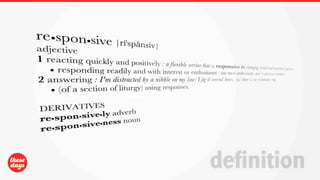
definition
“responsive is the way the web should be”
                                there, i said it


                             quotable
• one interface fits all
• all web capable devices
• optimized user experience at all times


                                wait, what?
• one interface fits all (website, app...)
• all web capable devices
• optimized user experience at all times


                                  wait, what?
• let’s take a look at a live example


                          http://playground.thesedays.com/responsive


                                              in action
• depending on the screen width an appropriate version gets served


                                              awesome
• discrimination sucks
• no standard in display sizes
• smartphone sales will surpass worldwide pc sales by the end of 2011
• easier & faster maintenance
• much lower cost
• user agent detection is unreliable and evolves too fast


                                                            why
• will we need a 5 times bigger budget?
• will we need 5 times more time?
• do all websites need to be responsive from now on?


                     in general wrap up
responsive awareness

                design
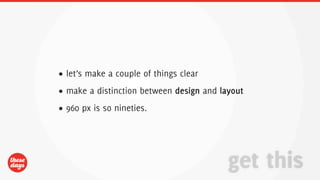
• let’s make a couple of things clear
• make a distinction between design and layout
• 960 px is so nineties.


                                          get this
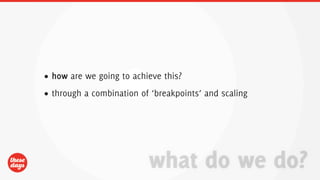
• how are we going to achieve this?
• through a combination of ‘breakpoints’ and scaling


                          what do we do?
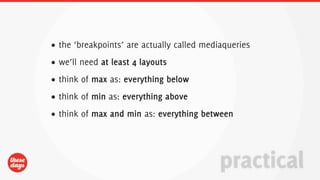
• the ‘breakpoints’ are actually called mediaqueries
• we’ll need at least 4 layouts
• think of max as: everything below
• think of min as: everything above
• think of max and min as: everything between


                                            practical
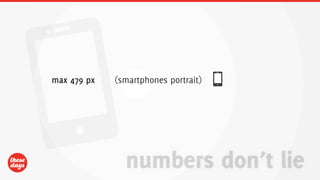
max 479 px   (smartphones portrait)


               numbers don’t lie
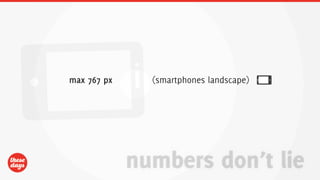
max 767 px     (smartphones landscape)


             numbers don’t lie
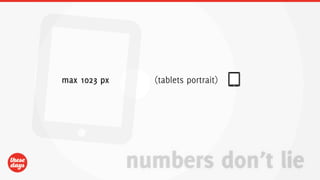
max 1023 px     (tablets portrait)


              numbers don’t lie
min 1024 px


              numbers don’t lie
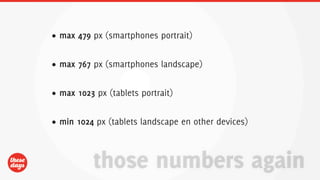
• max 479 px (smartphones portrait)


• max 767 px (smartphones landscape)


• max 1023 px (tablets portrait)


• min 1024 px (tablets landscape en other devices)


          those numbers again
“sorry to say, 4 isn’t enough”


                       seriously?
DESIGN
• sorry to say 4 isn’t enough
• max 479 px (smartphones portrait)
• min 480 px and max 767 px (smartphones landscape)
• min 768 px and max 1023 px (tablets portrait)
• min 1024 px and max 1280 px(tablets landscape en other devices)
• min 1281 px and max 1439 px
• min 1440 px and max 1919 px
• min 1920 px
DESIGN
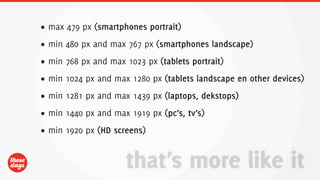
• max 479 px (smartphones portrait)
• min 480 px and max 767 px (smartphones landscape)
• min 768 px and max 1023 px (tablets portrait)
• min 1024 px and max 1280 px (tablets landscape en other devices)
• min 1281 px and max 1439 px (laptops, dekstops)
• min 1440 px and max 1919 px (pc’s, tv’s)
• min 1920 px (HD screens)


                     that’s more like it
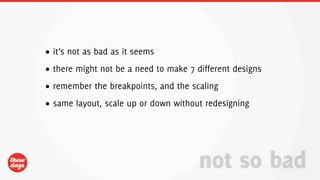
• it’s not as bad as it seems
• there might not be a need to make 7 different designs
• remember the breakpoints, and the scaling
• same layout, scale up or down without redesigning


                                       not so bad
“suggested workflow”


                       cycle
1. sketch


            cycle
2. information architecture


                              cycle
3. visual mockups


                    cycle
4. start design


                  cycle
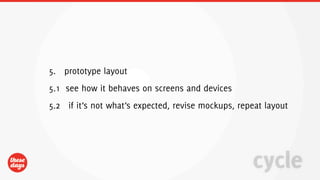
5. prototype layout
5.1 see how it behaves on screens and devices
5.2 if it’s not what’s expected, revise mockups, repeat layout


                                                    cycle
6. implement design


                      cycle
1. sketches
2. information architecture
3. visual mockups
4. start design
5. prototype layout
  1. see how it behaves on screens and devices
  2. if it’s not what’s expected, revise mockups, repeat layout
6. implement design


                                                      cycle
“that’s not how we do things”


                     oh really?
“that’s not how we do things”


            embrace change
• design functional
• images suck
• don’t punish slow connections with unnecessary media
• think mobile
• think touch
• different behavior
• design contextual stuff together using illustrator or fireworks


                                          design tips
• information architecture is so important
• do not change layout during development
• small changes might have a big impact on development
• get familiar with smartphones and tablets


                                      just saying
responsive awareness

          development
• it’s all about speed
• graceful degradation or progressive enhancement
• don’t spoil old browsers, otherwise people will never upgrade


                                keep in mind
“a broken escalator is just stairs”
                            mitch hedberg


        graceful degradation
• start from a framework, or build your own
• configure your server
• be smart with resources
• please make sexy urls


                                        in general
• html5
• css3
• javascript


               technologies
• semantics
• appcache
• use field types (url, phone, email...)
• don’t stop there


                            html5
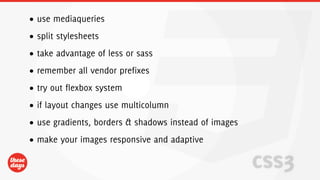
• use mediaqueries
• split stylesheets
• take advantage of less or sass
• remember all vendor prefixes
• try out flexbox system
• if layout changes use multicolumn
• use gradients, borders & shadows instead of images
• make your images responsive and adaptive

                                                       css3
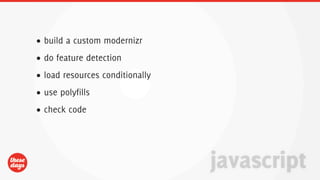
• build a custom modernizr
• do feature detection
• load resources conditionally
• use polyfills
• check code


                                 javascript
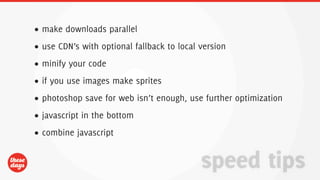
• make downloads parallel
• use CDN’s with optional fallback to local version
• minify your code
• if you use images make sprites
• photoshop save for web isn’t enough, use further optimization
• javascript in the bottom
• combine javascript


                                            speed tips
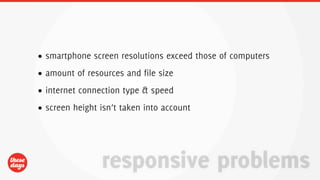
• smartphone screen resolutions exceed those of computers
• amount of resources and file size
• internet connection type & speed
• screen height isn’t taken into account


                responsive problems
• better compatibility
• support for DPI
• lots of happy web users


                            future
•   http://flickr.com/photos/dynamosquito/4132923995/
•   http://screenshotworld.blogspot.com/2007/06/pulp-fiction-1994.html
•   http://www.morganstanley.com/institutional/techresearch/internet_ad_trends102009.html
•   http://www.morganstanley.com/institutional/techresearch/pdfs/MS_Economy_Internet_Trends_102009_FINAL.pdf
•   http://www.pcworld.com/article/171380/more_smartphones_than_desktop_pcs_by_2011.html
•   http://venturebeat.com/2009/08/27/admob-finds-android-app-users-more-scarce-but-just-as-obsessed-as-iphone-app-users/
•   http://www.slideshare.net/yiibu/pragmatic-responsive-design
•   http://www.slideshare.net/livefront/responsive-design-7877412
•   http://www.slideshare.net/nzakas/progressive-enhancement-20-conference-agnostic
•   http://www.webdesignerdepot.com/2011/09/the-ultimate-responsive-web-design-roundup/


                                                                                           sources
•   mediaqueri.es
•   less css
•   less compiler mac
•   less compiler windows
•   sass css
•   css prefixer
•   responsive images
•   adaptive images
•   polyfills
•   imageoptim


                            useful links
“questions?”


               let’s talk
“discussion and questions”


                     let’s talk
“thank you”


       much obliged

responsive awareness

  • 1.
  • 2.
    @ onehundred _be web ninja with these days that’s me
  • 3.
    • in general •design • development who?
  • 4.
  • 5.
  • 7.
    “responsive is theway the web should be” there, i said it quotable
  • 8.
    • one interfacefits all • all web capable devices • optimized user experience at all times wait, what?
  • 9.
    • one interfacefits all (website, app...) • all web capable devices • optimized user experience at all times wait, what?
  • 10.
    • let’s takea look at a live example http://playground.thesedays.com/responsive in action
  • 11.
    • depending onthe screen width an appropriate version gets served awesome
  • 12.
    • discrimination sucks •no standard in display sizes • smartphone sales will surpass worldwide pc sales by the end of 2011 • easier & faster maintenance • much lower cost • user agent detection is unreliable and evolves too fast why
  • 13.
    • will weneed a 5 times bigger budget? • will we need 5 times more time? • do all websites need to be responsive from now on? in general wrap up
  • 14.
  • 15.
    • let’s makea couple of things clear • make a distinction between design and layout • 960 px is so nineties. get this
  • 16.
    • how arewe going to achieve this? • through a combination of ‘breakpoints’ and scaling what do we do?
  • 17.
    • the ‘breakpoints’are actually called mediaqueries • we’ll need at least 4 layouts • think of max as: everything below • think of min as: everything above • think of max and min as: everything between practical
  • 18.
    max 479 px (smartphones portrait) numbers don’t lie
  • 19.
    max 767 px (smartphones landscape) numbers don’t lie
  • 20.
    max 1023 px (tablets portrait) numbers don’t lie
  • 21.
    min 1024 px numbers don’t lie
  • 22.
    • max 479px (smartphones portrait) • max 767 px (smartphones landscape) • max 1023 px (tablets portrait) • min 1024 px (tablets landscape en other devices) those numbers again
  • 23.
    “sorry to say,4 isn’t enough” seriously?
  • 24.
    DESIGN • sorry tosay 4 isn’t enough • max 479 px (smartphones portrait) • min 480 px and max 767 px (smartphones landscape) • min 768 px and max 1023 px (tablets portrait) • min 1024 px and max 1280 px(tablets landscape en other devices) • min 1281 px and max 1439 px • min 1440 px and max 1919 px • min 1920 px
  • 25.
    DESIGN • max 479px (smartphones portrait) • min 480 px and max 767 px (smartphones landscape) • min 768 px and max 1023 px (tablets portrait) • min 1024 px and max 1280 px (tablets landscape en other devices) • min 1281 px and max 1439 px (laptops, dekstops) • min 1440 px and max 1919 px (pc’s, tv’s) • min 1920 px (HD screens) that’s more like it
  • 26.
    • it’s notas bad as it seems • there might not be a need to make 7 different designs • remember the breakpoints, and the scaling • same layout, scale up or down without redesigning not so bad
  • 27.
  • 28.
  • 29.
  • 30.
  • 31.
  • 32.
    5. prototype layout 5.1see how it behaves on screens and devices 5.2 if it’s not what’s expected, revise mockups, repeat layout cycle
  • 33.
  • 34.
    1. sketches 2. informationarchitecture 3. visual mockups 4. start design 5. prototype layout 1. see how it behaves on screens and devices 2. if it’s not what’s expected, revise mockups, repeat layout 6. implement design cycle
  • 35.
    “that’s not howwe do things” oh really?
  • 36.
    “that’s not howwe do things” embrace change
  • 37.
    • design functional •images suck • don’t punish slow connections with unnecessary media • think mobile • think touch • different behavior • design contextual stuff together using illustrator or fireworks design tips
  • 38.
    • information architectureis so important • do not change layout during development • small changes might have a big impact on development • get familiar with smartphones and tablets just saying
  • 39.
  • 40.
    • it’s allabout speed • graceful degradation or progressive enhancement • don’t spoil old browsers, otherwise people will never upgrade keep in mind
  • 41.
    “a broken escalatoris just stairs” mitch hedberg graceful degradation
  • 42.
    • start froma framework, or build your own • configure your server • be smart with resources • please make sexy urls in general
  • 43.
    • html5 • css3 •javascript technologies
  • 44.
    • semantics • appcache •use field types (url, phone, email...) • don’t stop there html5
  • 45.
    • use mediaqueries •split stylesheets • take advantage of less or sass • remember all vendor prefixes • try out flexbox system • if layout changes use multicolumn • use gradients, borders & shadows instead of images • make your images responsive and adaptive css3
  • 46.
    • build acustom modernizr • do feature detection • load resources conditionally • use polyfills • check code javascript
  • 47.
    • make downloadsparallel • use CDN’s with optional fallback to local version • minify your code • if you use images make sprites • photoshop save for web isn’t enough, use further optimization • javascript in the bottom • combine javascript speed tips
  • 48.
    • smartphone screenresolutions exceed those of computers • amount of resources and file size • internet connection type & speed • screen height isn’t taken into account responsive problems
  • 49.
    • better compatibility •support for DPI • lots of happy web users future
  • 50.
    http://flickr.com/photos/dynamosquito/4132923995/ • http://screenshotworld.blogspot.com/2007/06/pulp-fiction-1994.html • http://www.morganstanley.com/institutional/techresearch/internet_ad_trends102009.html • http://www.morganstanley.com/institutional/techresearch/pdfs/MS_Economy_Internet_Trends_102009_FINAL.pdf • http://www.pcworld.com/article/171380/more_smartphones_than_desktop_pcs_by_2011.html • http://venturebeat.com/2009/08/27/admob-finds-android-app-users-more-scarce-but-just-as-obsessed-as-iphone-app-users/ • http://www.slideshare.net/yiibu/pragmatic-responsive-design • http://www.slideshare.net/livefront/responsive-design-7877412 • http://www.slideshare.net/nzakas/progressive-enhancement-20-conference-agnostic • http://www.webdesignerdepot.com/2011/09/the-ultimate-responsive-web-design-roundup/ sources
  • 51.
    mediaqueri.es • less css • less compiler mac • less compiler windows • sass css • css prefixer • responsive images • adaptive images • polyfills • imageoptim useful links
  • 52.
    “questions?” let’s talk
  • 53.
  • 54.
    “thank you” much obliged