By: Anita Lesage

RESOURCES
PLANBOARDAPP

• Organize your classroom with this lesson planning and organization app.
Create classroom schedules, reminder notes, link video’s all in one
location.
https://www.planboardapp.com/
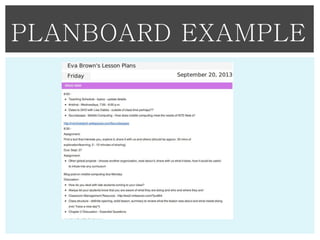
PLANBOARD EXAMPLE
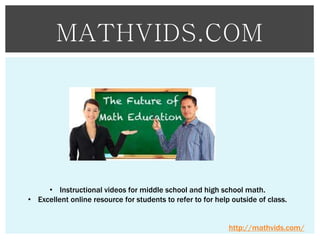
MATHVIDS.COM

• Instructional videos for middle school and high school math.
• Excellent online resource for students to refer to for help outside of class.

http://mathvids.com/
SMITHSONIAN

• Have your students complete a web quest to earn digital badges using
the Smithsonian’s Centre for Learning and Digital Access.
• Use Skype to have an expert virtually communicate with your class as a
guest speaker.
http://www.si.edu/
GOOGLE DRIVE

• Cloud computing
• Storage Site
• Sharing your files, presentations
http://www.google.com/drive
APPS GONE FREE

• This iPad, iPhone app is free to download.
• Get high quality paid apps for free for a period of time.
• You are able to download the full versions free of charge.
AppsGoneFree
TWITTER

• Social networking site
• Find resources
• Connect with other
https://twitter.com/
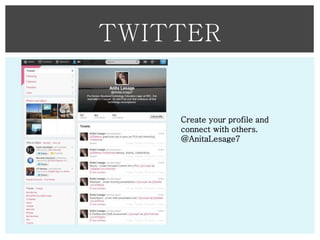
TWITTER

Create your profile and
connect with others.
@AnitaLesage7
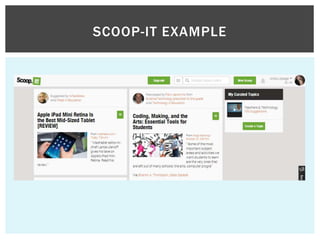
SCOOP-IT

• You can connect with your Linkedin, Google+, Facebook and Twitter.
• The idea is that you scoop any concept in which you may like and share
with those around you.
• By attaching it to your Twitter account it will send out a tweet of what you
have scooped.
• Others can then follow and read the information.
http://www.scoop.it/
SCOOP-IT EXAMPLE
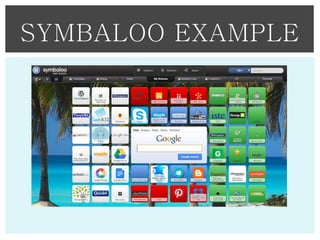
SYMBALOO

• Allows you to save all of your resources in one simple location
• Create a web mix of web resources and share it easily with your class
• Find hundreds of web mixes full of resources for a wide variety of
subject areas
http://www.symbalooedu.com/
SYMBALOO EXAMPLE
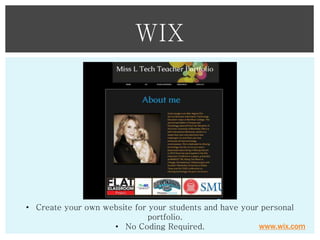
WIX

• Create your own website for your students and have your personal
portfolio.
www.wix.com
• No Coding Required.
MENTORMOB

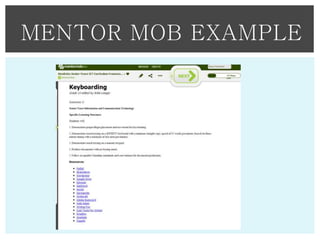
• Create, research and copy playlists for yourself either through
collaboration, or individually.
• Learning playlists can be embedded into blogs and websites
• Delivers high-quality professional development for teachers, and
allows students to construct their own ideas.
• You are able to find information about any subject area, including
technology implementation.
http://www.mentormob.com/
MENTOR MOB EXAMPLE
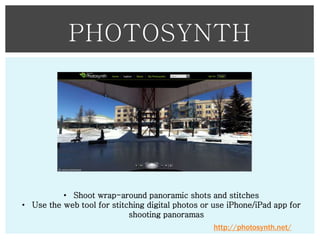
PHOTOSYNTH

• Shoot wrap-around panoramic shots and stitches
• Use the web tool for stitching digital photos or use iPhone/iPad app for
shooting panoramas
http://photosynth.net/
POWTOONS

• Create quick free accounts that are accessible from anywhere online.
• PowToon is the best free animated presentation online software tool and
PowerPoint alternative that supercharges your presentations and
animated videos.
• Save time and create awesome animated explainer video clips that bring
the WOW factor to your demos, and presentations.
• Create cool social media clips
• Give awesome animated. http://www.powtoon.com/
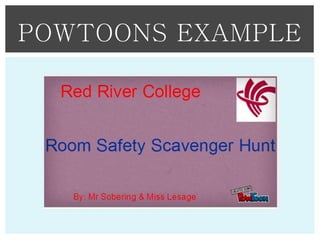
POWTOONS EXAMPLE
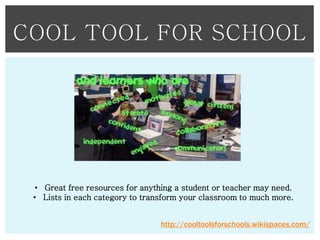
COOL TOOL FOR SCHOOL

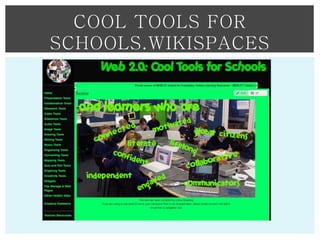
• Great free resources for anything a student or teacher may need.
• Lists in each category to transform your classroom to much more.
http://cooltoolsforschools.wikispaces.com/
COOL TOOLS FOR
SCHOOLS.WIKISPACES
DIIGO

• Social bookmarking site
• Highlight, bookmark and comment on your sites.
• Create your own groups
https://www.diigo.com/
DIIGO
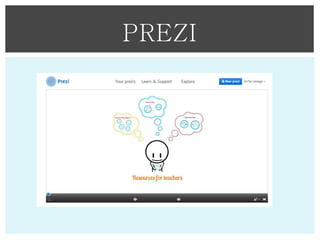
PREZI

• Create unique and interesting presentation
• Cloud based program
• Collaborative work

http://prezi.com/
PREZI
KHAN ACADEMY

• Video library of free instruction and interactive assessments
• Teachers are able to follow what each student is learning and see a realtime report
• Not just science – maths, computer science, history, economics, finances
and medicine.
https://www.khanacademy.org/
RED PEN TOOL

• Create your task
• Create your assignment
• Upload the work
• Annotate the work
• Mark the work
http://www.redpentool.com/
ANIMOTO

• Cloud Computing
• Make your photos, video clips and music into a presentation
video.

www.animoto.com
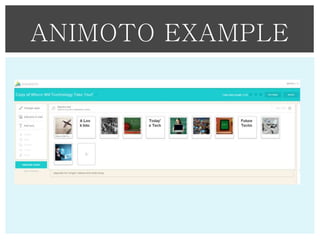
ANIMOTO EXAMPLE
HAIKU DECK

• Designed to make visually stunning presentations
• Simple to work with, providing fun finished products
• Start with an idea, add background photos, using either your own or
choose from many preloaded images.
HAIKU DECK EXAMPLE
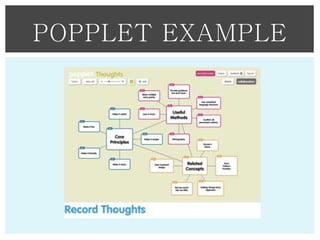
POPPLET

• Popplet is a place for your brainstorming and organizing ideas.
• It is used as a space to create galleries, record and organize your
thoughts, and most importantly, do it through collaboration.

http://popplet.com/
POPPLET EXAMPLE
NEARPOD

• Have real time assessments completed.
• Students can be engage virtually with live feeds for full comprehension.

Nearpod
DISCOVR

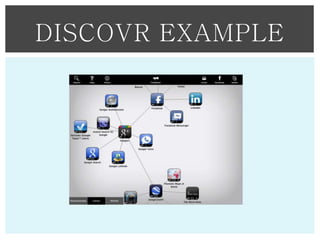
• Find apps relative to the topic of your choice
• Send your findings to your friends.

Discovr
DISCOVR EXAMPLE
By: Anita Lesage

SUMMARY
SOMETHING TO REMEMBER

• Technology can be used for all curriculum areas.
• Presentations occur in every class
• Organizational tools
• Assessment tools
• Research tools
• Student interaction, collaboration and creativity as part of ISTE nets
• You will adapt and use the tools that best suit your needs for your
classroom.
• Use these skills to your skill level, and the tools that will work for
you and your students.
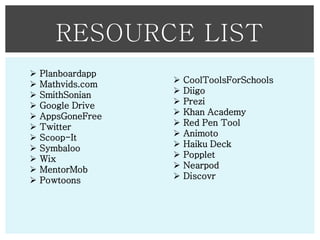
RESOURCE LIST












Planboardapp
Mathvids.com
SmithSonian
Google Drive
AppsGoneFree
Twitter
Scoop-It
Symbaloo
Wix
MentorMob
Powtoons












CoolToolsForSchools
Diigo
Prezi
Khan Academy
Red Pen Tool
Animoto
Haiku Deck
Popplet
Nearpod
Discovr

Resource presentation

  • 1.
  • 2.
    PLANBOARDAPP • Organize yourclassroom with this lesson planning and organization app. Create classroom schedules, reminder notes, link video’s all in one location. https://www.planboardapp.com/
  • 3.
  • 4.
    MATHVIDS.COM • Instructional videosfor middle school and high school math. • Excellent online resource for students to refer to for help outside of class. http://mathvids.com/
  • 5.
    SMITHSONIAN • Have yourstudents complete a web quest to earn digital badges using the Smithsonian’s Centre for Learning and Digital Access. • Use Skype to have an expert virtually communicate with your class as a guest speaker. http://www.si.edu/
  • 6.
    GOOGLE DRIVE • Cloudcomputing • Storage Site • Sharing your files, presentations http://www.google.com/drive
  • 7.
    APPS GONE FREE •This iPad, iPhone app is free to download. • Get high quality paid apps for free for a period of time. • You are able to download the full versions free of charge. AppsGoneFree
  • 8.
    TWITTER • Social networkingsite • Find resources • Connect with other https://twitter.com/
  • 9.
    TWITTER Create your profileand connect with others. @AnitaLesage7
  • 10.
    SCOOP-IT • You canconnect with your Linkedin, Google+, Facebook and Twitter. • The idea is that you scoop any concept in which you may like and share with those around you. • By attaching it to your Twitter account it will send out a tweet of what you have scooped. • Others can then follow and read the information. http://www.scoop.it/
  • 11.
  • 12.
    SYMBALOO • Allows youto save all of your resources in one simple location • Create a web mix of web resources and share it easily with your class • Find hundreds of web mixes full of resources for a wide variety of subject areas http://www.symbalooedu.com/
  • 13.
  • 14.
    WIX • Create yourown website for your students and have your personal portfolio. www.wix.com • No Coding Required.
  • 15.
    MENTORMOB • Create, researchand copy playlists for yourself either through collaboration, or individually. • Learning playlists can be embedded into blogs and websites • Delivers high-quality professional development for teachers, and allows students to construct their own ideas. • You are able to find information about any subject area, including technology implementation. http://www.mentormob.com/
  • 16.
  • 17.
    PHOTOSYNTH • Shoot wrap-aroundpanoramic shots and stitches • Use the web tool for stitching digital photos or use iPhone/iPad app for shooting panoramas http://photosynth.net/
  • 18.
    POWTOONS • Create quickfree accounts that are accessible from anywhere online. • PowToon is the best free animated presentation online software tool and PowerPoint alternative that supercharges your presentations and animated videos. • Save time and create awesome animated explainer video clips that bring the WOW factor to your demos, and presentations. • Create cool social media clips • Give awesome animated. http://www.powtoon.com/
  • 19.
  • 20.
    COOL TOOL FORSCHOOL • Great free resources for anything a student or teacher may need. • Lists in each category to transform your classroom to much more. http://cooltoolsforschools.wikispaces.com/
  • 21.
  • 22.
    DIIGO • Social bookmarkingsite • Highlight, bookmark and comment on your sites. • Create your own groups https://www.diigo.com/
  • 23.
  • 24.
    PREZI • Create uniqueand interesting presentation • Cloud based program • Collaborative work http://prezi.com/
  • 25.
  • 26.
    KHAN ACADEMY • Videolibrary of free instruction and interactive assessments • Teachers are able to follow what each student is learning and see a realtime report • Not just science – maths, computer science, history, economics, finances and medicine. https://www.khanacademy.org/
  • 27.
    RED PEN TOOL •Create your task • Create your assignment • Upload the work • Annotate the work • Mark the work http://www.redpentool.com/
  • 28.
    ANIMOTO • Cloud Computing •Make your photos, video clips and music into a presentation video. www.animoto.com
  • 29.
  • 30.
    HAIKU DECK • Designedto make visually stunning presentations • Simple to work with, providing fun finished products • Start with an idea, add background photos, using either your own or choose from many preloaded images.
  • 31.
  • 32.
    POPPLET • Popplet isa place for your brainstorming and organizing ideas. • It is used as a space to create galleries, record and organize your thoughts, and most importantly, do it through collaboration. http://popplet.com/
  • 33.
  • 34.
    NEARPOD • Have realtime assessments completed. • Students can be engage virtually with live feeds for full comprehension. Nearpod
  • 35.
    DISCOVR • Find appsrelative to the topic of your choice • Send your findings to your friends. Discovr
  • 36.
  • 37.
  • 38.
    SOMETHING TO REMEMBER •Technology can be used for all curriculum areas. • Presentations occur in every class • Organizational tools • Assessment tools • Research tools • Student interaction, collaboration and creativity as part of ISTE nets • You will adapt and use the tools that best suit your needs for your classroom. • Use these skills to your skill level, and the tools that will work for you and your students.
  • 39.