BY
B.SAKTHIBALA
I.M.SC(CS)
DEFINITION
 RMI stands for Remote Method Invocation. It is a
mechanism that allows an object residing in one
system (JVM) to access/invoke an object running on
another JVM.
 RMI is used to build distributed applications; it
provides remote communication between Java
programs. It is provided in the package java.rmi
APPLICATION
Stub
skeleton
STUB:
The stub object on the client
machine builds an information block and
send.
Information to the server.
The block consists an identifier of the re
mote object to be used.
Method name which is to be invoked
Parameters to the remote JVM.
UNDERSTANDING STUB &SKELETON
 RMI uses stub and skeleton object for communication
with the remote object.
 A remote object is an object whose method can be
invoked from another JVM. Let's understand the stub
and skeleton objects
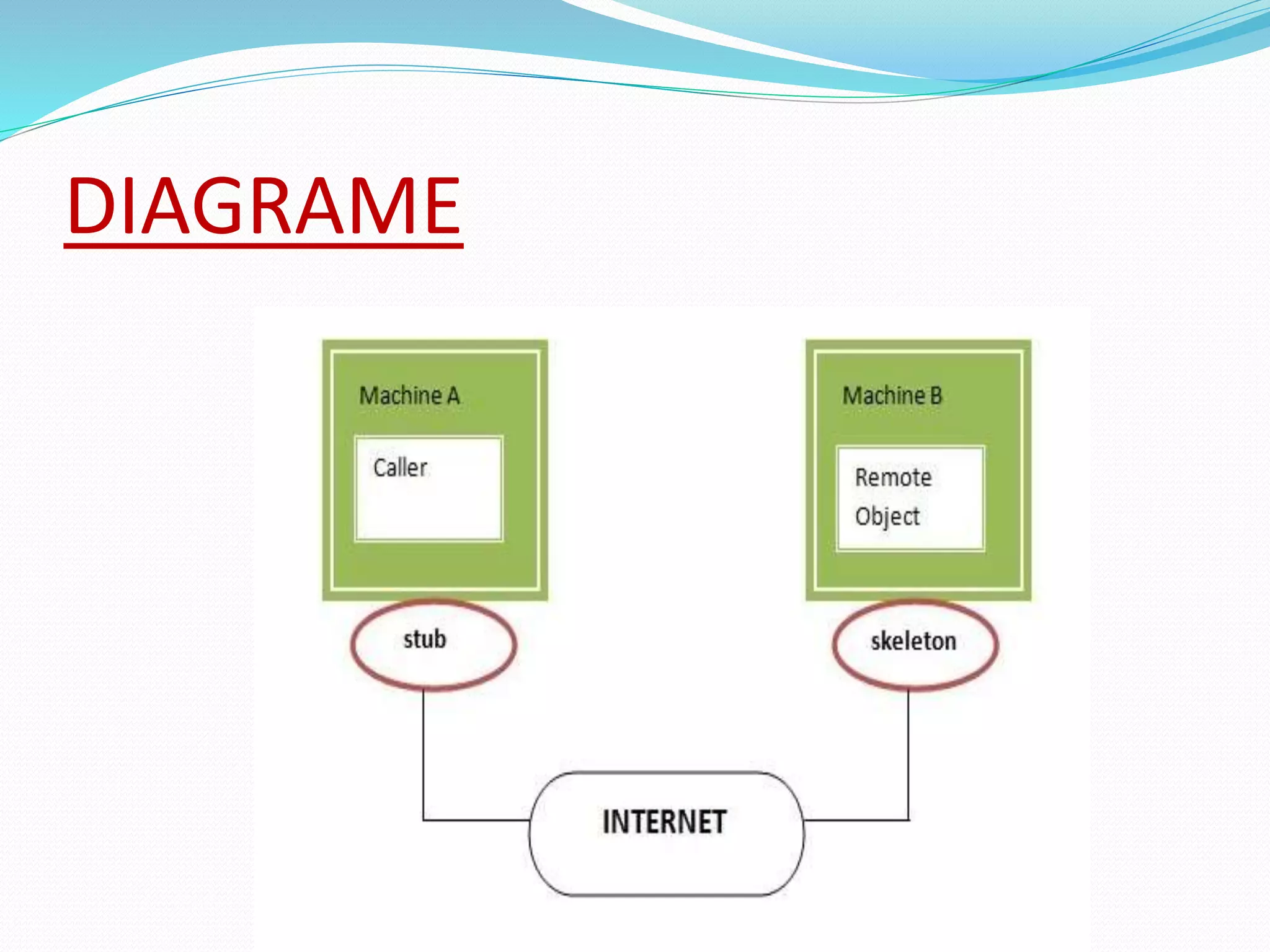
DIAGRAME
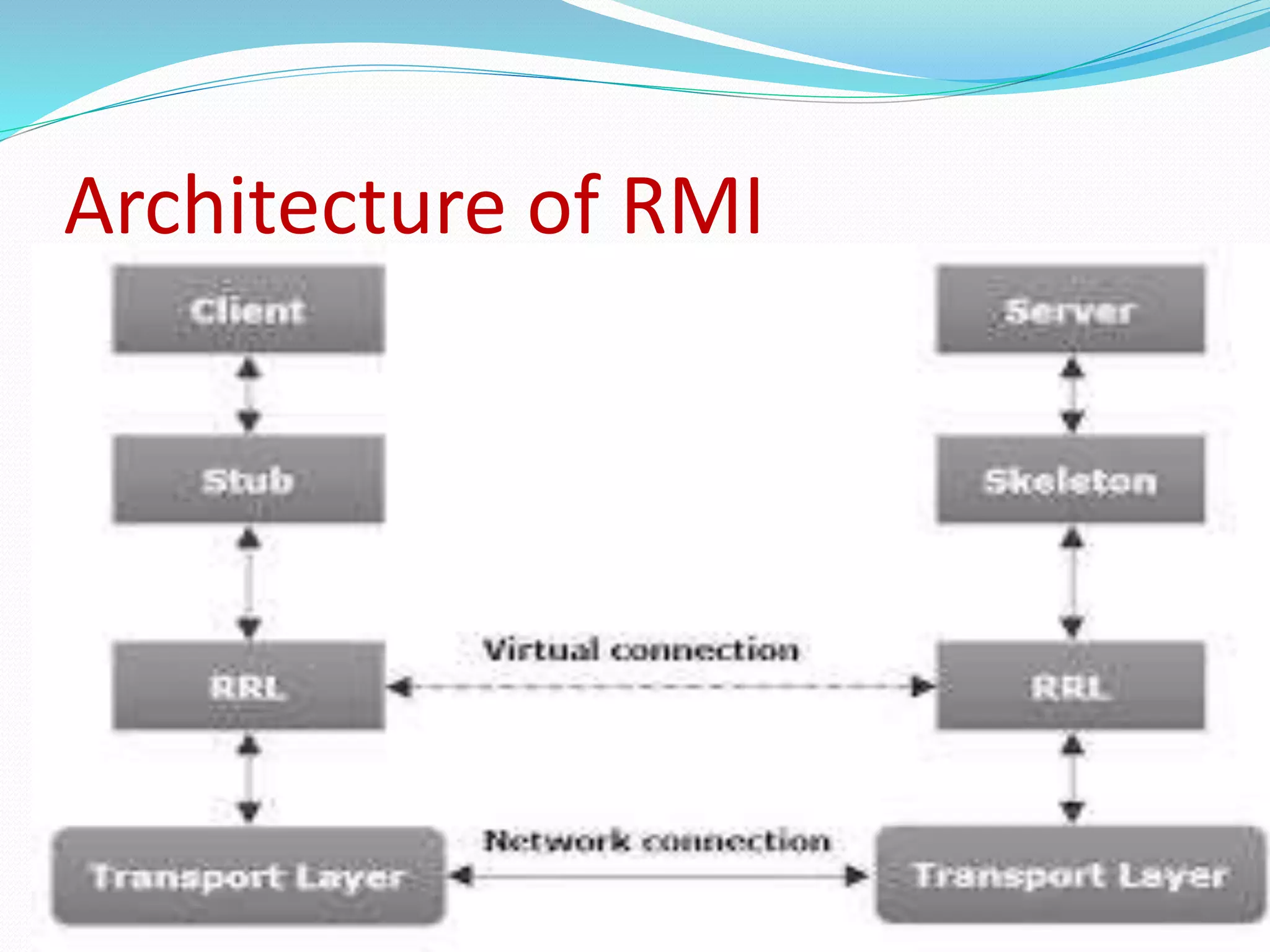
Architecture of RMI
CLIENT &SERVER
 In CIient server computing, the clients requests a
resource and the server provides that resource.
 A server may serve multiple client is in contact with
only one server.
 Both client and server usually communicate via a
computer network. but sometimes they may reside in
the same system.
STUB AND SKELETON IN RMI
 The STUB is the class that implements the remote
interface.
 It server as a client-side placeholder for the remote
object.
 The stub communicates with the server-side
SKELETON.
 The SKLETON is the STUB’s counterpart on Server-
side.
RRL(Remote reference layer)
RRL(Remote Reference Layer) :
 It is the layer which manages the
references made by the client to the
remote object.
TRANSPORT LAYER
 Transport Layer provides transparent transfer of data
between end users, providing reliable data transfer
services to the upper layers.
 The transport layer controls the reliability of a given
link through flow control, segmentation and
Desegmentation, and error control.
DIAGRAM
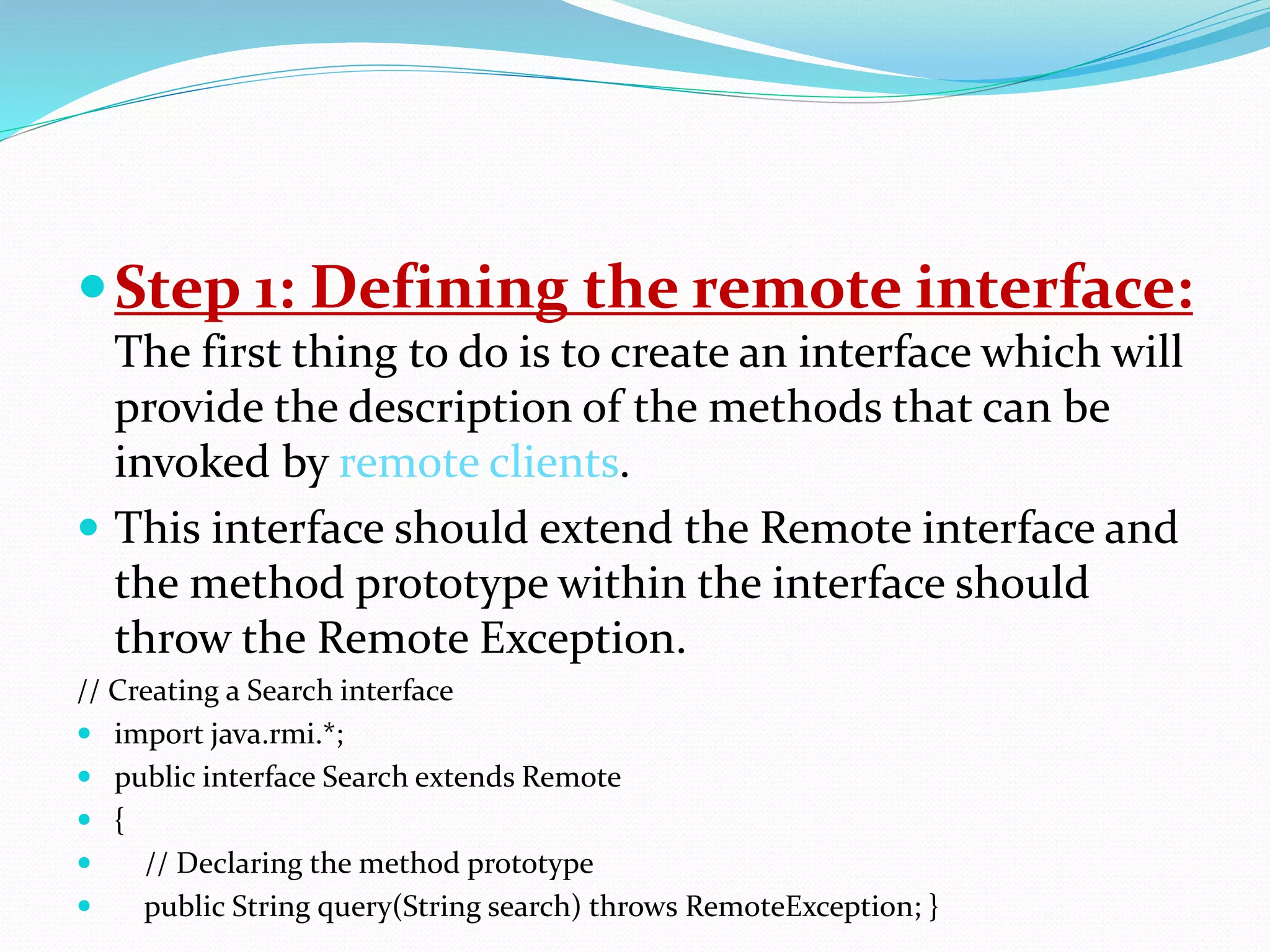
 six steps to write the RMI program
in java:
 Creation of remote interface .
 Provide the implementation of the remote interface.
 Compile the implementation class and create the stub
and skeleton objects using the rmi tool.
 Start the registry service by rmi registry tool .
 Write and start the remote application .
 Write and start the client application.
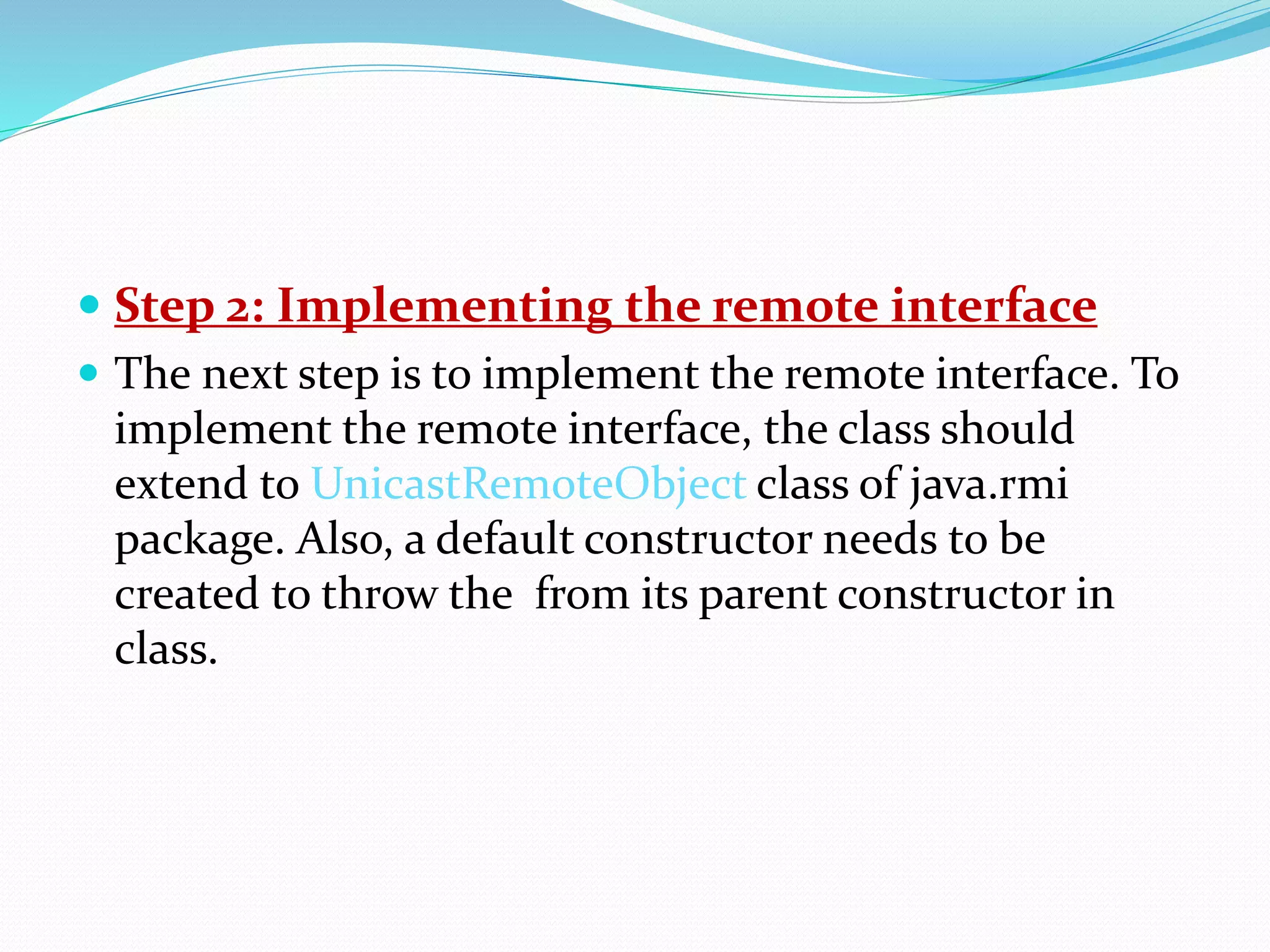
Step 1: Defining the remote interface:
The first thing to do is to create an interface which will
provide the description of the methods that can be
invoked by remote clients.
 This interface should extend the Remote interface and
the method prototype within the interface should
throw the Remote Exception.
// Creating a Search interface
 import java.rmi.*;
 public interface Search extends Remote
 {
 // Declaring the method prototype
 public String query(String search) throws RemoteException; }
 Step 2: Implementing the remote interface
 The next step is to implement the remote interface. To
implement the remote interface, the class should
extend to UnicastRemoteObject class of java.rmi
package. Also, a default constructor needs to be
created to throw the from its parent constructor in
class.
Step 3: Creating Stub and Skeleton objects from the
implementation class using rmic
The rmic tool is used to invoke the rmi compiler that
creates the Stub and Skeleton objects. Its prototype is
rmic classname.
For above program the following command need to be
executed at the command prompt
rmic SearchQuery.
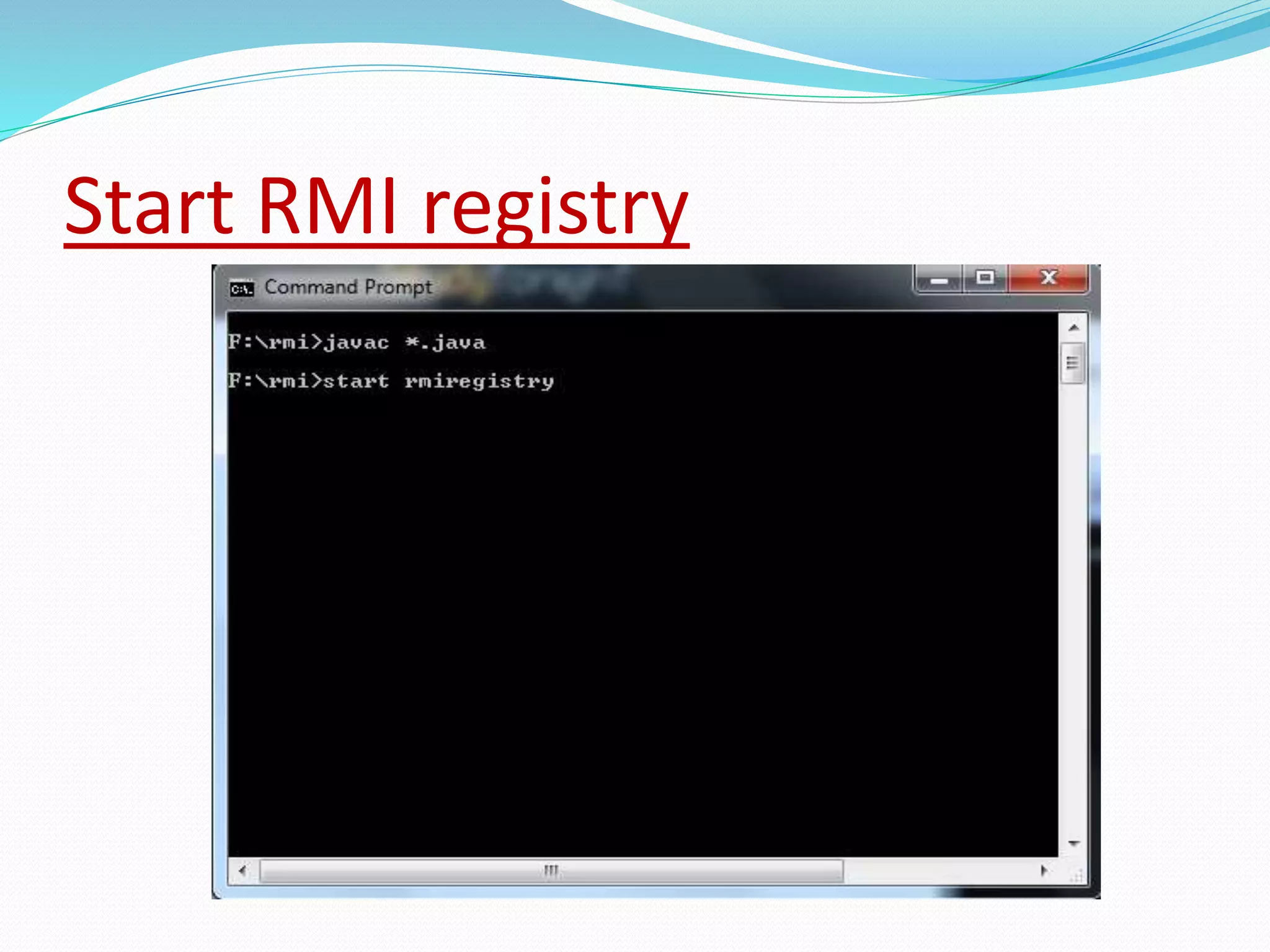
 STEP 4: Start the rmiregistry
Start the registry service by issuing the following
command at the command prompt start rmiregistry
 STEP 5: Create and execute the server application
program
The next step is to create the server application
program and execute it on a separate command
prompt.
 //program for client application
 import java.rmi.*;
 public class ClientRequest
 {
 public static void main(String args[])
 {
 String answer,value="Reflection in Java";
 try
 {
 // lookup method to find reference of remote object
 Search access =
 (Search)Naming.lookup("rmi://localhost:1900"+
 "/geeksforgeeks");
 answer = access.query(value);
 System.out.println("Article on " + value +
 " " + answer+" at GeeksforGeeks");
 }
 catch(Exception ae) { system.out.println(ae);}}}
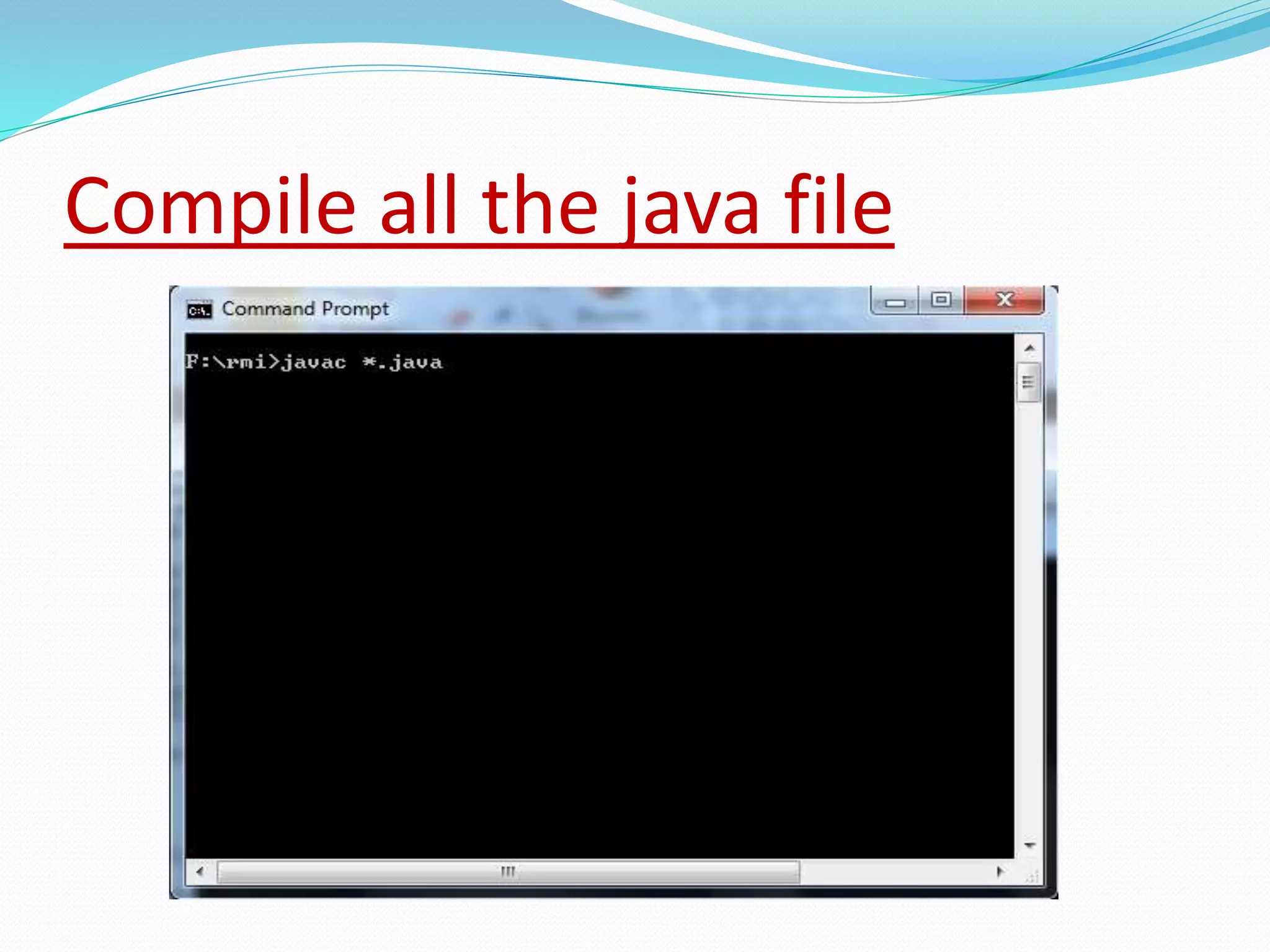
Compile all the java file
Start RMI registry
Program:
import java.rmi.registry.LocateRegistry;
import java.rmi.registry.Registry;
import java.util.*;
public class Client { private Client() {}
public static void main(String[] args);
{
try {
// Getting the registry Registry registry =
LocateRegistry.getRegistry
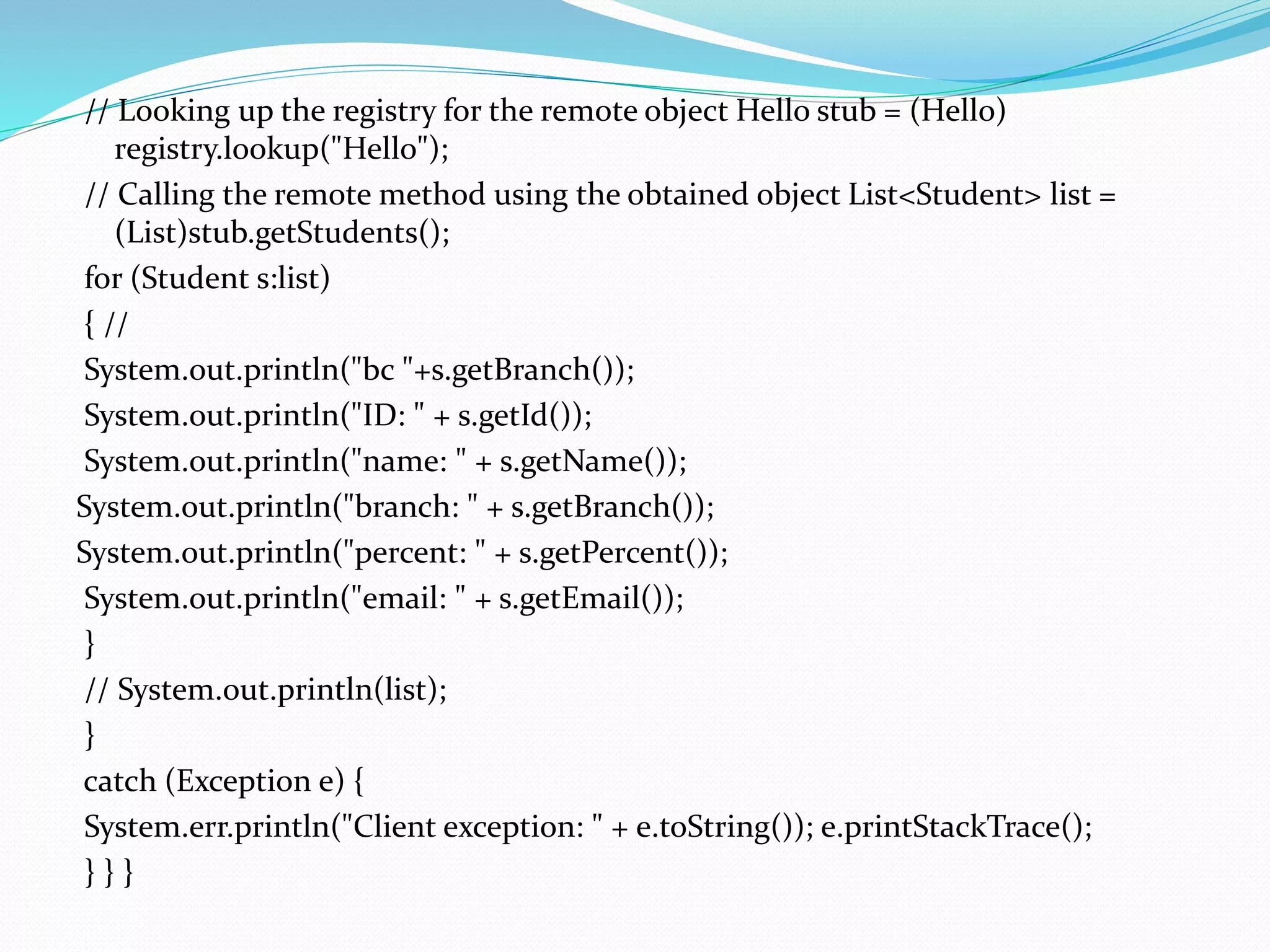
// Looking up the registry for the remote object Hello stub = (Hello)
registry.lookup("Hello");
// Calling the remote method using the obtained object List<Student> list =
(List)stub.getStudents();
for (Student s:list)
{ //
System.out.println("bc "+s.getBranch());
System.out.println("ID: " + s.getId());
System.out.println("name: " + s.getName());
System.out.println("branch: " + s.getBranch());
System.out.println("percent: " + s.getPercent());
System.out.println("email: " + s.getEmail());
}
// System.out.println(list);
}
catch (Exception e) {
System.err.println("Client exception: " + e.toString()); e.printStackTrace();
} } }
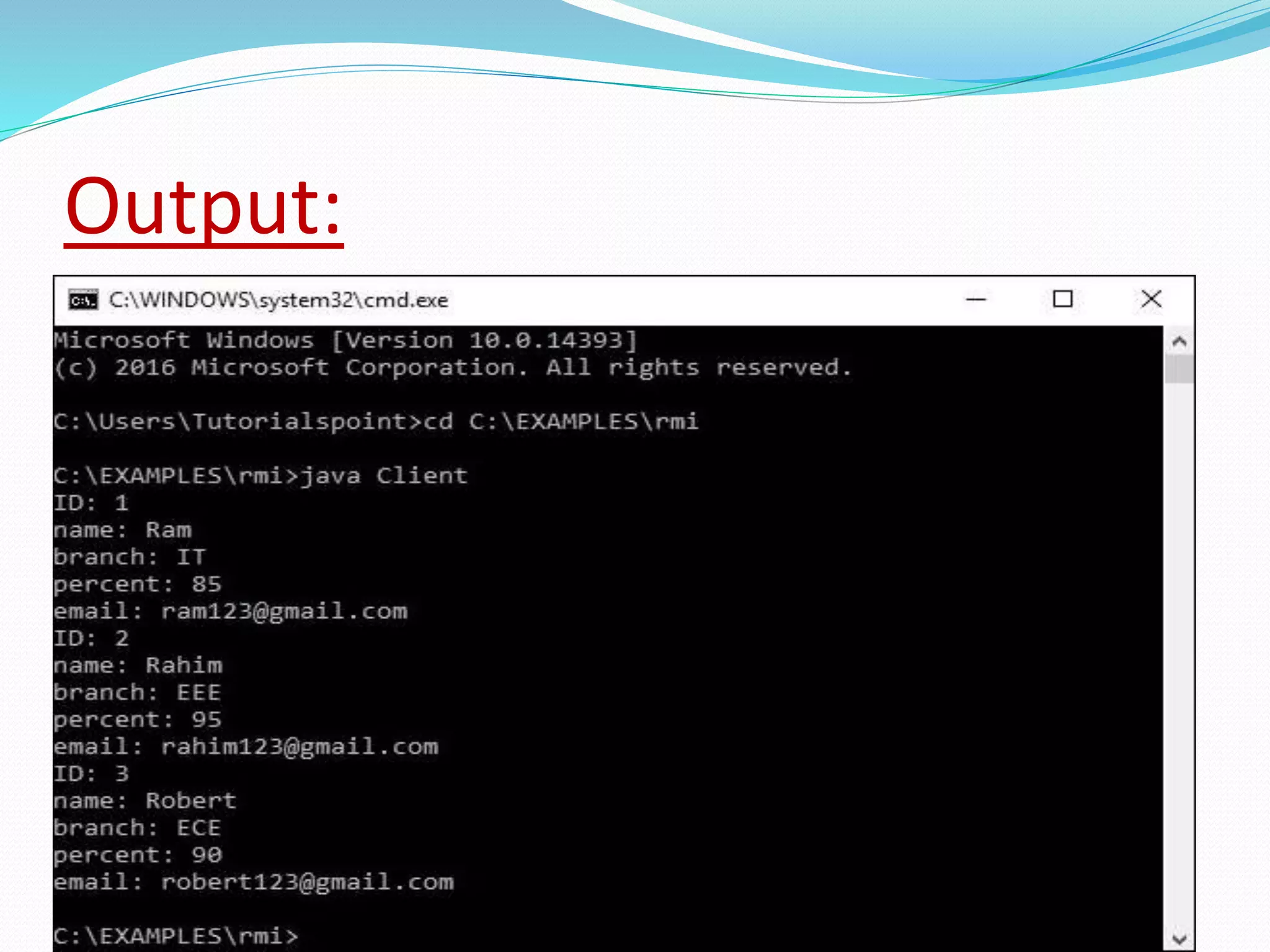
Output:
THANKING YOU

Remote method invocatiom

  • 1.
  • 2.
    DEFINITION  RMI standsfor Remote Method Invocation. It is a mechanism that allows an object residing in one system (JVM) to access/invoke an object running on another JVM.  RMI is used to build distributed applications; it provides remote communication between Java programs. It is provided in the package java.rmi
  • 3.
  • 4.
    STUB: The stub objecton the client machine builds an information block and send. Information to the server. The block consists an identifier of the re mote object to be used. Method name which is to be invoked Parameters to the remote JVM.
  • 5.
    UNDERSTANDING STUB &SKELETON RMI uses stub and skeleton object for communication with the remote object.  A remote object is an object whose method can be invoked from another JVM. Let's understand the stub and skeleton objects
  • 6.
  • 7.
  • 8.
    CLIENT &SERVER  InCIient server computing, the clients requests a resource and the server provides that resource.  A server may serve multiple client is in contact with only one server.  Both client and server usually communicate via a computer network. but sometimes they may reside in the same system.
  • 9.
    STUB AND SKELETONIN RMI  The STUB is the class that implements the remote interface.  It server as a client-side placeholder for the remote object.  The stub communicates with the server-side SKELETON.  The SKLETON is the STUB’s counterpart on Server- side.
  • 10.
    RRL(Remote reference layer) RRL(RemoteReference Layer) :  It is the layer which manages the references made by the client to the remote object.
  • 11.
    TRANSPORT LAYER  TransportLayer provides transparent transfer of data between end users, providing reliable data transfer services to the upper layers.  The transport layer controls the reliability of a given link through flow control, segmentation and Desegmentation, and error control.
  • 12.
  • 13.
     six stepsto write the RMI program in java:  Creation of remote interface .  Provide the implementation of the remote interface.  Compile the implementation class and create the stub and skeleton objects using the rmi tool.  Start the registry service by rmi registry tool .  Write and start the remote application .  Write and start the client application.
  • 14.
    Step 1: Definingthe remote interface: The first thing to do is to create an interface which will provide the description of the methods that can be invoked by remote clients.  This interface should extend the Remote interface and the method prototype within the interface should throw the Remote Exception. // Creating a Search interface  import java.rmi.*;  public interface Search extends Remote  {  // Declaring the method prototype  public String query(String search) throws RemoteException; }
  • 15.
     Step 2:Implementing the remote interface  The next step is to implement the remote interface. To implement the remote interface, the class should extend to UnicastRemoteObject class of java.rmi package. Also, a default constructor needs to be created to throw the from its parent constructor in class.
  • 16.
    Step 3: CreatingStub and Skeleton objects from the implementation class using rmic The rmic tool is used to invoke the rmi compiler that creates the Stub and Skeleton objects. Its prototype is rmic classname. For above program the following command need to be executed at the command prompt rmic SearchQuery.
  • 17.
     STEP 4:Start the rmiregistry Start the registry service by issuing the following command at the command prompt start rmiregistry  STEP 5: Create and execute the server application program The next step is to create the server application program and execute it on a separate command prompt.
  • 18.
     //program forclient application  import java.rmi.*;  public class ClientRequest  {  public static void main(String args[])  {  String answer,value="Reflection in Java";  try  {  // lookup method to find reference of remote object  Search access =  (Search)Naming.lookup("rmi://localhost:1900"+  "/geeksforgeeks");  answer = access.query(value);  System.out.println("Article on " + value +  " " + answer+" at GeeksforGeeks");  }  catch(Exception ae) { system.out.println(ae);}}}
  • 19.
    Compile all thejava file
  • 20.
  • 21.
    Program: import java.rmi.registry.LocateRegistry; import java.rmi.registry.Registry; importjava.util.*; public class Client { private Client() {} public static void main(String[] args); { try { // Getting the registry Registry registry = LocateRegistry.getRegistry
  • 22.
    // Looking upthe registry for the remote object Hello stub = (Hello) registry.lookup("Hello"); // Calling the remote method using the obtained object List<Student> list = (List)stub.getStudents(); for (Student s:list) { // System.out.println("bc "+s.getBranch()); System.out.println("ID: " + s.getId()); System.out.println("name: " + s.getName()); System.out.println("branch: " + s.getBranch()); System.out.println("percent: " + s.getPercent()); System.out.println("email: " + s.getEmail()); } // System.out.println(list); } catch (Exception e) { System.err.println("Client exception: " + e.toString()); e.printStackTrace(); } } }
  • 23.
  • 24.