

Electronic Portfolios for
Students
 Ann Howden
 UEN Professional Development
 ahowden@media.utah.edu
What is a Portfolio?
 As defined by Paulson & Paulson in 1991, a
portfolio tells a story.
“ A portfolio is the story of knowing. Knowing
about things. . .Knowing oneself. . .Knowing
an audience. . . Portfolios are students’ own
stories of what they know, why they believe
they know it, and why others should be of the
same opinion. A portfolio is opinion backed
by fact. . .Students prove what they know
with samples of their work.”
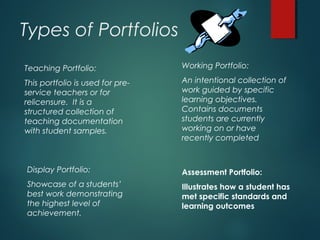
Types of Portfolios
Teaching Portfolio:
This portfolio is used for pre-
service teachers or for
relicensure. It is a
structured collection of
teaching documentation
with student samples.
Working Portfolio:
An intentional collection of
work guided by specific
learning objectives.
Contains documents
students are currently
working on or have
recently completed
Display Portfolio:
Showcase of a students’
best work demonstrating
the highest level of
achievement.
Assessment Portfolio:
Illustrates how a student has
met specific standards and
learning outcomes
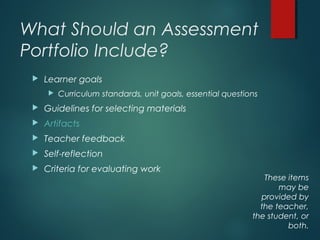
What Should an Assessment
Portfolio Include?
 Learner goals
 Curriculum standards, unit goals, essential questions
 Guidelines for selecting materials
 Artifacts
 Teacher feedback
 Self-reflection
 Criteria for evaluating work
These items
may be
provided by
the teacher,
the student, or
both.
What is an Electronic Portfolio?
 As defined by Helen
Barrett (The guru of e-
portfolios) an e-portfolio
uses electronic
technologies to allow
teachers and
students to collect
and organize
portfolio artifacts in
many media types.
Why use an ePortfolio with
Students?
 Information is easily stored in a computer’s hard drive,
CD, Jump drive or other storage device.
 Creation of ePortfolios enhances computer and
technology skills. Students gain experience with crucial
thinking skills and can used technology to create,
select, organize, edit, and evaluate their work
 Students gain a sense of empowerment by displaying,
sharing, and presenting their ePortfolio’s to teachers,
parents, and the community.
Files to Include in an ePortfolio
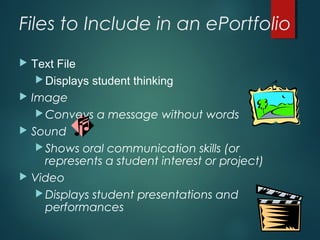
 Text File
 Displays student thinking
 Image
 Conveys a message without words
 Sound
 Shows oral communication skills (or
represents a student interest or project)
 Video
 Displays student presentations and
performances
Basic Equipment for an
ePortfolio
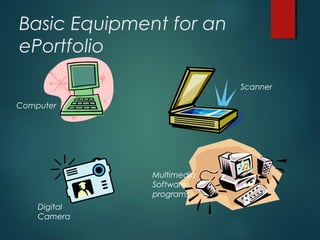
Computer
Scanner
Digital
Camera
Multimedia
Software
programs
Examples of ePortfolios
 Helen Barrett’s website:
 http://electronicportfolios.com/portfolios.html
 Elementary and High School Video Examples:
 http://www.ideasconsulting.com
 5th
and 7th
grade examples:
 http://essdack.org/port/examples.html
 Jared Covili’s IDET portfolio:
 http://home.utah.edu/~jjc03270
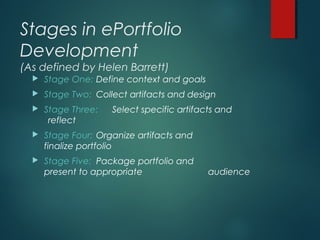
Stages in ePortfolio
Development
(As defined by Helen Barrett)
 Stage One: Define context and goals
 Stage Two: Collect artifacts and design
 Stage Three: Select specific artifacts and
reflect
 Stage Four: Organize artifacts and
finalize portfolio
 Stage Five: Package portfolio and
present to appropriate audience
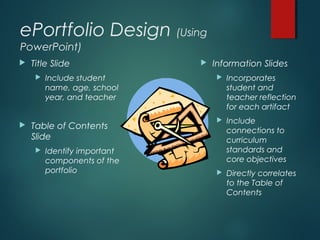
ePortfolio Design (Using
PowerPoint)
 Title Slide
 Include student
name, age, school
year, and teacher
 Table of Contents
Slide
 Identify important
components of the
portfolio
 Information Slides
 Incorporates
student and
teacher reflection
for each artifact
 Include
connections to
curriculum
standards and
core objectives
 Directly correlates
to the Table of
Contents
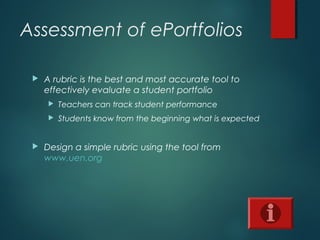
Assessment of ePortfolios
 A rubric is the best and most accurate tool to
effectively evaluate a student portfolio
 Teachers can track student performance
 Students know from the beginning what is expected
 Design a simple rubric using the tool from
www.uen.org
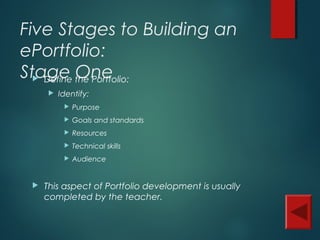
Five Stages to Building an
ePortfolio:
Stage One Define the Portfolio:
 Identify:
 Purpose
 Goals and standards
 Resources
 Technical skills
 Audience
 This aspect of Portfolio development is usually
completed by the teacher.
Five Stages to Building an
ePortfolio:
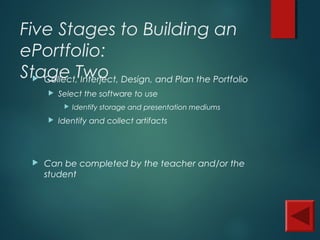
Stage Two Collect, Interject, Design, and Plan the Portfolio
 Select the software to use
 Identify storage and presentation mediums
 Identify and collect artifacts
 Can be completed by the teacher and/or the
student
Five Stages to Building an
ePortfolio:
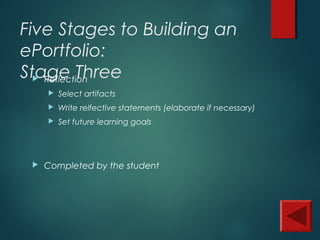
Stage Three Reflection
 Select artifacts
 Write relfective statements (elaborate if necessary)
 Set future learning goals
 Completed by the student
Five Stages to Building an
ePortfolio:
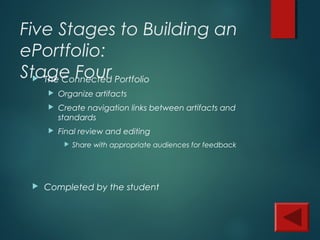
Stage Four The Connected Portfolio
 Organize artifacts
 Create navigation links between artifacts and
standards
 Final review and editing
 Share with appropriate audiences for feedback
 Completed by the student
Five Stages to Building an
ePortfolio:
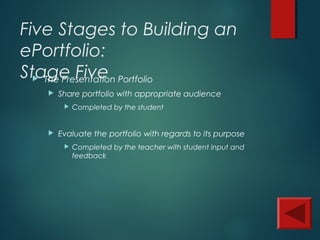
Stage Five The Presentation Portfolio
 Share portfolio with appropriate audience
 Completed by the student
 Evaluate the portfolio with regards to its purpose
 Completed by the teacher with student input and
feedback
What is an Artifact?
An artifact can be:
•Papers or projects of significance
•Evaluations from assignments or
projects
•Recognitions and awards
•Writing samples (with reflection)
•Stories or journal entries
•Photos, drawings, home movies
•Any “electronic” evidence
Now that you’ve got the
basics, lets get started!
 Your task is to develop an ePortfolio using
PowerPoint. As part of this portfolio, you must
include:
 Title/Introductory slide
 Outlines the purpose and goals of the portfolio as well
as the core objectives being met
 Table of Contents slide
 The connecting slide to all of the artifacts, reflections,
and curriculum standards
 Information slides
 Include artifacts, reflections, links, teacher evaluations,
etc.
Electronic
Portfolios for
Students
ANN HOWDEN
UEN PROFESSIONAL DEVELOPMENT
AHOWDEN@MEDIA.UTAH.EDU

Electronic portfolios for students

  • 1.
    Electronic Portfolios for Students Ann Howden  UEN Professional Development  ahowden@media.utah.edu
  • 2.
    What is aPortfolio?  As defined by Paulson & Paulson in 1991, a portfolio tells a story. “ A portfolio is the story of knowing. Knowing about things. . .Knowing oneself. . .Knowing an audience. . . Portfolios are students’ own stories of what they know, why they believe they know it, and why others should be of the same opinion. A portfolio is opinion backed by fact. . .Students prove what they know with samples of their work.”
  • 3.
    Types of Portfolios TeachingPortfolio: This portfolio is used for pre- service teachers or for relicensure. It is a structured collection of teaching documentation with student samples. Working Portfolio: An intentional collection of work guided by specific learning objectives. Contains documents students are currently working on or have recently completed Display Portfolio: Showcase of a students’ best work demonstrating the highest level of achievement. Assessment Portfolio: Illustrates how a student has met specific standards and learning outcomes
  • 4.
    What Should anAssessment Portfolio Include?  Learner goals  Curriculum standards, unit goals, essential questions  Guidelines for selecting materials  Artifacts  Teacher feedback  Self-reflection  Criteria for evaluating work These items may be provided by the teacher, the student, or both.
  • 5.
    What is anElectronic Portfolio?  As defined by Helen Barrett (The guru of e- portfolios) an e-portfolio uses electronic technologies to allow teachers and students to collect and organize portfolio artifacts in many media types.
  • 6.
    Why use anePortfolio with Students?  Information is easily stored in a computer’s hard drive, CD, Jump drive or other storage device.  Creation of ePortfolios enhances computer and technology skills. Students gain experience with crucial thinking skills and can used technology to create, select, organize, edit, and evaluate their work  Students gain a sense of empowerment by displaying, sharing, and presenting their ePortfolio’s to teachers, parents, and the community.
  • 7.
    Files to Includein an ePortfolio  Text File  Displays student thinking  Image  Conveys a message without words  Sound  Shows oral communication skills (or represents a student interest or project)  Video  Displays student presentations and performances
  • 8.
    Basic Equipment foran ePortfolio Computer Scanner Digital Camera Multimedia Software programs
  • 9.
    Examples of ePortfolios Helen Barrett’s website:  http://electronicportfolios.com/portfolios.html  Elementary and High School Video Examples:  http://www.ideasconsulting.com  5th and 7th grade examples:  http://essdack.org/port/examples.html  Jared Covili’s IDET portfolio:  http://home.utah.edu/~jjc03270
  • 10.
    Stages in ePortfolio Development (Asdefined by Helen Barrett)  Stage One: Define context and goals  Stage Two: Collect artifacts and design  Stage Three: Select specific artifacts and reflect  Stage Four: Organize artifacts and finalize portfolio  Stage Five: Package portfolio and present to appropriate audience
  • 11.
    ePortfolio Design (Using PowerPoint) Title Slide  Include student name, age, school year, and teacher  Table of Contents Slide  Identify important components of the portfolio  Information Slides  Incorporates student and teacher reflection for each artifact  Include connections to curriculum standards and core objectives  Directly correlates to the Table of Contents
  • 12.
    Assessment of ePortfolios A rubric is the best and most accurate tool to effectively evaluate a student portfolio  Teachers can track student performance  Students know from the beginning what is expected  Design a simple rubric using the tool from www.uen.org
  • 13.
    Five Stages toBuilding an ePortfolio: Stage One Define the Portfolio:  Identify:  Purpose  Goals and standards  Resources  Technical skills  Audience  This aspect of Portfolio development is usually completed by the teacher.
  • 14.
    Five Stages toBuilding an ePortfolio: Stage Two Collect, Interject, Design, and Plan the Portfolio  Select the software to use  Identify storage and presentation mediums  Identify and collect artifacts  Can be completed by the teacher and/or the student
  • 15.
    Five Stages toBuilding an ePortfolio: Stage Three Reflection  Select artifacts  Write relfective statements (elaborate if necessary)  Set future learning goals  Completed by the student
  • 16.
    Five Stages toBuilding an ePortfolio: Stage Four The Connected Portfolio  Organize artifacts  Create navigation links between artifacts and standards  Final review and editing  Share with appropriate audiences for feedback  Completed by the student
  • 17.
    Five Stages toBuilding an ePortfolio: Stage Five The Presentation Portfolio  Share portfolio with appropriate audience  Completed by the student  Evaluate the portfolio with regards to its purpose  Completed by the teacher with student input and feedback
  • 18.
    What is anArtifact? An artifact can be: •Papers or projects of significance •Evaluations from assignments or projects •Recognitions and awards •Writing samples (with reflection) •Stories or journal entries •Photos, drawings, home movies •Any “electronic” evidence
  • 19.
    Now that you’vegot the basics, lets get started!  Your task is to develop an ePortfolio using PowerPoint. As part of this portfolio, you must include:  Title/Introductory slide  Outlines the purpose and goals of the portfolio as well as the core objectives being met  Table of Contents slide  The connecting slide to all of the artifacts, reflections, and curriculum standards  Information slides  Include artifacts, reflections, links, teacher evaluations, etc.
  • 20.
    Electronic Portfolios for Students ANN HOWDEN UENPROFESSIONAL DEVELOPMENT AHOWDEN@MEDIA.UTAH.EDU