Raising ‘App-y’ Readers
Apps to build early literacy skills

Clara Hendricks, Children’s Librarian
Wellesley Free Library
January 27, 2014
Technology and the Young Child
All screens are not created equal
Tablets/smartphones are multi-functional: camera,
notepad, picture book, TV, arcade, etc.
• Tablets are more developmentally appropriate
• Engage with your child
when using technology
• “Technology Pyramid” –
provide healthy doses of
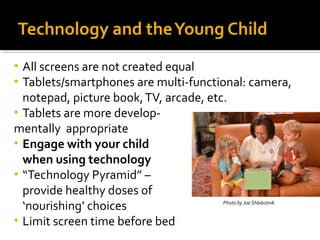
Photo by Joe Shlabotnik
‘nourishing’ choices
• Limit screen time before bed
•
•
Content, Context, Child
•

Content

• Thoughtfully assess apps, rather than just setting time limits
• Anything can call itself ‘educational’

•

Context

• In what context is the app being used?
• What role does technology play in the child’s life?

•

Child

• Children have individual developmental needs

Guernsey, L. (2012). Screen time: How electronic media-from baby videos to educational
software-affects your young child. New York: Basic Books.
Technology and the Real World
Quality apps give kids tools that they
can’t access in the “real-world”
• Make connections between
technology and real-life experiences
• Use technology to enhance, not
replace real-life experiences.
• https://www.youtube.com/watch?
v=UnyHMSz7JDE
•
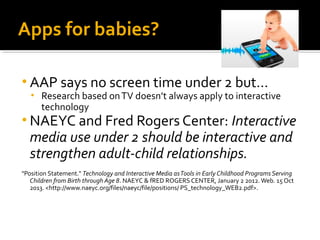
Apps for babies?
• AAP says no screen time under 2 but…
•

Research based on TV doesn’t always apply to interactive
technology

• NAEYC and Fred Rogers Center: Interactive

media use under 2 should be interactive and
strengthen adult-child relationships.

"Position Statement." Technology and Interactive Media as Tools in Early Childhood Programs Serving
Children from Birth through Age 8. NAEYC & fRED ROGERS CENTER, January 2 2012. Web. 15 Oct
2013. <http://www.naeyc.org/files/naeyc/file/positions/ PS_technology_WEB2.pdf>.
Swimming in a sea of apps:
criteria for choosing quality apps
•
•
•
•
•
•
•
•

Option to turn sound/narration on/off
No ads or push-to-buy
Ease of use
Plain, clear, legible fonts
Not busy/distracting
Lasting power
Supports exploration, creativity, interaction
Don’t use an app if there is a better real-life
solution
App Reviews
• Common Sense Media:

http://www.commonsensemedia.org/
• Reading Rockets:

http://www.readingrockets.org/teaching/reading101/literacyapps/
• Parents’ Choice:

http://www.parents-choice.org/
• Digital Storytime
http://digital-storytime.com/
Developing Early Literacy Skills

TALKING
SINGING
READING
WRITING
PLAYING
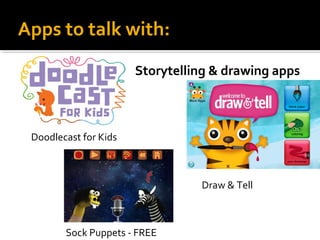
Apps to talk with:
Storytelling & drawing apps

Doodlecast for Kids

Draw & Tell

Sock Puppets - FREE
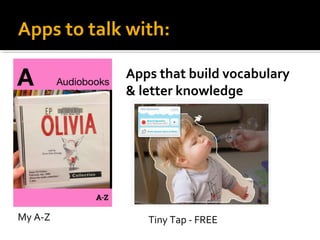
Apps to talk with:
Apps that build vocabulary
& letter knowledge

My A-Z

Tiny Tap - FREE
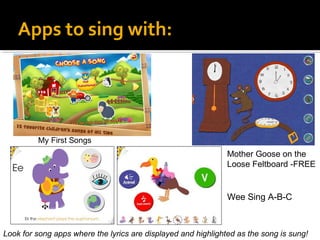
Apps to sing with:

My First Songs

Mother Goose on the
Loose Feltboard -FREE

Wee Sing A-B-C

Look for song apps where the lyrics are displayed and highlighted as the song is sung!
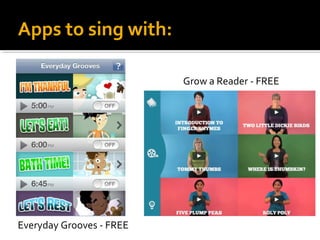
Apps to sing with:
Grow a Reader - FREE

Everyday Grooves - FREE
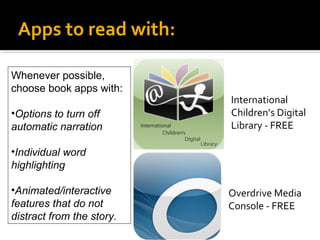
Apps to read with:
Whenever possible,
choose book apps with:
•Options to turn off
automatic narration

International
Children’s Digital
Library - FREE

•Individual word
highlighting
•Animated/interactive
features that do not
distract from the story.

Overdrive Media
Console - FREE
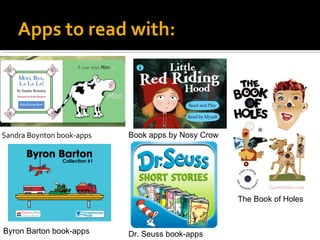
Apps to read with:

Sandra Boynton book-apps

Book apps by Nosy Crow

The Book of Holes

Byron Barton book-apps

Dr. Seuss book-apps
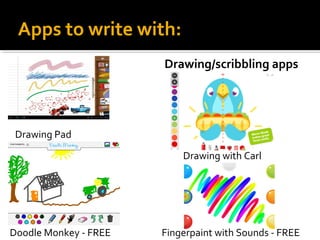
Apps to write with:
Drawing/scribbling apps

Drawing Pad
Drawing with Carl

Doodle Monkey - FREE

Fingerpaint with Sounds - FREE
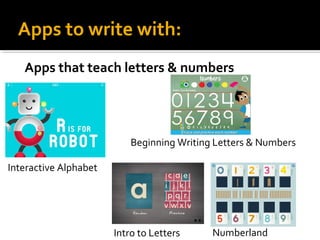
Apps to write with:
Apps that teach letters & numbers

Beginning Writing Letters & Numbers
Interactive Alphabet

Intro to Letters

Numberland
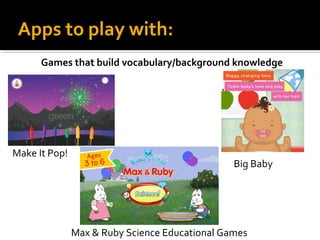
Apps to play with:
Games that build vocabulary/background knowledge

Make It Pop!

Big Baby

Max & Ruby Science Educational Games
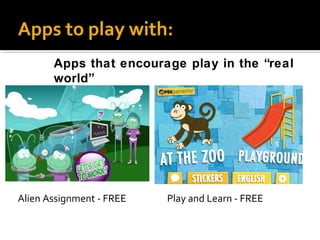
Apps to play with:
Apps that encourage play in the “real
world”

Alien Assignment - FREE

Play and Learn - FREE
Questions?
My contact information:
Clara Hendricks, Children’s Librarian
Wellesley Free Library
781-235-1610 x 1108
chendricks@minlib.net
www.wellesleyfreelibrary.org

Raising ‘app y’ readers 1.27.14

  • 1.
    Raising ‘App-y’ Readers Appsto build early literacy skills Clara Hendricks, Children’s Librarian Wellesley Free Library January 27, 2014
  • 2.
    Technology and theYoung Child All screens are not created equal Tablets/smartphones are multi-functional: camera, notepad, picture book, TV, arcade, etc. • Tablets are more developmentally appropriate • Engage with your child when using technology • “Technology Pyramid” – provide healthy doses of Photo by Joe Shlabotnik ‘nourishing’ choices • Limit screen time before bed • •
  • 3.
    Content, Context, Child • Content •Thoughtfully assess apps, rather than just setting time limits • Anything can call itself ‘educational’ • Context • In what context is the app being used? • What role does technology play in the child’s life? • Child • Children have individual developmental needs Guernsey, L. (2012). Screen time: How electronic media-from baby videos to educational software-affects your young child. New York: Basic Books.
  • 4.
    Technology and theReal World Quality apps give kids tools that they can’t access in the “real-world” • Make connections between technology and real-life experiences • Use technology to enhance, not replace real-life experiences. • https://www.youtube.com/watch? v=UnyHMSz7JDE •
  • 5.
    Apps for babies? •AAP says no screen time under 2 but… • Research based on TV doesn’t always apply to interactive technology • NAEYC and Fred Rogers Center: Interactive media use under 2 should be interactive and strengthen adult-child relationships. "Position Statement." Technology and Interactive Media as Tools in Early Childhood Programs Serving Children from Birth through Age 8. NAEYC & fRED ROGERS CENTER, January 2 2012. Web. 15 Oct 2013. <http://www.naeyc.org/files/naeyc/file/positions/ PS_technology_WEB2.pdf>.
  • 6.
    Swimming in asea of apps: criteria for choosing quality apps • • • • • • • • Option to turn sound/narration on/off No ads or push-to-buy Ease of use Plain, clear, legible fonts Not busy/distracting Lasting power Supports exploration, creativity, interaction Don’t use an app if there is a better real-life solution
  • 7.
    App Reviews • CommonSense Media: http://www.commonsensemedia.org/ • Reading Rockets: http://www.readingrockets.org/teaching/reading101/literacyapps/ • Parents’ Choice: http://www.parents-choice.org/ • Digital Storytime http://digital-storytime.com/
  • 8.
    Developing Early LiteracySkills TALKING SINGING READING WRITING PLAYING
  • 9.
    Apps to talkwith: Storytelling & drawing apps Doodlecast for Kids Draw & Tell Sock Puppets - FREE
  • 10.
    Apps to talkwith: Apps that build vocabulary & letter knowledge My A-Z Tiny Tap - FREE
  • 11.
    Apps to singwith: My First Songs Mother Goose on the Loose Feltboard -FREE Wee Sing A-B-C Look for song apps where the lyrics are displayed and highlighted as the song is sung!
  • 12.
    Apps to singwith: Grow a Reader - FREE Everyday Grooves - FREE
  • 13.
    Apps to readwith: Whenever possible, choose book apps with: •Options to turn off automatic narration International Children’s Digital Library - FREE •Individual word highlighting •Animated/interactive features that do not distract from the story. Overdrive Media Console - FREE
  • 14.
    Apps to readwith: Sandra Boynton book-apps Book apps by Nosy Crow The Book of Holes Byron Barton book-apps Dr. Seuss book-apps
  • 15.
    Apps to writewith: Drawing/scribbling apps Drawing Pad Drawing with Carl Doodle Monkey - FREE Fingerpaint with Sounds - FREE
  • 16.
    Apps to writewith: Apps that teach letters & numbers Beginning Writing Letters & Numbers Interactive Alphabet Intro to Letters Numberland
  • 17.
    Apps to playwith: Games that build vocabulary/background knowledge Make It Pop! Big Baby Max & Ruby Science Educational Games
  • 18.
    Apps to playwith: Apps that encourage play in the “real world” Alien Assignment - FREE Play and Learn - FREE
  • 19.
    Questions? My contact information: ClaraHendricks, Children’s Librarian Wellesley Free Library 781-235-1610 x 1108 chendricks@minlib.net www.wellesleyfreelibrary.org