Apps & Youth
WHY?
WHEN?
HOW?

Hayley McEwing
Blog: www.librarieslearnlead.blogspot.com
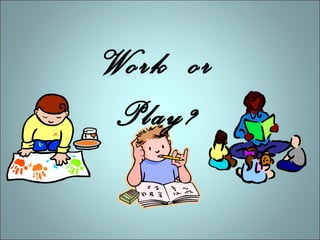
Work or
Play?
Emotions & Learning
Attention

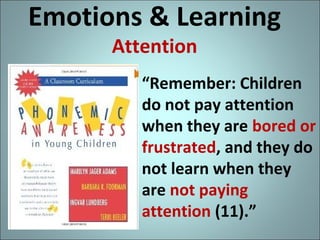
“Remember: Children
do not pay attention
when they are bored or
frustrated, and they do
not learn when they
are not paying
attention (11).”
Emotions & Learning
Assimilating/Remembering

“ . . . attuning to our
feelings, according to
neurological research,
helps us find the
meaning in data …,
Emotions science now
tells us, are part of
rationality, not
opposed to it (42).”
Emotions & Learning
Importance of Play

• ECRR = Print Motivation as a building block
for reading

• ECRR 2 = Play as a practice for all learning
Access and Interest
Drive
Learning

“Science of Interest” by Annie Murphy Paul in S
Why Apps?

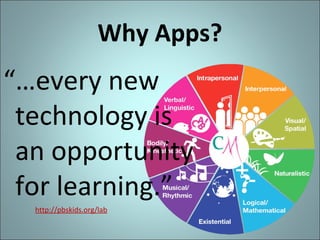
“…every new
technology is
an opportunity
for learning.”
http://pbskids.org/lab
References
• American Academy of Pediatrics (AAP):
http://pediatrics.aappublications.org/content/132/5/958.full.pdf
• Caring for Our Children: National Health and Safety Performance Standards;
Guidelines for Early Care and Education Settings. (2011) :
http://nrckids.org/CFOC3/PDFVersion/list.html (Standard 2.2.0.3: Limiting Screen
Time – Media, Computer Time)
• Dr. Patricia Kuhl

• http://librarieslearnlead.blogspot.com/2010/07/minds-brains-and-early-learning-how.h
• http://www.ted.com/talks/patricia_kuhl_the_linguistic_genius_of_babies.html

• Fred Rogers Center for Early Learning and Children’s Media:
http://www.fredrogerscenter.org/
• Lisa Guernsey, author of Screen Time: http://www.lisaguernsey.com/
• National Association for the Education of Young Children (NAEYC):

http://www.naeyc.org/content/technology-and-young-children/infants-and-toddlers

• NAEYC + Fred Rogers Center Joint Statement

• http://www.naeyc.org/content/technology-and-young-children
• http://www.naeyc.org/files/naeyc/file/positions/KeyMessages_Technology.pdf

• “Young Children and Media” ALSC webinar (2013) with Chip Donahue, Director of
Technology in Early Childhood (TEC) Center
http://teccenter.erikson.edu/files/NAEYC_Position_Statement_slides_11_12.pdf
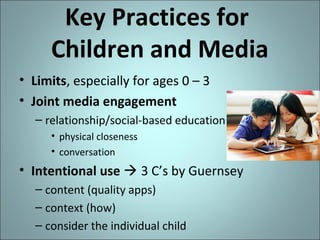
Key Practices for
Children and Media
• Limits, especially for ages 0 – 3
• Joint media engagement
– relationship/social-based education
• physical closeness
• conversation

• Intentional use  3 C’s by Guernsey
– content (quality apps)
– context (how)
– consider the individual child
App Resources

• Apps Gone Free by AppAdvice.com
https://itunes.apple.com/us/app/apps-gone-free-best-da
• App Lists for Education http://appitic.com/
• http://www.hbook.com/category/choosing-books/app-re
• http://www.theiphonemom.com/
• https://www.kirkusreviews.com/book-reviews/ipad/
App Resources
• http://littleelit.com/ and
http://www.pinterest.com/littleelit/
• http://www.slj.com/category/booksmedia/reviews/apps/
• http://www.smartappsforkids.com/
– Free App of the Day category
Why Use Apps/iPads
in Educational Settings

• To provide access to new technology and the
information/learning that comes with it
• To demonstrate best practices on using the
technology (e.g. joint engagement)
• To extend and support all learning, digital
literacy included
– Fox in Socks by Oceanhouse Media

• To motivate/make positive emotional
connections… to learning, to others, to oneself
– Singing Fingers by Beginner’s Mind
When to Use Apps/iPads
in Educational Settings

• Projection with an adapter and VGA extension cord
– Extra visuals, e.g. lyrics or photographs
– Glow Draw by Indigo Penguin Limited
• Involve kids, e.g. special needs / multiple
intelligences
– Where Do Balloons Go? by Auryn Inc.
– Rah, Rah Radishes pics & rhythm sticks
• Can’t have the real thing (e.g. cost, practicality,
safety)
– Live Butterfly Garden by Questsphere
– Star Walk by Vito Technology Inc ($)
How to Use Apps/iPads
in Educational Settings
• Incorporated with other activities
– Wee Willie Winkie rhyme with toy clock and
sunset backdrop
– My First Wood Puzzles: Dinosaurs by Alexandre
Minard as one of the toy choices during playtime
after program  Sound Touch Lite app for sibling

• With a partner
– Jelly Doodle by Shoe the Goose –Print Awareness!
– iPad Play program – adult and kid focusing on an a
subject specific app
Literacy
• Alphabet
– Alphabet Tracing by Oncilla Technologies Inc
– Stumpy's Alphabet Dinner by Roo Roo

• Phonics/Sound
– ABC Alphabet Phonics - Preschool Kids Game Free
Lite by GrasshopperApps.com
– Phonics Fun 1 by Innovative Net Learning Limited
– Phonics Genius by Innovative Mobile Apps
– Rhyming Words by GrasshopperApps.com
– Sound Touch Lite by SoundTouch
– Touch the Sound by Innovative Mobile Apps
Literacy
• Sight Words/Reading
− Eggy 100 by Blake eLearning
− Endless Reader by Originator Inc.
– Futaba by INKids - can program with own word lists
– Sight Words 2 : 140+ learn to read flashcards and games
app for kids. Play word bingo! by eFlashApps, LLC
• Vocabulary
– Touch and Learn Emotions by Innovative Mobile Apps
Endless Alphabet by Callaway Digital Arts
Literacy
• Tell Stories/Narrative Skills
– AutoRap by Smule
– Dr. PetPlay Free by Pretendasaurus
– Felt Board by Software Smoothie ($)
– Felt Board – Mother Goose on the Loose by
Software Smoothie
– Pepi Doctor by Pepi Play
− Story Wheel by EverAge
− Toca Kitchen Monsters by Toca Boca AB
− Toontastic by Launchpad Toys
Science

− Audubon Guide apps ($)
− Dynastid Beetle by CJ Educations ($)
– Human Body by Tinybop ($)
– I Love Mountains by Forest Giant Inc
– Kids Discover apps ($)
Live Butterfly Garden by Questsphere
– Noisy Bug Sing Along by Dawn Publications ($)
– Science Reading Comprehension by Abitalk
Incorporated
– Soundrop by Develoe LLC
Star Walk by Vito Technology Inc ($)
– Weird but True by National Geographic Society
Math & Money
– Amazing Coin by Joy Preschool Game
– Chicken Coop Fractions Game by Lumpty Learning
– Cosmic Reactor Math by Fingerprint ($)
– Counting Money by King’s Apps
– Counting and Skip Counting by Ikidspad LLC
– Kids Connect the Dots lite by Intellijoy
– Motion Math Hungry Fish by Motion Math ($)
– Motion Math Wings by Motion Math
– QuickMaths+ by Shiny Things ($)
– Tiny Chicken Learns Currency by TaptoLearn Software
– Todo K-2 Math Practice by Locomotive Labs
Apps & Youth
WHY?
WHEN?
HOW?

Hayley McEwing
Blog: www.librarieslearnlead.blogspot.com

Apps and youth for oetc

  • 1.
    Apps & Youth WHY? WHEN? HOW? HayleyMcEwing Blog: www.librarieslearnlead.blogspot.com
  • 2.
  • 3.
    Emotions & Learning Attention “Remember:Children do not pay attention when they are bored or frustrated, and they do not learn when they are not paying attention (11).”
  • 4.
    Emotions & Learning Assimilating/Remembering “. . . attuning to our feelings, according to neurological research, helps us find the meaning in data …, Emotions science now tells us, are part of rationality, not opposed to it (42).”
  • 5.
    Emotions & Learning Importanceof Play • ECRR = Print Motivation as a building block for reading • ECRR 2 = Play as a practice for all learning
  • 6.
    Access and Interest Drive Learning “Scienceof Interest” by Annie Murphy Paul in S
  • 7.
    Why Apps? “…every new technologyis an opportunity for learning.” http://pbskids.org/lab
  • 8.
    References • American Academyof Pediatrics (AAP): http://pediatrics.aappublications.org/content/132/5/958.full.pdf • Caring for Our Children: National Health and Safety Performance Standards; Guidelines for Early Care and Education Settings. (2011) : http://nrckids.org/CFOC3/PDFVersion/list.html (Standard 2.2.0.3: Limiting Screen Time – Media, Computer Time) • Dr. Patricia Kuhl • http://librarieslearnlead.blogspot.com/2010/07/minds-brains-and-early-learning-how.h • http://www.ted.com/talks/patricia_kuhl_the_linguistic_genius_of_babies.html • Fred Rogers Center for Early Learning and Children’s Media: http://www.fredrogerscenter.org/ • Lisa Guernsey, author of Screen Time: http://www.lisaguernsey.com/ • National Association for the Education of Young Children (NAEYC): http://www.naeyc.org/content/technology-and-young-children/infants-and-toddlers • NAEYC + Fred Rogers Center Joint Statement • http://www.naeyc.org/content/technology-and-young-children • http://www.naeyc.org/files/naeyc/file/positions/KeyMessages_Technology.pdf • “Young Children and Media” ALSC webinar (2013) with Chip Donahue, Director of Technology in Early Childhood (TEC) Center http://teccenter.erikson.edu/files/NAEYC_Position_Statement_slides_11_12.pdf
  • 9.
    Key Practices for Childrenand Media • Limits, especially for ages 0 – 3 • Joint media engagement – relationship/social-based education • physical closeness • conversation • Intentional use  3 C’s by Guernsey – content (quality apps) – context (how) – consider the individual child
  • 10.
    App Resources • AppsGone Free by AppAdvice.com https://itunes.apple.com/us/app/apps-gone-free-best-da • App Lists for Education http://appitic.com/ • http://www.hbook.com/category/choosing-books/app-re • http://www.theiphonemom.com/ • https://www.kirkusreviews.com/book-reviews/ipad/
  • 11.
    App Resources • http://littleelit.com/and http://www.pinterest.com/littleelit/ • http://www.slj.com/category/booksmedia/reviews/apps/ • http://www.smartappsforkids.com/ – Free App of the Day category
  • 12.
    Why Use Apps/iPads inEducational Settings • To provide access to new technology and the information/learning that comes with it • To demonstrate best practices on using the technology (e.g. joint engagement) • To extend and support all learning, digital literacy included – Fox in Socks by Oceanhouse Media • To motivate/make positive emotional connections… to learning, to others, to oneself – Singing Fingers by Beginner’s Mind
  • 13.
    When to UseApps/iPads in Educational Settings • Projection with an adapter and VGA extension cord – Extra visuals, e.g. lyrics or photographs – Glow Draw by Indigo Penguin Limited • Involve kids, e.g. special needs / multiple intelligences – Where Do Balloons Go? by Auryn Inc. – Rah, Rah Radishes pics & rhythm sticks • Can’t have the real thing (e.g. cost, practicality, safety) – Live Butterfly Garden by Questsphere – Star Walk by Vito Technology Inc ($)
  • 14.
    How to UseApps/iPads in Educational Settings • Incorporated with other activities – Wee Willie Winkie rhyme with toy clock and sunset backdrop – My First Wood Puzzles: Dinosaurs by Alexandre Minard as one of the toy choices during playtime after program  Sound Touch Lite app for sibling • With a partner – Jelly Doodle by Shoe the Goose –Print Awareness! – iPad Play program – adult and kid focusing on an a subject specific app
  • 15.
    Literacy • Alphabet – AlphabetTracing by Oncilla Technologies Inc – Stumpy's Alphabet Dinner by Roo Roo • Phonics/Sound – ABC Alphabet Phonics - Preschool Kids Game Free Lite by GrasshopperApps.com – Phonics Fun 1 by Innovative Net Learning Limited – Phonics Genius by Innovative Mobile Apps – Rhyming Words by GrasshopperApps.com – Sound Touch Lite by SoundTouch – Touch the Sound by Innovative Mobile Apps
  • 16.
    Literacy • Sight Words/Reading −Eggy 100 by Blake eLearning − Endless Reader by Originator Inc. – Futaba by INKids - can program with own word lists – Sight Words 2 : 140+ learn to read flashcards and games app for kids. Play word bingo! by eFlashApps, LLC • Vocabulary – Touch and Learn Emotions by Innovative Mobile Apps Endless Alphabet by Callaway Digital Arts
  • 17.
    Literacy • Tell Stories/NarrativeSkills – AutoRap by Smule – Dr. PetPlay Free by Pretendasaurus – Felt Board by Software Smoothie ($) – Felt Board – Mother Goose on the Loose by Software Smoothie – Pepi Doctor by Pepi Play − Story Wheel by EverAge − Toca Kitchen Monsters by Toca Boca AB − Toontastic by Launchpad Toys
  • 18.
    Science − Audubon Guideapps ($) − Dynastid Beetle by CJ Educations ($) – Human Body by Tinybop ($) – I Love Mountains by Forest Giant Inc – Kids Discover apps ($) Live Butterfly Garden by Questsphere – Noisy Bug Sing Along by Dawn Publications ($) – Science Reading Comprehension by Abitalk Incorporated – Soundrop by Develoe LLC Star Walk by Vito Technology Inc ($) – Weird but True by National Geographic Society
  • 19.
    Math & Money –Amazing Coin by Joy Preschool Game – Chicken Coop Fractions Game by Lumpty Learning – Cosmic Reactor Math by Fingerprint ($) – Counting Money by King’s Apps – Counting and Skip Counting by Ikidspad LLC – Kids Connect the Dots lite by Intellijoy – Motion Math Hungry Fish by Motion Math ($) – Motion Math Wings by Motion Math – QuickMaths+ by Shiny Things ($) – Tiny Chicken Learns Currency by TaptoLearn Software – Todo K-2 Math Practice by Locomotive Labs
  • 20.
    Apps & Youth WHY? WHEN? HOW? HayleyMcEwing Blog: www.librarieslearnlead.blogspot.com

Editor's Notes

  • #2 The first part of this presentation will cover my philosophy of why, when, and how to use apps with youth, predominately kids that are age four to fourth grade. In the second part, we’ll be exploring literacy, science, and math apps that are available through the iTunes store. My blog has access to my program outlines and other resources. I’ll post this presentation there. These links are on the business card you have received.
  • #3 Are the kids (and grown up) in these images working or playing? It seems to me that what really distinguishes these words is the emotion behind them.
  • #4 There are resources that talk about the connection between emotions and learning. If there is a lack of attention due to negative emotions, no learning is possible.
  • #5 Beyond paying attention, emotional involvement is a factor in the assimilation of information – we remember what we find to be relevant or meaningful.
  • #6 In ECRR, we heard how positive experiences around books and rhymes are key to language learning. In ECRR 2, the broader practice of play was recognized as a key to learning language as well as math and science.
  • #7 http://www.slj.com/2013/11/librarians/the-science-of-interest-the-latest-cognitive-research-can-help-us-engage-students-and-foster-real-learning/#_
  • #8 As educators, we acknowledge different learning styles, app technology is another tool to provide interest and access to information. http://inopen.in/about-computermasti/
  • #9 In addition to sources already mentioned, here are others that are informing my stance on app use in educational settings. These sources focus on research and practices of using media with younger children.
  • #10 From the references listed on previous slides and my own experiences, I see three key practices for using apps in educational settings. iPad pic: http://celebritybabies.people.com/2011/07/17/cool-ipad-childrens-books-round-up/
  • #11 Speaking of quality apps, here are my main go-to sources for app discovery.
  • #13 Okay so here is the recap of WHY I’m using apps in the Library.
  • #14 Can’t have real thing – use money apps to combat choking hazards and losing pieces.
  • #15 I do not do entire iPad programs.
  • #19 http://audubonguides.com/field-guides/mobile-apps.html http://www.kidsdiscover.com/apps/view-all-apps/
  • #21 Thank you for your attention. I hope I’ve sparked some of your emotions and given you some ideas on how apps may fit into your educational settings. Please contact me if you have any questions or comments.