EDU 364.01 Spring 2012


    Cloud Tools & Apps
         We Like
Pixton
•   Sean Philzone

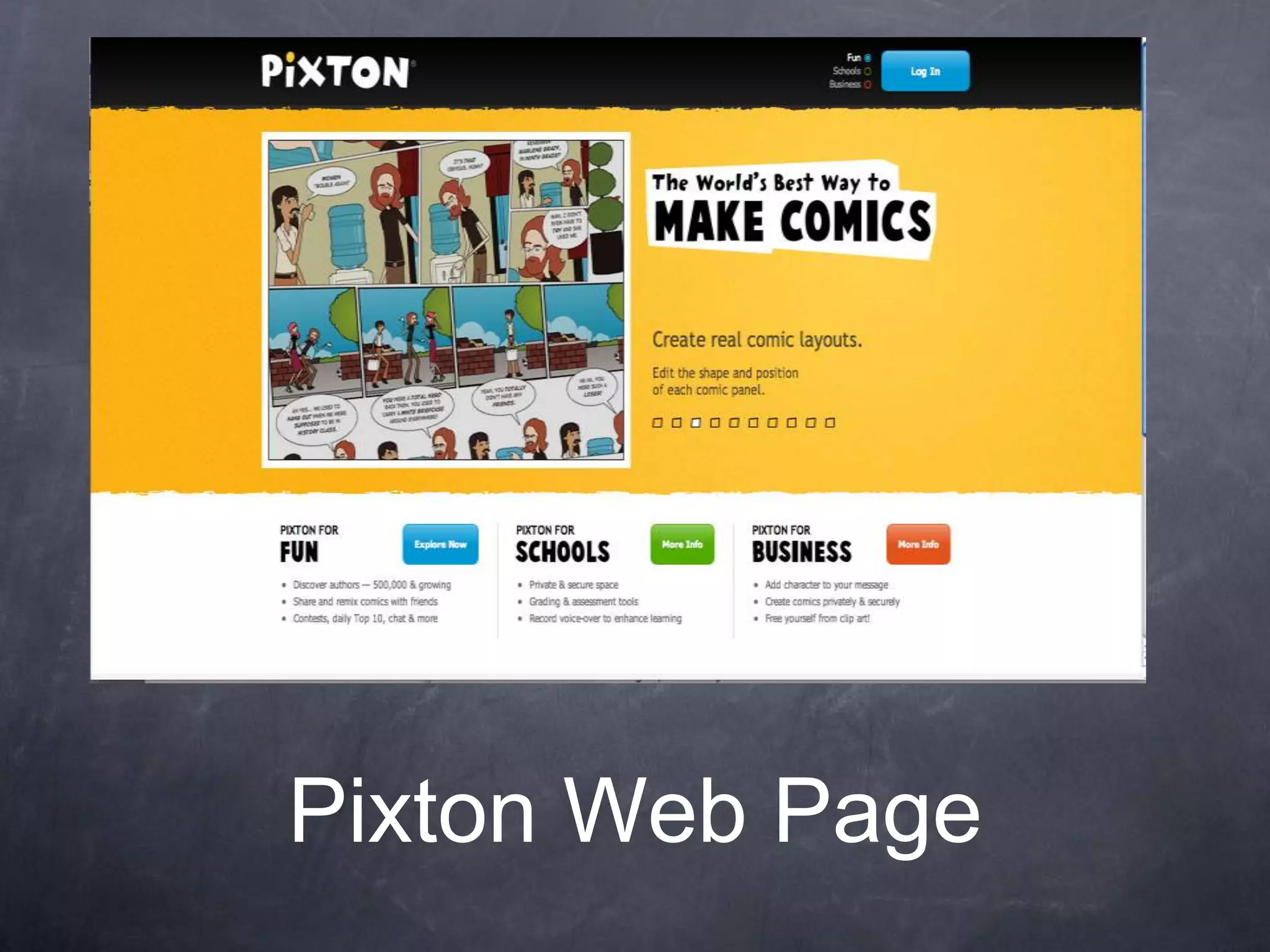
•   Pixton is an amazing web tool that allows its users to make online digital
    comics which can be moderated by a supervisor.
•   This tool would be perfect for 5th grade history students.
•   I liked how simple and easy it is to make the comics and the variety of
    templates there is to choose from.
•   I did not like the fact that I would have to pay for Pixton’s teacher account.
•   I would use this tool by having my students create their own comic page based
    on an event that took place in the American Revolution. Then I would collect all
    my students comic pages into one class comic book.
•   This tool meets ths communication and collaboration standard because its
    users can create a digital comic which could be shared and commented on by
    other users.
Pixton Web Page
•Laura Watson
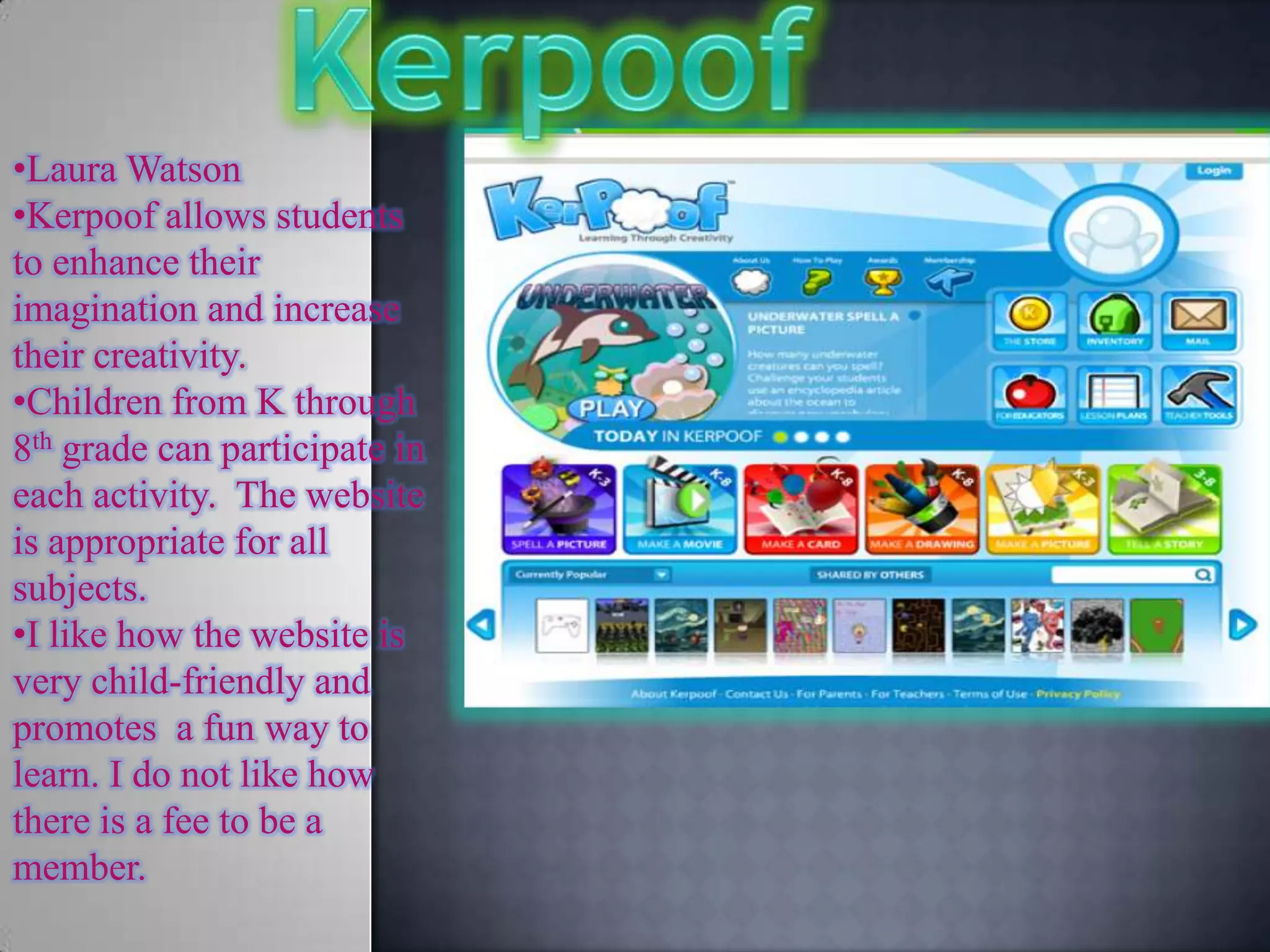
•Kerpoof allows students
to enhance their
imagination and increase
their creativity.
•Children from K through
8th grade can participate in
each activity. The website
is appropriate for all
subjects.
•I like how the website is
very child-friendly and
promotes a fun way to
learn. I do not like how
there is a fee to be a
member.
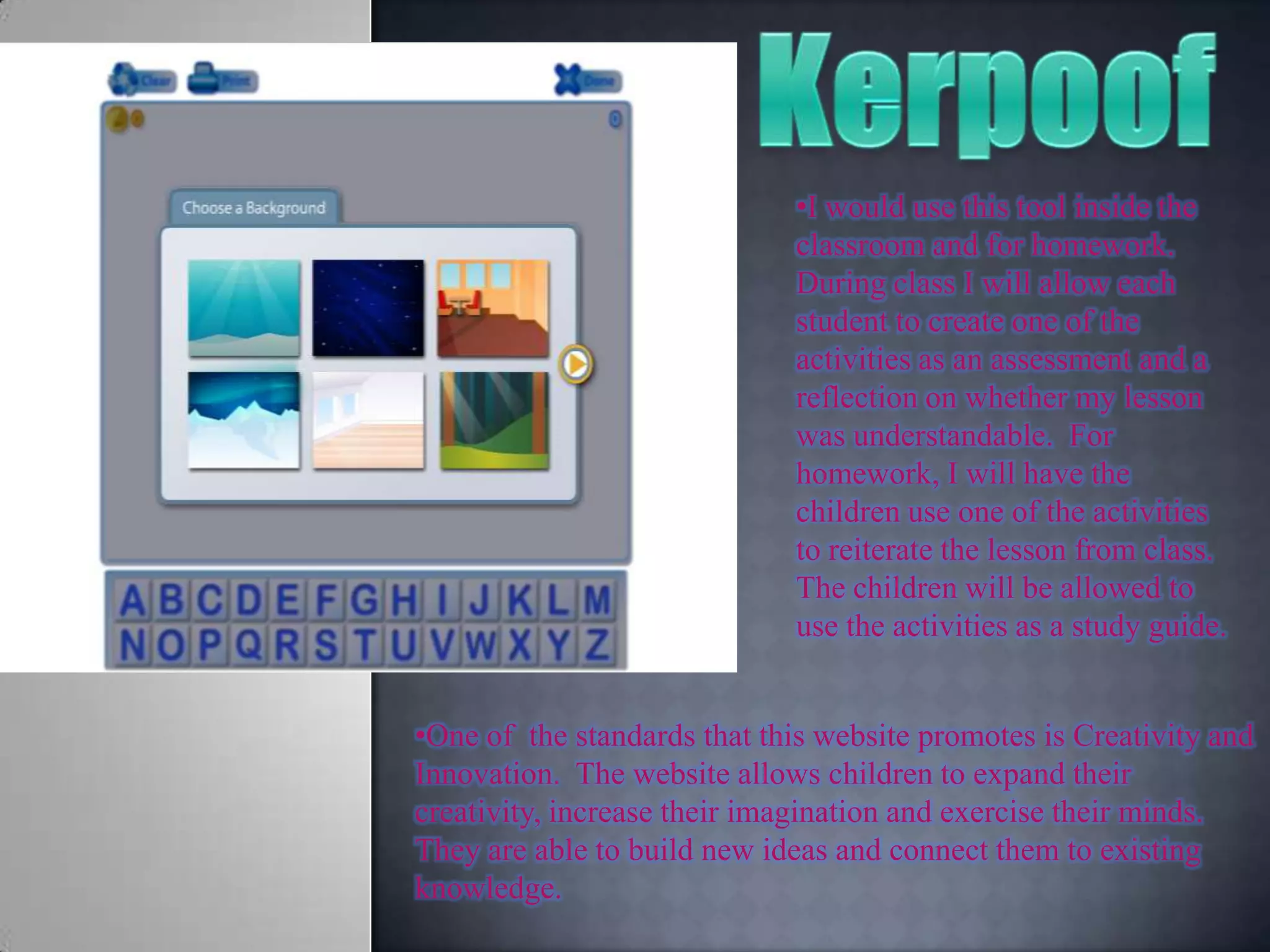
•I would use this tool inside the
                             classroom and for homework.
                             During class I will allow each
                             student to create one of the
                             activities as an assessment and a
                             reflection on whether my lesson
                             was understandable. For
                             homework, I will have the
                             children use one of the activities
                             to reiterate the lesson from class.
                             The children will be allowed to
                             use the activities as a study guide.


•One of the standards that this website promotes is Creativity and
Innovation. The website allows children to expand their
creativity, increase their imagination and exercise their minds.
They are able to build new ideas and connect them to existing
knowledge.
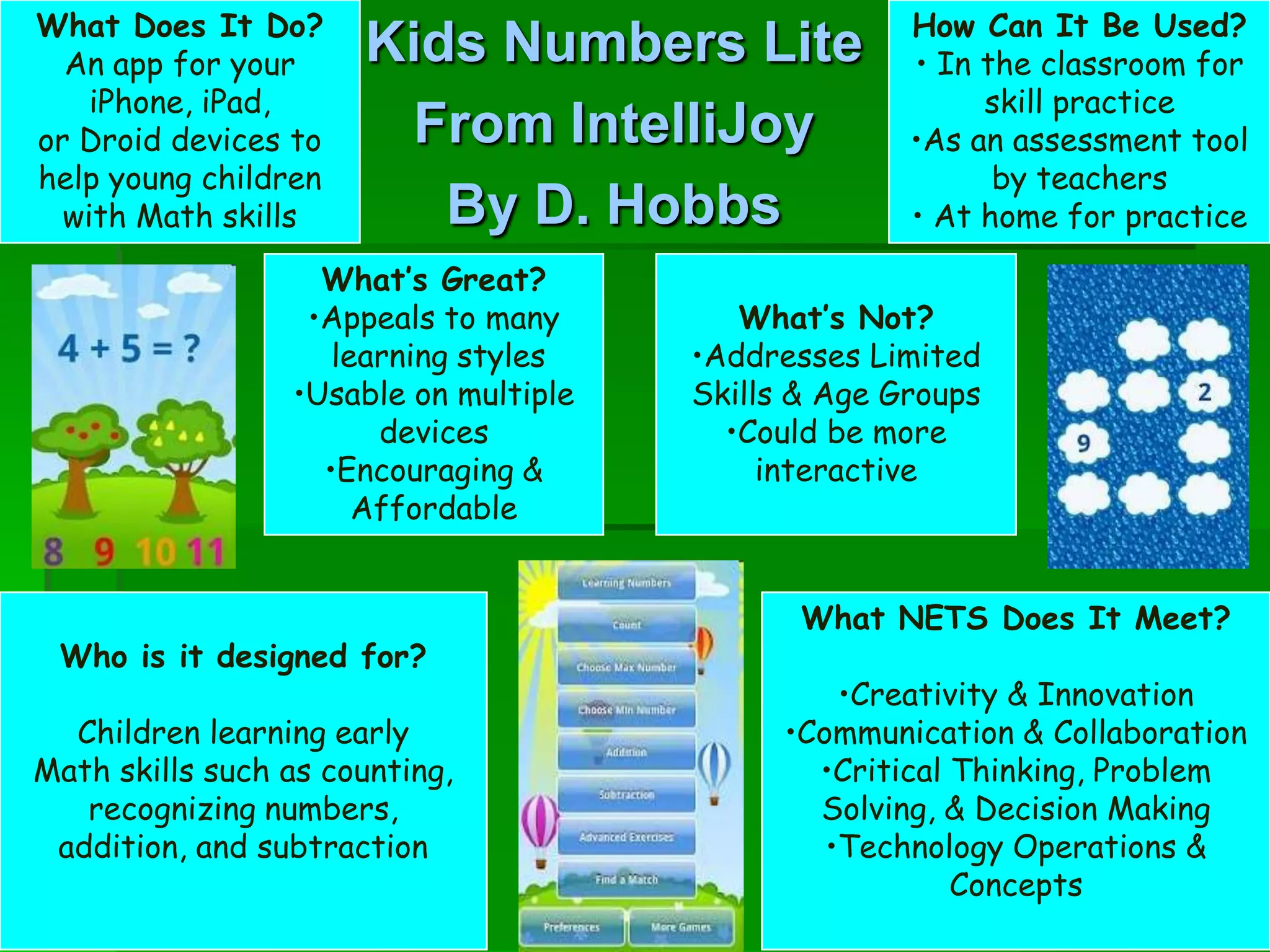
What Does It Do?                                     How Can It Be Used?
  An app for your     Kids Numbers Lite              • In the classroom for
    iPhone, iPad,                                         skill practice
or Droid devices to    From IntelliJoy               •As an assessment tool
help young children                                        by teachers
  with Math skills       By D. Hobbs                 • At home for practice

                   What’s Great?
                  •Appeals to many        What’s Not?
                    learning styles    •Addresses Limited
                 •Usable on multiple   Skills & Age Groups
                       devices           •Could be more
                   •Encouraging &           interactive
                      Affordable


                                              What NETS Does It Meet?
 Who is it designed for?
                                                 •Creativity & Innovation
  Children learning early                    •Communication & Collaboration
Math skills such as counting,                  •Critical Thinking, Problem
   recognizing numbers,                        Solving, & Decision Making
 addition, and subtraction                      •Technology Operations &
                                                         Concepts
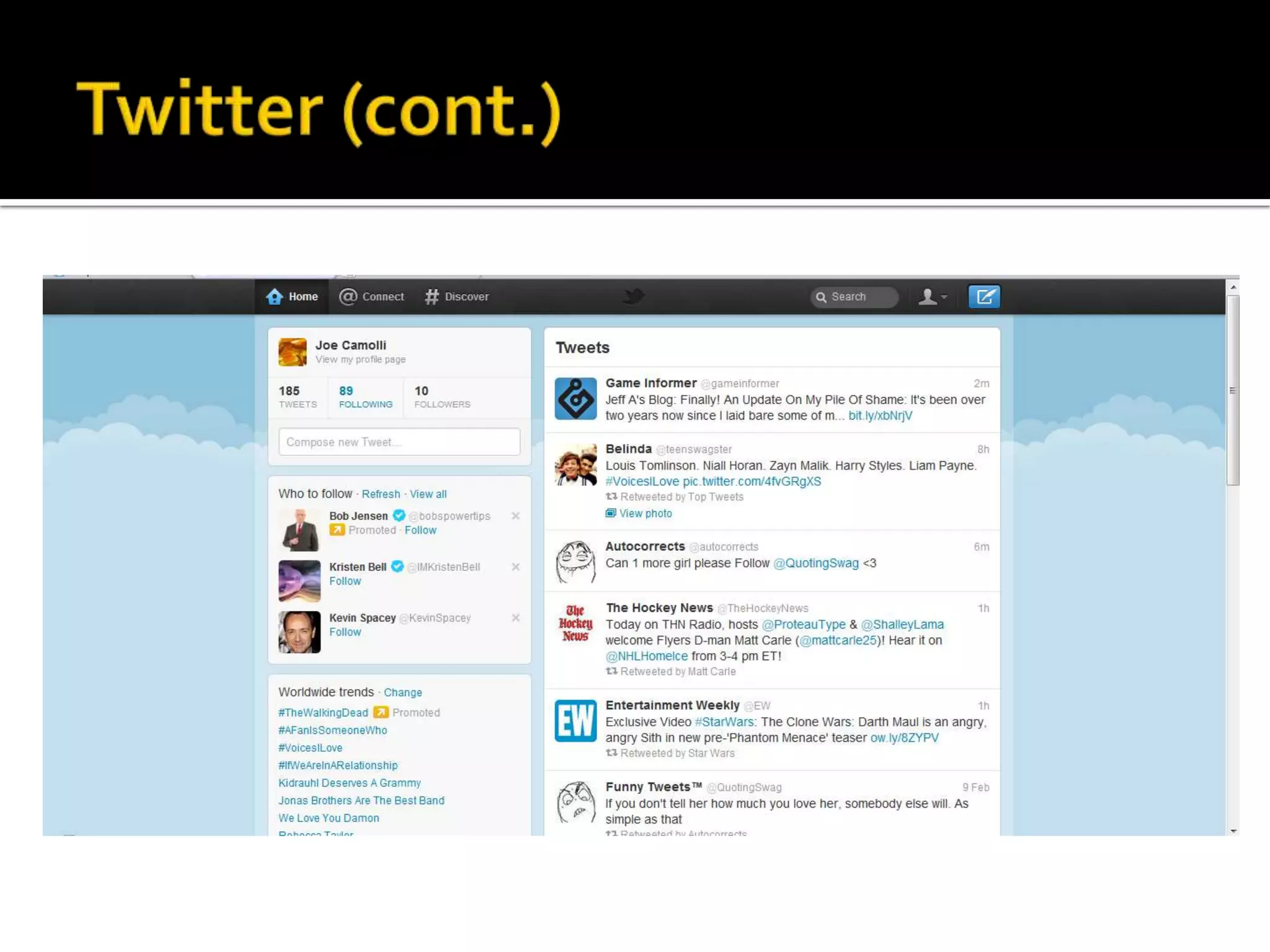
   Twitter is a highly useful tool for
    communicating with students, and giving
    them the ability to comment on lessons.
   Twitter was founded in 2006 by Jack Dorsey
    as a social network and microblog.
   Hashtags (#) and the @ symbol would allow
    for an educator to follow their students, as
    well as to tweet a trend specifically for their
    class.
*
•   It is a tool used to make   •   It addresses the creativity and
    presentations.                  innovation and the
                                    communication and
•   It brings the concept of
    a white board and               collaboration standards.
    Microsoft PowerPoint        •   Pros:
    together.                   •   It provides instructional videos.
•   It can be used for 10th     •   Gives control over the
    grade Social Studies.           arrangement of the slides.
•   I would use this tool to    •   It allows one to zoom in and out
    make a presentation             of the presentation.
    about the causes of
    WWI.                        •   Cons: It does not allow users to
                                    paste images into the
                                    presentation.
The Myth and Legends app is a fun,
creative application for teachers,
students or any creative minds to
use to make a story.
however, it’s not like writing a story
on Microsoft word. In this app, the
students ( or whomever) create a
“movie slide” of a past myth or
legend. In this movie slide that one
would make; they would choose their
own background (given by this app)
and then the background should
match their Typed story on the page.
The Myth and Legends app is a fun,
creative application for teachers,
students or any creative minds to
use to make a story.
however, it’s not like writing a story
on Microsoft word. In this app, the
students ( or whomever) create a
“movie slide” of a past myth or
legend. In this movie slide that one
would make; they would choose their
own background (given by this app)
and then the background should
match their Typed story on the page.
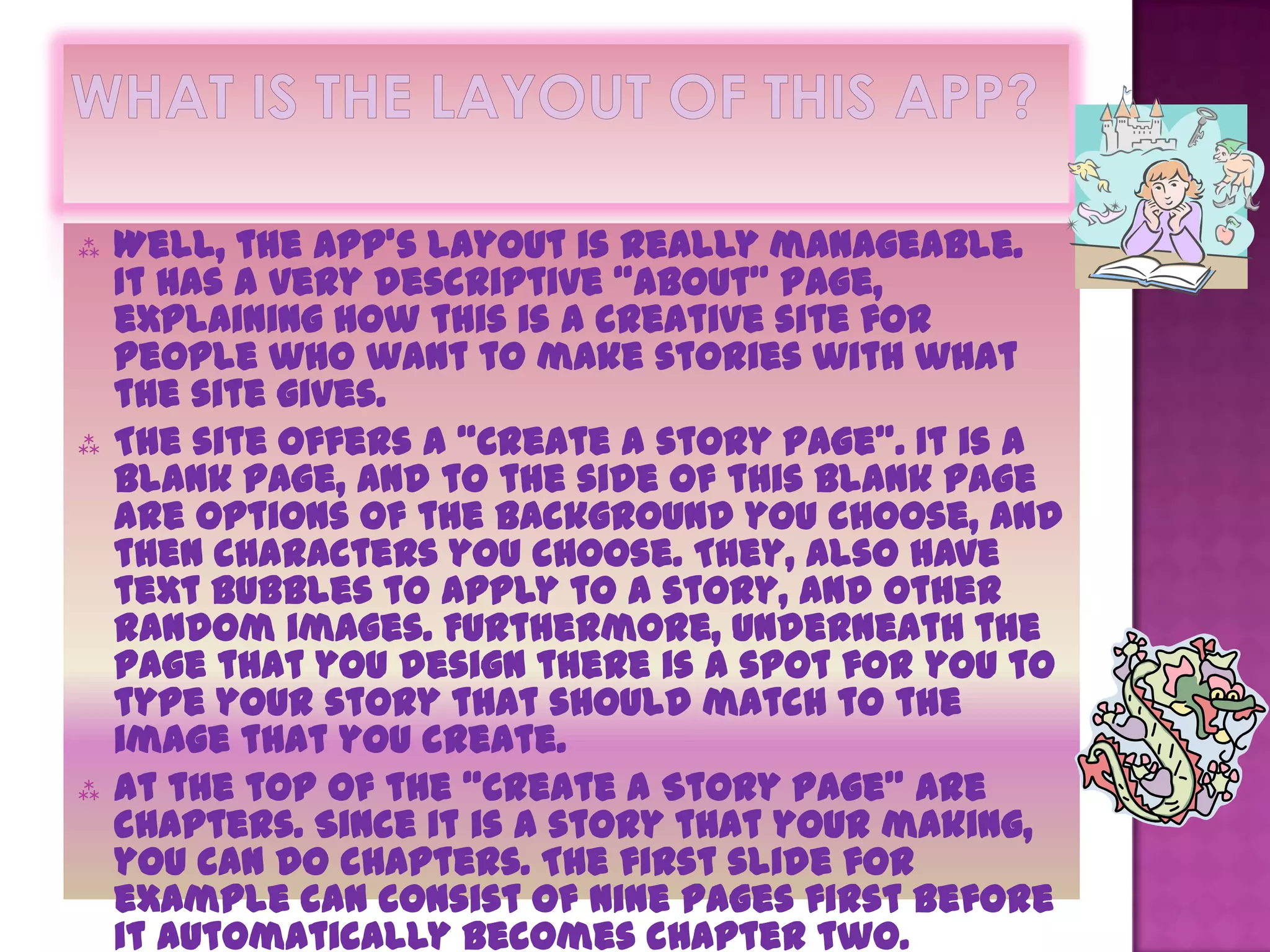
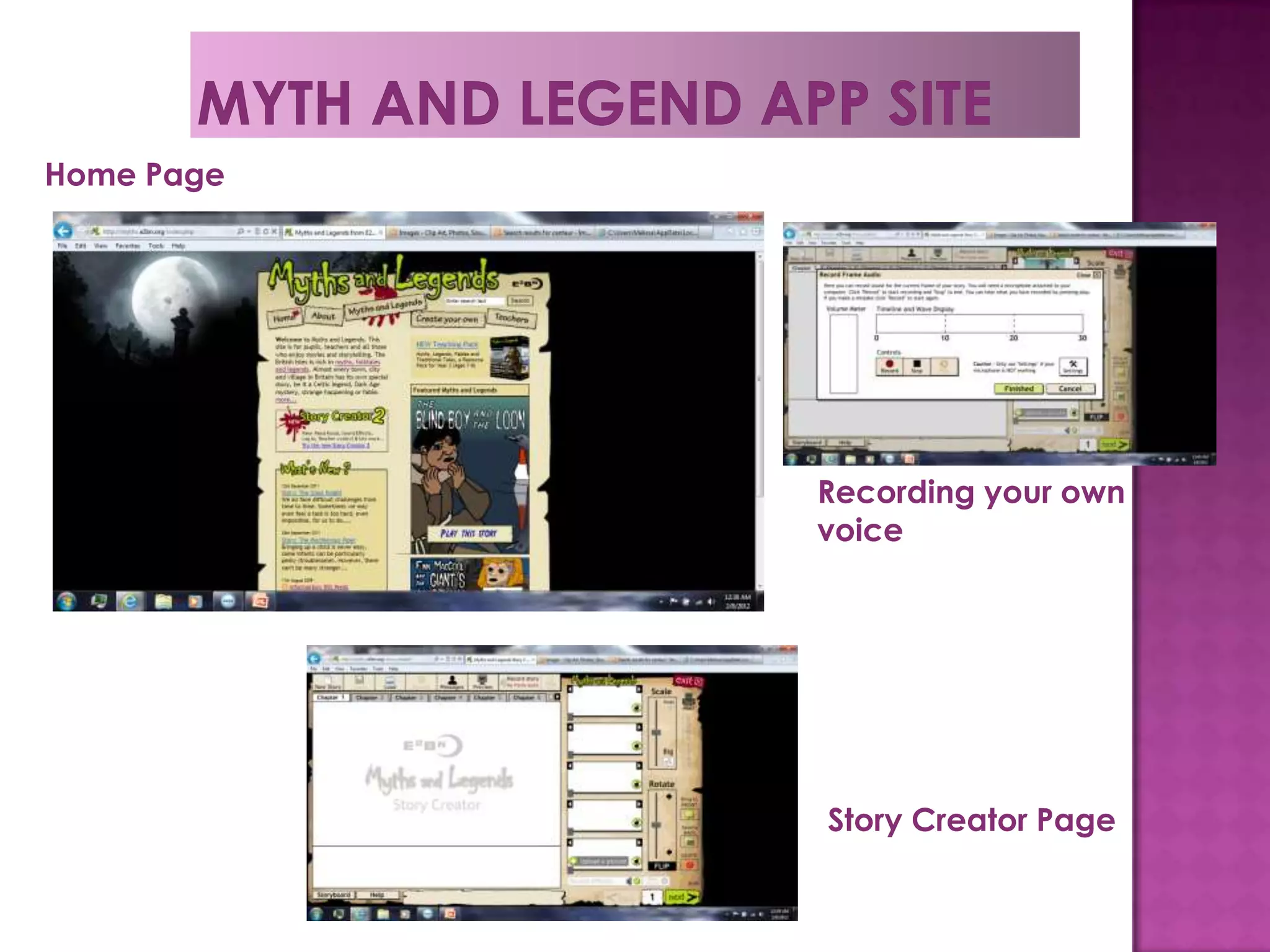
   Well, the app’s layout is really manageable.
    It has a very descriptive “About” page,
    explaining how this is a creative site for
    people who want to make stories with what
    the site gives.
   The site offers a “Create a story page”. It is a
    blank page, and to the side of this blank page
    are options of the background you choose, and
    then characters you choose. They, also have
    text bubbles to apply to a story, and other
    random images. Furthermore, underneath the
    page that you design there is a spot for you to
    type your story that should match to the
    image that you create.
   At the top of the “Create a Story Page” are
    chapters. Since it is a story that your making,
    you can do chapters. The first slide for
    example can consist of nine pages first before
    it automatically becomes chapter two.
   This app is very fun. It is a creative site
    already because one can create their own
    story using what the app provides them
    with. however, what’s even more fun to this
    app is when you type in your story to go
    along with the images you create, you can
    also record your own voice reciting the
    story.
   that isn’t the only epic part to the app, but
    if you wanted to add your own image as a
    background to your story you could.
   Lastly, another one of my favorite
    aspects of this app is that you can add
    sounds to the story you create. So say
    your first slide consisted of a door
    creaking, then you can apply the “door
    creaking” sound to that particular slide.
   And its free!!!!
   The people who would use this app are
    mostly going to be teachers. There are
    already stories made that are displayed
    on this site( they’re really good too), and
    the creators tend to be teachers. However,
    I think this is a great project to assign to a
    middle school level class. I would like to
    use it in my future as a project for my
    class. Personally, I think it’s more fun to
    create a story than to watch a story
    another person made. Although, on this site
    there are a lot of elaborate stories that
    are done really nicely. Also, the stories
    that are done on the page relate to an
    actual myth or legend from countries.
    Hence, the students who watch these slides
    are learning about a myth or legend about
    another country.
   The site to me is really fun. I can imagine a
    young student enjoying a site like this. They
    can virtually create any type of story they
 The Myth and Legend app most applies
  to the Creativity and Innovation ISTE.
 This is because for this app they need
  to construct their own story line, add
  dialogue to the story, sound effects,
  images, etc. Then, they need to
  construct it in an organized manner
  so it is coherent.
 It is a more creative project because
  students can use prior knowledge to
  make their story more exhilarating.
Home Page


            Recording your own
            voice


            Story Creator Page
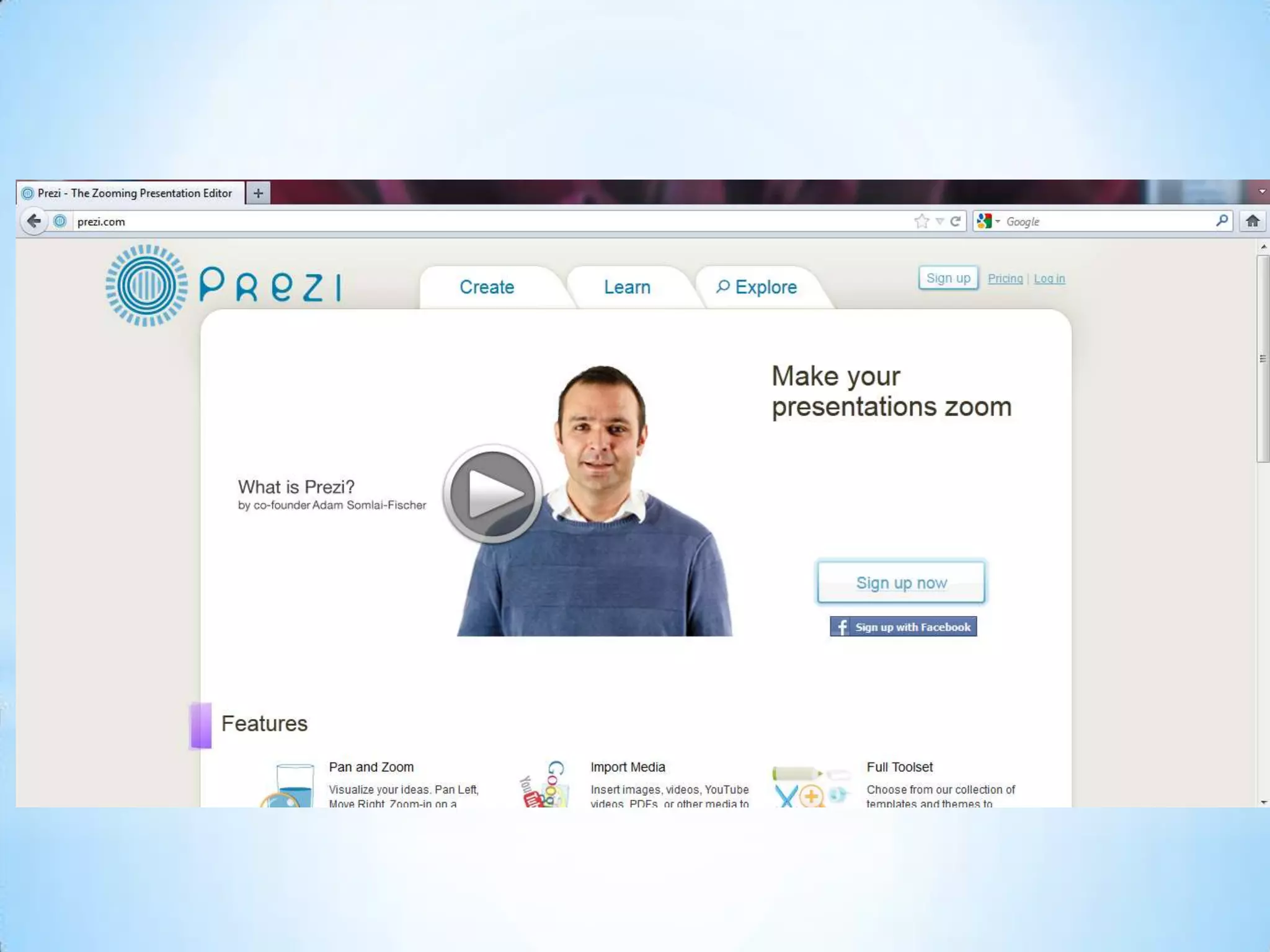
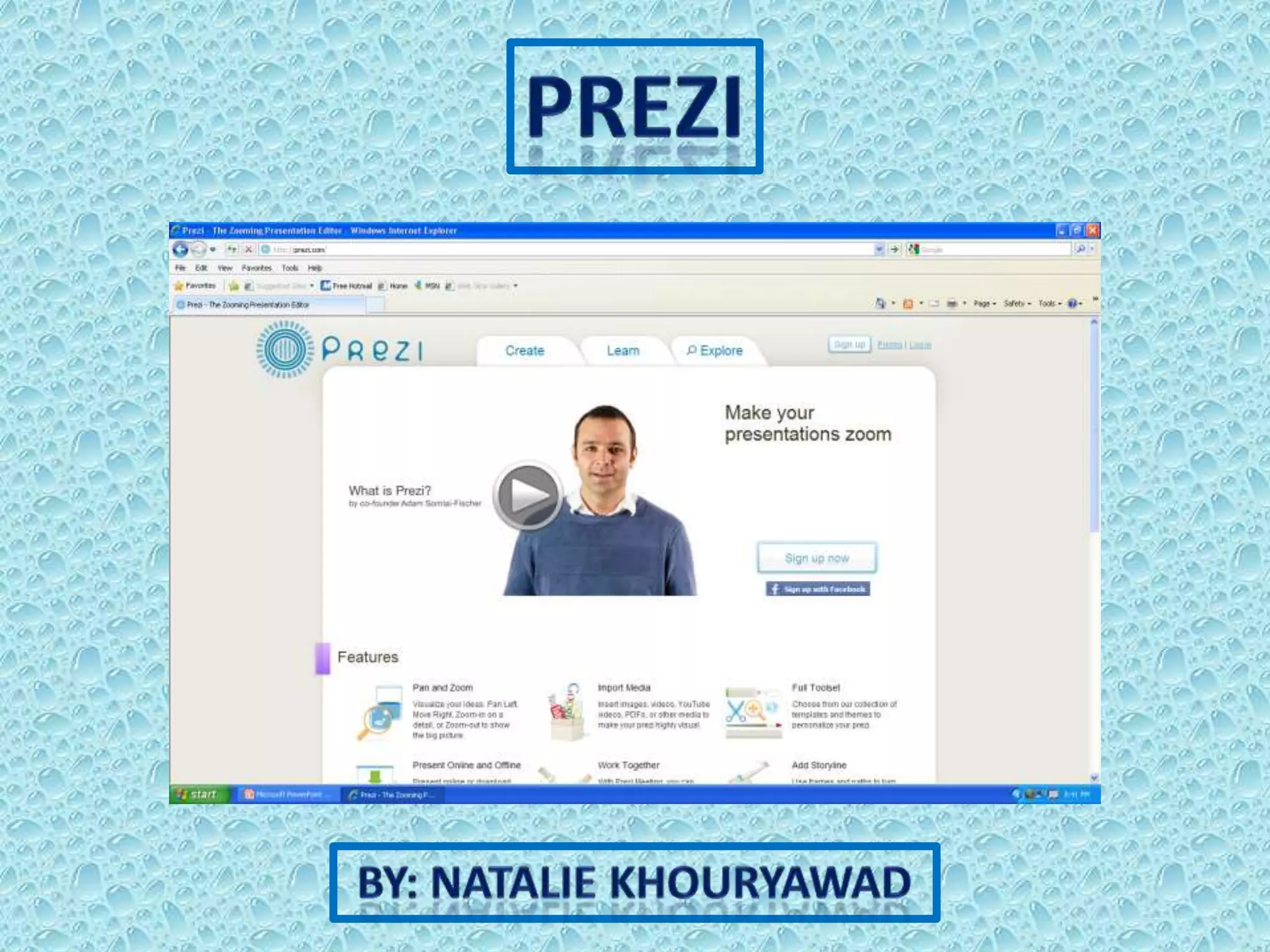
Prezi is a website of a cloud-based presentation software
Prezi can be used in classes of different subjects and different ages
Prezi is a user friendly software that people of many ages can easily
learn how to use
Prezi is well known for its zooming and movement features, and
map-like structure
I would use Prezi to teach my students
My presentations would have multiple uses such having a do now,
defining the topic we would be learning, have a youtube video about
that topic, show examples, have sample problems for the students to
try on their own, have the hidden answers to those problems as well,
and further options such as instructions for activities, or a list
homework
Prezi meets the second standard which is “Communication and
Collaboration” because it allows the user to “communicate
information and ideas effectively to multiple audiences using a
variety of digital environments and media”
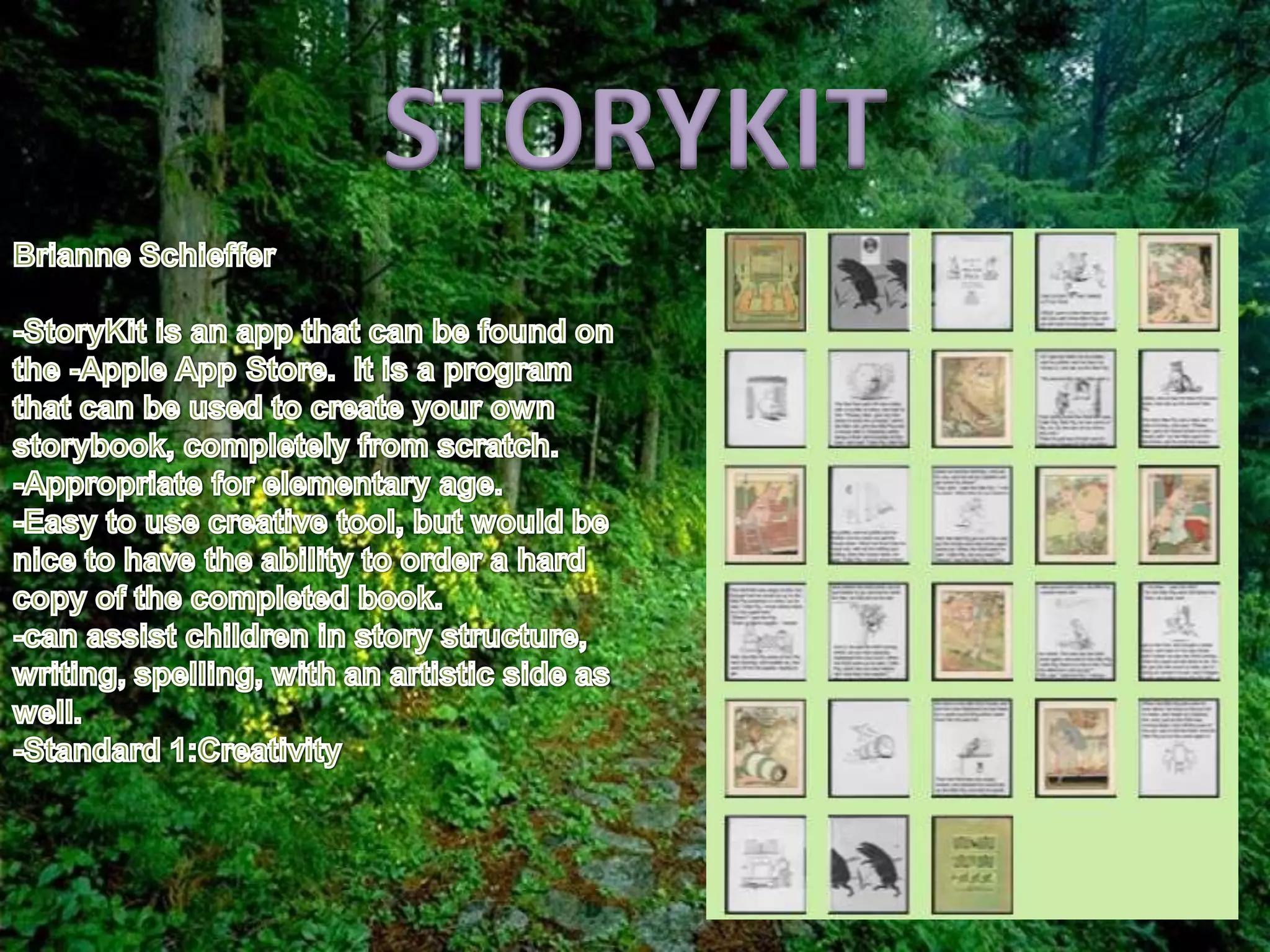
STORYKIT
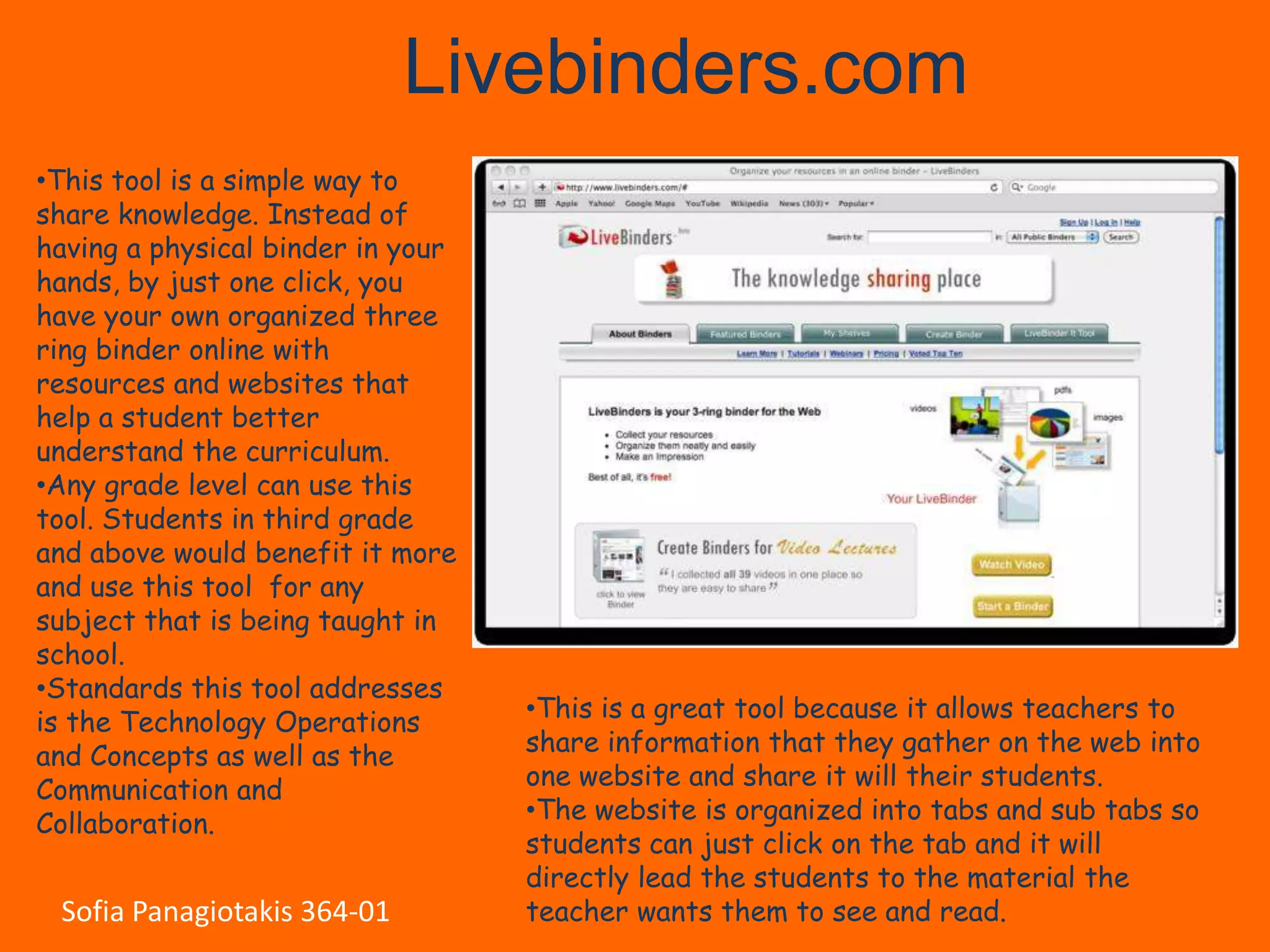
Livebinders.com
•This tool is a simple way to
share knowledge. Instead of
having a physical binder in your
hands, by just one click, you
have your own organized three
ring binder online with
resources and websites that
help a student better
understand the curriculum.
•Any grade level can use this
tool. Students in third grade
and above would benefit it more
and use this tool for any
subject that is being taught in
school.
•Standards this tool addresses
is the Technology Operations       •This is a great tool because it allows teachers to
and Concepts as well as the        share information that they gather on the web into
Communication and                  one website and share it will their students.
Collaboration.                     •The website is organized into tabs and sub tabs so
                                   students can just click on the tab and it will
                                   directly lead the students to the material the
 Sofia Panagiotakis 364-01         teacher wants them to see and read.
By: Sara Papasodero
What Does It Do?
   Gives children, teachers and authors an easy fun
    way to create their own personal children’s books.
   Creating a book is free; however, customers have
    the option of buying and having their books
    delivered for a price.
   Teachers can make educational books that go
    with their lessons.
   Teachers can also have each student create his or
    her own book.
   There is a discount for teachers who are ordering
    over 15 or more books.
Standards
1)   Creativity and Innovation: Students will be
     using creative thinking to generate new ideas
     to build their own stories.
2)   Critical Thinking, Problem Solving, and
     Decision Making: Students will use critical
     thinking and decision making to plan their
     stories. They will also use problem solving to
     create conflict and resolution.
Would I Use It?
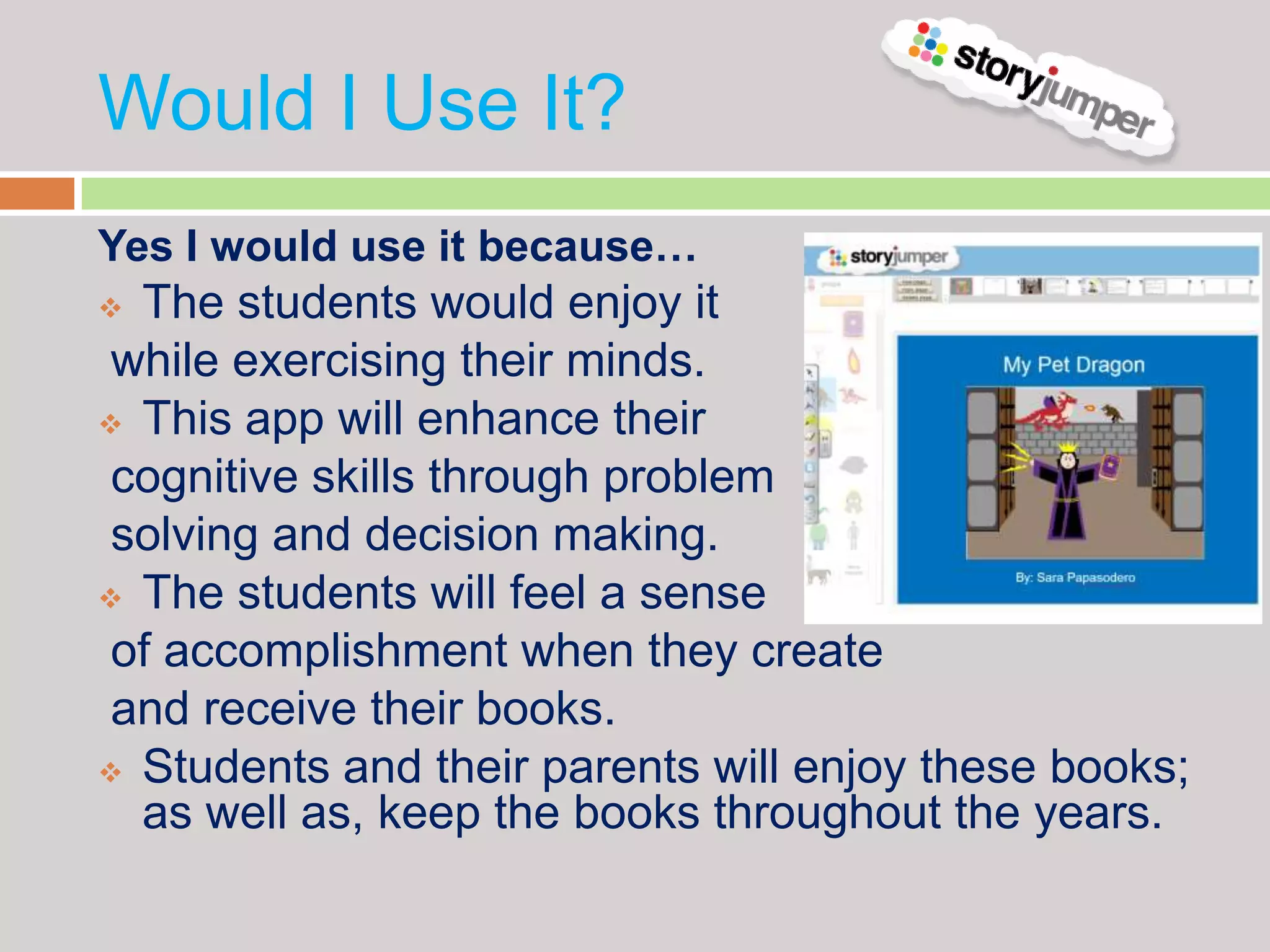
Yes I would use it because…
 The students would enjoy it
 while exercising their minds.
 This app will enhance their

 cognitive skills through problem
 solving and decision making.
 The students will feel a sense

 of accomplishment when they create
 and receive their books.
 Students and their parents will enjoy these books;
  as well as, keep the books throughout the years.
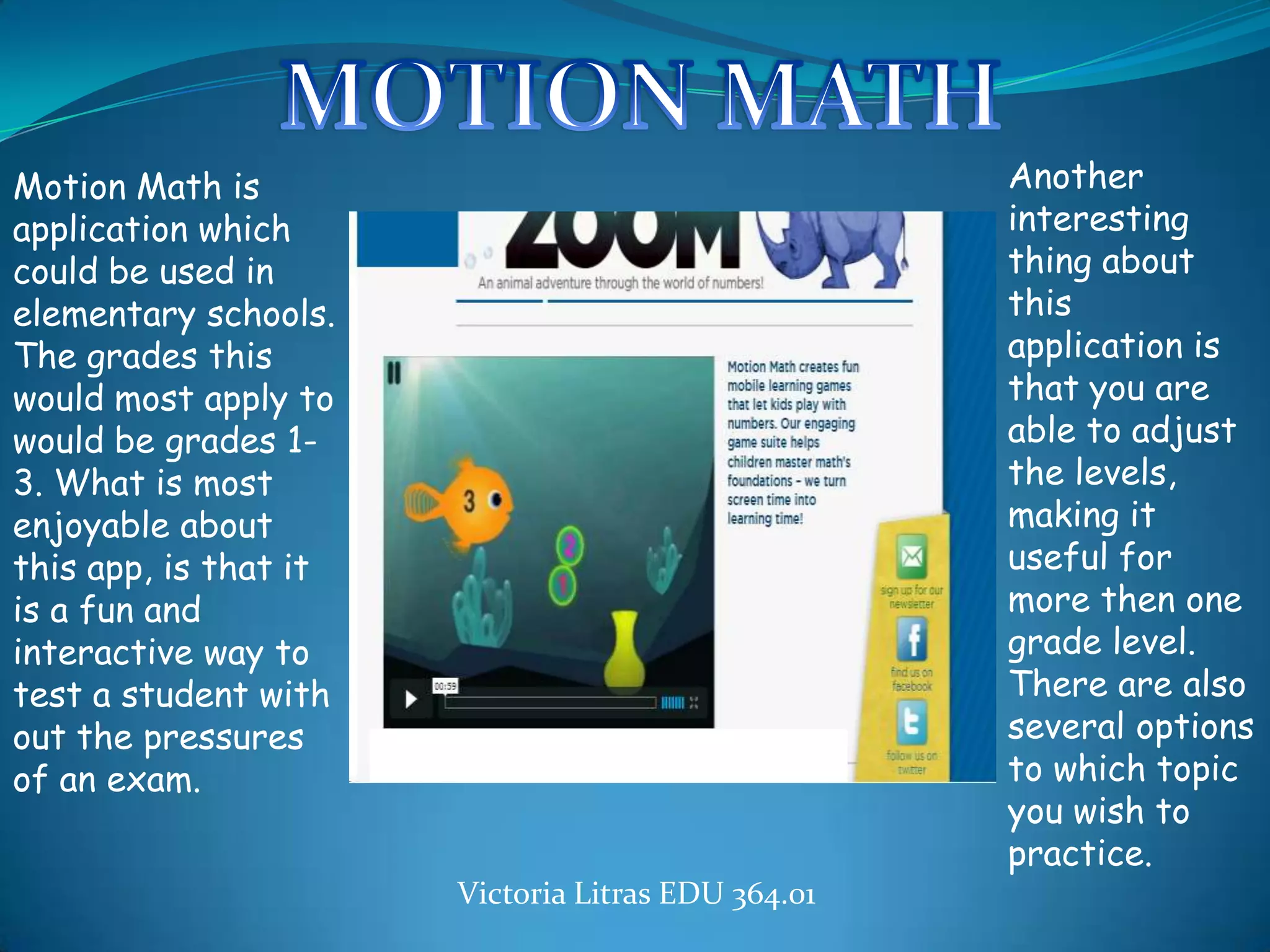
Motion Math is                                           Another
application which                                        interesting
could be used in                                         thing about
elementary schools.                                      this
The grades this                                          application is
would most apply to                                      that you are
would be grades 1-                                       able to adjust
3. What is most                                          the levels,
enjoyable about                                          making it
this app, is that it                                     useful for
is a fun and                                             more then one
interactive way to                                       grade level.
test a student with                                      There are also
out the pressures                                        several options
of an exam.
                       http://                           to which topic
                                                         you wish to
                                                         practice.
                            Victoria Litras EDU 364.01
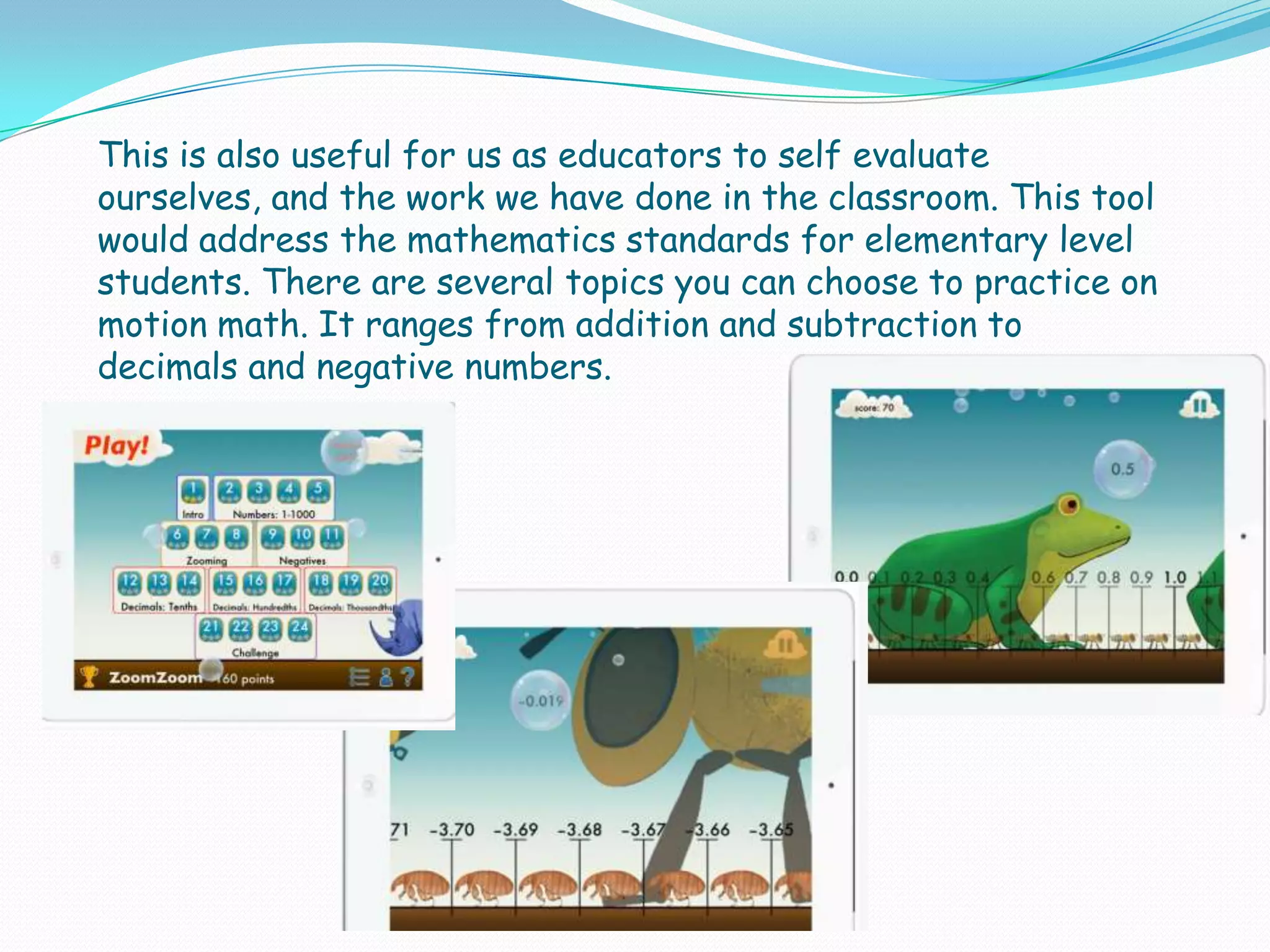
This is also useful for us as educators to self evaluate
ourselves, and the work we have done in the classroom. This tool
would address the mathematics standards for elementary level
students. There are several topics you can choose to practice on
motion math. It ranges from addition and subtraction to
decimals and negative numbers.

Cloud tool & app presentation edu 36401

  • 1.
    EDU 364.01 Spring2012 Cloud Tools & Apps We Like
  • 2.
    Pixton • Sean Philzone • Pixton is an amazing web tool that allows its users to make online digital comics which can be moderated by a supervisor. • This tool would be perfect for 5th grade history students. • I liked how simple and easy it is to make the comics and the variety of templates there is to choose from. • I did not like the fact that I would have to pay for Pixton’s teacher account. • I would use this tool by having my students create their own comic page based on an event that took place in the American Revolution. Then I would collect all my students comic pages into one class comic book. • This tool meets ths communication and collaboration standard because its users can create a digital comic which could be shared and commented on by other users.
  • 3.
  • 4.
    •Laura Watson •Kerpoof allowsstudents to enhance their imagination and increase their creativity. •Children from K through 8th grade can participate in each activity. The website is appropriate for all subjects. •I like how the website is very child-friendly and promotes a fun way to learn. I do not like how there is a fee to be a member.
  • 5.
    •I would usethis tool inside the classroom and for homework. During class I will allow each student to create one of the activities as an assessment and a reflection on whether my lesson was understandable. For homework, I will have the children use one of the activities to reiterate the lesson from class. The children will be allowed to use the activities as a study guide. •One of the standards that this website promotes is Creativity and Innovation. The website allows children to expand their creativity, increase their imagination and exercise their minds. They are able to build new ideas and connect them to existing knowledge.
  • 6.
    What Does ItDo? How Can It Be Used? An app for your Kids Numbers Lite • In the classroom for iPhone, iPad, skill practice or Droid devices to From IntelliJoy •As an assessment tool help young children by teachers with Math skills By D. Hobbs • At home for practice What’s Great? •Appeals to many What’s Not? learning styles •Addresses Limited •Usable on multiple Skills & Age Groups devices •Could be more •Encouraging & interactive Affordable What NETS Does It Meet? Who is it designed for? •Creativity & Innovation Children learning early •Communication & Collaboration Math skills such as counting, •Critical Thinking, Problem recognizing numbers, Solving, & Decision Making addition, and subtraction •Technology Operations & Concepts
  • 7.
    Twitter is a highly useful tool for communicating with students, and giving them the ability to comment on lessons.  Twitter was founded in 2006 by Jack Dorsey as a social network and microblog.  Hashtags (#) and the @ symbol would allow for an educator to follow their students, as well as to tweet a trend specifically for their class.
  • 9.
    * • It is a tool used to make • It addresses the creativity and presentations. innovation and the communication and • It brings the concept of a white board and collaboration standards. Microsoft PowerPoint • Pros: together. • It provides instructional videos. • It can be used for 10th • Gives control over the grade Social Studies. arrangement of the slides. • I would use this tool to • It allows one to zoom in and out make a presentation of the presentation. about the causes of WWI. • Cons: It does not allow users to paste images into the presentation.
  • 11.
    The Myth andLegends app is a fun, creative application for teachers, students or any creative minds to use to make a story. however, it’s not like writing a story on Microsoft word. In this app, the students ( or whomever) create a “movie slide” of a past myth or legend. In this movie slide that one would make; they would choose their own background (given by this app) and then the background should match their Typed story on the page.
  • 12.
    The Myth andLegends app is a fun, creative application for teachers, students or any creative minds to use to make a story. however, it’s not like writing a story on Microsoft word. In this app, the students ( or whomever) create a “movie slide” of a past myth or legend. In this movie slide that one would make; they would choose their own background (given by this app) and then the background should match their Typed story on the page.
  • 13.
    Well, the app’s layout is really manageable. It has a very descriptive “About” page, explaining how this is a creative site for people who want to make stories with what the site gives.  The site offers a “Create a story page”. It is a blank page, and to the side of this blank page are options of the background you choose, and then characters you choose. They, also have text bubbles to apply to a story, and other random images. Furthermore, underneath the page that you design there is a spot for you to type your story that should match to the image that you create.  At the top of the “Create a Story Page” are chapters. Since it is a story that your making, you can do chapters. The first slide for example can consist of nine pages first before it automatically becomes chapter two.
  • 14.
    This app is very fun. It is a creative site already because one can create their own story using what the app provides them with. however, what’s even more fun to this app is when you type in your story to go along with the images you create, you can also record your own voice reciting the story.  that isn’t the only epic part to the app, but if you wanted to add your own image as a background to your story you could.  Lastly, another one of my favorite aspects of this app is that you can add sounds to the story you create. So say your first slide consisted of a door creaking, then you can apply the “door creaking” sound to that particular slide.  And its free!!!!
  • 15.
    The people who would use this app are mostly going to be teachers. There are already stories made that are displayed on this site( they’re really good too), and the creators tend to be teachers. However, I think this is a great project to assign to a middle school level class. I would like to use it in my future as a project for my class. Personally, I think it’s more fun to create a story than to watch a story another person made. Although, on this site there are a lot of elaborate stories that are done really nicely. Also, the stories that are done on the page relate to an actual myth or legend from countries. Hence, the students who watch these slides are learning about a myth or legend about another country.  The site to me is really fun. I can imagine a young student enjoying a site like this. They can virtually create any type of story they
  • 16.
     The Mythand Legend app most applies to the Creativity and Innovation ISTE.  This is because for this app they need to construct their own story line, add dialogue to the story, sound effects, images, etc. Then, they need to construct it in an organized manner so it is coherent.  It is a more creative project because students can use prior knowledge to make their story more exhilarating.
  • 17.
    Home Page Recording your own voice Story Creator Page
  • 19.
    Prezi is awebsite of a cloud-based presentation software Prezi can be used in classes of different subjects and different ages Prezi is a user friendly software that people of many ages can easily learn how to use Prezi is well known for its zooming and movement features, and map-like structure
  • 20.
    I would usePrezi to teach my students My presentations would have multiple uses such having a do now, defining the topic we would be learning, have a youtube video about that topic, show examples, have sample problems for the students to try on their own, have the hidden answers to those problems as well, and further options such as instructions for activities, or a list homework Prezi meets the second standard which is “Communication and Collaboration” because it allows the user to “communicate information and ideas effectively to multiple audiences using a variety of digital environments and media”
  • 21.
  • 22.
    Livebinders.com •This tool isa simple way to share knowledge. Instead of having a physical binder in your hands, by just one click, you have your own organized three ring binder online with resources and websites that help a student better understand the curriculum. •Any grade level can use this tool. Students in third grade and above would benefit it more and use this tool for any subject that is being taught in school. •Standards this tool addresses is the Technology Operations •This is a great tool because it allows teachers to and Concepts as well as the share information that they gather on the web into Communication and one website and share it will their students. Collaboration. •The website is organized into tabs and sub tabs so students can just click on the tab and it will directly lead the students to the material the Sofia Panagiotakis 364-01 teacher wants them to see and read.
  • 23.
  • 24.
    What Does ItDo?  Gives children, teachers and authors an easy fun way to create their own personal children’s books.  Creating a book is free; however, customers have the option of buying and having their books delivered for a price.  Teachers can make educational books that go with their lessons.  Teachers can also have each student create his or her own book.  There is a discount for teachers who are ordering over 15 or more books.
  • 25.
    Standards 1) Creativity and Innovation: Students will be using creative thinking to generate new ideas to build their own stories. 2) Critical Thinking, Problem Solving, and Decision Making: Students will use critical thinking and decision making to plan their stories. They will also use problem solving to create conflict and resolution.
  • 26.
    Would I UseIt? Yes I would use it because…  The students would enjoy it while exercising their minds.  This app will enhance their cognitive skills through problem solving and decision making.  The students will feel a sense of accomplishment when they create and receive their books.  Students and their parents will enjoy these books; as well as, keep the books throughout the years.
  • 27.
    Motion Math is Another application which interesting could be used in thing about elementary schools. this The grades this application is would most apply to that you are would be grades 1- able to adjust 3. What is most the levels, enjoyable about making it this app, is that it useful for is a fun and more then one interactive way to grade level. test a student with There are also out the pressures several options of an exam. http:// to which topic you wish to practice. Victoria Litras EDU 364.01
  • 28.
    This is alsouseful for us as educators to self evaluate ourselves, and the work we have done in the classroom. This tool would address the mathematics standards for elementary level students. There are several topics you can choose to practice on motion math. It ranges from addition and subtraction to decimals and negative numbers.