Technology in the Classroom: APPS!
            November 23, 2012
+
    Carolina N ugent


           A little bit about me...

           Director of Education for KinderTown
                carolina@kindertown.com


    @CarolinaNugent
    @KinderTownApp
+
    Overview

           What are we going to talk about?
                           Apps
                   1.   Getting Started
      2.    Evaluating Apps for the Classroom
              3.   App Recommendation
+
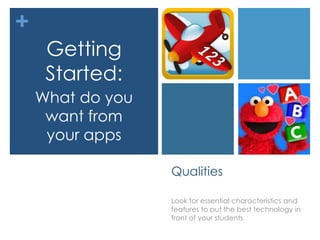
     Getting
     Started:
    What do you
     want from
     your apps

                  Qualities

                  Look for essential characteristics and
                  features to put the best technology in
                  front of your students
+
    Getting Started

                    Know your Objective!


     1.       Your pedagogy leads your app choice
         2.    Apps are one of many effective tools
    3.    Technology is not a reward – it is a critical
                 part of your students lives
+
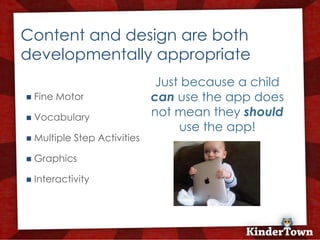
    Content and design are both
    developmentally appropriate
                                    Just because a child
       Fine Motor                 can use the app does
       Vocabulary                 not mean they should
                                        use the app!
       Multiple Step Activities

       Graphics

       Interactivity
+
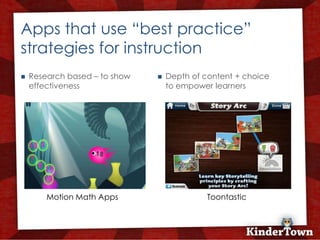
    Apps that use “best practice”
    strategies for instruction
       Research based – to show      Depth of content + choice
        effectiveness                  to empower learners


            Motion Math Apps                     Toontastic
+
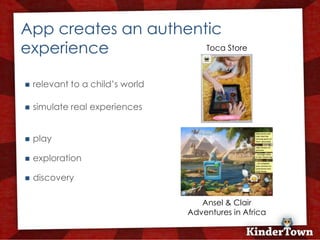
    App creates an authentic
    experience            Toca Store


       relevant to a child’s world

       simulate real experiences


       play

       exploration

       discovery

                                         Ansel & Clair
                                      Adventures in Africa
+
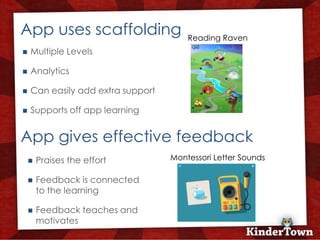
    App uses scaffolding                   Reading Raven
       Multiple Levels

       Analytics

       Can easily add extra support

       Supports off app learning


    App gives effective feedback
           Praises the effort         Montessori Letter Sounds

           Feedback is connected
            to the learning

           Feedback teaches and
            motivates
+
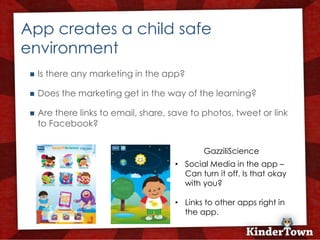
    App creates a child safe
    environment
        Is there any marketing in the app?

        Does the marketing get in the way of the learning?

        Are there links to email, share, save to photos, tweet or link
         to Facebook?


                                                  GazziliScience
                                           • Social Media in the app –
                                             Can turn it off. Is that okay
                                             with you?

                                           • Links to other apps right in
                                             the app.
+
 Evaluating
Apps for the
 Classroom


               Strategies

               Choose the right app at the right time
               to enhance learning
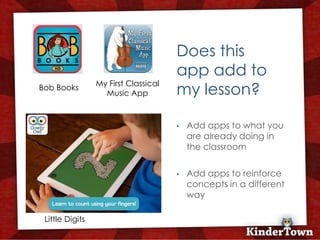
Does this
                                          app add to
                 My First Classical
Bob Books
                   Music App              my lesson?

                                      +   •   Add apps to what you
                                              are already doing in
                                              the classroom

                                          •   Add apps to reinforce
                                              concepts in a different
                                              way

 Little Digits
Does this
                                              app add
                                              meaningful
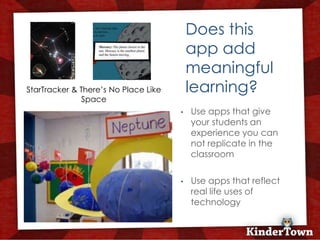
StarTracker & There’s No Place Like           learning?
              Space
                                          •   Use apps that give
                                      +       your students an
                                              experience you can
                                              not replicate in the
                                              classroom

                                          •   Use apps that reflect
                                              real life uses of
                                              technology
Does the app
                         encourage
                         interaction
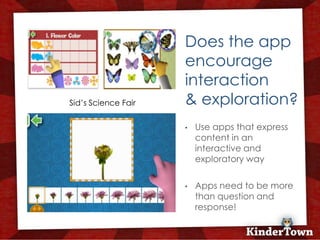
Sid’s Science Fair       & exploration?
                     +   •   Use apps that express
                             content in an
                             interactive and
                             exploratory way

                         •   Apps need to be more
                             than question and
                             response!
Does the app
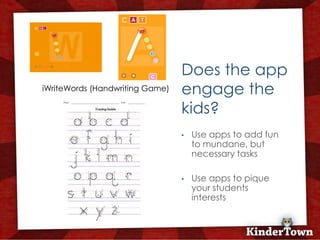
iWriteWords (Handwriting Game)   engage the
                                 kids?
                             +
                                 •   Use apps to add fun
                                     to mundane, but
                                     necessary tasks

                                 •   Use apps to pique
                                     your students
                                     interests
+

    Let’s Look
     at some
      Apps!

                 Apps for the Classroom
                 A list of apps broken down by subject,
                 age to suit your classroom needs.
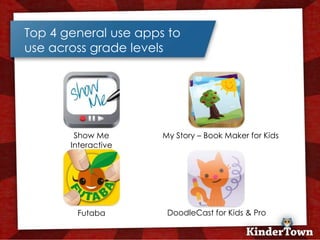
Top 4 general use apps to
use across grade levels


        Show Me       My Story – Book Maker for Kids
       Interactive


        Futaba         DoodleCast for Kids & Pro
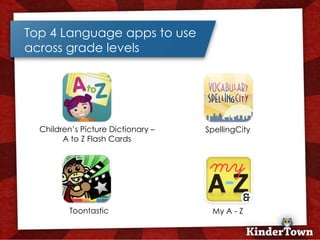
Top 4 Language apps to use
across grade levels


  Children’s Picture Dictionary –   SpellingCity
        A to Z Flash Cards


          Toontastic                 My A - Z
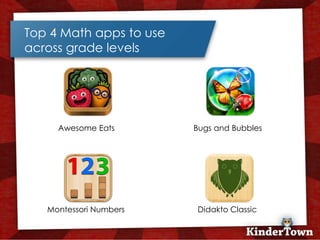
Top 4 Math apps to use
across grade levels


     Awesome Eats        Bugs and Bubbles


   Montessori Numbers    Didakto Classic
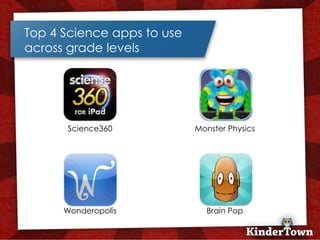
Top 4 Science apps to use
across grade levels


      Science360            Monster Physics


      Wonderopolis            Brain Pop
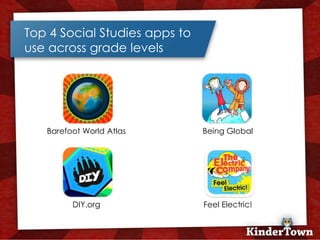
Top 4 Social Studies apps to
use across grade levels


   Barefoot World Atlas        Being Global


         DIY.org               Feel Electric!
Apps for Kindergarten


   Little Digits            Sid’s Science Fair

   Reading Raven            Building with Blocks

   Montessori Letters       Art Maker by ABC’s
    Sounds                    Play School

   Savannah Adventures      Toca Tea Party
Apps for 1st Grade


   Starfall Learn to Read      Mosaic HD

   Scribble Press              Puppet Pals

   Word Wizard                 ABCmouse.com –
                                 Thematic Books
   Motion Math (series of
    apps)                       ABC series (Peapod
                                 Labs)
Apps for 2nd Grade


   Simplex Spelling      Bobo Explores Light

   Electric Company      This is my body –
    WordBall!              Anatomy for kids

   Sushi Monster         StarTracker HD

   Math Doodles          Math Lands
Need more suggestions?

   KinderTown is an easy to search tool – both online and as
    a FREE app


   If not KinderTown – find a review site that you like to find
    app recommendations.


   Team up with your colleagues to search and test apps
    together. Don’t do this alone!

Apps: Weeboot Conference

  • 1.
    Technology in theClassroom: APPS! November 23, 2012
  • 2.
    + Carolina N ugent A little bit about me... Director of Education for KinderTown carolina@kindertown.com @CarolinaNugent @KinderTownApp
  • 3.
    + Overview What are we going to talk about? Apps 1. Getting Started 2. Evaluating Apps for the Classroom 3. App Recommendation
  • 4.
    + Getting Started: What do you want from your apps Qualities Look for essential characteristics and features to put the best technology in front of your students
  • 5.
    + Getting Started Know your Objective! 1. Your pedagogy leads your app choice 2. Apps are one of many effective tools 3. Technology is not a reward – it is a critical part of your students lives
  • 6.
    + Content and design are both developmentally appropriate Just because a child  Fine Motor can use the app does  Vocabulary not mean they should use the app!  Multiple Step Activities  Graphics  Interactivity
  • 7.
    + Apps that use “best practice” strategies for instruction  Research based – to show  Depth of content + choice effectiveness to empower learners Motion Math Apps Toontastic
  • 8.
    + App creates an authentic experience Toca Store  relevant to a child’s world  simulate real experiences  play  exploration  discovery Ansel & Clair Adventures in Africa
  • 9.
    + App uses scaffolding Reading Raven  Multiple Levels  Analytics  Can easily add extra support  Supports off app learning App gives effective feedback  Praises the effort Montessori Letter Sounds  Feedback is connected to the learning  Feedback teaches and motivates
  • 10.
    + App creates a child safe environment  Is there any marketing in the app?  Does the marketing get in the way of the learning?  Are there links to email, share, save to photos, tweet or link to Facebook? GazziliScience • Social Media in the app – Can turn it off. Is that okay with you? • Links to other apps right in the app.
  • 11.
    + Evaluating Apps forthe Classroom Strategies Choose the right app at the right time to enhance learning
  • 12.
    Does this app add to My First Classical Bob Books Music App my lesson? + • Add apps to what you are already doing in the classroom • Add apps to reinforce concepts in a different way Little Digits
  • 13.
    Does this app add meaningful StarTracker & There’s No Place Like learning? Space • Use apps that give + your students an experience you can not replicate in the classroom • Use apps that reflect real life uses of technology
  • 14.
    Does the app encourage interaction Sid’s Science Fair & exploration? + • Use apps that express content in an interactive and exploratory way • Apps need to be more than question and response!
  • 15.
    Does the app iWriteWords(Handwriting Game) engage the kids? + • Use apps to add fun to mundane, but necessary tasks • Use apps to pique your students interests
  • 16.
    + Let’s Look at some Apps! Apps for the Classroom A list of apps broken down by subject, age to suit your classroom needs.
  • 17.
    Top 4 generaluse apps to use across grade levels Show Me My Story – Book Maker for Kids Interactive Futaba DoodleCast for Kids & Pro
  • 18.
    Top 4 Languageapps to use across grade levels Children’s Picture Dictionary – SpellingCity A to Z Flash Cards Toontastic My A - Z
  • 19.
    Top 4 Mathapps to use across grade levels Awesome Eats Bugs and Bubbles Montessori Numbers Didakto Classic
  • 20.
    Top 4 Scienceapps to use across grade levels Science360 Monster Physics Wonderopolis Brain Pop
  • 21.
    Top 4 SocialStudies apps to use across grade levels Barefoot World Atlas Being Global DIY.org Feel Electric!
  • 22.
    Apps for Kindergarten  Little Digits  Sid’s Science Fair  Reading Raven  Building with Blocks  Montessori Letters  Art Maker by ABC’s Sounds Play School  Savannah Adventures  Toca Tea Party
  • 23.
    Apps for 1stGrade  Starfall Learn to Read  Mosaic HD  Scribble Press  Puppet Pals  Word Wizard  ABCmouse.com – Thematic Books  Motion Math (series of apps)  ABC series (Peapod Labs)
  • 24.
    Apps for 2ndGrade  Simplex Spelling  Bobo Explores Light  Electric Company  This is my body – WordBall! Anatomy for kids  Sushi Monster  StarTracker HD  Math Doodles  Math Lands
  • 25.
    Need more suggestions?  KinderTown is an easy to search tool – both online and as a FREE app  If not KinderTown – find a review site that you like to find app recommendations.  Team up with your colleagues to search and test apps together. Don’t do this alone!