IS THERE AN APP FOR 
THAT? 
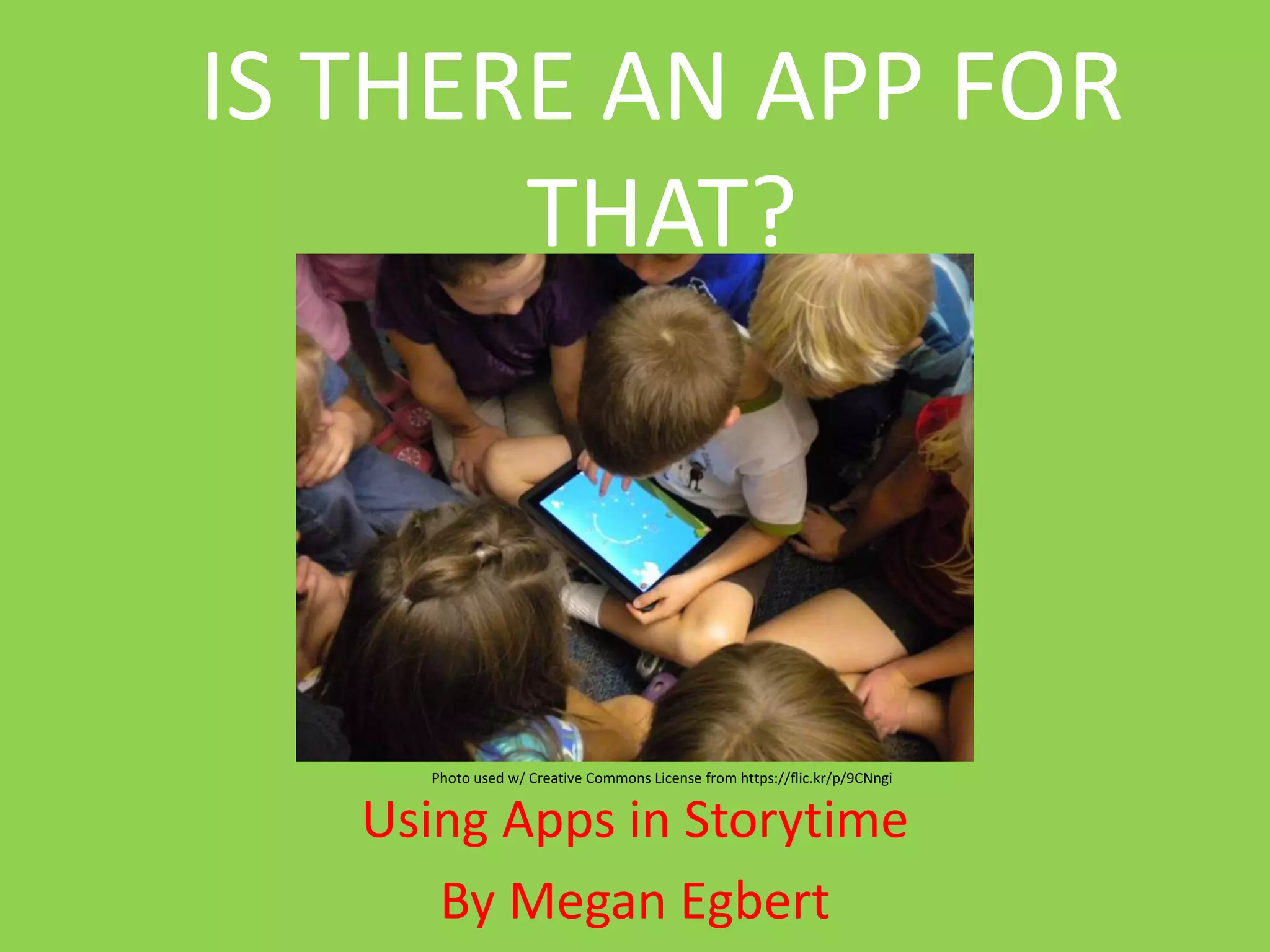
Photo used w/ Creative Commons License from https://flic.kr/p/9CNngi 
Using Apps in Storytime 
By Megan Egbert
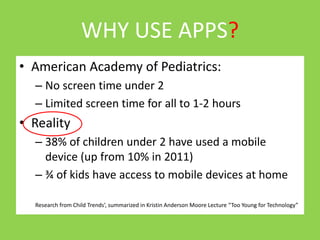
WHY USE APPS? 
• American Academy of Pediatrics: 
– No screen time under 2 
– Limited screen time for all to 1-2 hours 
• Reality 
– 38% of children under 2 have used a mobile 
device (up from 10% in 2011) 
– ¾ of kids have access to mobile devices at home 
Research from Child Trends’, summarized in Kristin Anderson Moore Lecture “Too Young for Technology”
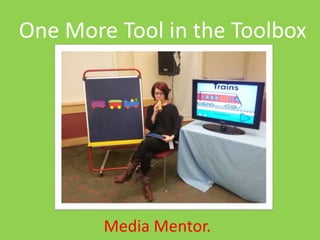
One More Tool in the Toolbox 
Media Mentor.
Questions to Consider 
Lisa Guernsey’s 3 C’s 
Content 
Context 
Individual Child
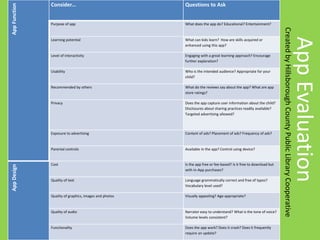
App Evaluation 
App Function 
Consider… Questions to Ask 
Purpose of app What does the app do? Educational? Entertainment? 
Learning potential What can kids learn? How are skills acquired or 
enhanced using this app? 
Level of interactivity Engaging with a great learning approach? Encourage 
further exploration? 
Usability Who is the intended audience? Appropriate for your 
child? 
Recommended by others What do the reviews say about the app? What are app 
store ratings? 
Privacy Does the app capture user information about the child? 
Disclosures about sharing practices readily available? 
Targeted advertising allowed? 
Exposure to advertising Content of ads? Placement of ads? Frequency of ads? 
Parental controls Available in the app? Control using device? 
App Design 
Cost Is the app free or fee-based? Is it free to download but 
with In-App purchases? 
Quality of text Language grammatically correct and free of typos? 
Vocabulary level used? 
Quality of graphics, images and photos Visually appealing? Age-appropriate? 
Quality of audio Narrator easy to understand? What is the tone of voice? 
Volume levels consistent? 
Functionality Does the app work? Does it crash? Does it frequently 
require an update? 
Created by Hillsborough County Public Library Cooperative
Best Practices for 
Storytime 
• Intentional 
• Appropriate 
• Balanced 
• Integrated 
• Interactive 
• Co-engagement
Best Apps in Storytime 
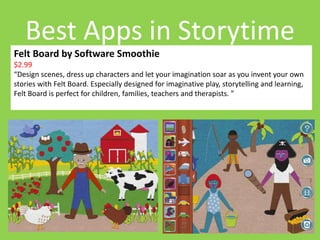
Felt Board by Software Smoothie 
$2.99 
“Design scenes, dress up characters and let your imagination soar as you invent your own 
stories with Felt Board. Especially designed for imaginative play, storytelling and learning, 
Felt Board is perfect for children, families, teachers and therapists. ”
Best Apps in Storytime 
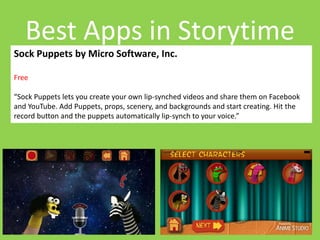
Sock Puppets by Micro Software, Inc. 
Free 
“Sock Puppets lets you create your own lip-synched videos and share them on Facebook 
and YouTube. Add Puppets, props, scenery, and backgrounds and start creating. Hit the 
record button and the puppets automatically lip-synch to your voice.”
Best Apps in Storytime 
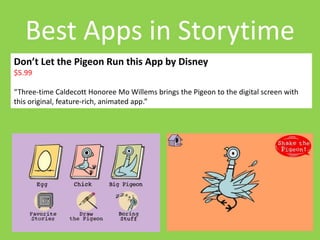
Don’t Let the Pigeon Run this App by Disney 
$5.99 
“Three-time Caldecott Honoree Mo Willems brings the Pigeon to the digital screen with 
this original, feature-rich, animated app.”
Best Apps in Storytime 
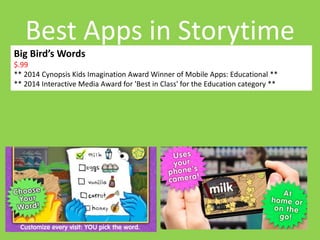
Big Bird’s Words 
$.99 
** 2014 Cynopsis Kids Imagination Award Winner of Mobile Apps: Educational ** 
** 2014 Interactive Media Award for 'Best in Class' for the Education category **
Best Apps in Storytime 
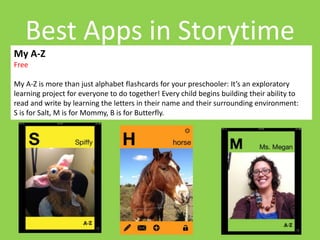
My A-Z 
Free 
My A-Z is more than just alphabet flashcards for your preschooler: It’s an exploratory 
learning project for everyone to do together! Every child begins building their ability to 
read and write by learning the letters in their name and their surrounding environment: 
S is for Salt, M is for Mommy, B is for Butterfly.
Apps for Other Things 
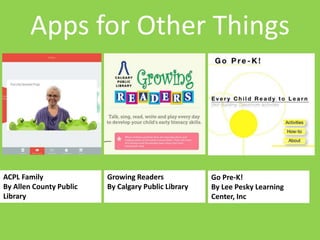
Go Pre-K! 
By Lee Pesky Learning 
Center, Inc 
Growing Readers 
By Calgary Public Library 
ACPL Family 
By Allen County Public 
Library
Resources 
Research 
• NAEYC Position Statement 
on Children and Technology 
• Fred Rogers Center 
• New America EdCentral 
“Seeding Reading” Articles. 
Practical 
• Little eLit 
• Book: Digital Decisions, 
Choosing the right 
Technology Tools for Early 
Education 
• Book: Teaching in a Digital 
Age, Smart Tools for Age 3 
to Grade 3
Contact Me 
Presentations on SlideShare: 
– http://www.slideshare.net/MeganEgbert 
Email me @megan@mld.org 
Tweet me @MeganEgbert

Using Apps in Storytime

  • 1.
    IS THERE ANAPP FOR THAT? Photo used w/ Creative Commons License from https://flic.kr/p/9CNngi Using Apps in Storytime By Megan Egbert
  • 2.
    WHY USE APPS? • American Academy of Pediatrics: – No screen time under 2 – Limited screen time for all to 1-2 hours • Reality – 38% of children under 2 have used a mobile device (up from 10% in 2011) – ¾ of kids have access to mobile devices at home Research from Child Trends’, summarized in Kristin Anderson Moore Lecture “Too Young for Technology”
  • 3.
    One More Toolin the Toolbox Media Mentor.
  • 4.
    Questions to Consider Lisa Guernsey’s 3 C’s Content Context Individual Child
  • 5.
    App Evaluation AppFunction Consider… Questions to Ask Purpose of app What does the app do? Educational? Entertainment? Learning potential What can kids learn? How are skills acquired or enhanced using this app? Level of interactivity Engaging with a great learning approach? Encourage further exploration? Usability Who is the intended audience? Appropriate for your child? Recommended by others What do the reviews say about the app? What are app store ratings? Privacy Does the app capture user information about the child? Disclosures about sharing practices readily available? Targeted advertising allowed? Exposure to advertising Content of ads? Placement of ads? Frequency of ads? Parental controls Available in the app? Control using device? App Design Cost Is the app free or fee-based? Is it free to download but with In-App purchases? Quality of text Language grammatically correct and free of typos? Vocabulary level used? Quality of graphics, images and photos Visually appealing? Age-appropriate? Quality of audio Narrator easy to understand? What is the tone of voice? Volume levels consistent? Functionality Does the app work? Does it crash? Does it frequently require an update? Created by Hillsborough County Public Library Cooperative
  • 6.
    Best Practices for Storytime • Intentional • Appropriate • Balanced • Integrated • Interactive • Co-engagement
  • 7.
    Best Apps inStorytime Felt Board by Software Smoothie $2.99 “Design scenes, dress up characters and let your imagination soar as you invent your own stories with Felt Board. Especially designed for imaginative play, storytelling and learning, Felt Board is perfect for children, families, teachers and therapists. ”
  • 8.
    Best Apps inStorytime Sock Puppets by Micro Software, Inc. Free “Sock Puppets lets you create your own lip-synched videos and share them on Facebook and YouTube. Add Puppets, props, scenery, and backgrounds and start creating. Hit the record button and the puppets automatically lip-synch to your voice.”
  • 9.
    Best Apps inStorytime Don’t Let the Pigeon Run this App by Disney $5.99 “Three-time Caldecott Honoree Mo Willems brings the Pigeon to the digital screen with this original, feature-rich, animated app.”
  • 10.
    Best Apps inStorytime Big Bird’s Words $.99 ** 2014 Cynopsis Kids Imagination Award Winner of Mobile Apps: Educational ** ** 2014 Interactive Media Award for 'Best in Class' for the Education category **
  • 11.
    Best Apps inStorytime My A-Z Free My A-Z is more than just alphabet flashcards for your preschooler: It’s an exploratory learning project for everyone to do together! Every child begins building their ability to read and write by learning the letters in their name and their surrounding environment: S is for Salt, M is for Mommy, B is for Butterfly.
  • 12.
    Apps for OtherThings Go Pre-K! By Lee Pesky Learning Center, Inc Growing Readers By Calgary Public Library ACPL Family By Allen County Public Library
  • 13.
    Resources Research •NAEYC Position Statement on Children and Technology • Fred Rogers Center • New America EdCentral “Seeding Reading” Articles. Practical • Little eLit • Book: Digital Decisions, Choosing the right Technology Tools for Early Education • Book: Teaching in a Digital Age, Smart Tools for Age 3 to Grade 3
  • 14.
    Contact Me Presentationson SlideShare: – http://www.slideshare.net/MeganEgbert Email me @megan@mld.org Tweet me @MeganEgbert

Editor's Notes

  • #5 Instead of worrying endlessly about the amount of time children spend with media, Guernsey concludes that new parents will be best served by focusing on “the three C’s”: content, context, and the individual child. Advocating a new approach to screen time, Guernsey focuses on infants to five-year-olds and goes beyond the headlines to explore what exactly is “educational” about educational media. She examines how play and language development are affected by background and foreground television and how to choose videos that are age-appropriate. She explains how to avoid the hype of “brain stimulation” and focus instead on social relationships and the building blocks of language and literacy.
  • #6 More than 75,000 “educational apps” for the iPad alone.