MC University
R02|Basics of Reporting: Overview (Part 2)
MC University
Running Reports Defined
Report Criteria Defined
Agenda
MC University
Accessing Reports and Report Groups
Running Reports
Report Criteria
Running Reports Defined
MC University
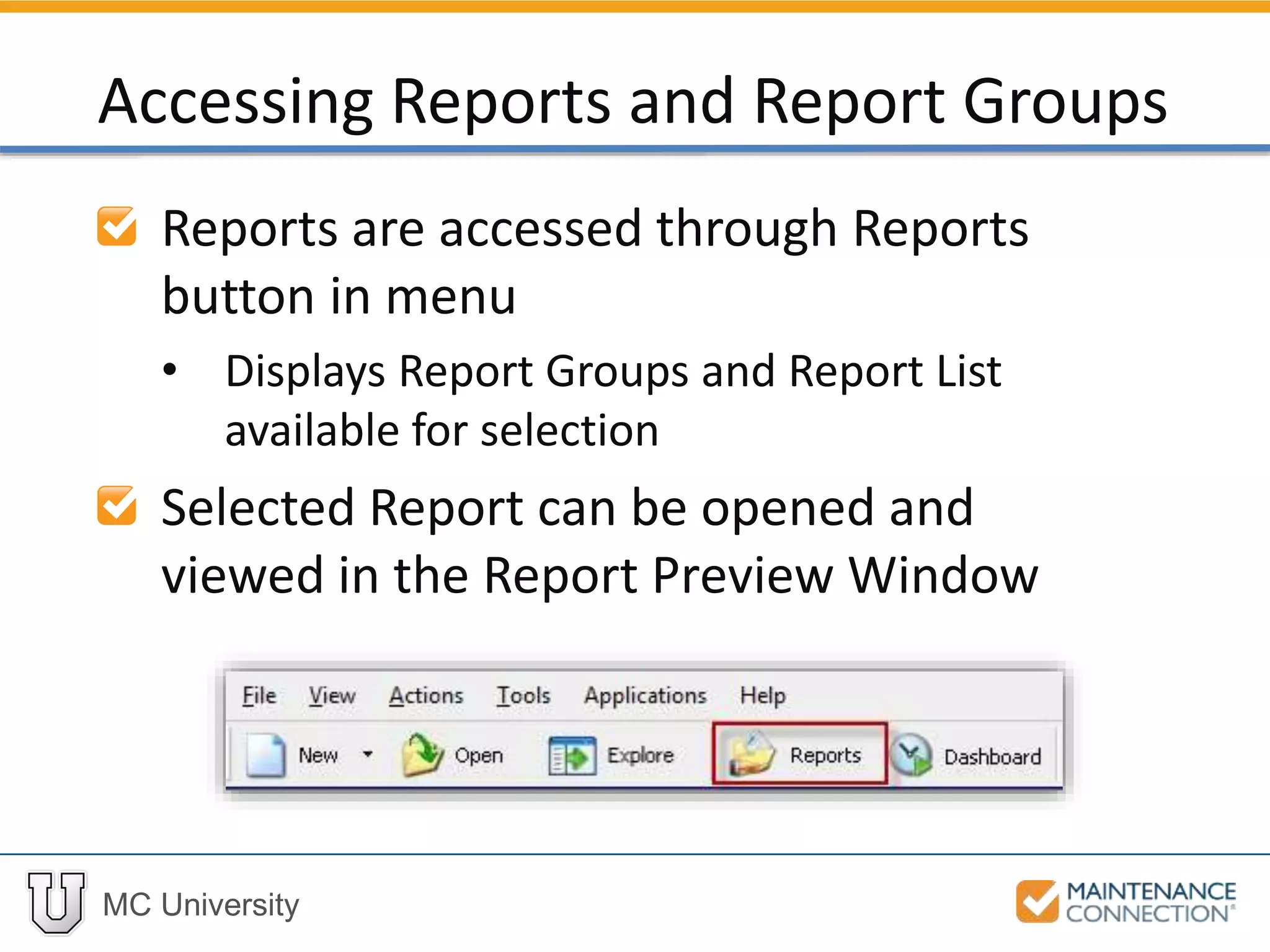
Reports are accessed through Reports
button in menu
• Displays Report Groups and Report List
available for selection
Selected Report can be opened and
viewed in the Report Preview Window
Accessing Reports and Report Groups
MC University
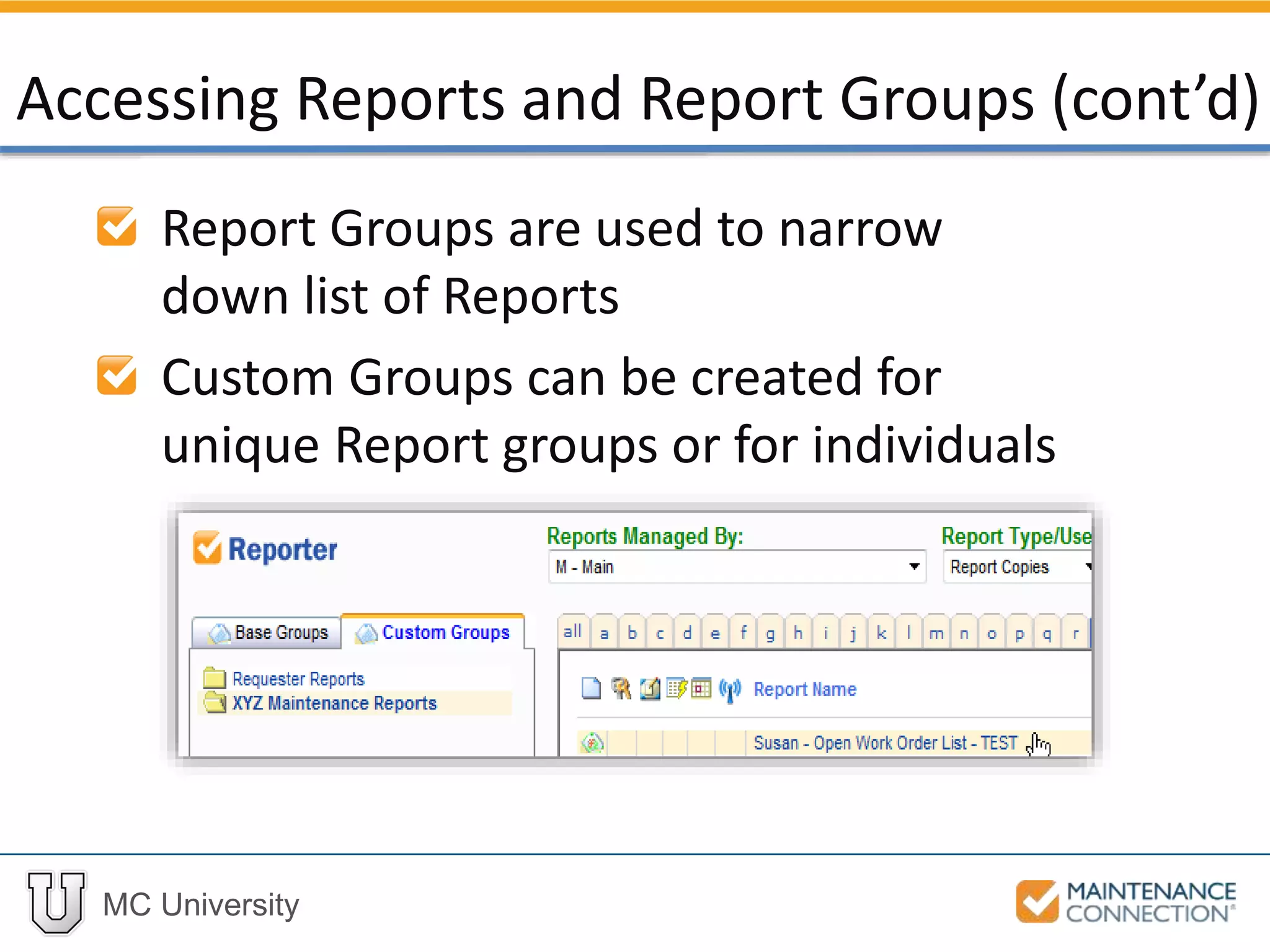
Report Groups are used to narrow
down list of Reports
Custom Groups can be created for
unique Report groups or for individuals
Accessing Reports and Report Groups (cont’d)
MC University
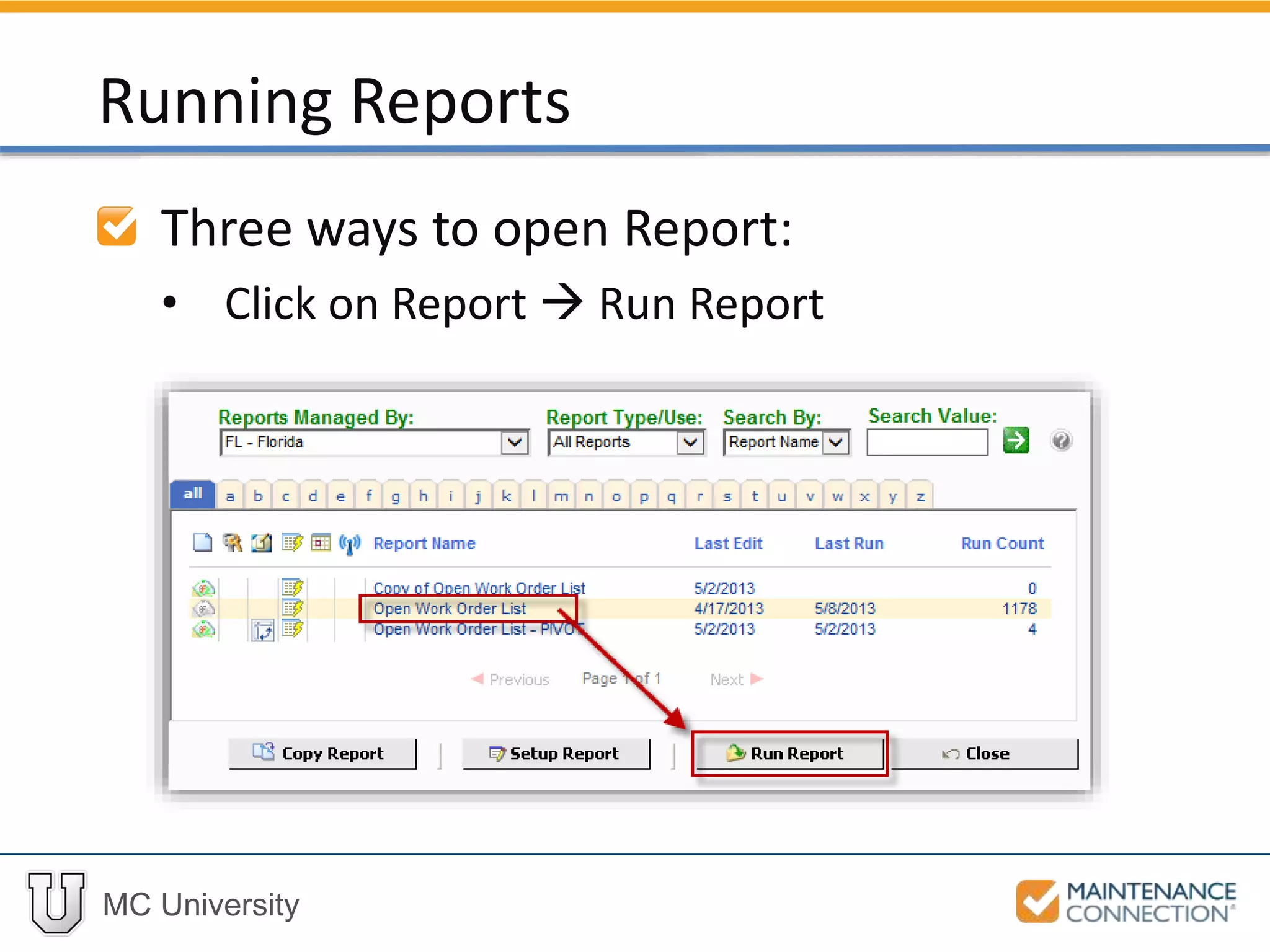
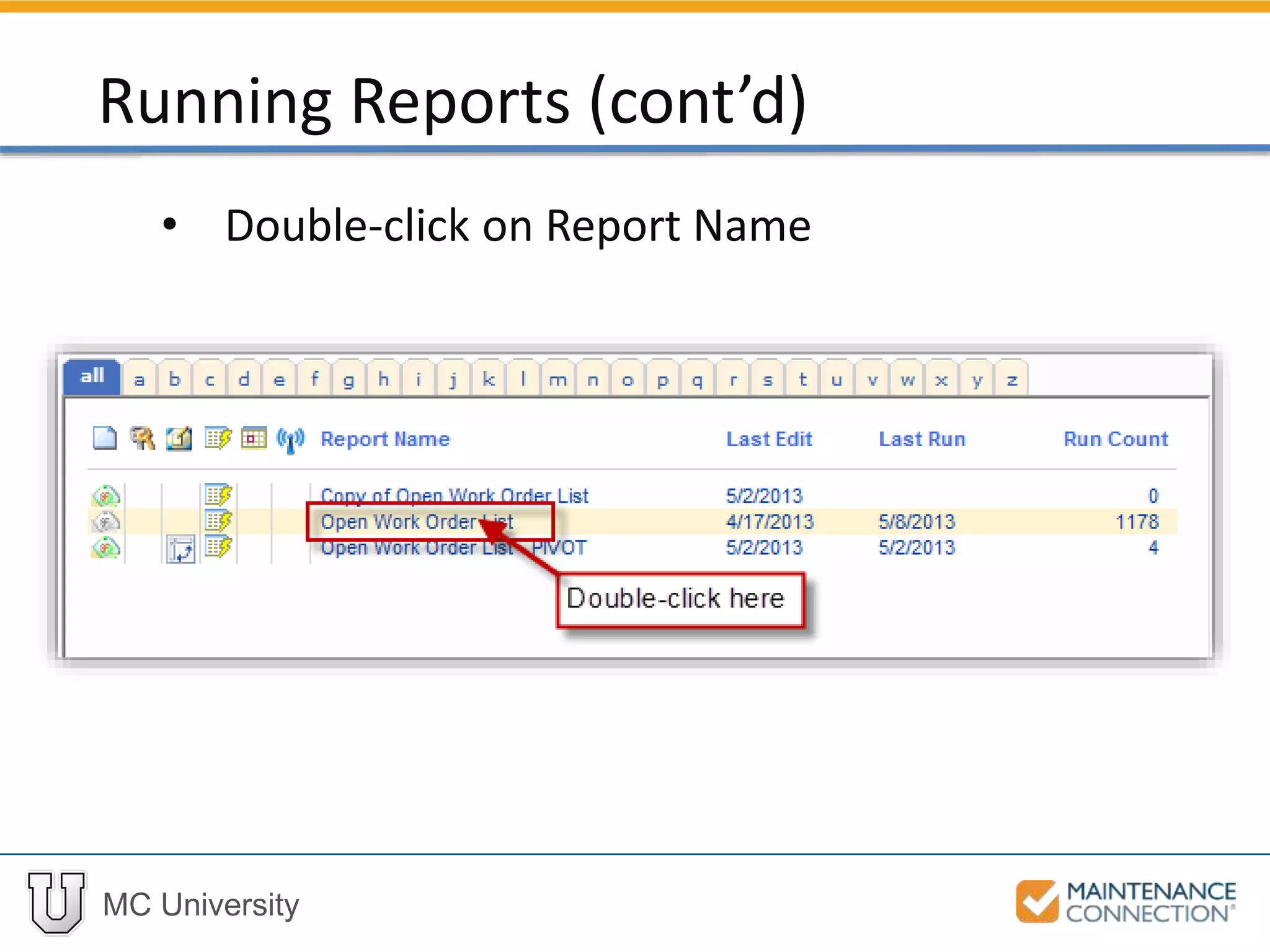
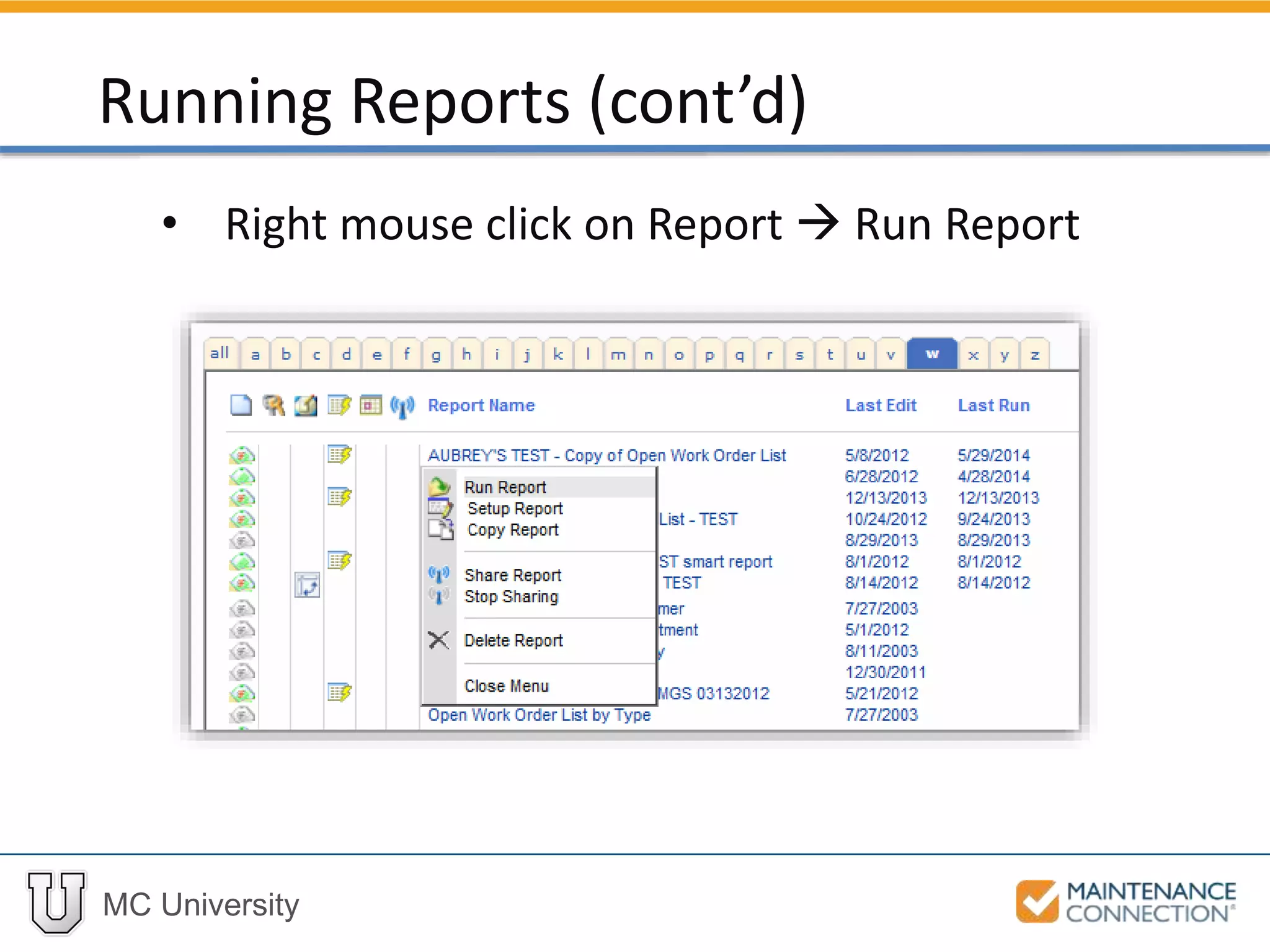
Three ways to open Report:
• Click on Report  Run Report
Running Reports
MC University
• Double-click on Report Name
Running Reports (cont’d)
MC University
• Right mouse click on Report  Run Report
Running Reports (cont’d)
MC University
Locating and Selecting Reports: Example
Now let’s practice locating and selecting a
report!
MC University
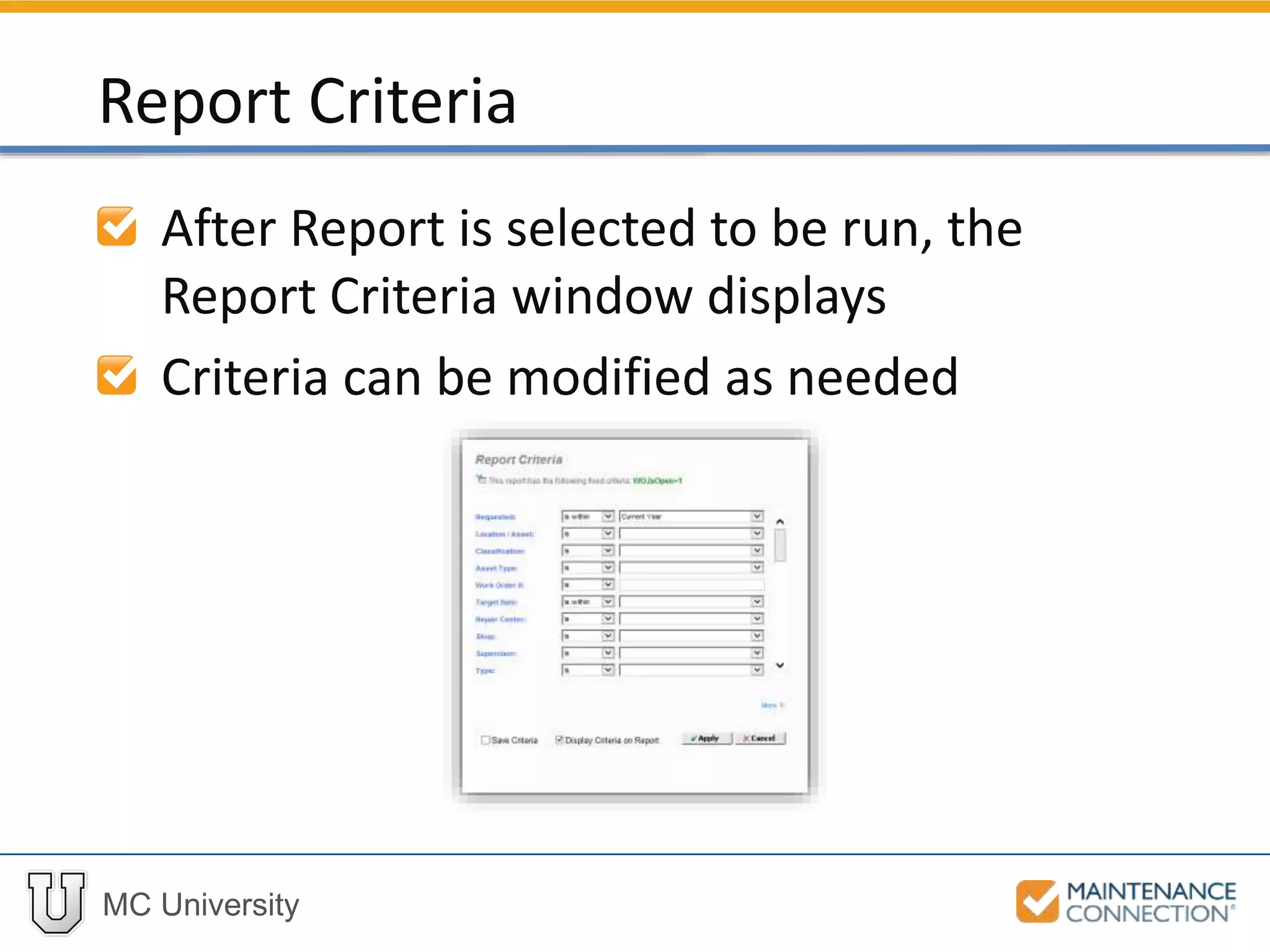
After Report is selected to be run, the
Report Criteria window displays
Criteria can be modified as needed
Report Criteria
MC University
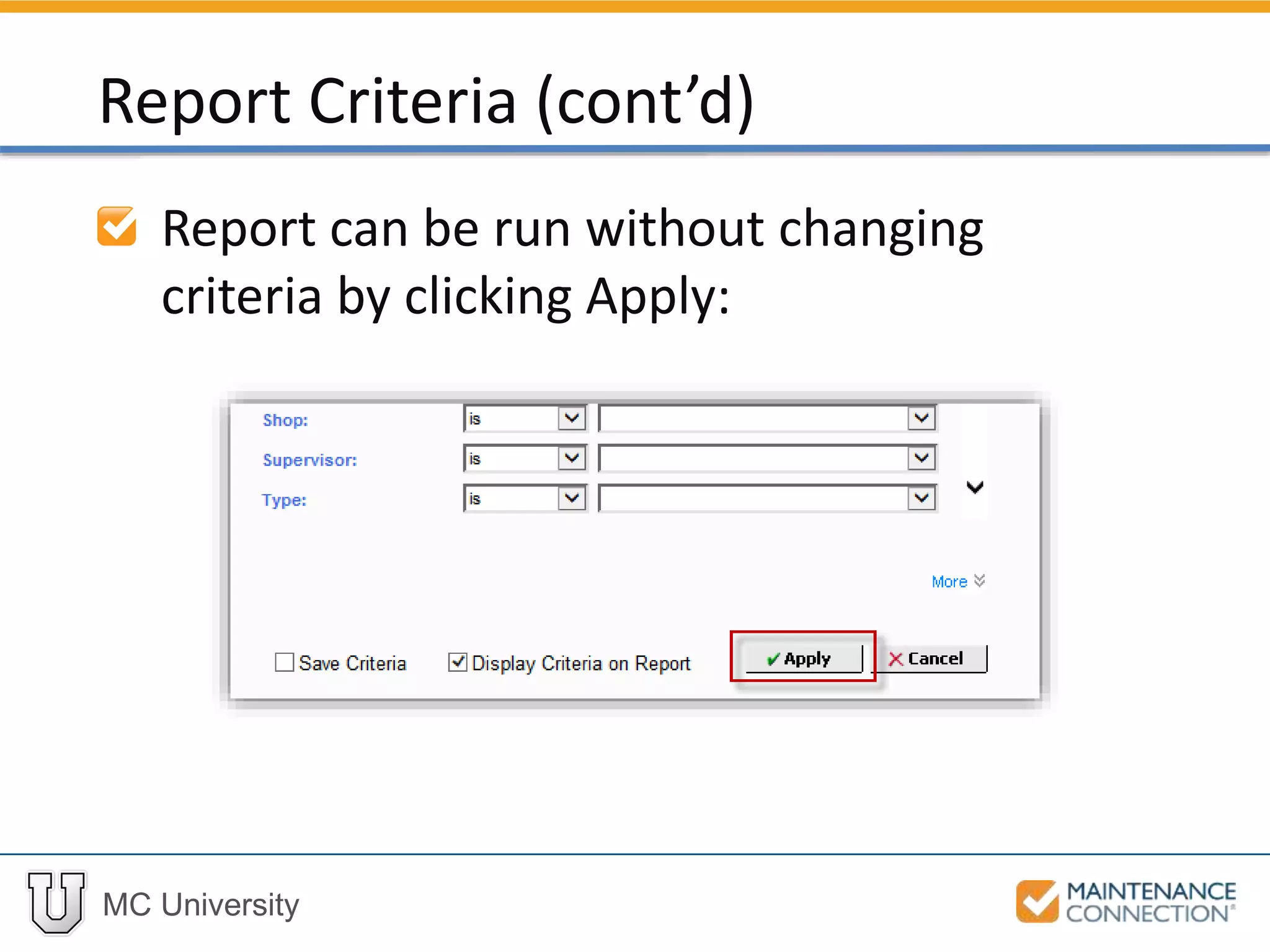
Report can be run without changing
criteria by clicking Apply:
Report Criteria (cont’d)
MC University
Report Criteria Overview
Criteria Components
Report Criteria Examples
Report Criteria Defined
MC University
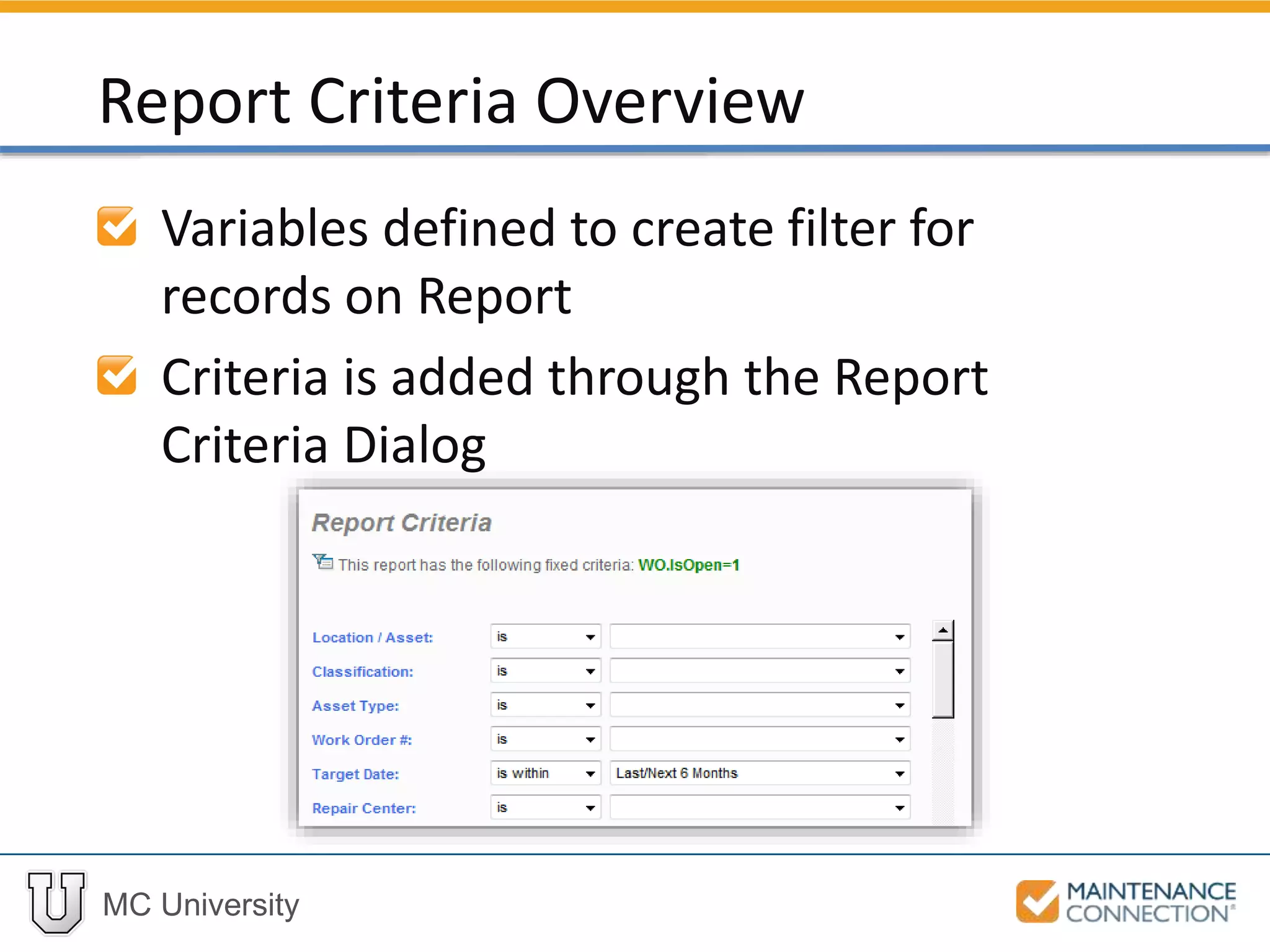
Variables defined to create filter for
records on Report
Criteria is added through the Report
Criteria Dialog
Report Criteria Overview
MC University
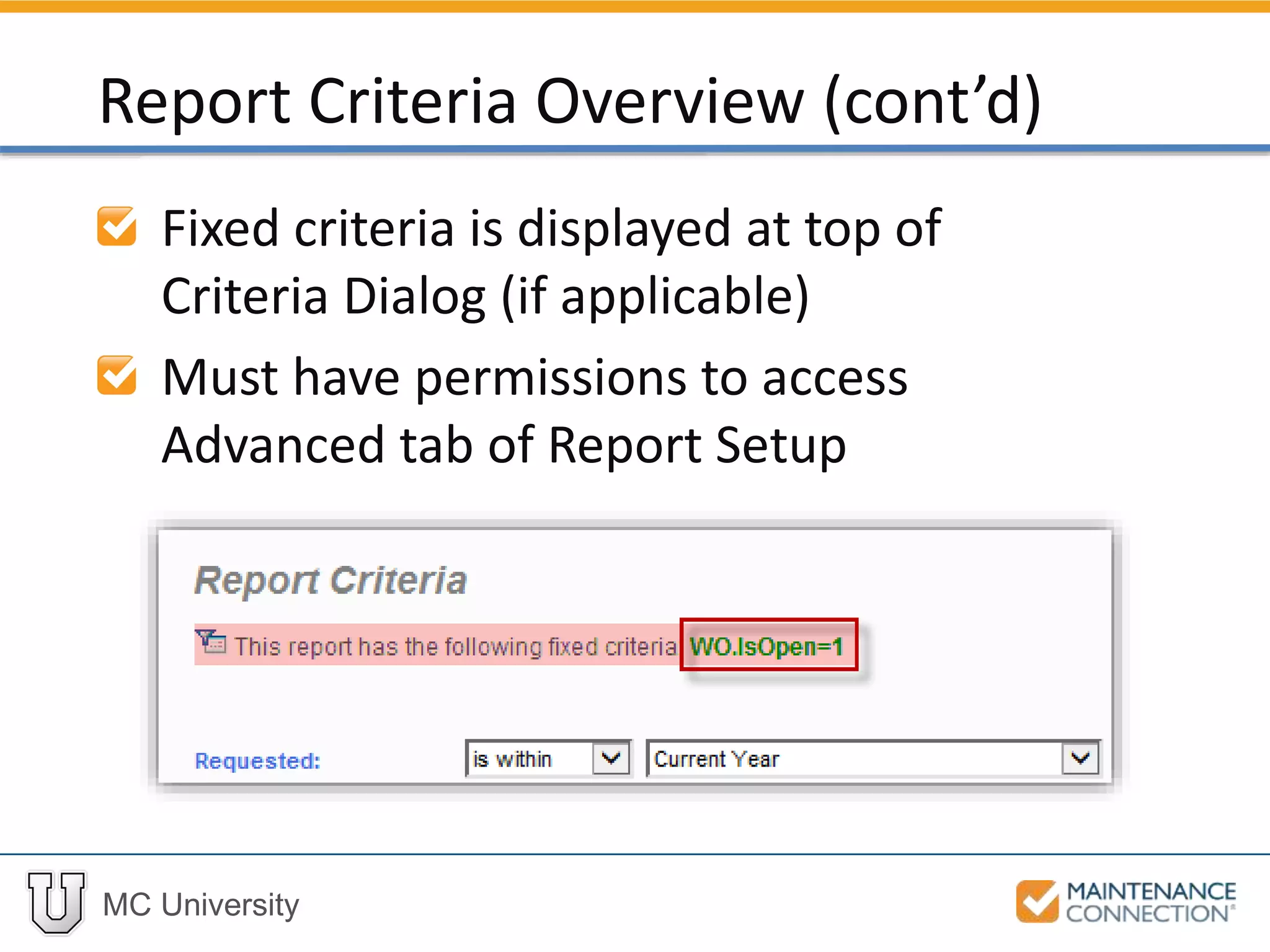
Fixed criteria is displayed at top of
Criteria Dialog (if applicable)
Must have permissions to access
Advanced tab of Report Setup
Report Criteria Overview (cont’d)
MC University
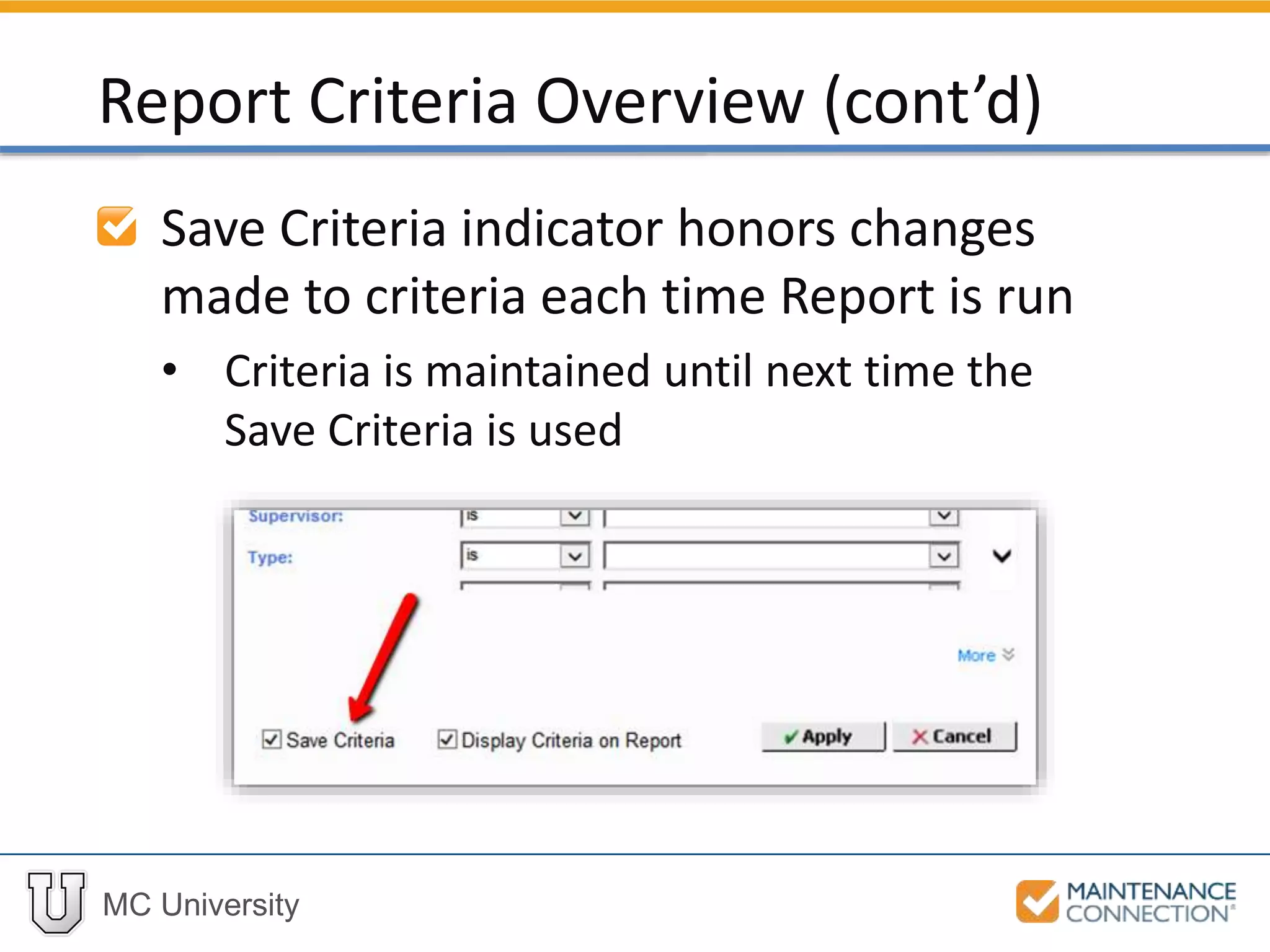
Save Criteria indicator honors changes
made to criteria each time Report is run
• Criteria is maintained until next time the
Save Criteria is used
Report Criteria Overview (cont’d)
MC University
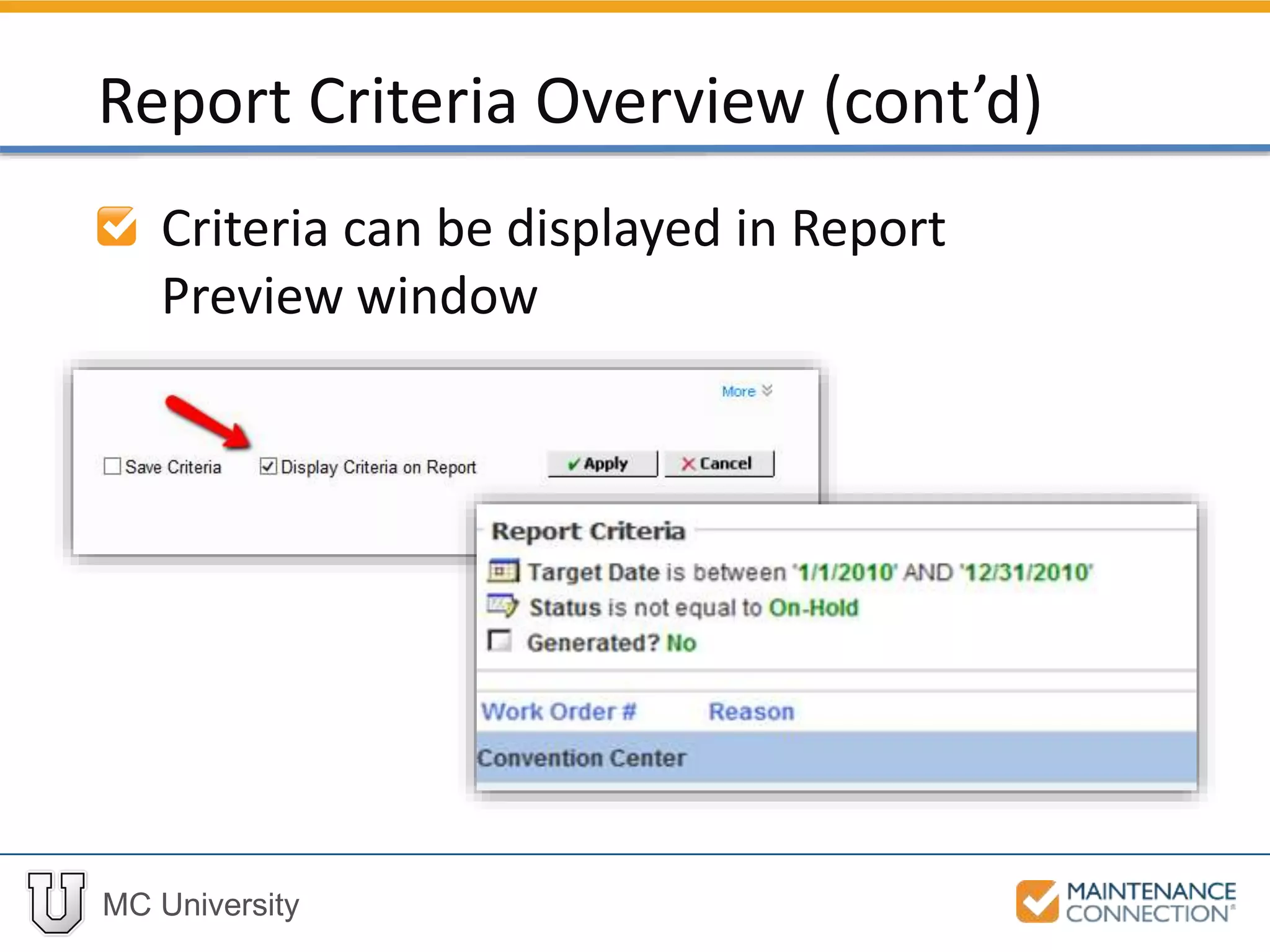
Criteria can be displayed in Report
Preview window
Report Criteria Overview (cont’d)
MC University
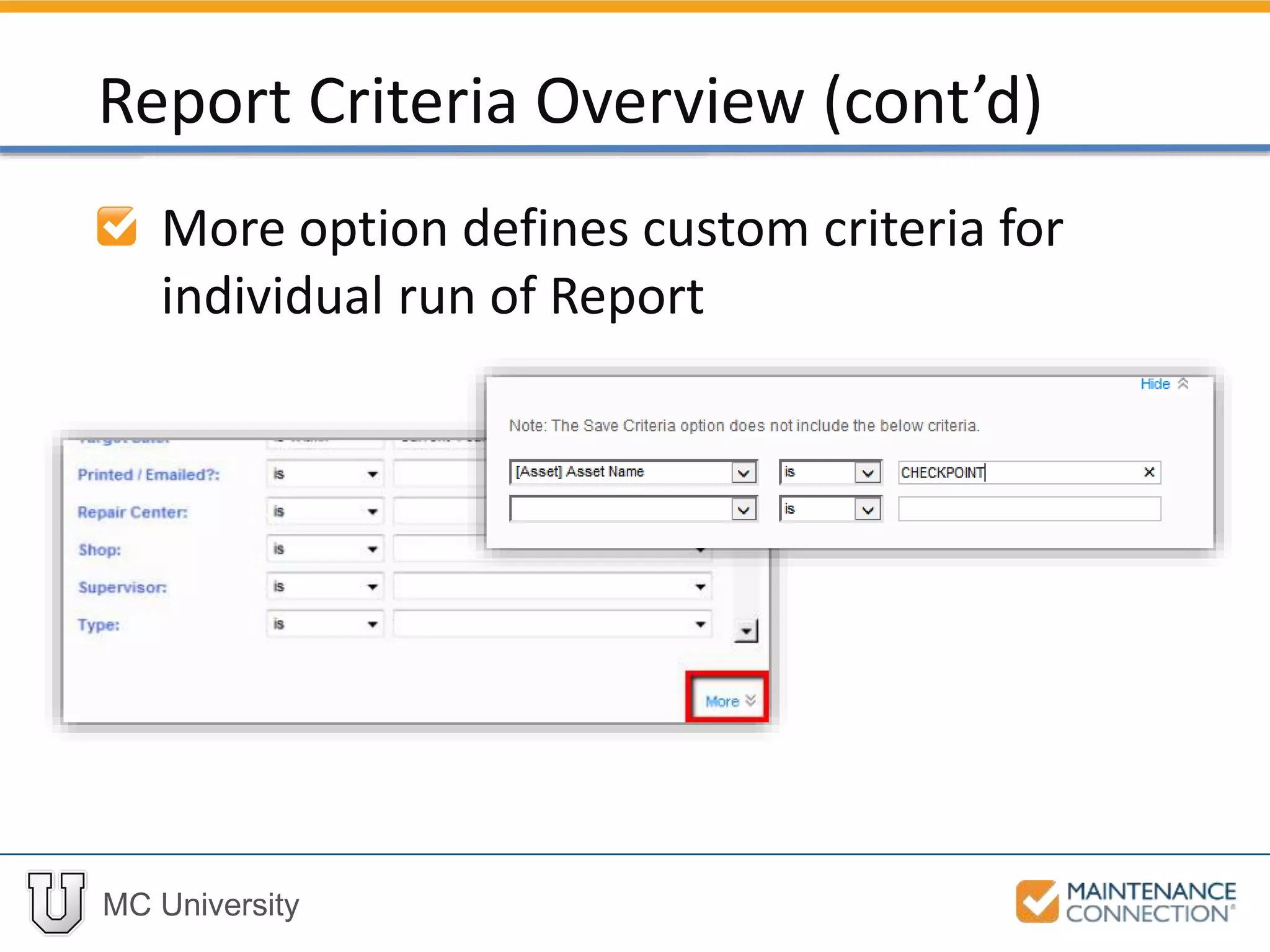
More option defines custom criteria for
individual run of Report
Report Criteria Overview (cont’d)
MC University
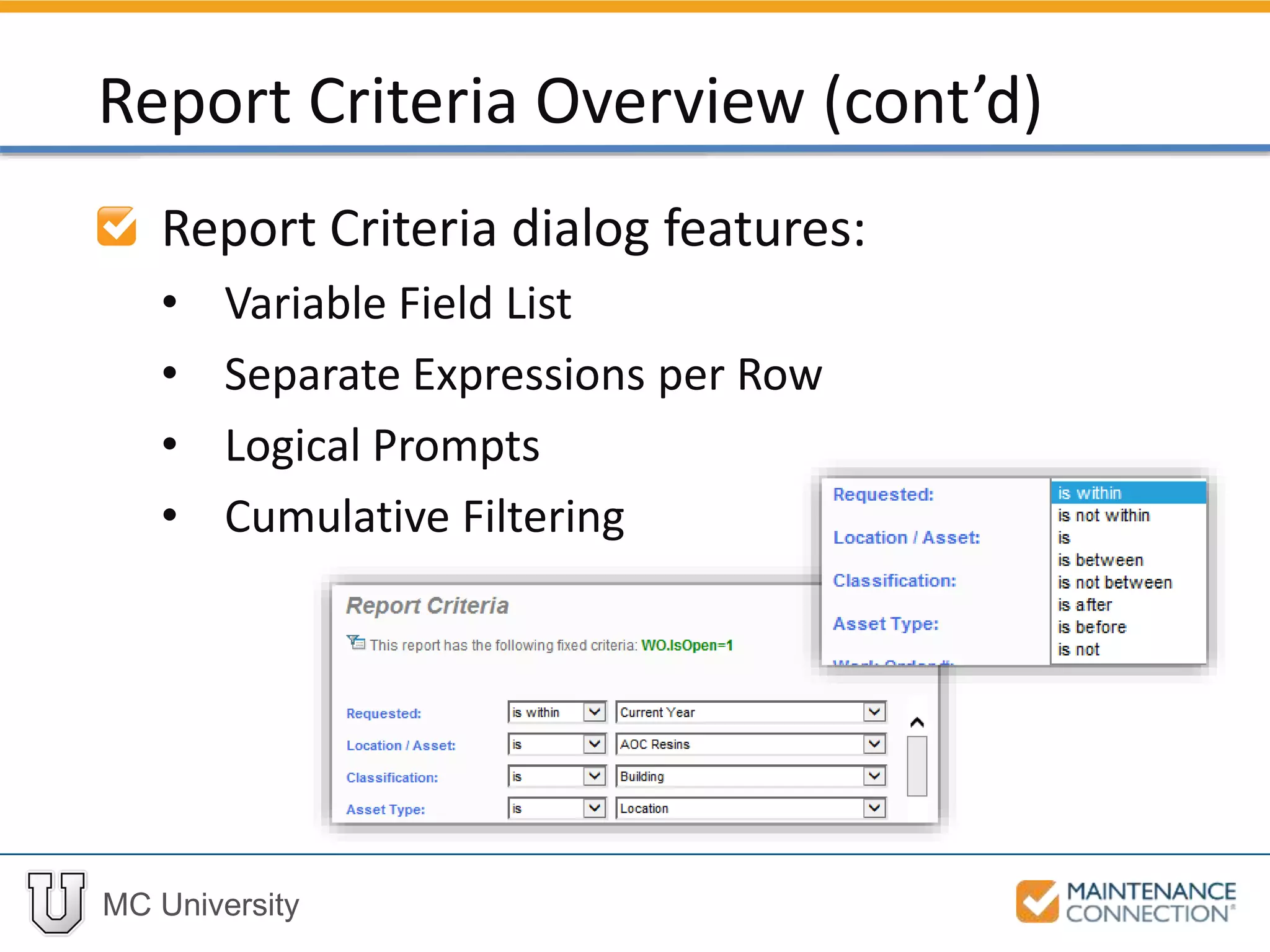
Report Criteria dialog features:
• Variable Field List
• Separate Expressions per Row
• Logical Prompts
• Cumulative Filtering
Report Criteria Overview (cont’d)
MC University
Each expression used to define criteria
has three components:
• Field on which the expression is based
• Value that the expression must meet
• Control that defines relationship between
field and value
Criteria Components
MC University
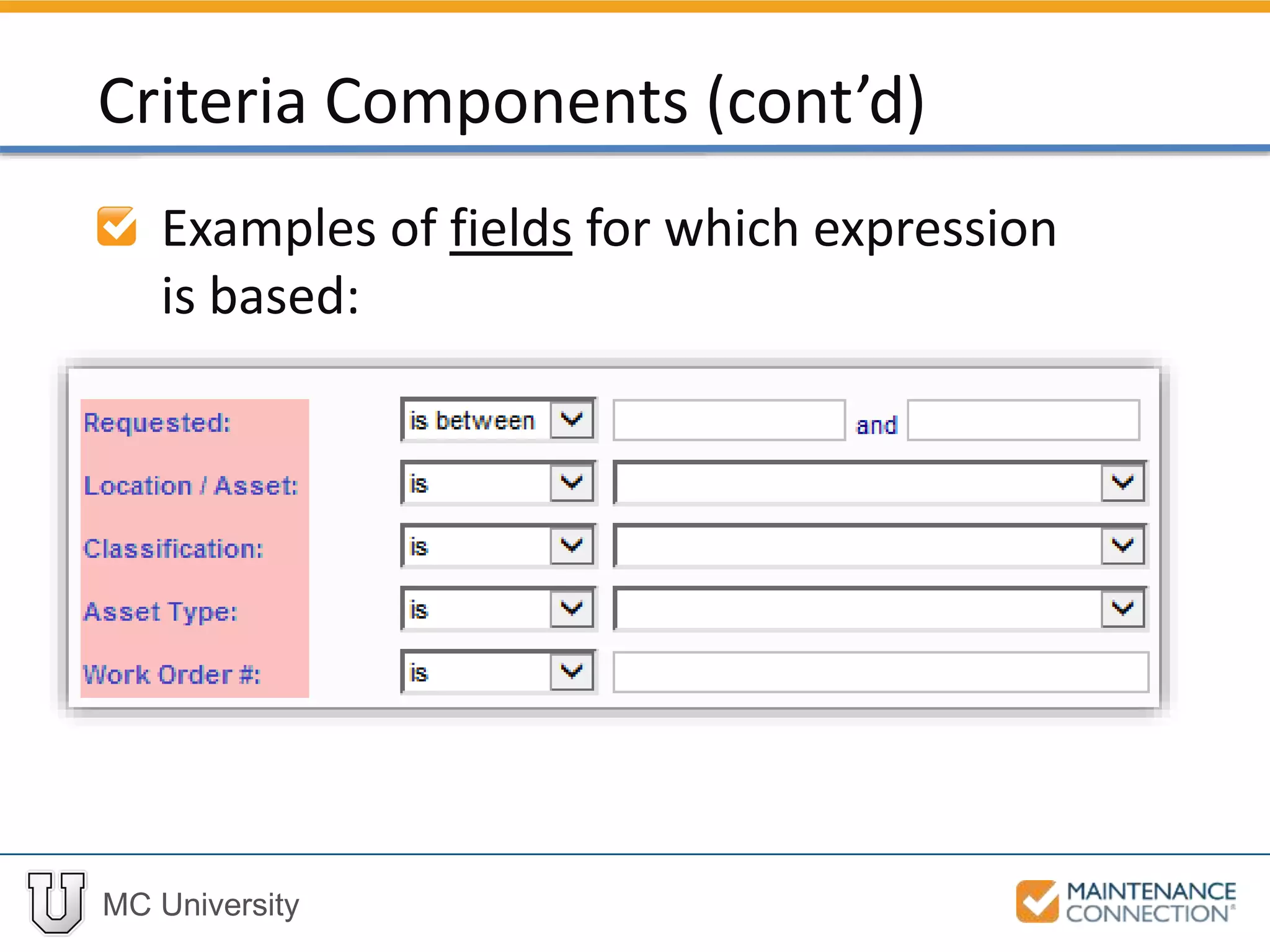
Examples of fields for which expression
is based:
Criteria Components (cont’d)
MC University
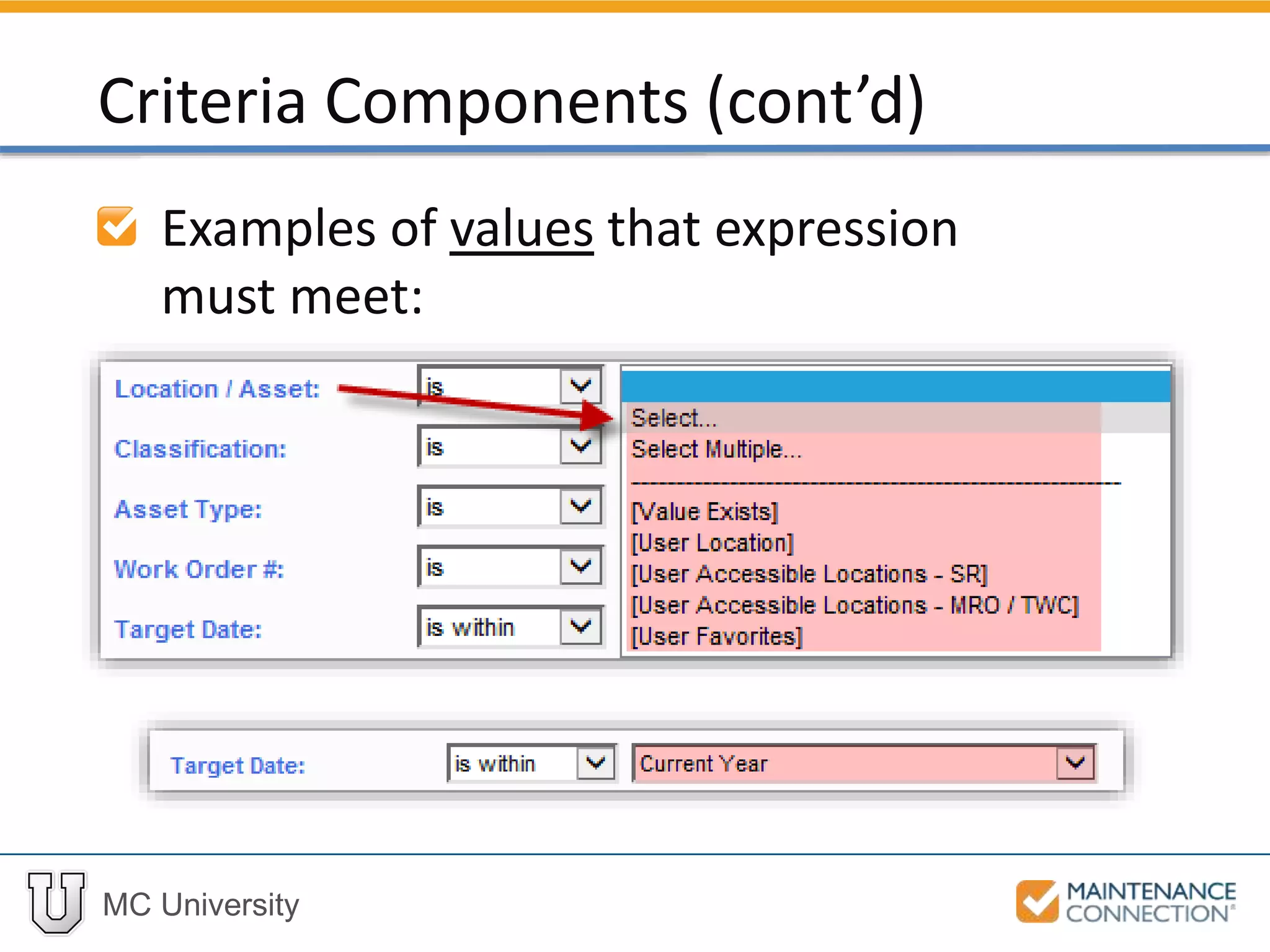
Examples of values that expression
must meet:
Criteria Components (cont’d)
MC University
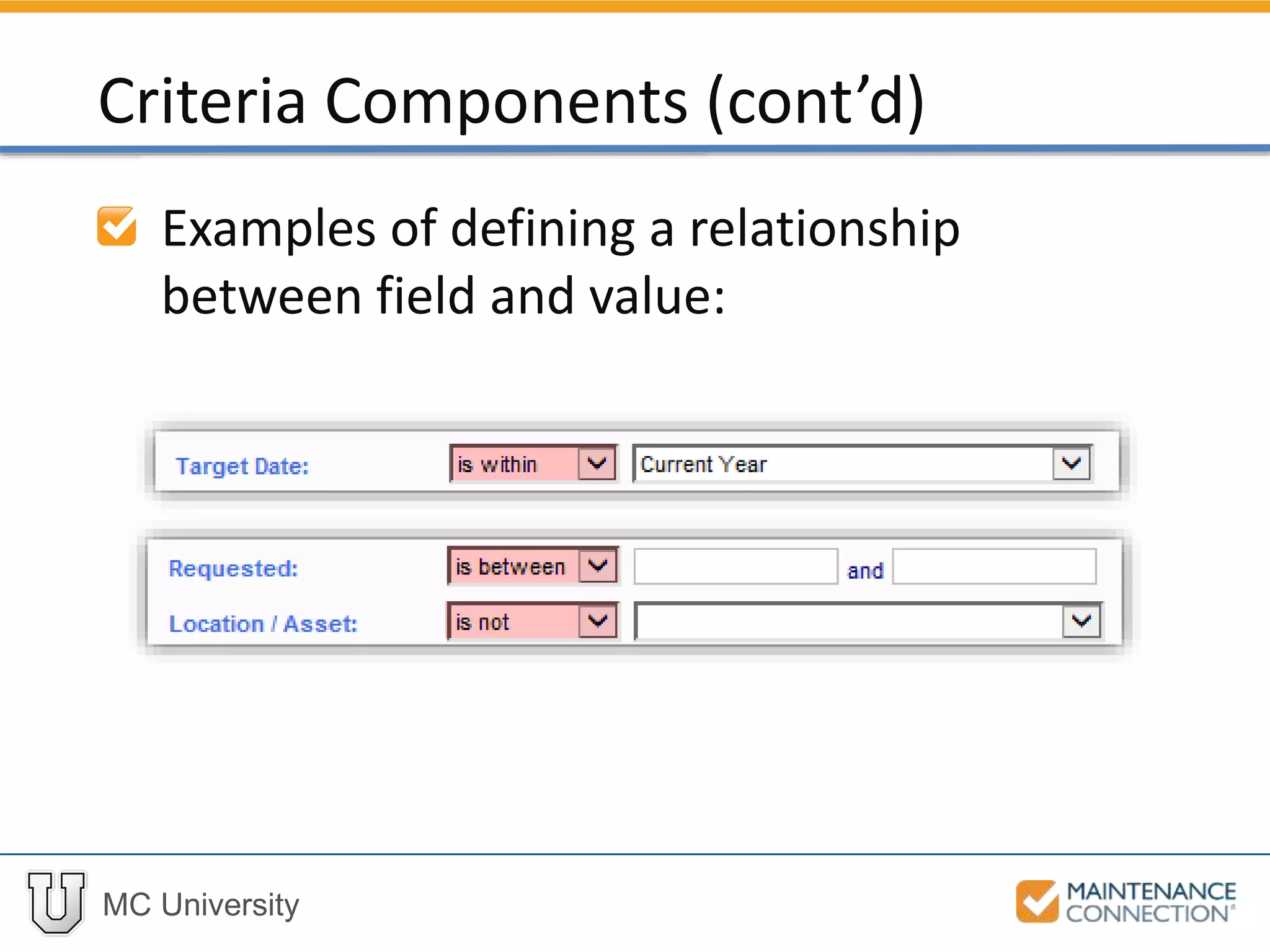
Examples of defining a relationship
between field and value:
Criteria Components (cont’d)
MC University
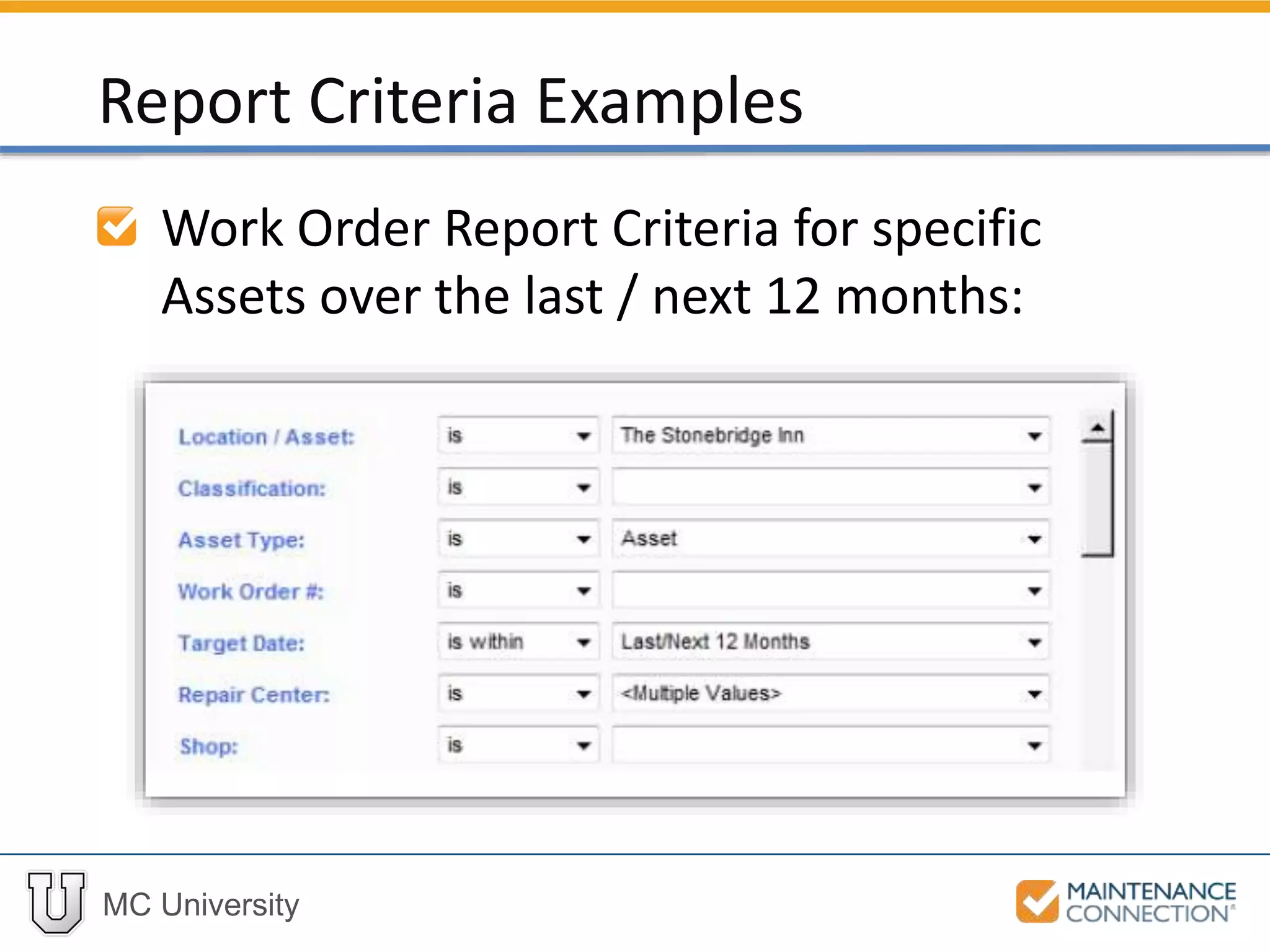
Work Order Report Criteria for specific
Assets over the last / next 12 months:
Report Criteria Examples
MC University
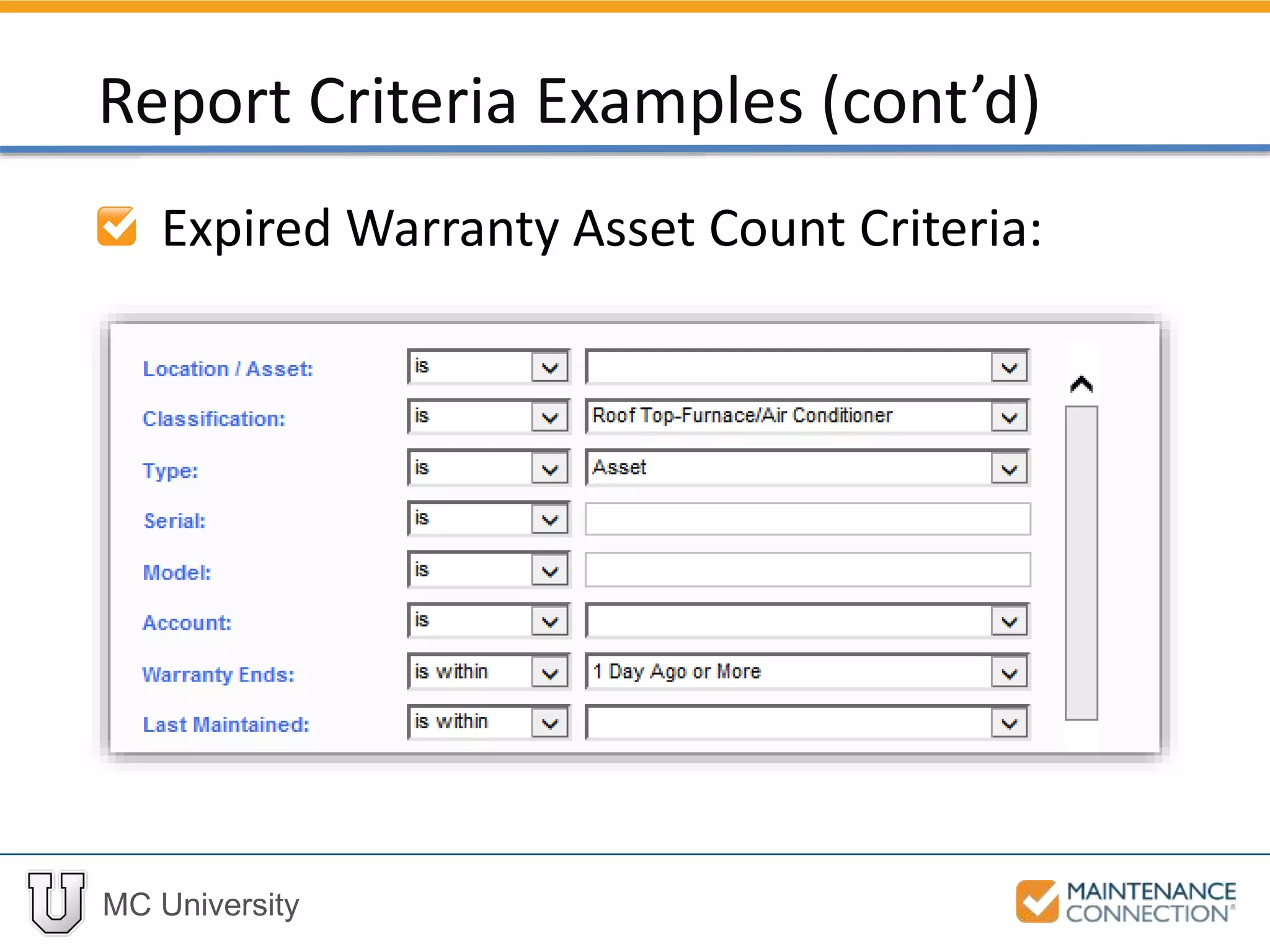
Expired Warranty Asset Count Criteria:
Report Criteria Examples (cont’d)
MC University
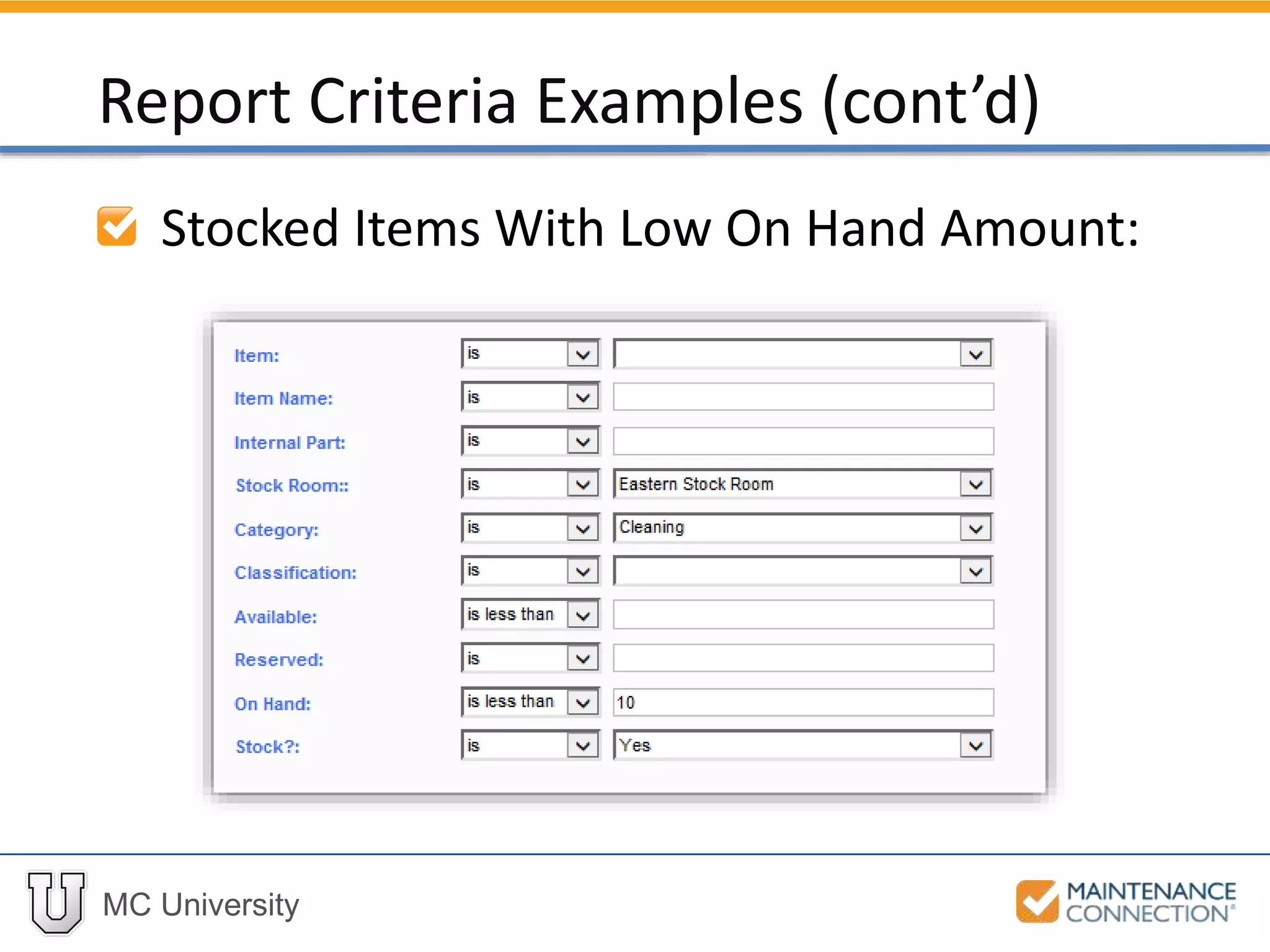
Stocked Items With Low On Hand Amount:
Report Criteria Examples (cont’d)
MC University
Adding Report Criteria: Example
Now let’s add Report Criteria to show Work
orders which are:
• Open
• Not Preventive Maintenance (PM)
• Classification of “HVAC Unit”
• Target Date of Last Year
Thank You for
Watching!

R02 - Basics of Reporting Overview: Part 2 (mcu)