
MC University
SA02|User and Password Management Techniques
MC University
Types of Users Defined
Create and Approve New Members
Sign Up Instructions
Password Management Tool
Agenda
MC University
Types of Users Overview
Labor
Requester
Users Defined
MC University
Labor Resources in MC either require
access or are used for historical and
admin purposes
Types of Users Overview
MC University
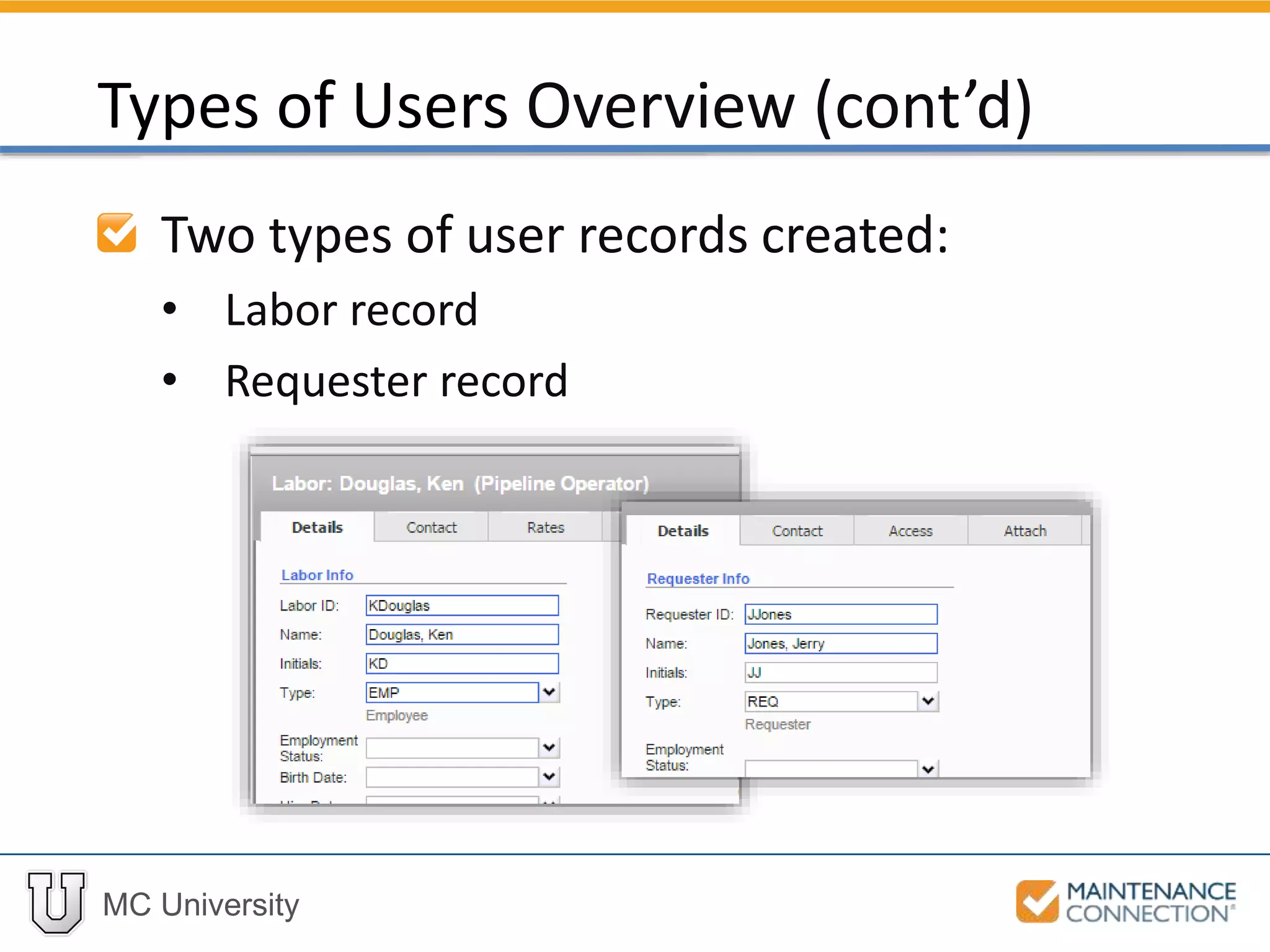
Two types of user records created:
• Labor record
• Requester record
Types of Users Overview (cont’d)
MC University
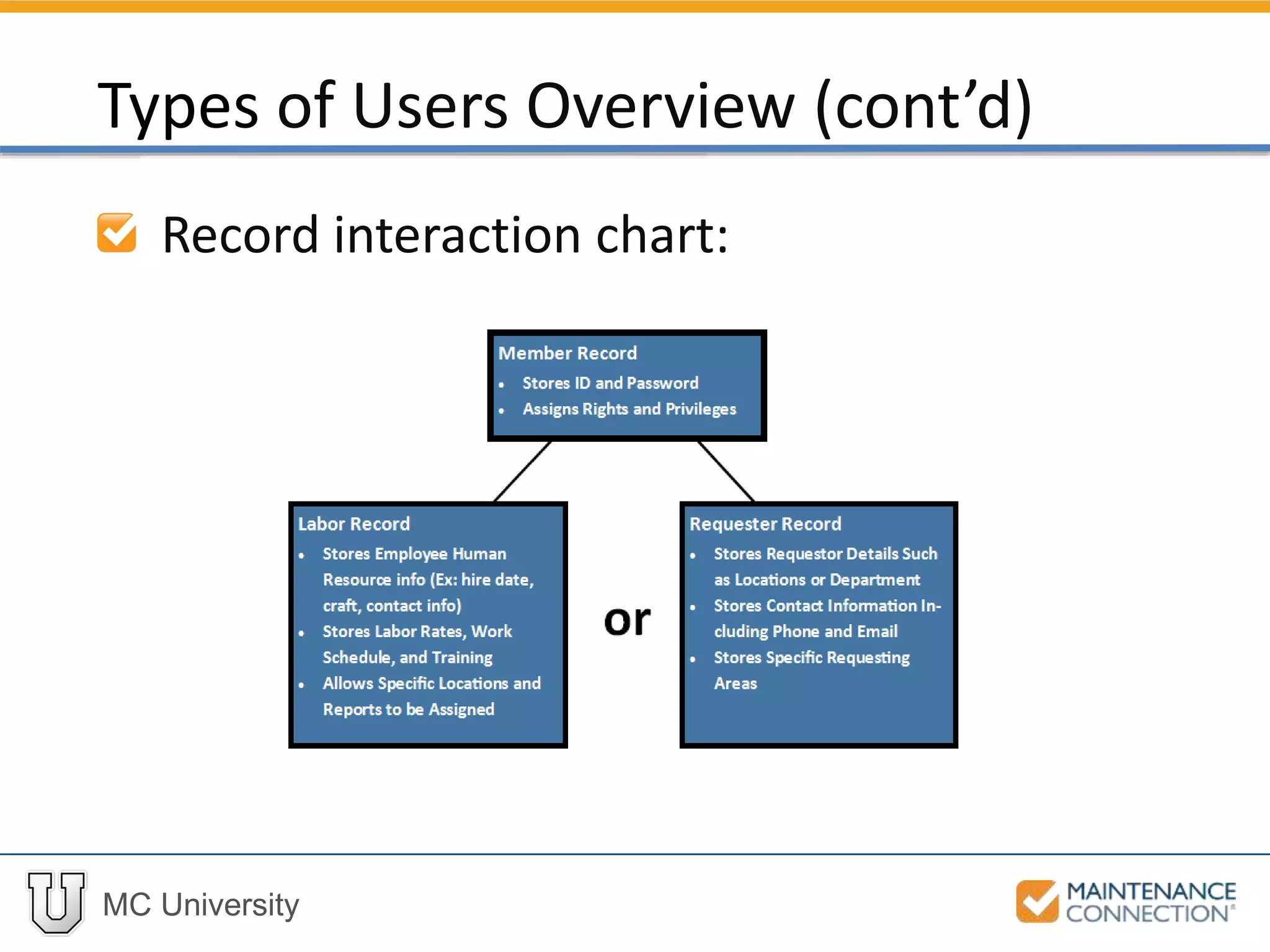
Record interaction chart:
Types of Users Overview (cont’d)
MC University
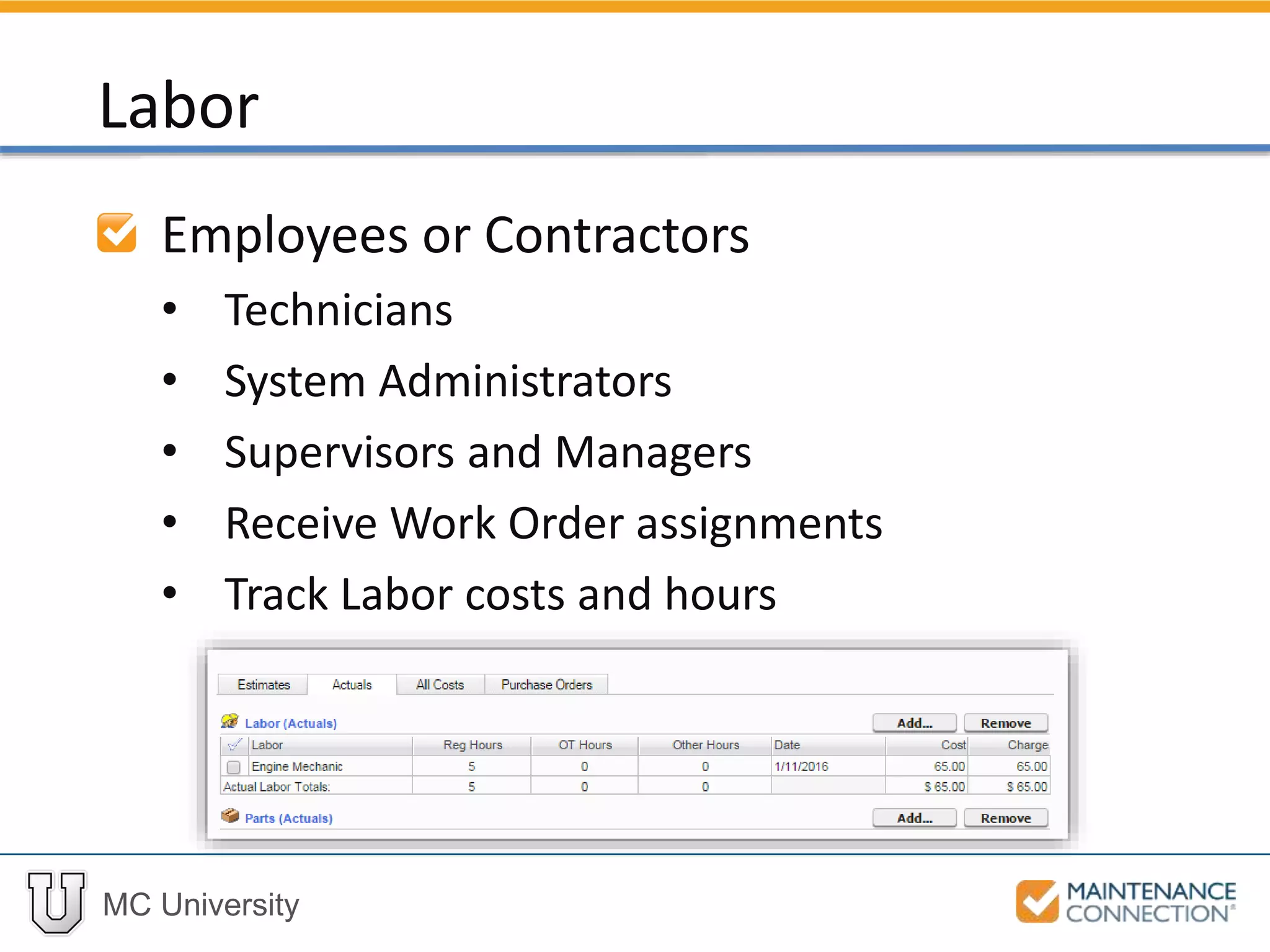
Employees or Contractors
• Technicians
• System Administrators
• Supervisors and Managers
• Receive Work Order assignments
• Track Labor costs and hours
Labor
MC University
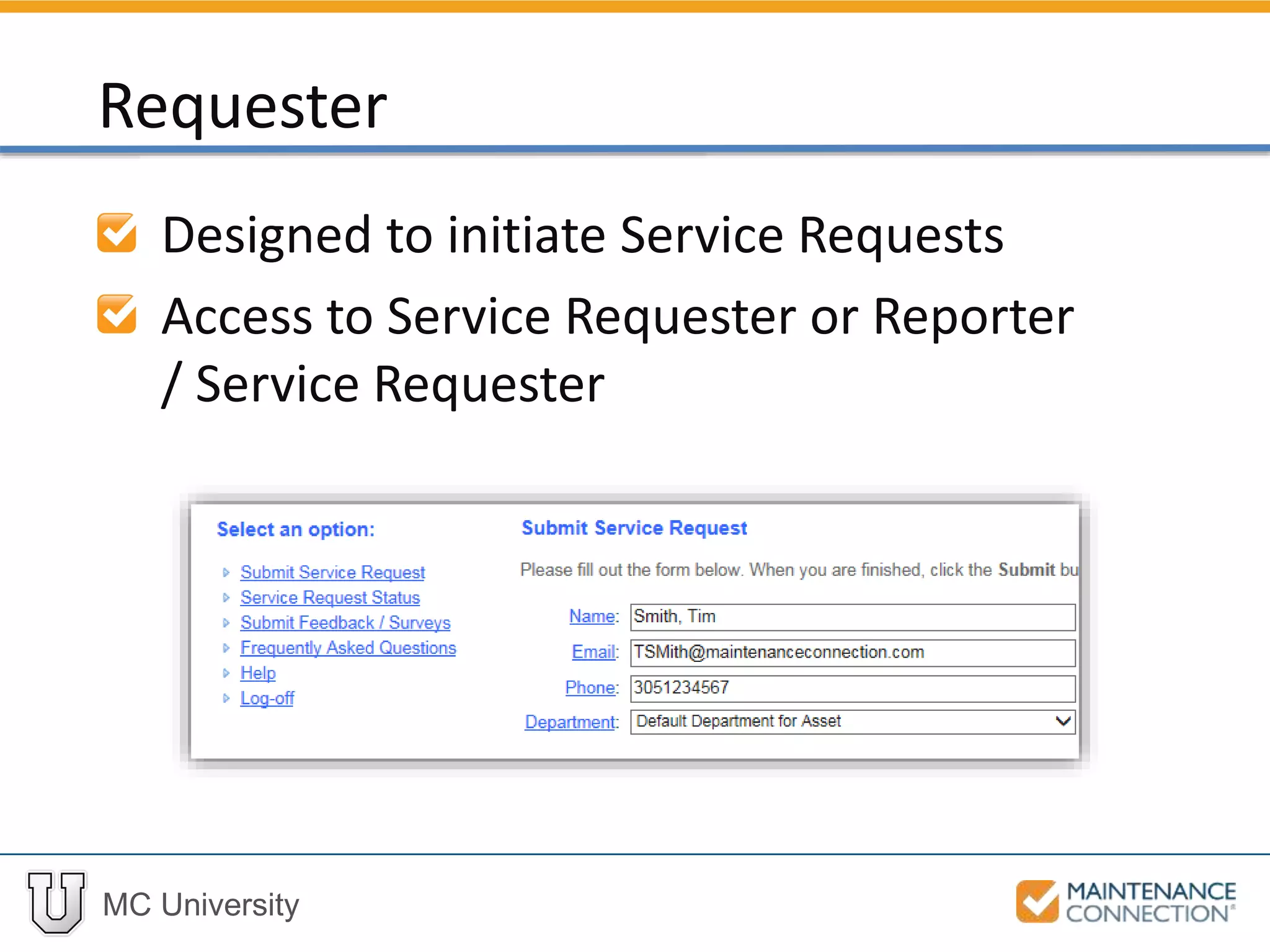
Designed to initiate Service Requests
Access to Service Requester or Reporter
/ Service Requester
Requester
MC University
New Members Overview
Obtain Login Credentials
Approve New Members
Batch Approve
Disable Members
Create and Approve New Members
MC University
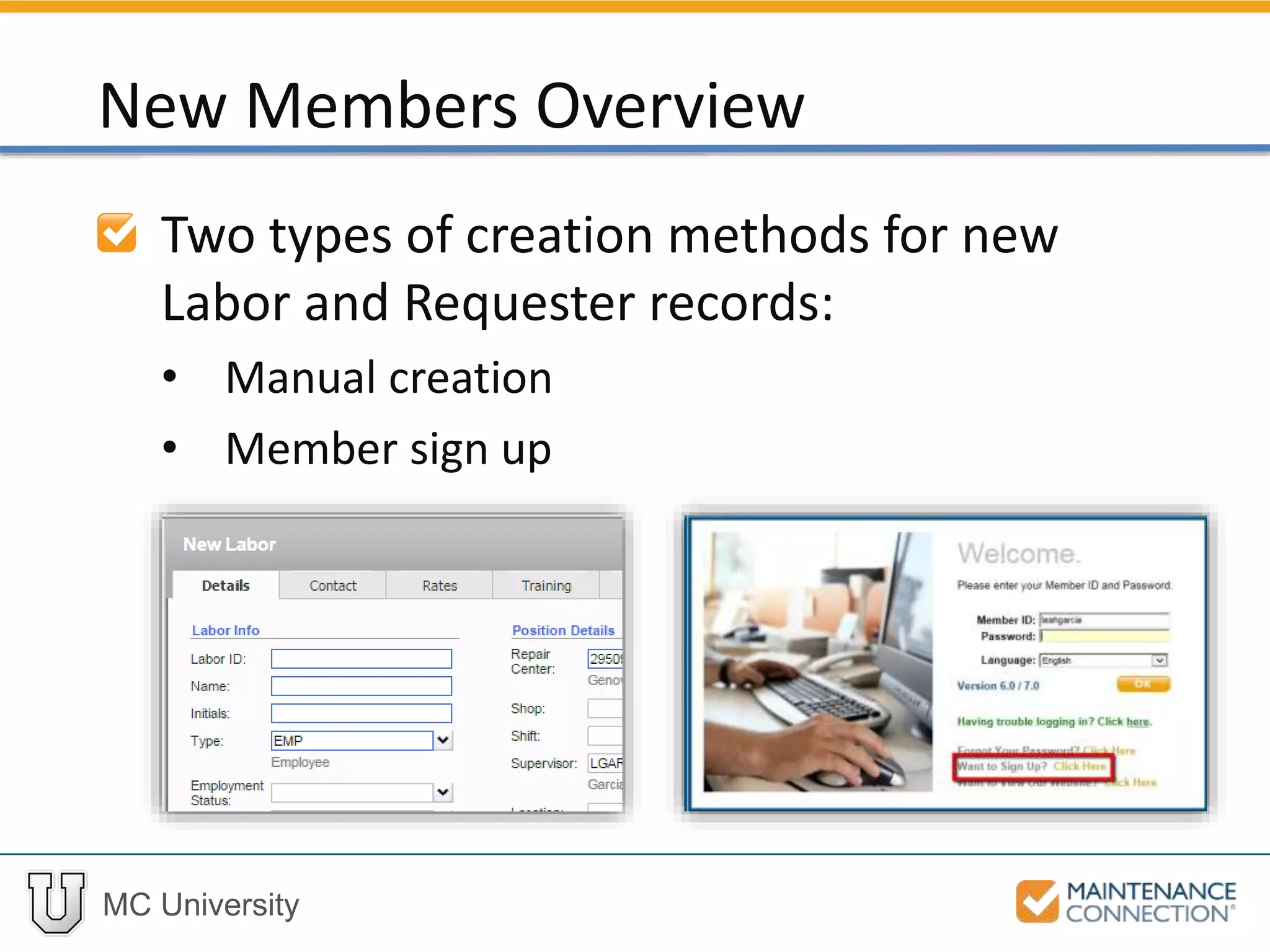
Two types of creation methods for new
Labor and Requester records:
• Manual creation
• Member sign up
New Members Overview
MC University
Manual creation does not create
Member record
• No login credentials
• Used to track data from Admin
perspective
• Can be linked to Member record at a later
time
New Members Overview (cont’d)
MC University
Member sign up:
• Access to MC
• Must go through sign up process
• Record auto-created or linked to existing
• Application access designated on Member
record
New Members Overview (cont’d)
MC University
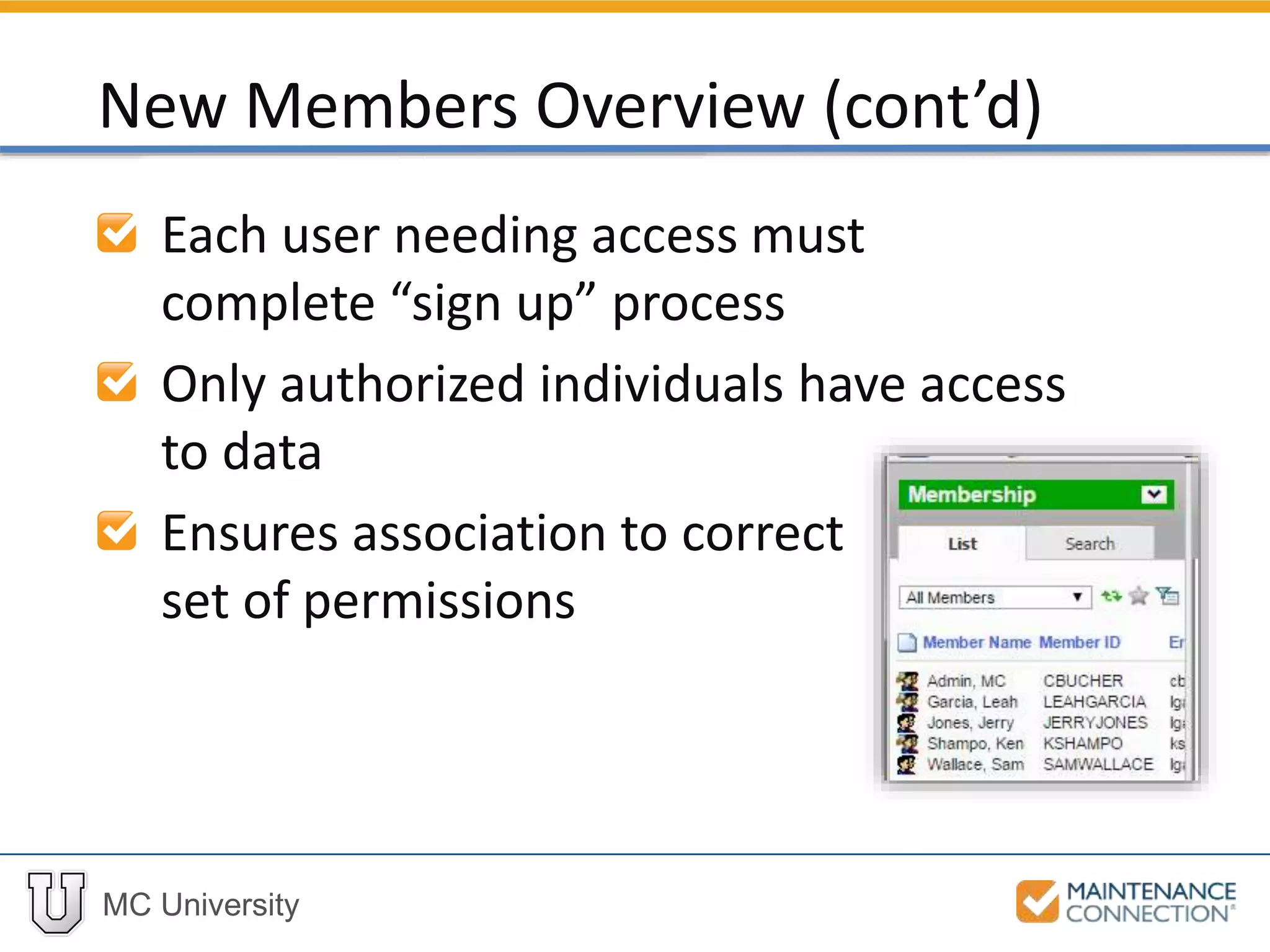
Each user needing access must
complete “sign up” process
Only authorized individuals have access
to data
Ensures association to correct
set of permissions
New Members Overview (cont’d)
MC University
Interactive Example 1
Let’s practice the skill you just learned! Check
out the following interactive example, located
under the MCU course slides:
• SA02 – Create a New Member
MC University
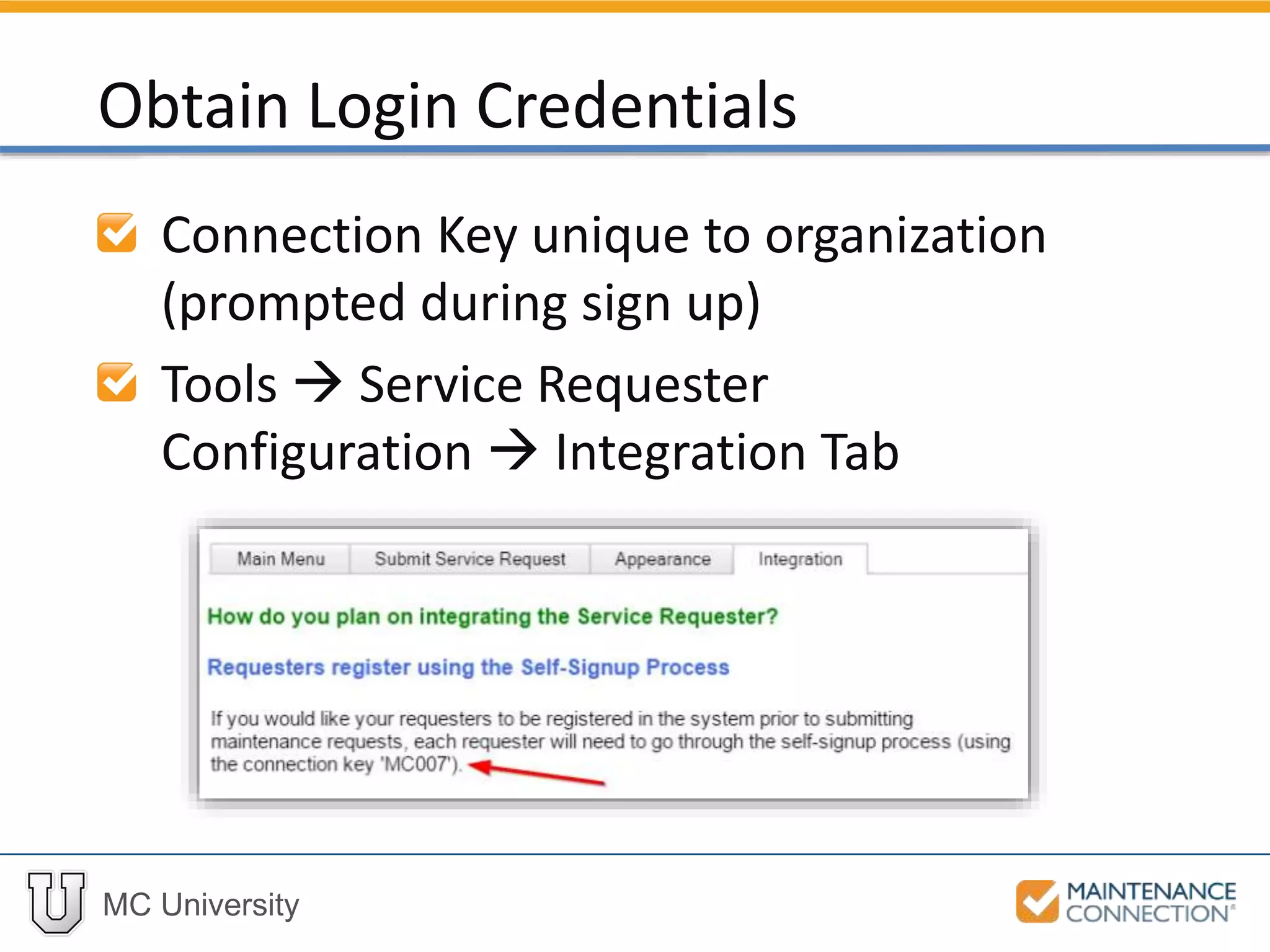
Connection Key unique to organization
(prompted during sign up)
Tools  Service Requester
Configuration  Integration Tab
Obtain Login Credentials
MC University
Enter correct MC URL:
• Online Customers:
www.maintenanceconnection.com
• Onsite Customers:
http://servername/mc_web
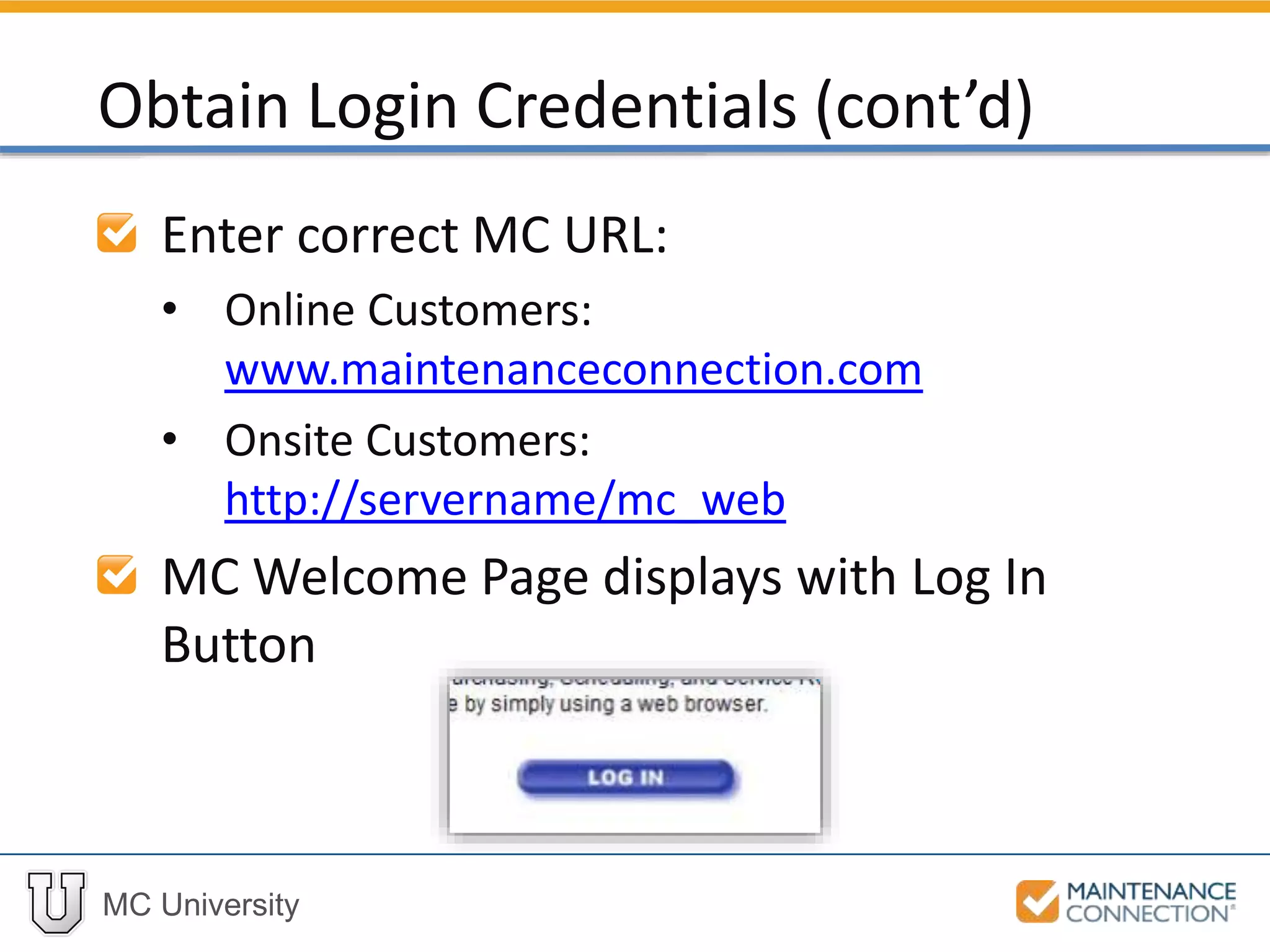
MC Welcome Page displays with Log In
Button
Obtain Login Credentials (cont’d)
MC University
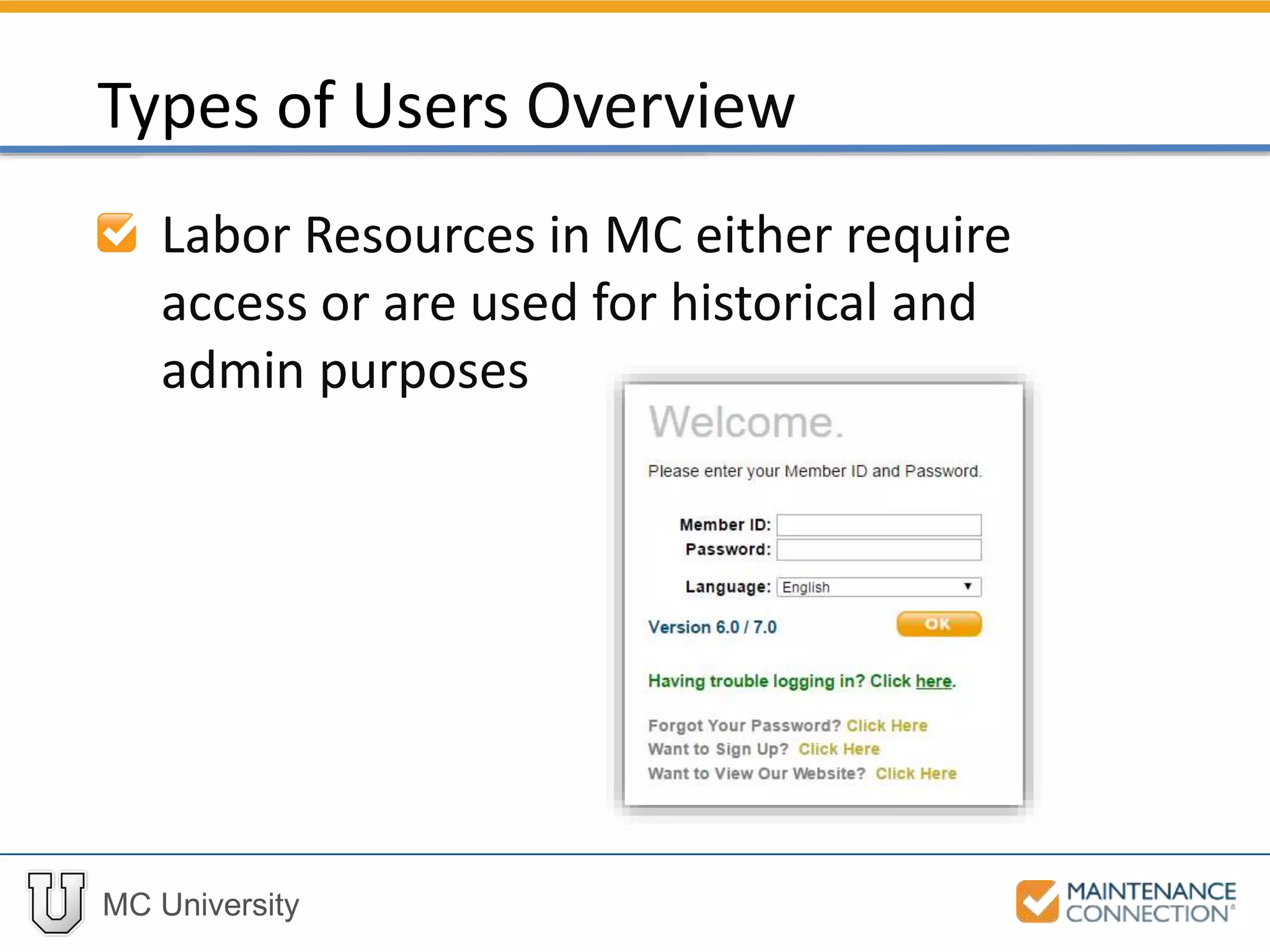
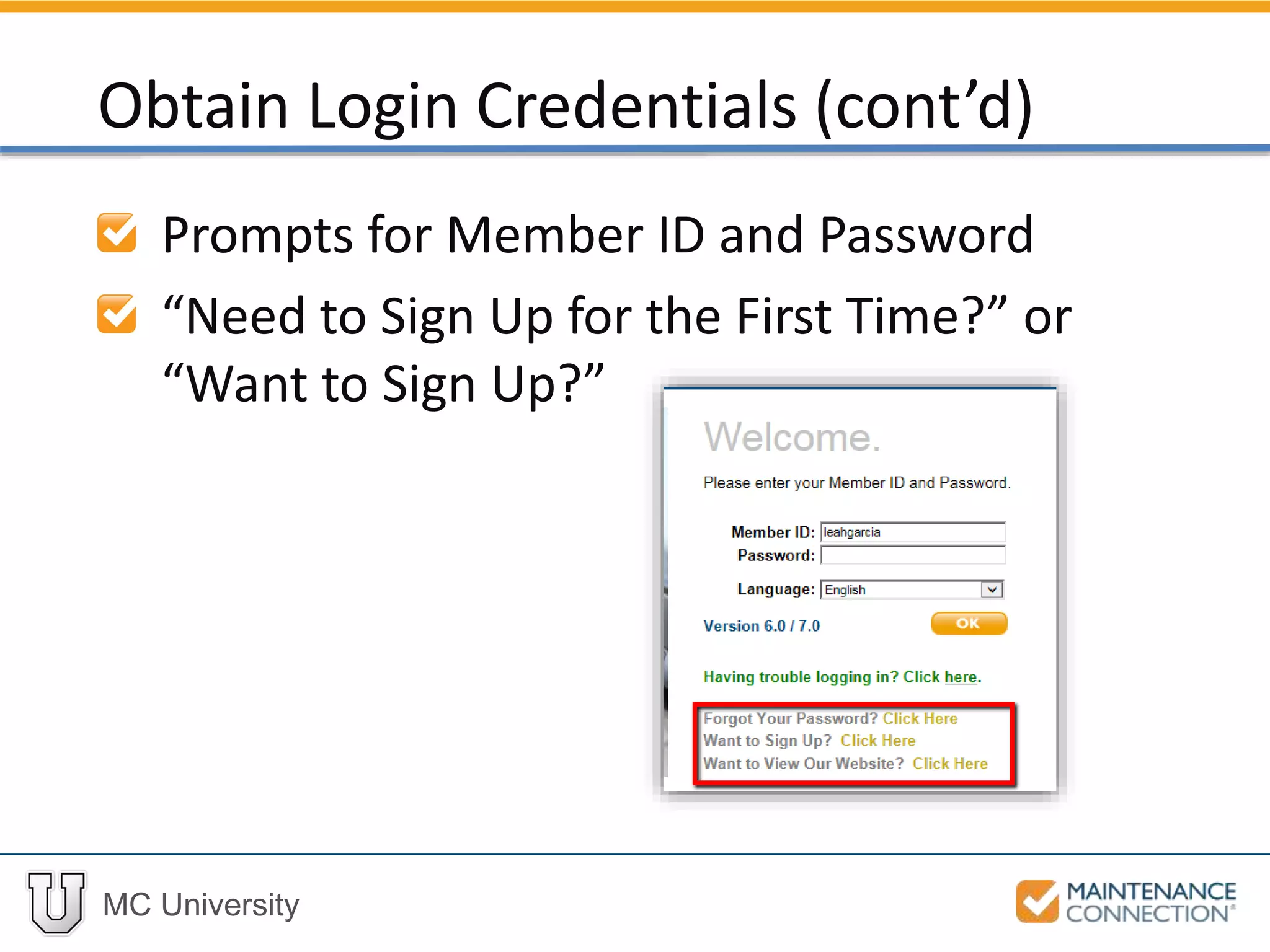
Prompts for Member ID and Password
“Need to Sign Up for the First Time?” or
“Want to Sign Up?”
Obtain Login Credentials (cont’d)
MC University
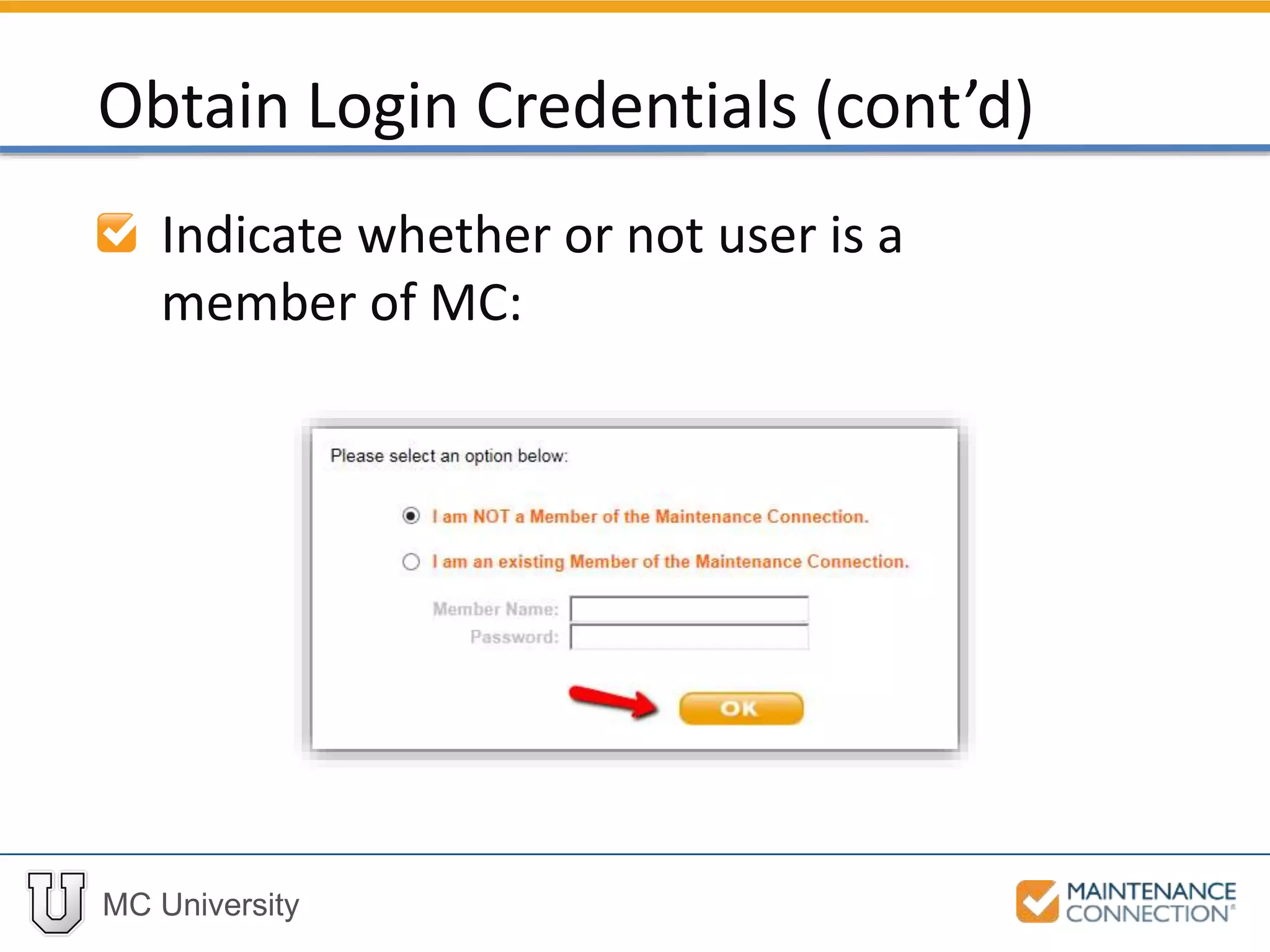
Indicate whether or not user is a
member of MC:
Obtain Login Credentials (cont’d)
MC University
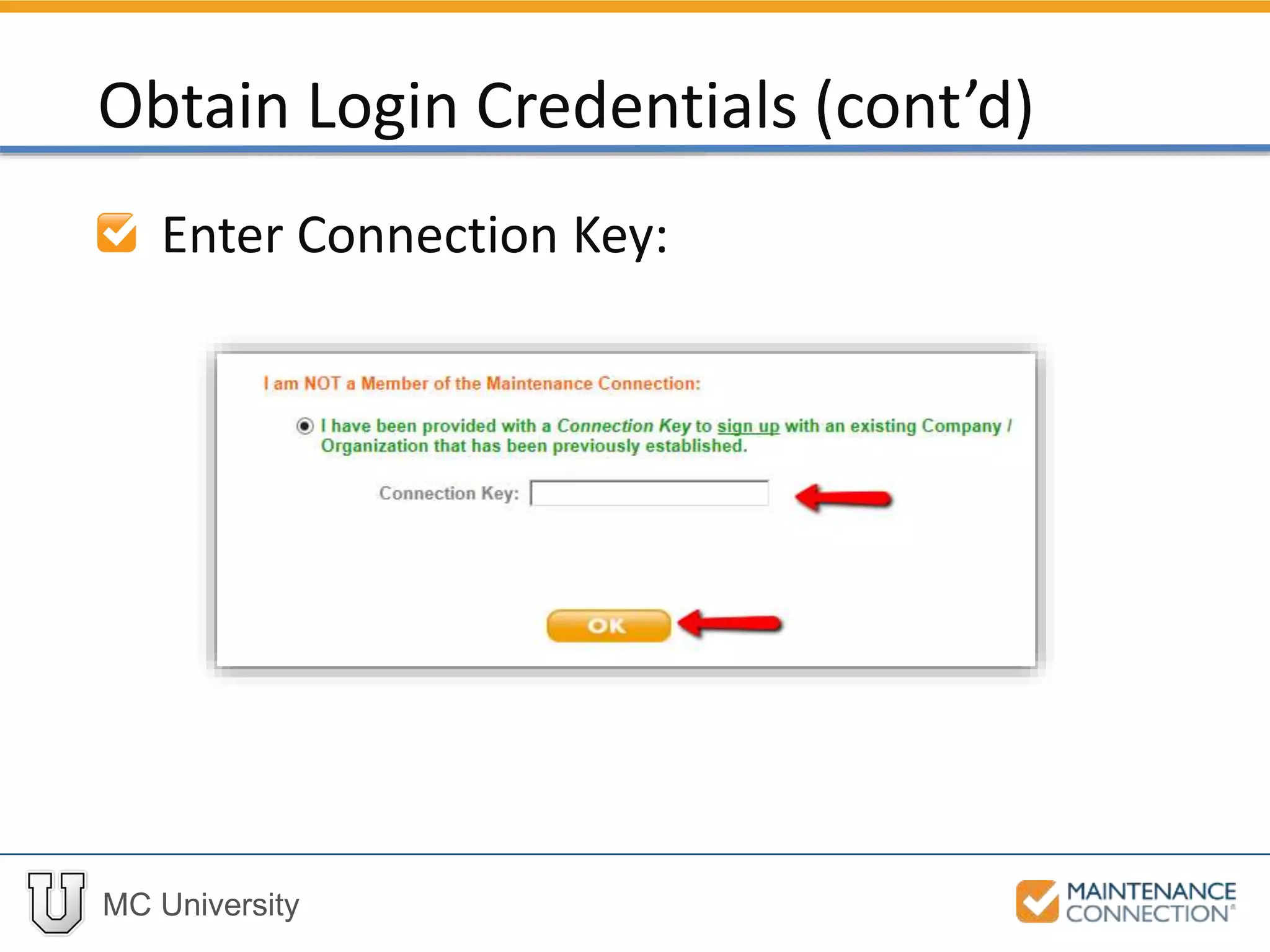
Enter Connection Key:
Obtain Login Credentials (cont’d)
MC University
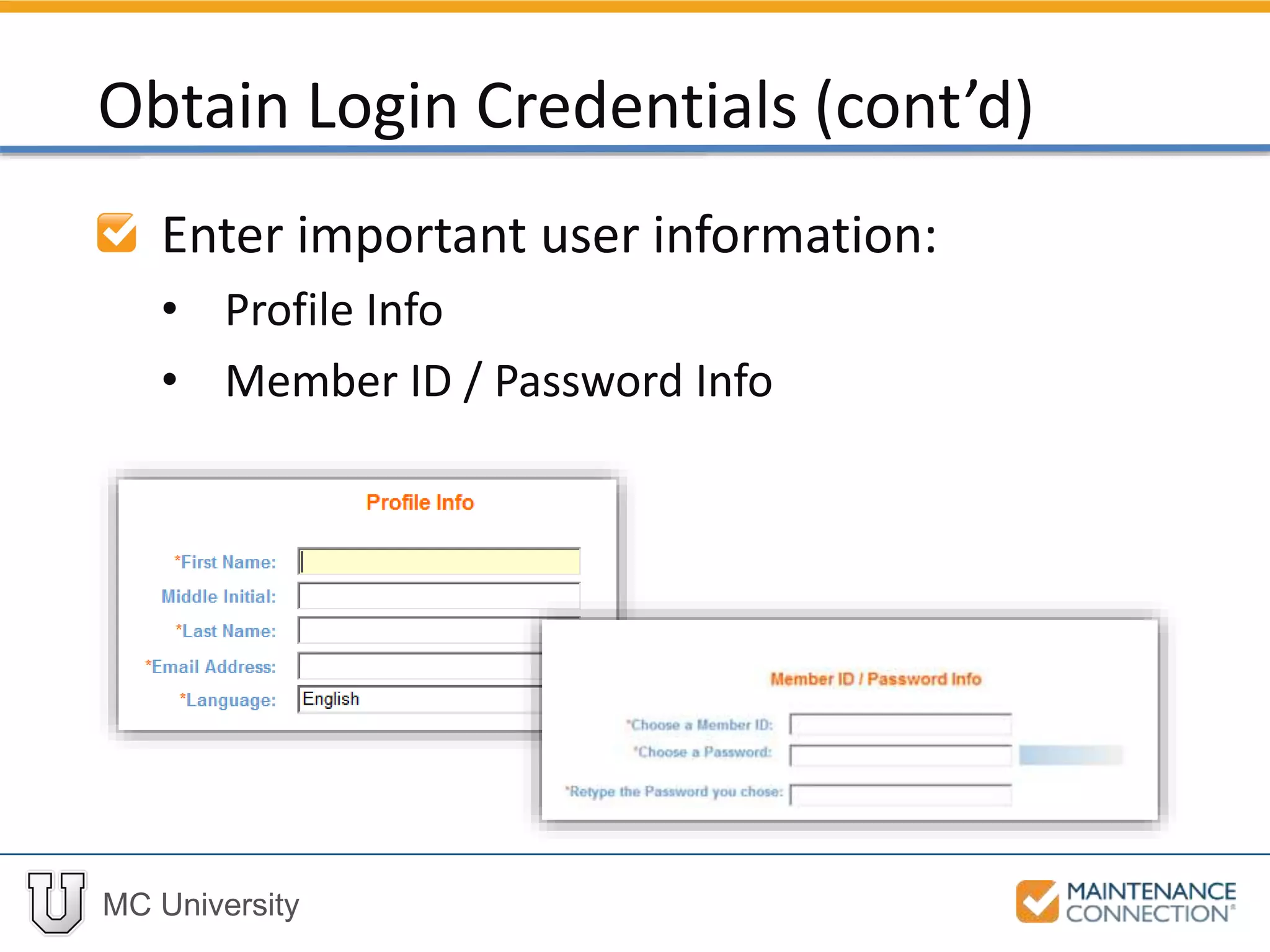
Enter important user information:
• Profile Info
• Member ID / Password Info
Obtain Login Credentials (cont’d)
MC University
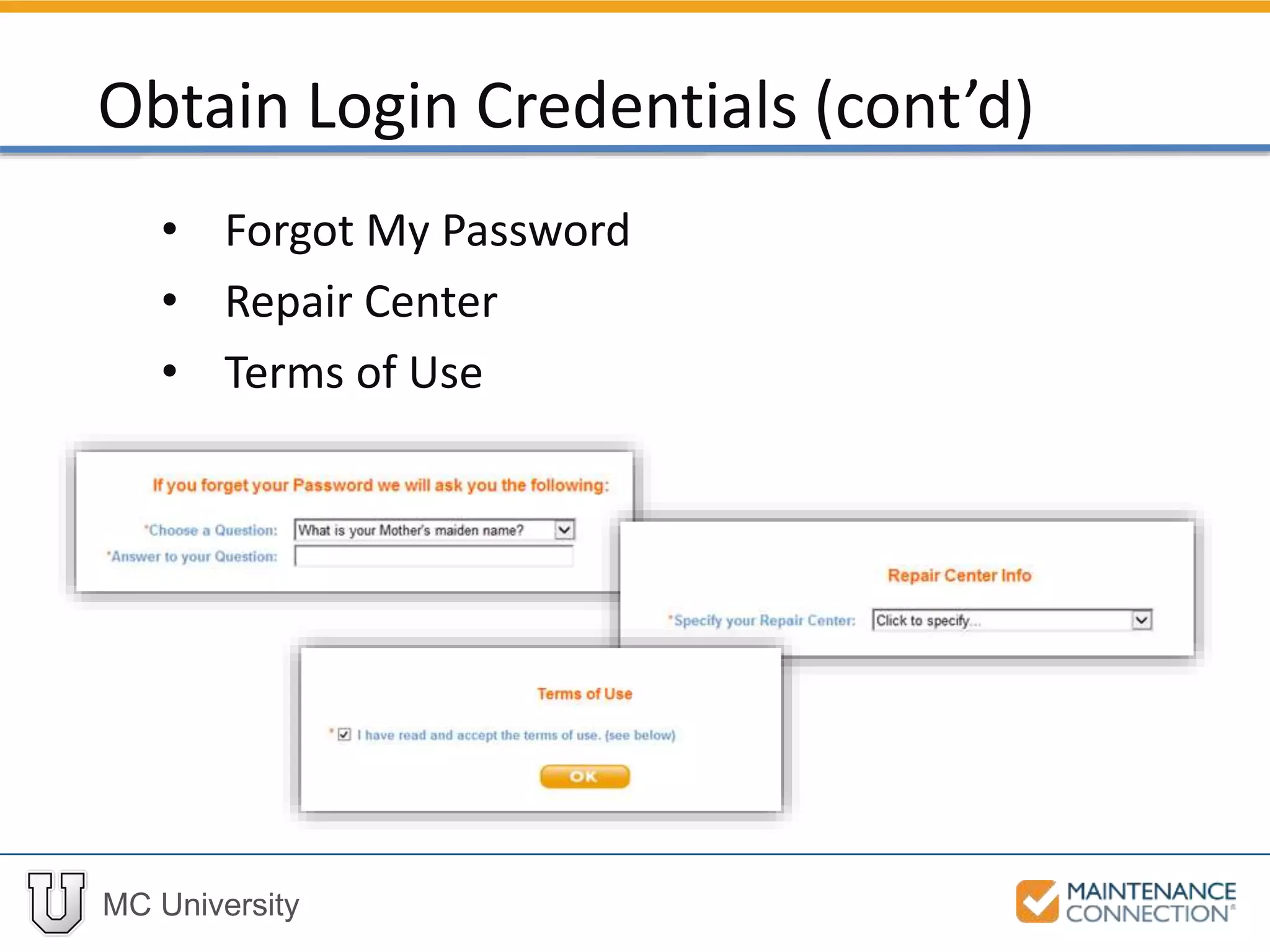
• Forgot My Password
• Repair Center
• Terms of Use
Obtain Login Credentials (cont’d)
MC University
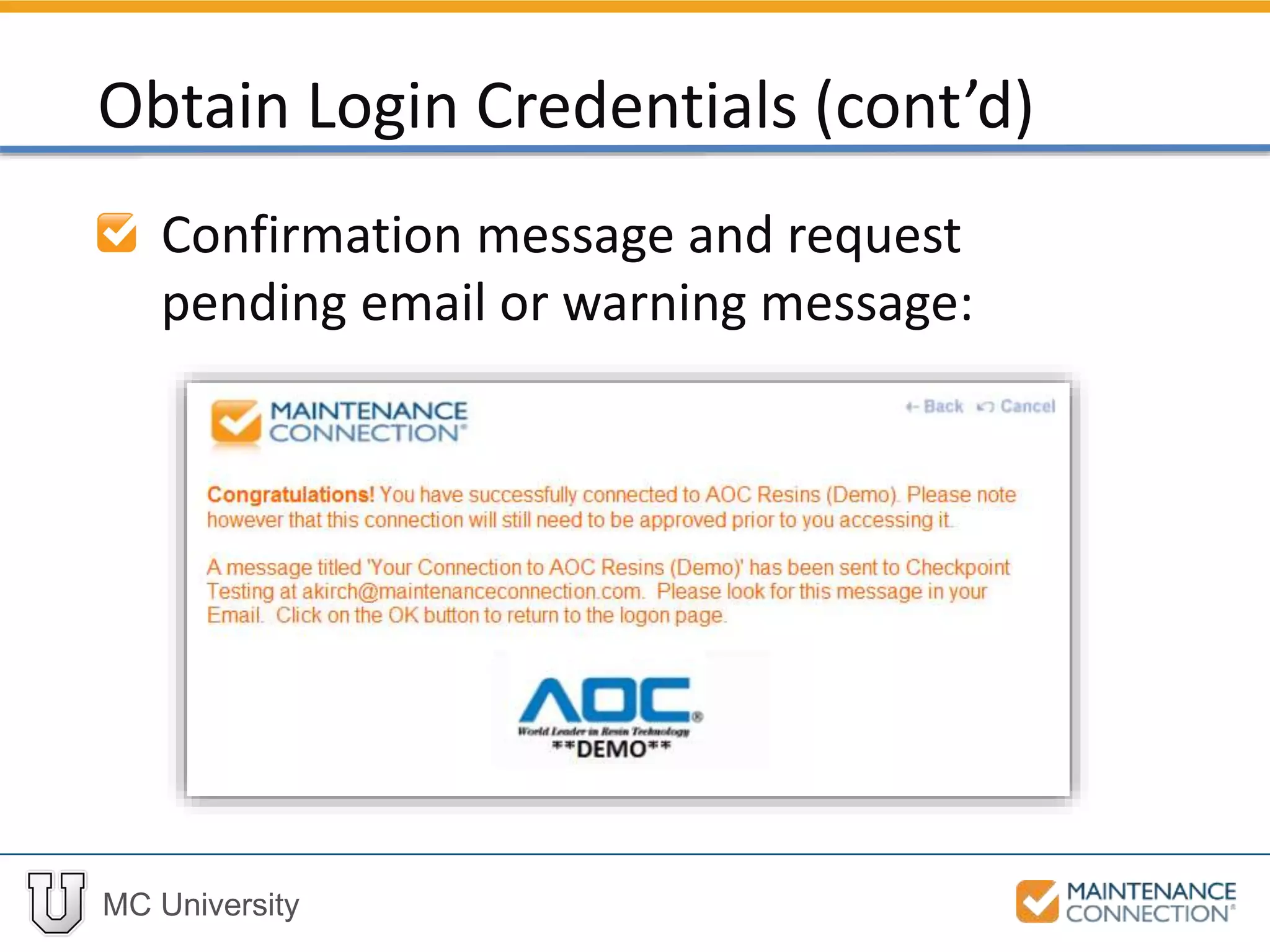
Confirmation message and request
pending email or warning message:
Obtain Login Credentials (cont’d)
MC University
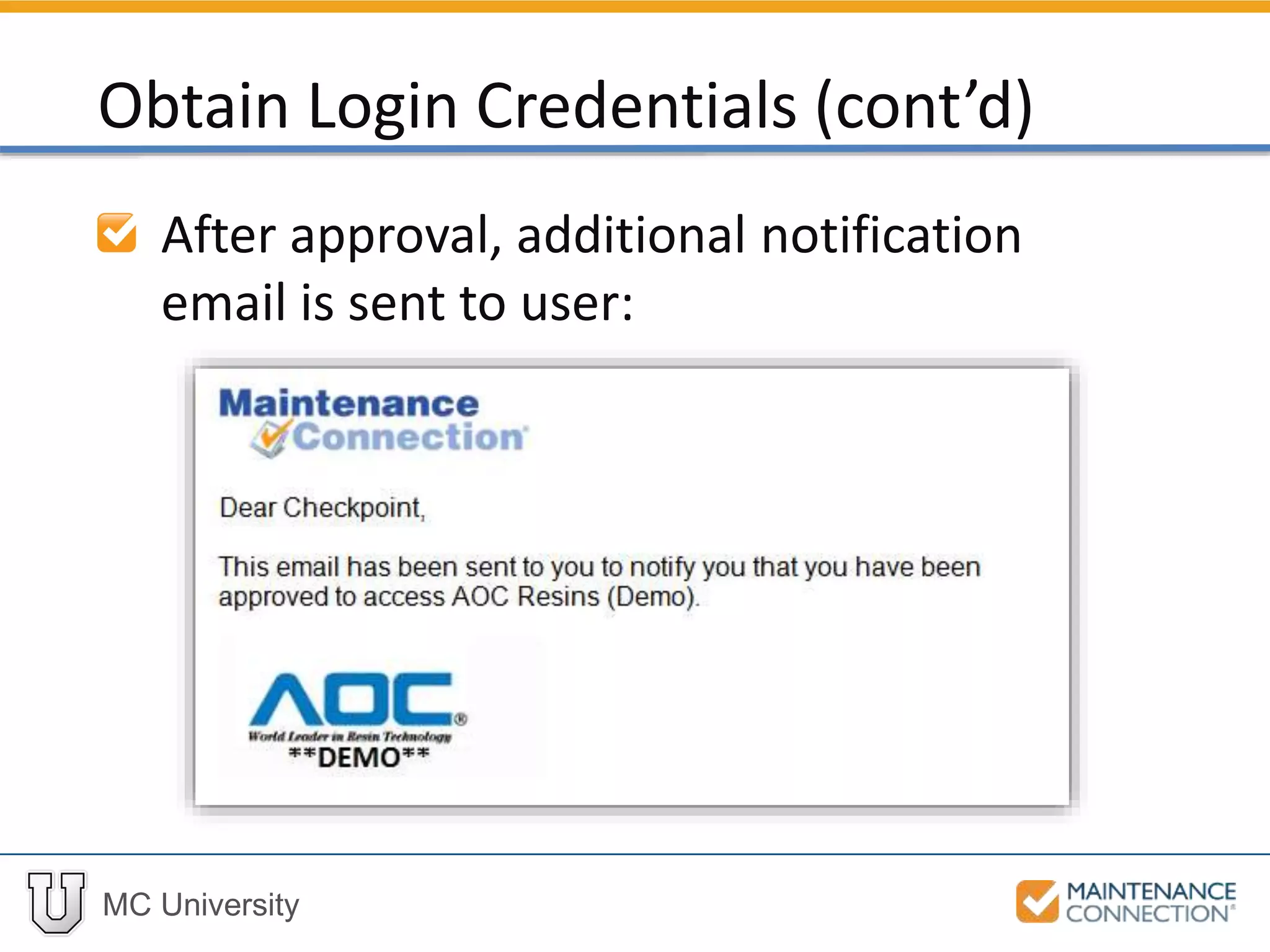
After approval, additional notification
email is sent to user:
Obtain Login Credentials (cont’d)
MC University
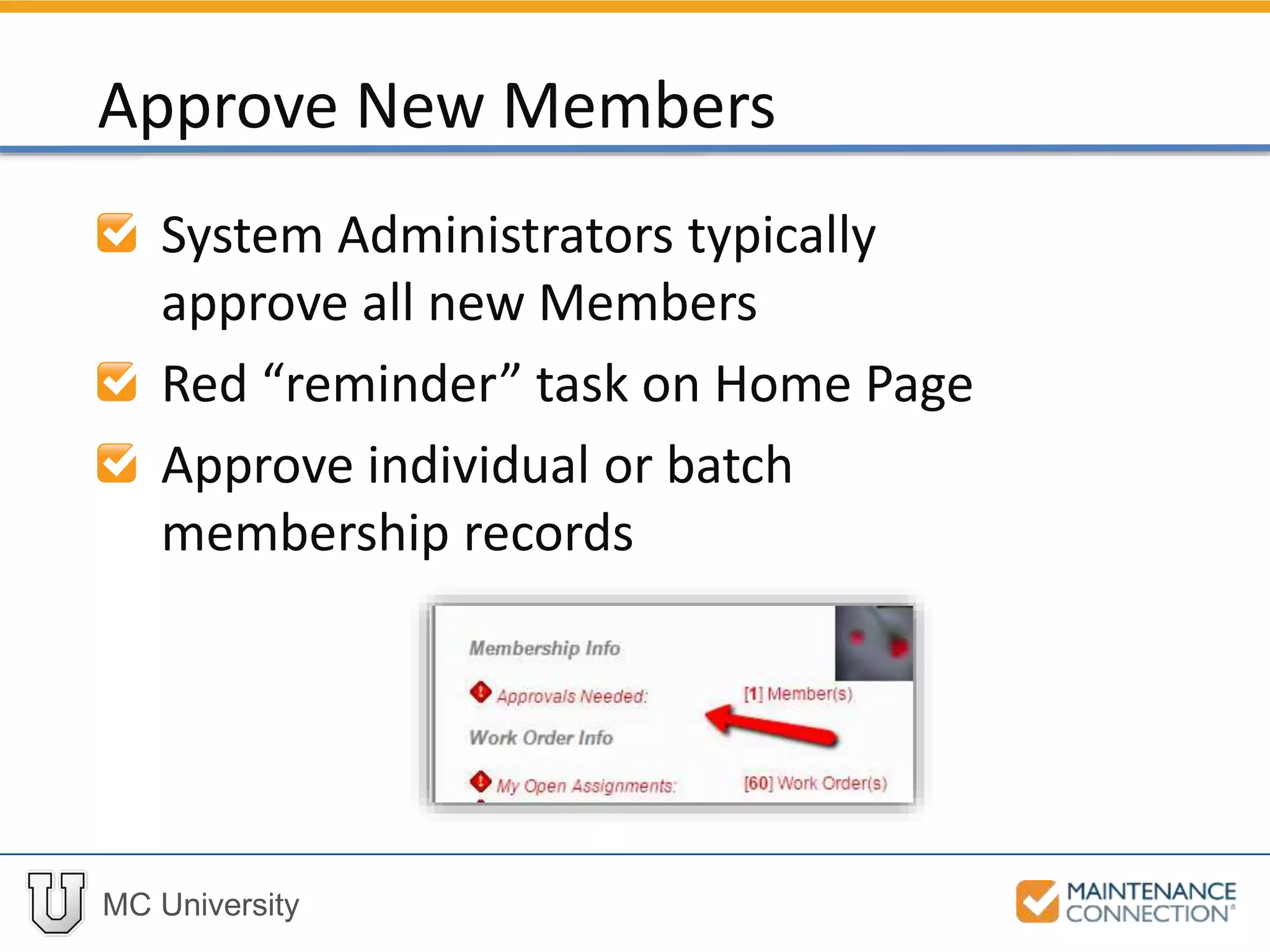
System Administrators typically
approve all new Members
Red “reminder” task on Home Page
Approve individual or batch
membership records
Approve New Members
MC University
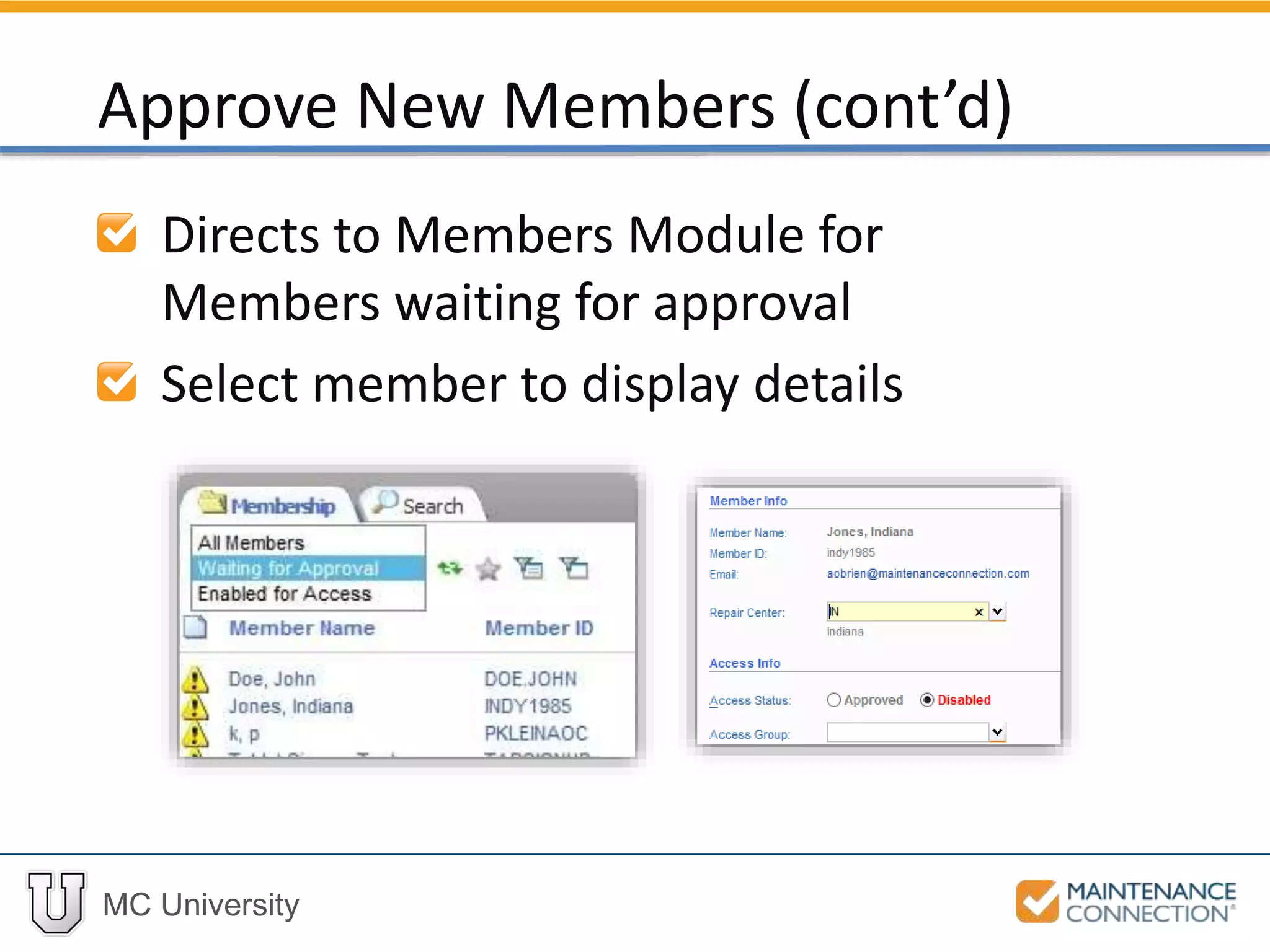
Directs to Members Module for
Members waiting for approval
Select member to display details
Approve New Members (cont’d)
MC University
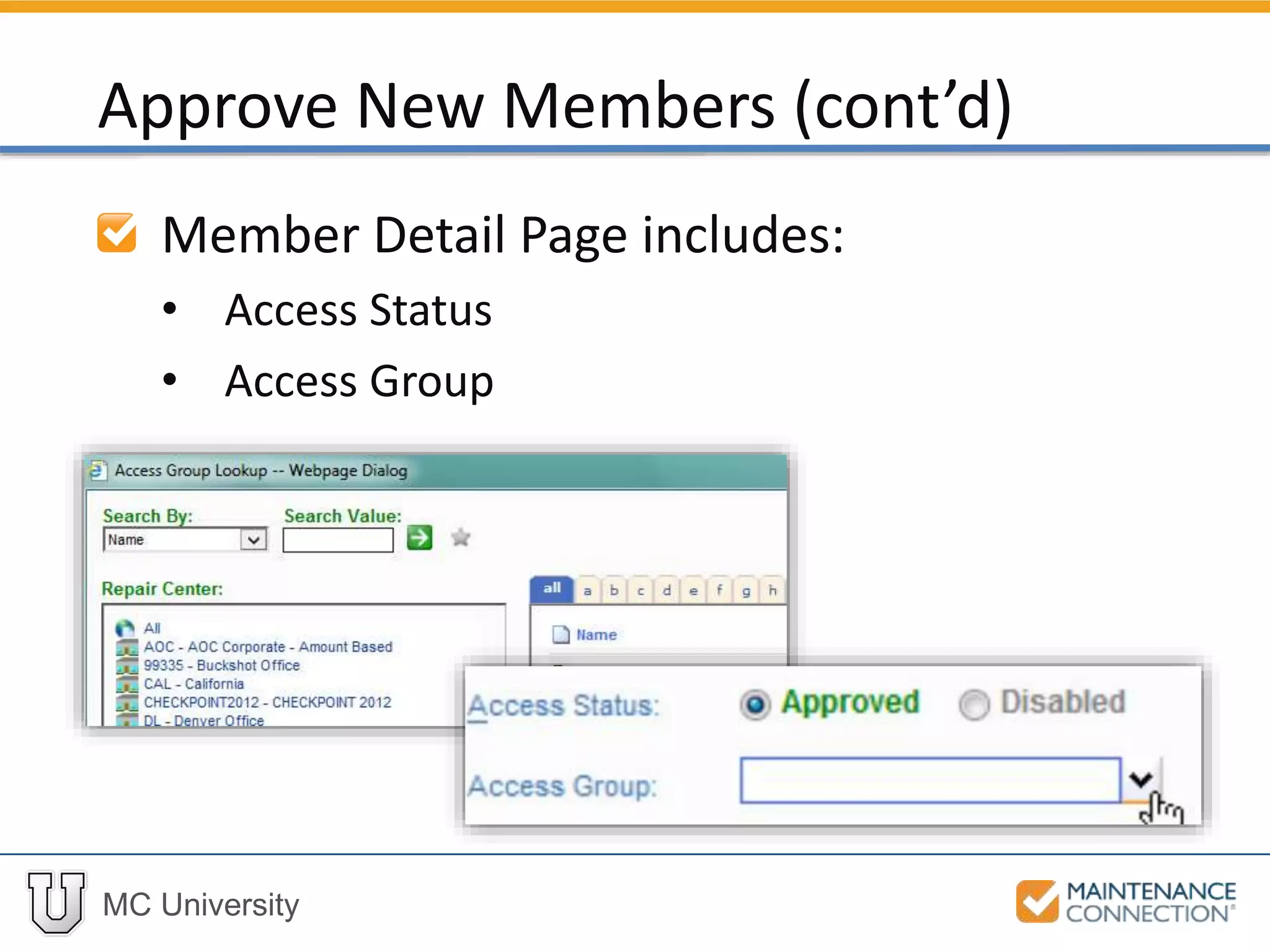
Member Detail Page includes:
• Access Status
• Access Group
Approve New Members (cont’d)
MC University
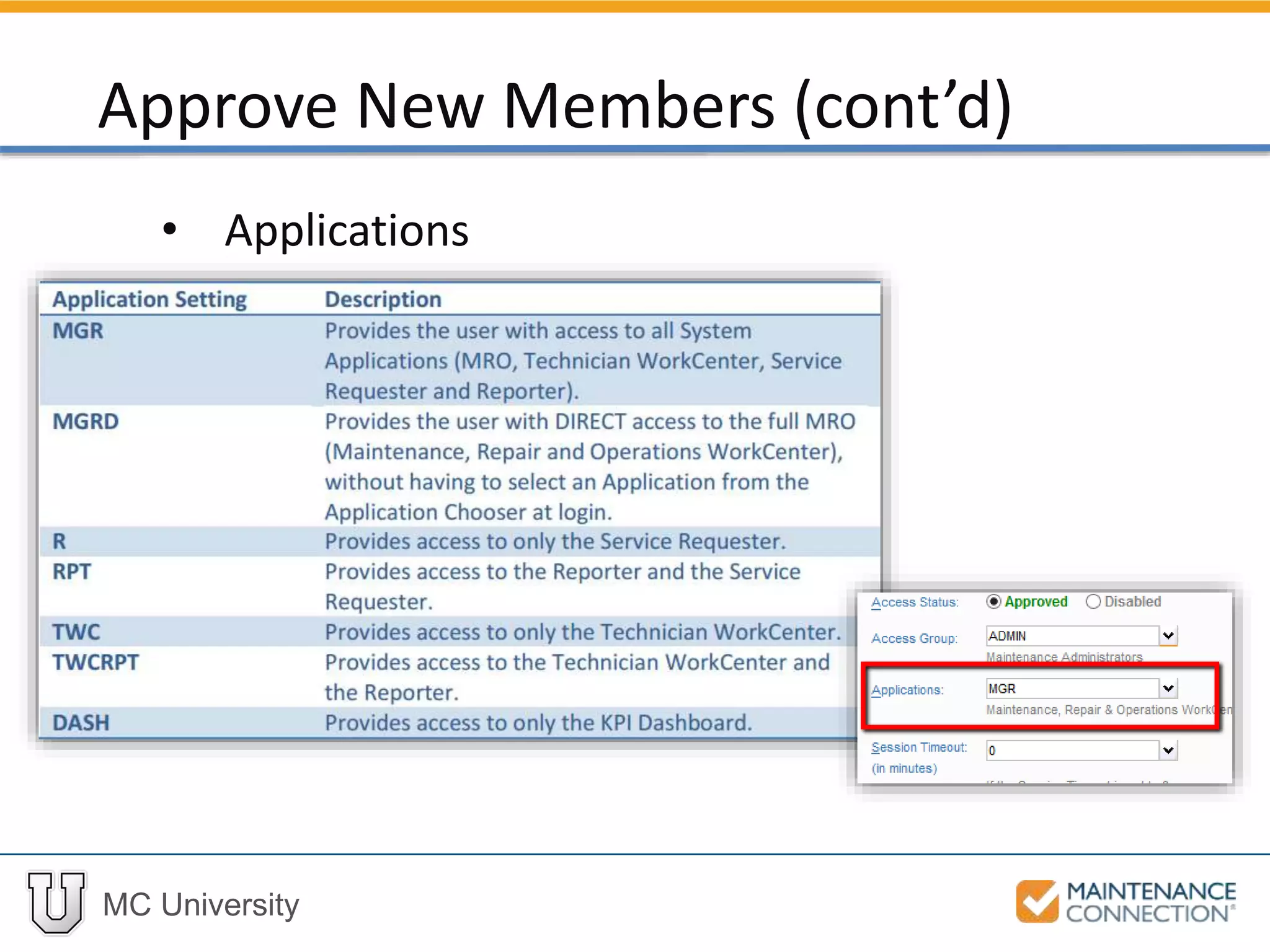
• Applications
Approve New Members (cont’d)
MC University
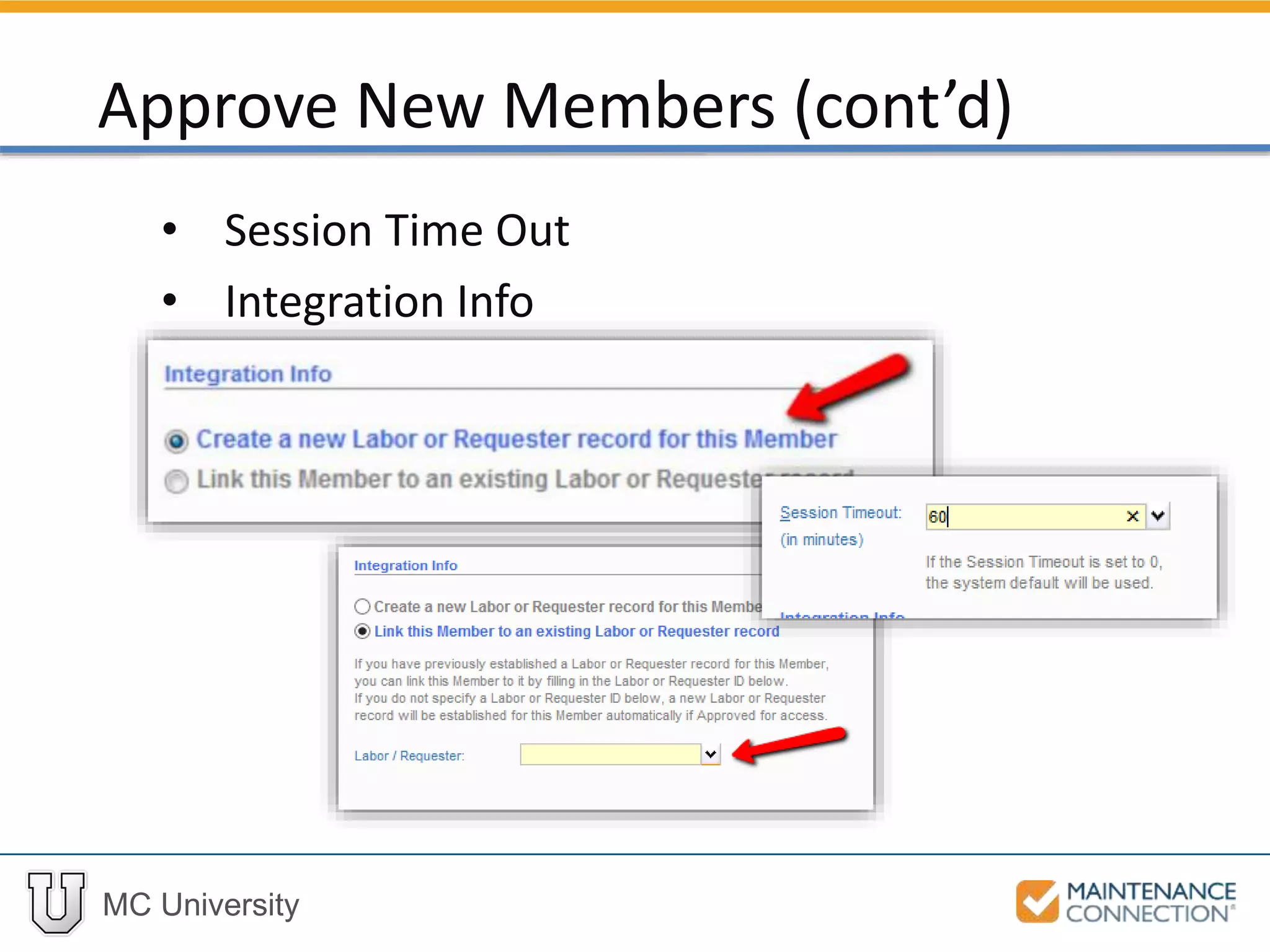
• Session Time Out
• Integration Info
Approve New Members (cont’d)
MC University
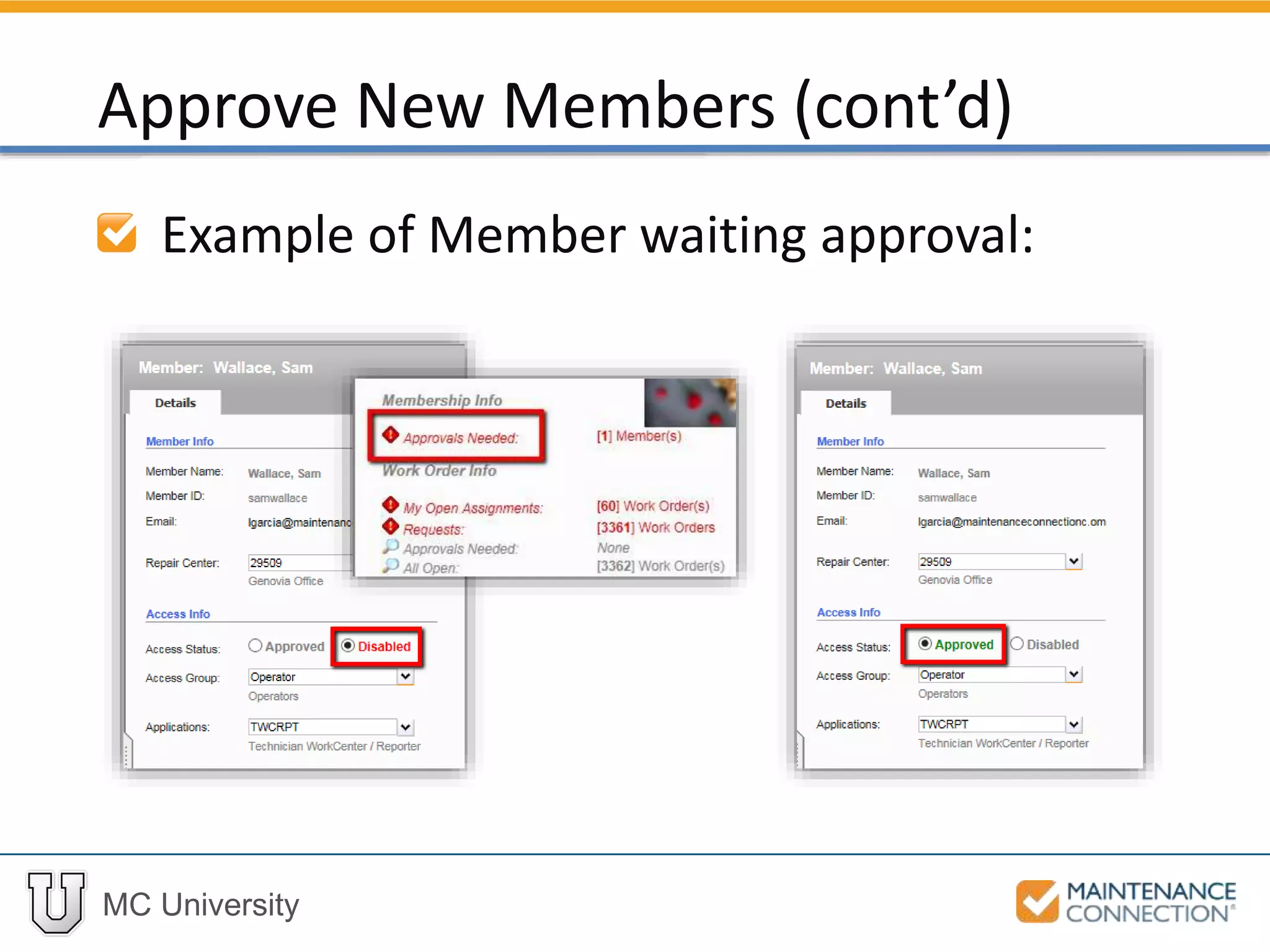
Example of Member waiting approval:
Approve New Members (cont’d)
MC University
Interactive Example 2
Let’s practice the skill you just learned! Check
out the following interactive example, located
under the MCU course slides:
• SA02 – Approving New Members
MC University
Process multiple membership requests
in one step
• Only useful for same Repair Center and
Access Group
• Only if no existing Labor or Requester
Record
Use Expanded List view and Batch
Approve feature
Batch Approve
MC University
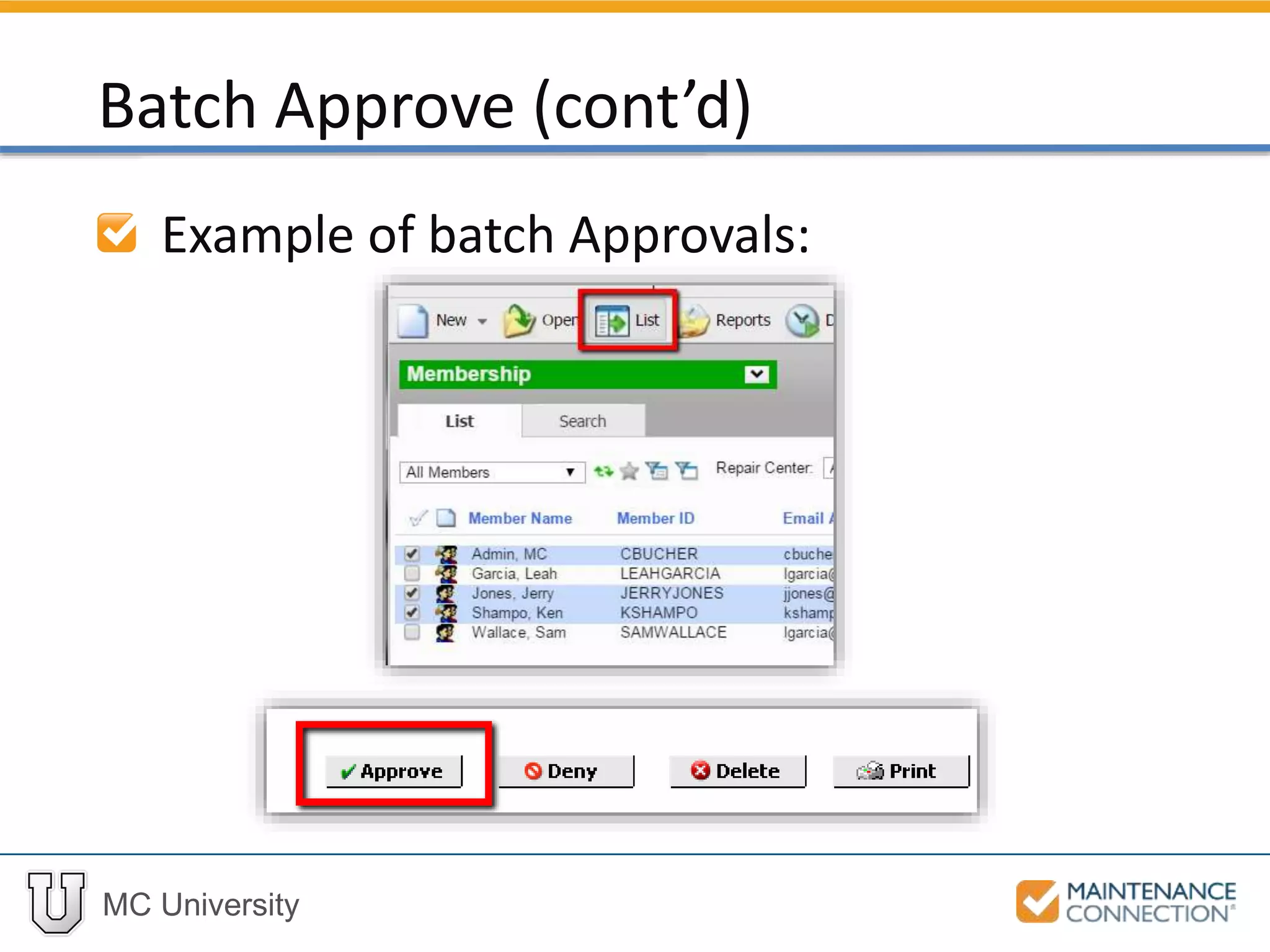
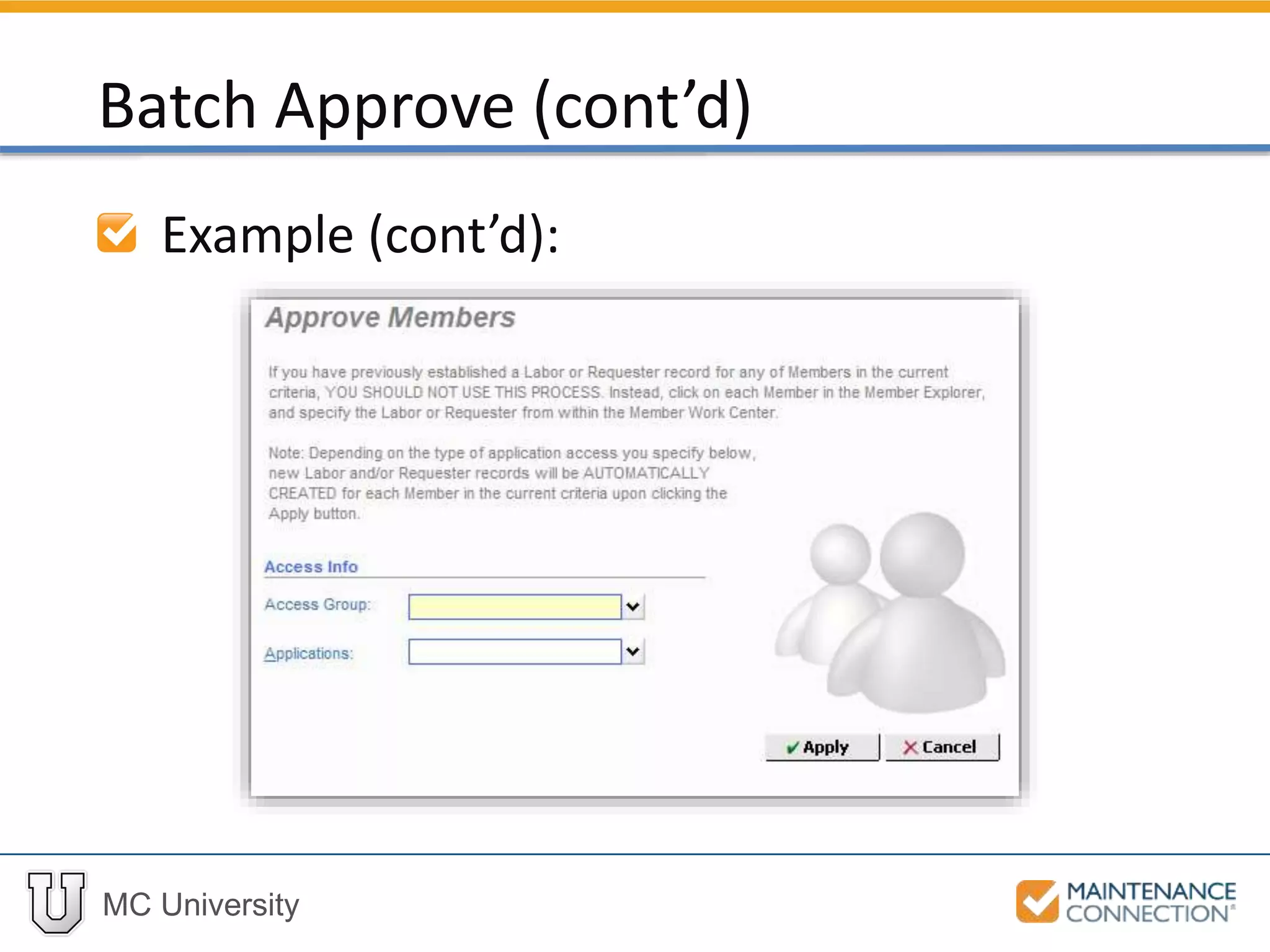
Example of batch Approvals:
Batch Approve (cont’d)
MC University
Example (cont’d):
Batch Approve (cont’d)
MC University
Disable vs. Delete
Member record will not delete Labor
record (history is saved)
Disable Members
MC University
Staff Instructions
Administrator Sign Up for Staff
Sign Up Instructions
MC University
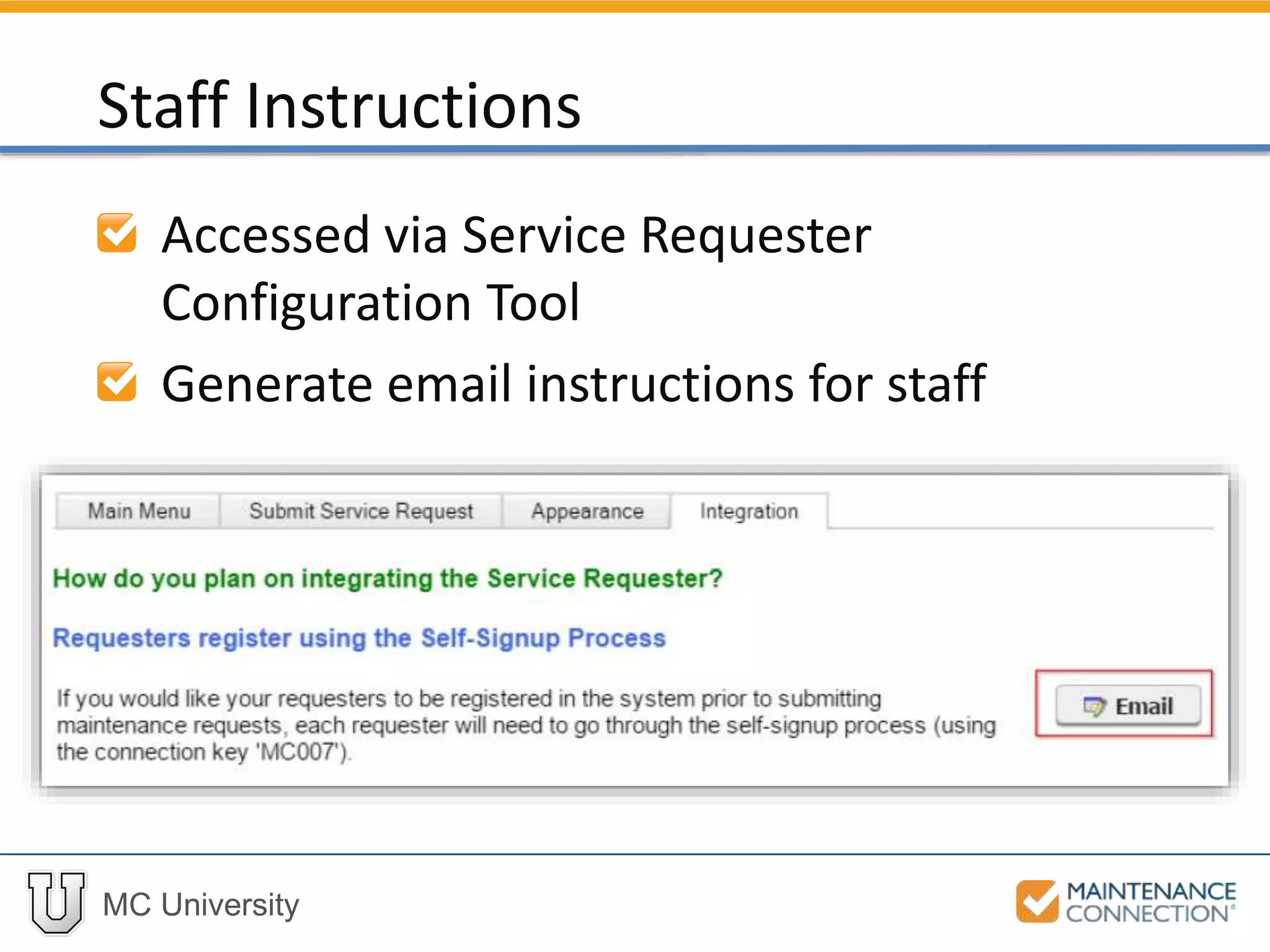
Accessed via Service Requester
Configuration Tool
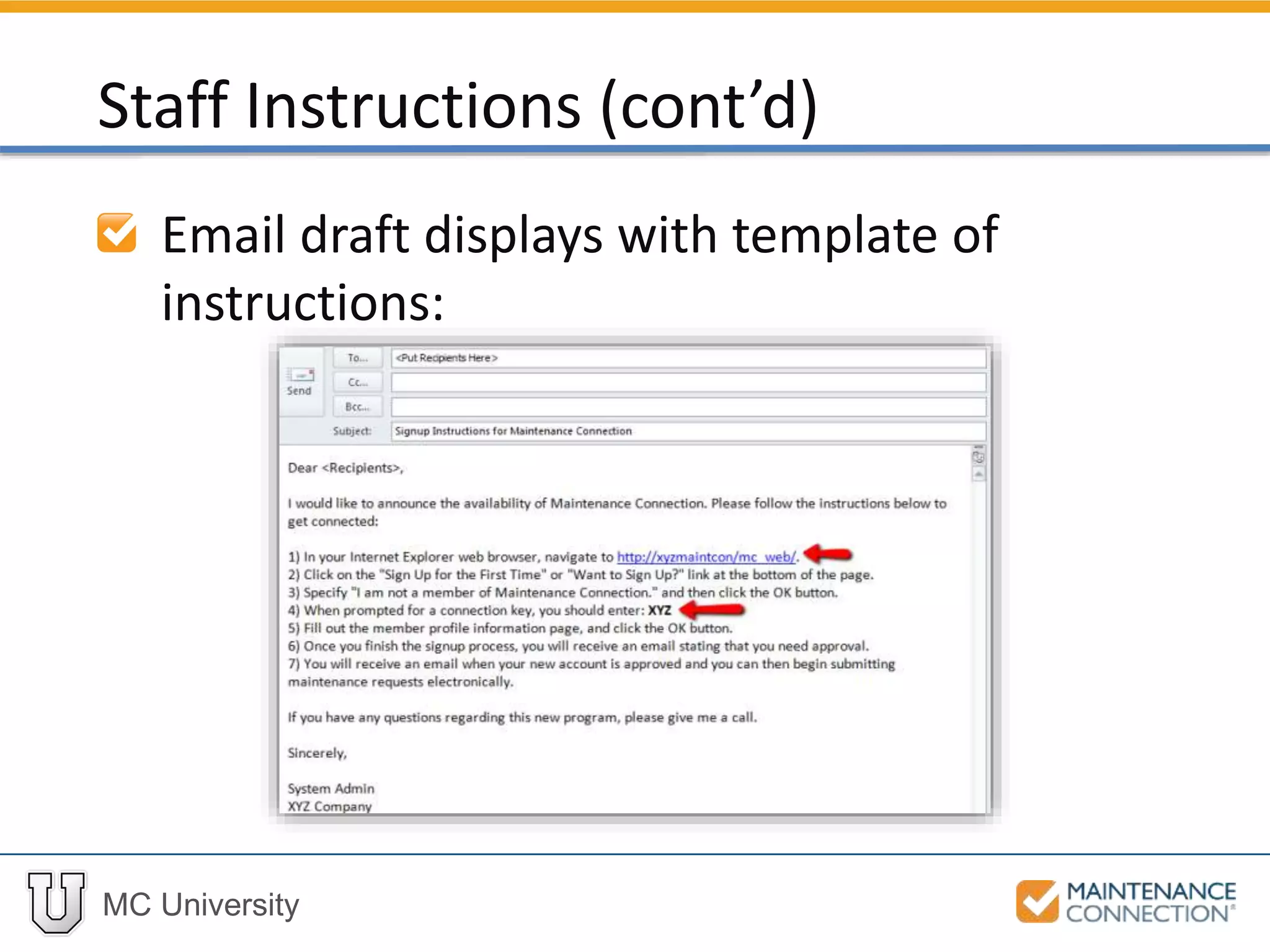
Generate email instructions for staff
Staff Instructions
MC University
Email draft displays with template of
instructions:
Staff Instructions (cont’d)
MC University
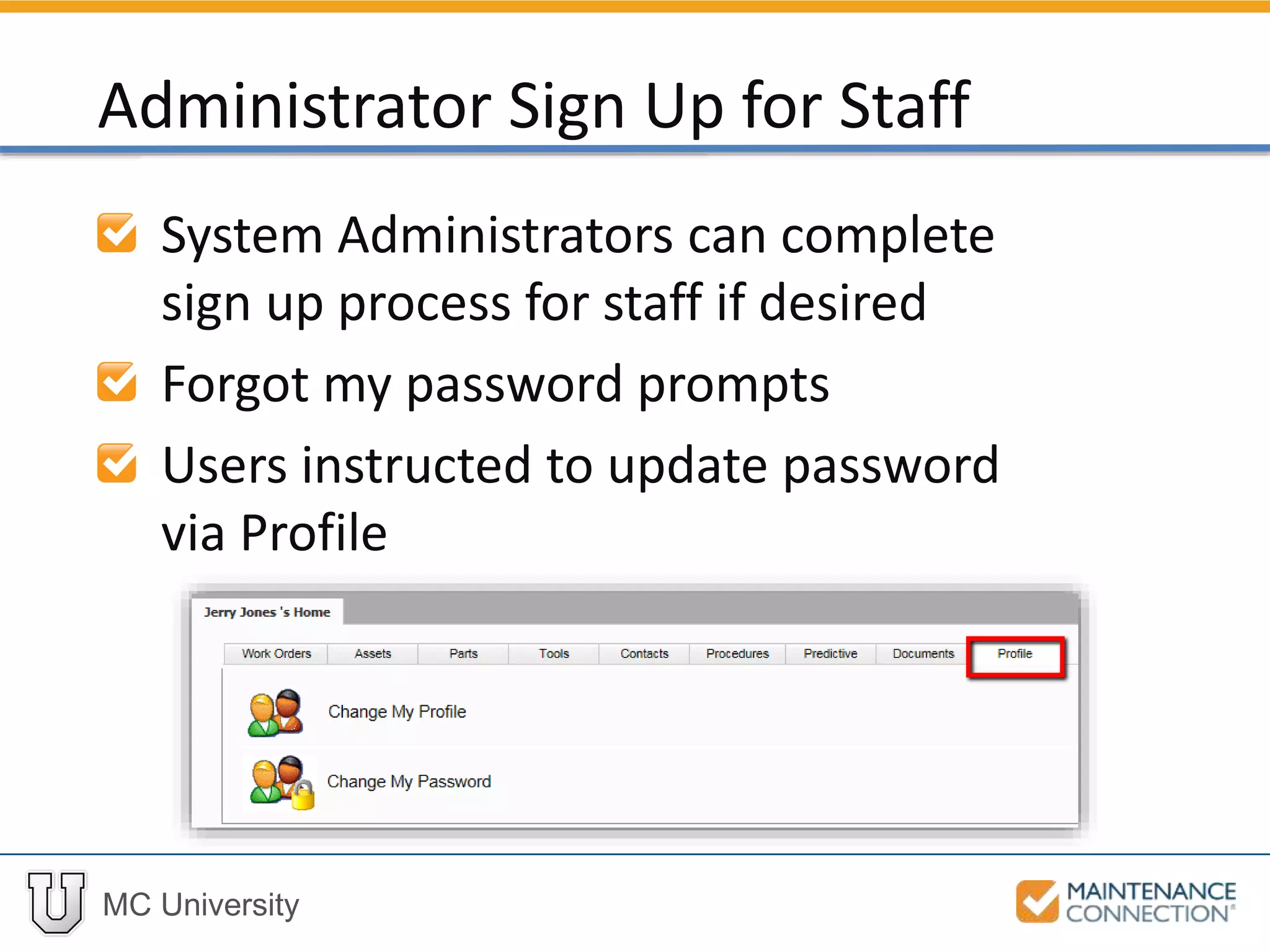
System Administrators can complete
sign up process for staff if desired
Forgot my password prompts
Users instructed to update password
via Profile
Administrator Sign Up for Staff
MC University
Password Management Tool Overview
Members
Security Settings
Password Management Tool
MC University
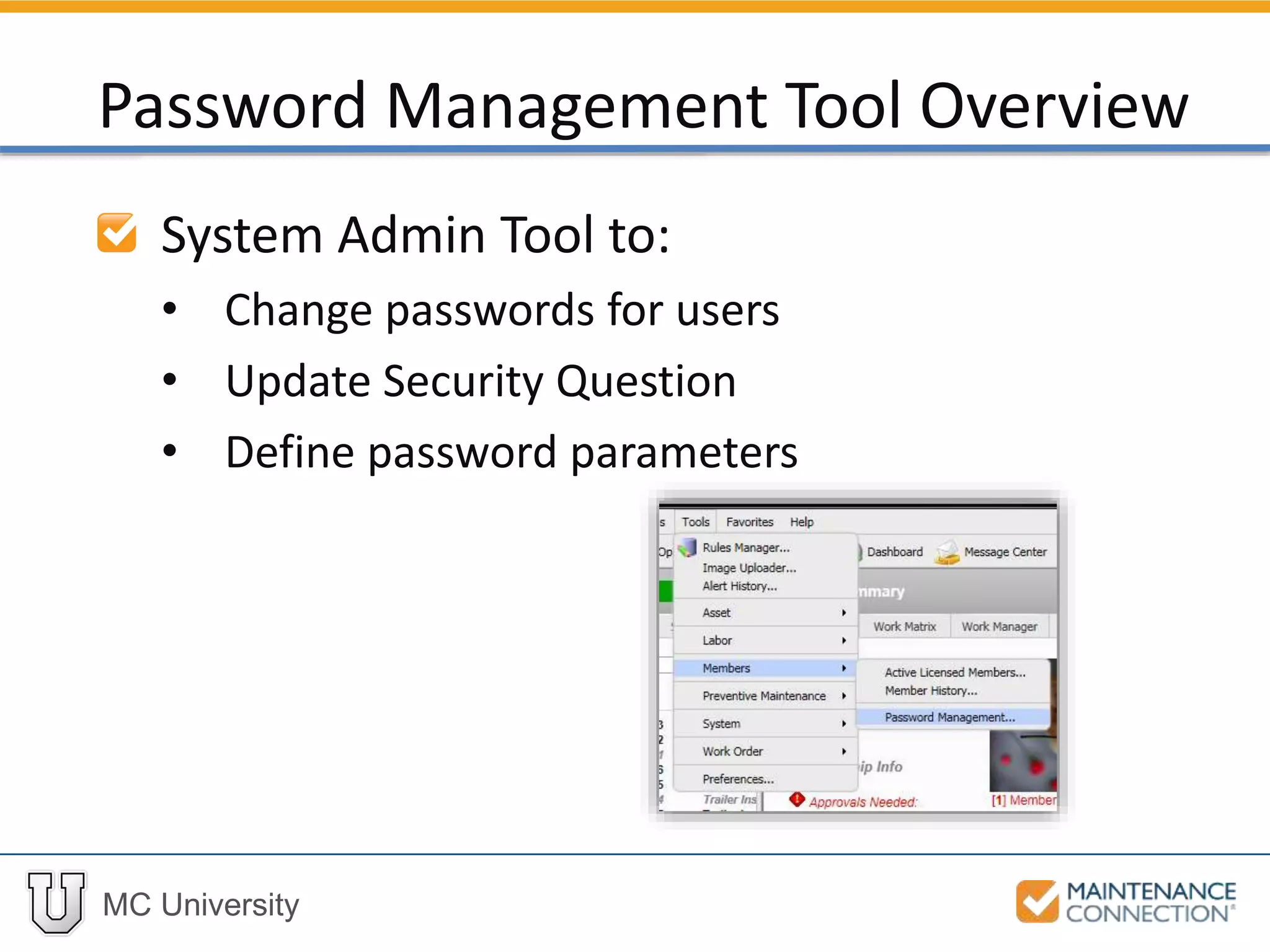
System Admin Tool to:
• Change passwords for users
• Update Security Question
• Define password parameters
Password Management Tool Overview
MC University
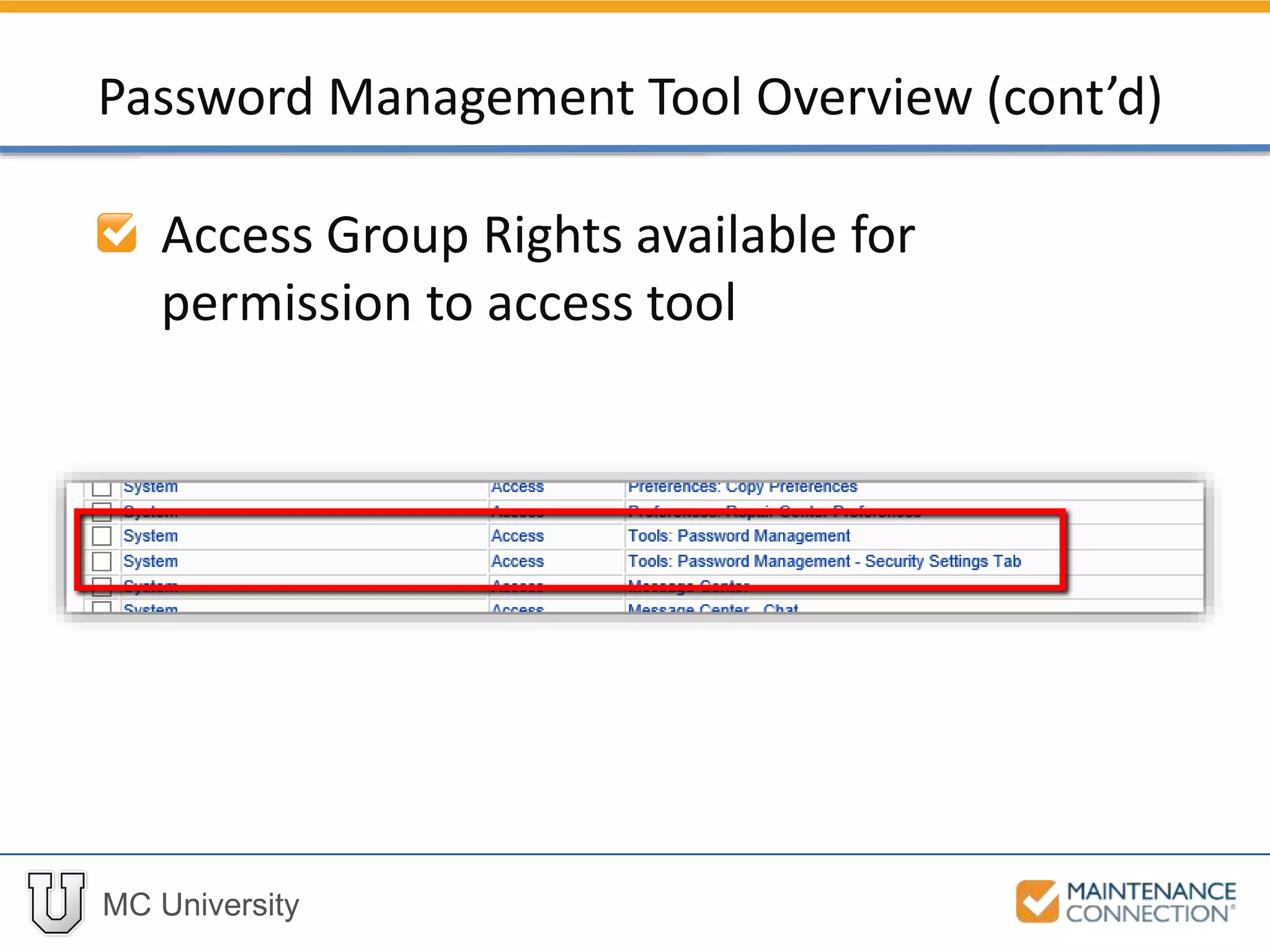
Access Group Rights available for
permission to access tool
Password Management Tool Overview (cont’d)
MC University
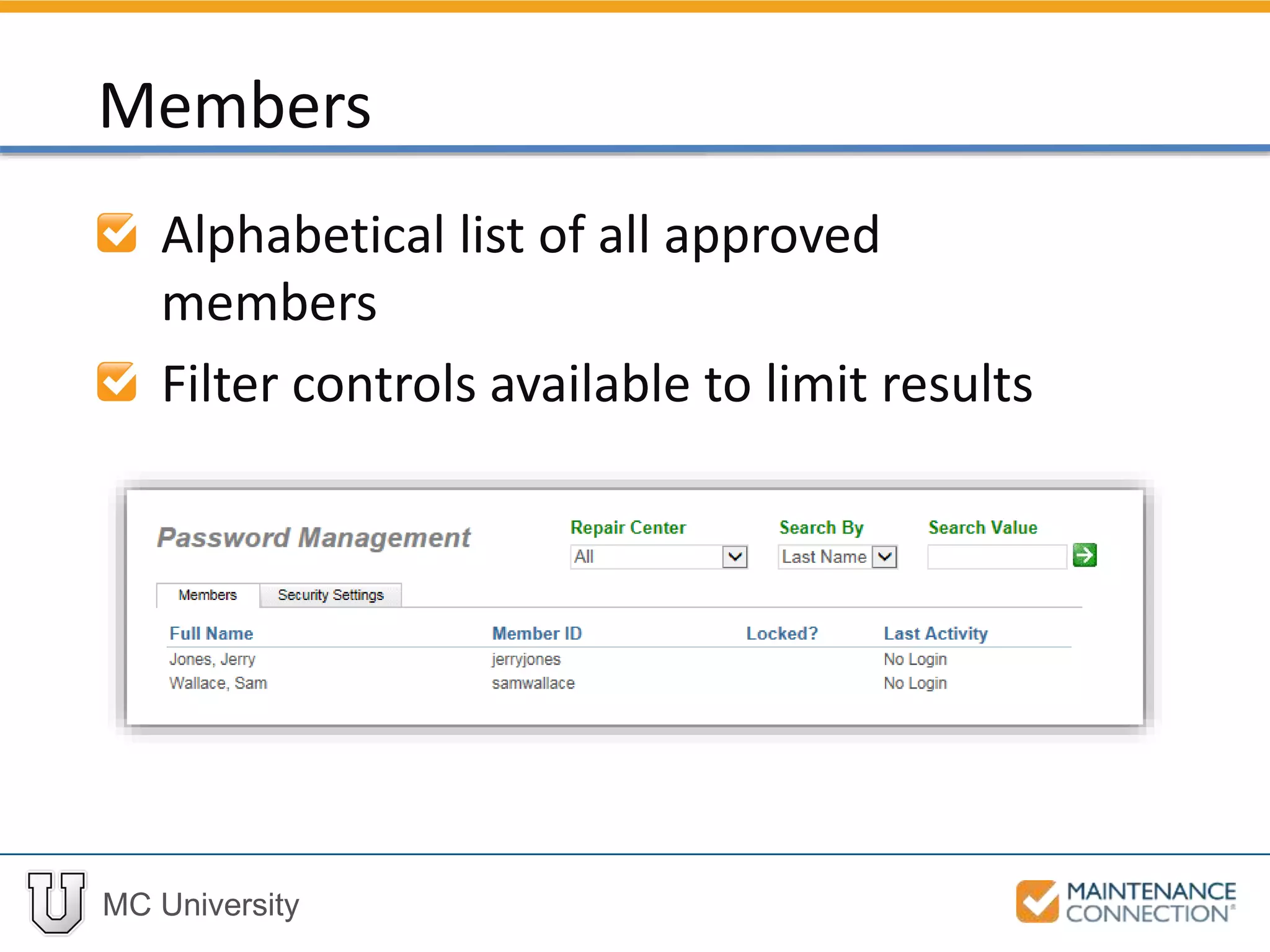
Alphabetical list of all approved
members
Filter controls available to limit results
Members
MC University
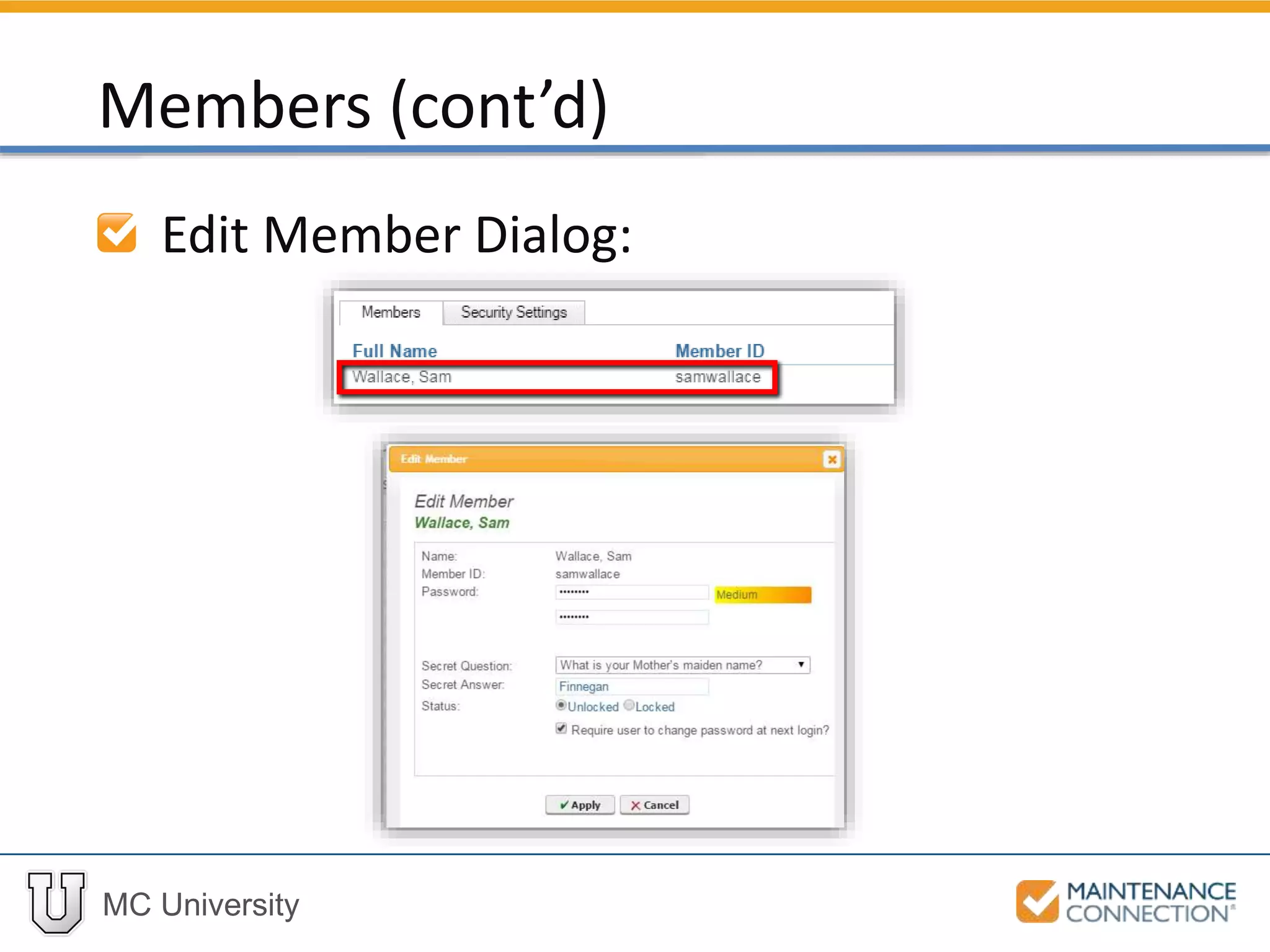
Edit Member Dialog:
Members (cont’d)
MC University
Interactive Example 3
Let’s practice the skill you just learned! Check
out the following interactive example, located
under the MCU course slides:
• SA02 – Using the Password Management
Tool
MC University
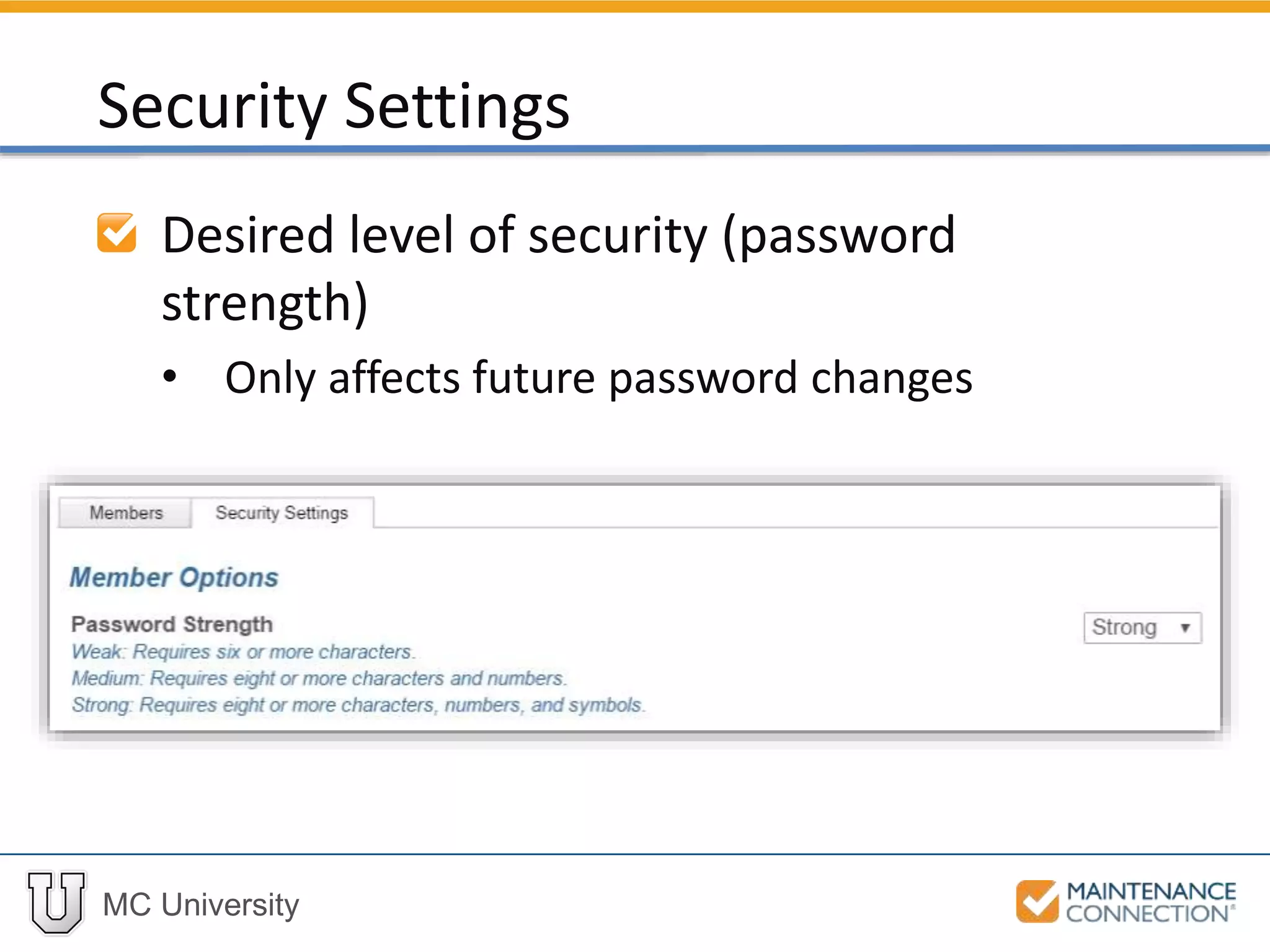
Desired level of security (password
strength)
• Only affects future password changes
Security Settings
MC University
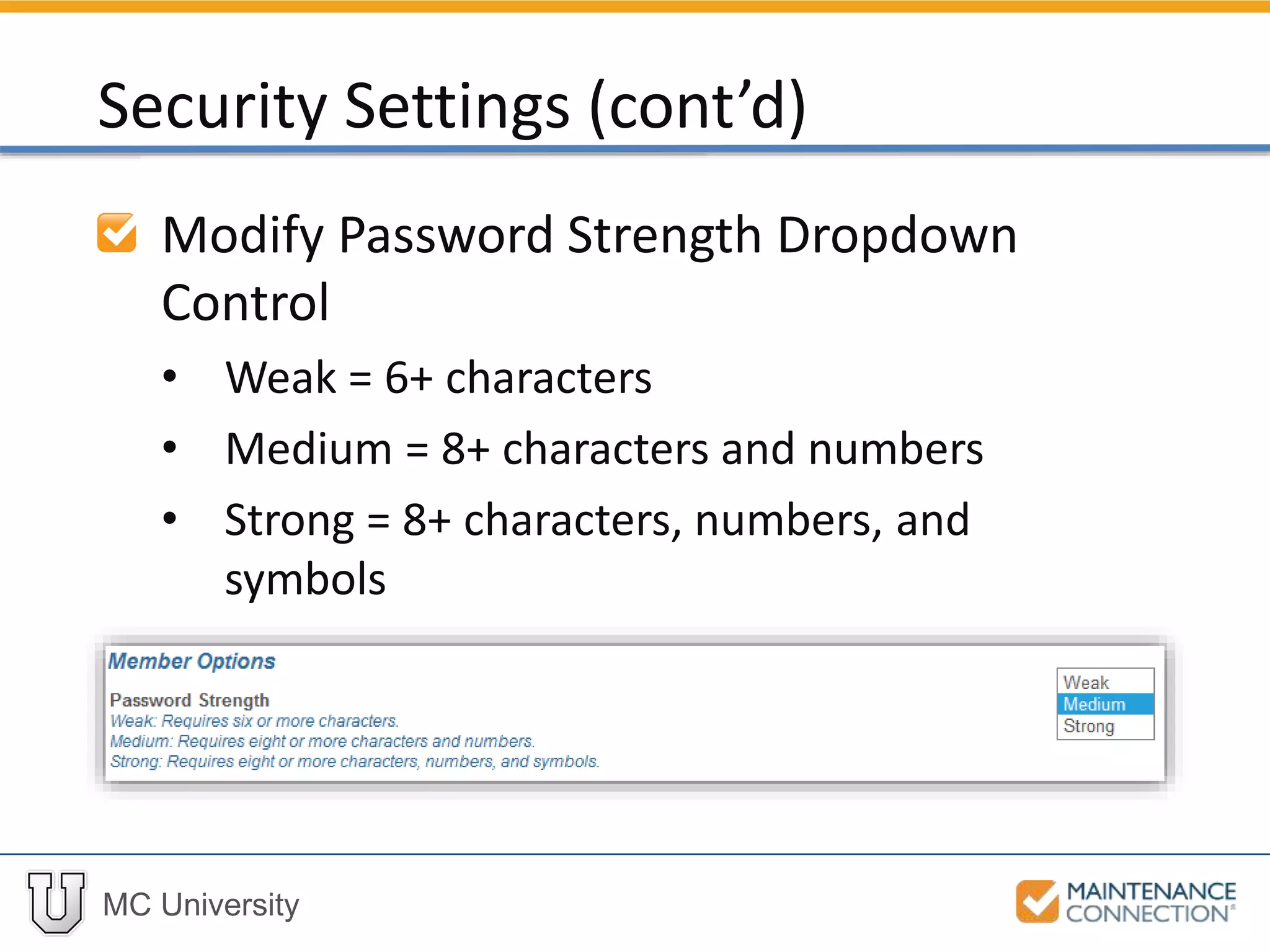
Modify Password Strength Dropdown
Control
• Weak = 6+ characters
• Medium = 8+ characters and numbers
• Strong = 8+ characters, numbers, and
symbols
Security Settings (cont’d)
MC University
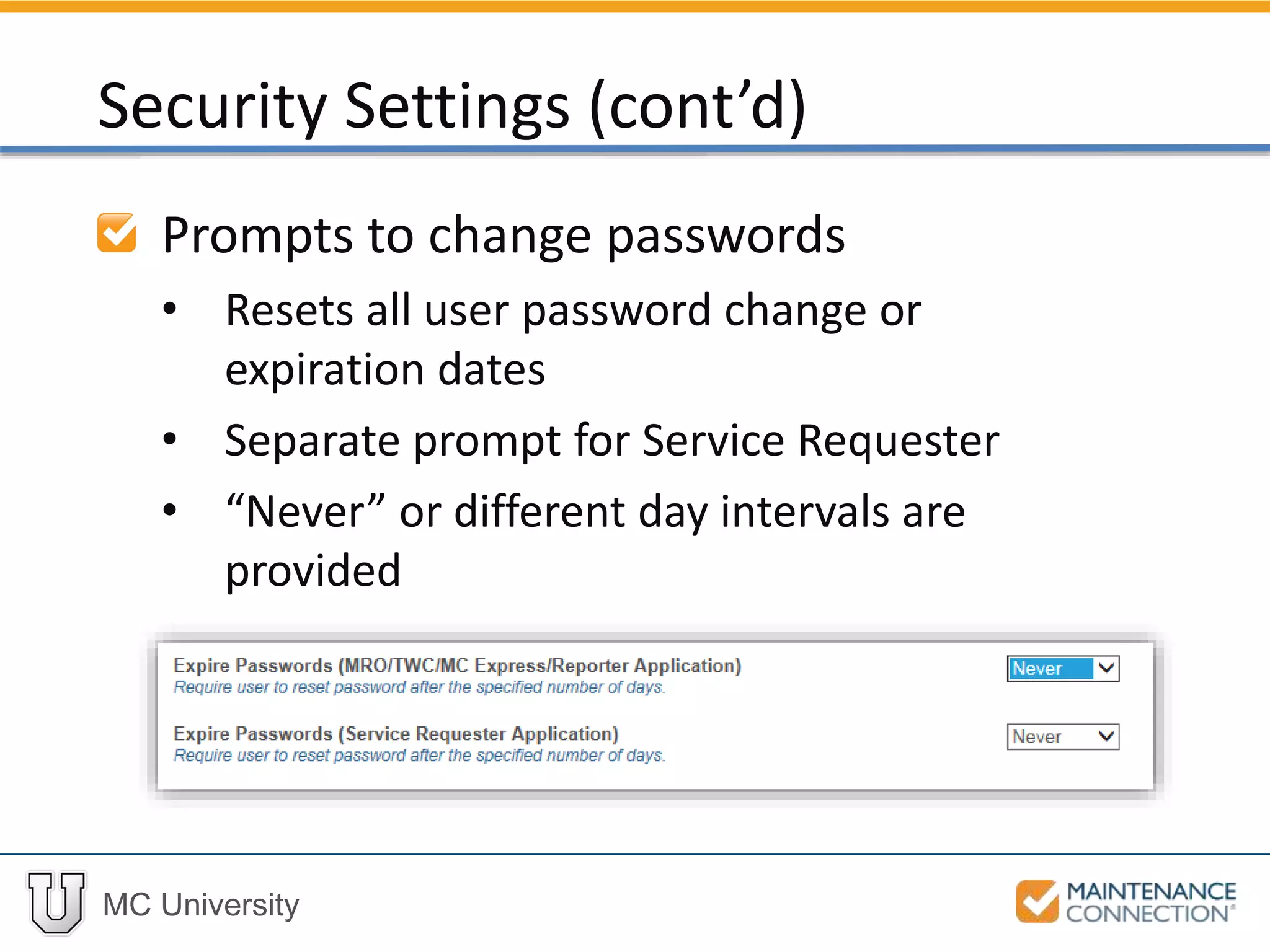
Prompts to change passwords
• Resets all user password change or
expiration dates
• Separate prompt for Service Requester
• “Never” or different day intervals are
provided
Security Settings (cont’d)
Thank You for
Watching!

SA02 | User and Password Management Techniques (MCUI)