How did you use media technologies in the
construction and research, planning and
evaluation stages?
M.Raja
Other research methods
Cd’s, Digipack: I looked at physical examples of Cd covers
for a better understanding of digipaks.
Word, presenting: I used word for basic presenting of my
research
Powerpoint, Presenting: This was the most used software
to present my research
Slideshare: This software allowed me to embed
powerpoint presentations onto Webs
Scribd: This software allowed me to embed word
documents onto Webs
We began planning our actual music video according to the research we
gathered.
It was easy to plan because we had a lot of examples and real media to work
with, and using a range of media technologies we managed to set out our plan
in a more easy to understand style.
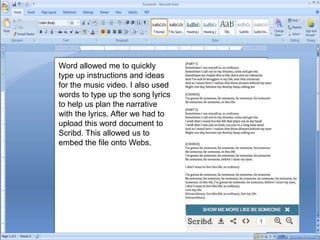
Word allowed me to quickly
type up instructions and ideas
for the music video. I also used
words to type up the song lyrics
to help us plan the narrative
with the lyrics. After we had to
upload this word document to
Scribd. This allowed us to
embed the file onto Webs.
Powerpoint
Powerpoint was more useful as
it allowed me to be more visual
and creative. Planning was
easier on Powerpoint as there
were more effects, animations,
media features etc. Also on
Powerpoint I was able to
demonstrate my results and
audience feedback in a more
visual manner using pie charts
and other graphics. I could also
upload the powerpoint on
Slideshre so that it generates
an embed code which I can use
to embed it onto Webs.
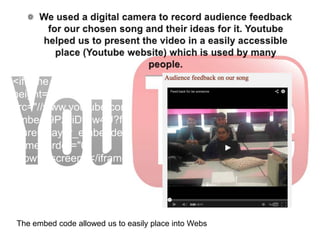
<iframe width="640"
height="360"
src="//www.youtube.com/
embed/9PzyiDtBw4U?fe
ature=player_embedded"
frameborder="0"
allowfullscreen></iframe
>
The embed code allowed us to easily place into Webs
Photoshop
I also used Photoshop for our draft Print tasks.
Photoshop is a photo editing software that
allowed me to manipulate and enhance images
for my print task. I was able to play about with
the images and manipulate them. This helped
me to understand how to design and create a
professional looking Cd cover and magazine
cover.
Construction
We used a Canon Legria to film our music video. I
learnt how to use the functions of the camera
correctly and also how to set up the tripod.
The tripod allowed to me take smooth steady shots
and also allowed me to pan more smoothly. I learnt
how to set up the camera to the tripod correctly and
how to use the other features of the tripod.
The mac was used for storage of all
our video footages and for all the other
software we used. I learnt how to
connect the camera on to the
computer in order to transfer files.
I used Final Cut to lay out the video
footages onto one canvas whereby I
could rearrange, edit and crop certain
footage. Final Cut allowed us to create
our music video easily because
I used Photoshop to create the final print
task and through using it I learnt many new
skills like colour manipulation.
I also used my mobile phone to communicate
with my group and take pictures for reference.
The pictures used for my digi pack and
magazine advert were taken using my 8 mega
pixel camera phone.
Evaluation
One of the criteria on the mark scheme says that candidates should use
a range of media technology when answering the evaluation questions.
Due to this I decided to use various different media technology. I
thought by using different software and media technology this would
showcase my ability to use a range of media.
Q1 For question 1, I decided to use Microsoft Word so that I
could get all my ideas down and have it in an essay form,
I thought this would allow me to demonstrate my ability to
write clearly and and use Word effectively. Afterwards I
realised that this was a plain way to present and a bit
boring. Thus I decided afterwards that I would get
someone to read it out. I used the mac’s internal voice
recorder, this way I could use the audio file and put it into
iMovie. Using this software I was able to add background
music and present so that people can hear the essay
rather than reading it themselves.
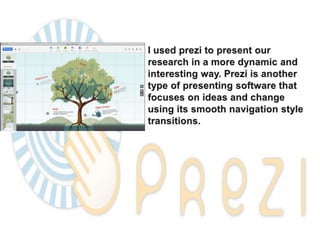
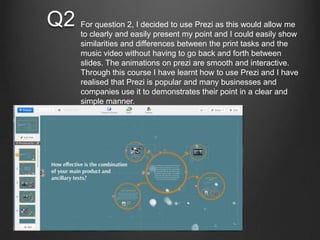
Q2 For question 2, I decided to use Prezi as this would allow me
to clearly and easily present my point and I could easily show
similarities and differences between the print tasks and the
music video without having to go back and forth between
slides. The animations on prezi are smooth and interactive.
Through this course I have learnt how to use Prezi and I have
realised that Prezi is popular and many businesses and
companies use it to demonstrates their point in a clear and
simple manner.
Q3 For question 3, I decided to make a video using iMovie.
This method demonstrates that I can use a range of
media technology. Using the audio recorder I recorded a
voiceover to narrate my audience feedback. I then used
iMovie to put pictures, music and the voice over together
in an informative and entertaining video.
I used transitions to make
the video more smooth and
entertaining.
I placed all the required footages
here so that I could easily cut and
edit before placing them into the
timeline
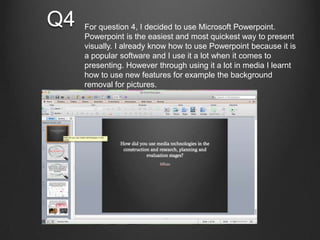
Q4 For question 4, I decided to use Microsoft Powerpoint.
Powerpoint is the easiest and most quickest way to present
visually. I already know how to use Powerpoint because it is
a popular software and I use it a lot when it comes to
presenting. However through using it a lot in media I learnt
how to use new features for example the background
removal for pictures.

Q4 final final

  • 1.
    How did youuse media technologies in the construction and research, planning and evaluation stages? M.Raja
  • 9.
    Other research methods Cd’s,Digipack: I looked at physical examples of Cd covers for a better understanding of digipaks. Word, presenting: I used word for basic presenting of my research Powerpoint, Presenting: This was the most used software to present my research Slideshare: This software allowed me to embed powerpoint presentations onto Webs Scribd: This software allowed me to embed word documents onto Webs
  • 11.
    We began planningour actual music video according to the research we gathered. It was easy to plan because we had a lot of examples and real media to work with, and using a range of media technologies we managed to set out our plan in a more easy to understand style.
  • 12.
    Word allowed meto quickly type up instructions and ideas for the music video. I also used words to type up the song lyrics to help us plan the narrative with the lyrics. After we had to upload this word document to Scribd. This allowed us to embed the file onto Webs.
  • 13.
    Powerpoint Powerpoint was moreuseful as it allowed me to be more visual and creative. Planning was easier on Powerpoint as there were more effects, animations, media features etc. Also on Powerpoint I was able to demonstrate my results and audience feedback in a more visual manner using pie charts and other graphics. I could also upload the powerpoint on Slideshre so that it generates an embed code which I can use to embed it onto Webs.
  • 14.
  • 15.
    Photoshop I also usedPhotoshop for our draft Print tasks. Photoshop is a photo editing software that allowed me to manipulate and enhance images for my print task. I was able to play about with the images and manipulate them. This helped me to understand how to design and create a professional looking Cd cover and magazine cover.
  • 16.
  • 17.
    We used aCanon Legria to film our music video. I learnt how to use the functions of the camera correctly and also how to set up the tripod. The tripod allowed to me take smooth steady shots and also allowed me to pan more smoothly. I learnt how to set up the camera to the tripod correctly and how to use the other features of the tripod. The mac was used for storage of all our video footages and for all the other software we used. I learnt how to connect the camera on to the computer in order to transfer files. I used Final Cut to lay out the video footages onto one canvas whereby I could rearrange, edit and crop certain footage. Final Cut allowed us to create our music video easily because I used Photoshop to create the final print task and through using it I learnt many new skills like colour manipulation. I also used my mobile phone to communicate with my group and take pictures for reference. The pictures used for my digi pack and magazine advert were taken using my 8 mega pixel camera phone.
  • 18.
  • 19.
    One of thecriteria on the mark scheme says that candidates should use a range of media technology when answering the evaluation questions. Due to this I decided to use various different media technology. I thought by using different software and media technology this would showcase my ability to use a range of media.
  • 20.
    Q1 For question1, I decided to use Microsoft Word so that I could get all my ideas down and have it in an essay form, I thought this would allow me to demonstrate my ability to write clearly and and use Word effectively. Afterwards I realised that this was a plain way to present and a bit boring. Thus I decided afterwards that I would get someone to read it out. I used the mac’s internal voice recorder, this way I could use the audio file and put it into iMovie. Using this software I was able to add background music and present so that people can hear the essay rather than reading it themselves.
  • 21.
    Q2 For question2, I decided to use Prezi as this would allow me to clearly and easily present my point and I could easily show similarities and differences between the print tasks and the music video without having to go back and forth between slides. The animations on prezi are smooth and interactive. Through this course I have learnt how to use Prezi and I have realised that Prezi is popular and many businesses and companies use it to demonstrates their point in a clear and simple manner.
  • 22.
    Q3 For question3, I decided to make a video using iMovie. This method demonstrates that I can use a range of media technology. Using the audio recorder I recorded a voiceover to narrate my audience feedback. I then used iMovie to put pictures, music and the voice over together in an informative and entertaining video. I used transitions to make the video more smooth and entertaining. I placed all the required footages here so that I could easily cut and edit before placing them into the timeline
  • 23.
    Q4 For question4, I decided to use Microsoft Powerpoint. Powerpoint is the easiest and most quickest way to present visually. I already know how to use Powerpoint because it is a popular software and I use it a lot when it comes to presenting. However through using it a lot in media I learnt how to use new features for example the background removal for pictures.