Question 4
How did you use new media technologies in the
construction and research, planning and evaluation
stages?
Technologies
This year, our group had decided to use upgraded
technology that was different to the previous ones
used.
We felt that our group had the ability to use this
technology as we felt we had developed and
progressed from last year.
We felt that using the newer technology it would help
us to expand our range of ideas and would give us a
wider range of choices in regards to our genre and
Listed, are the
technologies we used:
Apple MAC
We decided to use Macs as a main component in
our production as we were familiar with the
layout and technology from our previous work.
Also, we found that the Mac was trustworthy in
the sense of storage as they tend to have a
larger amount of memory as well as RAM which
means the processing speed would increase
ten-fold. We also decided that this would be the
best piece of technology to use throughout our
three stages as we found it to be efficient and
compatible with all of our functions.
iPads
We used iMovie on iPads to edit items on the go as
we were under time constraints. Also, we found it
easy to download scripts and screenshots as well as
the storyboard to help us during our production. This
was a compact and portable device which made it
particularly useful to carry around instead of many
papers. The iPad also made it easier to refer back to
our media text and change or re-invent certain parts
of it. As we use the iPad for personal uses anyway,
we found it easier to use. Also, it was easier to access
the blog if we had forgotten any important documents.
Blogs
We chose to use a WordPress blog for our
production as it was the most efficient
method of storing all of our work from over
the course in one place. Also, we wanted
to use a piece of software that was easy
to navigate as well as felt familiar with.
This particular blogging site was useful as
it helped us to connect with our audience
– it gave them access to our progress as
well as helping us to reach out for them for
feedback. We used the Blog in the
Research and Planning portion of the
course more than in the Production and
Evaluation categories.
HD Sony Camera
In our previous productions we had also used a
handheld camera, unfortunately, it was neither
HD and was extremely basic, but, the new
camera that we worked with this time was
advanced and as it was purchased by one of our
group members, there were no issues with the
usage. Also, the camera provided us support
throughout all the research and planning as well
as some of our production. Some of the built in
features such as the focus and projection were
key in the development of our project and helped
us to develop the professionalism and realism of
the product. We felt that this was a key piece of
technology as we used it for all of our feedback.
This played a very important part in our final
production.
DSLR’s
This was a whole new piece of equipment which
we hadn’t really used before as we had a lack of
these camera’s in our AS production. The new
technology was not too hard to manoeuvre and
so we quickly found a way to use them
effectively. The DSLR was extremely important
for our Production portion as it helped to create
various effects that we found were necessary in
the conventions of our Piece. The camera also
recorded in HD which was particularly helpful as
it added to the clarity of the piece and fit in well
with the resolution of the Hand-held Camera.
The camera was portable and so was easy to
carry and the compact size helped to ease the
weight when moving from location to location.
PicMonkey
This was simple editing software which we
used to edit the photos for our ancillary
tasks (DIGIPAK and Poster). The software
is extremely easy to use and played a
large part in creating the desired effect for
the synergy. We wanted to create between
both the production and ancillary tasks.
We were also very familiar with the
software from personal use and so it was
easy to complete the tasks. We also
decided to use this software as we found it
was the most compromising to our needs,
whereas programs such as Paint were too
basic.
Social Media
We used a variety of social networking to
interact with our audience. Facebook, Twitter
and Instagram played a large part of this as
they were the most frequently used social
networking sites. We also used all this to hold
surveys and polls that would essentially help
us to improve our work. Another thing which
we found useful about the networking sites is
that it was easier to collate enough
information for a psychographic profile. As
these sites were consumed by our audience
on a daily basis, it was easier to gather
information and get quick responses. We also
found these pages extremely easy to use as
we had used them for personal reasons
beforehand.
YouTube
We found YouTube to be an extremely helpful
outlet for all of our needs in the production and
research and planning portion of our
coursework. We used the website whilst
researching our music videos as we found it to
be the easiest way to consume the media we
needed as it is frequently used. This was also a
key factor for our production part as we found it
to be the best website on which to post our
rough-cuts and our final cut, as well as our
updates and feedback videos. As it is a Web 2.0
website, we found it was the easiest way to let
our audience consume the media text. This
website has been frequented by our group
members and therefore it was extremely easy to
navigate around.
iMovie
We used iMovie during our film productions as well as
when we recorded our audience feedback. We used this
to edit all our videos for example, our audience feedback
and our research materials that we have gathered. This
was a very useful tool as it was very easy to understand
and it helped us piece together videos in a fast and
efficient way. This wasn’t very hard as we have already
gained previous use of this software when we were doing
our production pieces in AS.
Google was our primary search engine
throughout our research and planning stages
because we found it to be the largest and most
comprehensive one. Alongside this, we found
that it was one of the most used search engines
which meant that it would also store the most
information about our target audience. The
Search engine is also very familiar to our group
and so, was easy to navigate around. Also,
Google has an inbuilt memory of previous
searches which meant that if we had forgotten a
web-address we could just go back and find it
conveniently. Google helped us to find particular
websites which we found we could not reach in
the other search engines and so it helped us a lot
in our research for both the ancillary and the
production.
Prezi
We used Prezi in our evaluation as this helped us expand
our use of technology as we wanted to use a range of
media; Prezi allowed us to do this in a more interactive
way. It had a whole range of uses that would help us
present our work in a way that would reflect us as a
whole group and the transition we had from AS to A2.
Prezi had many features that would help showcase our
talent such as the voiceover as well as the smooth
transitions that it has to change from one slide to the
other. We did find it difficult at first to use Prezi because it
was completely different from a PowerPoint especially
when it came to the use of frames but we overcame it
and used it to its full potential.
Slideshare
We found that we wanted to use a
variety of technology in our evaluation
and so we decided that we wanted to
use Slideshare as a part of it. This
technology was easy to navigate
around as we have used it previously
in our work. We decided to use it in
question 4 as we felt it was most
appropriate for this time. Slideshare is
easy to embed on to our website for
our evaluation which is why we
decided to use it. As it is available
universally, we found it to be more
convenient than a normal PowerPoint
presentation as well.
Wix
We used Wix in our evaluation as it was a simple
way for us to layer out our evaluation questions and
the video responses. We used this software by
organising the layout and embedding our music
video from YouTube as well as including pictures of
ourselves to show which individual was doing what
task. This was not difficult as we all had experience
with making websites and so made sure that this
website was very organised and very clear.
Microphones
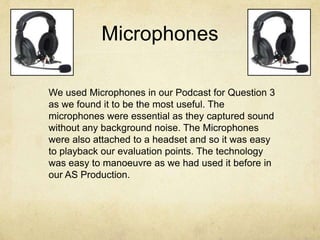
We used Microphones in our Podcast for Question 3
as we found it to be the most useful. The
microphones were essential as they captured sound
without any background noise. The Microphones
were also attached to a headset and so it was easy
to playback our evaluation points. The technology
was easy to manoeuvre as we had used it before in
our AS Production.

Question 4 - Evaluation

  • 1.
    Question 4 How didyou use new media technologies in the construction and research, planning and evaluation stages?
  • 2.
    Technologies This year, ourgroup had decided to use upgraded technology that was different to the previous ones used. We felt that our group had the ability to use this technology as we felt we had developed and progressed from last year. We felt that using the newer technology it would help us to expand our range of ideas and would give us a wider range of choices in regards to our genre and
  • 3.
  • 4.
    Apple MAC We decidedto use Macs as a main component in our production as we were familiar with the layout and technology from our previous work. Also, we found that the Mac was trustworthy in the sense of storage as they tend to have a larger amount of memory as well as RAM which means the processing speed would increase ten-fold. We also decided that this would be the best piece of technology to use throughout our three stages as we found it to be efficient and compatible with all of our functions.
  • 5.
    iPads We used iMovieon iPads to edit items on the go as we were under time constraints. Also, we found it easy to download scripts and screenshots as well as the storyboard to help us during our production. This was a compact and portable device which made it particularly useful to carry around instead of many papers. The iPad also made it easier to refer back to our media text and change or re-invent certain parts of it. As we use the iPad for personal uses anyway, we found it easier to use. Also, it was easier to access the blog if we had forgotten any important documents.
  • 6.
    Blogs We chose touse a WordPress blog for our production as it was the most efficient method of storing all of our work from over the course in one place. Also, we wanted to use a piece of software that was easy to navigate as well as felt familiar with. This particular blogging site was useful as it helped us to connect with our audience – it gave them access to our progress as well as helping us to reach out for them for feedback. We used the Blog in the Research and Planning portion of the course more than in the Production and Evaluation categories.
  • 7.
    HD Sony Camera Inour previous productions we had also used a handheld camera, unfortunately, it was neither HD and was extremely basic, but, the new camera that we worked with this time was advanced and as it was purchased by one of our group members, there were no issues with the usage. Also, the camera provided us support throughout all the research and planning as well as some of our production. Some of the built in features such as the focus and projection were key in the development of our project and helped us to develop the professionalism and realism of the product. We felt that this was a key piece of technology as we used it for all of our feedback. This played a very important part in our final production.
  • 8.
    DSLR’s This was awhole new piece of equipment which we hadn’t really used before as we had a lack of these camera’s in our AS production. The new technology was not too hard to manoeuvre and so we quickly found a way to use them effectively. The DSLR was extremely important for our Production portion as it helped to create various effects that we found were necessary in the conventions of our Piece. The camera also recorded in HD which was particularly helpful as it added to the clarity of the piece and fit in well with the resolution of the Hand-held Camera. The camera was portable and so was easy to carry and the compact size helped to ease the weight when moving from location to location.
  • 9.
    PicMonkey This was simpleediting software which we used to edit the photos for our ancillary tasks (DIGIPAK and Poster). The software is extremely easy to use and played a large part in creating the desired effect for the synergy. We wanted to create between both the production and ancillary tasks. We were also very familiar with the software from personal use and so it was easy to complete the tasks. We also decided to use this software as we found it was the most compromising to our needs, whereas programs such as Paint were too basic.
  • 10.
    Social Media We useda variety of social networking to interact with our audience. Facebook, Twitter and Instagram played a large part of this as they were the most frequently used social networking sites. We also used all this to hold surveys and polls that would essentially help us to improve our work. Another thing which we found useful about the networking sites is that it was easier to collate enough information for a psychographic profile. As these sites were consumed by our audience on a daily basis, it was easier to gather information and get quick responses. We also found these pages extremely easy to use as we had used them for personal reasons beforehand.
  • 11.
    YouTube We found YouTubeto be an extremely helpful outlet for all of our needs in the production and research and planning portion of our coursework. We used the website whilst researching our music videos as we found it to be the easiest way to consume the media we needed as it is frequently used. This was also a key factor for our production part as we found it to be the best website on which to post our rough-cuts and our final cut, as well as our updates and feedback videos. As it is a Web 2.0 website, we found it was the easiest way to let our audience consume the media text. This website has been frequented by our group members and therefore it was extremely easy to navigate around.
  • 12.
    iMovie We used iMovieduring our film productions as well as when we recorded our audience feedback. We used this to edit all our videos for example, our audience feedback and our research materials that we have gathered. This was a very useful tool as it was very easy to understand and it helped us piece together videos in a fast and efficient way. This wasn’t very hard as we have already gained previous use of this software when we were doing our production pieces in AS.
  • 13.
    Google was ourprimary search engine throughout our research and planning stages because we found it to be the largest and most comprehensive one. Alongside this, we found that it was one of the most used search engines which meant that it would also store the most information about our target audience. The Search engine is also very familiar to our group and so, was easy to navigate around. Also, Google has an inbuilt memory of previous searches which meant that if we had forgotten a web-address we could just go back and find it conveniently. Google helped us to find particular websites which we found we could not reach in the other search engines and so it helped us a lot in our research for both the ancillary and the production.
  • 14.
    Prezi We used Preziin our evaluation as this helped us expand our use of technology as we wanted to use a range of media; Prezi allowed us to do this in a more interactive way. It had a whole range of uses that would help us present our work in a way that would reflect us as a whole group and the transition we had from AS to A2. Prezi had many features that would help showcase our talent such as the voiceover as well as the smooth transitions that it has to change from one slide to the other. We did find it difficult at first to use Prezi because it was completely different from a PowerPoint especially when it came to the use of frames but we overcame it and used it to its full potential.
  • 15.
    Slideshare We found thatwe wanted to use a variety of technology in our evaluation and so we decided that we wanted to use Slideshare as a part of it. This technology was easy to navigate around as we have used it previously in our work. We decided to use it in question 4 as we felt it was most appropriate for this time. Slideshare is easy to embed on to our website for our evaluation which is why we decided to use it. As it is available universally, we found it to be more convenient than a normal PowerPoint presentation as well.
  • 16.
    Wix We used Wixin our evaluation as it was a simple way for us to layer out our evaluation questions and the video responses. We used this software by organising the layout and embedding our music video from YouTube as well as including pictures of ourselves to show which individual was doing what task. This was not difficult as we all had experience with making websites and so made sure that this website was very organised and very clear.
  • 17.
    Microphones We used Microphonesin our Podcast for Question 3 as we found it to be the most useful. The microphones were essential as they captured sound without any background noise. The Microphones were also attached to a headset and so it was easy to playback our evaluation points. The technology was easy to manoeuvre as we had used it before in our AS Production.