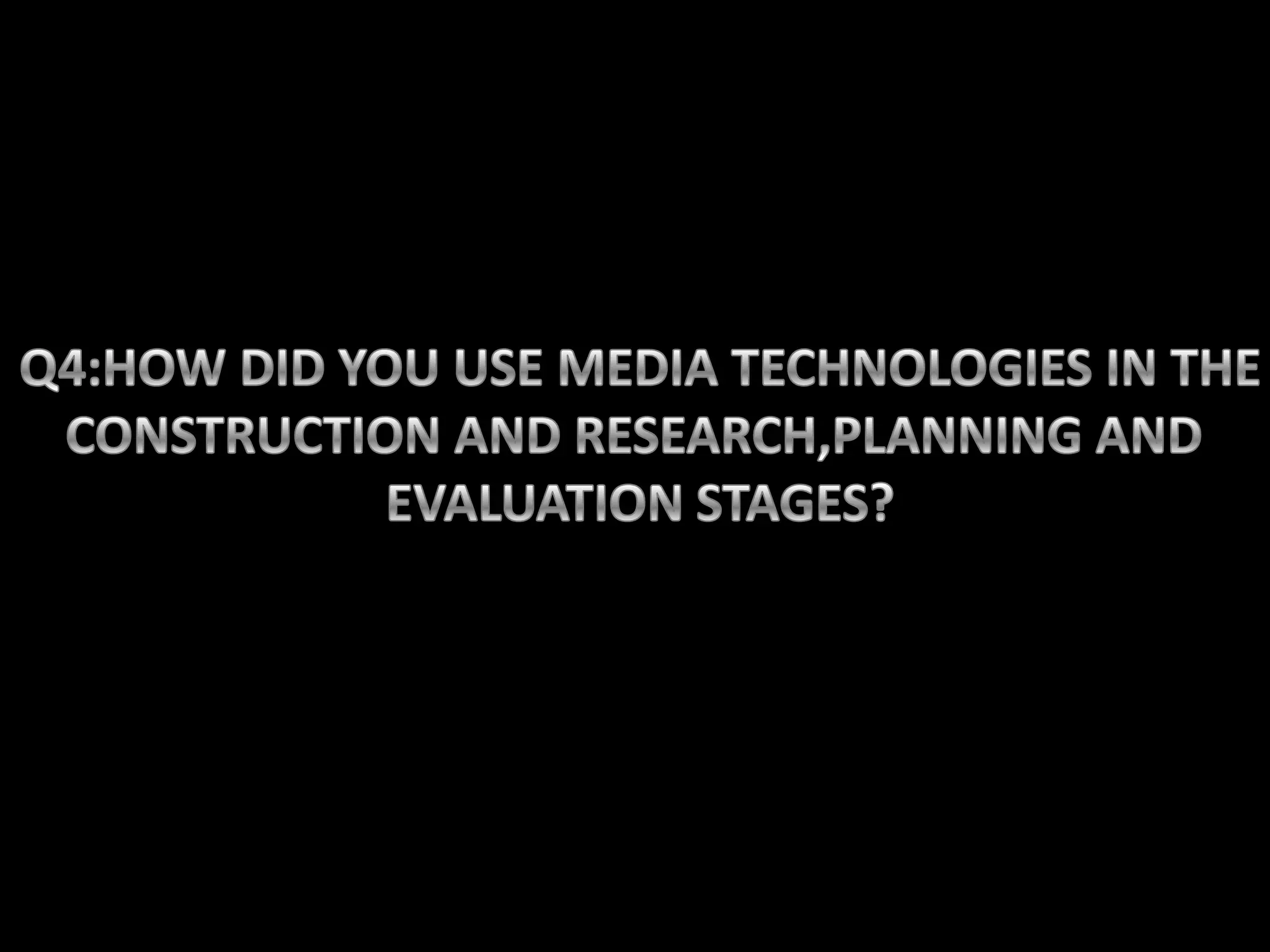
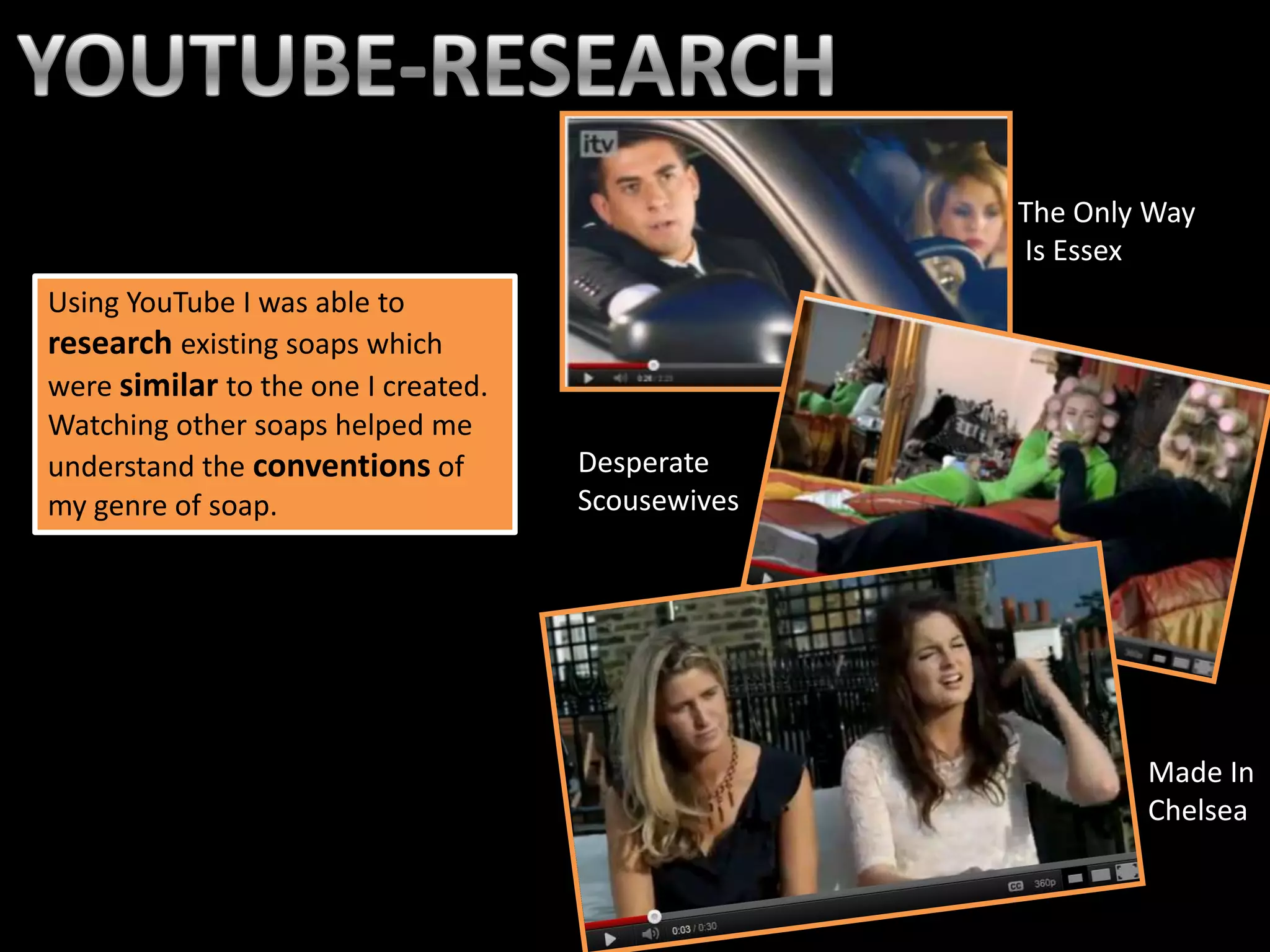
The Only Way
                                                   Is Essex
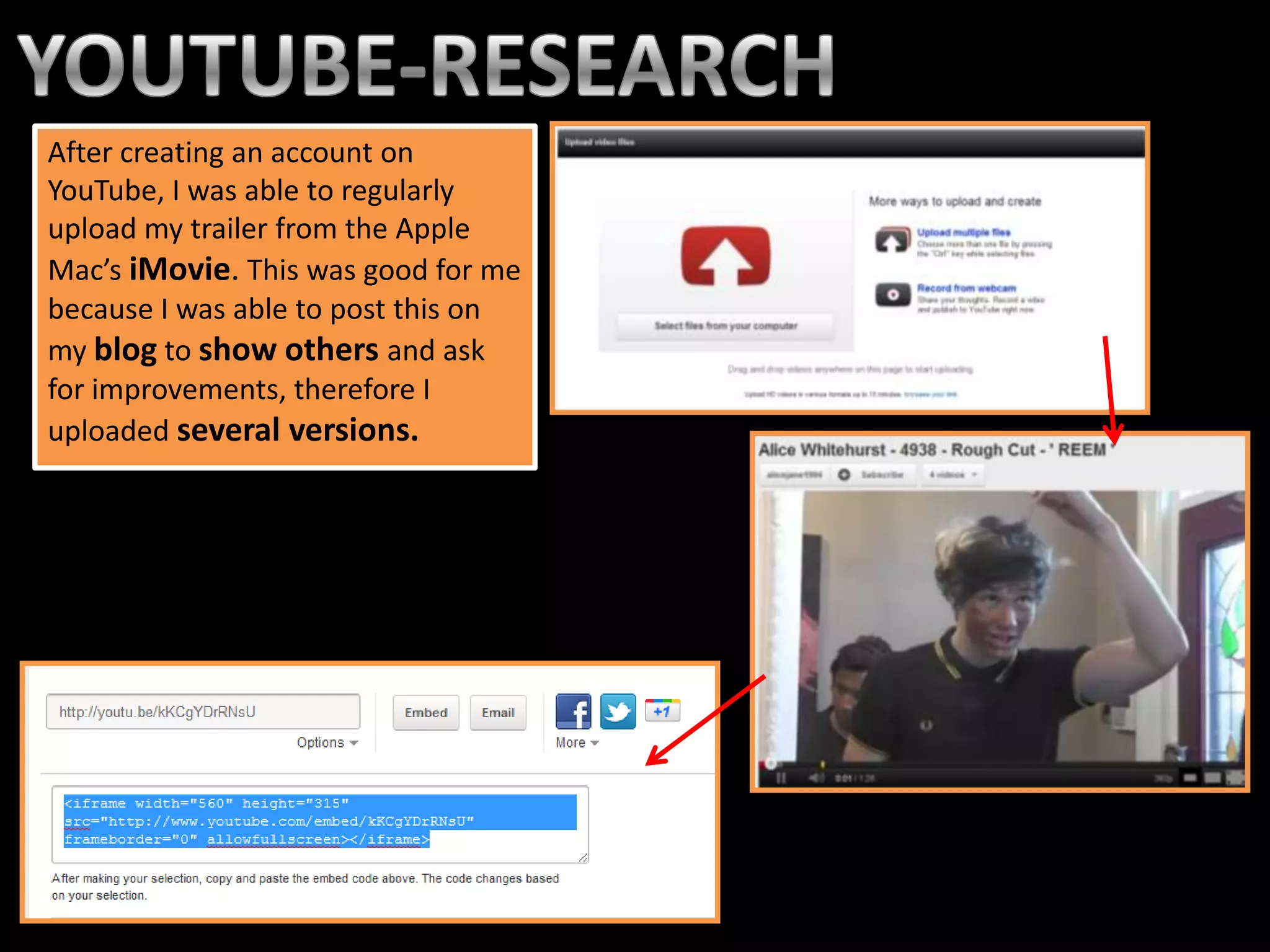
Using YouTube I was able to
research existing soaps which
were similar to the one I created.
Watching other soaps helped me
understand the conventions of        Desperate
my genre of soap.                    Scousewives


                                                           Made In
                                                           Chelsea
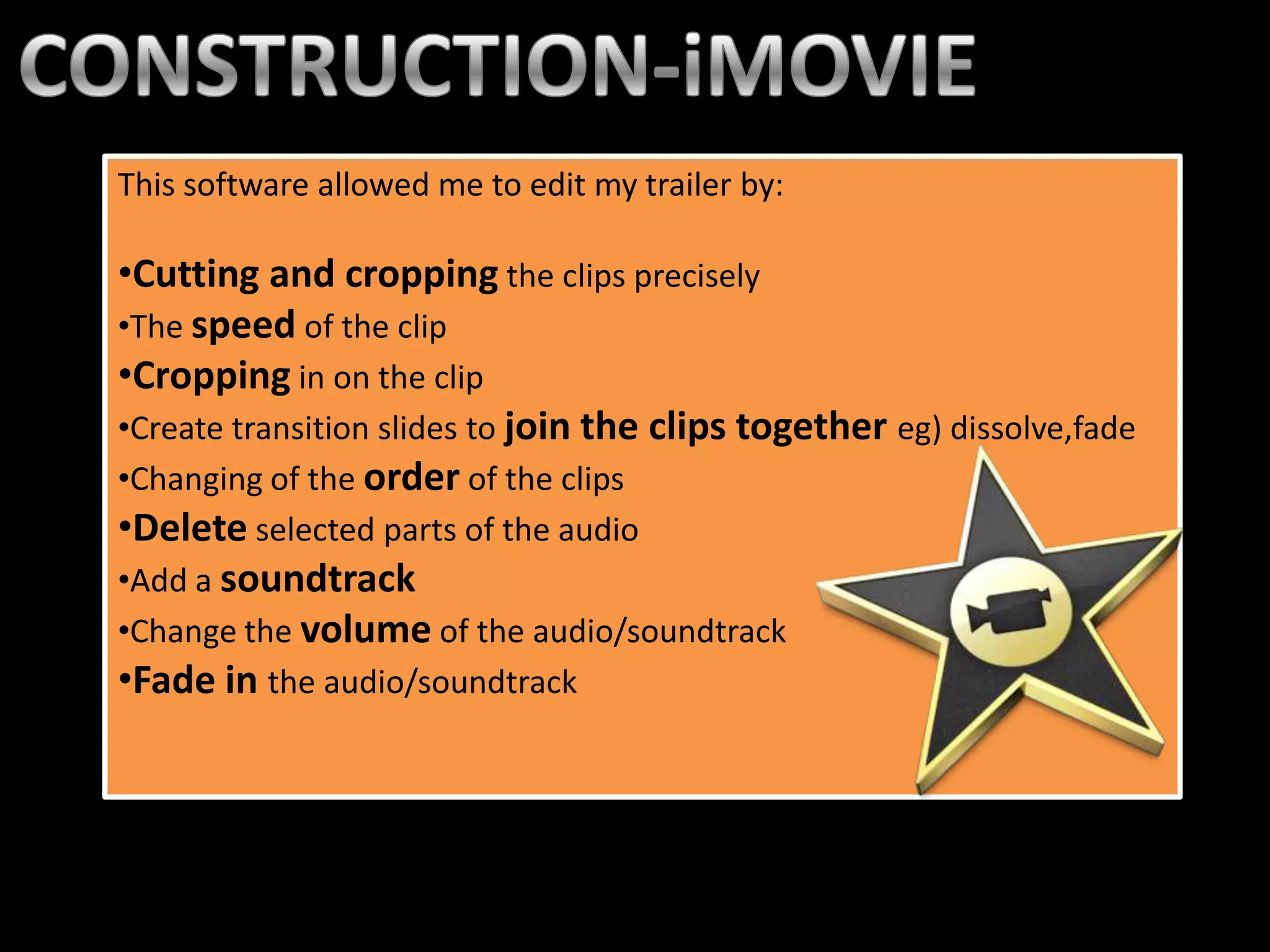
After creating an account on
YouTube, I was able to regularly
upload my trailer from the Apple
Mac’s iMovie. This was good for me
because I was able to post this on
my blog to show others and ask
for improvements, therefore I
uploaded several versions.
This software allowed me to edit my trailer by:

•Cutting and cropping the clips precisely
•The speed of the clip
•Cropping in on the clip
•Create transition slides to join the clips together eg) dissolve,fade
•Changing of the order of the clips
•Delete selected parts of the audio
•Add a soundtrack
•Change the volume of the audio/soundtrack
•Fade in the audio/soundtrack
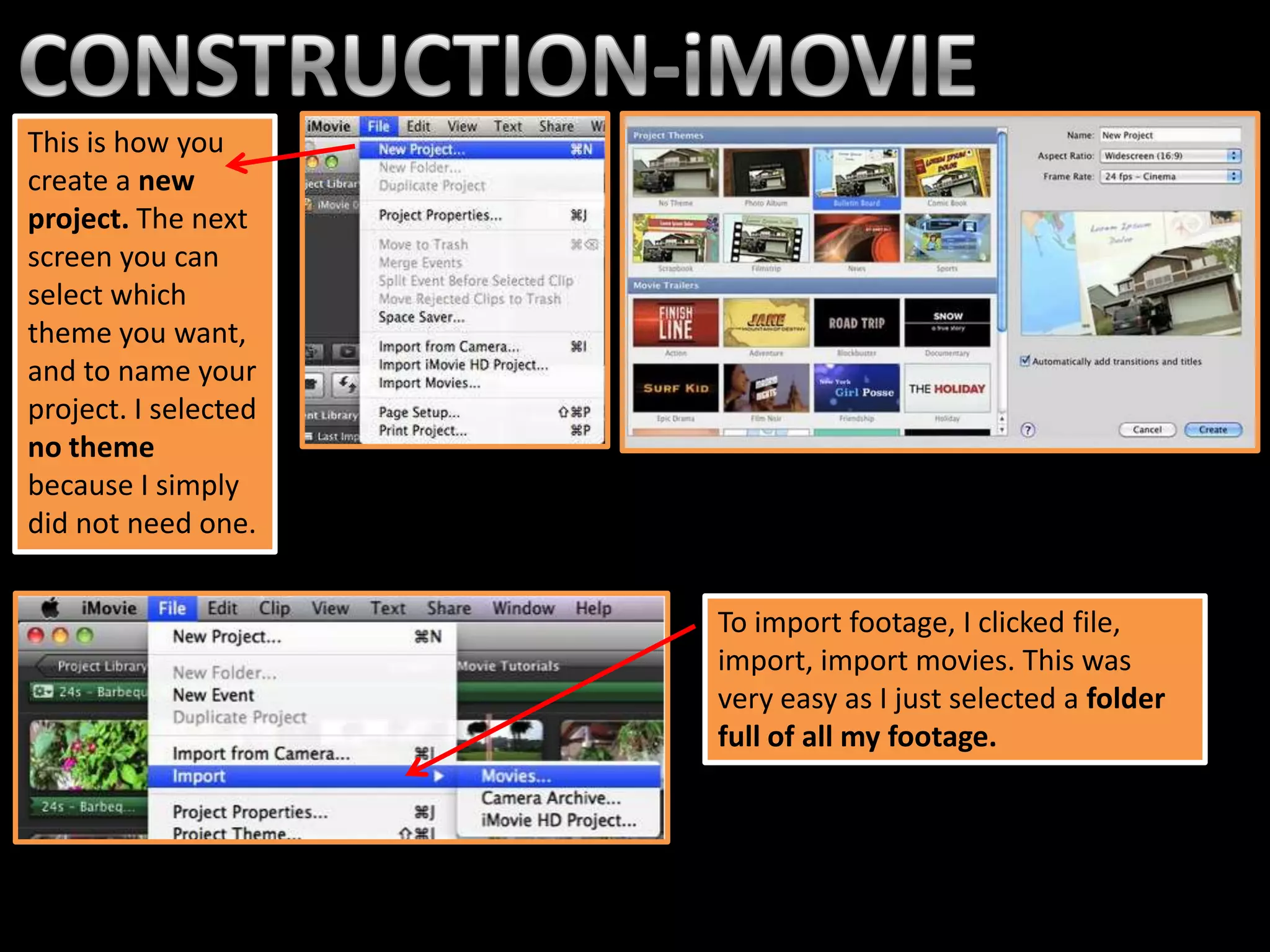
This is how you
create a new
project. The next
screen you can
select which
theme you want,
and to name your
project. I selected
no theme
because I simply
did not need one.


                      To import footage, I clicked file,
                      import, import movies. This was
                      very easy as I just selected a folder
                      full of all my footage.
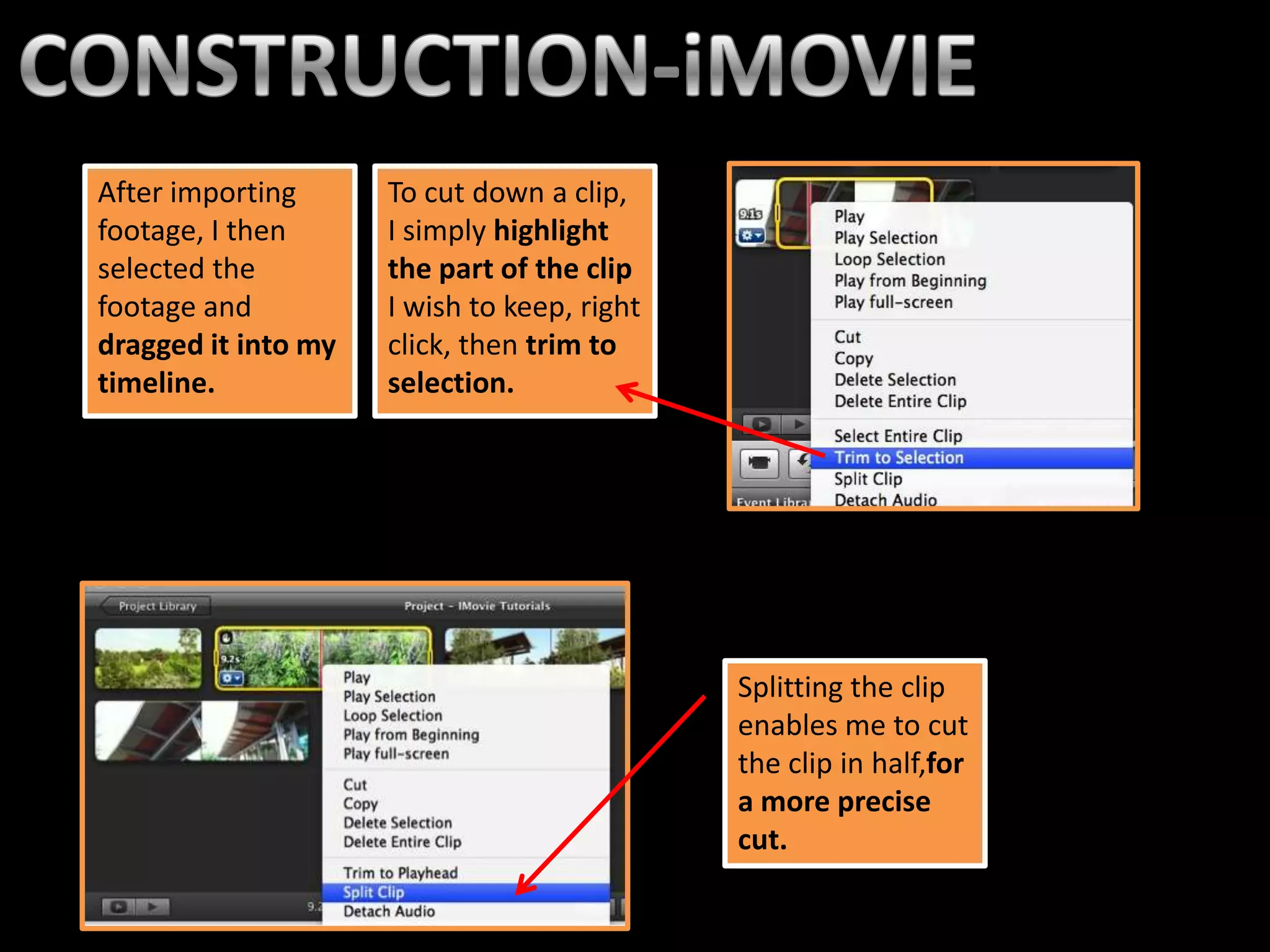
After importing      To cut down a clip,
footage, I then      I simply highlight
selected the         the part of the clip
footage and          I wish to keep, right
dragged it into my   click, then trim to
timeline.            selection.


                                             Splitting the clip
                                             enables me to cut
                                             the clip in half,for
                                             a more precise
                                             cut.
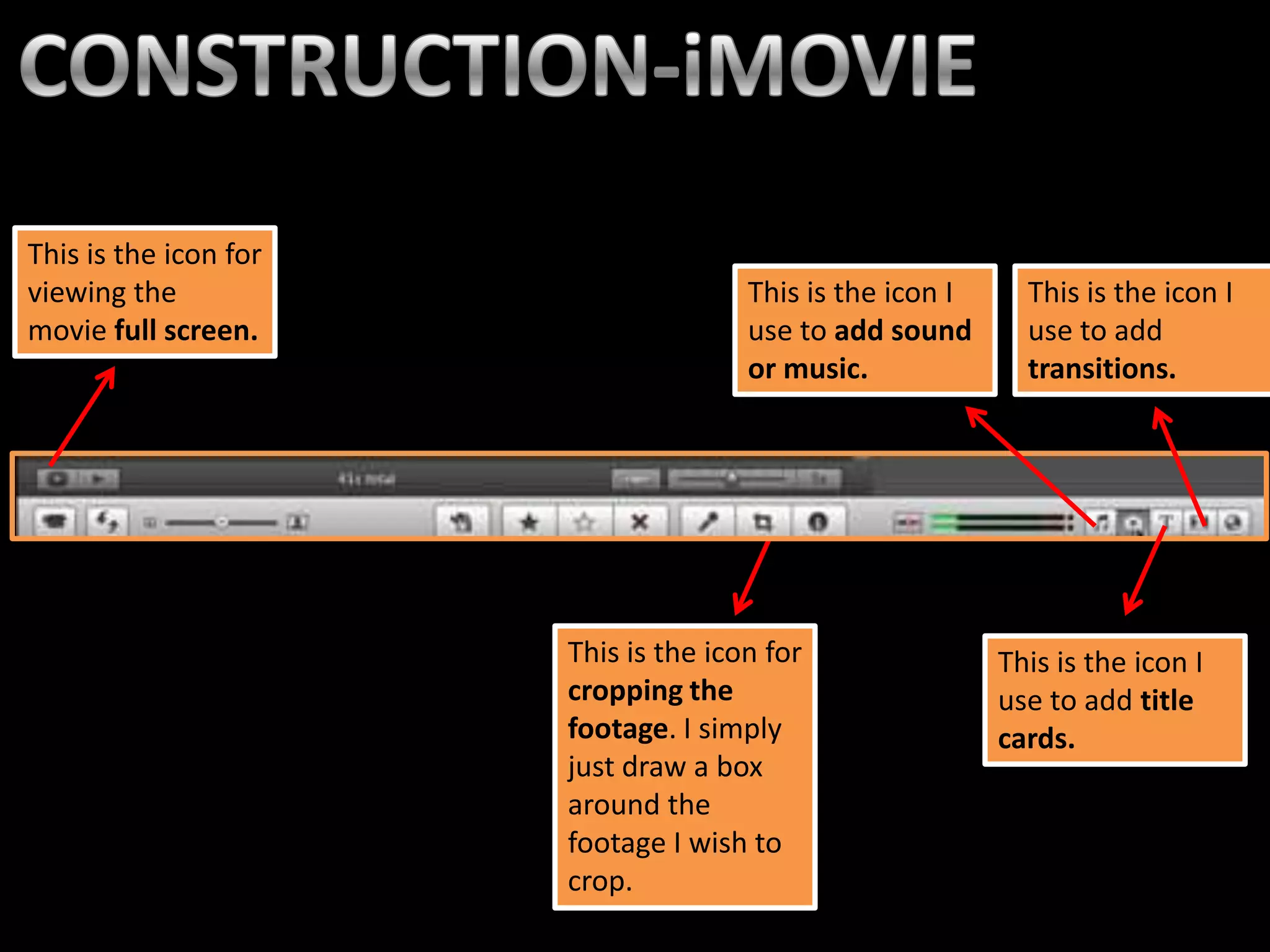
This is the icon for
viewing the                           This is the icon I     This is the icon I
movie full screen.                    use to add sound       use to add
                                      or music.              transitions.


                       This is the icon for                This is the icon I
                       cropping the                        use to add title
                       footage. I simply                   cards.
                       just draw a box
                       around the
                       footage I wish to
                       crop.
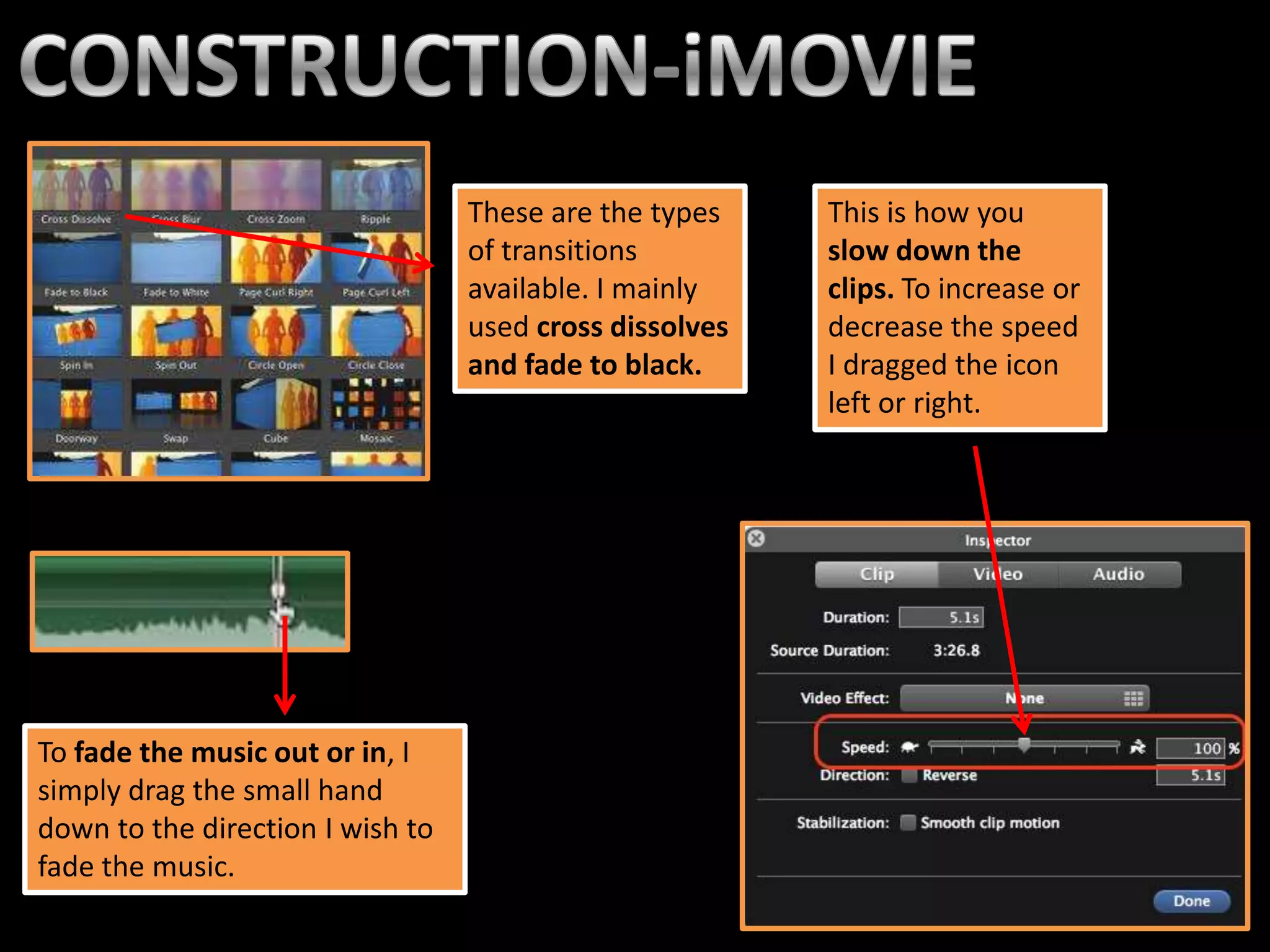
These are the types    This is how you
                                  of transitions         slow down the
                                  available. I mainly    clips. To increase or
                                  used cross dissolves   decrease the speed
                                  and fade to black.     I dragged the icon
                                                         left or right.


To fade the music out or in, I
simply drag the small hand
down to the direction I wish to
fade the music.
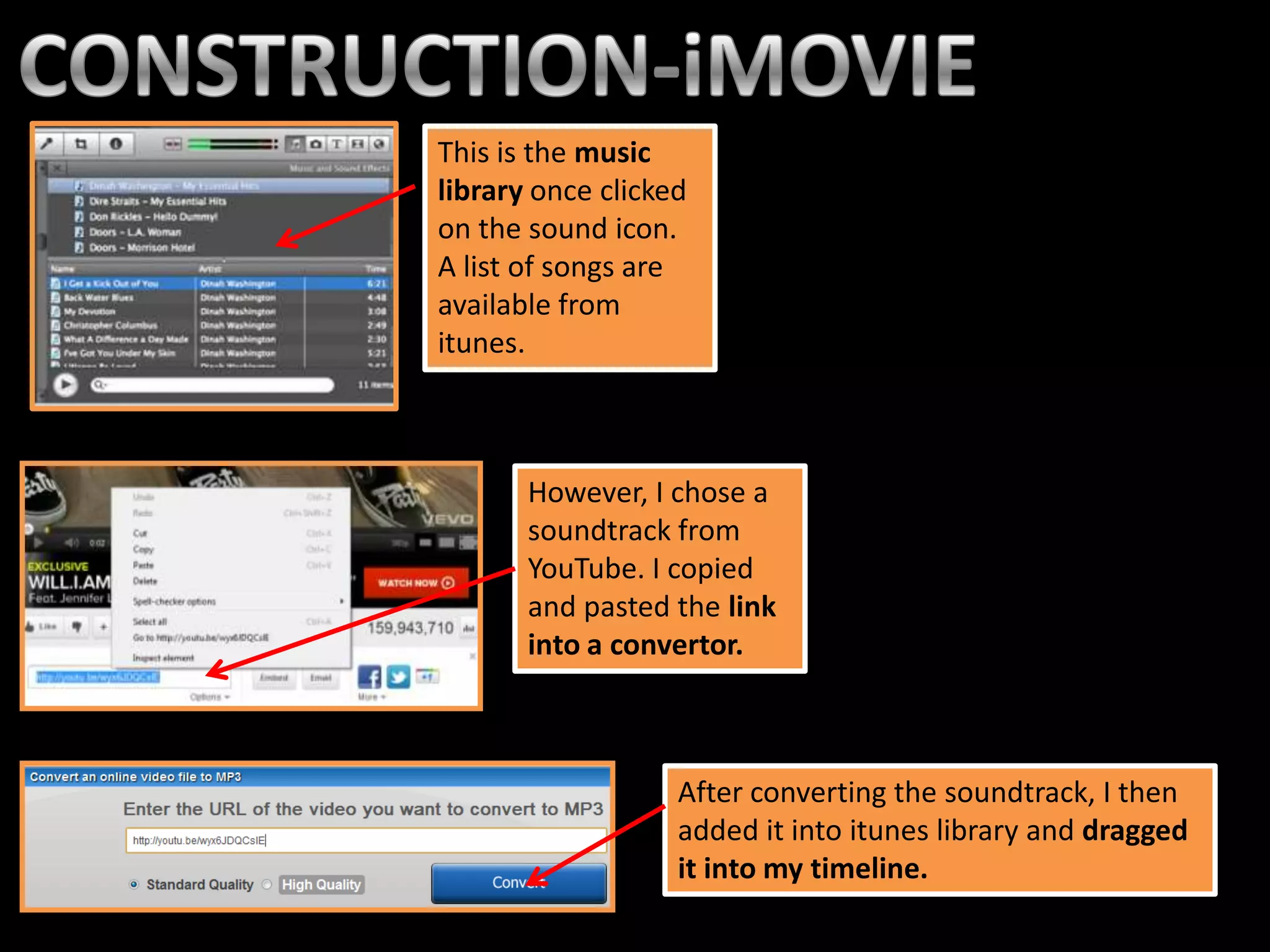
This is the music
library once clicked
on the sound icon.
A list of songs are
available from
itunes.


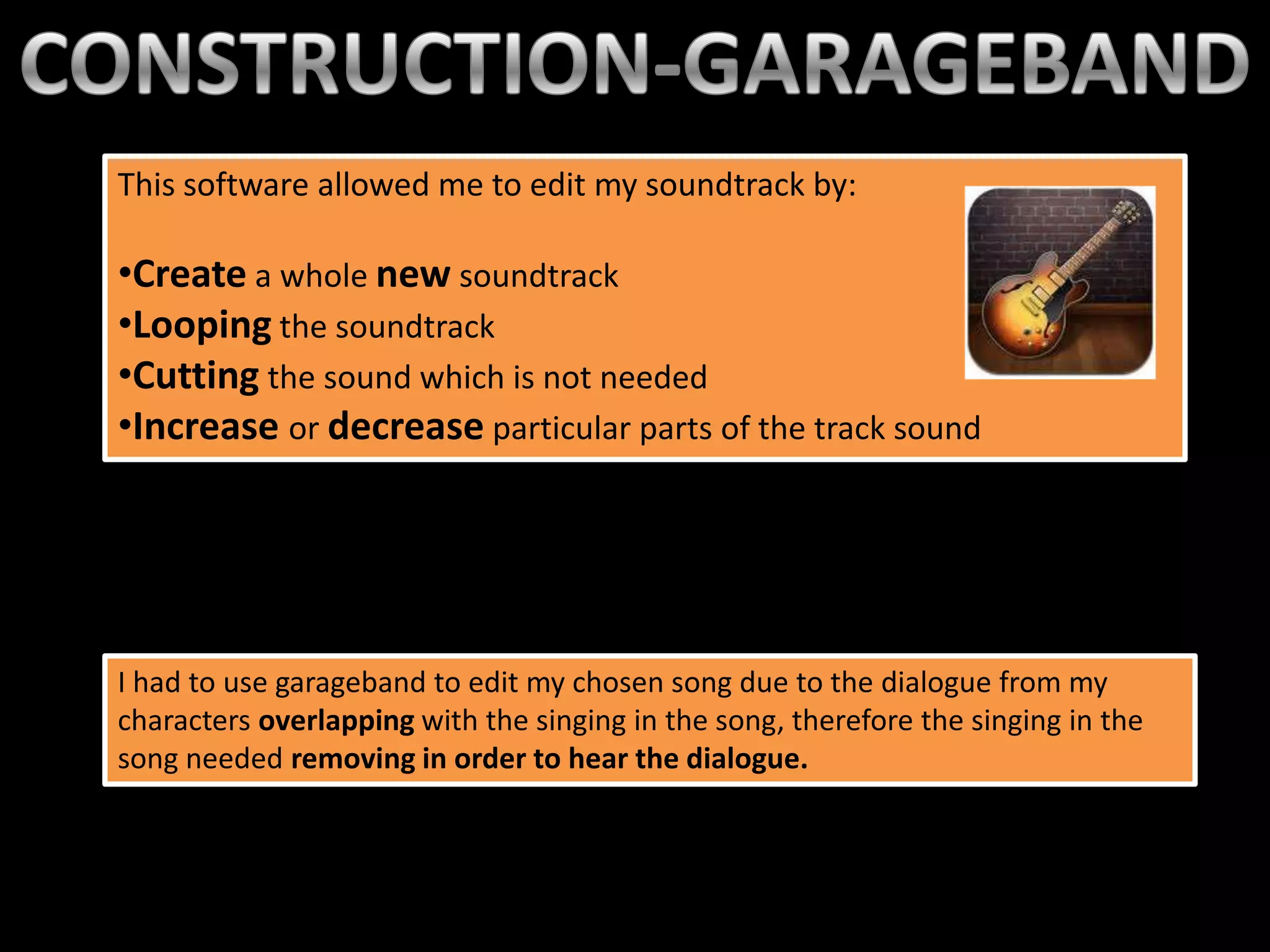
       However, I chose a
       soundtrack from
       YouTube. I copied
       and pasted the link
       into a convertor.


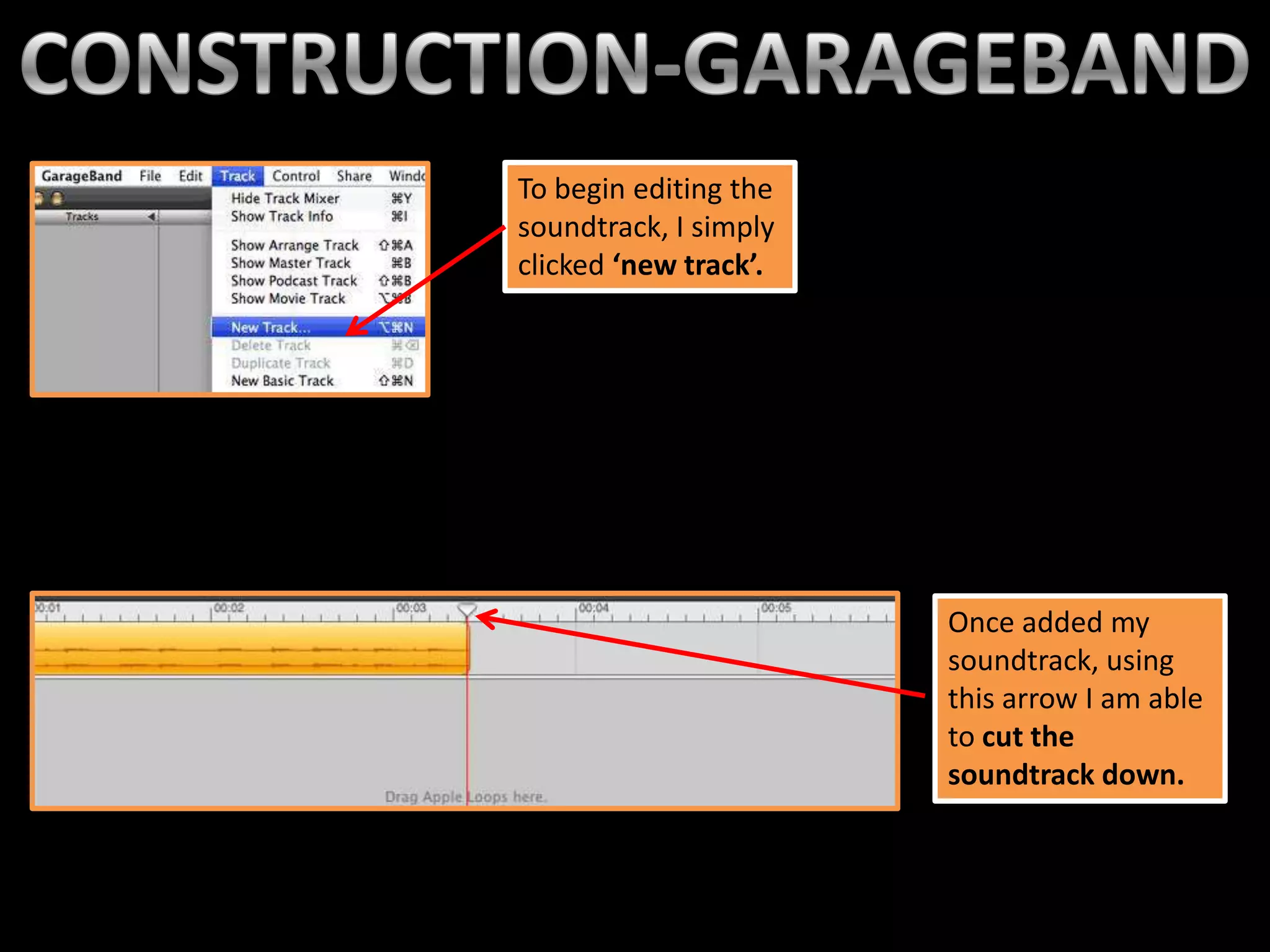
                   After converting the soundtrack, I then
                   added it into itunes library and dragged
                   it into my timeline.
This software allowed me to edit my soundtrack by:the music
                                            This is
                                                   library once clicked
•Create a whole new soundtrack                     on the sound icon.
                                                   A list of songs are
•Looping the soundtrack                            available from
•Cutting the sound which is not needed             itunes.
•Increase or decrease particular parts of the track sound


I had to use garageband to edit my chosen song due to the dialogue from my
characters overlapping with the singing in the song, therefore the singing in the
song needed removing in order to hear the dialogue.
To begin editing the
soundtrack, I simply
clicked ‘new track’.


                       Once added my
                       soundtrack, using
                       this arrow I am able
                       to cut the
                       soundtrack down.
To loop my track, means to select a part
of my track and basically copy and paste
it, so the music ‘loops’. To do this, I
selected the part of the track and clicked
the loop button.


 This is what my
 soundtrack would
 look like once
 looped- it’s just
 like one track.


                       Once finishing my soundtrack, I then saved
                       and renamed it, imported into itunes and
                       added to my timeline in iMovie.
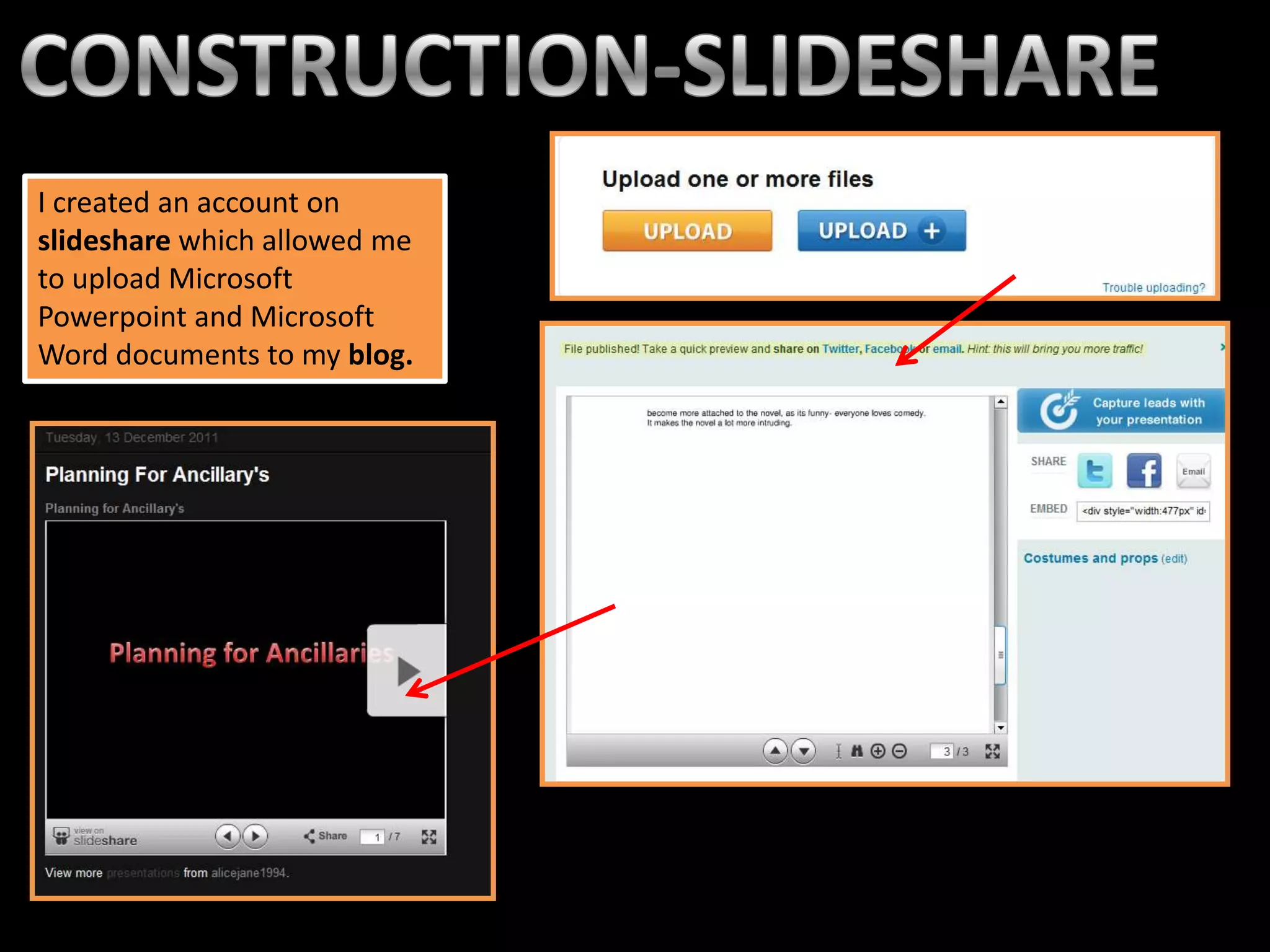
I created an account on
slideshare which allowed me
to upload Microsoft
Powerpoint and Microsoft
Word documents to my blog.
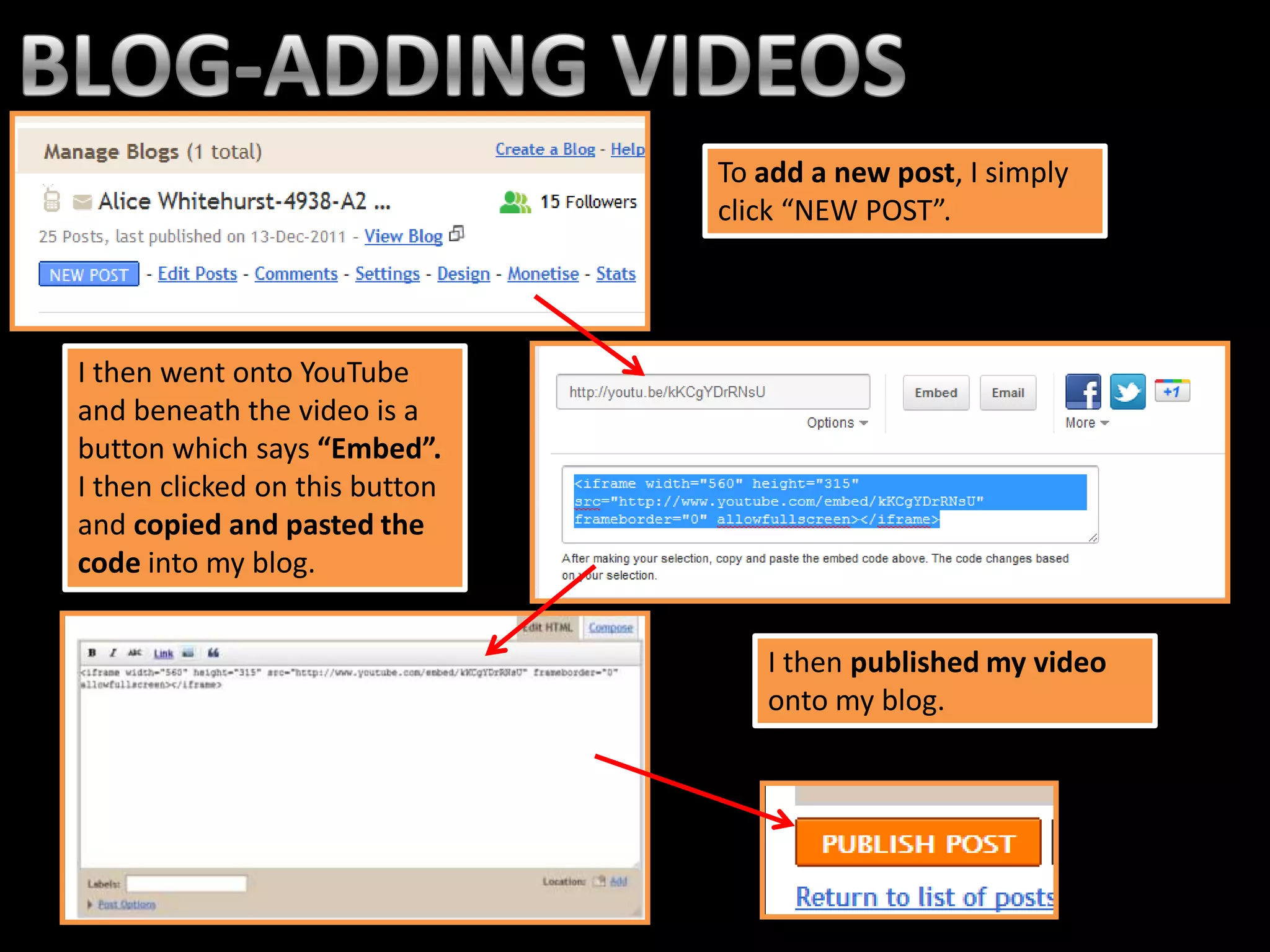
To add a new post, I simply
                                click “NEW POST”.


I then went onto YouTube
and beneath the video is a
button which says “Embed”.
I then clicked on this button
and copied and pasted the
code into my blog.


                                   I then published my video
                                   onto my blog.
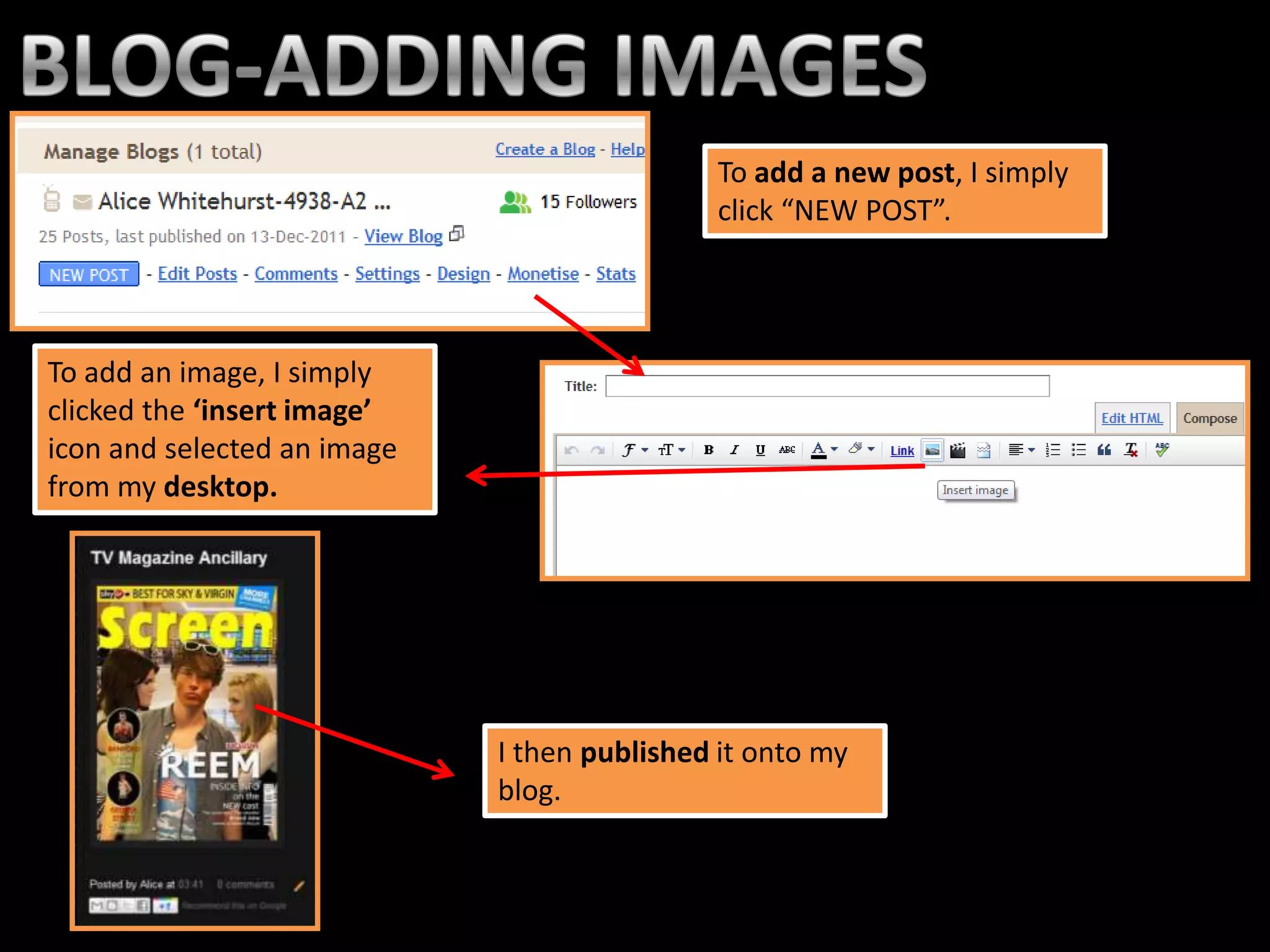
To add a new post, I simply
                                             click “NEW POST”.


To add an image, I simply
clicked the ‘insert image’
icon and selected an image
from my desktop.


                             I then published it onto my
                             blog.
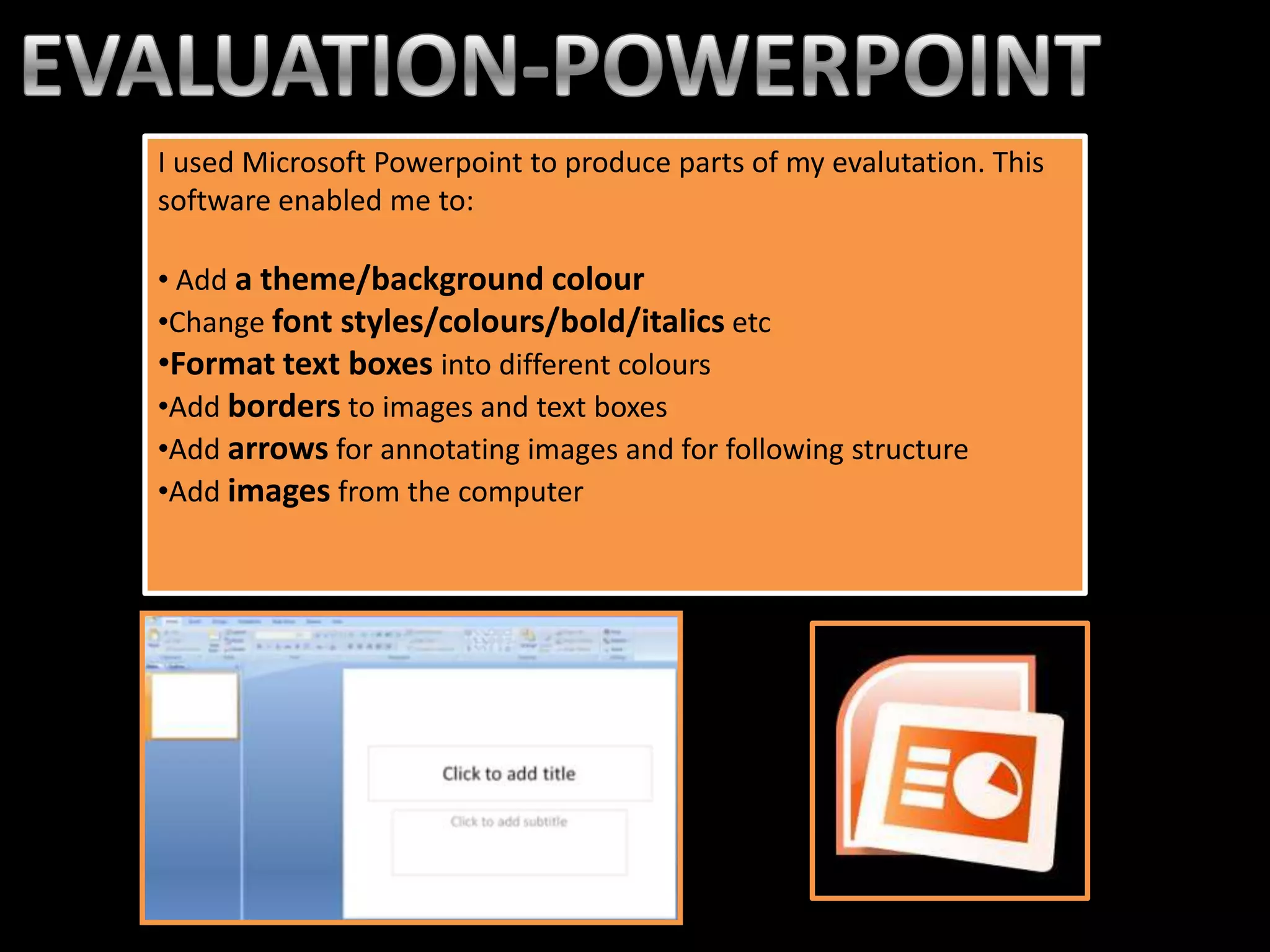
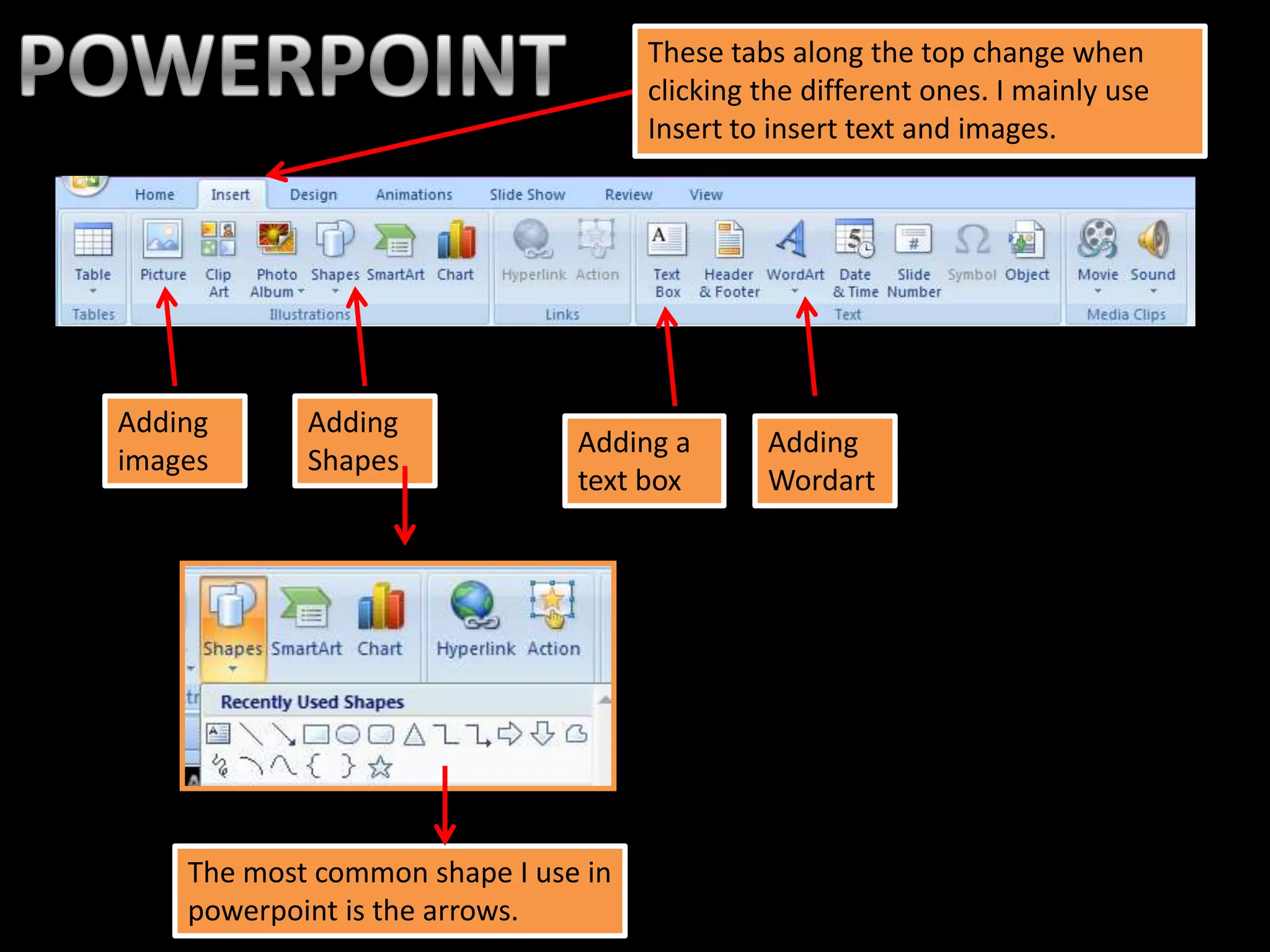
I used Microsoft Powerpoint to produce parts of my evalutation. This
software enabled me to:

• Add a theme/background colour
•Change font styles/colours/bold/italics etc
•Format text boxes into different colours
•Add borders to images and text boxes
•Add arrows for annotating images and for following structure
•Add images from the computer
These tabs along the top change when
                                     clicking the different ones. I mainly use
                                     Insert to insert text and images.


Adding      Adding
                               Adding a       Adding
images      Shapes
                               text box       Wordart


    The most common shape I use in
    powerpoint is the arrows.
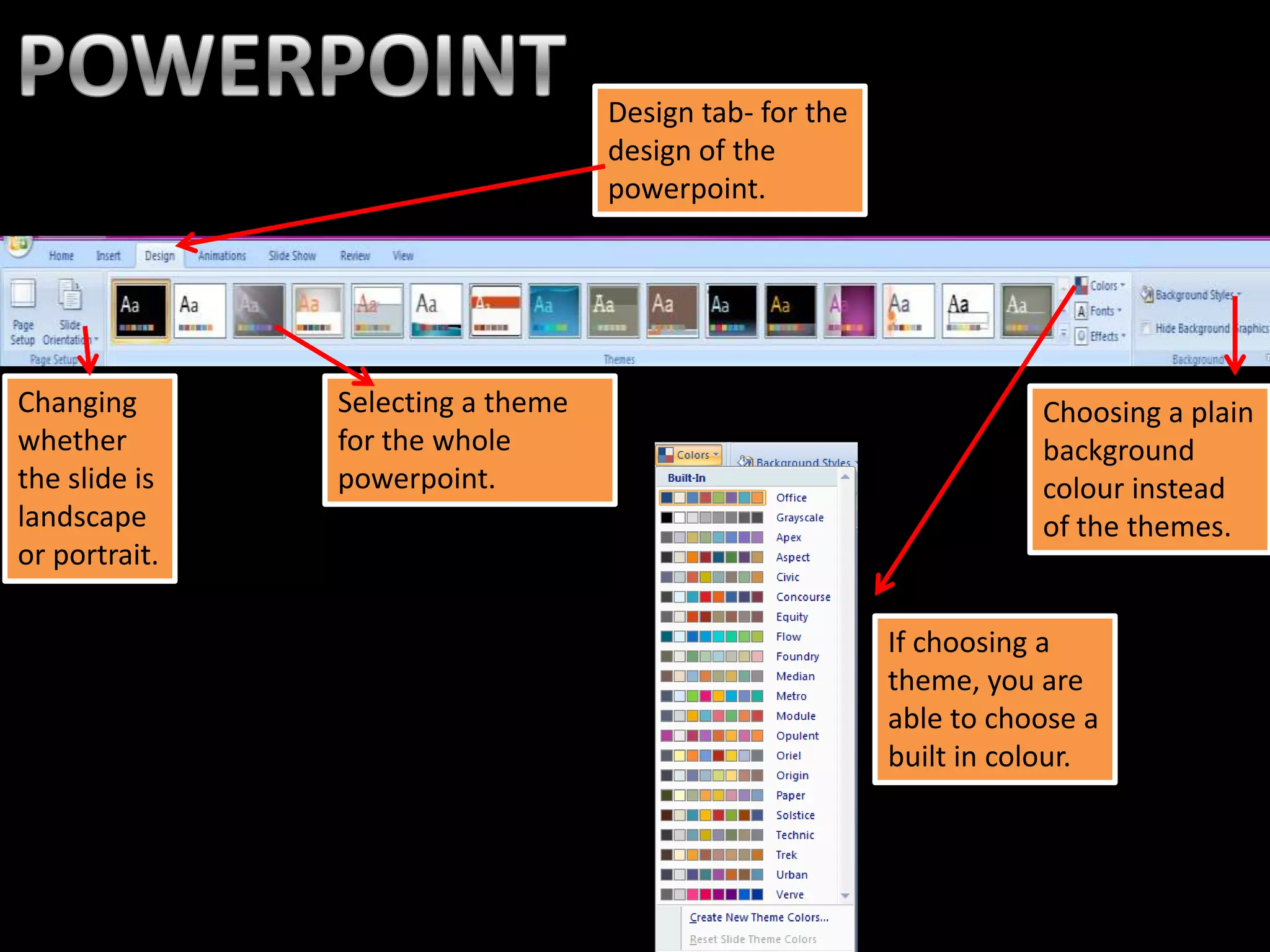
Design tab- for the
                                   design of the
                                   powerpoint.


Changing       Selecting a theme                                    Choosing a plain
whether        for the whole                                        background
the slide is   powerpoint.                                          colour instead
landscape                                                           of the themes.
or portrait.

                                                         If choosing a
                                                         theme, you are
                                                         able to choose a
                                                         built in colour.

Q4

  • 2.
    The Only Way Is Essex Using YouTube I was able to research existing soaps which were similar to the one I created. Watching other soaps helped me understand the conventions of Desperate my genre of soap. Scousewives Made In Chelsea
  • 3.
    After creating anaccount on YouTube, I was able to regularly upload my trailer from the Apple Mac’s iMovie. This was good for me because I was able to post this on my blog to show others and ask for improvements, therefore I uploaded several versions.
  • 4.
    This software allowedme to edit my trailer by: •Cutting and cropping the clips precisely •The speed of the clip •Cropping in on the clip •Create transition slides to join the clips together eg) dissolve,fade •Changing of the order of the clips •Delete selected parts of the audio •Add a soundtrack •Change the volume of the audio/soundtrack •Fade in the audio/soundtrack
  • 5.
    This is howyou create a new project. The next screen you can select which theme you want, and to name your project. I selected no theme because I simply did not need one. To import footage, I clicked file, import, import movies. This was very easy as I just selected a folder full of all my footage.
  • 6.
    After importing To cut down a clip, footage, I then I simply highlight selected the the part of the clip footage and I wish to keep, right dragged it into my click, then trim to timeline. selection. Splitting the clip enables me to cut the clip in half,for a more precise cut.
  • 7.
    This is theicon for viewing the This is the icon I This is the icon I movie full screen. use to add sound use to add or music. transitions. This is the icon for This is the icon I cropping the use to add title footage. I simply cards. just draw a box around the footage I wish to crop.
  • 8.
    These are thetypes This is how you of transitions slow down the available. I mainly clips. To increase or used cross dissolves decrease the speed and fade to black. I dragged the icon left or right. To fade the music out or in, I simply drag the small hand down to the direction I wish to fade the music.
  • 9.
    This is themusic library once clicked on the sound icon. A list of songs are available from itunes. However, I chose a soundtrack from YouTube. I copied and pasted the link into a convertor. After converting the soundtrack, I then added it into itunes library and dragged it into my timeline.
  • 10.
    This software allowedme to edit my soundtrack by:the music This is library once clicked •Create a whole new soundtrack on the sound icon. A list of songs are •Looping the soundtrack available from •Cutting the sound which is not needed itunes. •Increase or decrease particular parts of the track sound I had to use garageband to edit my chosen song due to the dialogue from my characters overlapping with the singing in the song, therefore the singing in the song needed removing in order to hear the dialogue.
  • 11.
    To begin editingthe soundtrack, I simply clicked ‘new track’. Once added my soundtrack, using this arrow I am able to cut the soundtrack down.
  • 12.
    To loop mytrack, means to select a part of my track and basically copy and paste it, so the music ‘loops’. To do this, I selected the part of the track and clicked the loop button. This is what my soundtrack would look like once looped- it’s just like one track. Once finishing my soundtrack, I then saved and renamed it, imported into itunes and added to my timeline in iMovie.
  • 13.
    I created anaccount on slideshare which allowed me to upload Microsoft Powerpoint and Microsoft Word documents to my blog.
  • 14.
    To add anew post, I simply click “NEW POST”. I then went onto YouTube and beneath the video is a button which says “Embed”. I then clicked on this button and copied and pasted the code into my blog. I then published my video onto my blog.
  • 15.
    To add anew post, I simply click “NEW POST”. To add an image, I simply clicked the ‘insert image’ icon and selected an image from my desktop. I then published it onto my blog.
  • 16.
    I used MicrosoftPowerpoint to produce parts of my evalutation. This software enabled me to: • Add a theme/background colour •Change font styles/colours/bold/italics etc •Format text boxes into different colours •Add borders to images and text boxes •Add arrows for annotating images and for following structure •Add images from the computer
  • 17.
    These tabs alongthe top change when clicking the different ones. I mainly use Insert to insert text and images. Adding Adding Adding a Adding images Shapes text box Wordart The most common shape I use in powerpoint is the arrows.
  • 18.
    Design tab- forthe design of the powerpoint. Changing Selecting a theme Choosing a plain whether for the whole background the slide is powerpoint. colour instead landscape of the themes. or portrait. If choosing a theme, you are able to choose a built in colour.