Short Stop Motion evaluation
How did you use technologies to create your product?
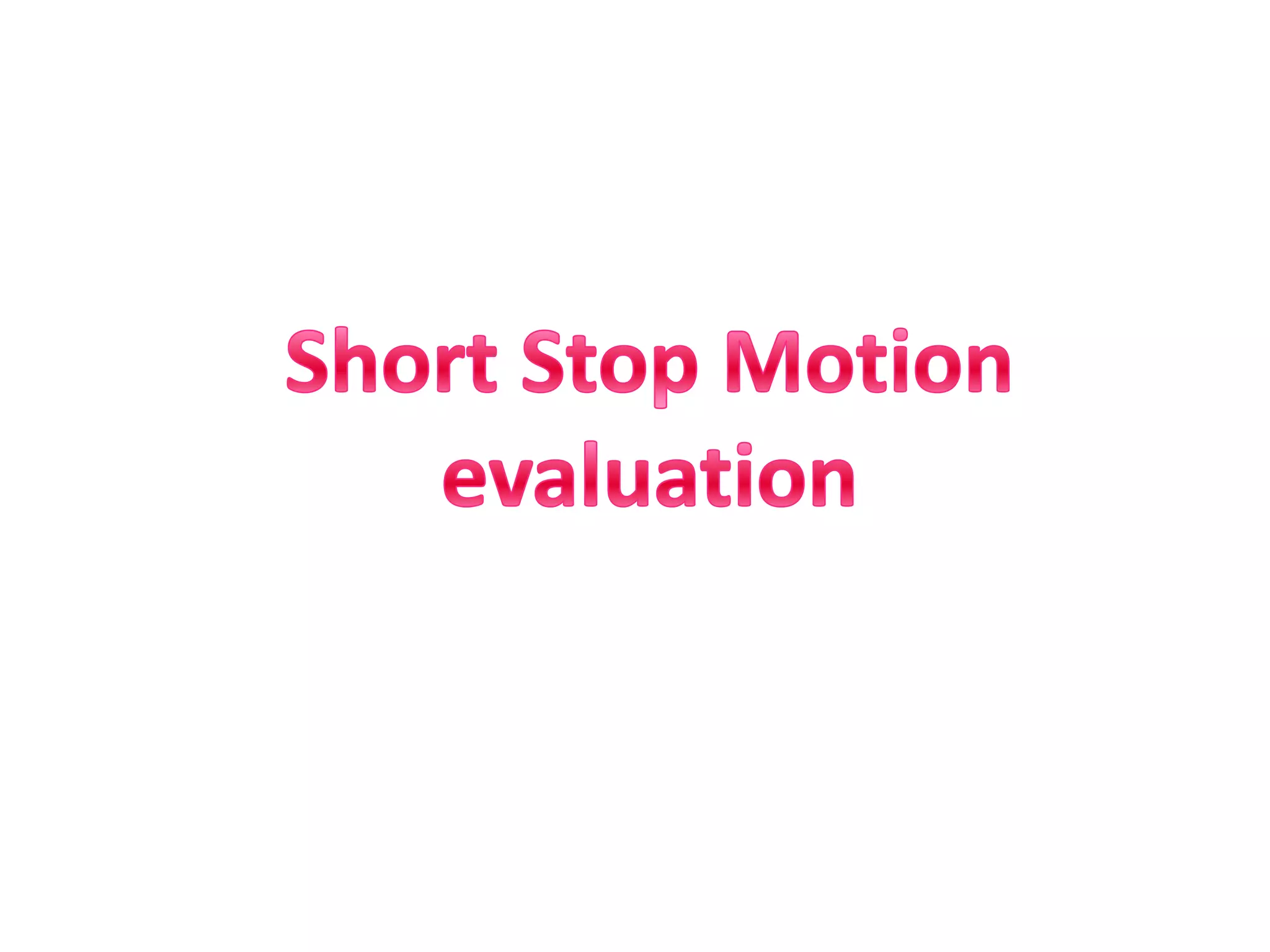
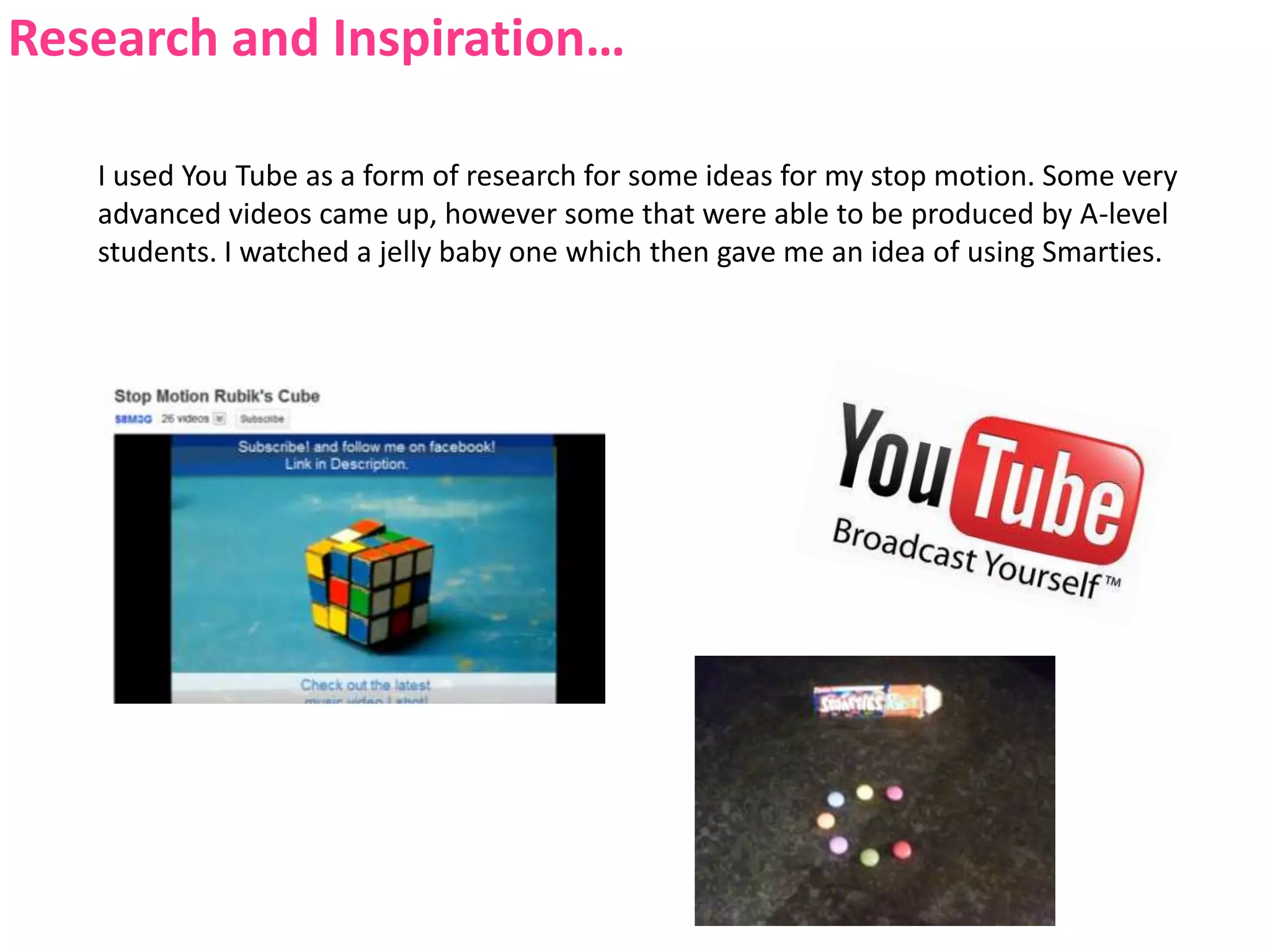
Research and Inspiration…I used You Tube as a form of research for some ideas for my stop motion. Some very advanced videos came up, however some that were able to be produced by A-level students. I watched a jelly baby one which then gave me an idea of using Smarties.
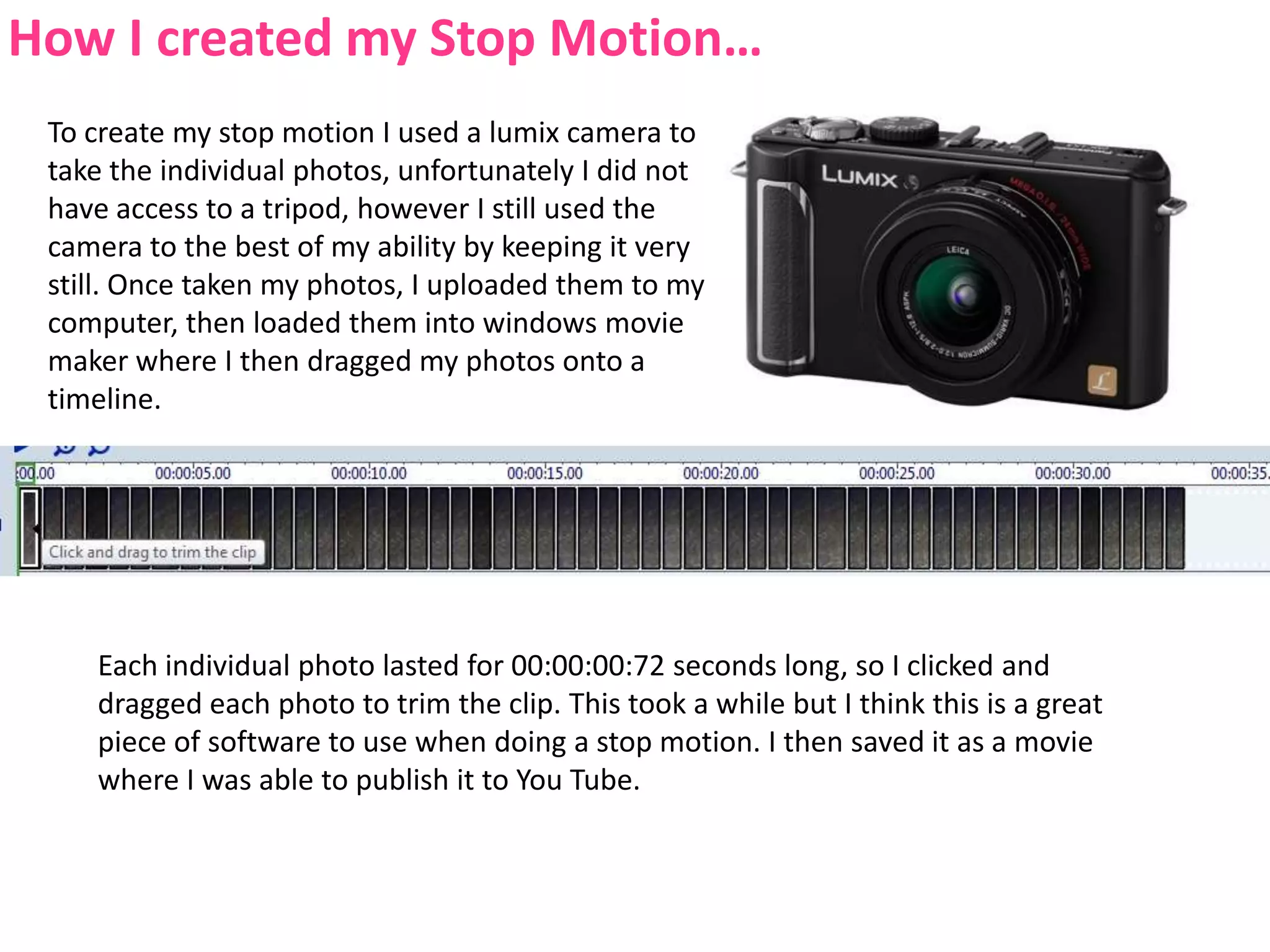
How I created my Stop Motion…To create my stop motion I used a lumix camera to take the individual photos, unfortunately I did not have access to a tripod, however I still used the camera to the best of my ability by keeping it very still. Once taken my photos, I uploaded them to my computer, then loaded them into windows movie maker where I then dragged my photos onto a timeline.Each individual photo lasted for 00:00:00:72 seconds long, so I clicked and dragged each photo to trim the clip. This took a while but I think this is a great piece of software to use when doing a stop motion. I then saved it as a movie where I was able to publish it to You Tube.
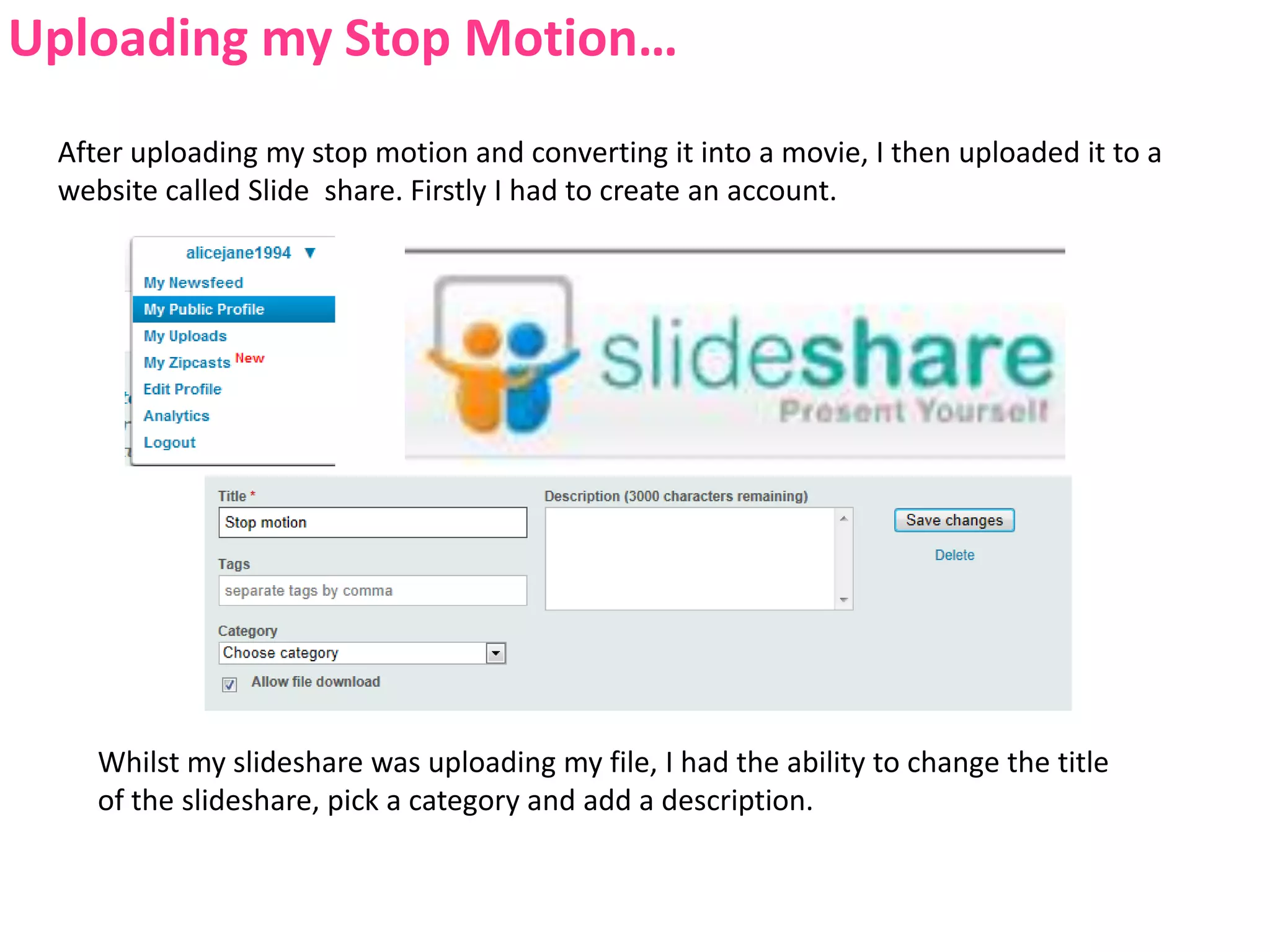
Uploading my Stop Motion…After uploading my stop motion and converting it into a movie, I then uploaded it to a website called Slide  share. Firstly I had to create an account.Whilst my slideshare was uploading my file, I had the ability to change the title of the slideshare, pick a category and add a description.
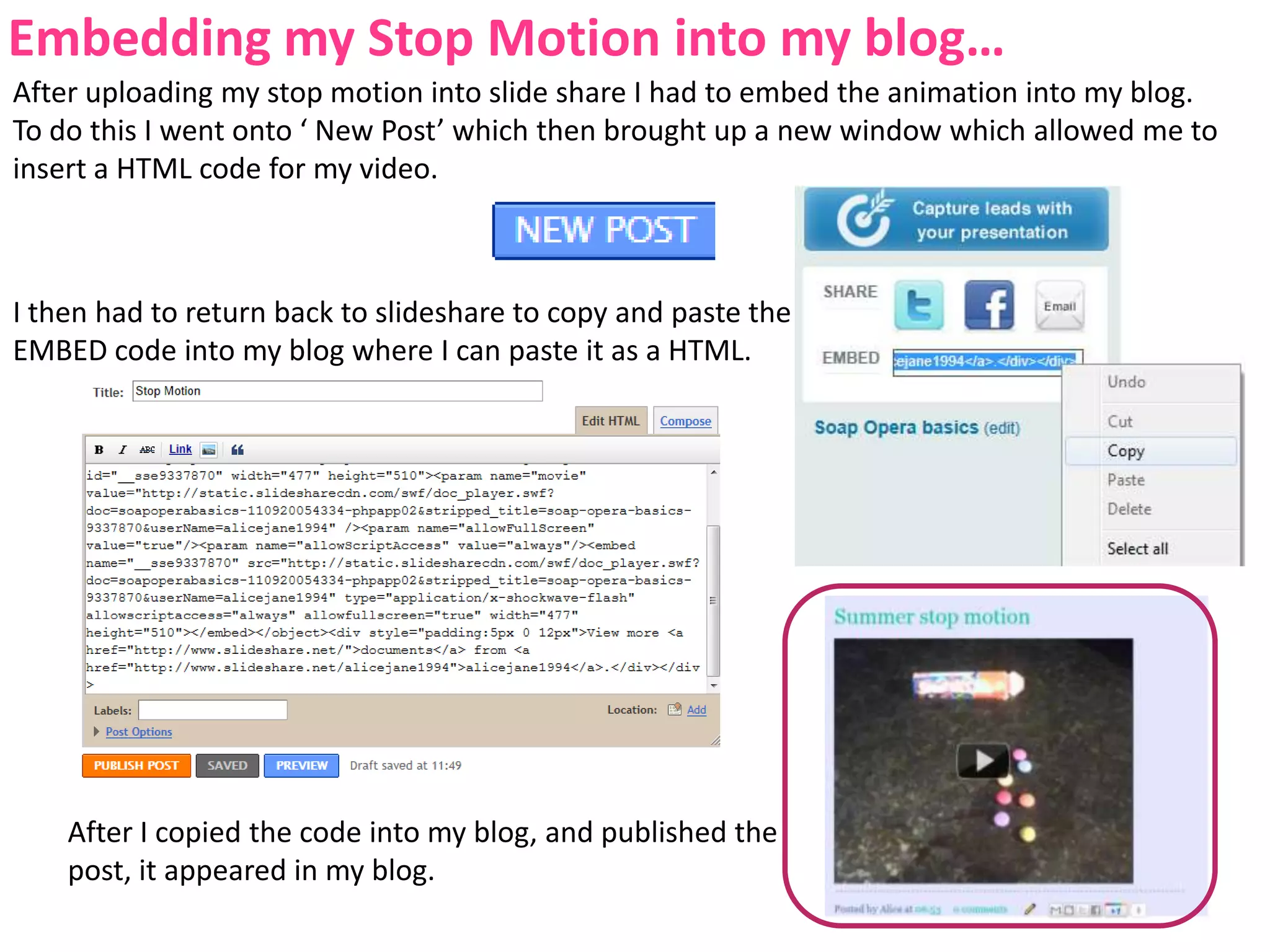
Embedding my Stop Motion into my blog…After uploading my stop motion into slide share I had to embed the animation into my blog. To do this I went onto ‘ New Post’ which then brought up a new window which allowed me to insert a HTML code for my video.I then had to return back to slideshare to copy and paste the EMBED code into my blog where I can paste it as a HTML.After I copied the code into my blog, and published the post, it appeared in my blog.
How did this task enable you to be creative?
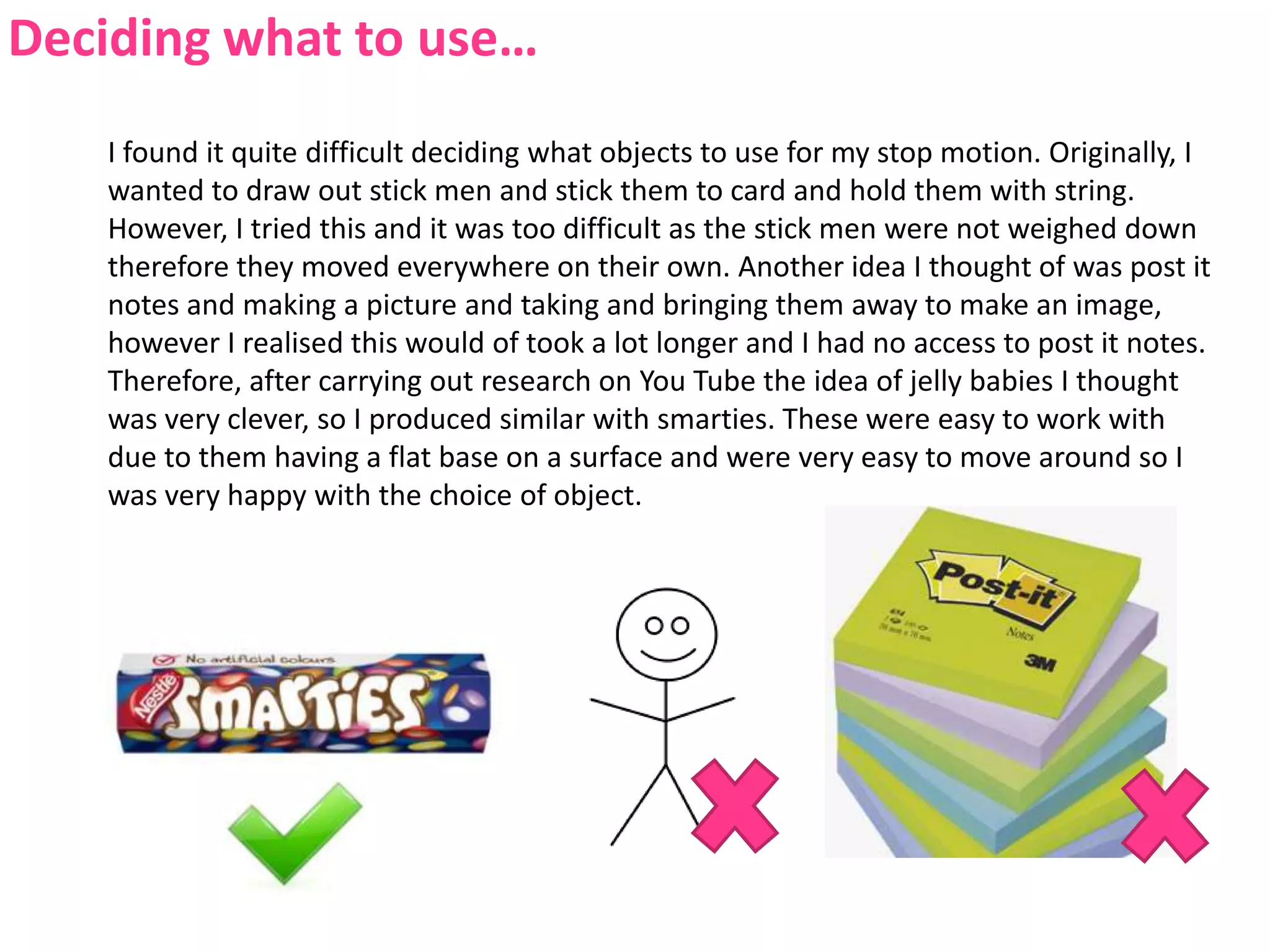
Deciding what to use…I found it quite difficult deciding what objects to use for my stop motion. Originally, I wanted to draw out stick men and stick them to card and hold them with string. However, I tried this and it was too difficult as the stick men were not weighed down therefore they moved everywhere on their own. Another idea I thought of was post it notes and making a picture and taking and bringing them away to make an image, however I realised this would of took a lot longer and I had no access to post it notes. Therefore, after carrying out research on You Tube the idea of jelly babies I thought was very clever, so I produced similar with smarties. These were easy to work with due to them having a flat base on a surface and were very easy to move around so I was very happy with the choice of object.
Drafting and building a narrative…When deciding on my narrative for my Stop motion, I already had a general idea in mind, which was to do some sort of ‘dance’. However, with smarties this was quite difficult as they just looked as if they were moving, whereas if I would've used jelly babies they would have been able to stand up and move around properly, however I didn't have access to these. I still built a narrative by bringing each smartie in one by one out of the tube etc. I thought my idea turned out quite well considering the problems and the difficulty it was to move the smarties around.
Working together…On this occasion, I decided to work on my own as I think I work better alone as I am able to get on with the work without distractions and the person who I asked to work with me wasn’t available to do so. However I was happy working alone, I work to my best ability and I can come up with some good ideas.
Limits… Firstly I didn't have any access to Jelly Babies and the stick men did not work.

Stop motion evaluation

  • 1.
  • 2.
    How did youuse technologies to create your product?
  • 3.
    Research and Inspiration…Iused You Tube as a form of research for some ideas for my stop motion. Some very advanced videos came up, however some that were able to be produced by A-level students. I watched a jelly baby one which then gave me an idea of using Smarties.
  • 4.
    How I createdmy Stop Motion…To create my stop motion I used a lumix camera to take the individual photos, unfortunately I did not have access to a tripod, however I still used the camera to the best of my ability by keeping it very still. Once taken my photos, I uploaded them to my computer, then loaded them into windows movie maker where I then dragged my photos onto a timeline.Each individual photo lasted for 00:00:00:72 seconds long, so I clicked and dragged each photo to trim the clip. This took a while but I think this is a great piece of software to use when doing a stop motion. I then saved it as a movie where I was able to publish it to You Tube.
  • 5.
    Uploading my StopMotion…After uploading my stop motion and converting it into a movie, I then uploaded it to a website called Slide share. Firstly I had to create an account.Whilst my slideshare was uploading my file, I had the ability to change the title of the slideshare, pick a category and add a description.
  • 6.
    Embedding my StopMotion into my blog…After uploading my stop motion into slide share I had to embed the animation into my blog. To do this I went onto ‘ New Post’ which then brought up a new window which allowed me to insert a HTML code for my video.I then had to return back to slideshare to copy and paste the EMBED code into my blog where I can paste it as a HTML.After I copied the code into my blog, and published the post, it appeared in my blog.
  • 7.
    How did thistask enable you to be creative?
  • 8.
    Deciding what touse…I found it quite difficult deciding what objects to use for my stop motion. Originally, I wanted to draw out stick men and stick them to card and hold them with string. However, I tried this and it was too difficult as the stick men were not weighed down therefore they moved everywhere on their own. Another idea I thought of was post it notes and making a picture and taking and bringing them away to make an image, however I realised this would of took a lot longer and I had no access to post it notes. Therefore, after carrying out research on You Tube the idea of jelly babies I thought was very clever, so I produced similar with smarties. These were easy to work with due to them having a flat base on a surface and were very easy to move around so I was very happy with the choice of object.
  • 9.
    Drafting and buildinga narrative…When deciding on my narrative for my Stop motion, I already had a general idea in mind, which was to do some sort of ‘dance’. However, with smarties this was quite difficult as they just looked as if they were moving, whereas if I would've used jelly babies they would have been able to stand up and move around properly, however I didn't have access to these. I still built a narrative by bringing each smartie in one by one out of the tube etc. I thought my idea turned out quite well considering the problems and the difficulty it was to move the smarties around.
  • 10.
    Working together…On thisoccasion, I decided to work on my own as I think I work better alone as I am able to get on with the work without distractions and the person who I asked to work with me wasn’t available to do so. However I was happy working alone, I work to my best ability and I can come up with some good ideas.
  • 11.
    Limits… Firstly Ididn't have any access to Jelly Babies and the stick men did not work.
  • 12.
    Overall, ittook around 2 hours to create my stop motion, including the process in Movie maker. If I had longer, I would’ve made sure I had a tripod, and a more appropriate item to work with.
  • 13.
    I hadto find a flat surface to make sure the smarties did not fall anywhere. I chose my kitchen worktops as this was the most flat surface I can find and the smarties stood out due to my worktops being black.