Question Four
How did you use media technologies in the construction and research,
                 planning and evaluation stages?
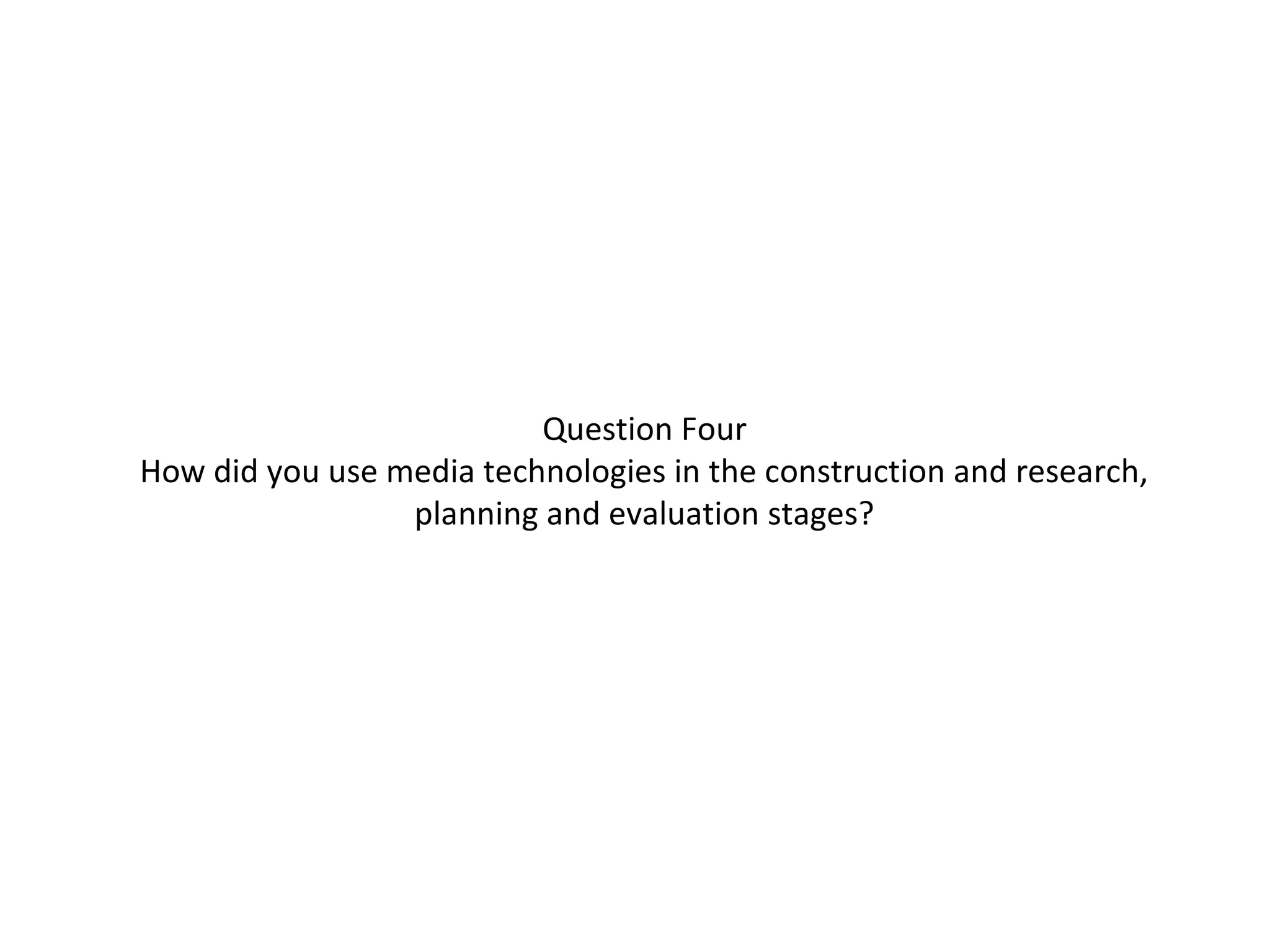
Research and Planning

                                          Most of the research we did was on the
                                          internet, in books or on services such as
                                           Netflix. After we had gained sufficient
                                           audience research, topic research and
                                           doing research into similar products, we
                                            had to plan a schedule stating when we
                                            wanted to film and when we were free to
                                            do so. After that, we had to email
                              potential interviewees and await replies. We also
                    produced a storyboard so we knew exactly what kind of shots we
were looking for for the opening of the documentary.
Once we had everything sorted, we went out and began filming using a video camera,
directional microphone, tripod and headphones.
Then, we began editing all of the video footage into a rough edit of the final
documentary – adding in transitions and sound effects.
All of the research and planning we did has been kept in a log on our blog.
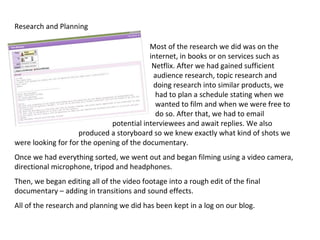
Tools: Documentary


             This is the toolbar available in Final Cut Express, the software we had to use
             for the production of our documentary. The main tool used is the razor blade
             tool that allows you to cut anywhere you need in either the video or sound
             clips.


Another tool used is the
text tool. This allows you
to put titles or credits on
your video, or allows you
to place captions.
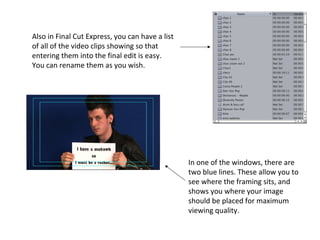
Also in Final Cut Express, you can have a list
of all of the video clips showing so that
entering them into the final edit is easy.
You can rename them as you wish.


                                                 In one of the windows, there are
                                                 two blue lines. These allow you to
                                                 see where the framing sits, and
                                                 shows you where your image
                                                 should be placed for maximum
                                                 viewing quality.
Tools: Magazine


                                                     InDesign also
                                                     allows images to be
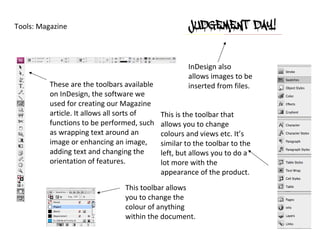
          These are the toolbars available           inserted from files.
          on InDesign, the software we
          used for creating our Magazine
          article. It allows all sorts of    This is the toolbar that
          functions to be performed, such    allows you to change
          as wrapping text around an         colours and views etc. It’s
          image or enhancing an image,       similar to the toolbar to the
          adding text and changing the       left, but allows you to do a
          orientation of features.           lot more with the
                                             appearance of the product.
                                 This toolbar allows
                                 you to change the
                                 colour of anything
                                 within the document.
Tools: Radio
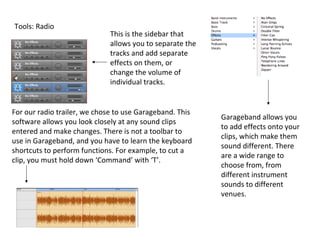
                              This is the sidebar that
                              allows you to separate the
                              tracks and add separate
                              effects on them, or
                              change the volume of
                              individual tracks.


For our radio trailer, we chose to use Garageband. This
                                                           Garageband allows you
software allows you look closely at any sound clips
                                                           to add effects onto your
entered and make changes. There is not a toolbar to
                                                           clips, which make them
use in Garageband, and you have to learn the keyboard
                                                           sound different. There
shortcuts to perform functions. For example, to cut a
                                                           are a wide range to
clip, you must hold down ‘Command’ with ‘T’.
                                                           choose from, from
                                                           different instrument
                                                           sounds to different
                                                           venues.
Technology used: Documentary
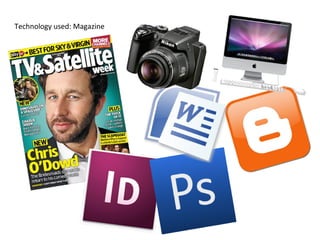
Technology used: Magazine
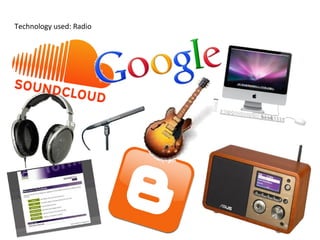
Technology used: Radio
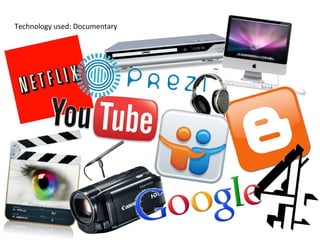
I thought Final Cut Express was more than adequate for producing a high quality
documentary, and I was pleased with how easy it was to learn all of the commands.
The fades and transitions we implemented were professional, and the sound levels
were easy to play with to ensure they all matched the rest of the documentary.
The only problem I encountered was when trying to export the finished product, it
would often play up or export the wrong file.
I personally do not like InDesign at all because I find it difficult to learn your way around
and it often takes a long time to find the control to follow out a function when it should
be simple and done within seconds.
Although, saying that, if you know what you’re doing then it is very easy to produce a high
quality, professional looking magazine article, and so the work to learn it all pays off in the
end.
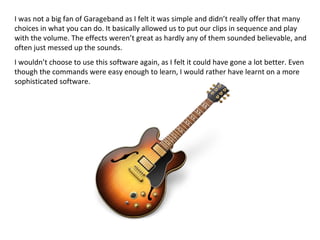
I was not a big fan of Garageband as I felt it was simple and didn’t really offer that many
choices in what you can do. It basically allowed us to put our clips in sequence and play
with the volume. The effects weren’t great as hardly any of them sounded believable, and
often just messed up the sounds.
I wouldn’t choose to use this software again, as I felt it could have gone a lot better. Even
though the commands were easy enough to learn, I would rather have learnt on a more
sophisticated software.
I do not like Prezi as I think it is quite complicated and long
                            winded for what it is, especially if you are in a rush. If you have
                            the time to sit and play with it, then it’s not too bad as you can
                            produce a good quality presentation, but I would personally not
                            use it by choice.
Blogger, however, I would recommend. I keep my own blog on Blogger,
and I think once you know how to navigate your way around it, it is very
simple and you can do a lot with it. It allows you to save your work as a
draft if you are not sure you are finished with it and ready to publish. As
well as that, it allows you to add text, images and videos, and also
allows you to embed documents/videos from all sorts of softwares.
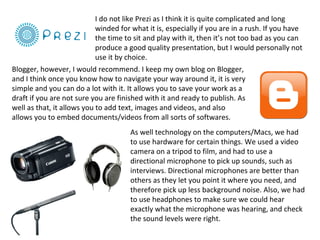
                                      As well technology on the computers/Macs, we had
                                      to use hardware for certain things. We used a video
                                      camera on a tripod to film, and had to use a
                                      directional microphone to pick up sounds, such as
                                      interviews. Directional microphones are better than
                                      others as they let you point it where you need, and
                                      therefore pick up less background noise. Also, we had
                                      to use headphones to make sure we could hear
                                      exactly what the microphone was hearing, and check
                                      the sound levels were right.

Question four

  • 1.
    Question Four How didyou use media technologies in the construction and research, planning and evaluation stages?
  • 2.
    Research and Planning Most of the research we did was on the internet, in books or on services such as Netflix. After we had gained sufficient audience research, topic research and doing research into similar products, we had to plan a schedule stating when we wanted to film and when we were free to do so. After that, we had to email potential interviewees and await replies. We also produced a storyboard so we knew exactly what kind of shots we were looking for for the opening of the documentary. Once we had everything sorted, we went out and began filming using a video camera, directional microphone, tripod and headphones. Then, we began editing all of the video footage into a rough edit of the final documentary – adding in transitions and sound effects. All of the research and planning we did has been kept in a log on our blog.
  • 3.
    Tools: Documentary This is the toolbar available in Final Cut Express, the software we had to use for the production of our documentary. The main tool used is the razor blade tool that allows you to cut anywhere you need in either the video or sound clips. Another tool used is the text tool. This allows you to put titles or credits on your video, or allows you to place captions.
  • 4.
    Also in FinalCut Express, you can have a list of all of the video clips showing so that entering them into the final edit is easy. You can rename them as you wish. In one of the windows, there are two blue lines. These allow you to see where the framing sits, and shows you where your image should be placed for maximum viewing quality.
  • 5.
    Tools: Magazine InDesign also allows images to be These are the toolbars available inserted from files. on InDesign, the software we used for creating our Magazine article. It allows all sorts of This is the toolbar that functions to be performed, such allows you to change as wrapping text around an colours and views etc. It’s image or enhancing an image, similar to the toolbar to the adding text and changing the left, but allows you to do a orientation of features. lot more with the appearance of the product. This toolbar allows you to change the colour of anything within the document.
  • 6.
    Tools: Radio This is the sidebar that allows you to separate the tracks and add separate effects on them, or change the volume of individual tracks. For our radio trailer, we chose to use Garageband. This Garageband allows you software allows you look closely at any sound clips to add effects onto your entered and make changes. There is not a toolbar to clips, which make them use in Garageband, and you have to learn the keyboard sound different. There shortcuts to perform functions. For example, to cut a are a wide range to clip, you must hold down ‘Command’ with ‘T’. choose from, from different instrument sounds to different venues.
  • 7.
  • 8.
  • 9.
  • 10.
    I thought FinalCut Express was more than adequate for producing a high quality documentary, and I was pleased with how easy it was to learn all of the commands. The fades and transitions we implemented were professional, and the sound levels were easy to play with to ensure they all matched the rest of the documentary. The only problem I encountered was when trying to export the finished product, it would often play up or export the wrong file.
  • 11.
    I personally donot like InDesign at all because I find it difficult to learn your way around and it often takes a long time to find the control to follow out a function when it should be simple and done within seconds. Although, saying that, if you know what you’re doing then it is very easy to produce a high quality, professional looking magazine article, and so the work to learn it all pays off in the end.
  • 12.
    I was nota big fan of Garageband as I felt it was simple and didn’t really offer that many choices in what you can do. It basically allowed us to put our clips in sequence and play with the volume. The effects weren’t great as hardly any of them sounded believable, and often just messed up the sounds. I wouldn’t choose to use this software again, as I felt it could have gone a lot better. Even though the commands were easy enough to learn, I would rather have learnt on a more sophisticated software.
  • 13.
    I do notlike Prezi as I think it is quite complicated and long winded for what it is, especially if you are in a rush. If you have the time to sit and play with it, then it’s not too bad as you can produce a good quality presentation, but I would personally not use it by choice. Blogger, however, I would recommend. I keep my own blog on Blogger, and I think once you know how to navigate your way around it, it is very simple and you can do a lot with it. It allows you to save your work as a draft if you are not sure you are finished with it and ready to publish. As well as that, it allows you to add text, images and videos, and also allows you to embed documents/videos from all sorts of softwares. As well technology on the computers/Macs, we had to use hardware for certain things. We used a video camera on a tripod to film, and had to use a directional microphone to pick up sounds, such as interviews. Directional microphones are better than others as they let you point it where you need, and therefore pick up less background noise. Also, we had to use headphones to make sure we could hear exactly what the microphone was hearing, and check the sound levels were right.