Local Food Movement
Local food or the local food movement is a "collaborative effort to build more locally
based, self-reliant food economies - one in which sustainable food
production, processing, distribution, and consumption is integrated to enhance the
economic, environmental and social health of a particular place."[1] It is part of the concept of
local purchasing and local economies; a preference to buy locally produced goods and services
rather than those produced by corporatized institutions. -- Wikipedia
Who are you comfortable being?
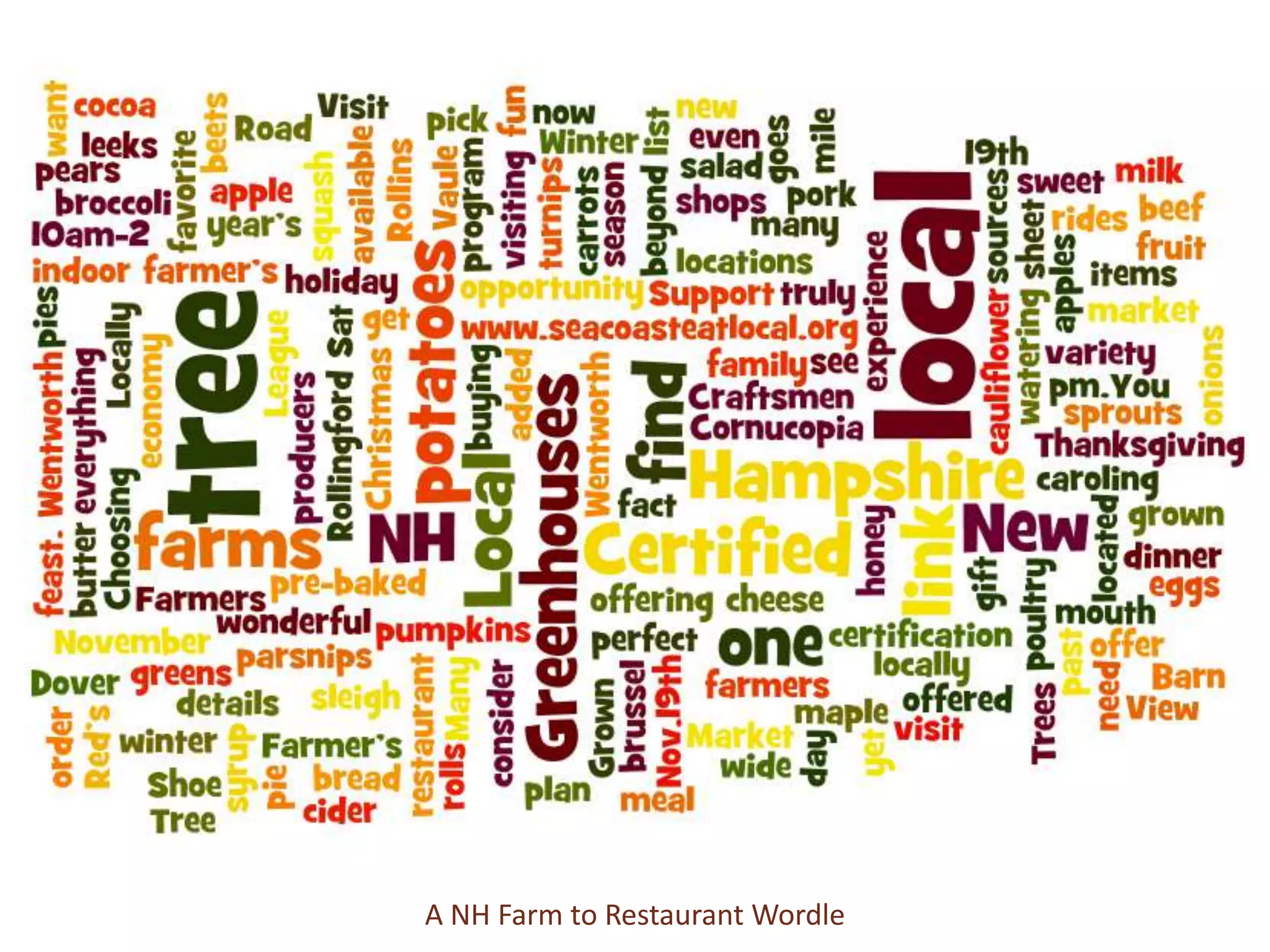
A NH Farm to Restaurant Wordle
How does SM fit into your business Plan?
WHAT IF SOCIAL MEDIA

 Deepened your sense of purpose
Expanded your capability to navigate
     difficulty and complexity
      Enriched your resilience
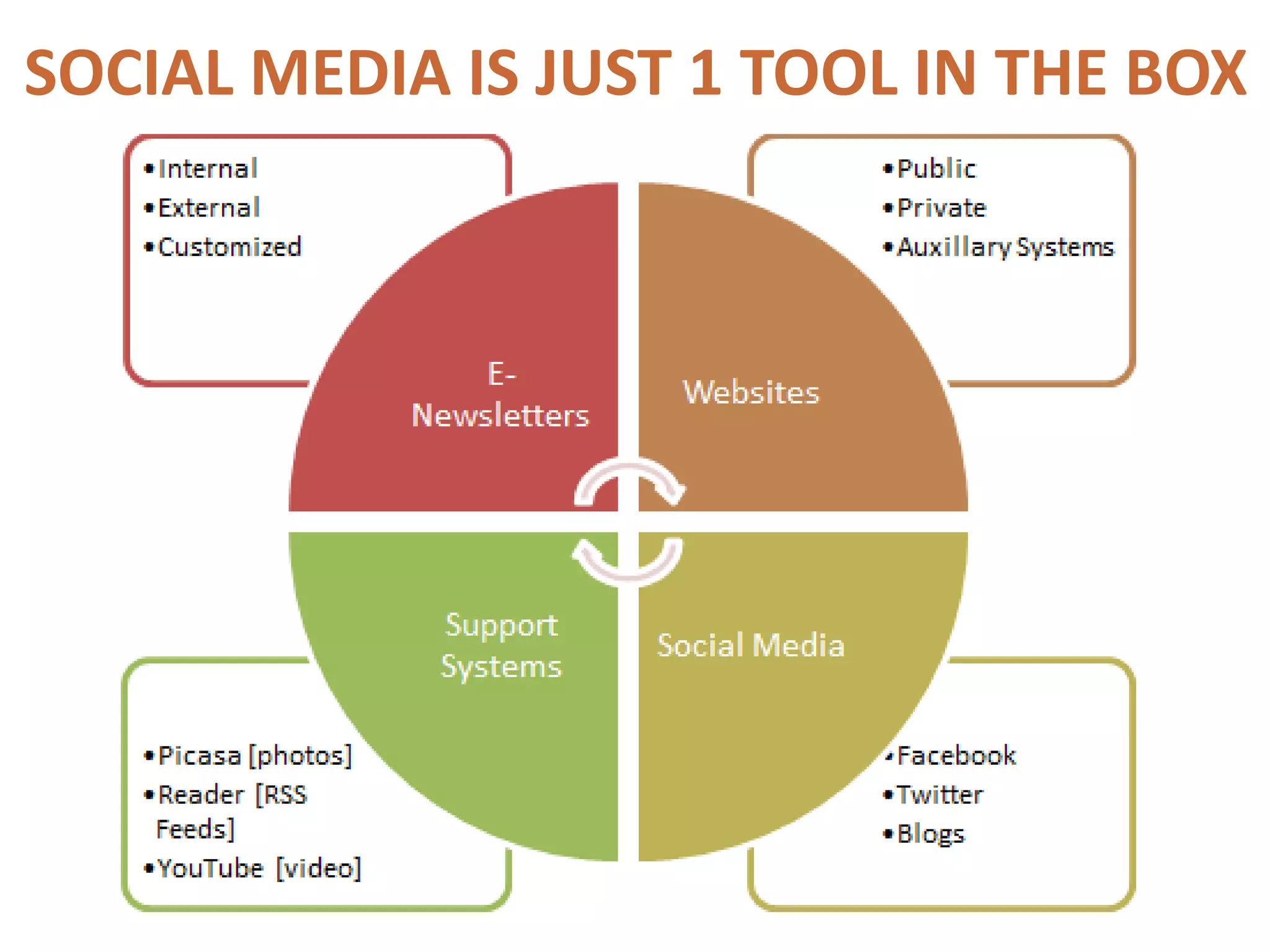
SOCIAL MEDIA IS JUST 1 TOOL IN THE BOX
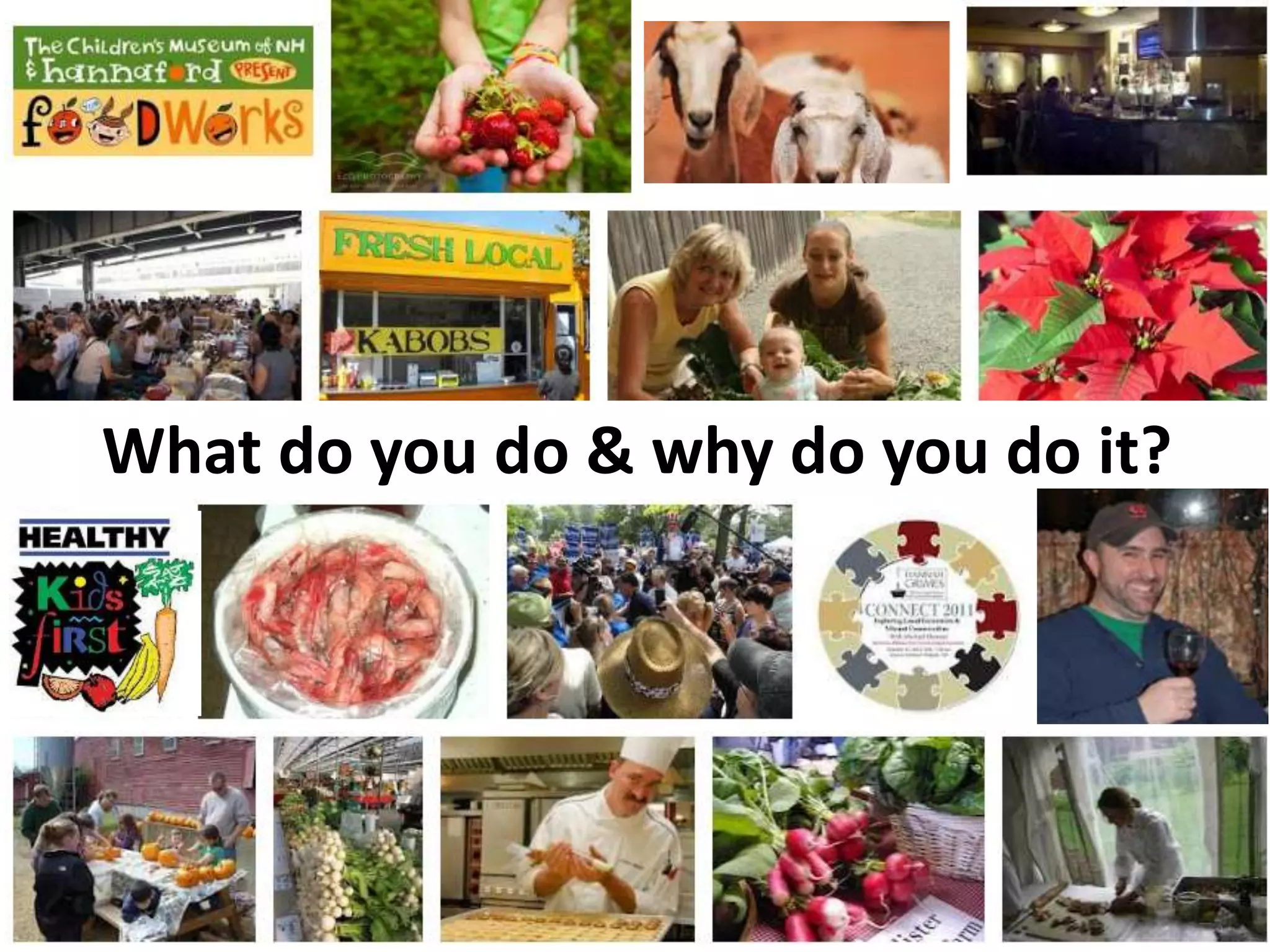
What do you do & why do you do it?
Where are your customers?
What social networks are your collaborators on?
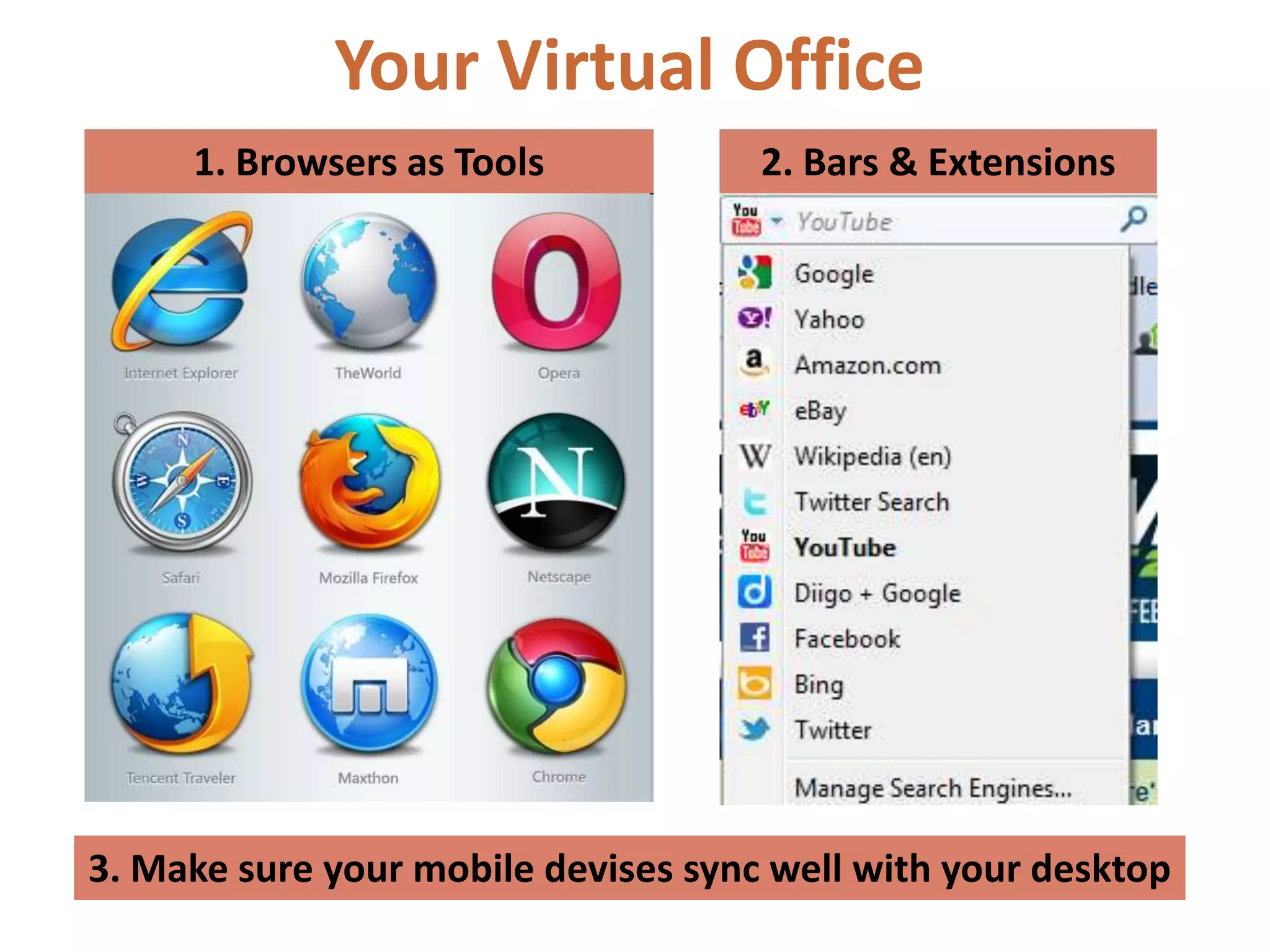
Your Virtual Office
     1. Browsers as Tools            2. Bars & Extensions


3. Make sure your mobile devises sync well with your desktop
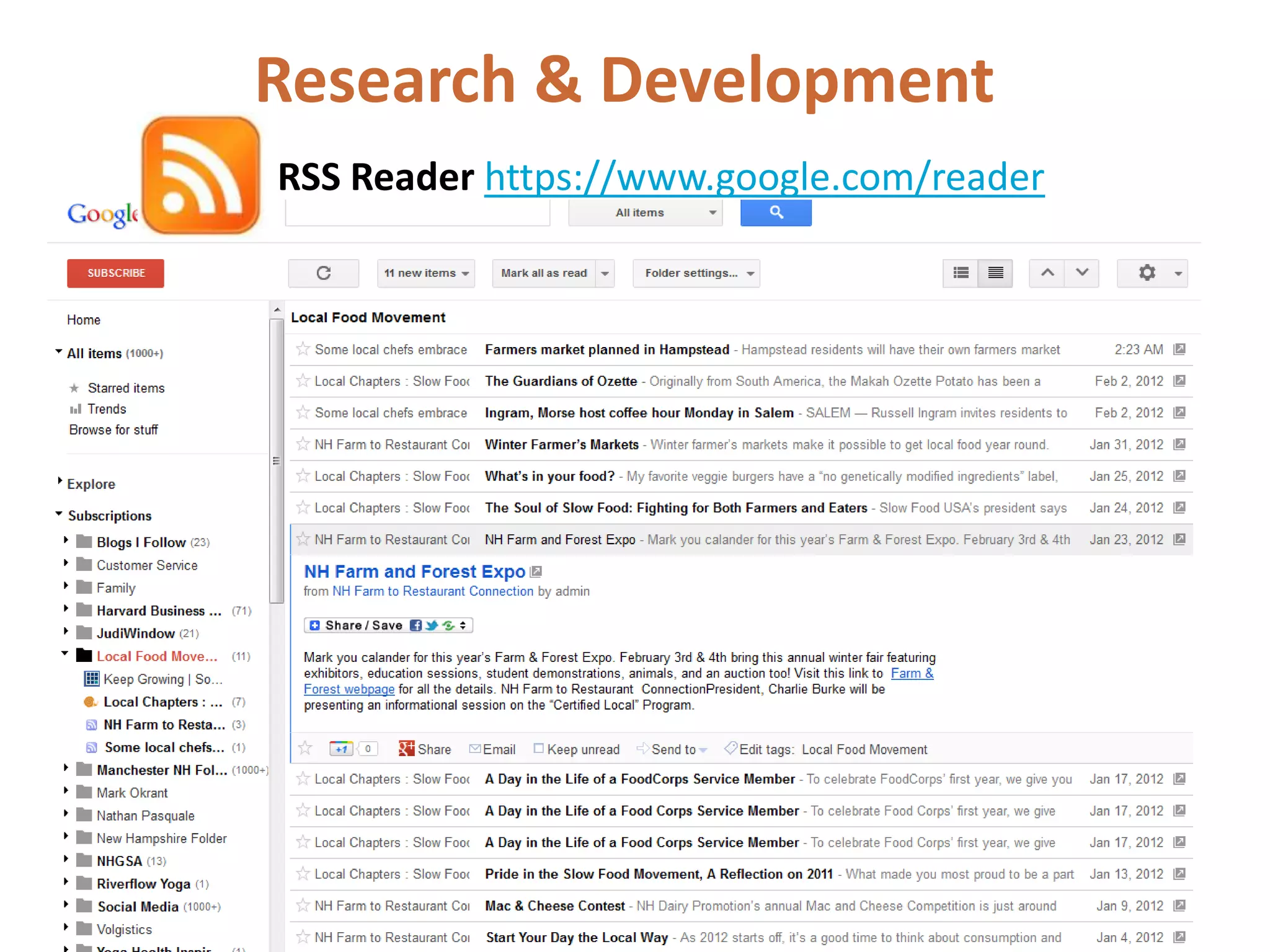
Research & Development
RSS Reader https://www.google.com/reader
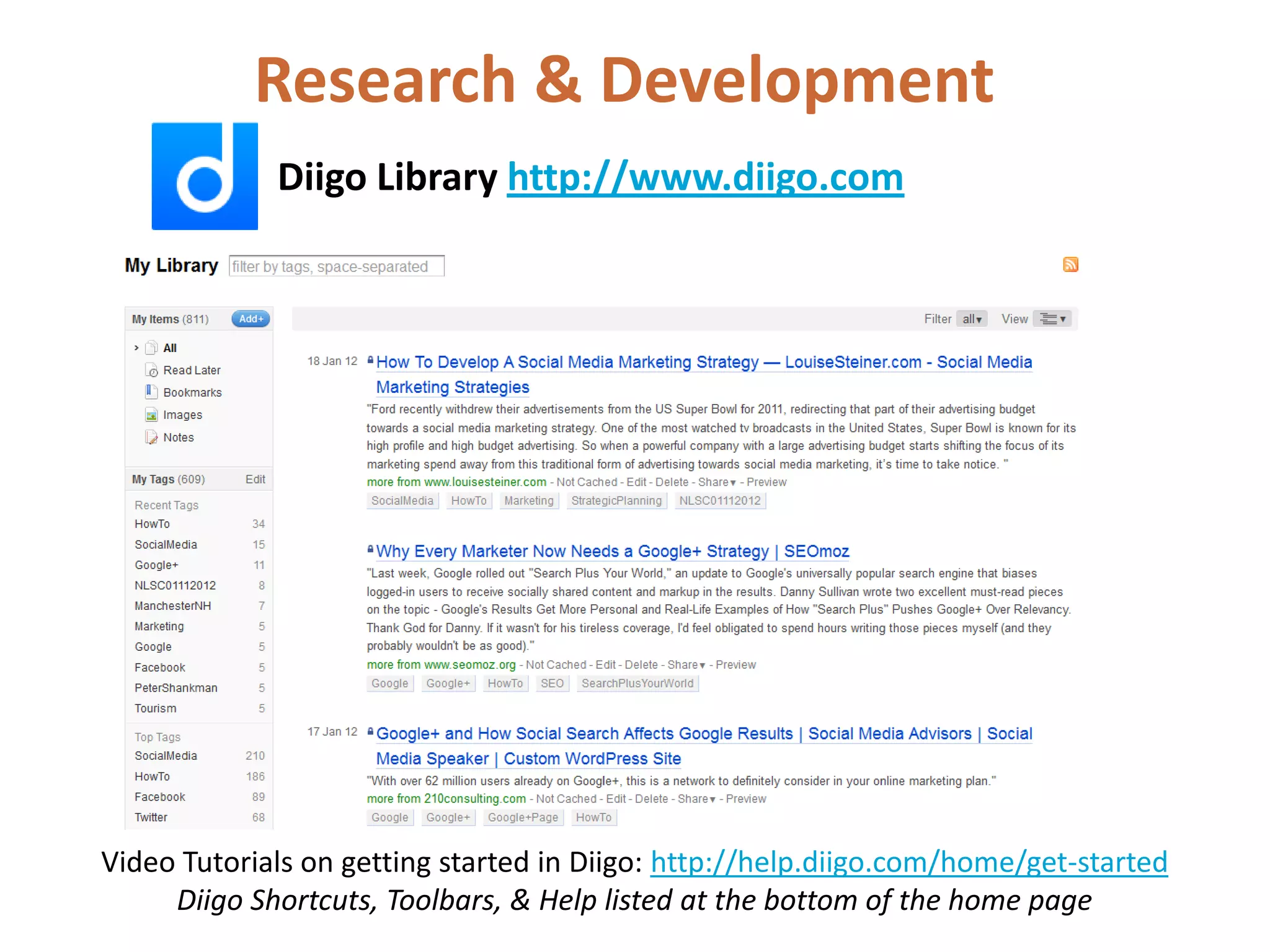
Research & Development
             Diigo Library http://www.diigo.com


Video Tutorials on getting started in Diigo: http://help.diigo.com/home/get-started
     Diigo Shortcuts, Toolbars, & Help listed at the bottom of the home page
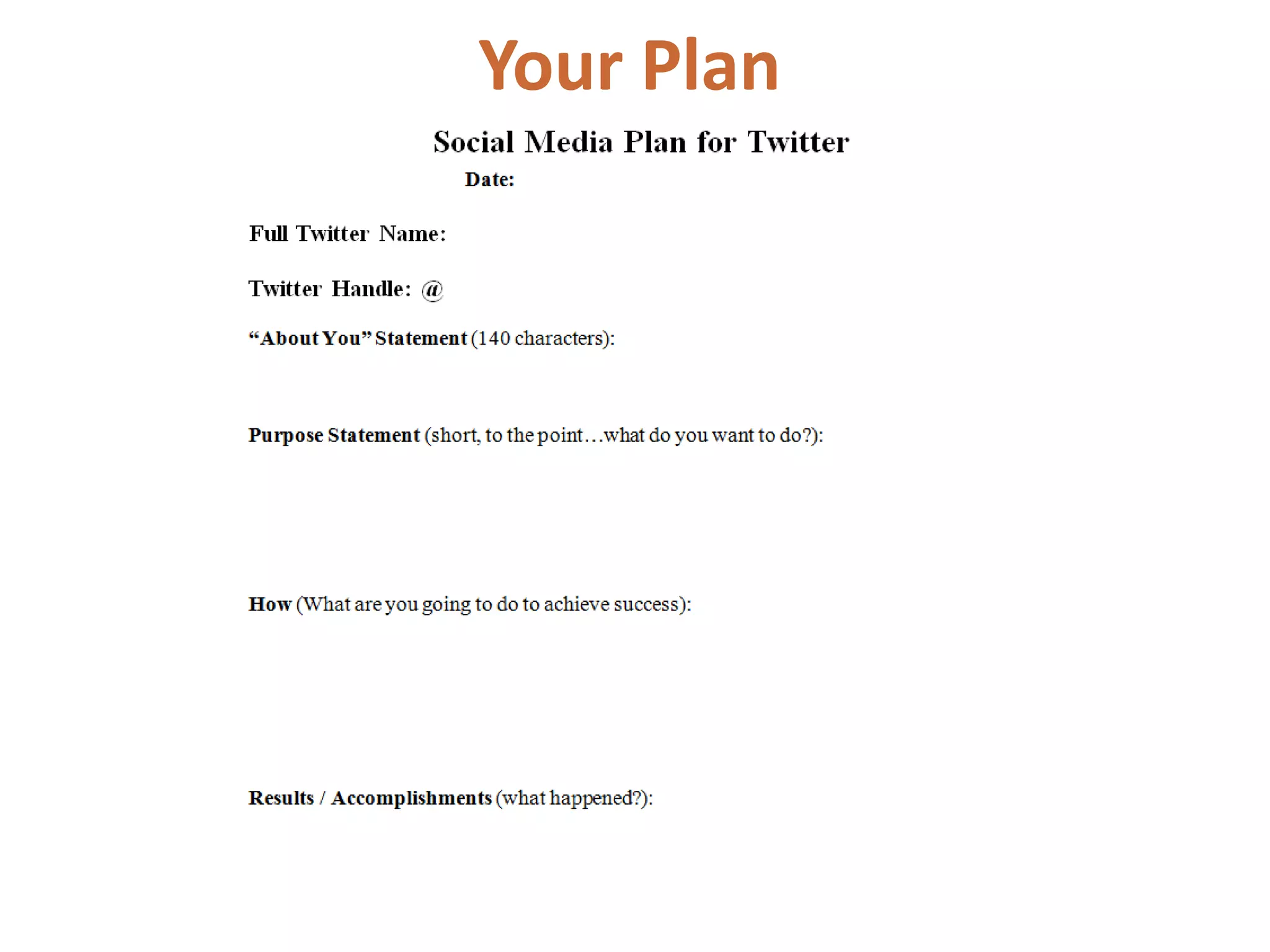
Your Plan
Twitter Manners


Fox 4 DFW Roast of Social Media by ObserverDallas
http://www.youtube.com/watch?v=O8g3AFnT_Hk&feature=player_embedded
(The New)Twitter
Home
   • Your “timeline”
        o Works pretty much the same
        o Expanded views *pop-up card
        o Follow suggestions from pop-up cards

    • An overview of who you are
         o Tweets/following/followers
    • Post Tweets (box or button)
         o @ / # / pictures / location
    • Suggestions on who to follow *promoted & based on you
    • Tends [United States Trends]

    • Profile / Settings [Little Guy at the top right]
        o DM
        o Lists
        o Settings
(The New)Twitter
@ Connect
    • Interactions Information on what how followers “interact”
       with you. Who new is following you, did someone retweet or
       mention you?
    • Mentions This is when a person “mentions” you by adding an @
      symbol in front of your handle. You can click OPEN to see the full
      conversation.
    • Who to follow [Search defaults to people]
(The New)Twitter
# Discover
     • Stories  These are stories both popularity, in your surrounding
        area, people you are connected with, any other connections and
        tends.
     • Activity  This is a list of what the people you are following are
        doing. Who they are (now) following, What they retweet, etc.
     • Who to Follow  You can either search for a
        person, page, hashtag, or you can use the “suggestions”. You can
        search by “find friends” which checks your email account for
        friends you know or by topics and “categories”.
     • Note that #Discover Search defaults to tweets
(The New)Twitter
Lists
        • Profile / Settings (click on lists)
        • These are list that others can follow
        • Think about your business (your authority) when developing lists
        • Make sure when you follow someone that is important to your
          authority or business you put them into your correct list
            o It will help you view specific topics you/your business is
               interested in
            o It helps others
        • Open a company to view their lists (example: Sabrina Inc)
            o Subscribed to
            o Member of
(The New)Twitter
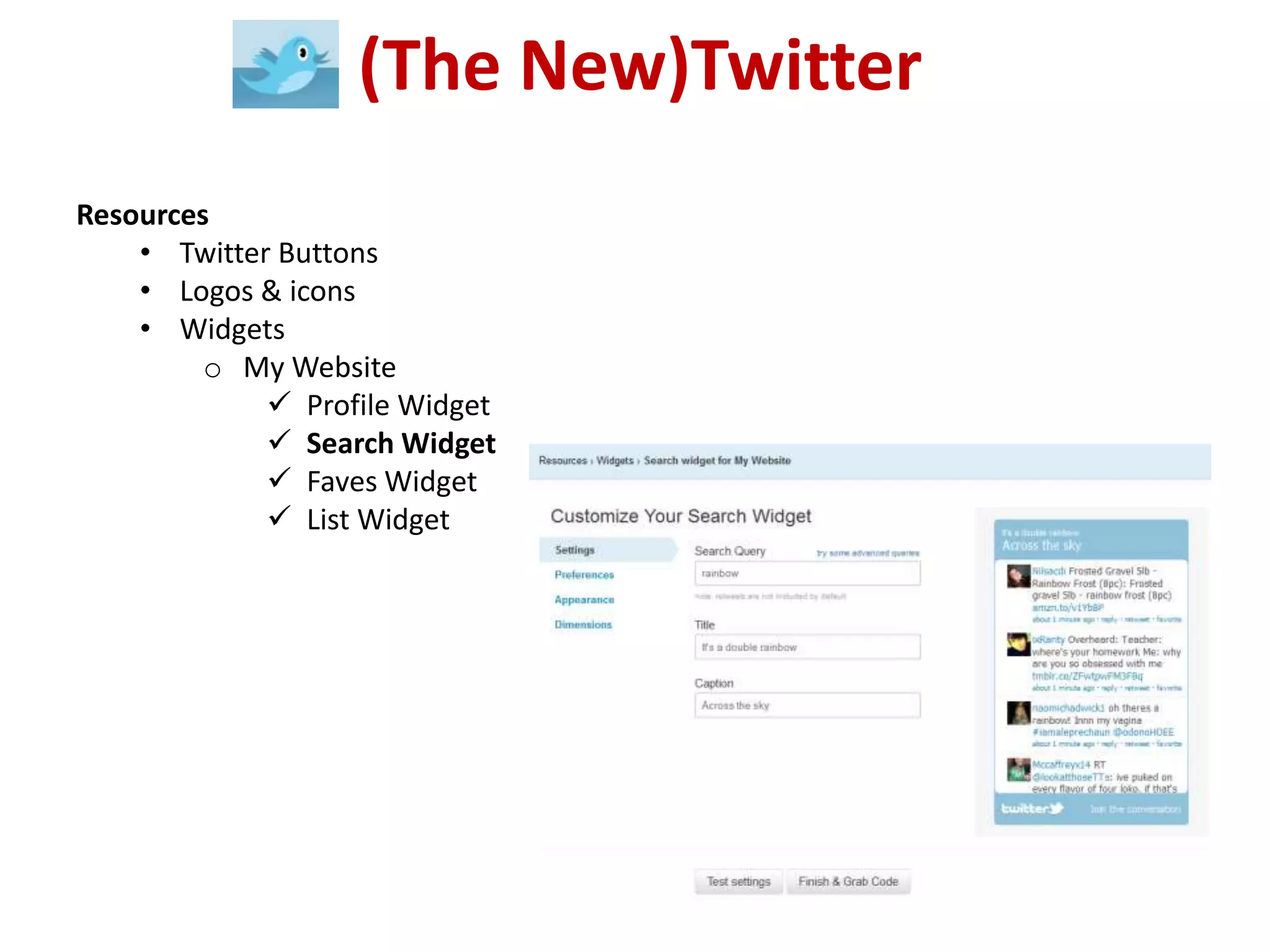
Resources
    • Twitter Buttons
    • Logos & icons
    • Widgets
         o My Website
              Profile Widget
              Search Widget
              Faves Widget
              List Widget
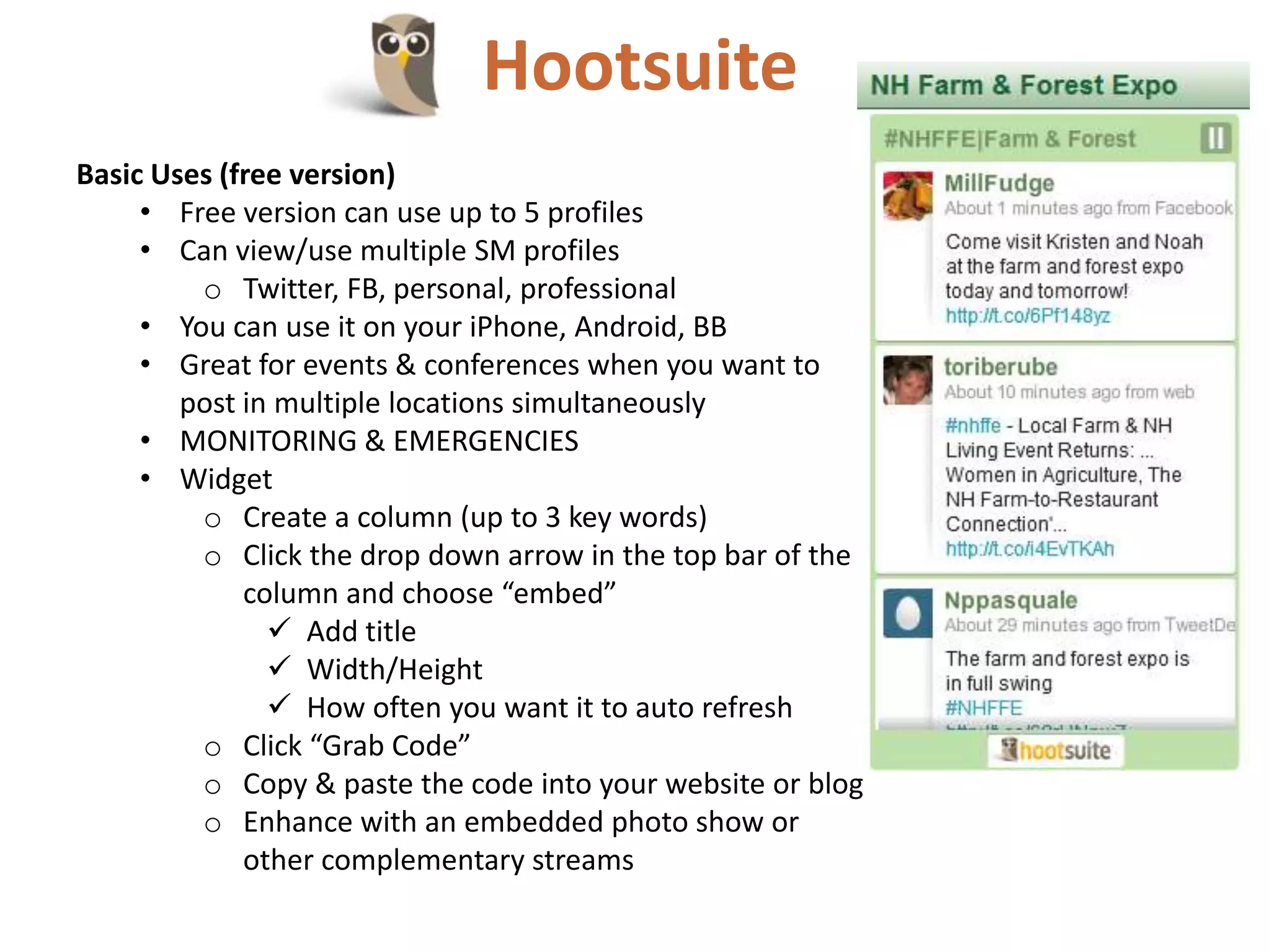
Hootsuite
Basic Uses (free version)
     • Free version can use up to 5 profiles
     • Can view/use multiple SM profiles
         o Twitter, FB, personal, professional
     • You can use it on your iPhone, Android, BB
     • Great for events & conferences when you want to
        post in multiple locations simultaneously
     • MONITORING & EMERGENCIES
     • Widget
         o Create a column (up to 3 key words)
         o Click the drop down arrow in the top bar of the
             column and choose “embed”
                Add title
                Width/Height
                How often you want it to auto refresh
         o Click “Grab Code”
         o Copy & paste the code into your website or blog
         o Enhance with an embedded photo show or
             other complementary streams
Your Personal Facebook Overview
               New Timeline
Points of Review [Profile Page]
• Your Profile Page & Status Feed Page
• Cover Photo & Profile Pic
• Your Info on the Left
• Items (Friends, Photos, Maps) on the Right
• Timeline to the far right (date you joined
  FB or other dates & life events you add)
• Easy ways to manage your information
    • Update Info
    • Activity Log (Note filter: All or by type)
    • Gear Setting
Your Personal Facebook Overview
                     New Timeline

Points of Review [Status Page]
• Sort by: Highlighted or Recent Stories
• Managing your feed
  (spam, updates, unsubscribe, Hide
  Twitter)
• Left-hand column
   • Favorites
   • Pages
   • Groups
   • Apps
   • Lists
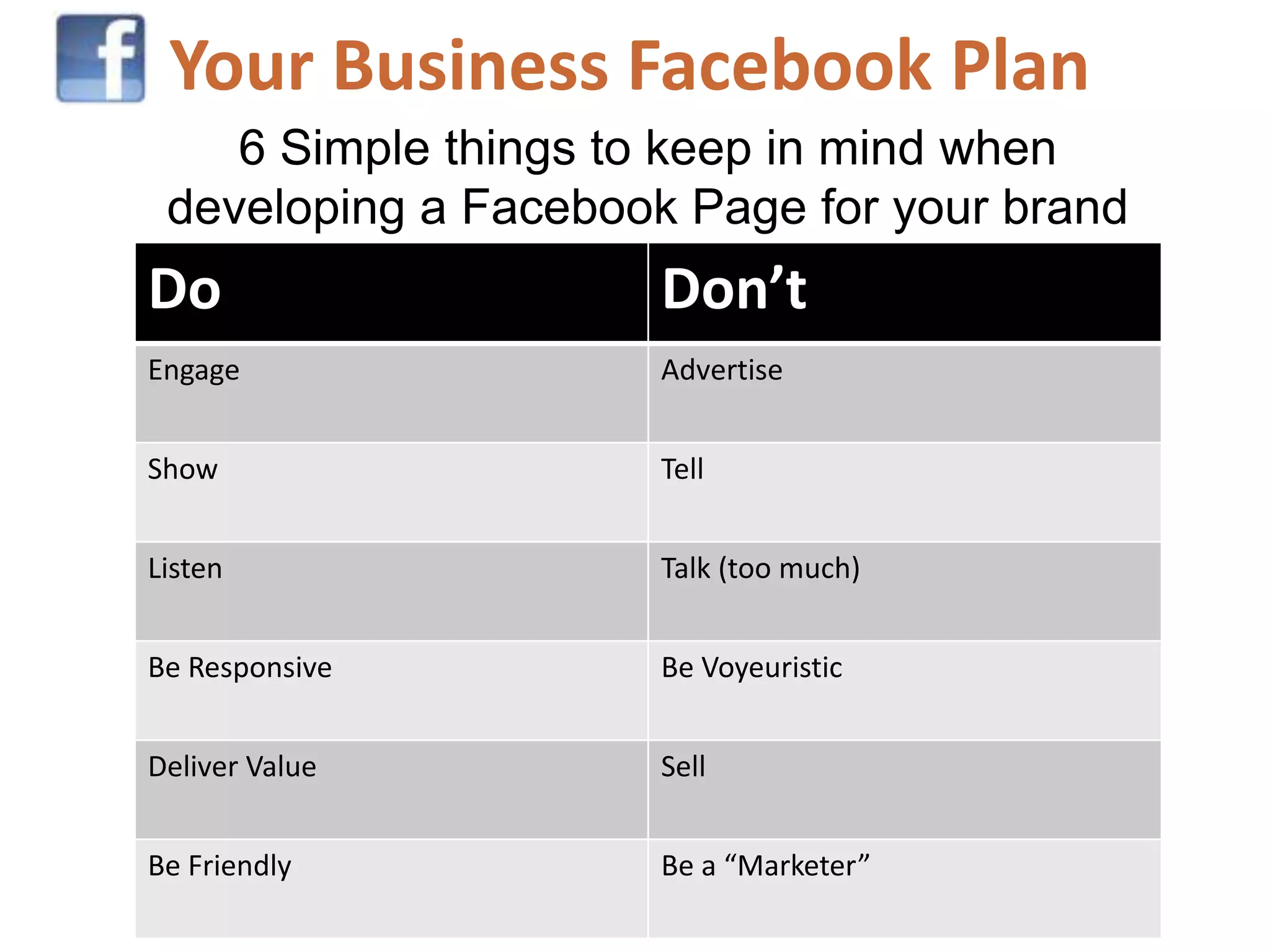
Your Business Facebook Plan
    6 Simple things to keep in mind when
 developing a Facebook Page for your brand
Do                    Don’t
Engage                Advertise


Show                  Tell


Listen                Talk (too much)


Be Responsive         Be Voyeuristic


Deliver Value         Sell


Be Friendly           Be a “Marketer”
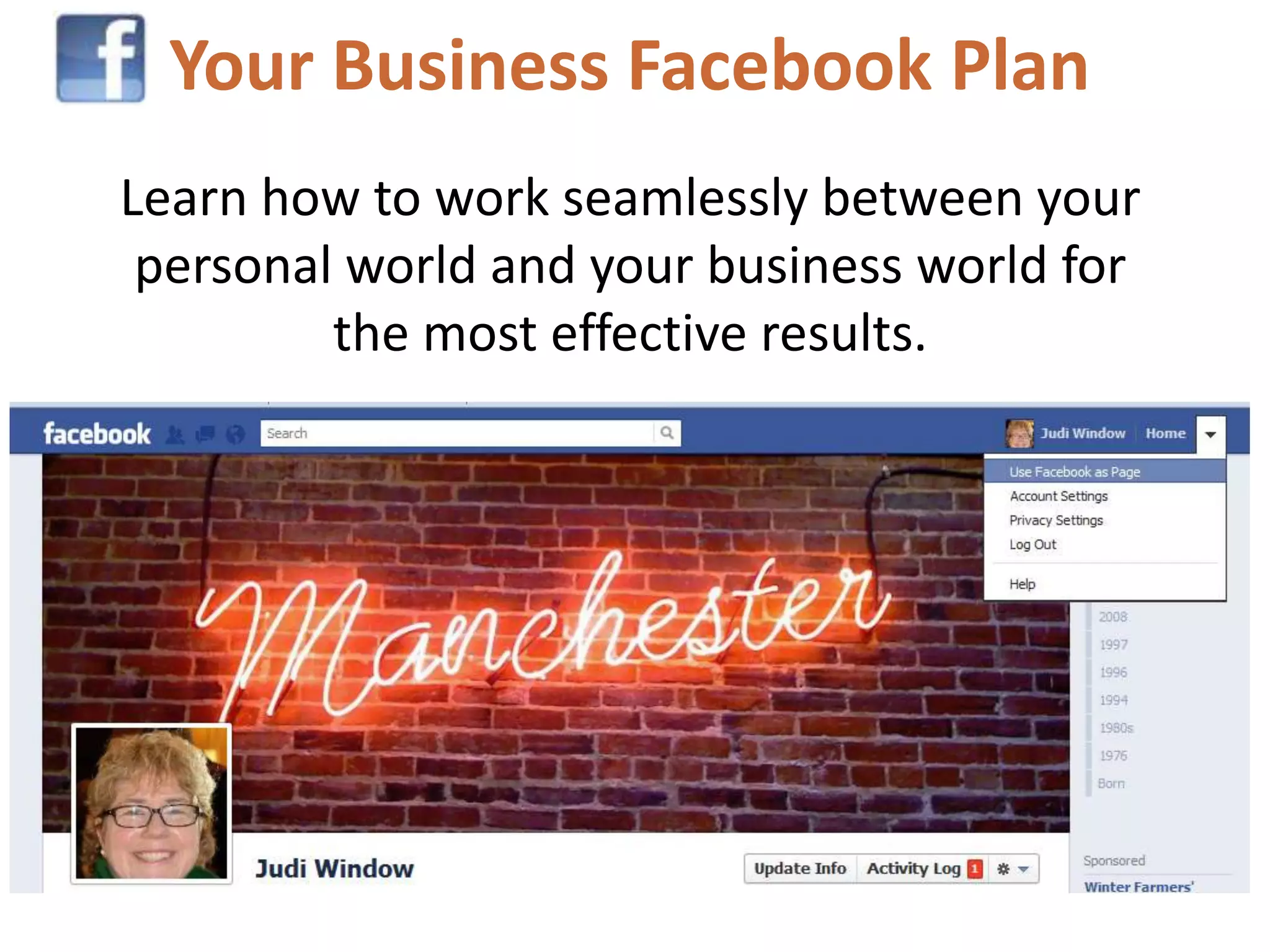
Your Business Facebook Plan
Learn how to work seamlessly between your
 personal world and your business world for
         the most effective results.
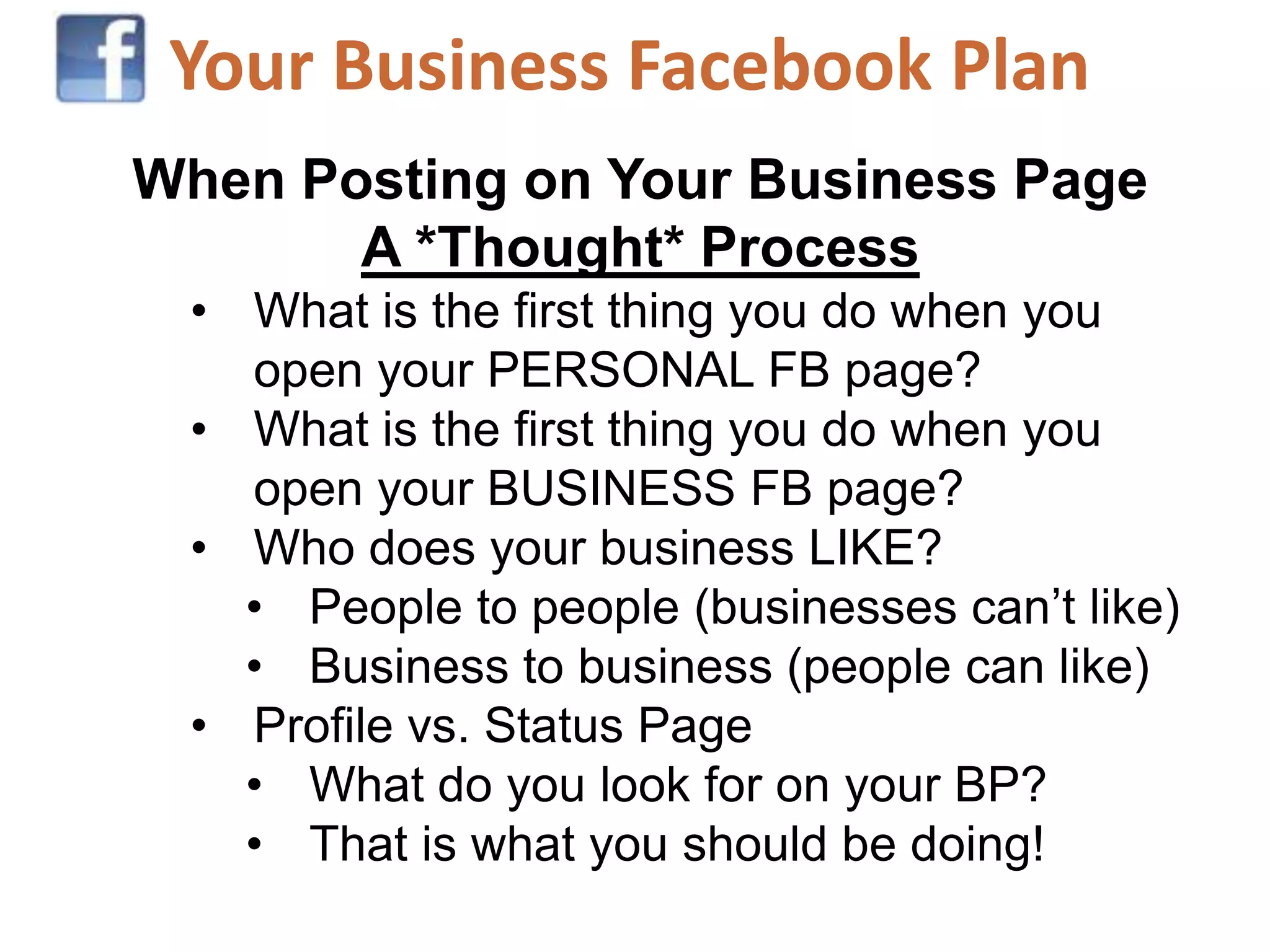
Your Business Facebook Plan
When Posting on Your Business Page
       A *Thought* Process
 • What is the first thing you do when you
   open your PERSONAL FB page?
 • What is the first thing you do when you
   open your BUSINESS FB page?
 • Who does your business LIKE?
   • People to people (businesses can’t like)
   • Business to business (people can like)
 • Profile vs. Status Page
   • What do you look for on your BP?
   • That is what you should be doing!
Your Business Facebook Plan
Blogging
• Choose the blogging tool that works for you
   Blogger (Google)
   Tumber
   Wordpress
• Find your voice/style
   Written
   Pictoral
   Video (or Vlog)
• Read/watch blogs that you like
• Search for Blogs from Googling a topic or idea
Blogging
Cross Promotional Tool
• Post links on your website, other
  blogs, FB, Twitter (if appropriate)
• Send a link for the blog to those you
  mention and link to in the blog.
• Recruited Guest Bloggers & Expert

Key Components When Blogging
   •   Labels
   •   Pictures
   •   Links
   •   Show & Tell
   •   Best Practices

Promoting local food movement presentation

  • 1.
    Local Food Movement Localfood or the local food movement is a "collaborative effort to build more locally based, self-reliant food economies - one in which sustainable food production, processing, distribution, and consumption is integrated to enhance the economic, environmental and social health of a particular place."[1] It is part of the concept of local purchasing and local economies; a preference to buy locally produced goods and services rather than those produced by corporatized institutions. -- Wikipedia
  • 2.
    Who are youcomfortable being?
  • 3.
    A NH Farmto Restaurant Wordle
  • 4.
    How does SMfit into your business Plan?
  • 5.
    WHAT IF SOCIALMEDIA Deepened your sense of purpose Expanded your capability to navigate difficulty and complexity Enriched your resilience
  • 6.
    SOCIAL MEDIA ISJUST 1 TOOL IN THE BOX
  • 7.
    What do youdo & why do you do it?
  • 8.
    Where are yourcustomers? What social networks are your collaborators on?
  • 10.
    Your Virtual Office 1. Browsers as Tools 2. Bars & Extensions 3. Make sure your mobile devises sync well with your desktop
  • 11.
    Research & Development RSSReader https://www.google.com/reader
  • 12.
    Research & Development Diigo Library http://www.diigo.com Video Tutorials on getting started in Diigo: http://help.diigo.com/home/get-started Diigo Shortcuts, Toolbars, & Help listed at the bottom of the home page
  • 13.
  • 14.
    Twitter Manners Fox 4DFW Roast of Social Media by ObserverDallas http://www.youtube.com/watch?v=O8g3AFnT_Hk&feature=player_embedded
  • 15.
    (The New)Twitter Home • Your “timeline” o Works pretty much the same o Expanded views *pop-up card o Follow suggestions from pop-up cards • An overview of who you are o Tweets/following/followers • Post Tweets (box or button) o @ / # / pictures / location • Suggestions on who to follow *promoted & based on you • Tends [United States Trends] • Profile / Settings [Little Guy at the top right] o DM o Lists o Settings
  • 16.
    (The New)Twitter @ Connect • Interactions Information on what how followers “interact” with you. Who new is following you, did someone retweet or mention you? • Mentions This is when a person “mentions” you by adding an @ symbol in front of your handle. You can click OPEN to see the full conversation. • Who to follow [Search defaults to people]
  • 17.
    (The New)Twitter # Discover • Stories  These are stories both popularity, in your surrounding area, people you are connected with, any other connections and tends. • Activity  This is a list of what the people you are following are doing. Who they are (now) following, What they retweet, etc. • Who to Follow  You can either search for a person, page, hashtag, or you can use the “suggestions”. You can search by “find friends” which checks your email account for friends you know or by topics and “categories”. • Note that #Discover Search defaults to tweets
  • 18.
    (The New)Twitter Lists • Profile / Settings (click on lists) • These are list that others can follow • Think about your business (your authority) when developing lists • Make sure when you follow someone that is important to your authority or business you put them into your correct list o It will help you view specific topics you/your business is interested in o It helps others • Open a company to view their lists (example: Sabrina Inc) o Subscribed to o Member of
  • 19.
    (The New)Twitter Resources • Twitter Buttons • Logos & icons • Widgets o My Website  Profile Widget  Search Widget  Faves Widget  List Widget
  • 20.
    Hootsuite Basic Uses (freeversion) • Free version can use up to 5 profiles • Can view/use multiple SM profiles o Twitter, FB, personal, professional • You can use it on your iPhone, Android, BB • Great for events & conferences when you want to post in multiple locations simultaneously • MONITORING & EMERGENCIES • Widget o Create a column (up to 3 key words) o Click the drop down arrow in the top bar of the column and choose “embed”  Add title  Width/Height  How often you want it to auto refresh o Click “Grab Code” o Copy & paste the code into your website or blog o Enhance with an embedded photo show or other complementary streams
  • 21.
    Your Personal FacebookOverview New Timeline Points of Review [Profile Page] • Your Profile Page & Status Feed Page • Cover Photo & Profile Pic • Your Info on the Left • Items (Friends, Photos, Maps) on the Right • Timeline to the far right (date you joined FB or other dates & life events you add) • Easy ways to manage your information • Update Info • Activity Log (Note filter: All or by type) • Gear Setting
  • 22.
    Your Personal FacebookOverview New Timeline Points of Review [Status Page] • Sort by: Highlighted or Recent Stories • Managing your feed (spam, updates, unsubscribe, Hide Twitter) • Left-hand column • Favorites • Pages • Groups • Apps • Lists
  • 23.
    Your Business FacebookPlan 6 Simple things to keep in mind when developing a Facebook Page for your brand Do Don’t Engage Advertise Show Tell Listen Talk (too much) Be Responsive Be Voyeuristic Deliver Value Sell Be Friendly Be a “Marketer”
  • 24.
    Your Business FacebookPlan Learn how to work seamlessly between your personal world and your business world for the most effective results.
  • 25.
    Your Business FacebookPlan When Posting on Your Business Page A *Thought* Process • What is the first thing you do when you open your PERSONAL FB page? • What is the first thing you do when you open your BUSINESS FB page? • Who does your business LIKE? • People to people (businesses can’t like) • Business to business (people can like) • Profile vs. Status Page • What do you look for on your BP? • That is what you should be doing!
  • 26.
  • 27.
  • 28.
    Blogging • Choose theblogging tool that works for you Blogger (Google) Tumber Wordpress • Find your voice/style Written Pictoral Video (or Vlog) • Read/watch blogs that you like • Search for Blogs from Googling a topic or idea
  • 29.
    Blogging Cross Promotional Tool •Post links on your website, other blogs, FB, Twitter (if appropriate) • Send a link for the blog to those you mention and link to in the blog. • Recruited Guest Bloggers & Expert Key Components When Blogging • Labels • Pictures • Links • Show & Tell • Best Practices

Editor's Notes

  • #2 You know this… but NOTICE the KEY WORDS that describe the Local Food MovementThe two most important things to think about as you dive into or reinvigorate your social media plan is:Who are you? How does SM fit?
  • #3 ABOUT YOU and/or YOUR BUSINESS140 CharactersYour Elevator SpeechKey Works to Describe YOU or YOUR BUSINESSDON’T BEAnimal lover, Social Media enthusiast, mother of 3, married to @johndoe, looking to help you to become healthier!
  • #4 WORDLE: http://www.wordle.netNH Farm to Restaurant Connection: http://www.nhfarmtorestaurant.comThe New Hampshire Farm to Restaurant ConnectionPromoting New Hampshire Farms and Food Producers to Restaurants, Schools, Food Markets, Hospitals and the Public
  • #5 How much time do you have to support SM?What are you good at?What tools can help you?When do you call in help?
  • #6 What annoys you the most about Social Media?THEN DON’T DO THAT!Do Unto Others….
  • #7 Planning your StrategyDeveloping tools that work with your business planSetting up your virtual officeResearch & Development
  • #8 6 Steps to Establishing Your Social Media PlanKnow what your business goals are (or establish some)Identify your customersDesign or redesign your brand based on CUSTOMER needs
  • #9 Research where your customer are – socially or notDetermine which SM tools best suit their needs AND your goalsBegin to participate via your brand within those communities
  • #10 Building “social authority”Become an expertBecome an advocateBe a leaderTransition from traditional forms of marketing and advertising (and bring your Tribe with you)Offer solutions - Providing valuable information and a genuine opinions while staying within your mission/mantra/goals
  • #12 Reader – RSS (Really Simple Syndication)Google SearchesYouTubeTwitter (no “nh local food movement” but “farm to restaurantnh”) – STORY re: Margarita Grill’s NH Farm to Restaurant Certification.
  • #15 Focus on the story not the technology [Tweeting when supposed to be reporting]There is a time and place for everything[Customer Service vs. Social Maven Story]Be appropriate [Don’t take pictures of dead people!]Turn your technology OFF! [The anchor’s phone blingged and she received a text/photo, etc.]Keep to your talking points [Slap Daddy]Don’t mix messages [Location based, FourSquare, info still has to be relevant to your goals]Separate the technology from the message [Who cares how many followers you have or need]Keep your message simple [Use blogs to highlight off topic info – what camera you are using!]Pick your tools [Pick a few and integrate seamlessly. You don’t have to use all SM tools]
  • #26 Facebook must be in sync with your business/brand’s goals, visions, & values. Don’t worry so much about SM policies, figuring your ROI, trying to get people to “Like you”Think about a physical existence (Business After Hours). Do you like talking to the person who is SELLING something to you? Or do you take the time to continue to talk to the person who sits in the corner and when you engage them they just ignore you or look at your like you are interrupting them? People “Like” PEOPLE who are fun and interesting! That includes businesses. Be fun and interesting. CARE about those you are talking with/to. Be interested in what they are doing. Be present!Easiest way to create a page (that I have found) is to go to ANY Page, Scroll to the bottom of the left column, choose “Create a Page”Facebook Page creation tools are very simple now. https://www.facebook.com/FacebookPages
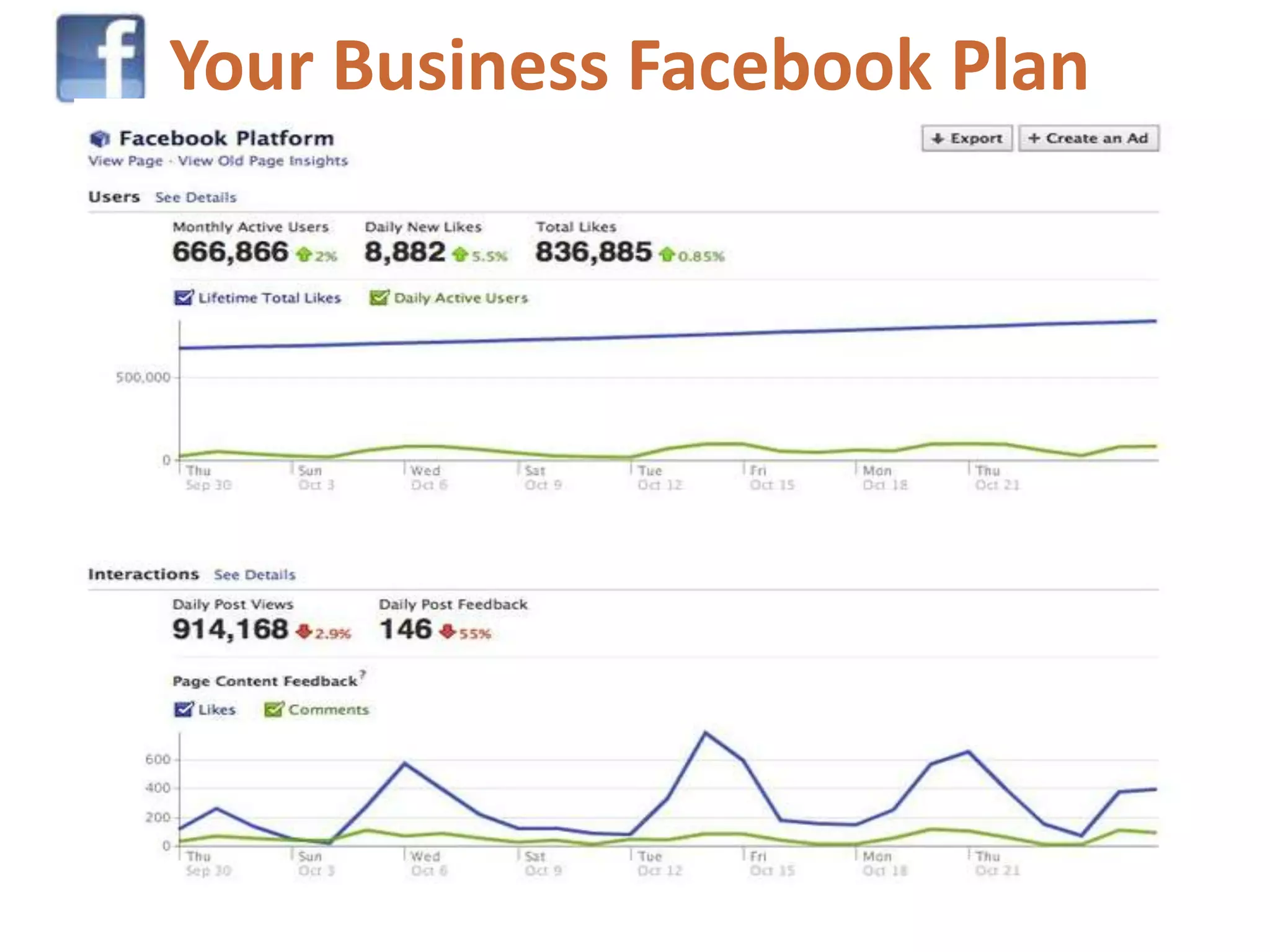
  • #27 Post daily. Every business is different do some testing to see what works best. Utilize Facebook Insights as you do your testing to see its impact.Do some research on when the best time of day is to post for your particular audience. [Are you leisure? Is your market on the West Coast, in another Country? Seniors, Students, Mommy Bloggers?] When are “they” on Facebook? Watch your chat lists. Experiment by keeping a log by ½ hour on the numbers. Check various times a day and various days of the week.
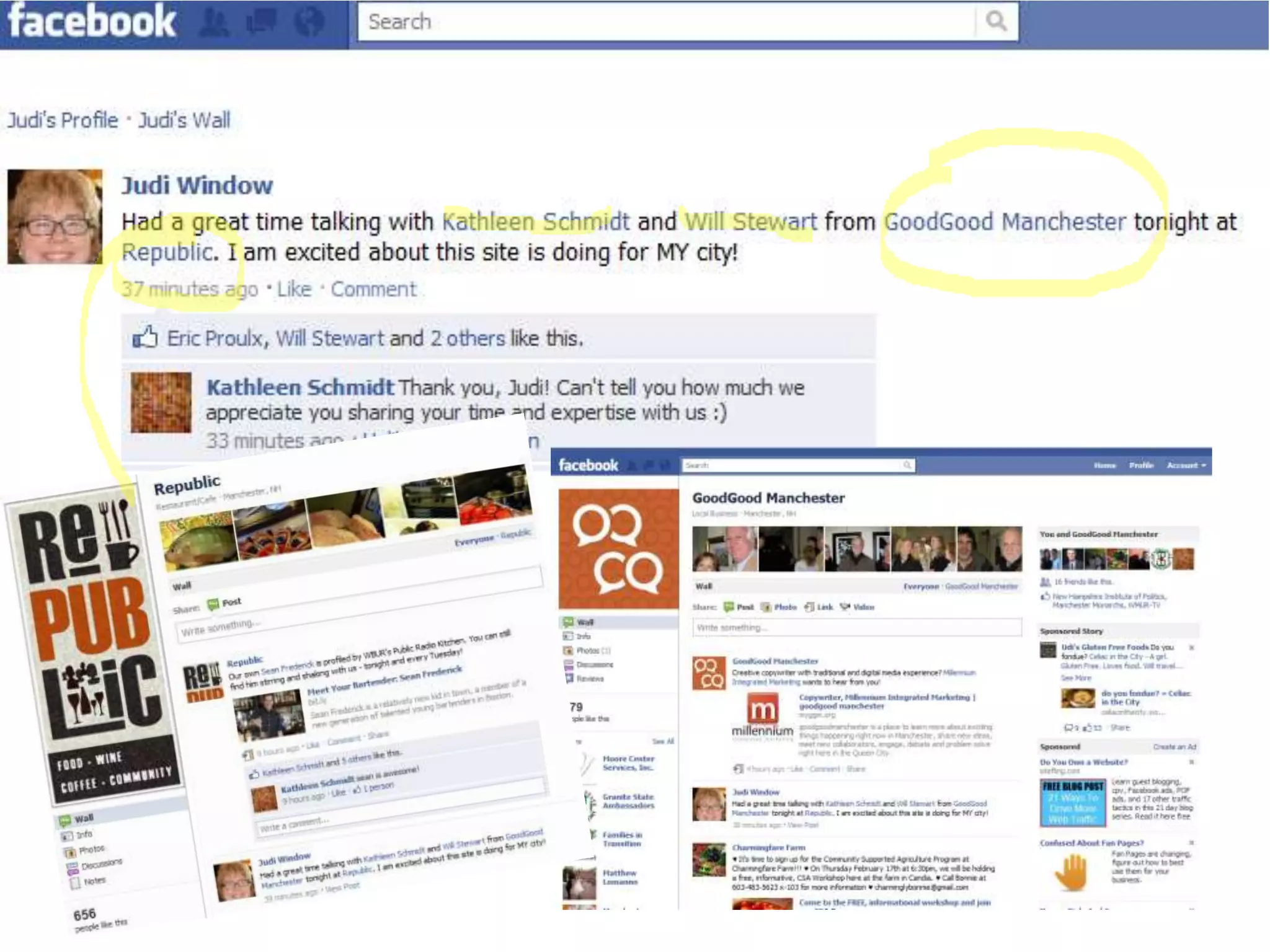
  • #28 Use @ to help inform others you care! It also helps bring those people/businesses into your FB inner circle. – PAGES CAN TAG OTHER PAGES!!! Also remember to tag photos when appropriate.