Private Cloud 201
How to Build a Private Cloud


Harold Wong
Sr. IT Pro Evangelist
Blogs.technet.com/haroldwong


                               al 1
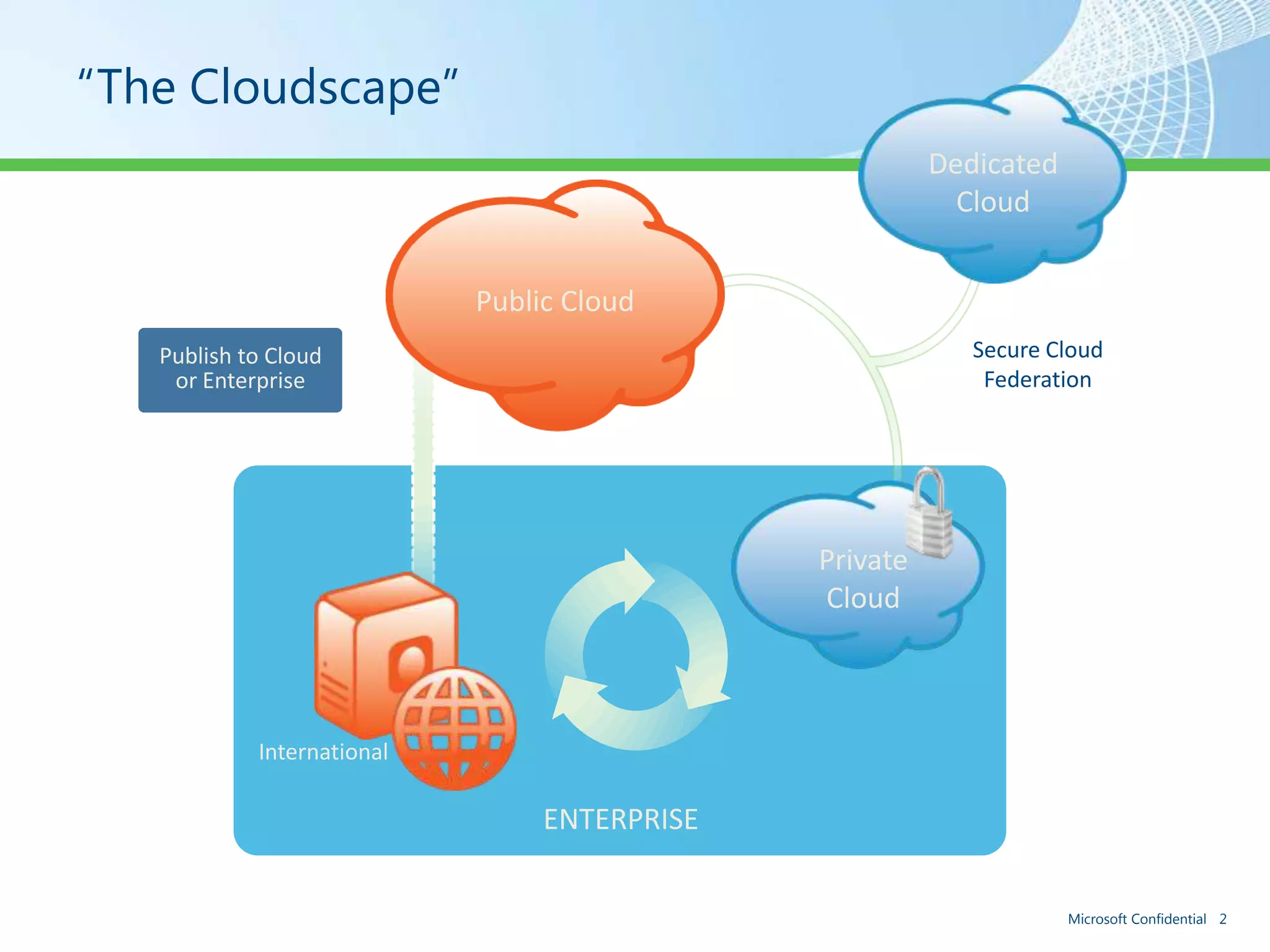
“The Cloudscape”
                                                        Dedicated
                                                          Cloud


                            Public Cloud
   Publish to Cloud                                        Secure Cloud
    or Enterprise                                           Federation


                                              Private
                                              Cloud


            International

                                 ENTERPRISE

                                                                    Microsoft Confidential 2
Cloud Definitions
• Private cloud. The cloud infrastructure is operated solely
  for an organization. It may be managed by the
  organization or a third party and may exist on premise or
  off premise.
• Public cloud. The cloud infrastructure is made available to
  the general public or a large industry group and is owned
  by an organization selling cloud services.
• Hybrid cloud. The cloud infrastructure is a composition of
  two or more clouds (private, community, or public) that
  remain unique entities but are bound together by
  standardized or proprietary technology that enables data
  and application portability (e.g., cloud bursting for load-
  balancing between clouds).
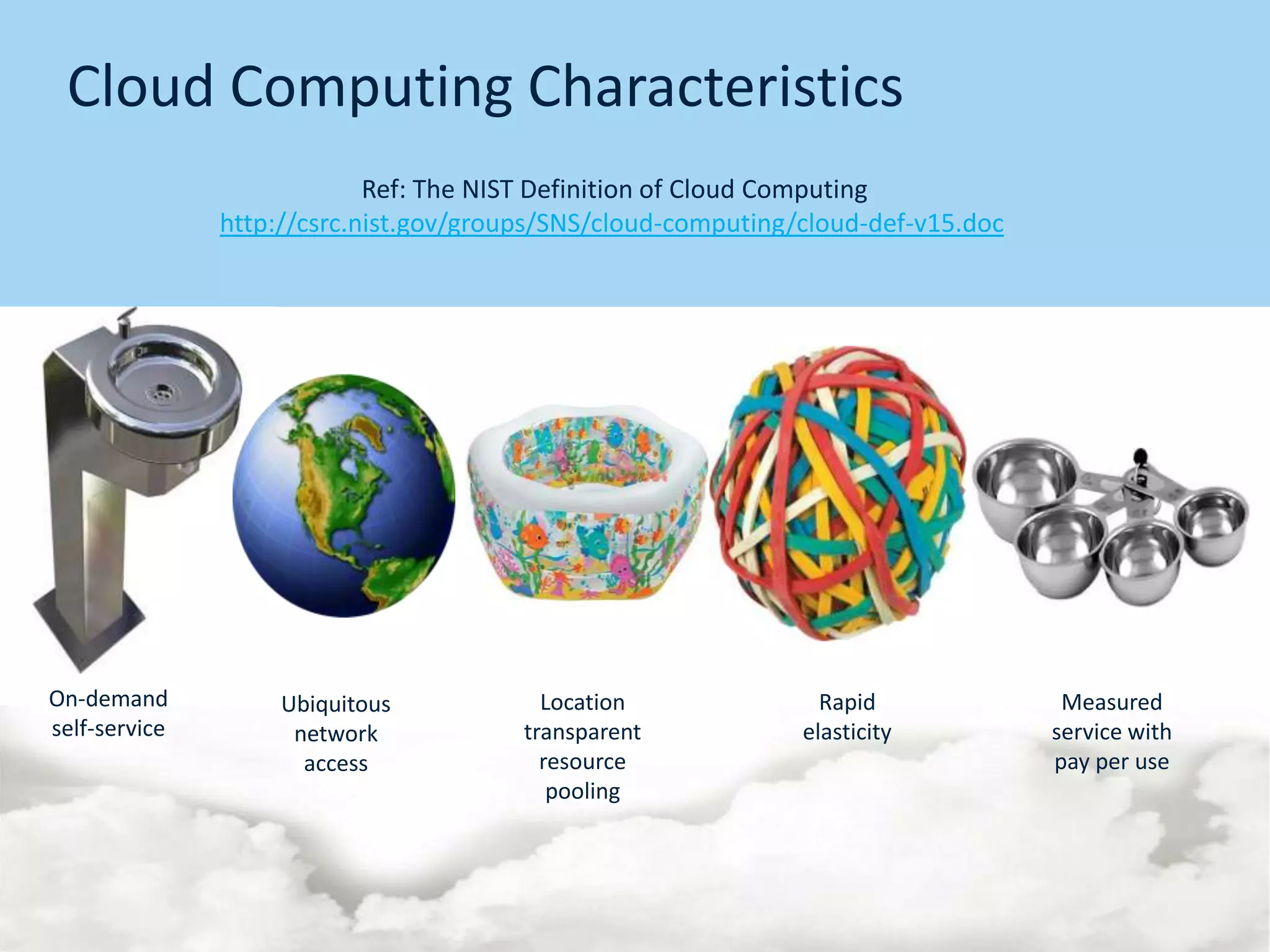
Cloud Computing Characteristics
                            Ref: The NIST Definition of Cloud Computing
               http://csrc.nist.gov/groups/SNS/cloud-computing/cloud-def-v15.doc


On-demand           Ubiquitous            Location               Rapid              Measured
self-service         network            transparent            elasticity          service with
                      access              resource                                 pay per use
                                           pooling
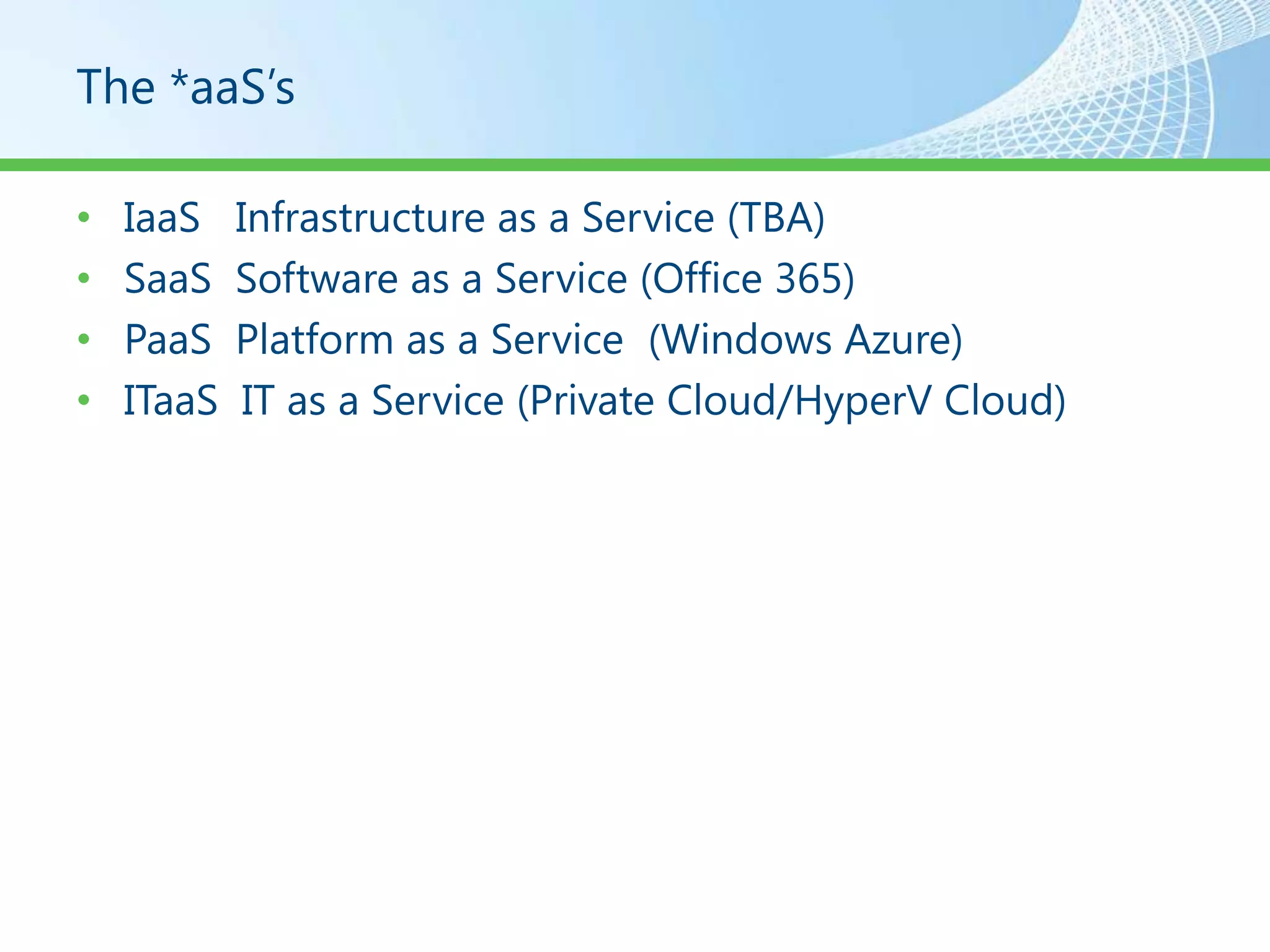
The *aaS’s

•   IaaS    Infrastructure as a Service (TBA)
•   SaaS    Software as a Service (Office 365)
•   PaaS    Platform as a Service (Windows Azure)
•   ITaaS    IT as a Service (Private Cloud/HyperV Cloud)
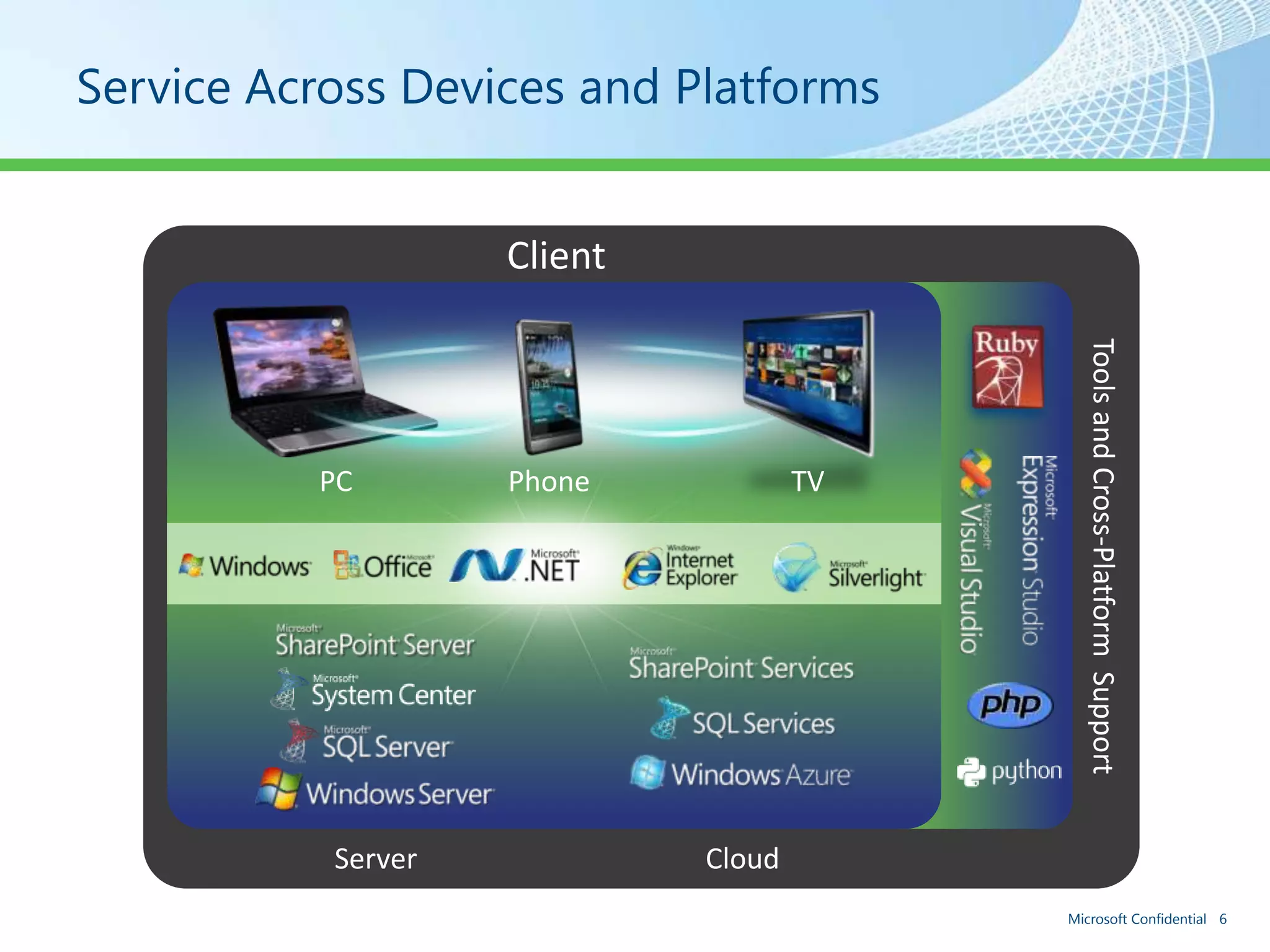
Service Across Devices and Platforms


                    Client


                                            Tools and Cross-Platform Support
          PC        Phone            TV


           Server            Cloud
                                          Microsoft Confidential 6
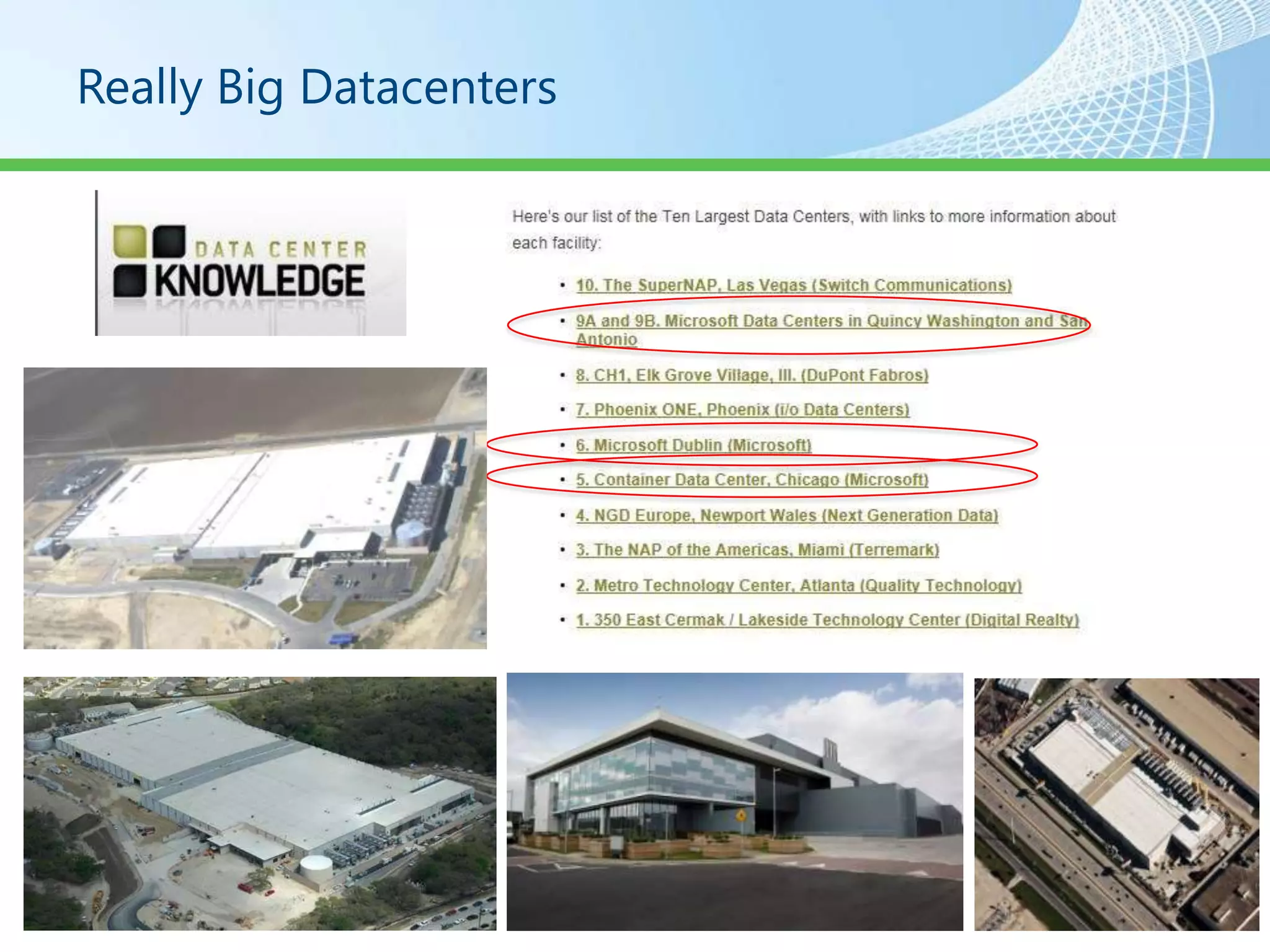
Really Big Datacenters
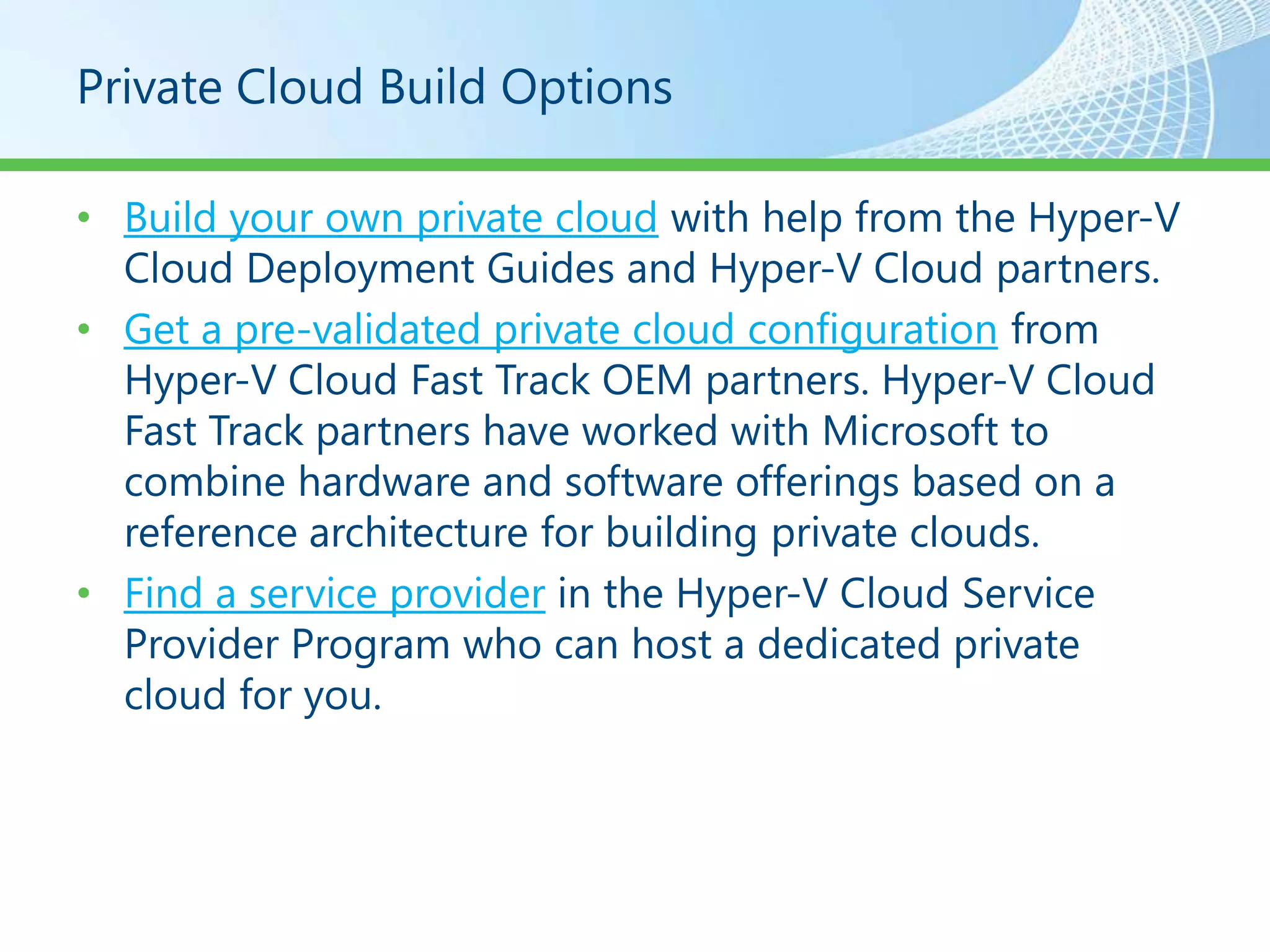
Private Cloud Build Options

• Build your own private cloud with help from the Hyper-V
  Cloud Deployment Guides and Hyper-V Cloud partners.
• Get a pre-validated private cloud configuration from
  Hyper-V Cloud Fast Track OEM partners. Hyper-V Cloud
  Fast Track partners have worked with Microsoft to
  combine hardware and software offerings based on a
  reference architecture for building private clouds.
• Find a service provider in the Hyper-V Cloud Service
  Provider Program who can host a dedicated private
  cloud for you.
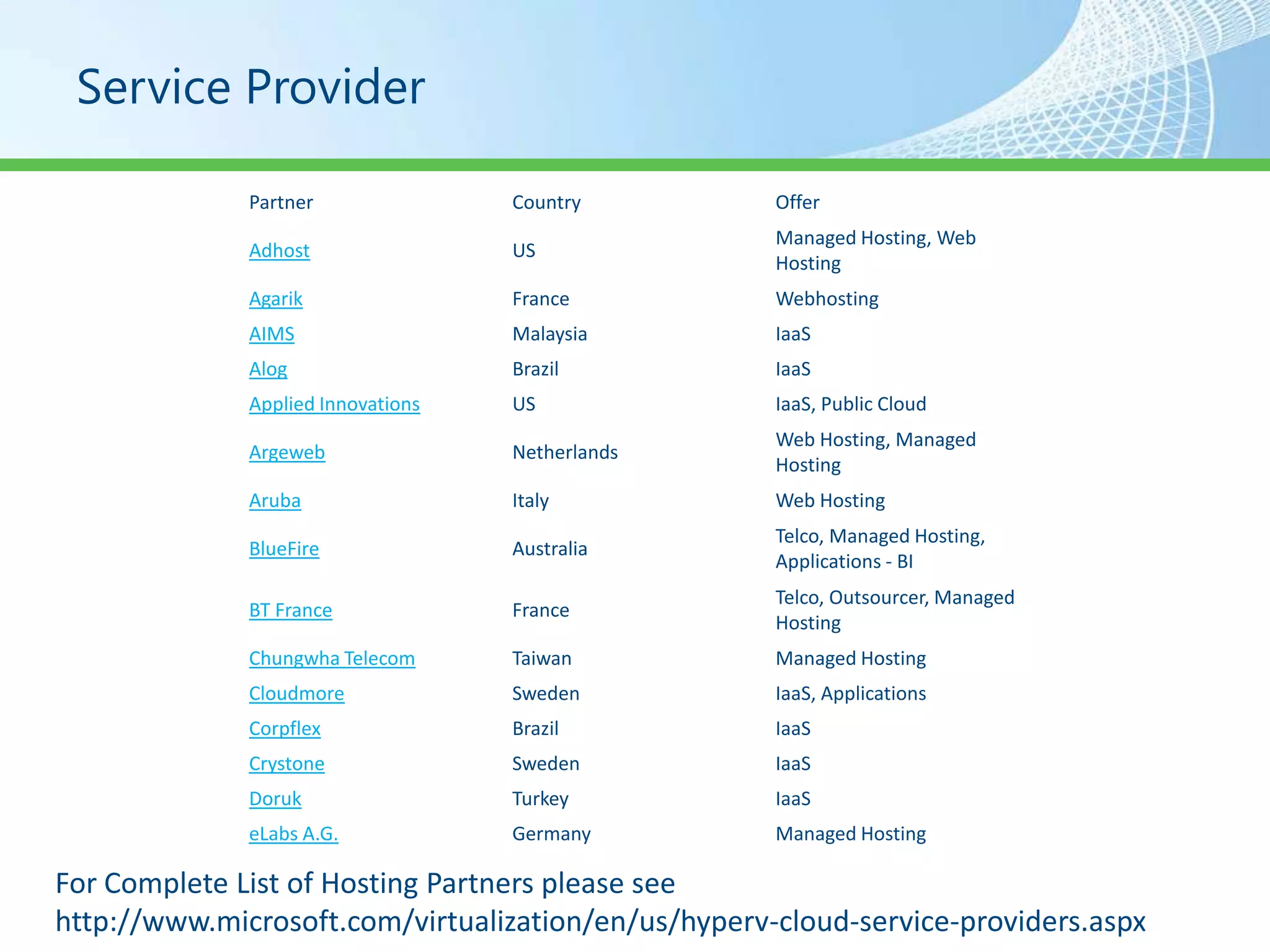
Service Provider

              Partner               Country          Offer
                                                     Managed Hosting, Web
              Adhost                US
                                                     Hosting
              Agarik                France           Webhosting
              AIMS                  Malaysia         IaaS
              Alog                  Brazil           IaaS
              Applied Innovations   US               IaaS, Public Cloud
                                                     Web Hosting, Managed
              Argeweb               Netherlands
                                                     Hosting
              Aruba                 Italy            Web Hosting
                                                     Telco, Managed Hosting,
              BlueFire              Australia
                                                     Applications - BI
                                                     Telco, Outsourcer, Managed
              BT France             France
                                                     Hosting
              Chungwha Telecom      Taiwan           Managed Hosting
              Cloudmore             Sweden           IaaS, Applications
              Corpflex              Brazil           IaaS
              Crystone              Sweden           IaaS
              Doruk                 Turkey           IaaS
              eLabs A.G.            Germany          Managed Hosting

For Complete List of Hosting Partners please see
http://www.microsoft.com/virtualization/en/us/hyperv-cloud-service-providers.aspx
Pre-Validated Private Cloud Configuration

• Hyper-V Cloud Fast Track partner offerings provide
  flexibility and choice while reducing risk and increasing
  the speed of deployment. Click on the partner tabs
  below to learn about the available options from each
  partner.
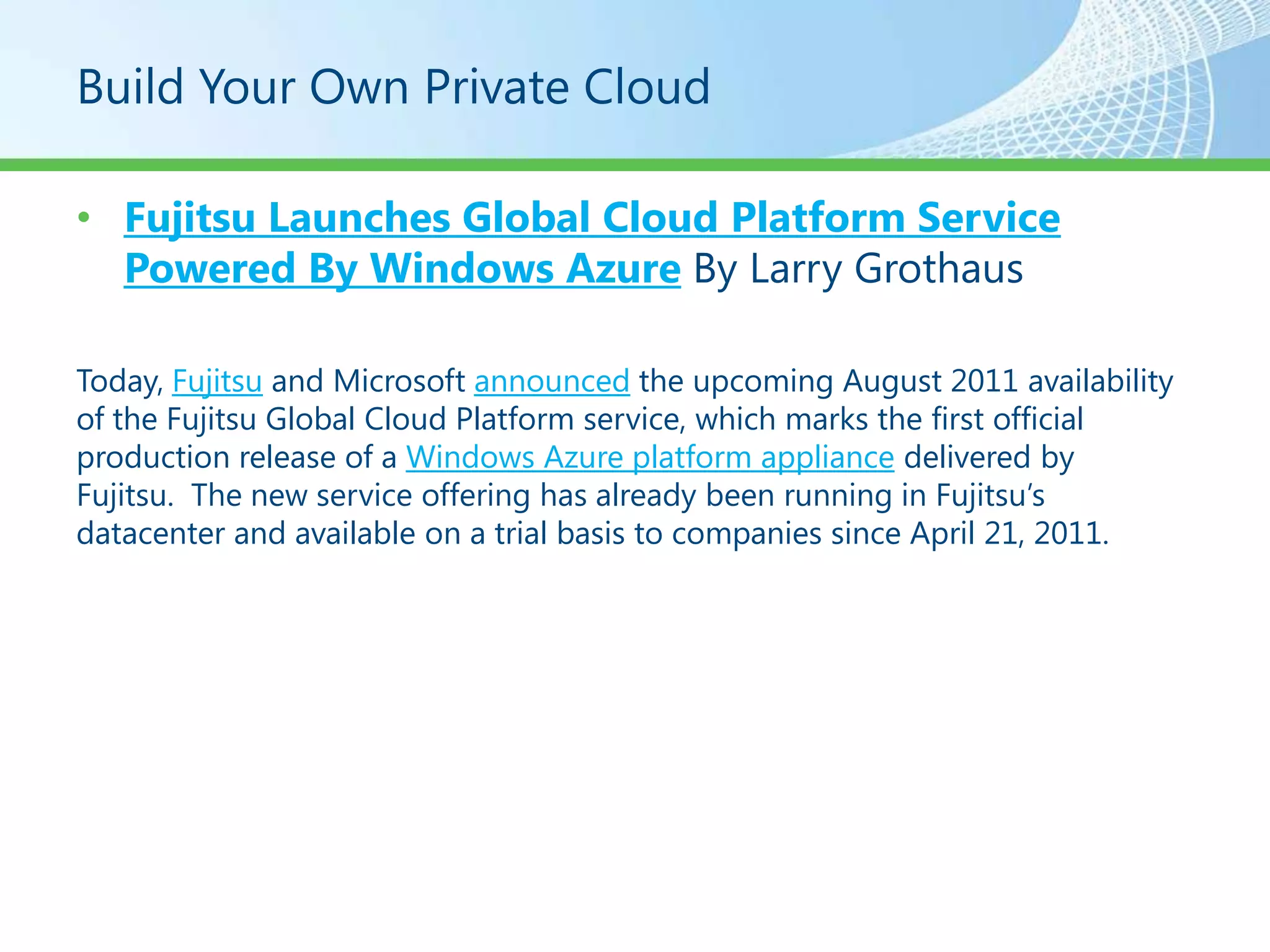
Build Your Own Private Cloud

• Fujitsu Launches Global Cloud Platform Service
  Powered By Windows Azure By Larry Grothaus

Today, Fujitsu and Microsoft announced the upcoming August 2011 availability
of the Fujitsu Global Cloud Platform service, which marks the first official
production release of a Windows Azure platform appliance delivered by
Fujitsu. The new service offering has already been running in Fujitsu’s
datacenter and available on a trial basis to companies since April 21, 2011.
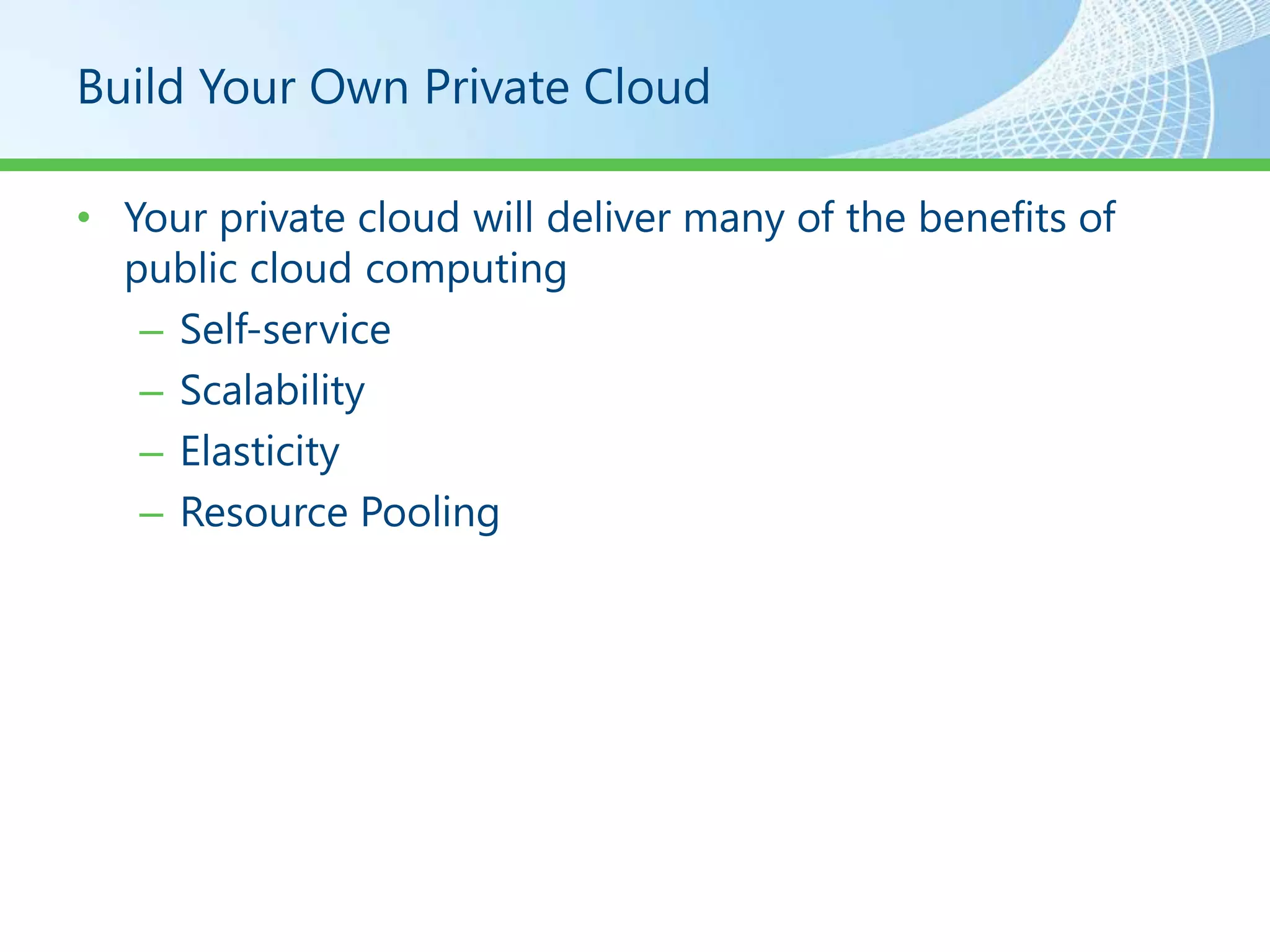
Build Your Own Private Cloud

• Your private cloud will deliver many of the benefits of
  public cloud computing
   – Self-service
   – Scalability
   – Elasticity
   – Resource Pooling
Build Your Own Private Cloud


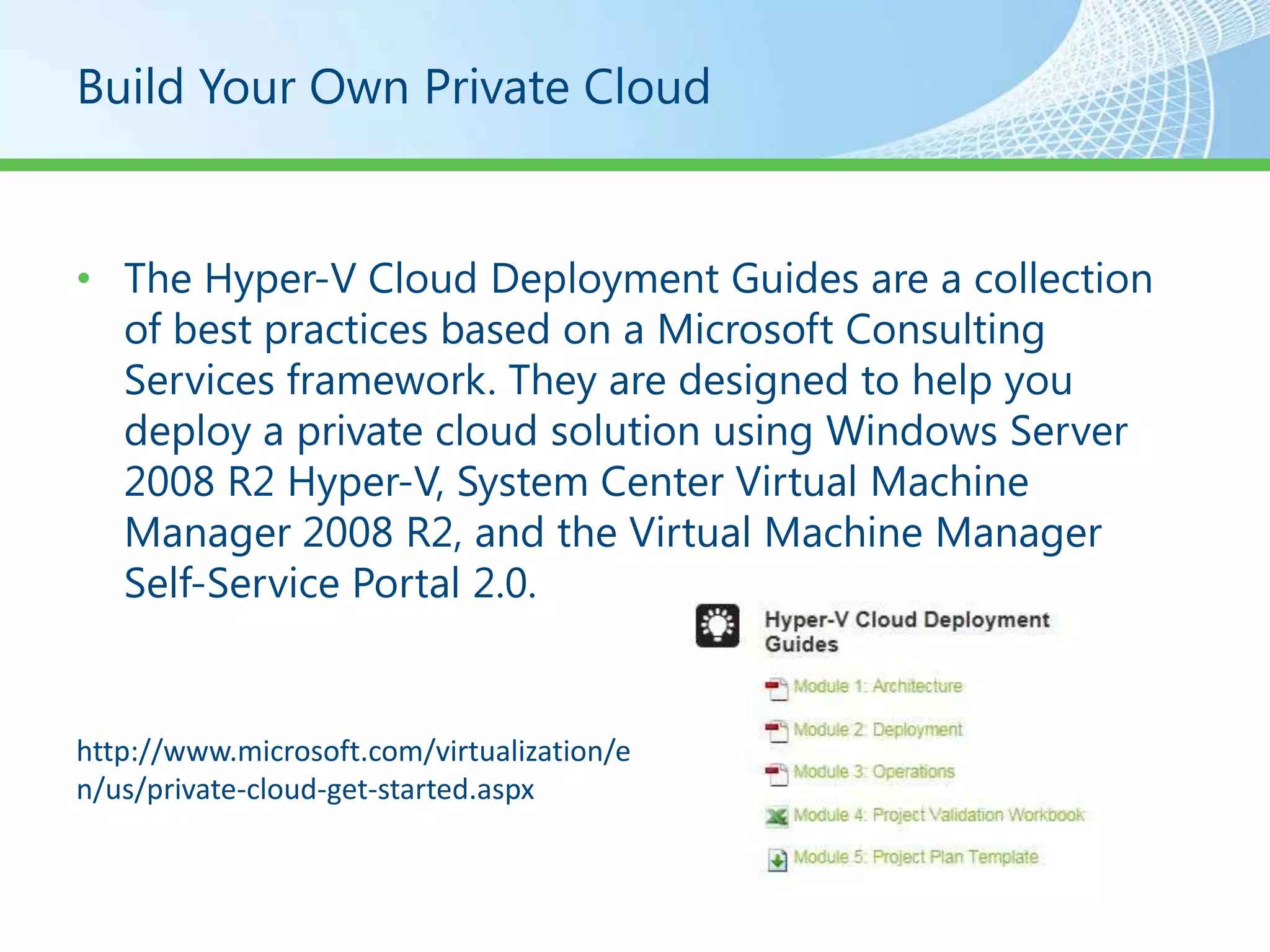
• The Hyper-V Cloud Deployment Guides are a collection
  of best practices based on a Microsoft Consulting
  Services framework. They are designed to help you
  deploy a private cloud solution using Windows Server
  2008 R2 Hyper-V, System Center Virtual Machine
  Manager 2008 R2, and the Virtual Machine Manager
  Self-Service Portal 2.0.


http://www.microsoft.com/virtualization/e
n/us/private-cloud-get-started.aspx
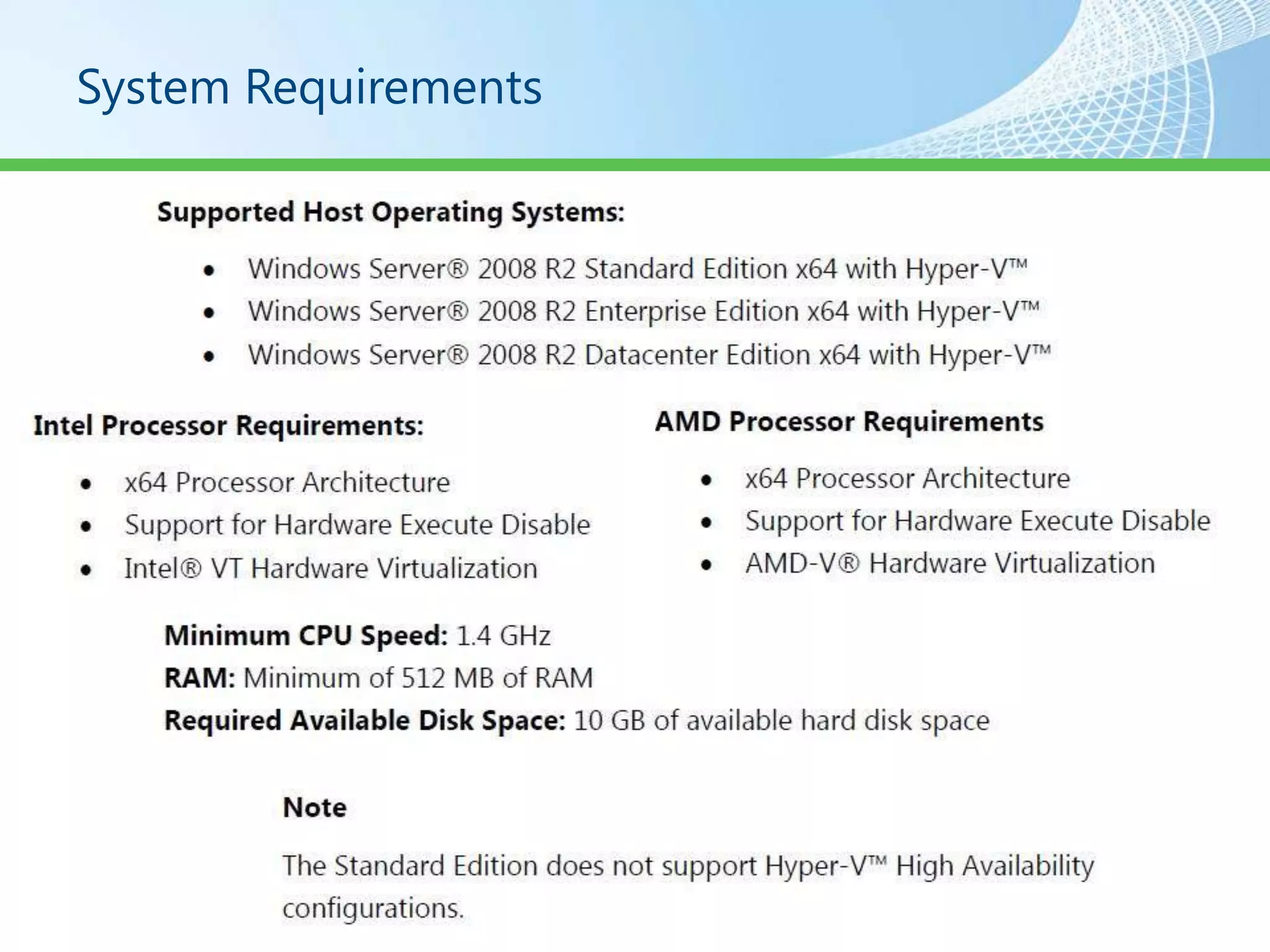
System Requirements
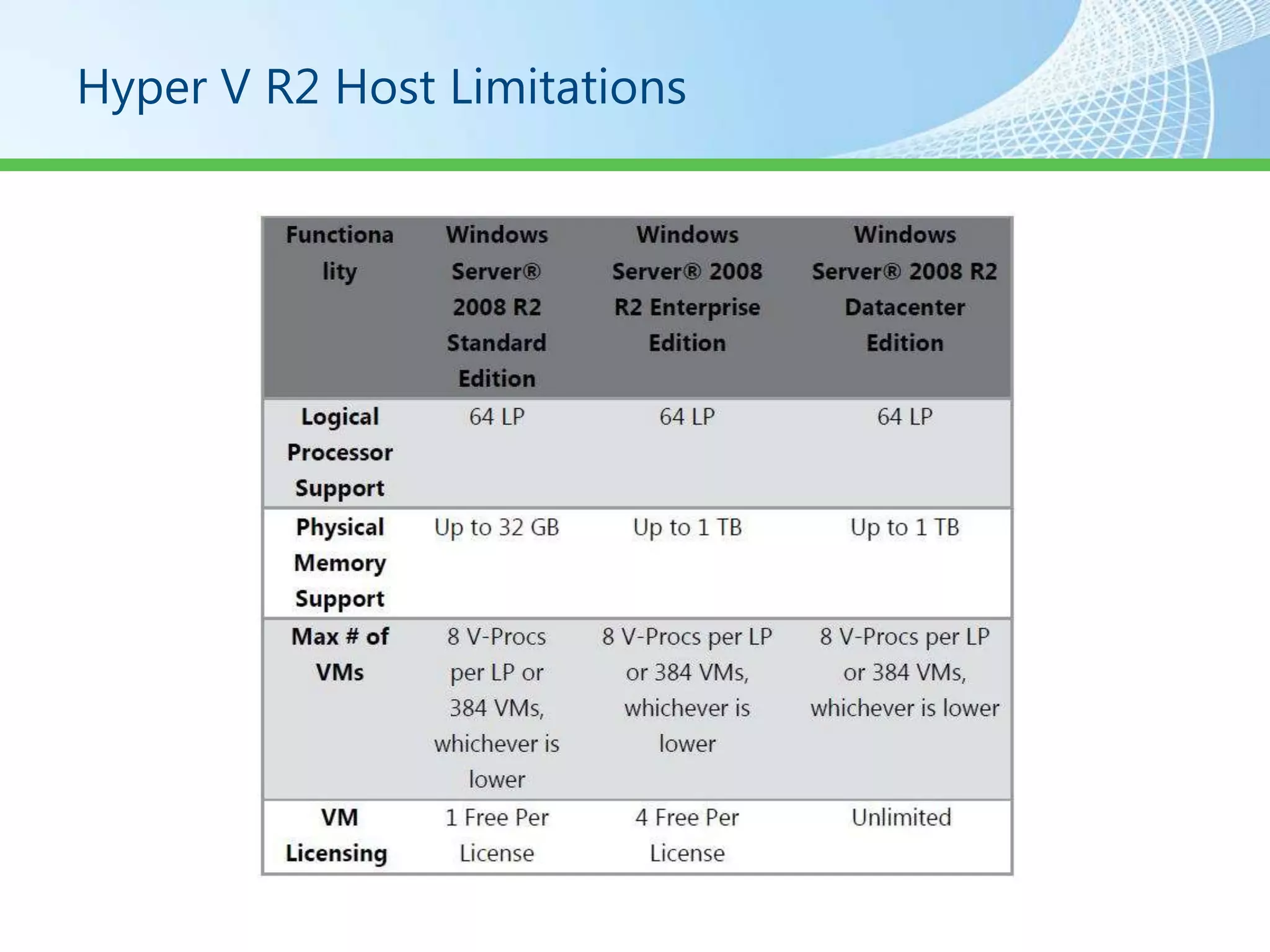
Hyper V R2 Host Limitations
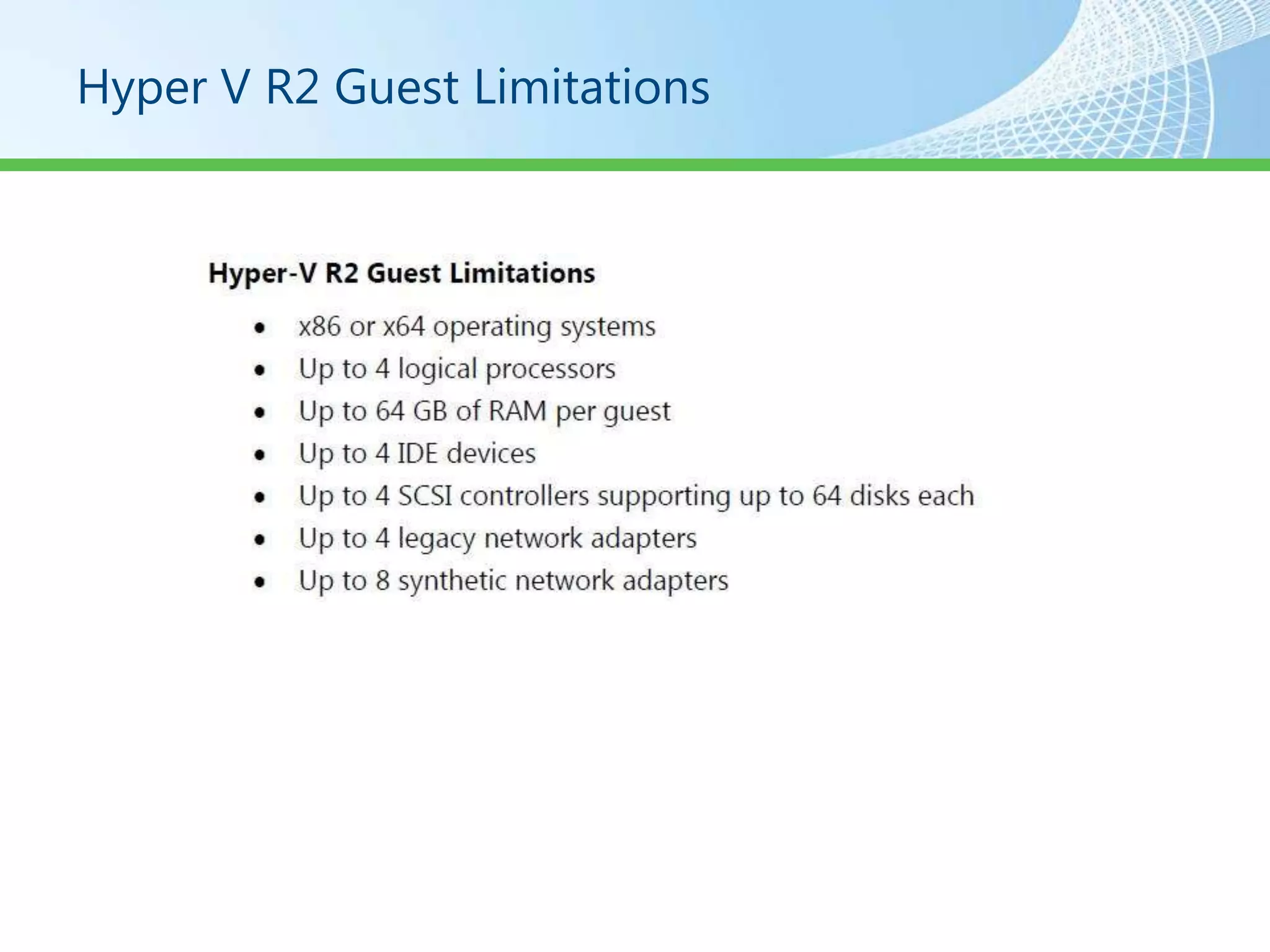
Hyper V R2 Guest Limitations
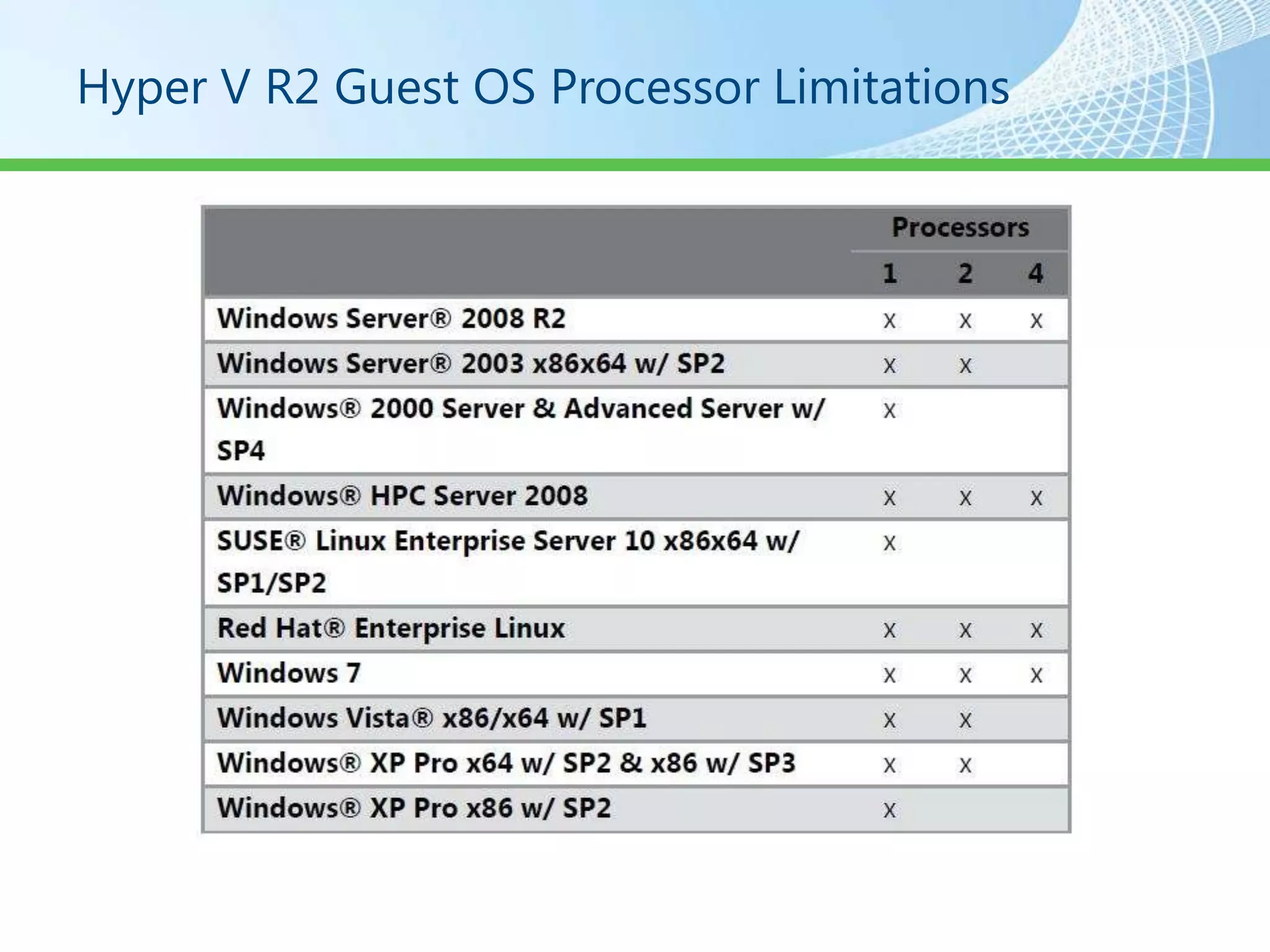
Hyper V R2 Guest OS Processor Limitations
Storage

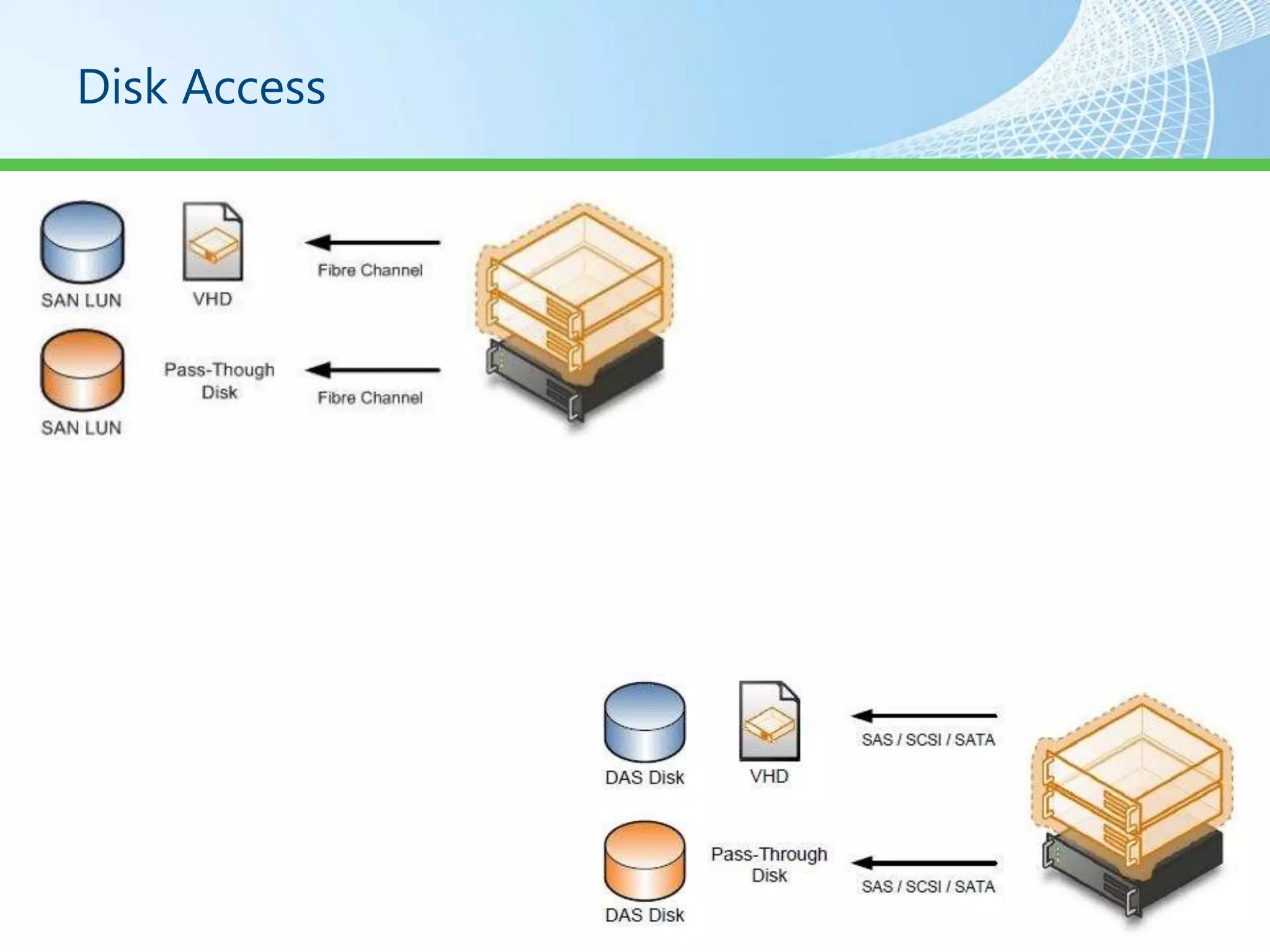
• Direct Attached Storage
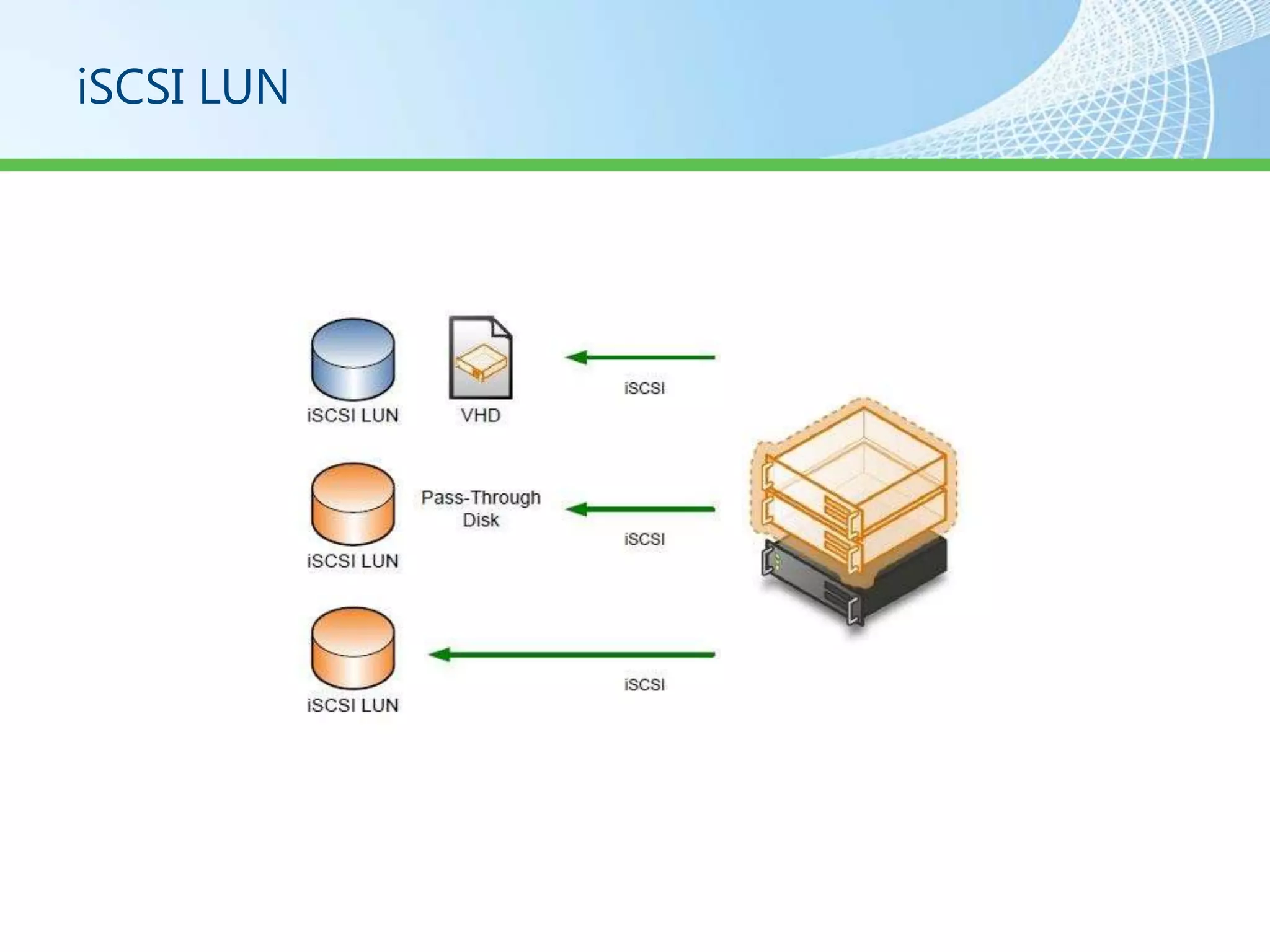
• iSCSI Storage Area Network
• Fibre Channel Storage Area Network
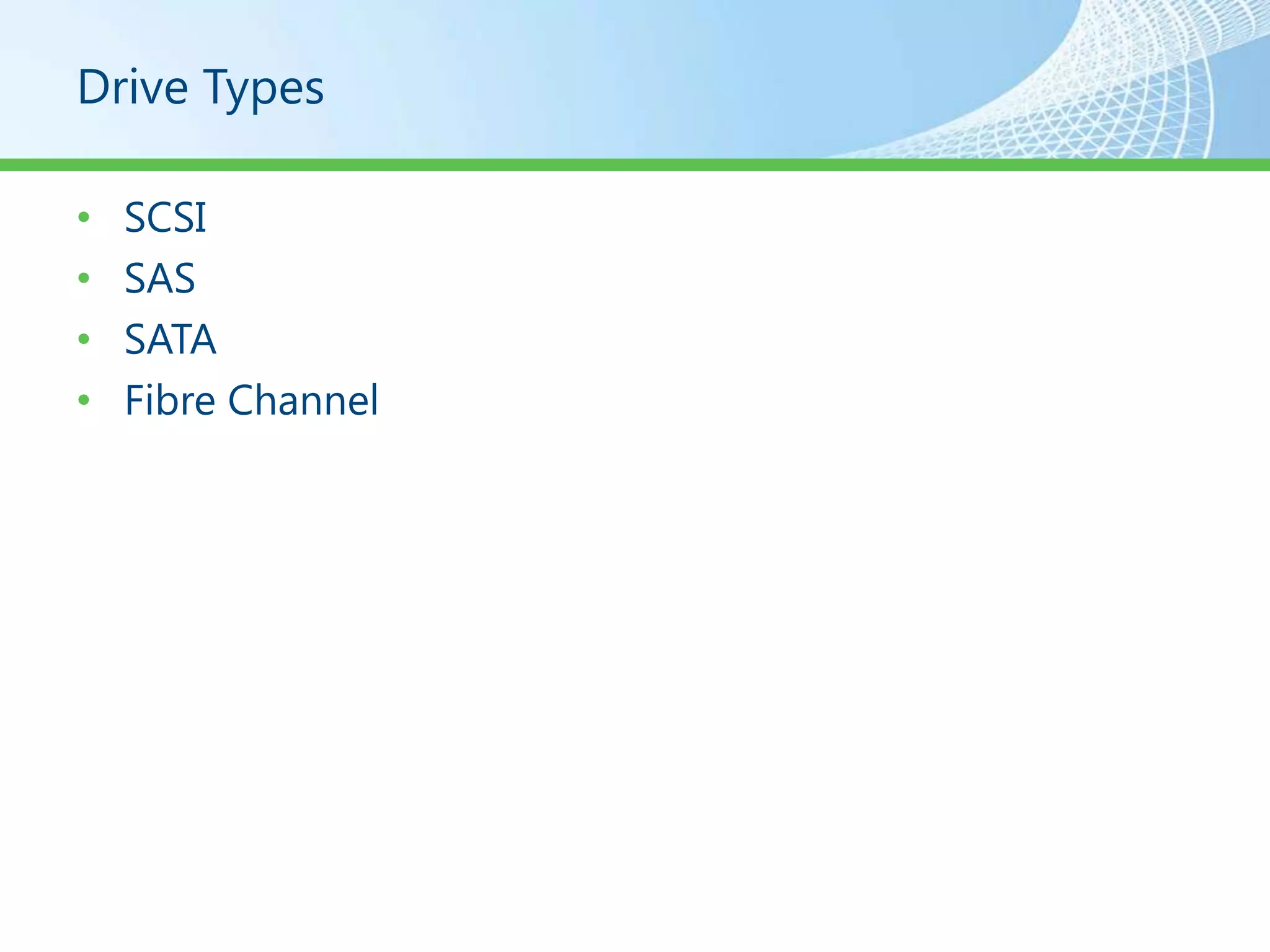
Drive Types

•   SCSI
•   SAS
•   SATA
•   Fibre Channel
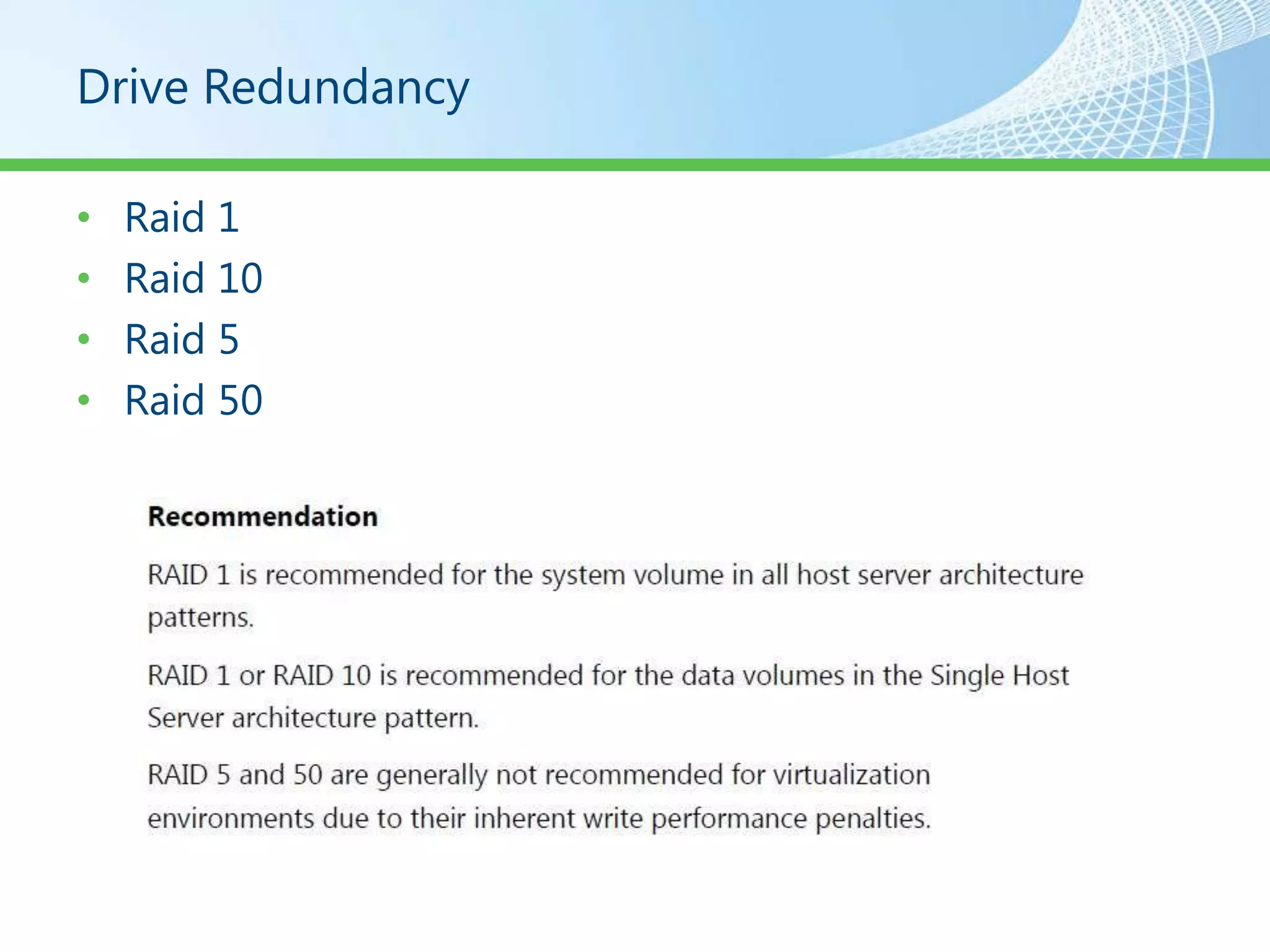
Drive Redundancy

•   Raid 1
•   Raid 10
•   Raid 5
•   Raid 50
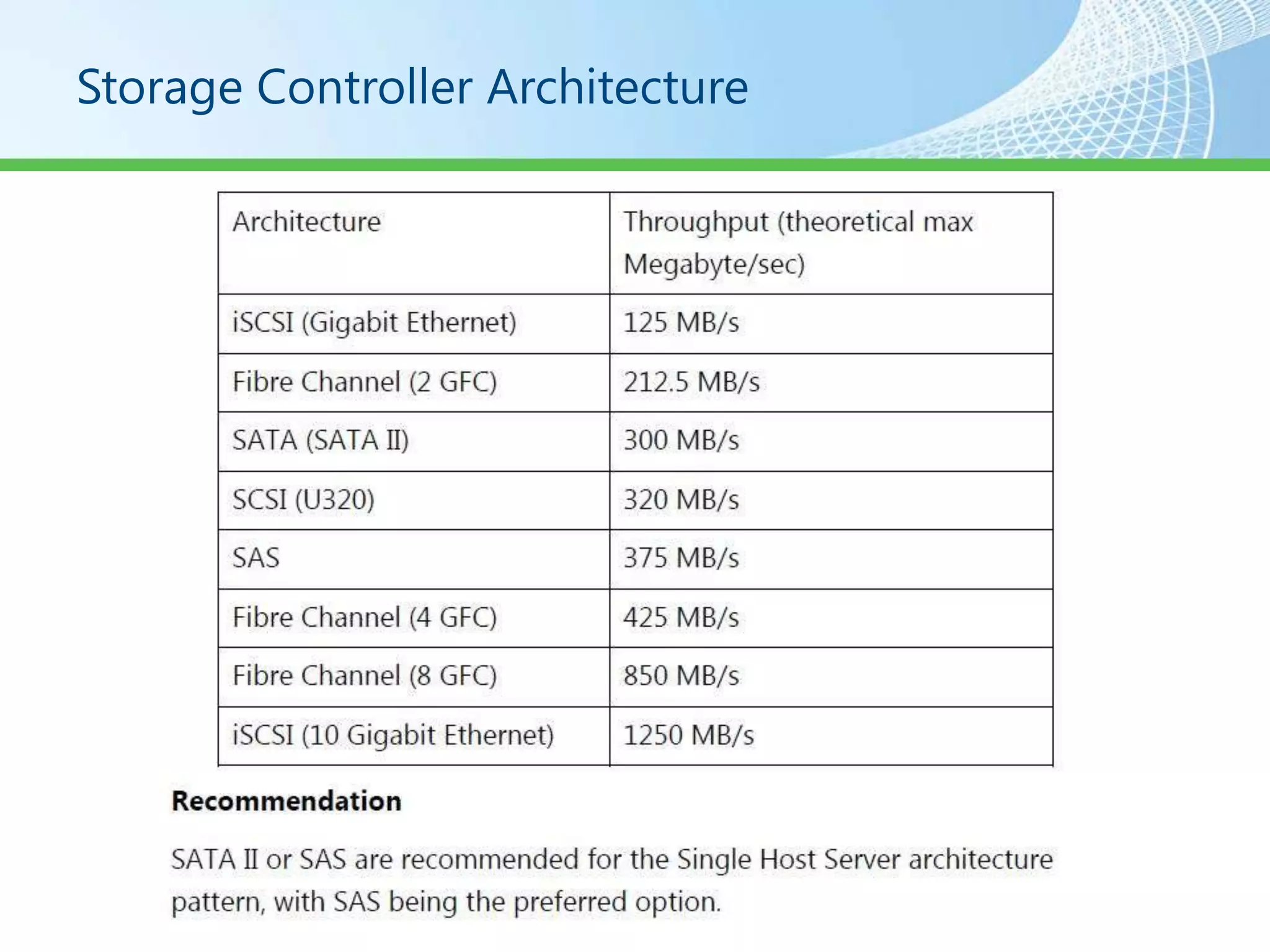
Storage Controller Architecture
System Architecture

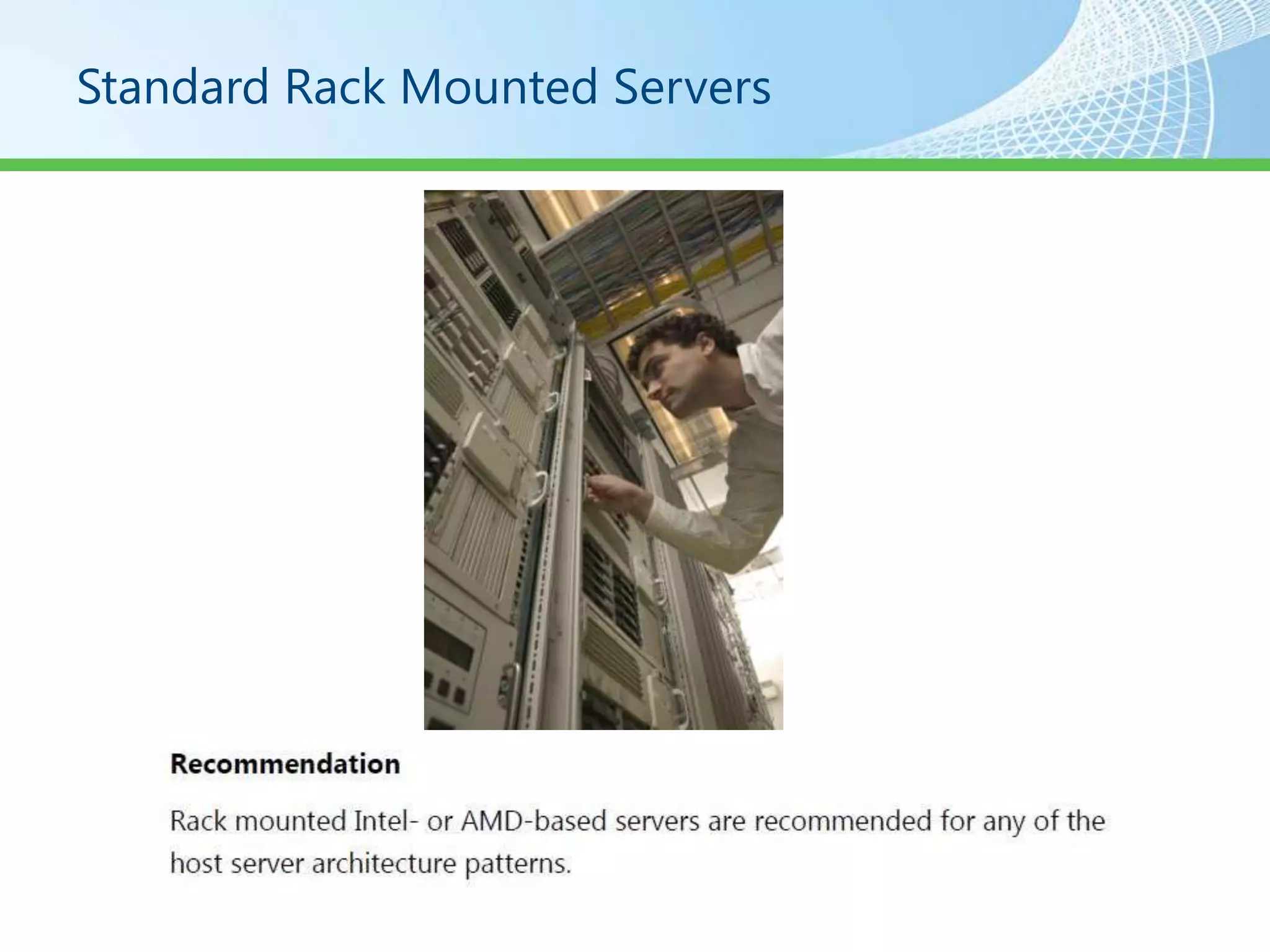
• Rack Mounted Servers
• Blade Servers
• Symmetric Multi Processor Servers
Standard Rack Mounted Servers
Blade Servers
Symmetric Multi Processor Servers
Processors
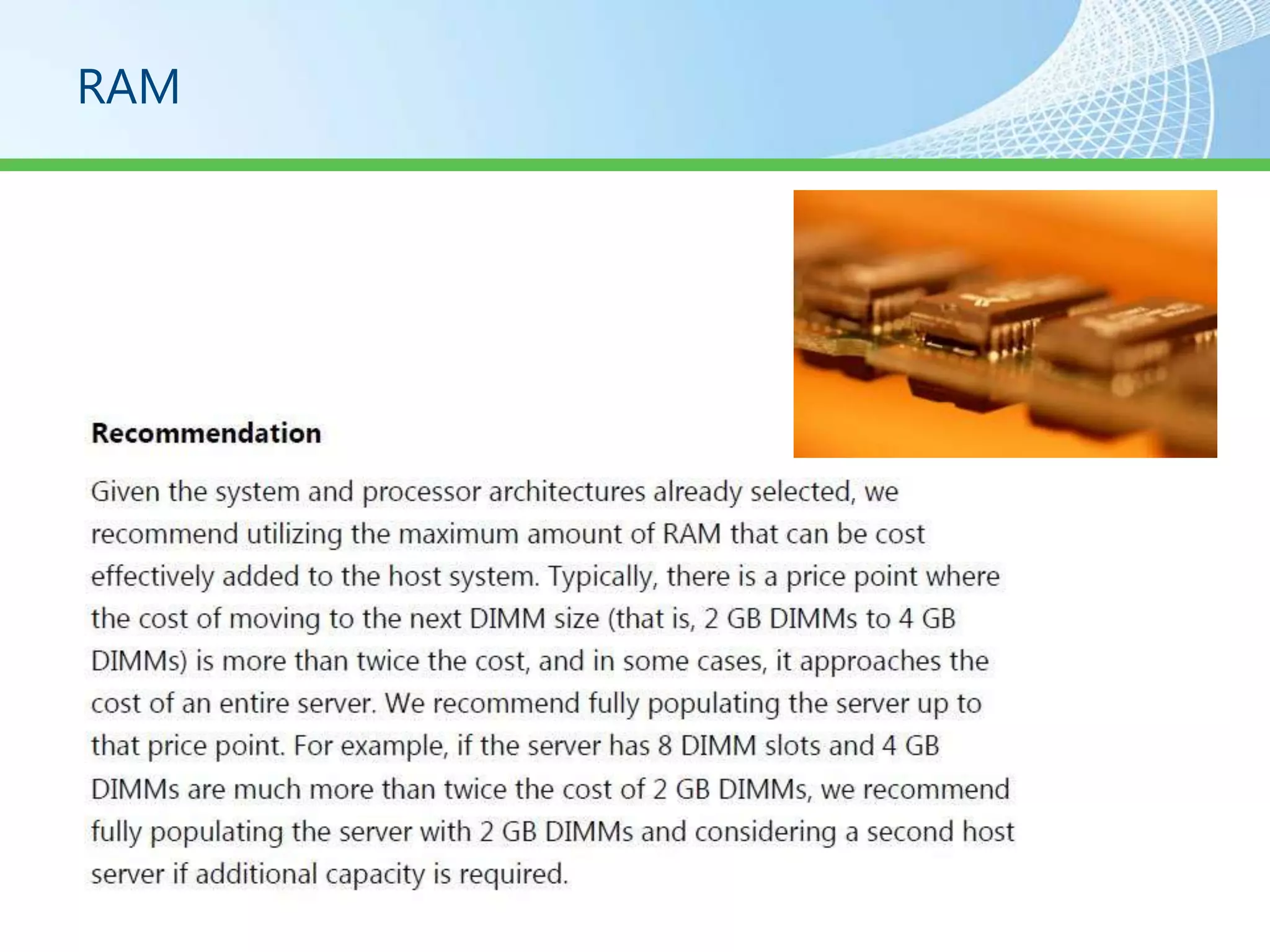
RAM
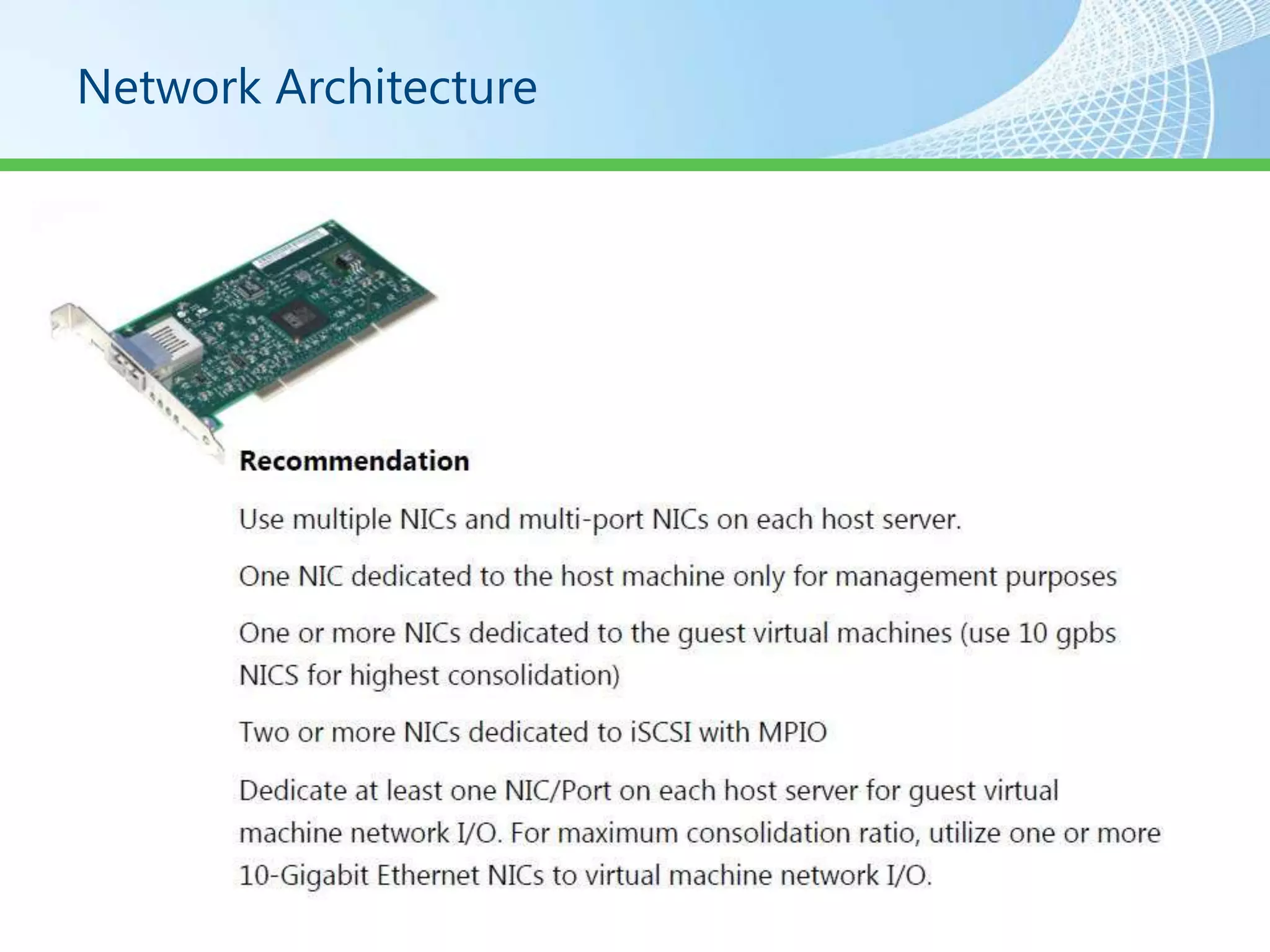
Network Architecture
Host Bus Adapter (HBA)
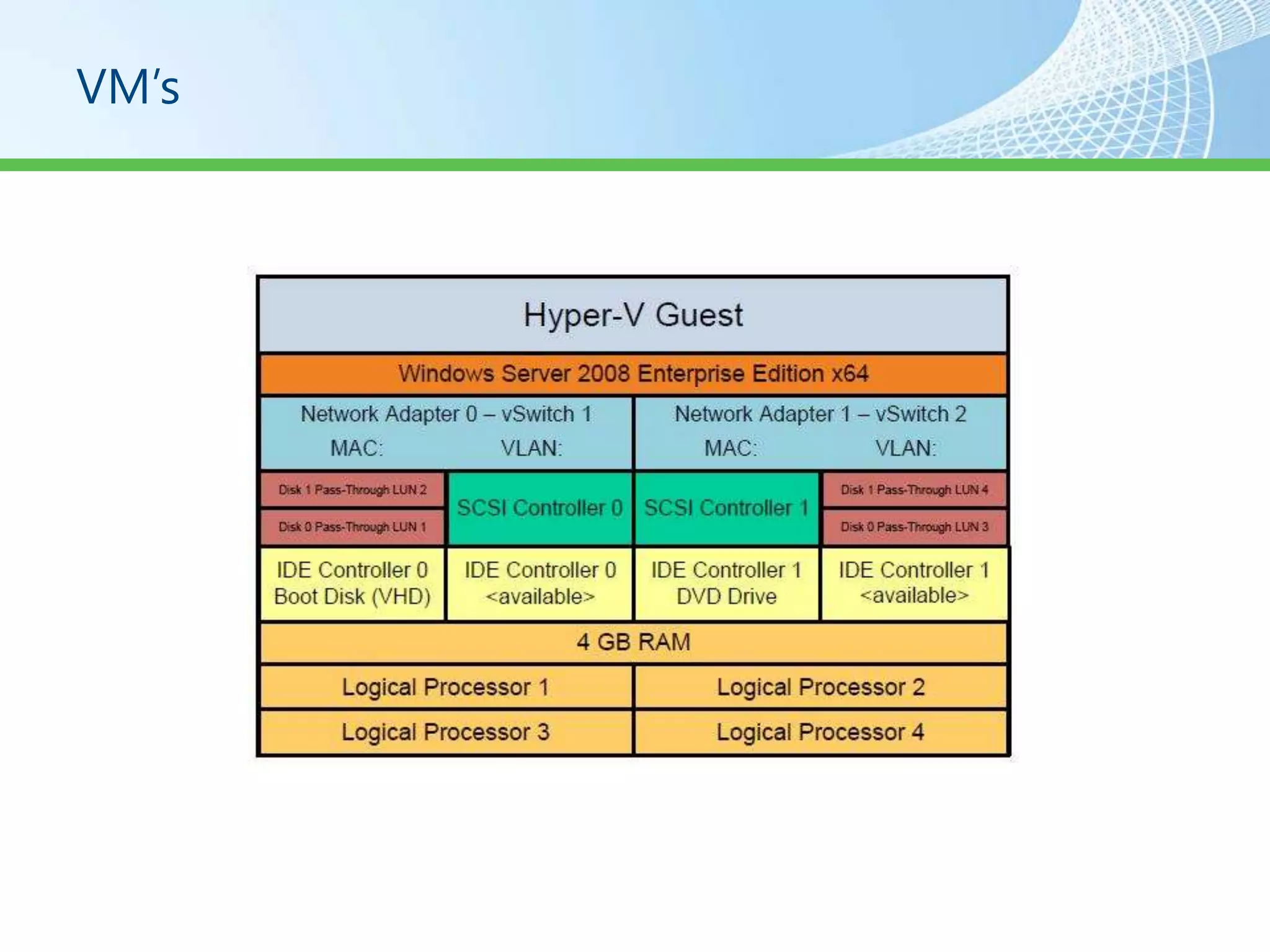
VM’s
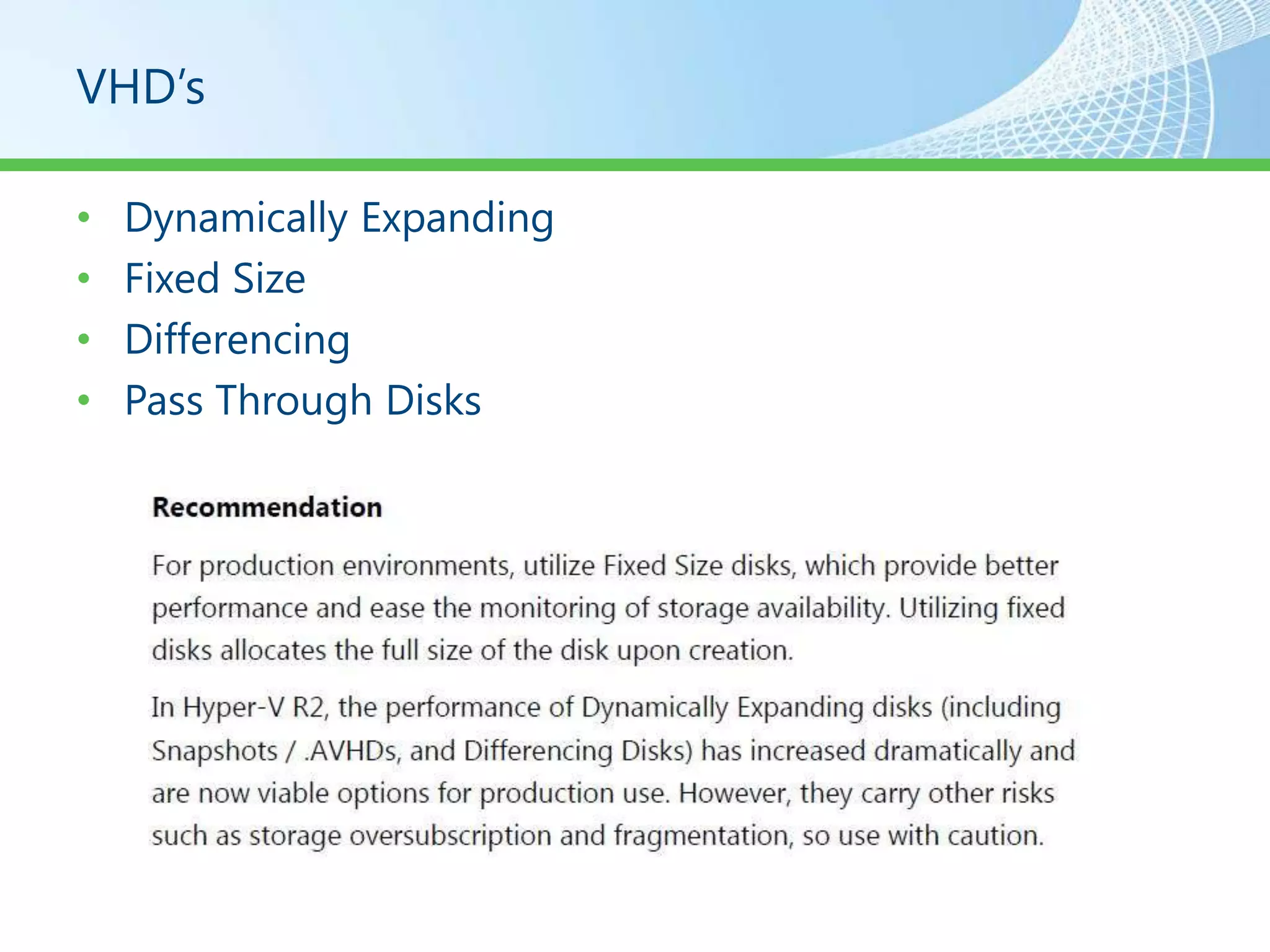
VHD’s

•   Dynamically Expanding
•   Fixed Size
•   Differencing
•   Pass Through Disks
Disk Access
iSCSI LUN
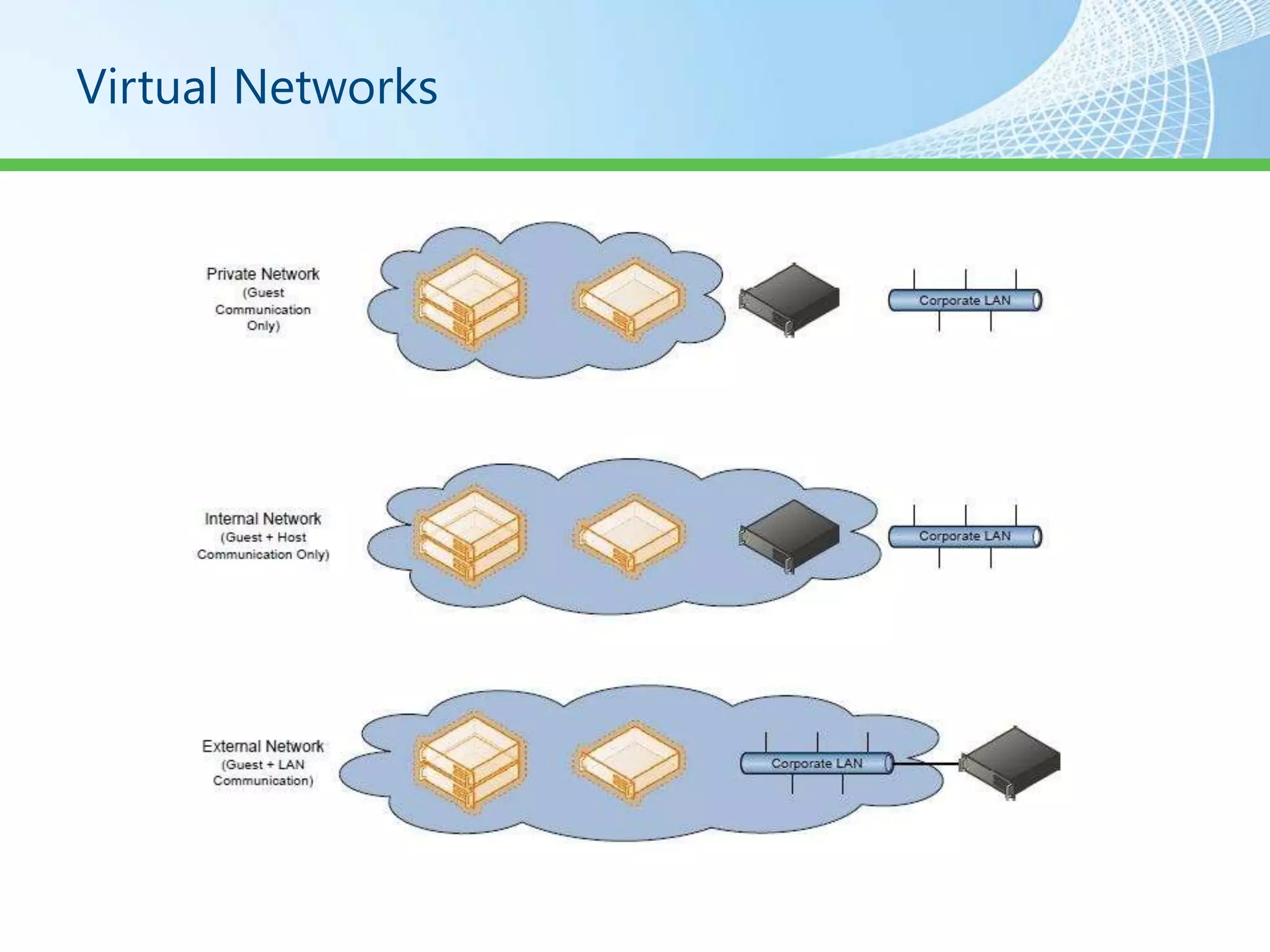
Virtual Networks
Security
Demo
Private Cloud Infrastructure Walkthrough
System Center
System Center Virtual Machine Manager

•   SCVMM Server
•   SCVMM Administration Console
•   SCVMM Self Service Portal
•   SCVMM Agent
•   SCVMM Library Server
SCVMM Server

• Runs SCVMM Service
• Connects to a SQL Database
• Is the Default Library Server
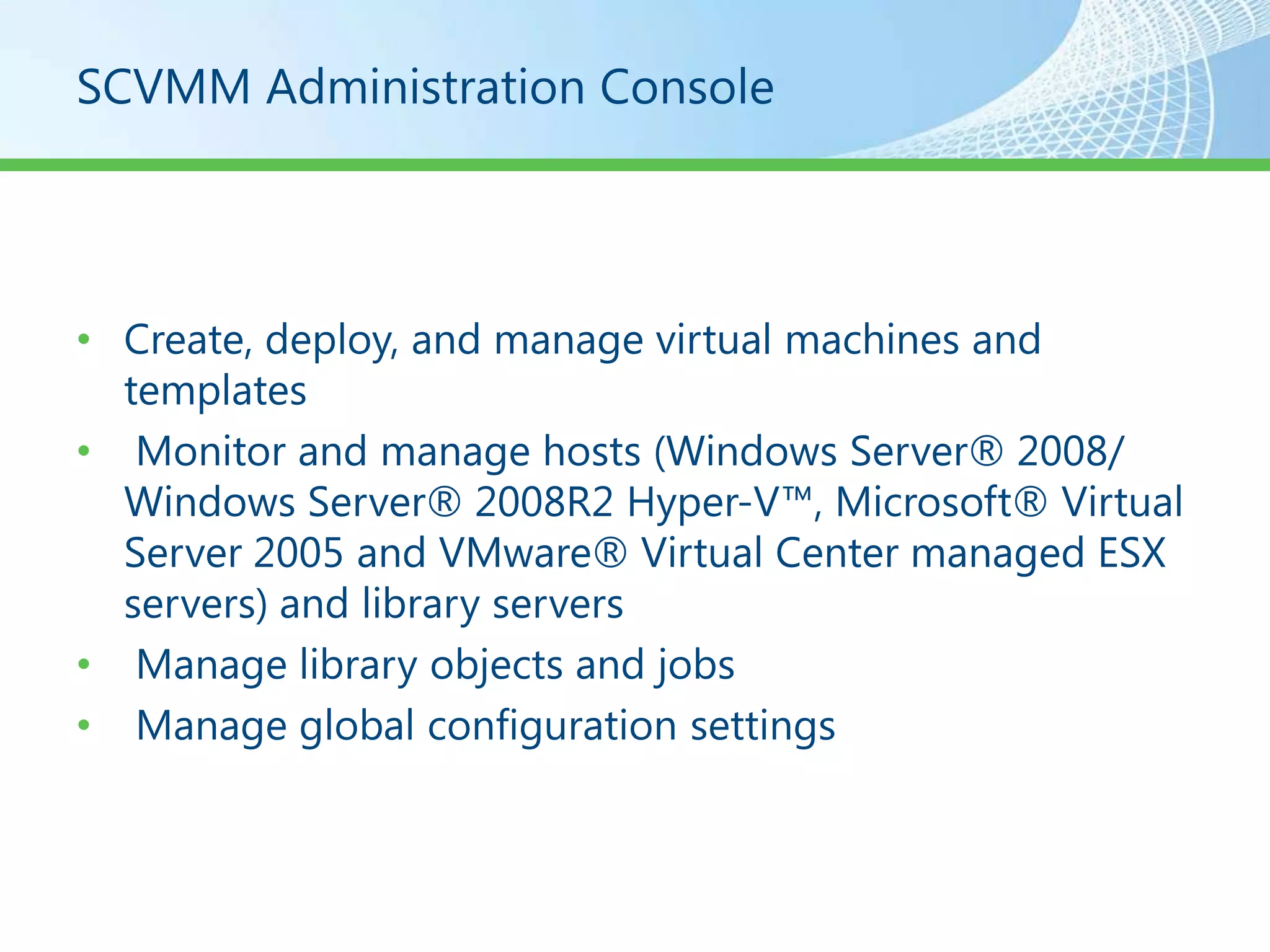
SCVMM Administration Console


• Create, deploy, and manage virtual machines and
  templates
• Monitor and manage hosts (Windows Server® 2008/
  Windows Server® 2008R2 Hyper-V™, Microsoft® Virtual
  Server 2005 and VMware® Virtual Center managed ESX
  servers) and library servers
• Manage library objects and jobs
• Manage global configuration settings
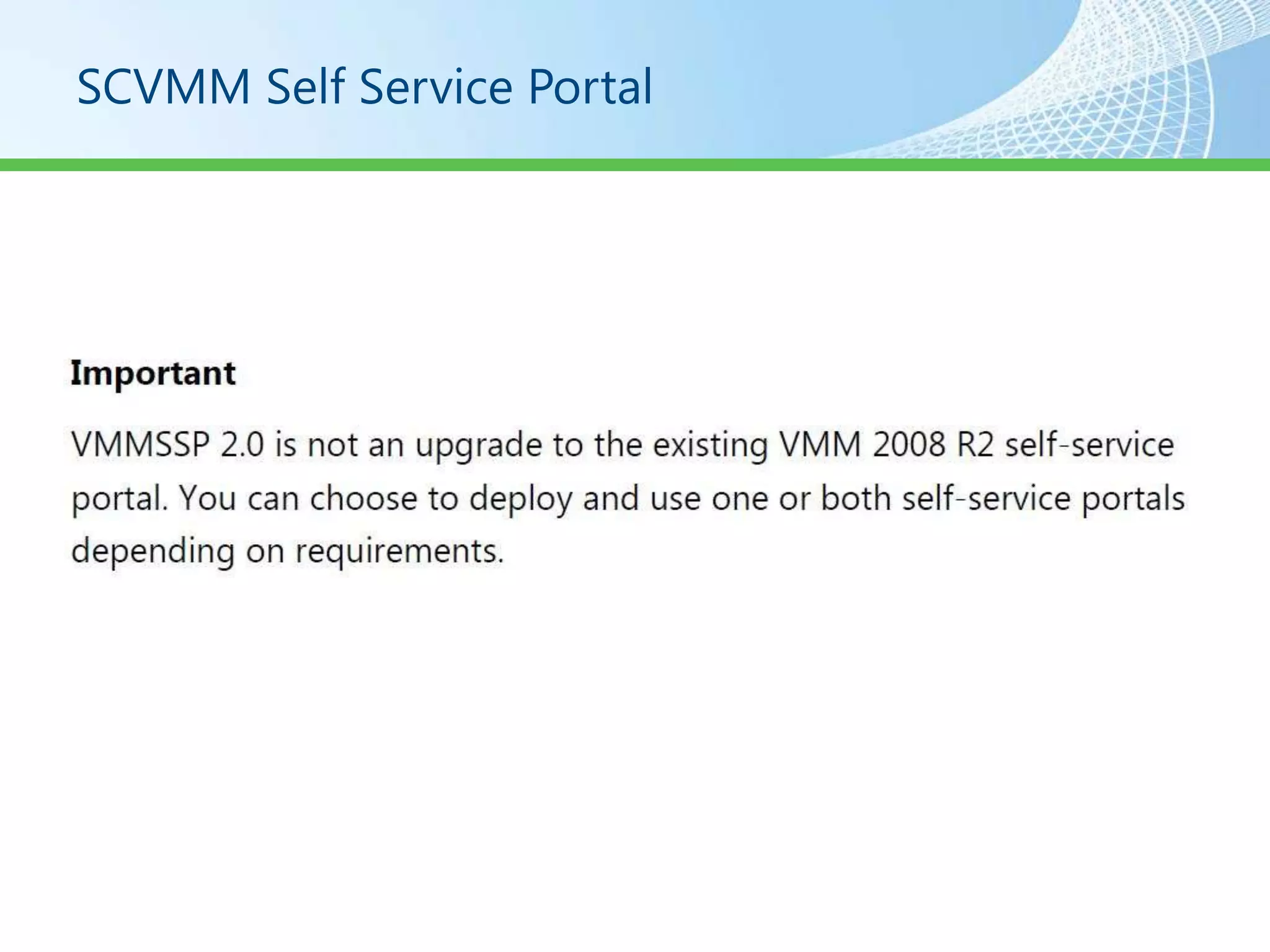
SCVMM Self Service Portal
Self Service Portal 2.0

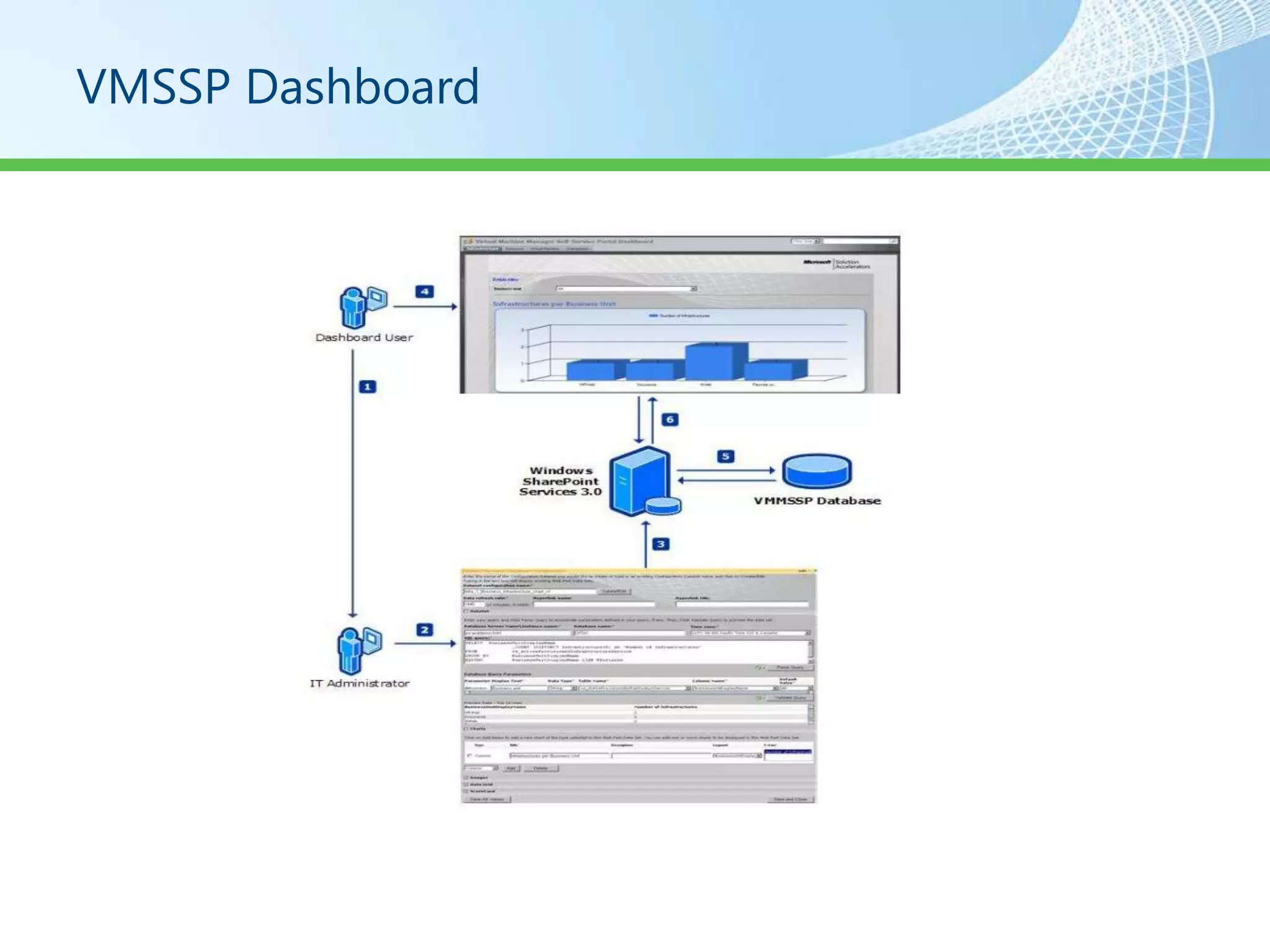
•   VMMSSP Website
•   VMMSSP Database
•   VMMSSP Server
•   VMMSSP Reporting Dashboard
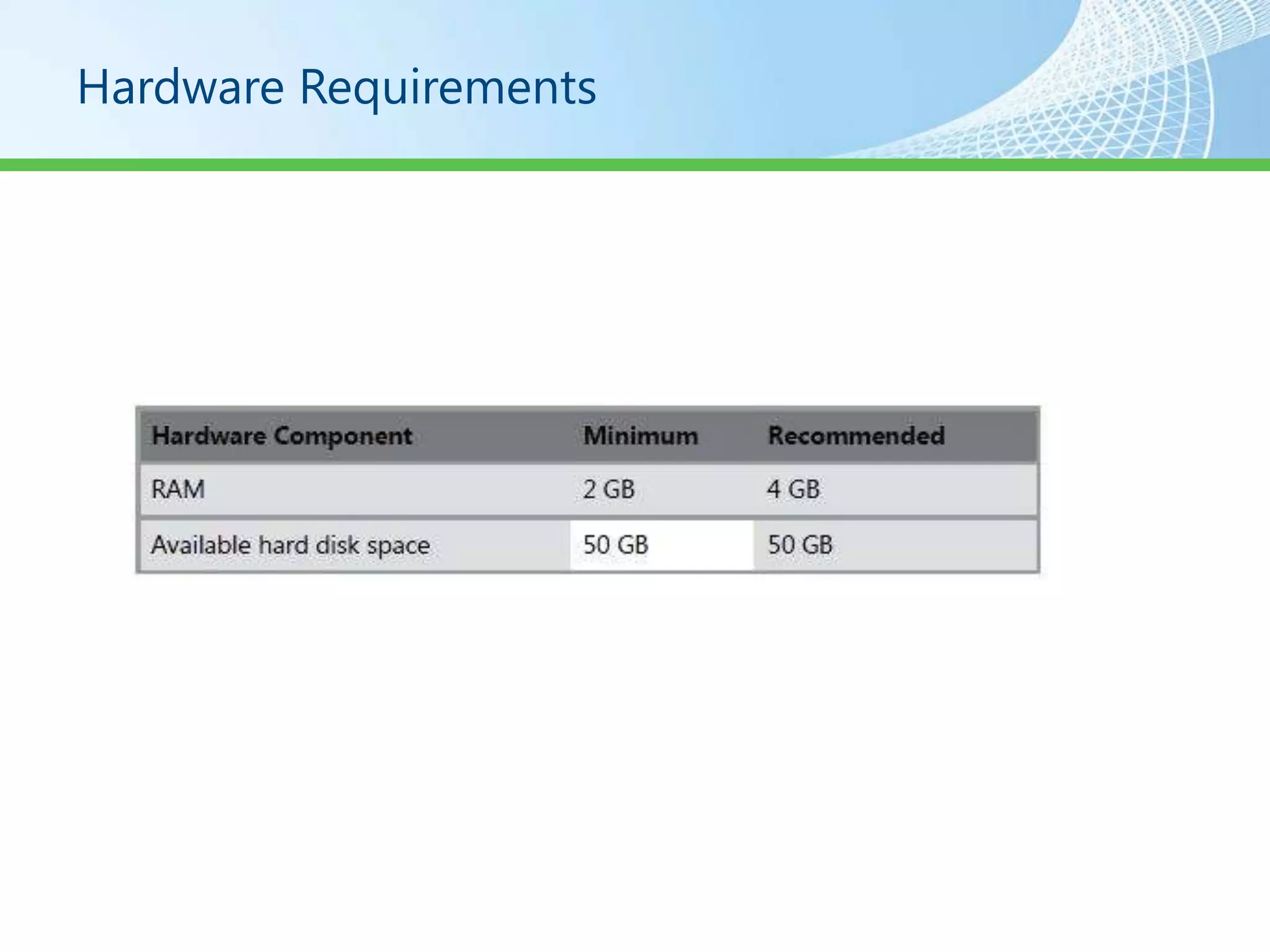
Hardware Requirements
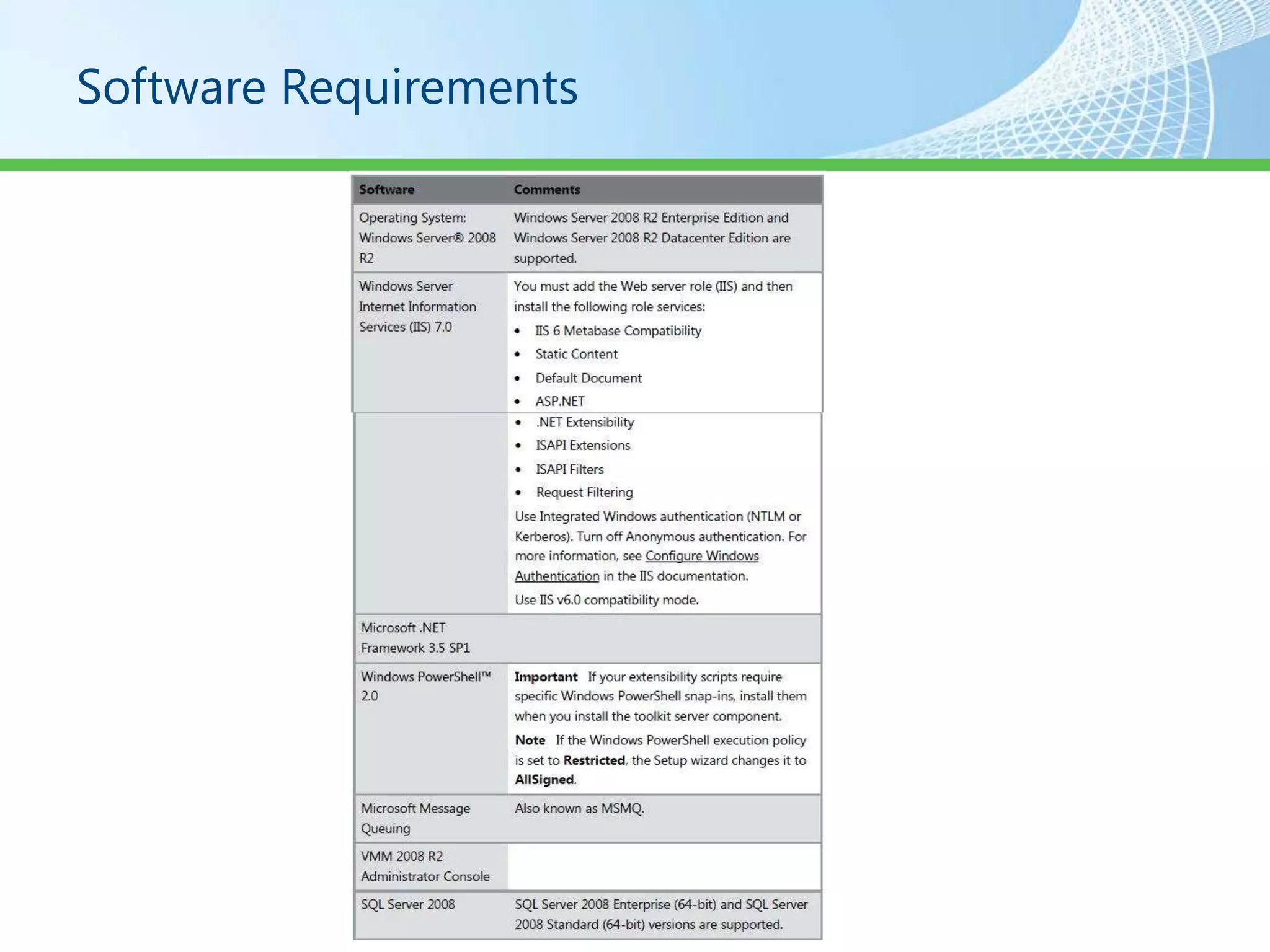
Software Requirements
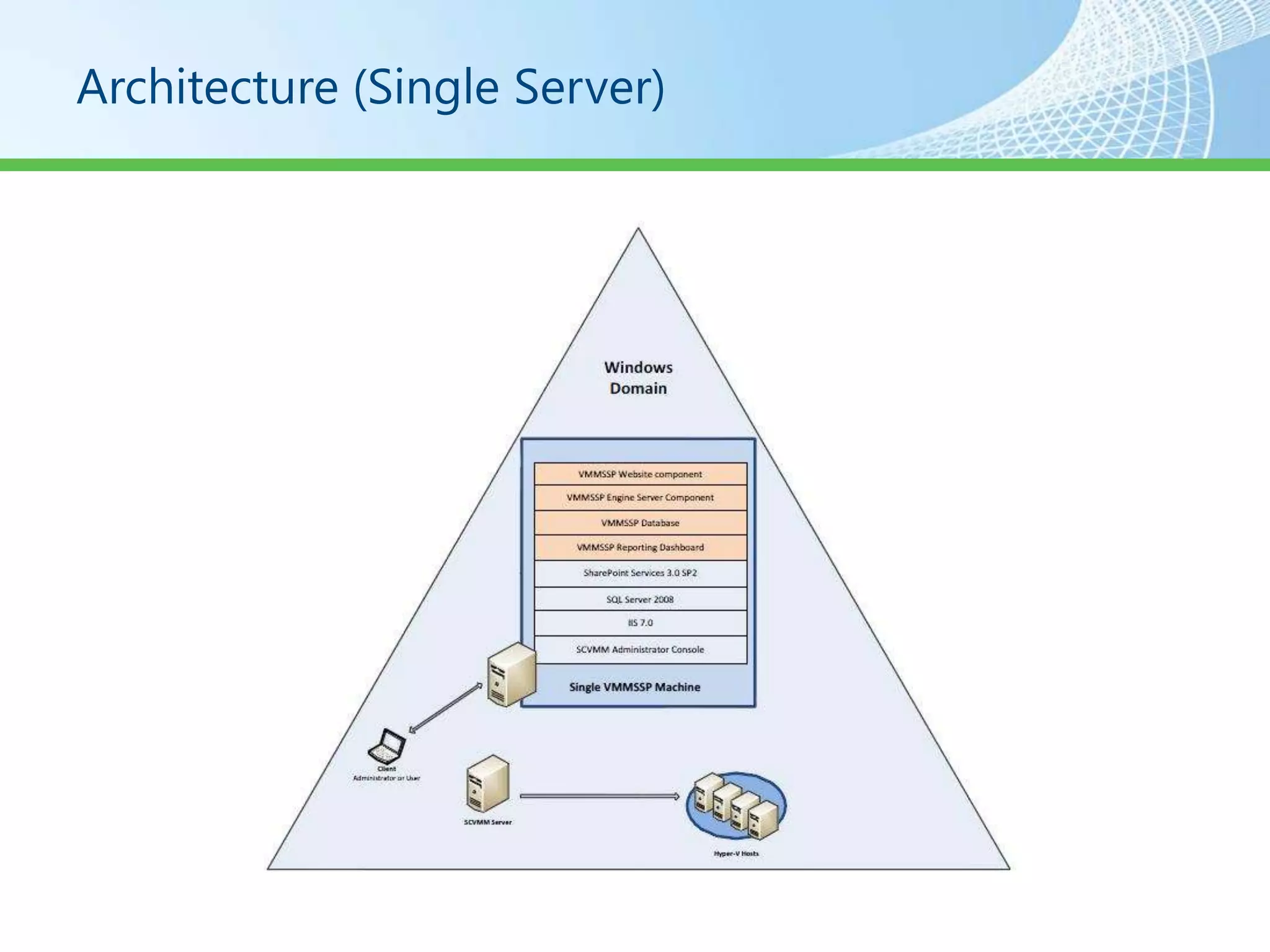
Architecture (Single Server)
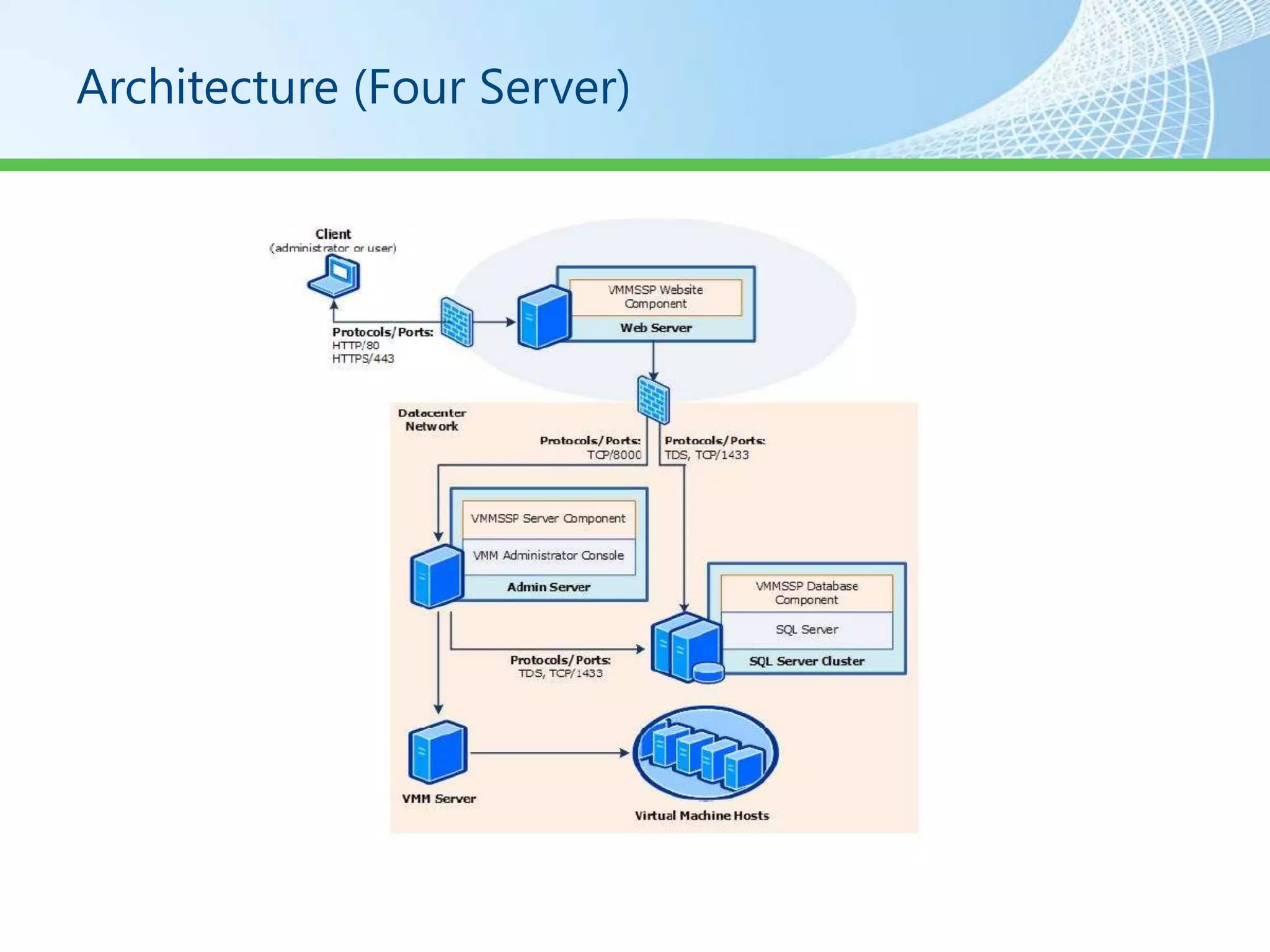
Architecture (Four Server)
Security Considerations


•  Understanding and planning the default and custom
  user roles that are defined in the self-service portal.
• Planning and preparing the service accounts.
• Understanding the ports and protocols required for
  establishing communication channels between various
  self-service portal components.
• Hardening the Web server that will run the VMMSSP
  website component.
•
Security Considerations

• Accounts and Groups
• Service Accounts
• Firewall Exceptions
Hardening The SSP Website


• Configuring SSL for the Self-Service Portal
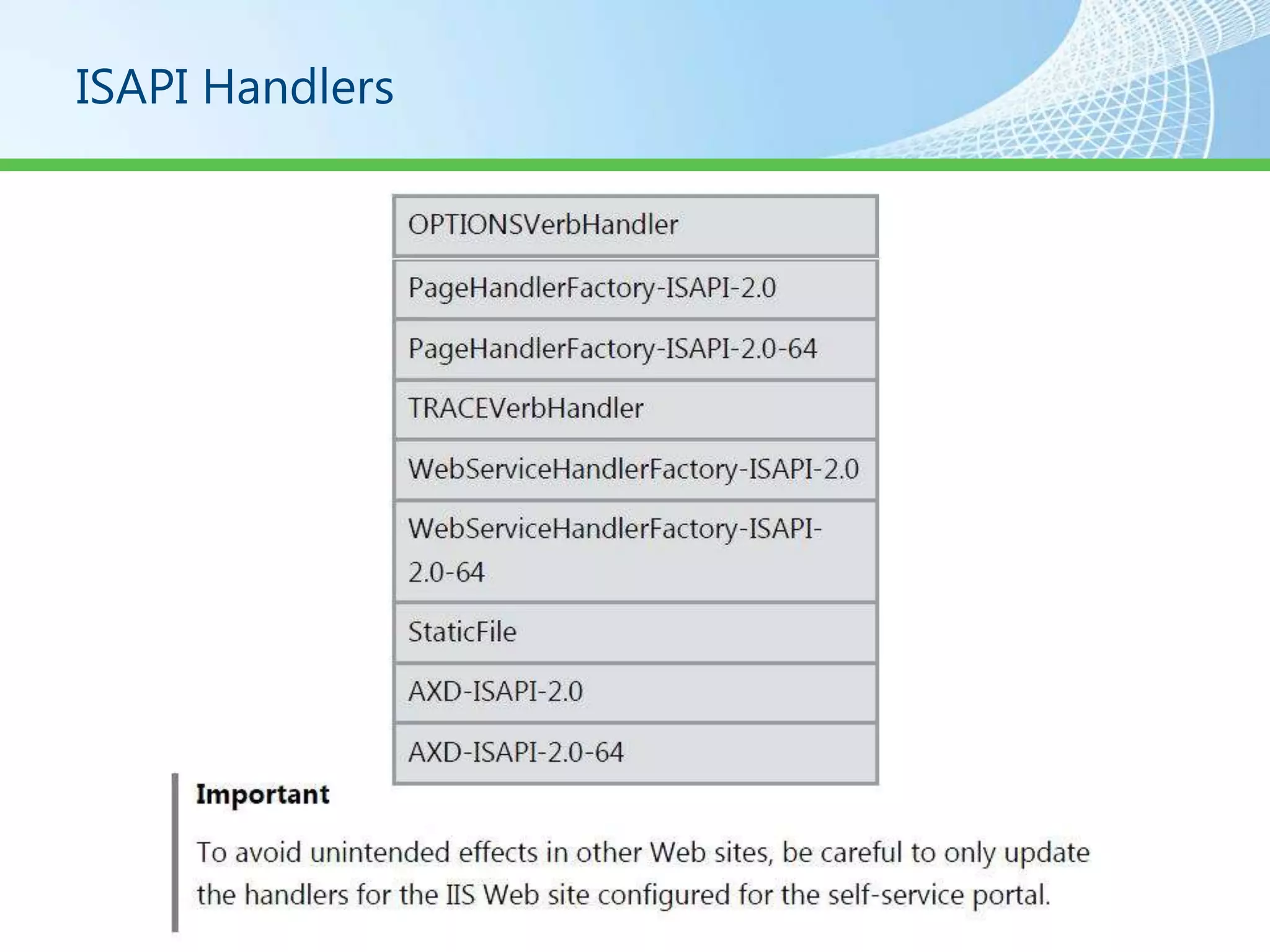
• Disabling ISAPI Handlers That Are not Needed
ISAPI Handlers
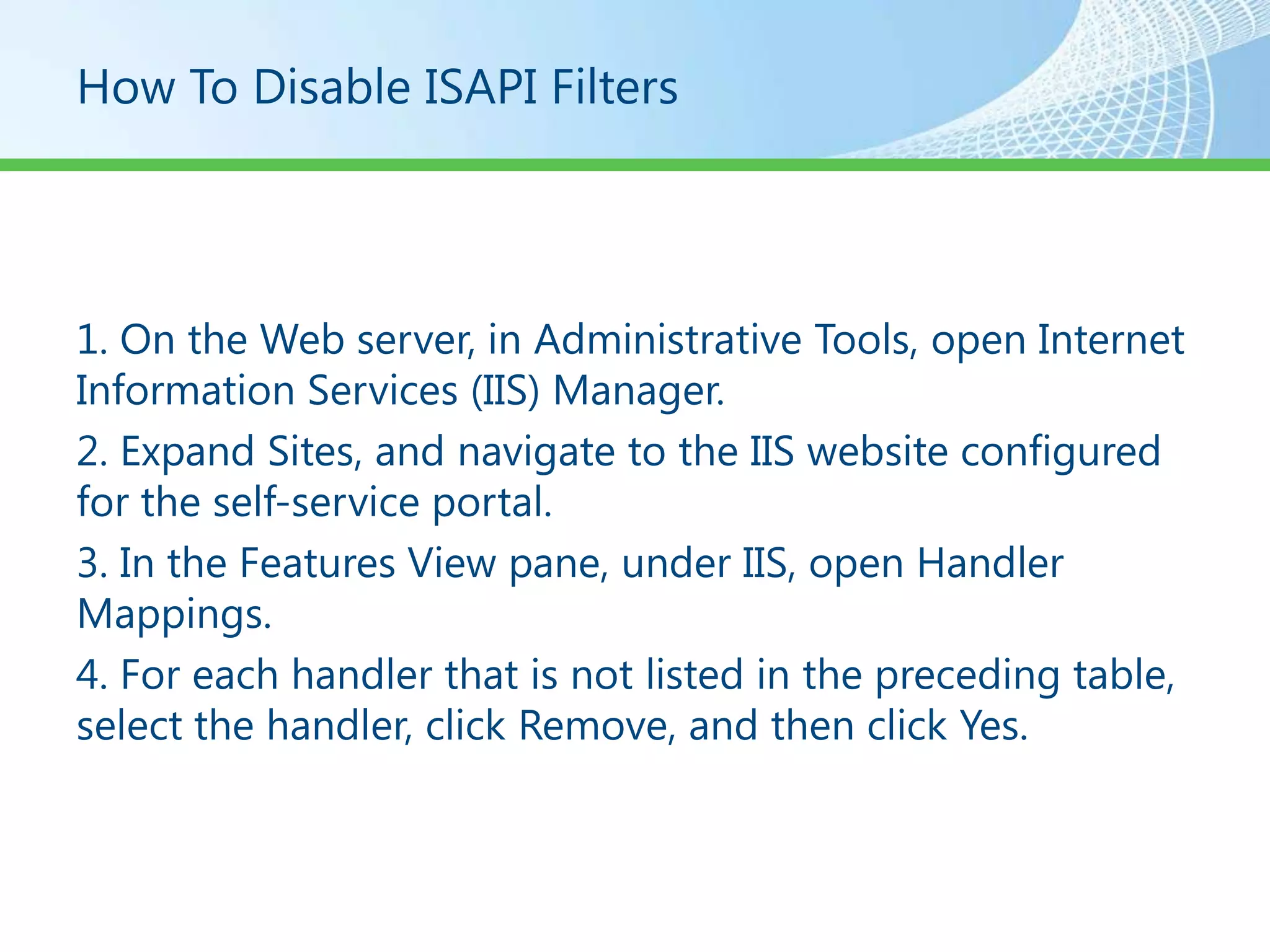
How To Disable ISAPI Filters


1. On the Web server, in Administrative Tools, open Internet
Information Services (IIS) Manager.
2. Expand Sites, and navigate to the IIS website configured
for the self-service portal.
3. In the Features View pane, under IIS, open Handler
Mappings.
4. For each handler that is not listed in the preceding table,
select the handler, click Remove, and then click Yes.
VMSSP Dashboard
SCVMM Agent
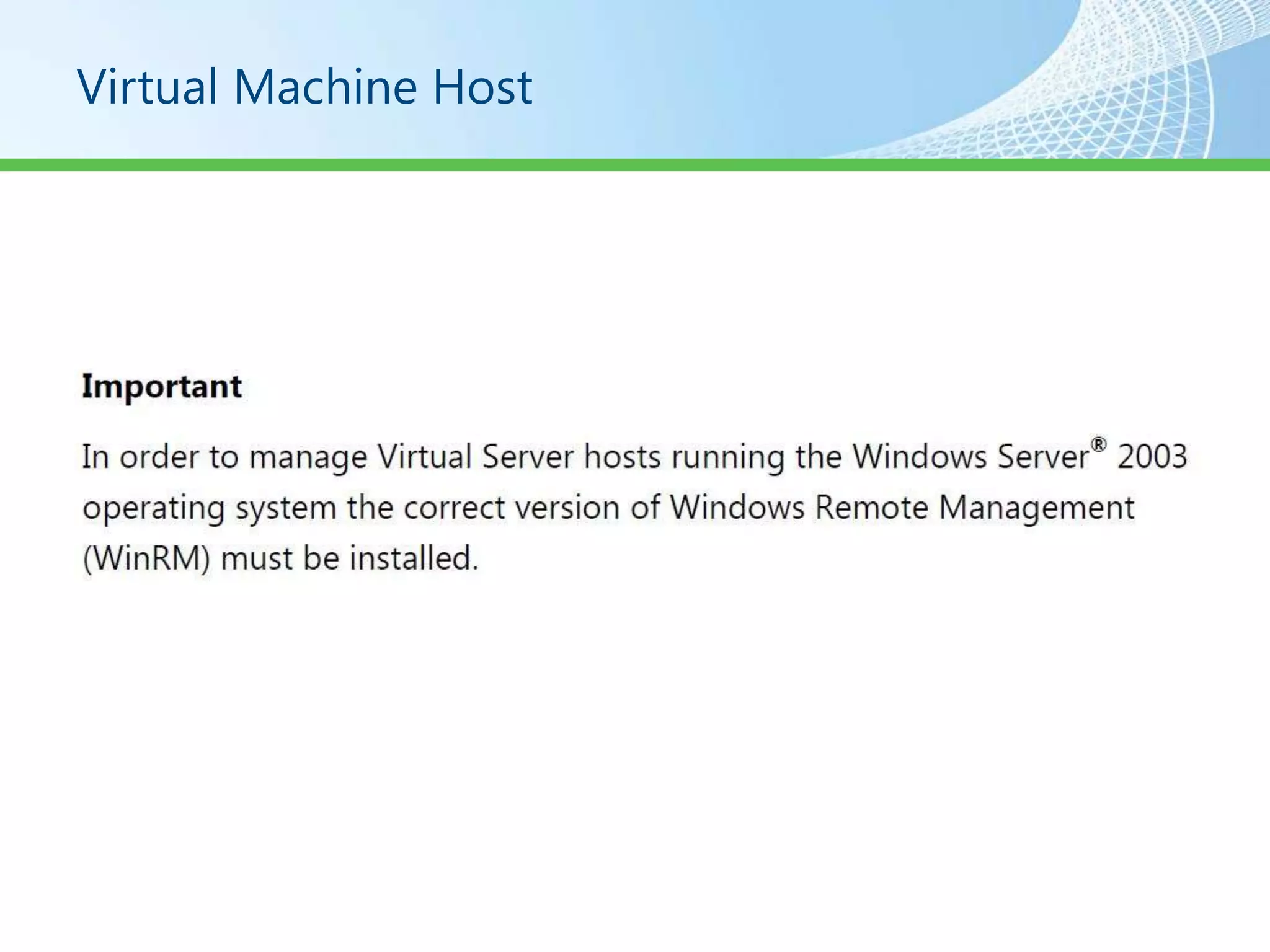
Virtual Machine Host
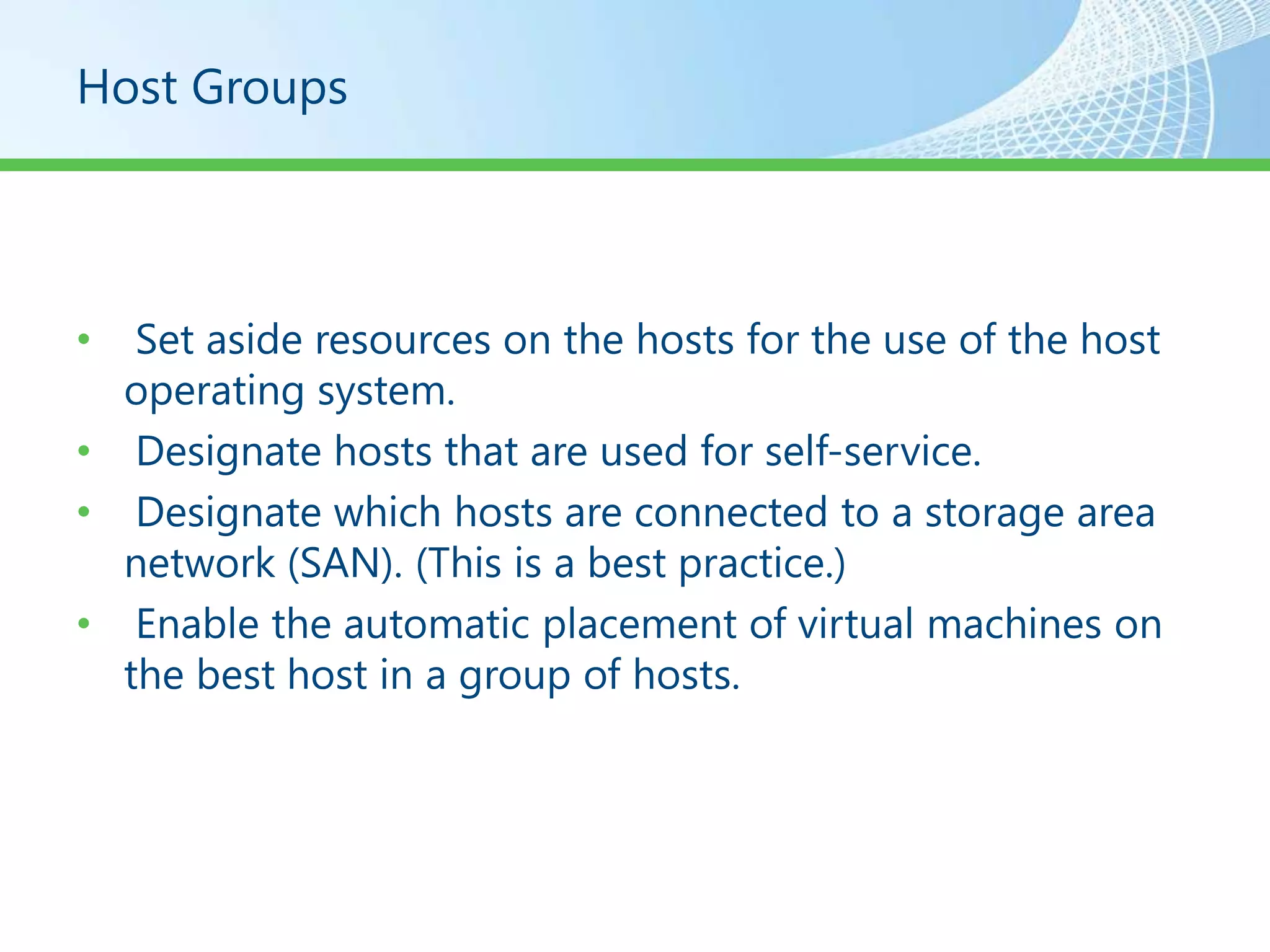
Host Groups


•  Set aside resources on the hosts for the use of the host
  operating system.
• Designate hosts that are used for self-service.
• Designate which hosts are connected to a storage area
  network (SAN). (This is a best practice.)
• Enable the automatic placement of virtual machines on
  the best host in a group of hosts.
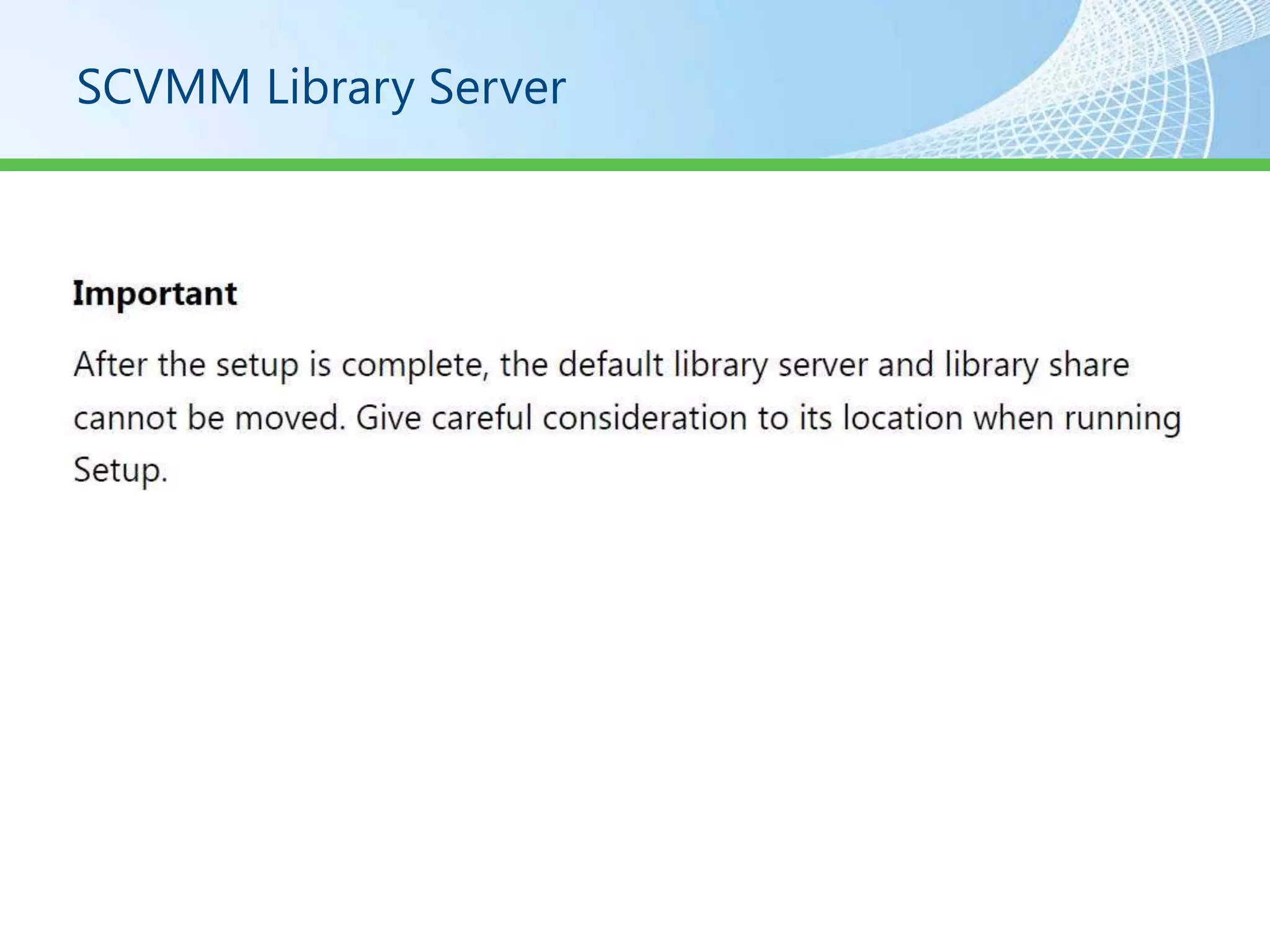
SCVMM Library Server
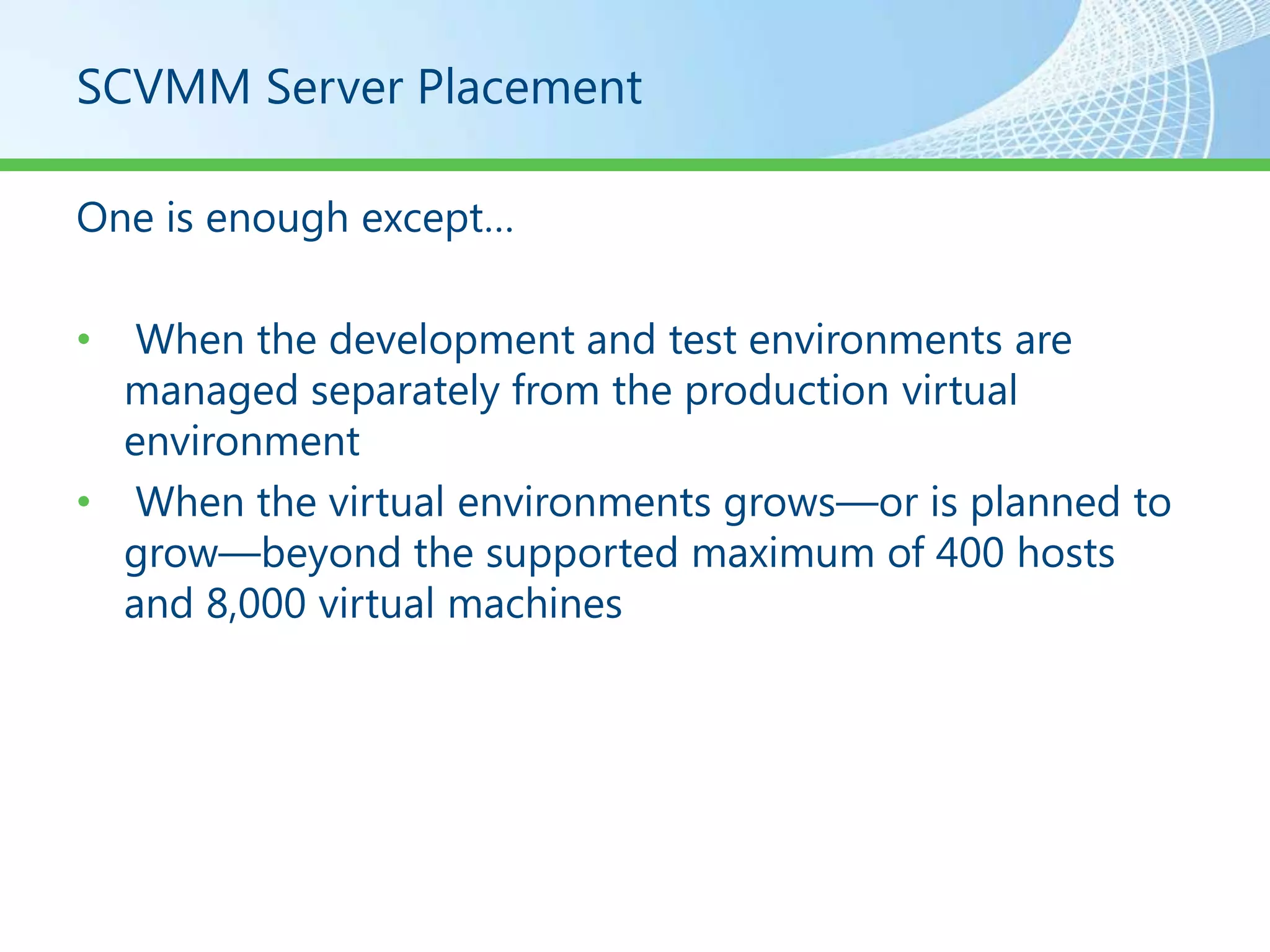
SCVMM Server Placement

One is enough except…

•  When the development and test environments are
  managed separately from the production virtual
  environment
• When the virtual environments grows—or is planned to
  grow—beyond the supported maximum of 400 hosts
  and 8,000 virtual machines
Network Considerations


• Connectivity
• Bandwidth
• Network traffic
Storage Considerations

• DAS
• Fiber Channel
• iSCSI
Monitoring and Reporting


• Provided through the Server Virtualization Management
  Pack for System Center Operations Manager 2007.

• Before reports can be viewed and used, Operations
  Manager must be installed and the Server Virtualization
  Management Pack deployed.
Physical 2 virtual Migrations
Demo
Private Cloud System Center Tools and Automation
Resources


http://blogs.technet.com/haroldwong
Resources

• Trial Software Downloads
  –   Windows Server 2008 R2
  –   Hyper-V Server 2008 R2
  –   Configuration Manager 2007 R3
  –   Operations Manager 2007 R2
  –   Virtual Machine Manager 2008 R2
  –   Service Manager 2010
  –   Opalis
  –   System Center 2012 Release Candidates / Betas
Resources

 • www.microsoft.com/virtualization
    – White Papers
    – Case Studies
    – Deployment Guides
    – Partners

• http://TechNet.microsoft.com/Virtualization
   – Links to webcasts
   – Videos
   – Whitepapers

• http://blogs.technet.com/haroldwong
© 2011 Microsoft Corporation. All rights reserved. Microsoft, Windows, Windows Vista and other product names are or may be registered trademarks and/or trademarks in the U.S. and/or other countries.
The information herein is for informational purposes only and represents the current view of Microsoft Corporation as of the date of this presentation. Because Microsoft must respond to changing market
    conditions, it should not be interpreted to be a commitment on the part of Microsoft, and Microsoft cannot guarantee the accuracy of any information provided after the date of this presentation.      66
                                       MICROSOFT MAKES NO WARRANTIES, EXPRESS, IMPLIED OR STATUTORY, AS TO THE INFORMATION IN THIS PRESENTATION.

Private cloud 201 how to build a private cloud

  • 1.
    Private Cloud 201 Howto Build a Private Cloud Harold Wong Sr. IT Pro Evangelist Blogs.technet.com/haroldwong al 1
  • 2.
    “The Cloudscape” Dedicated Cloud Public Cloud Publish to Cloud Secure Cloud or Enterprise Federation Private Cloud International ENTERPRISE Microsoft Confidential 2
  • 3.
    Cloud Definitions • Privatecloud. The cloud infrastructure is operated solely for an organization. It may be managed by the organization or a third party and may exist on premise or off premise. • Public cloud. The cloud infrastructure is made available to the general public or a large industry group and is owned by an organization selling cloud services. • Hybrid cloud. The cloud infrastructure is a composition of two or more clouds (private, community, or public) that remain unique entities but are bound together by standardized or proprietary technology that enables data and application portability (e.g., cloud bursting for load- balancing between clouds).
  • 4.
    Cloud Computing Characteristics Ref: The NIST Definition of Cloud Computing http://csrc.nist.gov/groups/SNS/cloud-computing/cloud-def-v15.doc On-demand Ubiquitous Location Rapid Measured self-service network transparent elasticity service with access resource pay per use pooling
  • 5.
    The *aaS’s • IaaS Infrastructure as a Service (TBA) • SaaS Software as a Service (Office 365) • PaaS Platform as a Service (Windows Azure) • ITaaS IT as a Service (Private Cloud/HyperV Cloud)
  • 6.
    Service Across Devicesand Platforms Client Tools and Cross-Platform Support PC Phone TV Server Cloud Microsoft Confidential 6
  • 7.
  • 8.
    Private Cloud BuildOptions • Build your own private cloud with help from the Hyper-V Cloud Deployment Guides and Hyper-V Cloud partners. • Get a pre-validated private cloud configuration from Hyper-V Cloud Fast Track OEM partners. Hyper-V Cloud Fast Track partners have worked with Microsoft to combine hardware and software offerings based on a reference architecture for building private clouds. • Find a service provider in the Hyper-V Cloud Service Provider Program who can host a dedicated private cloud for you.
  • 9.
    Service Provider Partner Country Offer Managed Hosting, Web Adhost US Hosting Agarik France Webhosting AIMS Malaysia IaaS Alog Brazil IaaS Applied Innovations US IaaS, Public Cloud Web Hosting, Managed Argeweb Netherlands Hosting Aruba Italy Web Hosting Telco, Managed Hosting, BlueFire Australia Applications - BI Telco, Outsourcer, Managed BT France France Hosting Chungwha Telecom Taiwan Managed Hosting Cloudmore Sweden IaaS, Applications Corpflex Brazil IaaS Crystone Sweden IaaS Doruk Turkey IaaS eLabs A.G. Germany Managed Hosting For Complete List of Hosting Partners please see http://www.microsoft.com/virtualization/en/us/hyperv-cloud-service-providers.aspx
  • 10.
    Pre-Validated Private CloudConfiguration • Hyper-V Cloud Fast Track partner offerings provide flexibility and choice while reducing risk and increasing the speed of deployment. Click on the partner tabs below to learn about the available options from each partner.
  • 11.
    Build Your OwnPrivate Cloud • Fujitsu Launches Global Cloud Platform Service Powered By Windows Azure By Larry Grothaus Today, Fujitsu and Microsoft announced the upcoming August 2011 availability of the Fujitsu Global Cloud Platform service, which marks the first official production release of a Windows Azure platform appliance delivered by Fujitsu. The new service offering has already been running in Fujitsu’s datacenter and available on a trial basis to companies since April 21, 2011.
  • 12.
    Build Your OwnPrivate Cloud • Your private cloud will deliver many of the benefits of public cloud computing – Self-service – Scalability – Elasticity – Resource Pooling
  • 13.
    Build Your OwnPrivate Cloud • The Hyper-V Cloud Deployment Guides are a collection of best practices based on a Microsoft Consulting Services framework. They are designed to help you deploy a private cloud solution using Windows Server 2008 R2 Hyper-V, System Center Virtual Machine Manager 2008 R2, and the Virtual Machine Manager Self-Service Portal 2.0. http://www.microsoft.com/virtualization/e n/us/private-cloud-get-started.aspx
  • 14.
  • 15.
    Hyper V R2Host Limitations
  • 16.
    Hyper V R2Guest Limitations
  • 17.
    Hyper V R2Guest OS Processor Limitations
  • 18.
    Storage • Direct AttachedStorage • iSCSI Storage Area Network • Fibre Channel Storage Area Network
  • 19.
    Drive Types • SCSI • SAS • SATA • Fibre Channel
  • 20.
    Drive Redundancy • Raid 1 • Raid 10 • Raid 5 • Raid 50
  • 21.
  • 22.
    System Architecture • RackMounted Servers • Blade Servers • Symmetric Multi Processor Servers
  • 23.
  • 24.
  • 25.
  • 26.
  • 27.
  • 28.
  • 29.
  • 30.
  • 31.
    VHD’s • Dynamically Expanding • Fixed Size • Differencing • Pass Through Disks
  • 32.
  • 33.
  • 34.
  • 35.
  • 36.
  • 37.
  • 38.
    System Center VirtualMachine Manager • SCVMM Server • SCVMM Administration Console • SCVMM Self Service Portal • SCVMM Agent • SCVMM Library Server
  • 39.
    SCVMM Server • RunsSCVMM Service • Connects to a SQL Database • Is the Default Library Server
  • 40.
    SCVMM Administration Console •Create, deploy, and manage virtual machines and templates • Monitor and manage hosts (Windows Server® 2008/ Windows Server® 2008R2 Hyper-V™, Microsoft® Virtual Server 2005 and VMware® Virtual Center managed ESX servers) and library servers • Manage library objects and jobs • Manage global configuration settings
  • 41.
  • 42.
    Self Service Portal2.0 • VMMSSP Website • VMMSSP Database • VMMSSP Server • VMMSSP Reporting Dashboard
  • 43.
  • 44.
  • 45.
  • 46.
  • 47.
    Security Considerations • Understanding and planning the default and custom user roles that are defined in the self-service portal. • Planning and preparing the service accounts. • Understanding the ports and protocols required for establishing communication channels between various self-service portal components. • Hardening the Web server that will run the VMMSSP website component. •
  • 48.
    Security Considerations • Accountsand Groups • Service Accounts • Firewall Exceptions
  • 49.
    Hardening The SSPWebsite • Configuring SSL for the Self-Service Portal • Disabling ISAPI Handlers That Are not Needed
  • 50.
  • 51.
    How To DisableISAPI Filters 1. On the Web server, in Administrative Tools, open Internet Information Services (IIS) Manager. 2. Expand Sites, and navigate to the IIS website configured for the self-service portal. 3. In the Features View pane, under IIS, open Handler Mappings. 4. For each handler that is not listed in the preceding table, select the handler, click Remove, and then click Yes.
  • 52.
  • 53.
  • 54.
  • 55.
    Host Groups • Set aside resources on the hosts for the use of the host operating system. • Designate hosts that are used for self-service. • Designate which hosts are connected to a storage area network (SAN). (This is a best practice.) • Enable the automatic placement of virtual machines on the best host in a group of hosts.
  • 56.
  • 57.
    SCVMM Server Placement Oneis enough except… • When the development and test environments are managed separately from the production virtual environment • When the virtual environments grows—or is planned to grow—beyond the supported maximum of 400 hosts and 8,000 virtual machines
  • 58.
    Network Considerations • Connectivity •Bandwidth • Network traffic
  • 59.
    Storage Considerations • DAS •Fiber Channel • iSCSI
  • 60.
    Monitoring and Reporting •Provided through the Server Virtualization Management Pack for System Center Operations Manager 2007. • Before reports can be viewed and used, Operations Manager must be installed and the Server Virtualization Management Pack deployed.
  • 61.
  • 62.
    Demo Private Cloud SystemCenter Tools and Automation
  • 63.
  • 64.
    Resources • Trial SoftwareDownloads – Windows Server 2008 R2 – Hyper-V Server 2008 R2 – Configuration Manager 2007 R3 – Operations Manager 2007 R2 – Virtual Machine Manager 2008 R2 – Service Manager 2010 – Opalis – System Center 2012 Release Candidates / Betas
  • 65.
    Resources • www.microsoft.com/virtualization – White Papers – Case Studies – Deployment Guides – Partners • http://TechNet.microsoft.com/Virtualization – Links to webcasts – Videos – Whitepapers • http://blogs.technet.com/haroldwong
  • 66.
    © 2011 MicrosoftCorporation. All rights reserved. Microsoft, Windows, Windows Vista and other product names are or may be registered trademarks and/or trademarks in the U.S. and/or other countries. The information herein is for informational purposes only and represents the current view of Microsoft Corporation as of the date of this presentation. Because Microsoft must respond to changing market conditions, it should not be interpreted to be a commitment on the part of Microsoft, and Microsoft cannot guarantee the accuracy of any information provided after the date of this presentation. 66 MICROSOFT MAKES NO WARRANTIES, EXPRESS, IMPLIED OR STATUTORY, AS TO THE INFORMATION IN THIS PRESENTATION.