Storage Virtualization SeminarStephen FoskettDirector of Data Practice, Contoural
Part 1:Breaking the ConnectionsStorage virtualization is here, breaking the connection between physical storage infrastructure and the logical way we use it
AgendaWhat is storage virtualization?Volume managementAdvanced file systemsVirtualizing the SAN Virtual NAS
Poll: Who is Already Using Storage Virtualization?We talk about virtualization like it is new or strange…
…but your storage is already virtualized!
Disk drives map blocks
RAID is as old as storage (conceived 1978-1988)
Modern OSes include volume management and path management
Network-attached storage (NAS) redirectors and DFS
Storage arrays are highly virtualized (clustering, LUN carving, relocation, tiering, etc…)
According to ESG, 52% have already implemented storage virtualization and 48% plan to! (ESG 2008)The act of abstracting, hiding, or isolating the internal function of a storage (sub)system or service from applications, compute servers or general network resources for the purpose of enabling application and network independent management of storage or data.The application of virtualization to storage services or devices for the purpose of aggregating, hiding complexity or adding new capabilities to lower level storage resources.  Storage can be virtualized simultaneously in multiple layers of a system, for instance to create HSM like systems.SNIA Defines Storage VirtualizationThe act of abstracting, hiding, or isolating the internalfunction of a storage (sub)system or service from applications, compute servers or general network resources for the purpose of enabling application and network independentmanagement of storage or data.The application of virtualization to storage services or devices for the purpose of aggregating, hiding complexity or adding new capabilities to lower level storage resources.  Storage can be virtualized simultaneously in multiple layers of a system, for instance to create HSM like systems.
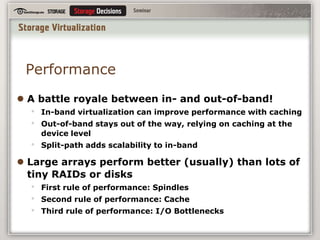
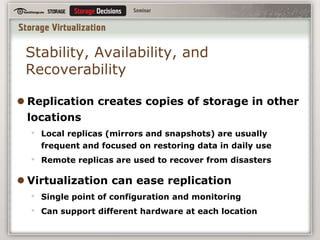
What and Why?Virtualization removes the hard connection between storage hardware and usersAddress space is mapped to logical rather than physical locationsThe virtualizing service consistently maintains this meta-dataI/O can be redirected to a new physical locationWe gain by virtualizingEfficiency, flexibility, and scalabilityStability, availability, and recoverability
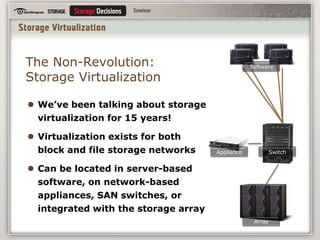
The Non-Revolution:Storage VirtualizationSoftwareWe’ve been talking about storage virtualization for 15 years!
Virtualization exists for both block and file storage networks
Can be located in server-based software, on network-based appliances, SAN switches, or integrated with the storage arraySwitchApplianceArray
Introducing Volume ManagementVolume management = server-based storage virtualization
Volume managers abstract block storage (LUNs, disks, partitions) into virtual “volumes”
Very common – all* modern OSes have volume managers built in
Windows Logical Disk Manager, Linux LVM/EVMS, AIX LVM, HP-UX LVM, Solaris Solstice, Veritas Volume Manager
Mostly used for flexibility
Resize volumes
Protect data (RAID)
Add capacity (concatenate or expand stripe or RAID)
Mirror, snapshot, replicate
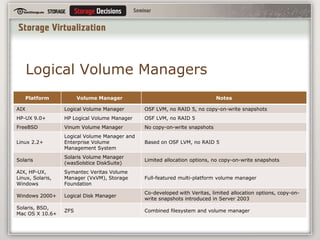
Migrate dataLogical Volume Managers
ZFS: Super File System!ZFS (originally “zettabyte file system”) is a combined file system, volume manager, disk/partition manager
Open source (CDDL) project managed by Sun
Will probably replace UFS (Sun), HFS+ (Apple OS X Snow Leopard Server)
ZFS creates a truly flexible, extensible, and full-featured pool of storage across systems and disks
Filesystems contained in “zpools” on “vdevs” with striping and optional RAID-Z/Z2
128-bit addresses mean near-infinite capacity (in theory)
Blocks are “copy-on-write” with checksums for snapshots, clones, authentication
…but there are some limitations
Adding (and especially removing) vdevs is hard/impossible
Stacked RAID is impossible
There is no clustering (until Sun adds Lustre)Path Management SoftwarePath management virtualizes the connection from a server to a storage systemFailoverLoad balancing strategiesA few choicesVeritas DMP (cross-platform, with Storage Foundation)EMC PowerPath (supports EMC, HDS, IBM, HP)IBM SDD (free for IBM)HDS (HDLM)Microsoft MPIO (Windows, supports iSCSI and most FC)VMware Failover Paths
Virtualizing the SANThe storage area network (SAN) is a popular location for virtualization
Can require less reconfiguration and server work
Works with all servers and storage (potentially)
Resides on appliance or switch placed in the storage network
Some are in the data path, others are less so
Brocade and Cisco switches have application blades
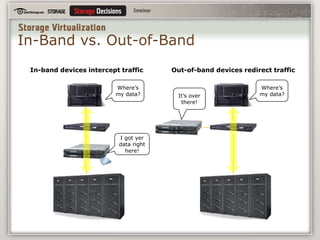
Some use dedicated storage services modules (SSMs)In-Band vs. Out-of-BandIn-band devices intercept trafficOut-of-band devices redirect trafficWhere’s my data?Where’s my data?It’s over there!I got yer data right here!
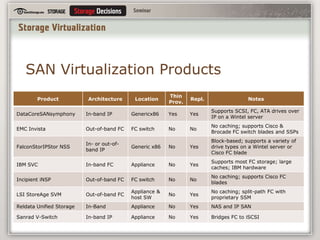
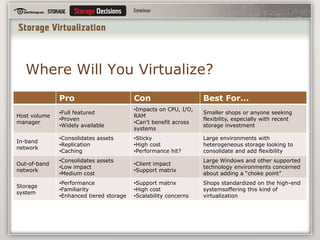
SAN Virtualization Products
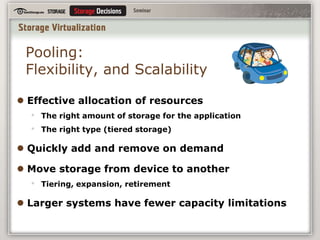
Virtual NASFile-based network-attached storage (NAS) lends itself to virtualization
IP network connectivity and host processing possibilities
Multitude of file servers? Virtualize!
Global namespace across all NAS and servers
Share excess capacity
Transparently migrate data (easier than redirecting users!)
Tier files on large “shares” with variety of data
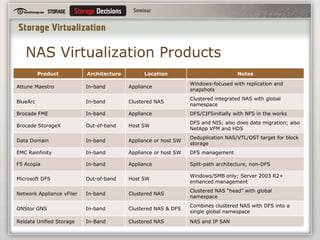
Create multiple virtual file serversNAS Virtualization Products
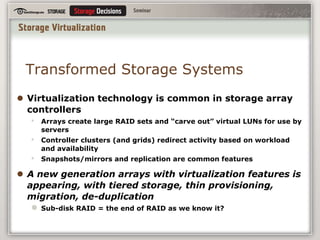
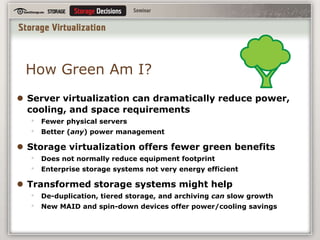
Transformed Storage SystemsVirtualization technology is common in storage array controllers
Arrays create large RAID sets and “carve out” virtual LUNs for use by servers
Controller clusters (and grids) redirect activity based on workload and availability
Snapshots/mirrors and replication are common features
A new generation arrays with virtualization features is appearing, with tiered storage, thin provisioning, migration, de-duplication
Sub-disk RAID = the end of RAID as we know it?Virtual Tiered StorageArray controllers can transparently move data from low-cost to high-performance disk
Most arrays support multiple drive types
“Bulk” SATA or SAS drives are common (500 GB - 1 TB)
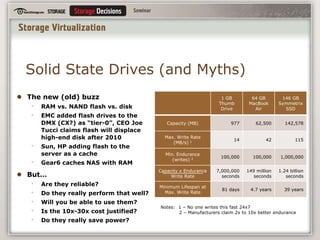
Solid-state drives are the latest innovation

Storage Virtualization Introduction

Editor's Notes

  • #18 Taneja “Next-Generation FC Arrays”:Clustered controller designSub-disk virtualizationSelf-configuring and self-tuning storageAutomated storage tieringThin technologies
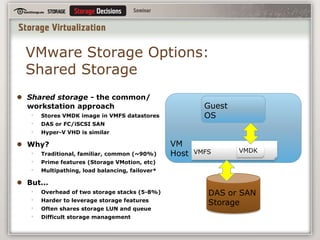
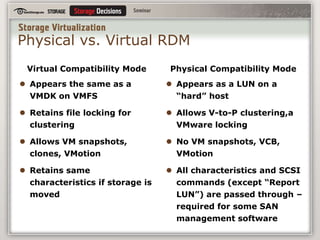
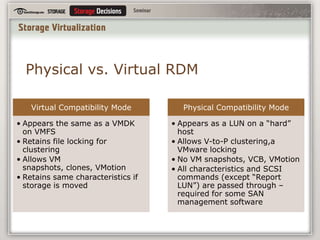
  • #34 Up to 256 FC or iSCSI LUNsESX multipathingLoad balancingFailoverFailover between FC and iSCSI*Beware of block sizes greater than 256 KB!If you want virtual disks greater than 256 GB, you must use a VMFS block size larger than 1 MBAlign your virtual disk starting offset to your array (by booting the VM and using diskpart, Windows PE, or UNIX fdisk)*
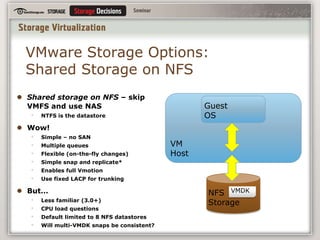
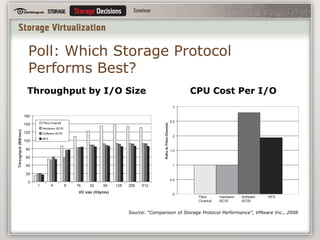
  • #35 Link Aggregate Control Protocol (LACP) for trunking/EtherChannel - Use “fixed” path policy, not LRUUp to 8 (or 32) NFS mount pointsTurn off access time updatesThin provisioning? Turn on AutoSize and watch out
  • #45 www.netapp.com/library/tr/3428.pdf