Presentation Skills Jamshed Khan Quaid-i-Azam university  Islamabad Pakistan
Sequence of Lecture  What is presentation. Need of Presentation Skills  Elements of Effective presentations  Appearance and body language of presenter. Best practices of effective presentations  Guidelines for preparation of power point slides  Exercises
What is a Presentation? The process of presenting the context of a topic to an audience. A performance, as a drama. Something, such as a lecture or speech, that is set forth for an audience: e.g., giving a presentation on Environment Degradation
Need for Presentations skills   Situations in the Punjab Public Service  require effective presentation skills.  Seniors  Field work  Trainers
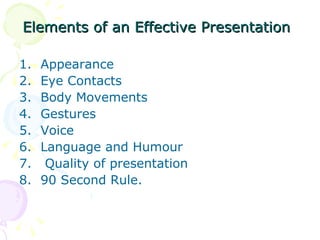
Elements of an Effective Presentation   Appearance  Eye Contacts  Body Movements  Gestures  Voice  Language and Humour  Quality of presentation 90 Second Rule.
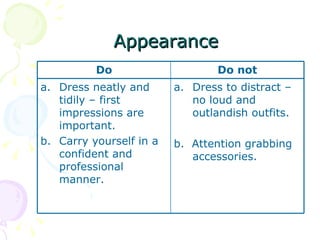
  Appearance Do Do not Dress neatly and tidily – first impressions are important. Carry yourself in a confident and professional manner. Dress to distract – no loud and outlandish outfits. b.  Attention grabbing accessories.
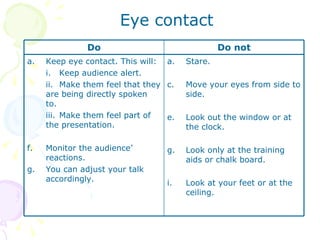
Eye contact Do Do not Keep eye contact. This will: i. Keep audience alert. ii. Make them feel that they are being directly spoken to. iii. Make them feel part of the presentation. Monitor the audience’ reactions. You can adjust your talk accordingly. Stare. Move your eyes from side to side. Look out the window or at the clock. Look only at the training aids or chalk board. Look at your feet or at the ceiling.
Body Movements Do Do not Be natural – don’t move around too much or too little.  Relax when talking from behind a desk , this creates some intimacy with a group. Slowly and on occasion move from side to side to engage all parts of the audience. Move forward for emphasis. Stand rigid. March. Slouch back toward audience
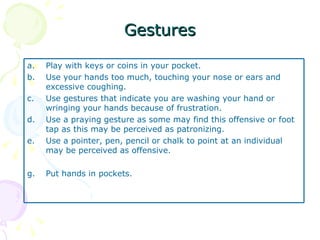
Gestures Play with keys or coins in your pocket. Use your hands too much, touching your nose or ears and excessive coughing. Use gestures that indicate you are washing your hand or wringing your hands because of frustration. Use a praying gesture as some may find this offensive or foot tap as this may be perceived as patronizing. Use a pointer, pen, pencil or chalk to point at an individual may be perceived as offensive. Put hands in pockets.
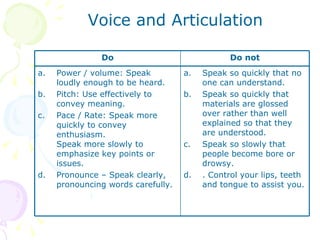
Voice and Articulation Do Do not Power / volume: Speak loudly enough to be heard. Pitch: Use effectively to convey meaning. Pace / Rate: Speak more quickly to convey enthusiasm.  Speak more slowly to emphasize key points or issues. Pronounce – Speak clearly, pronouncing words carefully. Speak so quickly that no one can understand. Speak so quickly that materials are glossed over rather than well explained so that they are understood. Speak so slowly that people become bore or drowsy. . Control your lips, teeth and tongue to assist you.
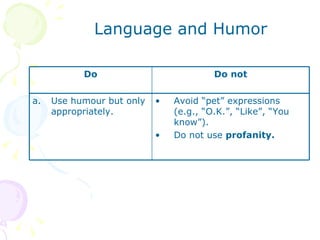
Language and Humor Do Do not Use humour but only appropriately. Avoid “pet” expressions (e.g., “O.K.”, “Like”, “You know”). Do not use  profanity.
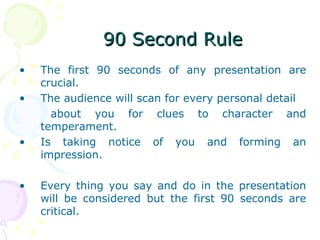
The first 90 seconds of any presentation are crucial.  The audience will scan for every personal detail  about you for clues to character and temperament. Is taking notice of you and forming an impression.  Every thing you say and do in the presentation will be considered but the first 90 seconds are critical.  90 Second Rule
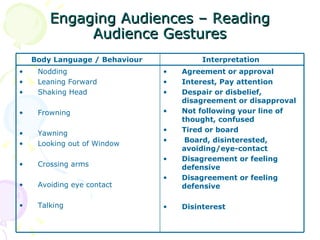
Engaging Audiences – Reading Audience Gestures Body Language / Behaviour  Interpretation  Nodding  Leaning Forward  Shaking Head  Frowning  Yawning  Looking out of Window  Crossing arms  Avoiding eye contact  Talking  Agreement or approval Interest, Pay attention Despair or disbelief, disagreement or disapproval  Not following your line of thought, confused  Tired or board Board, disinterested, avoiding/eye-contact Disagreement or feeling defensive  Disagreement or feeling defensive  Disinterest
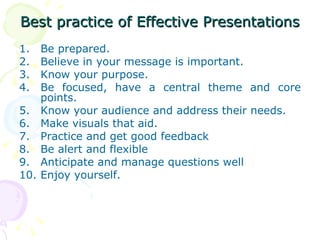
Best practice of Effective Presentations   Be prepared. Believe in your message is important. Know your purpose. Be focused, have a central theme and core points. Know your audience and address their needs. Make visuals that aid. Practice and get good feedback Be alert and flexible  Anticipate and manage questions well  Enjoy yourself.
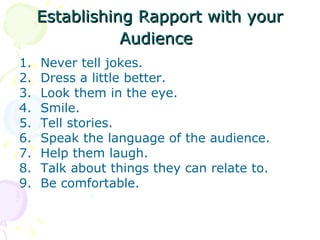
Establishing Rapport with your Audience   Never tell jokes.  Dress a little better.  Look them in the eye.  Smile.  Tell stories.  Speak the language of the audience.  Help them laugh.  Talk about things they can relate to.  Be comfortable.
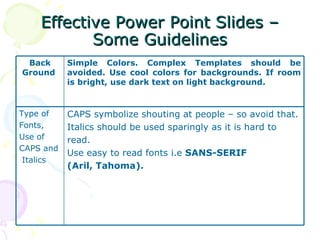
Effective Power Point Slides – Some Guidelines Back Ground  Simple Colors. Complex Templates should be avoided. Use cool colors for backgrounds. If room is bright, use dark text on light background.  Type of Fonts,  Use of CAPS and Italics CAPS symbolize shouting at people – so avoid that.  Italics should be used sparingly as it is hard to  read. Use easy to read fonts i.e  SANS-SERIF  (Aril, Tahoma).
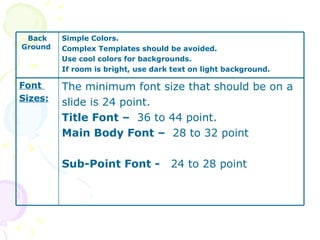
Back Ground  Simple Colors.  Complex Templates should be avoided.  Use cool colors for backgrounds.  If room is bright, use dark text on light background.  Font  Sizes: The minimum font size that should be on a slide is 24 point.  Title Font –  36 to 44 point. Main Body Font –  28 to 32 point Sub-Point Font -  24 to 28 point
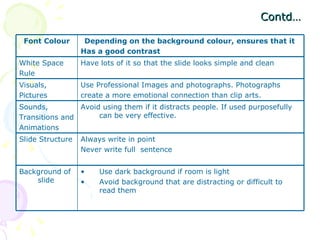
Contd… Font Colour Depending on the background colour, ensures that it  Has a good contrast  White Space Rule Have lots of it so that the slide looks simple and clean  Visuals,  Pictures  Use Professional Images and photographs. Photographs  create a more emotional connection than clip arts.  Sounds,  Transitions and Animations  Avoid using them if it distracts people. If used purposefully can be very effective.  Slide Structure  Always write in point  Never write full  sentence  Background of slide  Use dark background if room is light  Avoid background that are distracting or difficult to read them
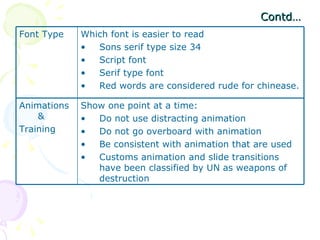
Contd… Font Type  Which font is easier to read  Sons serif type size 34  Script font  Serif type font  Red words are considered rude for chinease.  Animations &  Training  Show one point at a time:  Do not use distracting animation  Do not go overboard with animation  Be consistent with animation that are used  Customs animation and slide transitions have been classified by UN as weapons of destruction
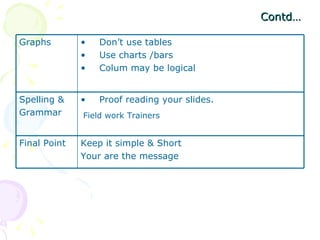
Contd… Field work Trainers  Graphs  Don’t use tables  Use charts /bars  Colum may be logical  Spelling &  Grammar  Proof reading your slides.  Final Point  Keep it simple & Short  Your are the message
THANKS

Presentation skill mpdd 29.02.2008

  • 1.
    Presentation Skills JamshedKhan Quaid-i-Azam university Islamabad Pakistan
  • 2.
    Sequence of Lecture What is presentation. Need of Presentation Skills Elements of Effective presentations Appearance and body language of presenter. Best practices of effective presentations Guidelines for preparation of power point slides Exercises
  • 3.
    What is aPresentation? The process of presenting the context of a topic to an audience. A performance, as a drama. Something, such as a lecture or speech, that is set forth for an audience: e.g., giving a presentation on Environment Degradation
  • 4.
    Need for Presentationsskills Situations in the Punjab Public Service require effective presentation skills. Seniors Field work Trainers
  • 5.
    Elements of anEffective Presentation Appearance Eye Contacts Body Movements Gestures Voice Language and Humour Quality of presentation 90 Second Rule.
  • 6.
    AppearanceDo Do not Dress neatly and tidily – first impressions are important. Carry yourself in a confident and professional manner. Dress to distract – no loud and outlandish outfits. b. Attention grabbing accessories.
  • 7.
    Eye contact DoDo not Keep eye contact. This will: i. Keep audience alert. ii. Make them feel that they are being directly spoken to. iii. Make them feel part of the presentation. Monitor the audience’ reactions. You can adjust your talk accordingly. Stare. Move your eyes from side to side. Look out the window or at the clock. Look only at the training aids or chalk board. Look at your feet or at the ceiling.
  • 8.
    Body Movements DoDo not Be natural – don’t move around too much or too little. Relax when talking from behind a desk , this creates some intimacy with a group. Slowly and on occasion move from side to side to engage all parts of the audience. Move forward for emphasis. Stand rigid. March. Slouch back toward audience
  • 9.
    Gestures Play withkeys or coins in your pocket. Use your hands too much, touching your nose or ears and excessive coughing. Use gestures that indicate you are washing your hand or wringing your hands because of frustration. Use a praying gesture as some may find this offensive or foot tap as this may be perceived as patronizing. Use a pointer, pen, pencil or chalk to point at an individual may be perceived as offensive. Put hands in pockets.
  • 10.
    Voice and ArticulationDo Do not Power / volume: Speak loudly enough to be heard. Pitch: Use effectively to convey meaning. Pace / Rate: Speak more quickly to convey enthusiasm. Speak more slowly to emphasize key points or issues. Pronounce – Speak clearly, pronouncing words carefully. Speak so quickly that no one can understand. Speak so quickly that materials are glossed over rather than well explained so that they are understood. Speak so slowly that people become bore or drowsy. . Control your lips, teeth and tongue to assist you.
  • 11.
    Language and HumorDo Do not Use humour but only appropriately. Avoid “pet” expressions (e.g., “O.K.”, “Like”, “You know”). Do not use profanity.
  • 12.
    The first 90seconds of any presentation are crucial. The audience will scan for every personal detail about you for clues to character and temperament. Is taking notice of you and forming an impression. Every thing you say and do in the presentation will be considered but the first 90 seconds are critical. 90 Second Rule
  • 13.
    Engaging Audiences –Reading Audience Gestures Body Language / Behaviour Interpretation Nodding Leaning Forward Shaking Head Frowning Yawning Looking out of Window Crossing arms Avoiding eye contact Talking Agreement or approval Interest, Pay attention Despair or disbelief, disagreement or disapproval Not following your line of thought, confused Tired or board Board, disinterested, avoiding/eye-contact Disagreement or feeling defensive Disagreement or feeling defensive Disinterest
  • 14.
    Best practice ofEffective Presentations Be prepared. Believe in your message is important. Know your purpose. Be focused, have a central theme and core points. Know your audience and address their needs. Make visuals that aid. Practice and get good feedback Be alert and flexible Anticipate and manage questions well Enjoy yourself.
  • 15.
    Establishing Rapport withyour Audience Never tell jokes. Dress a little better. Look them in the eye. Smile. Tell stories. Speak the language of the audience. Help them laugh. Talk about things they can relate to. Be comfortable.
  • 16.
    Effective Power PointSlides – Some Guidelines Back Ground Simple Colors. Complex Templates should be avoided. Use cool colors for backgrounds. If room is bright, use dark text on light background. Type of Fonts, Use of CAPS and Italics CAPS symbolize shouting at people – so avoid that. Italics should be used sparingly as it is hard to read. Use easy to read fonts i.e SANS-SERIF (Aril, Tahoma).
  • 17.
    Back Ground Simple Colors. Complex Templates should be avoided. Use cool colors for backgrounds. If room is bright, use dark text on light background. Font Sizes: The minimum font size that should be on a slide is 24 point. Title Font – 36 to 44 point. Main Body Font – 28 to 32 point Sub-Point Font - 24 to 28 point
  • 18.
    Contd… Font ColourDepending on the background colour, ensures that it Has a good contrast White Space Rule Have lots of it so that the slide looks simple and clean Visuals, Pictures Use Professional Images and photographs. Photographs create a more emotional connection than clip arts. Sounds, Transitions and Animations Avoid using them if it distracts people. If used purposefully can be very effective. Slide Structure Always write in point Never write full sentence Background of slide Use dark background if room is light Avoid background that are distracting or difficult to read them
  • 19.
    Contd… Font Type Which font is easier to read Sons serif type size 34 Script font Serif type font Red words are considered rude for chinease. Animations & Training Show one point at a time: Do not use distracting animation Do not go overboard with animation Be consistent with animation that are used Customs animation and slide transitions have been classified by UN as weapons of destruction
  • 20.
    Contd… Field workTrainers Graphs Don’t use tables Use charts /bars Colum may be logical Spelling & Grammar Proof reading your slides. Final Point Keep it simple & Short Your are the message
  • 21.