This PowerPoint presentation explains key tips for making effective presentations, including slide design, visuals, body language, and communication skills. Created as part of my coursework at Sabaragamuwa University of Sri Lanka.
Contents
4 • ENSURINGCLARITY
AND APPEAL
1
2
3 • VISUALS, IMAGES, AND
MULTIMEDIA
• PREPARING EFFECTIVE
SLIDES
• INTRODUCTION
5 • THE IMPORTANCE OF
EFFECTIVE
6 • ROLE OF NON-VERBAL
COMMUNICATION
7 • ROLE OF NON-VERBAL
COMMUNICATION
8 • POSITIVE VS NEGATIVE
NON-VERBAL CUES
9 • TIPS FOR ENGAGING THE
AUDIENCE
1 • CONCLUSION
3.
Introduction
• Presentations area vital form of
communication
• presentations require well-prepared slides
and the ability to communicate clearly and
confidently
• Two key aspects
1.Preparing slides, visuals, and images
effectively
2.The importance of effective
communication
4.
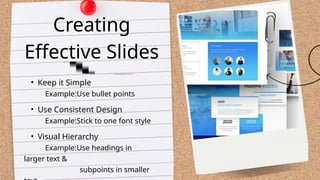
• Keep itSimple
Example:Use bullet points
Creating
Effective Slides
• Use Consistent Design
Example:Stick to one font style
• Visual Hierarchy
Example:Use headings in
larger text &
subpoints in smaller
5.
Selecting and UsingVisuals,
Images, and Multimedia
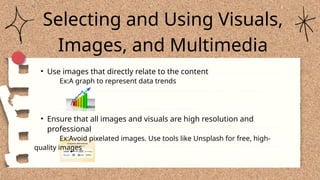
• Use images that directly relate to the content
Ex:A graph to represent data trends
• Ensure that all images and visuals are high resolution and
professional
Ex:Avoid pixelated images. Use tools like Unsplash for free, high-
quality images
6.
Selecting and UsingVisuals,
Images, and Multimedia
• Videos and audio clips can enhance engagement but should be
used sparingly
Ex:A short video demonstrating a process or showing customer
testimonials
• Don’t overload slides with too many images or text.
Balance is key
7.
Ensuring Clarity andVisual Appeal
• Choose simple, easy-to-read fonts like Arial
or Calibri. Avoid cursive or overly
decorative fonts.
• Ensure high contrast between text and
background for readability
Example: Dark text on a light
background, or
light text on a dark
background
• Avoid overloading slides with text. Use short
bullet points, and focus on speaking to the
details.
Example: Instead of explaining everything
on the
slide, say “Let me tell you more about this
point.”
• Maintain a balanced layout with equal space
around the text and images
8.
Speak clearly andavoid
jargon or overly complex
terms
Example: Use simple
language that your
audience can easily grasp
Engagement Pacing Tone and Voice
Vary your tone to
keep your audience
engaged. Speak with
energy and
enthusiasm.
The Importance of Effective Communication
Clarity
Engage your audience by
asking questions,
encouraging
participation, and using
interactive tools.
Example: Polls or Q&A
sessions during or after
the presentation.
Speak at a moderate
pace to ensure the
audience has time to
absorb the content
Example: Avoid
speaking too fast, as it
can overwhelm the
audience, or too slow,
as it can bore them.
9.
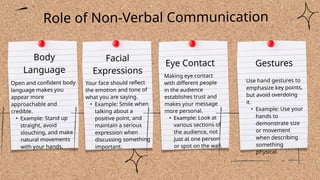
Open and confidentbody
language makes you
appear more
approachable and
credible.
• Example: Stand up
straight, avoid
slouching, and make
natural movements
with your hands.
Facial
Expressions
Eye Contact Gestures
Use hand gestures to
emphasize key points,
but avoid overdoing
it.
• Example: Use your
hands to
demonstrate size
or movement
when describing
something
physical.
Role of Non-Verbal Communication
Body
Language
Your face should reflect
the emotion and tone of
what you are saying.
• Example: Smile when
talking about a
positive point, and
maintain a serious
expression when
discussing something
important.
Making eye contact
with different people
in the audience
establishes trust and
makes your message
more personal.
• Example: Look at
various sections of
the audience, not
just at one person
or spot on the wall.
10.
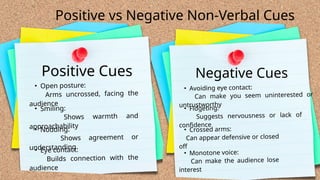
Positive vs NegativeNon-Verbal Cues
• Open posture:
Arms uncrossed, facing the
audience
Positive Cues
• Smiling:
Shows warmth and
approachability
• Nodding:
Shows agreement or
understanding
• Eye contact:
Builds connection with the
audience
• Avoiding eye contact:
Can make you seem uninterested or
untrustworthy
Negative Cues
• Fidgeting:
Suggests nervousness or lack of
confidence
• Crossed arms:
Can appear defensive or closed
off
• Monotone voice:
Can make the audience lose
interest
11.
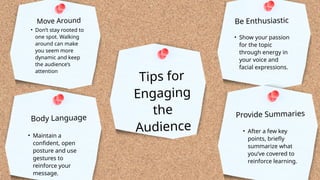
Tips for
Engaging
the
Audience
• Don’tstay rooted to
one spot. Walking
around can make
you seem more
dynamic and keep
the audience’s
attention
Move Around
• Maintain a
confident, open
posture and use
gestures to
reinforce your
message.
Body Language
• Show your passion
for the topic
through energy in
your voice and
facial expressions.
Be Enthusiastic
• After a few key
points, briefly
summarize what
you’ve covered to
reinforce learning.
Provide Summaries
12.
1.Preparing Effective Slidesand Visuals:
• Keep slides simple, clear, and visually appealing.
• Use high-quality images, appropriate fonts, and consistent
design.
• Balance text and visuals to enhance audience understanding
2.The Importance of Effective Communication:
• Clear and engaging speech helps deliver your message
effectively.
• Non-verbal communication plays a major role in keeping the
audience engaged.
• Positive non-verbal cues build credibility and connection,
Conclusion