Fundamentals of
computer
By
R. Janani
18TPBI003
Modem
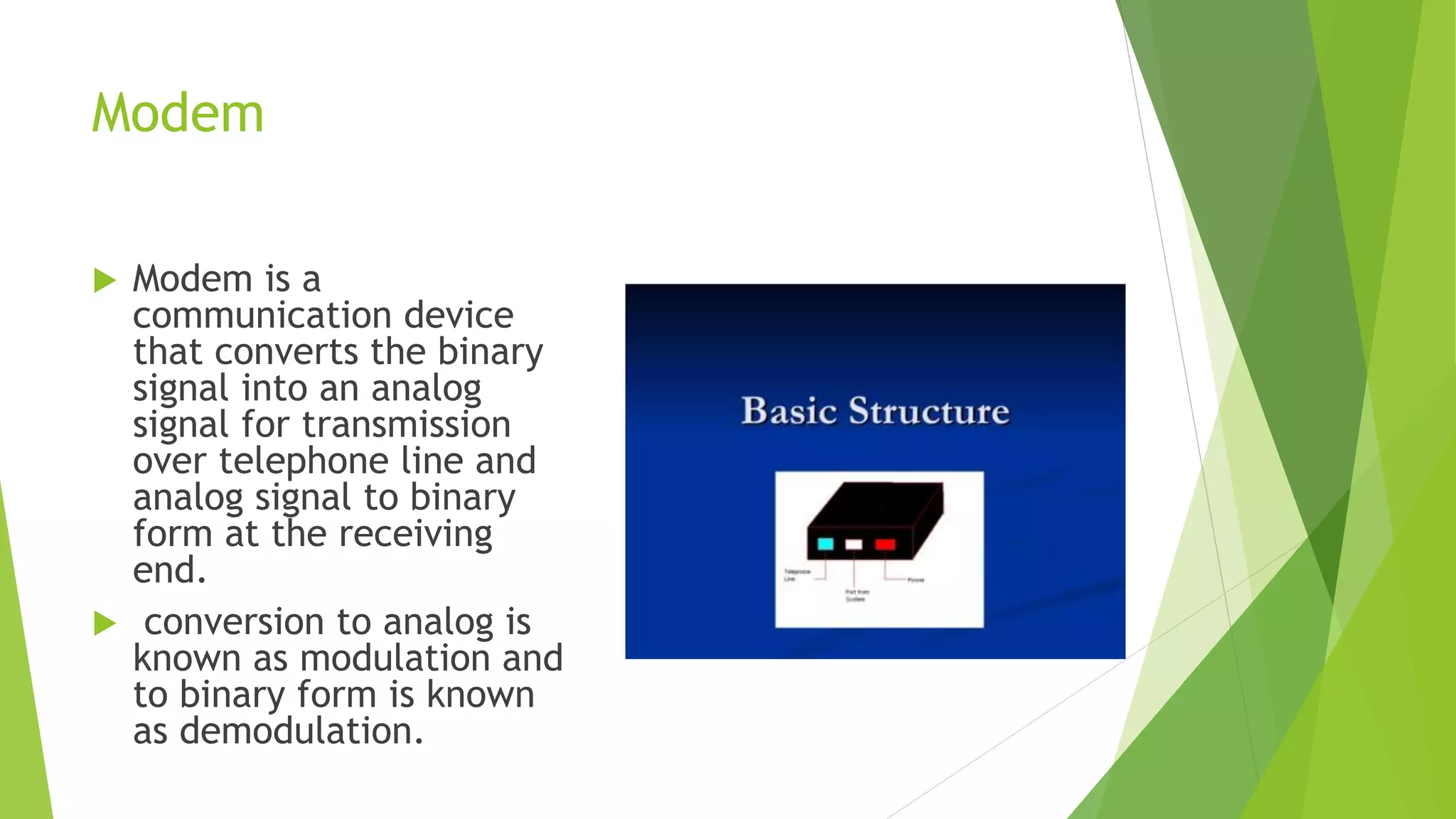
 Modem is a
communication device
that converts the binary
signal into an analog
signal for transmission
over telephone line and
analog signal to binary
form at the receiving
end.
 conversion to analog is
known as modulation and
to binary form is known
as demodulation.
Modem
 Modem is classified into several types.
1. Directional Capability : half and full duplex modem.
2. Connection to the telephone line: 2 or 4 wire modem.
3. Transmission mode: collection of synchronous and non synchronous modem.
 functions of modem
1. Data compression
2. Error correction
3. Flow control
Functions of Modem
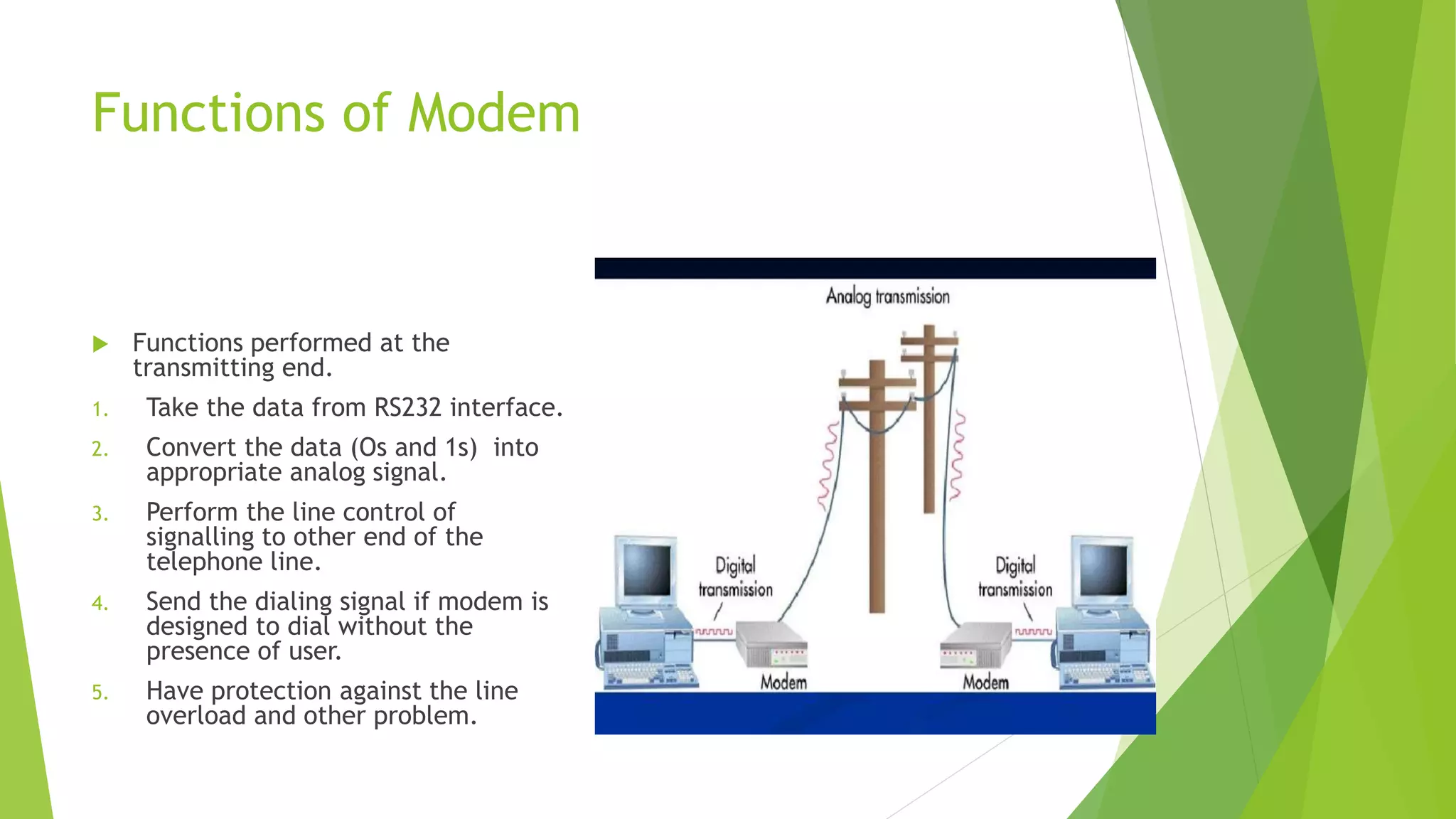
 Functions performed at the
transmitting end.
1. Take the data from RS232 interface.
2. Convert the data (Os and 1s) into
appropriate analog signal.
3. Perform the line control of
signalling to other end of the
telephone line.
4. Send the dialing signal if modem is
designed to dial without the
presence of user.
5. Have protection against the line
overload and other problem.
Functions of modem
 Function to perform at receiving end
1. Receiving the analog signal and demodulate them into 1s and Os
forms.
2. Put and demodulate into RS232 format connect to RS232 interface.
3. Perform the line signalling and control.
4. Have protection against the overload problem.
5. Recover the data with minimum number of errors.
Types of modem based on data
transmission
 Low speed modem
1. They are designed to transfer signalling up to 300 or 600 bands.
2. FSK modulation technique is used.
 Medium speed modem
1. They are designed to transferring data with signalling rate upto 1200 to 4800
bands.
2. BPSK, DPSK technique is used.
 High speed modem
1. They are designed to transfer signalling rate upto 19.6K band.
2. PSK modulation technique is used.
Advantages and disadvantages of modem
 Advantages
1. More useful in connecting LAN with Internet.
2. Speed depends on cost.
3. Modem is probably the most communication roadway.
 Disadvantages
1. Slow speed when compared to hub.
2. Act just as interface between LAN and Internet.
3. No traffic maintenance is present.
4. Although if you spend more money you get speed but it couldn’t be
expectable.
Fiber optic network
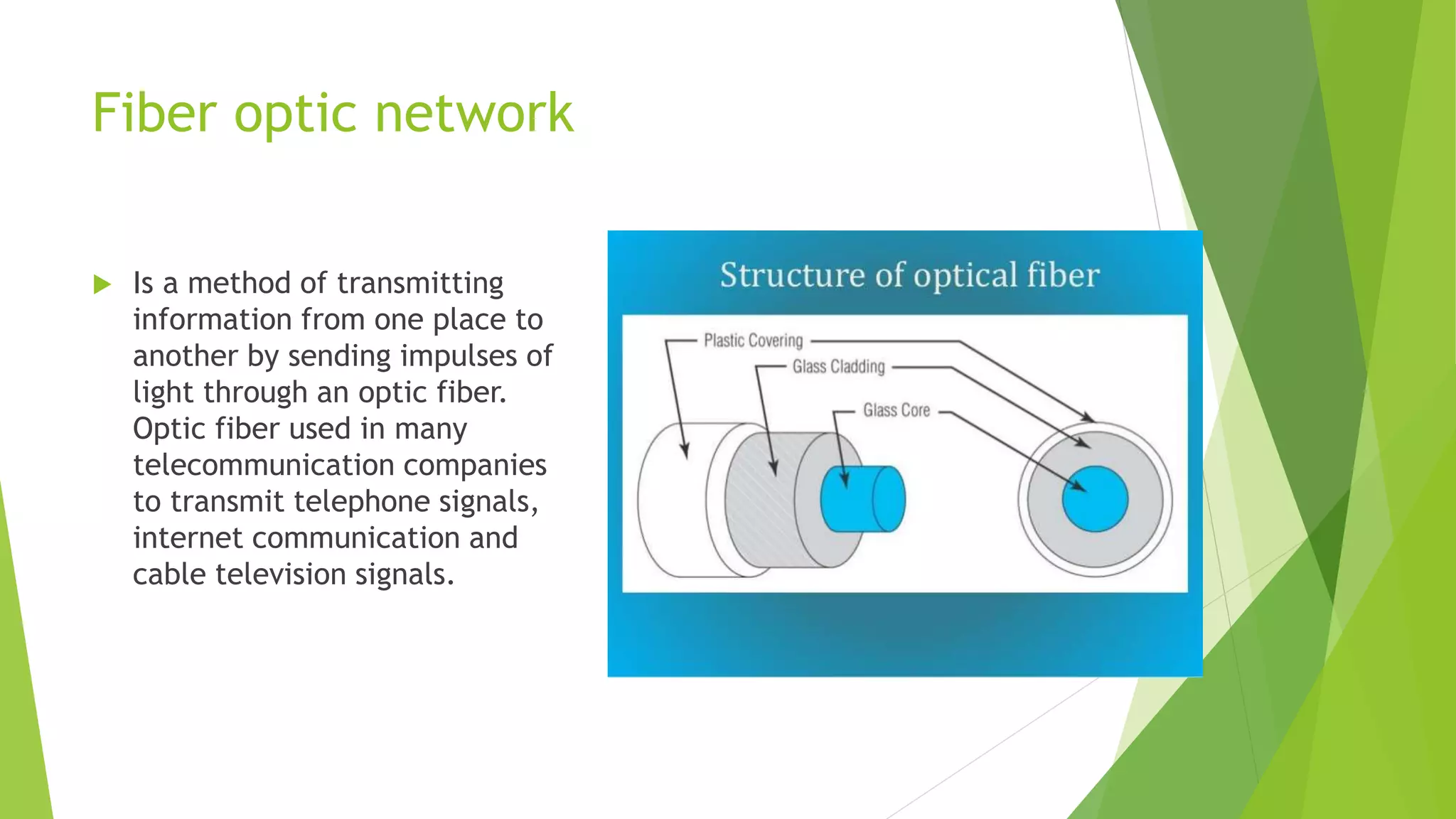
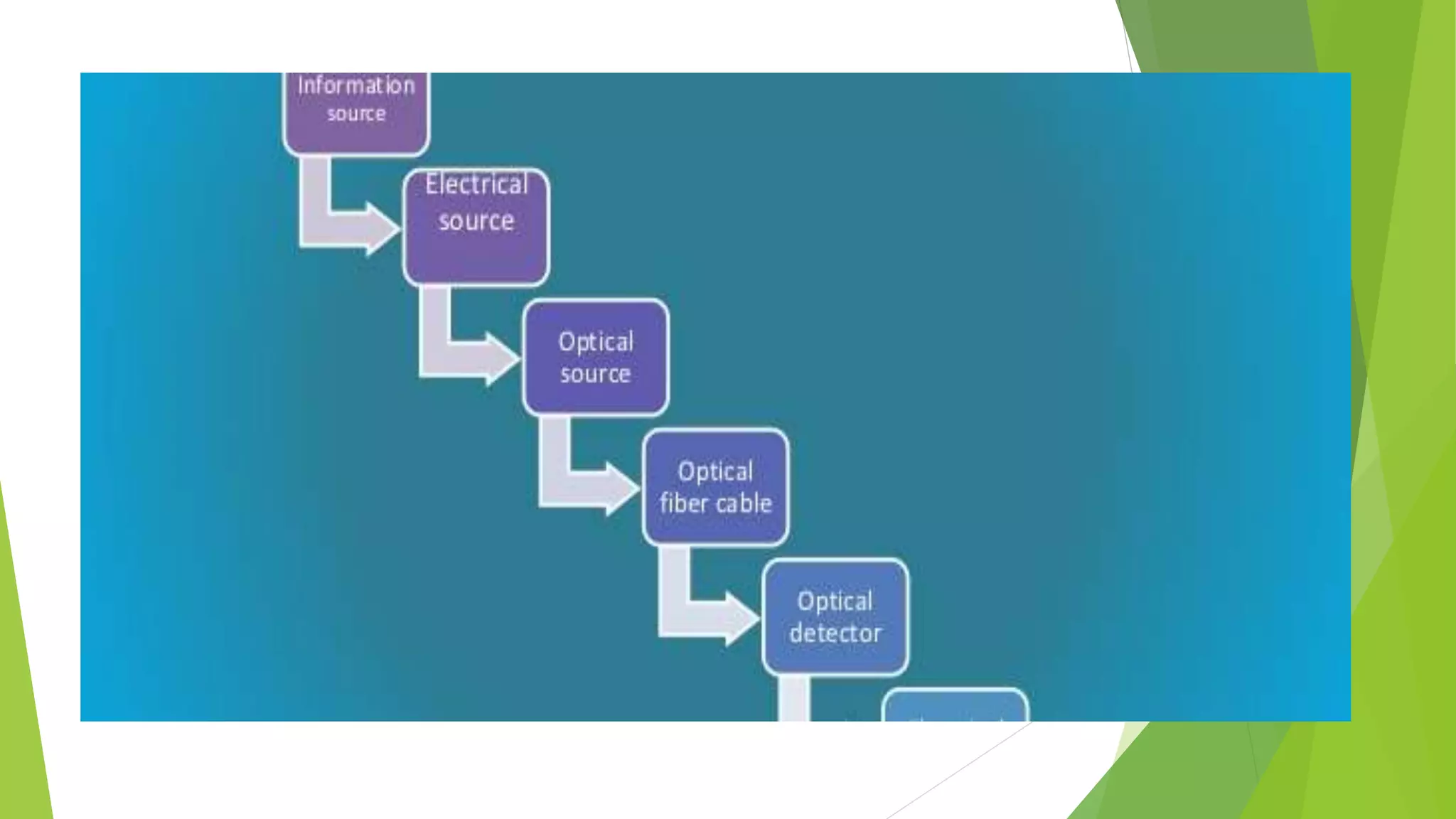
 Is a method of transmitting
information from one place to
another by sending impulses of
light through an optic fiber.
Optic fiber used in many
telecommunication companies
to transmit telephone signals,
internet communication and
cable television signals.
Optic fiber support services
 Routing switching protocols like BGP, OSPF, EIGRP, IGRB, ISIS, MPLS, STP,
FTTH, IP Networks, etc
 Confirming network management tools such as PRTG, Syslog, solar wind speed
etc.
 network health and perform ancestors reports are regularly generated to
ensure you are receiving the service you need.
 Managed security that mitigates viruses, worms, DDoS and more.
 Built in system redundancy.
 Less to spend waiting for providers to troubleshoot to get back to you when
services is not upto the expectations.
 Increased optimum coupled with less time to receive address.
Issues and applications
 New fiber materials and designs
 Fiber lasers and amplifiers
 Fiber switching, memory and signal processing
 Modulators format for transmission system
 Fiber nonlinearities and counter measures
 Fiber local area network
Need for optical fiber network
 Demand for bandwidth
 The tremendous growth of connect Ed users online
 More and more bandwidth intension network
 Applications
1. Data browsing on the WWW
2. Applications requiring large bandwidth
3. Video conferences
4. Download movie
Benefits
 Immunity to electromagnetic interference. Although fiber optisolve data
communication problem they are not needed everywhere.
 Data security
 Non conductive cables
 Eliminating spark hazards
 Ease of installations
 High bandwidth over long distances
E-MAIL
 Electronic mail is abbreviated as E-mail is a method of exchanging digital
messages designed primilarly for human use.
 The system is based on store and forward model in which e-mail server
system accept deliver, forward and store messages on behalf of users.
 Uses
1. Send a message anytime anywhere
2. Send the message several people at the same time
3. Forward the information to coworkers without retyping it
4. Sending the message around the world
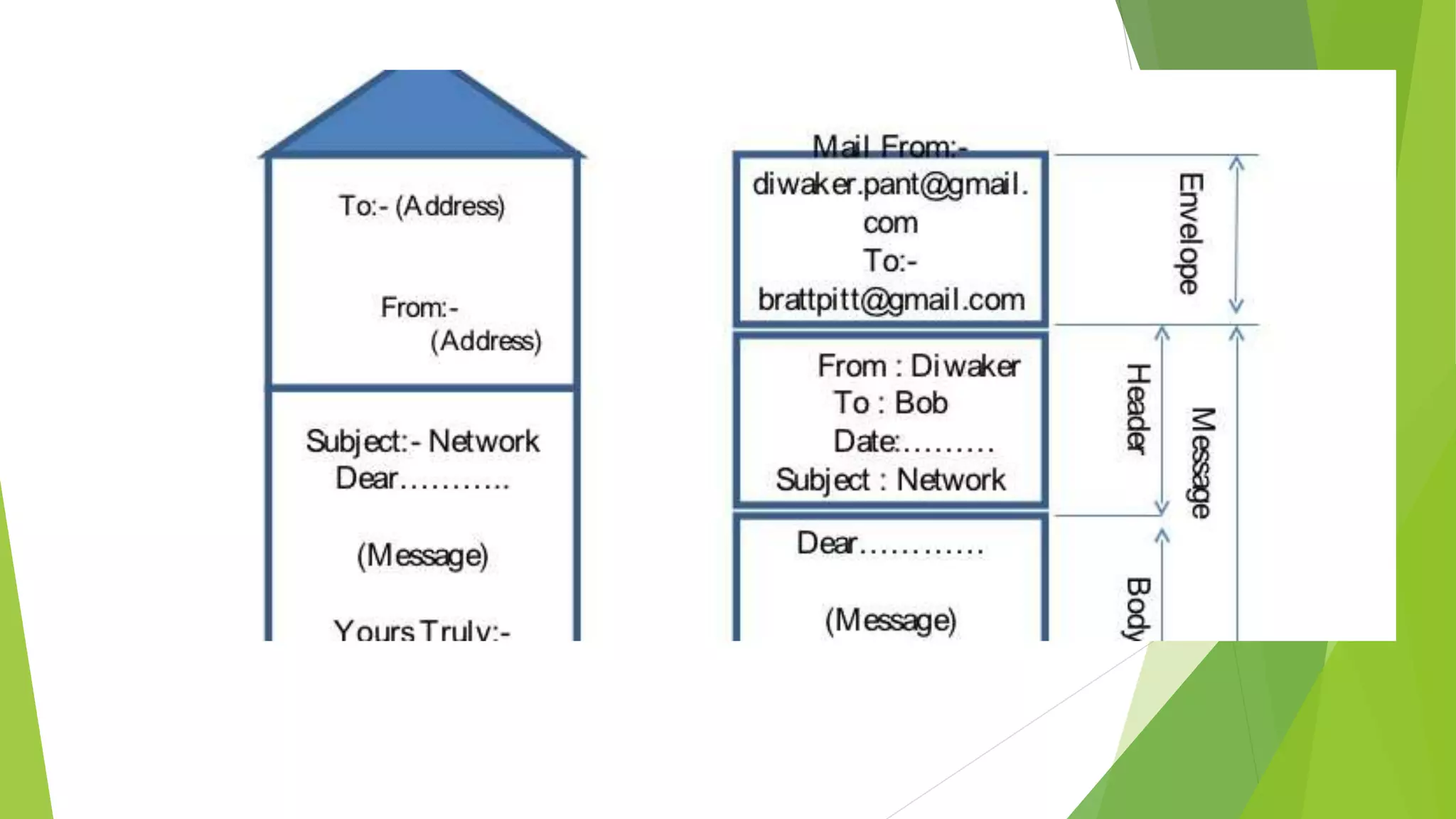
Structure of e-mail
 Consists of two components
 Message header:The message header consists of control information,
including originators information and or more recipient addresses. Usually
the additional information is added such as the subjecter header field.
 Message body: which is the e-mail content
Header field
 The message header includes the following fields:
 From: The e-mail address optionally the name of the author and the sender.
 To: The e-mail address of the message recipient.
 Bcc:Binding Carbon Copy. address added to the SYMPTOMS deliver list but not
listed in the delivery data.
 Cc:Carbon Copy. Many e-mail clients will mark e-mail in your inbox whether
you are in the To or Cc list.
 Date: The local time and the date when the message was written
automatically attached attached while sending.
 Subject:A brief of summary of the topic of message.
Header field
 Message ID. Also an automatically generated field used to prevent
multiple delivery.
 Attachement. Contain the name of files that you want to send
example the whole document.
E-mail address
 To deliver mail a system must use an addressing system with unique address.
 Address consists of two parts
1. Local part
2. Domain name
 They are separated by @ sign.
 It specifies the destination of the electronic message.
 Internet address looks like user name@domain name.
 User name specifies the recipient
 Domain name is the address. Many people share at the same address.
TCP/IP
 The Internet protocol suite is
the conceptual model and set
of communications protocols used in
the Internet and similar computer networks.
 It is commonly known as TCP/IP because
the foundational protocols in the suite are
the Transmission Control Protocol(TCP)
and the Internet Protocol (IP).
 It is occasionally known as
the Department of
Defense (DoD) model because the
development of the networking method
was funded by the United States
Department of Defense through DARPA.
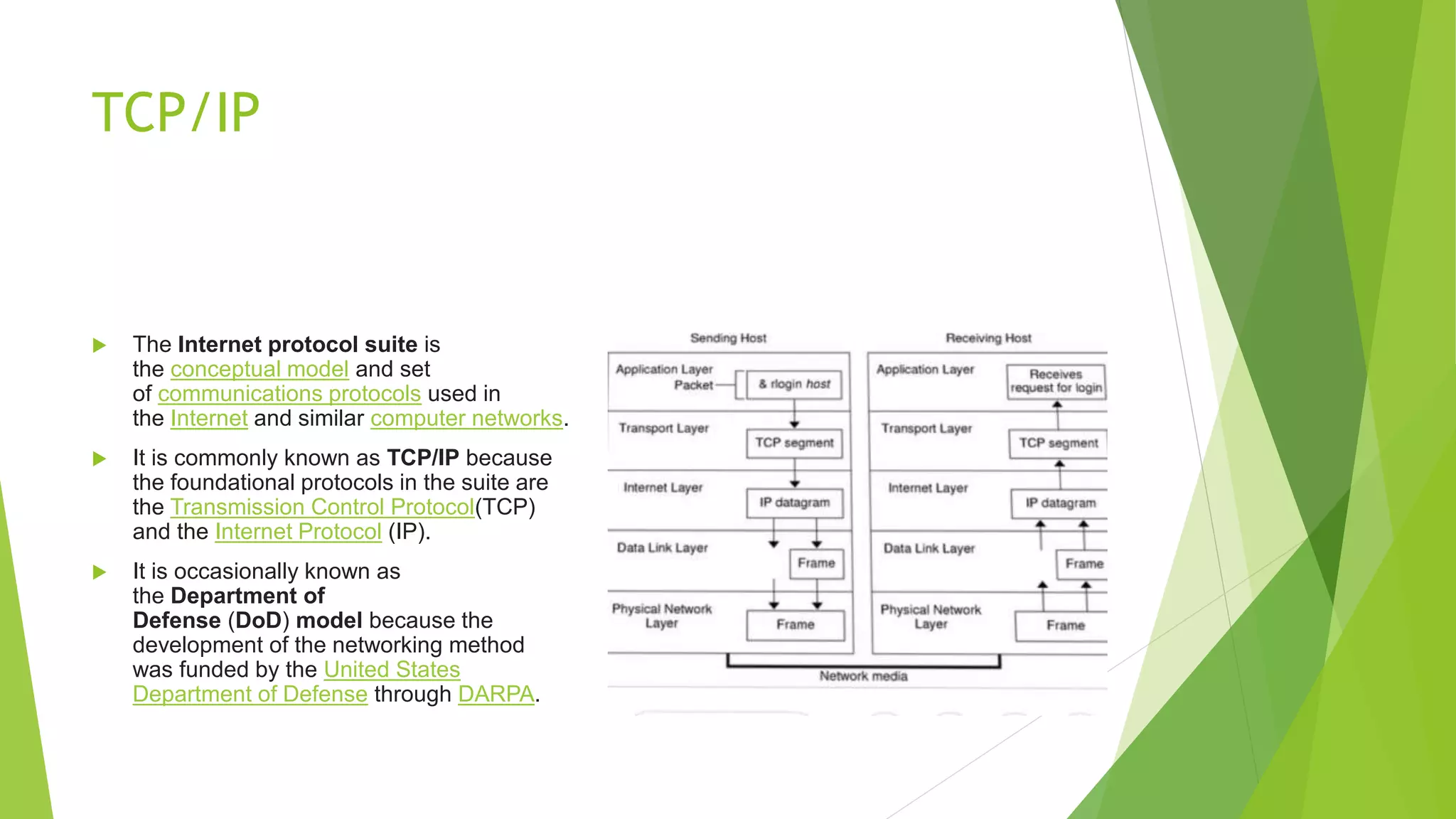
Application layer
 Create user data and communicate this data to other
applications on another or the same host.
 The applications make use of the services provided by the
underlying lower layers, especially the transport layer which
provides reliable or unreliable pipes to other processes.
 The communications partners are characterized by the
application architecture, such as the client-server
model and peer-to-peer networking. This is the layer in which all
application protocols, such as SMTP, FTP, SSH, HTTP, operate.
Processes are addressed via ports which essentially
represent services.
Transport layer
 performs host-to-host communications on either the local network or remote
networks separated by routers.
 provides a channel for the communication needs of applications. UDP is the
basic transport layer protocol, providing an unreliable connectionlessdatagram
service.
 The Transmission Control Protocol provides flow-control, connection
establishment, and reliable transmission of data.
Internet layer
 exchanges datagrams across network boundaries.
 provides a uniform networking interface that hides the actual topology (layout)
of the underlying network connections.
 establishes internetworking.
 defines the addressing and routing structures used for the TCP/IP protocol
suite.
 Its function in routing is to transport datagrams to the next host, functioning as
an IP router, that has the connectivity to a network closer to the final data
destination
Link layer
 The link layer defines the networking methods within the scope of the local
network link on which hosts communicate without intervening routers.
 This layer includes the protocols used to describe the local network topology
and the interfaces needed to effect transmission of Internet layer datagrams to
next-neighbor hosts.
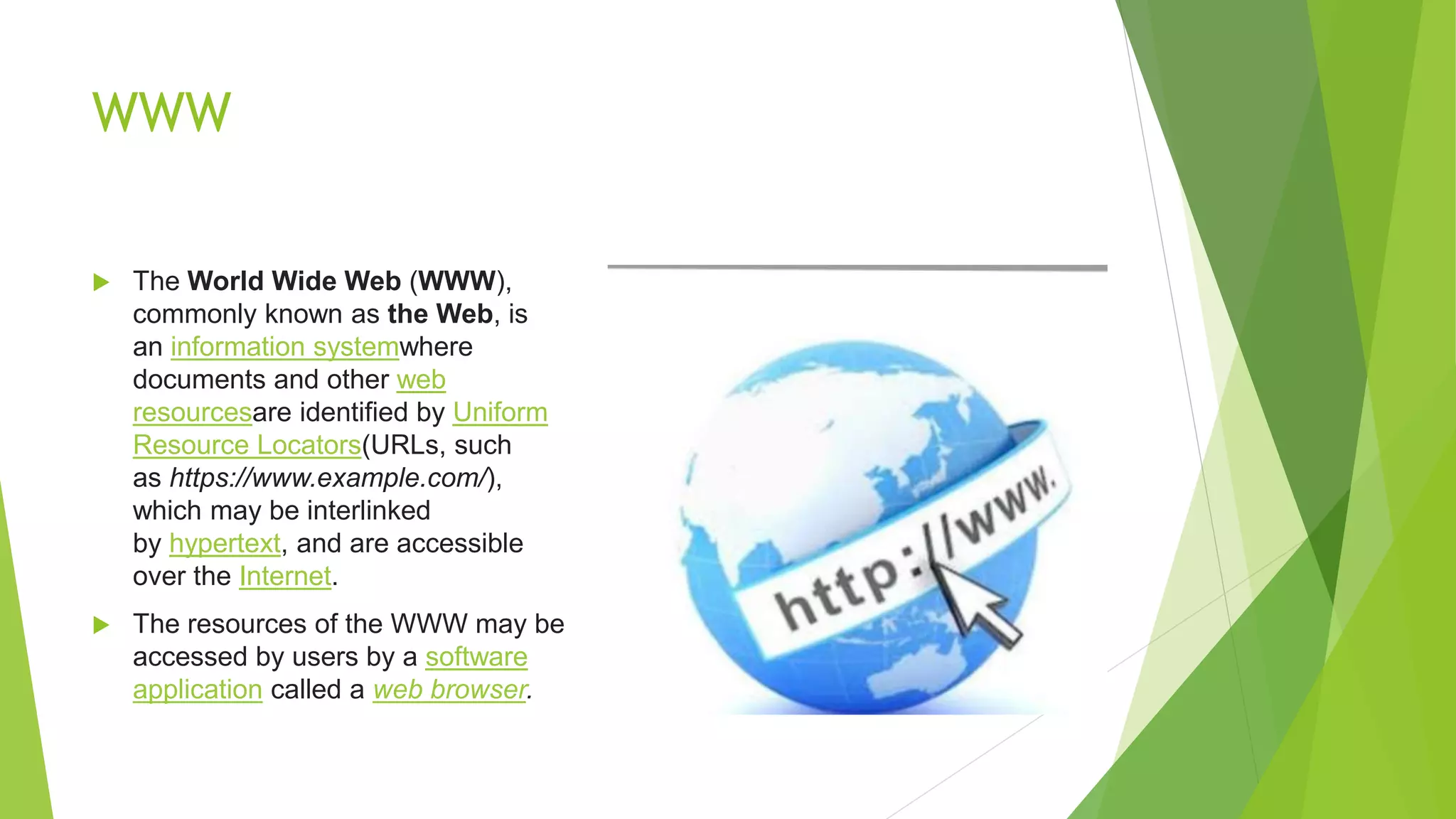
WWW
 The World Wide Web (WWW),
commonly known as the Web, is
an information systemwhere
documents and other web
resourcesare identified by Uniform
Resource Locators(URLs, such
as https://www.example.com/),
which may be interlinked
by hypertext, and are accessible
over the Internet.
 The resources of the WWW may be
accessed by users by a software
application called a web browser.
Functions
 The terms Internet and World Wide Web are often used without much
distinction. However, the two terms do not mean the same thing..
 The Internet is a global system of interconnected computer networks.
 The World Wide Web is a global collection of documents and other resources,
linked by hyperlinks and URIs.
 Web resources are accessed using HTTP or HTTPS, which are application-
level Internet protocols that use the Internet's transport protocols
Types of WWW
 types of World Wide Web
The World-Wide Web
 Basic World-Wide Web Model.
 Universal Resource Identifies.
 Hypertext Transfer Protocol.
 Hypertext Markup Language.
 Interactive World-Wide Web Model
Thank you

Presentation (1)

  • 1.
  • 2.
    Modem  Modem isa communication device that converts the binary signal into an analog signal for transmission over telephone line and analog signal to binary form at the receiving end.  conversion to analog is known as modulation and to binary form is known as demodulation.
  • 3.
    Modem  Modem isclassified into several types. 1. Directional Capability : half and full duplex modem. 2. Connection to the telephone line: 2 or 4 wire modem. 3. Transmission mode: collection of synchronous and non synchronous modem.  functions of modem 1. Data compression 2. Error correction 3. Flow control
  • 4.
    Functions of Modem Functions performed at the transmitting end. 1. Take the data from RS232 interface. 2. Convert the data (Os and 1s) into appropriate analog signal. 3. Perform the line control of signalling to other end of the telephone line. 4. Send the dialing signal if modem is designed to dial without the presence of user. 5. Have protection against the line overload and other problem.
  • 5.
    Functions of modem Function to perform at receiving end 1. Receiving the analog signal and demodulate them into 1s and Os forms. 2. Put and demodulate into RS232 format connect to RS232 interface. 3. Perform the line signalling and control. 4. Have protection against the overload problem. 5. Recover the data with minimum number of errors.
  • 6.
    Types of modembased on data transmission  Low speed modem 1. They are designed to transfer signalling up to 300 or 600 bands. 2. FSK modulation technique is used.  Medium speed modem 1. They are designed to transferring data with signalling rate upto 1200 to 4800 bands. 2. BPSK, DPSK technique is used.  High speed modem 1. They are designed to transfer signalling rate upto 19.6K band. 2. PSK modulation technique is used.
  • 7.
    Advantages and disadvantagesof modem  Advantages 1. More useful in connecting LAN with Internet. 2. Speed depends on cost. 3. Modem is probably the most communication roadway.  Disadvantages 1. Slow speed when compared to hub. 2. Act just as interface between LAN and Internet. 3. No traffic maintenance is present. 4. Although if you spend more money you get speed but it couldn’t be expectable.
  • 8.
    Fiber optic network Is a method of transmitting information from one place to another by sending impulses of light through an optic fiber. Optic fiber used in many telecommunication companies to transmit telephone signals, internet communication and cable television signals.
  • 9.
    Optic fiber supportservices  Routing switching protocols like BGP, OSPF, EIGRP, IGRB, ISIS, MPLS, STP, FTTH, IP Networks, etc  Confirming network management tools such as PRTG, Syslog, solar wind speed etc.  network health and perform ancestors reports are regularly generated to ensure you are receiving the service you need.  Managed security that mitigates viruses, worms, DDoS and more.  Built in system redundancy.  Less to spend waiting for providers to troubleshoot to get back to you when services is not upto the expectations.  Increased optimum coupled with less time to receive address.
  • 11.
    Issues and applications New fiber materials and designs  Fiber lasers and amplifiers  Fiber switching, memory and signal processing  Modulators format for transmission system  Fiber nonlinearities and counter measures  Fiber local area network
  • 12.
    Need for opticalfiber network  Demand for bandwidth  The tremendous growth of connect Ed users online  More and more bandwidth intension network  Applications 1. Data browsing on the WWW 2. Applications requiring large bandwidth 3. Video conferences 4. Download movie
  • 13.
    Benefits  Immunity toelectromagnetic interference. Although fiber optisolve data communication problem they are not needed everywhere.  Data security  Non conductive cables  Eliminating spark hazards  Ease of installations  High bandwidth over long distances
  • 14.
    E-MAIL  Electronic mailis abbreviated as E-mail is a method of exchanging digital messages designed primilarly for human use.  The system is based on store and forward model in which e-mail server system accept deliver, forward and store messages on behalf of users.  Uses 1. Send a message anytime anywhere 2. Send the message several people at the same time 3. Forward the information to coworkers without retyping it 4. Sending the message around the world
  • 15.
    Structure of e-mail Consists of two components  Message header:The message header consists of control information, including originators information and or more recipient addresses. Usually the additional information is added such as the subjecter header field.  Message body: which is the e-mail content
  • 17.
    Header field  Themessage header includes the following fields:  From: The e-mail address optionally the name of the author and the sender.  To: The e-mail address of the message recipient.  Bcc:Binding Carbon Copy. address added to the SYMPTOMS deliver list but not listed in the delivery data.  Cc:Carbon Copy. Many e-mail clients will mark e-mail in your inbox whether you are in the To or Cc list.  Date: The local time and the date when the message was written automatically attached attached while sending.  Subject:A brief of summary of the topic of message.
  • 18.
    Header field  MessageID. Also an automatically generated field used to prevent multiple delivery.  Attachement. Contain the name of files that you want to send example the whole document.
  • 19.
    E-mail address  Todeliver mail a system must use an addressing system with unique address.  Address consists of two parts 1. Local part 2. Domain name  They are separated by @ sign.  It specifies the destination of the electronic message.  Internet address looks like user name@domain name.  User name specifies the recipient  Domain name is the address. Many people share at the same address.
  • 21.
    TCP/IP  The Internetprotocol suite is the conceptual model and set of communications protocols used in the Internet and similar computer networks.  It is commonly known as TCP/IP because the foundational protocols in the suite are the Transmission Control Protocol(TCP) and the Internet Protocol (IP).  It is occasionally known as the Department of Defense (DoD) model because the development of the networking method was funded by the United States Department of Defense through DARPA.
  • 22.
    Application layer  Createuser data and communicate this data to other applications on another or the same host.  The applications make use of the services provided by the underlying lower layers, especially the transport layer which provides reliable or unreliable pipes to other processes.  The communications partners are characterized by the application architecture, such as the client-server model and peer-to-peer networking. This is the layer in which all application protocols, such as SMTP, FTP, SSH, HTTP, operate. Processes are addressed via ports which essentially represent services.
  • 23.
    Transport layer  performshost-to-host communications on either the local network or remote networks separated by routers.  provides a channel for the communication needs of applications. UDP is the basic transport layer protocol, providing an unreliable connectionlessdatagram service.  The Transmission Control Protocol provides flow-control, connection establishment, and reliable transmission of data.
  • 24.
    Internet layer  exchangesdatagrams across network boundaries.  provides a uniform networking interface that hides the actual topology (layout) of the underlying network connections.  establishes internetworking.  defines the addressing and routing structures used for the TCP/IP protocol suite.  Its function in routing is to transport datagrams to the next host, functioning as an IP router, that has the connectivity to a network closer to the final data destination
  • 25.
    Link layer  Thelink layer defines the networking methods within the scope of the local network link on which hosts communicate without intervening routers.  This layer includes the protocols used to describe the local network topology and the interfaces needed to effect transmission of Internet layer datagrams to next-neighbor hosts.
  • 26.
    WWW  The WorldWide Web (WWW), commonly known as the Web, is an information systemwhere documents and other web resourcesare identified by Uniform Resource Locators(URLs, such as https://www.example.com/), which may be interlinked by hypertext, and are accessible over the Internet.  The resources of the WWW may be accessed by users by a software application called a web browser.
  • 27.
    Functions  The termsInternet and World Wide Web are often used without much distinction. However, the two terms do not mean the same thing..  The Internet is a global system of interconnected computer networks.  The World Wide Web is a global collection of documents and other resources, linked by hyperlinks and URIs.  Web resources are accessed using HTTP or HTTPS, which are application- level Internet protocols that use the Internet's transport protocols
  • 28.
    Types of WWW types of World Wide Web The World-Wide Web  Basic World-Wide Web Model.  Universal Resource Identifies.  Hypertext Transfer Protocol.  Hypertext Markup Language.  Interactive World-Wide Web Model
  • 29.