Susan Hart
Development of A Preschool Program    —High School Elective – Child Development II —9-12 Graders  —Topics Addressed: All Aspects of Development, Child Care & Lesson Planning —Length of lesson: 14 days including at least 5 in the MAC Lab —Web 2.0 Tools Used: — del.icio.us — Searchme.com (beta)
Students will apply knowledge learned of the developmental stages of a  preschooler in the development of a preschool program. They are to design a curriculum that will help the preschoolers develop physically, emotionally, socially and intellectually. —Culmination of student’s participation in local preschool program —In place of final exam – true assessment of all knowledge learned about preschoolers and preschool program
Students will develop their own preschool program for their final project in Child Development II. Students will also write a themed lesson plan Project can be done in Word or as a PowerPoint Presentation  Program must include assigned activities Project must be done using technology!!!
Timeline – Day One Teacher will hand out completed projects from previous classes for visual understanding Teacher will hand out Preschool Activity Check List with requirements Requirements will be discussed for understanding of project  Introduction to Web 2.0 tools – del.icio.us  Searchme.com Students will be told that there are additional resources on teacher’s Eboard site
Day Two (in MAC lab) Students will be directed to teachers’ page on the social bookmarking site del.icio.us  Teacher has listed some resources for the project and as students find others they will be added to site.  Students will be told they need to have 3-5 resources and 3 must be their own. Students will also be shown teacher developed webquest for the project with additional resources and description and procedure for portfolio. Students will begin project using the activity handout provided
Students will continue working on project until completion Teacher will help students with their portfolios  Teacher will collect check lists each day to check on student progress If necessary, more time in the computer lab will be booked so that students can complete their portfolios in school
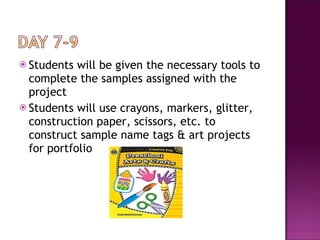
Students will be given the necessary tools to complete the samples assigned with the project Students will use crayons, markers, glitter, construction paper, scissors, etc. to construct sample name tags & art projects for portfolio
Teacher will review with students previous unit on writing a lesson plan Students will review sample lesson plans  previously  done in class in collaboration groups as a guide  Students will write their own lesson plan using the research done in the computer lab Lesson plan is to be based on a pre-school activity center or a theme (Spring, President’s Day,etc.) Lesson is to be turned in on final due date chose by teacher (approximately 3 days later) Student presentation of Portfolio & Lesson Plan
KNOWLEDGE Students work will show prior knowledge gained in class Students work will show mastery of the topics of child development and preschoolers Students success at having mastered the information will be evident upon completion of their portfolio and the tasks given
COMPREHENSION Evident when students will have translated knowledge into new context (portfolio) Students will have to interpret information found and compare and contrast it for use in portfolio  APPLICATION Students will apply prior knowledge to new situation
Pre-school Activity Handout Checklist Completed Portfolio Themed preschool Lesson Plan Completed Preschooler observation forms from preschool visits Different tasks support different learning styles and levels Rubric
 
 
Internet research of preschools and preschool development enhances student’s learning by being active participants in the learning process. Students use of web 2.0 tools such as  del.icio.us and Searchme.com (beta)  encourages effective student use of technology Students are involved in the decision making process as they can choose to do their project in Word or as a PowerPoint Presentation Technology used is appropriate for high school students
Teacher Computer Internet Projector for PowerPoint Presentations Students Computer Printer Internet Web 2.0 tools -  del.icio.us & Searchme.com (beta) PowerPoint
Reserve time in computer lab Teach unit on lesson plan writing  Copy handouts – Preschool Activity Center Assignment Checklist Lesson Plan Outline Rubric Preschooler Observation For Did Internet search on Searchme.com to determine ease of use (EASY!) Posted Child Development Project resources to  del.icio.us Arrange for use of projector on presentation day
Standard 1 – Students can provide a safe and nurturing environment for themselves and others. Students understand the stages of Child Development and apply this knowledge to activities designed to enrich the physical, social, mental, and emotional development of a young child. This is evident when students plan a daily program of balanced activity for preschoolers based on knowledge and understanding of patterns of child growth and development.
Standard 2 Students will know the basic principles of home and community safety. They can provide a safe and nurturing environment for themselves and others. Students demonstrate the principles of safe and healthy child care This is evident when students: Describe the normal ranges of differences among children the same age and respond appropriately to the different abilities Appropriately interact with younger children entrusted to their care
1. Creativity and Innovation- Students demonstrate creative thinking, construct knowledge, and develop innovative products using technology. A. apply existing knowledge to generate new ideas, products or processes. B. create original works as a means of personal or group expression 2. Communication & Collaboration- Students use digital media and environments to communicate and work collaboratively, including at a distance, to support individual learning and contribute to the learning of others Interact, collaborate and publish with peers, experts or others employing a variety of digital environments and media.
3. Research and Information Fluency- Students apply tools to gather, evaluate and use information. Locate, organize, analyze, evaluate, synthesize and ethically use information from a variety of sources and media. Evaluate and select information sources and digital tools based on appropriateness to specific tasks 4. Critical Thinking, Problem Solving, and Decision Making Students use critical thinking skills to plan and conduct research, manage projects, solve problems, and make informed decisions using appropriate digital tools and resources. Students: a. identify and define authentic problems and significant questions for investigation. b. plan and manage activities to develop a solution or complete a project
5. Digital Citizenship -Students understand human, cultural, and societal issues related to technology and practice legal and ethical behavior. Students: A.advocate and practice safe, legal, and responsible use of information and technology  B.demonstrate personal responsibility for lifelong learning. C.exhibit leadership for digital citizenship. 6.  Technology Operations and Concepts - Students demonstrate a sound understanding of technology concepts, systems, and operations. Students: a.  understand and use technology systems. b.  select and use applications effectively and productively. c.  troubleshoot systems and applications. d.  transfer current knowledge to learning of new technologies.
http://www.preschooleducation.com http://home.earthlink.net/~stcarr/preschool.html http://eev3.liu.edu/hh0608/sh/Webquest del.icio.us http://beta.searchme.com http://www.uen.org/curriculum/corelessonplans.shtml

Preschool Program Portfolio Lesson Plan

  • 1.
  • 2.
    Development of APreschool Program   —High School Elective – Child Development II —9-12 Graders —Topics Addressed: All Aspects of Development, Child Care & Lesson Planning —Length of lesson: 14 days including at least 5 in the MAC Lab —Web 2.0 Tools Used: — del.icio.us — Searchme.com (beta)
  • 3.
    Students will applyknowledge learned of the developmental stages of a preschooler in the development of a preschool program. They are to design a curriculum that will help the preschoolers develop physically, emotionally, socially and intellectually. —Culmination of student’s participation in local preschool program —In place of final exam – true assessment of all knowledge learned about preschoolers and preschool program
  • 4.
    Students will developtheir own preschool program for their final project in Child Development II. Students will also write a themed lesson plan Project can be done in Word or as a PowerPoint Presentation Program must include assigned activities Project must be done using technology!!!
  • 5.
    Timeline – DayOne Teacher will hand out completed projects from previous classes for visual understanding Teacher will hand out Preschool Activity Check List with requirements Requirements will be discussed for understanding of project Introduction to Web 2.0 tools – del.icio.us Searchme.com Students will be told that there are additional resources on teacher’s Eboard site
  • 6.
    Day Two (inMAC lab) Students will be directed to teachers’ page on the social bookmarking site del.icio.us Teacher has listed some resources for the project and as students find others they will be added to site. Students will be told they need to have 3-5 resources and 3 must be their own. Students will also be shown teacher developed webquest for the project with additional resources and description and procedure for portfolio. Students will begin project using the activity handout provided
  • 7.
    Students will continueworking on project until completion Teacher will help students with their portfolios Teacher will collect check lists each day to check on student progress If necessary, more time in the computer lab will be booked so that students can complete their portfolios in school
  • 8.
    Students will begiven the necessary tools to complete the samples assigned with the project Students will use crayons, markers, glitter, construction paper, scissors, etc. to construct sample name tags & art projects for portfolio
  • 9.
    Teacher will reviewwith students previous unit on writing a lesson plan Students will review sample lesson plans previously done in class in collaboration groups as a guide Students will write their own lesson plan using the research done in the computer lab Lesson plan is to be based on a pre-school activity center or a theme (Spring, President’s Day,etc.) Lesson is to be turned in on final due date chose by teacher (approximately 3 days later) Student presentation of Portfolio & Lesson Plan
  • 10.
    KNOWLEDGE Students workwill show prior knowledge gained in class Students work will show mastery of the topics of child development and preschoolers Students success at having mastered the information will be evident upon completion of their portfolio and the tasks given
  • 11.
    COMPREHENSION Evident whenstudents will have translated knowledge into new context (portfolio) Students will have to interpret information found and compare and contrast it for use in portfolio  APPLICATION Students will apply prior knowledge to new situation
  • 12.
    Pre-school Activity HandoutChecklist Completed Portfolio Themed preschool Lesson Plan Completed Preschooler observation forms from preschool visits Different tasks support different learning styles and levels Rubric
  • 13.
  • 14.
  • 15.
    Internet research ofpreschools and preschool development enhances student’s learning by being active participants in the learning process. Students use of web 2.0 tools such as del.icio.us and Searchme.com (beta) encourages effective student use of technology Students are involved in the decision making process as they can choose to do their project in Word or as a PowerPoint Presentation Technology used is appropriate for high school students
  • 16.
    Teacher Computer InternetProjector for PowerPoint Presentations Students Computer Printer Internet Web 2.0 tools - del.icio.us & Searchme.com (beta) PowerPoint
  • 17.
    Reserve time incomputer lab Teach unit on lesson plan writing Copy handouts – Preschool Activity Center Assignment Checklist Lesson Plan Outline Rubric Preschooler Observation For Did Internet search on Searchme.com to determine ease of use (EASY!) Posted Child Development Project resources to del.icio.us Arrange for use of projector on presentation day
  • 18.
    Standard 1 –Students can provide a safe and nurturing environment for themselves and others. Students understand the stages of Child Development and apply this knowledge to activities designed to enrich the physical, social, mental, and emotional development of a young child. This is evident when students plan a daily program of balanced activity for preschoolers based on knowledge and understanding of patterns of child growth and development.
  • 19.
    Standard 2 Studentswill know the basic principles of home and community safety. They can provide a safe and nurturing environment for themselves and others. Students demonstrate the principles of safe and healthy child care This is evident when students: Describe the normal ranges of differences among children the same age and respond appropriately to the different abilities Appropriately interact with younger children entrusted to their care
  • 20.
    1. Creativity andInnovation- Students demonstrate creative thinking, construct knowledge, and develop innovative products using technology. A. apply existing knowledge to generate new ideas, products or processes. B. create original works as a means of personal or group expression 2. Communication & Collaboration- Students use digital media and environments to communicate and work collaboratively, including at a distance, to support individual learning and contribute to the learning of others Interact, collaborate and publish with peers, experts or others employing a variety of digital environments and media.
  • 21.
    3. Research andInformation Fluency- Students apply tools to gather, evaluate and use information. Locate, organize, analyze, evaluate, synthesize and ethically use information from a variety of sources and media. Evaluate and select information sources and digital tools based on appropriateness to specific tasks 4. Critical Thinking, Problem Solving, and Decision Making Students use critical thinking skills to plan and conduct research, manage projects, solve problems, and make informed decisions using appropriate digital tools and resources. Students: a. identify and define authentic problems and significant questions for investigation. b. plan and manage activities to develop a solution or complete a project
  • 22.
    5. Digital Citizenship-Students understand human, cultural, and societal issues related to technology and practice legal and ethical behavior. Students: A.advocate and practice safe, legal, and responsible use of information and technology B.demonstrate personal responsibility for lifelong learning. C.exhibit leadership for digital citizenship. 6. Technology Operations and Concepts - Students demonstrate a sound understanding of technology concepts, systems, and operations. Students: a. understand and use technology systems. b. select and use applications effectively and productively. c. troubleshoot systems and applications. d. transfer current knowledge to learning of new technologies.
  • 23.
    http://www.preschooleducation.com http://home.earthlink.net/~stcarr/preschool.html http://eev3.liu.edu/hh0608/sh/Webquestdel.icio.us http://beta.searchme.com http://www.uen.org/curriculum/corelessonplans.shtml